Strava for Claude Code.
Track your Claude Code usage. Share your sessions. Climb the leaderboard.
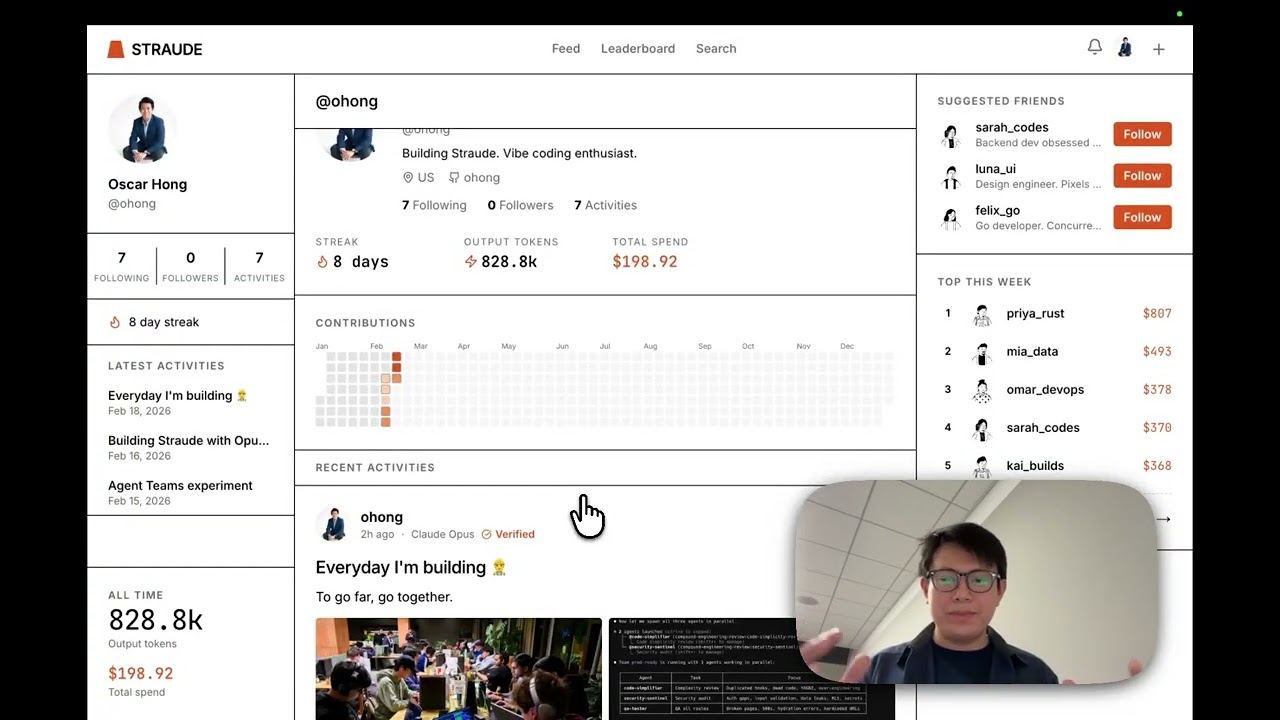
Running used to be solitary. Then Strava made it social. Agentic engineering with Claude Code is the new solitary grind — people are spending thousands building with AI, but there's no way to share the journey. Straude changes that.
Sync your stats with a single command — no install needed:
npx straude@latestThe CLI reads your local ccusage data (cost, tokens, models, sessions), uploads it to Straude, and auto-creates a post on your feed. First run opens a browser login; after that, just run npx straude@latest daily. It automatically pushes new stats since your last sync.
Options: --date YYYY-MM-DD to push a specific date, --days N to backfill the last N days (max 7), --dry-run to preview without posting. Run npx straude@latest status to check your streak and rank.
- Track — Cost, tokens, models, and sessions in one place.
- Share — Auto-posted sessions with optional screenshots and AI-generated captions.
- Compete — Global and regional leaderboards (daily/weekly/monthly/all-time).
- Streak — Code with Claude every day. Your streak is your badge of honor.
Display your Straude stats on your GitHub profile:
Add this to your README (replace YOUR_USERNAME with your Straude username):
[](https://straude.com/u/YOUR_USERNAME)Dark theme: append ?theme=dark. Auto-match GitHub theme:
<a href="https://straude.com/u/YOUR_USERNAME"> <picture> <source media="(prefers-color-scheme: dark)" srcset="https://straude.com/api/card/YOUR_USERNAME?theme=dark" /> <source media="(prefers-color-scheme: light)" srcset="https://straude.com/api/card/YOUR_USERNAME?theme=light" /> <img alt="Straude Stats" src="https://straude.com/api/card/YOUR_USERNAME" /> </picture> </a>Get your personalized embed code at straude.com/card.
Go public and compete on the leaderboard, or stay private and share only with followers.
Only aggregate token usage statistics — the same numbers you'd see on your Anthropic/OpenAI billing dashboard:
- Token counts (input, output, cache read, cache creation)
- Cost in USD
- Model names used (e.g. "Claude Opus", "GPT-4.1")
- Session count and dates
That's it. We have zero access to your prompts, code, conversations, file contents, or anything you do inside Claude Code or Codex. The CLI reads pre-aggregated daily totals from local ccusage data — it never touches your session transcripts or project files.
The CLI runs ccusage locally on your machine, which reads the JSONL log files that Claude Code writes to ~/.claude/. These logs contain token counts and cost per API call. ccusage aggregates them into daily totals, and the Straude CLI sends those totals to the server. The raw logs never leave your machine.
No. The data pipeline is: local JSONL logs → ccusage (local aggregation) → daily totals sent to Straude. At no point does any conversation content, prompt text, code, or file path leave your machine. You can verify this yourself — the CLI is open source, and you can run npx straude --dry-run to see exactly what would be sent before it's sent.
No. You choose your visibility during onboarding. Private profiles are only visible to approved followers. You can switch between public and private at any time in settings.
Straude is an entry in Built with Opus 4.6: a Claude Code hackathon under Problem Statement One: Build a Tool That Should Exist. The entire project was built by Claude Opus 4.6, with special help from the experimental Agent Teams feature.
| Document | Description |
|---|---|
| Changelog | Release history and what changed |
| Decisions | Architecture and design decisions with rationale |
| Roadmap | Planned features and future work |
| Security | Security audit findings and status |
| Specs | Original v1 product specification |