



This Image cropper is based on the gl-react-native library
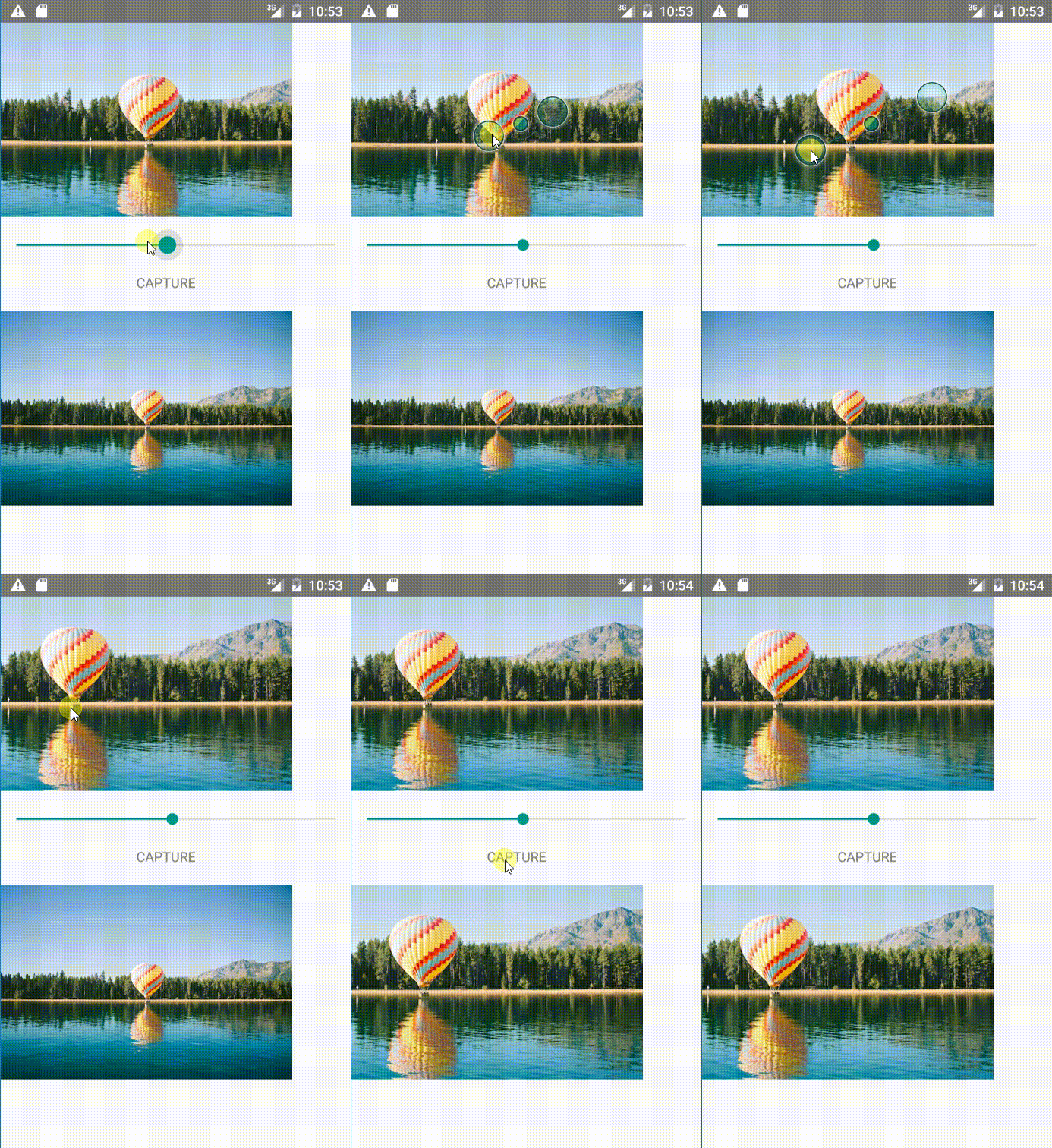
npm i -S react-native-image-cropper or
yarn add react-native-image-cropper gl-reactYou need to install gl-react.npm i -S gl-reactgl-react-nativeYou need to install gl-react-native and link the repo in RN.npm i -S gl-react-native & rnpm linkreact-nativeAndroid requires you to have RN 0.28 or higher!
image(required): uri to image that should be cropped.cropHeight(required): height of the image in cropped size.cropWidth(required): width of the image in cropped size.zoom: range 0 - 100 setting zoom value. where 100 = full zoom. (default: 0)maxZoom: max zoom value, should be bigger than minZoom value (default: 100)minZoom: min zoom value, should be smaller than maxZoom value (default: 0)panToMove: Use pan to move image? (default: true)pinchToZoomUse pinch to zoom image? (default: true)quality: a value from 0 to 1 to describe the quality of the snapshot. 0 means 0% (most compressed) and 1 means 100% (best quality). (default: 1)type: the file type default value is "png", "jpg" is also supported. Refer to implementations to see more supported values. (default: jpg)format: the format of the output. Supported values: "base64", "file". (default: base64)filePath: if format is "file", the path to write the image to (default: "")pixelRatio: the pixel ratio to use for the rendering. By default the screen pixel scale will be used.
crop(): returns a base64 encoded image.
... import {ImageCrop} from 'react-native-image-cropper' ... render() { return ( <View> <ImageCrop ref={'cropper'} image={this.state.image} cropHeight={this.state.height} cropWidth={this.state.width} zoom={this.state.zoom} maxZoom={80} minZoom={20} panToMove={true} pinchToZoom={true} /> <Text onPress={this.capture()}>Capture()</Text> </View> ) } capture(){ this.refs.cropper.crop() .then(base64 => console.log(base64)) } ...