-
-
-
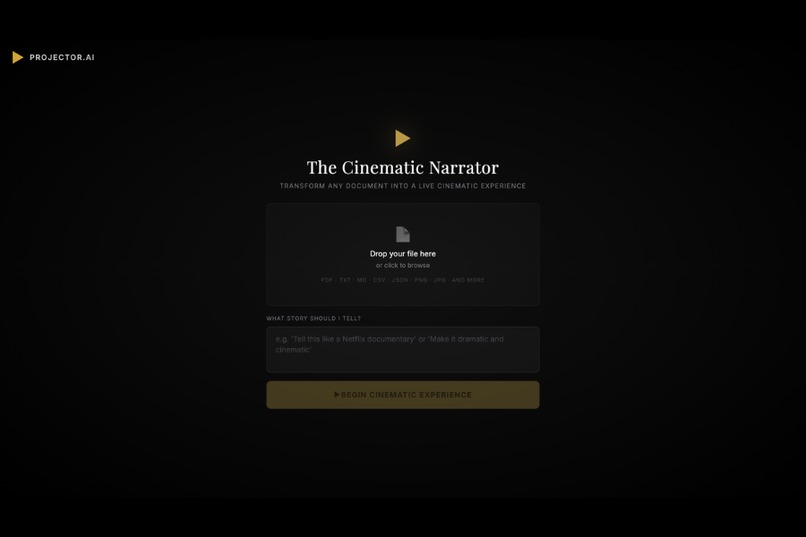
Landing Screen
-
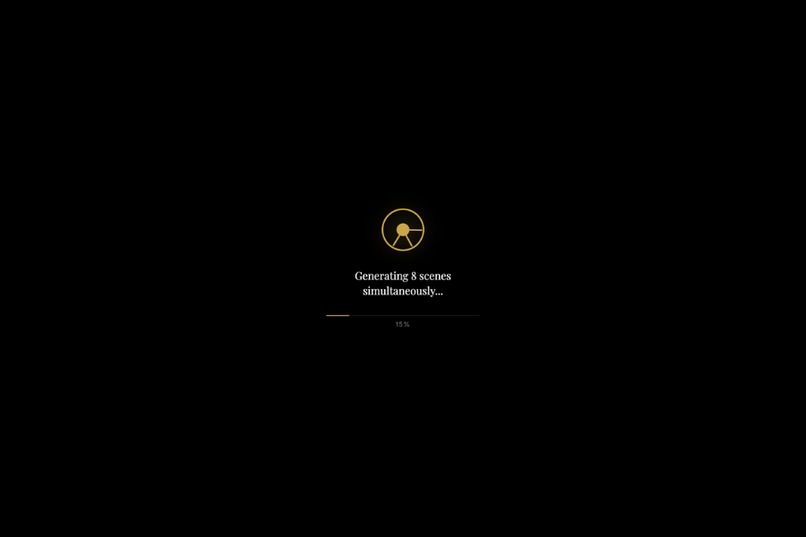
Processing Your Document
-
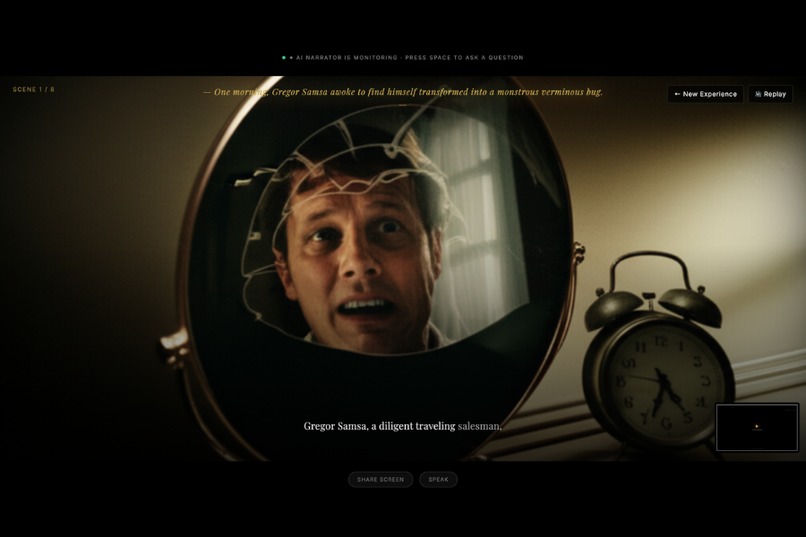
Content Prepared
-
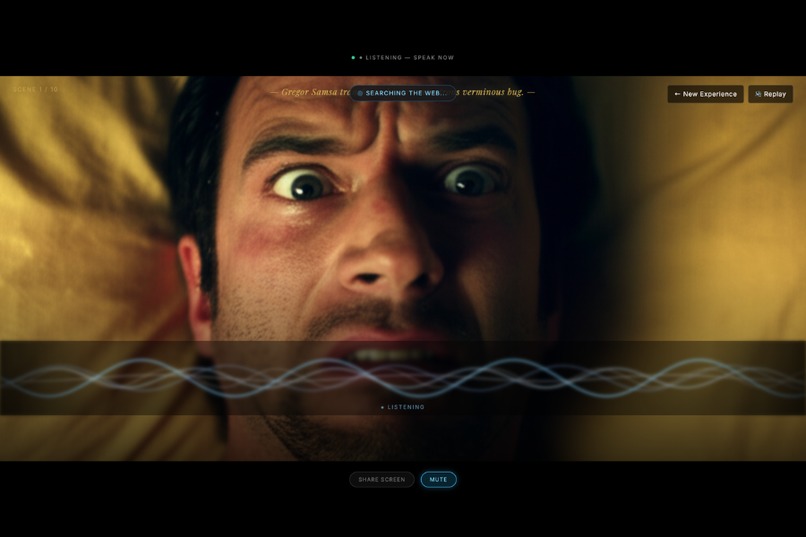
Can Talk To You About The Story If You Want
-
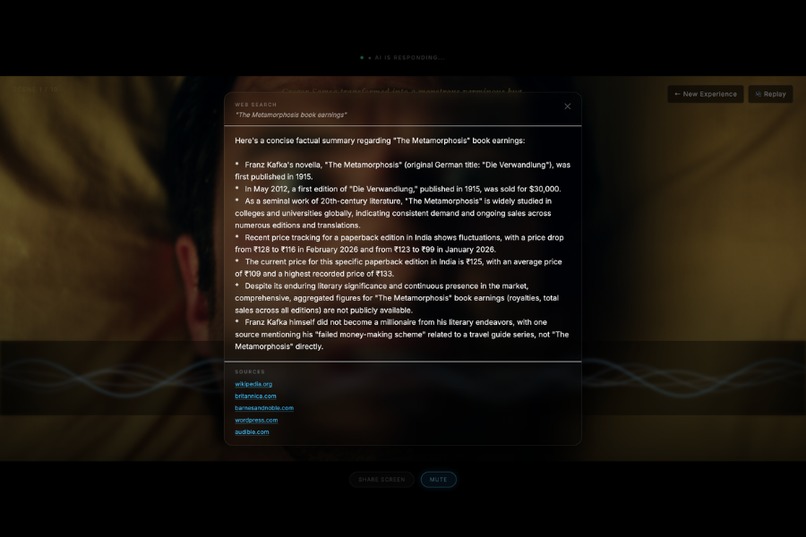
Can Do A Web Search For You
-
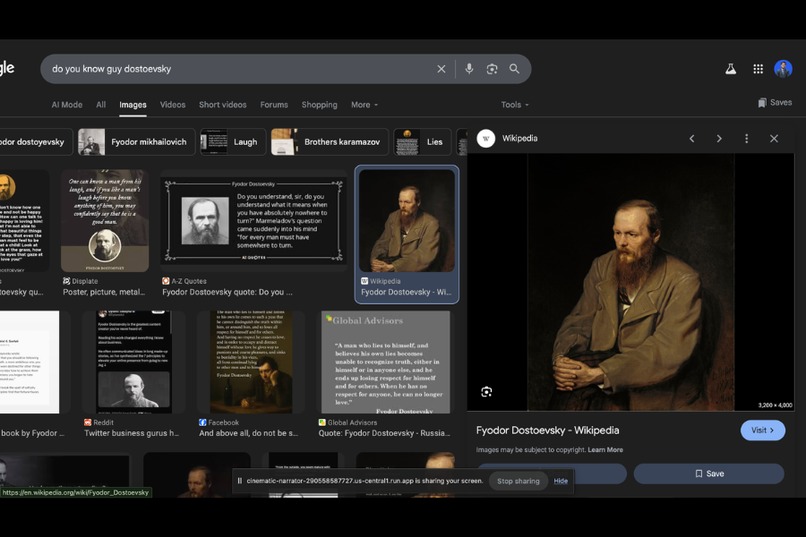
Even See Your Screen and Talk About Stuffs If You Want
Inspiration
Every great story deserves a great telling. But when we look at how AI handles research and learning today, the experience is almost always the same: a text box in, a wall of text out. You paste a document. You get a summary. You read in, you read out. The experience is flat — and for anyone who's ever had to work through dense material, that flatness has a real cost.
We were inspired by manga and anime's unique visual language: the dramatic panel cuts, the interplay between silence and sound, the way a single image can carry an entire emotional arc. We asked: what if an AI could direct that experience live — not just for stories, but for any document you needed to understand?
The deeper inspiration was practical. Researchers, students, and professionals are drowning in text. Reports, papers, articles — the information is there, but the experience of absorbing it is exhausting. We wanted to build a companion that doesn't just answer questions about your documents — one that reads with you, searches when you need to go further, and sees what you're looking at when words alone aren't enough.
That convergence — cinematic narration, live research, and real-time interactivity — became The Cinematic Manga Narrator.
What it does
The Cinematic Manga Narrator is an AI-powered research companion that transforms any document into a live, multimodal experience. Upload a research paper, article, story, or report — and the agent takes over as a creative director, narrating your content back to you as a cinematic, manga-style performance: generated panel images, a real-time narration voice, and synced on-screen captions, all streaming live to your browser.
Here's what the experience looks like:
Upload any document via the frontend. The agent reads it, plans a full scene breakdown, and opens a live stream to your browser — panel by panel, in real time.
Watch it come alive. Each scene delivers a manga-style panel image generated by Imagen, cinematic narration audio from Google Cloud TTS, and typewritten captions arriving in sync. This is not a pre-rendered video — every asset is generated on demand and streamed live.
Press the spacebar at any point to activate the agent mid-stream. No buttons to hunt for, no typing required. Spacebar — and the agent is live, listening, ready to respond in context.
Ask anything. The agent answers grounded in your document. If your question goes beyond the source material, it triggers a live Google Search and surfaces relevant results with cited sources — right in the interface. Your research session stays in one place.
Share your screen to give the agent visual context. Working through a chart, a diagram, a slide deck, or a piece of code? Share it and the agent sees it, factors it in, and responds to what's in front of you — not just what you uploaded.
Resume seamlessly. After every question, the cinematic narration picks up exactly where it left off, from the persisted scene position.
Key capabilities:
- Real-time, panel-by-panel streaming — no waiting for a pre-rendered video
- Spacebar activation — interrupt the agent instantly, mid-stream
- Live Google Search with cited sources — goes beyond the document when needed
- Screen sharing — give the agent visual context in real time
- Deterministic narrative arcs via a Firestore-persisted Scene Manifest
- Grounded generation — every image and narration anchors to the source text
How we built it
The system is built on a three-layer architecture running entirely on Google Cloud.
🗄️ Ingestion Layer
- Cloud Storage receives uploaded documents and caches all generated image assets (Imagen output URLs), avoiding redundant generation on stream resume.
⚙️ Orchestration Layer (Cloud Run — FastAPI)
- A FastAPI backend on Cloud Run (configured with a 3600s request timeout and
min-instances: 1to eliminate cold-start latency) handles all agent logic. - Phase 1 — Script Agent: A non-streaming call to Gemini via the Google GenAI SDK reads the full source document and produces a structured Scene Manifest — a deterministic JSON blueprint defining every scene's narration, visual description, mood, and pacing. The manifest is persisted to Firestore for determinism and fault tolerance.
- Phase 2 — Director Agent: A streaming Gemini call processes each scene from the manifest and emits an interleaved content stream via Server-Sent Events (SSE): panel image, narration audio, and caption text. Image generation (Imagen) and audio generation (Google Cloud TTS) are parallelized per scene using
asyncio.gather. A double-buffering strategy pre-generates the next scene's image while the current scene's audio is playing. - Spacebar interrupt handling: When the user presses spacebar, the SSE stream is paused, the agent enters a conversational mode grounded in the source text and scene context, and resumes from the Firestore manifest position on completion.
- Google Search grounding: When a user question exceeds the scope of the uploaded document, the agent triggers Gemini's grounding with Google Search, returning live results with source citations surfaced in the frontend.
- Screen sharing context: Via the browser's
getDisplayMediaAPI, screen frames are captured and sent to Gemini's vision input, allowing the agent to respond to visual context alongside the document.
🖥️ Presentation Layer (React)
- A React frontend subscribes to the SSE stream via the
EventSourceAPI. - Framer Motion drives panel entrance animations and caption typewriter effects.
- Audio playback is synchronized using the
durationmetadata from Google Cloud TTS. - The spacebar listener is a global
keydownevent that triggers the interrupt flow from anywhere in the UI.
Tech Stack at a glance
| Layer | Technology |
|---|---|
| LLM | Gemini (Google GenAI SDK) |
| Image Generation | Imagen |
| Text-to-Speech | Google Cloud TTS (en-US-Studio-O) |
| Backend | FastAPI on Cloud Run |
| Streaming Protocol | Server-Sent Events (SSE) |
| Storage | Cloud Storage + Firestore |
| Frontend | React + Framer Motion |
| Deployment | Cloud Build (cloudbuild.yaml) |
Challenges we ran into
1. Imagen latency and stream continuity Imagen produces beautiful images, but each generation takes several seconds. Waiting sequentially broke the cinematic illusion entirely. We solved this with a double-buffering approach: while scene N's audio is playing, the Imagen request for scene N+1 fires in the background — so the next panel is ready the moment the narration ends.
2. Audio and image synchronization Synchronizing a generated audio clip with an on-screen image and typewriter caption — across a live SSE stream to a browser — is genuinely hard. We used Google Cloud TTS's timepoints and audio_duration metadata to drive precise asyncio.sleep timers on the server, coordinating exactly when each chunk is emitted.
3. Keeping the agent grounded in the source document Without constraints, the Director Agent would drift — embellishing scenes in ways that contradicted the source material. The two-phase architecture (Script Agent → Scene Manifest → Director Agent) was the key fix. Every downstream call is anchored to the manifest and a compressed system-prompt version of the source text, keeping narrative facts locked while allowing stylistic creativity.
4. Long-running connections on Cloud Run Cloud Run's default 60-second request timeout silently kills any SSE stream longer than a minute. We had to configure --timeout=3600 at deployment time — a subtle infrastructure detail that would have been an invisible failure in production.
5. Screen sharing context in a streaming session Injecting live screen frames into an ongoing Gemini session — without disrupting the narration stream or introducing lag — required careful async coordination between the capture pipeline, the SSE emitter, and the Gemini vision input.
6. Making "live" feel different from "pre-rendered" Users and judges instinctively expect AI video tools to produce a file. We made the live, generative nature viscerally clear through deliberate UX choices: the spacebar interrupt, the real-time typewriter captions, the absence of a download button, and the Google Search results appearing inline mid-session.
Accomplishments that we're proud of
- A genuinely live multimodal stream: Images, audio, and text arriving in the browser in real time, synchronized, from a single SSE connection — not a pre-rendered file served after the fact.
- Spacebar as the entire interaction model: One key activates the agent from anywhere, mid-stream. No modal, no input box, no friction.
- A complete research workflow in one session: Narration, live Google Search with sources, and screen-aware Q&A — without ever leaving the interface.
- The two-phase agent architecture: Separating the planning (Script Agent + Scene Manifest) from the rendering (Director Agent) gave us determinism, grounding, fault tolerance, and resumability in a single design decision.
- Deployable infrastructure-as-code: The entire stack deploys from a single
cloudbuild.yaml. No manual console clicks required. - A new interaction paradigm: There is no submit button. No response panel. The agent simply performs — and waits for the spacebar.
What we learned
- Streaming architecture is a choreography problem, not an API problem. Every component — LLM, image gen, TTS, frontend — must be coordinated in time, not just in logic. Getting that right required rethinking the entire backend as a broadcast pipeline.
- Grounding is a system design problem, not just a prompting problem. A single well-crafted prompt will drift at scale. Real grounding requires architectural constraints: a manifest, a persistent store, and compressed context injected at every agent call boundary.
- The UX is the product. The same generated assets delivered as a zip file vs. a live SSE stream feel like completely different products. The real innovation is in the delivery mechanism — not just what's generated, but how and when it arrives.
- Parallelism is non-negotiable for multimodal generation. Sequential image + audio + text generation would make the experience unusably slow.
asyncio.gatherwasn't an optimization — it was a hard requirement. - The spacebar changes how users relate to the agent. When there's no submit button, the interaction stops feeling like a tool and starts feeling like a conversation. That shift in mental model was worth more than any individual feature.
What's next for Projector AI
- Multi-format ingestion: Full support for
.pdf,.epub, and raw URLs — not just.txtfiles — via a Cloud Run document parsing step. - Voice and persona customization: Let users choose narrator voice, accent, and emotional register — noir detective, documentary narrator, bedtime story mode.
- Multi-language support: The pipeline is language-agnostic. Google Cloud TTS supports 40+ languages; surfacing that to users is straightforward.
- Collaborative sessions: Multiple users sharing the same live stream, with a shared question queue — a classroom experiencing the same document together.
- Style packs: Beyond manga — watercolor storyboard, film noir, Ghibli-inspired landscapes, or technical diagram mode for STEM content.
- Deeper ADK integration: Migrate the Script Agent and Director Agent into a formal multi-agent ADK pipeline with defined handoffs, tool use, and evaluation hooks for production-grade reliability.
- Export to interactive document: Capture the generated manifest and assets into a navigable, offline-readable visual document — bridging the live and static worlds.
Built With
- bash
- cloudrun
- geminisdk
- googletts
- javascript
- python
- typescript


Log in or sign up for Devpost to join the conversation.