-
-
-
-
-
-
-
-
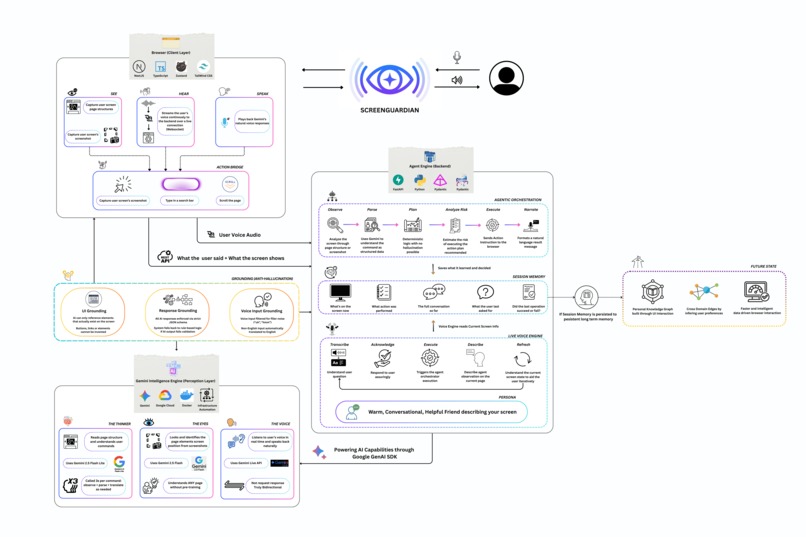
Architecture Diagram
Inspiration
Modern digital interfaces remain difficult to navigate for visually impaired users. While screen readers have improved accessibility, they rely heavily on properly structured web pages and labeled DOM elements. In reality, many websites are poorly labeled, dynamically rendered, or built in ways that screen readers struggle to interpret.
I wanted to explore a different approach: what if an AI could visually understand the screen the same way a sighted user does, and then help operate it through conversation?
ScreenGuardian was inspired by this idea- building an AI agent that can see the screen, understand user intent, and safely perform tasks, enabling visually impaired users to interact with the web more independently.
What it does
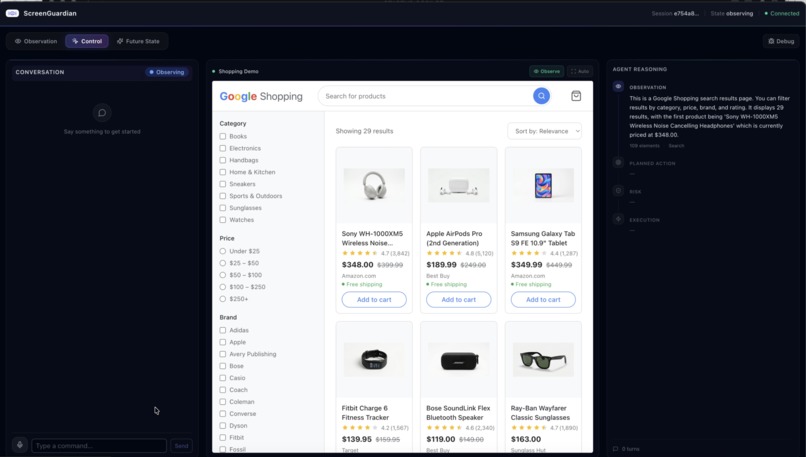
ScreenGuardian is a multimodal accessibility agent that helps visually impaired users navigate and interact with web interfaces using voice.
It combines:
- Visual screen understanding using Gemini vision models
- Real-time voice interaction using Gemini Live API
- Agentic action planning and execution
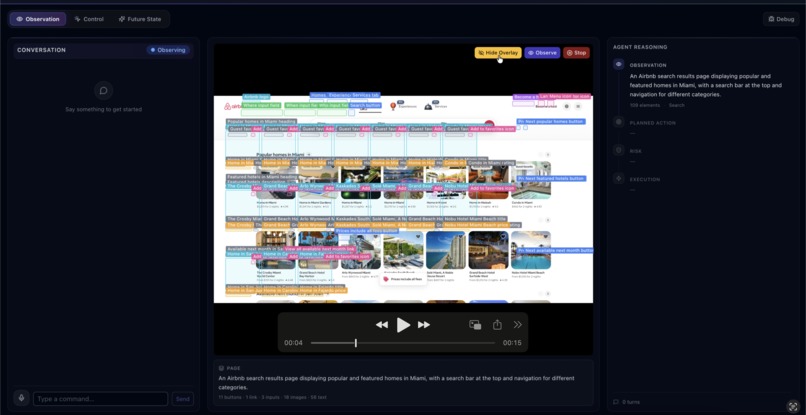
The system observes the screen, identifies UI elements such as buttons and search fields, interprets natural language commands, and safely performs actions like searching, clicking, or filling forms.
For example, a user can simply say:
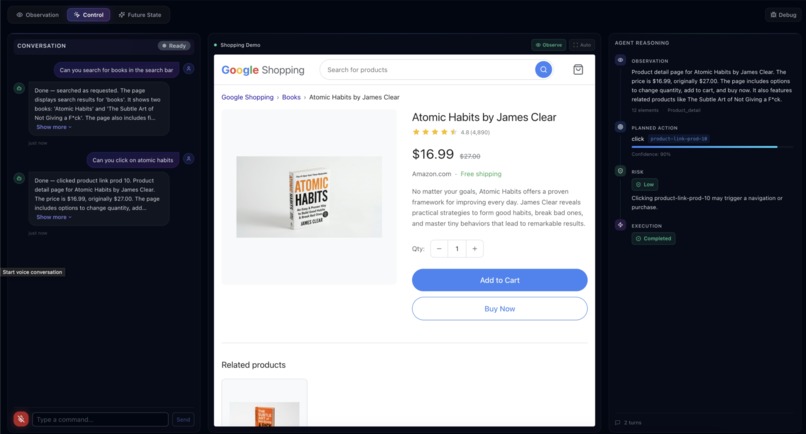
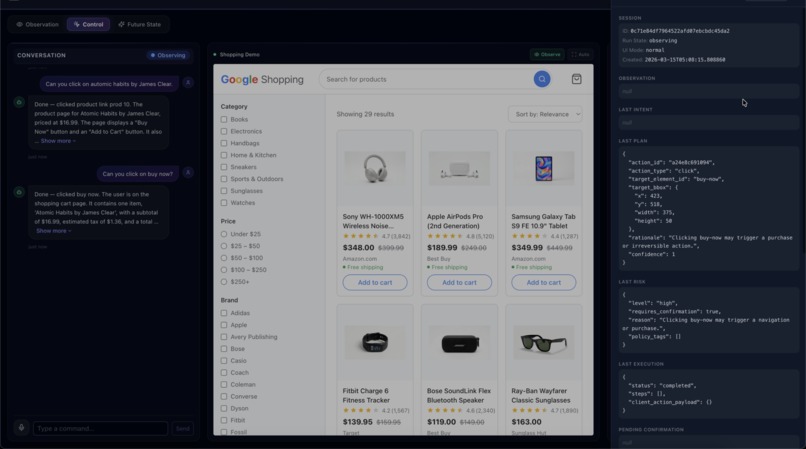
“Search for books and open Atomic Habits.”
ScreenGuardian visually understands the interface, maps the command to UI elements, performs the navigation, and narrates what it is doing.
For sensitive actions like purchases or payments, the system performs risk assessment and confirmation before executing the action.
How we built it
ScreenGuardian is built as a multimodal agent pipeline powered by Google Gemini and deployed on Google Cloud.
Key components include:
Frontend
- Next.js and React interface
- Screen capture using the browser Screen Capture API
- Voice interaction using Web Audio API
- UI overlay for explainable element detection
Backend
- FastAPI service running on Google Cloud Run
- Agent orchestration pipeline
AI Models
- Gemini Flash Lite for intent parsing and planning
- Gemini Flash Vision for screen understanding
- Gemini Live API for real-time voice conversation
The agent follows an Observe → Parse → Plan → Narrate → Build → Guard → Execute → Report pipeline, enabling reliable task execution while maintaining transparency.
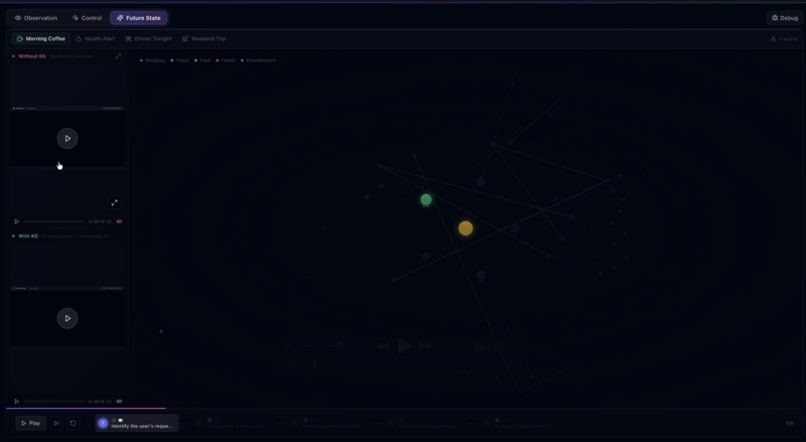
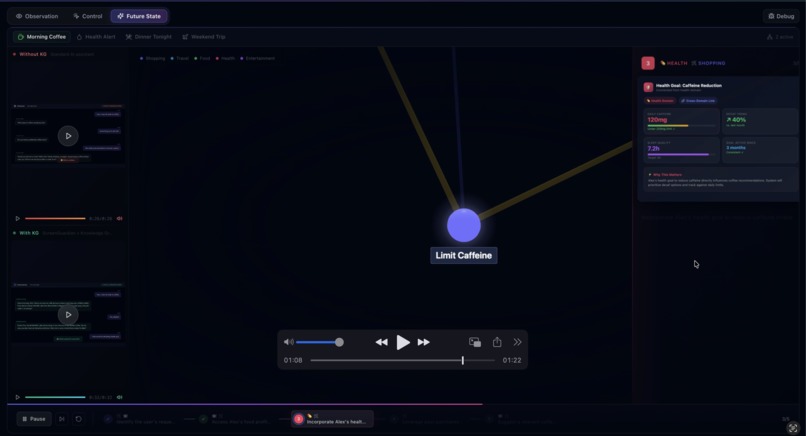
I also built a knowledge graph visualization to demonstrate how persistent interaction data could enable personalized assistance in the future.
Challenges we ran into
One of the biggest challenges was coordinating multiple AI models and real-time interaction loops. ScreenGuardian combines vision, voice, and agent planning, which required careful orchestration and fallback logic.
Another challenge was enabling UI interaction without relying on the DOM structure. Many accessibility tools depend on properly labeled HTML, but our system instead relies on visual understanding of screenshots, which required careful grounding of UI elements.
Finally, building a safe action pipeline was critical. For visually impaired users, accidental actions such as purchases or payments could be problematic, so we implemented risk assessment and confirmation mechanisms.
Accomplishments that we're proud of
I am proud that ScreenGuardian demonstrates a complete multimodal agent workflow:
- Real-time screen observation
- Natural voice interaction
- Visual UI grounding
- Safe action execution
- Transparent reasoning pipeline
Instead of simply describing the screen, ScreenGuardian helps users complete real digital tasks, such as searching for products and navigating shopping workflows.
I am also proud of the knowledge graph prototype, which shows how interaction history could eventually enable more personalized and proactive assistance.
What we learned
Building ScreenGuardian taught us that accessibility solutions should not depend solely on websites being perfectly designed.
Vision-based UI understanding allows assistive systems to operate even when accessibility metadata is missing, which could dramatically expand usability across the web.
I also learned that voice-first design changes how interfaces must be structured. Clear narration, risk confirmation, and transparent reasoning become essential when users cannot rely on visual feedback.
Finally, orchestrating multiple AI models requires careful system design to ensure reliability, safety, and responsiveness.
What's next for ScreenGuardian
ScreenGuardian is currently a proof of concept, but the architecture opens up several future possibilities.
In the future I plan to:
- Integrate with browser extensions and OS accessibility APIs
- Expand support for additional applications such as email and productivity tools
- Persist interaction data to build personalized knowledge graphs
- Improve element detection and interaction accuracy across more complex interfaces
- Support additional assistive workflows beyond browsing
The long-term vision is to move accessibility from passive screen reading to intelligent task execution, helping visually impaired users interact with digital environments more independently.

Log in or sign up for Devpost to join the conversation.