

Prerequisites
- Signed in to OpenHands Cloud with a Bitbucket account.
Adding Bitbucket Repository Access
Upon signing into OpenHands Cloud with a Bitbucket account, OpenHands will have access to your repositories.Working With Bitbucket Repos in Openhands Cloud
After signing in with a Bitbucket account, use theOpen Repository section to select the appropriate repository and branch you’d like OpenHands to work on. Then click on Launch to start the conversation! 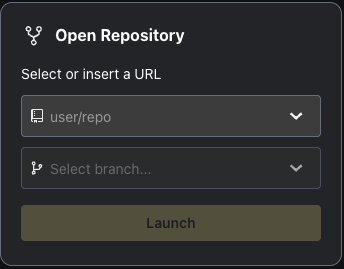
IP Whitelisting
If your Bitbucket Cloud instance has IP restrictions, you’ll need to whitelist the following IP addresses to allow OpenHands to access your repositories:Core App IP
Runtime IPs
Next Steps
- Learn about the Cloud UI.
- Use the Cloud API to programmatically interact with OpenHands.