2

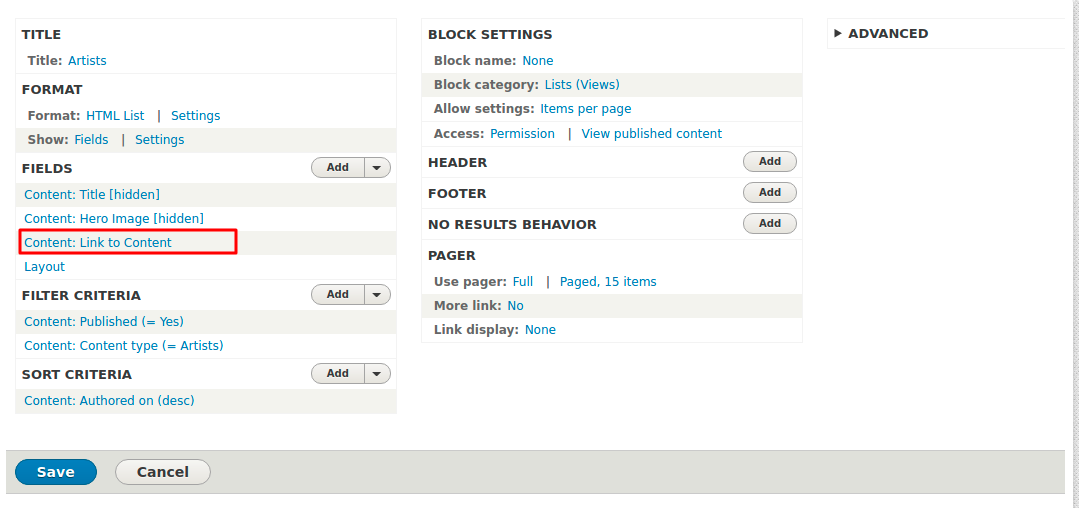
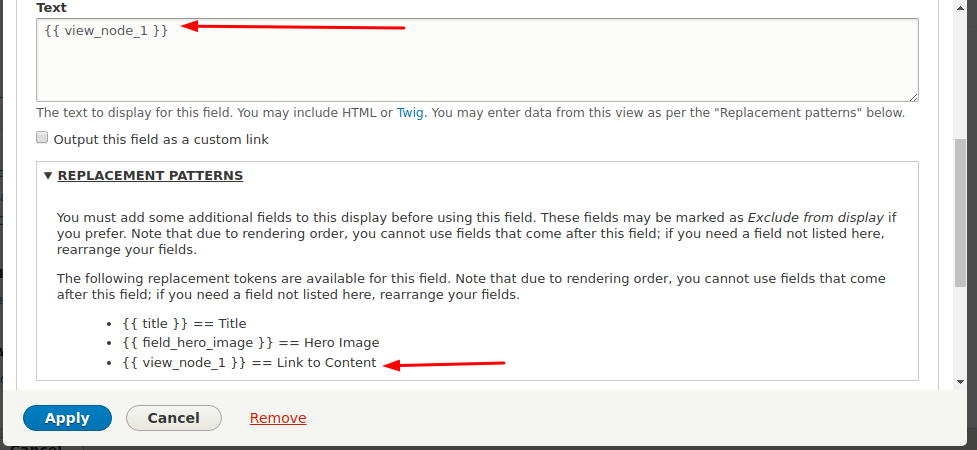
In Block view I want to set the link of content with the title name How to Rewrite Results using the Content:Link to Content? Example showing node/8 to john-bartlett(content title name) By using this {{ view_node_1 }} i am getting the node/8 path but i want the title name john-bartlett. enter image description here Please provide any solution regarding this
enter image description here

6
  • Try like this <a href="{{ view_node_1 }}">{{ title }}</a> . It will display title with link to content for node/8. Commented May 8, 2018 at 5:59
  • @ajay its giving me the path of node like project_name/node/8. Its working fine but i want to know how to change with title name Please provide solution for this . I am trying for long time Commented May 8, 2018 at 6:02
  • Do you want project_name/TITLE of node to redirected to node page? If yes have you added alias for that? Commented May 8, 2018 at 6:04
  • yes i want to add project_name/TiTLE space replaces with dashes in title using content:link to content Commented May 8, 2018 at 6:07
  • is I have to set custom url alias every time when added the content ? Commented May 8, 2018 at 6:08

1 Answer 1

2

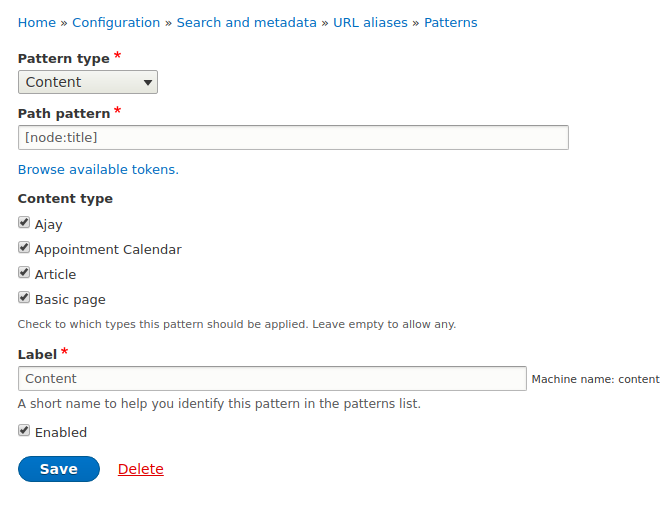
Download Pathauto module. After installing go to http://YOURSITE/admin/config/search/path/patterns and click add patterns like below.

enter image description here

After adding pattern go to http://YOURSITE/admin/config/search/path/update_bulk and select content and check "Regenerate URL aliases for all paths" and click update. After this, ALL your node path alias should be generated with the title of that nodes.

Then in rewrite result's add this line:

<a href="{{ view_node_1 }}">{{ title }}</a> 

All your links and tags will be on your node titles.

6
  • i Have set the node[node:title] .its showing blank when added the content in specify content type like artists. And install the Pathauto module. Commented May 8, 2018 at 6:19
  • Does your node has default title of any other field using as title? Commented May 8, 2018 at 6:21
  • Click on browse available tokens and check for your title in that and replace that with [node:title] if your using another field as title in artists content type Commented May 8, 2018 at 6:22
  • I think i miss this step d8.local/admin/config/search/path/update_bulk Commented May 8, 2018 at 6:22
  • YOURSITE/admin/config/search/path/update_bulk Commented May 8, 2018 at 6:23

Start asking to get answers

Find the answer to your question by asking.

Ask question

Explore related questions

See similar questions with these tags.