One can try the "Mean coordinate(s)" geoalgorithm.
Computes a point layer with the center of mass of geometries in an input layer.
An attribute can be specified as containing weights to be applied to each feature when computing the center of mass.
If an attribute is selected in the parameter, features will be grouped according to values in this field. Instead of a single point with the center of mass of the whole layer, the output layer will contain a center of mass for the features in each category.
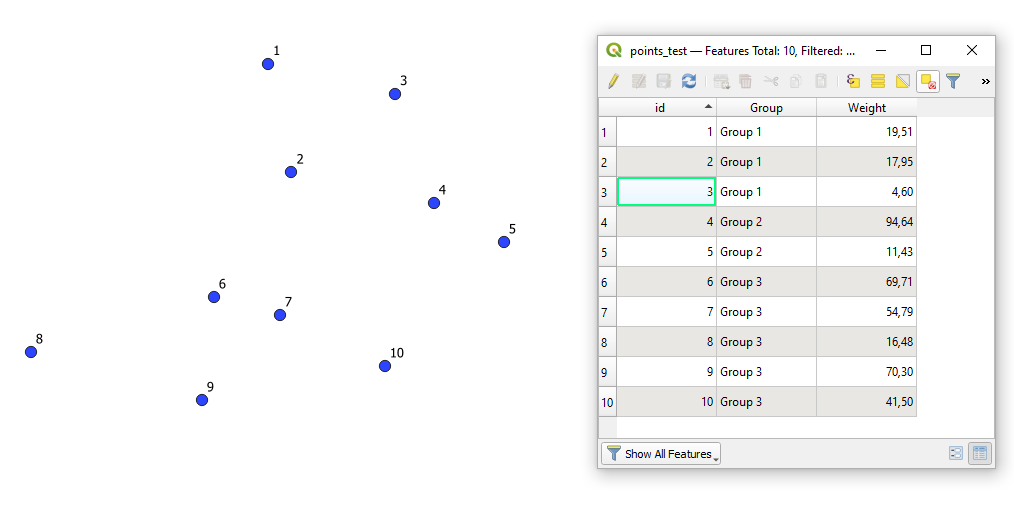
Let's assume there is a point layer called 'points_test' with its attribute table, see image below
Fields:
"id" : a unique identifier
"Group" : a grouping field for points (corresponds to your province or municipality). In case you do not have these values, please use additionally the "Join attributes by location"
"Weight" : a field with weights
How does this geoalgorithm work?
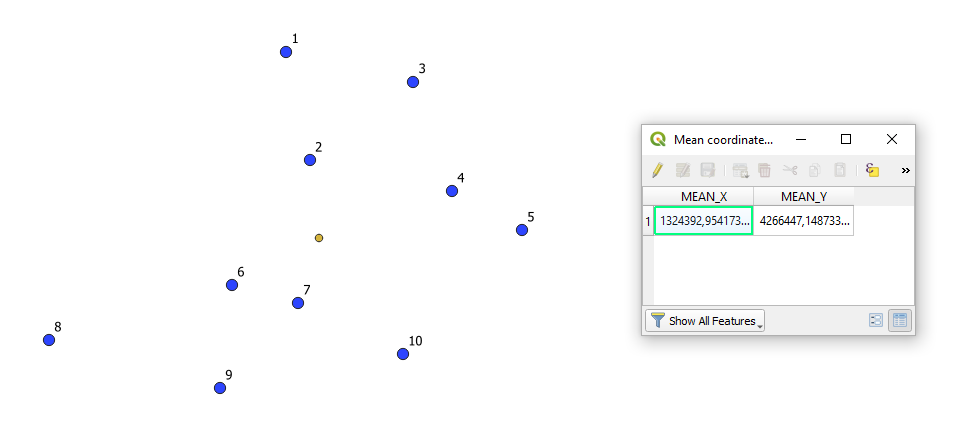
I. Using the geoalgorithm without checked fields
It will return just one dot (a yellow one).
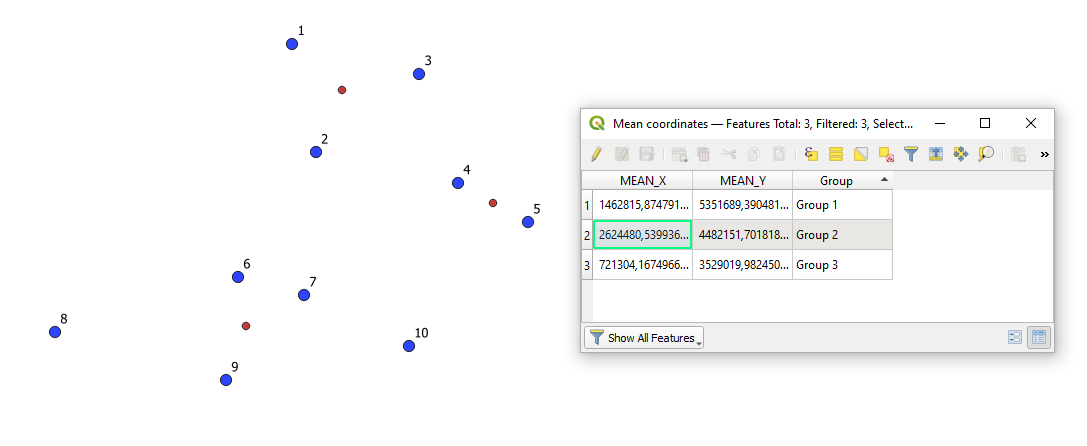
II. Applying only the 'Unique ID field'
It will result in one point for each unique group, check the red dots
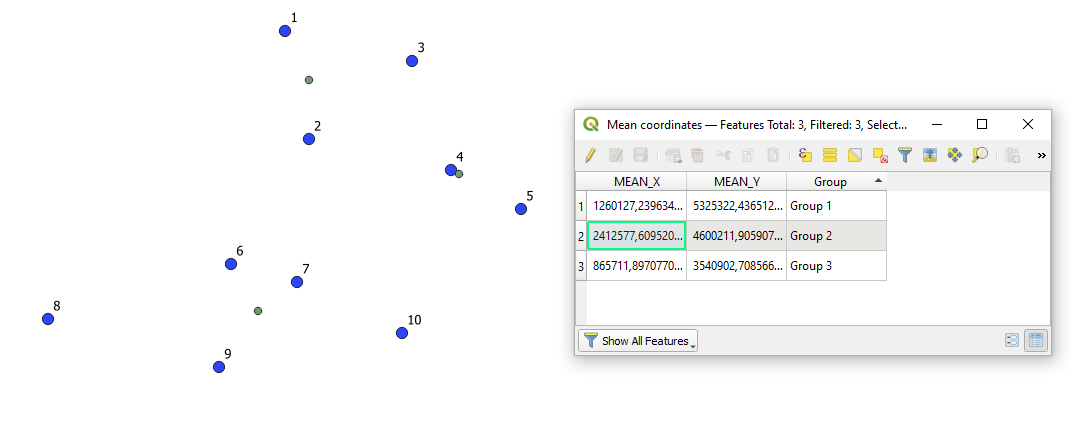
III. Setting both the 'Unique ID field' and the 'Weight field'
It will result in one point for each unique group based on the points' field with weights, see the green dots
One should always distinguish between:
- a midpoint
- a centroid (a geocentroid)
- a center
Only in specific (and rare) cases, they are equal.
References:


