Uses the Mapbox iOS SDK develop branch.
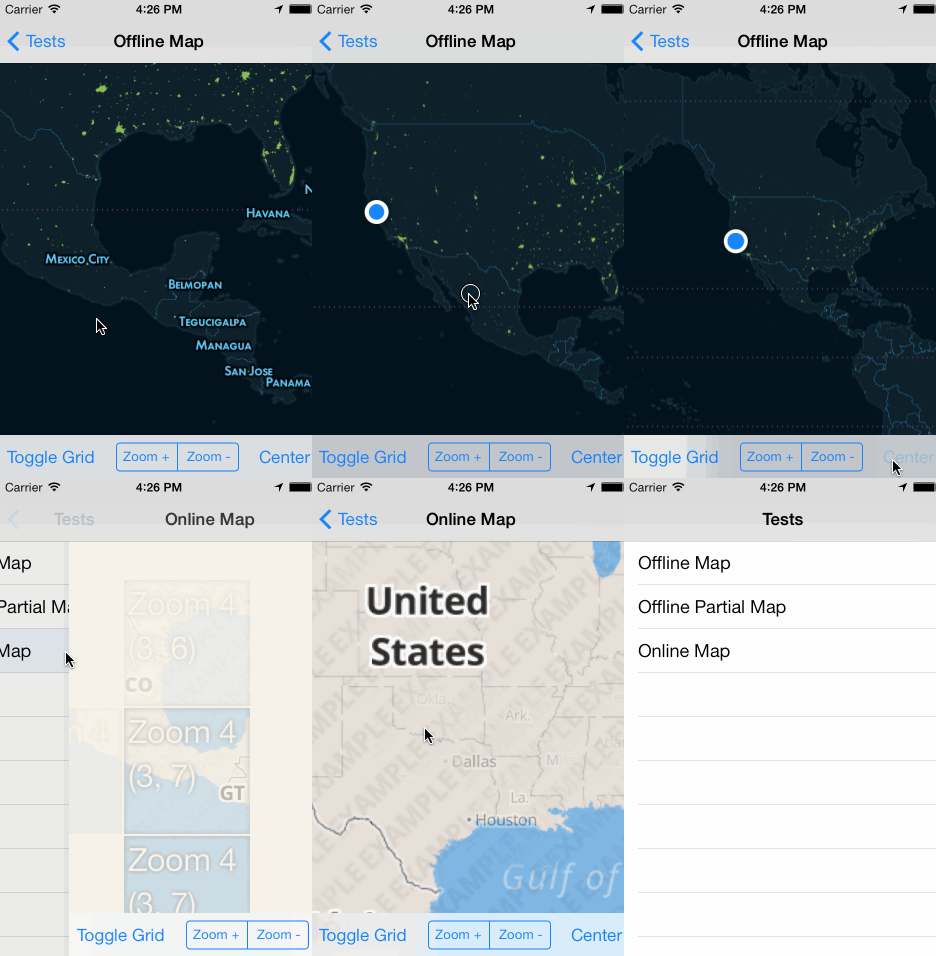
Put the compiled zip in your project, and add a reference in tiapp.xml. Built using Ti SDK 3.2.1.GA, tested on iOS 7.
var mapbox = require('com.polancomedia.mapbox'); var mapView = mapbox.createView({ map: 'control-room', //map: 'road-trip', minZoom: 0, maxZoom: 6, zoom: 10, accessToken: 'pk.xyz.abc', //REQUIRED!!! centerLatLng: [20.7972,-88.1598], width: Ti.UI.FILL, height: Ti.UI.FILL }); win.add(mapView); win.open();See more examples in the example folder.
The example folder contains two sample mbtiles maps:
- Zoom levels 0 through 6
- Full-world coverage
- Zoom levels 7 through 12
- Only contains subset of world coverage
- Required, path to local mbtiles file in Resources directory (include .mbtiles extension in string) or an online MapBox or a resolved path ( file.resolve(); ) of a file in the Application Data directory, or a TileStream id that looks something like: userName.map-szwegi5m.
- Now required due to mapbox API v4 (mapbox-ios-sdk 1.5)
- Find this at https://www.mapbox.com/account/apps/
- Optional, defaults to false.
- Show grid with tile info to help with debugging.
- Optional, defaults to false.
- Displays info button in corner of map.
- See Mapbox Terms and Conditions for attribution info.
- Optional, defaults to false.
- Displays the user's location on map.
- Optional, defaults to tan or beige or something like that
- Background color of the map when tile is loading or not available
- Useful to set this to the base color of your map if your map's colors contrast with the default color
- Remove all tile images that were cached while viewing a remote map.
- Zoom the map. Accepts a float to set the zoom level
- Centers the map on a latitude and longitude.
- Fires any time the map moves
- Returns coordinates of where the map was single tapped as
latitudeandlongitude.
- Returns coordinates of where the map was long-pressed as
latitudeandlongitude.
See Wiki Note: Annotations are a work in progress. You can set them like this:
mapView.setAnnotation({ latitude: 18.467354, longitude: -91.903534, title: 'Test Title', subtitle: 'Subtitle' }); Or you can also add them like the standard Ti map annotations:
var a1 = mapbox.createAnnotation({ latitude: 18.467354, longitude: -91.903534, //markerImage: 'images/sample.png', //custom image for Annotation/Marker (optional) title: 'Test Title', subtitle: 'Subtitle' }); mapView.addAnnotation(a1); Just keep in mind that stuff like annotation-level setter/getters aren’t yet available.
- Returns info of selected Annotation (Heads up, event name and info may change).
- Need to verify that min, max and default zoom levels work for maps that don't contain full-world (like road-trip).
Add support for remote maps- Add support for custom markers and other SDK items
Make mapbox.createAnnotation() and mapView.addAnnotation(annotation) interfaces similar to current Ti Map implementation- Full annotation support with events, images, clustering,
polygons - Contributions welcome
Big shout out to these folks for contributing to titanium-mapbox development. Thanks!
- Me: Adam Paxton
- Twitter: @adampax
- Work: Polanco Media, LLC
MIT License Copyright (c) 2013-2014 Polanco Media, LLC
Uses MapBox iOS SDK, (c) 2008-2014 MapBox and Route-Me Contributors