


Clocket is an iOS framework written in Swift 4.2 that makes it easy to create and customize clock views.
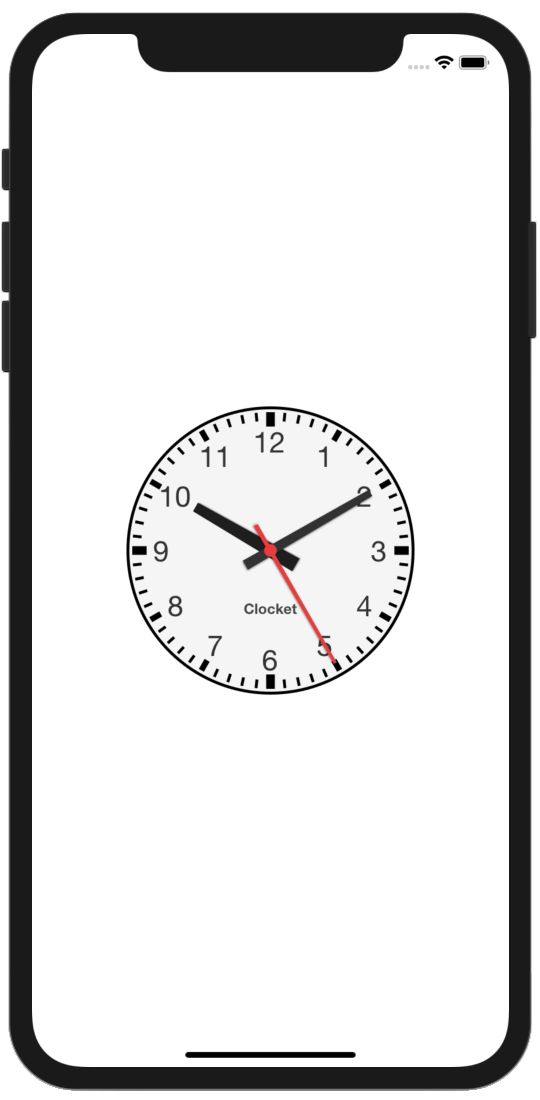

- Real time or custom time clock
- Time setting by dragging or tapping clock hands
- Countdown timer
- Delegate method call on timer expiring
- Reverse time
- Custom time speed from -10X to 10X
- Customizable clock hands: size, shape, color, shadow
- Customizable clockface: logo, digits, marks, fonts, colors
- iOS 11.0+
- Xcode 10.0
- Swift 4.2
Clocket is available through CocoaPods. To be able to use the framework in your project:
- Install CocoaPods on your computer:
$ sudo gem install cocoapods- Create a Podfile in your project directory and add the dependency:
use_frameworks! platform :ios, '11.0' target 'MyApp' do pod 'Clocket' end- Run
pod installin the project directory:
$ cd <path/to/your/project/directory> $ pod install- Open
MyApp.xcworkspacein Xcode and build. - From now on you can import and use the framework in your code:
import Clocket- Import the framework into ViewController.swift.
- Add a UIView into storyboard/xib file, and change it's class to
Clocketin the identity inspector. - Connect the view to variable
clockin the ViewController. - Set the real time property to
true. - Make
startClock()call to start the clock.
import Clocket //1 class ViewController: UIViewController { @IBOutlet weak var clock: Clocket! //3 override func viewDidLoad() { super.viewDidLoad() clock.displayRealTime = true //4 clock.startClock() //5 } }For more code examples on Clocket usage see the example project.
Andrey Filonov, andrey.filonov@gmail.com
Clocket is available under the MIT license. See the LICENSE file for more info.