


- fix:增加右键菜单事件contextmenu 2021-08-10
- fix:开启自动对齐后,元素依据中线对齐可能会超出父容器边界的问题 2021-07-02
- fix:取消选中的行为优先绑定在父节点上 2021-06-22
- fix:冲突检测回退后没有再次触发resizing事件的bug 2021-06-08
- 辅助线(新)
- 元素对齐(新)
- 冲突检测
- 吸附对齐
- 默认样式优化
Q交流群:138146781
说明:组件基于vue-draggable-resizable进行二次开发
距离上1.7版本版本的修改已经过去快一年的时间了,原版组件在之前已经更新到了2.0版本。
虽然之前适配过旧版组件,但是因为2.0版本原作者对代码进行了重构,原来修改的代码照搬是不可能的了。
所以也就一直没有将冲突检测以及吸附对齐功能适配到2.0版本,最近正好有时间就适配一下。
注意:英文版为官方原版,没有新增功能的演示。中文版为google翻译版本,新增功能在高级目录下可查看
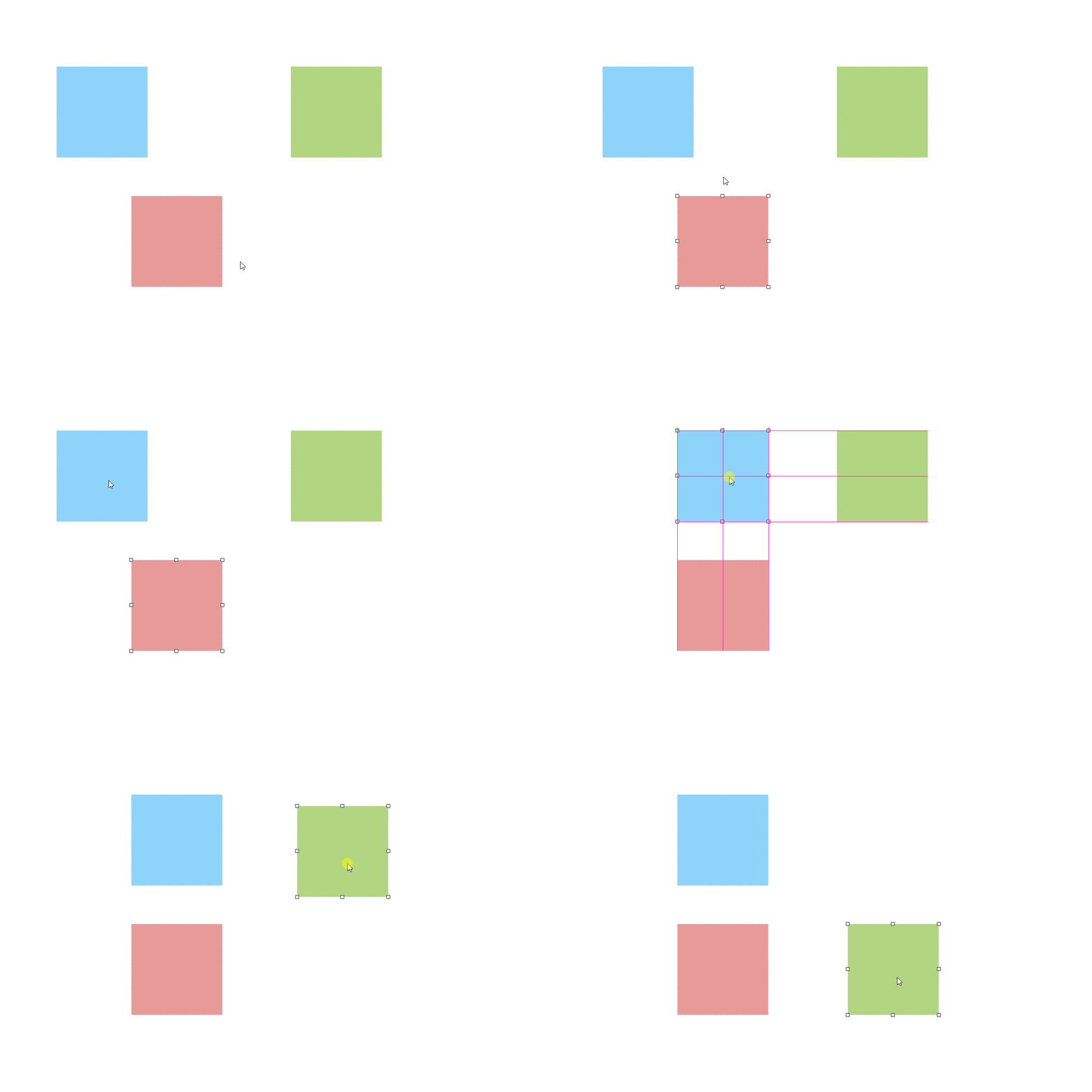
handleInfo
类型: Object
必需: false
默认: { size: 8, offset: -5, switch: true }
当使用transform:scale()进行缩放操作时,其中switch为是否让handle始终保持视觉效果不变,size为handle的大小(宽高相同), offset为handle的位置偏移,通常在自定义handle样式时需要设置。
<vue-draggable-resizable :handle-info="{size: 14,offset: -5,switch: true}" />scaleRatio
类型: Number
必需: false
默认: 1
当使用transform:scale()进行缩放操作时,用来修复操作组件时鼠标指针与移动缩放位置有所偏移的情况
详见:Issues
<vue-draggable-resizable :scale-ratio="0.6" />isConflictCheck
类型: Boolean
必需: false
默认: false
定义组件是否开启冲突检测。
<vue-draggable-resizable :is-conflict-check="true" />snap
类型: Boolean
必需: false
默认: false
定义组件是否开启元素对齐。
<vue-draggable-resizable :snap="true" />snapTolerance
类型: Number
必需: false
默认: 5
当调用snap时,定义组件与元素之间的对齐距离,以像素(px)为单位。
<vue-draggable-resizable :snap="true" :snap-tolerance="20" />refLineParams
参数: params
返回参数是一个Object,里面包含vLine与hLine,具体使用参考下面代码。
<div> <vue-draggable-resizable :snap="true" :snap-tolerance="20" @refLineParams="getRefLineParams" /> <vue-draggable-resizable :snap="true" :snap-tolerance="20" @refLineParams="getRefLineParams" /> <span class="ref-line v-line" v-for="item in vLine" v-show="item.display" :style="{ left: item.position, top: item.origin, height: item.lineLength}" /> <span class="ref-line h-line" v-for="item in hLine" v-show="item.display" :style="{ top: item.position, left: item.origin, width: item.lineLength}" /> </div> <script> import VueDraggableResizable from 'vue-draggable-resizable' import 'vue-draggable-resizable-gorkys/dist/VueDraggableResizable.css' export default { name: 'app', components: { VueDraggableResizable }, data () { return { vLine: [], hLine: [] } }, methods: { getRefLineParams (params) { const { vLine, hLine } = params this.vLine = vLine this.hLine = hLine } } } </script> 注意:英文版为官方原版,中文版为google翻译版本
$ npm install --save vue-draggable-resizable-gorkys全局注册组件
//main.js import Vue from 'vue' import vdr from 'vue-draggable-resizable-gorkys' // 导入默认样式 import 'vue-draggable-resizable-gorkys/dist/VueDraggableResizable.css' Vue.component('vdr', vdr)局部注册组件
<template> <div style="height: 500px; width: 500px; border: 1px solid red; position: relative;"> <vdr :w="100" :h="100" v-on:dragging="onDrag" v-on:resizing="onResize" :parent="true"> <p>Hello! I'm a flexible component. You can drag me around and you can resize me.<br> X: {{ x }} / Y: {{ y }} - Width: {{ width }} / Height: {{ height }}</p> </vdr> <vdr :w="200" :h="200" :parent="true" :debug="false" :min-width="200" :min-height="200" :isConflictCheck="true" :snap="true" :snapTolerance="20" > </vdr> </div> </template> <script> import vdr from 'vue-draggable-resizable-gorkys' import 'vue-draggable-resizable-gorkys/dist/VueDraggableResizable.css' export default { components: {vdr}, data: function () { return { width: 0, height: 0, x: 0, y: 0 } }, methods: { onResize: function (x, y, width, height) { this.x = x this.y = y this.width = width this.height = height }, onDrag: function (x, y) { this.x = x this.y = y } } } </script>The MIT License (MIT). Please see License File for more information.