kubectl-img is a kubectl plugin that allows you to show kubernetes resource image.
See the release page for the full list of pre-built assets.
The commands here show amd64 versions, 386 versions are available in the releases page.
Linux
export release=v1.0.0 curl -L -o kubectl-img.tar.gz https://github.com/redhatxl/kubectl-img/releases/download/${release}/kubectl-img_${release}_Linux_arm64.tar.gz tar -xvf kubectl-img.tar.gz cp kubectl-img /usr/local/bin/kubectl-img # use kubectl krew cp kubectl-img $HOME/.krew/binOSX
export release=v1.0.0 curl -L -o kubectl-img.tar.gz https://github.com/redhatxl/kubectl-img/releases/download/${release}/kubectl-img_${release}_Darwin_x86_64.tar.gz tar -xvf kubectl-img.tar.gz mv kubectl-img /usr/local/bin/kubectl-img # use kubectl krew cp kubectl-img $HOME/.krew/binWindows
In PowerShell v5+
$url = "https://github.com/redhatxl/kubectl-img/releases/download/v1.0.0/kubectl-img_1.0.0_Windows_x86_64.tar.gz" $output = "$PSScriptRoot\kubectl-img.zip" Invoke-WebRequest -Uri $url -OutFile $output Expand-Archive "$PSScriptRoot\kubectl-img.zip" -DestinationPath "$PSScriptRoot\kubectl-img"Using go modules, you can build kubectl-img at any git tag:
$ GO111MODULE=on go get github.com/redhatxl/kubectl-img/cmd/kubectl-img@latest This will download and compile kubectl-img so that you can use it as a kubectl plugin with kubectl img, note that you will need to be on a recent version of go which supports go modules.
You don't need to setup anything on your cluster before using it, please don't use it already on a production system, just because this isn't yet 100% ready.
$ kubectl img image -h show k8s resource image Usage: kubeimg image [flags] Flags: -b, --cronjobs show cronjobs image -e, --daemonsets show daemonsets image -d, --deployments show deployments image -h, --help help for image -o, --jobs show jobs image -j, --json show json format -f, --statefulsets show statefulsets image Global Flags: --as string Username to impersonate for the operation --as-group stringArray Group to impersonate for the operation, this flag can be repeated to specify multiple groups. --cache-dir string Default cache directory (default "/Users/xuel/.kube/cache") --certificate-authority string Path to a cert file for the certificate authority --client-certificate string Path to a client certificate file for TLS --client-key string Path to a client key file for TLS --cluster string The name of the kubeconfig cluster to use --context string The name of the kubeconfig context to use --insecure-skip-tls-verify If true, the server's certificate will not be checked for validity. This will make your HTTPS connections insecure --kubeconfig string Path to the kubeconfig file to use for CLI requests. -n, --namespace string If present, the namespace scope for this CLI request --request-timeout string The length of time to wait before giving up on a single server request. Non-zero values should contain a corresponding time unit (e.g. 1s, 2m, 3h). A value of zero means don't timeout requests. (default "0") -s, --server string The address and port of the Kubernetes API server --tls-server-name string Server name to use for server certificate validation. If it is not provided, the hostname used to contact the server is used --token string Bearer token for authentication to the API server --user string The name of the kubeconfig user to use# View the images of all deployments of the entire kubernetes cluster kubectl img image --deployments # View the images of all deployments of the entire kubernetes cluster kubectl img image --deployments -n default
# view all resource kubectl img image -bedof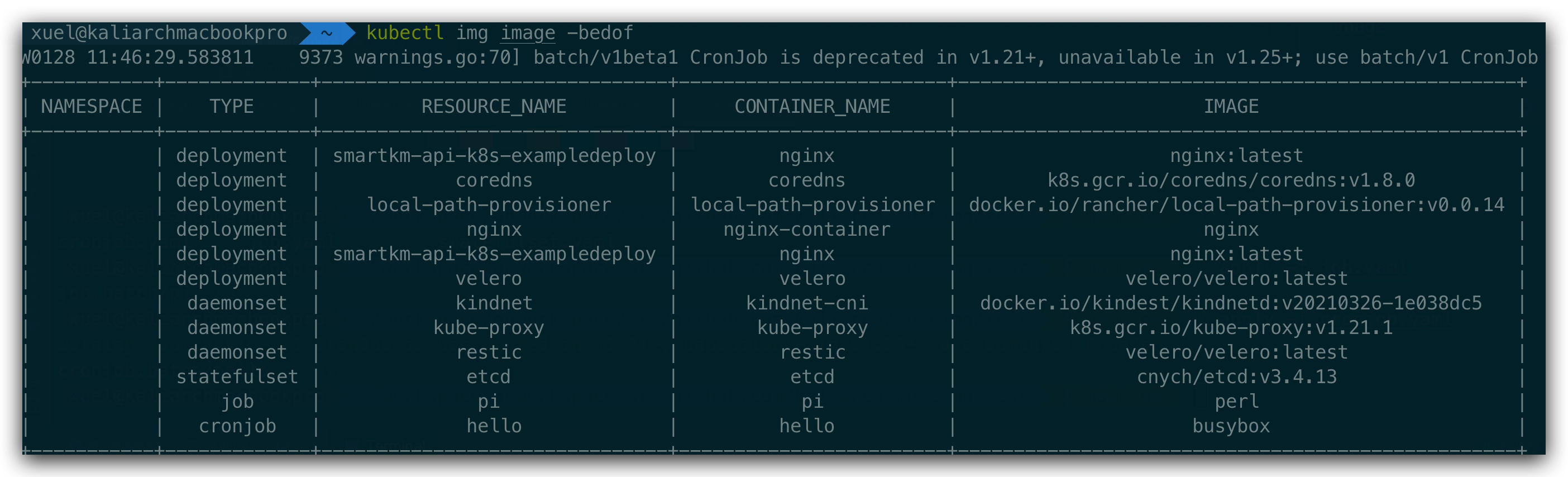
Table display is used by default
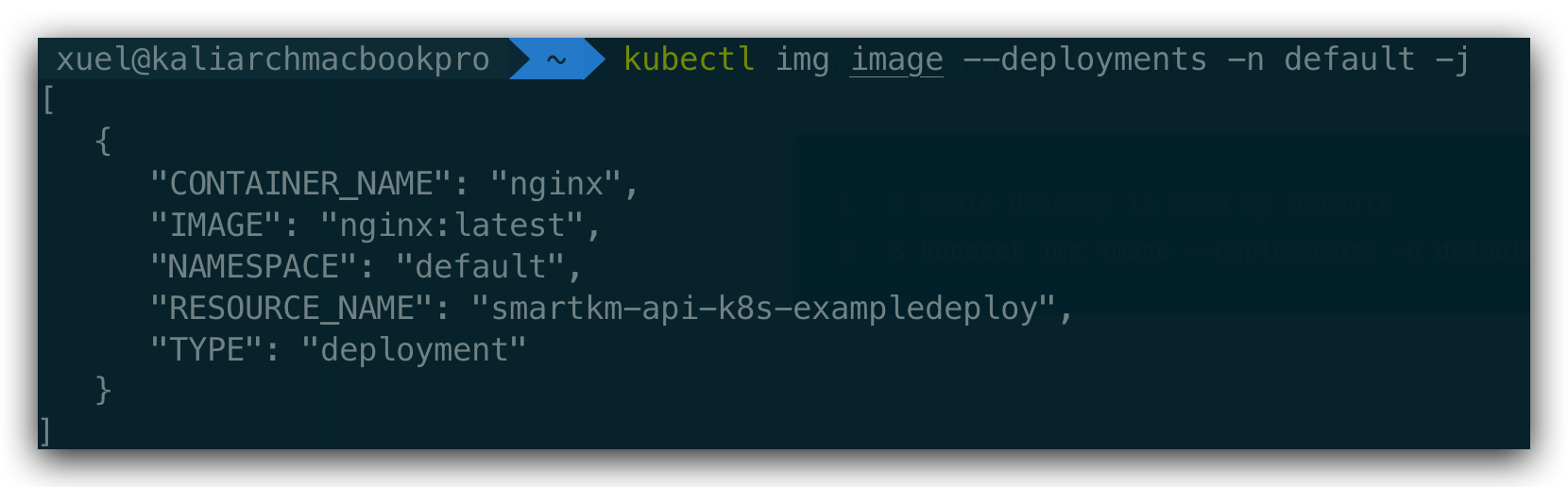
# Table display is used by default kubectl img image --deployments -n default -j