_ __ _ / | / /___ _(_)___ _ __ / |/ / __ `/ / __ \| |/_/ / /| / /_/ / / / / /> < /_/ |_/\__, /_/_/ /_/_/|_| /____/ __ ___ _ __ / |/ /___ _(_)___ / /____ ____ ____ _____ ________ / /|_/ / __ `/ / __ \/ __/ _ \/ __ \/ __ `/ __ \/ ___/ _ \ / / / / /_/ / / / / / /_/ __/ / / / /_/ / / / / /__/ __/ /_/ /_/\__,_/_/_/ /_/\__/\___/_/ /_/\__,_/_/ /_/\___/\___/ 


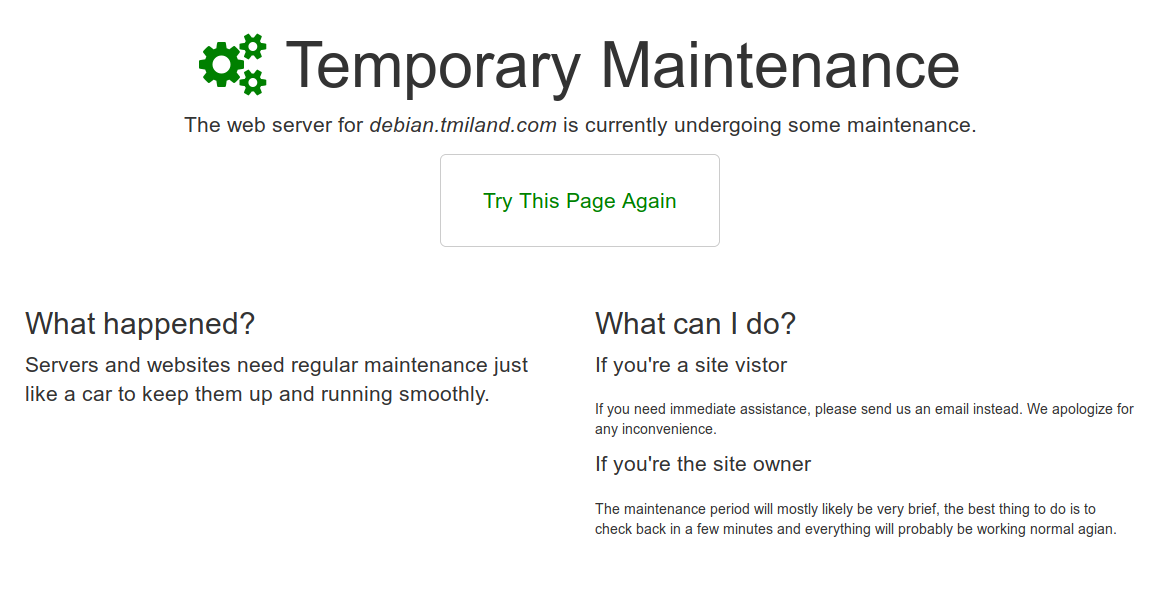
$ git clone https://github.com/tmiland/Nginx-Maintenance-Mode.git $ cd Nginx-Maintenance-Mode $ cp -rp ./maintenance-page.conf /etc/nginx/snippets/ $ git clone https://github.com/tmiland/server-error-pages.git /etc/nginx/html/server-error-pages $ cp -rp /etc/nginx/html/server-error-pages/_site/maintenance-page.html /etc/nginx/html/server-error-pages/_site/maintenance-page_off.html $ chmod +x maintenance.shserver { ## Nginx Maintenance Mode include snippets/maintenance-page.conf; } $ ln -s /path/to/Nginx-Maintenance-Mode/maintenance.sh /usr/bin/maintenance$ nginx -t - Add to each virtual server in /etc/nginx/sites-available you want to enable maintenance mode on.
- Else, add to nginx.conf.
$ ./maintenance.sh [hostname] [on/off]$ maintenance [hostname] [on/off]*** Note: [hostname] must match the hostname in your.hostname.com.conf/nginx.conf ***
server { server_name your.hostname.com; } - When maintenance mode is toggled on, maintenance-page_off.html will be copied to $server_name-maintenance-page_on.html. E.g: your.hostname.com-maintenance-page_on.html
- This way you can use this with multiple virtual servers, and easily toggle on/off maintenance mode individiually for each site.
- Toggle off, deletes $server_name-maintenance-page_on.html
$ ./maintenance.sh my.hostname.com on $ ./maintenance.sh my-other.hostname.com on $ ./maintenance.sh hostname.com on $ ./maintenance.sh my.hostname.com off $ ./maintenance.sh my-other.hostname.com off $ ./maintenance.sh hostname.com off if (-f /etc/nginx/html/server-error-pages/_site/$server_name-maintenance-page_on.html) { return 503; } error_page 503 @maintenance; location @maintenance { rewrite ^(.*)$ /$server_name-maintenance-page_on.html break; root /etc/nginx/html/server-error-pages/_site; } - If your.hostname.com-maintenance-page_on.html exists, error 503 is returned.
- If not, operation is back to normal.
*** This will add the error pages included in the repo ***
$ cp -rp ./error_pages.conf /etc/nginx/snippets/ $ cp -rp ./error_pages_content.conf /etc/nginx/snippets/*** Final configuration should look like this: ***
server { ## Nginx Maintenance Mode include snippets/maintenance-page.conf; ## Custom Error Pages include snippets/error_pages.conf; } Example shell script:
Name the script, someting like: pg_backup_cron.sh
#!/usr/bin/env bash # Turn on maintenance mode /path/to/Nginx-Maintenance-Mode/maintenance.sh hostname.com on # Run database backups /path/to/pgbackup/pg_backup.sh # Turn off maintenance mode /path/to/Nginx-Maintenance-Mode/maintenance.sh hostname.com off exit 0Add job to cron:
$ crontab -e @daily bash /path/to/pgbackup/pg_backup_cron.sh > /dev/null 2>&1 #Automated PostgreSQL Backup on Linux Used in this example: pgbackup - Automated PostgreSQL Backup on Linux
- Helps your SEO rankings
As recommended by Google, Maintenace Mode is using the 503 service unavailable result code, which tells search engine crawlers that the downtime is temporary.
- Server-Error-Pages
- Nginx Maintenance Mode with Integration Testing
- Nginx Configuration Example
- Source: https://github.com/czerasz/nginx-configuration-examples
- Source: https://czerasz.com/2015/04/21/nginx-maintenance-mode/

- PayPal me
- [BTC] : 33mjmoPxqfXnWNsvy8gvMZrrcG3gEa3YDM
*** Use at own risk ***