-
Watch the demo video from clicking on the below image
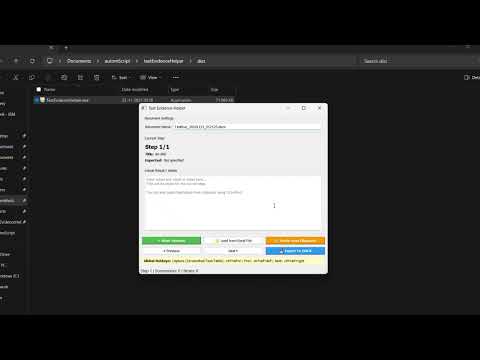
Test Evidence Helper is a lightweight desktop application designed to help Manual QA testers capture screenshots, document test steps, add notes instantly, and export everything into a clean and editable Word (.docx) report.
It eliminates the repetitive effort of manually taking screenshots, pasting them into documents, formatting them, and keeping track of step-by-step evidence. The tool is fast, simple, and built for real-world QA workflows.
- Capture screenshots using a global hotkey (default:
Ctrl + Alt + S). - Non-blocking capture that doesn't interrupt your current work.
- Each screenshot is automatically added as a new test step.
- Click on a step and type notes directly into the notes panel.
- Notes auto-save within the session folder.
- Great for writing observations, validation points, and errors.
- Steps are numbered and timestamped.
- Reorder steps by dragging.
- Rename or delete steps with right-click actions.
- Export all screenshots + notes + timestamps to a structured Word file.
- The generated
.docxis fully editable, suitable for test results, evidence reports, and client submissions.
- Create a “New Session” which generates a session directory.
- All screenshots, metadata, and notes are stored inside this folder.
- Reopen sessions anytime and continue where you left off.
- Clipboard text support when adding notes.
- Optional Excel export (if pandas/openpyxl installed).
- Simple, clean UI built with PyQt5.
Most manual testers spend more time documenting than testing.
This tool removes that pain by:
- Cutting documentation time drastically
- Maintaining consistent formatting
- Preventing lost screenshots
- Keeping evidence organised from start to finish
- Producing report-ready output without extra effort
It’s especially useful in:
- Regression testing
- UAT cycles
- Web application walkthroughs
- Evidence-heavy compliance projects
pyinstaller --noconfirm --onefile --windowed --name "TestEvidenceHelper" main.pypip install pyqt5 keyboard python-docx pandas pillow openpyxl pyperclip