👉 Please use the https://github.com/DoosanRobotics/doosan-robot2



Doosan ROS Video

Doosan ROS Online Lecture(Kor)
Doosan ROS Online Lecture(Eng)
To utilize the new emulator in virtual mode, Docker is required . Please ensure Docker is installed beforehand if virtual mode is required.
install Docker https://docs.docker.com/engine/install/ubuntu/
sudo apt-get install ros-noetic-rqt* ros-noetic-moveit* ros-noetic-gazebo-ros-control ros-noetic-joint-state-controller ros-noetic-effort-controllers ros-noetic-position-controllers ros-noetic-ros-controllers ros-noetic-ros-control ros-noetic-joint-state-publisher-gui ros-noetic-joint-state-publisher ### We recommand the /home/<user_home>/catkin_ws/src cd ~/catkin_ws/src git clone https://github.com/doosan-robotics/doosan-robot rosdep install --from-paths doosan-robot --ignore-src --rosdistro noetic -r -y ##### Emulator Download sh doosan-robot/doosan_robot/install_emulator.sh ##### Serial Package source build ### Noetic distro does not support serial package, so you have to install it manually. cd ~/catkin_ws/src git clone https://github.com/wjwwood/serial.git cd ~/catkin_ws catkin_make source ./devel/setup.bash Note: To use ROS with Version 3.x Controller, please ensure that you specify the build options (default: 2).
$ catkin_make --cmake-args -DDRCF_VER=3 If you are driveing without a real robot, use virtual mode
When ROS launches in virtual mode, the emulator(DRCF) runs automatically.
(DRCF) location: docker image
roslaunch dsr_launcher single_robot_gazebo.launch mode:=virtualOne emulator is required for each robot
Use real mode to drive a real robot
The default IP of the robot controller is 192.168.137.100 and the port is 12345.
roslaunch dsr_launcher single_robot_gazebo.launch mode:=real host:=192.168.137.100 port:=12345roslaunch dsr_description m0609.launch roslaunch dsr_description m1013.launch color:=blue # Change Color roslaunch dsr_description m1509.launch roslaunch dsr_description m0617.launch color:=blue # change color roslaunch dsr_description a0509.launch roslaunch dsr_description e0509.launch $ roslaunch dsr_description m1013.launch
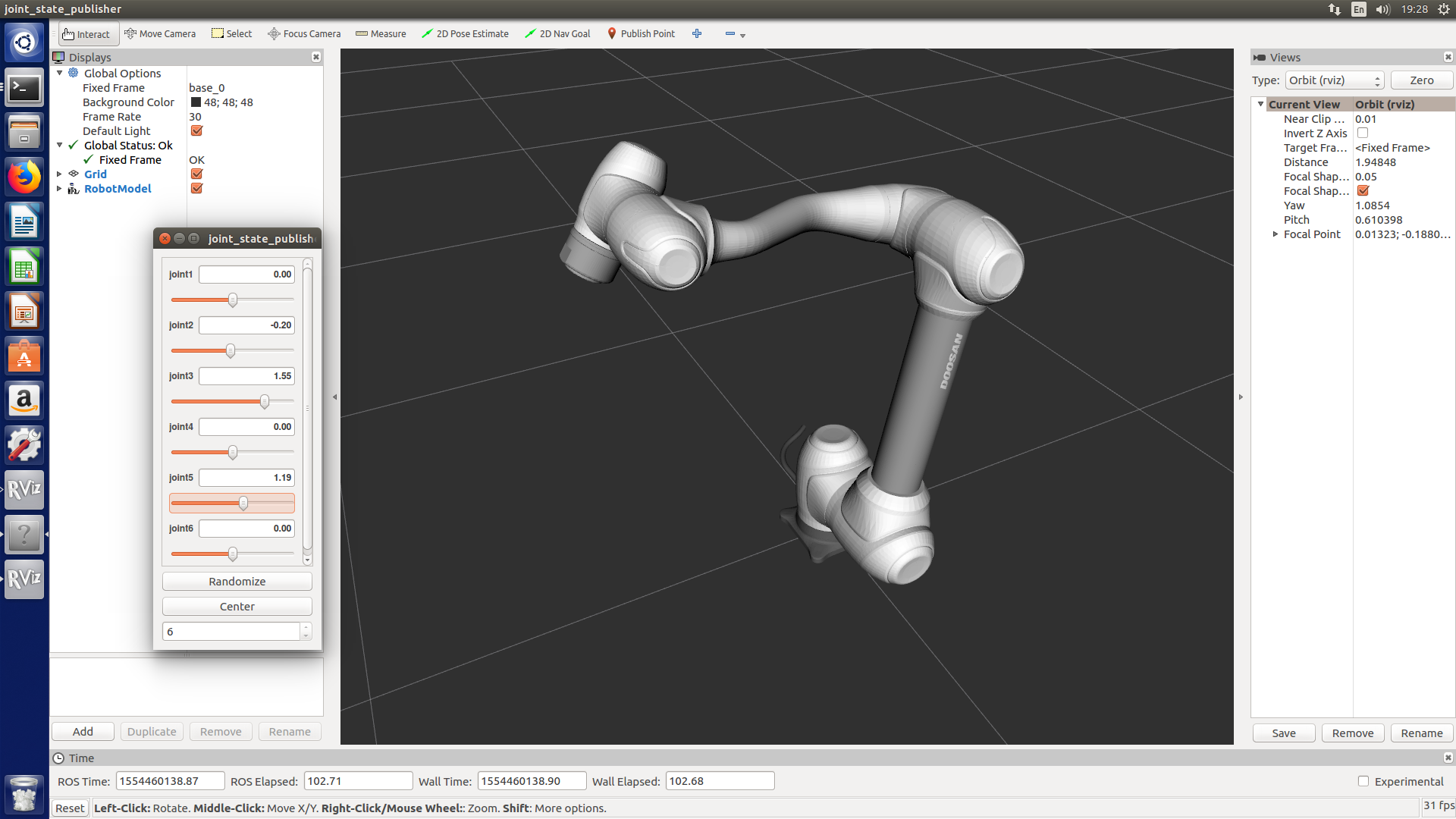
- In dsr_description, the user can use joint_state_publisher to move the robot.
- Joint_state_publisher
$ _roslaunch dsr_description m0617.launch color:=blue

color:= ROBOT_COLOR <white / blue> deflaut = white (e0509 has only white)
roslaunch moveit_config_m0609 m0609.launch roslaunch moveit_config_m0617 m0617.launch roslaunch moveit_config_m1013 m1013.launch roslaunch moveit_config_m1509 m1509.launch roslaunch moveit_config_a0509 a0509.launch roslaunch moveit_config_a0509 e0509.launch 
host := ROBOT_IP deflaut = 127.0.0.1 port := ROBOT_PORT default = 12345
mode := OPERATION MODE <virtual / real> deflaut = virtual
model := ROBOT_MODEL <m0609 / 0617 / m1013 / m1509 / a0509 / a0912 / h2017 / h2515 / e0509> deflaut = m1013
color := ROBOT_COLOR <white / blue> deflaut = white
gripper := USE_GRIPPER <none / robotiq_2f> deflaut = none
mobile := USE_MOBILE <none / husky> deflaut = none
rviz := USE_RVIZ_GUI <true / false> deflaut = true
roslaunch dsr_launcher dsr_moveit.launch roslaunch dsr_launcher dsr_moveit.launch model:=m0609 mode:=virtual roslaunch dsr_launcher dsr_moveit.launch model:=m0617 mode:=virtual roslaunch dsr_launcher dsr_moveit.launch model:=m1013 mode:=virtual roslaunch dsr_launcher dsr_moveit.launch model:=m1509 mode:=virtual roslaunch dsr_launcher dsr_moveit.launch model:=a0509 mode:=virtual roslaunch dsr_launcher dsr_moveit_gazebo.launch sudo apt-get install ros-noetic-moveit-commander roslaunch dsr_launcher dsr_moveit.launch model:=m1013 In another terminal ROS_NAMESPACE=/dsr01m1013 rosrun moveit_commander moveit_commander_cmdline.py robot_description:=/dsr01m1013/robot_description > use arm > goal0 = [0 0 0 0 0 0] # save the home position to variable "goal0" > goal1 = [0 0 1.57 0 1.57 0] # save the target position to varialbe "goal1" / radian > go goal1 # plan & excute (the robot is going to move target position) > go goal0 # paln & excute (the robot is going to move home position) If you don`t have real doosan controller, you must execute emulator before run dsr_launcer.
host:= ROBOT_IP deflaut = 127.0.0.1 ##controller IP = 192.168.137.100 port:= ROBOT_PORT default = 12345
mode:= OPERATION MODE <virtual / real> deflaut = virtual
model:= ROBOT_MODEL <m0609 / m0617 / m1013 / m1509 / a0509 / e0509> deflaut = m1013
color:= ROBOT_COLOR <white / blue> deflaut = white
gripper:= USE_GRIPPER <none / robotiq_2f> deflaut = none
mobile:= USE_MOBILE <none / husky> deflaut = none rviz:= USE Rviz <true / false > deflaut = true
roslaunch dsr_launcher single_robot_rviz.launch host:=127.0.0.1 port:=12345 mode:=virtual model:=m1013 color:=blue gripper:=none mobile:=none roslaunch dsr_launcher single_robot_gazebo.launch host:=192.168.137.100 roslaunch dsr_launcher single_robot_rviz_gazebo.launch gripper:=robotiq_2f mobile:=husky <launch> - single robot in rviz : roslaunch dsr_launcher single_robot_rviz.launch model:=m1013 color:=white - single robot in gazebo : roslaunch dsr_launcher single_robot_gazebo.launch model:=m1013 color:=blue - single robot in rviz + gazebo : roslaunch dsr_launcher single_robot_rviz_gazebo.launch model:=m1013 color:=white <run application node> rosrun dsr_example_py single_robot_simple.py dsr01 m1013 <ex> roslaunch dsr_launcher single_robot_rviz_gazebo.launch model:=m1013 color:=white rosrun dsr_example_py single_robot_simple.py $ roslaunch dsr_launcher single_robot_rviz_gazebo.launch
$ rosrun dsr_example_py single_robot_simple.py

// We need to specify controller's ip and port. // Additionally, we also need to specify namespace to distinguish ROS Graph constructing each robot // Note: moveit does not support namespace feature in ros1, 'dsr_moveit.launcher' and 'dsr_moveit_gazebo.launcher' don't support multi robot usage. roslaunch dsr_launcher single_robot.launch ns:=${NAMESPACE} ip:=${CONTROLLER_IP} port:=${CONTROLLER_PORT} <example> roslaunch gazebo_ros empty_world.launch world:=empty.world roslaunch dsr_launcher single_robot.launch ns:=dsr01 mode:=virtual port:=127.0.0.1 port:=12345 x:=0 y:=0 // also specify location to distinguish in gazebo. roslaunch dsr_launcher single_robot.launch ns:=dsr02 mode:=virtual port:=127.0.0.1 port:=12346 x:=1 y:=1 roslaunch dsr_launcher single_robot_rviz_gazebo.launch rosrun dsr_example_py single_robot_simple.py <include file="$(find dsr_gazebo)/launch/dsr_base.launch"> <arg name="ns" value="dsr01"/> # Robot ID <arg name="model" value="m1013"/> # Robot Model <arg name="host" value="192.168.137.100"/> # Robot IP <arg name="port" value="12345"/> # Robot Port <arg name="mode" value="virtual"/> # Robot Controller Mode # Position & Posture in Gazebo <arg name="x" value="2"/> <arg name="y" value="-4"/> <arg name="yaw" value="0.7"/> </include> <include file="$(find dsr_gazebo)/launch/dsr_base.launch"> <arg name="ns" value="dsr02"/> # Secondary Robot ID <arg name="model" value="m1013"/> # Secondary Robot Model <arg name="host" value="192.168.137.102"/> # Secondary Robot IP <arg name="port" value="12346"/> # Robot Port <arg name="mode" value="virtual"/> # Secondary Robot Controller Mode # Secondary Position & Posture in Gazebo <arg name="x" value="2"/> <arg name="y" value="-4"/> <arg name="yaw" value="0.7"/> </include>rosservice call /dsr01m1013/motion/move_joint "pos: [0.0, 0.0, 0.0, 0.0, 0.0, 0.0] vel: 0.0 acc: 0.0 time: 0.0 radius: 0.0 mode: 0 blendType: 0 syncType: 0"