


let points = [[162, 332], [182, 299], [141, 292], [158, 264], ... ]; let h = Hull(concavity: 50) let hull = h.hull(points, nil) public func hull(_ pointSet: [Any], _ concavity: Double?, _ format: [String]?) -> [Any] {
- 1st param - array of coordinates in format:
[Any],[Any]can be [[Int]], [[Double]], [[String: Int]], [[String: Double]]; - 2nd param - concavity.
1- thin shape.Infinity- convex hull. By default20; - 3rd param - the format of the array of coordinates For example:
["lng", "lat"]if you have["lng": x, "lat": y]points. If your are using [[Int]] or [[Double]], the value can be nil
Concavity determines the hull's maximum edge length.
- Calculate the diameter of your dataset.
- Start experimenting with:
concavity = diameter / 5.
This step by step guide was taken as the original code from https://github.com/AndriiHeonia/hull Let's see step by step what happens when you call hull() function:
- Hull.js takes your source points of the shape:
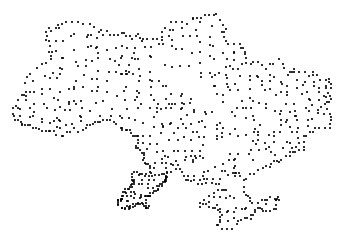
- Builds convex hull:
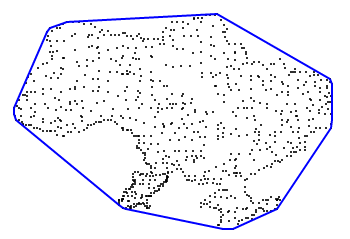
- After that, the edges flex inward (according to the `concavity` param). For example:
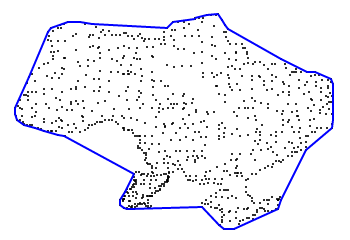 `concavity = 80`
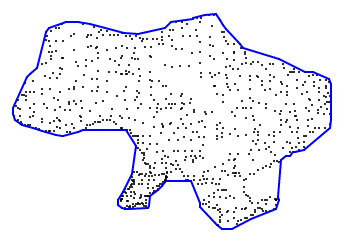 `concavity = 40`
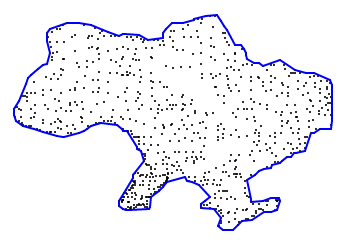 `concavity = 20`
ConcaveHull is available through CocoaPods. To install it, simply add the following line to your Podfile:
pod "ConcaveHull"