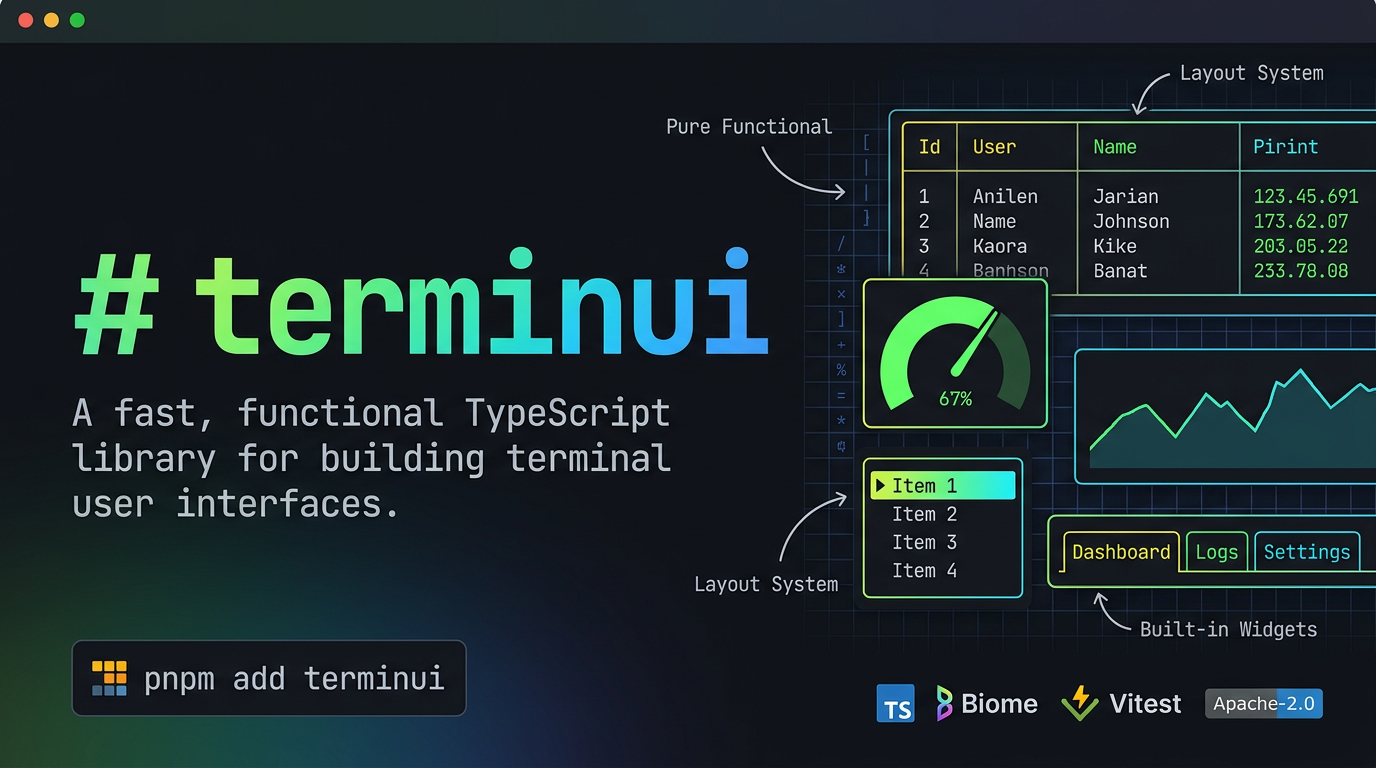
A fast, functional TypeScript library for building terminal user interfaces.
- Pure functional — no classes, no
this, no mutation. Plain objects in, plain objects out. - Double-buffered rendering — only changed cells are flushed to the terminal between frames.
- Rich layout system — split any rect with constraints:
Length,Percentage,Ratio,Min,Max,Fill. - Full style system — 16 ANSI colors, 256-color indexed, 24-bit RGB, modifiers (bold, italic, underline, etc.).
- Wide character support — CJK and fullwidth characters are measured and rendered correctly.
- 10+ built-in widgets — Block, Paragraph, List, Table, Gauge, Tabs, Sparkline, BarChart, Scrollbar, Clear.
- Stateful widgets — List and Table selection, Scrollbar position with offset management.
- Pluggable backends — test backend included; bring your own Node.js terminal backend.
- TypeScript strict mode —
strict: true,noUncheckedIndexedAccess: true, zeroany.
pnpm add terminuiimport { createTestBackendState, createTestBackend, testBackendToString, createTerminal, terminalDraw, frameRenderWidget, createRect, createLayout, lengthConstraint, fillConstraint, splitLayout, blockBordered, createTitle, createParagraph, renderParagraph, } from 'terminui'; // Set up a test backend (swap for a real terminal backend in production) const state = createTestBackendState(60, 10); const backend = createTestBackend(state); const terminal = createTerminal(backend); terminalDraw(terminal, (frame) => { const paragraph = createParagraph('Hello, terminui!', { block: blockBordered({ titles: [createTitle('Greeting')] }), }); frameRenderWidget(frame, renderParagraph(paragraph), frame.area); }); console.log(testBackendToString(state));Output:
┌Greeting──────────────────────────────────────────────┐ │Hello, terminui! │ │ │ │ │ │ │ │ │ │ │ │ │ │ │ └──────────────────────────────────────────────────────┘ You can keep the same terminal performance model and write UIs in a JSX style.
terminui does not use a virtual DOM reconciler here; JSX is translated into the same widget render calls (frameRenderWidget, frameRenderStatefulWidget) and still uses the existing double-buffered diff renderer.
/** @jsxImportSource terminui */ import { createTestBackendState, createTestBackend, createTerminal } from 'terminui'; import { terminalDrawJsx, Column, Row, Panel, Label, List, Gauge } from 'terminui/jsx'; import { lengthConstraint, fillConstraint } from 'terminui'; const state = createTestBackendState(60, 12); const terminal = createTerminal(createTestBackend(state)); terminalDrawJsx( terminal, <Column constraints={[lengthConstraint(3), fillConstraint(1)]}> <Panel title="Header" p={1}> <Label text="JSX-powered terminal UI" align="center" bold /> </Panel> <Row constraints={[fillConstraint(1), fillConstraint(1)]} gap={1}> <Panel title="Menu"> <List items={['Overview', 'Metrics', 'Logs']} /> </Panel> <Panel title="Load"> <Gauge percent={42} /> </Panel> </Row> </Column>, );Available JSX components include VStack, HStack, Box, Text, List, Table, Gauge, LineGauge, Tabs, Sparkline, BarChart, Scrollbar, Clear, and Cursor.
React-like aliases are also available:
Row=HStackColumn=VStackPanel=Boxwith border enabled by defaultLabel=Text
Common shorthand props:
gaponRow/Columnfor spacingp,px,pyfor panel/widget paddingborderandtitlefor block setupfg,bg,boldfor stylealignfor text alignment
Helper APIs:
terminalDrawJsx(terminal, <UI />)terminalLoopJsx(terminal, (frame, tick) => <UI />, { maxFrames: 120 })
Minimal tsconfig.json:
{ "compilerOptions": { "jsx": "react-jsx", "jsxImportSource": "terminui" } }Minimal hello.tsx:
/** @jsxRuntime automatic */ /** @jsxImportSource terminui */ import { createTestBackendState, createTestBackend, createTerminal, testBackendToString } from 'terminui'; import { terminalDrawJsx, Panel, Label } from 'terminui/jsx'; import { Color } from 'terminui'; const state = createTestBackendState(40, 6); const terminal = createTerminal(createTestBackend(state)); terminalDrawJsx( terminal, <Panel title="Hello JSX" p={1}> <Label text="terminal UI, React-like syntax" fg={Color.Cyan} bold align="center" /> </Panel>, ); console.log(testBackendToString(state));If you see a TypeScript error like:
'X' cannot be used as a JSX component check the following:
- Use
.tsxfiles for JSX code. - Use automatic JSX runtime with
terminuias the import source. - Import UI components from
terminui/jsx(not fromreact). - Make sure you are on a recent
terminuiversion with JSX typing fixes.
tsconfig.json example:
{ "compilerOptions": { "jsx": "react-jsx", "jsxImportSource": "terminui" } }Per-file override (optional):
/** @jsxRuntime automatic */ /** @jsxImportSource terminui */terminui follows a functional architecture with zero classes:
Backend → Terminal → Frame → Buffer → Cells ↑ Widgets (pure render functions) ↑ Layout (constraint solver) Everything is a function. Widgets are functions that take config and return a WidgetRenderer — a function (area: Rect, buf: Buffer) => void. Compose them however you want.
Split any rectangle using constraints:
import { createLayout, lengthConstraint, fillConstraint, percentageConstraint, splitLayout, createRect } from 'terminui'; const layout = createLayout([ lengthConstraint(3), // exactly 3 rows percentageConstraint(50), // 50% of remaining fillConstraint(1), // fill the rest ]); const area = createRect(0, 0, 80, 24); const [header, body, footer] = splitLayout(layout, area);| Constraint | Description |
|---|---|
lengthConstraint(n) | Exactly n cells |
percentageConstraint(n) | n% of available space |
ratioConstraint(num, den) | num/den of available space |
minConstraint(n) | At least n cells |
maxConstraint(n) | At most n cells |
fillConstraint(weight) | Fill remaining space (weighted) |
// Vertical (default) — splits into rows const vLayout = createLayout([...constraints]); // Horizontal — splits into columns const hLayout = createLayout([...constraints], { direction: 'horizontal' });import { createStyle, styleFg, styleBg, styleAddModifier, Color, Modifier, patchStyle } from 'terminui'; const bold = styleAddModifier(createStyle(), Modifier.BOLD); const warning = styleFg(styleBg(createStyle(), Color.Yellow), Color.Black); const merged = patchStyle(bold, warning); // combines bothColor.Reset, Color.Black, Color.Red, Color.Green, Color.Yellow, Color.Blue, Color.Magenta, Color.Cyan, Color.Gray, Color.White, Color.DarkGray, Color.LightRed, Color.LightGreen, ... indexedColor(42) // 256-color palette rgbColor(255, 128, 0) // 24-bit true colorModifier.BOLD, Modifier.DIM, Modifier.ITALIC, Modifier.UNDERLINED, Modifier.SLOW_BLINK, Modifier.RAPID_BLINK, Modifier.REVERSED, Modifier.HIDDEN, Modifier.CROSSED_OUT, Modifier.DOUBLE_UNDERLINED, Modifier.OVERLINEDContainer with borders, titles, and padding:
┌Header────────────────────────────────────────────────┐ │ │ │ Content goes here with padding and borders │ │ │ └──────────────────────────────────────────────────────┘ import { blockBordered, createTitle, renderBlock, Borders } from 'terminui'; const block = blockBordered({ titles: [ createTitle('Header'), createTitle('Footer', { position: 'bottom', alignment: 'center' }), ], borderType: 'rounded', // 'plain' | 'rounded' | 'double' | 'thick' padding: uniformPadding(1), }); frameRenderWidget(frame, renderBlock(block), area);Text display with wrapping, alignment, and scrolling:
┌Paragraph─────────────────────────────────────────────┐ │ Long text that wraps automatically to fit the │ │ available width. Supports alignment and scrolling │ │ for content larger than the viewport. │ └──────────────────────────────────────────────────────┘ import { createParagraph, renderParagraph } from 'terminui'; const p = createParagraph('Long text that wraps...', { block: blockBordered({ titles: [createTitle('Paragraph')] }), wrap: { trim: true }, alignment: 'center', scroll: [2, 0], // skip first 2 lines }); frameRenderWidget(frame, renderParagraph(p), area);Vertical scrollable list with selection:
┌Menu──────────────────────────────────────────────────┐ │ ▶ Item 1 │ │ Item 2 │ │ Item 3 │ │ Item 4 │ │ Item 5 │ └──────────────────────────────────────────────────────┘ import { createList, createListState, renderStatefulList } from 'terminui'; const list = createList(['Item 1', 'Item 2', 'Item 3'], { block: blockBordered({ titles: [createTitle('Menu')] }), highlightStyle: styleFg(createStyle(), Color.Yellow), highlightSymbol: '▶ ', }); const state = createListState(0); // selected index frameRenderStatefulWidget(frame, renderStatefulList(list), area, state); // Navigate: state.selected = 1;Grid data with column constraints:
┌Users─────────────────────────────────────────────────┐ │ Name Age Role │ │ Alice 42 admin │ │ Bob 37 user │ │ Charlie 29 user │ └──────────────────────────────────────────────────────┘ import { createTable, createRow, renderTable, lengthConstraint, fillConstraint } from 'terminui'; const table = createTable( [ createRow(['Alice', '42', 'admin']), createRow(['Bob', '37', 'user']), ], [lengthConstraint(10), lengthConstraint(5), fillConstraint(1)], { header: createRow(['Name', 'Age', 'Role']), block: blockBordered({ titles: [createTitle('Users')] }), }, ); frameRenderWidget(frame, renderTable(table), area);Progress bars — unicode block characters or ASCII:
┌Progress──────────────────────────────────────────────┐ │ ████████████████████░░░░░░░░░░░░░░░░░░░░░░░░░░░░░░ │ │ 67% │ └──────────────────────────────────────────────────────┘ import { gaugePercent, renderGauge } from 'terminui'; const gauge = gaugePercent(67, { block: blockBordered({ titles: [createTitle('Progress')] }), useUnicode: true, gaugeStyle: styleFg(createStyle(), Color.Green), }); frameRenderWidget(frame, renderGauge(gauge), area);Horizontal tab selection:
Dashboard Logs Settings ───────────────────────────────────────────────────── Dashboard content displayed here import { createTabs, renderTabs } from 'terminui'; const tabs = createTabs(['Dashboard', 'Logs', 'Settings'], { selected: 0, highlightStyle: styleFg(createStyle(), Color.Yellow), }); frameRenderWidget(frame, renderTabs(tabs), area);Tiny inline data visualization:
┌CPU───────────────────────────────────────────────────┐ │ ▁▄▂█▅▃▇▆ │ └──────────────────────────────────────────────────────┘ import { createSparkline, renderSparkline } from 'terminui'; const spark = createSparkline([1, 4, 2, 8, 5, 3, 7, 6], { block: blockBordered({ titles: [createTitle('CPU')] }), style: styleFg(createStyle(), Color.Cyan), }); frameRenderWidget(frame, renderSparkline(spark), area);Grouped bar charts (vertical or horizontal):
┌Chart─────────────────────────────────────────────────┐ │ │ │ ███ ███ ███ │ │ ███ ███ ███ │ │ ███ ███ ███ │ │ ███ ███ ███ │ │ Group A Group B Group C │ └──────────────────────────────────────────────────────┘ import { createBar, createBarGroup, createBarChart, renderBarChart } from 'terminui'; const chart = createBarChart( [createBarGroup([createBar(5), createBar(8), createBar(3)], 'Group A')], { barWidth: 3, direction: 'vertical' }, ); frameRenderWidget(frame, renderBarChart(chart), area);Scrollbar overlay for any area:
┌Content────────────────────────────────────────────┐ █ │ Line 1 │ █ │ Line 2 │ ░ │ Line 3 │ ░ │ Line 4 │ ░ │ Line 5 │ ░ │ ... │ ░ └────────────────────────────────────────────────────┘ █ import { createScrollbar, createScrollbarState, renderStatefulScrollbar } from 'terminui'; const sb = createScrollbar('verticalRight'); const sbState = createScrollbarState(100, 25); sbState.viewportContentLength = 20; frameRenderStatefulWidget(frame, renderStatefulScrollbar(sb), area, sbState);Renders directly to the terminal's primary screen. Good for one-shot output or piped commands:
const state = createTestBackendState(80, 24); const backend = createTestBackend(state); const terminal = createTerminal(backend); terminalDraw(terminal, (frame) => { // render widgets to frame }); console.log(testBackendToString(state));For full-screen TUI apps (like vim, htop). In production you'd use a backend that:
- Enters the alternate screen (
\x1b[?1049h) - Renders frames in a loop with diff-based updates
- Exits the alternate screen on cleanup (
\x1b[?1049l)
// Pseudo-code for a real alternate screen app: const backend = createNodeBackend(); // your Node.js backend const terminal = createTerminal(backend); // Enter alternate screen process.stdout.write('\x1b[?1049h'); // Main loop while (running) { terminalDraw(terminal, (frame) => { // render your UI }); await waitForInput(); } // Exit alternate screen process.stdout.write('\x1b[?1049l');The double-buffered architecture ensures only changed cells are written between frames — minimal I/O for maximum performance.
Run the included examples:
# Minimal JSX starter npx tsx examples/jsx-hello.tsx # Interactive fake-AI terminal chat demo npx tsx examples/jsx-chatbot.tsx # React-like JSX API demo npx tsx examples/jsx-dashboard.tsx # Dashboard rendered to primary screen npx tsx examples/primary-screen.ts # Multi-frame alternate screen simulation npx tsx examples/alternate-screen.ts # Full kitchen-sink dashboard (all widgets + layout + styles + state) npx tsx examples/kitchen-sink.ts # Live weather dashboard (Open-Meteo) npx tsx examples/weather-dashboard.ts --city "New York" # One-shot weather snapshot (non-animated) npx tsx examples/weather-dashboard.ts --city "New York" --onceexamples/jsx-chatbot.tsx is the production-style reference for interactive terminal UX:
- uses alternate screen and clears scrollback
- uses
readlinekeypress input in raw mode (no prompt spam) - uses diff-based cell updates with batched ANSI writes
- uses a minimal, modern CLI layout (vim/blessed-like)
- includes interactive controls:
Entersend message↑/↓scroll conversation/clearreset chat historyEscorCtrl+Cquit cleanly
pnpm install pnpm test # vitest pnpm typecheck # tsc --noEmit pnpm lint # biome check pnpm build # tsup- TypeScript (strict mode)
- Biome (lint + format)
- Vitest (tests)
- tsup (bundling)
- pnpm (package manager)
Apache-2.0 - Ahmad Awais
