A spiffy ratatui TUI calendar — local SQLite with Google Calendar sync and DAG-linked events.

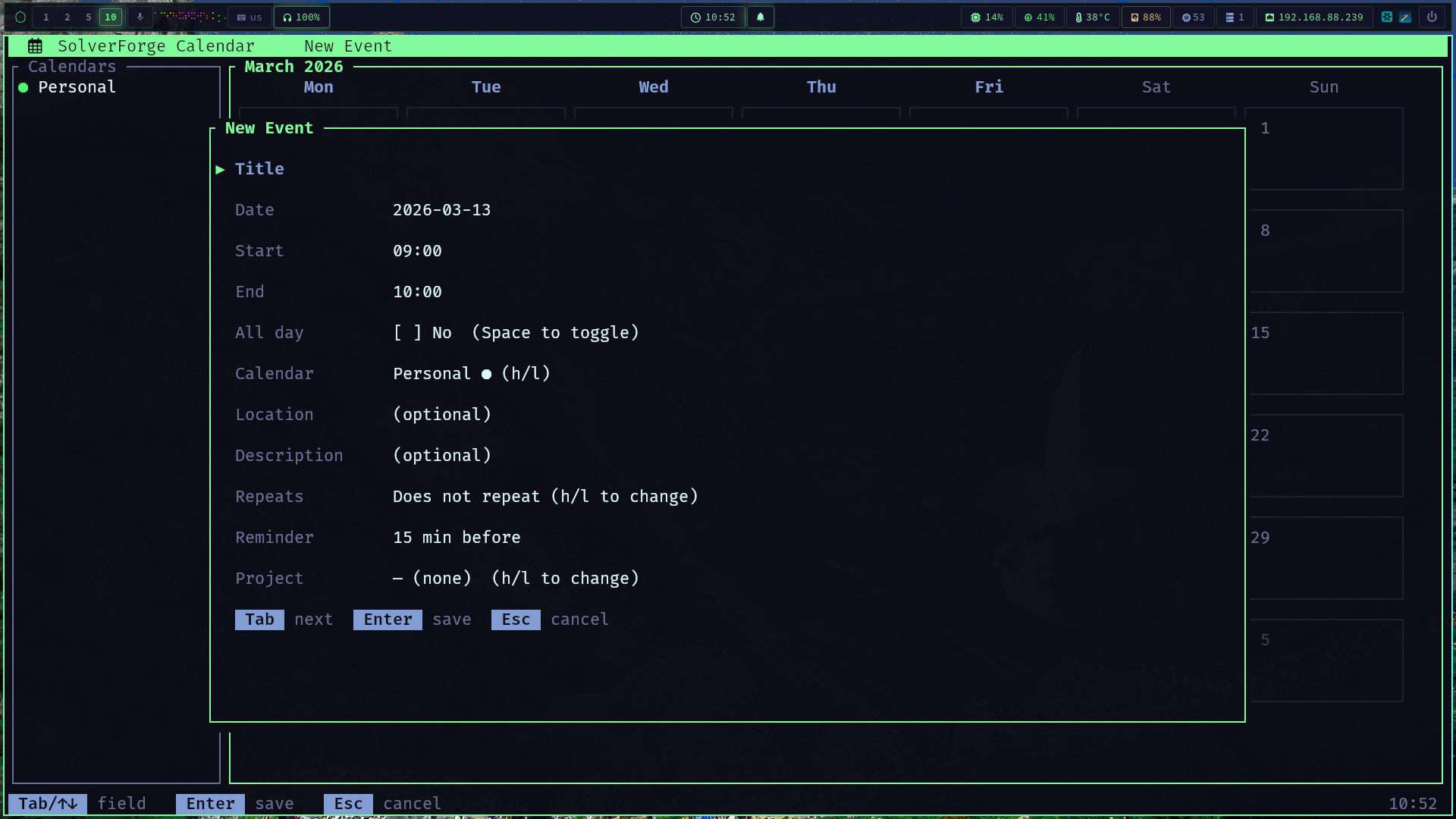
# Build and run cargo build --release ./target/release/solverforge-calendar # Or run directly cargo run- Multiple views - Month, week, day, and agenda views with vim-style navigation
- Google Calendar sync - Incremental two-way sync with OAuth (tokens in OS keyring)
- Event dependencies - DAG-linked events with cycle detection and topological ordering
- Recurring events - Full RFC 5545 RRULE support (daily, weekly, monthly, custom)
- Non-blocking I/O - Background workers for all DB and API operations
- Local SQLite database - Events, calendars, projects stored in
~/.local/share/solverforge/calendar.db - iCal import/export - Standard
.icssupport - Desktop notifications - Reminder alerts via libnotify
- SolverForge theme - Reads hackerman palette from
colors.toml
Ctrl+c/q- Quit1- Month view2- Week view3- Day view4- Agenda view?- HelpG/S- Google Calendar sync
h/j/k/l- Move left/down/up/rightH/L- Previous/next monthTab- Toggle sidebar focusSpace- Toggle calendar visibility
c- Create evente- Edit selected eventd- Delete selected eventEnter- Open event details
a- Quick add event (command-line style)
- Press
Gto open the Google Auth flow - Follow the OAuth browser prompt
- Tokens are stored in the OS keyring (
solverforge-calendarservice) - Press
Sto sync at any time — incremental sync via Google's sync tokens
- TEA pattern - The Elm Architecture (Model, Update, View)
- Async worker pool - Background threads for all DB and Google API calls
- Channel-based IPC - mpsc for worker result passing
- Event DAG - Directed acyclic graph for event dependencies with BFS cycle detection
- Theme support - Reads SolverForge
colors.toml
- 29 files, 5181 lines of Rust
- 11.6MB release binary
cargo build # debug cargo build --release # optimized cargo check # fast type check cargo clippy # lint cargo test # run testssolverforge-calendar/ └── src/ ├── main.rs # Entry point, terminal setup, event loop ├── app.rs # TEA state machine, all application state ├── keys.rs # (View, KeyEvent) → Action dispatch ├── worker.rs # Background thread pool, WorkerResult enum ├── event.rs # Crossterm event handling ├── models.rs # Calendar, Event, Project, EventDependency structs ├── db.rs # SQLite CRUD, schema migrations ├── dag.rs # EventDag — dependency graph with cycle detection ├── theme.rs # SolverForge color theme loader ├── recurrence.rs # RecurrencePreset, RFC 5545 RRULE helpers ├── notifications.rs # Background reminder task, libnotify ├── ical.rs # iCal import/export ├── google/ │ ├── auth.rs # OAuth via OS keyring │ ├── sync.rs # Incremental Google Calendar API sync │ └── types.rs # Google JSON → local Event conversion └── ui/ ├── month_view.rs # 5-week calendar grid ├── week_view.rs # Hourly time grid ├── day_view.rs # Single-day agenda ├── agenda_view.rs # Sorted upcoming events list ├── event_form.rs # Modal create/edit form ├── calendar_list.rs # Sidebar with visibility toggles ├── quick_add.rs # Command-line-style event entry ├── status_bar.rs # Keybinding hints + status messages ├── help.rs # Scrollable help overlay ├── google_auth.rs # OAuth flow UI └── util.rs # Shared rendering helpers