

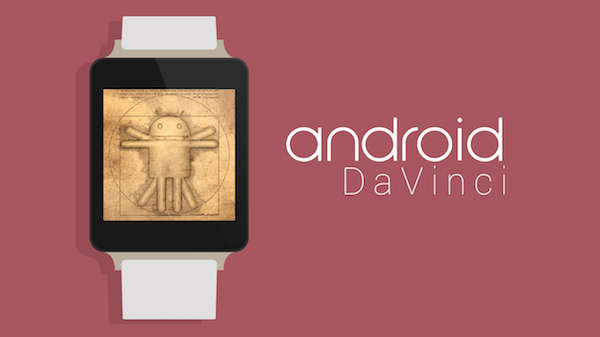
DaVinci is an image downloading and caching library for Android Wear

Use DaVinci from your SmartWatch app
DaVinci.with(context).load("/image/0").into(imageView); DaVinci.with(context).load("http://i.imgur.com/o3ELrbX.jpg").into(imageView);Into an imageview
DaVinci.with(context).load("/image/0").into(imageView);Into a FragmentGridPagerAdapter
@Override public Drawable getBackgroundForRow(final int row) { return DaVinci.with(context).load("/image/" + row).into(this, row); }Into a CallBack
DaVinci.with(context).load("http://i.imgur.com/o3ELrbX.jpg").into(new DaVinci.Callback() { @Override public void onBitmapLoaded(String path, Bitmap bitmap) { } });By default, the asset name used for the bitmap is "image", you can modify this
DaVinci.with(context).load("/image/0").setImageAssetName("myImage").into(imageView);In your smartphone service
@Override public void onMessageReceived(MessageEvent messageEvent) { super.onMessageReceived(messageEvent); DaVinciDaemon.with(getApplicationContext()).handleMessage(messageEvent); ... }Send image to wear
DaVinciDaemon.with(getApplicationContext()).load("http://i.imgur.com/o3ELrbX.jpg").send();or with "/image/0" path
DaVinciDaemon.with(getApplicationContext()).load("http://i.imgur.com/o3ELrbX.jpg").into("/image/0");You can specify custom transformations on your Bitmaps
public class ResizeTransformation implements Transformation { private int targetWidth; public ResizeTransformation(int width) { this.targetWidth = width; } @Override public Bitmap transform(Bitmap source) { double aspectRatio = (double) source.getHeight() / (double) source.getWidth(); int targetHeight = (int) (targetWidth * aspectRatio); Bitmap result = Bitmap.createScaledBitmap(source, targetWidth, targetHeight, false); if (result != source) { // Same bitmap is returned if sizes are the same source.recycle(); } return result; } @Override public String key() { return "ResizeTransformation"+targetWidth; } }Pass an instance of this class to the transform method
DaVinci.with(context).load(url).transform(new ResizeTransformation(300)).into(imageView);Prodvided Transformations :
Blur
DaVinci.with(context).load(url).transform(new BlurTransformation()).into(imageView);Resizing
DaVinci.with(context).load(url).transform(new ResizeTransformation(maxWidth)).into(imageView);In your wear module 
compile ('com.github.florent37:davinci:1.0.3@aar'){ transitive = true }In your smartphone module 
compile ('com.github.florent37:davincidaemon:1.0.3@aar'){ transitive = true }Don't forget to add WRITE_EXTERNAL_STORAGE in your Wear AndroidManifest.xml
<uses-permission android:name="android.permission.WRITE_EXTERNAL_STORAGE"/>- Customize bitmap resizing (actually : width=300px)
- Enabling multiples transformations
- Apply transformations on Smartphone then send them to Wear
Looking for contributors, feel free to fork !
If you want to learn wear development : http://tutos-android-france.com/developper-une-application-pour-les-montres-android-wear/.
- Picasso used in DaVinciDaemon (from Square)
- DiskLruCache used in DaVinci (from JakeWharton)
1.0.2
- Bitmaps are now saved as PNG to preserve transparency
Author: Florent Champigny www.florentchampigny.com/


Pictures by Logan Bourgouin
Copyright 2015 florent37, Inc. Licensed under the Apache License, Version 2.0 (the "License"); you may not use this file except in compliance with the License. You may obtain a copy of the License at http://www.apache.org/licenses/LICENSE-2.0 Unless required by applicable law or agreed to in writing, software distributed under the License is distributed on an "AS IS" BASIS, WITHOUT WARRANTIES OR CONDITIONS OF ANY KIND, either express or implied. See the License for the specific language governing permissions and limitations under the License.