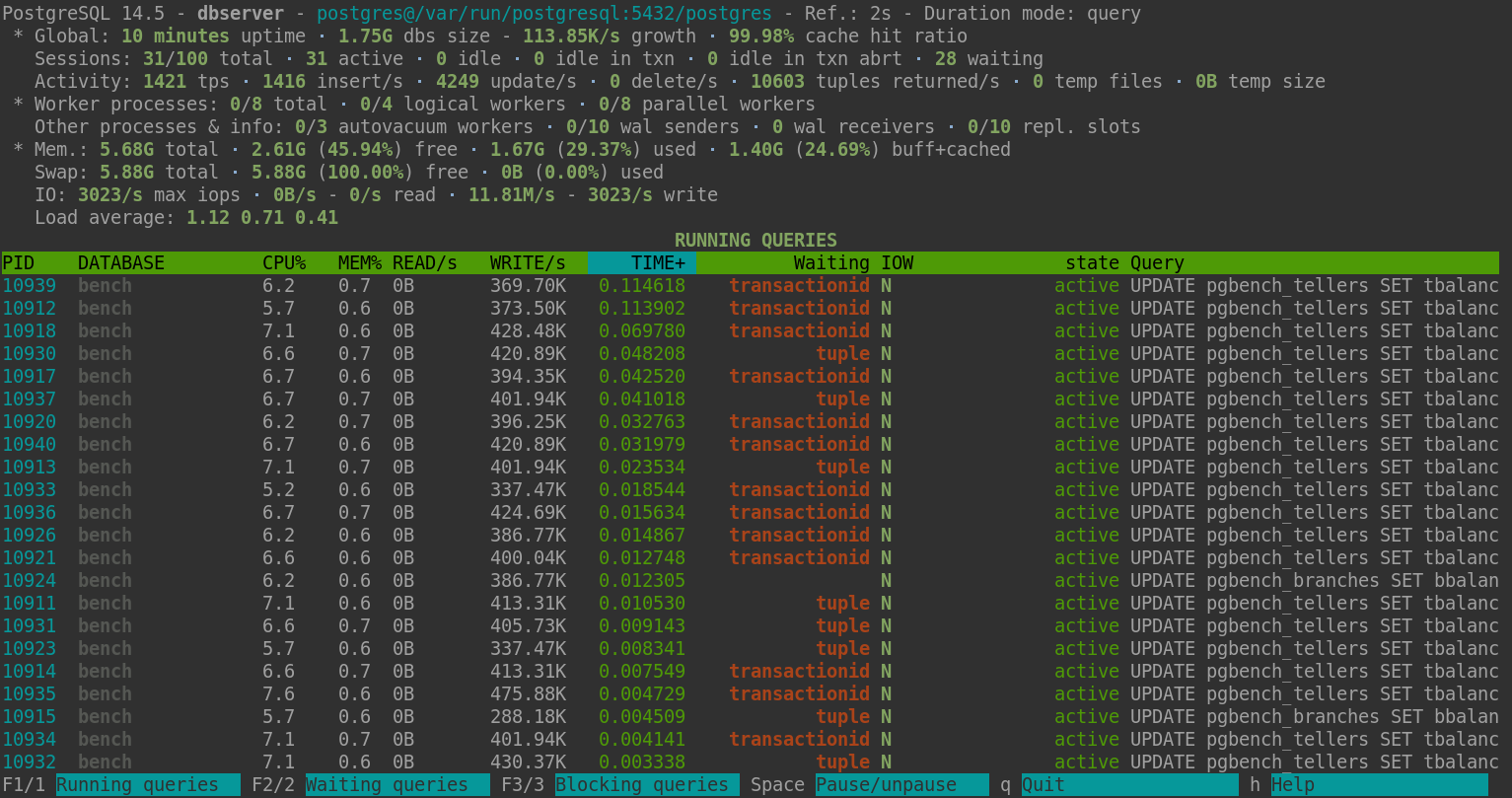
Command line tool for PostgreSQL server activity monitoring.
python≥ 2.6psycopg2≥ 2.2.1psutil≥ 0.5.1
Installation from sources: setuptools ≥ 0.6.14
sudo python setup.py install sudo python setup.py install --with-man pg_activity works localy or remotely. In local execution context, to obtain sufficient rights to display system informations, the system user running pg_activity must be the same user running postgresql server (postgres by default), or have more rights like root. Otherwise, pg_activity can fallback to a degraded mode without displaying system informations. On the same way, PostgreSQL user used to connect to the database must be super-user.
ex:
sudo -u postgres pg_activity -U postgres pg_activity [options] Options: --version Show program's version number and exit -U USERNAME, --username=USERNAME Database user name (default: "postgres"). -p PORT, --port=PORT Database server port (default: "5432"). -h HOSTNAME, --host=HOSTNAME Database server host or socket directory (default: "localhost"). -d DBNAME, --dbname=DBNAME Database name to connect to (default: "postgres"). -C, --no-color Disable color usage. --blocksize=BLOCKSIZE Filesystem blocksize (default: 4096). --rds Enable support for AWS RDS. --help Show this help message and exit. --debug Enable debug mode for traceback tracking. Display options, you can exclude some columns by using them : --no-database Disable DATABASE. --no-user Disable USER. --no-client Disable CLIENT. --no-cpu Disable CPU%. --no-mem Disable MEM%. --no-read Disable READ/s. --no-write Disable WRITE/s. --no-time Disable TIME+. --no-wait Disable W. | Key | Action |
|---|---|
C | Activate/deactivate colors |
r | Sort by READ/s, descending |
w | Sort by WRITE/s, descending |
c | Sort by CPU%, descending |
m | Sort by MEM%, descending |
t | Sort by TIME+, descending |
Space | Pause on/off |
v | Change queries display mode: full, truncated, indented |
UP/DOWN | Scroll processes list |
q | Quit |
+ | Increase refresh time. Maximum value : 3s |
- | Decrease refresh time. Minimum Value : 1s |
F1/1 | Running queries list |
F2/2 | Waiting queries list |
F3/3 | Blocking queries list |
h | Help page |
R | Refresh |
| Key | Action |
|---|---|
UP | Move up the cursor |
DOWN | Move down the cursor |
k | Terminate the current backend/tagged backends |
Space | Tag or untag the process |
q | Quit |
Other | Back to activity |