Language: EN | 简中



Recordly is an open-source screen recorder and editor for creating polished walkthroughs, demos, tutorials, and product videos. Contribution encouraged.
FAQ: What are the changes between this and Openscreen? A: Recordly adds a full cursor animation/rendering pipeline, native screen capture for Mac and Windows, zoom animations faithful to Screen Studio, cursor loops, smoother panning behaviour, and more major tweaks.
This fork exists because the original maintainer does not wish implementing the architectural changes that make some of these features possible i.e. different recording pipeline.

Note
Huge thank you to tadees for supporting the project! This donation directly helps cover the Apple Developer fees to get Recordly signed and notarised for macOS. Support the project
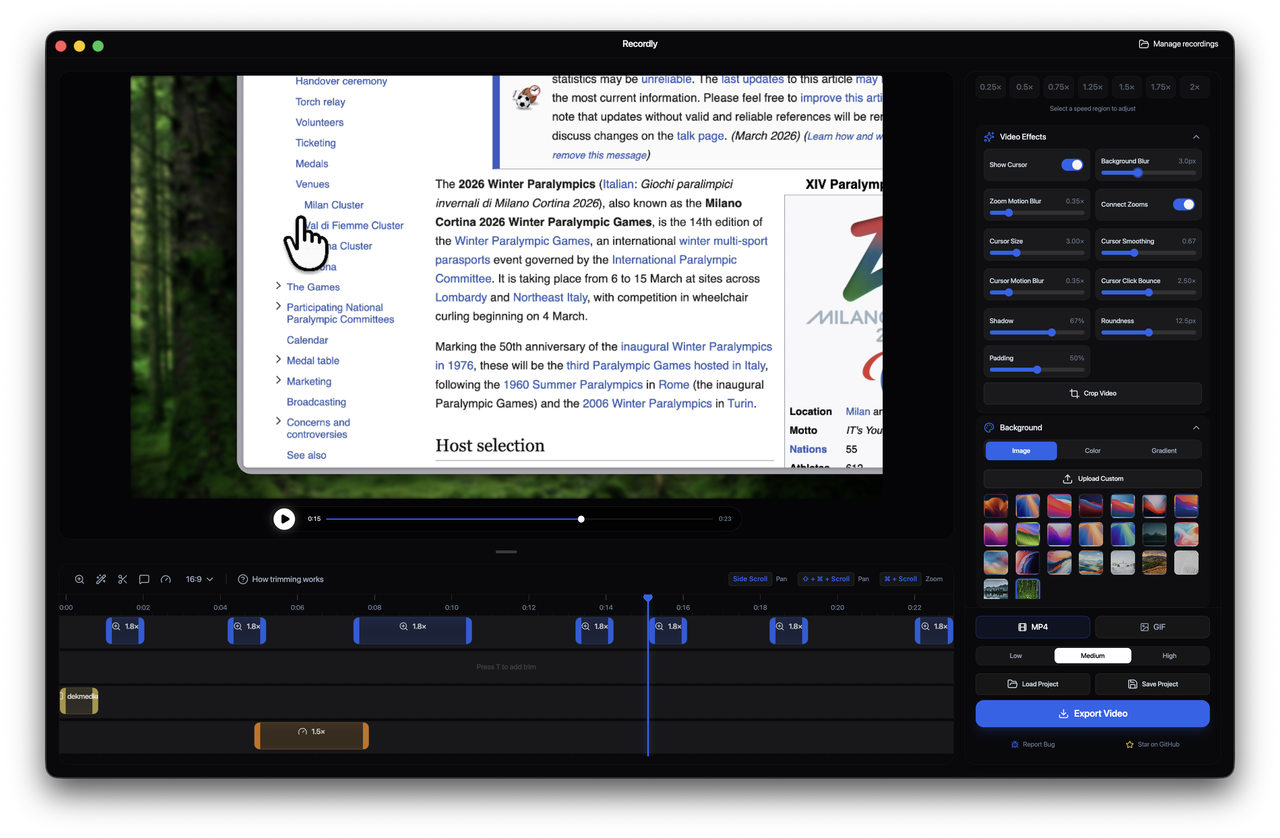
Recordly lets you record your screen and automatically transform it into a polished video. It handles the heavy lifting of zooming into important actions and smoothing out jittery cursor movement so your demos look professional by default.
Recordly runs on:
- macOS
- Windows
- Linux
Linux currently use Electron's capture path, which means the OS cursor cannot always be hidden during recording.
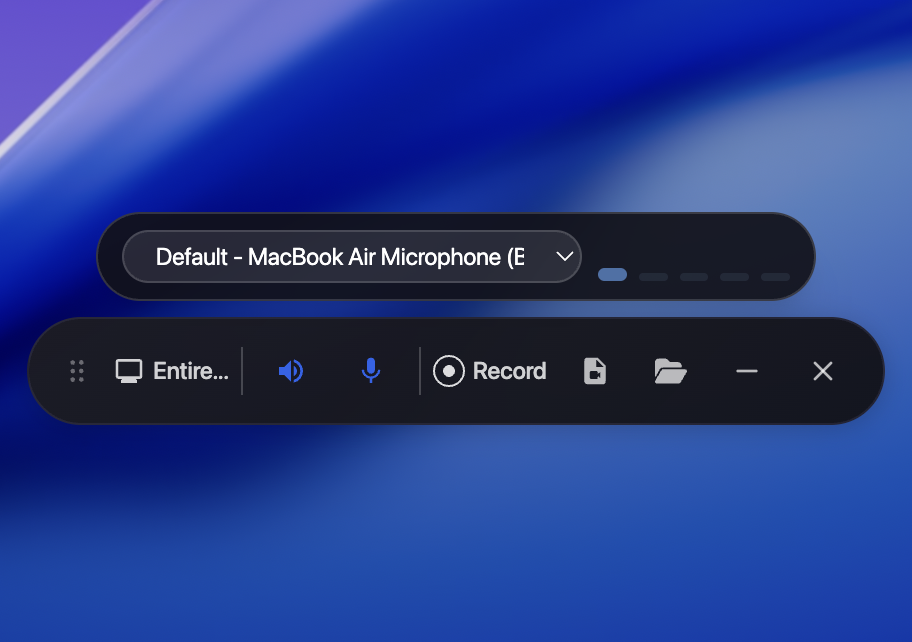
- Record an entire screen or a single window
- Jump straight from recording into the editor
- Microphone or system audio recording
- Chromium capture APIs on Windows/Linux
- Native ScreenCaptureKit capture on macOS
- native WGC recording helper for display and app-window capture on Windows, native WASAPI for system/mic audio, and more
- Apple-style zoom animations
- Automatic zoom suggestions based on cursor activity
- Manual zoom regions
- Smooth pan transitions between zoom regions
- Adjustable cursor size
- Cursor smoothing
- Motion blur
- Click bounce animation
- macOS-style cursor assets

- Cursor returns to original position in a freeze-frame at end of video/GIF (off by default)
- Timeline trimming
- Speed-up / slow-down regions
- Annotations
- Zoom spans
- Project save + reopen (
.recordlyfiles)
- Wallpapers
- Gradients
- Solid fills
- Padding
- Rounded corners
- Blur
- Drop shadows
- MP4 video export
- GIF export
- Aspect ratio controls
- Quality settings
Prebuilt releases are available here:
https://github.com/webadderall/Recordly/releases
Recordly is distributed as a GUI app, so Homebrew support is done via cask.
For users:
brew tap webadderall/tap brew install --cask recordlygit clone https://github.com/webadderall/Recordly.git recordly cd recordly npm install npm run devRecordly is not signed. macOS may quarantine locally built apps.
Remove the quarantine flag with:
xattr -rd com.apple.quarantine /Applications/Recordly.app- Launch Recordly
- Select a screen or window
- Choose audio recording options
- Start recording
- Stop recording to open the editor
Inside the editor you can:
- Add zoom regions manually
- Use automatic zoom suggestions
- Adjust cursor behavior
- Trim the video
- Add speed changes
- Add annotations
- Style the frame
Save your work anytime as a .recordly project.
Export options include:
- MP4 for full-quality video
- GIF for lightweight sharing
Adjust:
- Aspect ratio
- Output resolution
- Quality settings
Electron’s desktop capture API does not allow hiding the system cursor during recording.
If you enable the animated cursor layer, recordings may contain two cursors.
Improving cross-platform cursor capture is an area where contributions are welcome.
System audio capture depends on platform support.
Windows
- Works out of the box
Linux
- Requires PipeWire (Ubuntu 22.04+, Fedora 34+)
- Older PulseAudio setups may not support system audio
macOS
- Requires macOS 12.3+
- Uses ScreenCaptureKit helper
Recordly is a desktop video editor with a renderer-driven motion pipeline and platform-specific capture layer.
Capture
- Electron orchestrates recording
- macOS uses native helpers for ScreenCaptureKit and cursor telemetry
- Windows uses native WGC for screen capture
Motion
- Zoom regions
- Cursor tracking
- Speed changes
- Timeline edits
Rendering
- Scene composition handled by PixiJS
Export
- Frames rendered through the same scene pipeline
- Encoded to MP4 or GIF
Projects
.recordlyfiles store the source video path and editor state
All contributors welcomed!
Areas where help is especially valuable:
- Smooth cursor pipeline for Linux
- Webcam overlay bubble
- Localisation support, especially Chinese
- UI/UX design improvements
- Export speed improvements
Please:
- Keep pull requests focused and modular
- Test playback, editing, and export flows
- Avoid large unrelated refactors
See CONTRIBUTING.md for guidelines.
Bug reports and feature requests:
https://github.com/webadderall/Recordly/issues
Pull requests are welcome.
• Tadees
Email youngchen3442@gmail.com for other inquiries or DM me via @webadderall
Recordly is licensed under the MIT License.
Built on top of the excellent OpenScreen project, you should go check it out!
Created by
@webadderall