


A tiny, self-hosted web wrapper for yt-dlp.
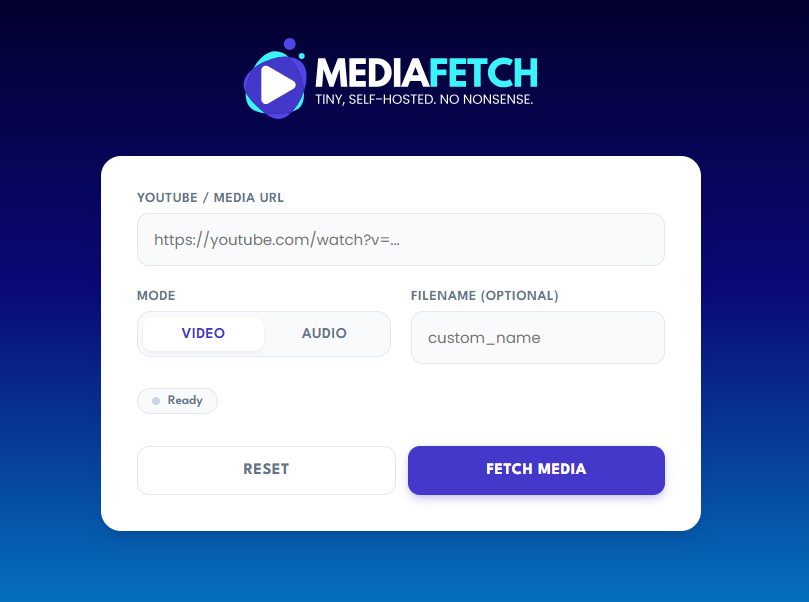
Click the image above to watch the demo video.
-
Universal Support Works with YouTube, Twitch, Vimeo, SoundCloud, and thousands of other sites.
-
Zero Database
No state, no queues, just files on disk. -
Optional Security
HTTP Basic Auth (browser-native).
If credentials are set, the UI, API, and downloads are protected. -
Modern UI
Simple dashboard with real-time terminal logs (SSE). -
Flexible Formats
- Best video + audio → MP4
- Audio-only extraction → MP3
-
Always Fresh Docker build automatically pulls the latest official yt-dlp binary, ensuring support for the newest sites and bypassing recent YouTube blocks.
| Variable | Description |
|---|---|
PORT | Port to run on (default: 3002) |
BASIC_AUTH_USER | Username for Basic Auth (optional) |
BASIC_AUTH_PASS | Password for Basic Auth (optional) |
OUTPUT_DIR | Download directory (default: /data/downloads) |
PUBLIC_BASE_URL | Public domain (e.g. https://mediafetch.example.com) Required to generate download links |
Note
IfBASIC_AUTH_USERandBASIC_AUTH_PASSare not set, authentication is disabled (useful for local dev).
git clone https://github.com/lukedunsmoto/mediafetch.git cd mediafetch cp .env.example .env # Builds the image and fetches the latest yt-dlp binary docker compose up -d --buildThen open your browser at:
http://localhost:3002 - Mount a volume to
/data/downloadsto persist files - Set
PUBLIC_BASE_URLto your real domain when running behind a proxy - Works cleanly with Traefik, Dokploy, Coolify, or raw Docker
Starts a download job and streams logs via Server-Sent Events (SSE).
Body
{ "url": "https://example.com/video", "mode": "video | audio", "filename": "optional-custom-name" }Simple health check.
If you encounter HTTP Error 403: Forbidden (common on YouTube) or need to download from premium sites that require a login, you can pass your browser cookies to MediaFetch.
1. Get your cookies
- Install a "Get cookies.txt LOCALLY" extension for Chrome or Firefox.
- Log into the site (e.g., YouTube) in your browser.
- Export the cookies and save the file as
cookies.txtin your project folder.
2. Enable them in Docker
- Add the volume line in
docker-compose.yml:volumes: - ./downloads:/data/downloads - ./cookies.txt:/app/cookies.txt
- Restart the container:
docker compose up -d
Security Warning Never share your
cookies.txtfile or commit it to Git. It contains your personal session data. MediaFetch is designed to read this file locally only.
MIT License
Core Power:
- yt-dlp
- ffmpeg
Happy fetching.