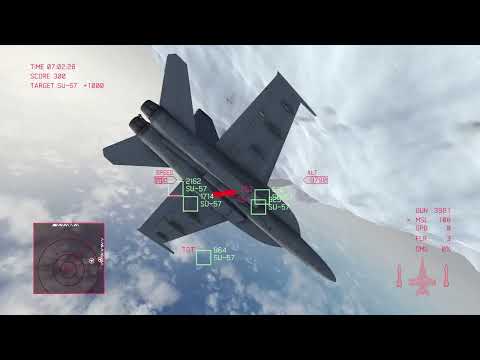
(YouTube Video Link: Current development status at 2022-08-22)
- Editor version: 2021.3.6f1
- You have to install Blender to explore this project.
- Based on previous project: https://github.com/lunetis/OperationZERO
- This is a personal project and currently in development.
- Since I'm testing with DualShock 4 (PlayStation 4 Controller), I'm not sure if other gamepads are working properly in this project. (XBOX Controller, etc.)
- Due to asset's license issue, commit histories can be deleted sometimes. (In that case, commit count will be very low.)
- Please check LICENSE.md for other used assets.
- Change 3D Model to F/A-18
- Laser-guided Bomb Implementation
- Surface-to-Air Missile Implementation
- Map Design
- Mission Implementation
- Transcript
- Main/Result Screen
- Difficulty System
- Build Test
- Mission Cutscenes (Optional) (Cancelled)
This list can be changed at anytime.
devlog : https://velog.io/@lunetis/series/maverick (Korean language only)

If you open the project when Blender is not installed, .blend files may cause missing prefab errors.
To resolve this, you have to install Blender, and reimport all assets.
After installing Blender, go to Unity Editor Menu - Assets - Reimport All.
If you have installed blender before you open the project first time, no error occurs.
