Simple web UI to manage OpenVPN users, their certificates & routes in Linux. While backend is written in Go, frontend is based on Vue.js.
Originally created in Flant for internal needs & used for years, then updated to be more modern and publicly released in March'21. Your contributions are welcome!
- Adding OpenVPN users (generating certificates for them);
- Revoking/restoring users certificates;
- Generating ready-to-user config files;
- Providing metrics for Prometheus, including certificates expiration date, number of (connected/total) users, information about connected users;
- (optionally) Specifying CCD (
client-config-dir) for each user; - (optionally) Operating in a master/slave mode (syncing certs & CCD with other server);
- (optionally) Specifying/changing password for additional authorization in OpenVPN.
Managing users in ovpn-admin: 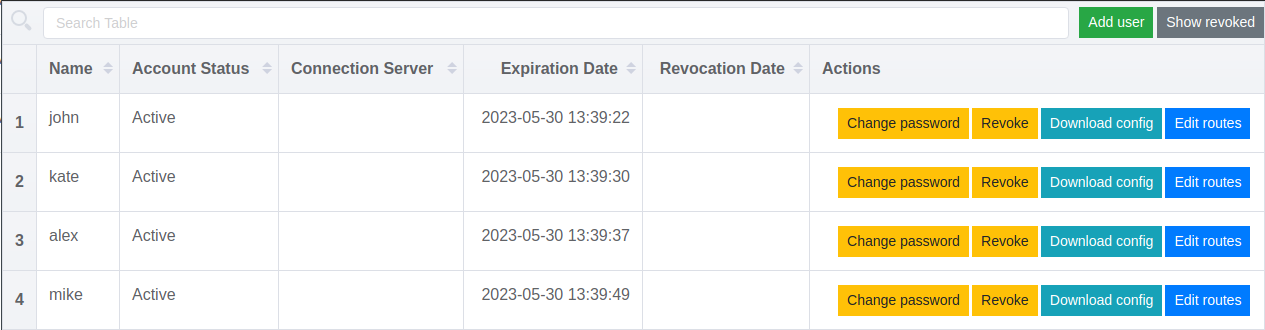
An example of dashboard made using ovpn-admin metrics: 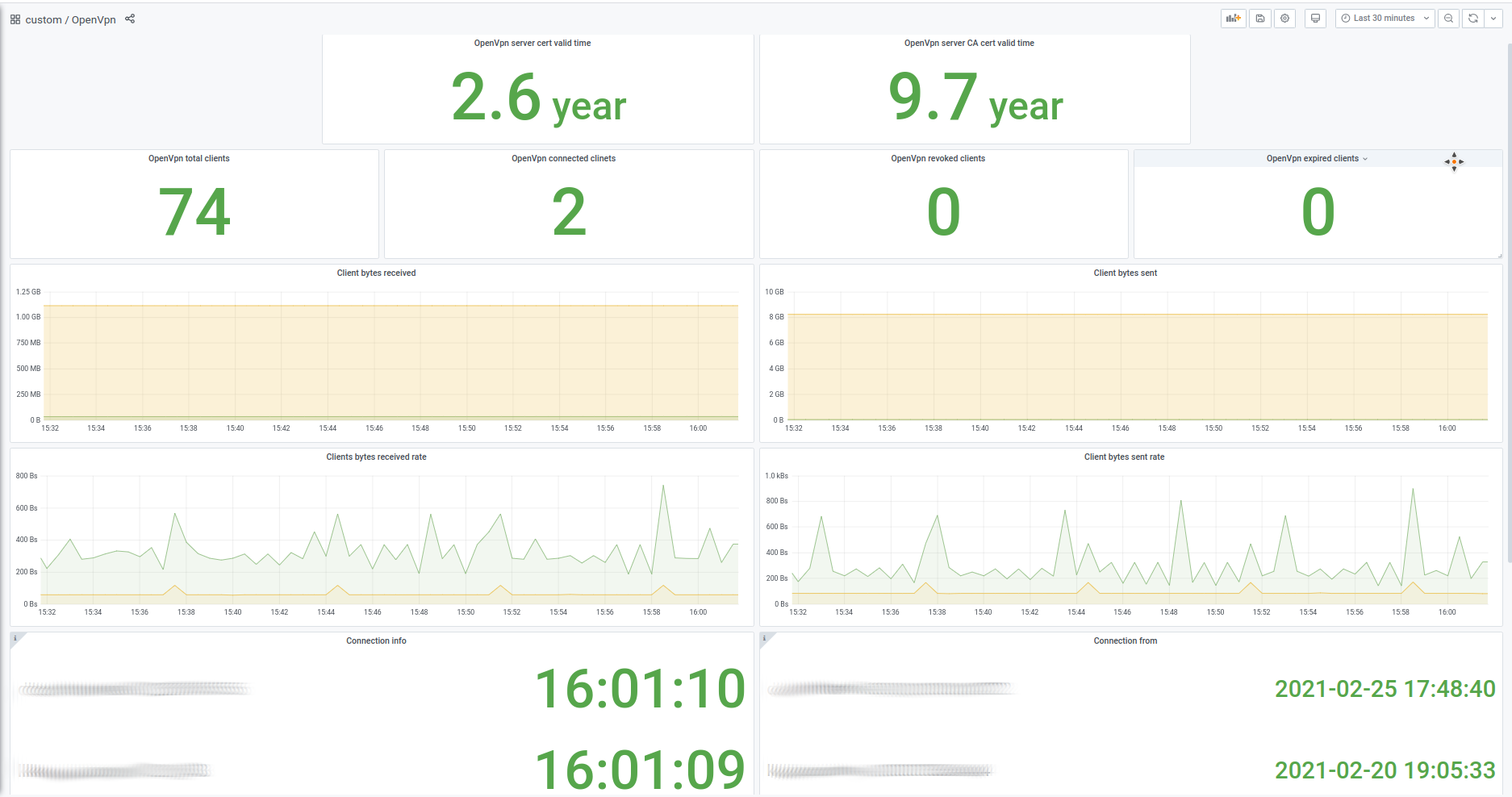
This tool uses external calls for bash, coreutils and easy-rsa, thus Linux systems only are supported at the moment.
There is a ready-to-use docker-compose.yaml, so you can just change/add values you need and start it with start.sh.
Requirements. You need Docker and docker-compose installed.
Commands to execute:
git clone https://github.com/flant/ovpn-admin.git cd ovpn-admin ./start.shRequirements. You need Linux with the following components installed:
Commands to execute:
git clone https://github.com/flant/ovpn-admin.git cd ovpn-admin ./bootstrap.sh ./build.sh ./ovpn-admin (Please don't forgot to configure all needed params in advance.)
You can also download & use prebuilt binaries from the releases page — just choose a relevant tar.gz file.
usage: ovpn-admin [<flags>] Flags: --help Show context-sensitive help (also try --help-long and --help-man). --listen.host="0.0.0.0" host for ovpn-admin --listen.port="8080" port for ovpn-admin --role="master" server role master or slave --master.host="http://127.0.0.1" url for master server --master.basic-auth.user="" user for basic auth on master server url --master.basic-auth.password="" password for basic auth on master server url --master.sync-frequency=600 master host data sync frequency in seconds. --master.sync-token=TOKEN master host data sync security token --ovpn.network="172.16.100.0/24" network for openvpn server --ovpn.server=HOST:PORT:PROTOCOL ... comma separated addresses for openvpn servers --mgmt=main=127.0.0.1:8989 ... comma separated (alias=address) for openvpn servers mgmt interfaces --metrics.path="/metrics" URL path for surfacing collected metrics --easyrsa.path="./easyrsa/" path to easyrsa dir --easyrsa.index-path="./easyrsa/pki/index.txt" path to easyrsa index file. --ccd Enable client-config-dir. --ccd.path="./ccd" path to client-config-dir --auth.password Enable additional password authorization. --auth.db="./easyrsa/pki/users.db" Database path fort password authorization. --debug Enable debug mode. --verbose Enable verbose mode. --version Show application version. Please feel free to use issues and discussions to get help from maintainers & community.