







Matplotlib colormaps from the yt project !
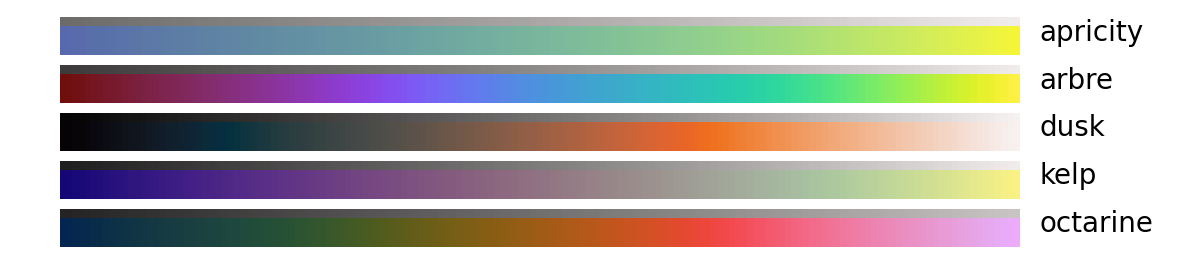
The following colormaps, as well as their respective reversed (*_r) versions are available


with pip
python -m pip install cmytor with conda
conda install -c conda-forge cmytcmyt integrates with matplotlib in a similar fashion to cmocean or cmasher
import numpy as np import matplotlib.pyplot as plt import cmyt # that's it ! # generate example data prng = np.random.RandomState(0x4D3D3D3) noise = prng.random_sample((100, 100)) x, y = np.mgrid[-50:50, -50:50] z = 5 * np.exp(-(x**2 + y**2) / 1000) # setup the figure fig, ax = plt.subplots() ax.set(aspect="equal") # now we can refer to cmyt colormaps as strings im = ax.pcolormesh(x, y, z + noise, cmap="cmyt.arbre", shading="flat") fig.colorbar(im, ax=ax) 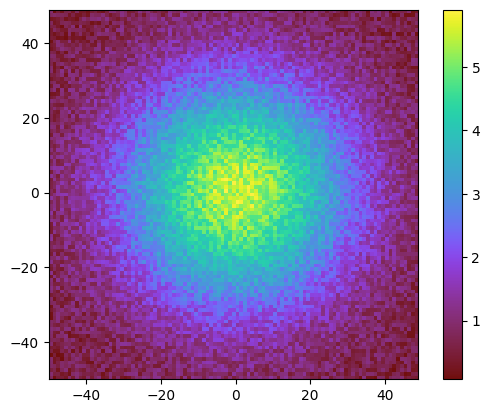
# alternatively, cmyt maps can also be imported as objects from cmyt import pastel fig, ax = plt.subplots() ax.set(aspect="equal") im = ax.contourf(x, y, z + noise, cmap=pastel) fig.colorbar(im, ax=ax) 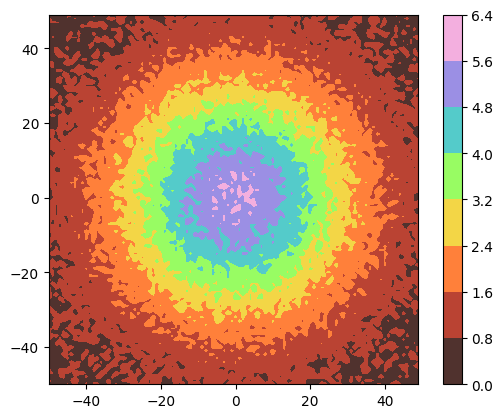
A gallery of comparable examples using all colormaps from cmyt is available in the test directory.