7
$\begingroup$

I want to plot a vector field F={Fx, Fy, Fz}. However, I only want to plot it in one plane (say, z=0).

When I use VectorPlot3D[{Fx, Fy, Fz}, {x, -1, 1}, {y, -1, 1}, {z, 0, x}], and x=0, I get

VectorPlot3D::plld: "Endpoints for z in {z,0,0} must have distinct machine-precision numerical values."

and when x=0.1, it gives me several layers of vectors, which I do not want.

So the question is: How can I plot a 3D-Vector-Field only in a 2-dimensional plane?

Thanks!!

$\endgroup$

1 Answer 1

10
$\begingroup$
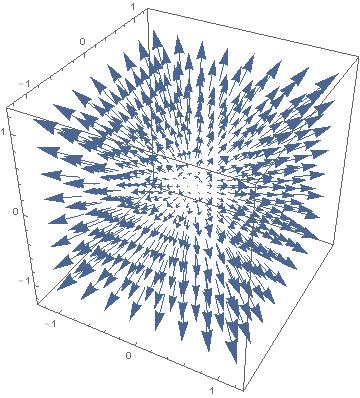
VectorPlot3D[{x, y, z}, {x, -1, 1}, {y, -1, 1}, {z, -1, 1}] 

enter image description here

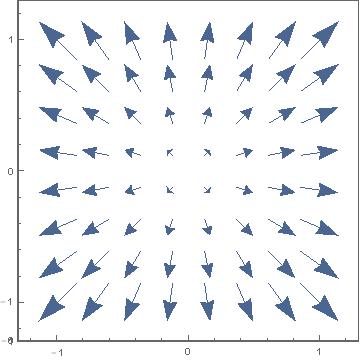
Now you can either use ViewPoint

VectorPlot3D[{x, y, z}, {x, -1, 1}, {y, -1, 1}, {z, -1, 1}, ViewPoint -> {0, 0, 200}] 

enter image description here

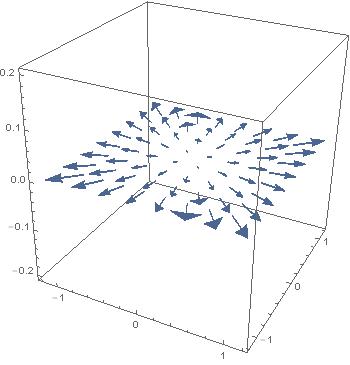
or define a very small z-range

VectorPlot3D[{x, y, z}, {x, -1, 1}, {y, -1, 1}, {z, -0.001, 0.001}] 

enter image description here

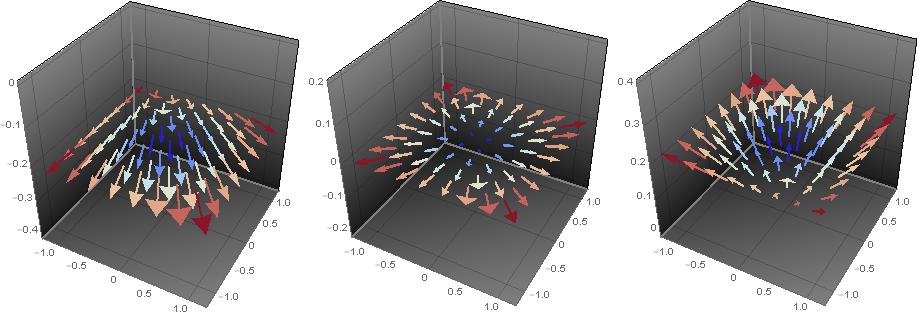
Grid[{ VectorPlot3D[{x, y, z}, {x, -1, 1}, {y, -1, 1}, {z, ##}, VectorColorFunction -> "ThermometerColors", PlotTheme -> "Marketing", ImageSize -> 300] & @@@ {{-0.2, -0.199}, {-0.001, 0.001}, {0.199, 0.2}} }] 

enter image description here

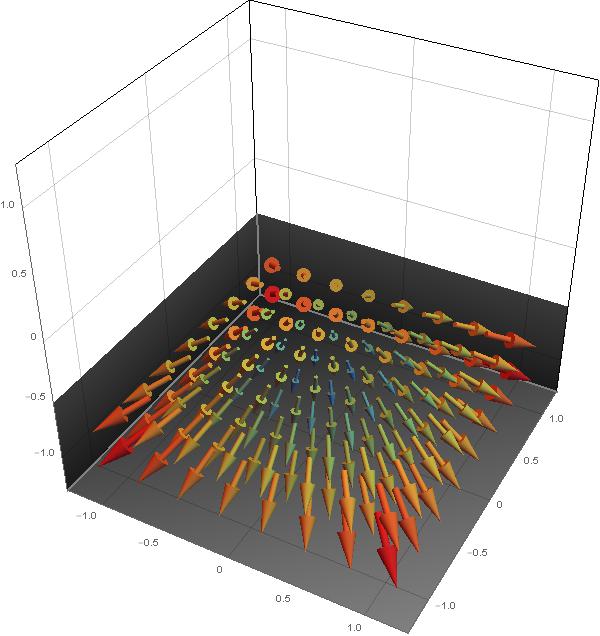
If you dare and have V10 you could also use ClipPlanes:

VectorPlot3D[{x, y, z}, {x, -1, 1}, {y, -1, 1}, {z, -1, 1}, VectorColorFunction -> "Rainbow", VectorStyle -> "Arrow3D", PlotTheme -> "Marketing", ImageSize -> 600, ClipPlanes -> {{0, 0, -10, -5}}] 

enter image description here

$\endgroup$
1
  • $\begingroup$ oh very nice, thank you. I tried to restrict the z-region, but i didnt do it symmetric and small enough. This works very nicely for me - i see the 3-dimensional vectors of one plane. thanks! $\endgroup$ Commented Oct 1, 2014 at 13:17

Start asking to get answers

Find the answer to your question by asking.

Ask question

Explore related questions

See similar questions with these tags.