Gleb Bahmutov PRO
JavaScript ninja, image processing expert, software quality fanatic


Gleb Bahmutov
Sr Director of Engineering

Shanghai’s skyline then and now
it('should show \'HOME\' and \'LOG IN\' when user is not signed in', async () => { (Object.getOwnPropertyDescriptor(signinServiceSpy, 'isLoggedIn')?.get as jasmine.Spy).and.returnValue(false); fixture.detectChanges(); const buttonEls = await loader.getAllHarnesses(MatButtonHarness); expect(buttonEls).toHaveSize(2); const buttonTexts = await parallel(() => buttonEls.map(btn => btn.getText())); const expected = ['HOME', 'LOG IN']; expect(buttonTexts).toEqual(expected); });Checks the text in two elements... 🤯
import { ComponentFixture, TestBed } from '@angular/core/testing'; import { NavComponent } from './nav.component'; import { SigninService } from '../signin.service'; import { MatButtonModule } from '@angular/material/button'; import { NoopAnimationsModule } from '@angular/platform-browser/animations'; import { HarnessLoader, parallel } from '@angular/cdk/testing'; import { By } from '@angular/platform-browser'; import { TestbedHarnessEnvironment } from '@angular/cdk/testing/testbed'; import { MatButtonHarness } from '@angular/material/button/testing'; describe('NavComponent', () => { let component: NavComponent; let fixture: ComponentFixture<NavComponent>; let loader: HarnessLoader; let signinServiceSpy = jasmine.createSpyObj<SigninService>( ['login', 'logout'], ['isLoggedIn'] ); beforeEach(async () => { await TestBed.configureTestingModule({ imports: [ NoopAnimationsModule, MatButtonModule ], declarations: [ NavComponent ], providers: [ { provide: SigninService, useValue: signinServiceSpy } ] }) .compileComponents(); fixture = TestBed.createComponent(NavComponent); component = fixture.componentInstance; fixture.detectChanges(); loader = TestbedHarnessEnvironment.loader(fixture); }); ... });Before we get to that test...
🤯🤯🤯

Let's write a test...
Lots of custom syntax
Slow feedback loop
Cryptic errors
Maintenance
Writing Tests For Your Web UI Framework Components


C / C++ / C# / Java / CoffeeScript / JavaScript / Node / Angular / Vue / Cycle.js / functional programming / testing






nav.component.ts
$ npm install -D cypress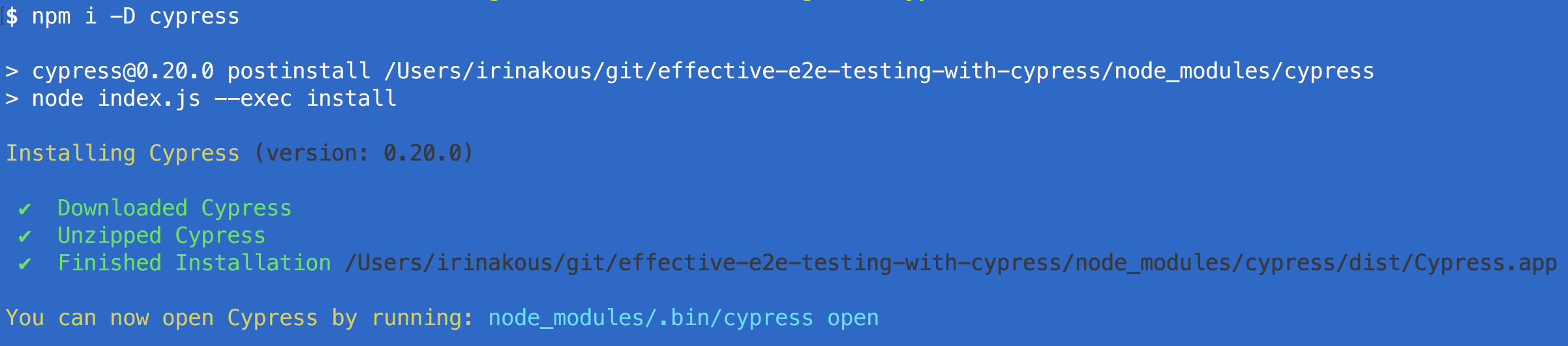
{ "devDependencies": { "@angular-devkit/build-angular": "^14.1.0", "@angular/cli": "~14.1.0", "@angular/compiler-cli": "^14.1.0", "@types/jasmine": "~4.0.0", "jasmine-core": "~4.2.0", "karma": "~6.4.0", "karma-chrome-launcher": "~3.1.0", "karma-coverage": "~2.2.0", "karma-jasmine": "~5.1.0", "karma-jasmine-html-reporter": "~2.0.0", "tailwindcss": "^3.1.6", "typescript": "~4.7.2" } }package.json
{ "devDependencies": { "@angular-devkit/build-angular": "^14.1.0", "@angular/cli": "~14.1.0", "@angular/compiler-cli": "^14.1.0", "cypress": "~10.8.0", "tailwindcss": "^3.1.6", "typescript": "~4.7.2" } }package.json
it('adds 2 todos', () => { cy.visit('http://localhost:4200') cy.get('.new-todo') .type('learn testing{enter}') .type('be cool{enter}') cy.get('.todo-list li') .should('have.length', 2) })import { defineConfig } from "cypress"; export default defineConfig({ component: { devServer: { framework: "angular", bundler: "webpack", }, specPattern: "**/*.cy.ts", }, });cypress.config.ts
import { defineConfig } from "cypress"; export default defineConfig({ component: { devServer: { framework: "angular", bundler: "webpack", }, specPattern: "**/*.cy.ts", }, });cypress.config.ts
Configuration
Let's test nav.component.ts
import { NavComponent } from './nav.component' describe('NavComponent', () => { it('should create and show the links', () => { cy.mount(NavComponent) cy.contains('a', 'HOME') cy.contains('button', 'LOG IN').should('be.visible') .wait(1000).click() cy.contains('a', 'HOME') cy.contains('a', 'PROFILE').should('be.visible') cy.contains('button', 'LOG OUT').should('be.visible') .wait(1000).click() cy.contains('a', 'HOME') cy.contains('button', 'LOG IN').should('be.visible') }) })nav.component.cy.ts
import { NavComponent } from './nav.component' describe('NavComponent', () => { it('should create and show the links', () => { cy.mount(NavComponent) cy.contains('a', 'HOME') cy.contains('button', 'LOG IN').should('be.visible') .wait(1000).click() cy.contains('a', 'HOME') cy.contains('a', 'PROFILE').should('be.visible') cy.contains('button', 'LOG OUT').should('be.visible') .wait(1000).click() cy.contains('a', 'HOME') cy.contains('button', 'LOG IN').should('be.visible') }) })nav.component.cy.ts
Mount the framework component
import { NavComponent } from './nav.component' describe('NavComponent', () => { it('should create and show the links', () => { cy.mount(NavComponent) cy.contains('a', 'HOME') cy.contains('button', 'LOG IN').should('be.visible') .wait(1000).click() cy.contains('a', 'HOME') cy.contains('a', 'PROFILE').should('be.visible') cy.contains('button', 'LOG OUT').should('be.visible') .wait(1000).click() cy.contains('a', 'HOME') cy.contains('button', 'LOG IN').should('be.visible') }) })nav.component.cy.ts
Regular Cypress commands
export class NavComponent { constructor(public signinService: SigninService) { } public login(): void { this.signinService.login(); } public logout(): void { this.signinService.logout(); } }nav.component.ts
import { NavComponent } from './nav.component' import { SigninService } from '../signin.service' describe('NavComponent', () => { it('should create and show the links', () => { const signinService = new SigninService() cy.spy(signinService, 'login').as('login') cy.spy(signinService, 'logout').as('logout') cy.mount(NavComponent, { componentProperties: { signinService, }, }) cy.contains('a', 'HOME') cy.contains('button', 'LOG IN').should('be.visible') .wait(1000).click() cy.get('@login').should('have.been.called') cy.contains('a', 'HOME') cy.contains('a', 'PROFILE').should('be.visible') cy.contains('button', 'LOG OUT').should('be.visible') .wait(1000).click() cy.get('@logout').should('have.been.called') cy.contains('a', 'HOME') cy.contains('button', 'LOG IN').should('be.visible') }) })nav.component.cy.ts
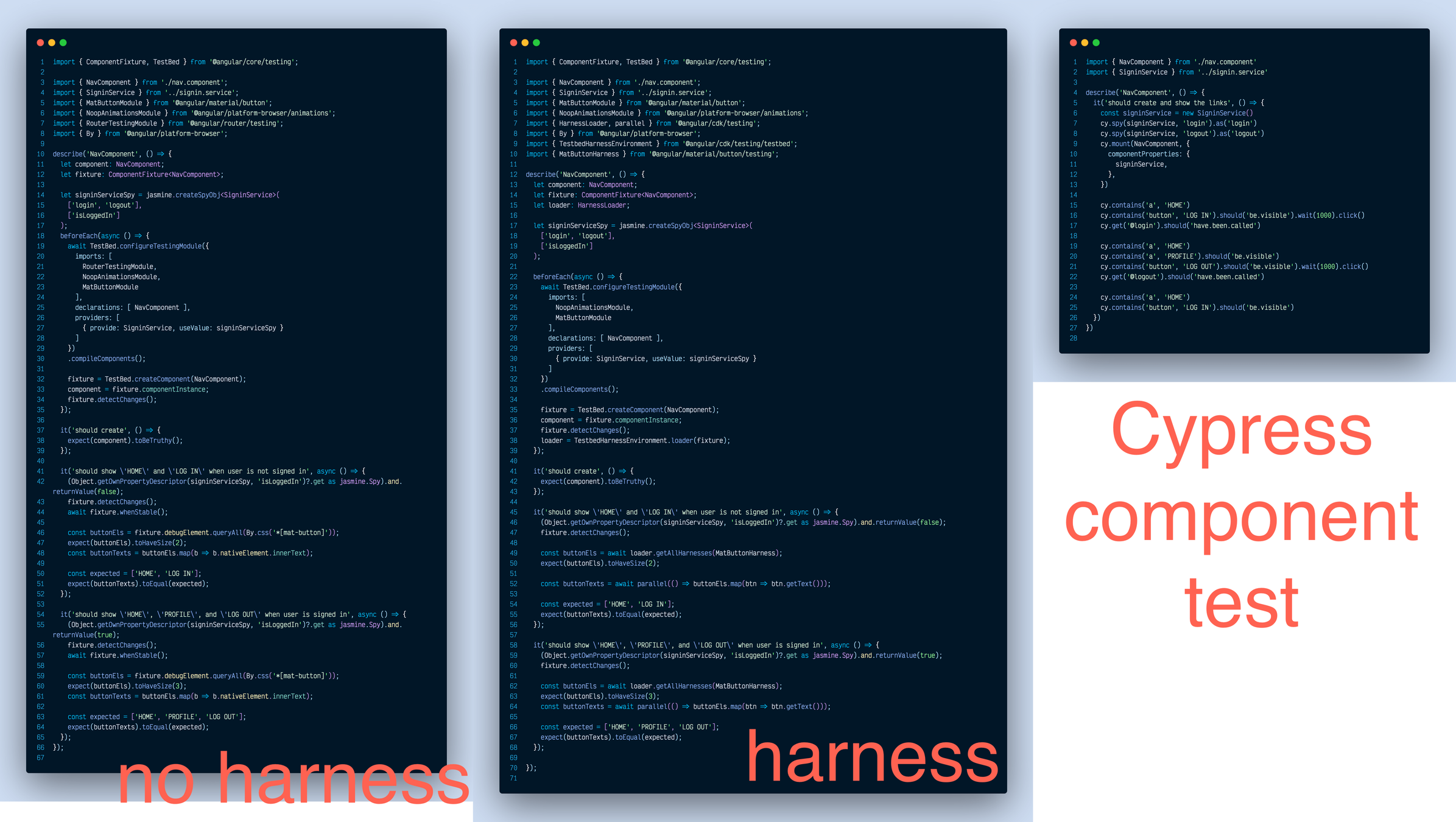
Test syntax
const template = ` <div class="my-9 bg-zinc-50 border border-slate-400 rounded-lg"> <app-email-subscription (emailSubscription)="onEmailSubscription($event)"></app-email-subscription> </div> ` cy.mount(template, { declarations: [EmailSubscriptionComponent], imports: [ NoopAnimationsModule, FormsModule, MatFormFieldModule, MatInputModule, MatSlideToggleModule, MatButtonModule, MatIconModule, ], componentProperties: { onEmailSubscription: cy.stub().as('onEmailSubscription'), }, }) const email = 'email@email.email' cy.get('input:checkbox[role=switch]').should('be.disabled') cy.get('input[type=email]').type(email) cy.get('input:checkbox[role=switch]').should('be.enabled') // needs a better selector cy.contains('button', 'add_box').click() cy.get('@onEmailSubscription').should('be.calledOnceWithExactly', { email, subscribe: true, })email-subscription.cy.ts
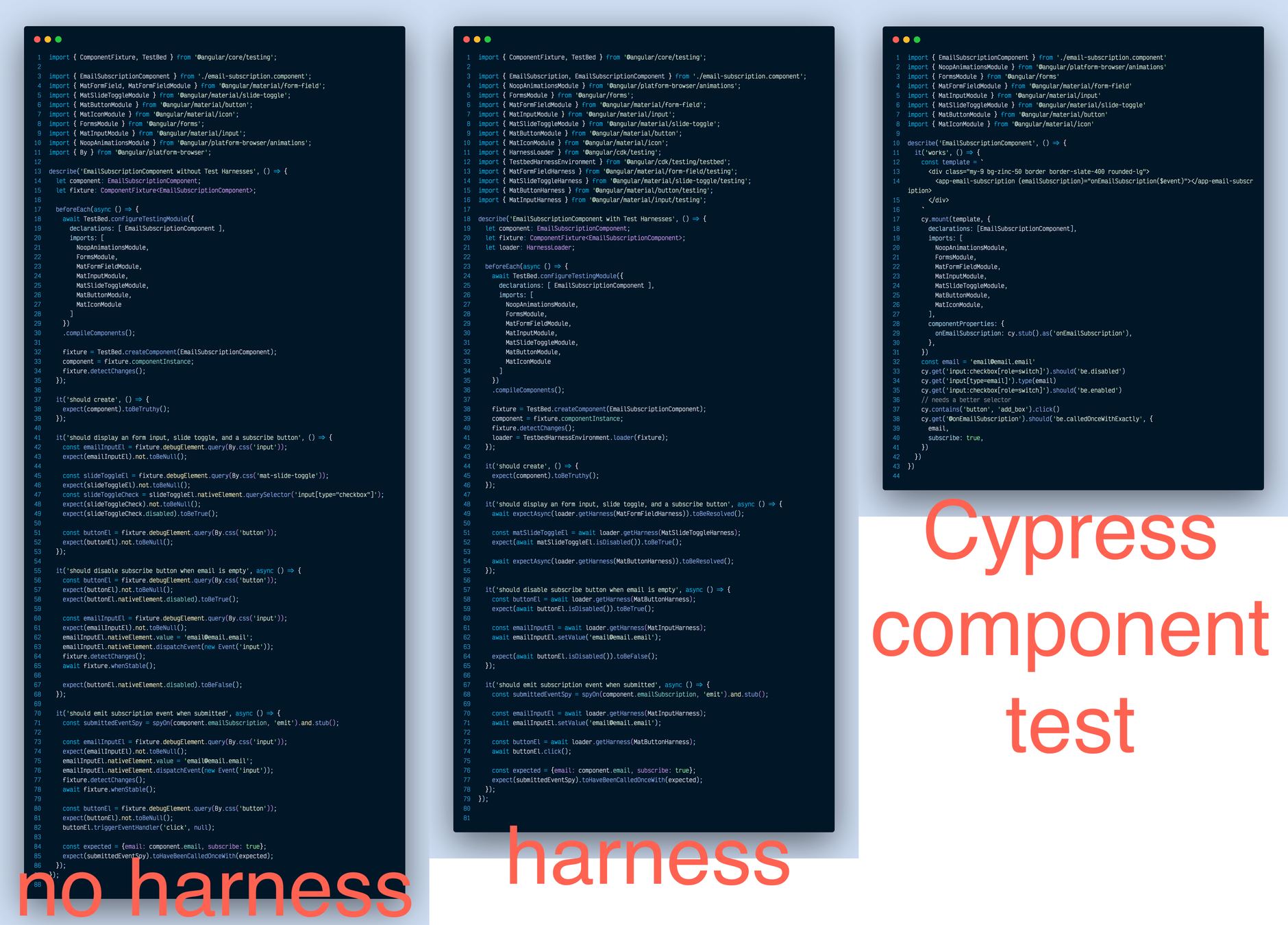
Email subscription component test
import React from 'react' import { Timer } from './Timer' it('shows the time', () => { cy.mount(<Timer />) cy.contains('00:00') })Timer.cy.ts
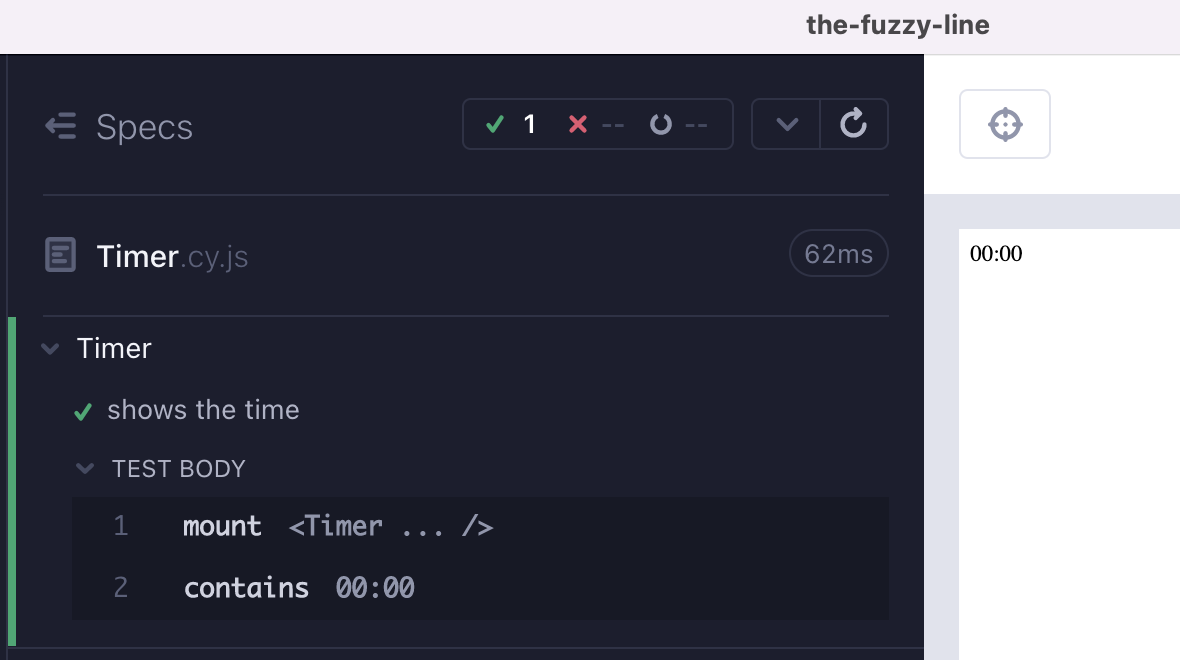

import React from 'react' import { Timer } from './Timer' import '../App.css' import { SudokuContext } from '../context/SudokuContext' import moment from 'moment' it('sets the clock to the given value', () => { const timeGameStarted = moment().subtract(900, 'seconds') cy.mount( <SudokuContext.Provider value={{ timeGameStarted }}> <section className="status"> <Timer /> </section> </SudokuContext.Provider>, ) cy.contains('15:00') })Timer.cy.ts
The Timer component with applied styling
No more framework-specific syntax
import React from "react"; import { render, unmountComponentAtNode } from "react-dom"; import { act } from "react-dom/test-utils"; import Toggle from "./toggle"; let container = null; beforeEach(() => { // setup a DOM element as a render target container = document.createElement("div"); document.body.appendChild(container); }); afterEach(() => { // cleanup on exiting unmountComponentAtNode(container); container.remove(); container = null; }); it("changes value when clicked", () => { const onChange = jest.fn(); act(() => { render(<Toggle onChange={onChange} />, container); }); // get a hold of the button element, and trigger some clicks on it const button = document.querySelector("[data-testid=toggle]"); expect(button.innerHTML).toBe("Turn on"); act(() => { button.dispatchEvent(new MouseEvent("click", { bubbles: true })); }); expect(onChange).toHaveBeenCalledTimes(1); expect(button.innerHTML).toBe("Turn off"); act(() => { for (let i = 0; i < 5; i++) { button.dispatchEvent(new MouseEvent("click", { bubbles: true })); } }); expect(onChange).toHaveBeenCalledTimes(6); expect(button.innerHTML).toBe("Turn on"); });import React from "react"; import Toggle from "./toggle"; it("changes value when clicked", () => { cy.mount(<Toggle onChange={cy.stub().as('change')} />); // get a hold of the button element, and trigger some clicks on it cy.contains("[data-testid=toggle]", "Turn on").click() cy.get('@change').should('have.been.calledOnce') cy.contains("[data-testid=toggle]", "Turn off") .click() .click() .click() .click() .click() cy.get('@change').its('callCount').should('eq', 6) cy.contains("[data-testid=toggle]", "Turn on") });equivalent Cypress component test
No more framework-specific syntax
import React from "react"; import { render, unmountComponentAtNode } from "react-dom"; import { act } from "react-dom/test-utils"; import Toggle from "./toggle"; let container = null; beforeEach(() => { // setup a DOM element as a render target container = document.createElement("div"); document.body.appendChild(container); }); afterEach(() => { // cleanup on exiting unmountComponentAtNode(container); container.remove(); container = null; }); it("changes value when clicked", () => { const onChange = jest.fn(); act(() => { render(<Toggle onChange={onChange} />, container); }); // get a hold of the button element, and trigger some clicks on it const button = document.querySelector("[data-testid=toggle]"); expect(button.innerHTML).toBe("Turn on"); act(() => { button.dispatchEvent(new MouseEvent("click", { bubbles: true })); }); expect(onChange).toHaveBeenCalledTimes(1); expect(button.innerHTML).toBe("Turn off"); act(() => { for (let i = 0; i < 5; i++) { button.dispatchEvent(new MouseEvent("click", { bubbles: true })); } }); expect(onChange).toHaveBeenCalledTimes(6); expect(button.innerHTML).toBe("Turn on"); });import React from "react"; import Toggle from "./toggle"; it("changes value when clicked", () => { cy.mount(<Toggle onChange={cy.stub().as('change')} />); // get a hold of the button element, and trigger some clicks on it cy.contains("[data-testid=toggle]", "Turn on").click() cy.get('@change').should('have.been.calledOnce') cy.contains("[data-testid=toggle]", "Turn off") .click() .click() .click() .click() .click() cy.get('@change').its('callCount').should('eq', 6) cy.contains("[data-testid=toggle]", "Turn on") });equivalent Cypress component test
One Ring API
To Rule
Them All
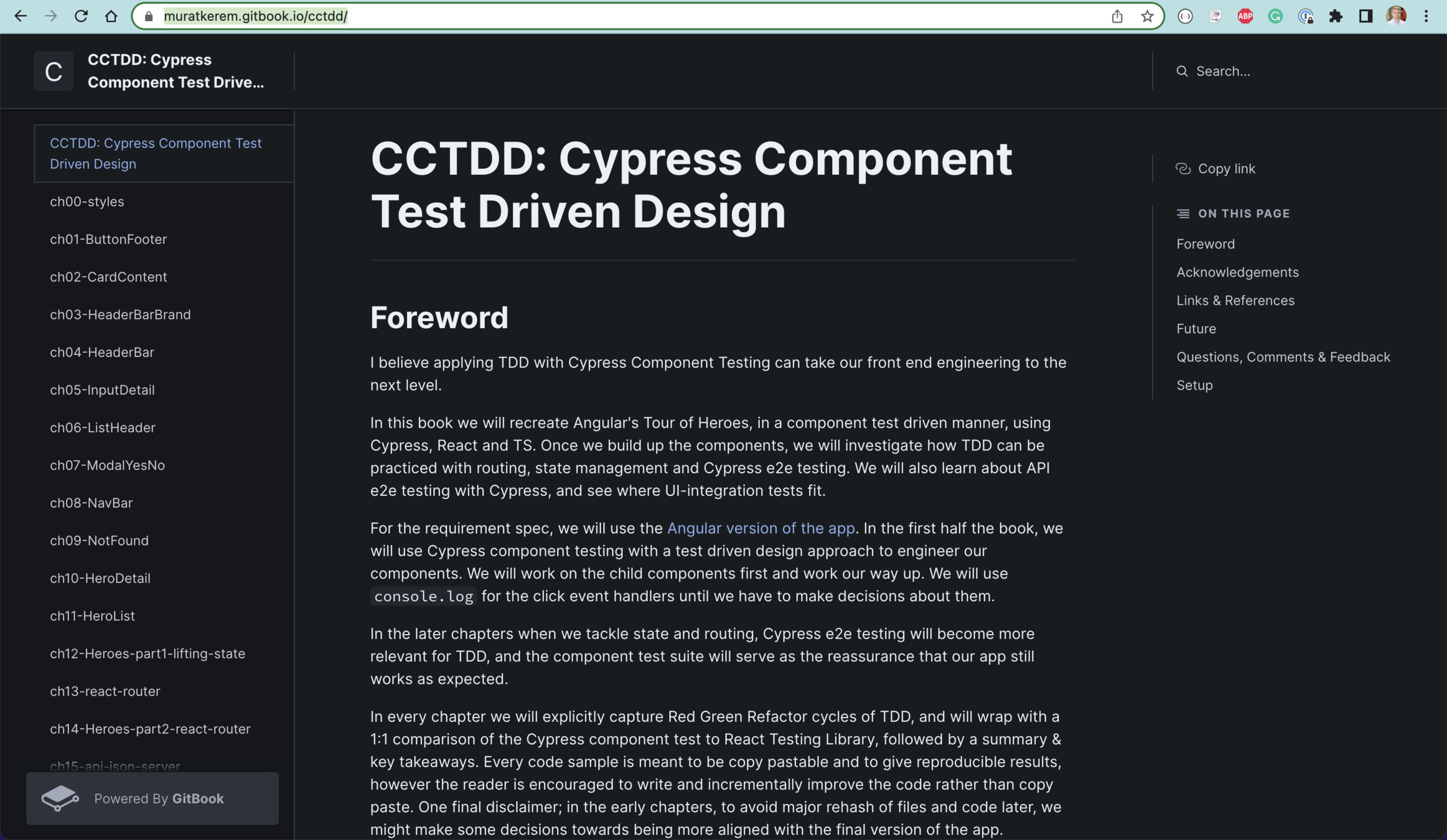
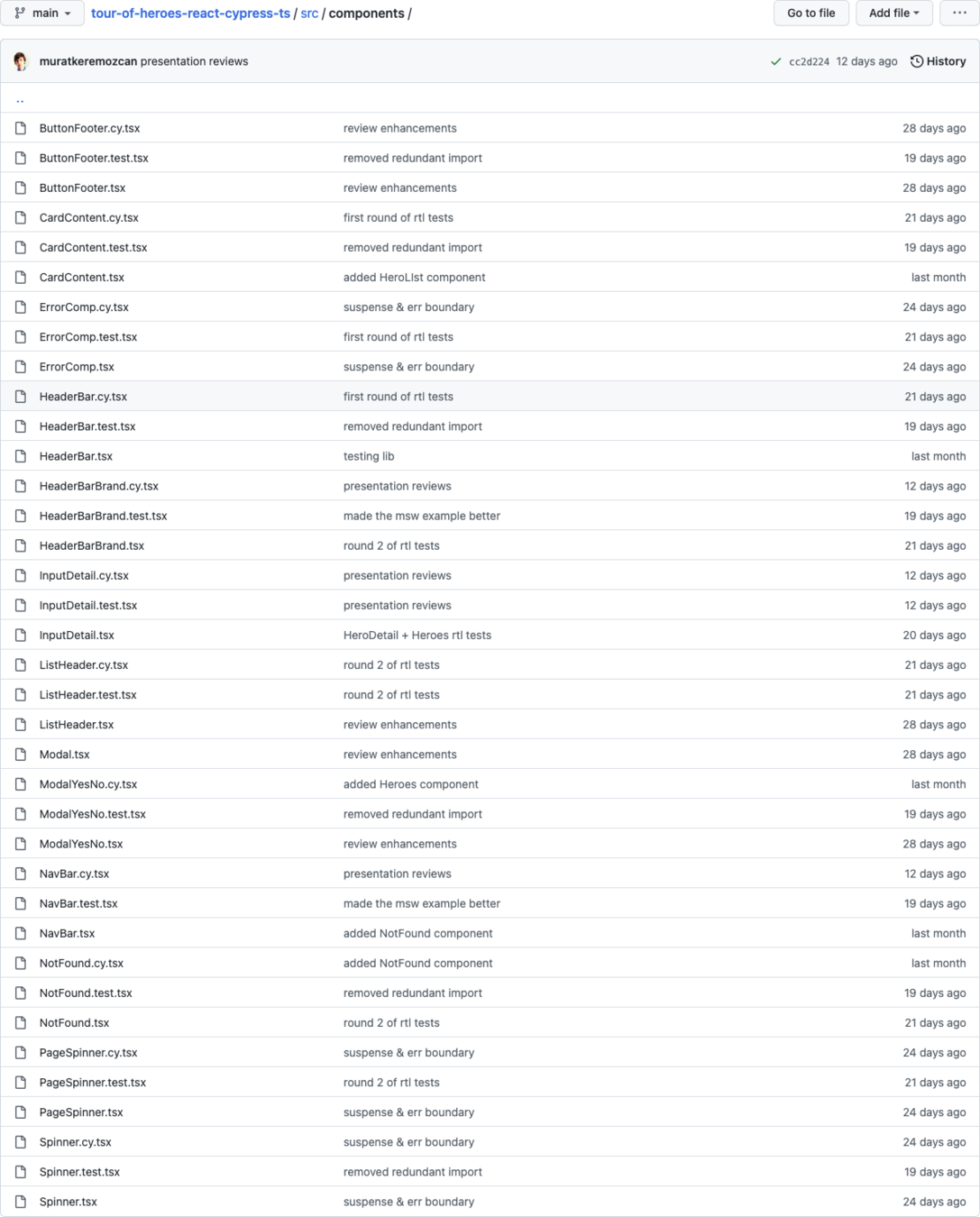
Each React component has
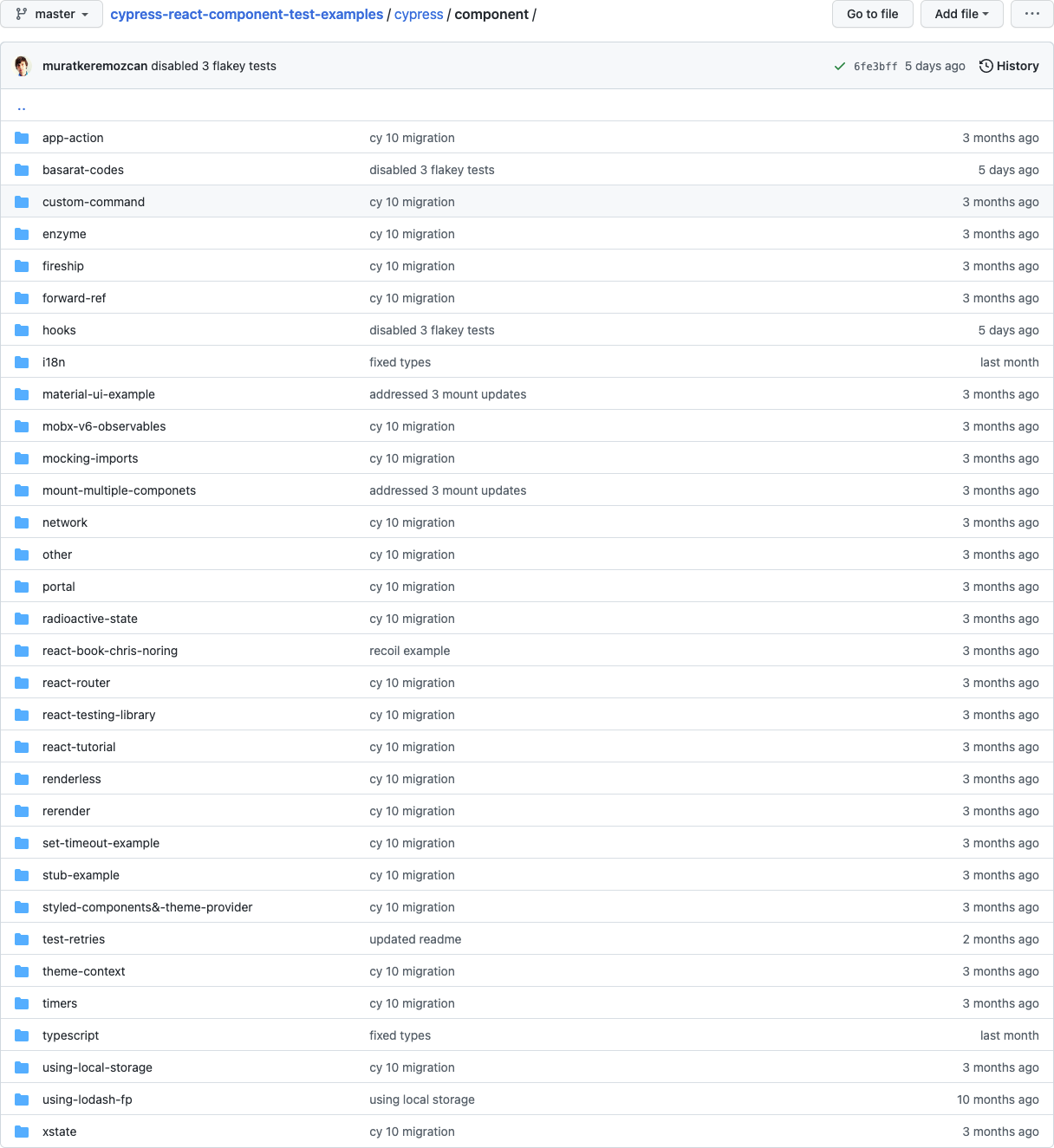
A huge collection of various React testing examples with matching Cypress component specs
Timer
Numbers
Difficulty
StatusSection
GameSection
Game
App
Overlay

import { Game } from './Game' import { SudokuProvider } from './context/SudokuContext' import { WinProvider } from './context/WinContext' import { starting, solved } from '../cypress/fixtures/sudoku.json' it('plays the game', () => { cy.mount( <SudokuProvider> <WinProvider> <Game initArray={starting} solvedArray={solved} /> </WinProvider> </SudokuProvider>, ) cy.get('.game__cell:not(.game__cell--filled)').should( 'have.length', 3, ) starting.forEach((cell, index) => { if (cell === '0') { cy.get('.game__cell').eq(index).click() cy.contains('.status__number', solved[index]) .click() .wait(500, { log: false }) } }) cy.contains('.overlay__text', 'You solved it').should('be.visible') })src/Game.cy.js
import { Game } from './Game' import { SudokuProvider } from './context/SudokuContext' import { WinProvider } from './context/WinContext' import { starting, solved } from '../cypress/fixtures/sudoku.json' it('plays the game', () => { cy.mount( <SudokuProvider> <WinProvider> <Game initArray={starting} solvedArray={solved} /> </WinProvider> </SudokuProvider>, ) cy.get('.game__cell:not(.game__cell--filled)').should( 'have.length', 3, ) starting.forEach((cell, index) => { if (cell === '0') { cy.get('.game__cell').eq(index).click() cy.contains('.status__number', solved[index]) .click() .wait(500, { log: false }) } }) cy.contains('.overlay__text', 'You solved it').should('be.visible') })src/Game.cy.js

import { Game } from './Game' import { SudokuProvider } from './context/SudokuContext' import { WinProvider } from './context/WinContext' import { starting, solved } from '../cypress/fixtures/sudoku.json' it('plays the game', () => { cy.mount( <SudokuProvider> <WinProvider> <Game initArray={starting} solvedArray={solved} /> </WinProvider> </SudokuProvider>, ) cy.get('.game__cell:not(.game__cell--filled)').should( 'have.length', 3, ) starting.forEach((cell, index) => { if (cell === '0') { cy.get('.game__cell').eq(index).click() cy.contains('.status__number', solved[index]) .click() .wait(500, { log: false }) } }) cy.contains('.overlay__text', 'You solved it').should('be.visible') })src/Game.cy.js
src/Game.cy.js

import React, { useState, useEffect } from 'react' import { formatTime } from './Timer' const useFetch = (url) => { const [data, setData] = useState([]) const [loading, setLoading] = useState(url ? true : false) async function fetchData() { if (url) { const response = await fetch(url) const json = await response.json() setData(json) setLoading(false) } } useEffect(() => { if (!url) { return } fetchData() }, [url]) return { loading, data } } export const Overlay = (props) => { const { loading, data } = useFetch( props.overlay && props.time ? '/times/' + props.time : null, ) const className = props.overlay ? 'overlay overlay--visible' : 'overlay' return ( <div className={className} onClick={props.onClickOverlay}> <h2 className="overlay__text"> <div className="overlay__greeting"> You <span className="overlay__textspan1">solved</span>{' '} <span className="overlay__textspan2">it!</span> </div> {loading && ( <div className="overlay__loading">Loading...</div> )} {data.length > 0 && ( <ul className="overlay__times"> {data.map((item, index) => { return ( <li key={index} className={item.current ? 'overlay__current' : ''} > {formatTime(item)} </li> ) })} </ul> )} </h2> </div> ) }src/components/Overlay.js
import React, { useState, useEffect } from 'react' import { formatTime } from './Timer' const useFetch = (url) => { const [data, setData] = useState([]) const [loading, setLoading] = useState(url ? true : false) async function fetchData() { if (url) { const response = await fetch(url) const json = await response.json() setData(json) setLoading(false) } } useEffect(() => { if (!url) { return } fetchData() }, [url]) return { loading, data } } export const Overlay = (props) => { const { loading, data } = useFetch( props.overlay && props.time ? '/times/' + props.time : null, ) const className = props.overlay ? 'overlay overlay--visible' : 'overlay' return ( <div className={className} onClick={props.onClickOverlay}> <h2 className="overlay__text"> <div className="overlay__greeting"> You <span className="overlay__textspan1">solved</span>{' '} <span className="overlay__textspan2">it!</span> </div> {loading && ( <div className="overlay__loading">Loading...</div> )} {data.length > 0 && ( <ul className="overlay__times"> {data.map((item, index) => { return ( <li key={index} className={item.current ? 'overlay__current' : ''} > {formatTime(item)} </li> ) })} </ul> )} </h2> </div> ) }src/components/Overlay.js
it('shows the loading element', () => { cy.intercept('GET', '/times/90', { delay: 1000, statusCode: 404, body: [], }).as('times') cy.mount(<Overlay overlay={true} time={90} />) cy.contains('.overlay__loading', 'Loading').should('be.visible') cy.wait('@times') cy.get('.overlay__loading').should('not.exist') })it('shows the loading element', () => { cy.intercept('GET', '/times/90', { delay: 1000, statusCode: 404, body: [], }).as('times') cy.mount(<Overlay overlay={true} time={90} />) cy.contains('.overlay__loading', 'Loading').should('be.visible') cy.wait('@times') cy.get('.overlay__loading').should('not.exist') })it('shows the top times', () => { cy.intercept('GET', '/times/90', { fixture: 'times.json', }).as('scores') cy.mount(<Overlay overlay={true} time={90} />) cy.wait('@scores') cy.get('.overlay__times li').should('have.length', 4) cy.contains('.overlay__times li', '01:30').should( 'have.class', 'overlay__current', ) })cy.intercept('GET', '/times/90', { fixture: 'times.json', }).as('scores') cy.mount(<Overlay overlay={true} time={90} />) cy.wait('@scores')stub the
external APIs
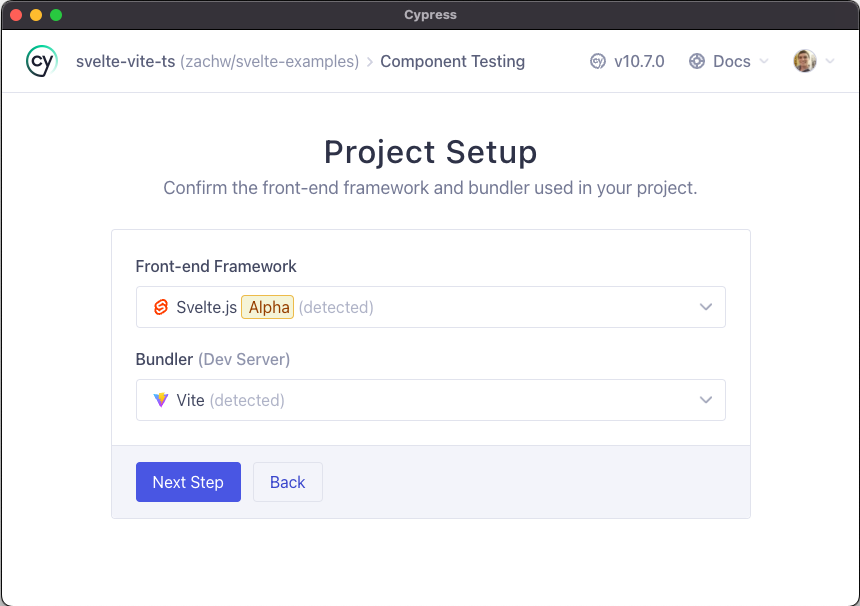
import Stepper from './Stepper.svelte' it('when clicking increment and decrement', () => { cy.mount(Stepper, { props: { count: 100 } }) cy.get(counterSelector).should('have.text', '100') cy.get(incrementSelector).click() cy.get(counterSelector).should('have.text', '101') cy.get(decrementSelector).click().click() cy.get(counterSelector).should('have.text', '99') })Stepper.cy.js
https://docs.cypress.io/
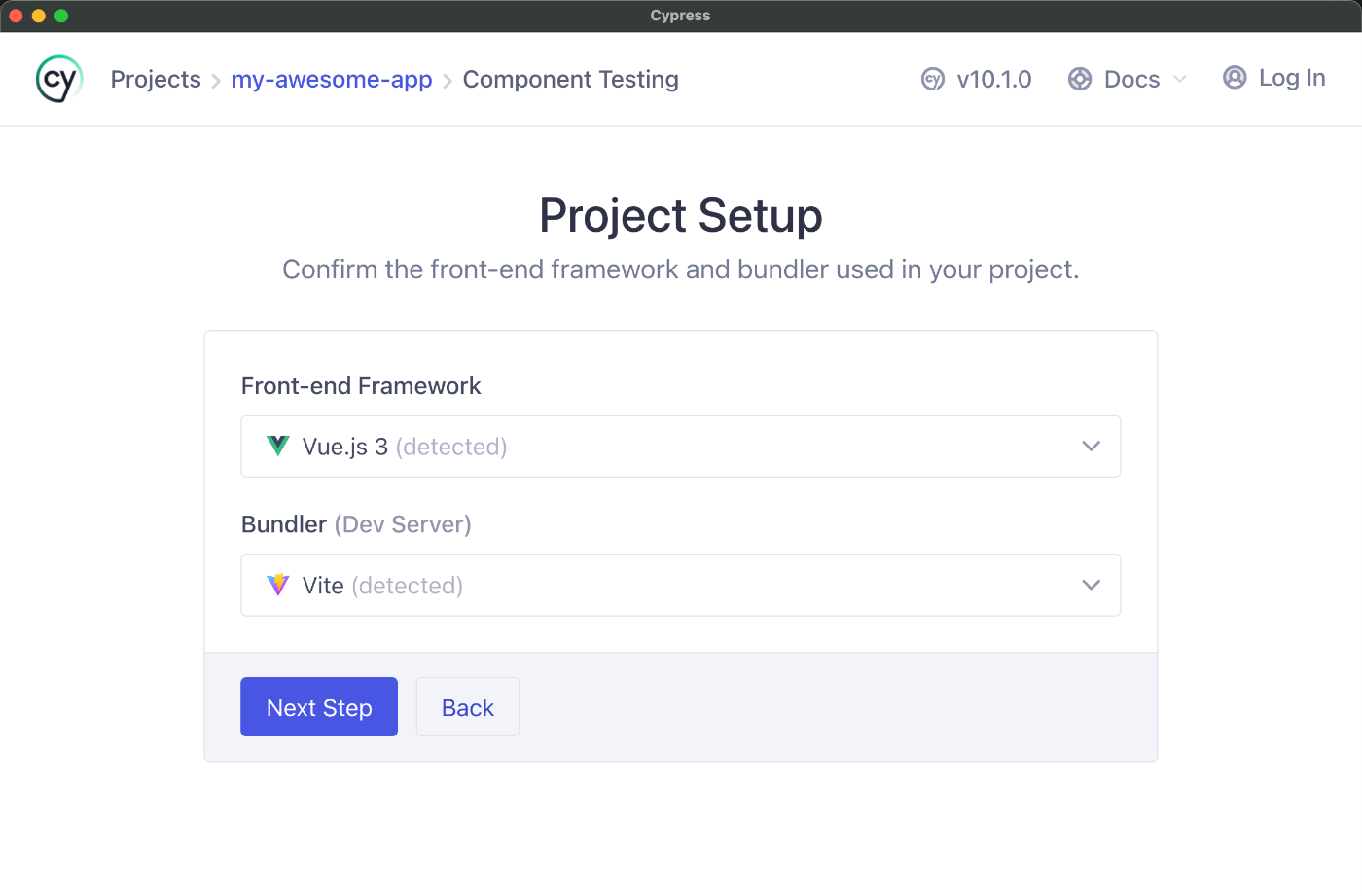
import Stepper from './Stepper.vue' it('shows the initial count', () => { cy.mount(Stepper, { props: { initial: 100 } }) cy.get(counterSelector).should('have.text', '100') cy.mount(<Stepper initial={101} />) cy.get(counterSelector).should('have.text', '101') })Stepper.cy.jsx
https://docs.cypress.io/
Cypress
Component
Testing
Requires webpack / vite configuration
Gleb Bahmutov
Sr Director of Engineering
☝️ these slides ☝️
By Gleb Bahmutov
Writing tests for your components (be it Angular, React, Vue, or Svelte components) is often a horror show. Your code in (js-dom) darkness, there are dangers behind each action, and the most beautiful tests get banged up beyond recognition when they try to cross into the CI realm. In this talk, I will show how Cypress component testing becomes a ray of hope guiding you toward testing nirvana. These tests remove most framework-specific test code while focusing on how the component behaves on the page. I will use examples from different frameworks to teach everyone how to test the modern front-end code without fear or pain.