
Best Design Tools AI tools (18+)
Discover 18+ best design tools AI tools. Compare features, pricing, and reviews. Free and paid options available.


NinjaSell is an AI-powered automation platform built specifically for Etsy print-on-demand sellers. It streamlines your entire workflow so you can lau

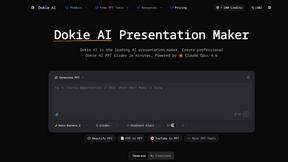
Dokie AI swiftly transforms your ideas into stunning professional presentations, making PPT creation effortless and efficient with advanced AI.


Supermachine empowers creators to effortlessly generate stunning, commercial-ready AI images and videos using over 60 advanced models.


Proofapp lets teams pin visual feedback directly on any website to replace endless emails.

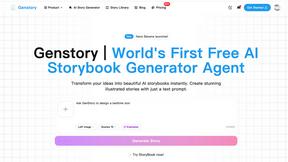
Unlock your creativity with Genstory, the AI tool that transforms your ideas into stunning novels, comics, and videos.


Vaethat is an AI tool that enhances architectural renders, improving detail and clarity effortlessly while preserving.


Postproxy's single API publishes your content reliably across all major social networks.

Gleem.AI Studio is your unified creative workspace for generating and editing images with simple AI prompts.

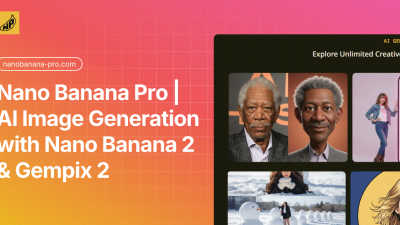
Nano Banana Pro is an AI image generator that creates stunning 4K visuals with advanced editing tools for all your.

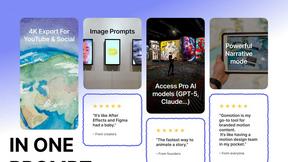
Gomotion empowers creators to effortlessly animate text and graphics, transforming ideas into stunning motion visuals.

Transform your ideas into professional-grade coloring books and videos effortlessly with the Coloring Book Engine.

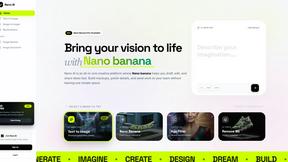
Nano AI is your all-in-one platform for fast AI image generation, editing, and seamless creative collaboration.

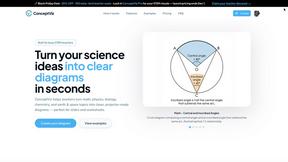
ConceptViz instantly creates clear, classroom-ready science and math diagrams from your text descriptions.


Effortlessly create stunning AI-generated presentations and visual content in minutes, no design skills needed.


Image3D AI instantly transforms any 2D image into a high-precision 3D model for printing or games.

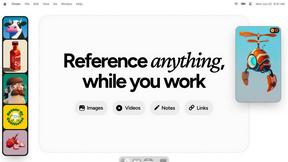
Refbox provides instant access to your images, videos, and notes for a streamlined and efficient workflow.

Elevate your LinkedIn presence by instantly transforming casual photos into professional headshots with AI.

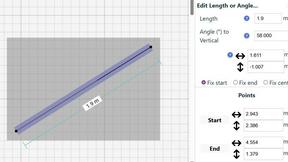
Create precise floor plans and scale drawings effortlessly online with SimpleDraw, no downloads or experience needed.
Popular Comparisons in Design Tools
Popular Alternatives in Design Tools
About Design Tools AI tools
Design Tools Category encompasses a range of innovative solutions aimed at enhancing the creative processes of designers and professionals across various industries. With features like intuitive interfaces and collaboration capabilities, this category maximizes efficiency, boosts creativity, and facilitates seamless teamwork in projects.
FAQs for Design Tools
What benefits does the Design Tools Category offer to creative professionals?
The Design Tools Category provides creative professionals with numerous benefits, including increased efficiency and enhanced collaboration. By incorporating intuitive interfaces and cutting-edge functionalities, it streamlines workflows and makes it easier for users to focus on their design tasks while collaborating effectively with their teams.
How does the Design Tools Category enhance team collaboration?
The Design Tools Category enhances team collaboration by incorporating robust collaborative features that allow team members to work together in real-time. This facilitates instant communication, reduces misunderstandings, and boosts productivity, enabling design teams to coordinate their efforts seamlessly and produce high-quality outcomes more efficiently.
In what scenarios can the Design Tools Category be most effectively utilized?
The Design Tools Category is most effectively utilized in scenarios such as designing marketing materials, developing web interfaces, or creating product concepts. These applications leverage the tools' capabilities to enhance creativity, improve design quality, and meet specific project requirements while facilitating team engagement and collaboration.
What makes the Design Tools Category stand out in the market?
What makes the Design Tools Category stand out in the market is its combination of intuitive design, collaborative features, and cloud-based accessibility. These unique offerings ensure that teams work effectively, maintain creativity, and adapt to various project needs, giving them a competitive edge in an increasingly digital and fast-paced environment.
What specific functions do users gain from the Design Tools Category?
Users gain specific functions from the Design Tools Category, including versatile design tools, real-time collaboration options, and cloud-based storage. These features help professionals streamline their projects, make rapid iterations, and easily share their work, ultimately enhancing the overall design process and efficiency.
How can users maximize their experience with the Design Tools Category?
Users can maximize their experience with the Design Tools Category by taking advantage of its collaborative features and cloud accessibility. By utilizing these unique offerings, they can enhance their productivity, ensure seamless communication among team members, and easily access their designs, leading to a more efficient and successful design process.