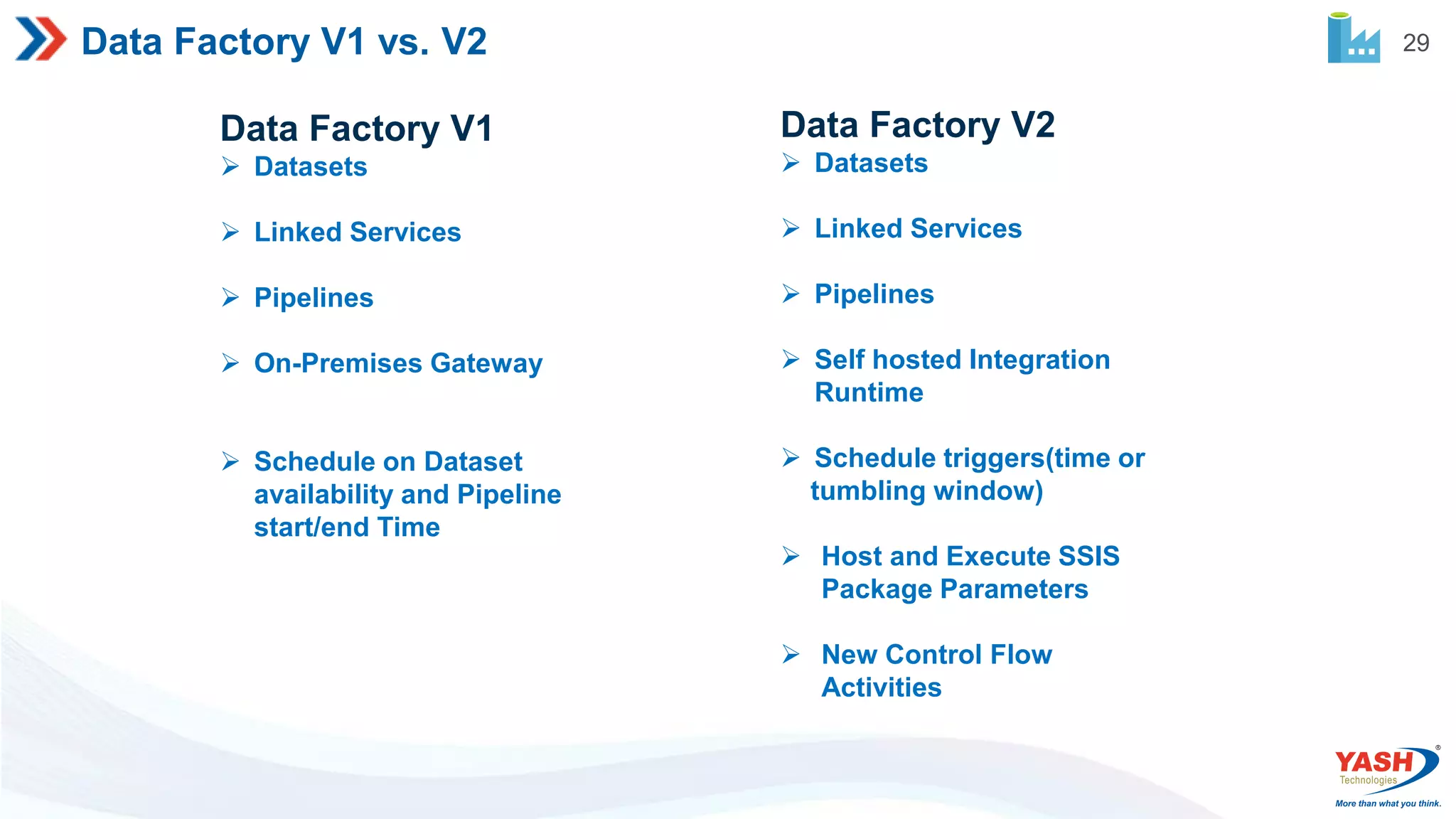
This document provides an overview of Azure Data Factory (ADF), including why it is used, its key components and activities, how it works, and differences between versions 1 and 2. It describes the main steps in ADF as connect and collect, transform and enrich, publish, and monitor. The main components are pipelines, activities, datasets, and linked services. Activities include data movement, transformation, and control. Integration runtime and system variables are also summarized.
2 Agenda Why Azuredata Factory Introduction Steps involves in ADF ADF Components ADF Activities Linked Services Integration Runtime and its types How Azure Data Factory works Azure Data Factory V1 vs V2 System Variables Functions in ADF Expressions in ADF Question- Answers
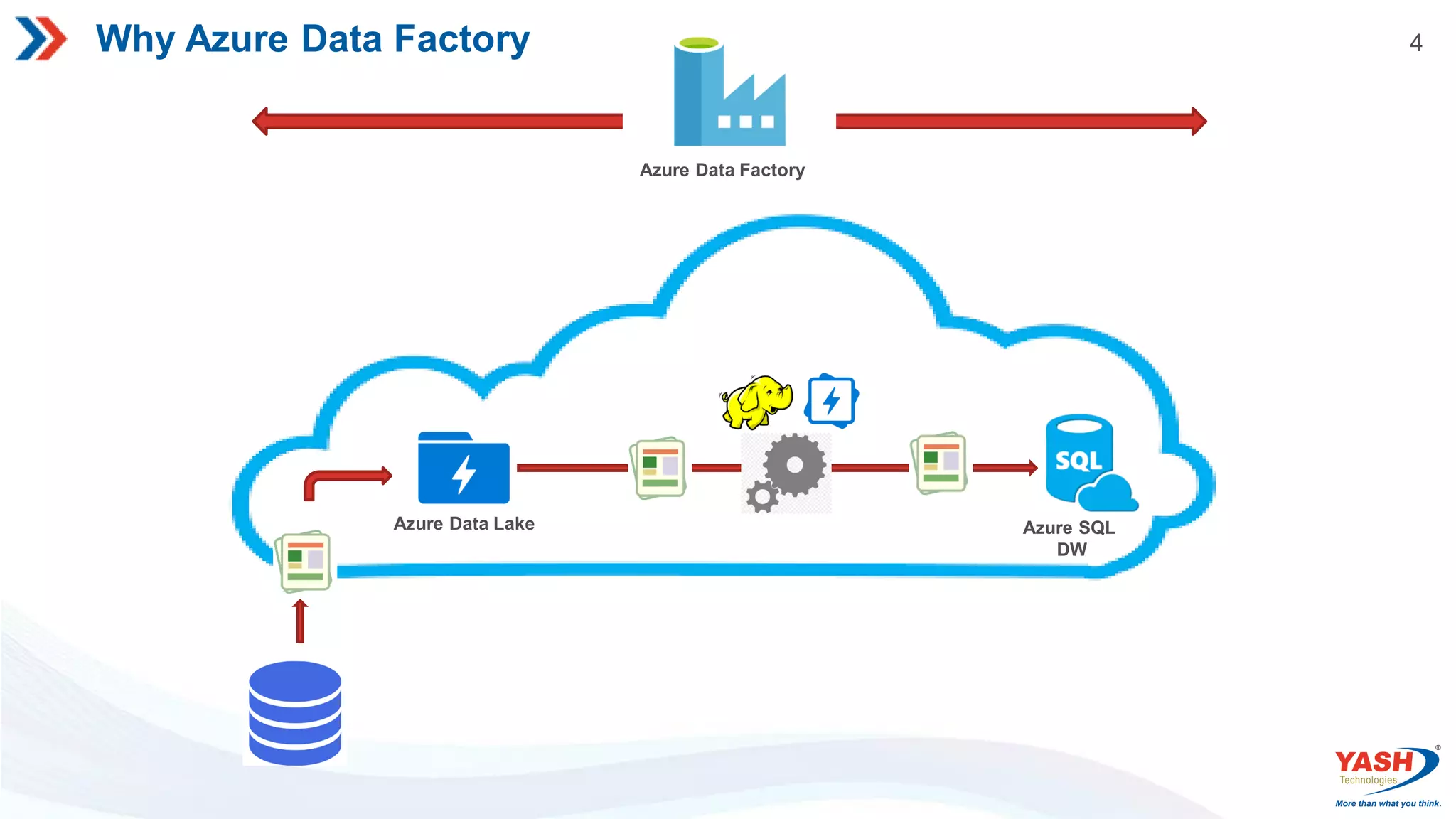
4 Why Azure DataFactory Azure SQL DW Azure Data Lake Azure Data Factory
5.
5 Modern DW forBusiness Intelligence Log, Files & Media (Unstructured) On Prem., Cloud Apps & Data Business/Custom apps (Structures) Data Factory Data Factory Azure Storage Azure Databricks Spark Ingest Store Prep & Train Model & Serve Intelligence Azure SQL Data warehouse Azure Analysis services Analytical Dashboards (Power BI) Azure Data Factory orchestrates data pipeline activity work flow & scheduling
6.
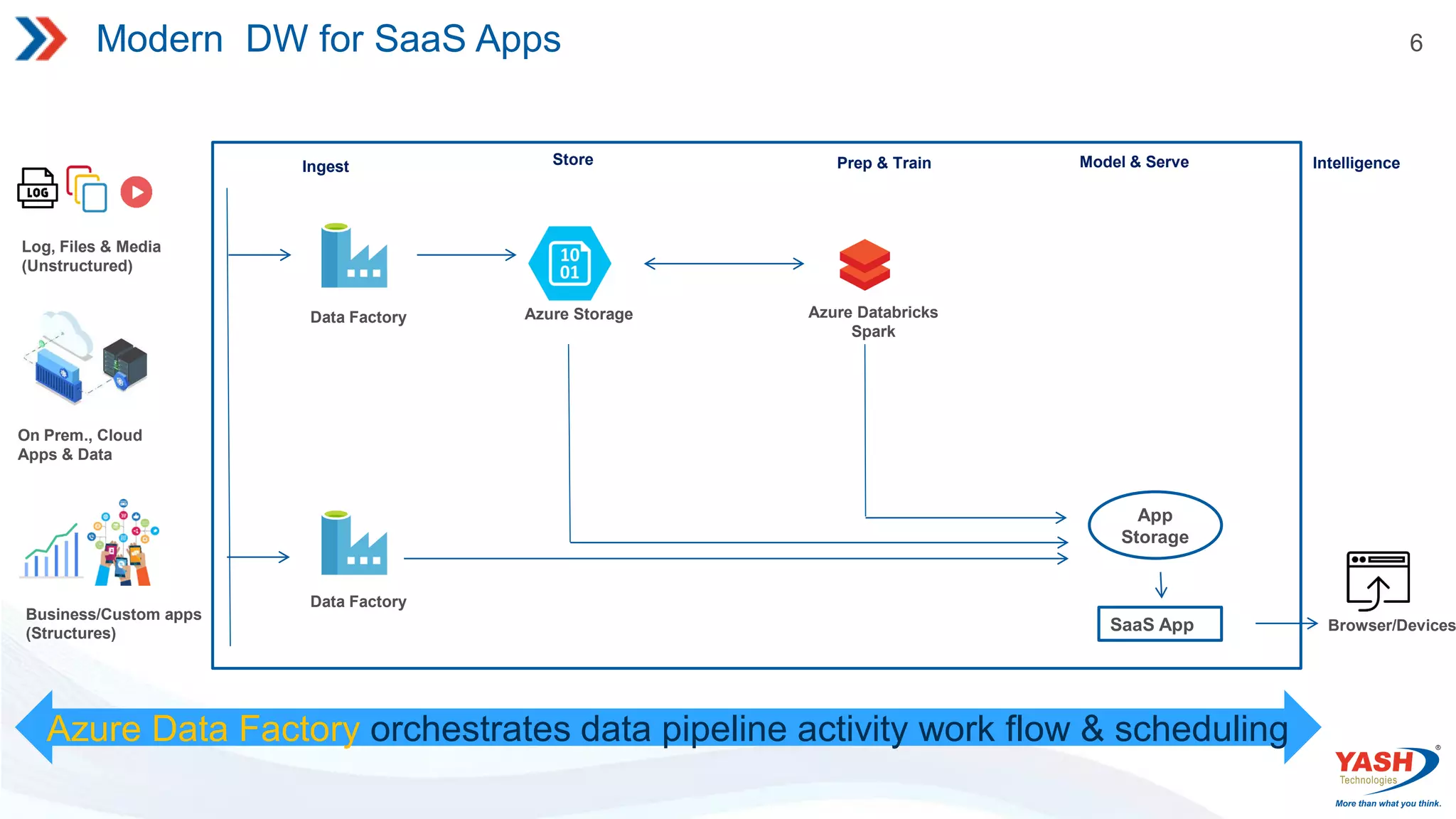
6 Modern DW forSaaS Apps Log, Files & Media (Unstructured) On Prem., Cloud Apps & Data Business/Custom apps (Structures) Data Factory Data Factory Azure Storage Azure Databricks Spark Ingest Store Prep & Train Model & Serve Intelligence SaaS App Browser/Devices Azure Data Factory orchestrates data pipeline activity work flow & scheduling App Storage
7.
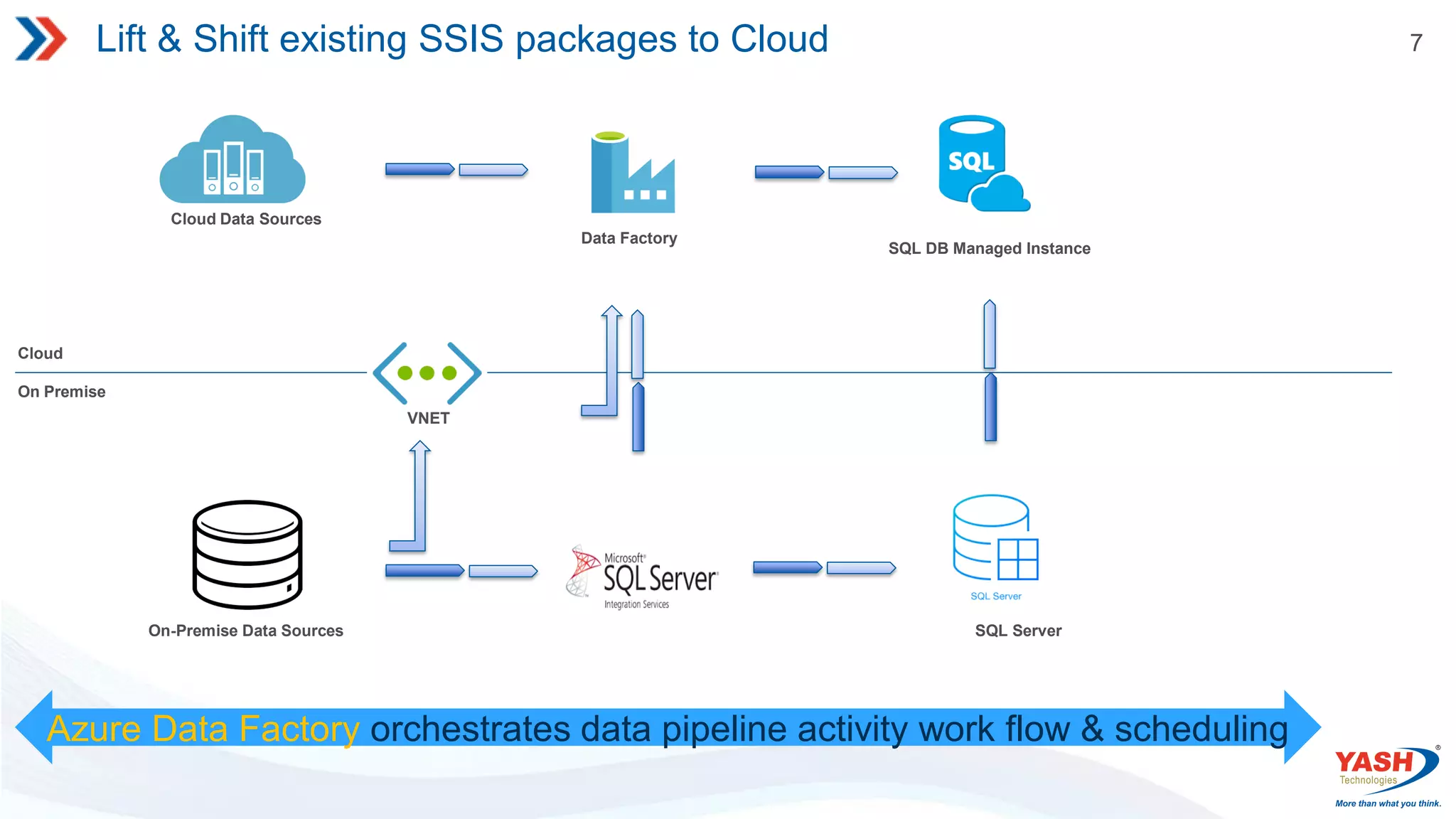
7 Lift & Shiftexisting SSIS packages to Cloud Cloud On Premise On-Premise Data Sources SQL Server Azure Data Factory orchestrates data pipeline activity work flow & scheduling Data Factory Cloud Data Sources SQL DB Managed Instance VNET
8.
8 Introduction Azure Data Factory Cloud-based Integration Service It is cloud-based integration service that allows you to create data- driven workflows in the cloud for orchestrating and automating data movement and data transformation. Scheduled data-driven workflows. Sources and Destinations can be either on-premise or cloud. Transformation can be done using Azure HDInsight Hadoop, Spark, Azure Data Lake Analytics and ML.
9.
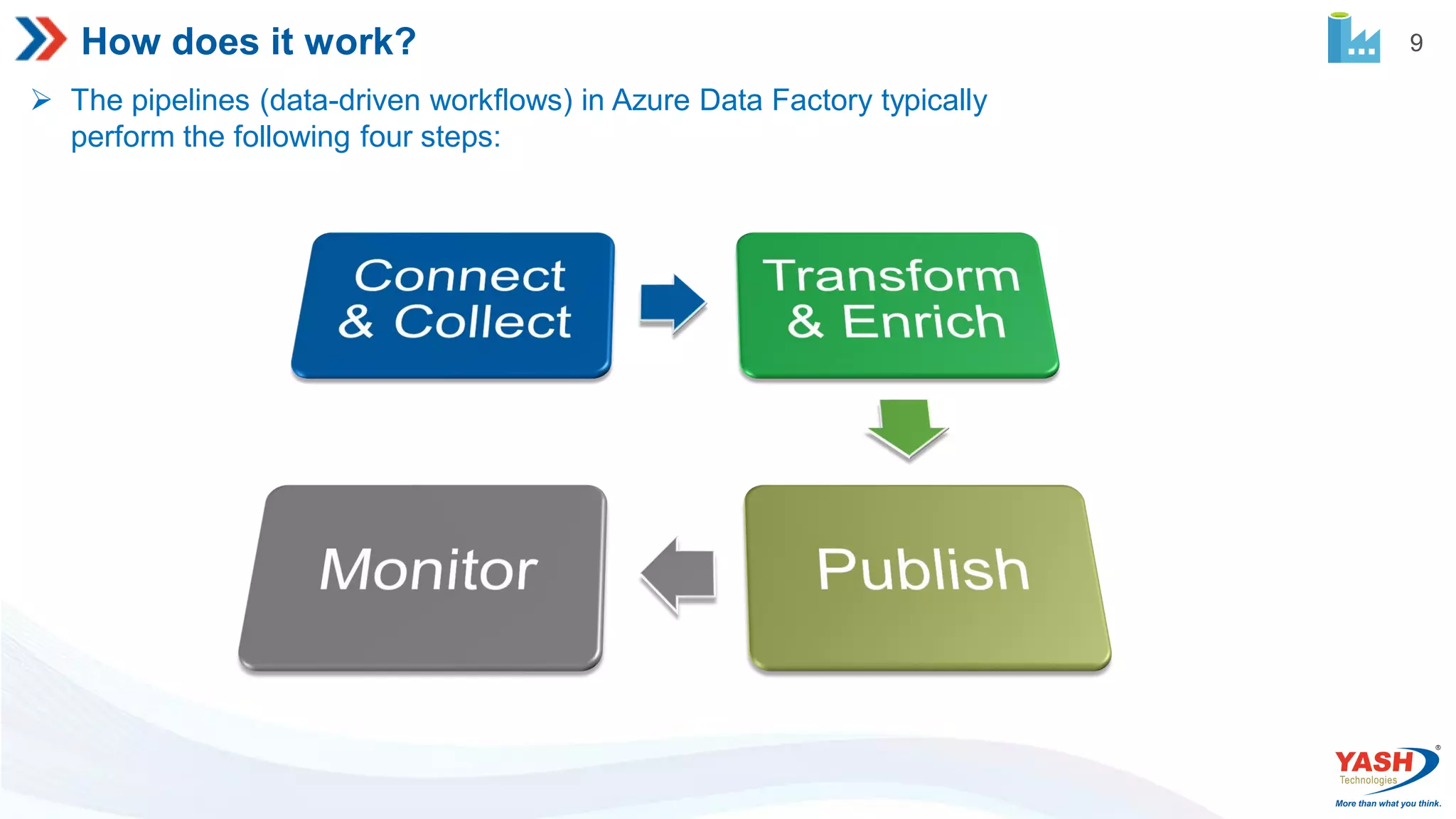
9 How does itwork? The pipelines (data-driven workflows) in Azure Data Factory typically perform the following four steps:
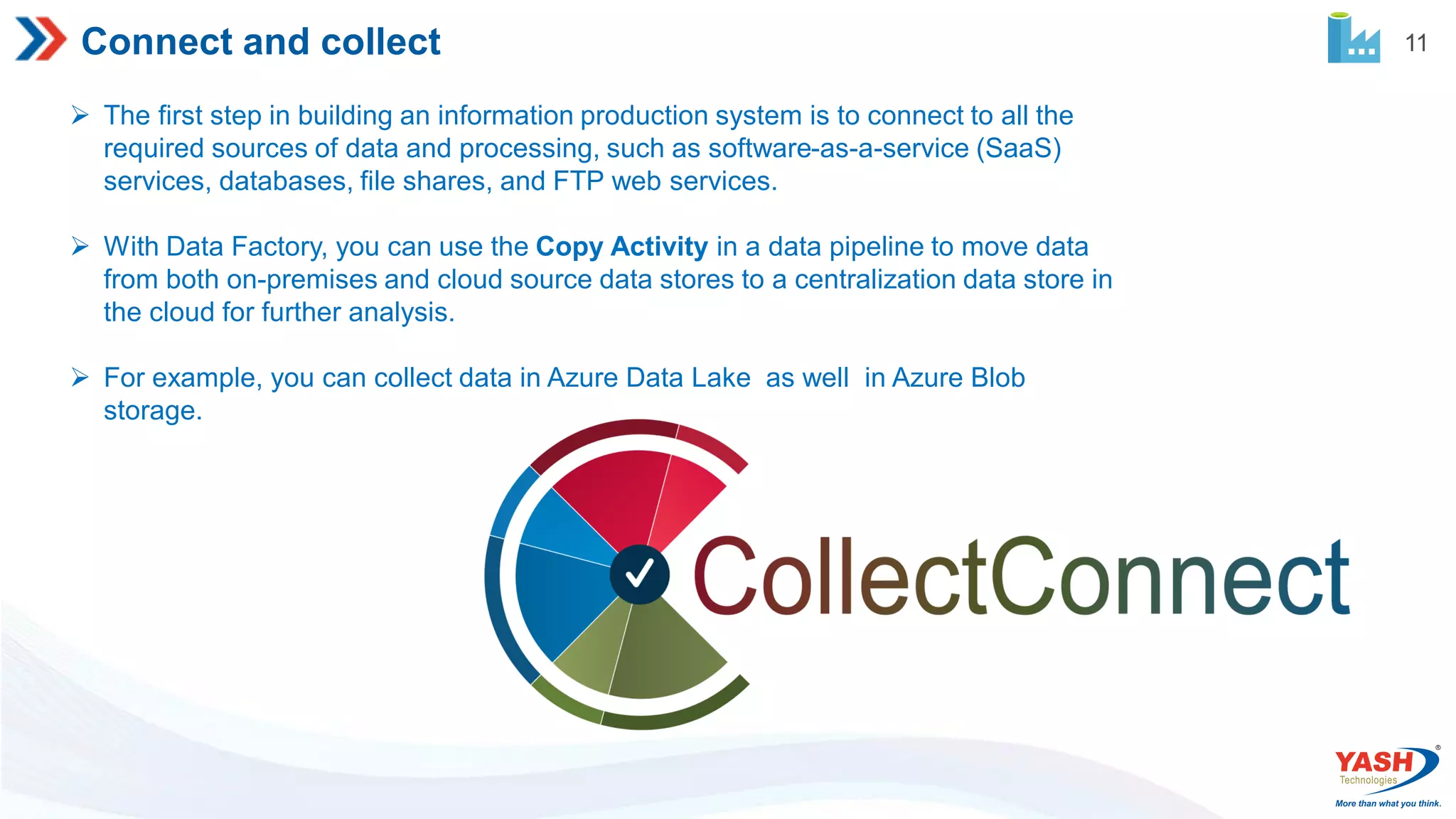
11 Connect and collect The first step in building an information production system is to connect to all the required sources of data and processing, such as software-as-a-service (SaaS) services, databases, file shares, and FTP web services. With Data Factory, you can use the Copy Activity in a data pipeline to move data from both on-premises and cloud source data stores to a centralization data store in the cloud for further analysis. For example, you can collect data in Azure Data Lake as well in Azure Blob storage.
12.
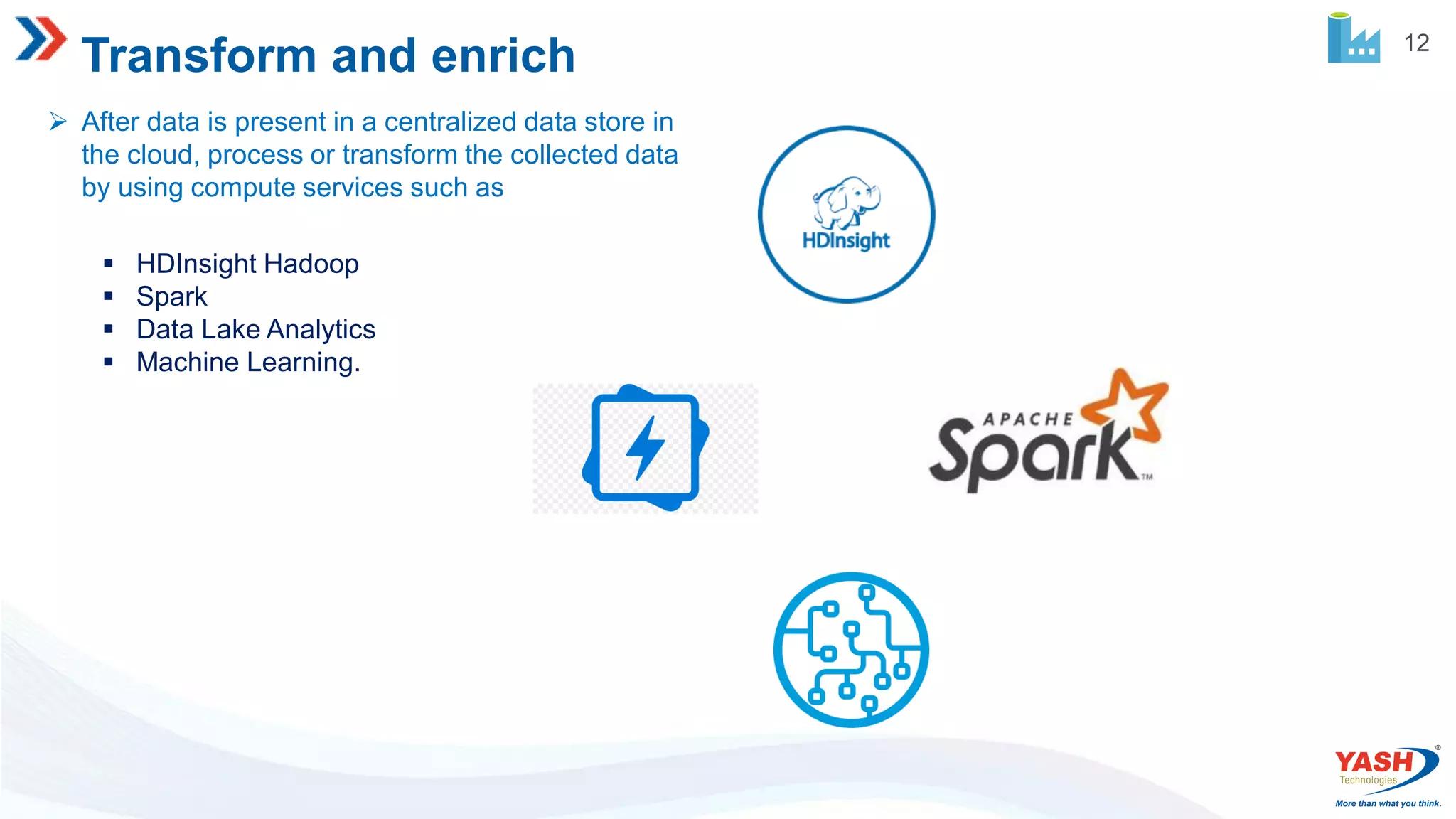
12 Transform and enrich After data is present in a centralized data store in the cloud, process or transform the collected data by using compute services such as HDInsight Hadoop Spark Data Lake Analytics Machine Learning.
13.
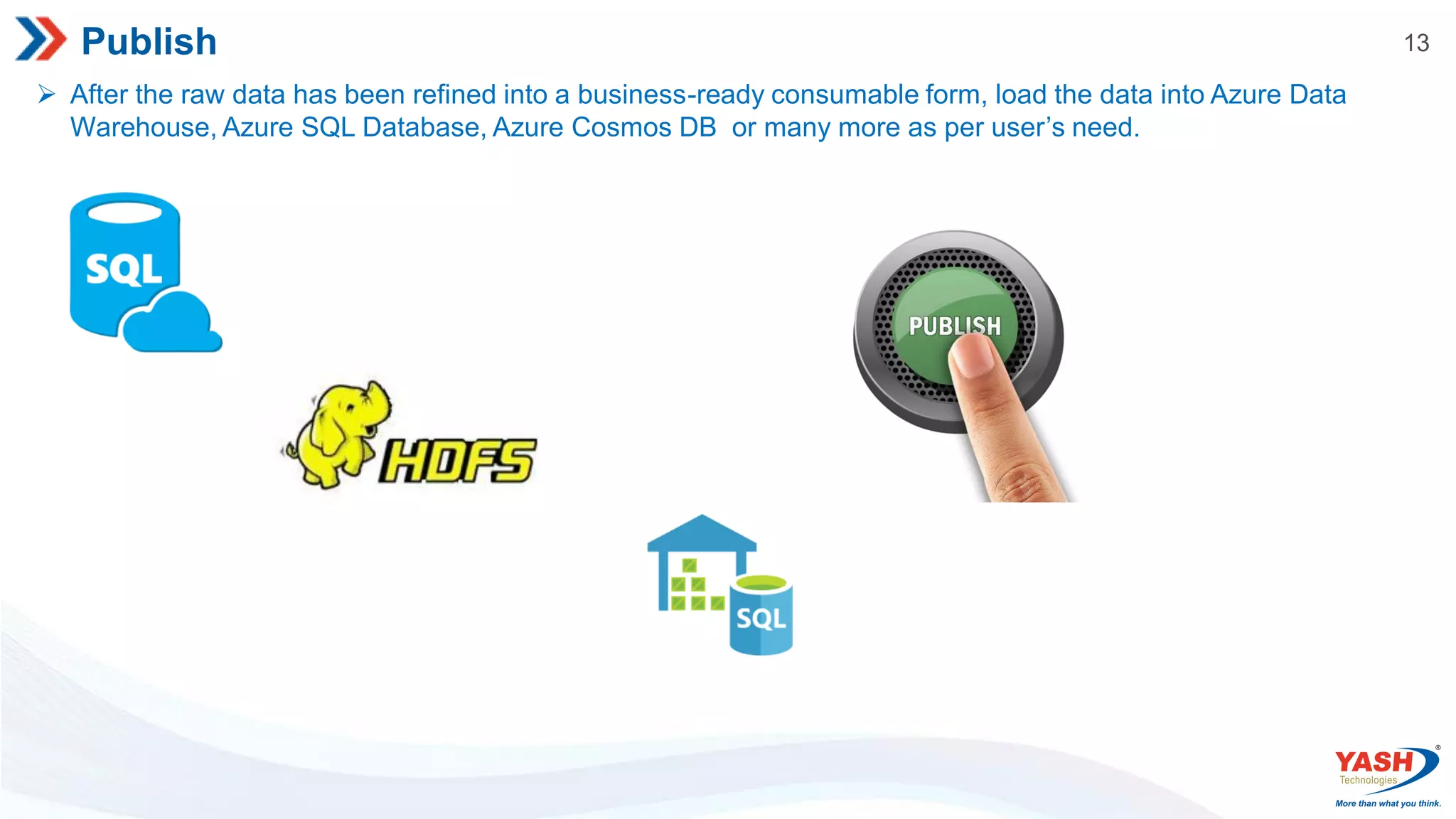
13 Publish After theraw data has been refined into a business-ready consumable form, load the data into Azure Data Warehouse, Azure SQL Database, Azure Cosmos DB or many more as per user’s need.
14.
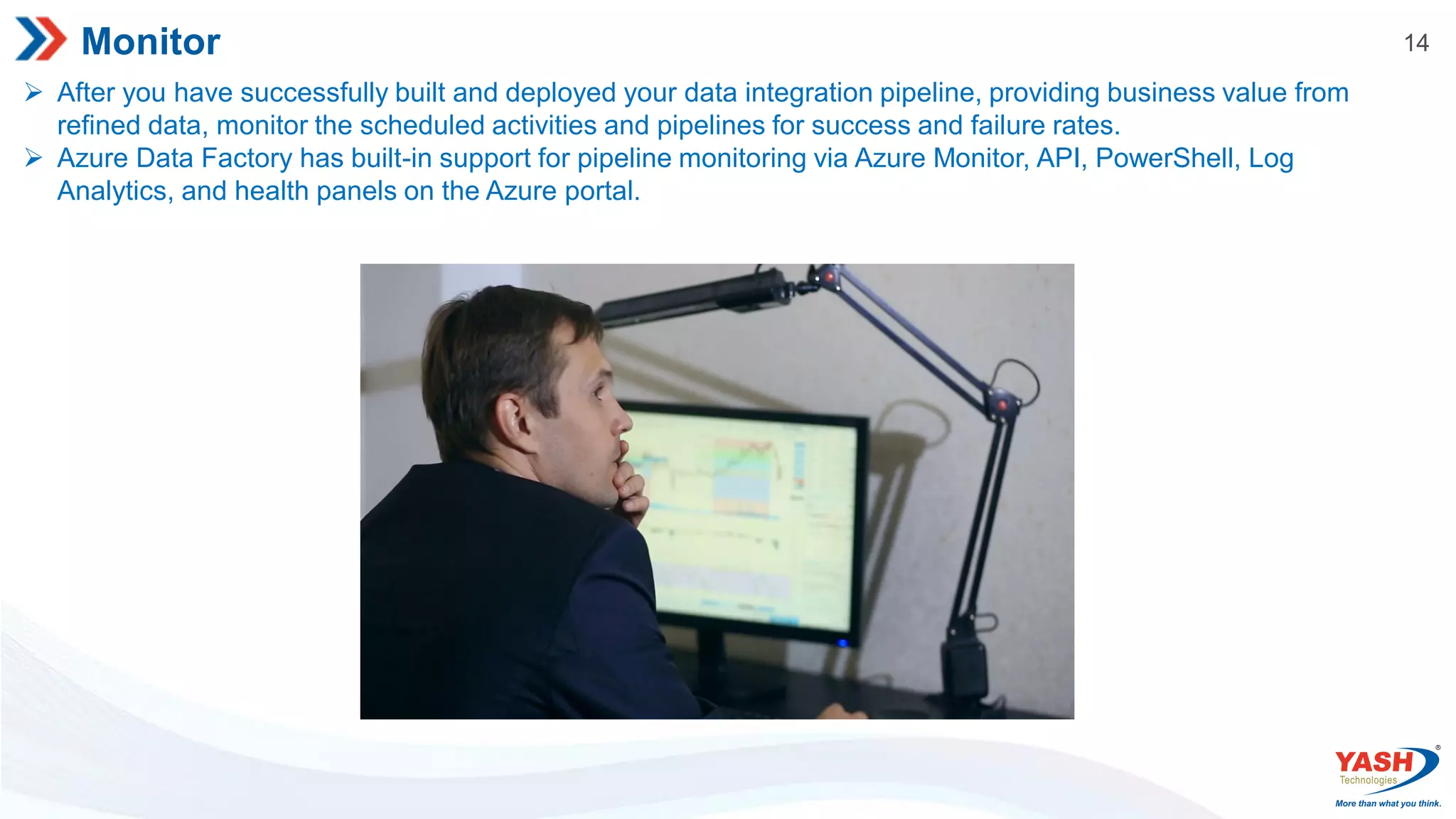
14 Monitor After youhave successfully built and deployed your data integration pipeline, providing business value from refined data, monitor the scheduled activities and pipelines for success and failure rates. Azure Data Factory has built-in support for pipeline monitoring via Azure Monitor, API, PowerShell, Log Analytics, and health panels on the Azure portal.
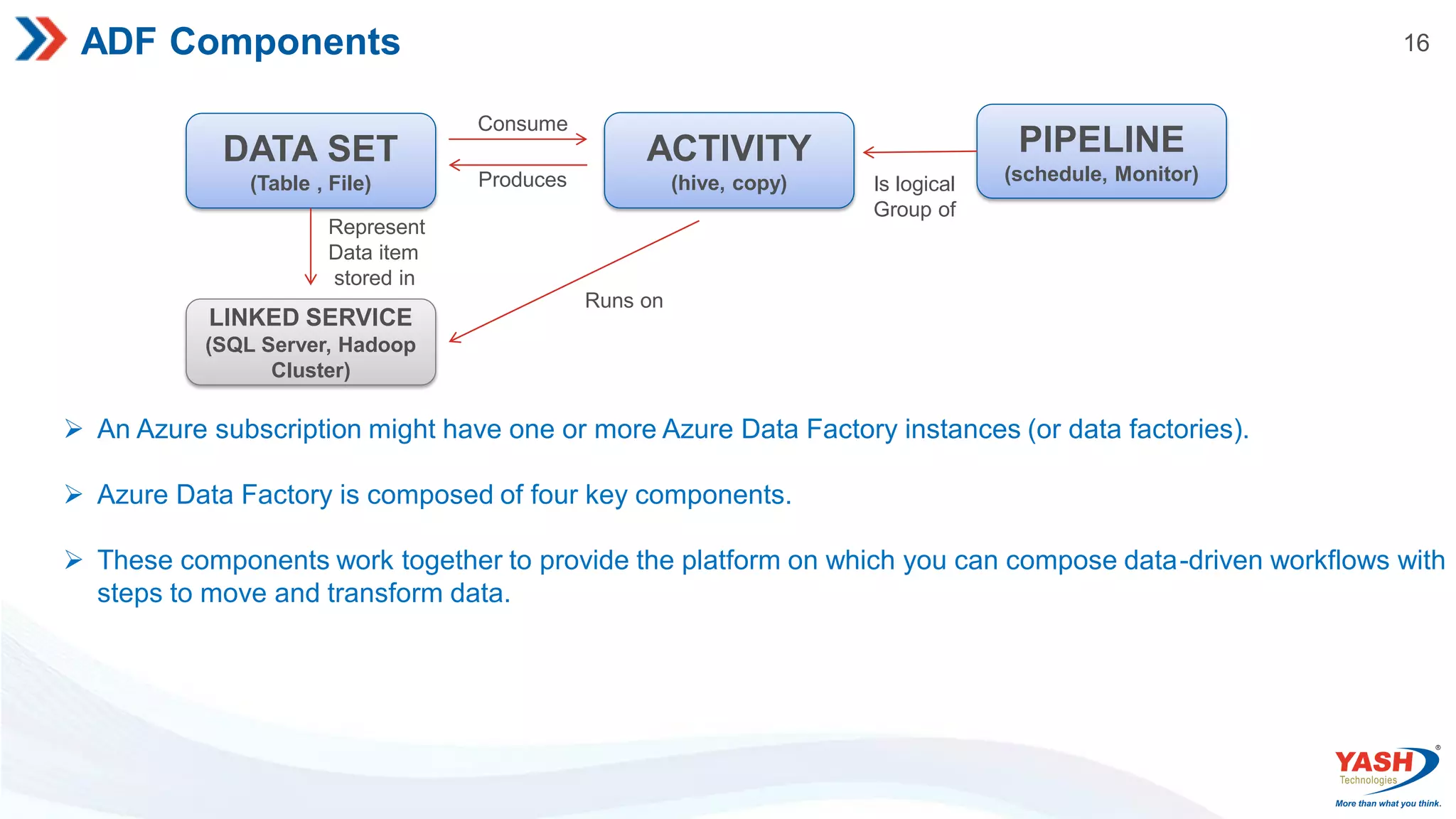
16 ADF Components DATA SET (Table, File) ACTIVITY (hive, copy) PIPELINE (schedule, Monitor) LINKED SERVICE (SQL Server, Hadoop Cluster) Consume Produces Is logical Group of Runs on Represent Data item stored in An Azure subscription might have one or more Azure Data Factory instances (or data factories). Azure Data Factory is composed of four key components. These components work together to provide the platform on which you can compose data-driven workflows with steps to move and transform data.
17.
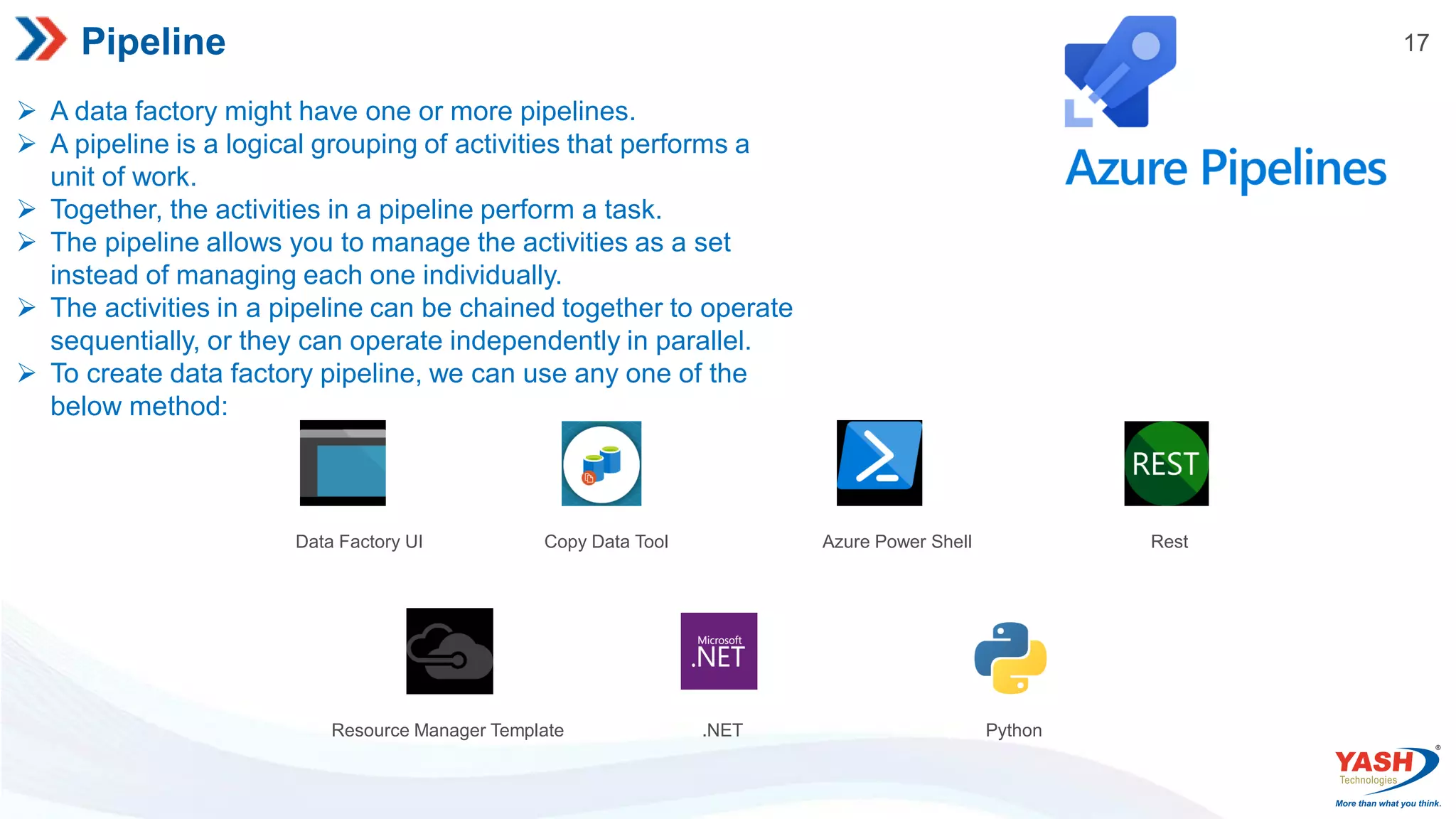
17 Pipeline A datafactory might have one or more pipelines. A pipeline is a logical grouping of activities that performs a unit of work. Together, the activities in a pipeline perform a task. The pipeline allows you to manage the activities as a set instead of managing each one individually. The activities in a pipeline can be chained together to operate sequentially, or they can operate independently in parallel. To create data factory pipeline, we can use any one of the below method: Data Factory UI Copy Data Tool Azure Power Shell Rest Resource Manager Template .NET Python
18.
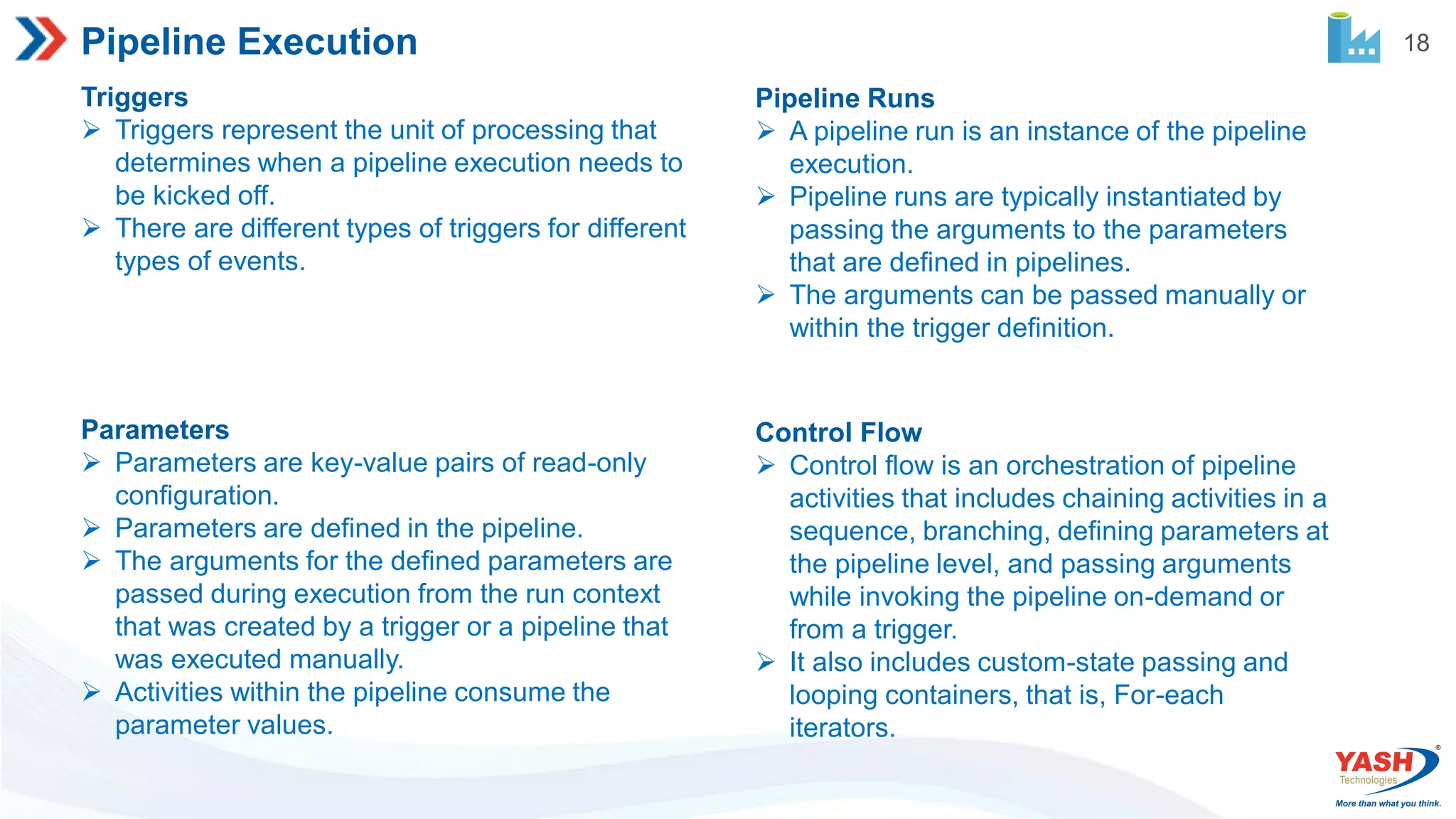
18 Pipeline Execution Triggers Triggersrepresent the unit of processing that determines when a pipeline execution needs to be kicked off. There are different types of triggers for different types of events. Pipeline Runs A pipeline run is an instance of the pipeline execution. Pipeline runs are typically instantiated by passing the arguments to the parameters that are defined in pipelines. The arguments can be passed manually or within the trigger definition. Parameters Parameters are key-value pairs of read-only configuration. Parameters are defined in the pipeline. The arguments for the defined parameters are passed during execution from the run context that was created by a trigger or a pipeline that was executed manually. Activities within the pipeline consume the parameter values. Control Flow Control flow is an orchestration of pipeline activities that includes chaining activities in a sequence, branching, defining parameters at the pipeline level, and passing arguments while invoking the pipeline on-demand or from a trigger. It also includes custom-state passing and looping containers, that is, For-each iterators.
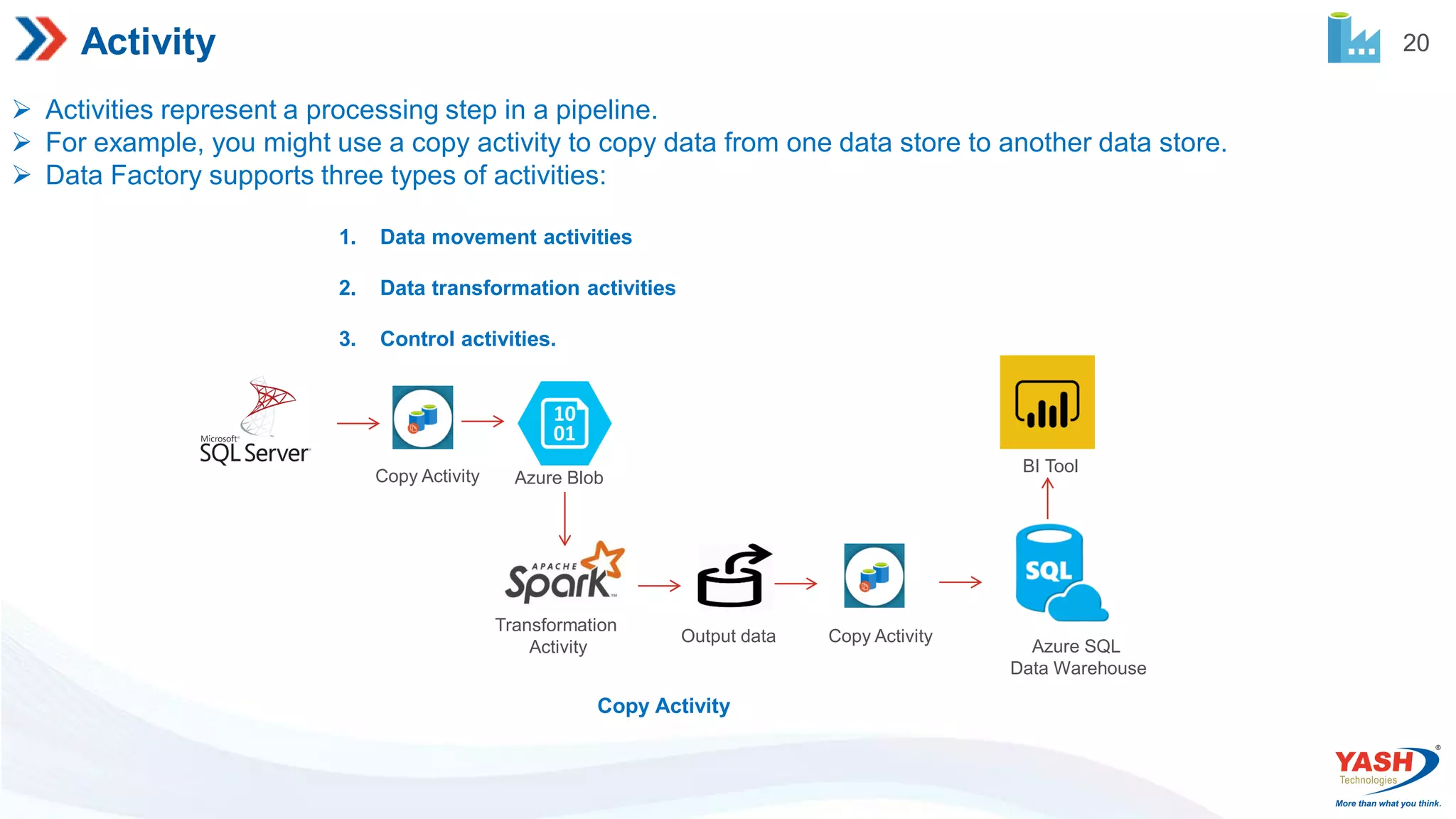
20 Activity Activities representa processing step in a pipeline. For example, you might use a copy activity to copy data from one data store to another data store. Data Factory supports three types of activities: 1. Data movement activities 2. Data transformation activities 3. Control activities. Copy Activity Copy Activity Azure Blob Transformation Activity Copy Activity Output data Azure SQL Data Warehouse BI Tool
21.
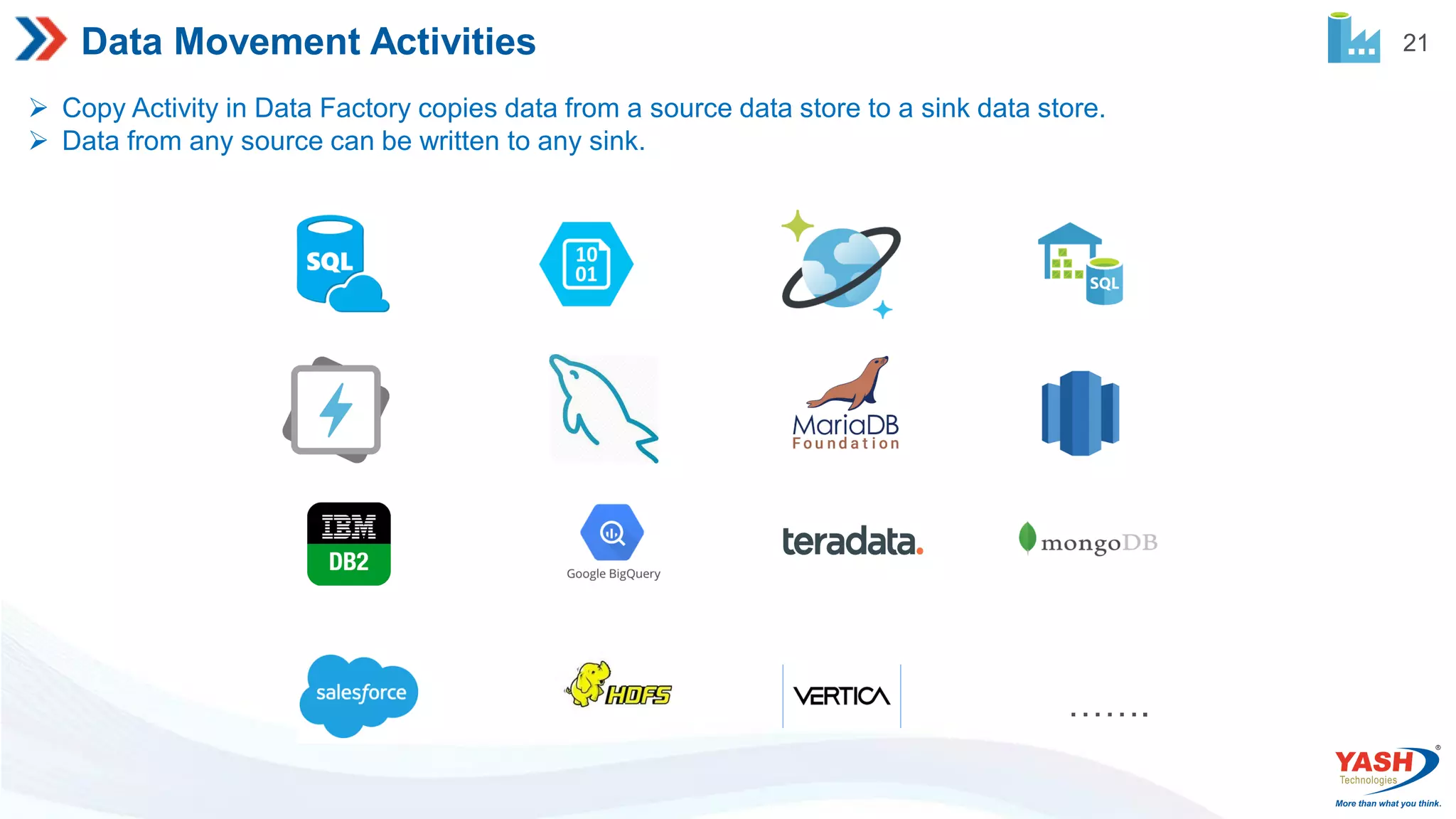
21 Data Movement Activities Copy Activity in Data Factory copies data from a source data store to a sink data store. Data from any source can be written to any sink. …….
22.
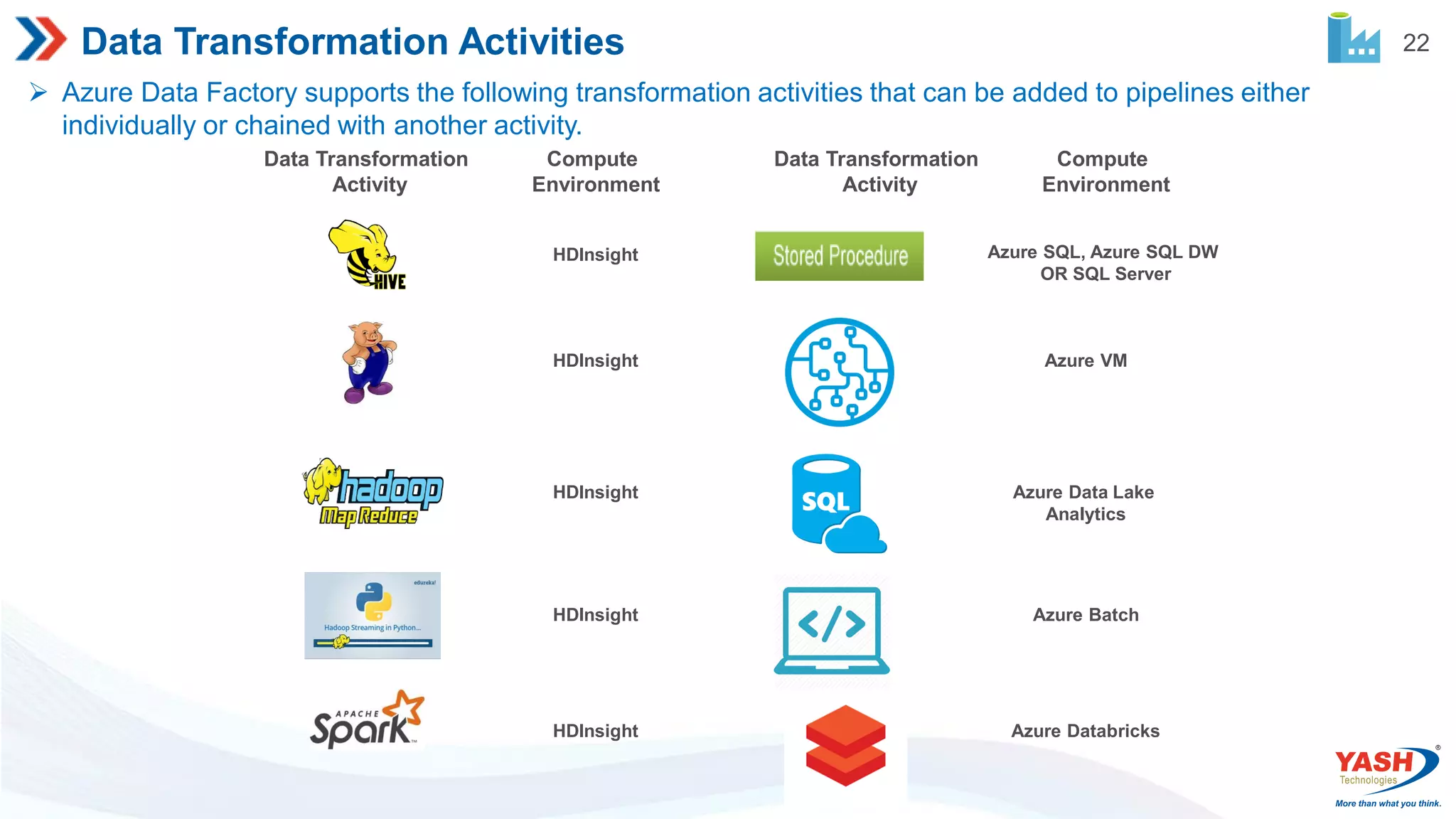
22 Data Transformation Activities Azure Data Factory supports the following transformation activities that can be added to pipelines either individually or chained with another activity. Compute Environment Data Transformation Activity Compute Environment Data Transformation Activity HDInsight HDInsight HDInsight HDInsight HDInsight Azure SQL, Azure SQL DW OR SQL Server Azure VM Azure Data Lake Analytics Azure Batch Azure Databricks
23.
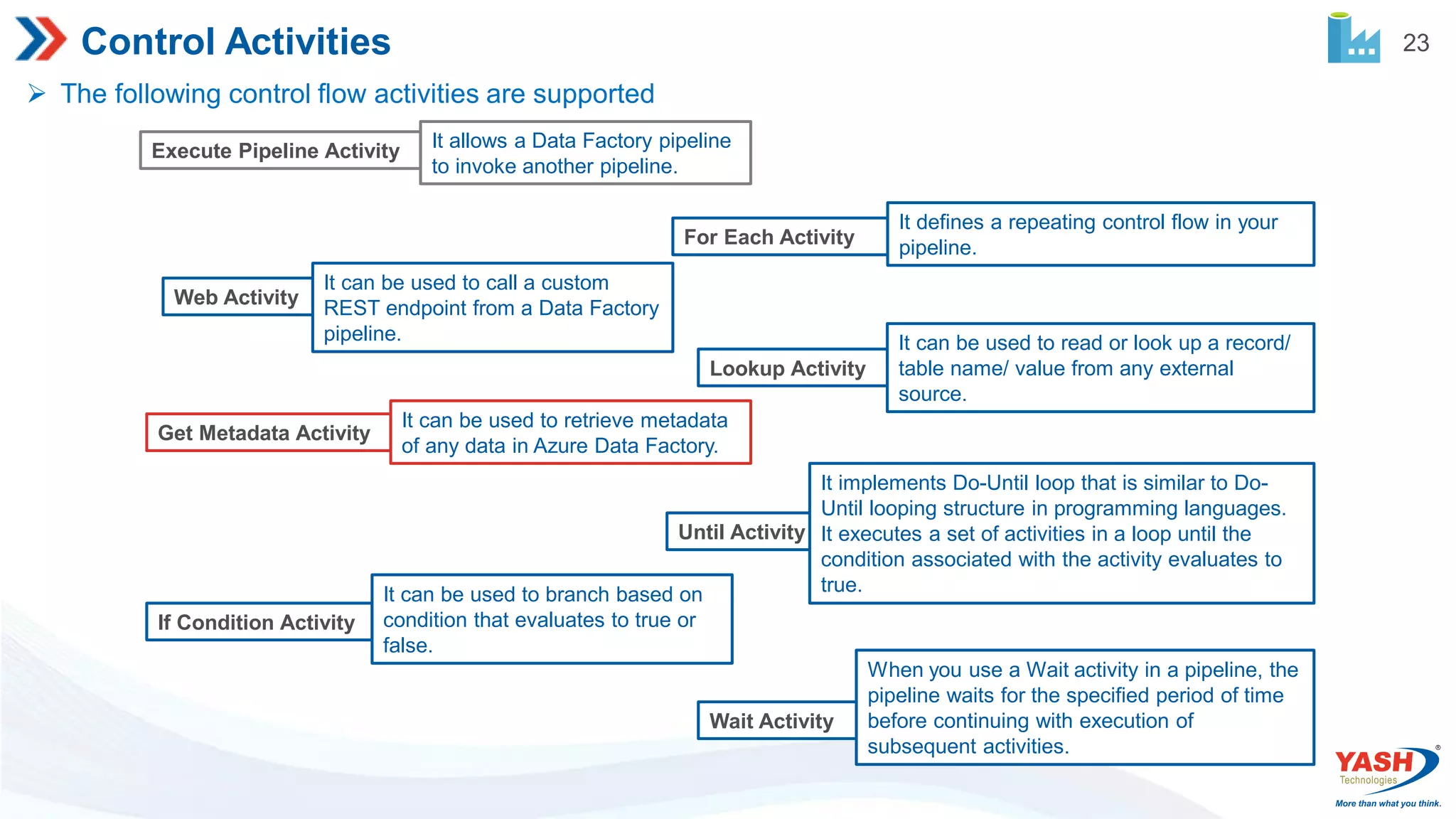
23 Control Activities Thefollowing control flow activities are supported Execute Pipeline Activity It allows a Data Factory pipeline to invoke another pipeline. For Each Activity It defines a repeating control flow in your pipeline. Web Activity It can be used to call a custom REST endpoint from a Data Factory pipeline. Lookup Activity It can be used to read or look up a record/ table name/ value from any external source. Get Metadata Activity It can be used to retrieve metadata of any data in Azure Data Factory. Until Activity It implements Do-Until loop that is similar to Do- Until looping structure in programming languages. It executes a set of activities in a loop until the condition associated with the activity evaluates to true. If Condition Activity It can be used to branch based on condition that evaluates to true or false. Wait Activity When you use a Wait activity in a pipeline, the pipeline waits for the specified period of time before continuing with execution of subsequent activities.
24.
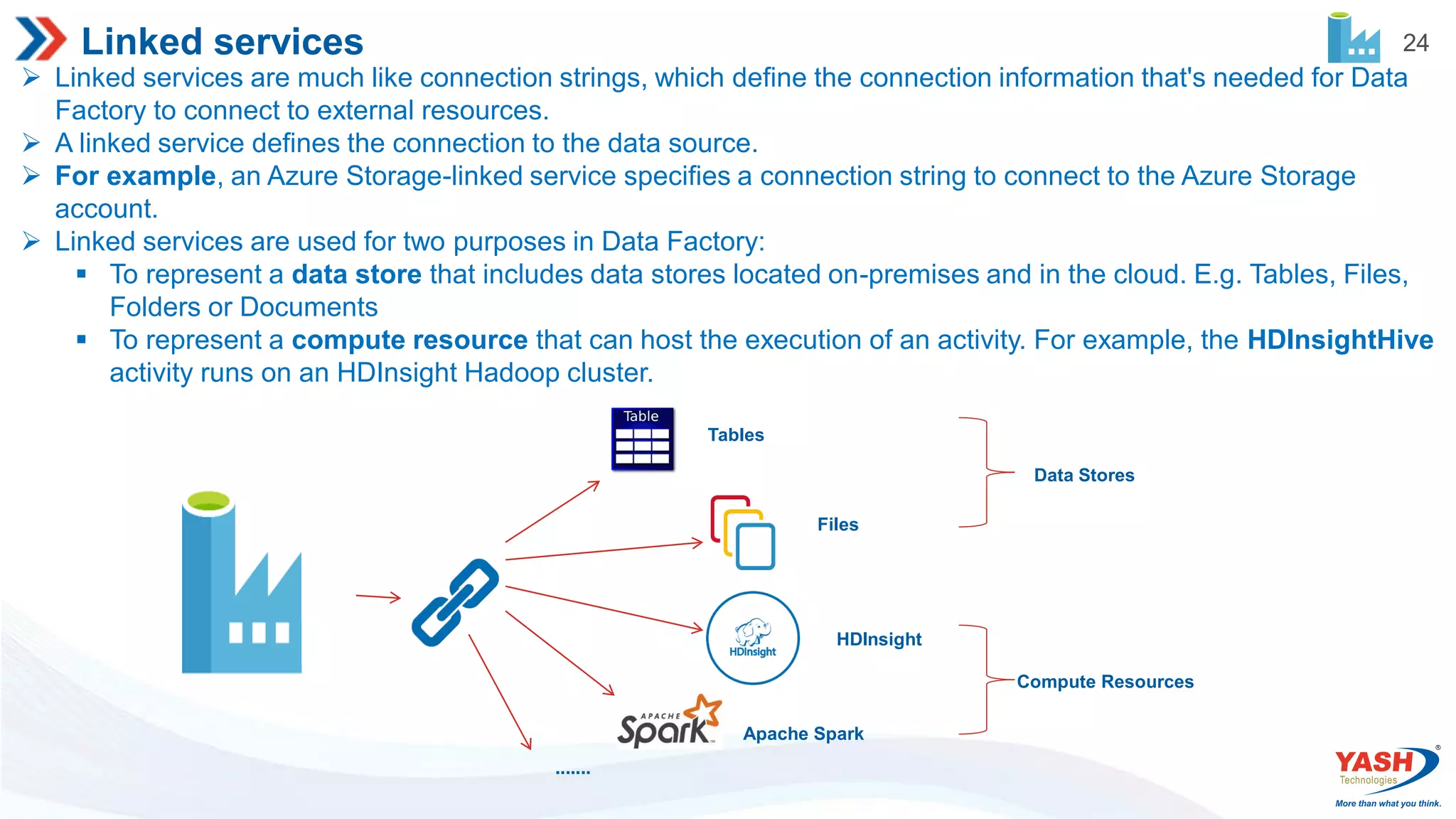
24 Linked services Linkedservices are much like connection strings, which define the connection information that's needed for Data Factory to connect to external resources. A linked service defines the connection to the data source. For example, an Azure Storage-linked service specifies a connection string to connect to the Azure Storage account. Linked services are used for two purposes in Data Factory: To represent a data store that includes data stores located on-premises and in the cloud. E.g. Tables, Files, Folders or Documents To represent a compute resource that can host the execution of an activity. For example, the HDInsightHive activity runs on an HDInsight Hadoop cluster. Tables Files HDInsight Apache Spark ....... Data Stores Compute Resources
25.
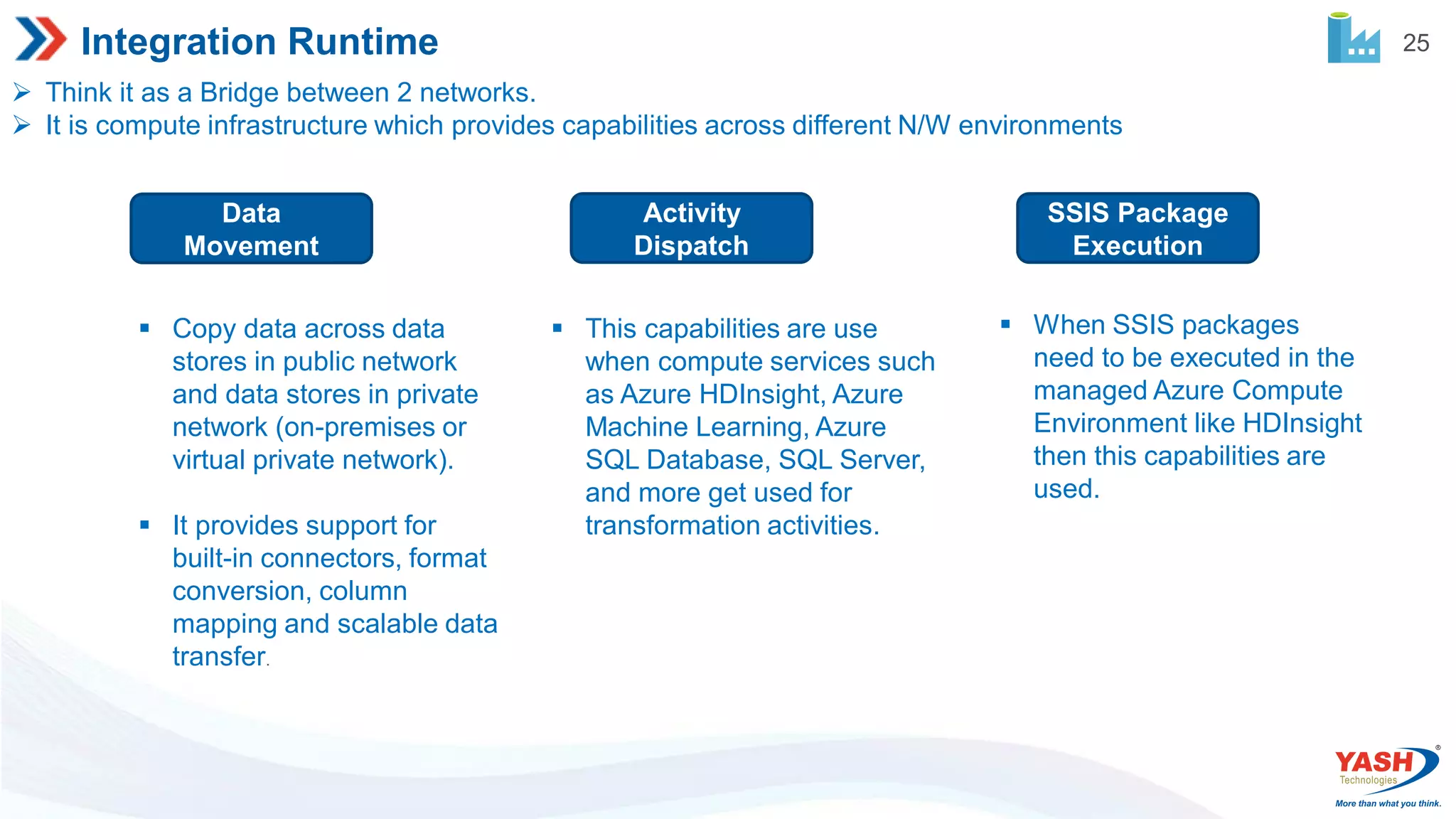
25 Integration Runtime Thinkit as a Bridge between 2 networks. It is compute infrastructure which provides capabilities across different N/W environments Data Movement Activity Dispatch SSIS Package Execution Copy data across data stores in public network and data stores in private network (on-premises or virtual private network). It provides support for built-in connectors, format conversion, column mapping and scalable data transfer. This capabilities are use when compute services such as Azure HDInsight, Azure Machine Learning, Azure SQL Database, SQL Server, and more get used for transformation activities. When SSIS packages need to be executed in the managed Azure Compute Environment like HDInsight then this capabilities are used.
26.
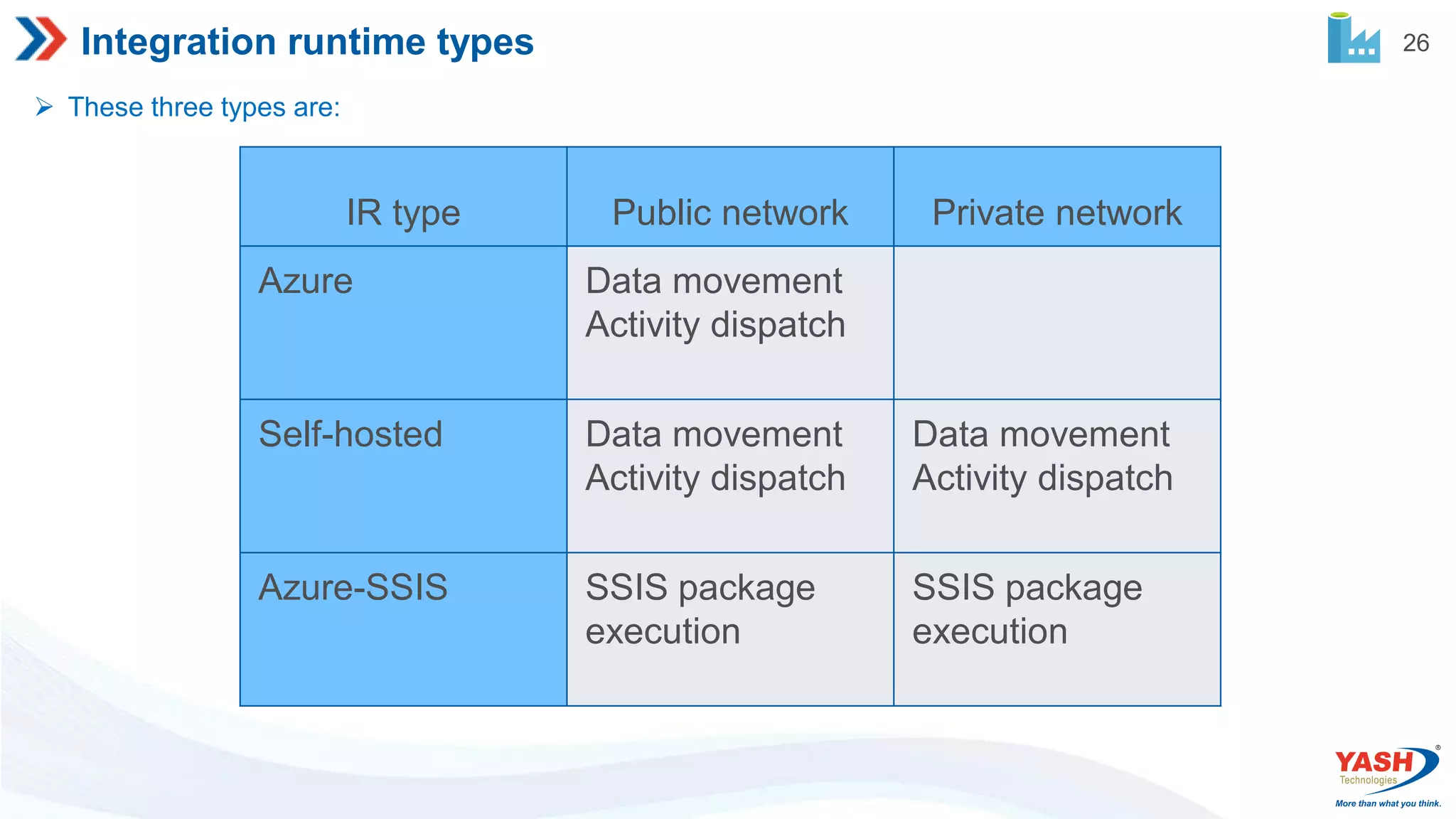
26 Integration runtime types These three types are: IR type Public network Private network Azure Data movement Activity dispatch Self-hosted Data movement Activity dispatch Data movement Activity dispatch Azure-SSIS SSIS package execution SSIS package execution
27.
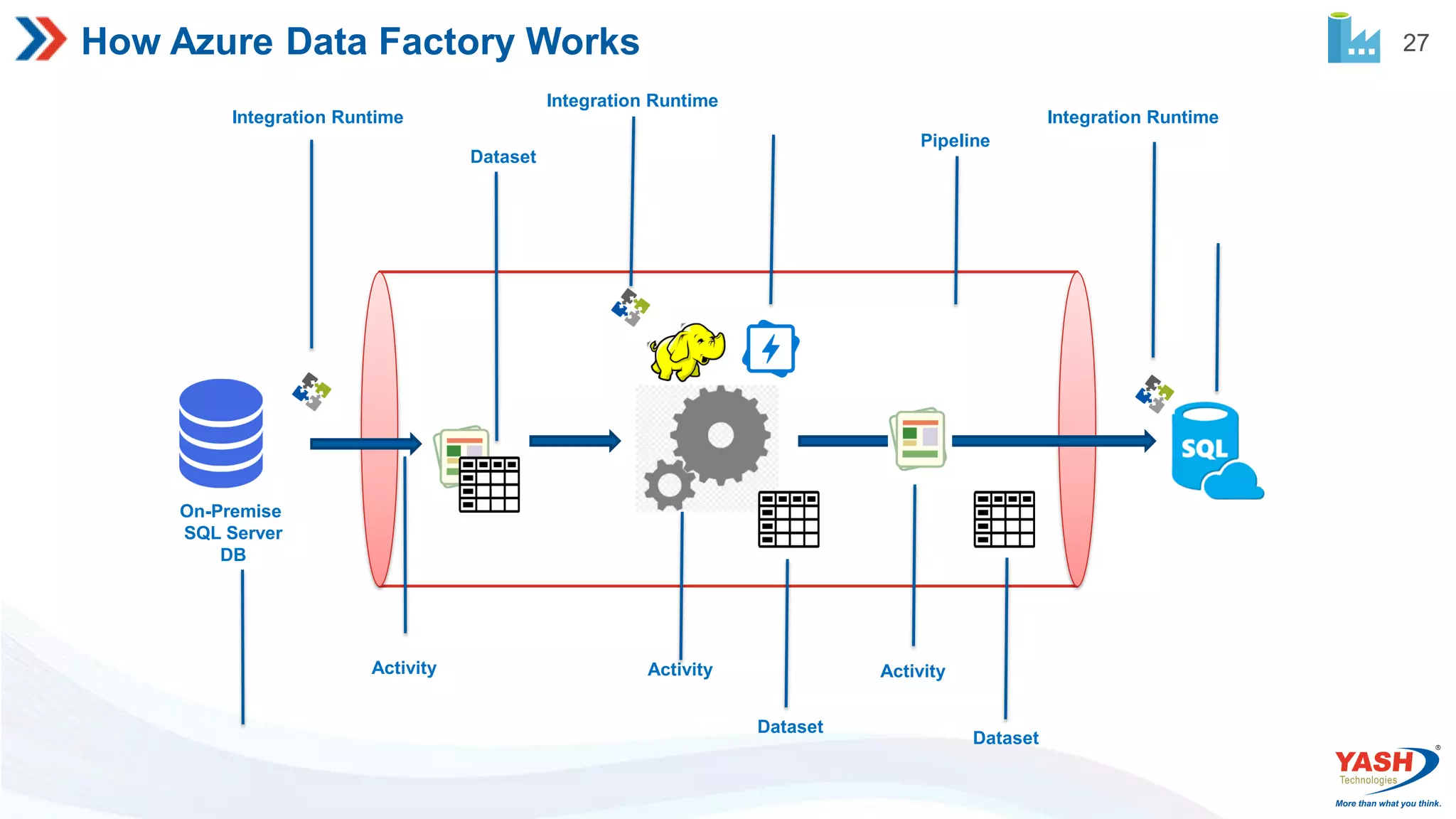
27 How Azure DataFactory Works Integration Runtime Integration Runtime Integration Runtime Dataset Dataset Dataset Pipeline Activity Activity Activity On-Premise SQL Server DB
31 Pipeline Scope These systemvariables can be referenced anywhere in the pipeline JSON. @pipeline().DataFactory Name of the data factory the pipeline run is running within @pipeline().Pipeline Name of the pipeline @pipeline().RunId ID of the specific pipeline run @pipeline().TriggerType Type of the trigger that invoked the pipeline (Manual, Scheduler) @pipeline().TriggerId ID of the trigger that invokes the pipeline @pipeline().TriggerName Name of the trigger that invokes the pipeline @pipeline().TriggerTime Time when the trigger that invoked the pipeline. The trigger time is the actual fired time, not the scheduled time.
32.
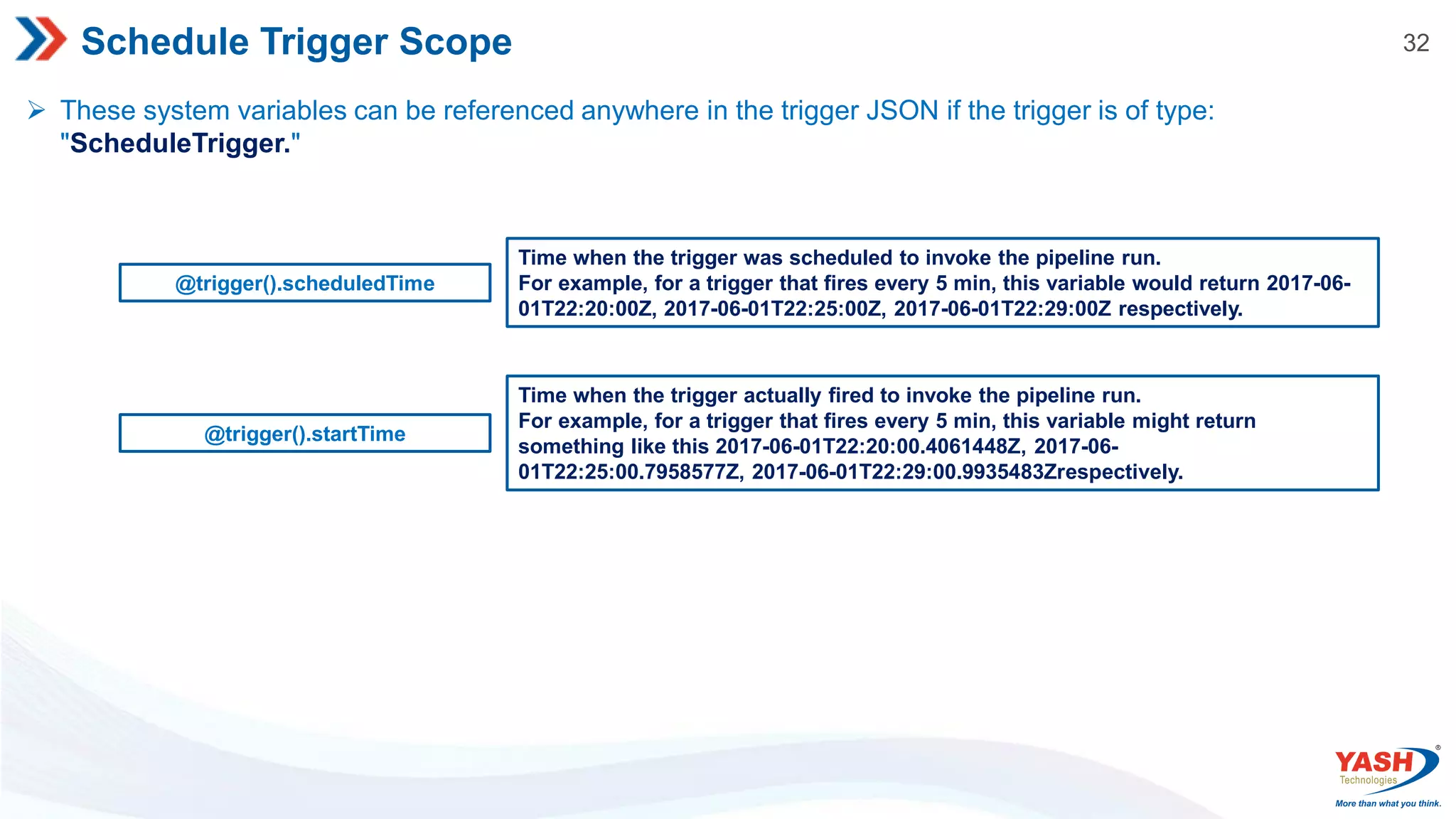
32 Schedule Trigger Scope These system variables can be referenced anywhere in the trigger JSON if the trigger is of type: "ScheduleTrigger." @trigger().scheduledTime Time when the trigger was scheduled to invoke the pipeline run. For example, for a trigger that fires every 5 min, this variable would return 2017-06- 01T22:20:00Z, 2017-06-01T22:25:00Z, 2017-06-01T22:29:00Z respectively. @trigger().startTime Time when the trigger actually fired to invoke the pipeline run. For example, for a trigger that fires every 5 min, this variable might return something like this 2017-06-01T22:20:00.4061448Z, 2017-06- 01T22:25:00.7958577Z, 2017-06-01T22:29:00.9935483Zrespectively.
33.
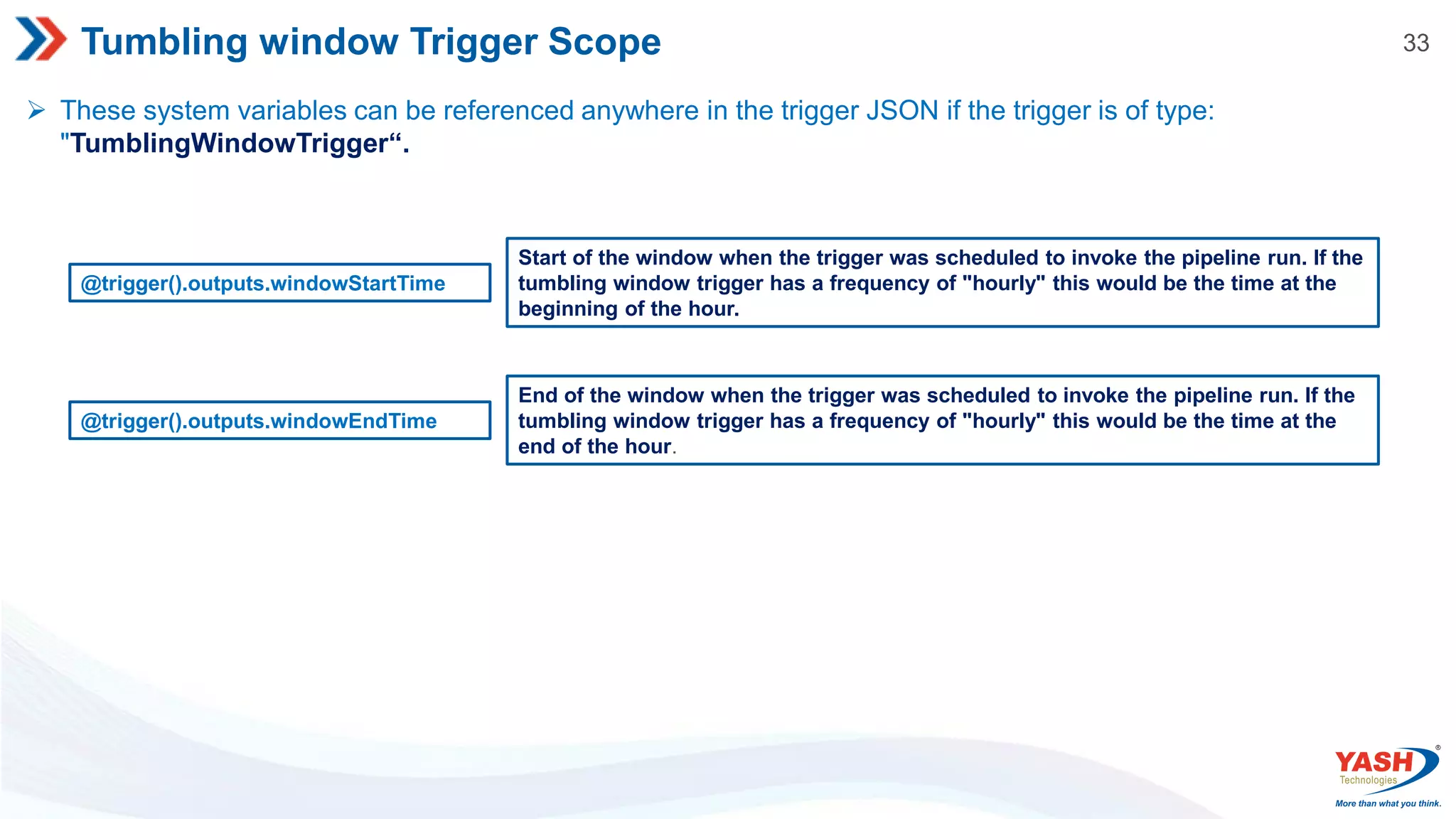
33 Tumbling window TriggerScope These system variables can be referenced anywhere in the trigger JSON if the trigger is of type: "TumblingWindowTrigger“. @trigger().outputs.windowStartTime Start of the window when the trigger was scheduled to invoke the pipeline run. If the tumbling window trigger has a frequency of "hourly" this would be the time at the beginning of the hour. @trigger().outputs.windowEndTime End of the window when the trigger was scheduled to invoke the pipeline run. If the tumbling window trigger has a frequency of "hourly" this would be the time at the end of the hour.
35 String Functions Function DescriptionExample concat Combines any number of strings together. concat(‘Hi’, ‘team’) : Hi team substring Returns a subset of characters from a string. substring('somevalue',1,3) : ome replace Replaces a string with a given string. replace(‘Hi team', ‘Hi', ‘Hey') : Hey team guid Generates a globally unique string guid() : c2ecc88d-88c8-4096-912c-d6 toLower Converts a string to lowercase. toLower('Two’) : two toUpper Converts a string to uppercase. toUpper('Two’) : TWO indexof Find the index of a value within a string case insensitively. indexof(Hi team', ‘Hi’) : 0 endswith Checks if the string ends with a value case insensitively. endswith(‘Hi team', ‘team') : true startswith Checks if the string starts with a value case insensitively. startswith(‘Hi team', ‘team') : false split Splits the string using a separator. split(‘Hi;team', ‘;') : [“Hi", “team“] lastindexof Find the last index of a value within a string case insensitively. lastindexof('foofoo‘) : 3
36.
36 Collection Functions Function DescriptionExample contains Returns true if dictionary contains a key, list contains value, or string contains substring. . contains('abacaba','aca') : true length Returns the number of elements in an array or string. length('abc') : 3 empty Returns true if object, array, or string is empty. empty('') : true intersection Returns a single array or object with the common elements between the arrays or objects passed to it. intersection([1, 2, 3], [101, 2, 1, 10],[6, 8, 1, 2]) : [1, 2] union Returns a single array or object with all of the elements that are in either array or object passed to it. union([1, 2, 3], [101, 2, 1, 10]) : [1, 2, 3, 10, 101] first Returns the first element in the array or string passed in. first([0,2,3]) : 0 last Returns the last element in the array or string passed in. last('0123') :3 take Returns the first Count elements from the array or string passed in take([1, 2, 3, 4], 2) : [1, 2] skip Returns the elements in the array starting at index Count, skip([1, 2 ,3 ,4], 2) : [3, 4]
37.
37 Logical Functions Function DescriptionExample int Convert the parameter to an integer. int('100') : 100 string Convert the parameter to a string. string(10) : ‘10’ json Convert the parameter to a JSON type value. json('[1,2,3]') : [1,2,3] json('{"bar" : "baz"}') : { "bar" : "baz" } float Convert the parameter argument to a floating-point number. float('10.333') : 10.333 bool Convert the parameter to a Boolean. bool(0) : false coalesce Returns the first non-null object in the arguments passed in. Note: an empty string is not null. coalesce(pipeline().parameters.paramet er1', pipeline().parameters.parameter2 ,'fallback') : fallback array Convert the parameter to an array. array('abc') : ["abc"] createArray Creates an array from the parameters. createArray('a', 'c') : ["a", "c"]
38.
38 Math Functions Function DescriptionExample add Returns the result of the addition of the two numbers. add(10,10.333): 20.333 sub Returns the result of the subtraction of the two numbers. sub(10,10.333): -0.333 mul Returns the result of the multiplication of the two numbers. mul(10,10.333): 103.33 div Returns the result of the division of the two numbers. div(10.333,10): 1.0333 mod Returns the result of the remainder after the division of the two numbers (modulo). mod(10,4) :2 min There are two different patterns for calling this function. Note, all values must be numbers min([0,1,2]) :0 min(0,1,2) : 0 max There are two different patterns for calling this function. Note, all values must be numbers max([0,1,2]) :2 max(0,1,2) : 2 range Generates an array of integers starting from a certain number, and you define the length of the returned array. range(3,4) : [3,4,5,6] rand Generates a random integer within the specified range rand(-1000,1000) : 42
39.
39 Date Functions Function DescriptionExample utcnow Returns the current timestamp as a string. . utcnow() : 2019-02-21T13:27:36Z addseconds Adds an integer number of seconds to a string timestamp passed in. The number of seconds can be positive or negative. addseconds('2015-03-15T13:27:36Z', -36) :2015-03-15T13:27:00Z addminutes Adds an integer number of minutes to a string timestamp passed in. The number of minutes can be positive or negative. addminutes('2015-03-15T13:27:36Z', 33) :2015-03-15T14:00:36Z addhours Adds an integer number of hours to a string timestamp passed in. The number of hours can be positive or negative. addhours('2015-03-15T13:27:36Z', 12) :2015-03-16T01:27:36Z adddays Adds an integer number of days to a string timestamp passed in. The number of days can be positive or negative. adddays('2015-03-15T13:27:36Z', -20) :2015-02-23T13:27:36Z formatDateTime Returns a string in date format. formatDateTime('2015-03-15T13:27:36Z', 'o') :2015-02-23T13:27:36Z
40.
40 Expressions in AzureData Factory JSON values in the definition can be literal or expressions that are evaluated at runtime. E. g. "name": "value“ OR "name": "@pipeline().parameters.password“ Expressions can appear anywhere in a JSON string value and always result in another JSON value. If a JSON value is an expression, the body of the expression is extracted by removing the at-sign (@). JSON value Result "parameters" The characters 'parameters' are returned. "parameters[1]" The characters 'parameters[1]' are returned. "@@" A 1 character string that contains '@' is returned. " @" A 2 character string that contains ' @' is returned.
41.
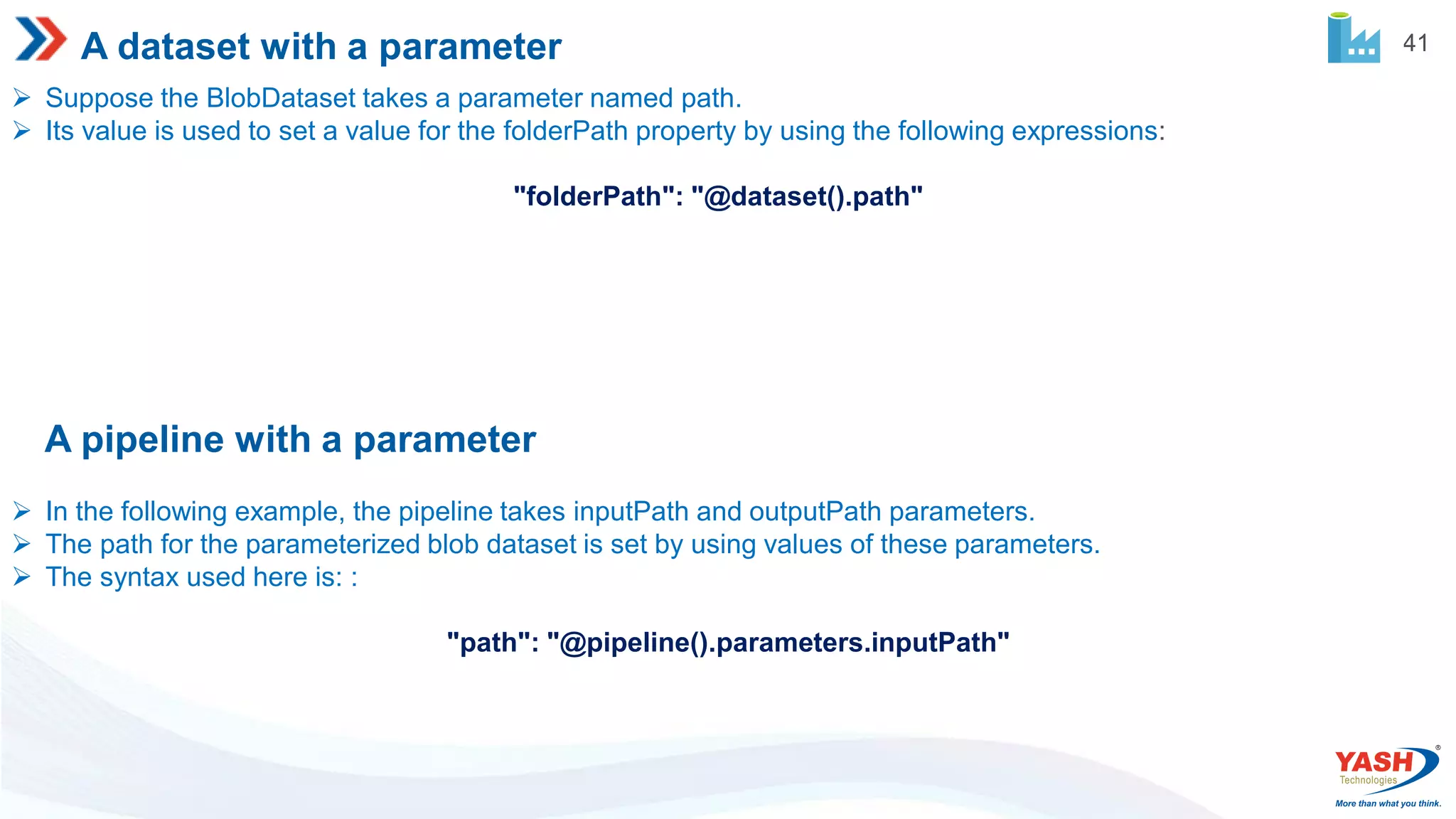
41 A dataset witha parameter Suppose the BlobDataset takes a parameter named path. Its value is used to set a value for the folderPath property by using the following expressions: "folderPath": "@dataset().path" A pipeline with a parameter In the following example, the pipeline takes inputPath and outputPath parameters. The path for the parameterized blob dataset is set by using values of these parameters. The syntax used here is: : "path": "@pipeline().parameters.inputPath"




![35 String Functions Function Description Example concat Combines any number of strings together. concat(‘Hi’, ‘team’) : Hi team substring Returns a subset of characters from a string. substring('somevalue',1,3) : ome replace Replaces a string with a given string. replace(‘Hi team', ‘Hi', ‘Hey') : Hey team guid Generates a globally unique string guid() : c2ecc88d-88c8-4096-912c-d6 toLower Converts a string to lowercase. toLower('Two’) : two toUpper Converts a string to uppercase. toUpper('Two’) : TWO indexof Find the index of a value within a string case insensitively. indexof(Hi team', ‘Hi’) : 0 endswith Checks if the string ends with a value case insensitively. endswith(‘Hi team', ‘team') : true startswith Checks if the string starts with a value case insensitively. startswith(‘Hi team', ‘team') : false split Splits the string using a separator. split(‘Hi;team', ‘;') : [“Hi", “team“] lastindexof Find the last index of a value within a string case insensitively. lastindexof('foofoo‘) : 3](https://image.slidesharecdn.com/azuredatafactoryintroduction-220801050451-0efc55b9/75/Azure-Data-Factory-Introduction-pdf-35-2048.jpg)
![36 Collection Functions Function Description Example contains Returns true if dictionary contains a key, list contains value, or string contains substring. . contains('abacaba','aca') : true length Returns the number of elements in an array or string. length('abc') : 3 empty Returns true if object, array, or string is empty. empty('') : true intersection Returns a single array or object with the common elements between the arrays or objects passed to it. intersection([1, 2, 3], [101, 2, 1, 10],[6, 8, 1, 2]) : [1, 2] union Returns a single array or object with all of the elements that are in either array or object passed to it. union([1, 2, 3], [101, 2, 1, 10]) : [1, 2, 3, 10, 101] first Returns the first element in the array or string passed in. first([0,2,3]) : 0 last Returns the last element in the array or string passed in. last('0123') :3 take Returns the first Count elements from the array or string passed in take([1, 2, 3, 4], 2) : [1, 2] skip Returns the elements in the array starting at index Count, skip([1, 2 ,3 ,4], 2) : [3, 4]](https://image.slidesharecdn.com/azuredatafactoryintroduction-220801050451-0efc55b9/75/Azure-Data-Factory-Introduction-pdf-36-2048.jpg)
![37 Logical Functions Function Description Example int Convert the parameter to an integer. int('100') : 100 string Convert the parameter to a string. string(10) : ‘10’ json Convert the parameter to a JSON type value. json('[1,2,3]') : [1,2,3] json('{"bar" : "baz"}') : { "bar" : "baz" } float Convert the parameter argument to a floating-point number. float('10.333') : 10.333 bool Convert the parameter to a Boolean. bool(0) : false coalesce Returns the first non-null object in the arguments passed in. Note: an empty string is not null. coalesce(pipeline().parameters.paramet er1', pipeline().parameters.parameter2 ,'fallback') : fallback array Convert the parameter to an array. array('abc') : ["abc"] createArray Creates an array from the parameters. createArray('a', 'c') : ["a", "c"]](https://image.slidesharecdn.com/azuredatafactoryintroduction-220801050451-0efc55b9/75/Azure-Data-Factory-Introduction-pdf-37-2048.jpg)
![38 Math Functions Function Description Example add Returns the result of the addition of the two numbers. add(10,10.333): 20.333 sub Returns the result of the subtraction of the two numbers. sub(10,10.333): -0.333 mul Returns the result of the multiplication of the two numbers. mul(10,10.333): 103.33 div Returns the result of the division of the two numbers. div(10.333,10): 1.0333 mod Returns the result of the remainder after the division of the two numbers (modulo). mod(10,4) :2 min There are two different patterns for calling this function. Note, all values must be numbers min([0,1,2]) :0 min(0,1,2) : 0 max There are two different patterns for calling this function. Note, all values must be numbers max([0,1,2]) :2 max(0,1,2) : 2 range Generates an array of integers starting from a certain number, and you define the length of the returned array. range(3,4) : [3,4,5,6] rand Generates a random integer within the specified range rand(-1000,1000) : 42](https://image.slidesharecdn.com/azuredatafactoryintroduction-220801050451-0efc55b9/75/Azure-Data-Factory-Introduction-pdf-38-2048.jpg)

![40 Expressions in Azure Data Factory JSON values in the definition can be literal or expressions that are evaluated at runtime. E. g. "name": "value“ OR "name": "@pipeline().parameters.password“ Expressions can appear anywhere in a JSON string value and always result in another JSON value. If a JSON value is an expression, the body of the expression is extracted by removing the at-sign (@). JSON value Result "parameters" The characters 'parameters' are returned. "parameters[1]" The characters 'parameters[1]' are returned. "@@" A 1 character string that contains '@' is returned. " @" A 2 character string that contains ' @' is returned.](https://image.slidesharecdn.com/azuredatafactoryintroduction-220801050451-0efc55b9/75/Azure-Data-Factory-Introduction-pdf-40-2048.jpg)