Salaudeen Rajack [email_address] Best Practices for SharePoint Solution Deployment
SharePoint Solution Packages What is a solution package? A solution package is a distribution package that delivers your custom SharePoint Server development work to the Web servers or the application servers in your server farm. Use solutions to package and deploy custom Features site definitions, Master Pages Application Pages, Custom Pages, layout pages Templates, Images Web Parts, User Controls Cascading style sheets Event Receivers, Workflow Activities, Workflow Assemblies Global Resources (.resx files) Policies and assemblies. WSP files are just CAB file with .WSP extension. Templates and/or components in an installable unit Package that contains metadata (manifest.xml)
Master pages, layouts, CSS, images, scripts – Developer Reference Into a library inside your site collection Can be referenced by ~site, ~sitecollection and ~masterpage Only available within the site collection Too many site collection makes it harder to update these files Updatable through the web interface Into the _LAYOUTS folder Can be referenced by path to folder Available for every Sharepoint website in farm One place for easy updating these files Only updatable directly on the server All web applications on the server share this folder
Site Customizations Changes to one particular site recorded in content DB Done using the browser or the SharePoint Designer Easy to do but hard to reuse Solution Development Creation of reusable templates/components Templates/components installed on Web server Development based on Visual Studio projects Project source files checked into source code control Projects can be moved through staging to production Site customizations Vs Solutions Development
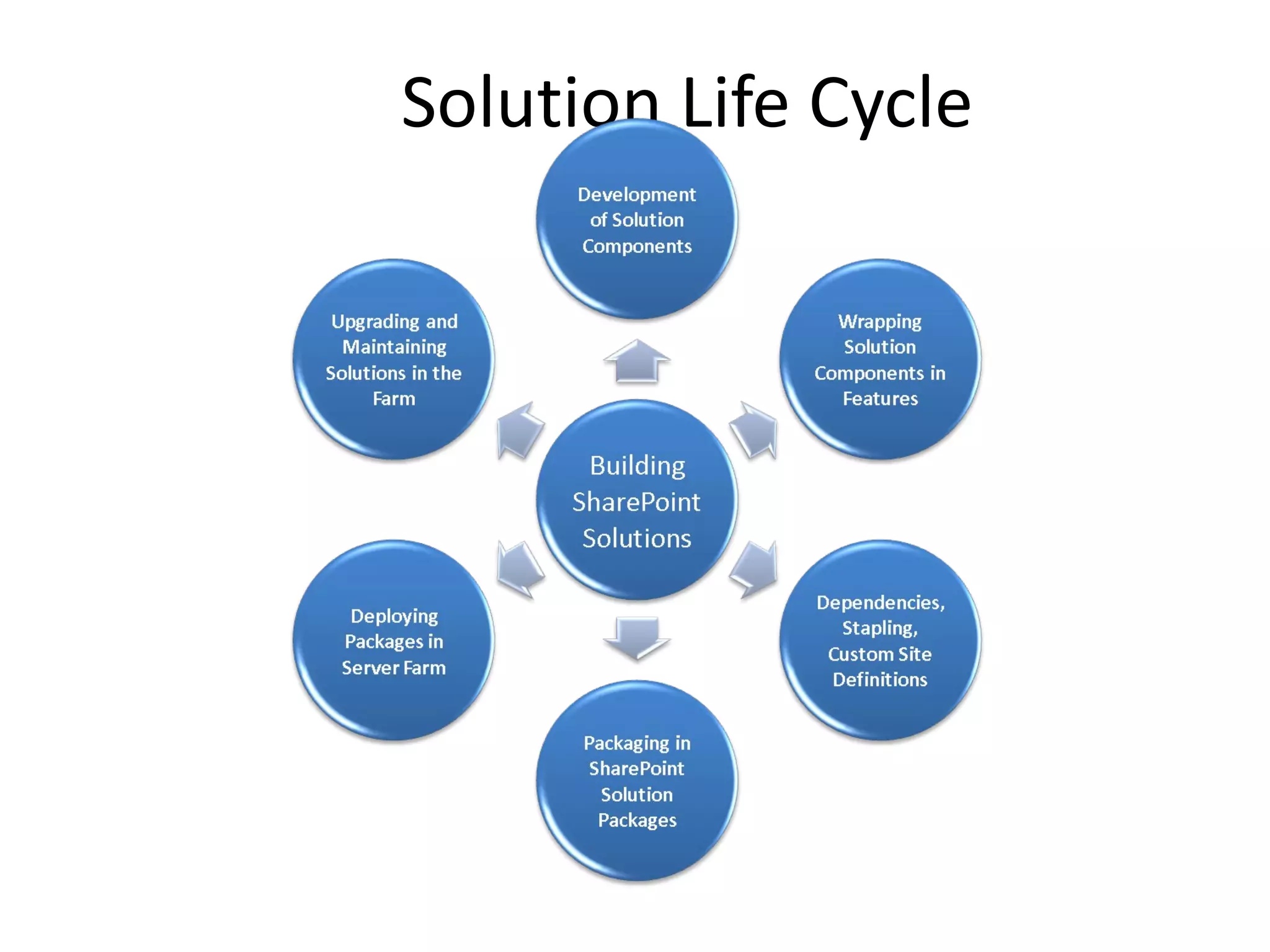
Solution Life Cycle
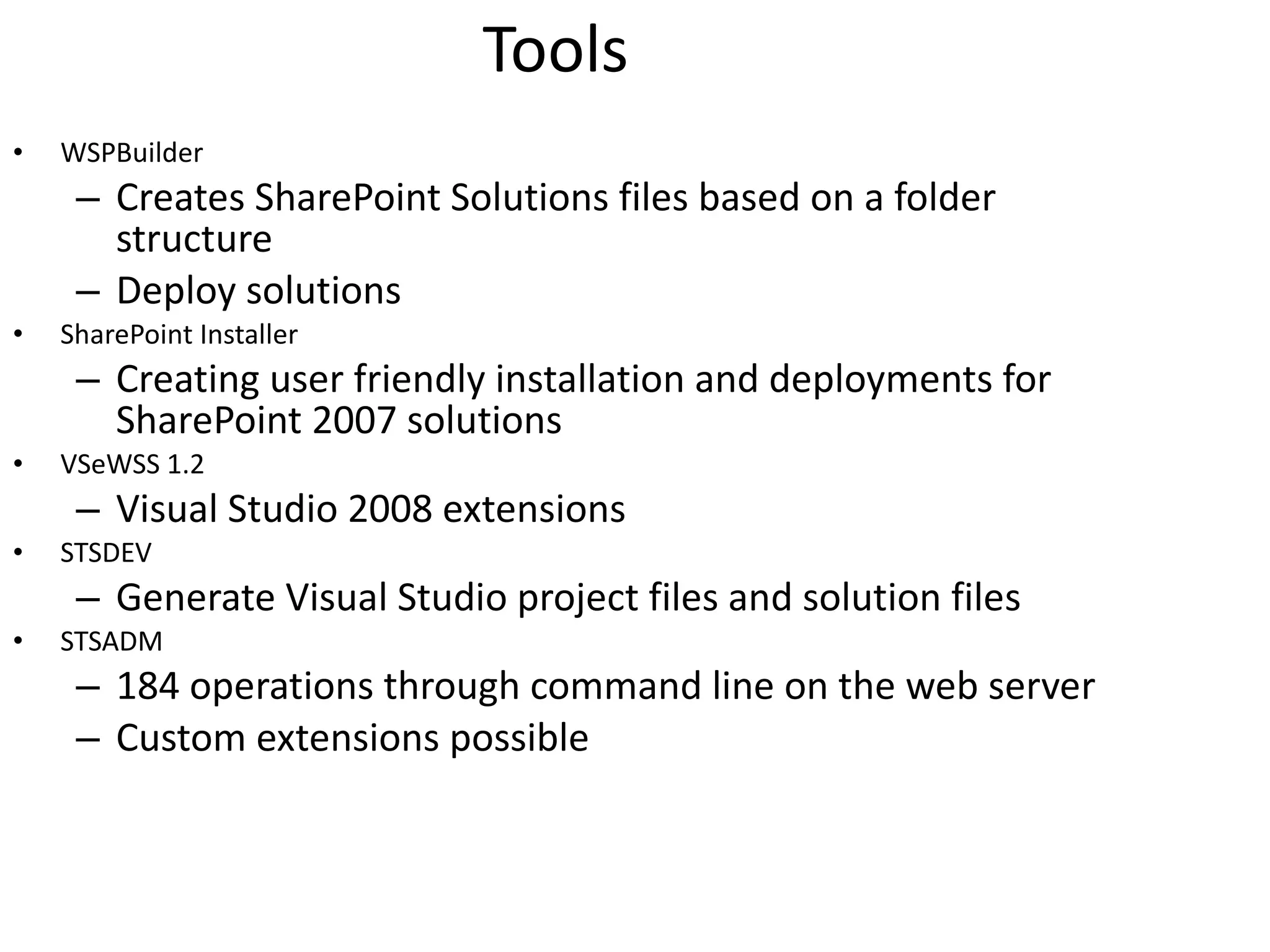
Tools WSPBuilder Creates SharePoint Solutions files based on a folder structure Deploy solutions SharePoint Installer Creating user friendly installation and deployments for SharePoint 2007 solutions VSeWSS 1.2 Visual Studio 2008 extensions STSDEV Generate Visual Studio project files and solution files STSADM 184 operations through command line on the web server Custom extensions possible
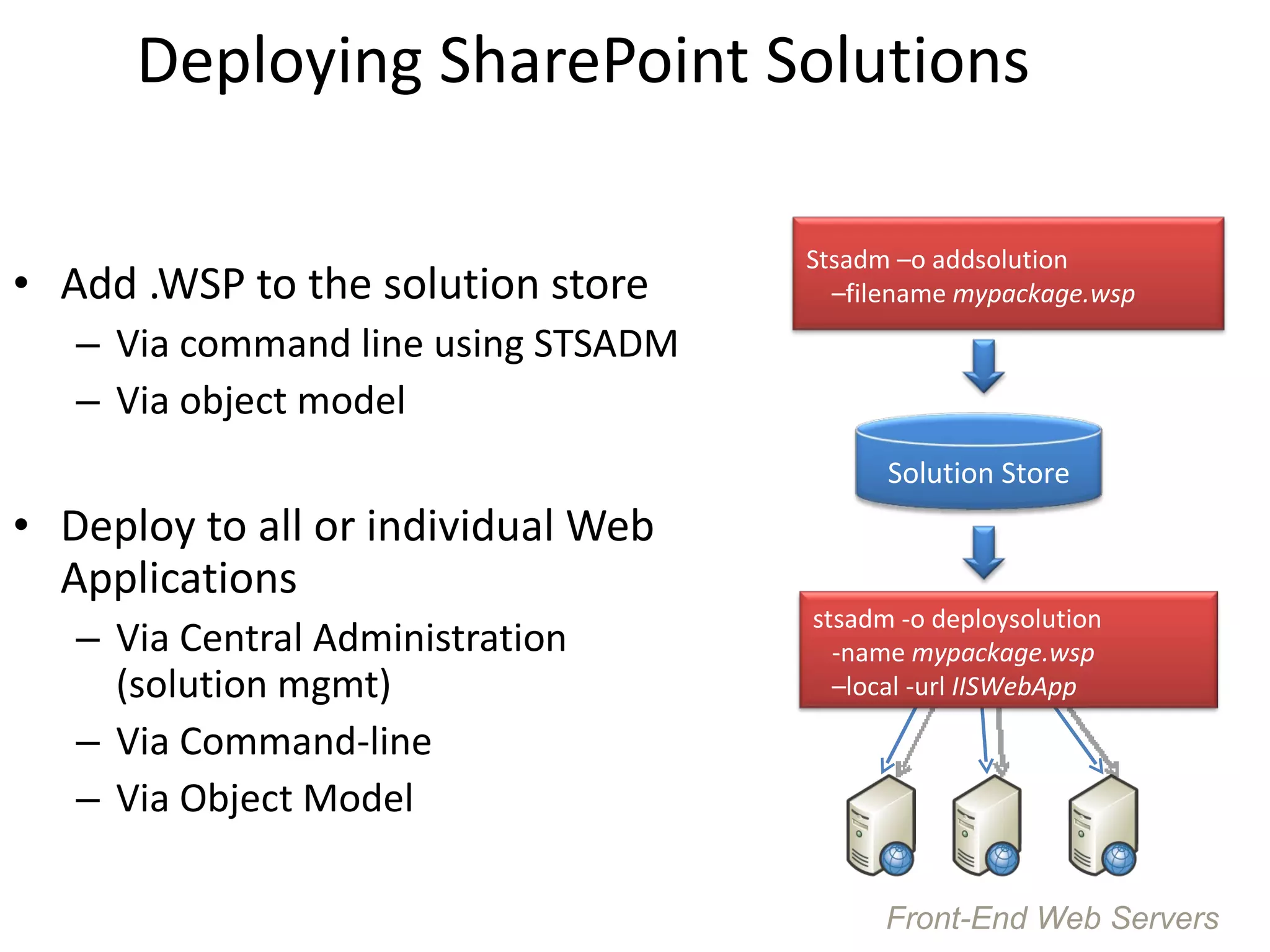
Deploying SharePoint Solutions Add .WSP to the solution store Via command line using STSADM Via object model Deploy to all or individual Web Applications Via Central Administration (solution mgmt) Via Command-line Via Object Model Front-End Web Servers Stsadm –o addsolution –filename mypackage.wsp Solution Store stsadm -o deploysolution -name mypackage.wsp –local -url IISWebApp
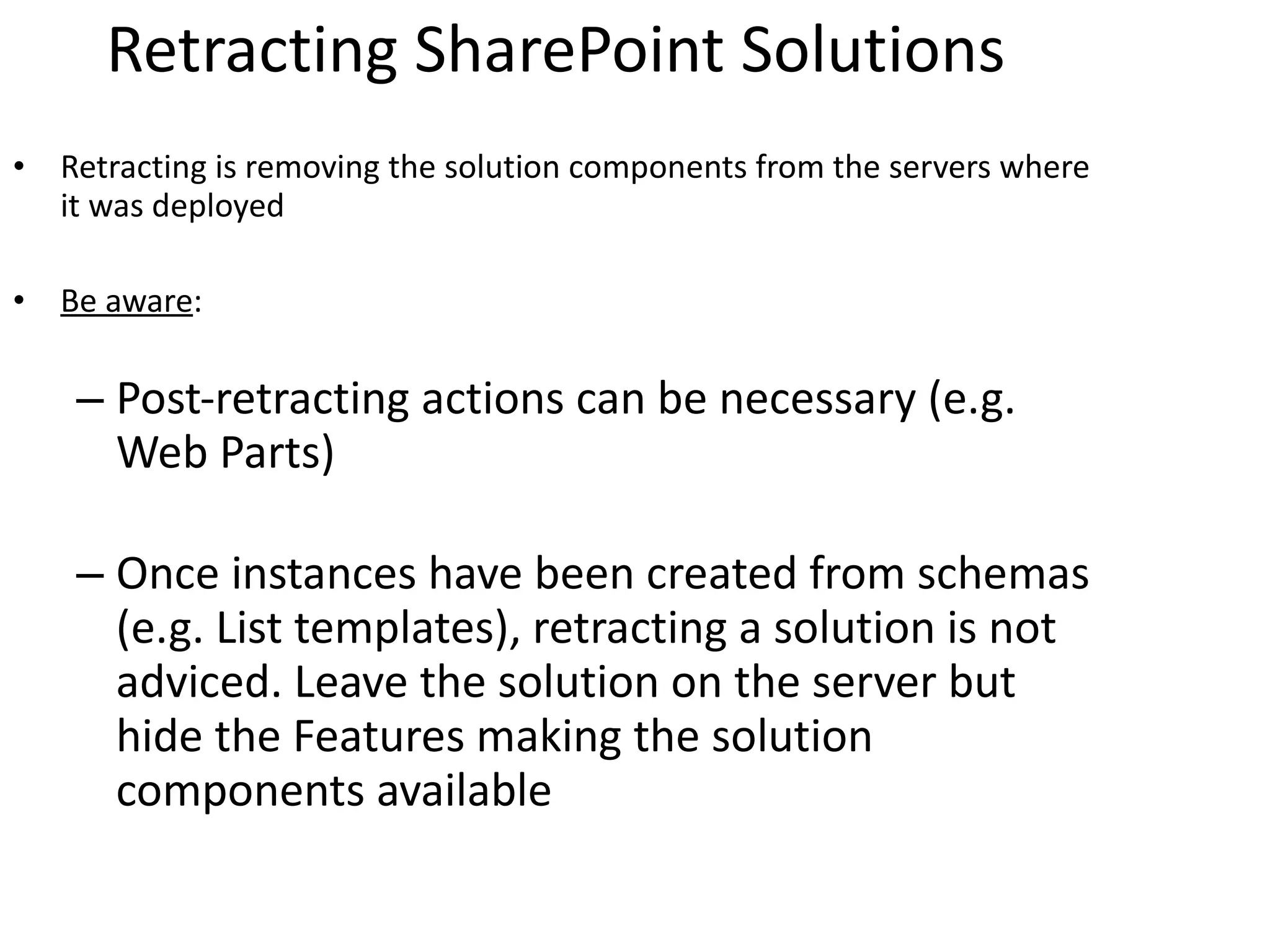
Retracting SharePoint Solutions Retracting is removing the solution components from the servers where it was deployed Be aware : Post-retracting actions can be necessary (e.g. Web Parts) Once instances have been created from schemas (e.g. List templates), retracting a solution is not adviced. Leave the solution on the server but hide the Features making the solution components available
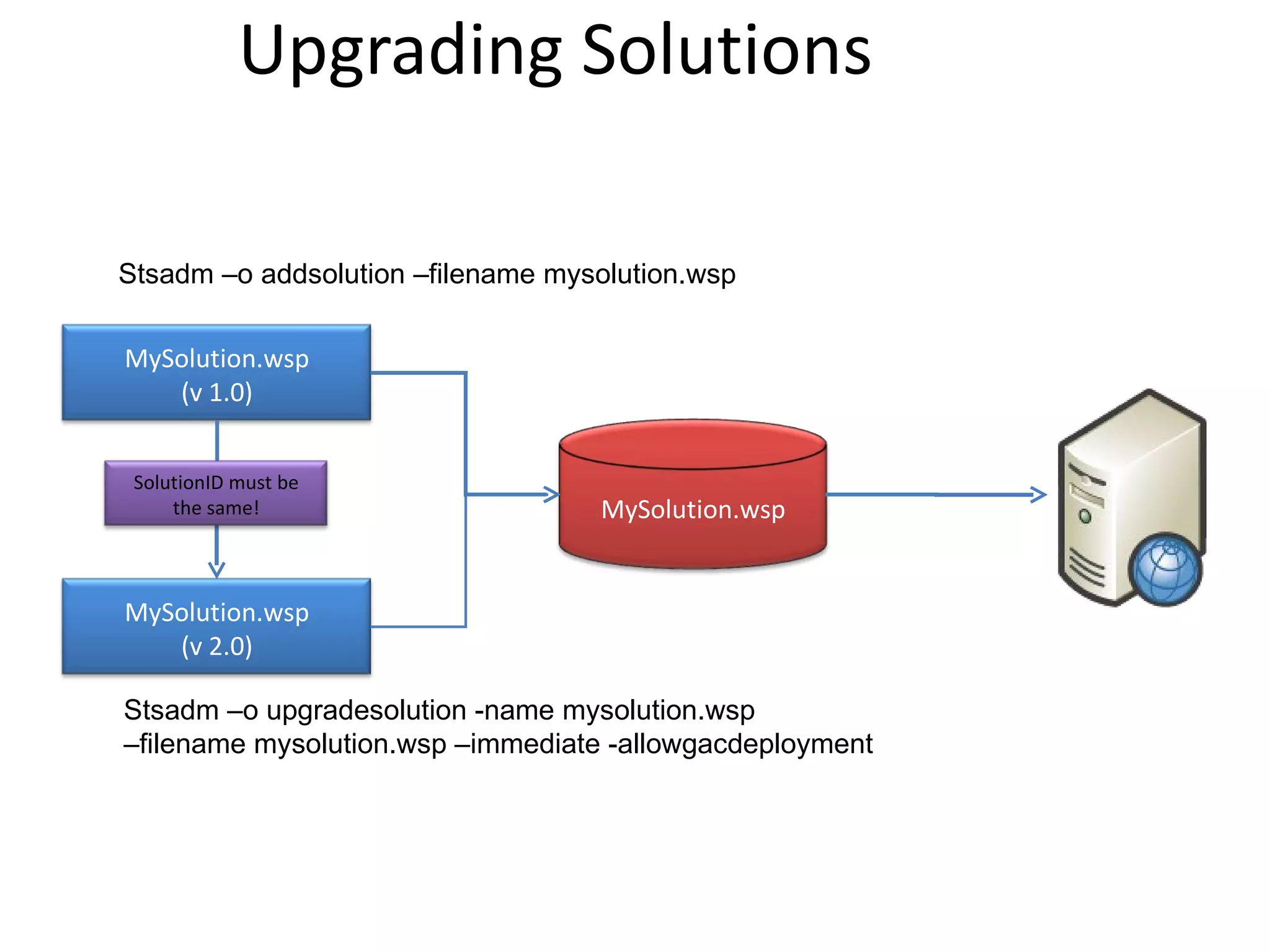
Upgrading Solutions Stsadm –o addsolution –filename mysolution.wsp Deploy Solution Stsadm –o upgradesolution -name mysolution.wsp –filename mysolution.wsp –immediate -allowgacdeployment MySolution.wsp (v 1.0) MySolution.wsp (v 2.0) MySolution.wsp SolutionID must be the same!
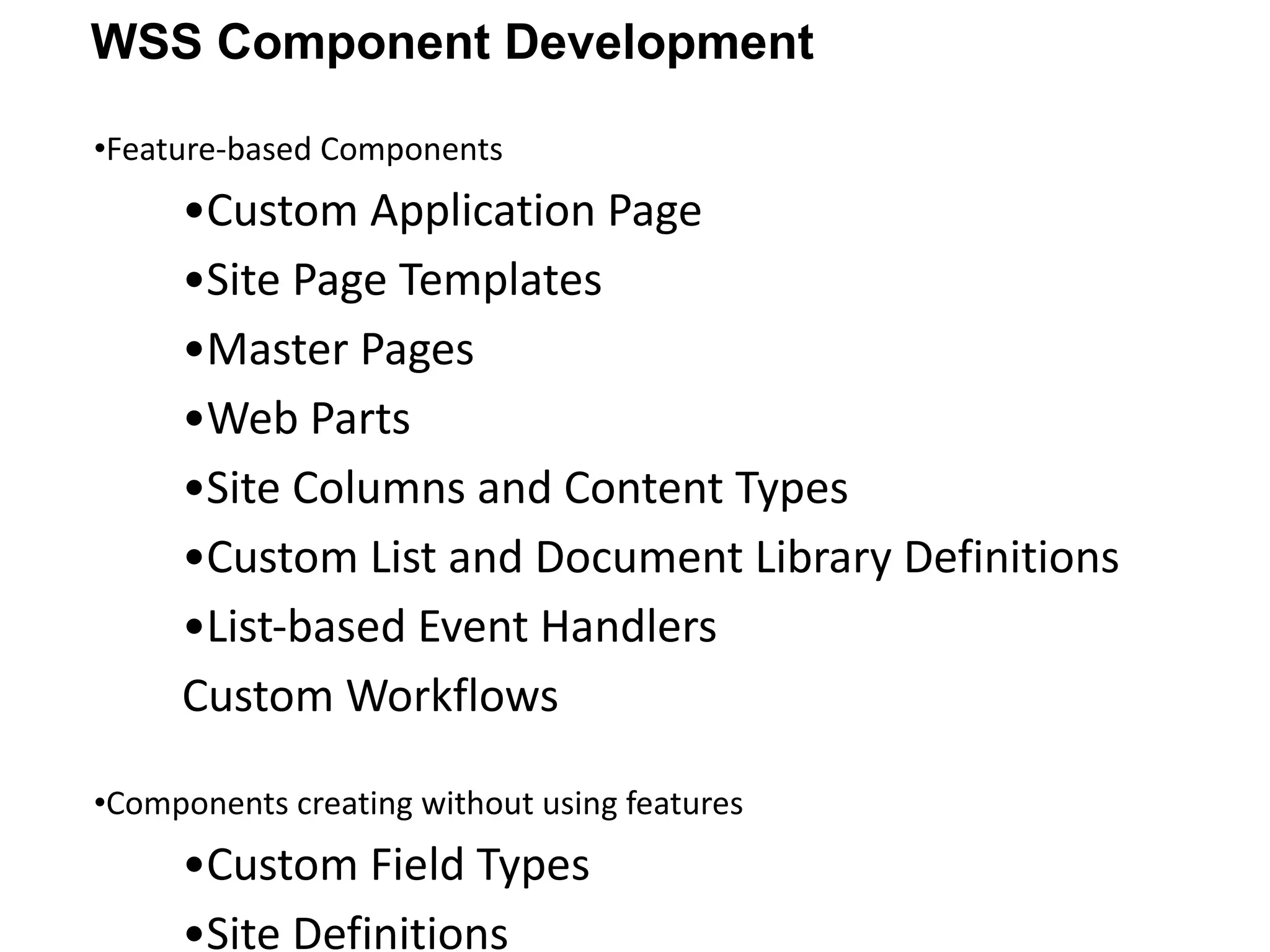
Feature-based Components Custom Application Page Site Page Templates Master Pages Web Parts Site Columns and Content Types Custom List and Document Library Definitions List-based Event Handlers Custom Workflows Components creating without using features Custom Field Types Site Definitions WSS Component Development
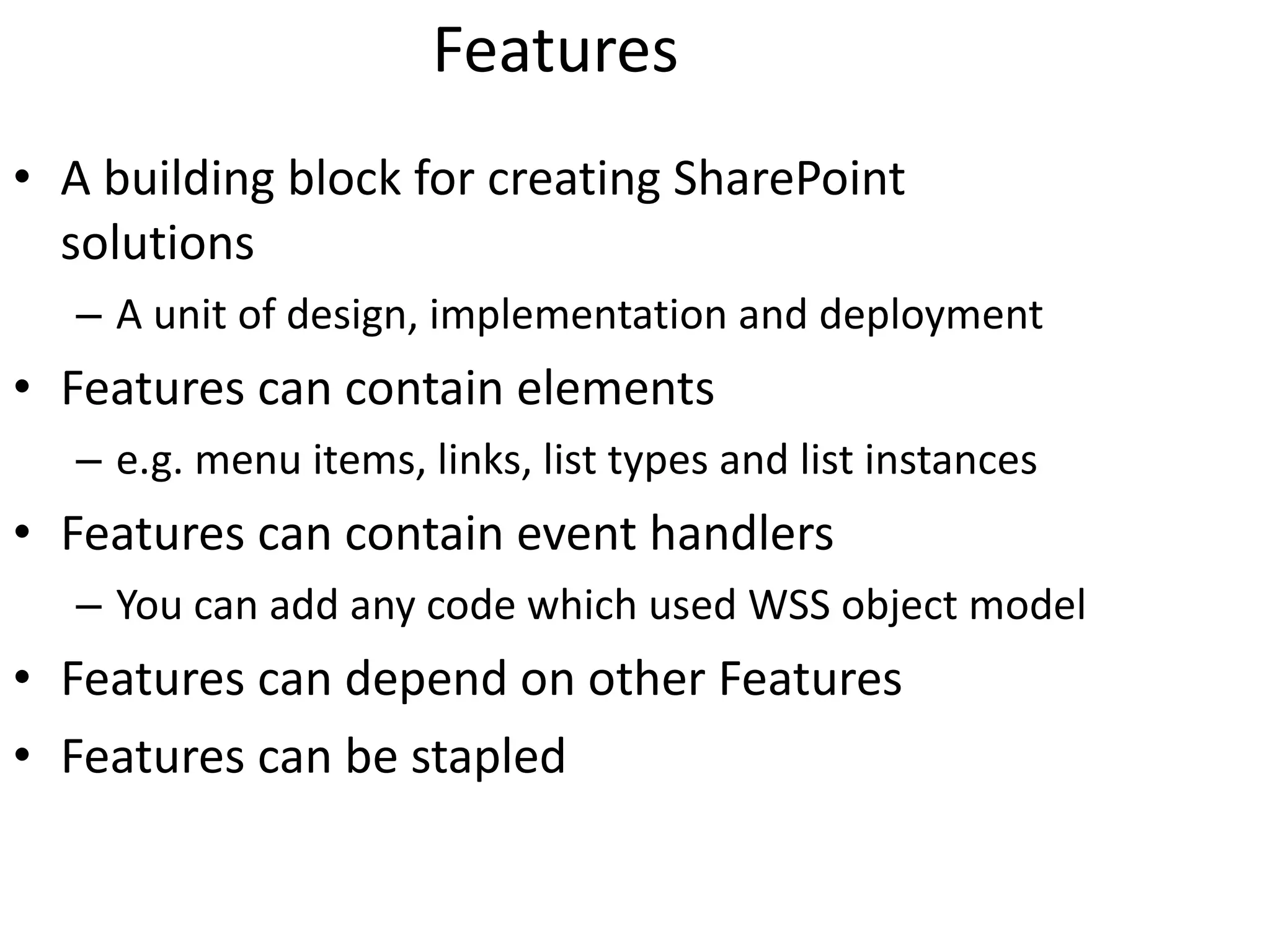
Features A building block for creating SharePoint solutions A unit of design, implementation and deployment Features can contain elements e.g. menu items, links, list types and list instances Features can contain event handlers You can add any code which used WSS object model Features can depend on other Features Features can be stapled
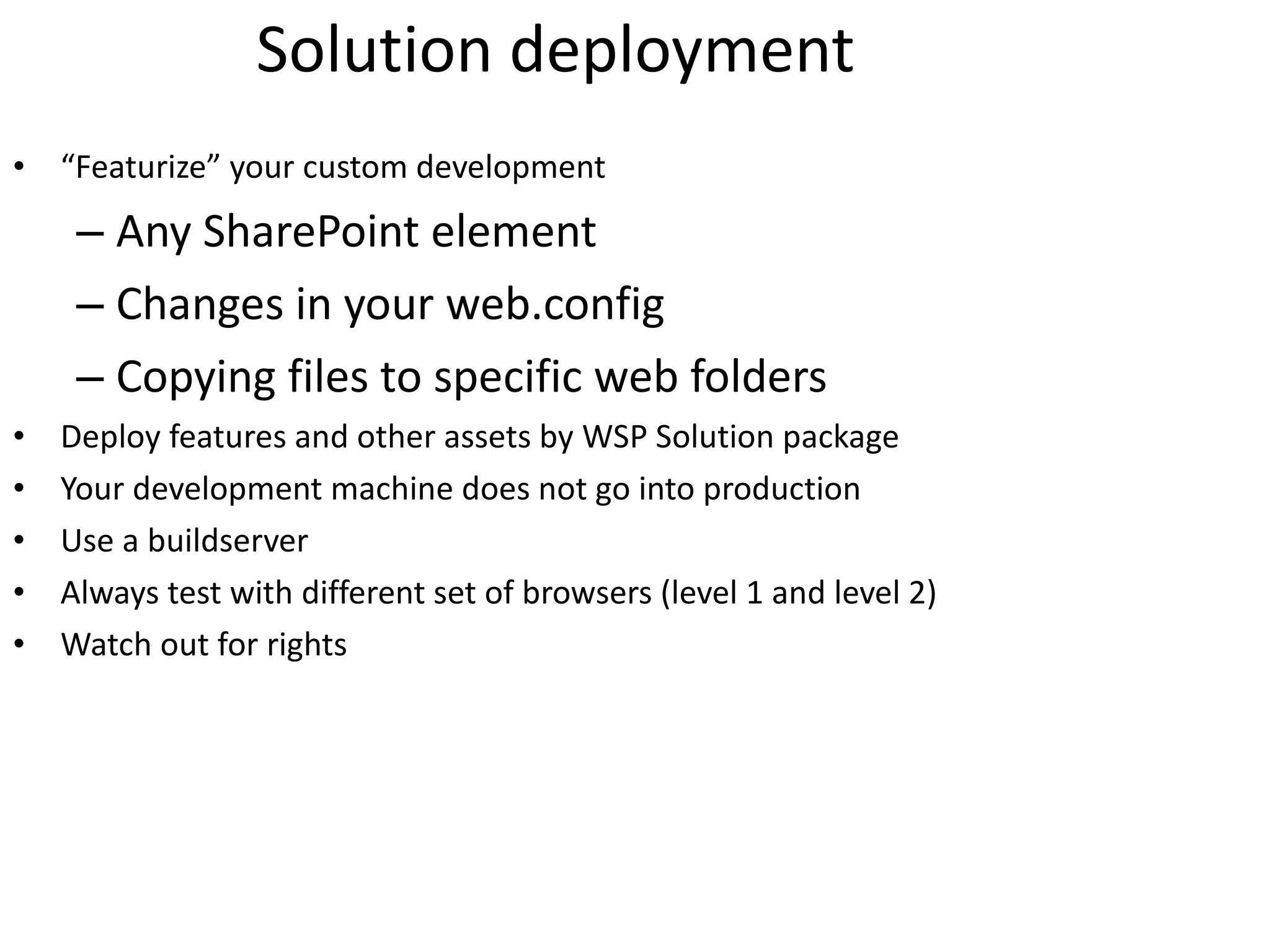
Solution deployment “ Featurize” your custom development Any SharePoint element Changes in your web.config Copying files to specific web folders Deploy features and other assets by WSP Solution package Your development machine does not go into production Use a buildserver Always test with different set of browsers (level 1 and level 2) Watch out for rights
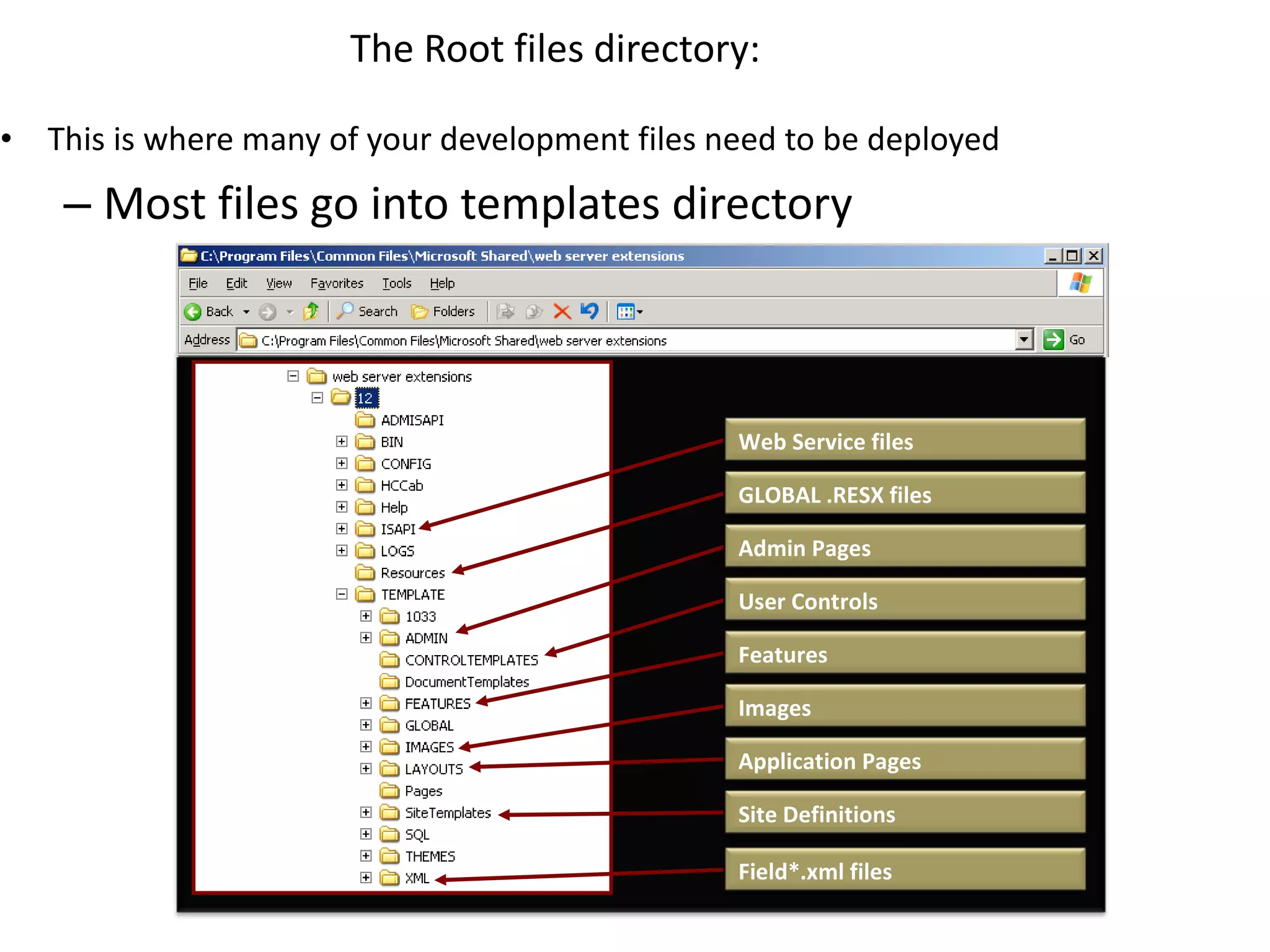
This is where many of your development files need to be deployed Most files go into templates directory The Root files directory: Web Service files GLOBAL .RESX files Application Pages User Controls Features Field*.xml files Site Definitions Images Admin Pages
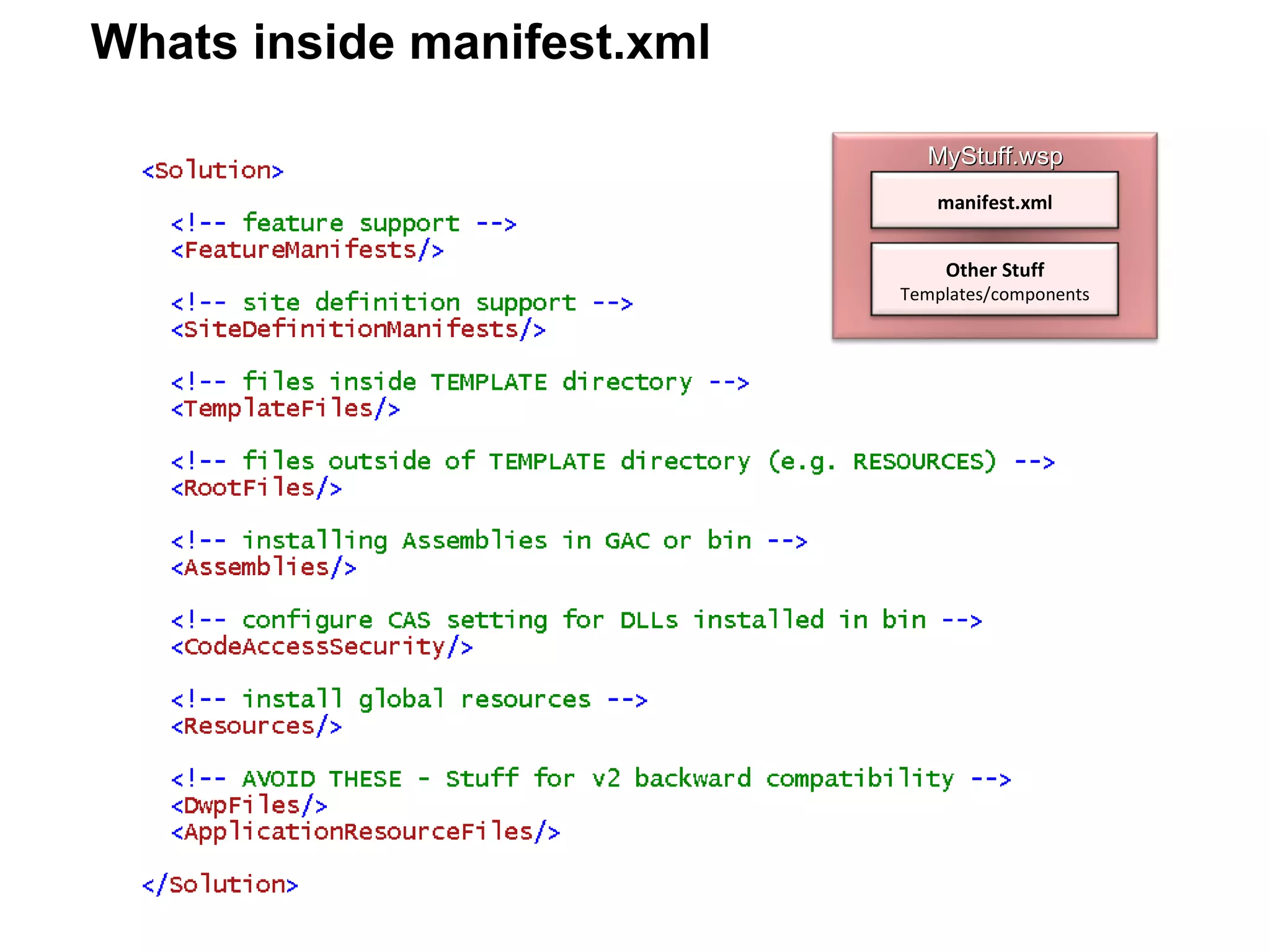
Whats inside manifest.xml MyStuff.wsp manifest.xml Other Stuff Templates/components
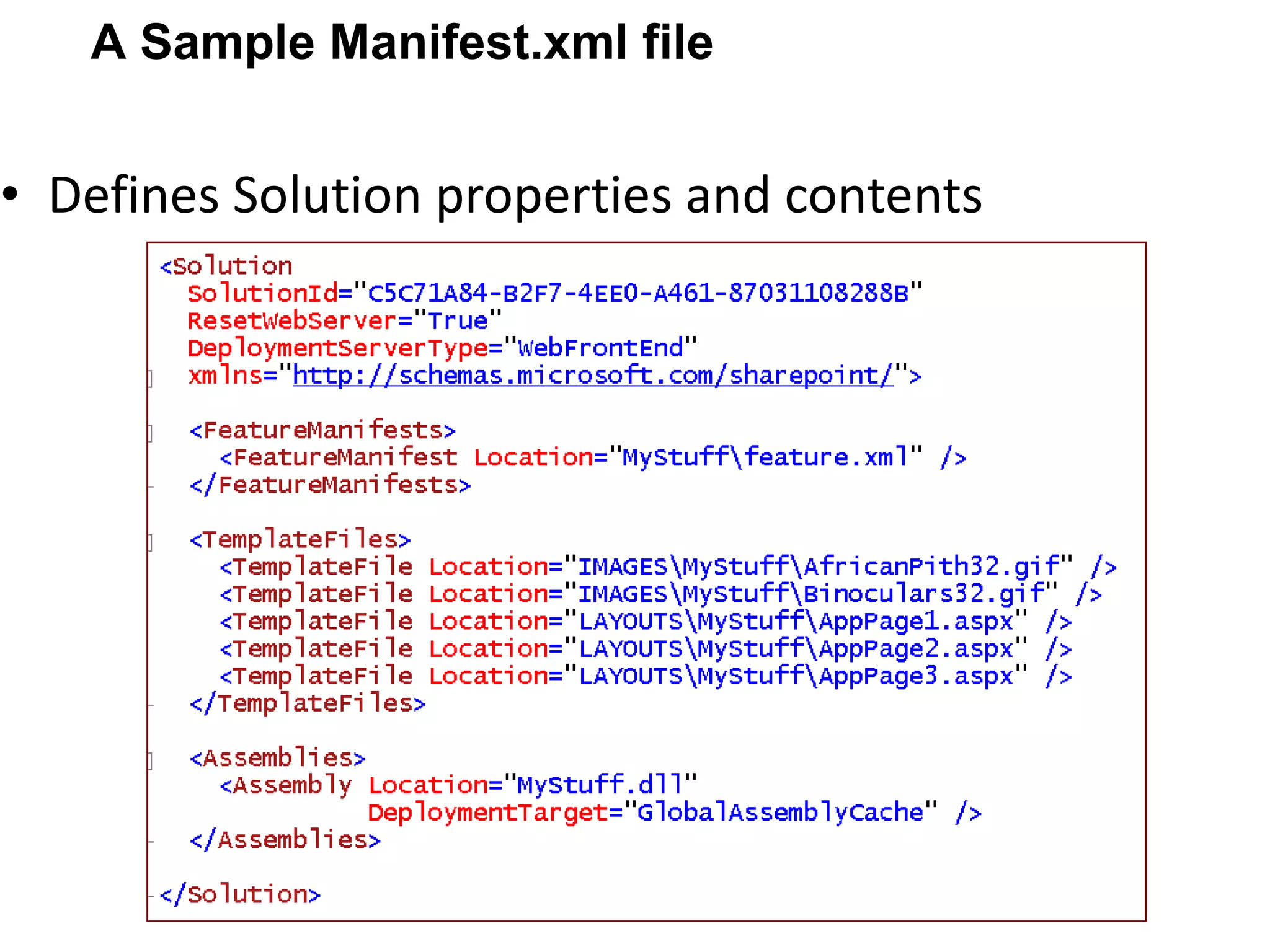
Defines Solution properties and contents A Sample Manifest.xml file
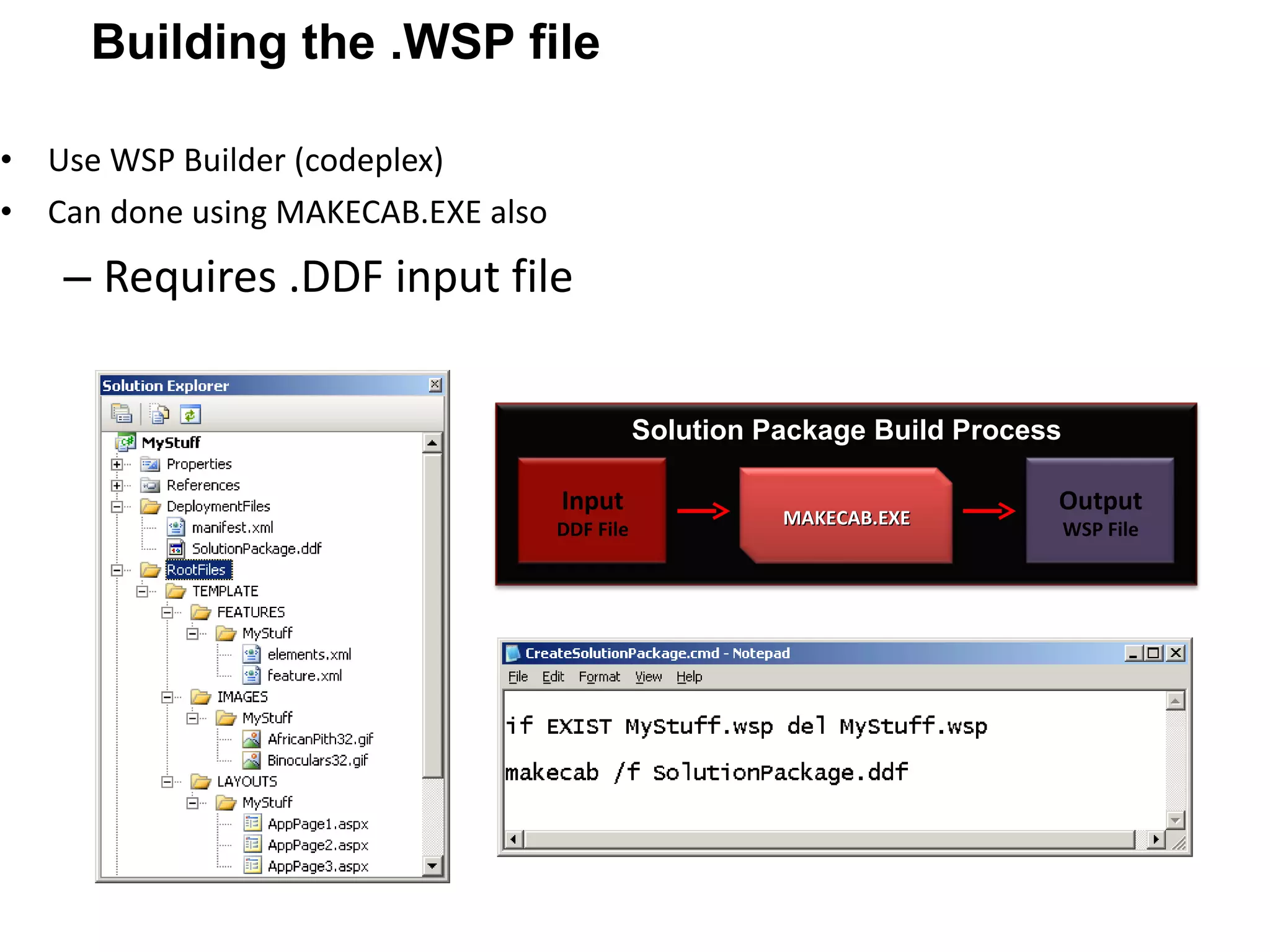
Use WSP Builder (codeplex) Can done using MAKECAB.EXE also Requires .DDF input file Building the .WSP file Solution Package Build Process Input DDF File MAKECAB.EXE Output WSP File
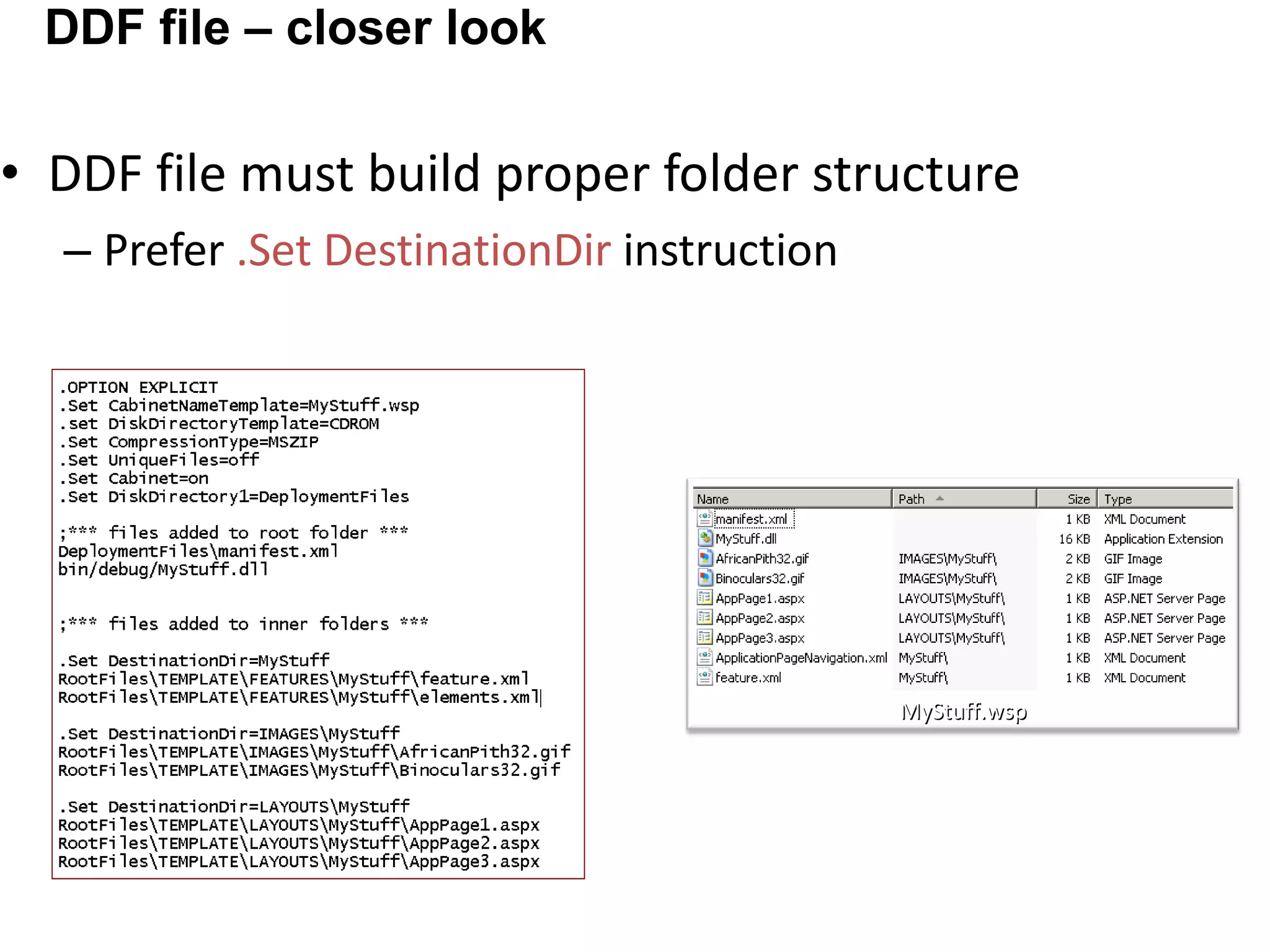
DDF file must build proper folder structure Prefer .Set DestinationDir instruction DDF file – closer look MyStuff.wsp
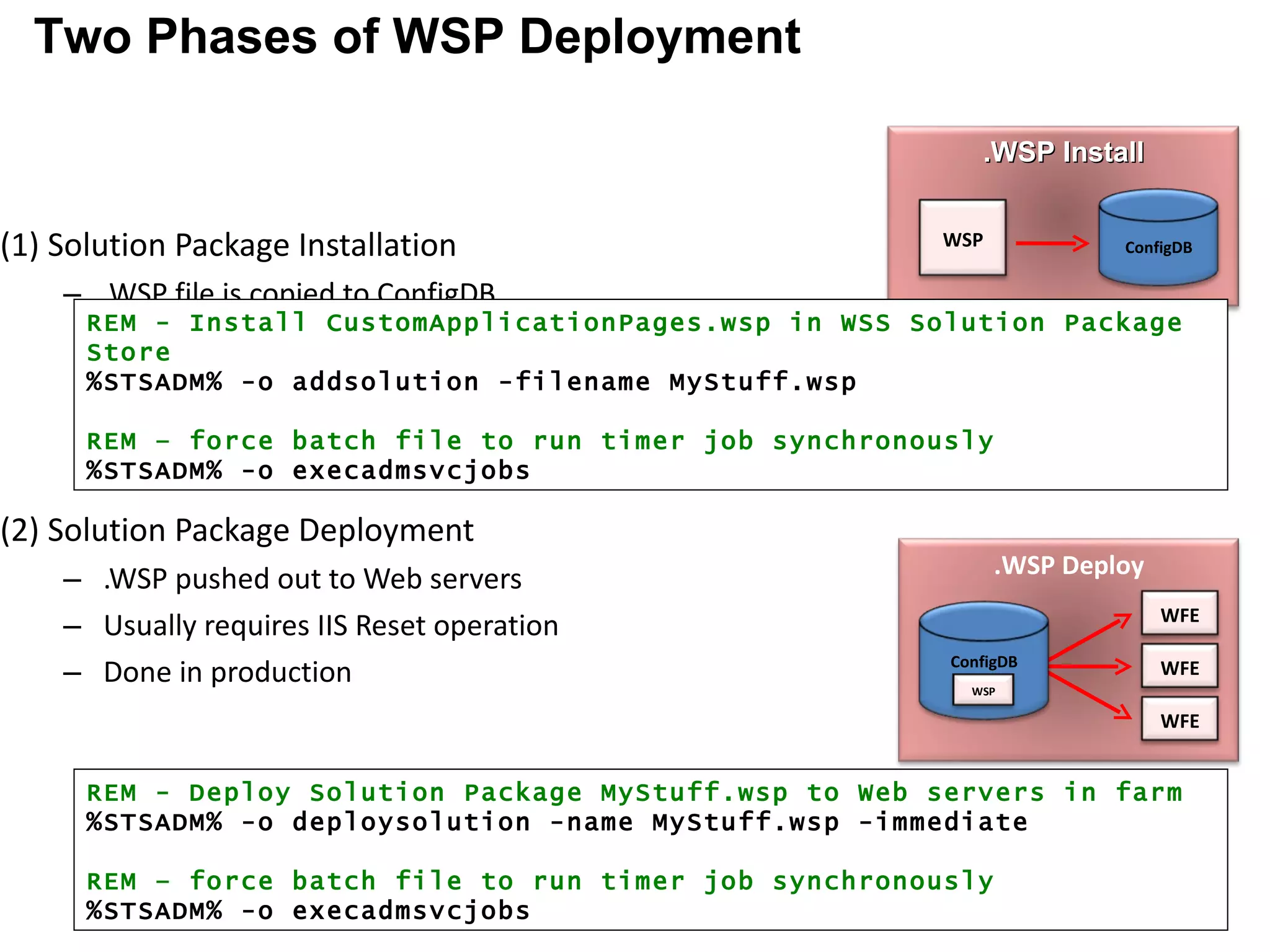
(1) Solution Package Installation .WSP file is copied to ConfigDB (2) Solution Package Deployment .WSP pushed out to Web servers Usually requires IIS Reset operation Done in production farm in off hours REM - Deploy Solution Package MyStuff.wsp to Web servers in farm %STSADM% -o deploysolution -name MyStuff.wsp -immediate REM – force batch file to run timer job synchronously %STSADM% -o execadmsvcjobs REM - Install CustomApplicationPages.wsp in WSS Solution Package Store %STSADM% -o addsolution -filename MyStuff.wsp REM – force batch file to run timer job synchronously %STSADM% -o execadmsvcjobs Two Phases of WSP Deployment .WSP Install WSP ConfigDB .WSP Deploy WFE WFE WFE ConfigDB WSP
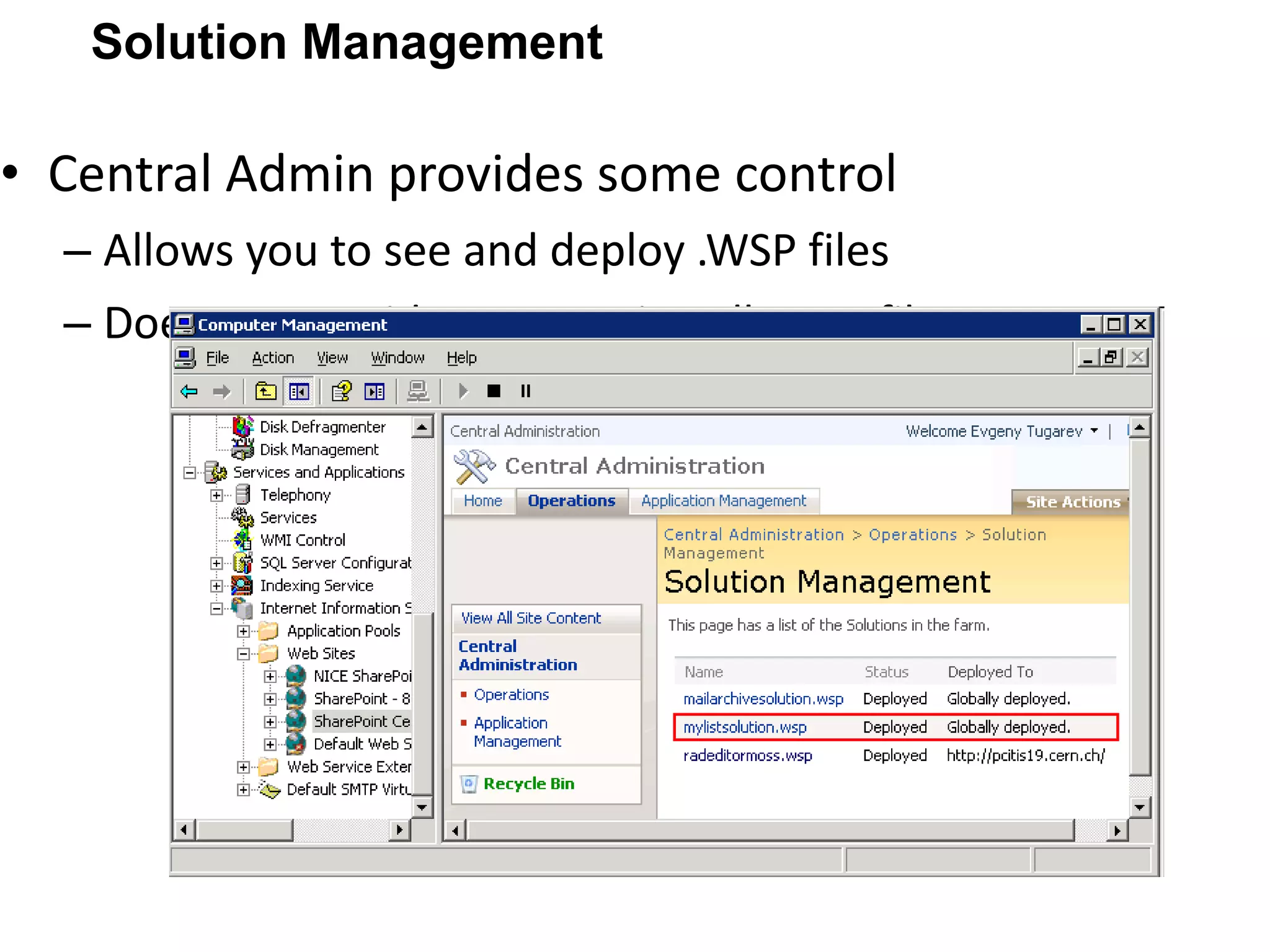
Central Admin provides some control Allows you to see and deploy .WSP files Does not provide a way to install .WSP files Solution Management
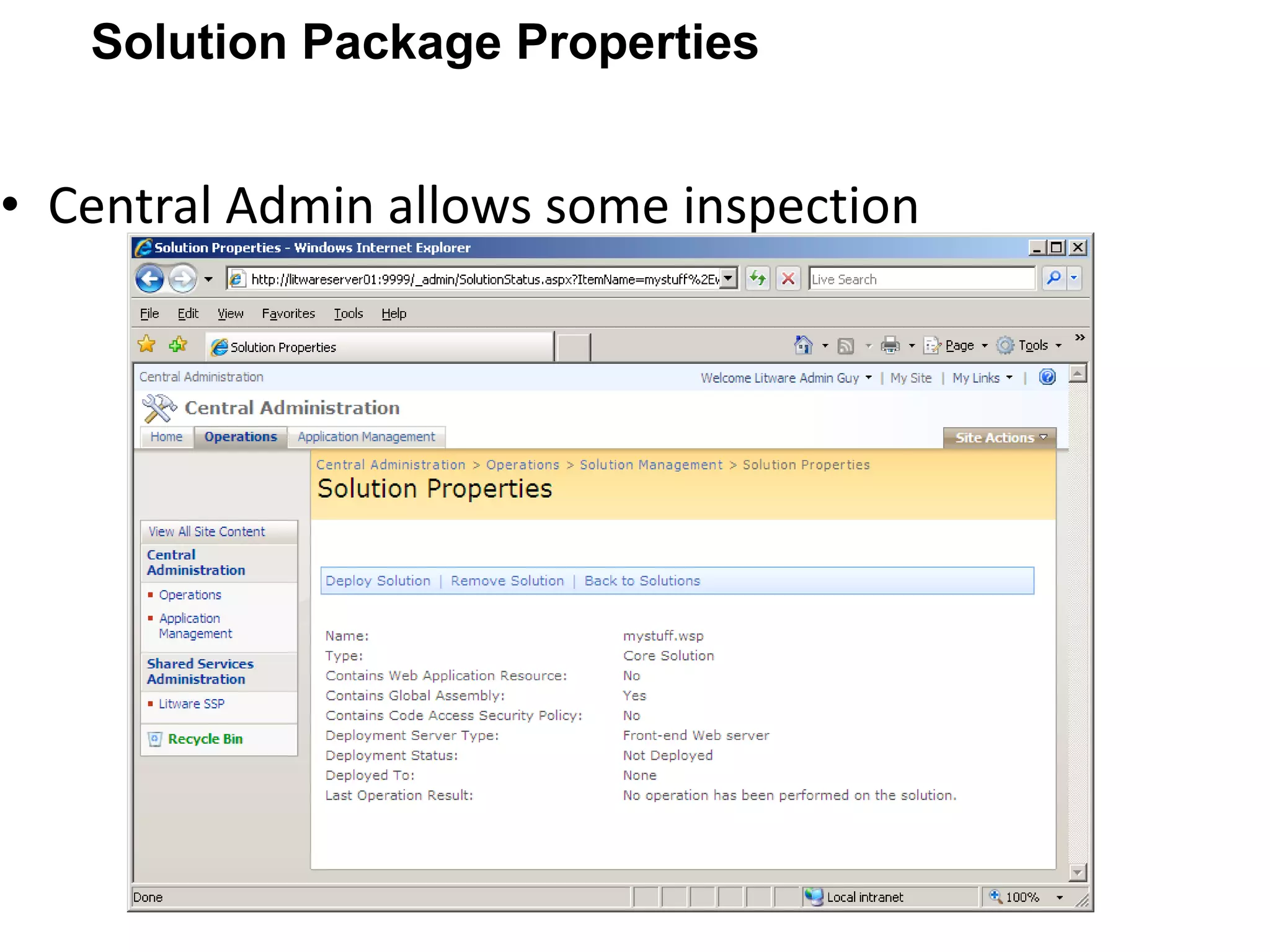
Central Admin allows some inspection Solution Package Properties
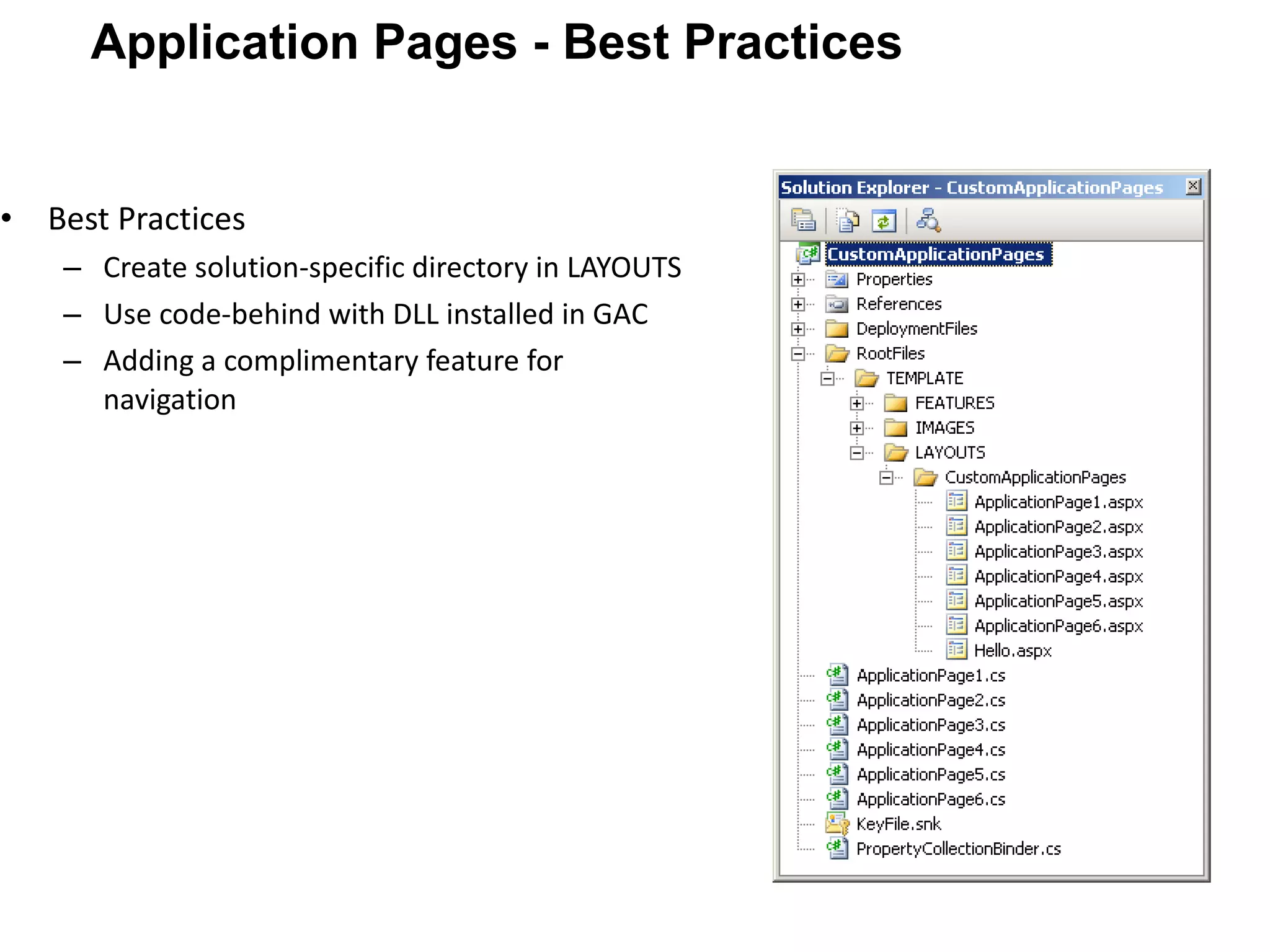
Best Practices Create solution-specific directory in LAYOUTS Use code-behind with DLL installed in GAC Adding a complimentary feature for navigation Application Pages - Best Practices
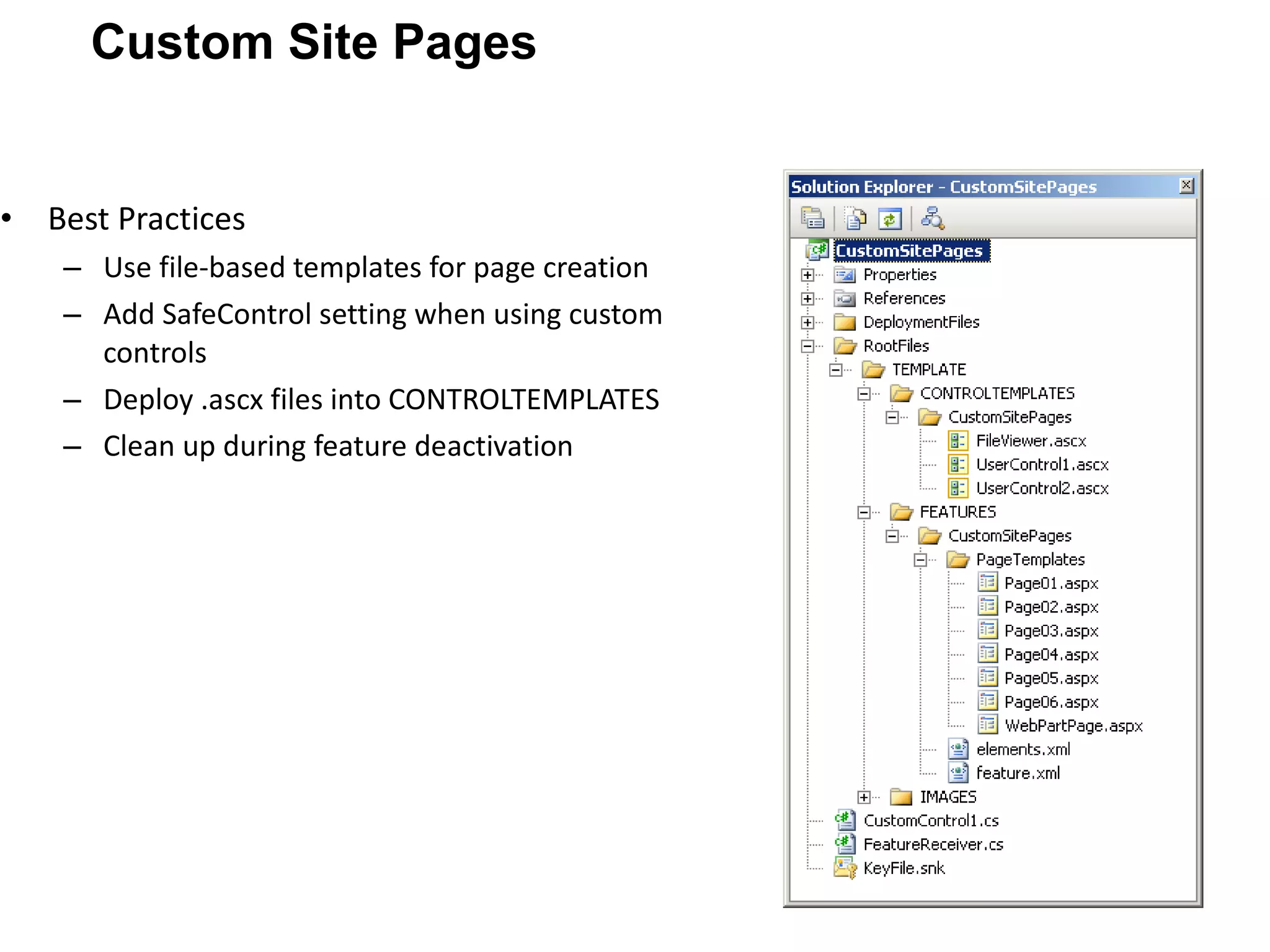
Best Practices Use file-based templates for page creation Add SafeControl setting when using custom controls Deploy .ascx files into CONTROLTEMPLATES Clean up during feature deactivation Custom Site Pages
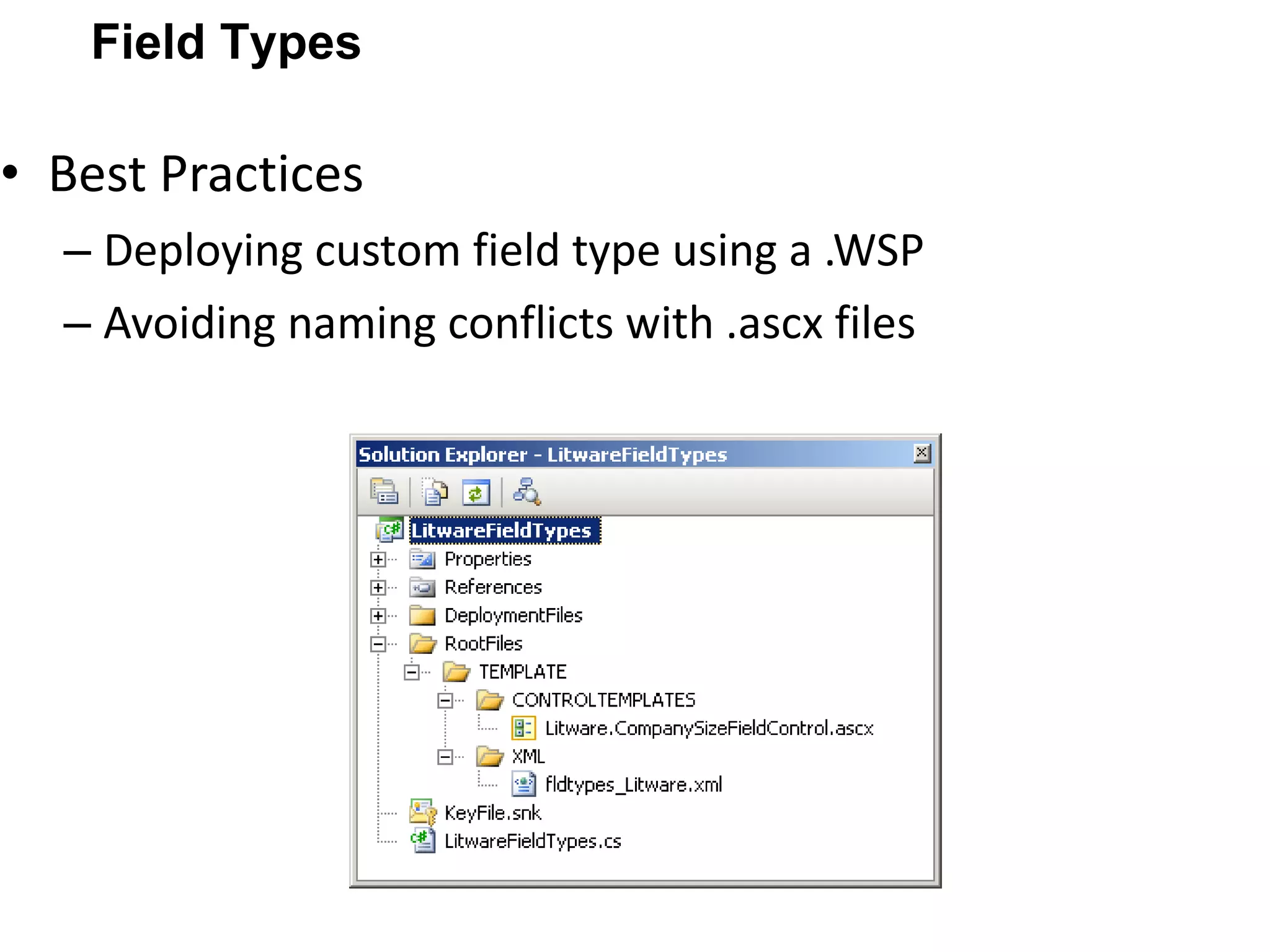
Best Practices Deploying custom field type using a .WSP Avoiding naming conflicts with .ascx files Field Types
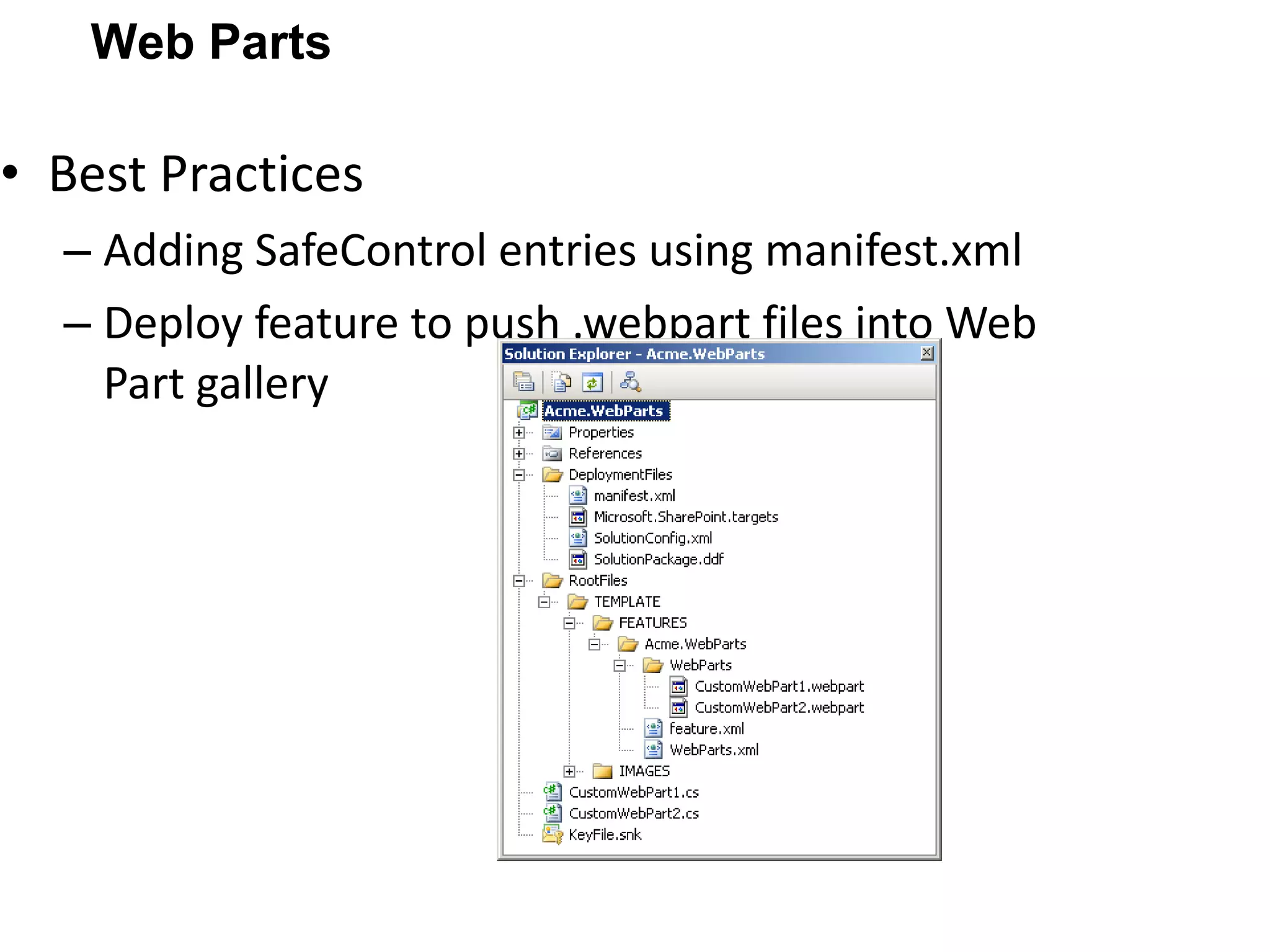
Best Practices Adding SafeControl entries using manifest.xml Deploy feature to push .webpart files into Web Part gallery Web Parts
Web Part inside the WSP Do not use any code in your Web Part Always load an UserControl Use the ControlTemplates folder Put the logic into the control Code and design should be separated Put only properties in your Web Part Two namespaces System.Web.UI.WebControls.WebParts Microsoft.SharePoint.WebParts
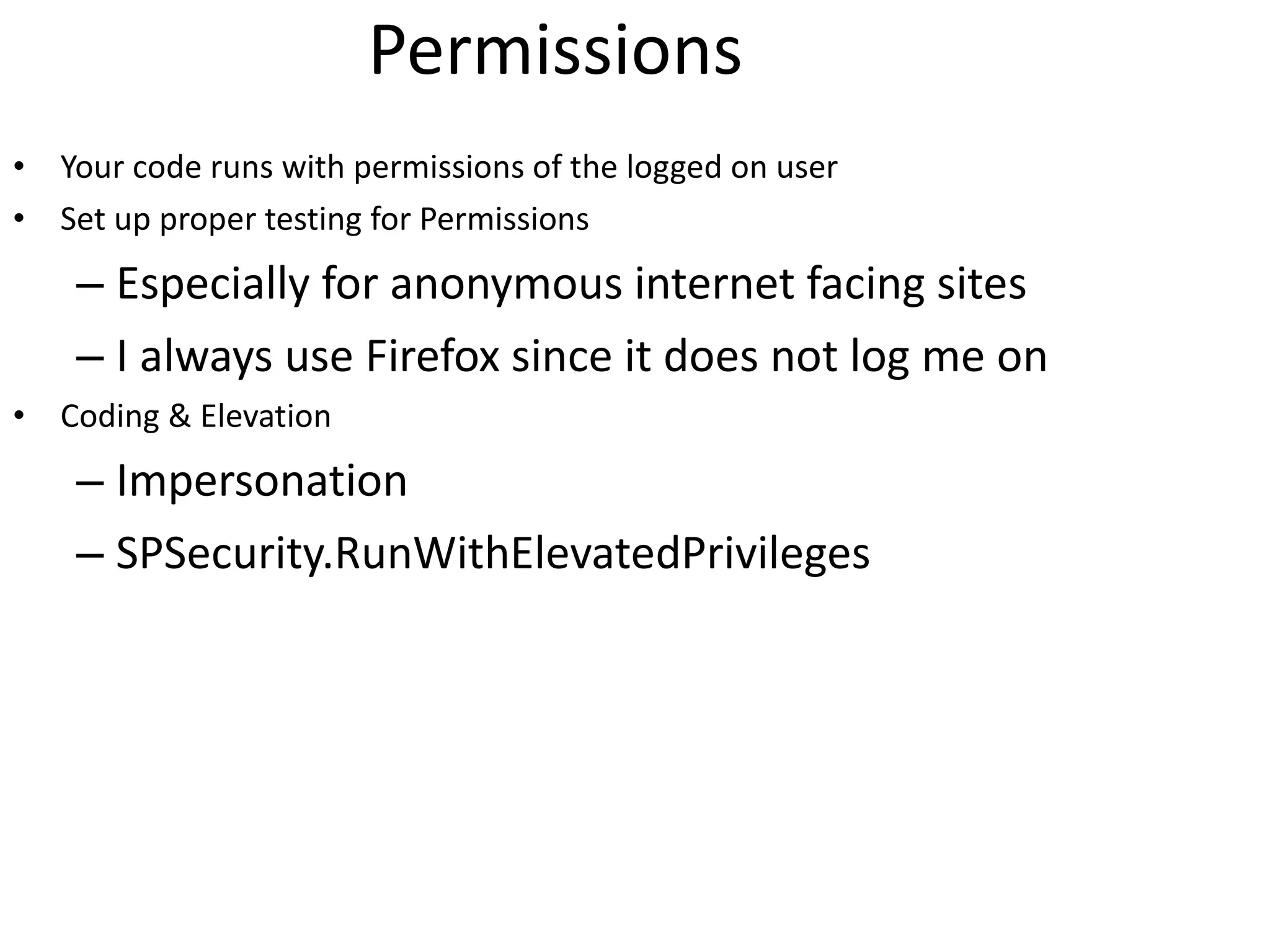
Permissions Your code runs with permissions of the logged on user Set up proper testing for Permissions Especially for anonymous internet facing sites I always use Firefox since it does not log me on Coding & Elevation Impersonation SPSecurity.RunWithElevatedPrivileges
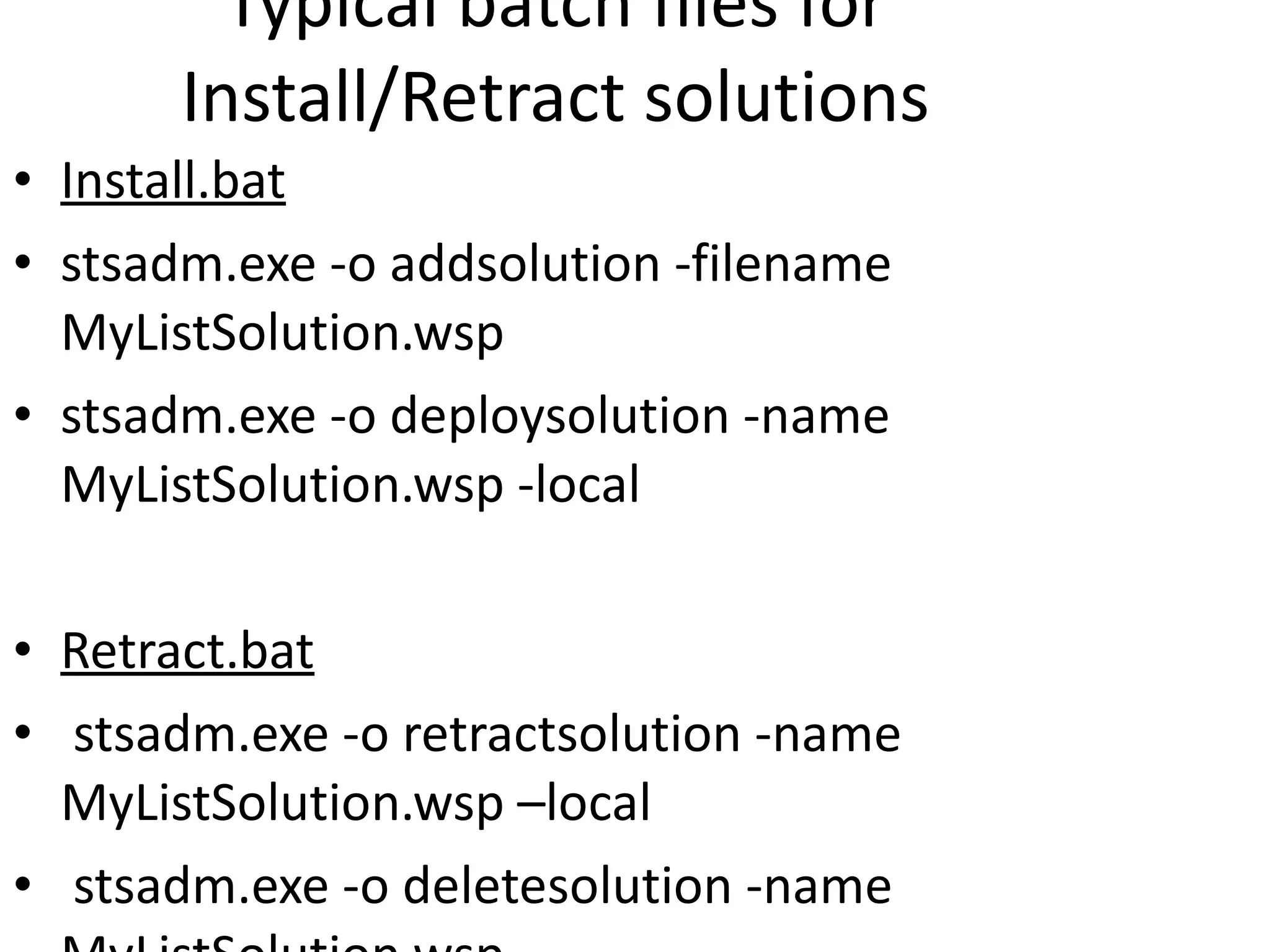
Typical batch files for Install/Retract solutions Install.bat stsadm.exe -o addsolution -filename MyListSolution.wsp stsadm.exe -o deploysolution -name MyListSolution.wsp -local Retract.bat stsadm.exe -o retractsolution -name MyListSolution.wsp –local stsadm.exe -o deletesolution -name MyListSolution.wsp
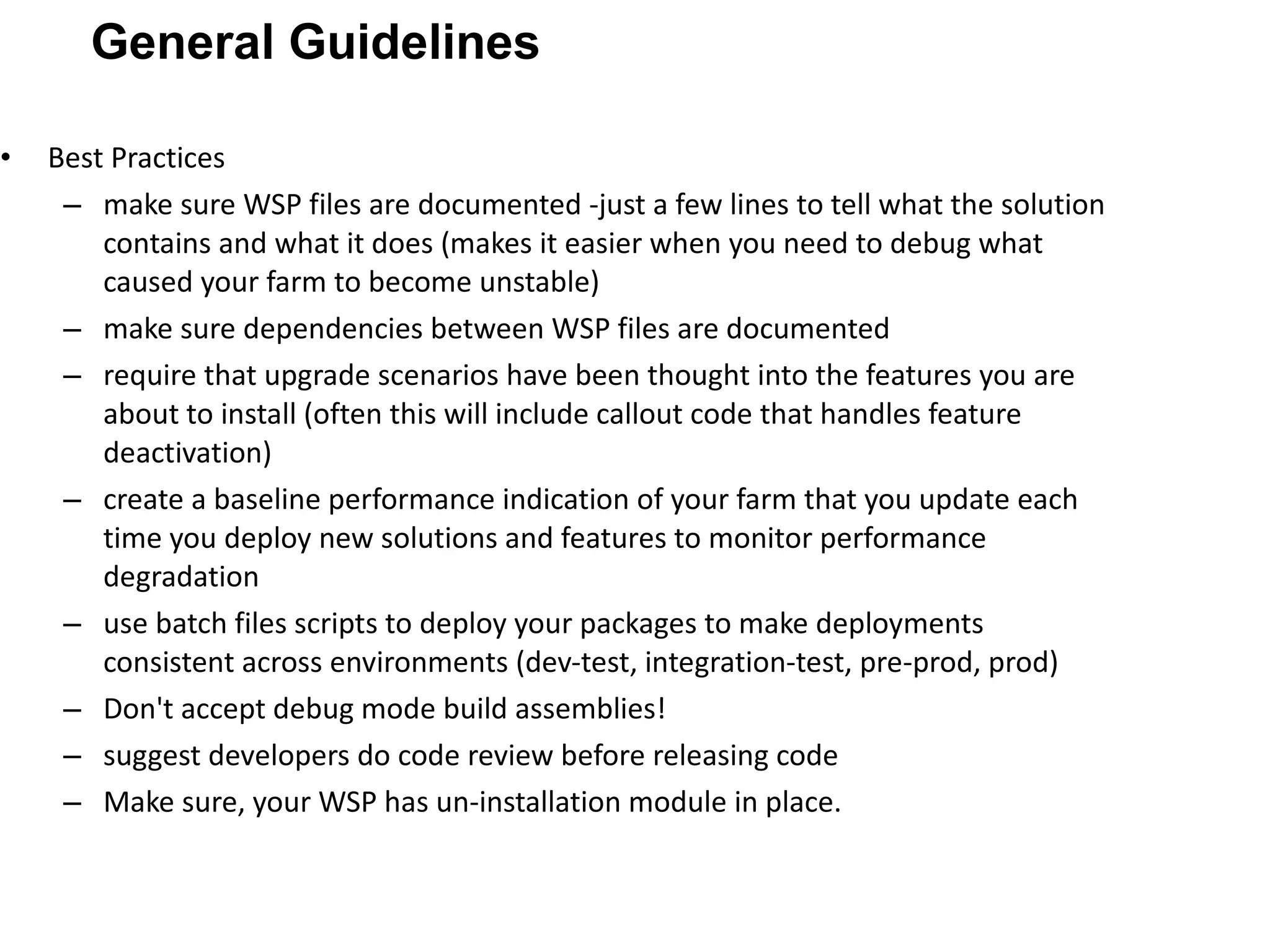
Best Practices make sure WSP files are documented -just a few lines to tell what the solution contains and what it does (makes it easier when you need to debug what caused your farm to become unstable) make sure dependencies between WSP files are documented require that upgrade scenarios have been thought into the features you are about to install (often this will include callout code that handles feature deactivation) create a baseline performance indication of your farm that you update each time you deploy new solutions and features to monitor performance degradation use batch files scripts to deploy your packages to make deployments consistent across environments (dev-test, integration-test, pre-prod, prod) Don't accept debug mode build assemblies! suggest developers do code review before releasing code Make sure, your WSP has un-installation module in place. General Guidelines
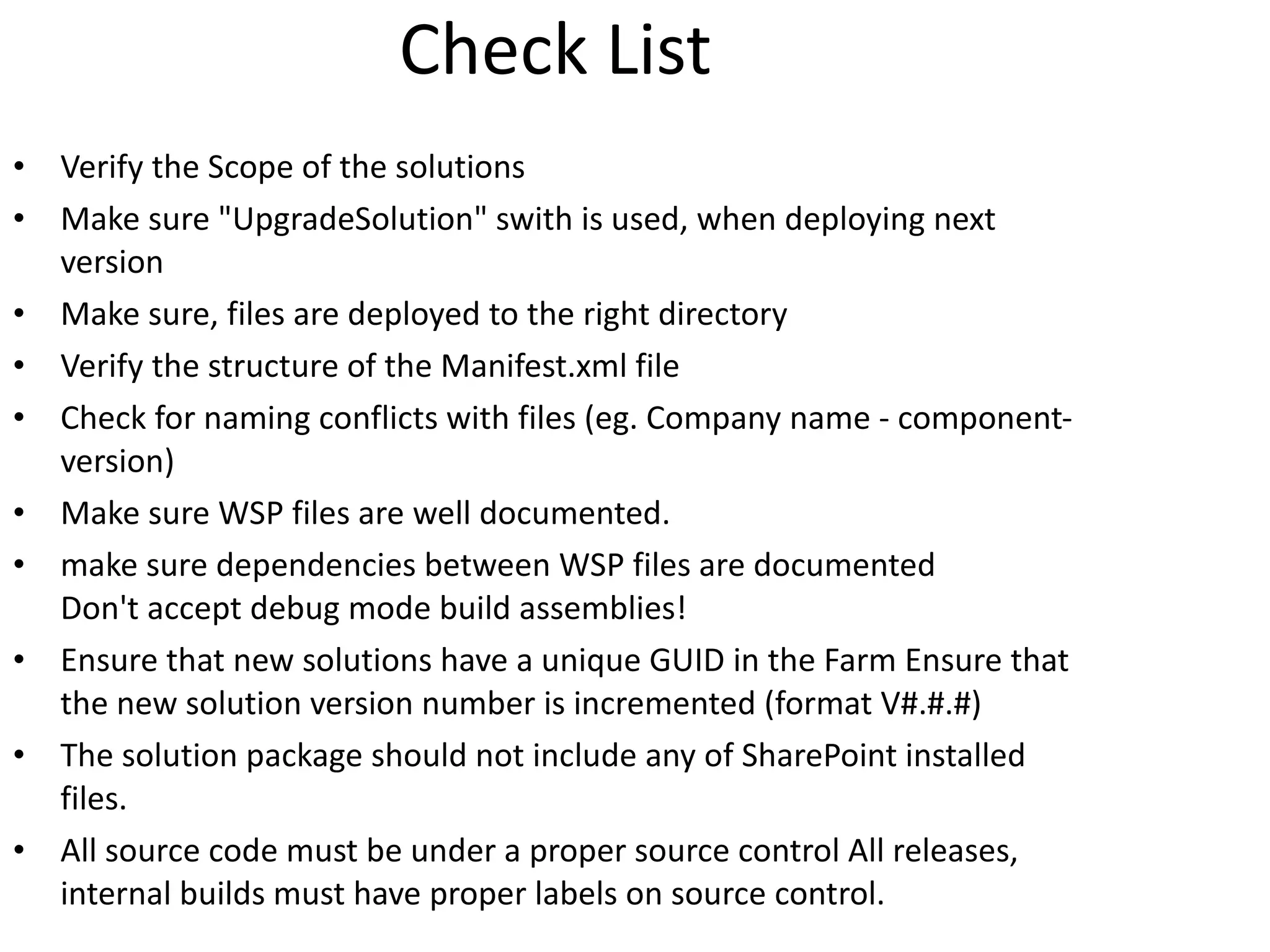
Check List Verify the Scope of the solutions Make sure "UpgradeSolution" swith is used, when deploying next version Make sure, files are deployed to the right directory Verify the structure of the Manifest.xml file Check for naming conflicts with files (eg. Company name - component- version) Make sure WSP files are well documented. make sure dependencies between WSP files are documented Don't accept debug mode build assemblies! Ensure that new solutions have a unique GUID in the Farm Ensure that the new solution version number is incremented (format V#.#.#) The solution package should not include any of SharePoint installed files. All source code must be under a proper source control All releases, internal builds must have proper labels on source control.
Resources Best practices resource center for SharePoint 2007 http://technet.microsoft.com/en-us/office/sharepointserver/bb736746.aspx Patterns and practices SharePoint guidance http://www.codeplex.com/spg Best practices for SharePoint guidance http://msdn.microsoft.com/en-us/library/dd203468.aspx SharePoint Deployment Planning Services https://iwsolve.partners.extranet.microsoft.com/SDPS/ Downloadable book: Design and build sites for Office SharePoint Server 2007 http://go.microsoft.com/fwlink/?LinkId=110087 Other resources such as http://www.codeplex.com / http://www.dutchsug.nl / www.microsoft.com/sharepoint
Shoot your queries to [email_address] Thank You!

Best practices for share point solution deployment

  • 1.
    Salaudeen Rajack [email_address]Best Practices for SharePoint Solution Deployment
  • 2.
    SharePoint Solution PackagesWhat is a solution package? A solution package is a distribution package that delivers your custom SharePoint Server development work to the Web servers or the application servers in your server farm. Use solutions to package and deploy custom Features site definitions, Master Pages Application Pages, Custom Pages, layout pages Templates, Images Web Parts, User Controls Cascading style sheets Event Receivers, Workflow Activities, Workflow Assemblies Global Resources (.resx files) Policies and assemblies. WSP files are just CAB file with .WSP extension. Templates and/or components in an installable unit Package that contains metadata (manifest.xml)
  • 3.
    Master pages, layouts,CSS, images, scripts – Developer Reference Into a library inside your site collection Can be referenced by ~site, ~sitecollection and ~masterpage Only available within the site collection Too many site collection makes it harder to update these files Updatable through the web interface Into the _LAYOUTS folder Can be referenced by path to folder Available for every Sharepoint website in farm One place for easy updating these files Only updatable directly on the server All web applications on the server share this folder
  • 4.
    Site Customizations Changesto one particular site recorded in content DB Done using the browser or the SharePoint Designer Easy to do but hard to reuse Solution Development Creation of reusable templates/components Templates/components installed on Web server Development based on Visual Studio projects Project source files checked into source code control Projects can be moved through staging to production Site customizations Vs Solutions Development
  • 5.
  • 6.
    Tools WSPBuilder CreatesSharePoint Solutions files based on a folder structure Deploy solutions SharePoint Installer Creating user friendly installation and deployments for SharePoint 2007 solutions VSeWSS 1.2 Visual Studio 2008 extensions STSDEV Generate Visual Studio project files and solution files STSADM 184 operations through command line on the web server Custom extensions possible
  • 7.
    Deploying SharePoint SolutionsAdd .WSP to the solution store Via command line using STSADM Via object model Deploy to all or individual Web Applications Via Central Administration (solution mgmt) Via Command-line Via Object Model Front-End Web Servers Stsadm –o addsolution –filename mypackage.wsp Solution Store stsadm -o deploysolution -name mypackage.wsp –local -url IISWebApp
  • 8.
    Retracting SharePoint SolutionsRetracting is removing the solution components from the servers where it was deployed Be aware : Post-retracting actions can be necessary (e.g. Web Parts) Once instances have been created from schemas (e.g. List templates), retracting a solution is not adviced. Leave the solution on the server but hide the Features making the solution components available
  • 9.
    Upgrading Solutions Stsadm–o addsolution –filename mysolution.wsp Deploy Solution Stsadm –o upgradesolution -name mysolution.wsp –filename mysolution.wsp –immediate -allowgacdeployment MySolution.wsp (v 1.0) MySolution.wsp (v 2.0) MySolution.wsp SolutionID must be the same!
  • 10.
    Feature-based Components CustomApplication Page Site Page Templates Master Pages Web Parts Site Columns and Content Types Custom List and Document Library Definitions List-based Event Handlers Custom Workflows Components creating without using features Custom Field Types Site Definitions WSS Component Development
  • 11.
    Features A buildingblock for creating SharePoint solutions A unit of design, implementation and deployment Features can contain elements e.g. menu items, links, list types and list instances Features can contain event handlers You can add any code which used WSS object model Features can depend on other Features Features can be stapled
  • 12.
    Solution deployment “Featurize” your custom development Any SharePoint element Changes in your web.config Copying files to specific web folders Deploy features and other assets by WSP Solution package Your development machine does not go into production Use a buildserver Always test with different set of browsers (level 1 and level 2) Watch out for rights
  • 13.
    This is wheremany of your development files need to be deployed Most files go into templates directory The Root files directory: Web Service files GLOBAL .RESX files Application Pages User Controls Features Field*.xml files Site Definitions Images Admin Pages
  • 14.
    Whats inside manifest.xmlMyStuff.wsp manifest.xml Other Stuff Templates/components
  • 15.
    Defines Solution propertiesand contents A Sample Manifest.xml file
  • 16.
    Use WSP Builder(codeplex) Can done using MAKECAB.EXE also Requires .DDF input file Building the .WSP file Solution Package Build Process Input DDF File MAKECAB.EXE Output WSP File
  • 17.
    DDF file mustbuild proper folder structure Prefer .Set DestinationDir instruction DDF file – closer look MyStuff.wsp
  • 18.
    (1) Solution PackageInstallation .WSP file is copied to ConfigDB (2) Solution Package Deployment .WSP pushed out to Web servers Usually requires IIS Reset operation Done in production farm in off hours REM - Deploy Solution Package MyStuff.wsp to Web servers in farm %STSADM% -o deploysolution -name MyStuff.wsp -immediate REM – force batch file to run timer job synchronously %STSADM% -o execadmsvcjobs REM - Install CustomApplicationPages.wsp in WSS Solution Package Store %STSADM% -o addsolution -filename MyStuff.wsp REM – force batch file to run timer job synchronously %STSADM% -o execadmsvcjobs Two Phases of WSP Deployment .WSP Install WSP ConfigDB .WSP Deploy WFE WFE WFE ConfigDB WSP
  • 19.
    Central Admin providessome control Allows you to see and deploy .WSP files Does not provide a way to install .WSP files Solution Management
  • 20.
    Central Admin allowssome inspection Solution Package Properties
  • 21.
    Best Practices Createsolution-specific directory in LAYOUTS Use code-behind with DLL installed in GAC Adding a complimentary feature for navigation Application Pages - Best Practices
  • 22.
    Best Practices Usefile-based templates for page creation Add SafeControl setting when using custom controls Deploy .ascx files into CONTROLTEMPLATES Clean up during feature deactivation Custom Site Pages
  • 23.
    Best Practices Deployingcustom field type using a .WSP Avoiding naming conflicts with .ascx files Field Types
  • 24.
    Best Practices AddingSafeControl entries using manifest.xml Deploy feature to push .webpart files into Web Part gallery Web Parts
  • 25.
    Web Part insidethe WSP Do not use any code in your Web Part Always load an UserControl Use the ControlTemplates folder Put the logic into the control Code and design should be separated Put only properties in your Web Part Two namespaces System.Web.UI.WebControls.WebParts Microsoft.SharePoint.WebParts
  • 26.
    Permissions Your coderuns with permissions of the logged on user Set up proper testing for Permissions Especially for anonymous internet facing sites I always use Firefox since it does not log me on Coding & Elevation Impersonation SPSecurity.RunWithElevatedPrivileges
  • 27.
    Typical batch filesfor Install/Retract solutions Install.bat stsadm.exe -o addsolution -filename MyListSolution.wsp stsadm.exe -o deploysolution -name MyListSolution.wsp -local Retract.bat stsadm.exe -o retractsolution -name MyListSolution.wsp –local stsadm.exe -o deletesolution -name MyListSolution.wsp
  • 28.
    Best Practices makesure WSP files are documented -just a few lines to tell what the solution contains and what it does (makes it easier when you need to debug what caused your farm to become unstable) make sure dependencies between WSP files are documented require that upgrade scenarios have been thought into the features you are about to install (often this will include callout code that handles feature deactivation) create a baseline performance indication of your farm that you update each time you deploy new solutions and features to monitor performance degradation use batch files scripts to deploy your packages to make deployments consistent across environments (dev-test, integration-test, pre-prod, prod) Don't accept debug mode build assemblies! suggest developers do code review before releasing code Make sure, your WSP has un-installation module in place. General Guidelines
  • 29.
    Check List Verifythe Scope of the solutions Make sure "UpgradeSolution" swith is used, when deploying next version Make sure, files are deployed to the right directory Verify the structure of the Manifest.xml file Check for naming conflicts with files (eg. Company name - component- version) Make sure WSP files are well documented. make sure dependencies between WSP files are documented Don't accept debug mode build assemblies! Ensure that new solutions have a unique GUID in the Farm Ensure that the new solution version number is incremented (format V#.#.#) The solution package should not include any of SharePoint installed files. All source code must be under a proper source control All releases, internal builds must have proper labels on source control.
  • 30.
    Resources Best practicesresource center for SharePoint 2007 http://technet.microsoft.com/en-us/office/sharepointserver/bb736746.aspx Patterns and practices SharePoint guidance http://www.codeplex.com/spg Best practices for SharePoint guidance http://msdn.microsoft.com/en-us/library/dd203468.aspx SharePoint Deployment Planning Services https://iwsolve.partners.extranet.microsoft.com/SDPS/ Downloadable book: Design and build sites for Office SharePoint Server 2007 http://go.microsoft.com/fwlink/?LinkId=110087 Other resources such as http://www.codeplex.com / http://www.dutchsug.nl / www.microsoft.com/sharepoint
  • 31.
    Shoot your queriesto [email_address] Thank You!

Editor's Notes

  • #4 http://msdn.microsoft.com/en-us/library/ms476046.aspx
  • #5 SharePoint Customizations Versus Development
  • #7 STSDEV is a proof-of-concept utility application which demonstrates how to generate Visual Studio project files and solution files to facilitate the development and deployment of templates and components for the SharePoint 2007 platform including Windows SharePoint Services 3.0 (WSS) and Microsoft Office SharePoint Server 2007 (MOSS). Note that the current version of the stsdev utility only supports creating projects with the C# programming language. Main strongpoint: relies on build targets not on projecttype (WSP builder and VSeWSS introduce a projecttype). Main weakness: only one dll per solution. SharePoint Installer This project is a Windows application for an eased and more user friendly installation and deployment of SharePoint 2007 solution files to a SharePoint server farm. Distribute your SharePoint solution files with this installation program instead of a raw script using STSADM.EXE to install and deploy the solution. WSP Builder The WSPbuilder is a console application that creates SharePoint Solutions files based on a folder structure. WSPBuilder will automatically traverse a "12" folder structure and creates a SharePoint solution manifest.xml and the wsp file based on the files it finds. Therefore you do not need the knowledge of how to create a solution manifest.xml and wsp file any more. VSeWSS 1.2 Windows SharePoint Services 3.0 Tools: Visual Studio 2008 Extensions STSADM http://blogs.msdn.com/ronalus/archive/2007/01/04/stsadmwin-has-an-2007-version.aspx Gary Lapointe STSADM http://stsadm.blogspot.com/ SPOperation namespace, place dll in the GAC
  • #26 The set of features provided exclusively by Microsoft.SharePoint.WebPartPages.WebPart is as follows: Cross page connections Connections between Web Parts that are outside of a zone Client-side connections (Web Part Page Services Component) Data caching infrastructure, including the ability to cache to the database