The document provides an overview of basic internet and web concepts, including: 1) It describes the evolution of the Internet from ARPANET in 1969 to becoming commercially available in 1991 and the development of the World Wide Web in the 1990s. 2) It explains the importance of web standards set by the W3C to ensure compatibility across browsers and devices. 3) It defines key internet technologies like HTTP, IP addressing, domains, and the client-server model that underlies web browsing.
Learning Outcomes Describethe evolution of the Internet and the Web Explain the need for web standards Describe universal design Identify benefits of accessible web design Describe the purpose of web browsers and web servers Identify Internet protocols Define URIs and domain names Describe XHTML and HTML Create your first web page Use the body, head, title and meta elements Name, save, and test a web page 2
3.
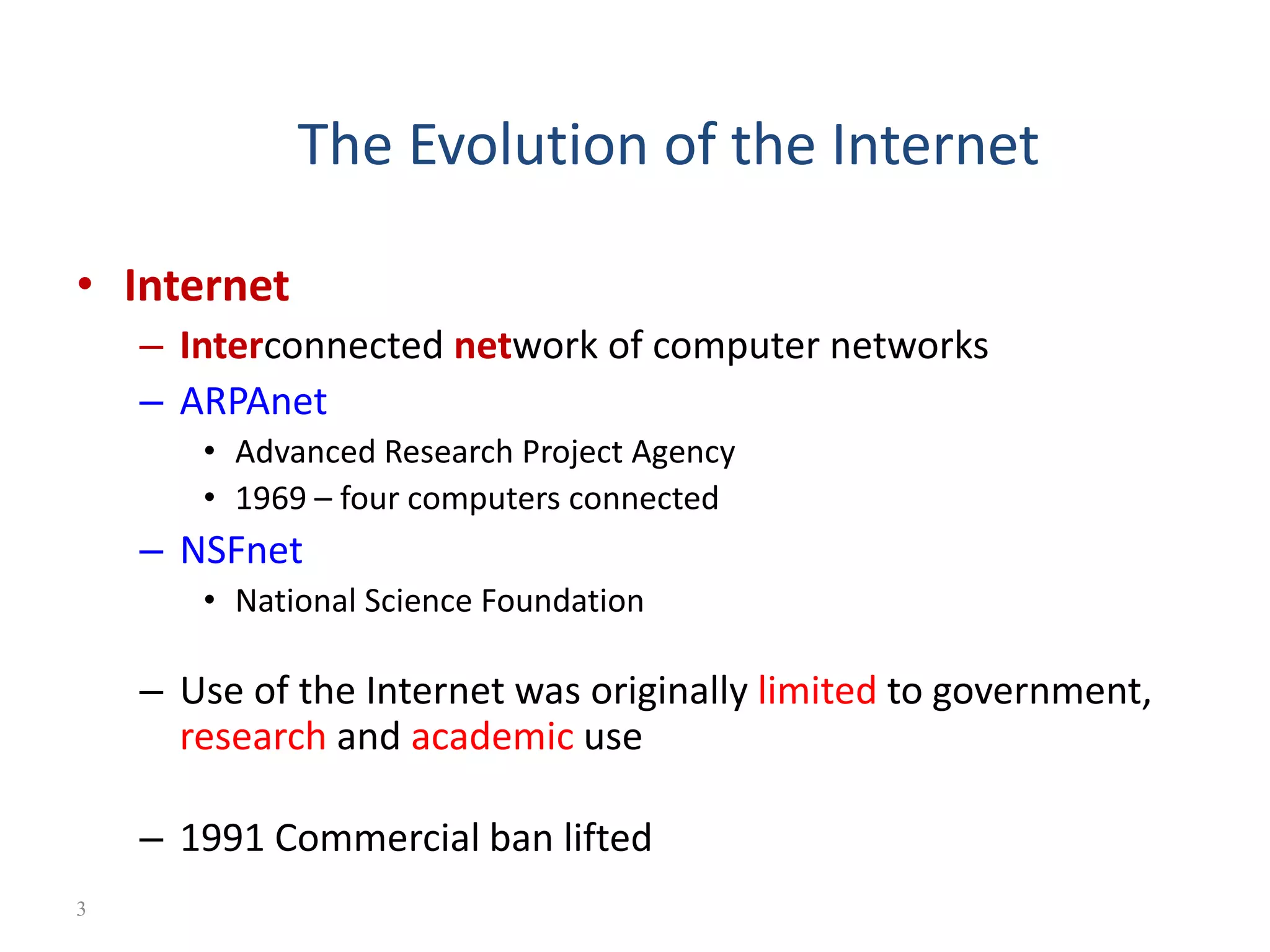
The Evolution ofthe Internet • Internet – Interconnected network of computer networks – ARPAnet • Advanced Research Project Agency • 1969 – four computers connected – NSFnet • National Science Foundation – Use of the Internet was originally limited to government, research and academic use – 1991 Commercial ban lifted 3
4.
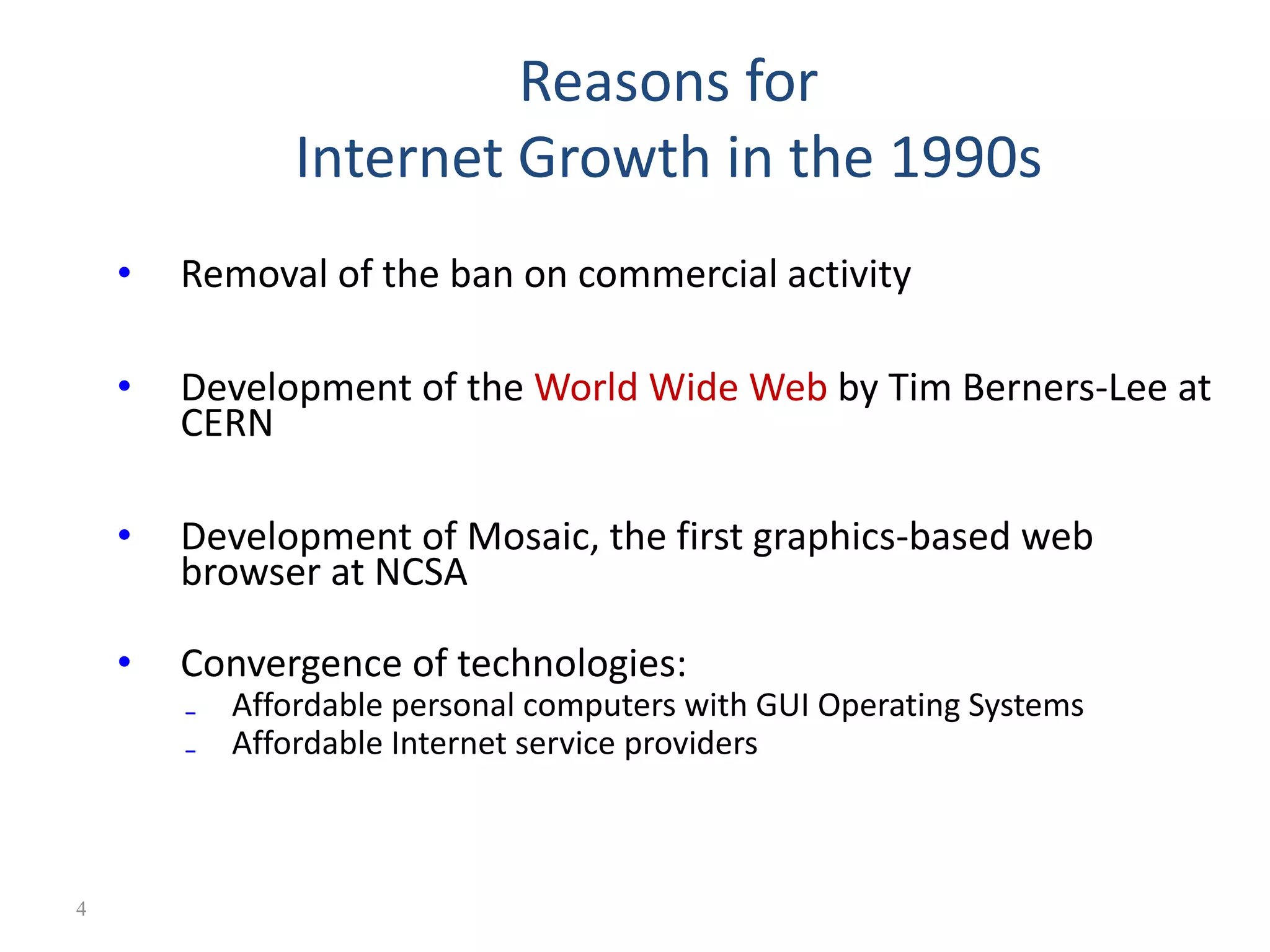
Reasons for Internet Growthin the 1990s • Removal of the ban on commercial activity • Development of the World Wide Web by Tim Berners-Lee at CERN • Development of Mosaic, the first graphics-based web browser at NCSA • Convergence of technologies: ₋ Affordable personal computers with GUI Operating Systems ₋ Affordable Internet service providers 4
5.
Web Standards and theW3C Consortium W3C – World Wide Web Consortium Develops recommendations and prototype technologies related to the Web Produces specifications, called Recommendations, in an effort to standardize web technologies WAI – Web Accessibility Initiative 5
6.
Web Accessibility “The powerof the Web is in its universality. Access by everyone regardless of disability is an essential aspect.” – Tim Berners-Lee Accessible Websites provide accommodations that help individuals to individuals with visual, auditory, physical, and neurological disabilities overcome barriers 6
Internet, Packets andRouting • Internet is a network of computer networks • Data is transmitted by packet switching using the standard Internet Protocol (IP) • Packet – a unit of information carriage • Packet switching – process of moving packets from one node (computer device) to another 8
9.
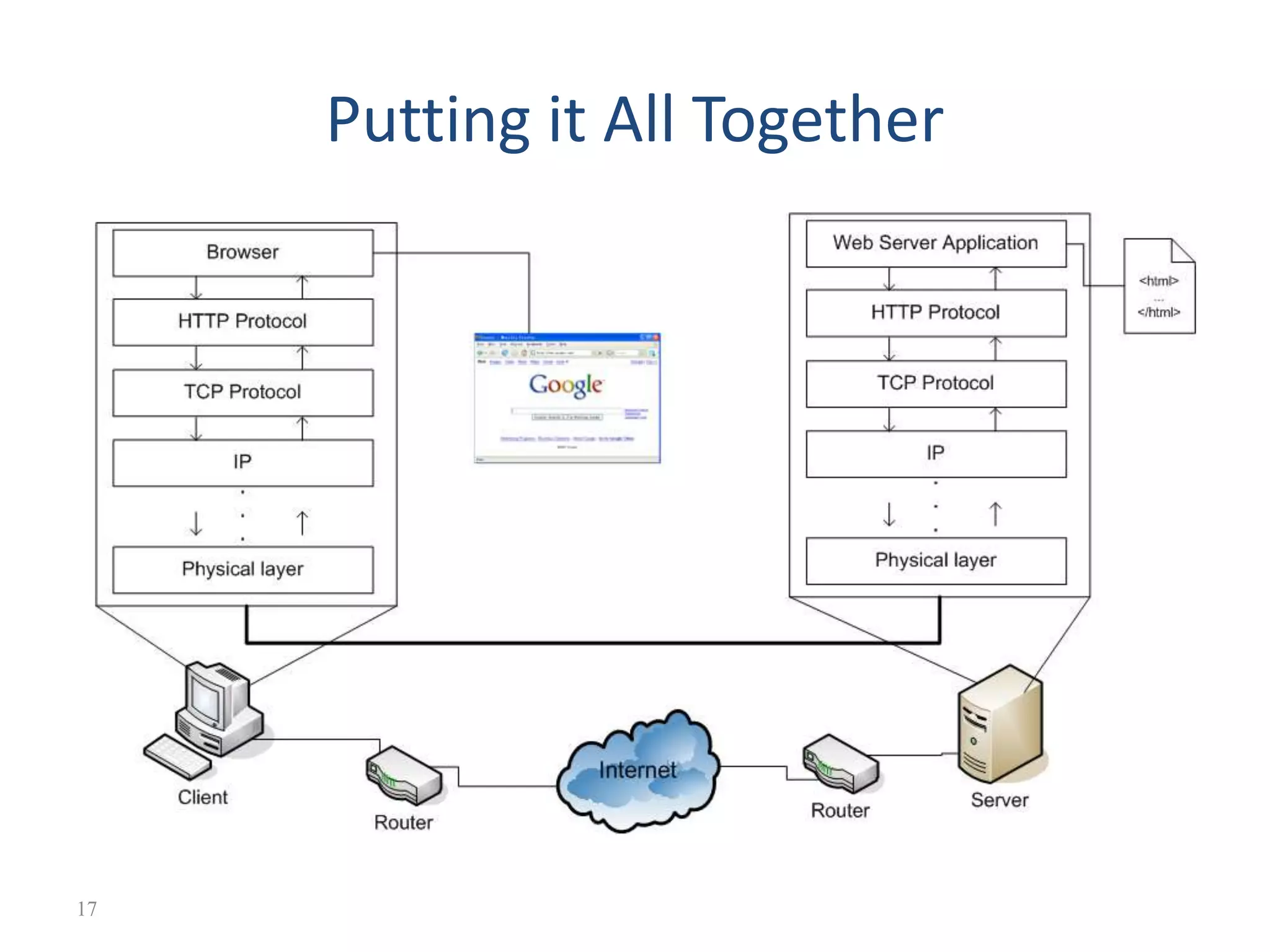
Internet, Packets andRouting • At the sender, data is broken into packets and sent to the nearest node (router) • At each router, it sends the packet to another router that is closer to the final destination • At the receiver, packets are reassembled to get the original data • A simple analogy: mailing system 9
10.
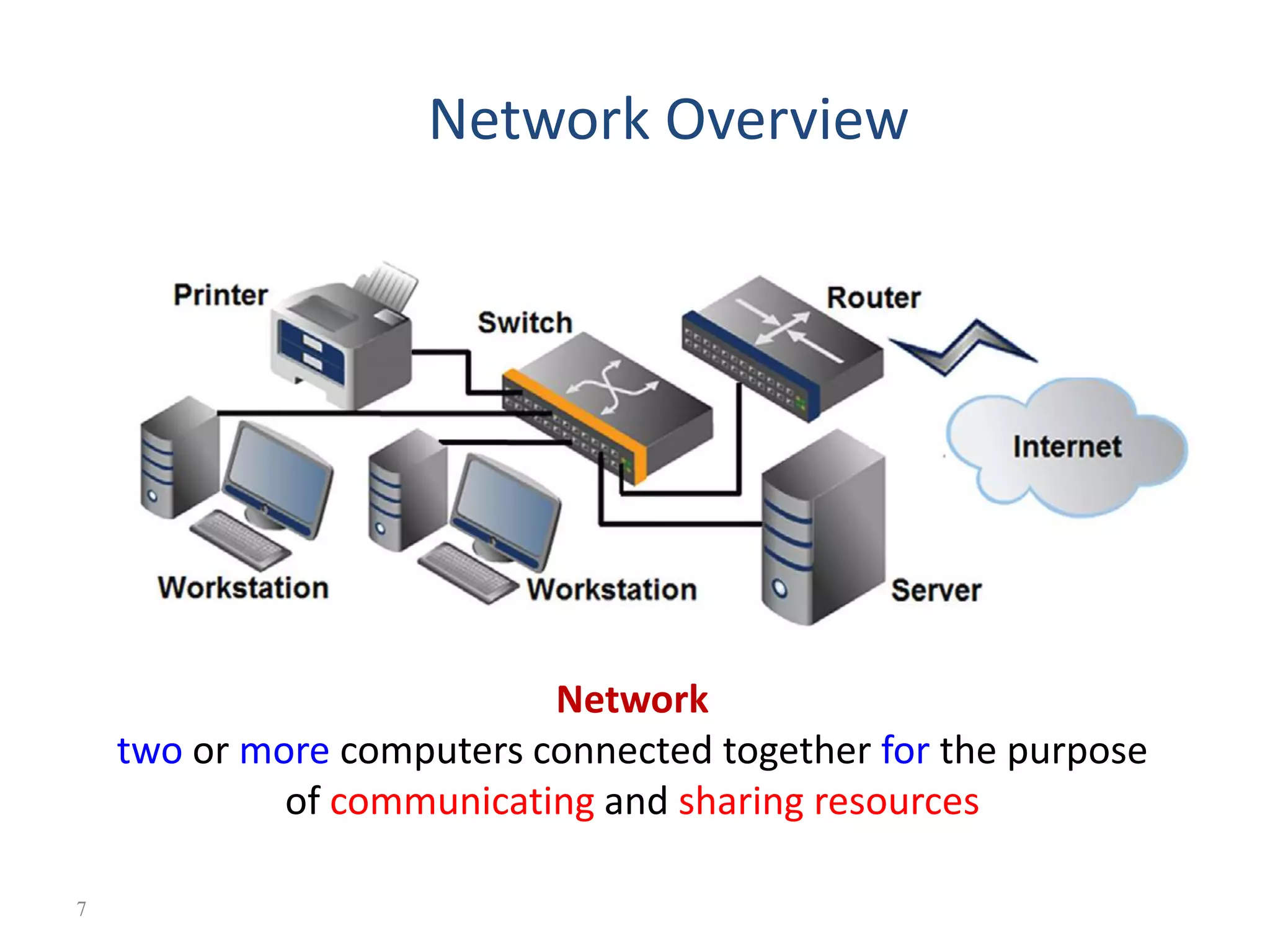
Internet v.s. Web •The Internet a inter-connected computer networks, linked by wires, cables, wireless connections, etc. • Web a collection of interconnected documents and other resources. • The world wide web (WWW) is accessible via the Internet, as are many other services including email, file sharing, etc. 10
11.
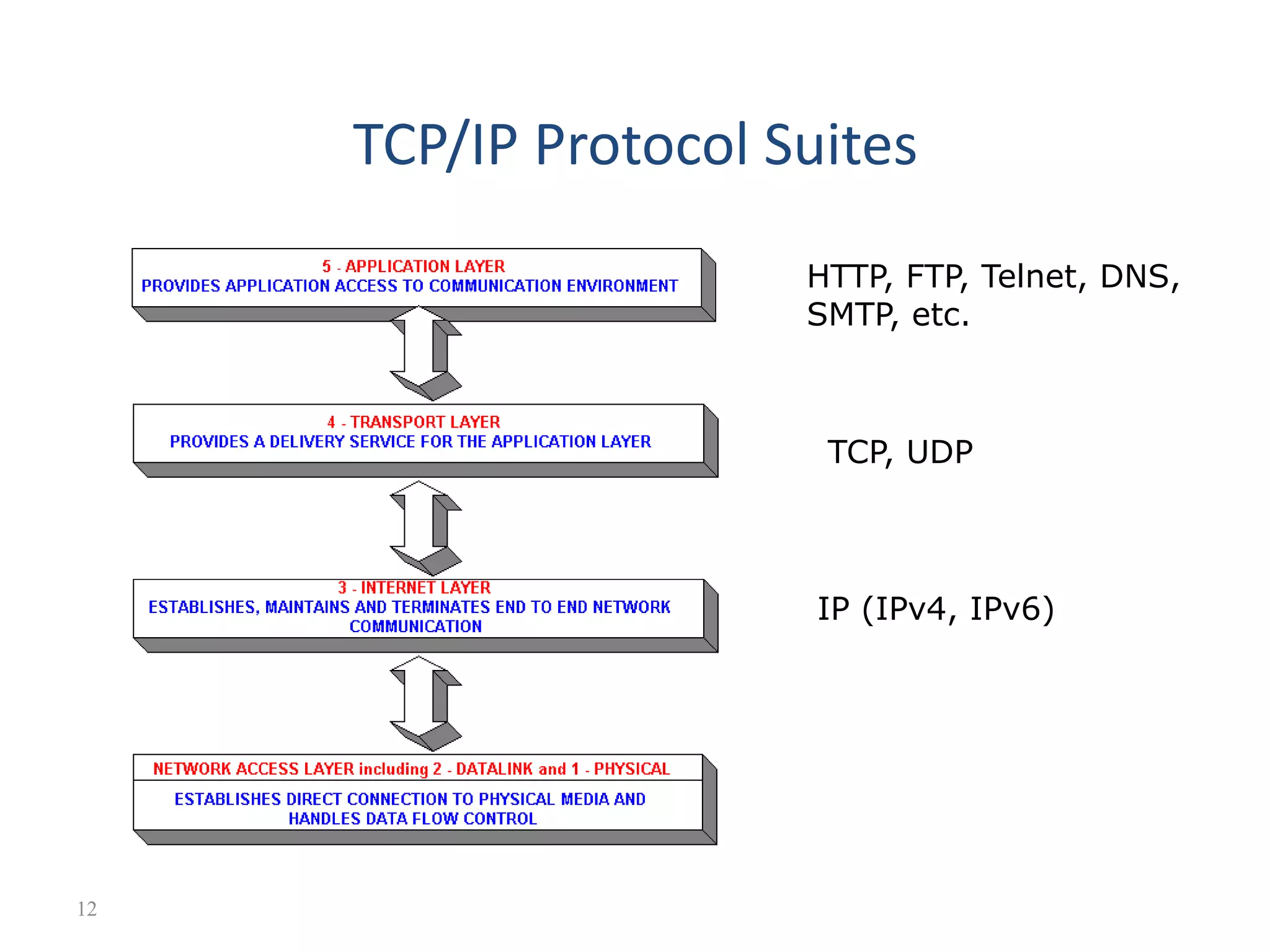
How does theInternet Work? • Through • communication protocols set of Rules that describe the methods used for clients and servers to communicate with each other over a network. – IP (Internet Protocol) – TCP (Transmission Control Protocol) – UDP (User Datagram Protocol) – DNS (Domain Name Service), – SMTP (Simple Mail Transmission Protocol) – FTP (File Transmission Protocol) 11
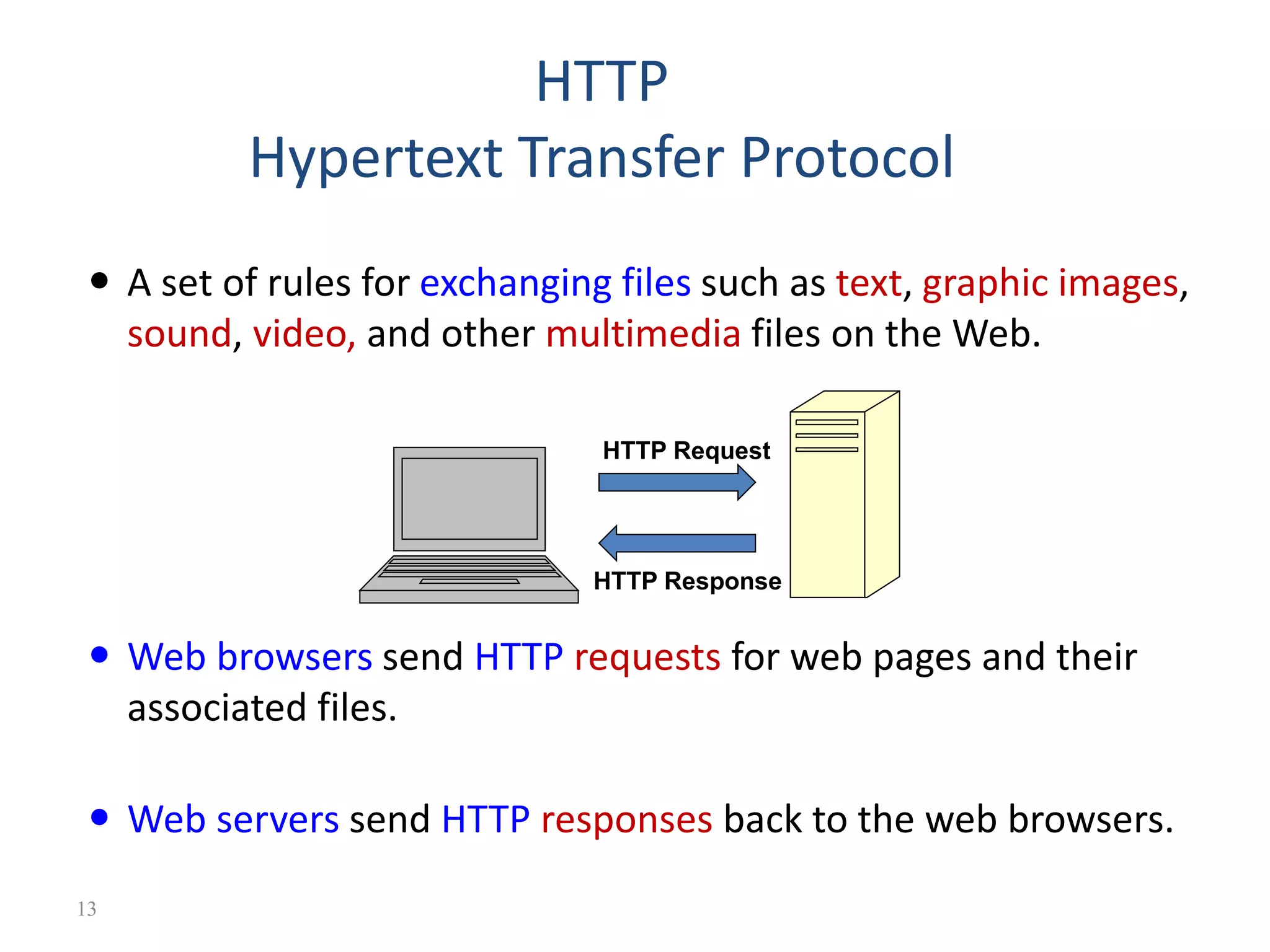
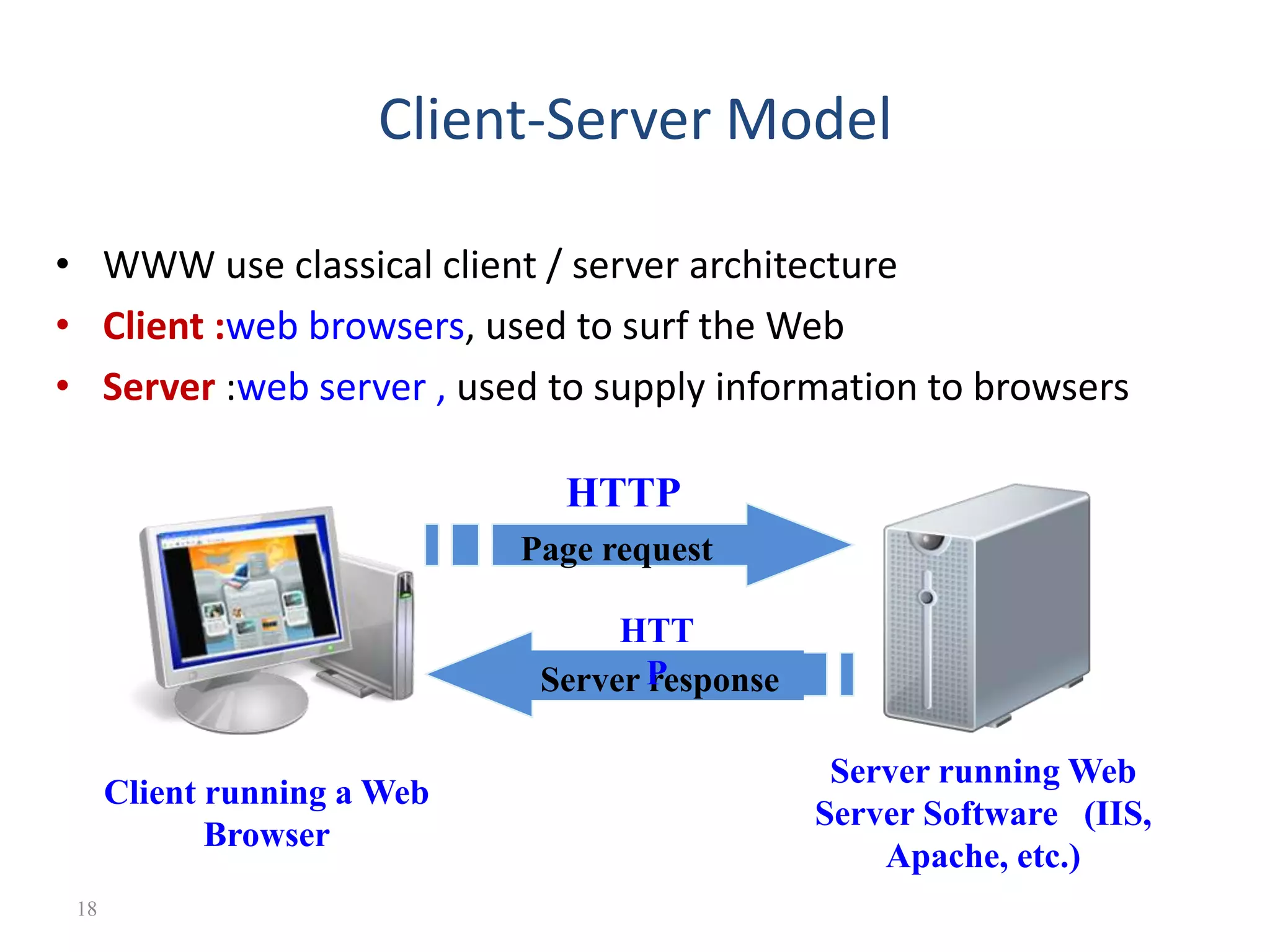
HTTP Hypertext Transfer Protocol A set of rules for exchanging files such as text, graphic images, sound, video, and other multimedia files on the Web. Web browsers send HTTP requests for web pages and their associated files. Web servers send HTTP responses back to the web browsers. HTTP Request HTTP Response 13
14.
IP Address • Eachdevice connected to the Internet has a unique numeric IP address. • These addresses consist of a set of four groups of numbers, called octets. 74.125.73.106 will get you Google! • An IP address may correspond to a domain name. 14
15.
• The WorldWide Web (commonly shortened to the Web) is a system of interlinked, hypertext documents accessed via the Internet. • It is created to share files/documents and overcome the barrier of different file formats • Hypertext refers to text on a computer that will lead the user to other, related information on demand. The World Wide Web (WWW) 15
16.
Basics of theWWW • Hypertext: a format of information which allows one to move from one part of a document to another or from one document to another through hyperlinks • Uniform Resource Locator (URL): unique identifiers used to locate a particular resource on the network • Markup language: • defines the structure and content of hypertext documents. Ex: HTML • A browser is a software program which interprets the HTML documents and displays it on the user’s screen. 16
Client-Server Model • WWWuse classical client / server architecture • Client :web browsers, used to surf the Web • Server :web server , used to supply information to browsers Page request Client running a Web Browser Server running Web Server Software (IIS, Apache, etc.) Server response HTTP HTT P 18
19.
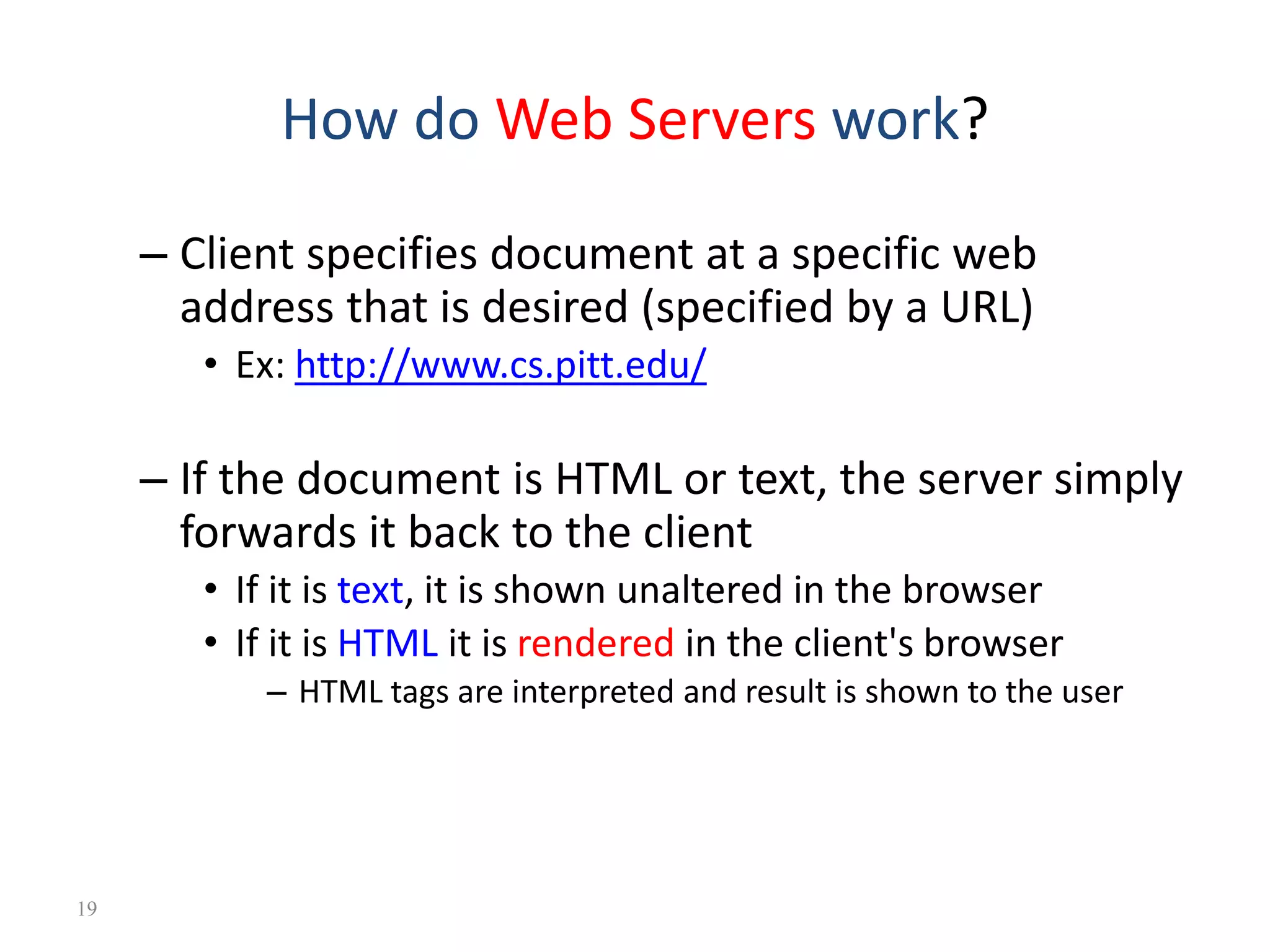
How do WebServers work? – Client specifies document at a specific web address that is desired (specified by a URL) • Ex: http://www.cs.pitt.edu/ – If the document is HTML or text, the server simply forwards it back to the client • If it is text, it is shown unaltered in the browser • If it is HTML it is rendered in the client's browser – HTML tags are interpreted and result is shown to the user 19
20.
What is aWeb Page? • Web pages are text files containing HTML • HTML – Hyper Text Markup Language – A notation for describing • document structure (semantic markup) • formatting (presentation markup) • The markup tags provide information about the page content structure 20