DATA	VISUALIZATION	IN	PYTHON Jagriti	Goswami
v  Visualization	Libraries	And	Modules v  Version	Overview v  Visualization	Plot	Types Overview •  Bar	Chart •  Stacked	Area	Graph •  Scatter	Plot •  Horizontal	Bar	Chart •  Pie	Chart •  Boxplot •  Stacked	Bar	Chart •  Histogram •  Violin	Plot •  Grouped	Bar	Chart •  Density	Plot •  Heatmap •  Line	Chart •  Density	Plot	with	Histogram •  Time	Series
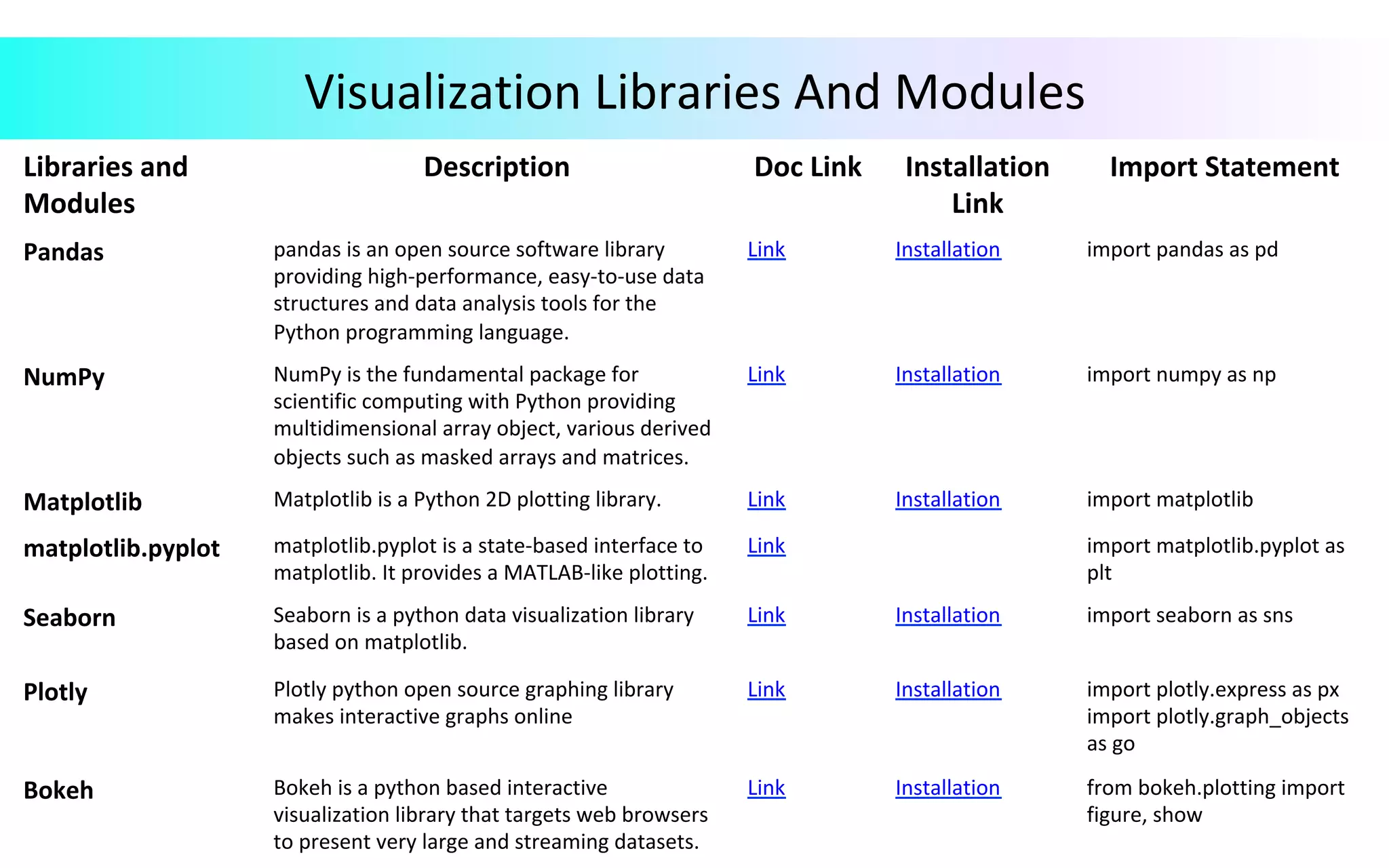
Visualization	Libraries	And	Modules Libraries	and Modules Description Doc	Link Installation Link Import	Statement Pandas pandas	is	an	open	source	software	library providing	high-performance,	easy-to-use	data structures	and	data	analysis	tools	for	the Python	programming	language. Link Installation import	pandas	as	pd NumPy NumPy	is	the	fundamental	package	for scientific	computing	with	Python	providing multidimensional	array	object,	various	derived objects	such	as	masked	arrays	and	matrices. Link Installation import	numpy	as	np Matplotlib Matplotlib	is	a	Python	2D	plotting	library. Link Installation import	matplotlib matplotlib.pyplot matplotlib.pyplot	is	a	state-based	interface	to matplotlib.	It	provides	a	MATLAB-like	plotting. Link import	matplotlib.pyplot	as plt Seaborn Seaborn	is	a	python	data	visualization	library based	on	matplotlib. Link Installation import	seaborn	as	sns Plotly Plotly	python	open	source	graphing	library makes	interactive	graphs	online Link Installation import	plotly.express	as	px import	plotly.graph_objects as	go Bokeh Bokeh	is	a	python	based	interactive visualization	library	that	targets	web	browsers to	present	very	large	and	streaming	datasets. Link Installation from	bokeh.plotting	import figure,	show
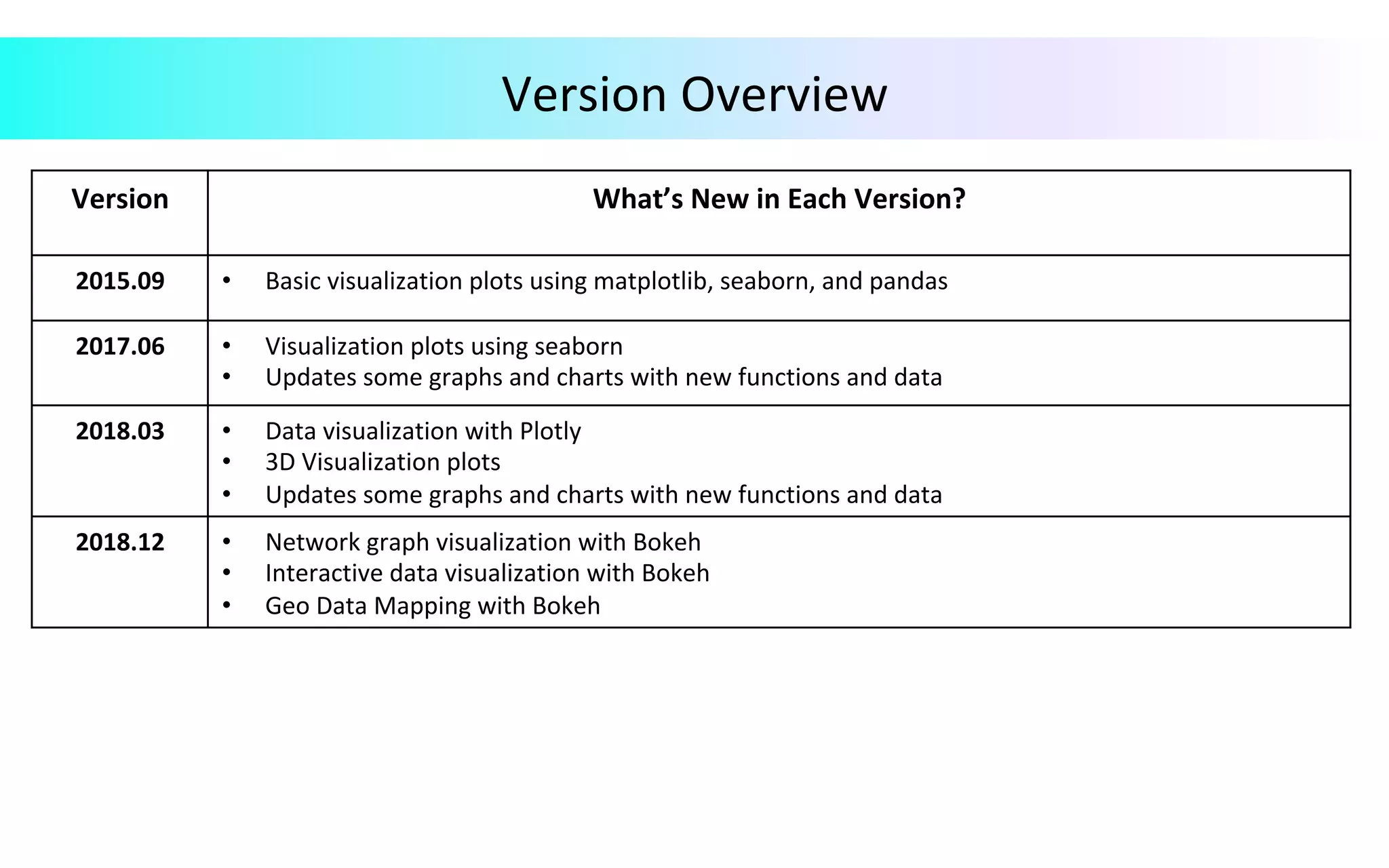
Version	Overview Version What’s	New	in	Each	Version? 2015.09 •  Basic	visualization	plots	using	matplotlib,	seaborn,	and	pandas 2017.06 •  Visualization	plots	using	seaborn •  Updates	some	graphs	and	charts	with	new	functions	and	data 2018.03 •  Data	visualization	with	Plotly •  3D	Visualization	plots •  Updates	some	graphs	and	charts	with	new	functions	and	data 2018.12 •  Network	graph	visualization	with	Bokeh •  Interactive	data	visualization	with	Bokeh •  Geo	Data	Mapping	with	Bokeh
Visualization	Plots	Using	Matplotlib,	Seaborn,	Pandas Version	2015.09
Ø  Bar	Chart	Shows	comparisons	between	different	categories,	different	parts	of	a	whole. Ø  Shows	relationship	between	a	numerical	variable	and	a	discrete	variable. Variations	of	Bar	Chart	: Ø  Vertical	Bar	Chart	or	Column	Chart	:	Best	used	to	visualize	relationship	or	comparisons	with	chronological	data. Ø  Horizontal	Bar	Chart	:	Useful	when	category	labels	are	long. Ø  Stacked	Bar	Chart	:	Used	to	compare	different	parts	of	a	whole	using	discrete	or	continuous	variables. Ø  Grouped	Bar	Chart	:	Used	to	compare	multiple	data	series	in	a	given	category. Bar	Chart
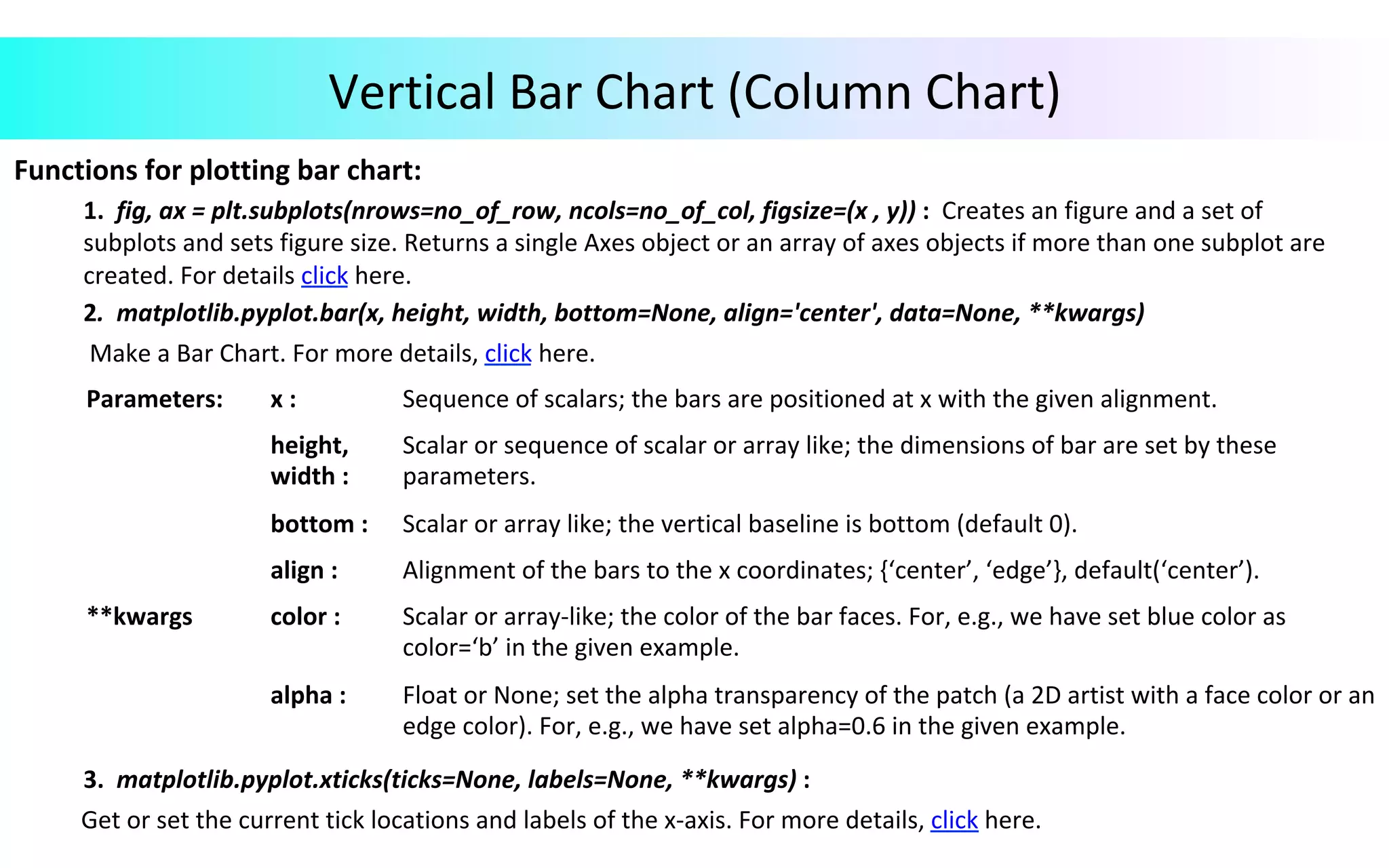
Vertical	Bar	Chart	(Column	Chart) Functions	for	plotting	bar	chart:	1.	fig,	ax	=	plt.subplots(nrows=no_of_row,	ncols=no_of_col,	figsize=(x	,	y))	:	Creates	an	figure	and	a	set	of	subplots	and	sets	figure	size.	Returns	a	single	Axes	object	or	an	array	of	axes	objects	if	more	than	one	subplot	are	created.	For	details	click	here.	2.	matplotlib.pyplot.bar(x,	height,	width,	bottom=None,	align='center',	data=None,	**kwargs)	Make	a	Bar	Chart.	For	more	details,	click	here.	3.	matplotlib.pyplot.xticks(ticks=None,	labels=None,	**kwargs)	:	Get	or	set	the	current	tick	locations	and	labels	of	the	x-axis.	For	more	details,	click	here. Parameters: x	: Sequence	of	scalars;	the	bars	are	positioned	at	x	with	the	given	alignment. height, width	: Scalar	or	sequence	of	scalar	or	array	like;	the	dimensions	of	bar	are	set	by	these parameters. bottom	: Scalar	or	array	like;	the	vertical	baseline	is	bottom	(default	0). align	: Alignment	of	the	bars	to	the	x	coordinates;	{‘center’,	‘edge’},	default(‘center’). **kwargs color	: Scalar	or	array-like;	the	color	of	the	bar	faces.	For,	e.g.,	we	have	set	blue	color	as color=‘b’	in	the	given	example. alpha	: Float	or	None;	set	the	alpha	transparency	of	the	patch	(a	2D	artist	with	a	face	color	or	an edge	color).	For,	e.g.,	we	have	set	alpha=0.6	in	the	given	example.
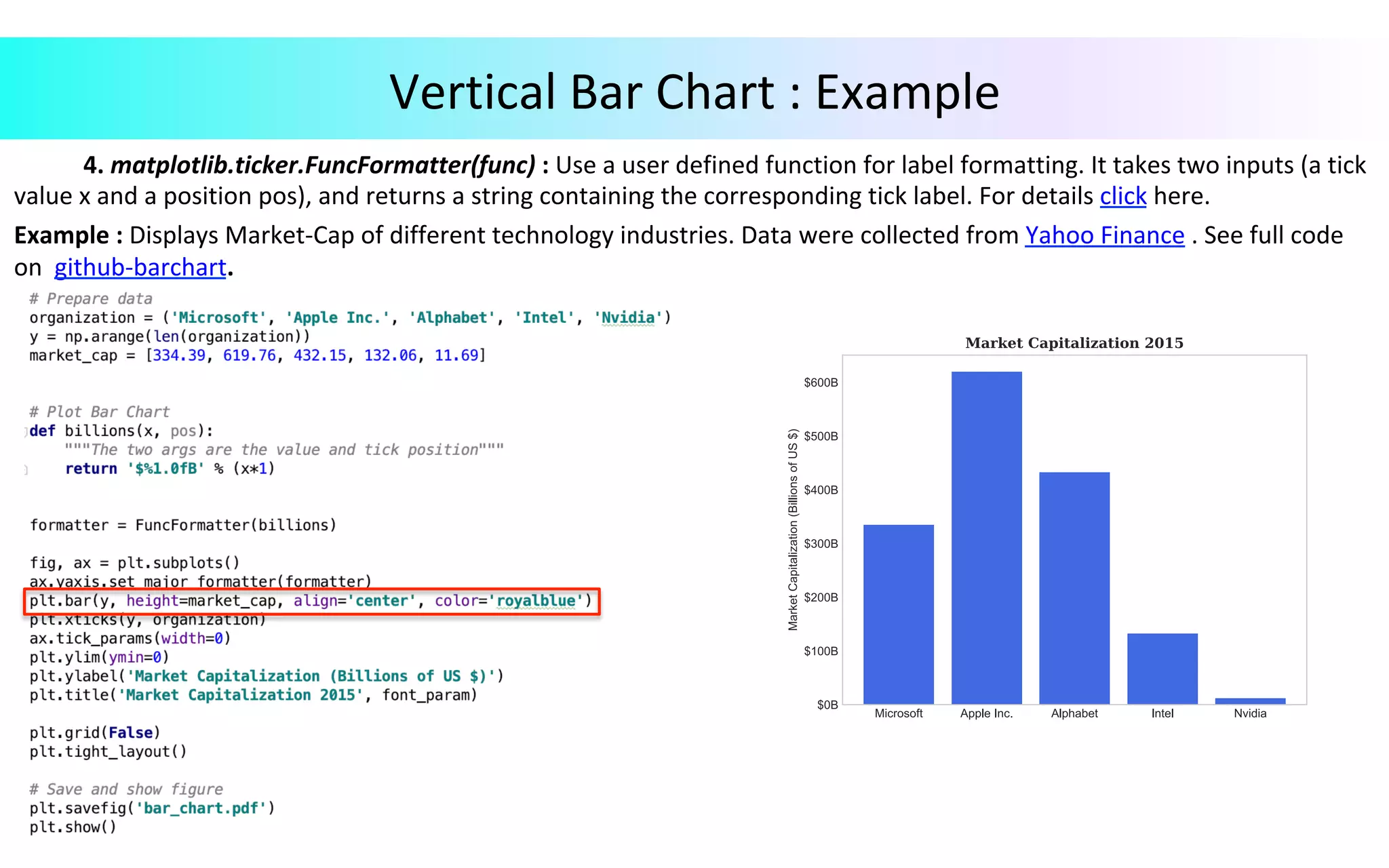
Vertical	Bar	Chart	:	Example	4.	matplotlib.ticker.FuncFormatter(func)	:	Use	a	user	defined	function	for	label	formatting.	It	takes	two	inputs	(a	tick value	x	and	a	position	pos),	and	returns	a	string	containing	the	corresponding	tick	label.	For	details	click	here. Example	:	Displays	Market-Cap	of	different	technology	industries.	Data	were	collected	from	Yahoo	Finance	.	See	full	code on	github-barchart.
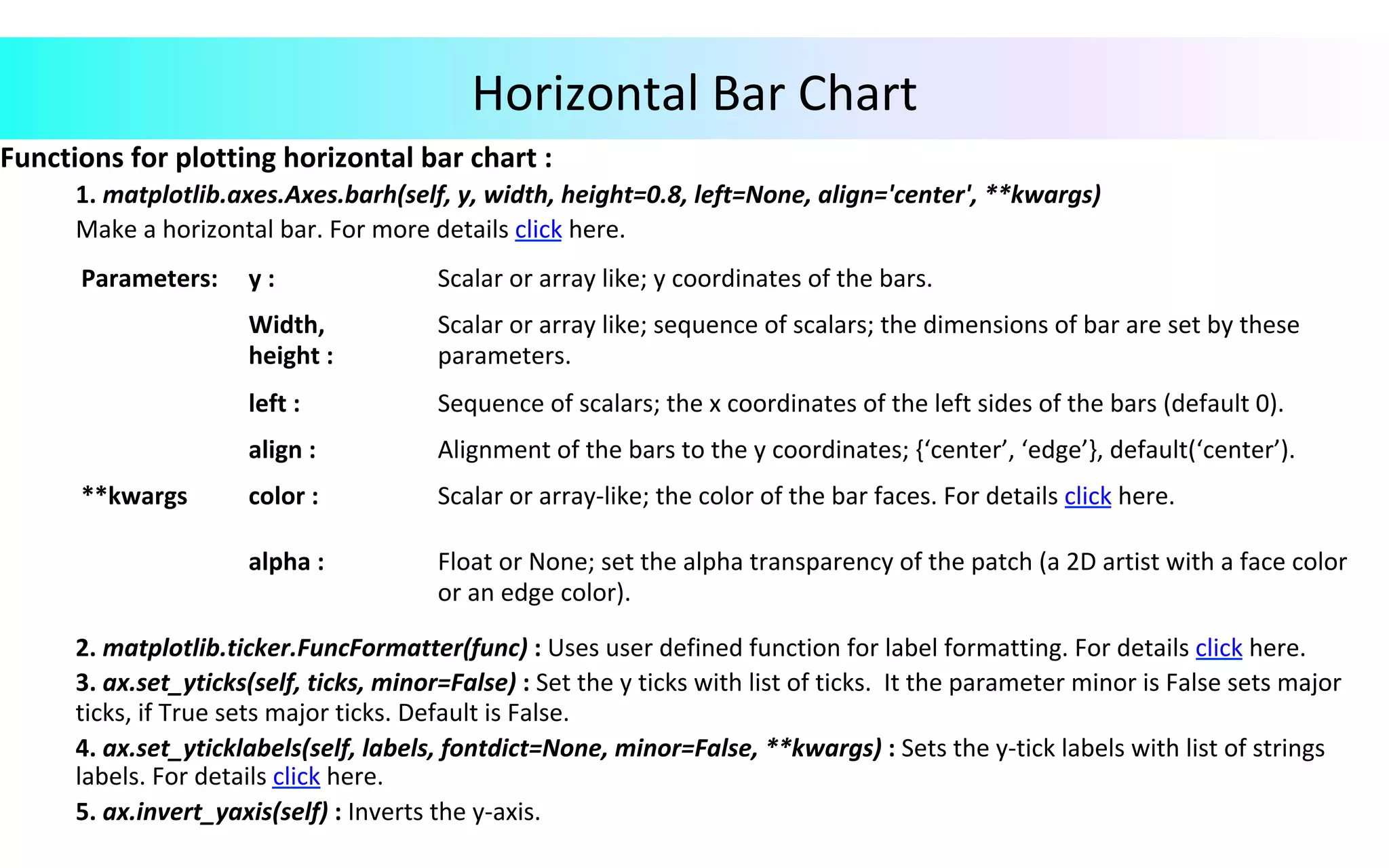
Functions	for	plotting	horizontal	bar	chart	:	1.	matplotlib.axes.Axes.barh(self,	y,	width,	height=0.8,	left=None,	align='center',	**kwargs)	Make	a	horizontal	bar.	For	more	details	click	here.	2.	matplotlib.ticker.FuncFormatter(func)	:	Uses	user	defined	function	for	label	formatting.	For	details	click	here.	3.	ax.set_yticks(self,	ticks,	minor=False)	:	Set	the	y	ticks	with	list	of	ticks.	It	the	parameter	minor	is	False	sets	major	ticks,	if	True	sets	major	ticks.	Default	is	False.	4.	ax.set_yticklabels(self,	labels,	fontdict=None,	minor=False,	**kwargs)	:	Sets	the	y-tick	labels	with	list	of	strings	labels.	For	details	click	here.	5.	ax.invert_yaxis(self)	:	Inverts	the	y-axis. Horizontal	Bar	Chart Parameters: y	: Scalar	or	array	like;	y	coordinates	of	the	bars. Width, height	: Scalar	or	array	like;	sequence	of	scalars;	the	dimensions	of	bar	are	set	by	these parameters. left	: Sequence	of	scalars;	the	x	coordinates	of	the	left	sides	of	the	bars	(default	0). align	: Alignment	of	the	bars	to	the	y	coordinates;	{‘center’,	‘edge’},	default(‘center’). **kwargs color	: Scalar	or	array-like;	the	color	of	the	bar	faces.	For	details	click	here. alpha	: Float	or	None;	set	the	alpha	transparency	of	the	patch	(a	2D	artist	with	a	face	color or	an	edge	color).
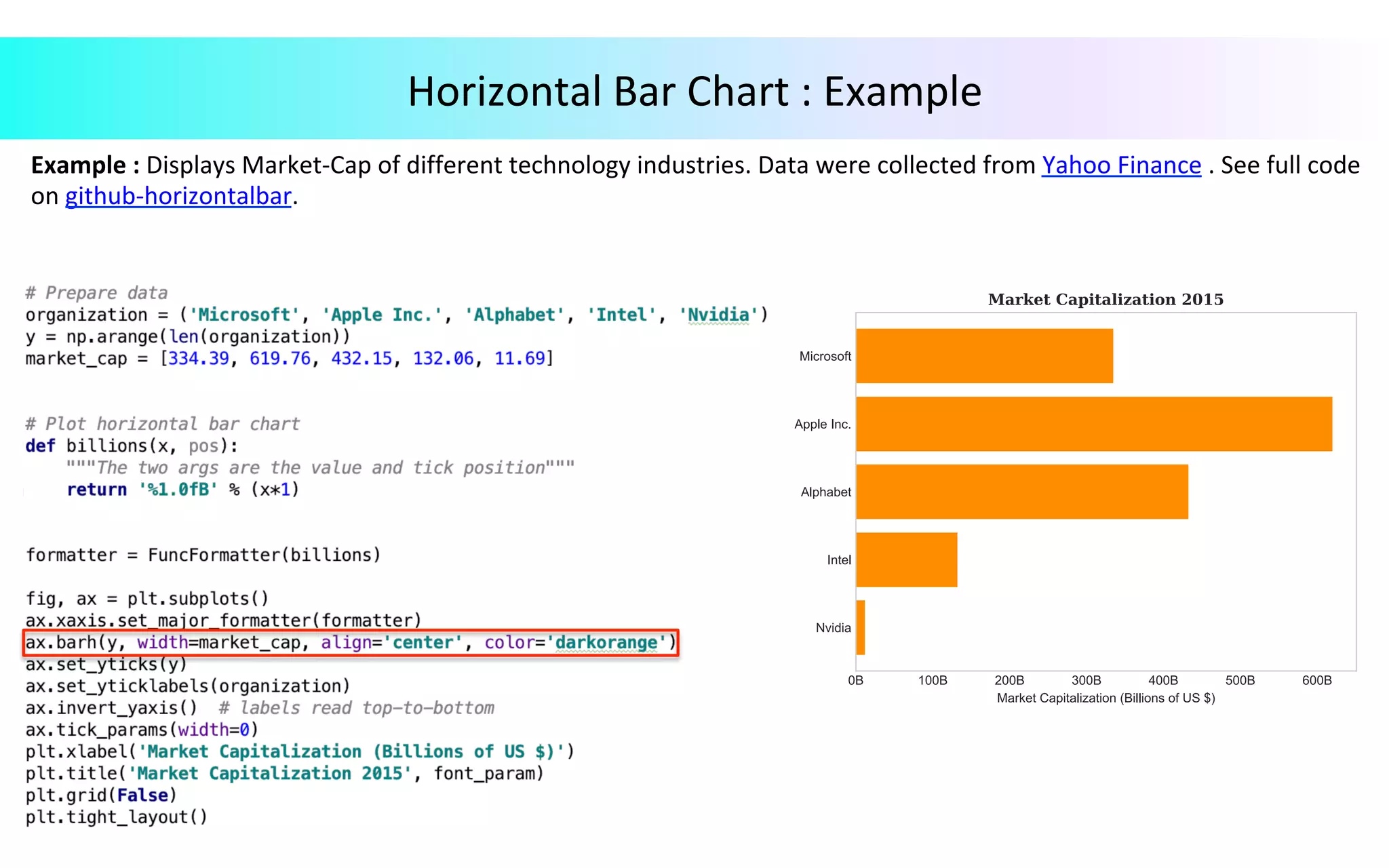
Horizontal	Bar	Chart	:	Example Example	:	Displays	Market-Cap	of	different	technology	industries.	Data	were	collected	from	Yahoo	Finance	.	See	full	code on	github-horizontalbar.
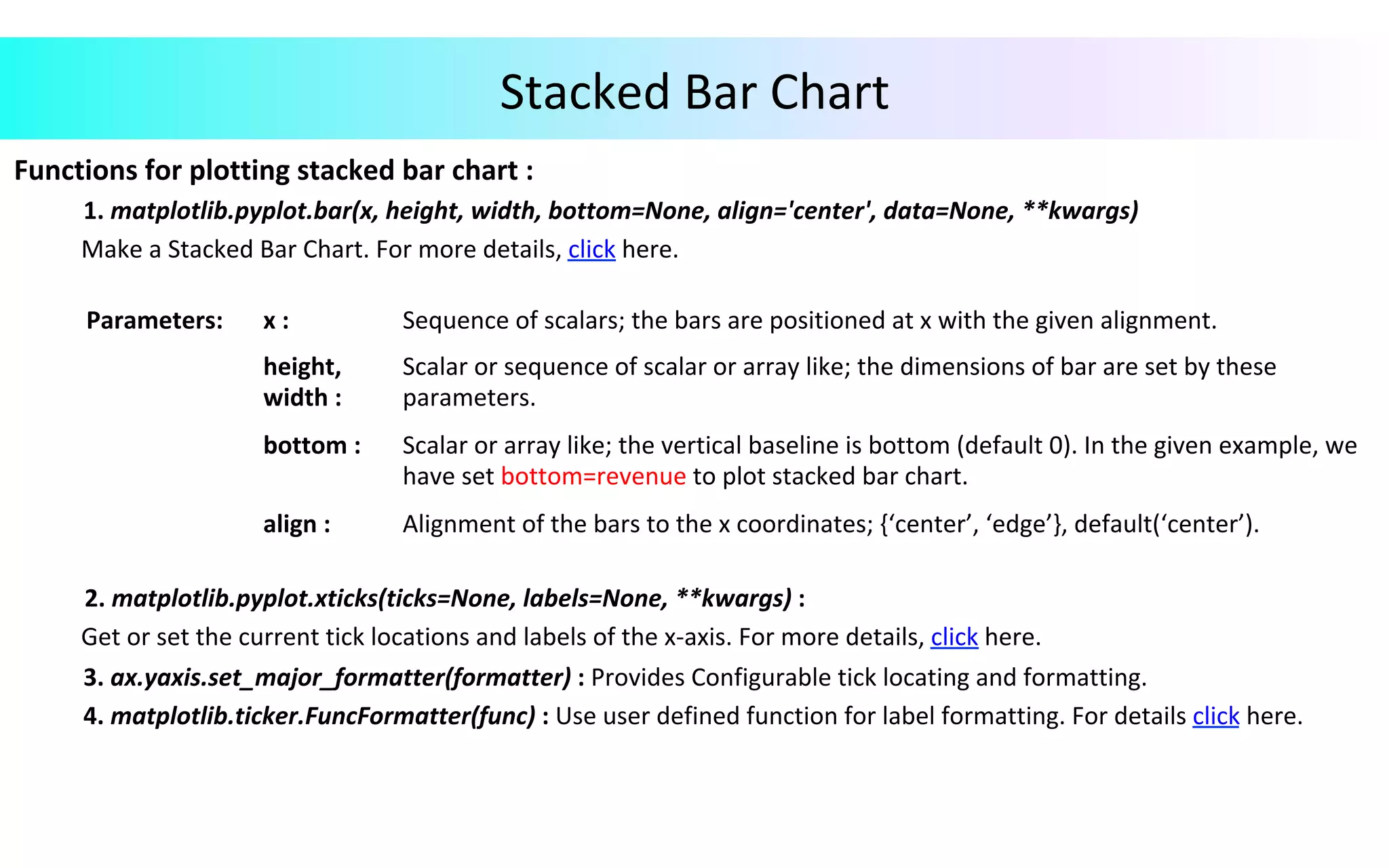
Stacked	Bar	Chart Functions	for	plotting	stacked	bar	chart	:	1.	matplotlib.pyplot.bar(x,	height,	width,	bottom=None,	align='center',	data=None,	**kwargs)	Make	a	Stacked	Bar	Chart.	For	more	details,	click	here.	2.	matplotlib.pyplot.xticks(ticks=None,	labels=None,	**kwargs)	:	Get	or	set	the	current	tick	locations	and	labels	of	the	x-axis.	For	more	details,	click	here.	3.	ax.yaxis.set_major_formatter(formatter)	:	Provides	Configurable	tick	locating	and	formatting.	4.	matplotlib.ticker.FuncFormatter(func)	:	Use	user	defined	function	for	label	formatting.	For	details	click	here. Parameters: x	: Sequence	of	scalars;	the	bars	are	positioned	at	x	with	the	given	alignment. height, width	: Scalar	or	sequence	of	scalar	or	array	like;	the	dimensions	of	bar	are	set	by	these parameters. bottom	: Scalar	or	array	like;	the	vertical	baseline	is	bottom	(default	0).	In	the	given	example,	we have	set	bottom=revenue	to	plot	stacked	bar	chart. align	: Alignment	of	the	bars	to	the	x	coordinates;	{‘center’,	‘edge’},	default(‘center’).
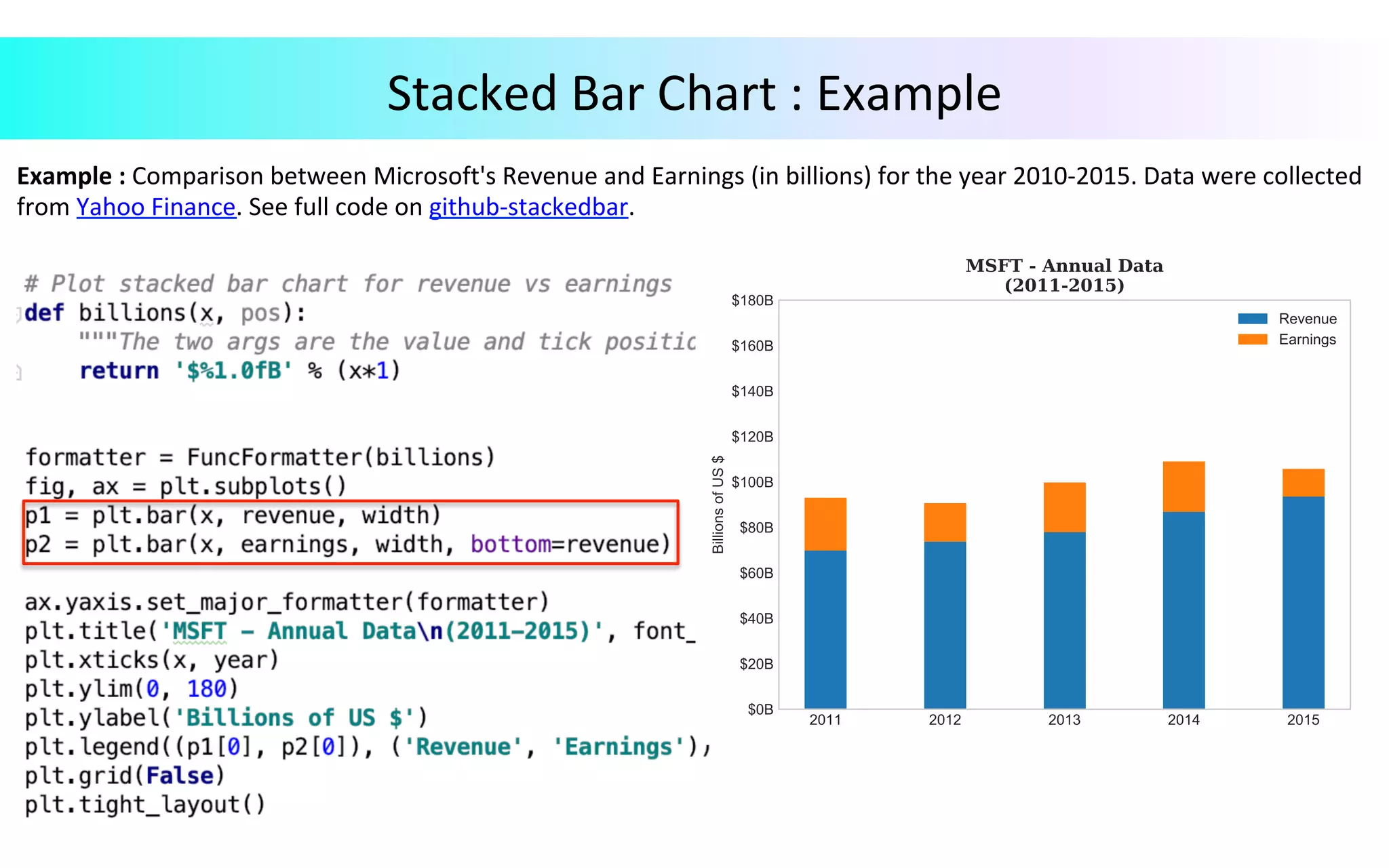
Example	:	Comparison	between	Microsoft's	Revenue	and	Earnings	(in	billions)	for	the	year	2010-2015.	Data	were	collected from	Yahoo	Finance.	See	full	code	on	github-stackedbar. Stacked	Bar	Chart	:	Example
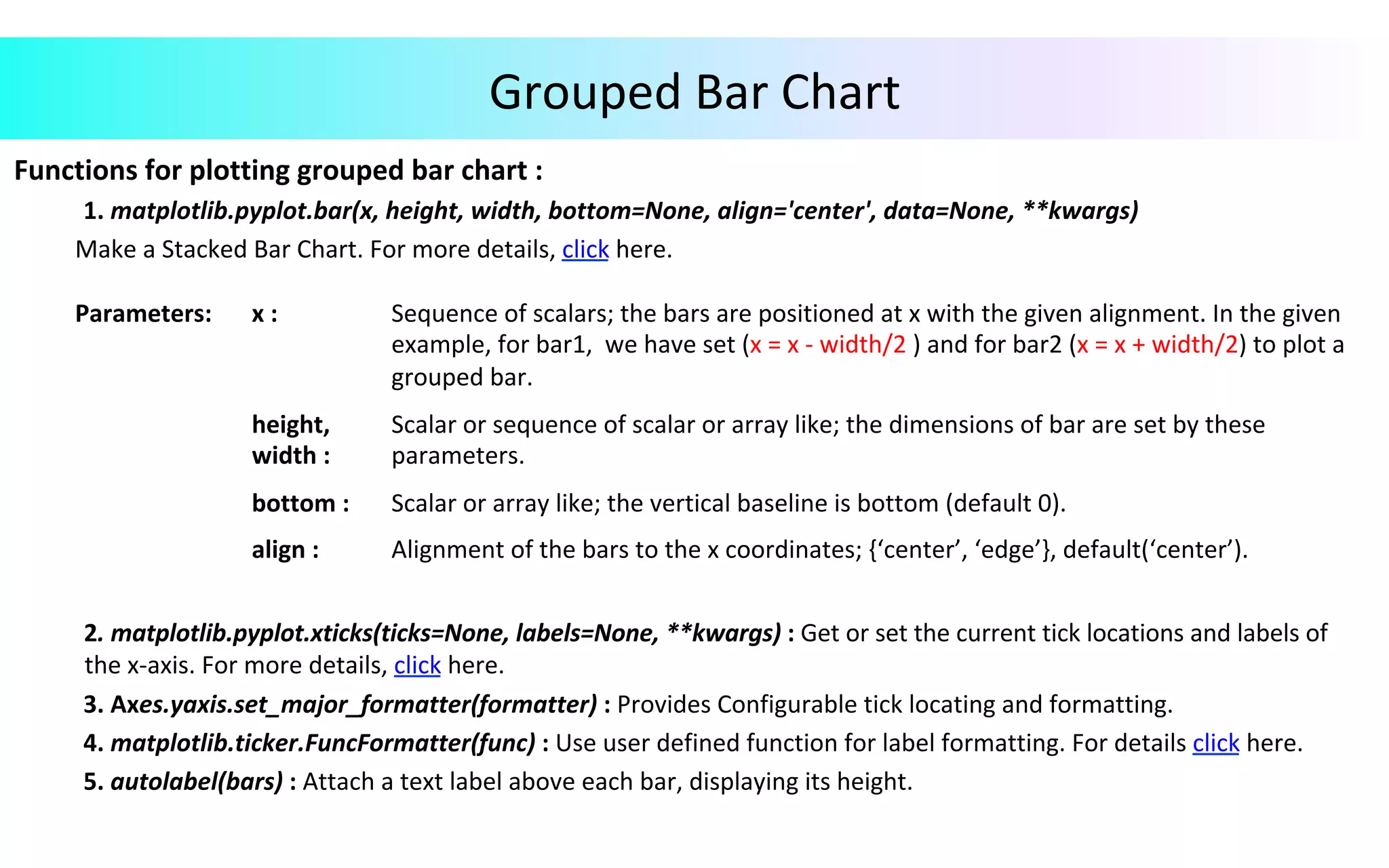
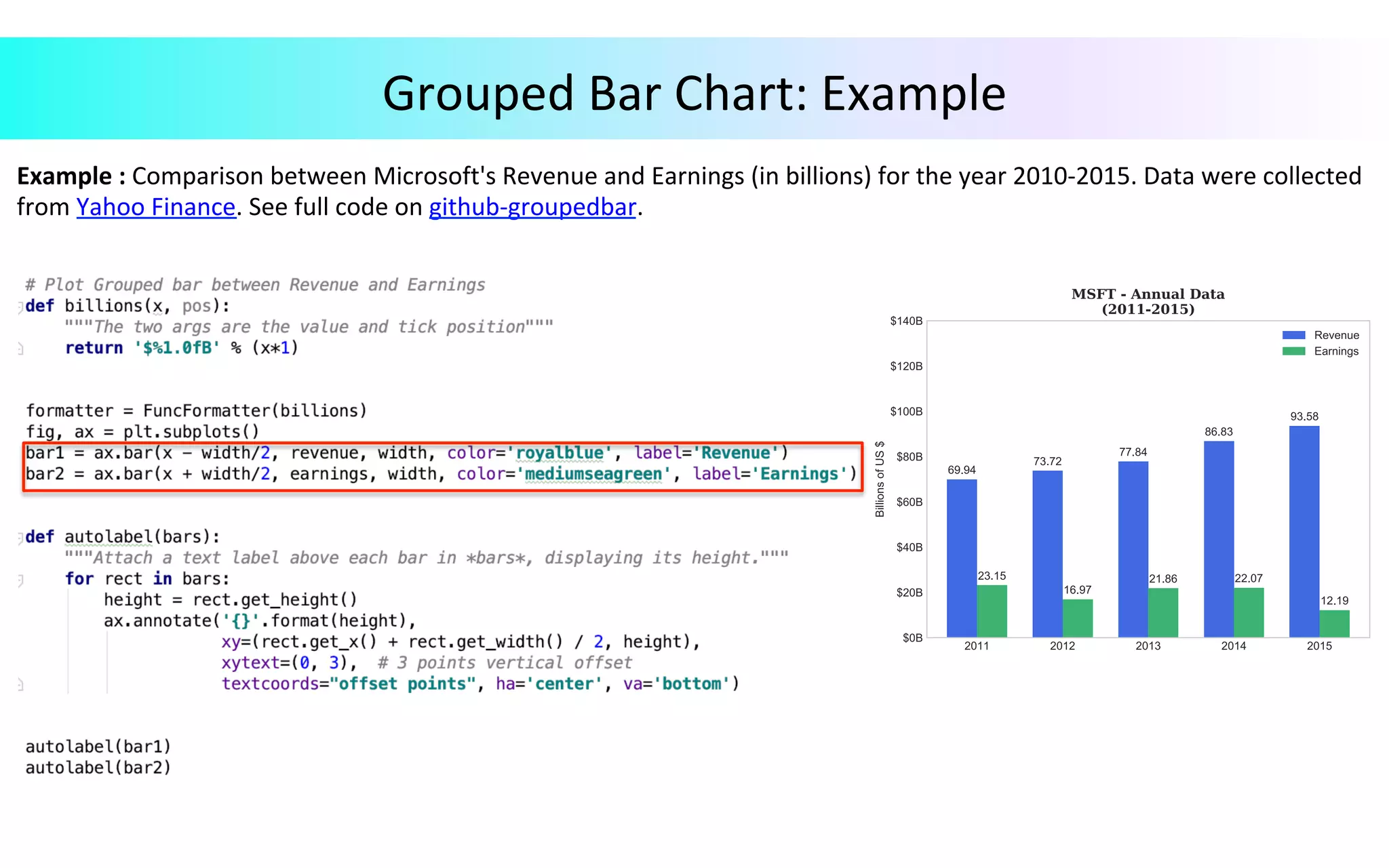
Grouped	Bar	Chart Functions	for	plotting	grouped	bar	chart	:	1.	matplotlib.pyplot.bar(x,	height,	width,	bottom=None,	align='center',	data=None,	**kwargs)	Make	a	Stacked	Bar	Chart.	For	more	details,	click	here.	2.	matplotlib.pyplot.xticks(ticks=None,	labels=None,	**kwargs)	:	Get	or	set	the	current	tick	locations	and	labels	of	the	x-axis.	For	more	details,	click	here.	3.	Axes.yaxis.set_major_formatter(formatter)	:	Provides	Configurable	tick	locating	and	formatting.	4.	matplotlib.ticker.FuncFormatter(func)	:	Use	user	defined	function	for	label	formatting.	For	details	click	here.	5.	autolabel(bars)	:	Attach	a	text	label	above	each	bar,	displaying	its	height. Parameters: x	: Sequence	of	scalars;	the	bars	are	positioned	at	x	with	the	given	alignment.	In	the	given example,	for	bar1,	we	have	set	(x	=	x	-	width/2	)	and	for	bar2	(x	=	x	+	width/2)	to	plot	a grouped	bar. height, width	: Scalar	or	sequence	of	scalar	or	array	like;	the	dimensions	of	bar	are	set	by	these parameters. bottom	: Scalar	or	array	like;	the	vertical	baseline	is	bottom	(default	0). align	: Alignment	of	the	bars	to	the	x	coordinates;	{‘center’,	‘edge’},	default(‘center’).
Example	:	Comparison	between	Microsoft's	Revenue	and	Earnings	(in	billions)	for	the	year	2010-2015.	Data	were	collected from	Yahoo	Finance.	See	full	code	on	github-groupedbar. Grouped	Bar	Chart:	Example
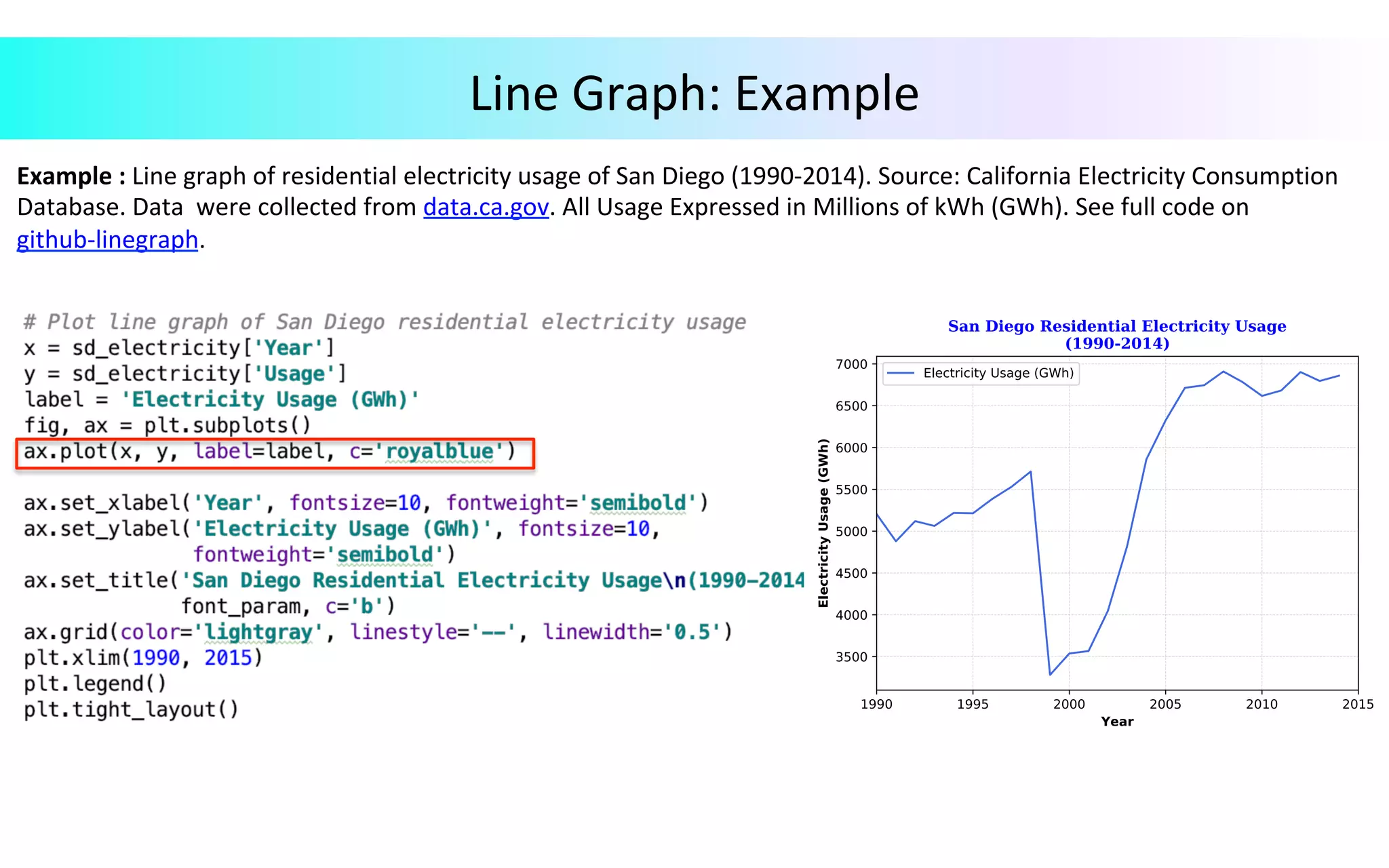
Line	Graph Ø  Line	Chart	displays	time-series	relationships	with	continuous	data. Functions	for	plotting	line	graph	:	1.	Axes.plot(self,	*args,	scalex=True,	scaley=True,	data=None,	**kwargs)	:	Plot	y	versus	x	as	line	and/or	markers.	For	details,	click	here.	Call	signatures:	Plot([x],	y,	[fmt],	*,	data=None,	**kwargs)	2.	Axes.tick_params(axis='x',	direction='out',	length=3,	width=0.5,	labelrotation=75.00):	Decorate	the	appearance	of	ticks,	ticklabels,	and	gridlines.	For	more	details,	click	here.	3.	Axes.grid(color='lightgray',	linestyle='--',	linewidth='0.5'):	Provides	configurable	grid	lines.	For	details,	click	here. Parameters: x,	y	: array-like	or	scalar;	the	coordinates	of	the	points	or	line	nodes	are	given	by	x,	y. fmt	: str,	optional;	a	format	string,	e.g.,	‘ro’	for	red	circles. data	: indexable	object,	optional;	An	object	with	label	data. **kwargs Used	to	specify	properties	like	line	label	(for	auto	legend),	line	width,	antialiasing, marker	face	color.
Example	:	Line	graph	of	residential	electricity	usage	of	San	Diego	(1990-2014).	Source:	California	Electricity	Consumption Database.	Data	were	collected	from	data.ca.gov.	All	Usage	Expressed	in	Millions	of	kWh	(GWh).	See	full	code	on github-linegraph. Line	Graph:	Example
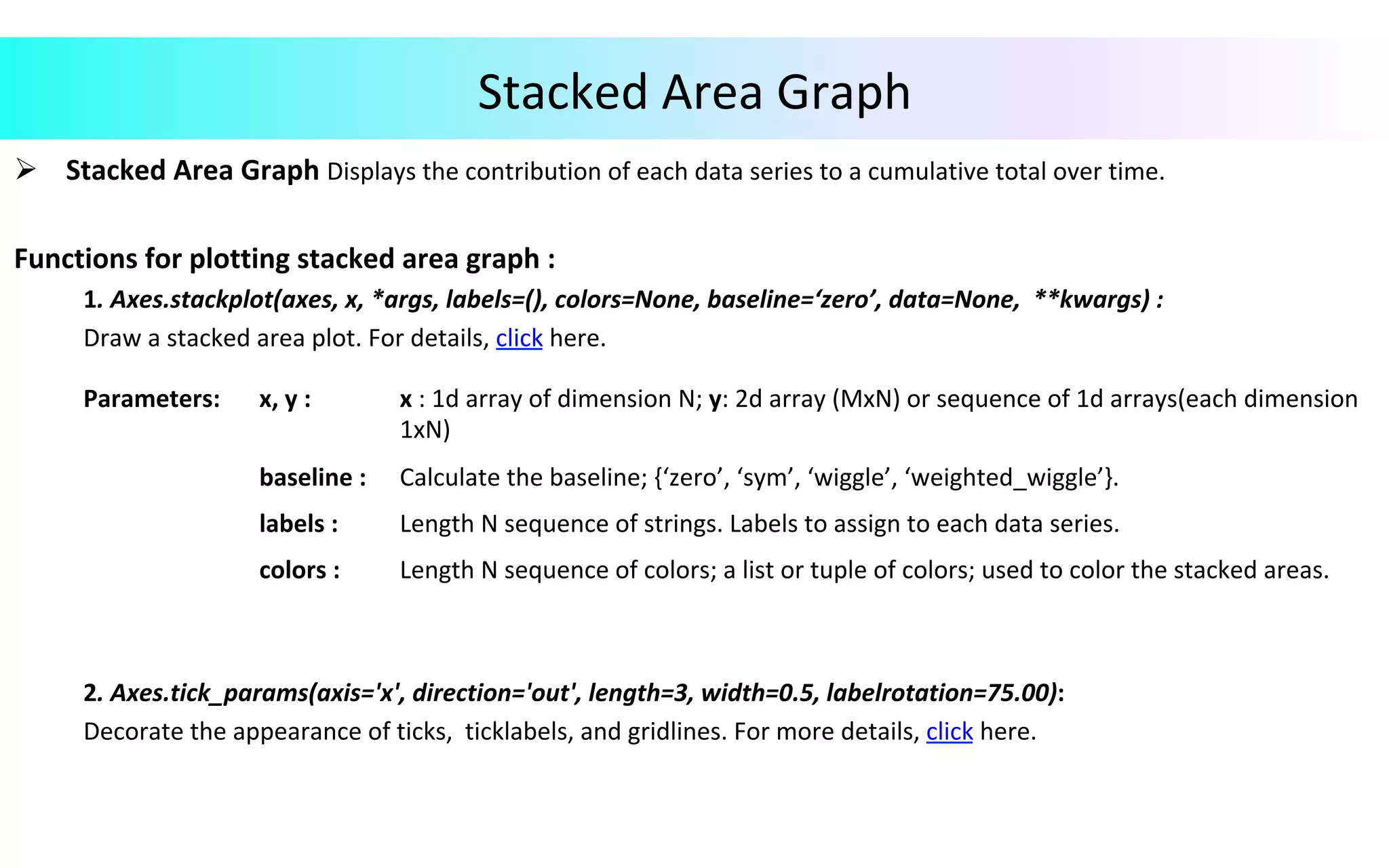
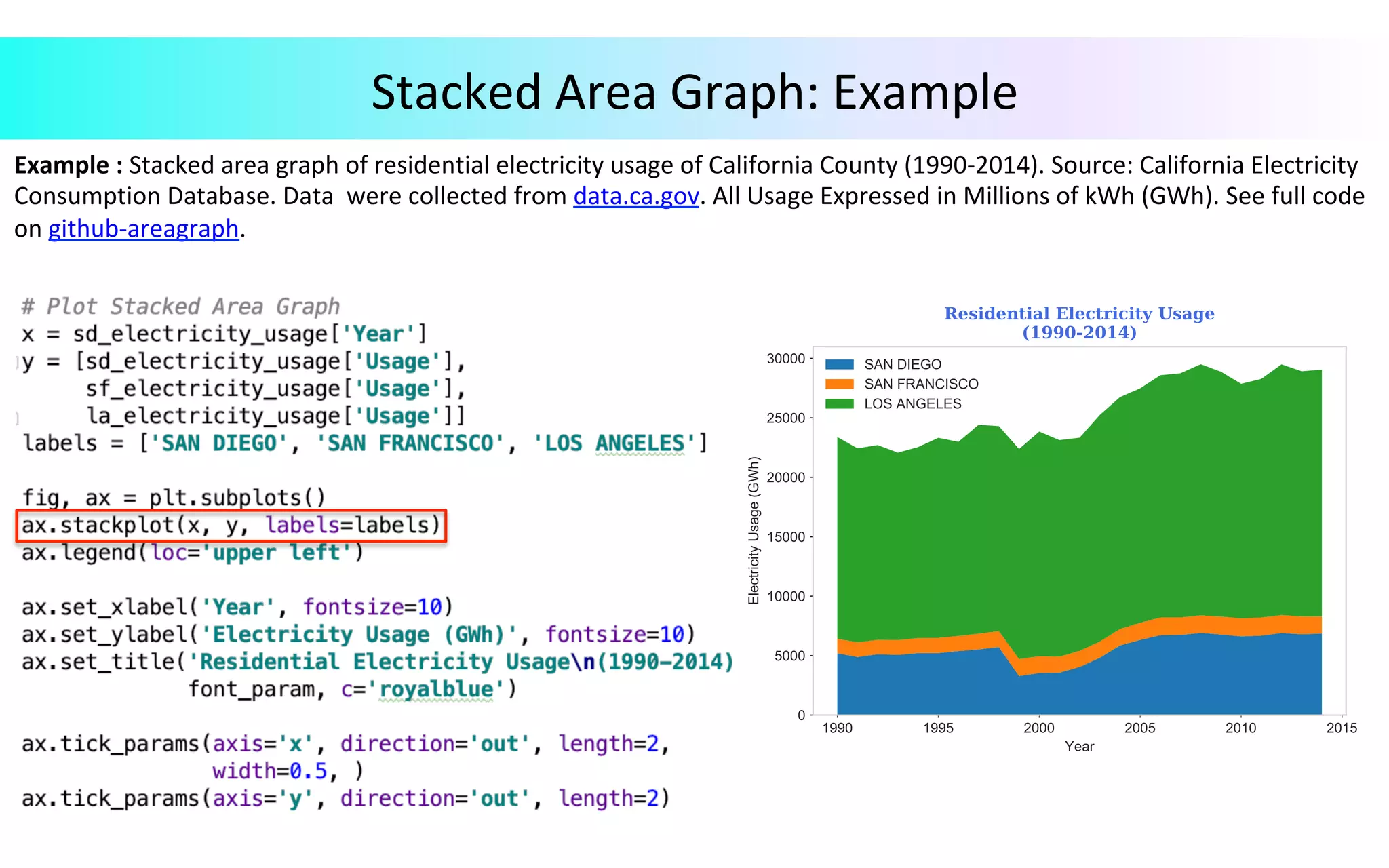
Stacked	Area	Graph Ø  Stacked	Area	Graph	Displays	the	contribution	of	each	data	series	to	a	cumulative	total	over	time. Functions	for	plotting	stacked	area	graph	:	1.	Axes.stackplot(axes,	x,	*args,	labels=(),	colors=None,	baseline=‘zero’,	data=None,	**kwargs)	:	Draw	a	stacked	area	plot.	For	details,	click	here.	2.	Axes.tick_params(axis='x',	direction='out',	length=3,	width=0.5,	labelrotation=75.00):	Decorate	the	appearance	of	ticks,	ticklabels,	and	gridlines.	For	more	details,	click	here. Parameters: x,	y	: x	:	1d	array	of	dimension	N;	y:	2d	array	(MxN)	or	sequence	of	1d	arrays(each	dimension 1xN) baseline	: Calculate	the	baseline;	{‘zero’,	‘sym’,	‘wiggle’,	‘weighted_wiggle’}. labels	: Length	N	sequence	of	strings.	Labels	to	assign	to	each	data	series. colors	: Length	N	sequence	of	colors;	a	list	or	tuple	of	colors;	used	to	color	the	stacked	areas.
Stacked	Area	Graph:	Example Example	:	Stacked	area	graph	of	residential	electricity	usage	of	California	County	(1990-2014).	Source:	California	Electricity Consumption	Database.	Data	were	collected	from	data.ca.gov.	All	Usage	Expressed	in	Millions	of	kWh	(GWh).	See	full	code on	github-areagraph.
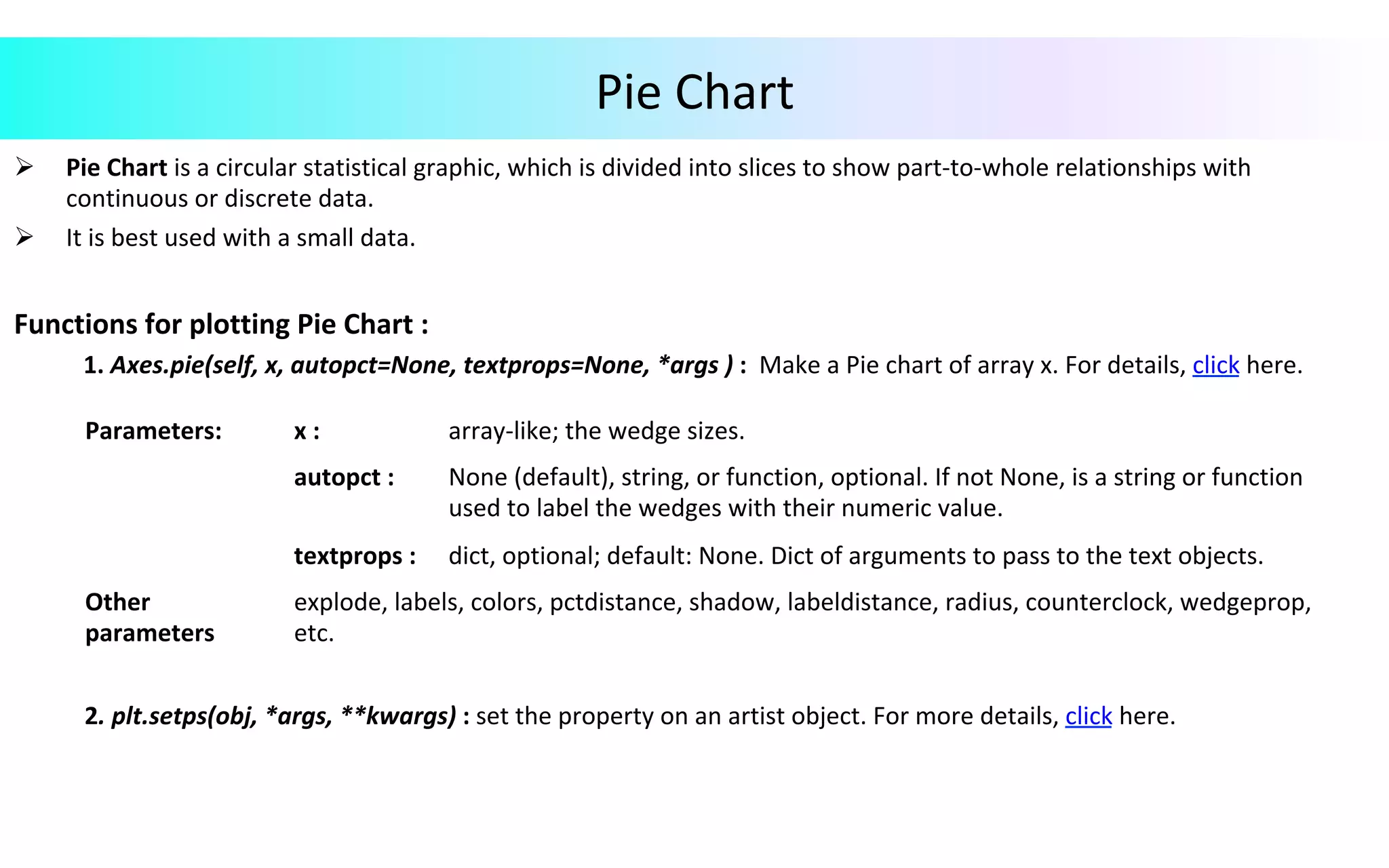
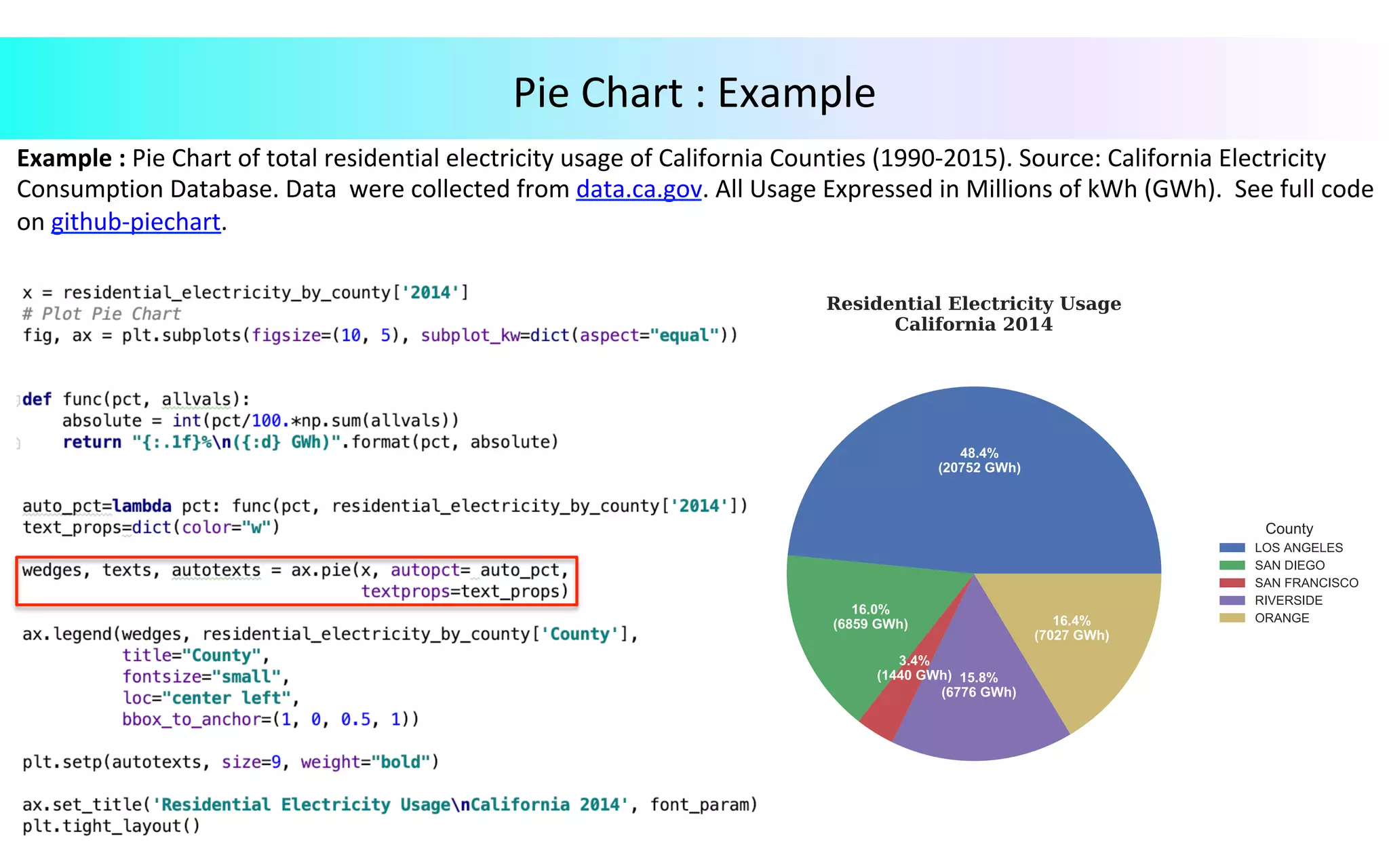
Pie	Chart Ø  Pie	Chart	is	a	circular	statistical	graphic,	which	is	divided	into	slices	to	show	part-to-whole	relationships	with continuous	or	discrete	data. Ø  It	is	best	used	with	a	small	data. Functions	for	plotting	Pie	Chart	: 1.	Axes.pie(self,	x,	autopct=None,	textprops=None,	*args	)	:	Make	a	Pie	chart	of	array	x.	For	details,	click	here.	2.	plt.setps(obj,	*args,	**kwargs)	:	set	the	property	on	an	artist	object.	For	more	details,	click	here. Parameters: x	: array-like;	the	wedge	sizes. autopct	: None	(default),	string,	or	function,	optional.	If	not	None,	is	a	string	or	function used	to	label	the	wedges	with	their	numeric	value. textprops	: dict,	optional;	default:	None.	Dict	of	arguments	to	pass	to	the	text	objects. Other parameters explode,	labels,	colors,	pctdistance,	shadow,	labeldistance,	radius,	counterclock,	wedgeprop, etc.
Example	:	Pie	Chart	of	total	residential	electricity	usage	of	California	Counties	(1990-2015).	Source:	California	Electricity Consumption	Database.	Data	were	collected	from	data.ca.gov.	All	Usage	Expressed	in	Millions	of	kWh	(GWh).	See	full	code on	github-piechart. Pie	Chart	:	Example
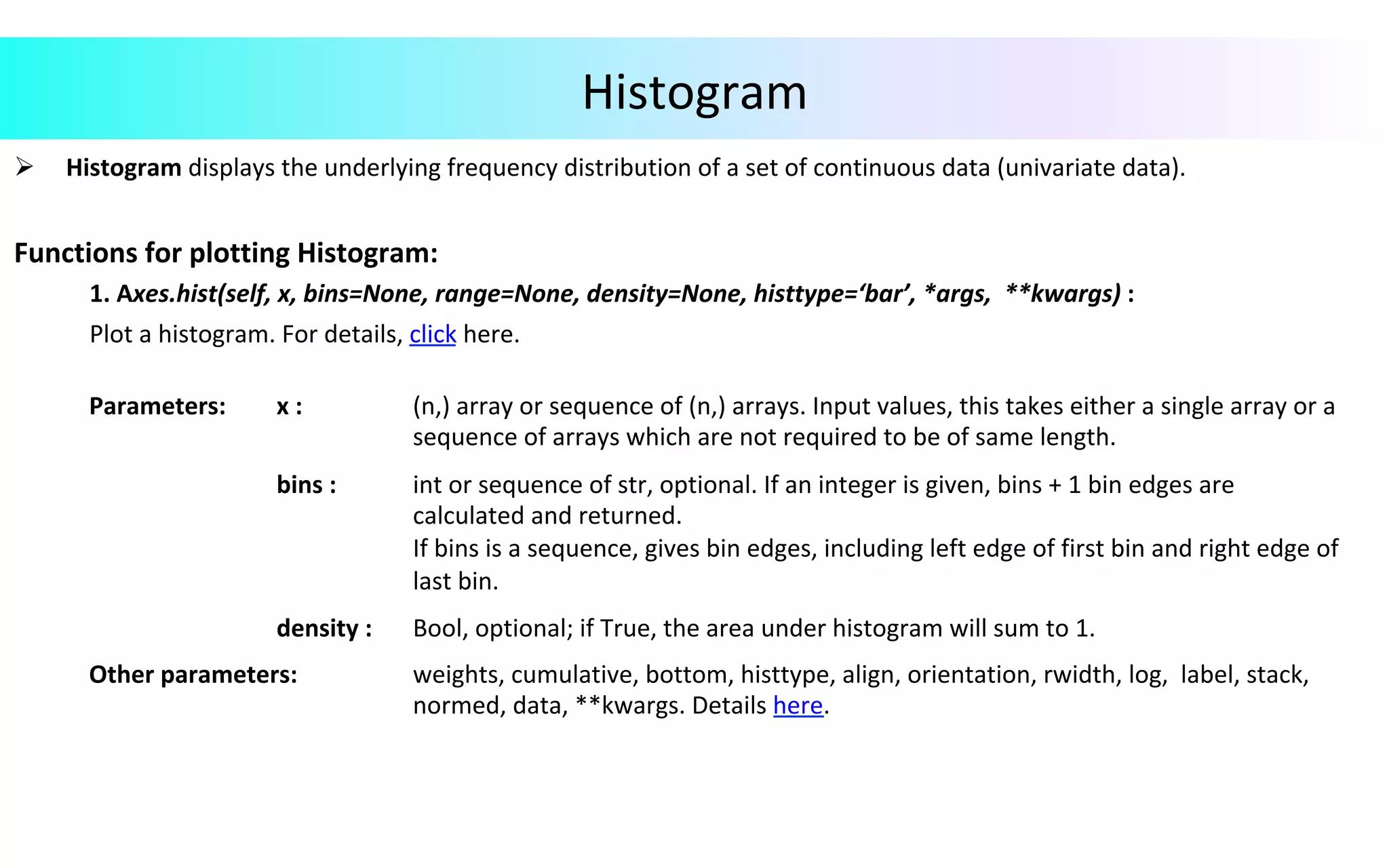
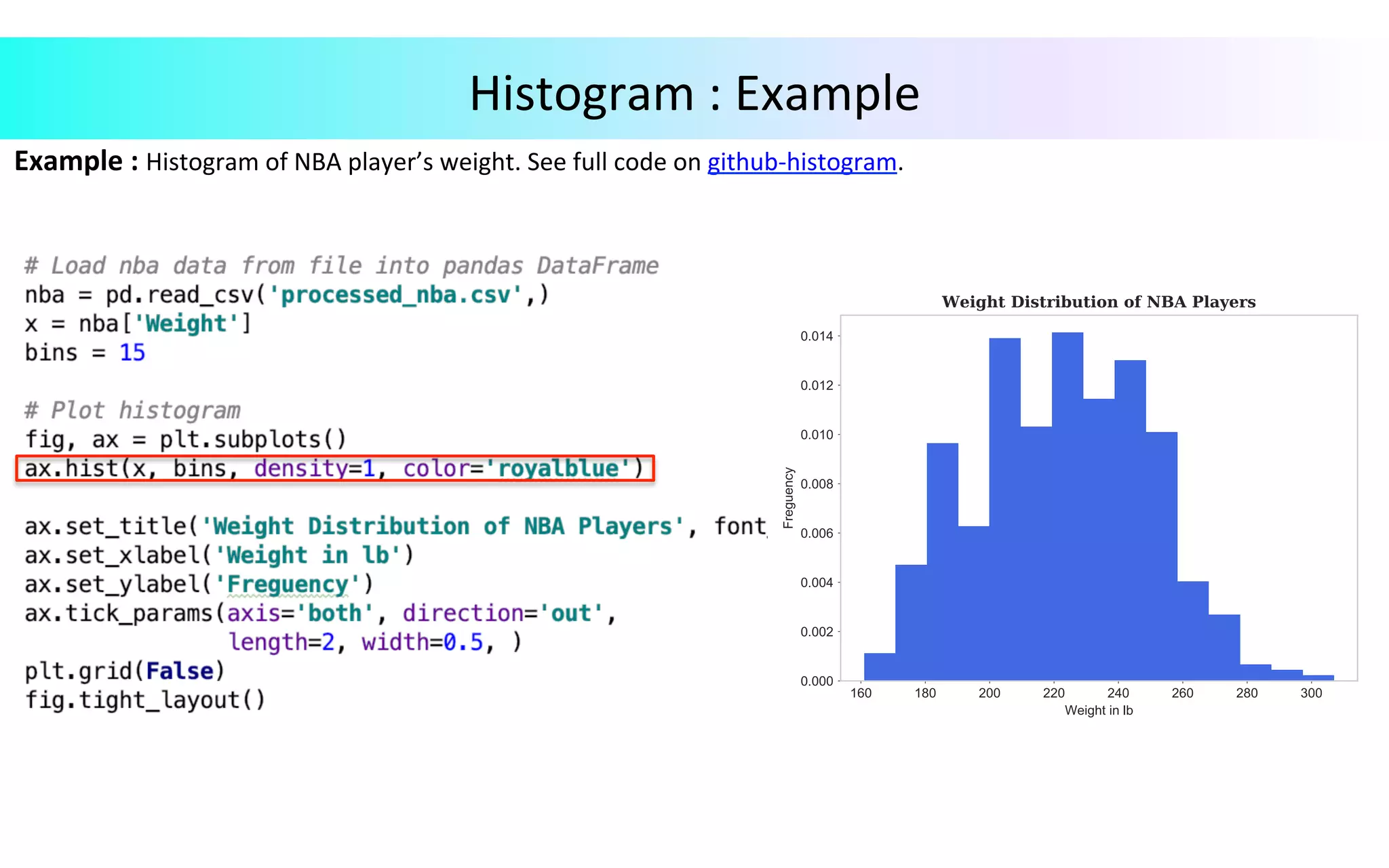
Histogram Ø  Histogram	displays	the	underlying	frequency	distribution	of	a	set	of	continuous	data	(univariate	data). Functions	for	plotting	Histogram:	1.	Axes.hist(self,	x,	bins=None,	range=None,	density=None,	histtype=‘bar’,	*args,	**kwargs)	:	Plot	a	histogram.	For	details,	click	here. Parameters: x	: (n,)	array	or	sequence	of	(n,)	arrays.	Input	values,	this	takes	either	a	single	array	or	a sequence	of	arrays	which	are	not	required	to	be	of	same	length. bins	: int	or	sequence	of	str,	optional.	If	an	integer	is	given,	bins	+	1	bin	edges	are calculated	and	returned. If	bins	is	a	sequence,	gives	bin	edges,	including	left	edge	of	first	bin	and	right	edge	of last	bin. density	: Bool,	optional;	if	True,	the	area	under	histogram	will	sum	to	1. Other	parameters: weights,	cumulative,	bottom,	histtype,	align,	orientation,	rwidth,	log,	label,	stack, normed,	data,	**kwargs.	Details	here.
Example	:	Histogram	of	NBA	player’s	weight.	See	full	code	on	github-histogram. Histogram	:	Example
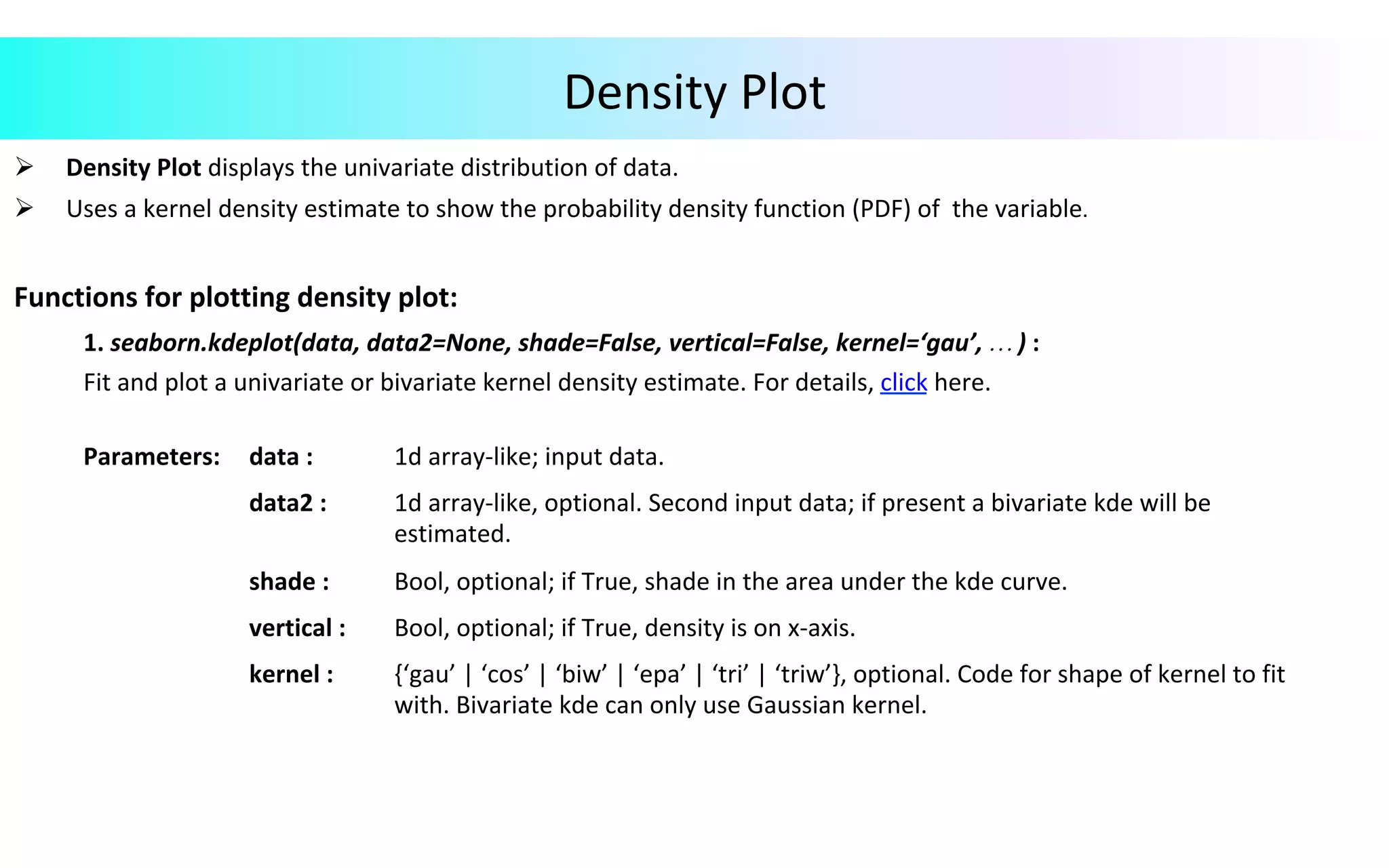
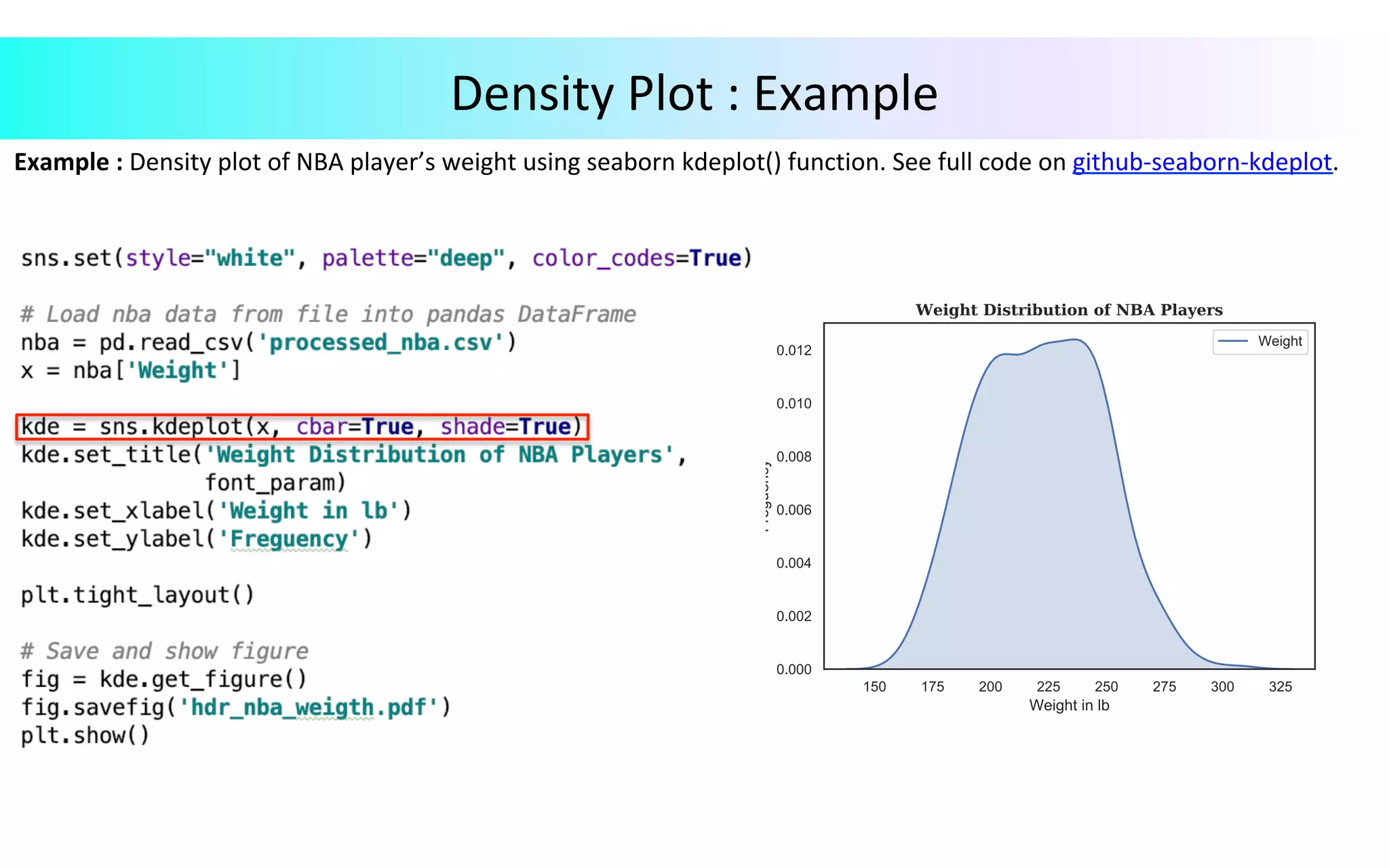
Density	Plot Ø  Density	Plot	displays	the	univariate	distribution	of	data. Ø  Uses	a	kernel	density	estimate	to	show	the	probability	density	function	(PDF)	of	the	variable. Functions	for	plotting	density	plot:	1.	seaborn.kdeplot(data,	data2=None,	shade=False,	vertical=False,	kernel=‘gau’,	…	)	: Fit	and	plot	a	univariate	or	bivariate	kernel	density	estimate.	For	details,	click	here. Parameters: data	: 1d	array-like;	input	data. data2	: 1d	array-like,	optional.	Second	input	data;	if	present	a	bivariate	kde	will	be estimated. shade	: Bool,	optional;	if	True,	shade	in	the	area	under	the	kde	curve. vertical	: Bool,	optional;	if	True,	density	is	on	x-axis. kernel	: {‘gau’	|	‘cos’	|	‘biw’	|	‘epa’	|	‘tri’	|	‘triw’},	optional.	Code	for	shape	of	kernel	to	fit with.	Bivariate	kde	can	only	use	Gaussian	kernel.
Example	:	Density	plot	of	NBA	player’s	weight	using	seaborn	kdeplot()	function.	See	full	code	on	github-seaborn-kdeplot. Density	Plot	:	Example
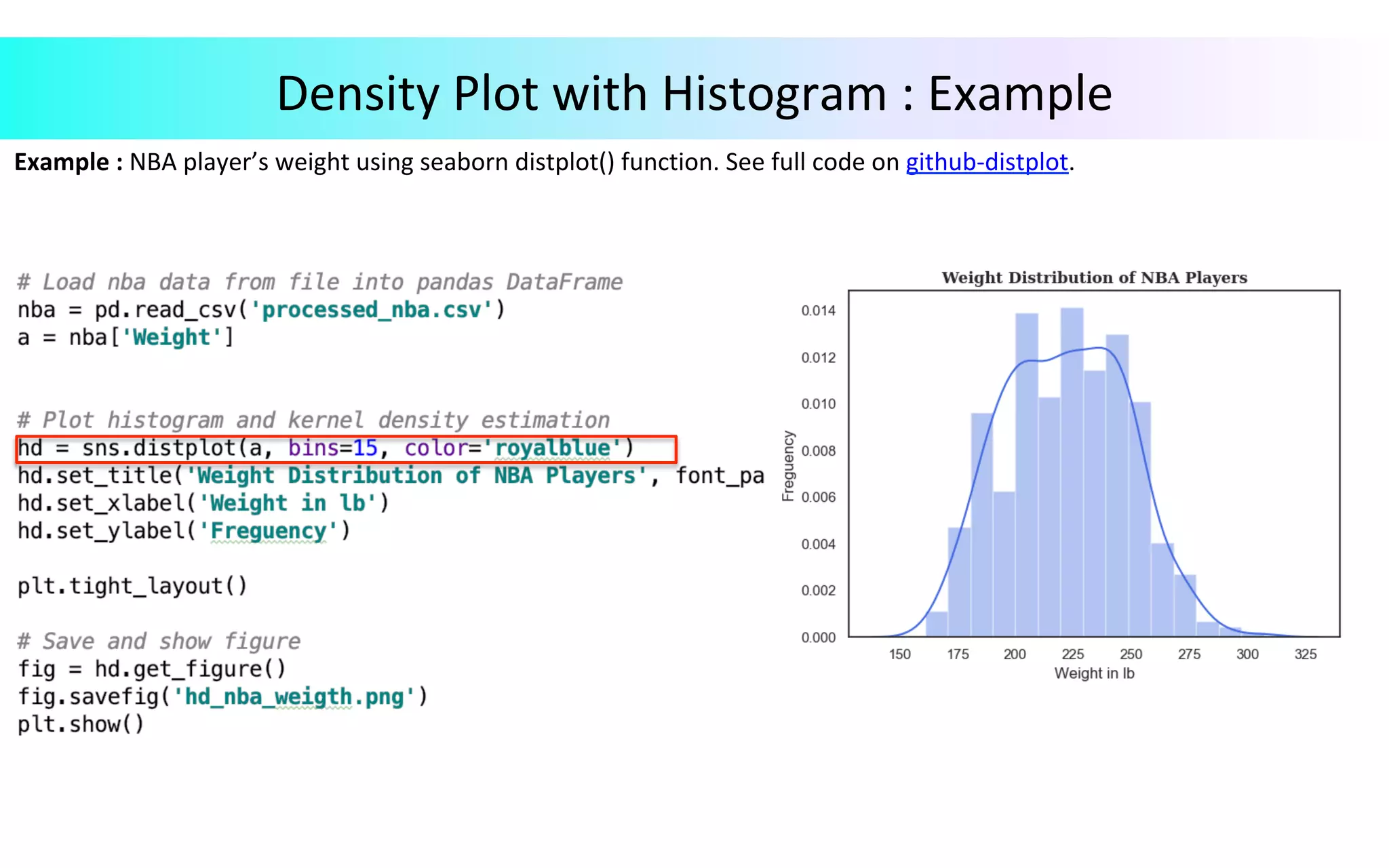
Example	:	NBA	player’s	weight	using	seaborn	distplot()	function.	See	full	code	on	github-distplot. Density	Plot	with	Histogram	:	Example
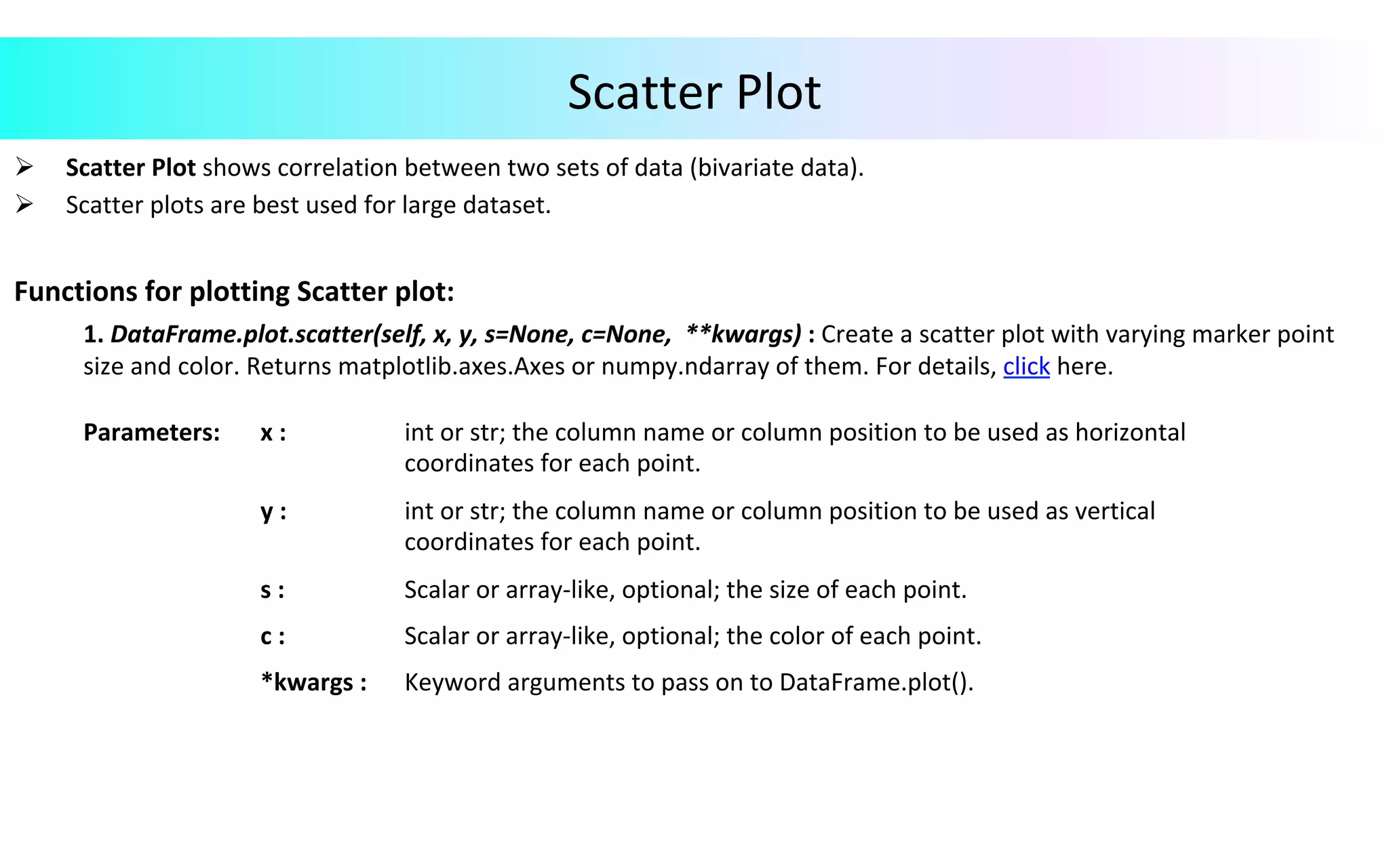
Scatter	Plot Ø  Scatter	Plot	shows	correlation	between	two	sets	of	data	(bivariate	data). Ø  Scatter	plots	are	best	used	for	large	dataset. Functions	for	plotting	Scatter	plot: 1.	DataFrame.plot.scatter(self,	x,	y,	s=None,	c=None,	**kwargs)	:	Create	a	scatter	plot	with	varying	marker	point size	and	color.	Returns	matplotlib.axes.Axes	or	numpy.ndarray	of	them.	For	details,	click	here. Parameters: x	: int	or	str;	the	column	name	or	column	position	to	be	used	as	horizontal coordinates	for	each	point. y	: int	or	str;	the	column	name	or	column	position	to	be	used	as	vertical coordinates	for	each	point. s	: Scalar	or	array-like,	optional;	the	size	of	each	point. c	: Scalar	or	array-like,	optional;	the	color	of	each	point. *kwargs	: Keyword	arguments	to	pass	on	to	DataFrame.plot().
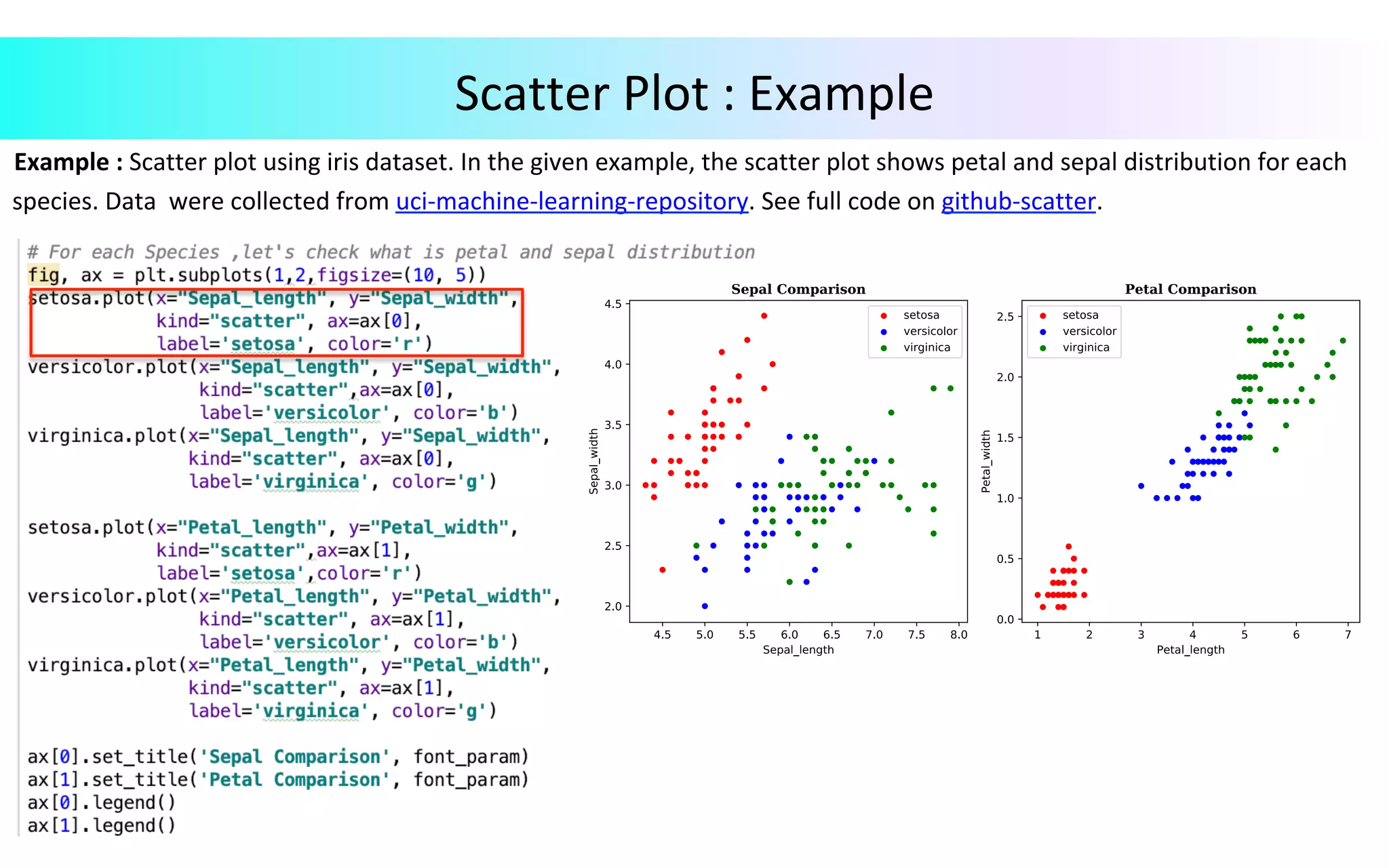
Example	:	Scatter	plot	using	iris	dataset.	In	the	given	example,	the	scatter	plot	shows	petal	and	sepal	distribution	for	each	species.	Data	were	collected	from	uci-machine-learning-repository.	See	full	code	on	github-scatter. Scatter	Plot	:	Example
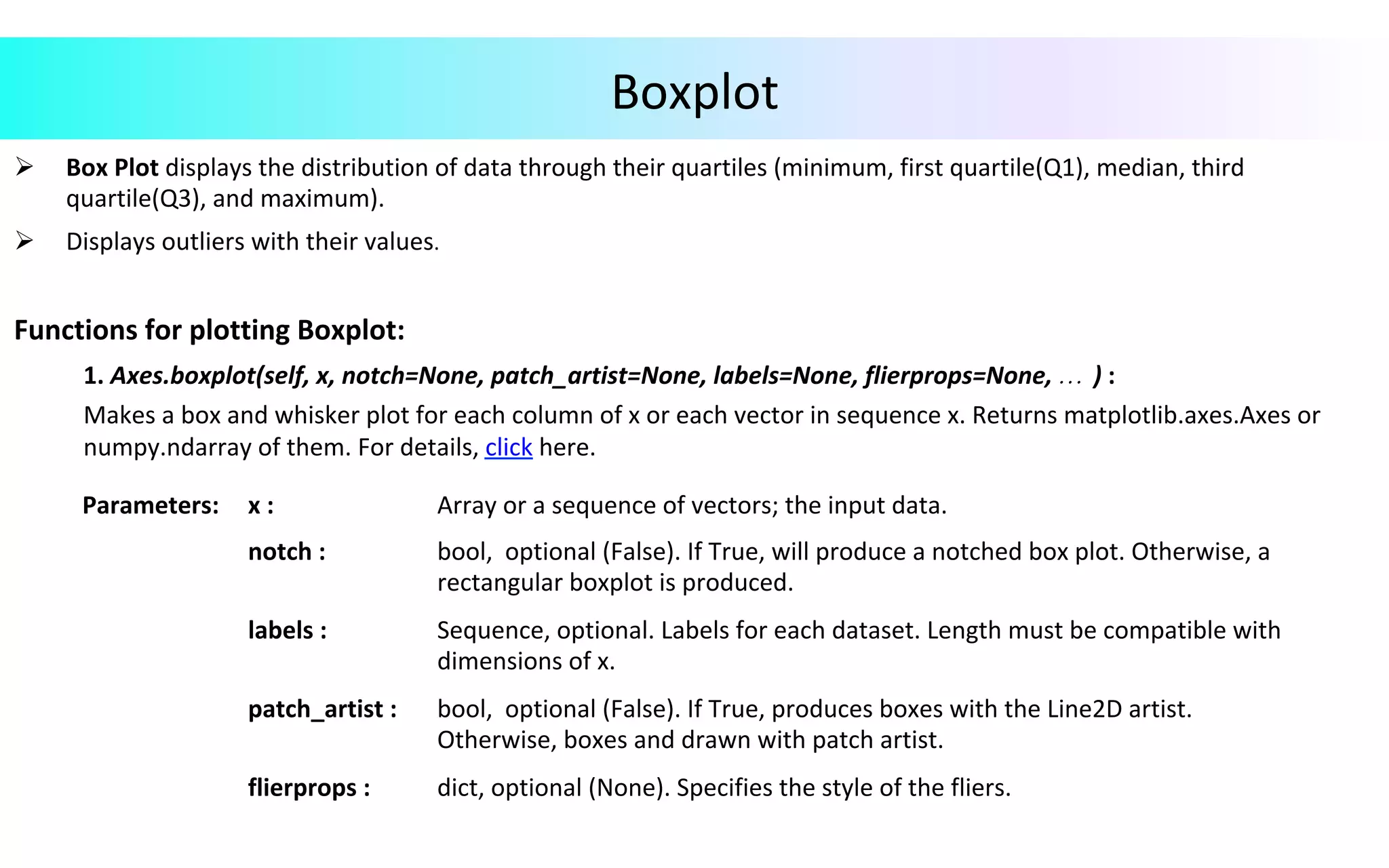
Boxplot Ø  Box	Plot	displays	the	distribution	of	data	through	their	quartiles	(minimum,	first	quartile(Q1),	median,	third quartile(Q3),	and	maximum). Ø  Displays	outliers	with	their	values. Functions	for	plotting	Boxplot:	1.	Axes.boxplot(self,	x,	notch=None,	patch_artist=None,	labels=None,	flierprops=None,	…	)	:	Makes	a	box	and	whisker	plot	for	each	column	of	x	or	each	vector	in	sequence	x.	Returns	matplotlib.axes.Axes	or	numpy.ndarray	of	them.	For	details,	click	here. Parameters: x	: Array	or	a	sequence	of	vectors;	the	input	data. notch	: bool,	optional	(False).	If	True,	will	produce	a	notched	box	plot.	Otherwise,	a rectangular	boxplot	is	produced. labels	: Sequence,	optional.	Labels	for	each	dataset.	Length	must	be	compatible	with dimensions	of	x. patch_artist	: bool,	optional	(False).	If	True,	produces	boxes	with	the	Line2D	artist. Otherwise,	boxes	and	drawn	with	patch	artist. flierprops	: dict,	optional	(None).	Specifies	the	style	of	the	fliers.
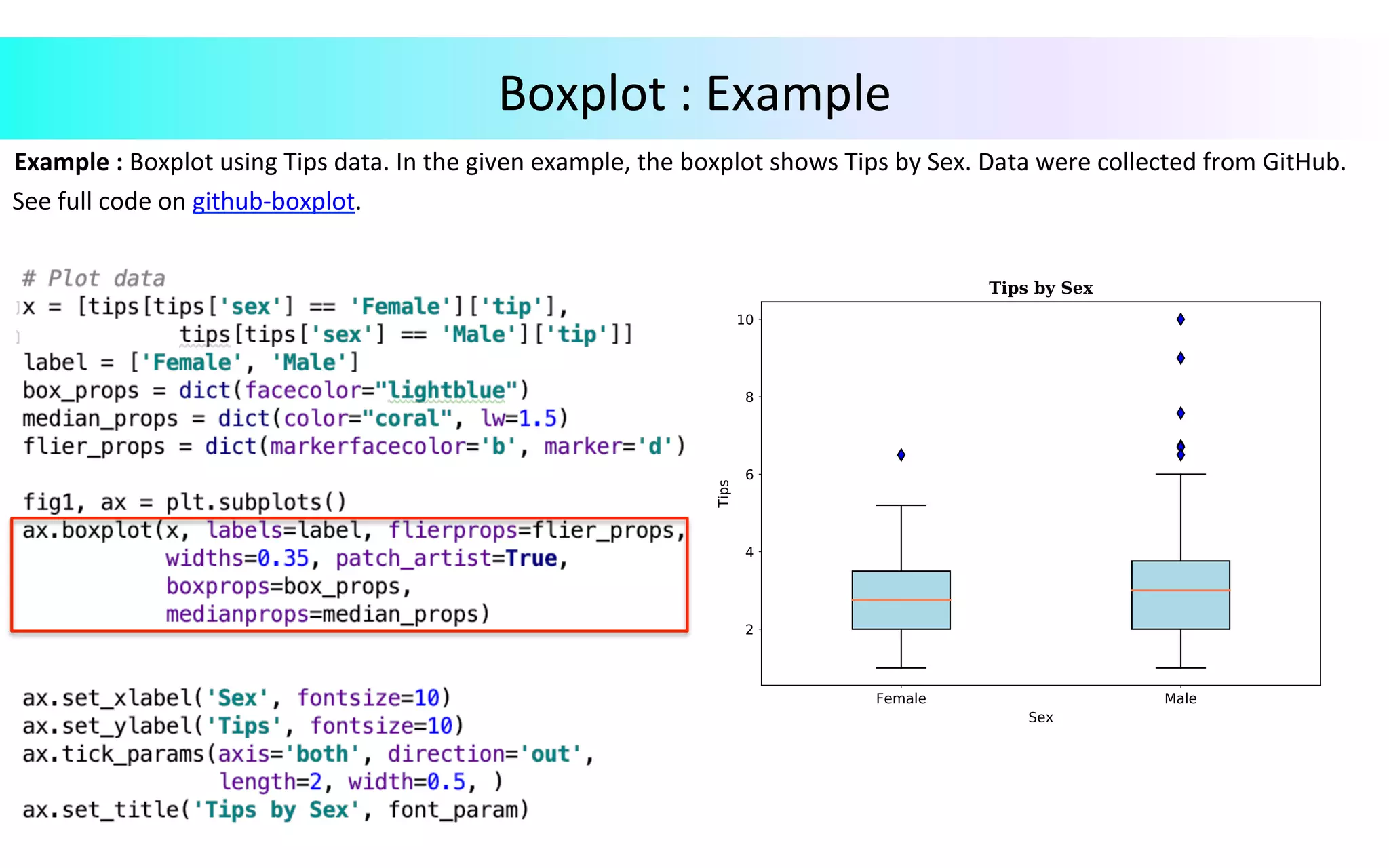
Example	:	Boxplot	using	Tips	data.	In	the	given	example,	the	boxplot	shows	Tips	by	Sex.	Data	were	collected	from	GitHub.	See	full	code	on	github-boxplot. Boxplot	:	Example
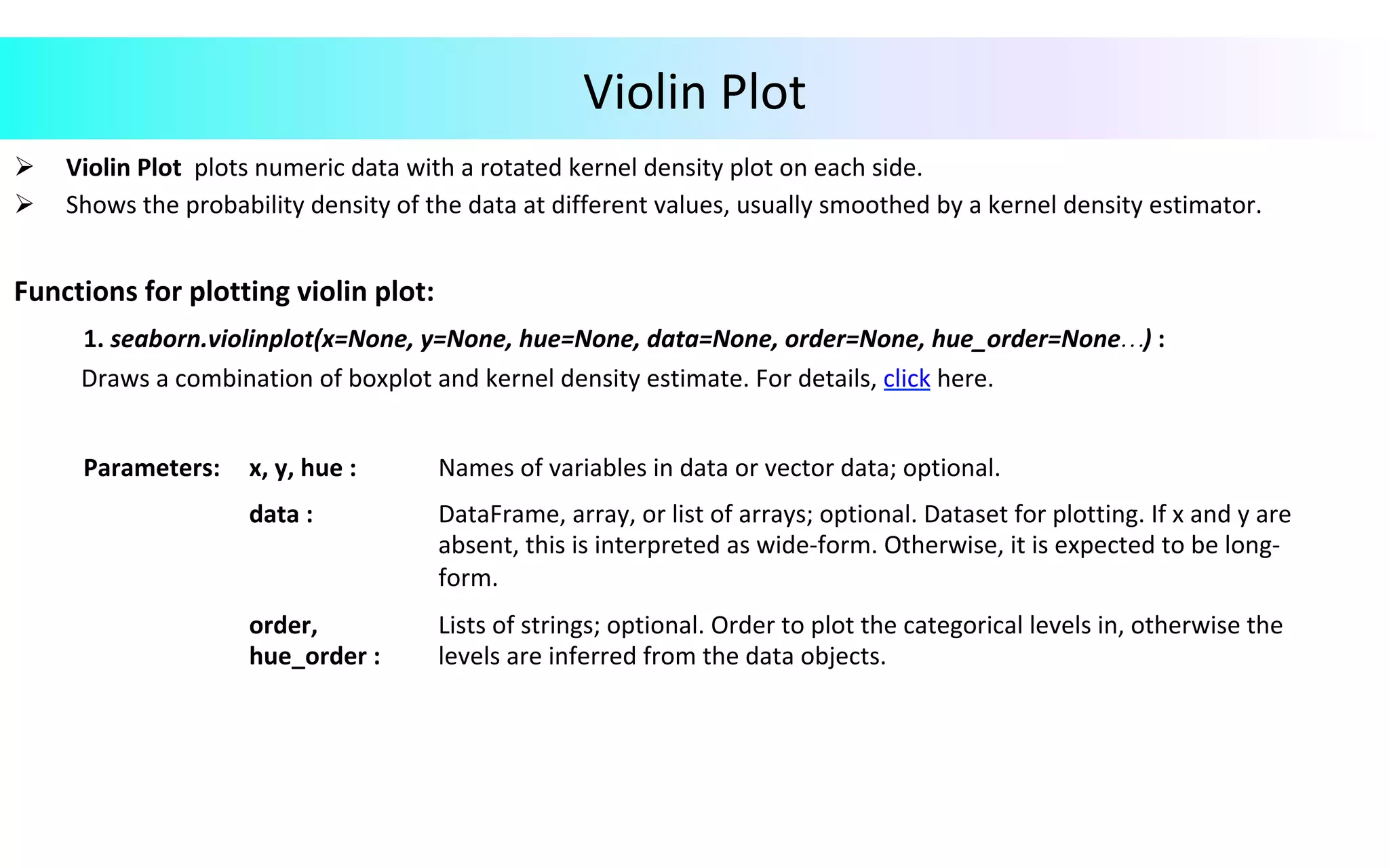
Violin	Plot Ø  Violin	Plot	plots	numeric	data	with	a	rotated	kernel	density	plot	on	each	side. Ø  Shows	the	probability	density	of	the	data	at	different	values,	usually	smoothed	by	a	kernel	density	estimator. Functions	for	plotting	violin	plot:	1.	seaborn.violinplot(x=None,	y=None,	hue=None,	data=None,	order=None,	hue_order=None…)	:	Draws	a	combination	of	boxplot	and	kernel	density	estimate.	For	details,	click	here. Parameters: x,	y,	hue	: Names	of	variables	in	data	or	vector	data;	optional. data	: DataFrame,	array,	or	list	of	arrays;	optional.	Dataset	for	plotting.	If	x	and	y	are absent,	this	is	interpreted	as	wide-form.	Otherwise,	it	is	expected	to	be	long- form. order, hue_order	: Lists	of	strings;	optional.	Order	to	plot	the	categorical	levels	in,	otherwise	the levels	are	inferred	from	the	data	objects.
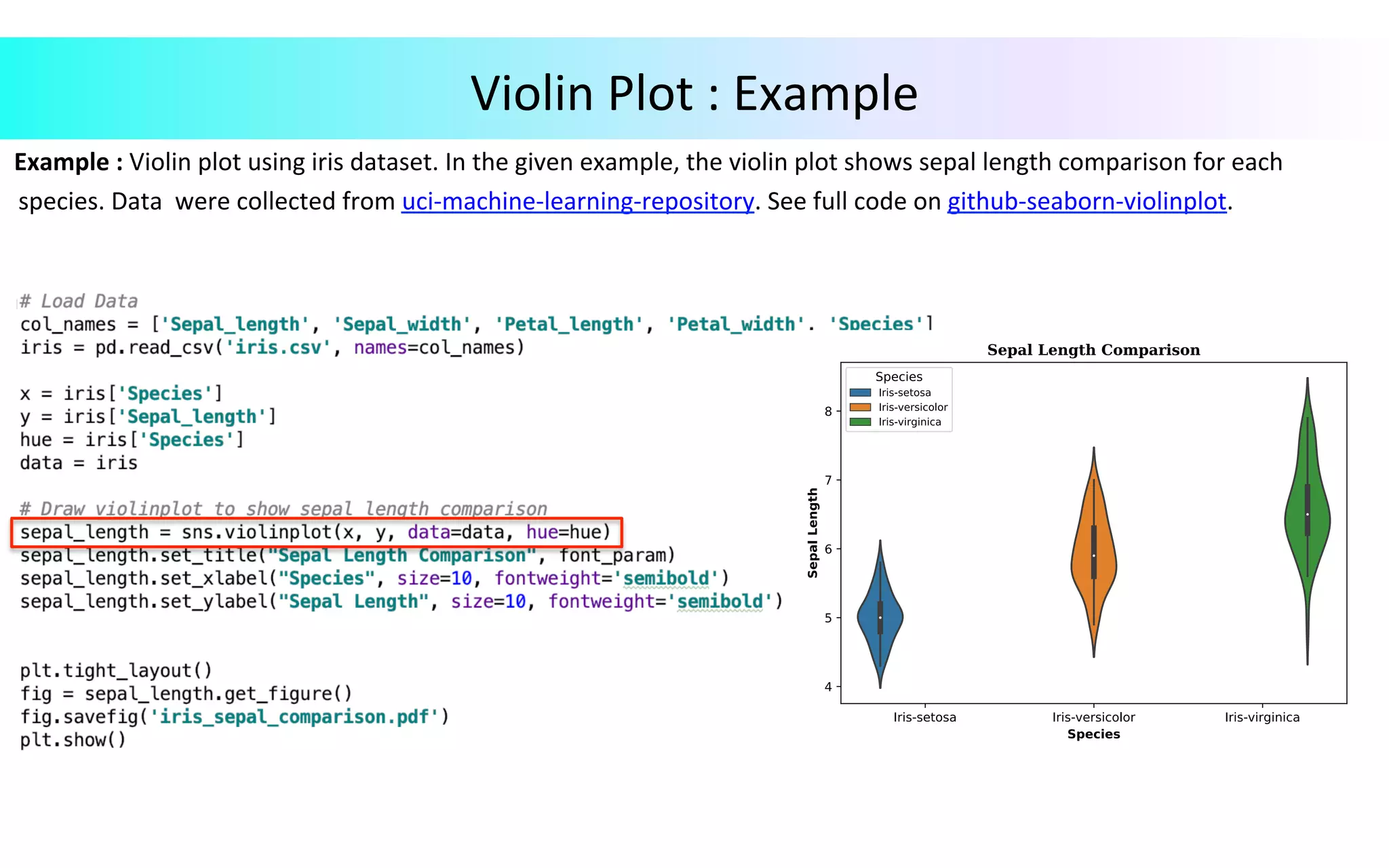
Example	:	Violin	plot	using	iris	dataset.	In	the	given	example,	the	violin	plot	shows	sepal	length	comparison	for	each	species.	Data	were	collected	from	uci-machine-learning-repository.	See	full	code	on	github-seaborn-violinplot. Violin	Plot	:	Example
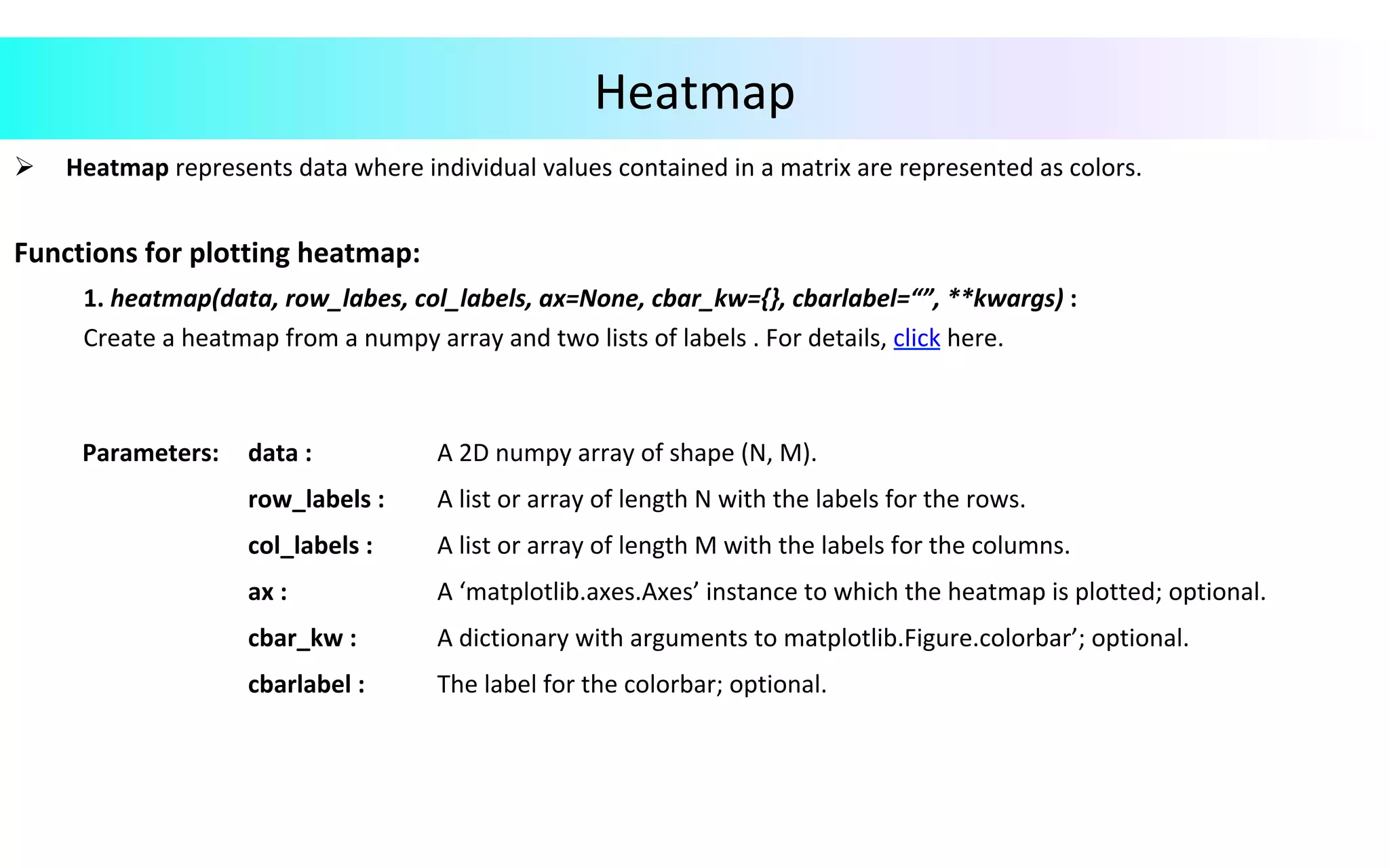
Heatmap Ø  Heatmap	represents	data	where	individual	values	contained	in	a	matrix	are	represented	as	colors. Functions	for	plotting	heatmap:	1.	heatmap(data,	row_labes,	col_labels,	ax=None,	cbar_kw={},	cbarlabel=“”,	**kwargs)	:	Create	a	heatmap	from	a	numpy	array	and	two	lists	of	labels	.	For	details,	click	here. Parameters: data	: A	2D	numpy	array	of	shape	(N,	M). row_labels	: A	list	or	array	of	length	N	with	the	labels	for	the	rows. col_labels	: A	list	or	array	of	length	M	with	the	labels	for	the	columns. ax	: A	‘matplotlib.axes.Axes’	instance	to	which	the	heatmap	is	plotted;	optional. cbar_kw	: A	dictionary	with	arguments	to	matplotlib.Figure.colorbar’;	optional. cbarlabel	: The	label	for	the	colorbar;	optional.
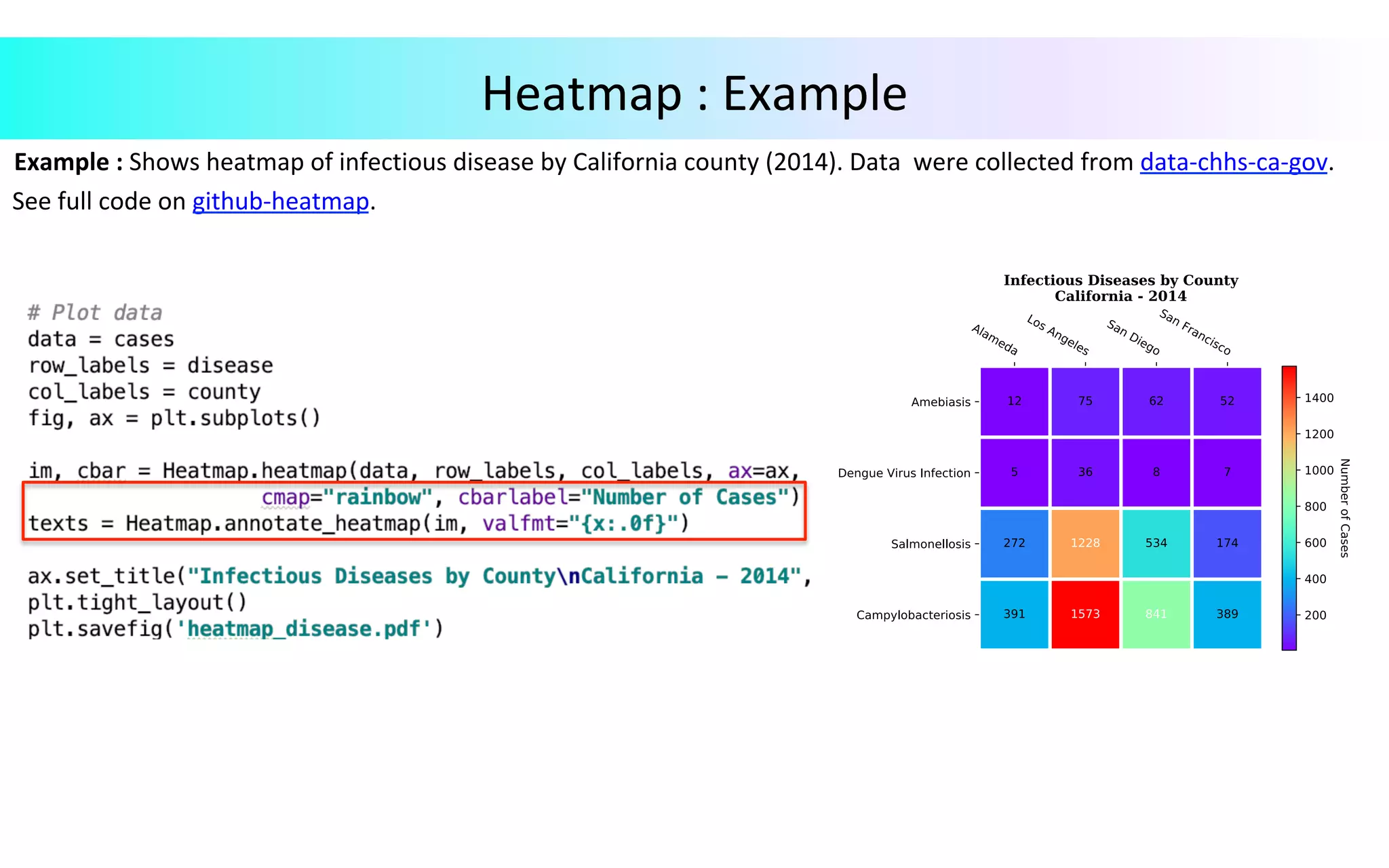
Example	:	Shows	heatmap	of	infectious	disease	by	California	county	(2014).	Data	were	collected	from	data-chhs-ca-gov.	See	full	code	on	github-heatmap. Heatmap	:	Example
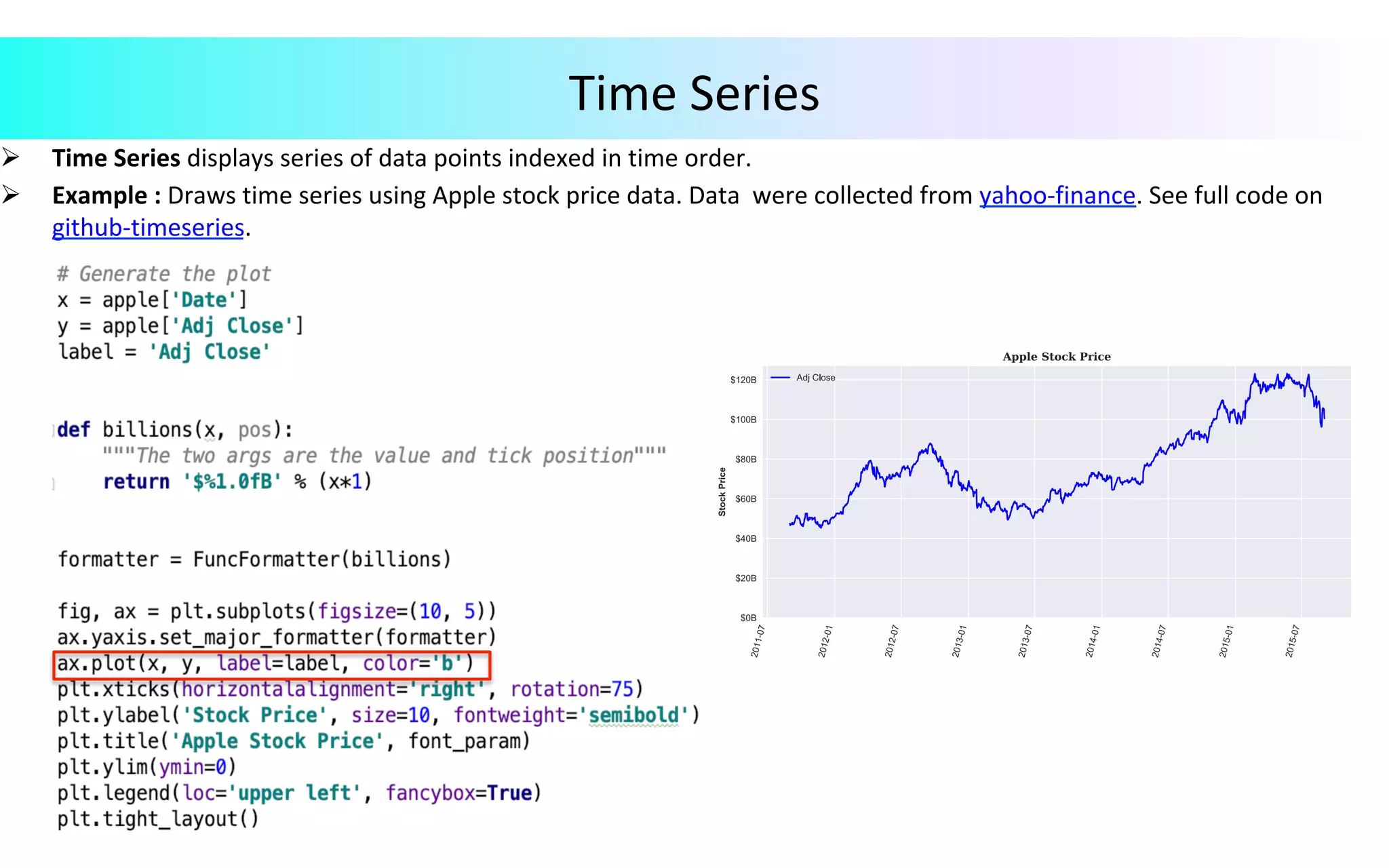
Ø  Time	Series	displays	series	of	data	points	indexed	in	time	order. Ø  Example	:	Draws	time	series	using	Apple	stock	price	data.	Data	were	collected	from	yahoo-finance.	See	full	code	on github-timeseries. Time	Series
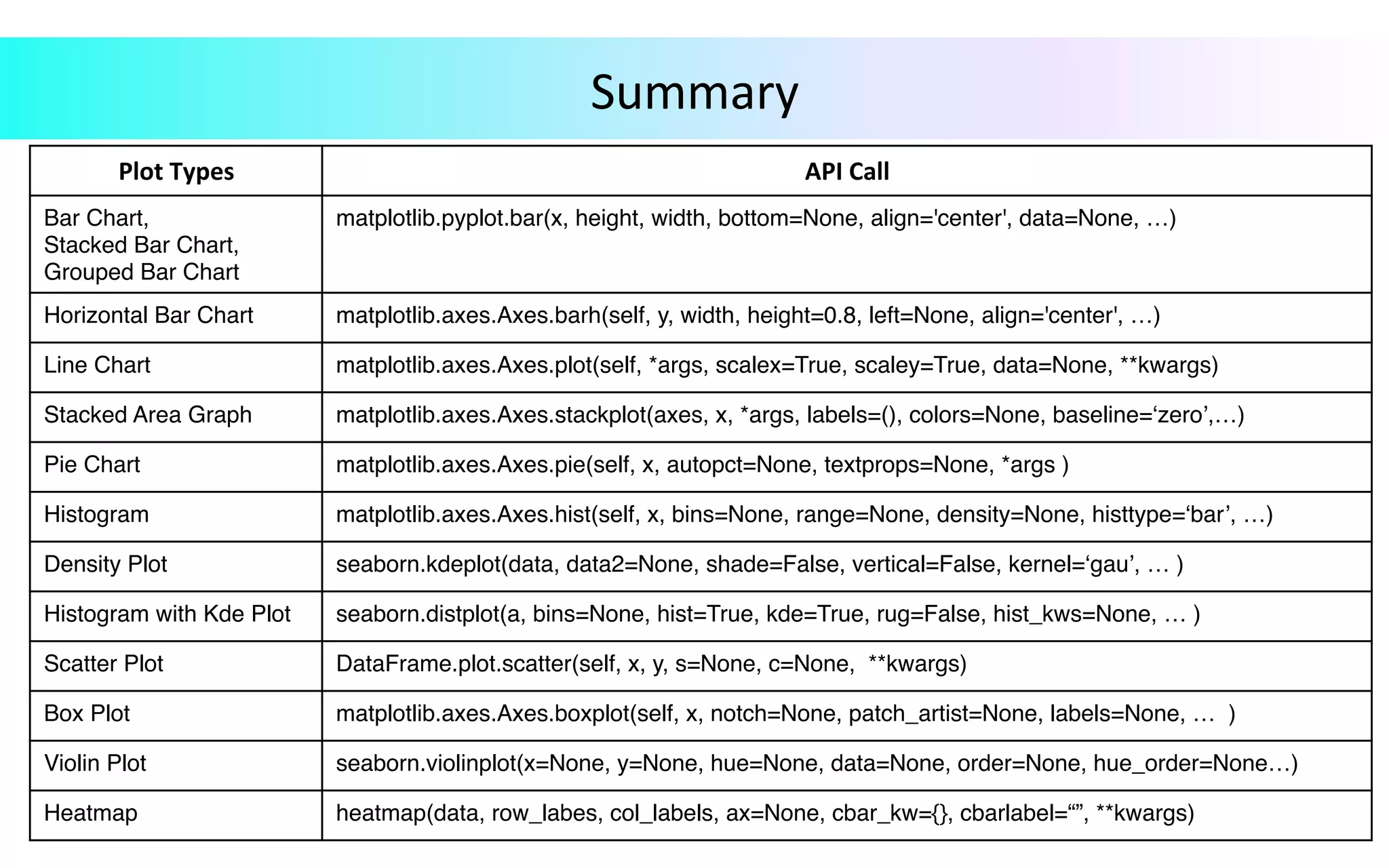
Summary Plot	Types API	Call Bar Chart, Stacked Bar Chart, Grouped Bar Chart matplotlib.pyplot.bar(x, height, width, bottom=None, align='center', data=None, …) Horizontal Bar Chart matplotlib.axes.Axes.barh(self, y, width, height=0.8, left=None, align='center', …) Line Chart matplotlib.axes.Axes.plot(self, *args, scalex=True, scaley=True, data=None, **kwargs) Stacked Area Graph matplotlib.axes.Axes.stackplot(axes, x, *args, labels=(), colors=None, baseline=‘zero’,…) Pie Chart matplotlib.axes.Axes.pie(self, x, autopct=None, textprops=None, *args ) Histogram matplotlib.axes.Axes.hist(self, x, bins=None, range=None, density=None, histtype=‘bar’, …) Density Plot seaborn.kdeplot(data, data2=None, shade=False, vertical=False, kernel=‘gau’, … ) Histogram with Kde Plot seaborn.distplot(a, bins=None, hist=True, kde=True, rug=False, hist_kws=None, … ) Scatter Plot DataFrame.plot.scatter(self, x, y, s=None, c=None, **kwargs) Box Plot matplotlib.axes.Axes.boxplot(self, x, notch=None, patch_artist=None, labels=None, … ) Violin Plot seaborn.violinplot(x=None, y=None, hue=None, data=None, order=None, hue_order=None…) Heatmap heatmap(data, row_labes, col_labels, ax=None, cbar_kw={}, cbarlabel=“”, **kwargs)
Visualization	Plots	Using	Seaborn Version	2017.06
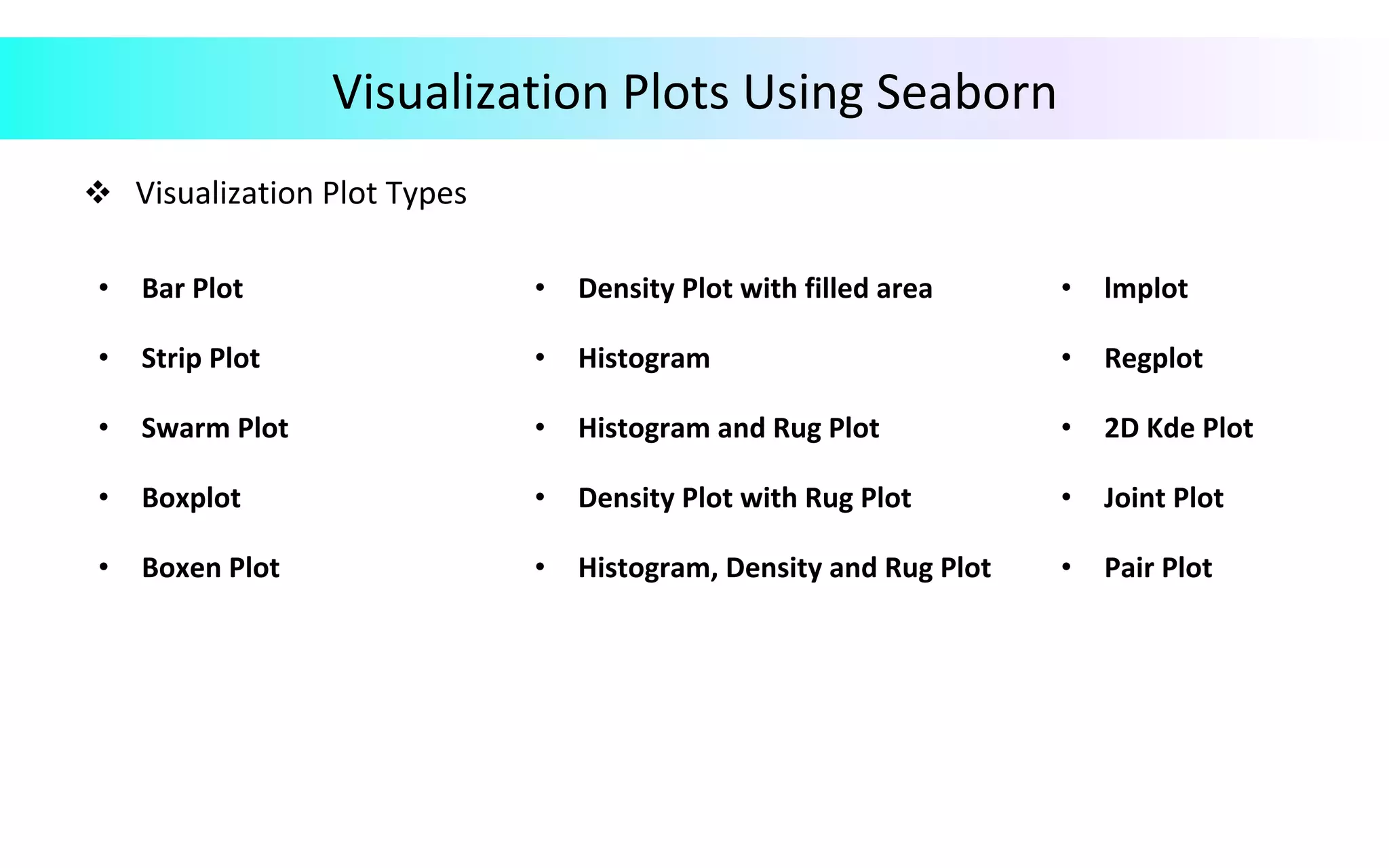
Visualization	Plots	Using	Seaborn v  Visualization	Plot	Types •  Bar	Plot •  Density	Plot	with	filled	area •  lmplot •  Strip	Plot •  Histogram •  Regplot •  Swarm	Plot •  Histogram	and	Rug	Plot •  2D	Kde	Plot •  Boxplot •  Density	Plot	with	Rug	Plot •  Joint	Plot •  Boxen	Plot •  Histogram,	Density	and	Rug	Plot •  Pair	Plot
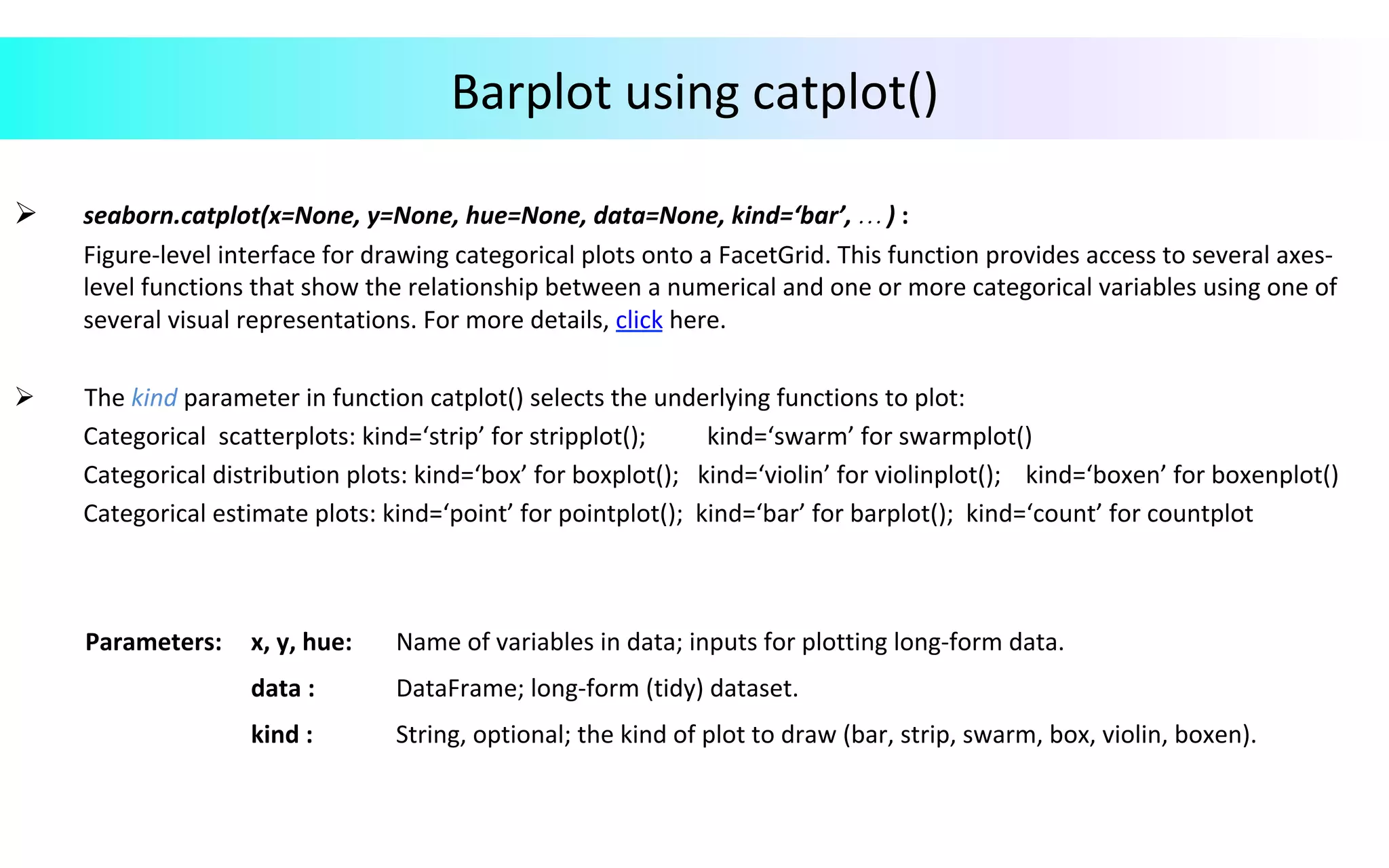
Barplot	using	catplot() Ø  seaborn.catplot(x=None,	y=None,	hue=None,	data=None,	kind=‘bar’,	…	)	: Figure-level	interface	for	drawing	categorical	plots	onto	a	FacetGrid.	This	function	provides	access	to	several	axes- level	functions	that	show	the	relationship	between	a	numerical	and	one	or	more	categorical	variables	using	one	of several	visual	representations.	For	more	details,	click	here. Ø 	The	kind	parameter	in	function	catplot()	selects	the	underlying	functions	to	plot:	Categorical	scatterplots:	kind=‘strip’	for	stripplot();	kind=‘swarm’	for	swarmplot()	Categorical	distribution	plots:	kind=‘box’	for	boxplot();	kind=‘violin’	for	violinplot();	kind=‘boxen’	for	boxenplot()	Categorical	estimate	plots:	kind=‘point’	for	pointplot();	kind=‘bar’	for	barplot();	kind=‘count’	for	countplot Parameters: x,	y,	hue: Name	of	variables	in	data;	inputs	for	plotting	long-form	data. data	: DataFrame;	long-form	(tidy)	dataset. kind	: String,	optional;	the	kind	of	plot	to	draw	(bar,	strip,	swarm,	box,	violin,	boxen).
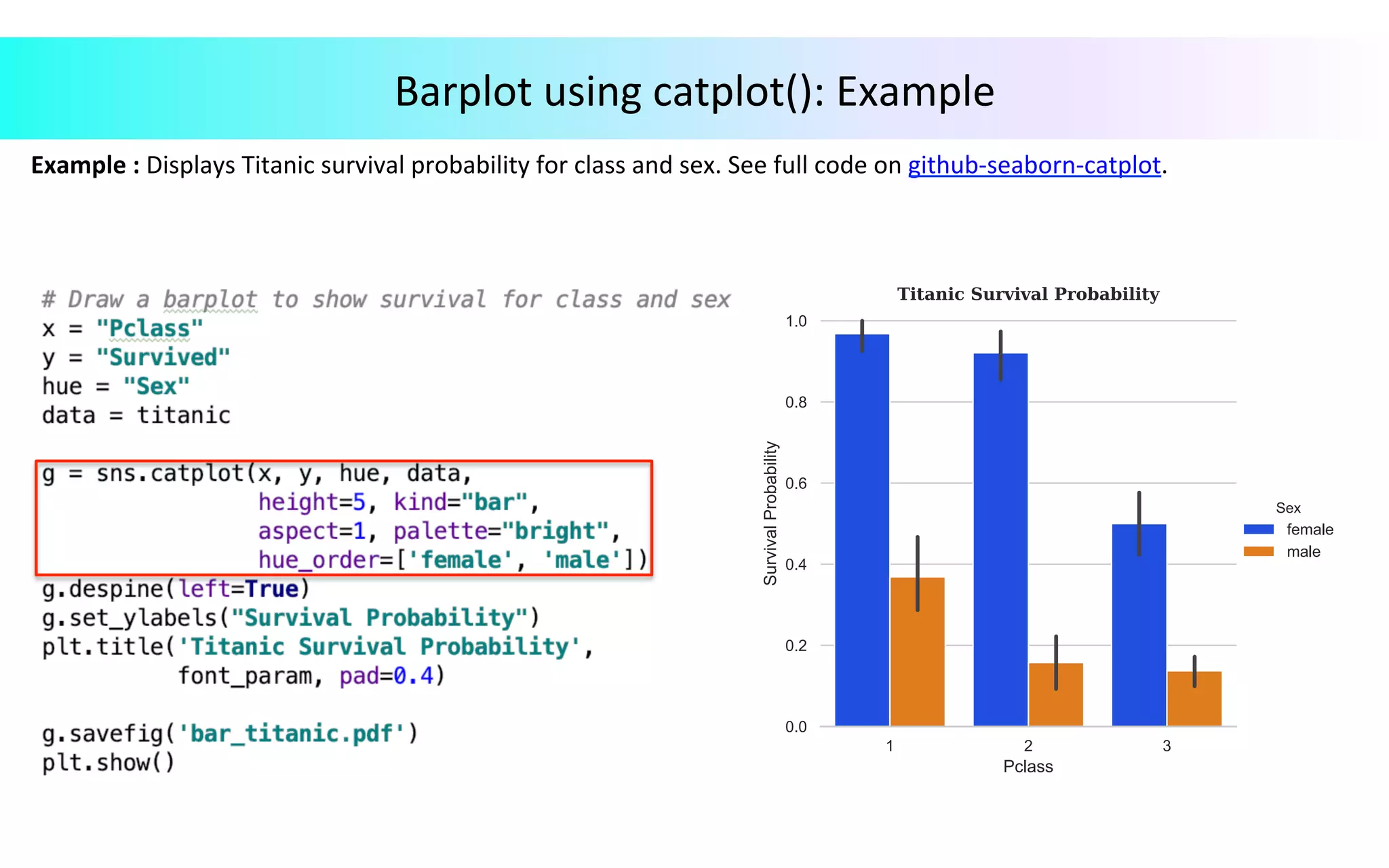
Barplot	using	catplot():	Example Example	:	Displays	Titanic	survival	probability	for	class	and	sex.	See	full	code	on	github-seaborn-catplot.
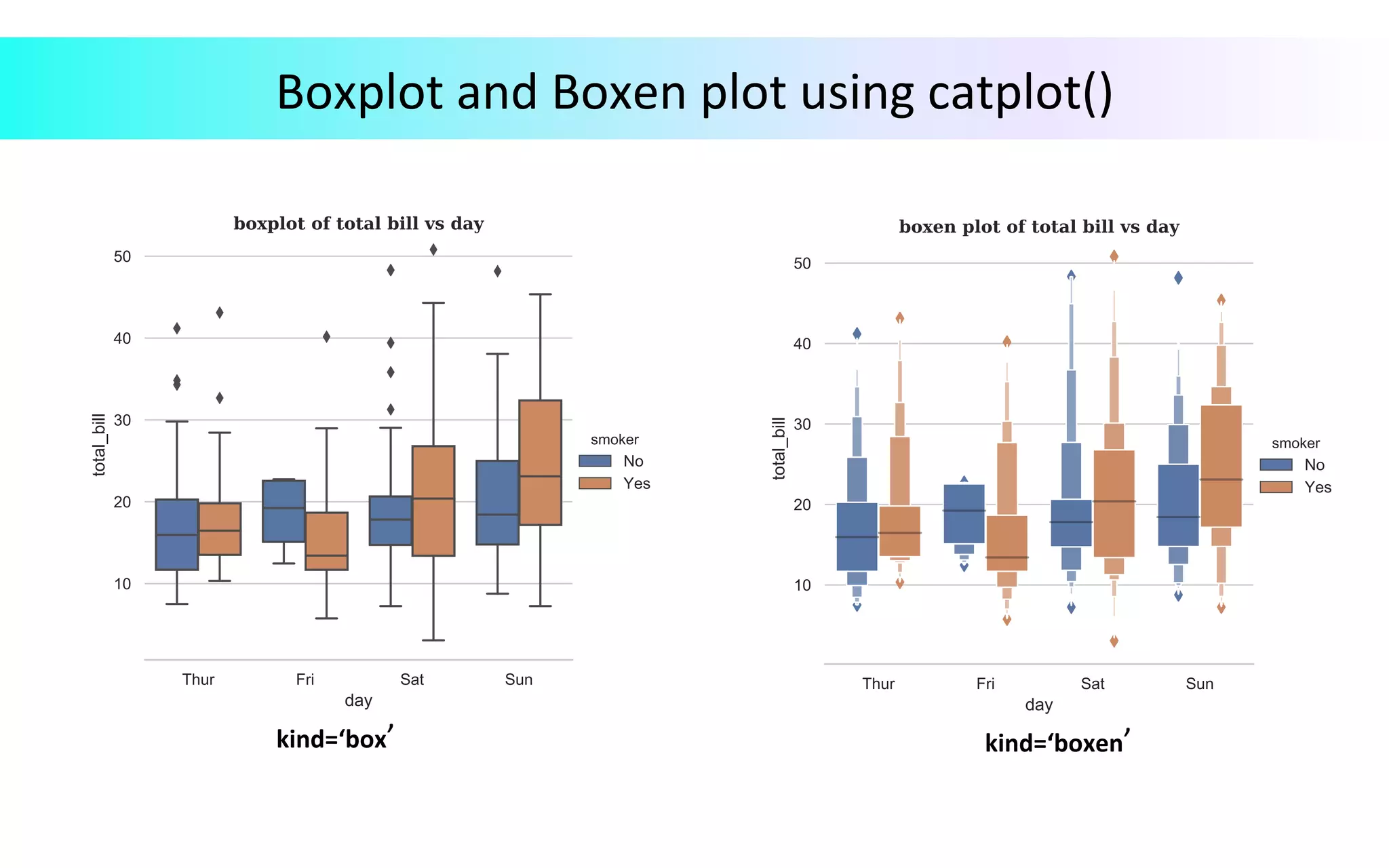
Boxplot	and	Boxen	plot	using	catplot() kind=‘box’ kind=‘boxen’
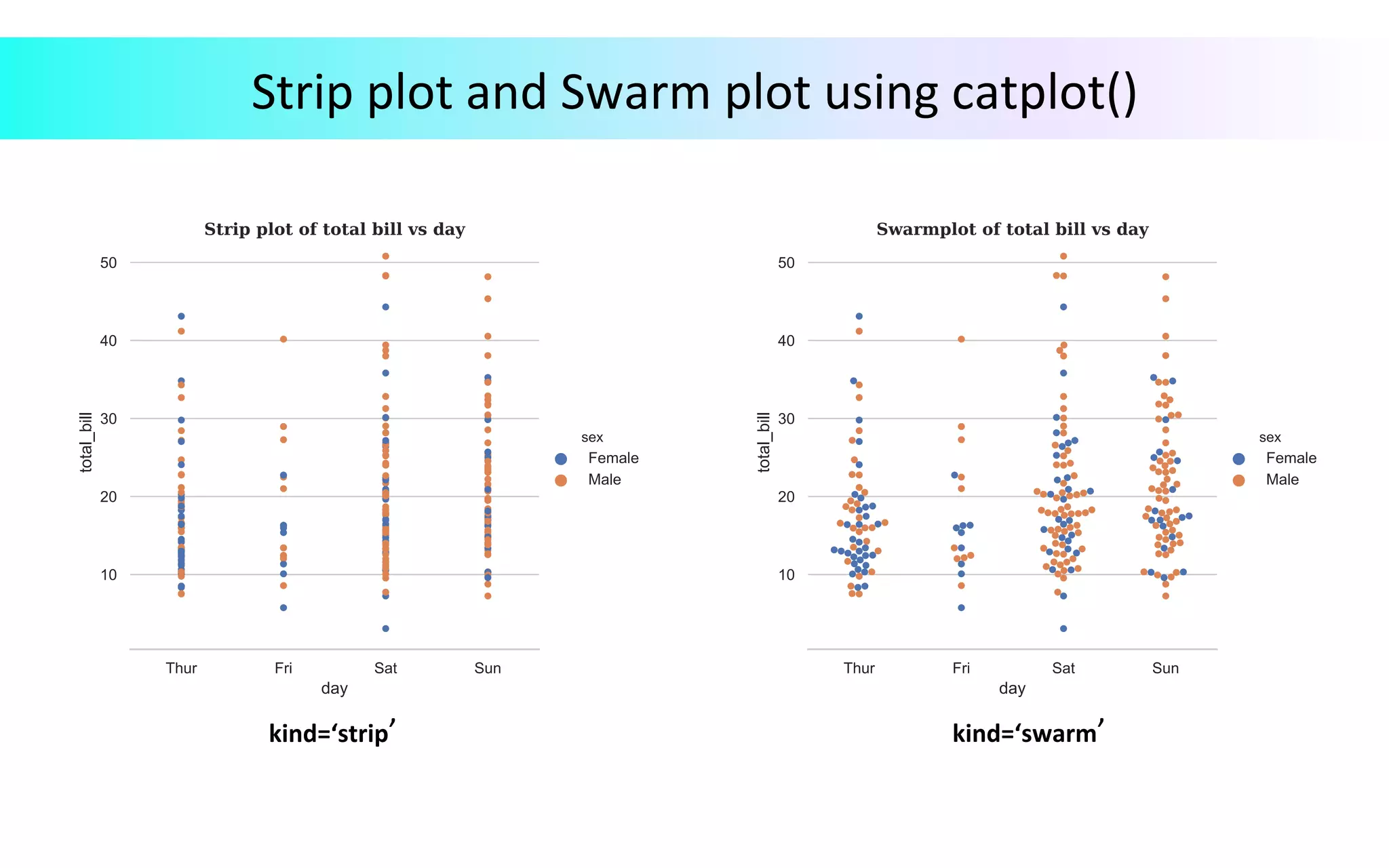
Strip	plot	and	Swarm	plot	using	catplot() kind=‘strip’ kind=‘swarm’
Histogram,	Density	Plot,	Rug	Plot	using	distplot() Ø 	seaborn.distplot(a,	bins=None,	hist=True,	kde=True,	rug=False,	hist_kws=None,	kde_kws,	rug_kws=None,	…	)	:	Combines	the	matplotlib	hist()	function,	with	the	seaborn	kdeplot()	and	rugplot()	functions	and	plot	the	estimate	PDF	over	the	data.	For	details,	click	here. Parameters: a	: Series,	1d-array,	or	list. bins	: Argument	for	matplotlib	hist(),	or	None,	optional;	specification	for	hist	bins. hist	: Bool,	optional;	whether	to	plot	a	(normed)	histogram kde	: Bool,	optional;	whether	to	plot	a	Gaussian	kernel	density	estimate. rug	: Bool,	optional;	whether	to	plot	a	rugplot	on	the	support	axis. {hist,	kde,	rug,	fit}_kws	: Dictionaries,	optional;	keyword	arguments	for	underlying	plotting	functions.
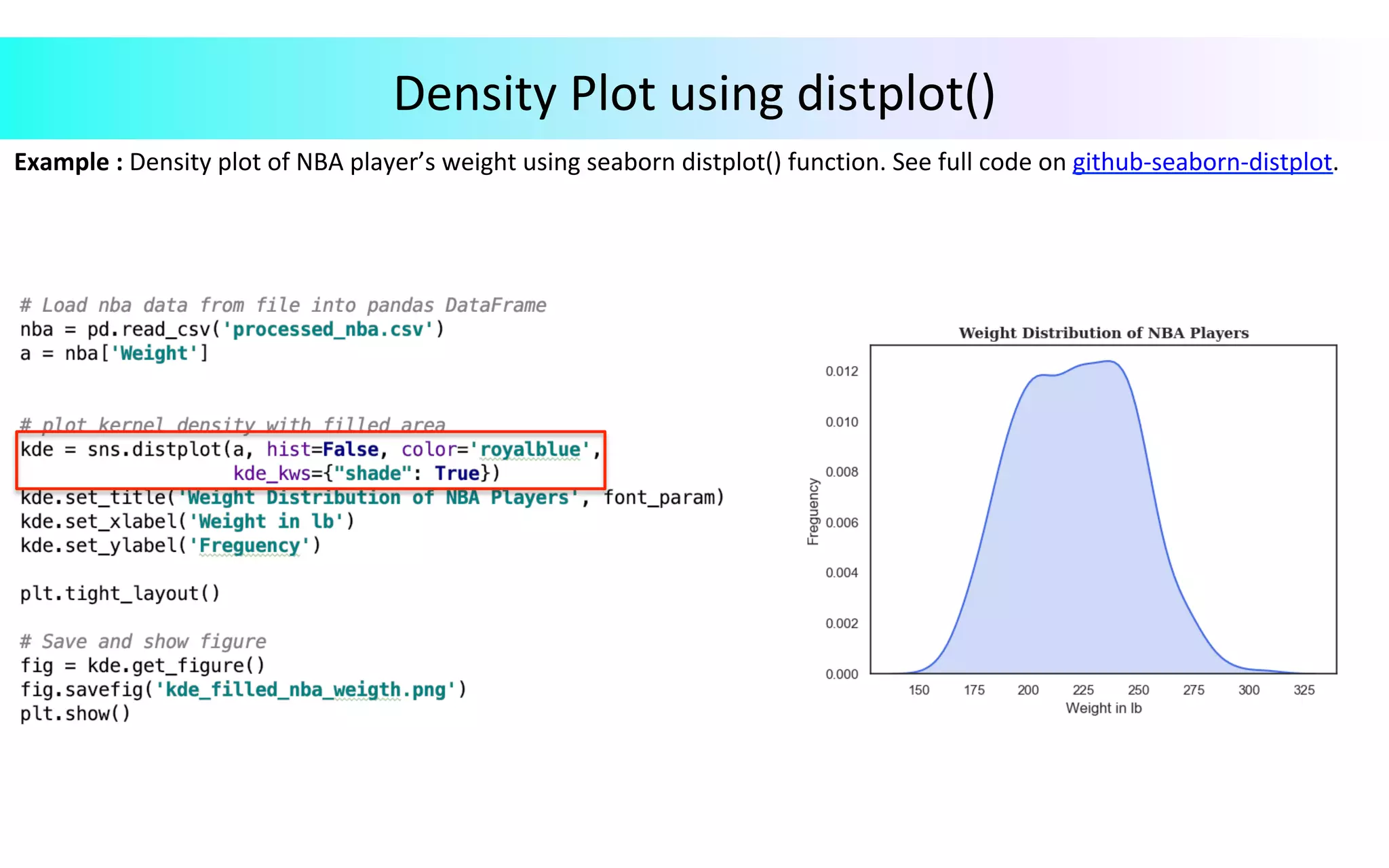
Example	:	Density	plot	of	NBA	player’s	weight	using	seaborn	distplot()	function.	See	full	code	on	github-seaborn-distplot. Density	Plot	using	distplot()
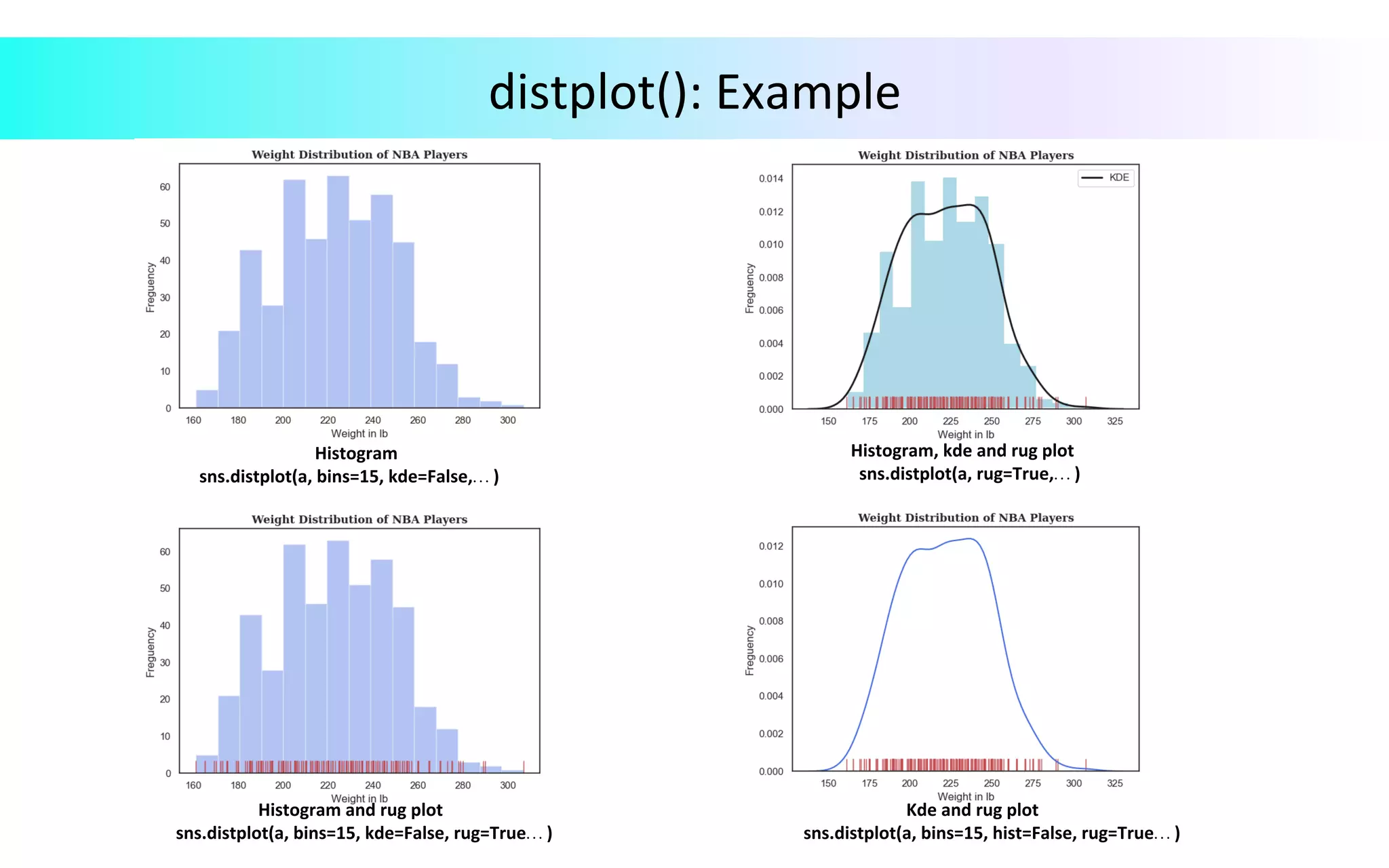
distplot():	Example Histogram sns.distplot(a,	bins=15,	kde=False,…	) Histogram,	kde	and	rug	plot	sns.distplot(a,	rug=True,…	) Histogram	and	rug	plot	sns.distplot(a,	bins=15,	kde=False,	rug=True…	) Kde	and	rug	plot	sns.distplot(a,	bins=15,	hist=False,	rug=True…	)
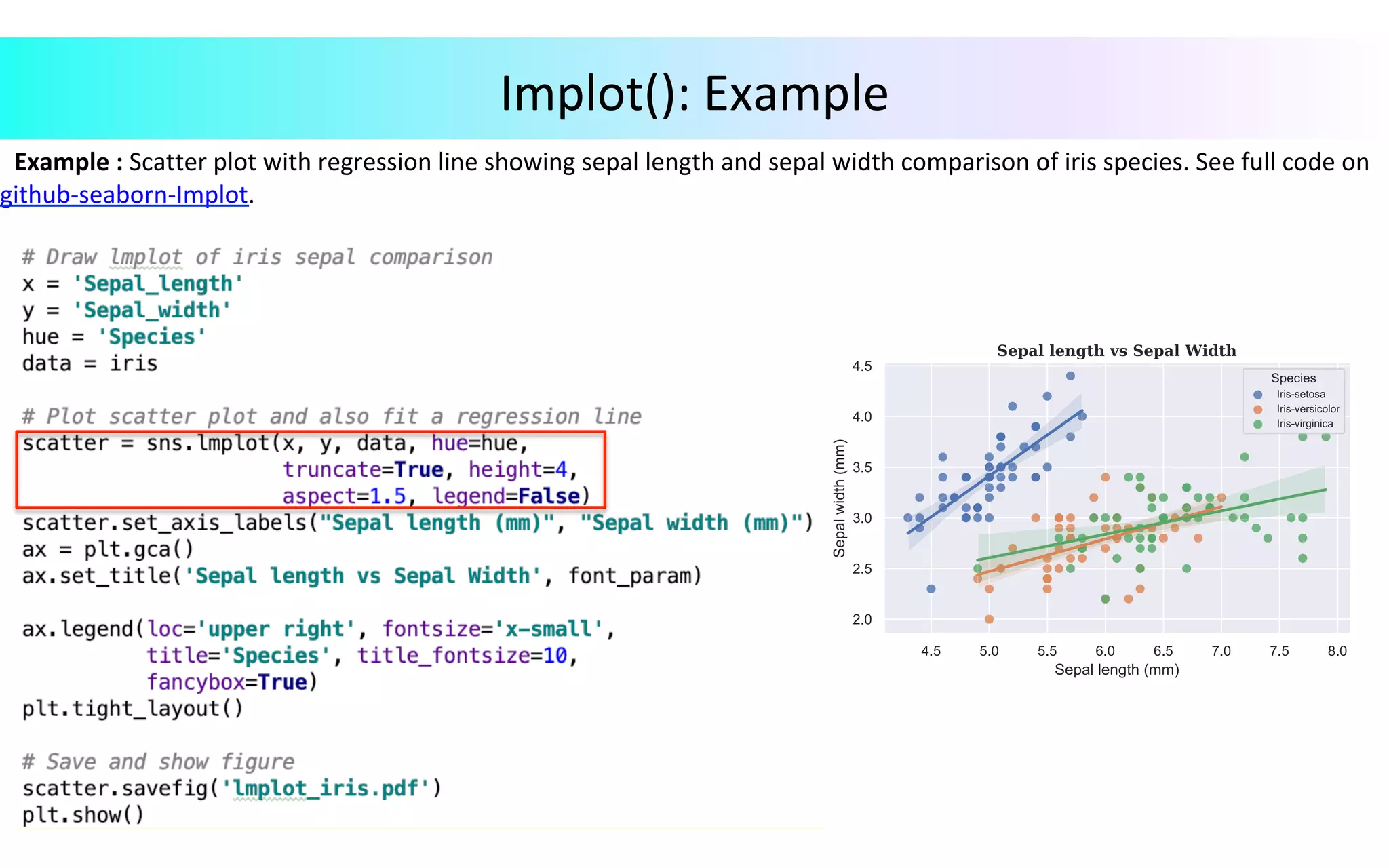
Implot() Ø  seaborn.lmplot(x,	y,	data,	hue=None,	col=None,	…	)	:	Plots	data	and	regression	model	fits	across	a	FacetGrid.	Combines	regplot()	and	FacetGrid.	For	details,	click	here. Parameters: x,	y	: Strings,	optional data	: DataFrame;	Tidy	(long-form)	dataframe	where	each	column	is	a	variable	and	each row	is	an	observation. hue,	col, row	: Strings;	variables	that	define	subsets	of	the	data.
Example	:	Scatter	plot	with	regression	line	showing	sepal	length	and	sepal	width	comparison	of	iris	species.	See	full	code	on github-seaborn-Implot. Implot():	Example
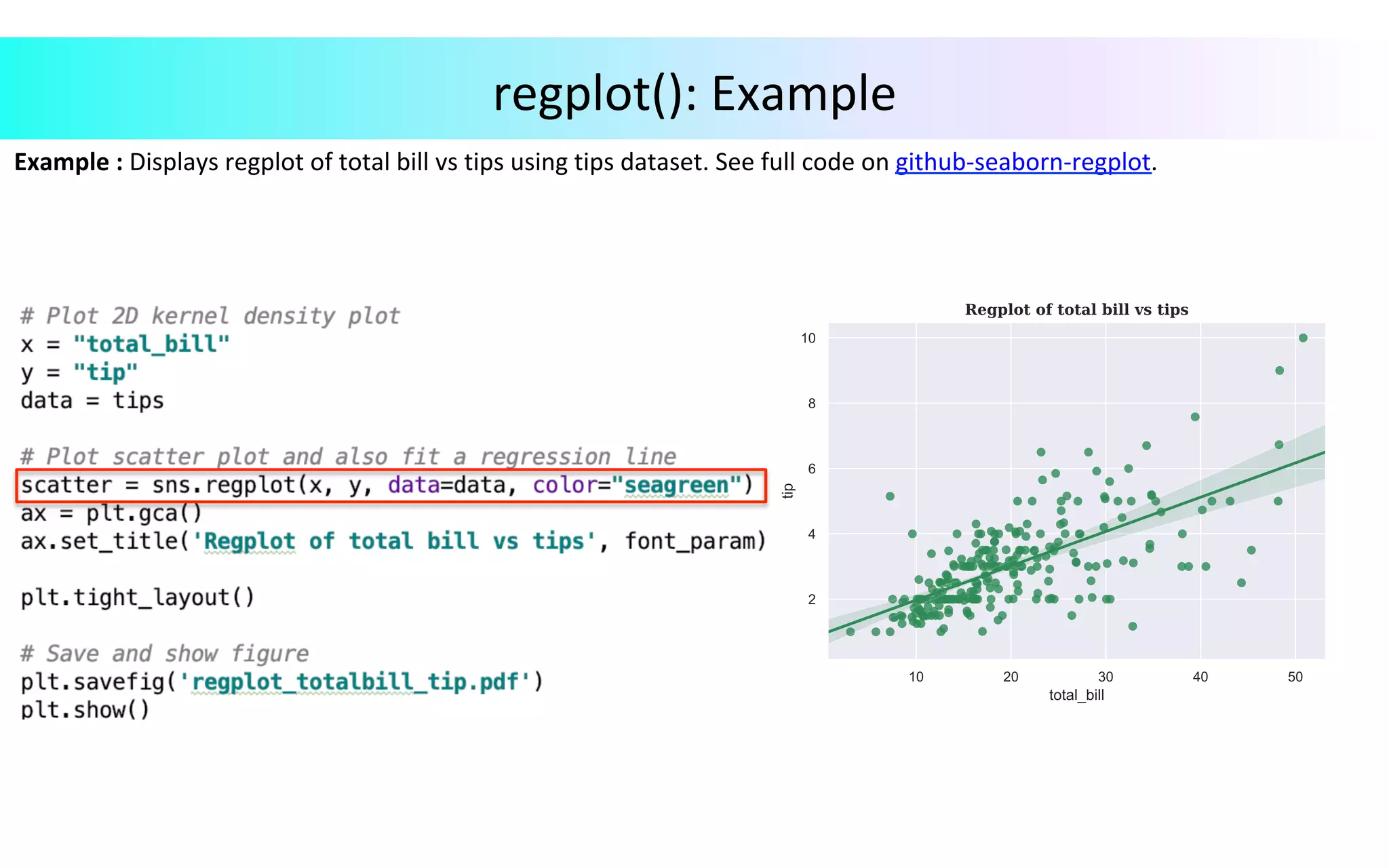
regplot() Ø  seaborn.regplot(x,	y,	data=None,	x_estimator=None,	x_bins=None,	fit_reg=True,	…	)	: Plot	data	and	a	linear	regression	model	fit.	For	details,	click	here. Parameters: x,	y	: String,	series,	or	vector	array;	input	variables. data	: DataFrame;	Tidy	(long-form)	dataframe	where	each	column	is	a	variable	and each	row	is	an	observation. x_estimator	: Called	that	maps	vector	->	scalar,	optional. x_bins	: int	or	vector,	optional. fit_reg	: Bool,	optional.	If	True,	estimate	and	plot	a	regression	model	relating	the	x	and	y variables.
Example	:	Displays	regplot	of	total	bill	vs	tips	using	tips	dataset.	See	full	code	on	github-seaborn-regplot. regplot():	Example
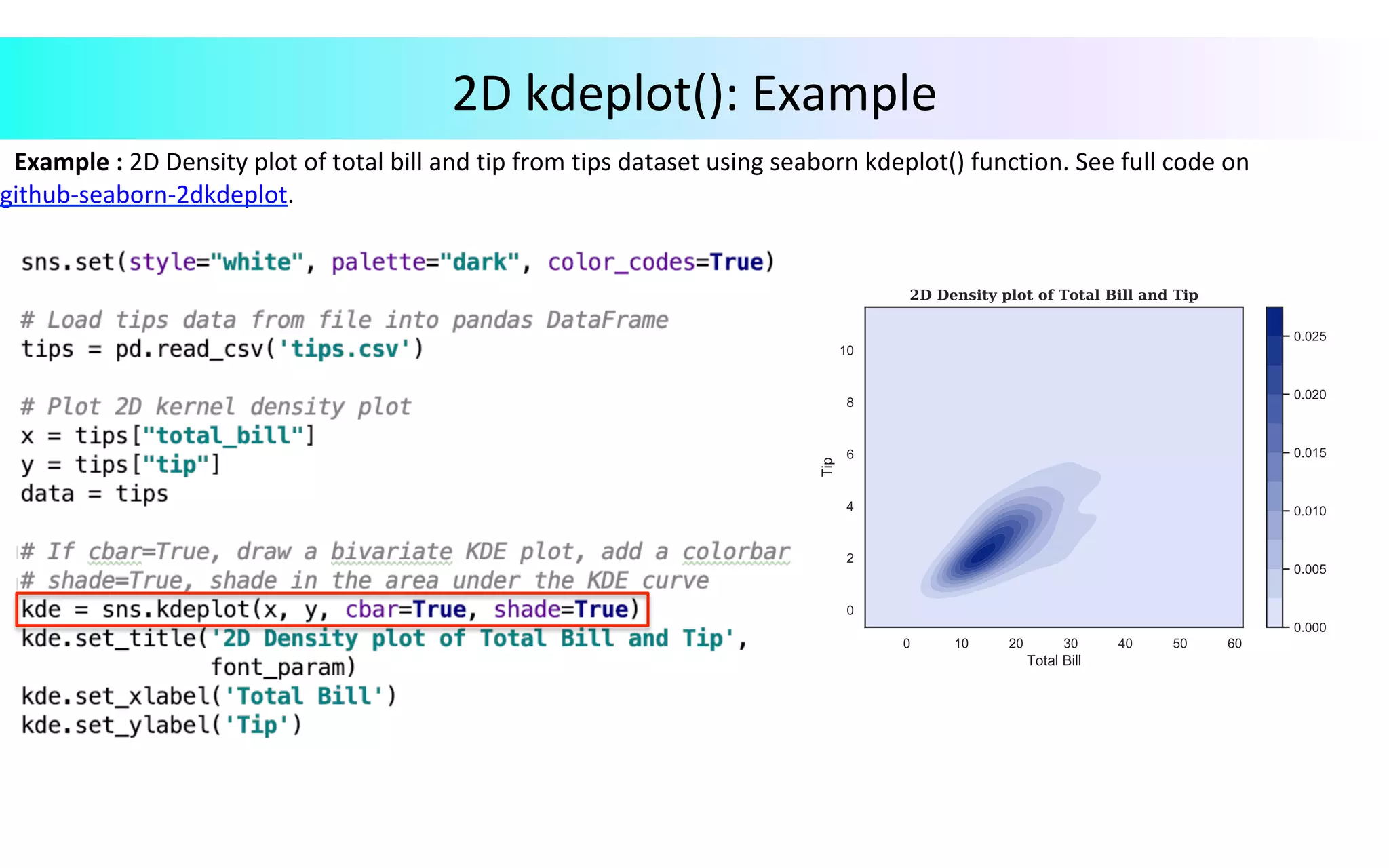
2D	Density	Plot	using	kdeplot() Ø 	seaborn.kdeplot(data,	data2=None,	shade=False,	vertical=False,	kernel=‘gau’,	…	)	: Fit	and	plot	a	univariate	or	bivariate	kernel	density	estimate.	For	details,	click	here. Parameters: data	: 1d	array-like;	input	data. data2	: 1d	array-like,	optional.	Second	input	data;	if	present	a	bivariate	kde	will	be estimated. shade	: Bool,	optional;	if	True,	shade	in	the	area	under	the	kde	curve. vertical	: Bool,	optional;	if	True,	density	is	on	x-axis. kernel	: {‘gau’	|	‘cos’	|	‘biw’	|	‘epa’	|	‘tri’	|	‘triw’},	optional.	Code	for	shape	of	kernel	to	fit with.	Bivariate	kde	can	only	use	Gaussian	kernel.
Example	:	2D	Density	plot	of	total	bill	and	tip	from	tips	dataset	using	seaborn	kdeplot()	function.	See	full	code	on github-seaborn-2dkdeplot. 2D	kdeplot():	Example
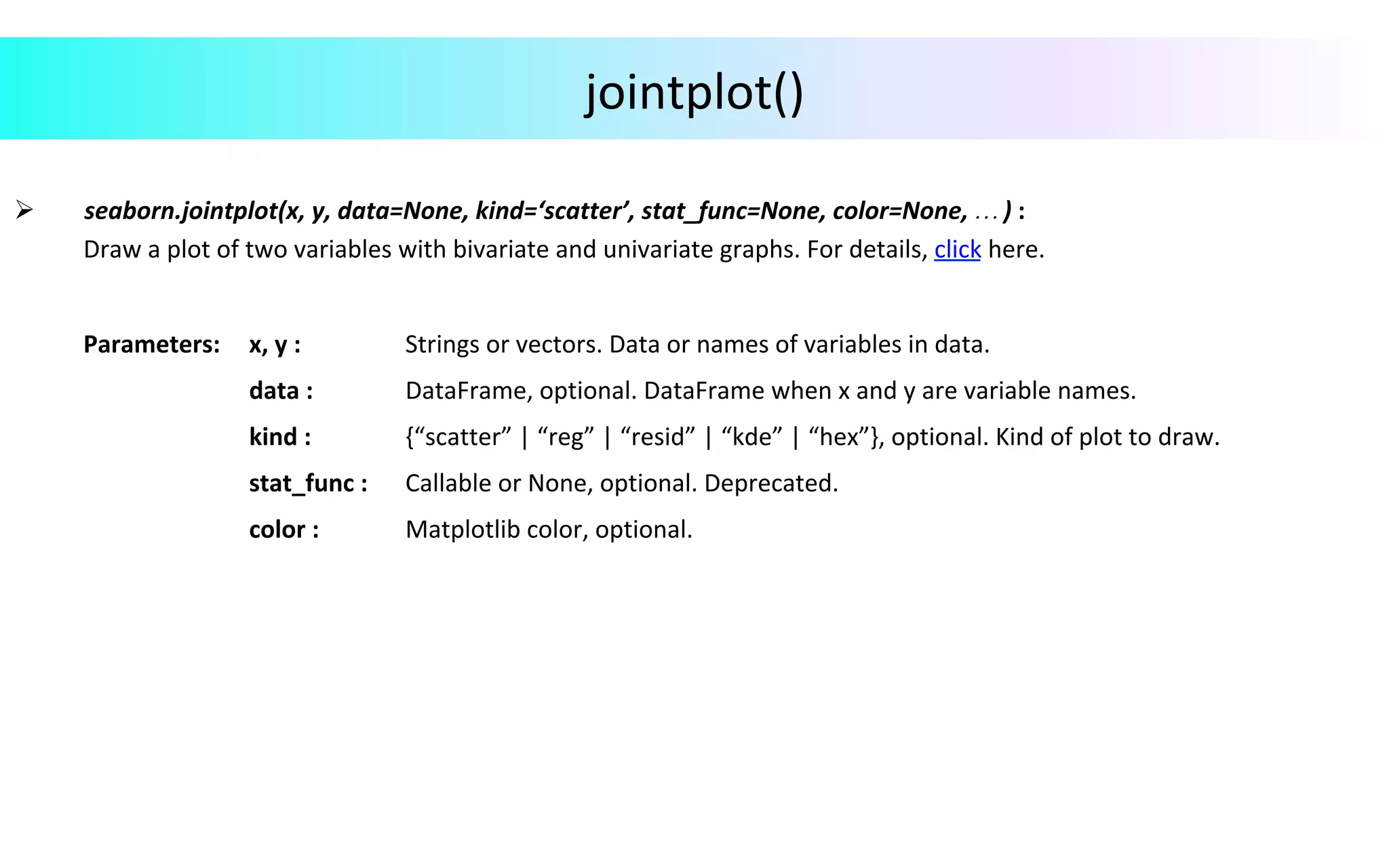
jointplot() Ø 	seaborn.jointplot(x,	y,	data=None,	kind=‘scatter’,	stat_func=None,	color=None,	…	)	: Draw	a	plot	of	two	variables	with	bivariate	and	univariate	graphs.	For	details,	click	here. Parameters: x,	y	: Strings	or	vectors.	Data	or	names	of	variables	in	data. data	: DataFrame,	optional.	DataFrame	when	x	and	y	are	variable	names. kind	: {“scatter”	|	“reg”	|	“resid”	|	“kde”	|	“hex”},	optional.	Kind	of	plot	to	draw. stat_func	: Callable	or	None,	optional.	Deprecated. color	: Matplotlib	color,	optional.
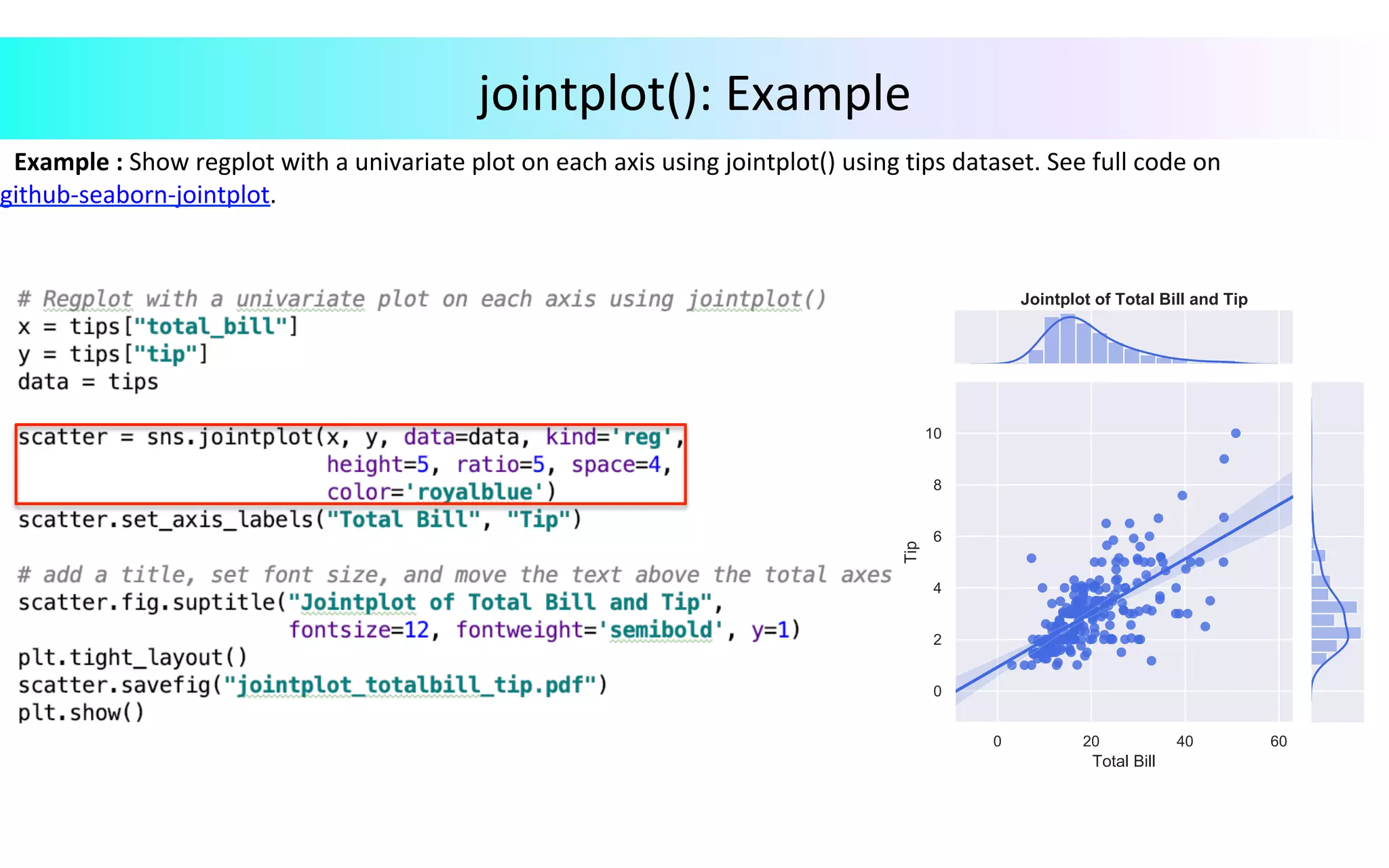
Example	:	Show	regplot	with	a	univariate	plot	on	each	axis	using	jointplot()	using	tips	dataset.	See	full	code	on github-seaborn-jointplot. jointplot():	Example
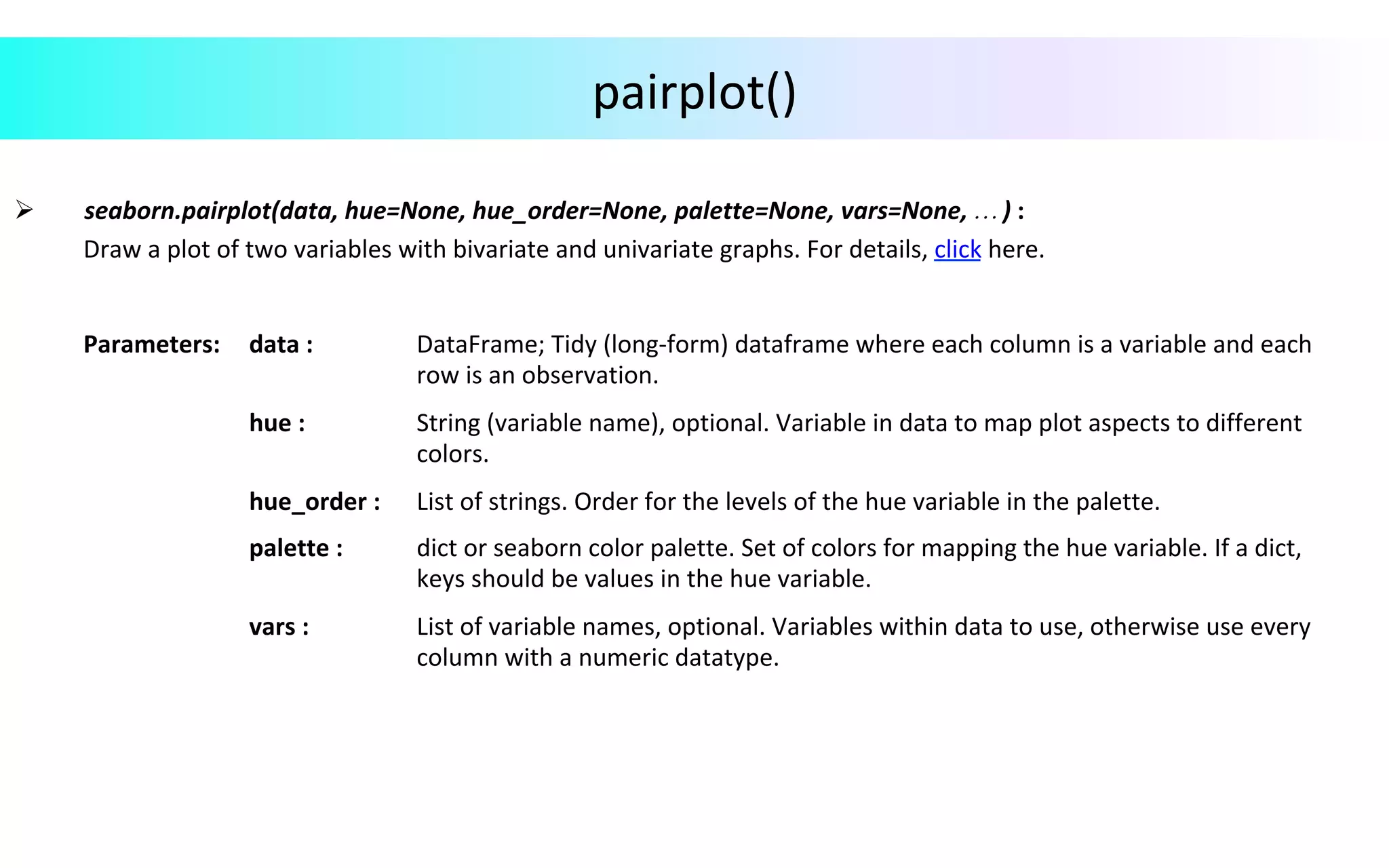
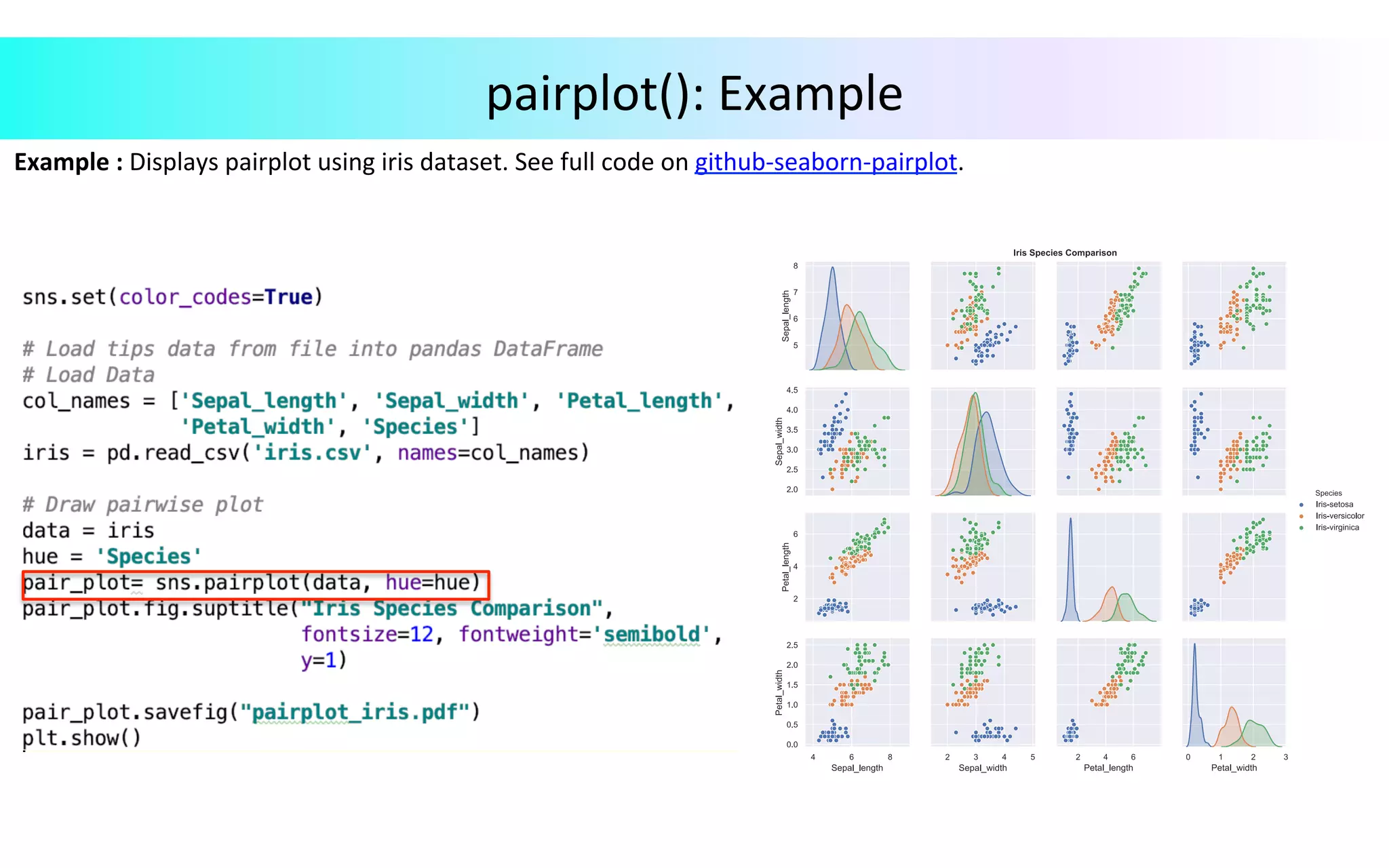
pairplot() Ø 	seaborn.pairplot(data,	hue=None,	hue_order=None,	palette=None,	vars=None,	…	)	: Draw	a	plot	of	two	variables	with	bivariate	and	univariate	graphs.	For	details,	click	here. Parameters: data	: DataFrame;	Tidy	(long-form)	dataframe	where	each	column	is	a	variable	and	each row	is	an	observation. hue	: String	(variable	name),	optional.	Variable	in	data	to	map	plot	aspects	to	different colors. hue_order	: List	of	strings.	Order	for	the	levels	of	the	hue	variable	in	the	palette. palette	: dict	or	seaborn	color	palette.	Set	of	colors	for	mapping	the	hue	variable.	If	a	dict, keys	should	be	values	in	the	hue	variable. vars	: List	of	variable	names,	optional.	Variables	within	data	to	use,	otherwise	use	every column	with	a	numeric	datatype.
Example	:	Displays	pairplot	using	iris	dataset.	See	full	code	on	github-seaborn-pairplot. pairplot():	Example
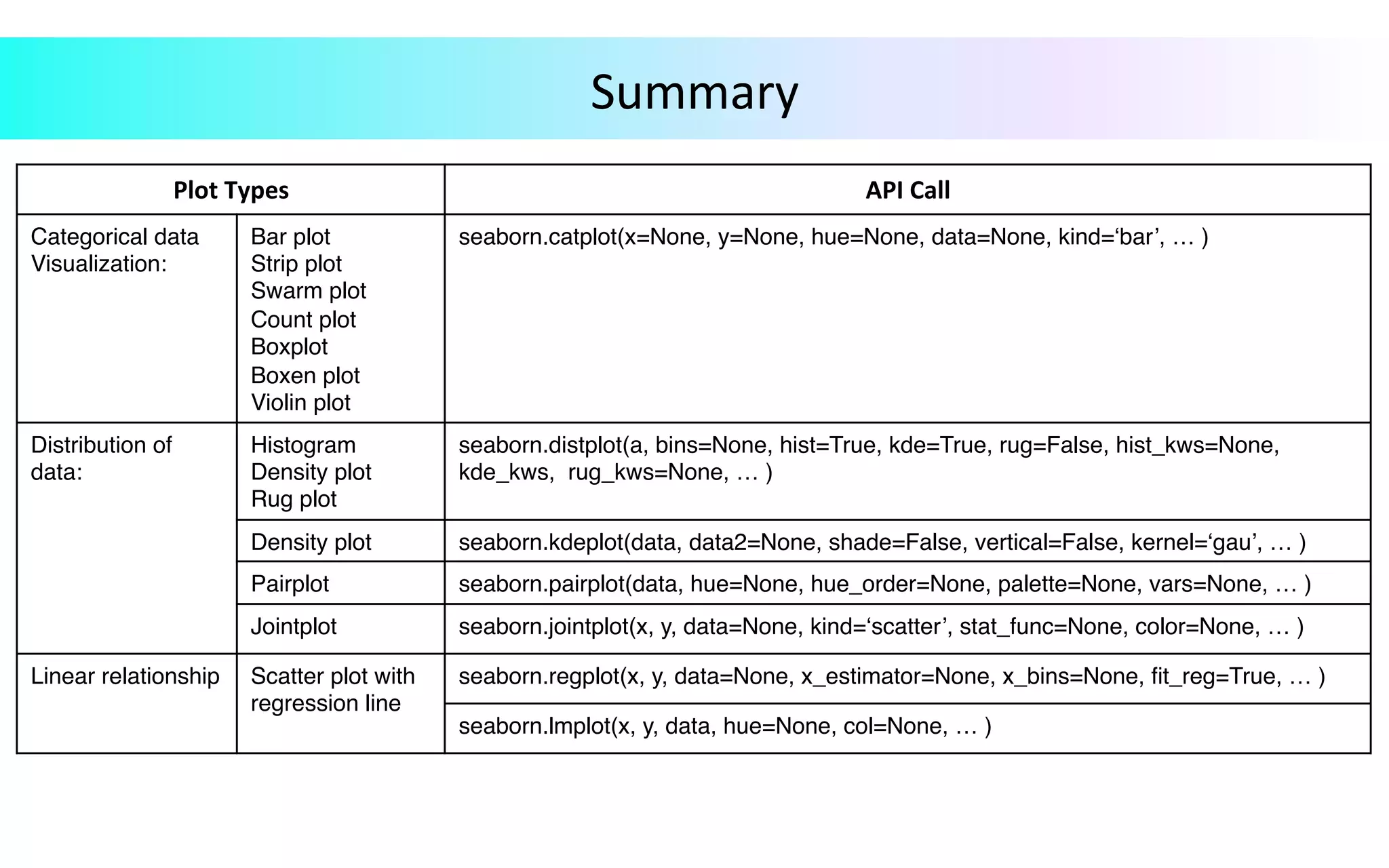
Summary Plot	Types API	Call Categorical data Visualization: Bar plot Strip plot Swarm plot Count plot Boxplot Boxen plot Violin plot seaborn.catplot(x=None, y=None, hue=None, data=None, kind=‘bar’, … ) Distribution of data: Histogram Density plot Rug plot seaborn.distplot(a, bins=None, hist=True, kde=True, rug=False, hist_kws=None, kde_kws, rug_kws=None, … ) Density plot seaborn.kdeplot(data, data2=None, shade=False, vertical=False, kernel=‘gau’, … ) Pairplot seaborn.pairplot(data, hue=None, hue_order=None, palette=None, vars=None, … ) Jointplot seaborn.jointplot(x, y, data=None, kind=‘scatter’, stat_func=None, color=None, … ) Linear relationship Scatter plot with regression line seaborn.regplot(x, y, data=None, x_estimator=None, x_bins=None, fit_reg=True, … ) seaborn.lmplot(x, y, data, hue=None, col=None, … )

Data Visualization in Python