Deeper Into Windows 10 Development Universal Windows Apps Shahed Chowdhuri Sr. Technical Evangelist @ Microsoft WakeUpAndCode.com
Agenda Quick Overview One Windows Many devices Windows 10 App Development Build 2015 MSDN Channel 9 Microsoft Virtual Academy Demos Public projects from Github
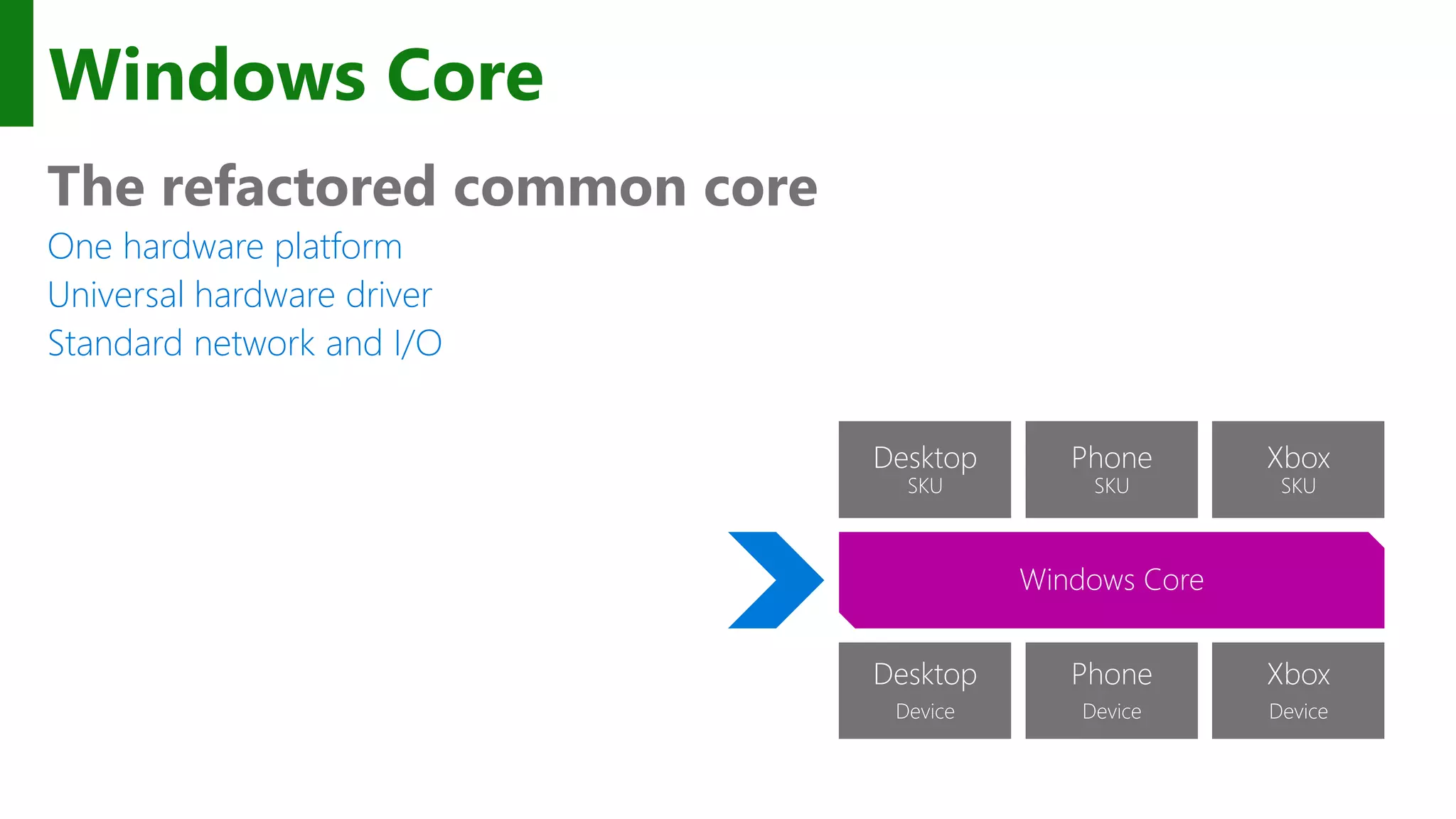
Windows Core The refactored common core One hardware platform Universal hardware driver Standard network and I/O Phone Device Xbox Device Desktop Device Windows Core Desktop SKU Phone SKU Xbox SKU
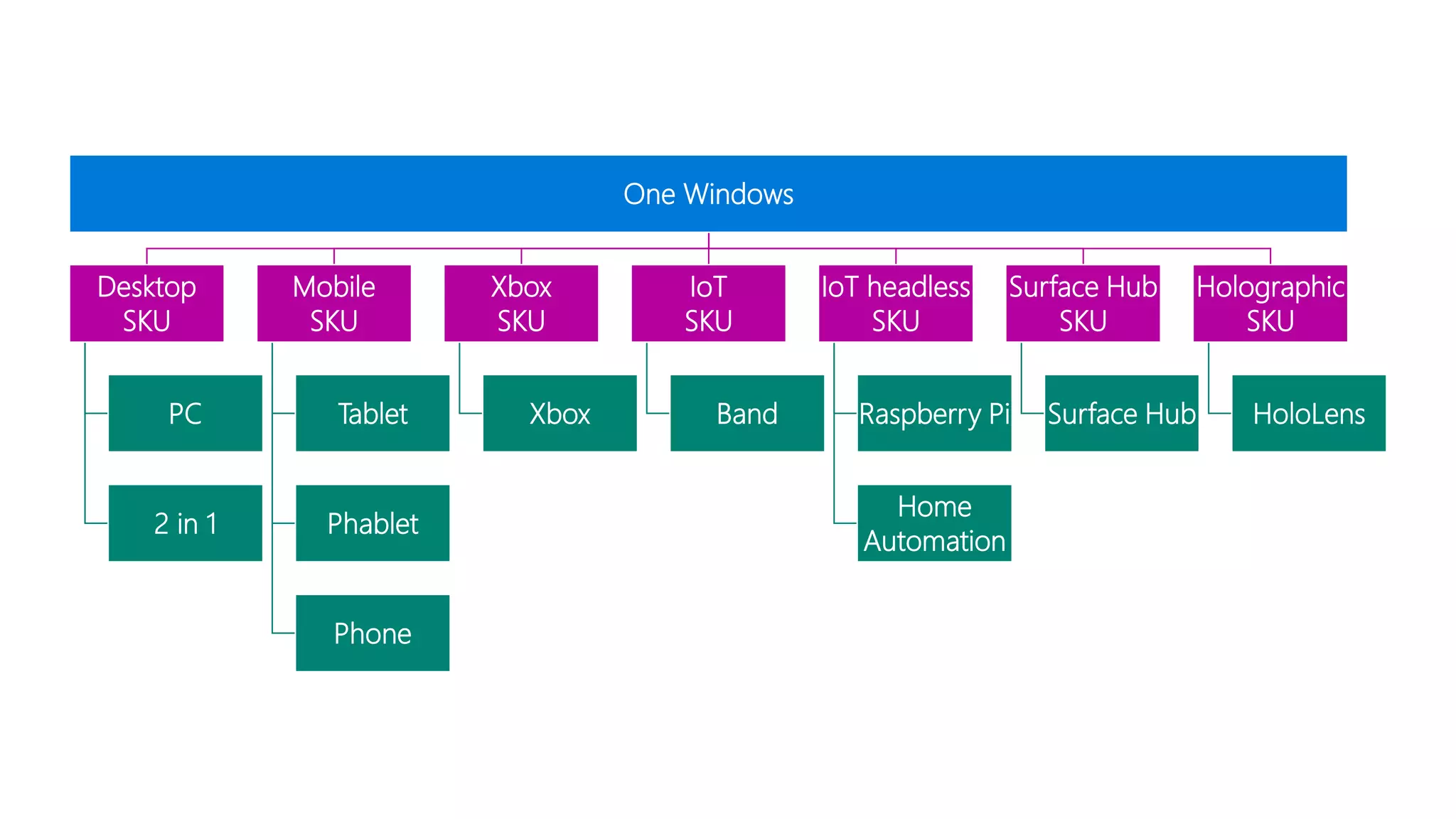
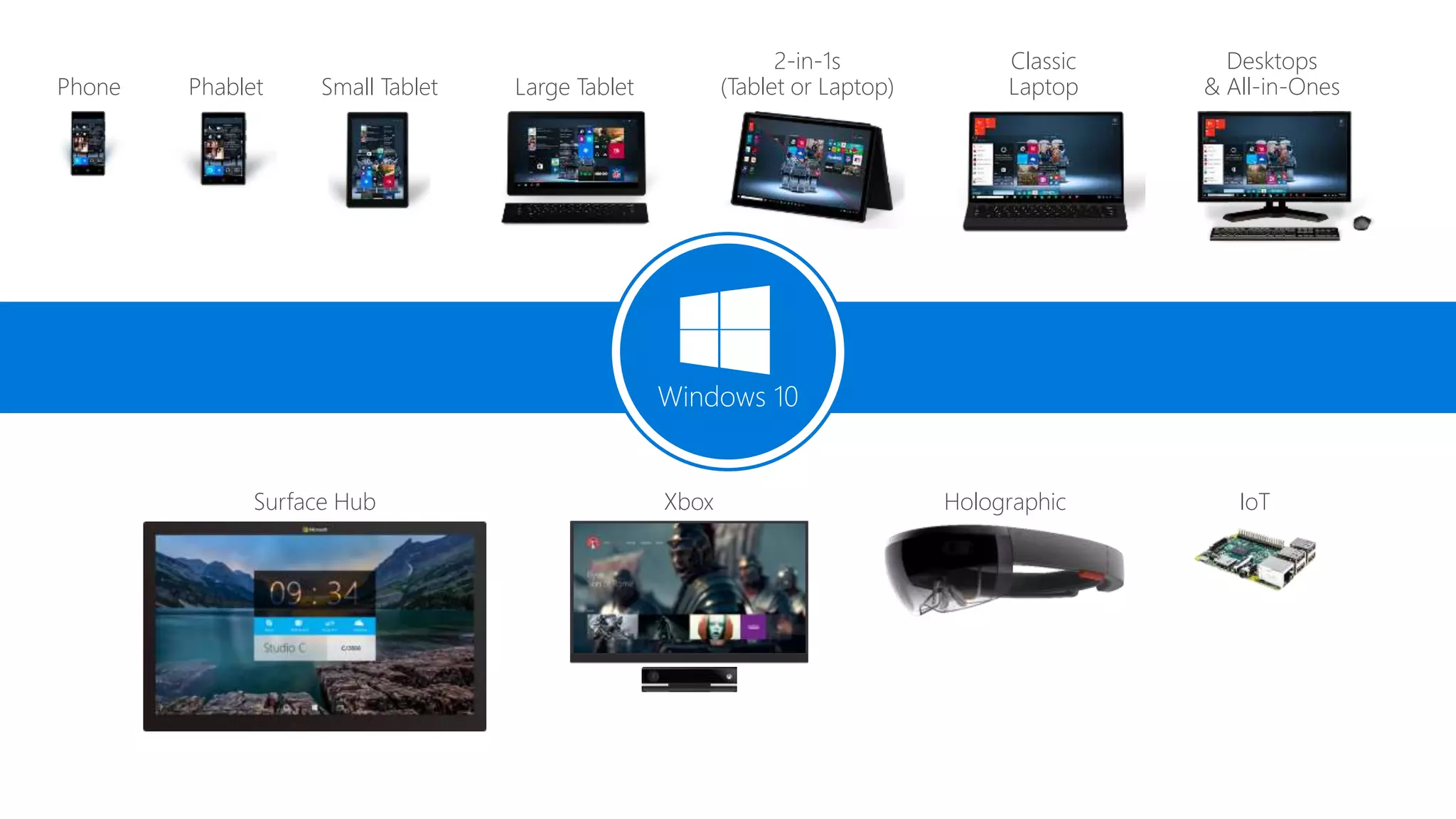
One Windows Desktop SKU PC 2 in 1 Mobile SKU Tablet Phablet Phone Xbox SKU Xbox IoT SKU Band IoT headless SKU Raspberry Pi Home Automation Surface Hub SKU Surface Hub Holographic SKU HoloLens
Phone Small Tablet 2-in-1s (Tablet or Laptop) Desktops & All-in-OnesPhablet Large Tablet Classic Laptop Xbox IoTSurface Hub Holographic Windows 10
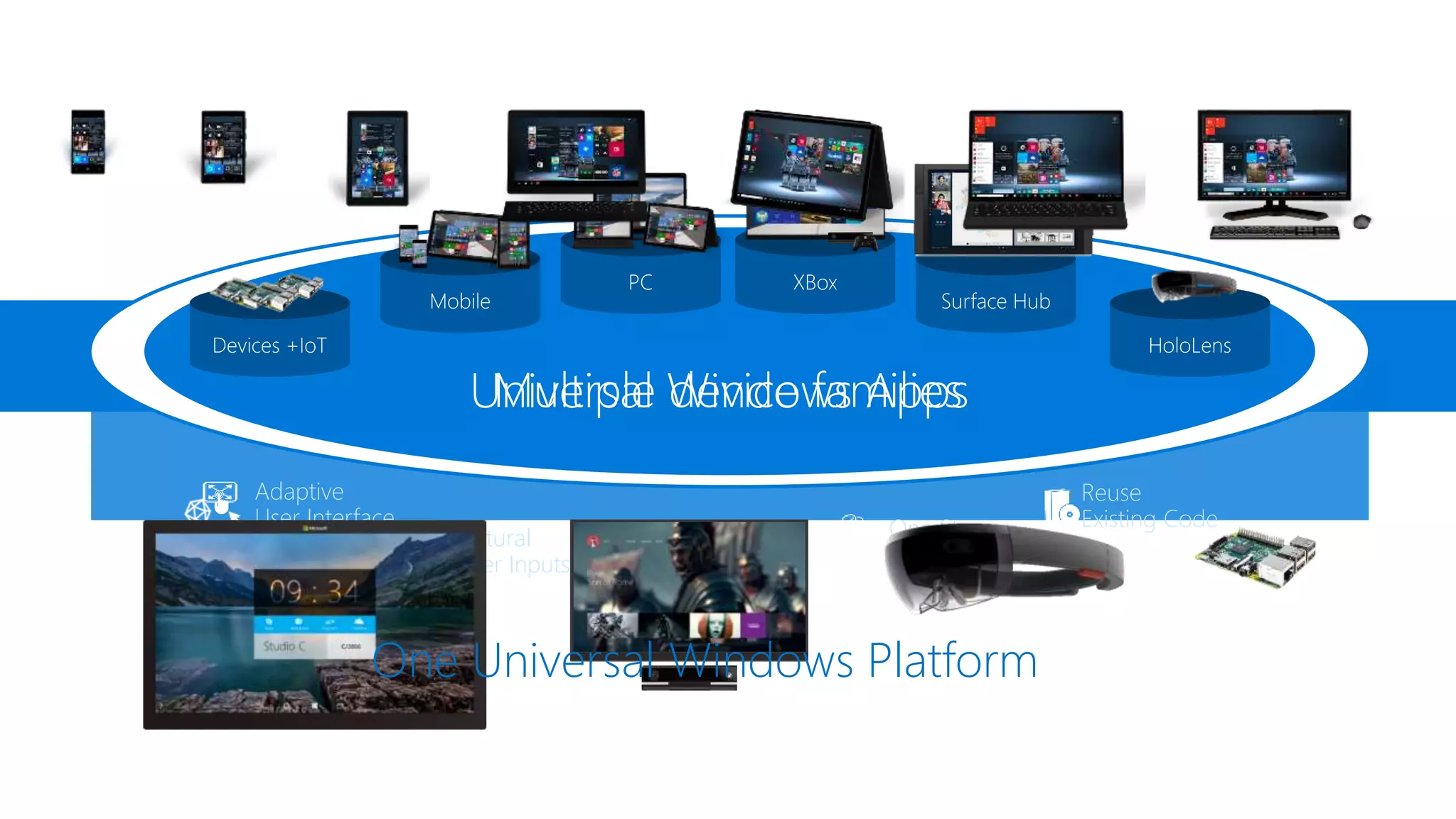
One Store + One Dev Center Reuse Existing Code One SDK + Tooling Adaptive User Interface Natural User Inputs One Universal Windows Platform
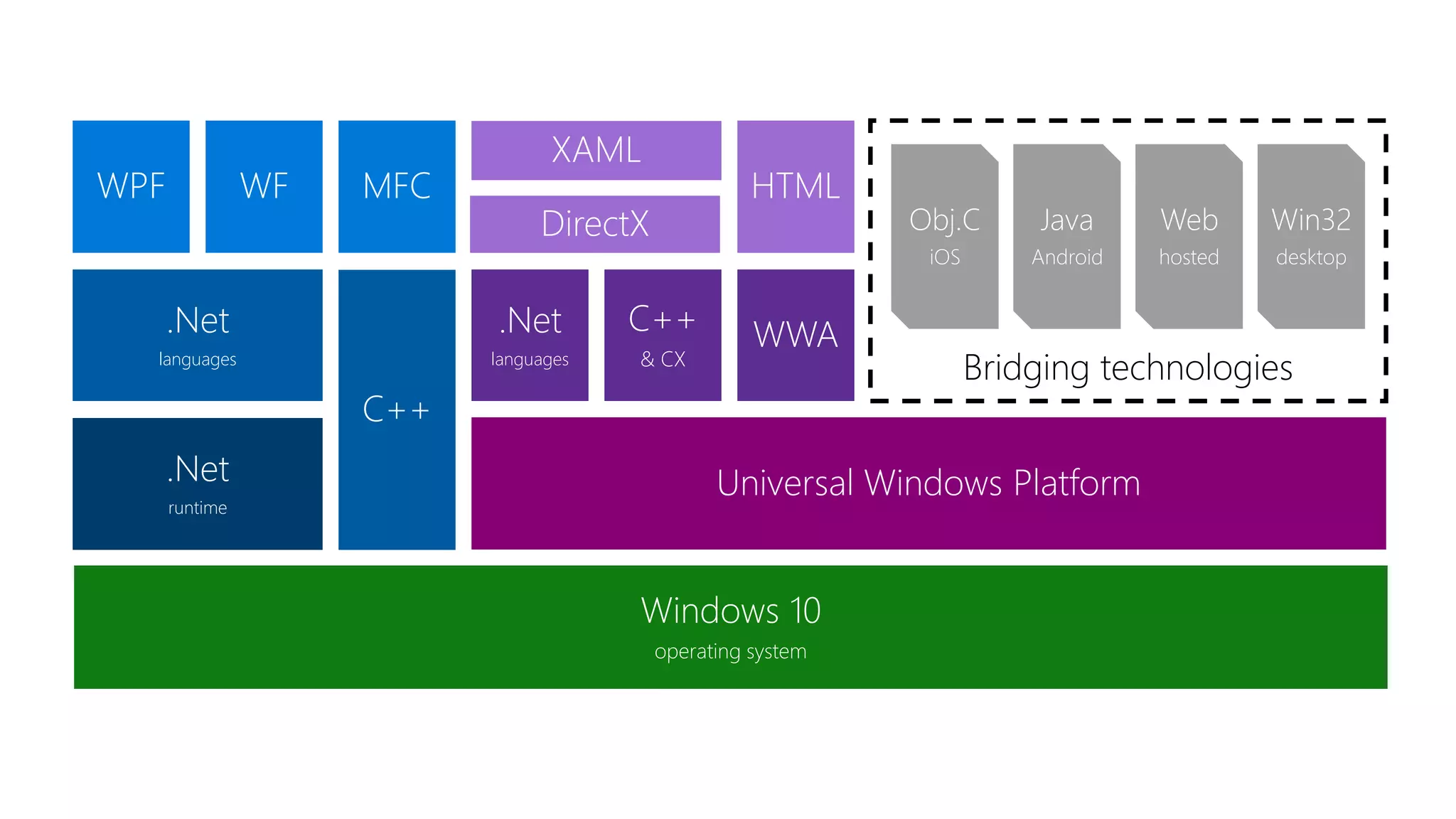
Windows 10 operating system Bridging technologies Win32 desktop Web hosted Java Android Obj.C iOS Universal Windows Platform WWAC++ & CX .Net languages HTML DirectX XAML C++ .Net languages MFCWFWPF .Net runtime
Apps don't target Windows 10, apps target the platform
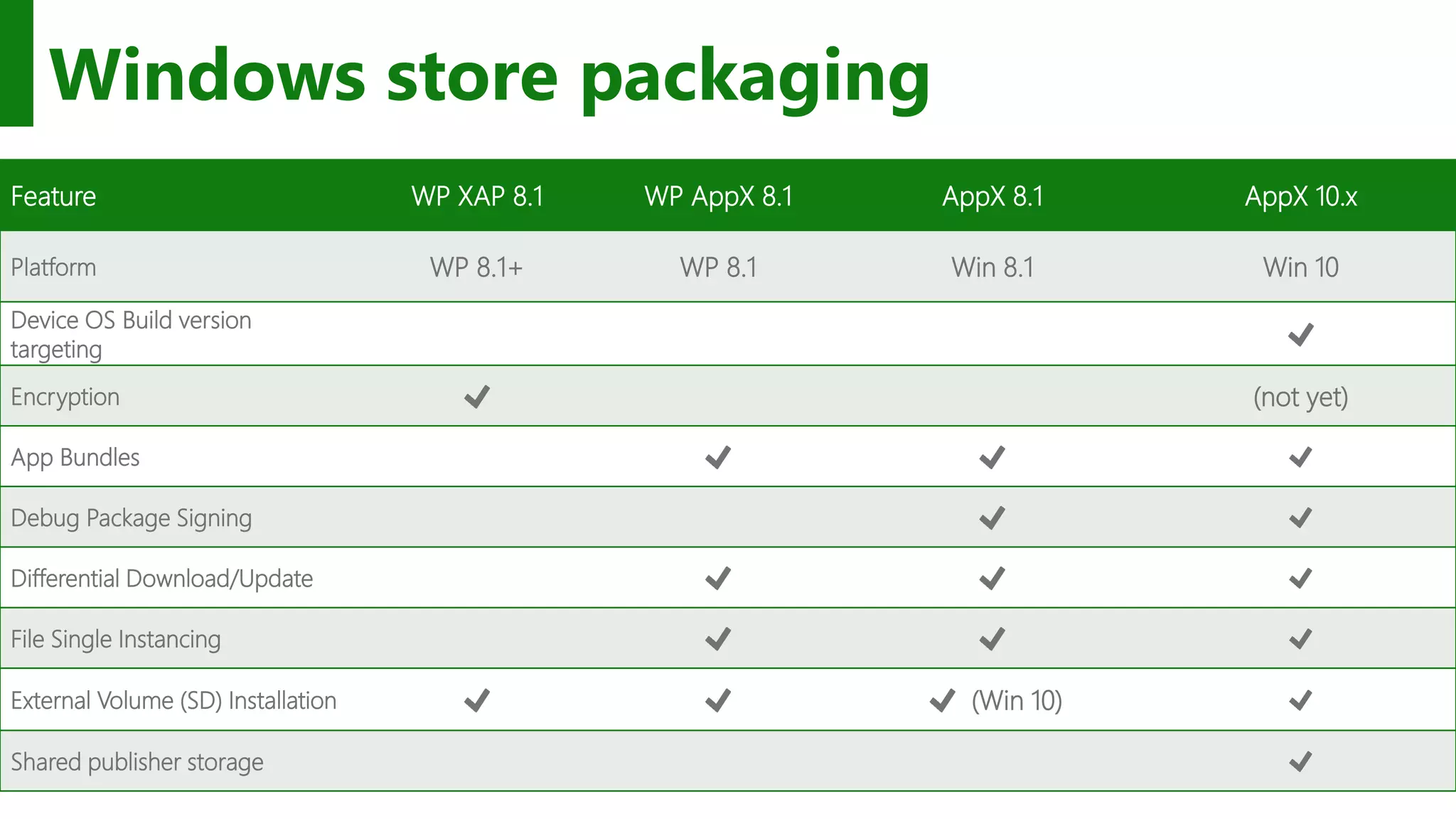
Windows store packaging Feature WP XAP 8.1 WP AppX 8.1 AppX 8.1 AppX 10.x Platform WP 8.1+ WP 8.1 Win 8.1 Win 10 Device OS Build version targeting Encryption (not yet) App Bundles Debug Package Signing Differential Download/Update File Single Instancing External Volume (SD) Installation (Win 10) Shared publisher storage
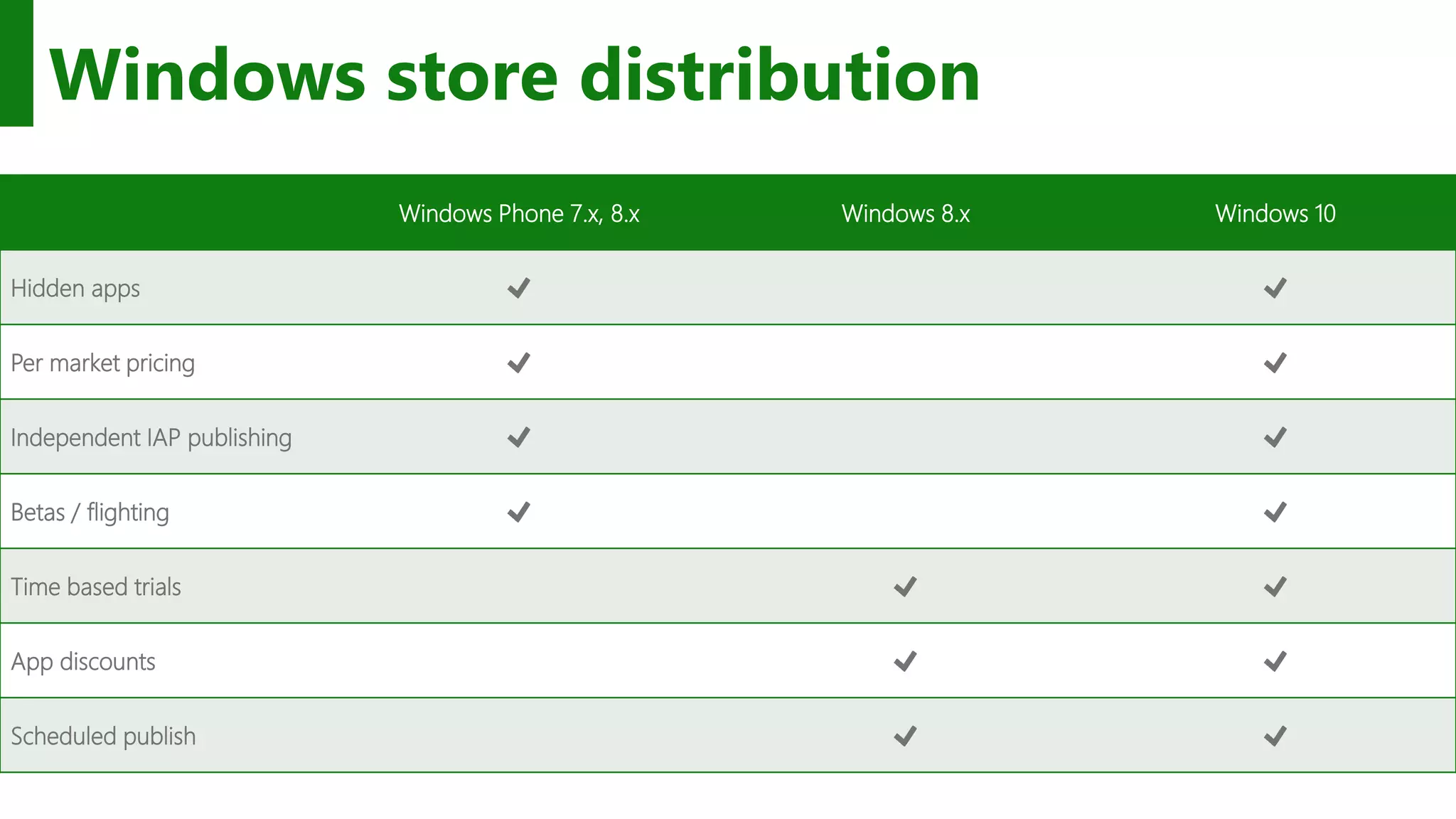
Windows store distribution Windows Phone 7.x, 8.x Windows 8.x Windows 10 Hidden apps Per market pricing Independent IAP publishing Betas / flighting Time based trials App discounts Scheduled publish
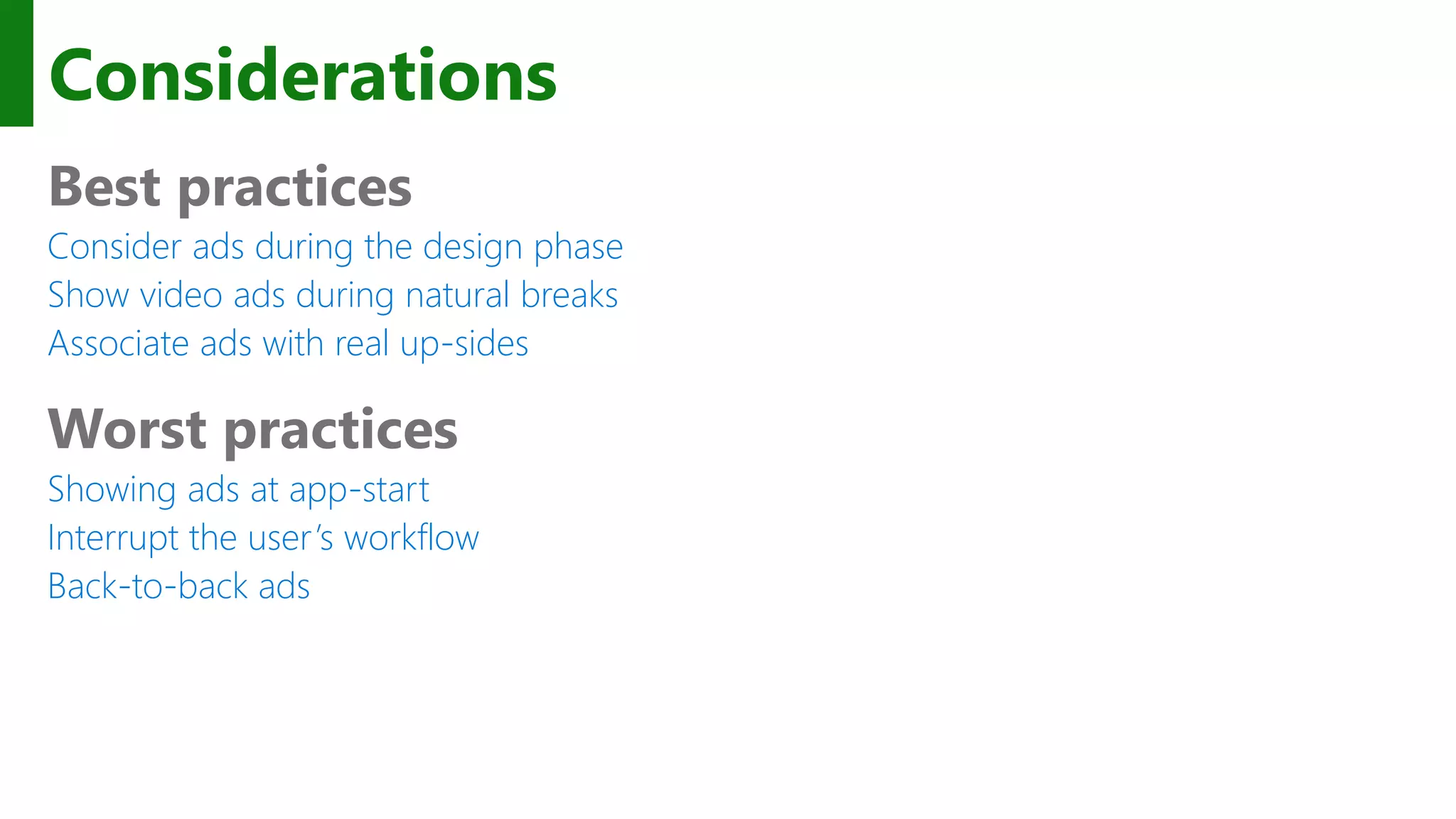
Considerations Best practices Consider ads during the design phase Show video ads during natural breaks Associate ads with real up-sides Worst practices Showing ads at app-start Interrupt the user’s workflow Back-to-back ads
In-app purchases #if DEBUG var license = CurrentAppSimulator.LicenseInformation; if (license.ProductLicenses["AdFree"].IsActive) { // already owns this.ShowAds = false; } else { var result = await CurrentAppSimulator.RequestProductPurchaseAsync("AdFree"); switch (result.Status) { case ProductPurchaseStatus.Succeeded: case ProductPurchaseStatus.AlreadyPurchased: this.ShowAds = false; break; default: this.ShowAds = true; break; }
The Windows store provides many ways to monetize your app
The XAML UI platform Windows is standardizing New experiences like Start and File Explorer use the XAML UI platform The operating system has tremendous performance requirements Office is standardizing The universal suite of Office apps use the XAML UI platform Office has tremendous usability and feature requirements First-party is standardizing New and existing MSN apps for Windows use the XAML UI platform First party apps push the edge of API capability and availability
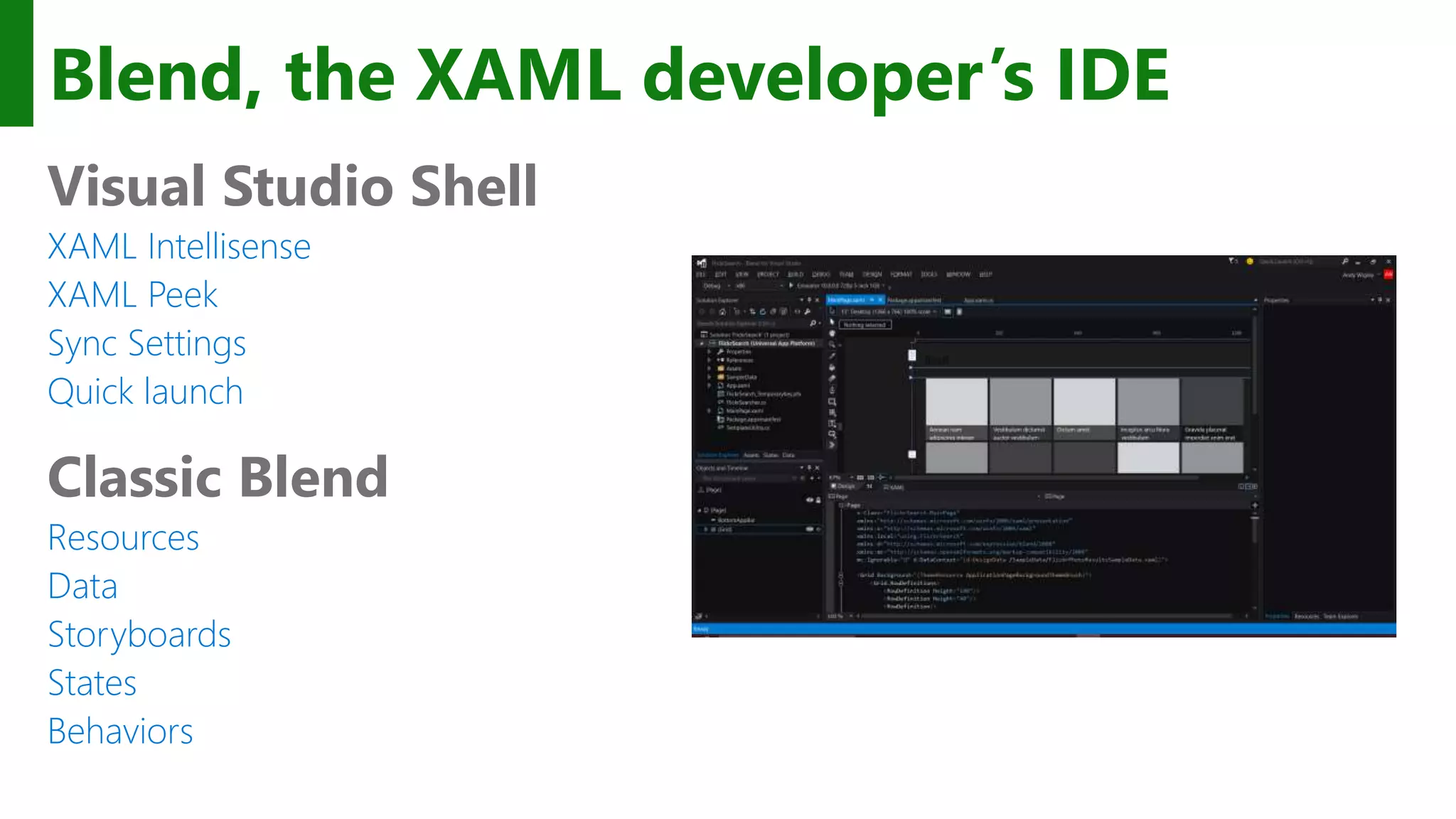
Blend, the XAML developer’s IDE Visual Studio Shell XAML Intellisense XAML Peek Sync Settings Quick launch Classic Blend Resources Data Storyboards States Behaviors
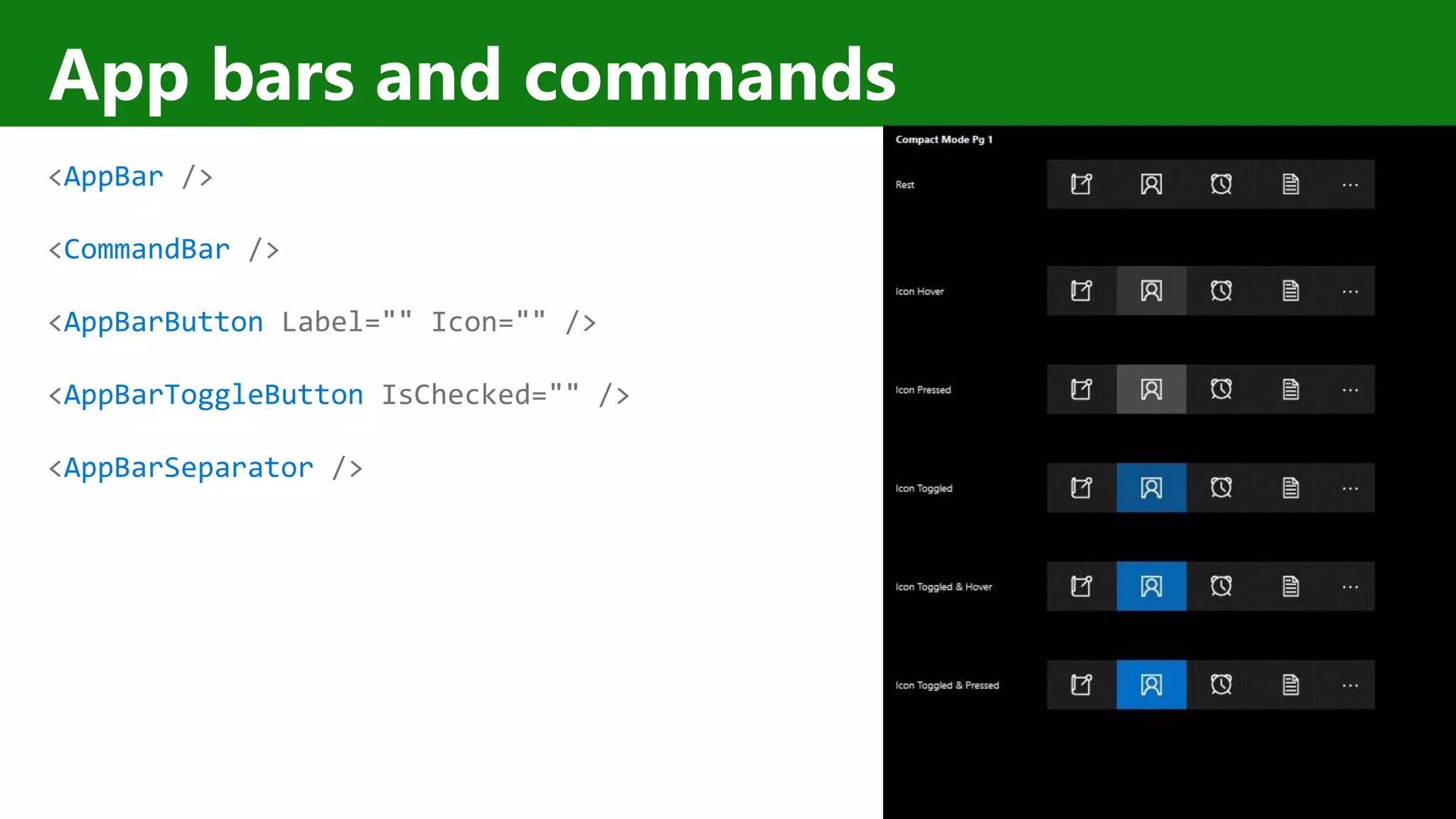
App bars and commands <AppBar /> <CommandBar /> <AppBarButton Label="" Icon="" /> <AppBarToggleButton IsChecked="" /> <AppBarSeparator />
The XAML UI platform is foundational to Windows
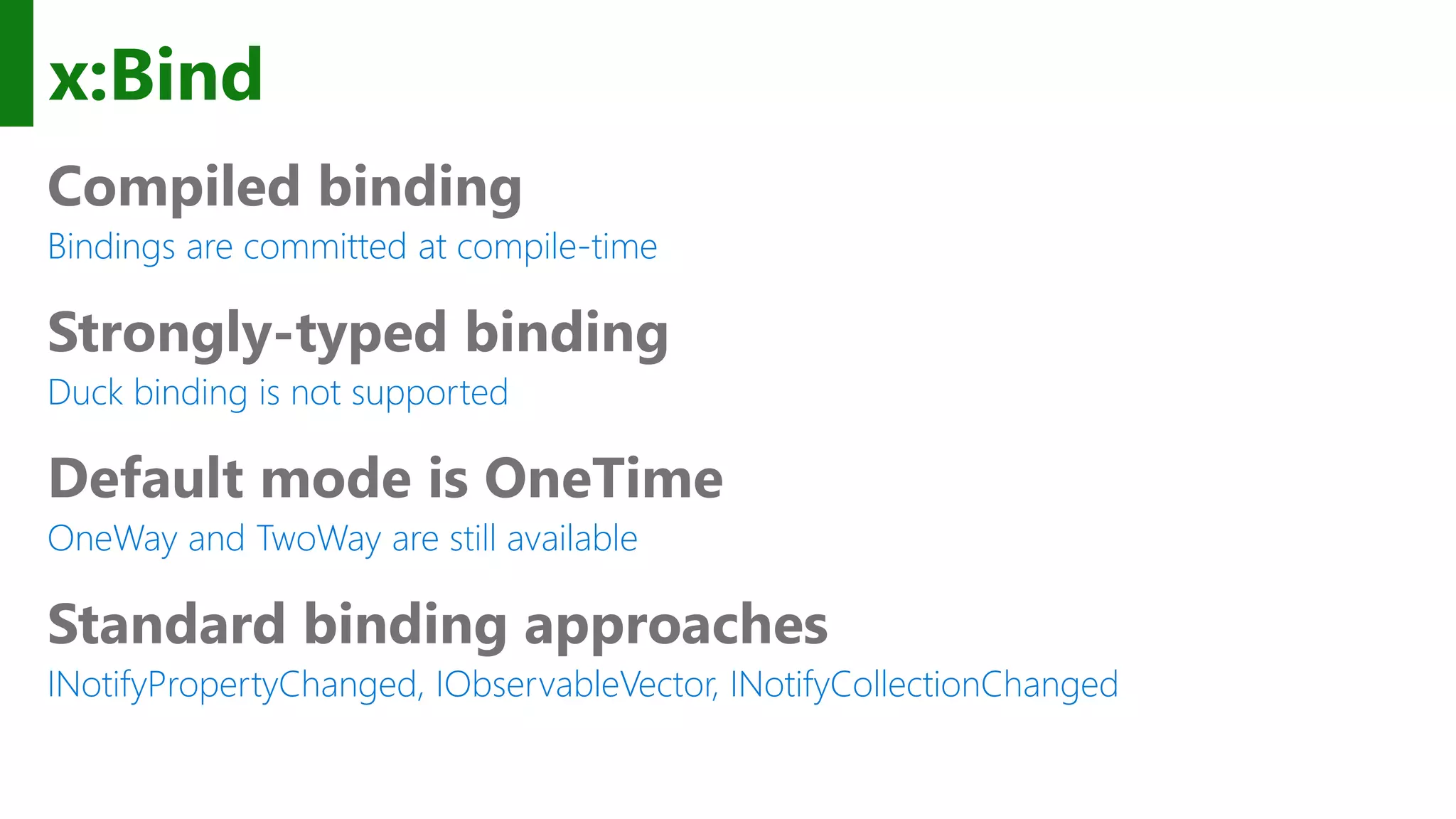
x:Bind Compiled binding Bindings are committed at compile-time Strongly-typed binding Duck binding is not supported Default mode is OneTime OneWay and TwoWay are still available Standard binding approaches INotifyPropertyChanged, IObservableVector, INotifyCollectionChanged
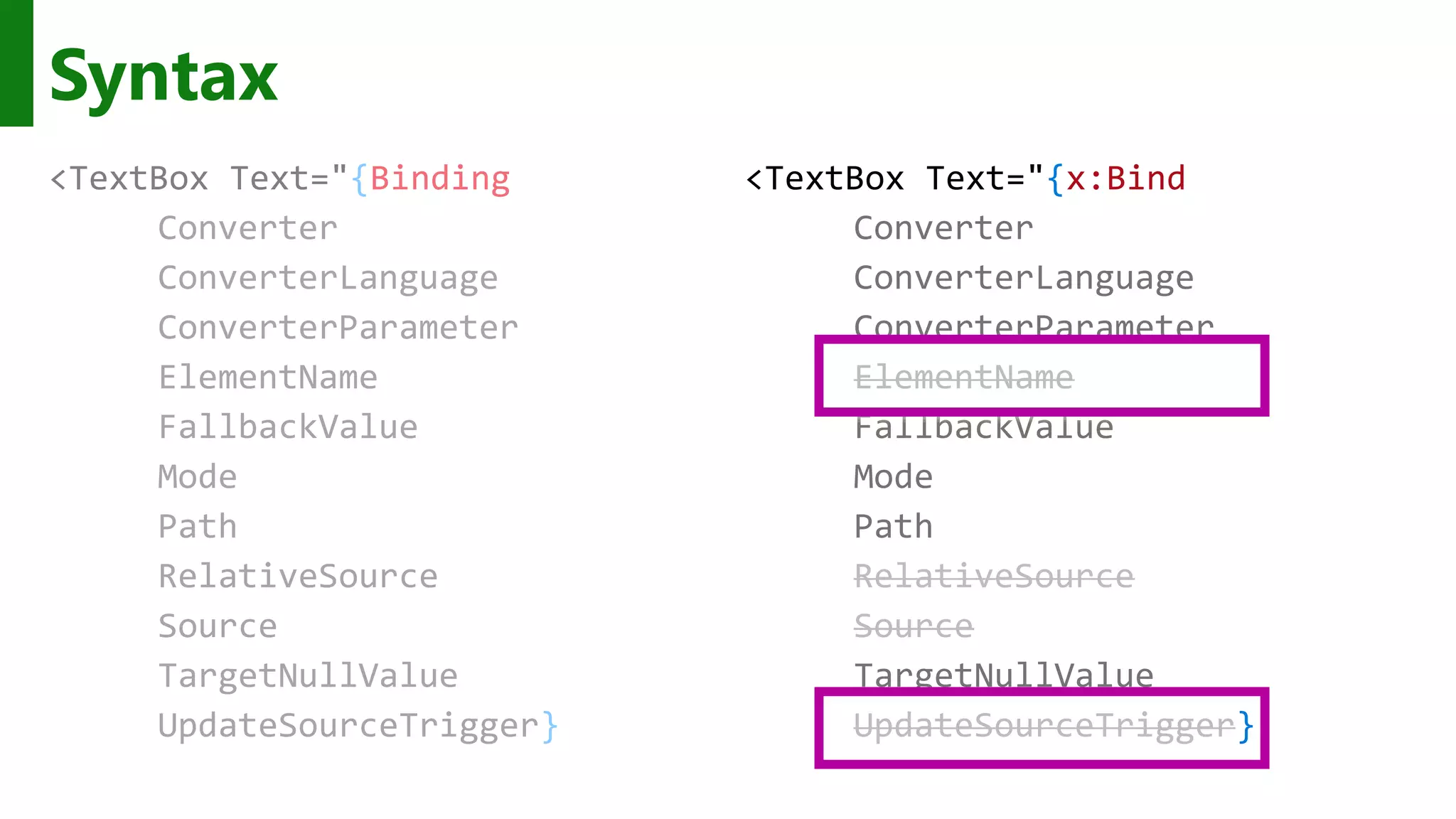
Syntax <TextBox Text="{Binding Converter ConverterLanguage ConverterParameter ElementName FallbackValue Mode Path RelativeSource Source TargetNullValue UpdateSourceTrigger} <TextBox Text="{x:Bind Converter ConverterLanguage ConverterParameter ElementName FallbackValue Mode Path RelativeSource Source TargetNullValue UpdateSourceTrigger}
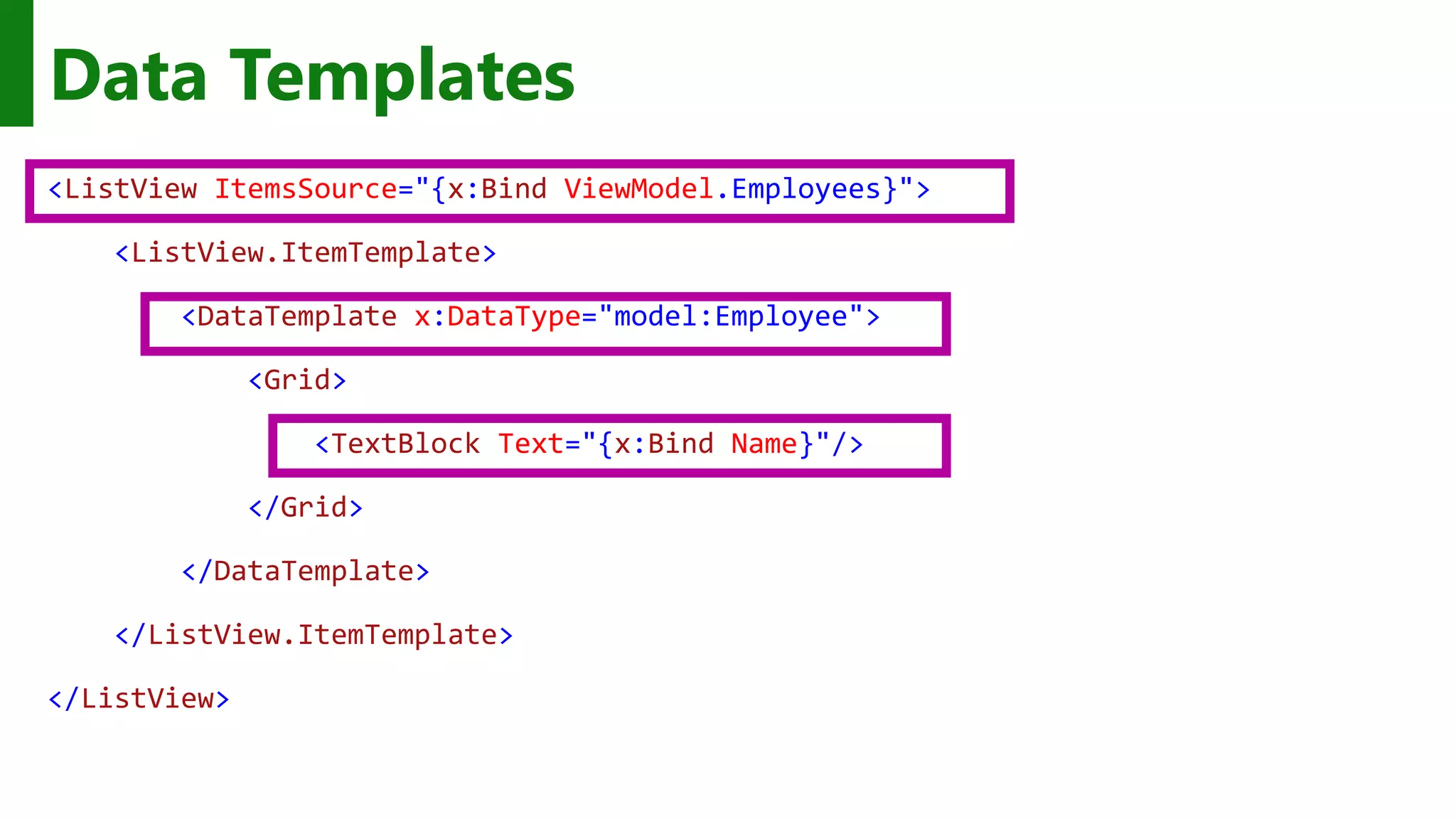
<ListView ItemsSource="{x:Bind ViewModel.Employees}"> <ListView.ItemTemplate> <DataTemplate x:DataType="model:Employee"> <Grid> <TextBlock Text="{x:Bind Name}"/> </Grid> </DataTemplate> </ListView.ItemTemplate> </ListView> Data Templates
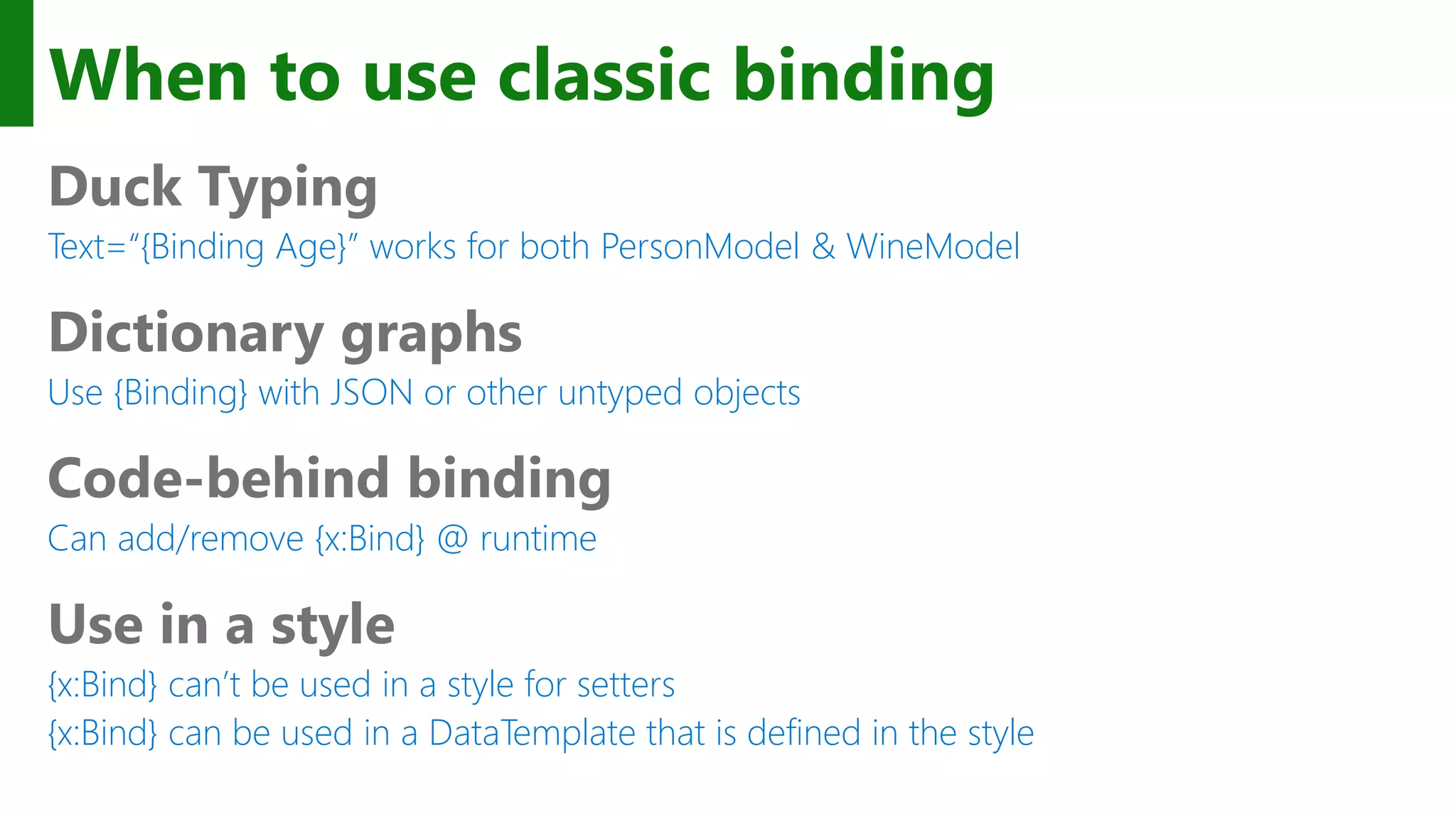
When to use classic binding Duck Typing Text=“{Binding Age}” works for both PersonModel & WineModel Dictionary graphs Use {Binding} with JSON or other untyped objects Code-behind binding Can add/remove {x:Bind} @ runtime Use in a style {x:Bind} can’t be used in a style for setters {x:Bind} can be used in a DataTemplate that is defined in the style
x:Bind can meet your binding needs most of the time.
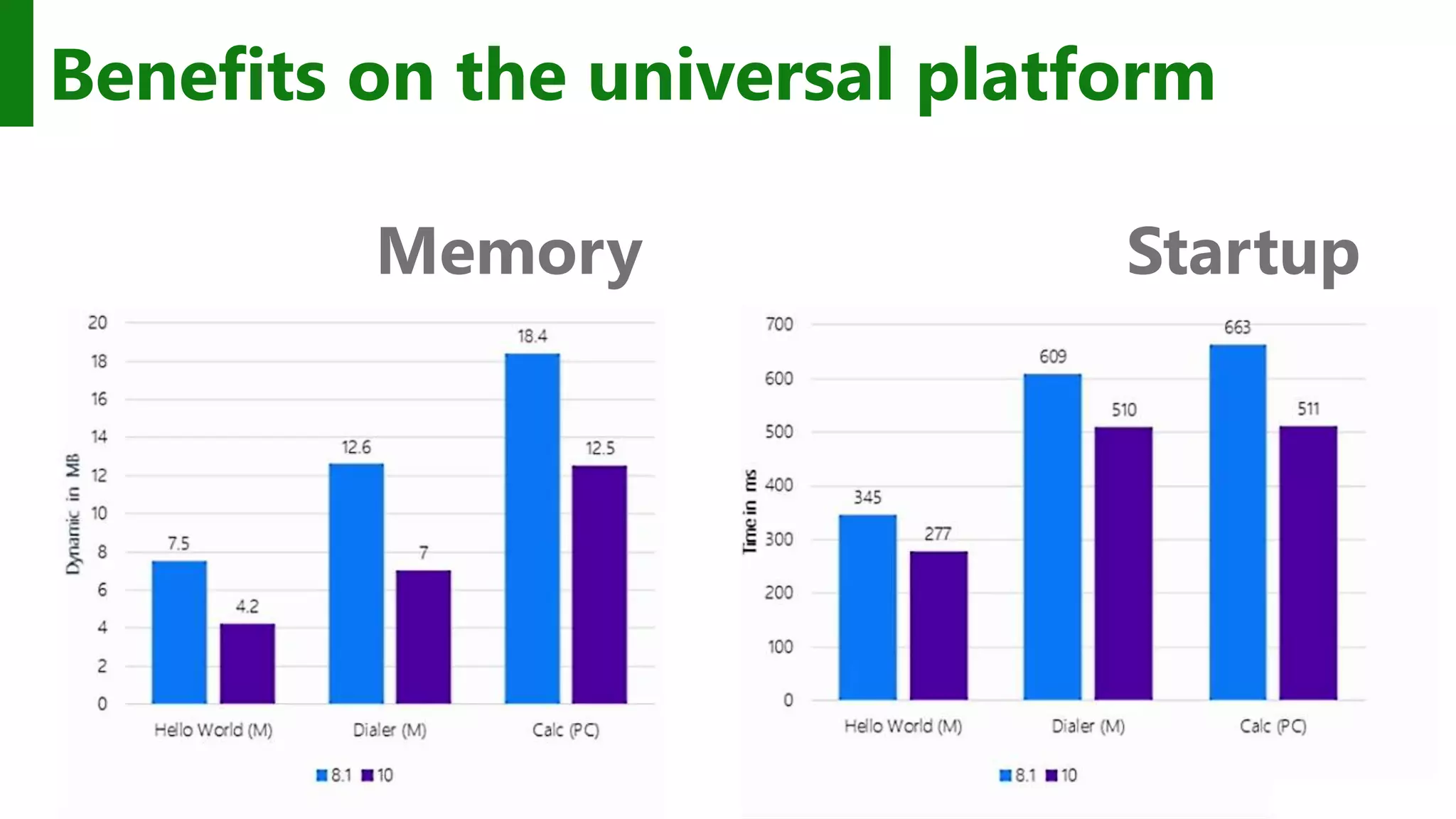
StartupMemory Benefits on the universal platform
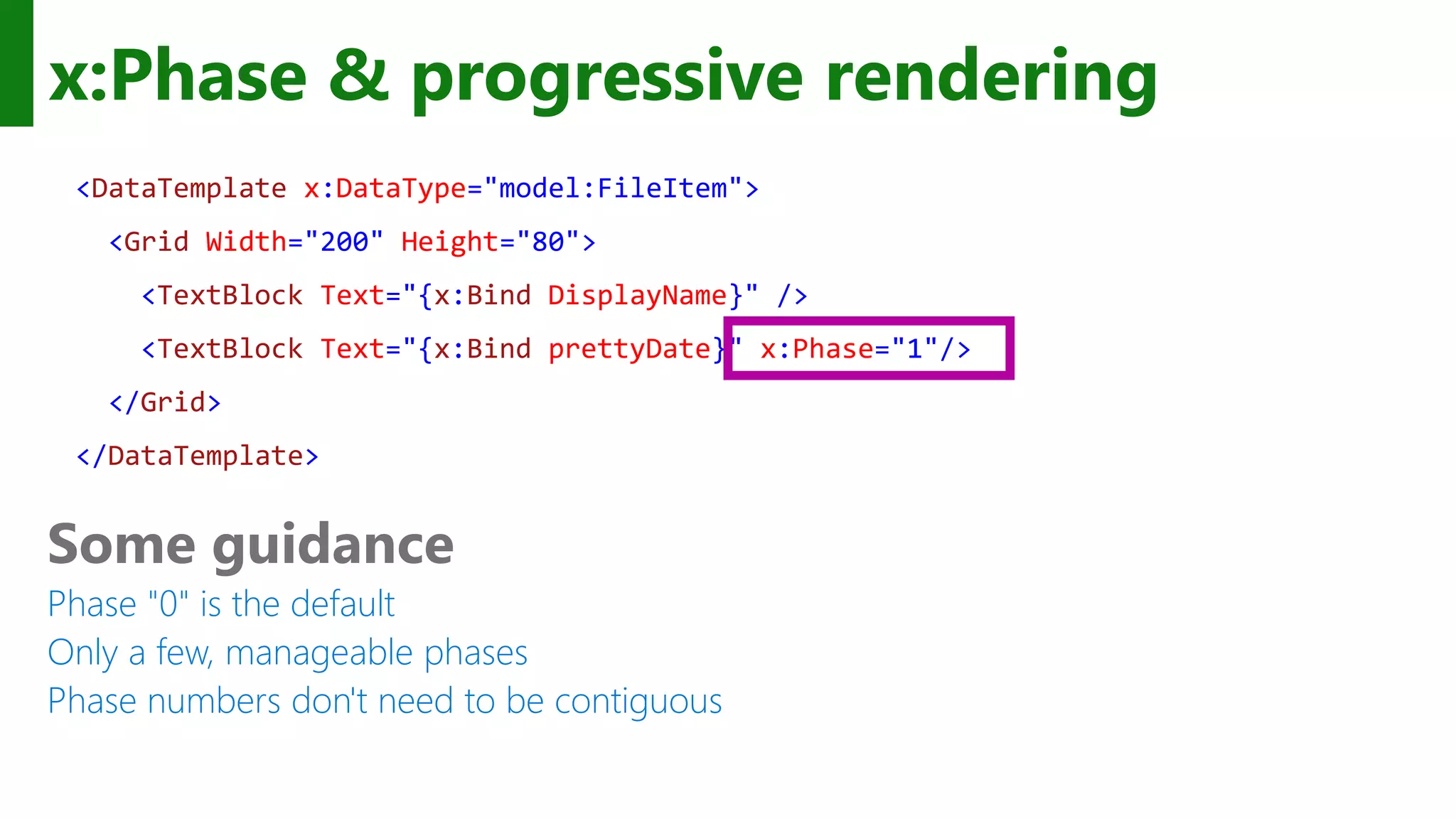
x:Phase & progressive rendering <DataTemplate x:DataType="model:FileItem"> <Grid Width="200" Height="80"> <TextBlock Text="{x:Bind DisplayName}" /> <TextBlock Text="{x:Bind prettyDate}" x:Phase="1"/> </Grid> </DataTemplate> Some guidance Phase "0" is the default Only a few, manageable phases Phase numbers don't need to be contiguous
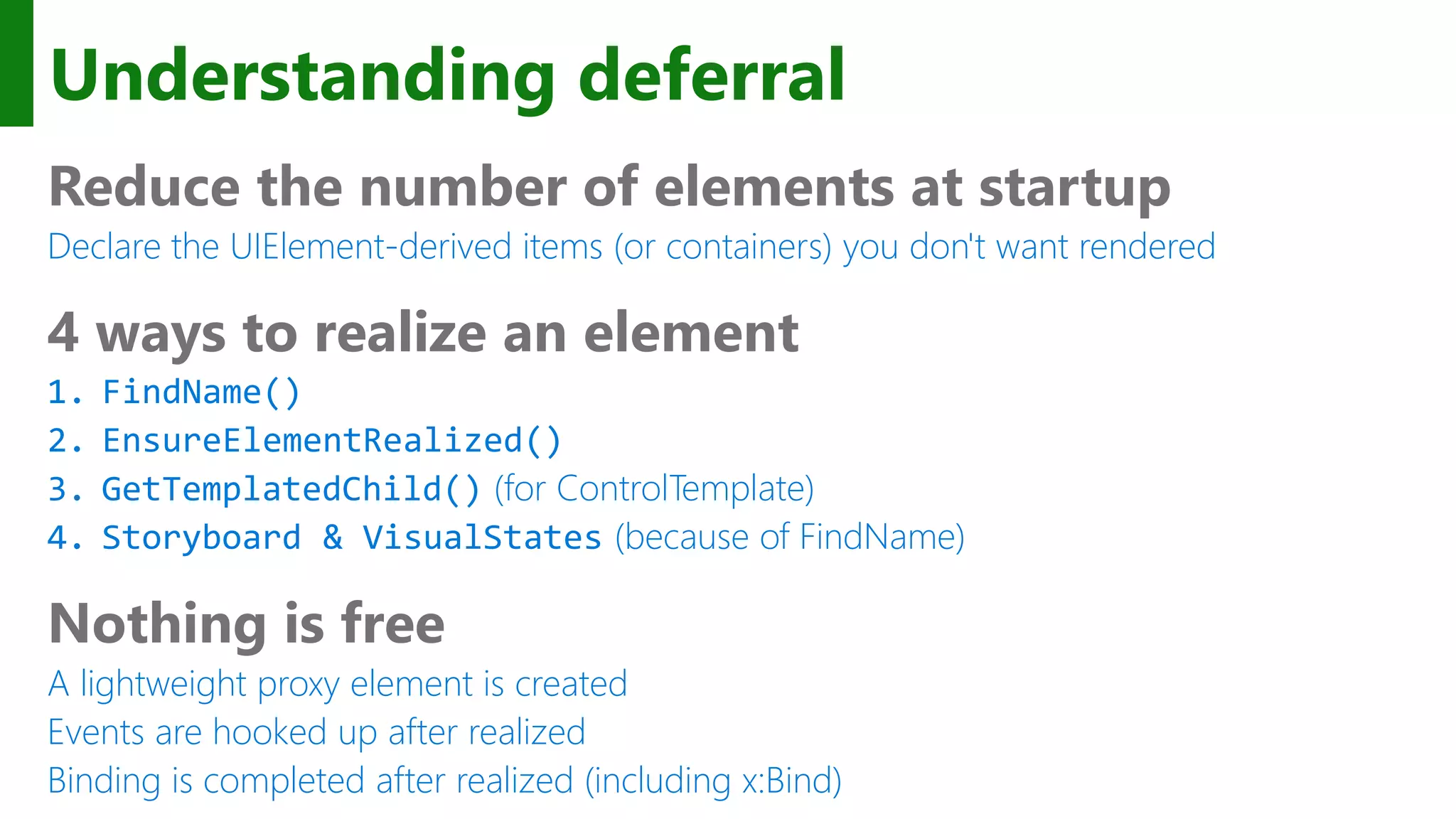
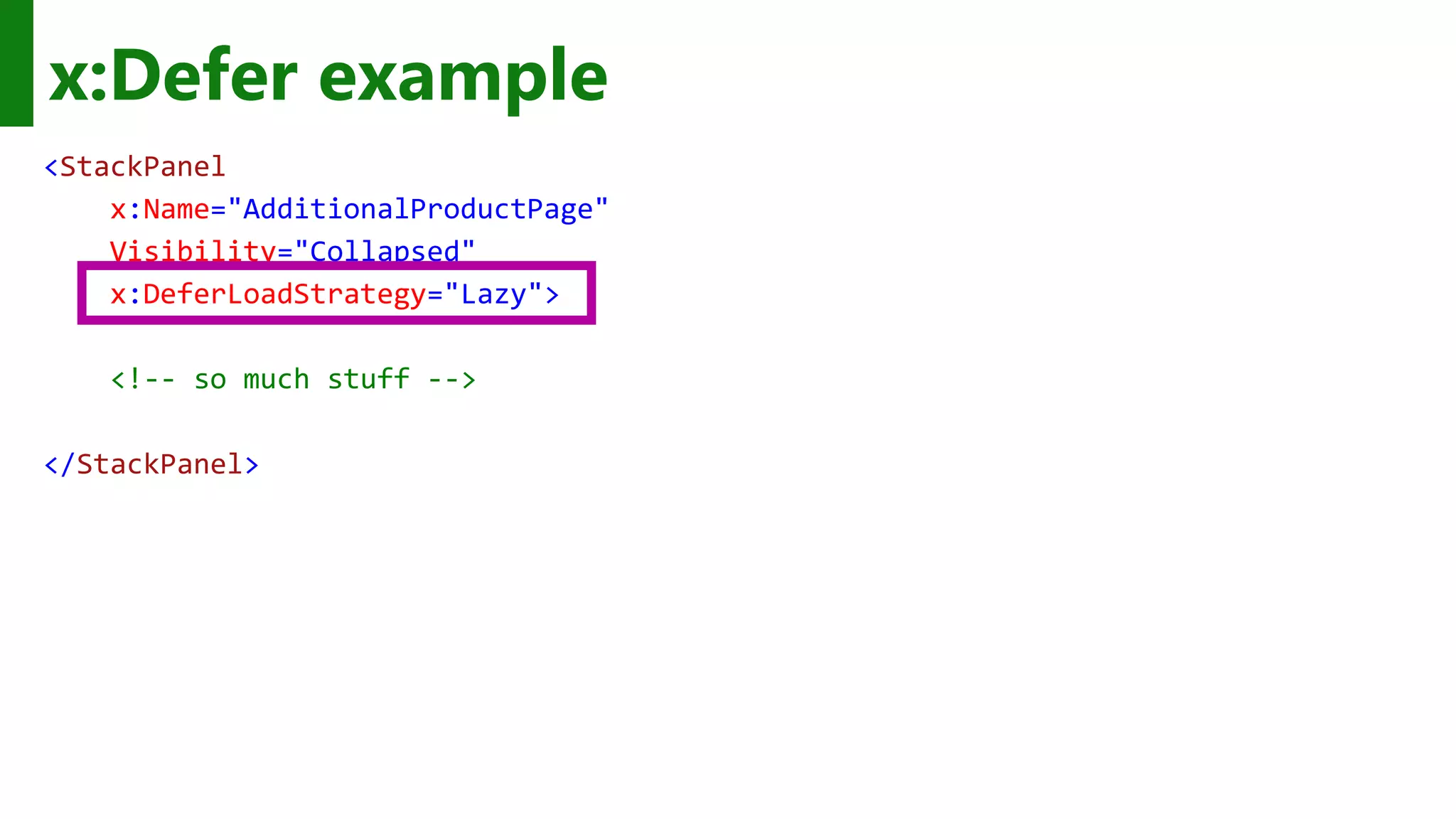
Understanding deferral Reduce the number of elements at startup Declare the UIElement-derived items (or containers) you don't want rendered 4 ways to realize an element 1. FindName() 2. EnsureElementRealized() 3. GetTemplatedChild() (for ControlTemplate) 4. Storyboard & VisualStates (because of FindName) Nothing is free A lightweight proxy element is created Events are hooked up after realized Binding is completed after realized (including x:Bind)
x:Defer example <StackPanel x:Name="AdditionalProductPage" Visibility="Collapsed" x:DeferLoadStrategy="Lazy"> <!-- so much stuff --> </StackPanel>
The fastest code is the code you don't run
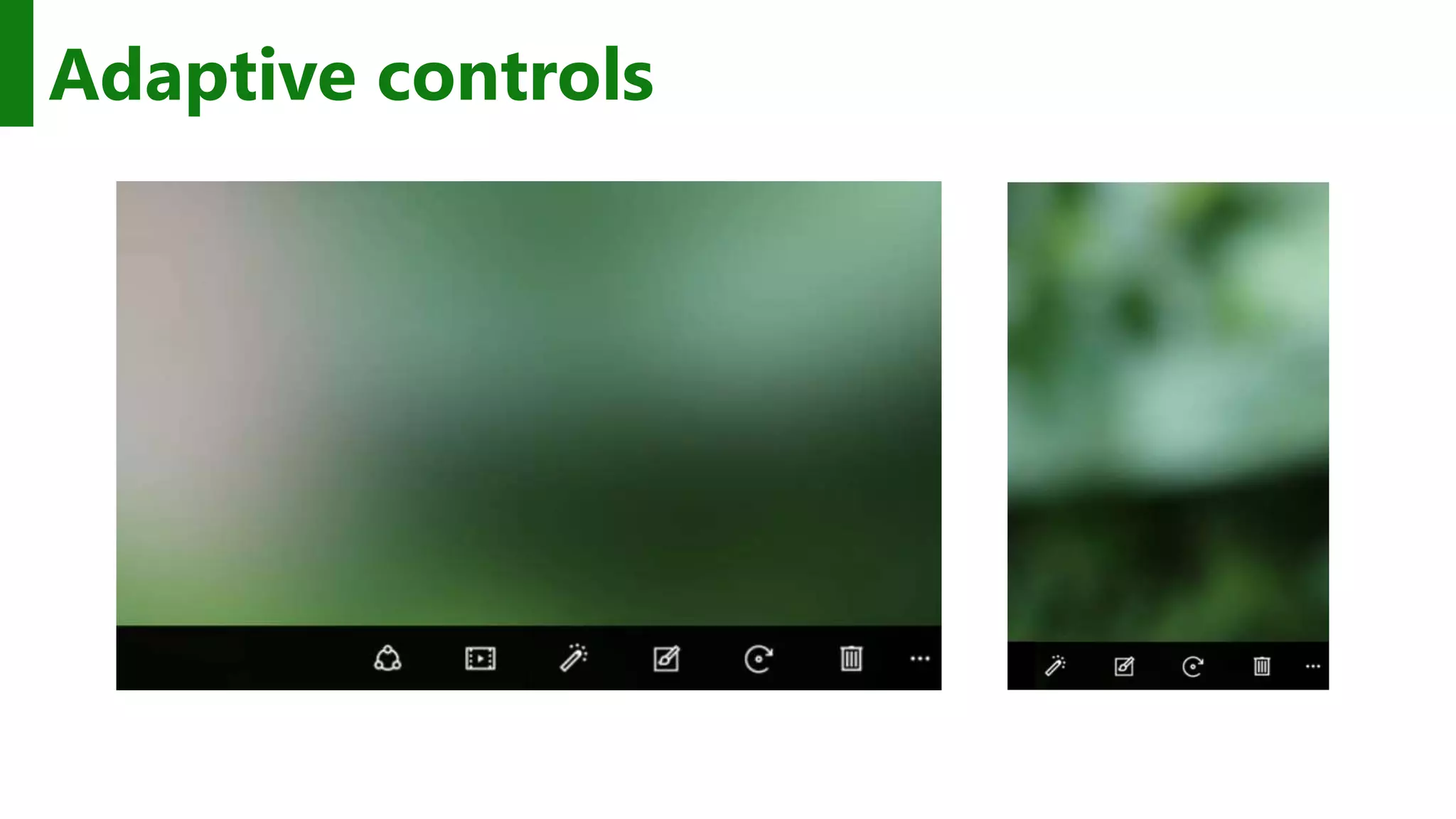
Adaptive controls
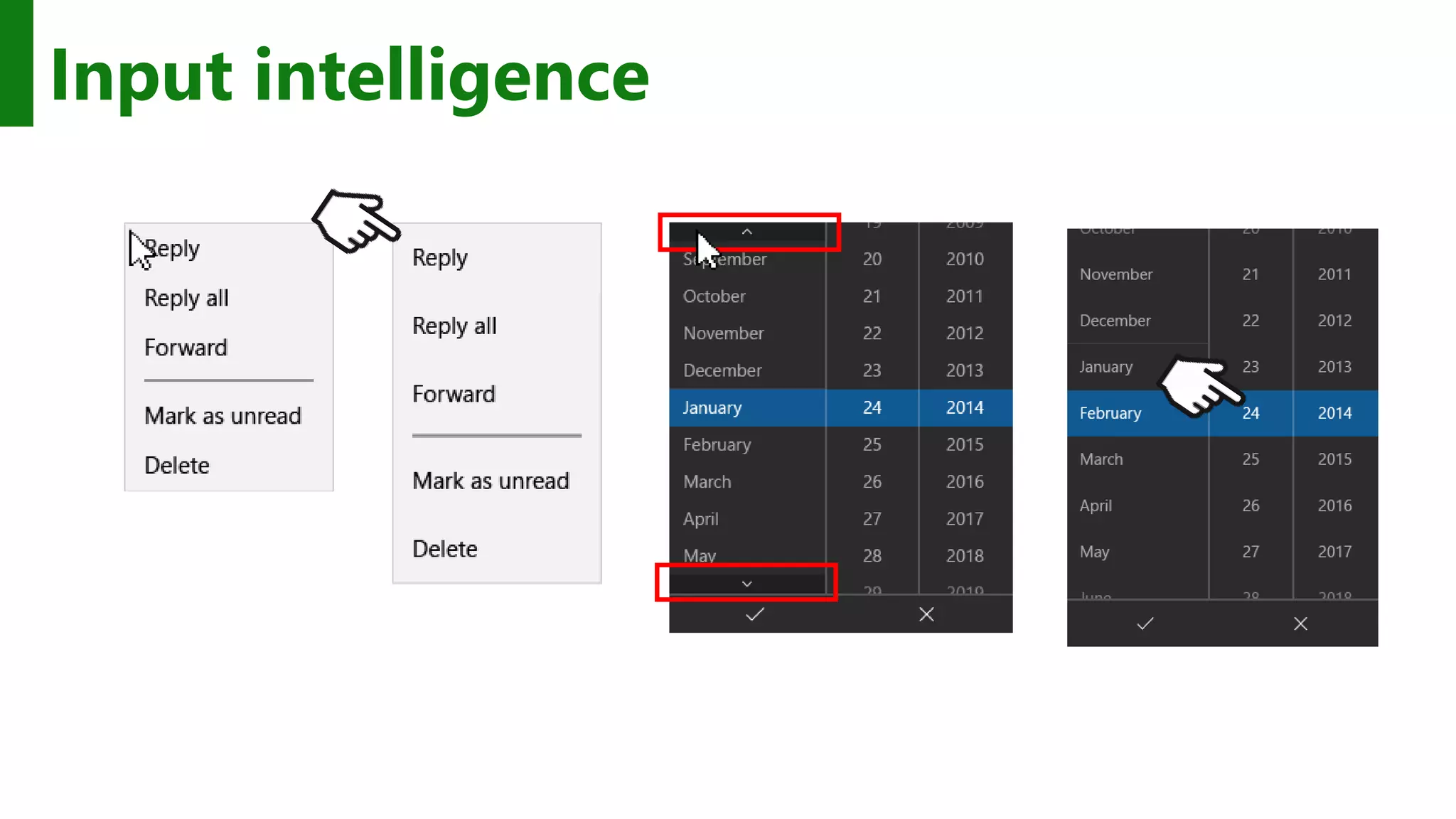
Input intelligence
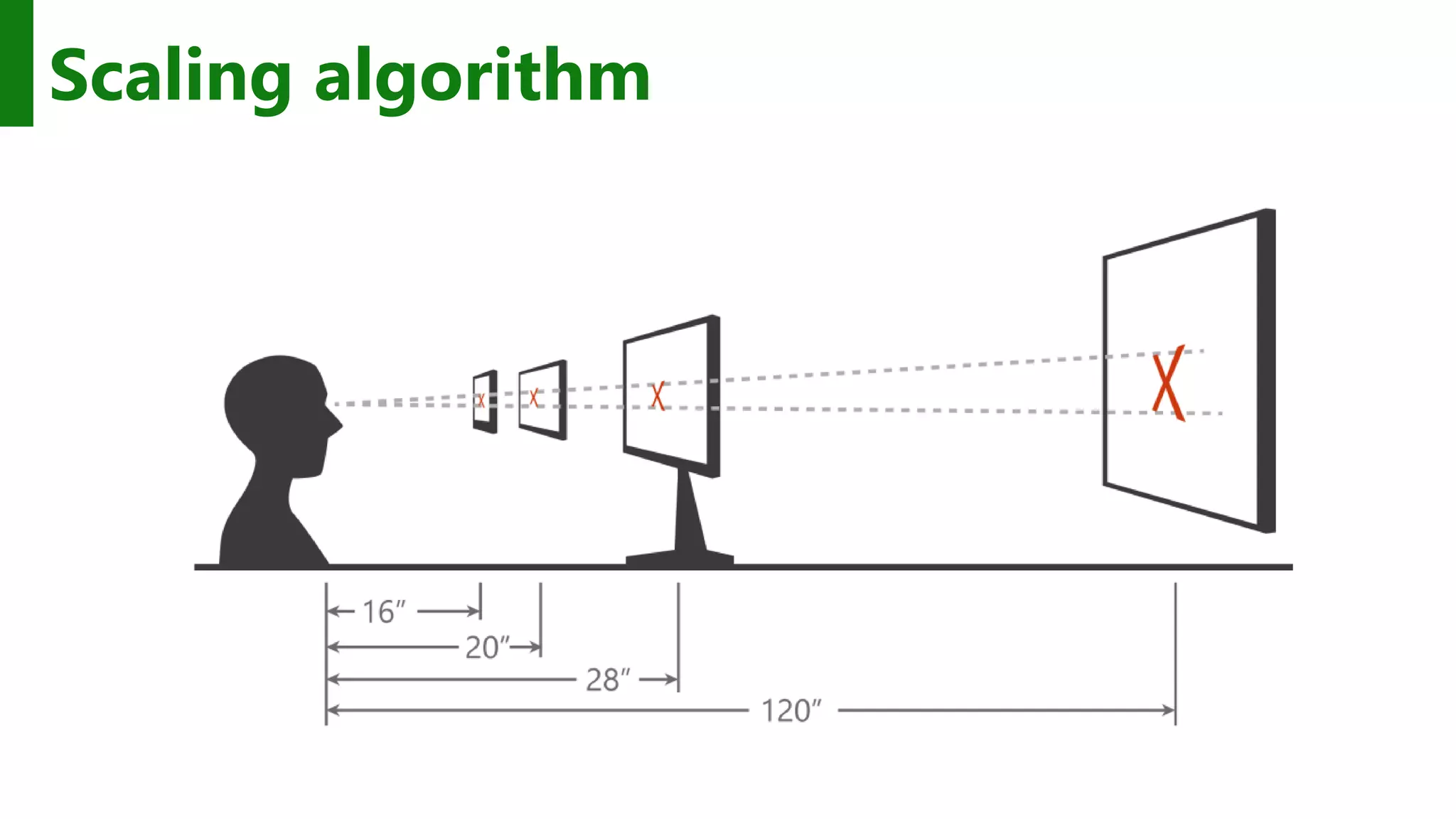
Scaling algorithm
As you design 1. Adapt to size change 2. Adapt to input change 3. Build with effective pixels 4. Count on the scaling algorithm
Adapt to different devices without targeting each and every device
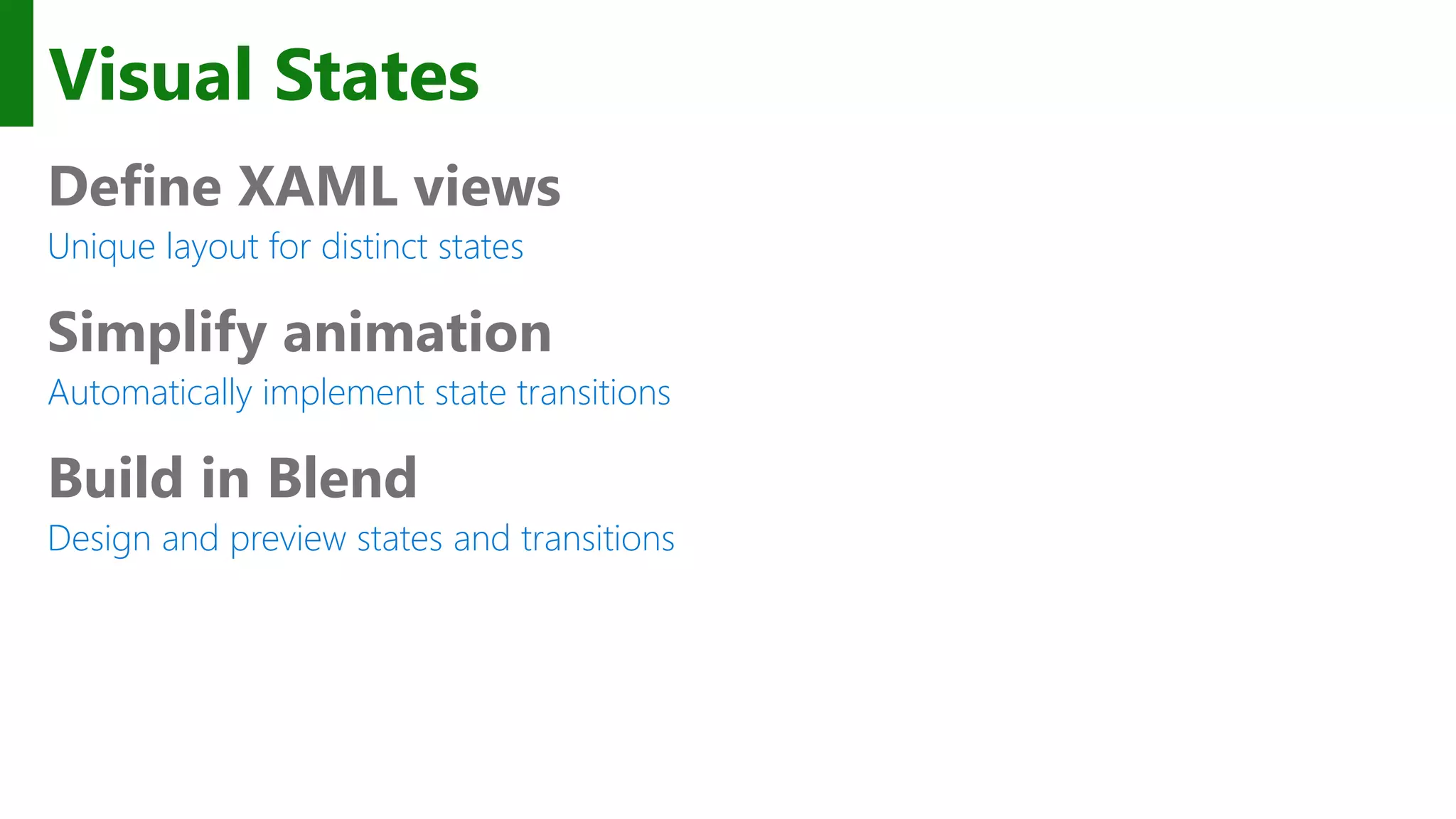
Visual States Define XAML views Unique layout for distinct states Simplify animation Automatically implement state transitions Build in Blend Design and preview states and transitions
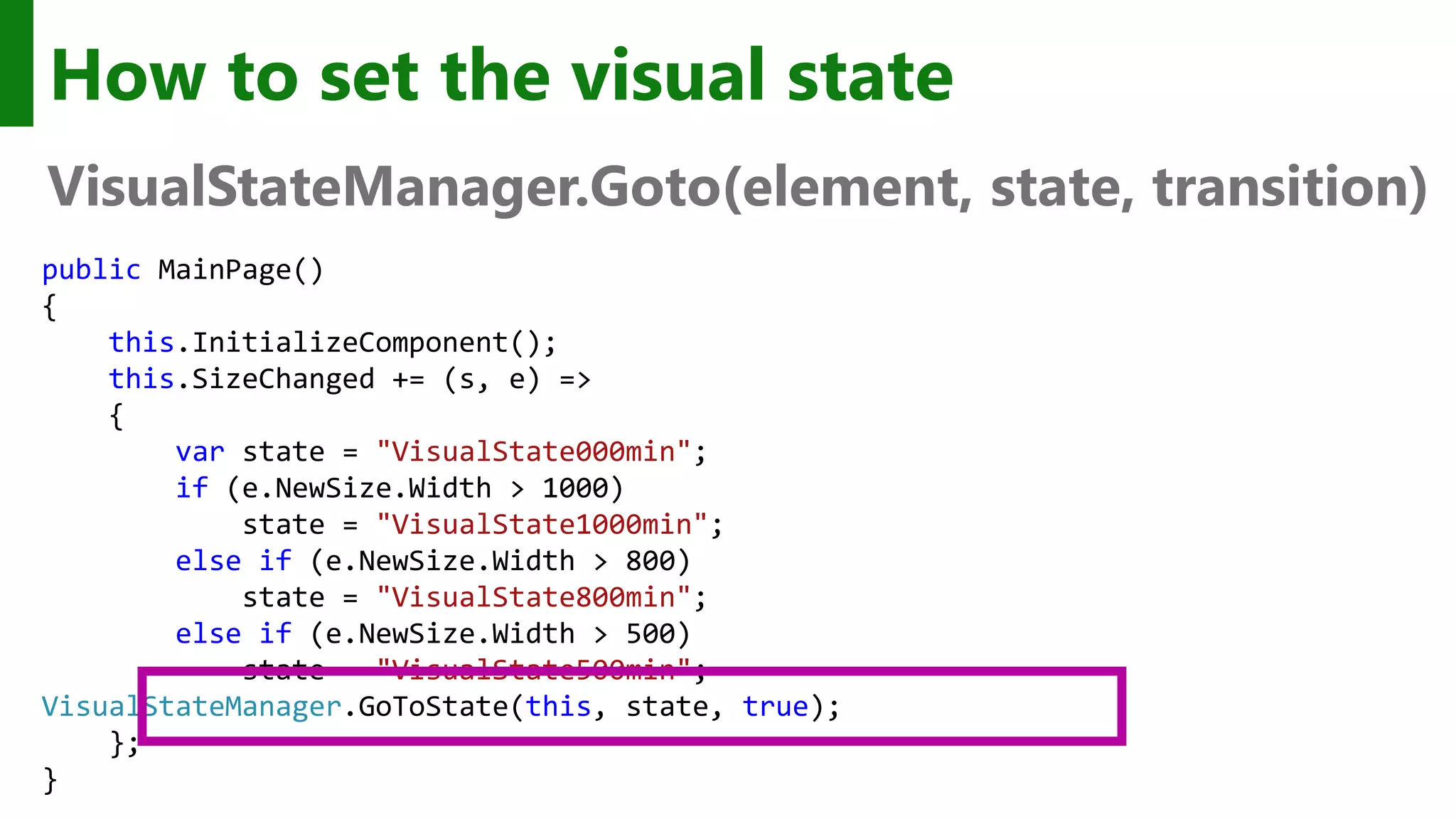
How to set the visual state VisualStateManager.Goto(element, state, transition) public MainPage() { this.InitializeComponent(); this.SizeChanged += (s, e) => { var state = "VisualState000min"; if (e.NewSize.Width > 1000) state = "VisualState1000min"; else if (e.NewSize.Width > 800) state = "VisualState800min"; else if (e.NewSize.Width > 500) state = "VisualState500min"; VisualStateManager.GoToState(this, state, true); }; }
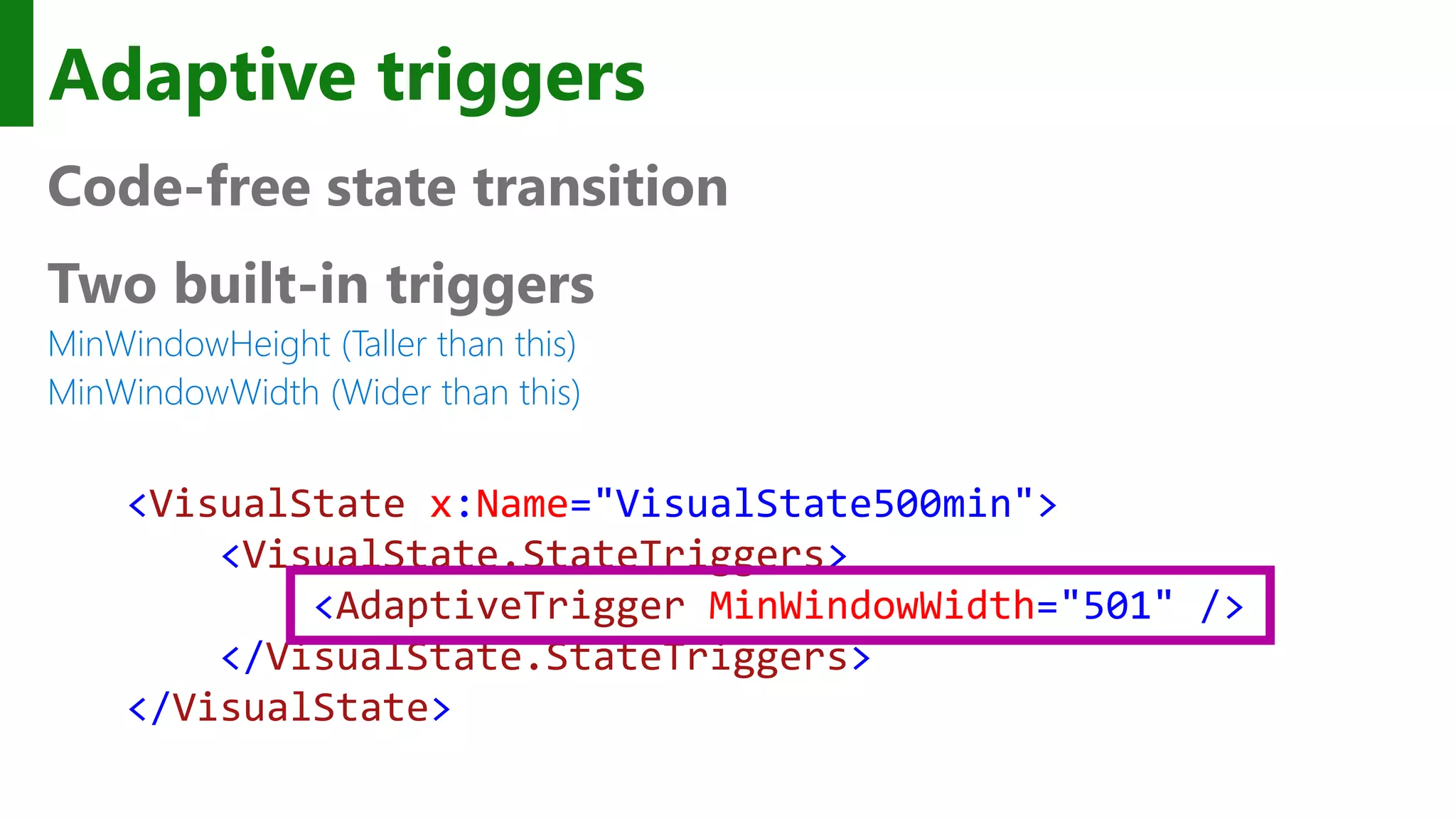
Adaptive triggers Code-free state transition Two built-in triggers MinWindowHeight (Taller than this) MinWindowWidth (Wider than this) <VisualState x:Name="VisualState500min"> <VisualState.StateTriggers> <AdaptiveTrigger MinWindowWidth="501" /> </VisualState.StateTriggers> </VisualState>
Custom adaptive triggers Build to handle special cases. public class DeviceFamilyTrigger : StateTriggerBase { private string _deviceFamily; public string DeviceFamily { get { return _deviceFamily; } set { var qualifiers = Windows.ApplicationModel.Resources.Core .ResourceContext.GetForCurrentView().QualifierValues; if (qualifiers.ContainsKey("DeviceFamily")) SetActive(qualifiers["DeviceFamily"] == (_deviceFamily = value)); else SetActive(false); } } }
Developers have many tools to build an adaptive UI
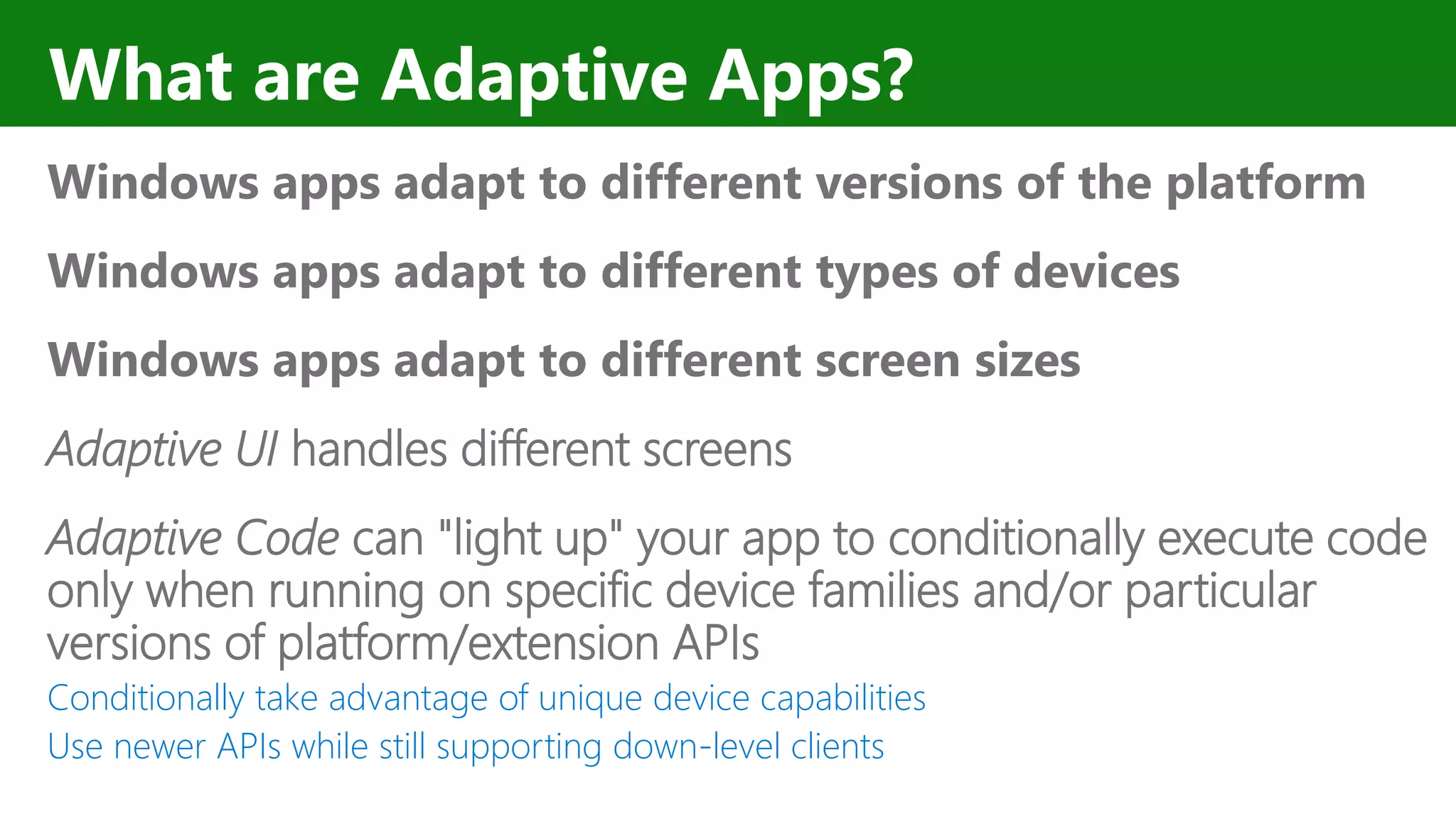
What are Adaptive Apps? Windows apps adapt to different versions of the platform Windows apps adapt to different types of devices Windows apps adapt to different screen sizes Adaptive UI handles different screens Adaptive Code can "light up" your app to conditionally execute code only when running on specific device families and/or particular versions of platform/extension APIs Conditionally take advantage of unique device capabilities Use newer APIs while still supporting down-level clients
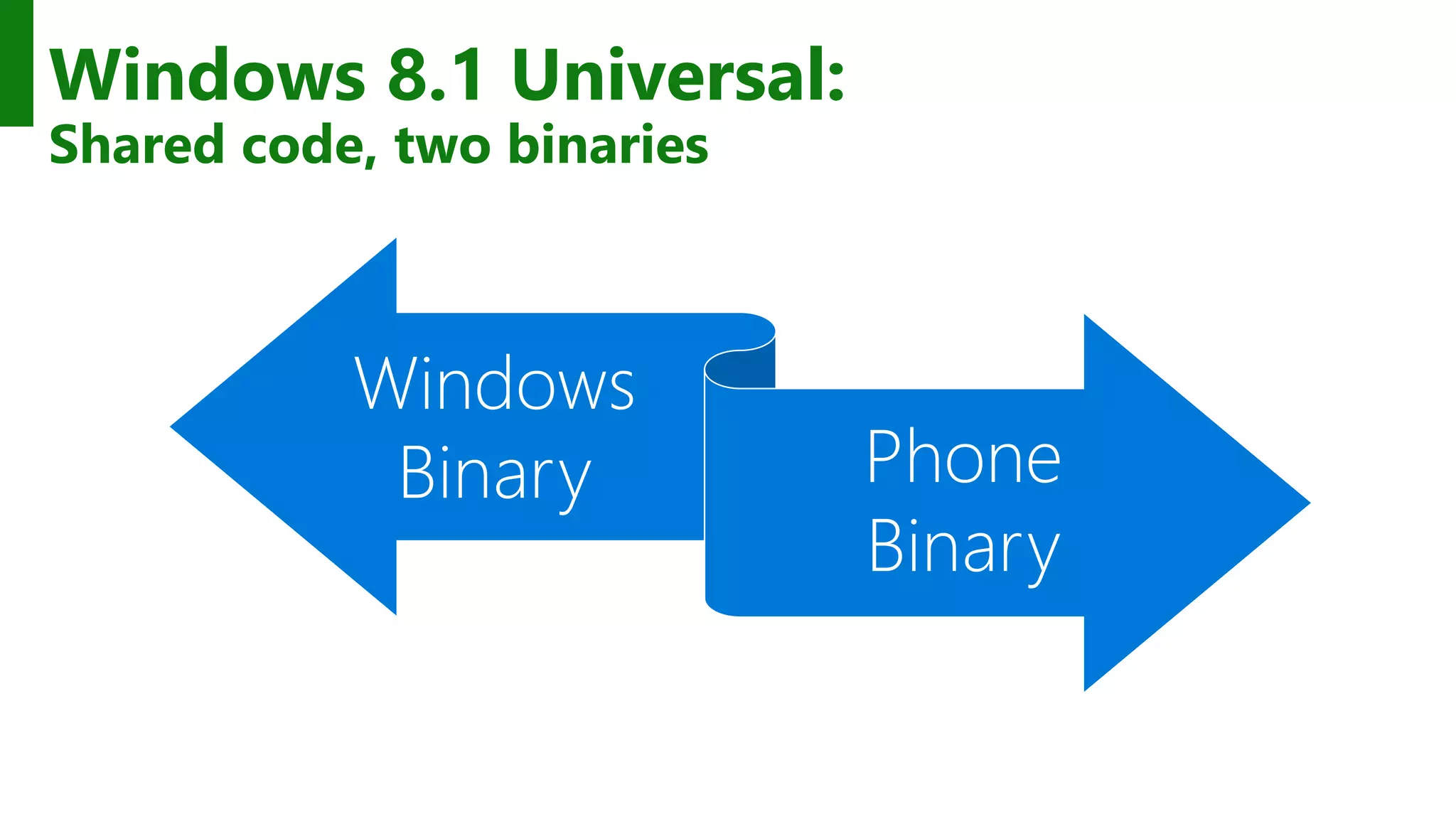
Windows 8.1 Universal: Shared code, two binaries Windows Binary Phone Binary
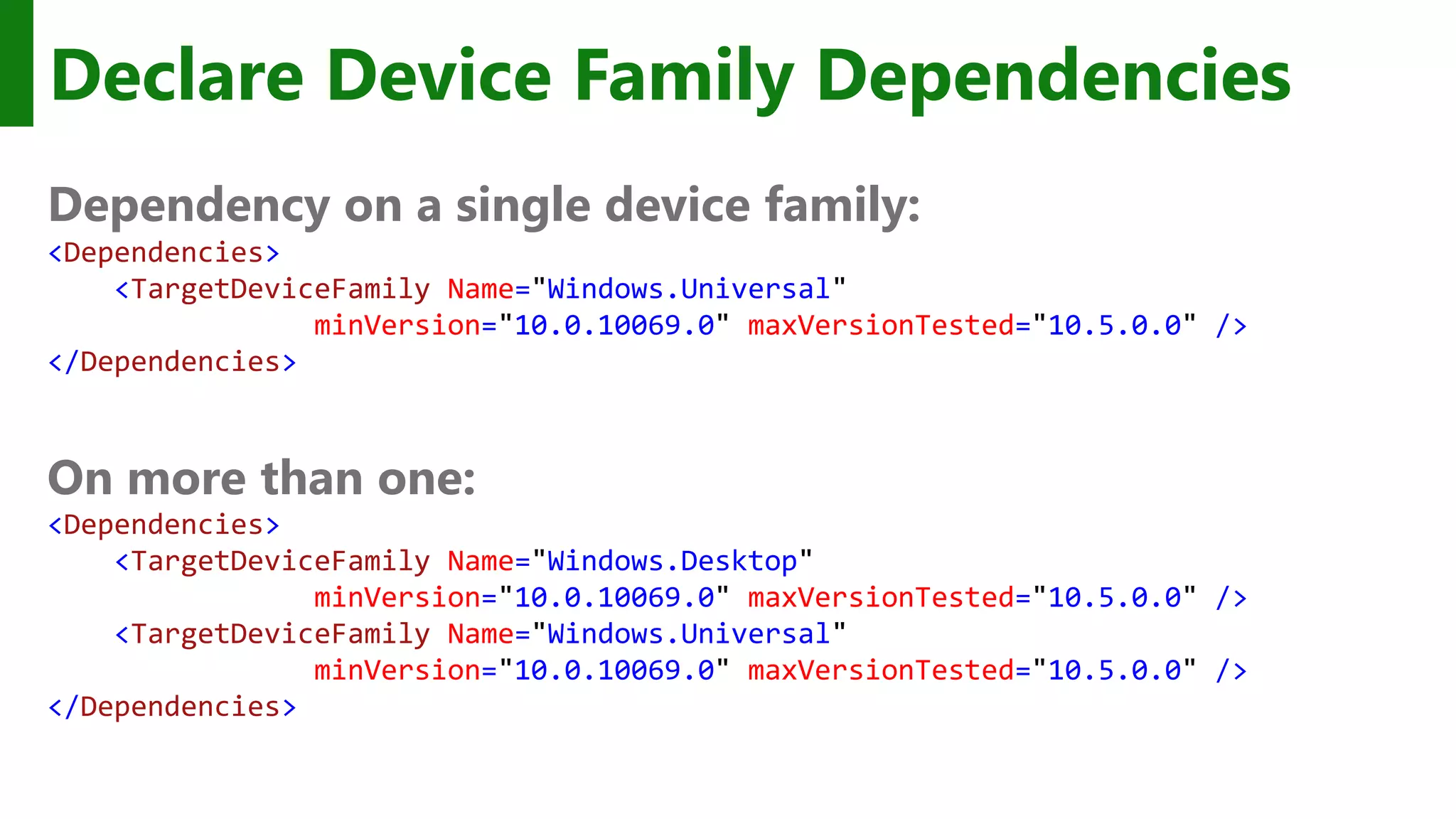
Declare Device Family Dependencies Dependency on a single device family: <Dependencies> <TargetDeviceFamily Name="Windows.Universal" minVersion="10.0.10069.0" maxVersionTested="10.5.0.0" /> </Dependencies> On more than one: <Dependencies> <TargetDeviceFamily Name="Windows.Desktop" minVersion="10.0.10069.0" maxVersionTested="10.5.0.0" /> <TargetDeviceFamily Name="Windows.Universal" minVersion="10.0.10069.0" maxVersionTested="10.5.0.0" /> </Dependencies>
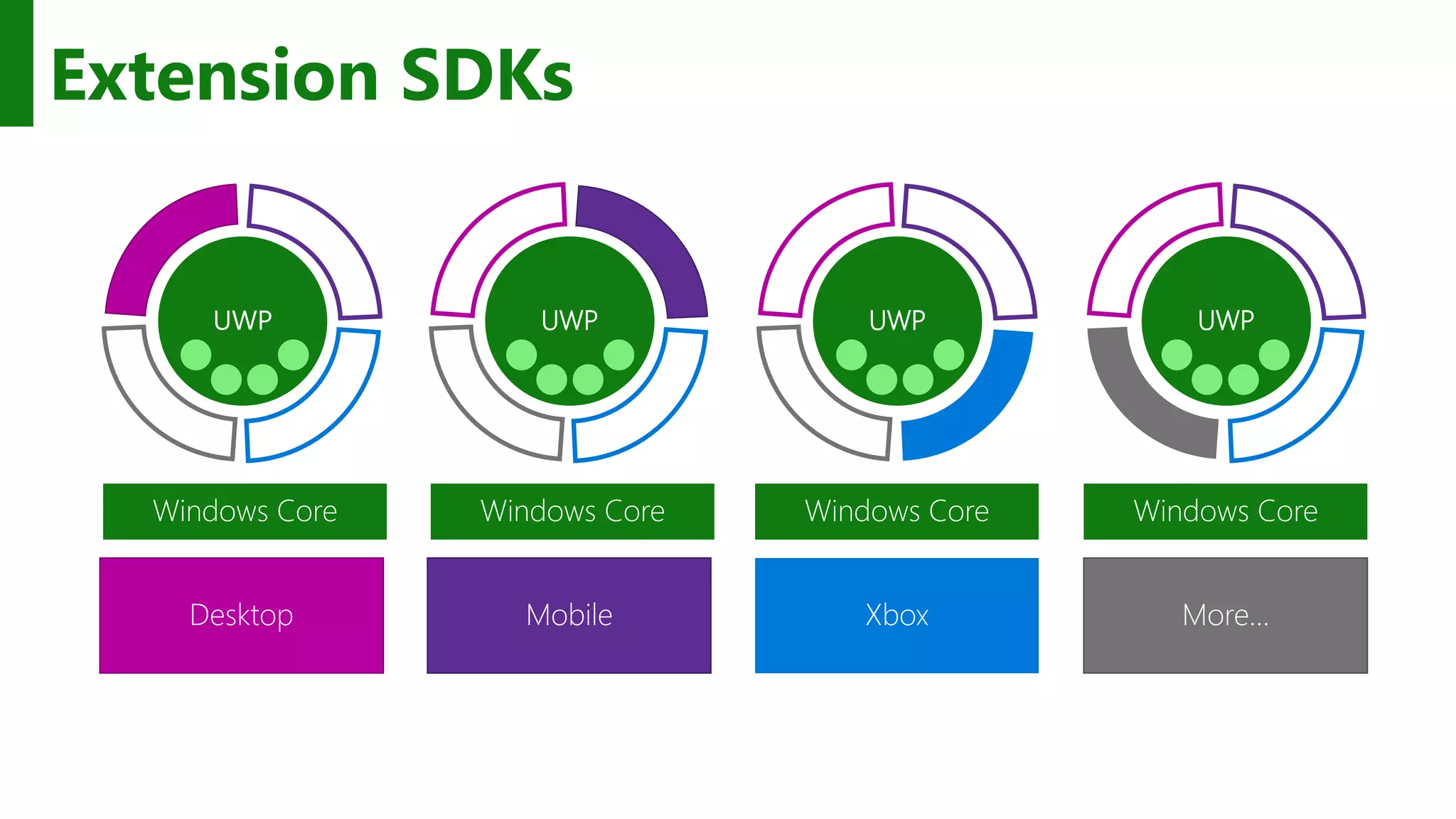
Extension SDKs UWP Windows Core Windows Core Windows Core Windows Core UWP UWP UWP Desktop Mobile Xbox More…
The device families you choose determines which APIs you can call freely
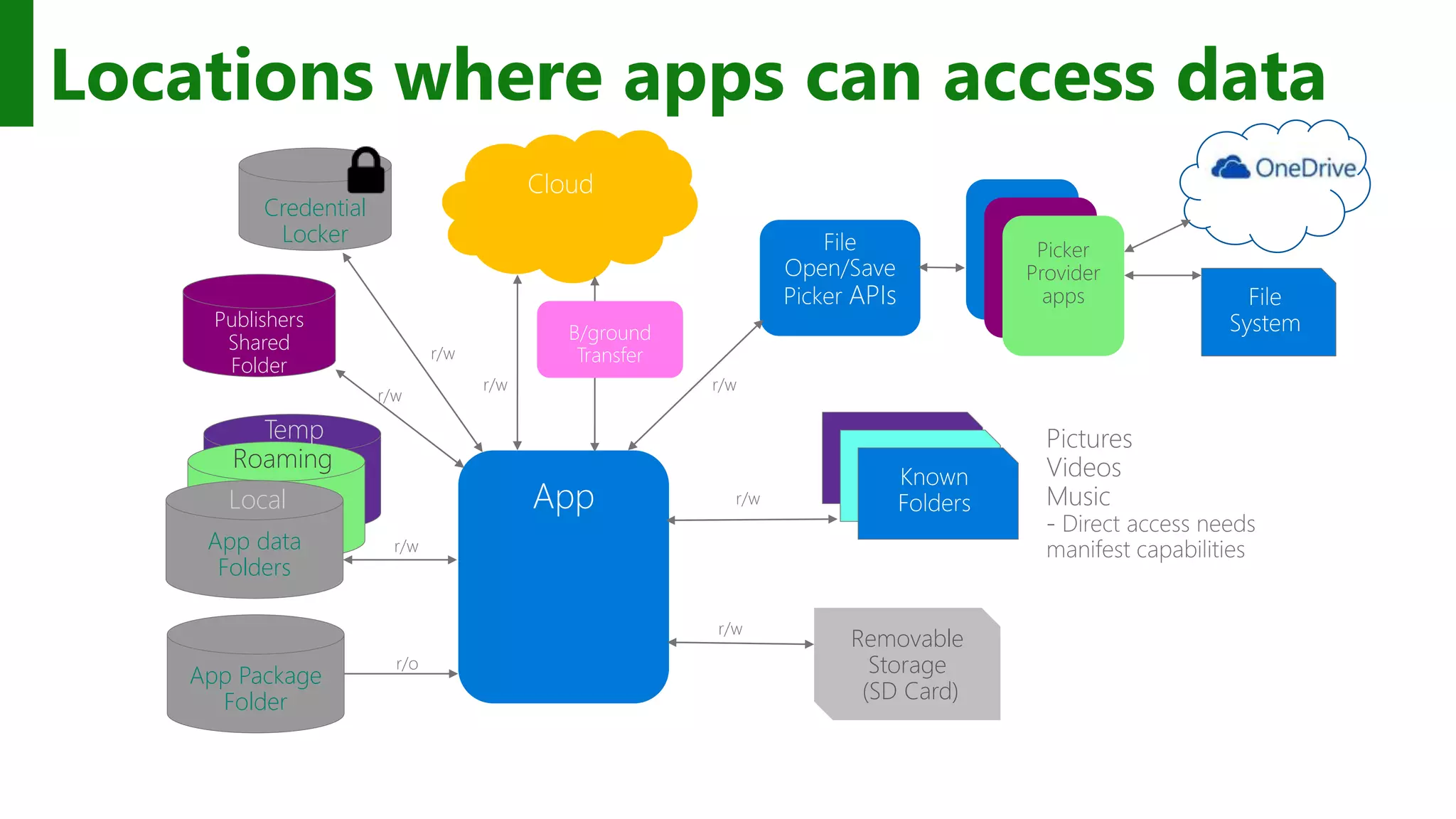
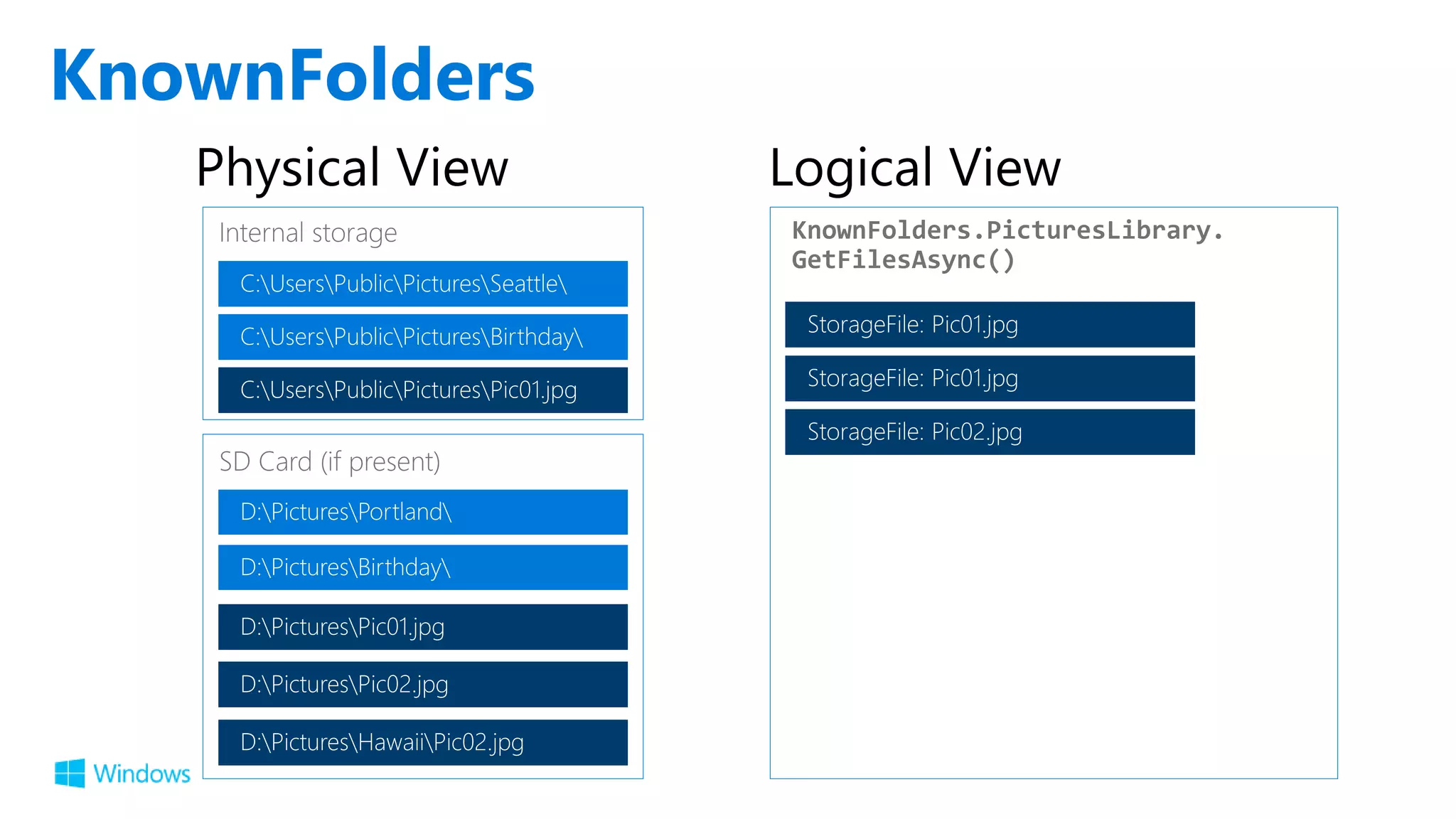
Locations where apps can access data App Package Folder App data FoldersApp data FoldersApp data Folders Local Roaming Temp Removable Storage (SD Card) Credential Locker Publishers Shared Folder Picker Provider apps
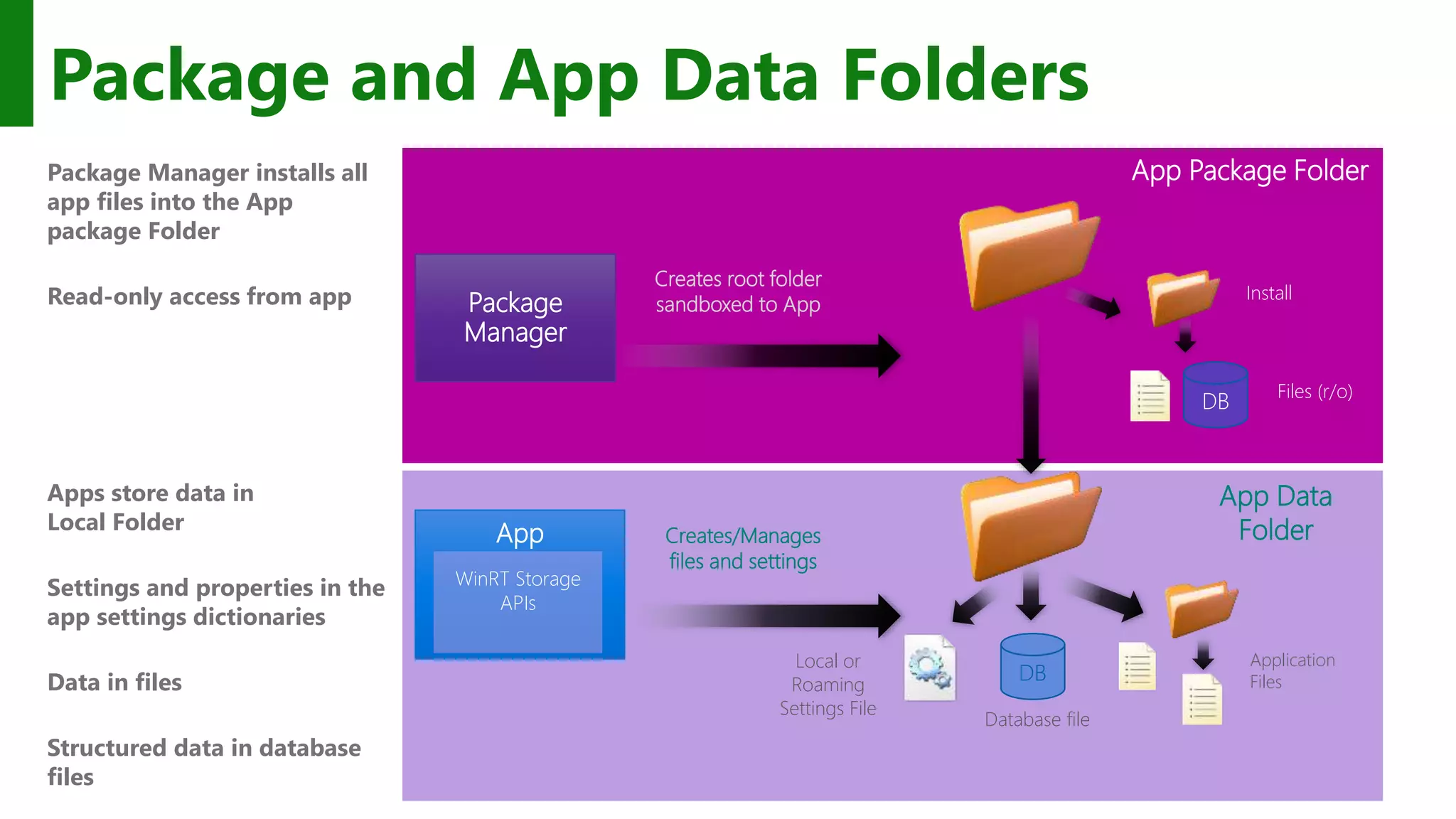
Package and App Data Folders Package Manager installs all app files into the App package Folder Read-only access from app Apps store data in Local Folder Settings and properties in the app settings dictionaries Data in files Structured data in database files Local or Roaming Settings File App Creates/Manages files and settings Application Files App Data Folder Creates root folder sandboxed to AppPackage Manager App Package Folder WinRT Storage APIs Install DB Database file DB Files (r/o)
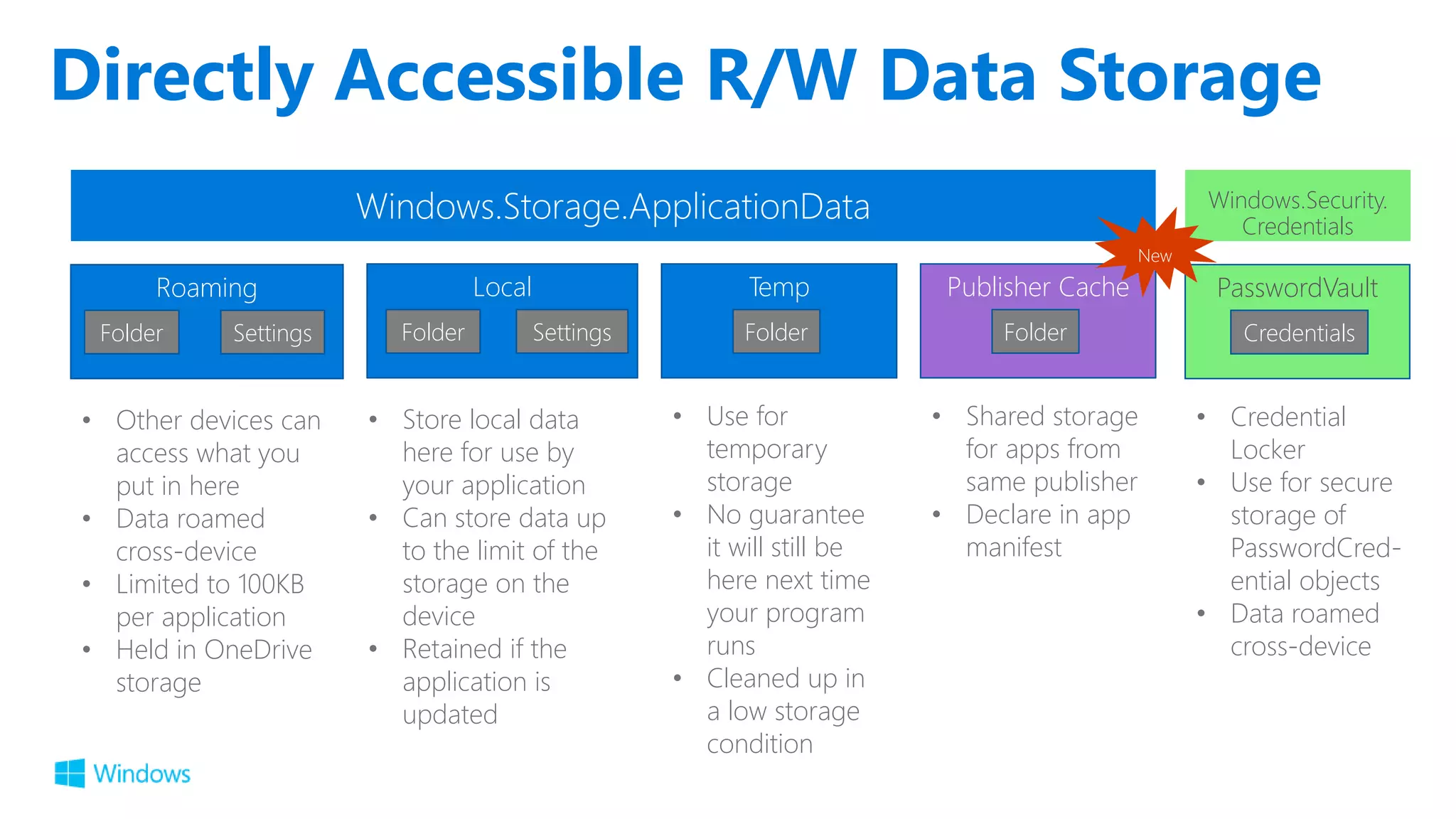
Directly Accessible R/W Data Storage Roaming Folder Settings • Other devices can access what you put in here • Data roamed cross-device • Limited to 100KB per application • Held in OneDrive storage Local Folder Settings • Store local data here for use by your application • Can store data up to the limit of the storage on the device • Retained if the application is updated Temp Folder • Use for temporary storage • No guarantee it will still be here next time your program runs • Cleaned up in a low storage condition Windows.Security. Credentials PasswordVault Credentials • Credential Locker • Use for secure storage of PasswordCred- ential objects • Data roamed cross-device Publisher Cache Folder • Shared storage for apps from same publisher • Declare in app manifest New
KnownFolders
Provide multiple options for the user to load/save data
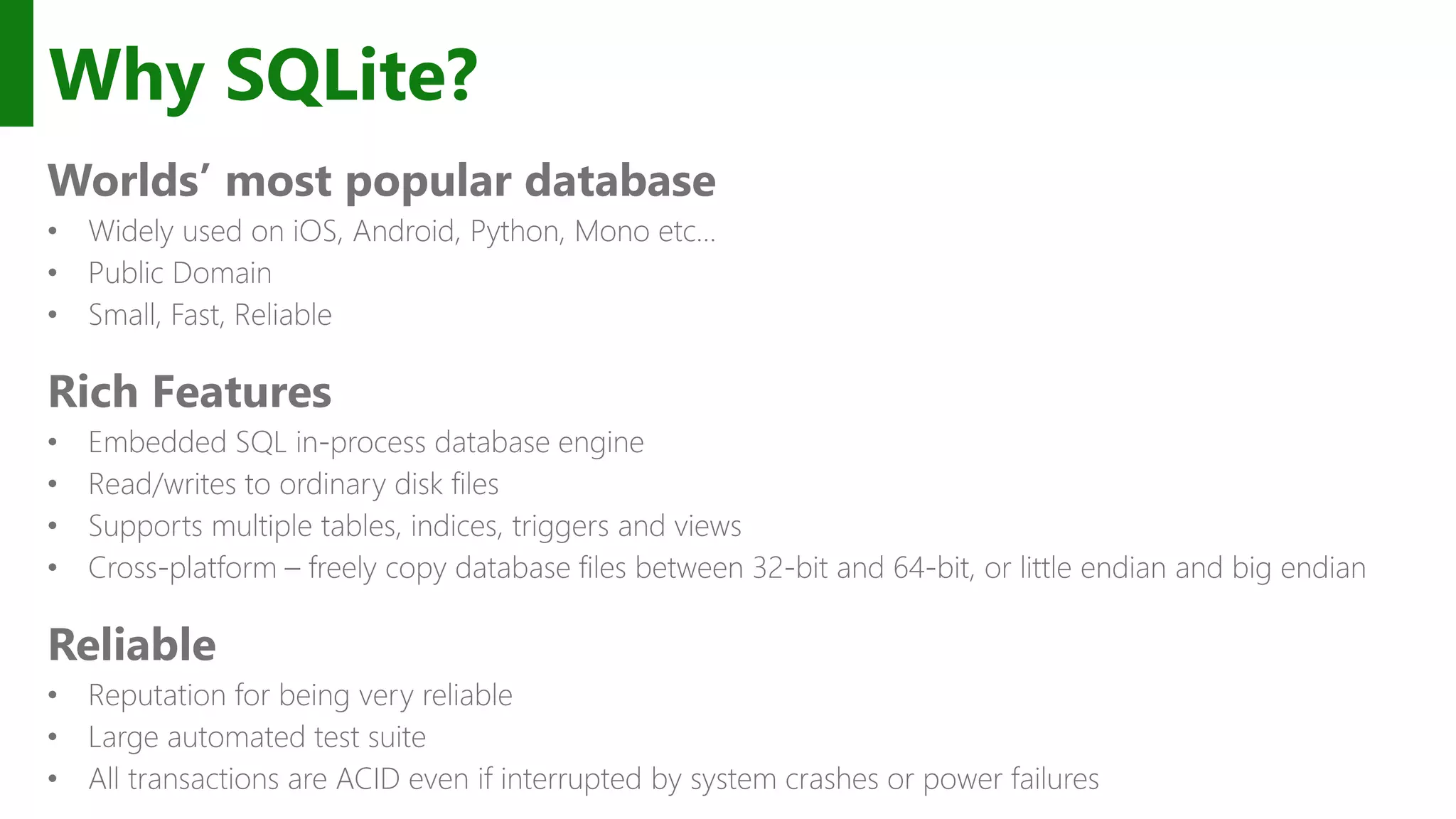
Why SQLite? Worlds’ most popular database Rich Features Reliable
Choice of .NET APIs SQLite-NET LINQ syntax Lightweight ORM SQLitePCL SQL statements Thin wrapper around the SQLite C API using (var conn = new SQLiteConnection("demo.db")) { Customer customer = null; using (var statement = conn.Prepare( "SELECT Id, Name FROM Customer WHERE Id = ?")) { statement.Bind(1, customerId); if (SQLiteResult.DONE == statement.Step()) { customer = new Customer() { Id = (long)statement[0], Name = (string)statement[1] }; } } } var db = new SQLite.SQLiteAsyncConnection(App.DBPath); var _customer = await (from c in db.Table<Customer>() where c.Id == customerId select c).FirstOrDefaultAsync(); if (customer != null) { var Id = _customer.Id; var Name = _customer.Name; } …and others!
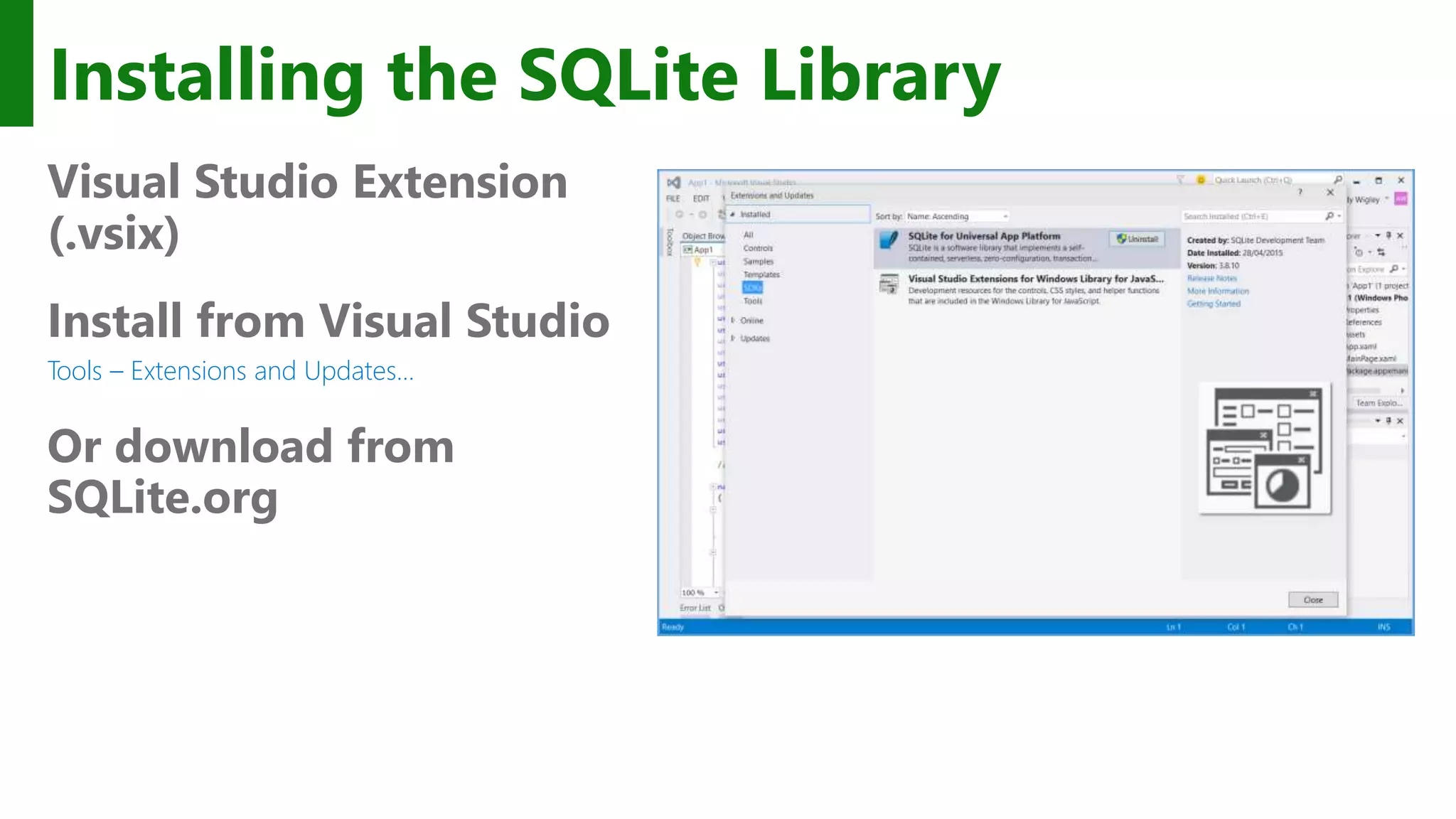
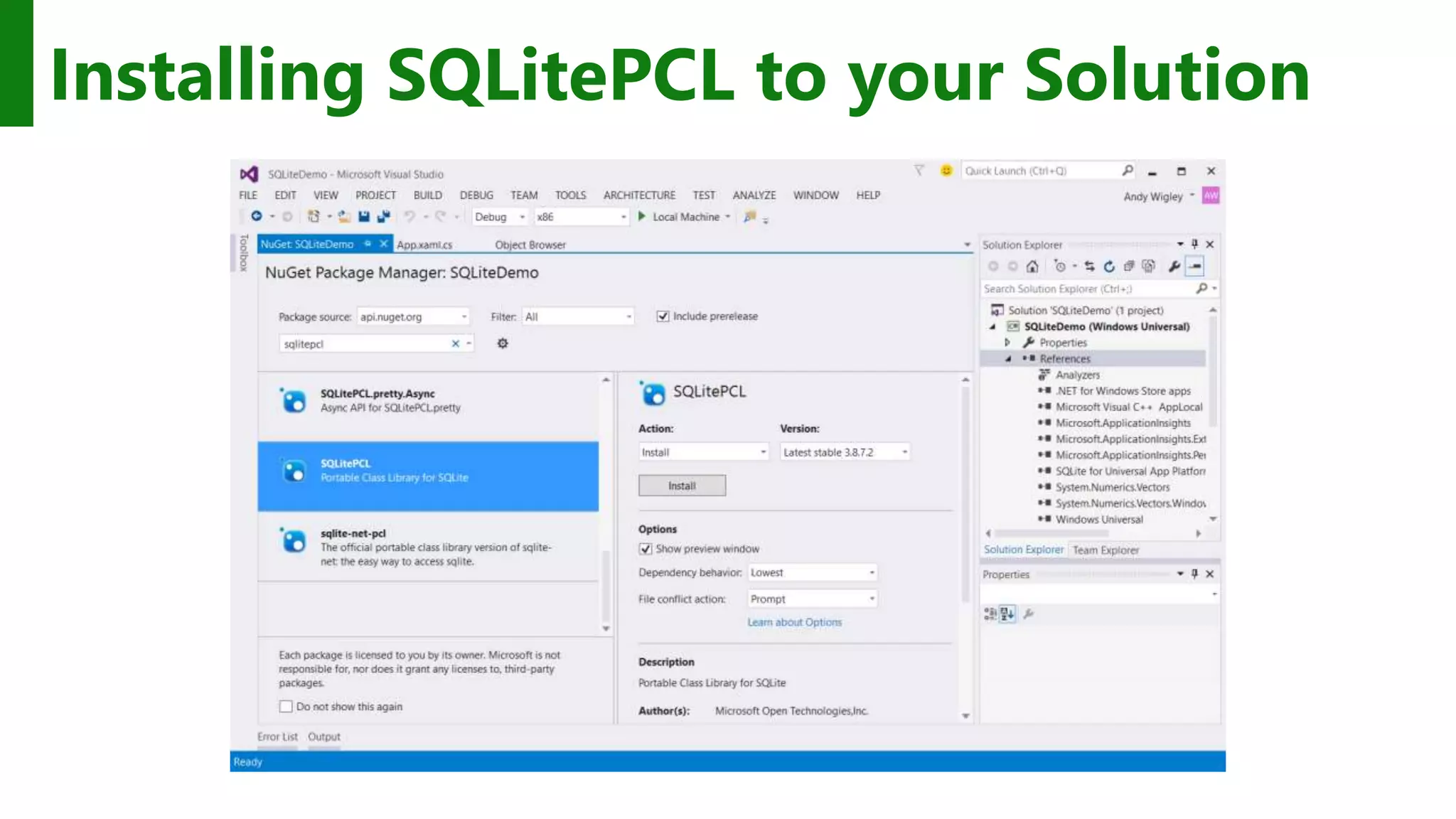
Installing the SQLite Library Visual Studio Extension (.vsix) Install from Visual Studio Tools – Extensions and Updates… Or download from SQLite.org
Installing SQLitePCL to your Solution
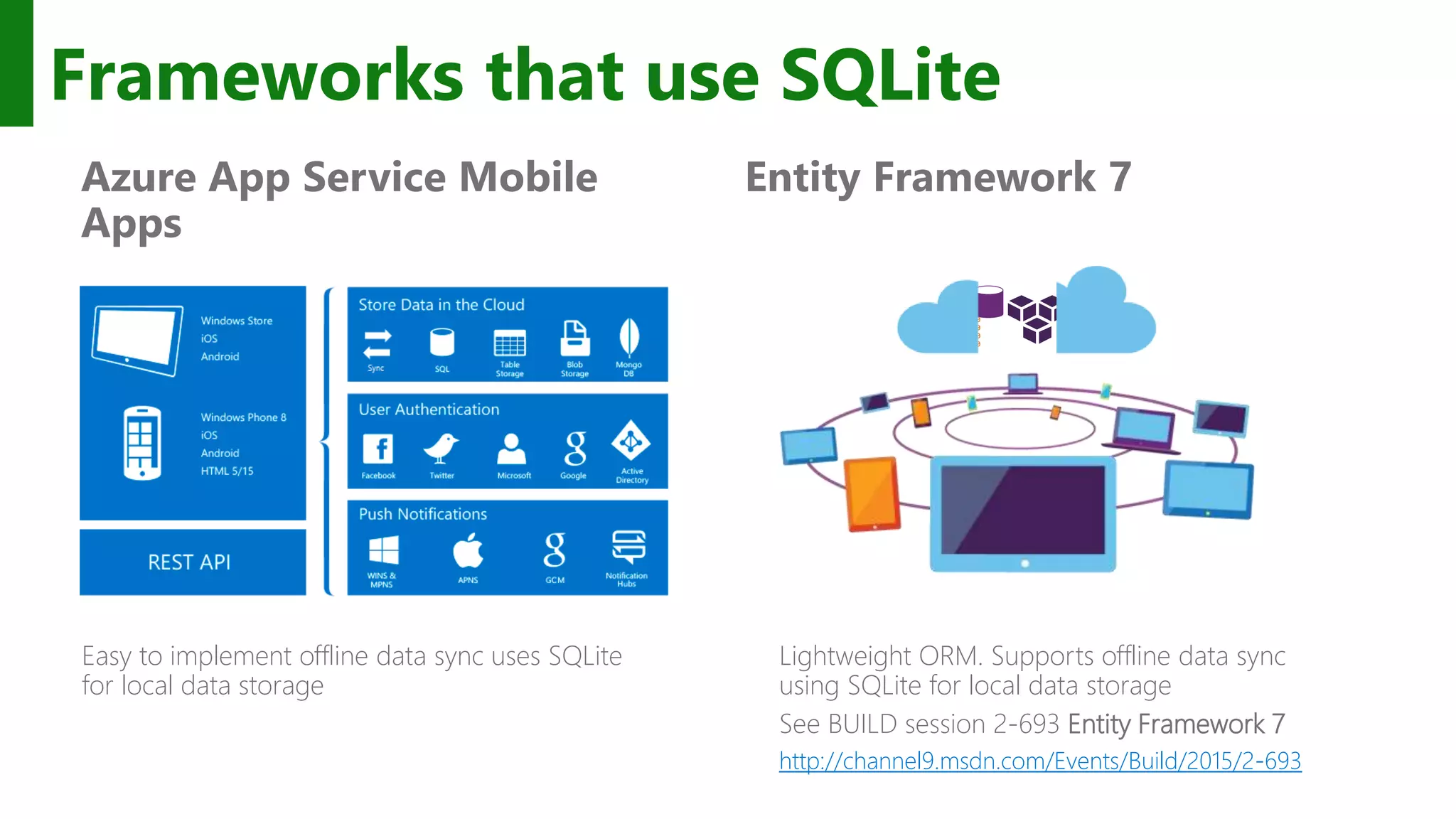
Frameworks that use SQLite Entity Framework 7Azure App Service Mobile Apps Easy to implement offline data sync uses SQLite for local data storage 01010 00100 10110 00100 Lightweight ORM. Supports offline data sync using SQLite for local data storage See BUILD session 2-693 Entity Framework 7 http://channel9.msdn.com/Events/Build/2015/2-693
SQLite provides a convenient option for your app
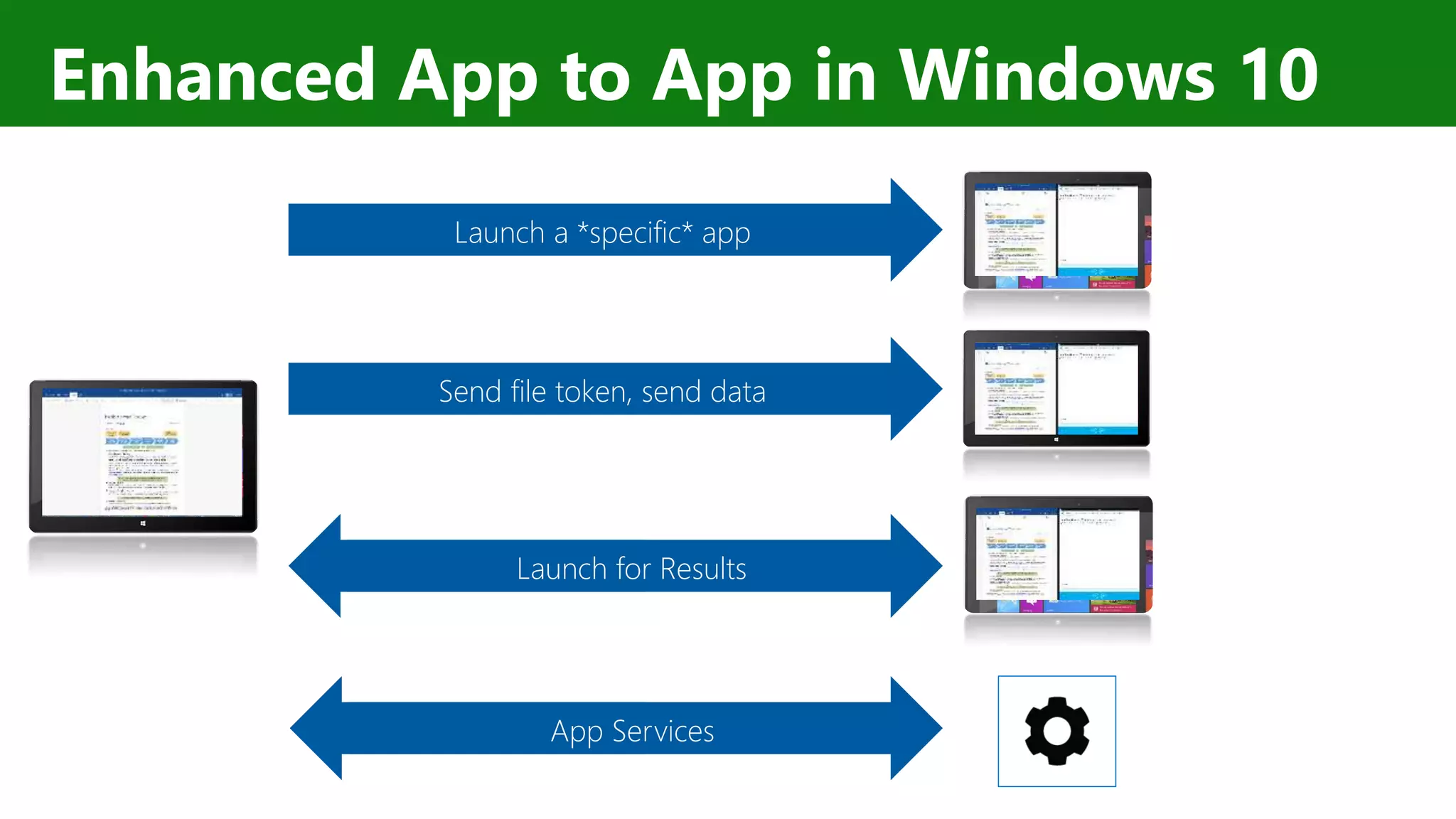
Enhanced App to App in Windows 10 Send file token, send data Launch a *specific* app App Services Launch for Results
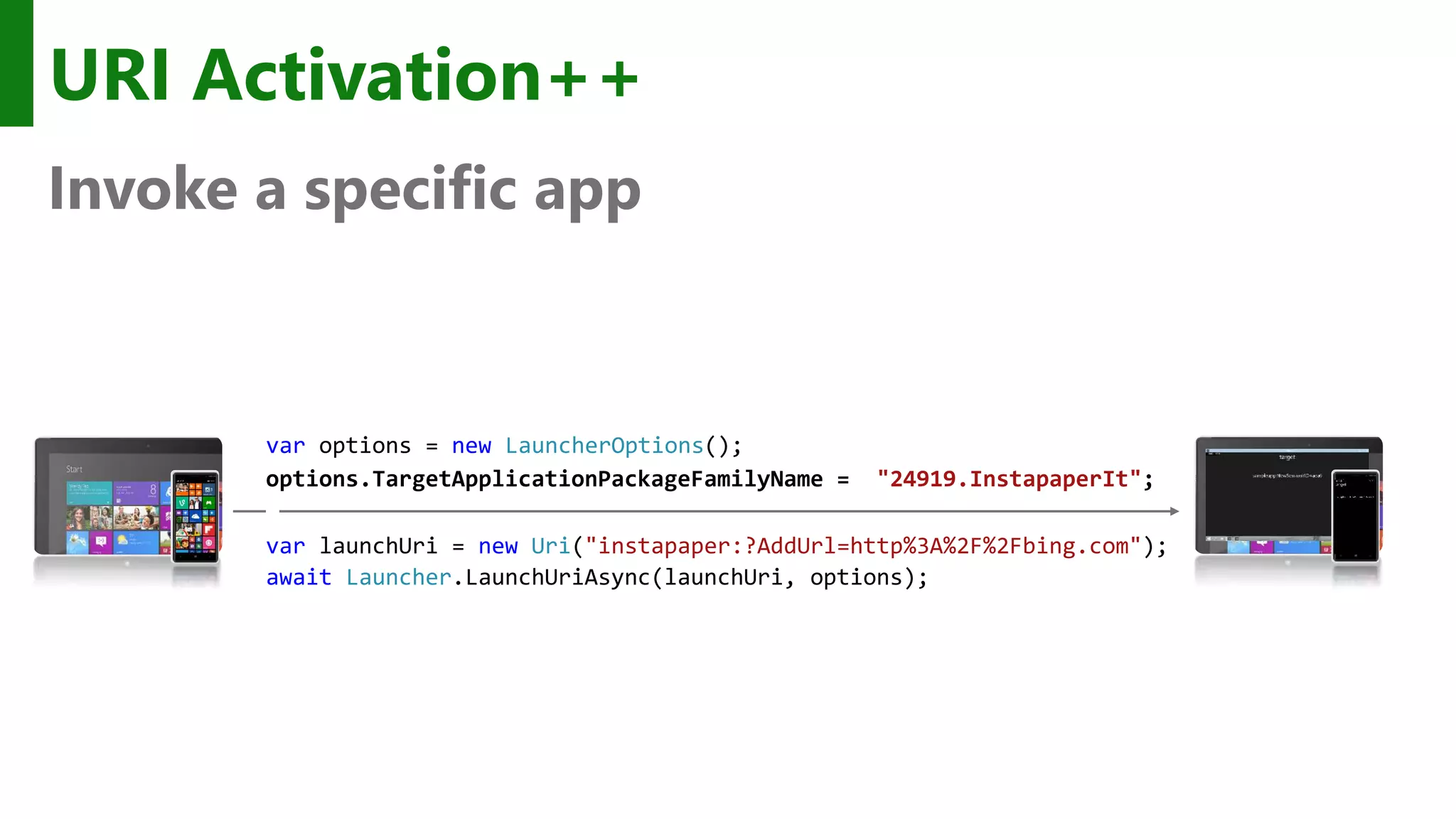
URI Activation++ Invoke a specific app var options = new LauncherOptions(); options.TargetApplicationPackageFamilyName = "24919.InstapaperIt"; var launchUri = new Uri("instapaper:?AddUrl=http%3A%2F%2Fbing.com"); await Launcher.LaunchUriAsync(launchUri, options);
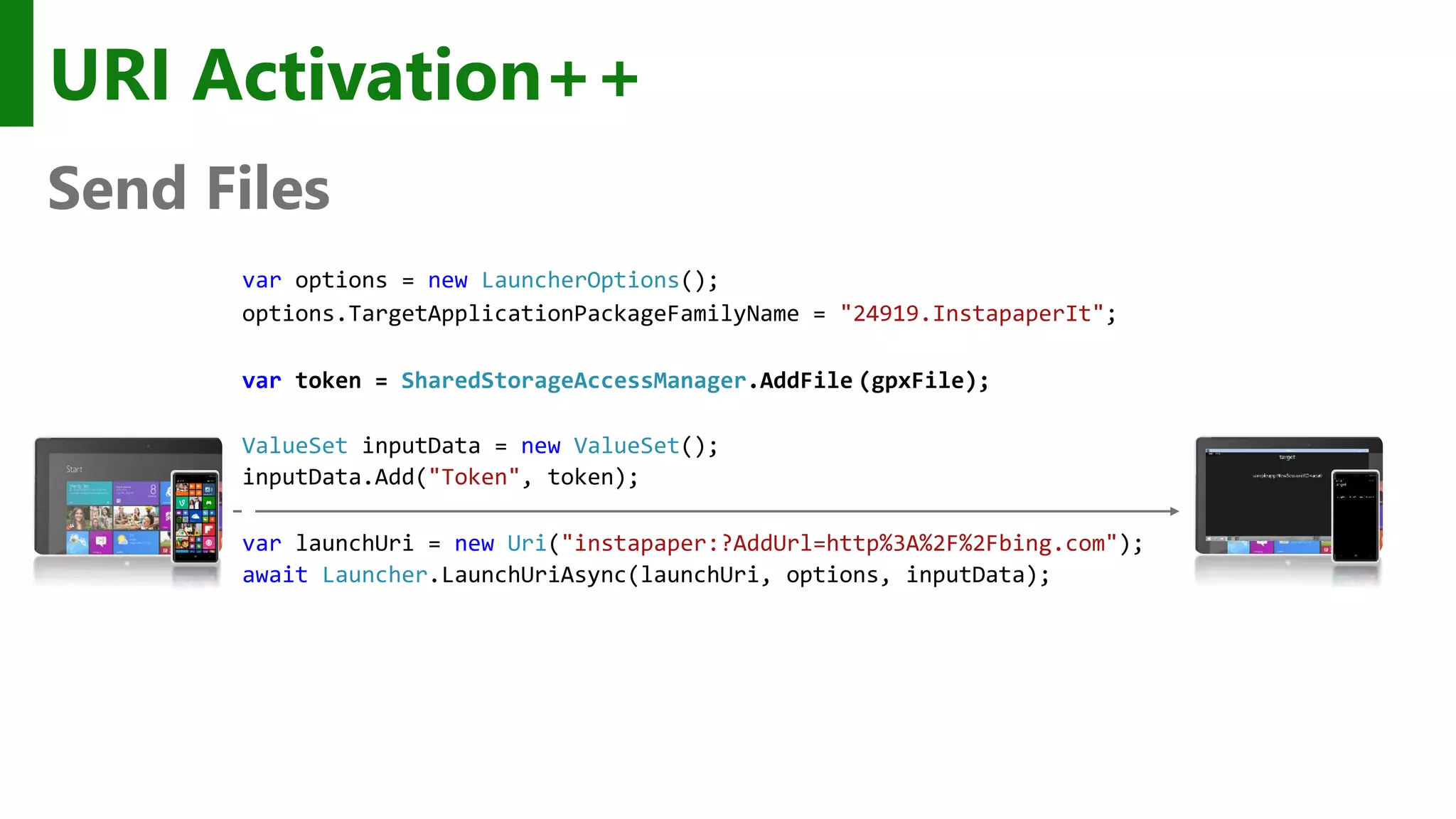
URI Activation++ Send Files var options = new LauncherOptions(); options.TargetApplicationPackageFamilyName = "24919.InstapaperIt"; var token = SharedStorageAccessManager.AddFile (gpxFile); ValueSet inputData = new ValueSet(); inputData.Add("Token", token); var launchUri = new Uri("instapaper:?AddUrl=http%3A%2F%2Fbing.com"); await Launcher.LaunchUriAsync(launchUri, options, inputData);
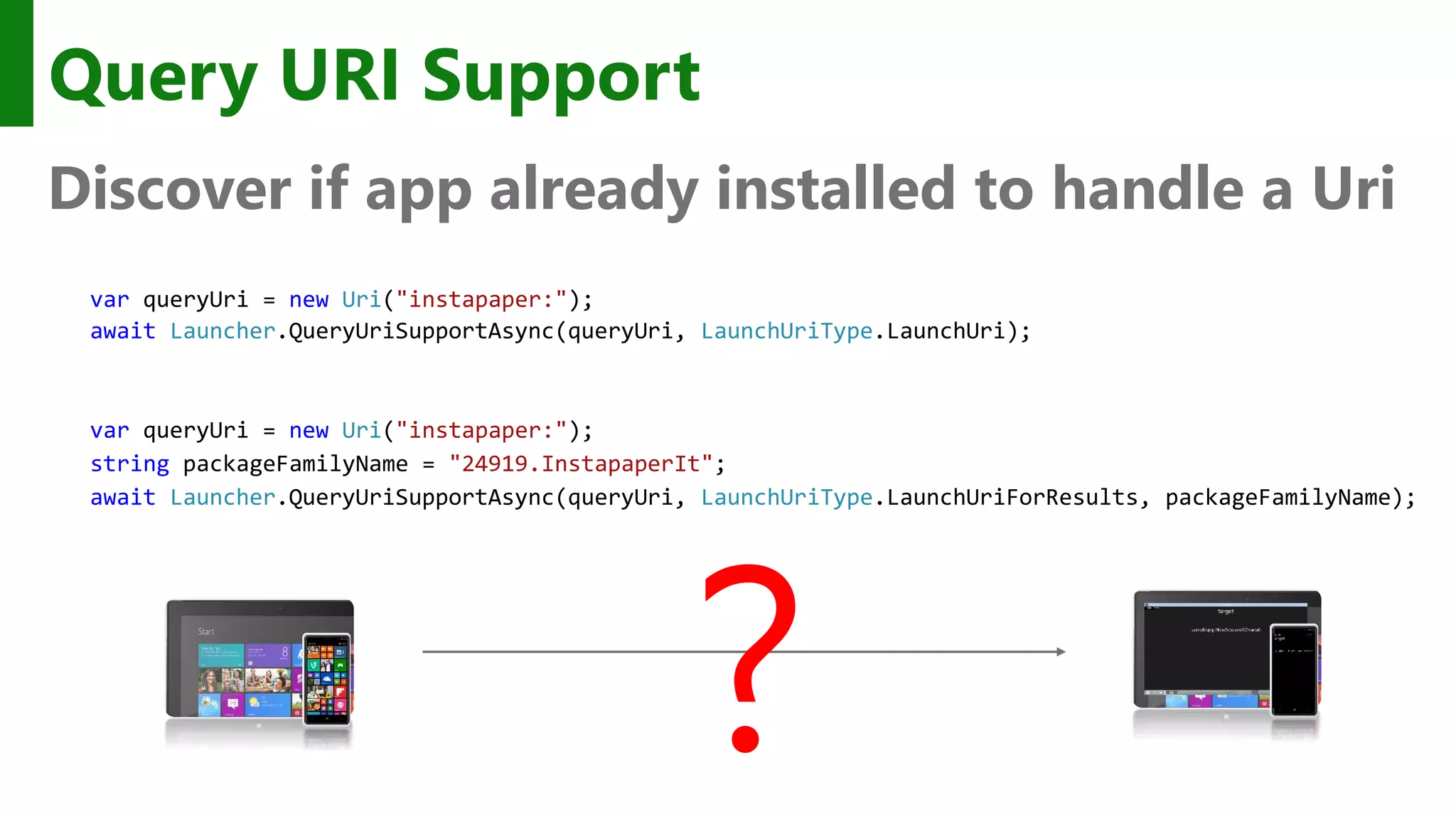
Query URI Support Discover if app already installed to handle a Uri var queryUri = new Uri("instapaper:"); await Launcher.QueryUriSupportAsync(queryUri, LaunchUriType.LaunchUri); ? var queryUri = new Uri("instapaper:"); string packageFamilyName = "24919.InstapaperIt"; await Launcher.QueryUriSupportAsync(queryUri, LaunchUriType.LaunchUriForResults, packageFamilyName);
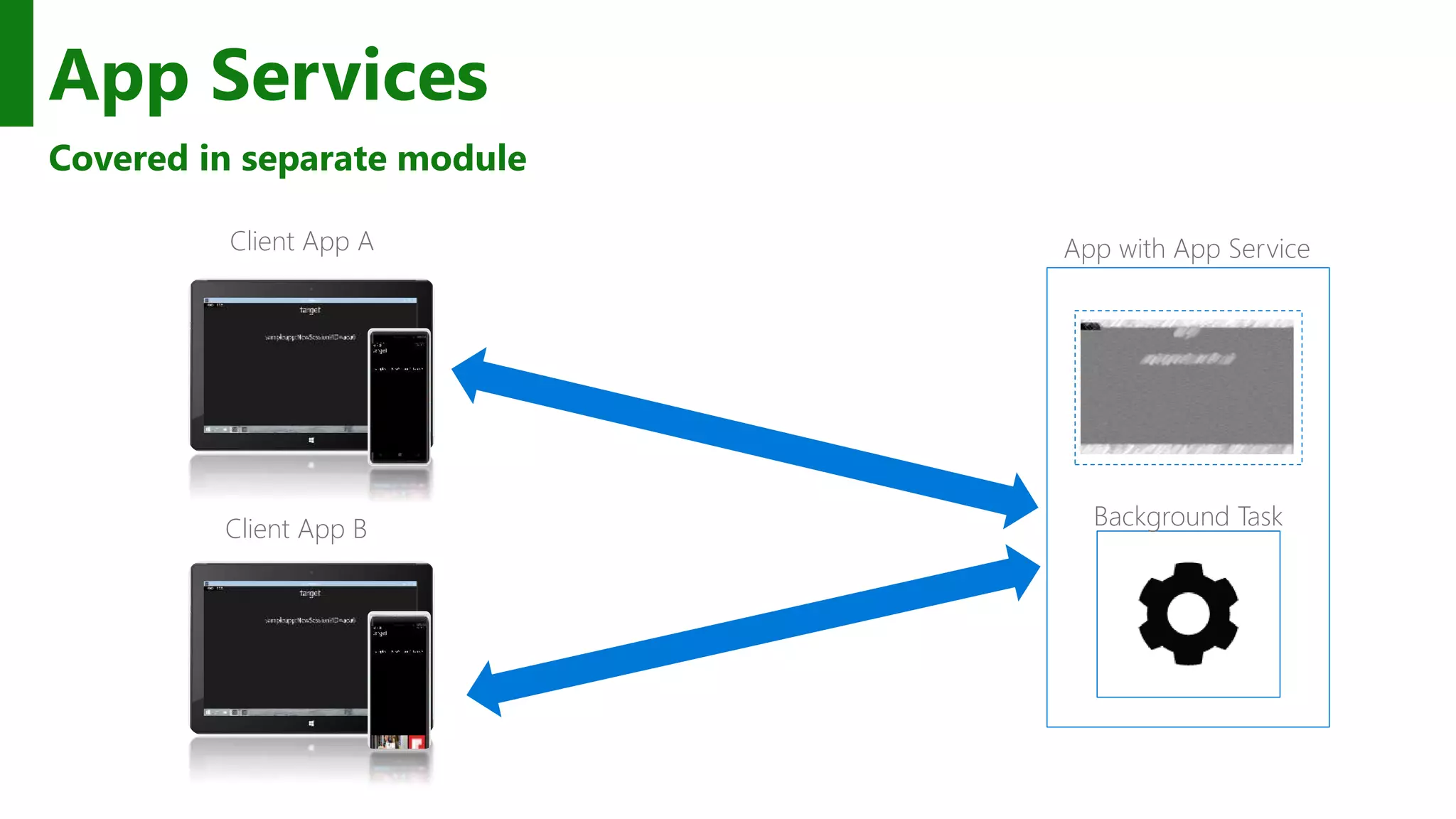
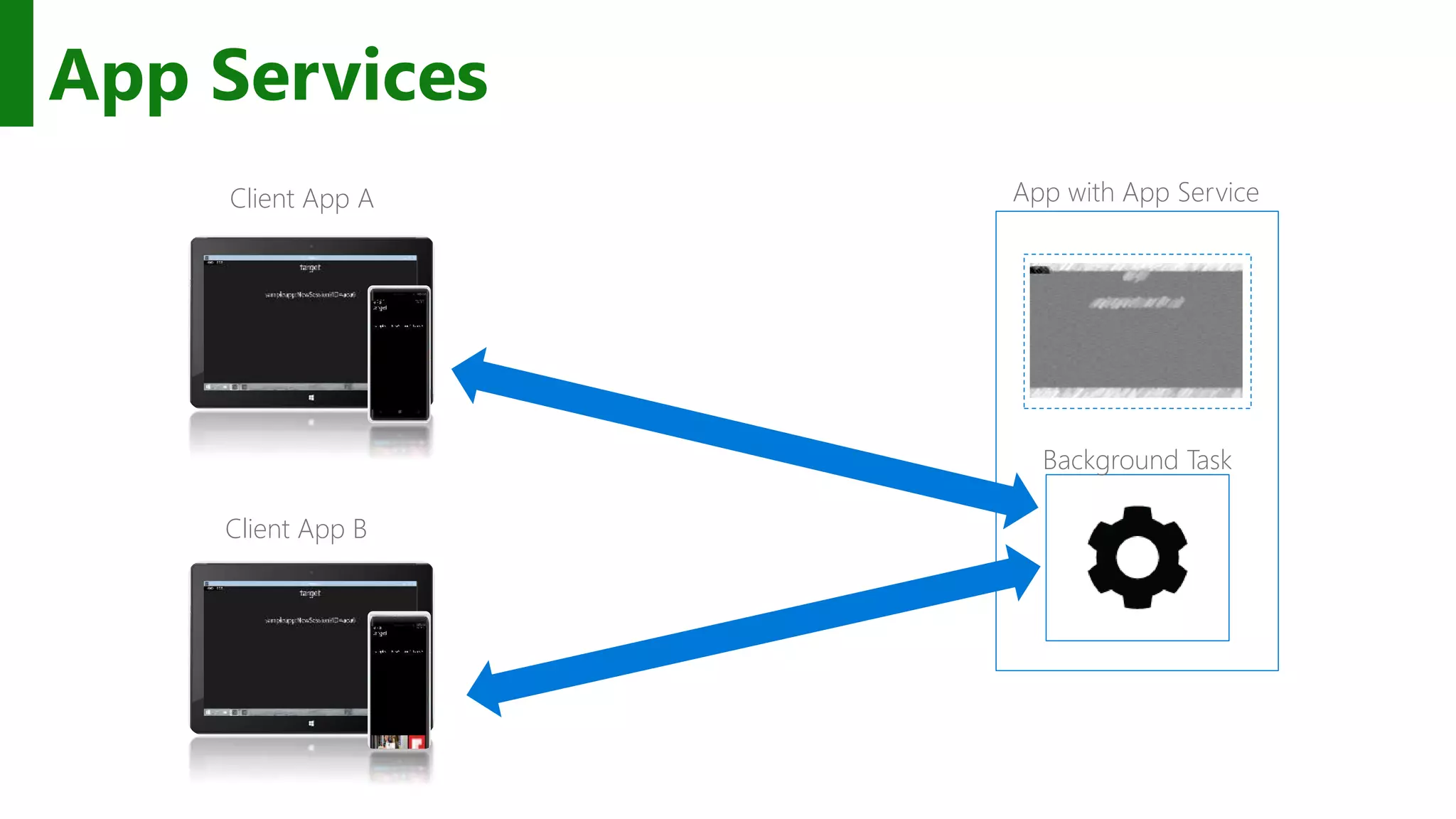
App Services Covered in separate module Client App A Client App B Background Task App with App Service
Apps on Windows 10 can communicate in new ways
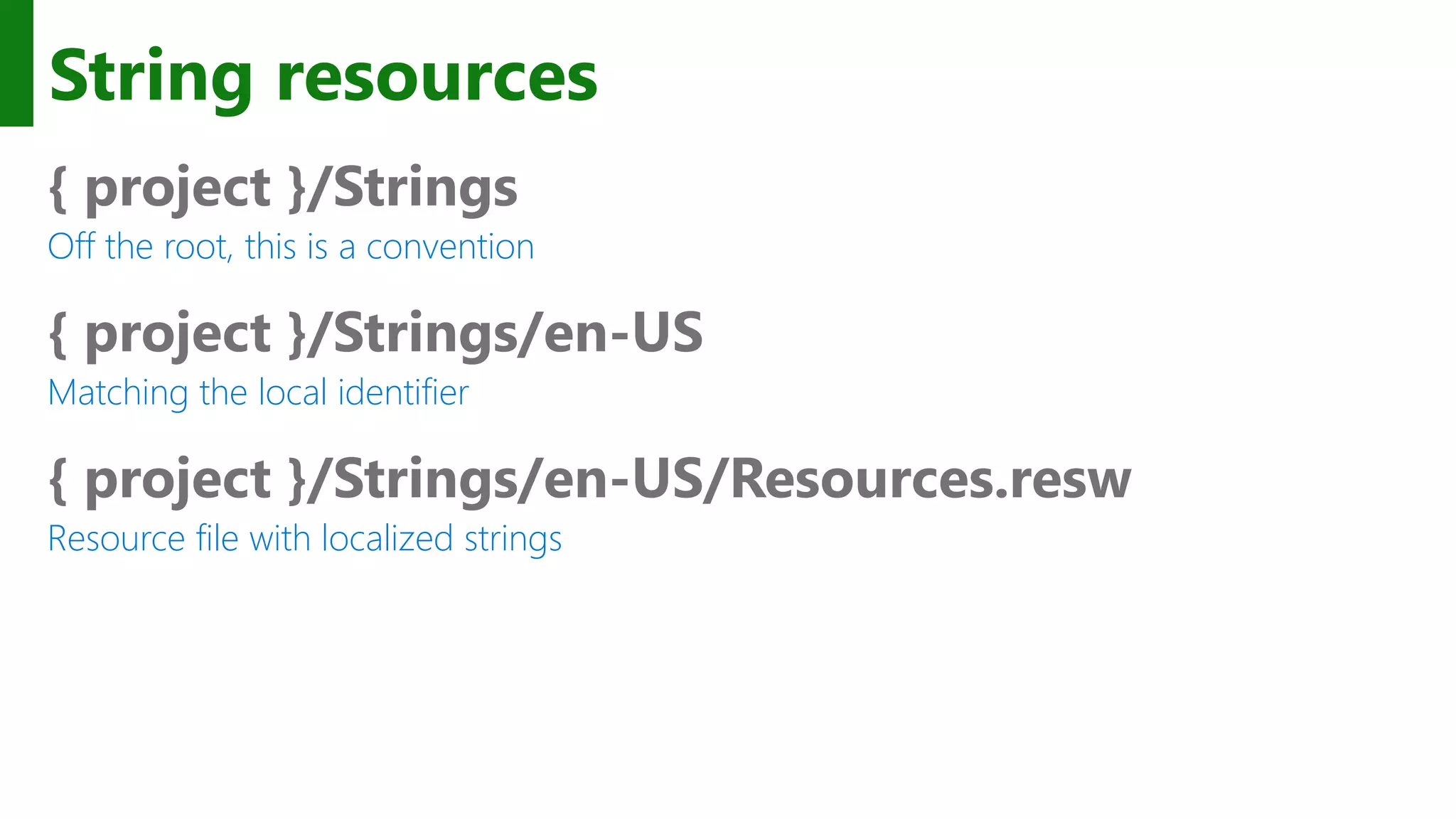
String resources { project }/Strings Off the root, this is a convention { project }/Strings/en-US Matching the local identifier { project }/Strings/en-US/Resources.resw Resource file with localized strings
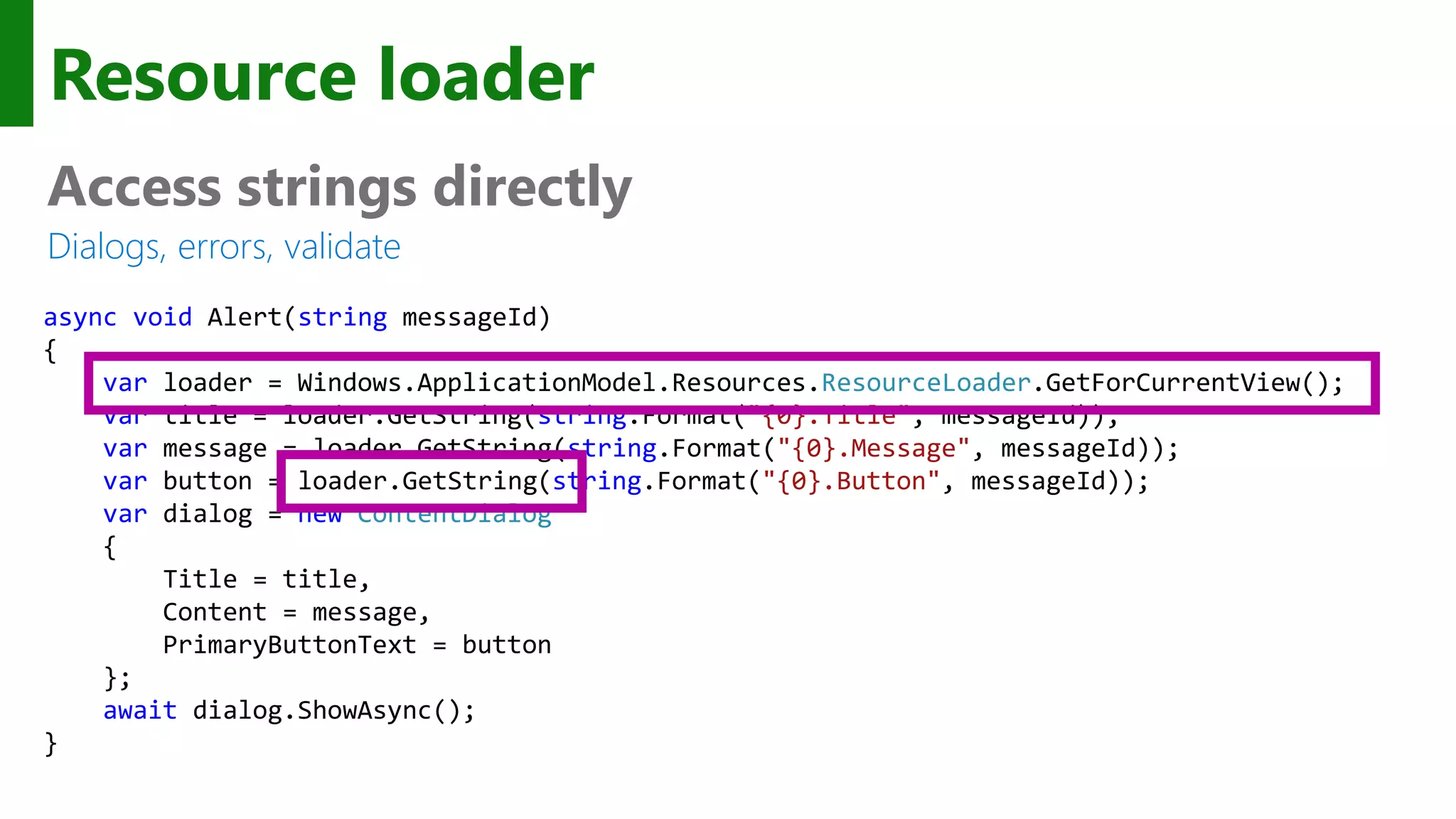
Resource loader Access strings directly Dialogs, errors, validate async void Alert(string messageId) { var loader = Windows.ApplicationModel.Resources.ResourceLoader.GetForCurrentView(); var title = loader.GetString(string.Format("{0}.Title", messageId)); var message = loader.GetString(string.Format("{0}.Message", messageId)); var button = loader.GetString(string.Format("{0}.Button", messageId)); var dialog = new ContentDialog { Title = title, Content = message, PrimaryButtonText = button }; await dialog.ShowAsync(); }
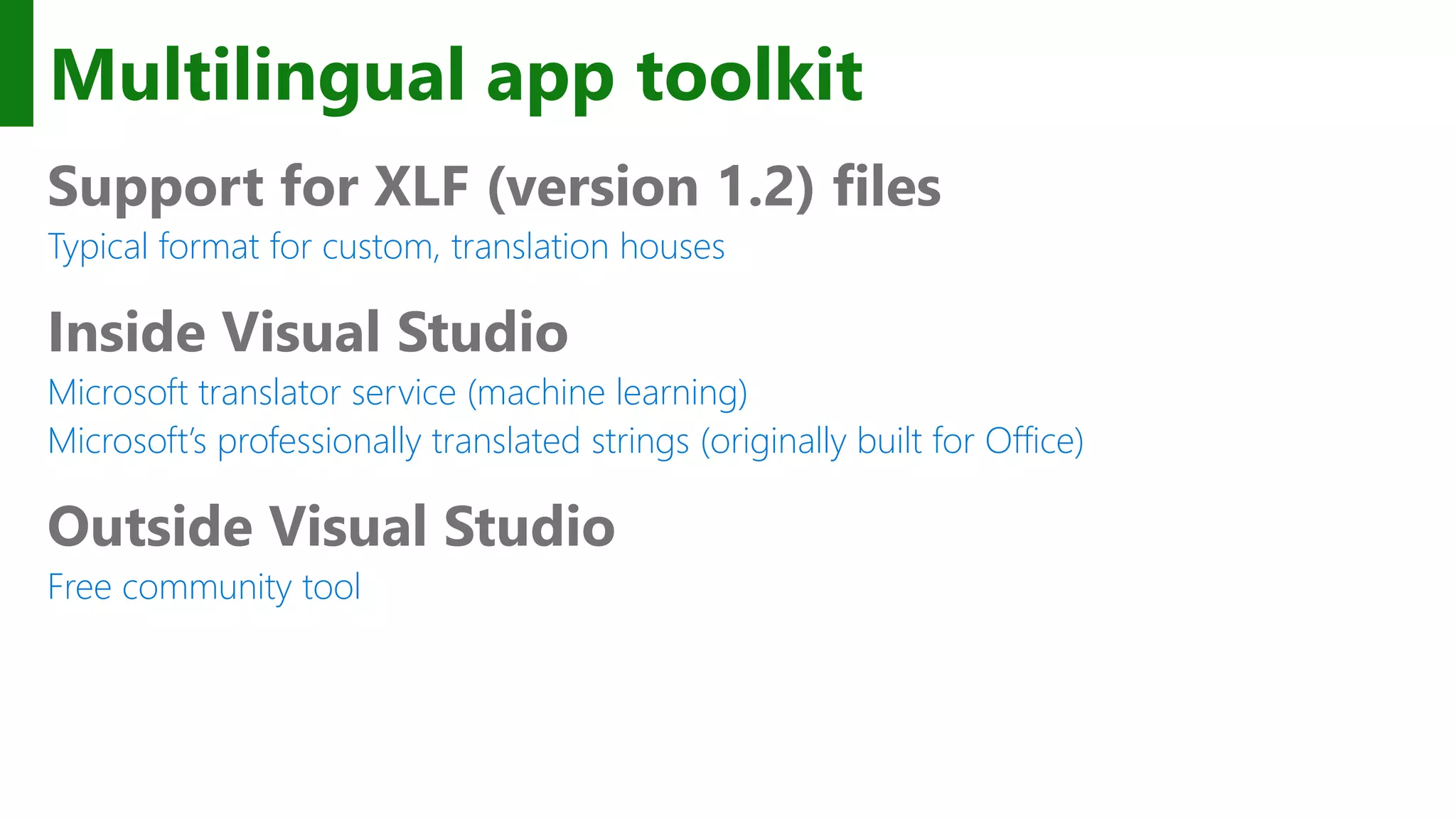
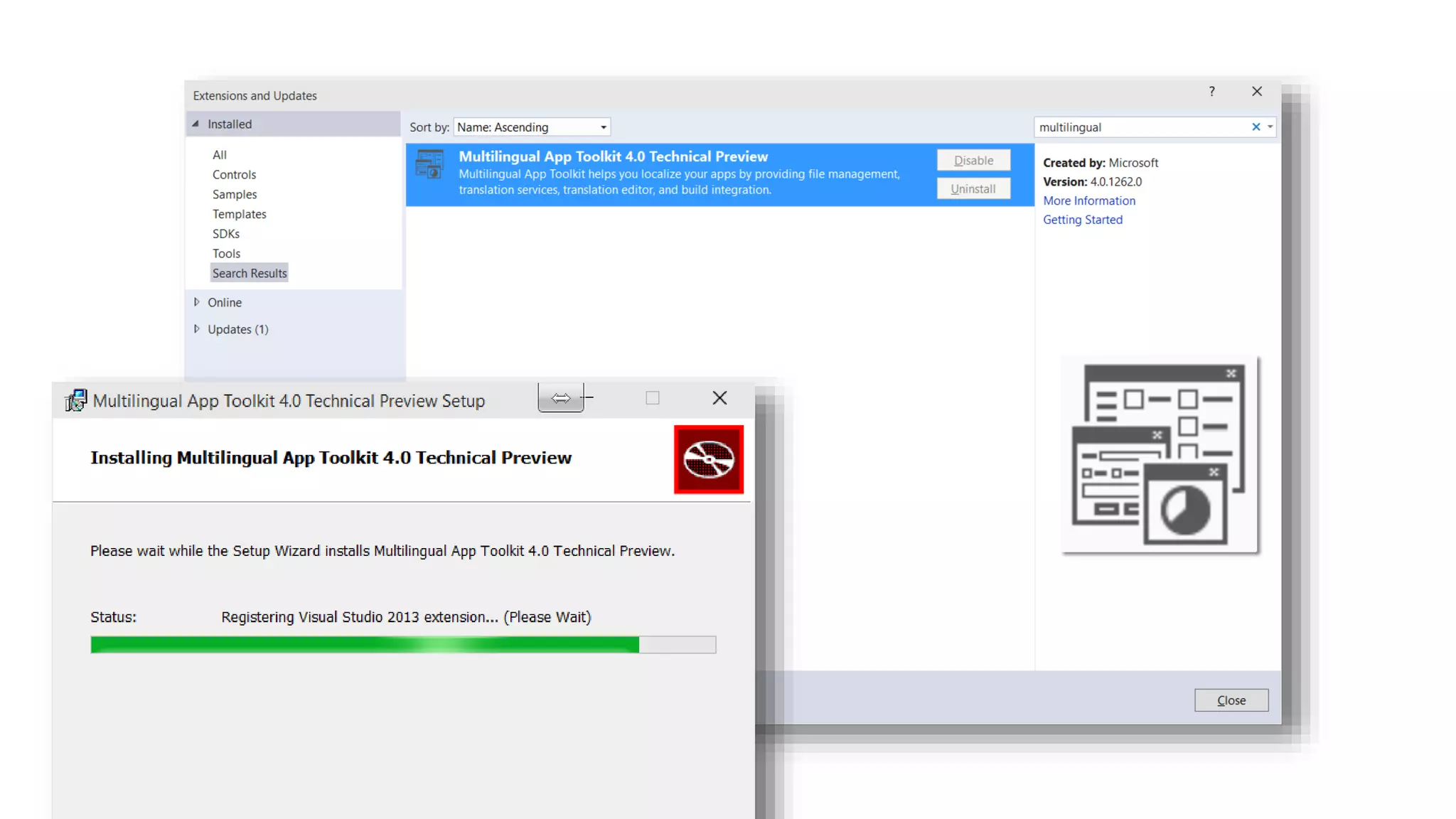
Multilingual app toolkit Support for XLF (version 1.2) files Typical format for custom, translation houses Inside Visual Studio Microsoft translator service (machine learning) Microsoft’s professionally translated strings (originally built for Office) Outside Visual Studio Free community tool
Localizing your app will help you succeed in more regions & locales
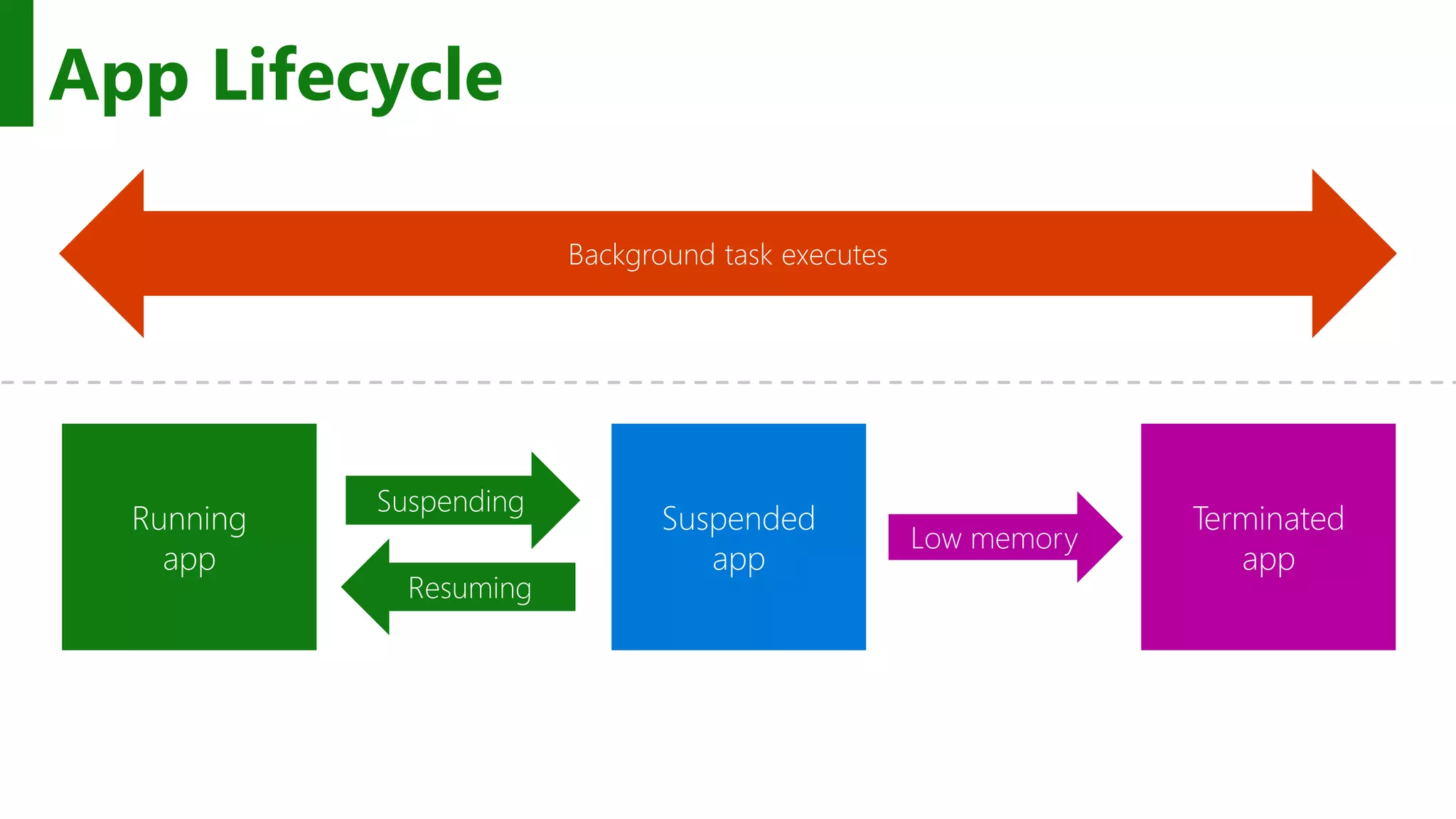
App Lifecycle
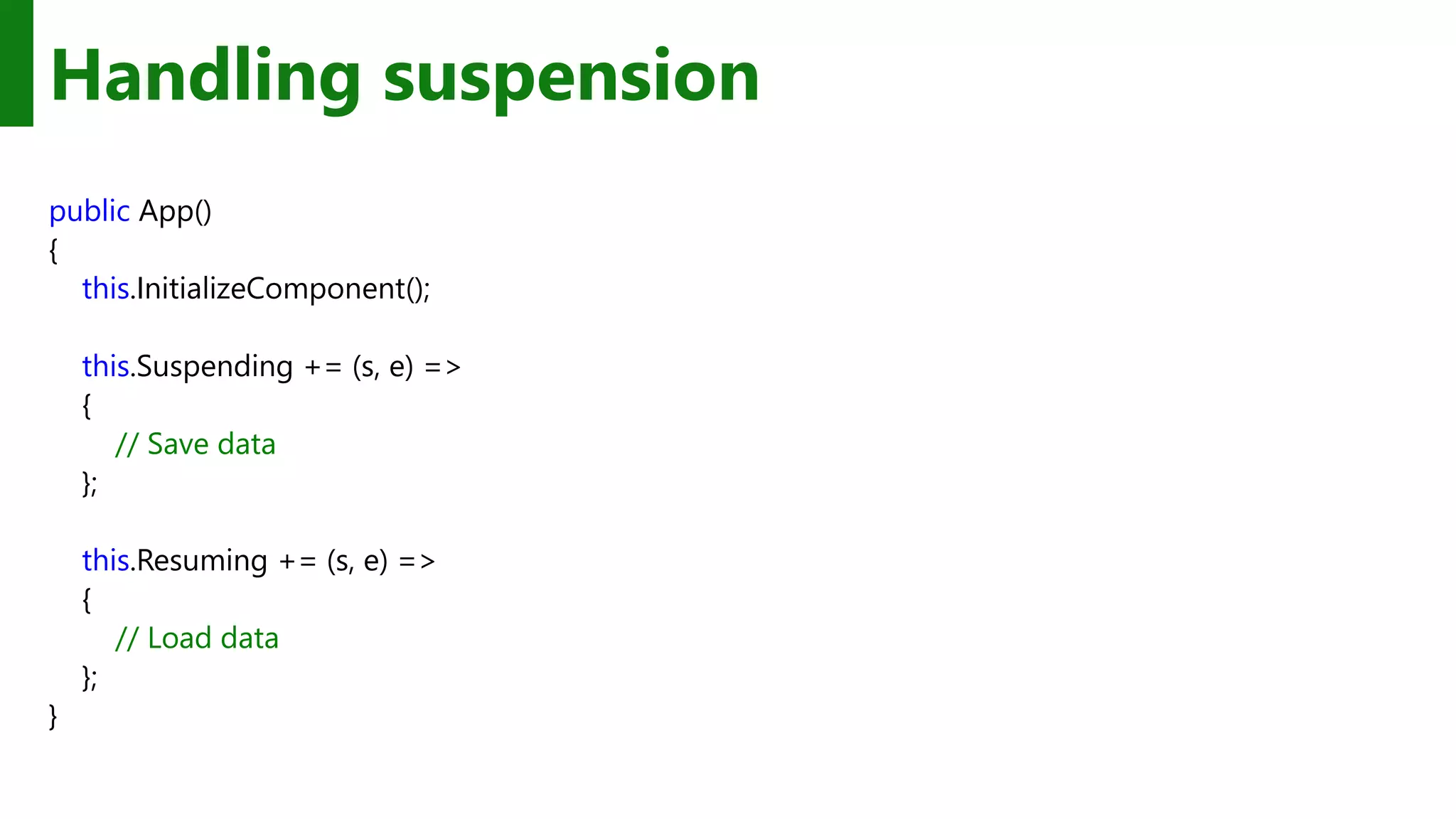
Handling suspension public App() { this.InitializeComponent(); this.Suspending += (s, e) => { // Save data }; this.Resuming += (s, e) => { // Load data }; }
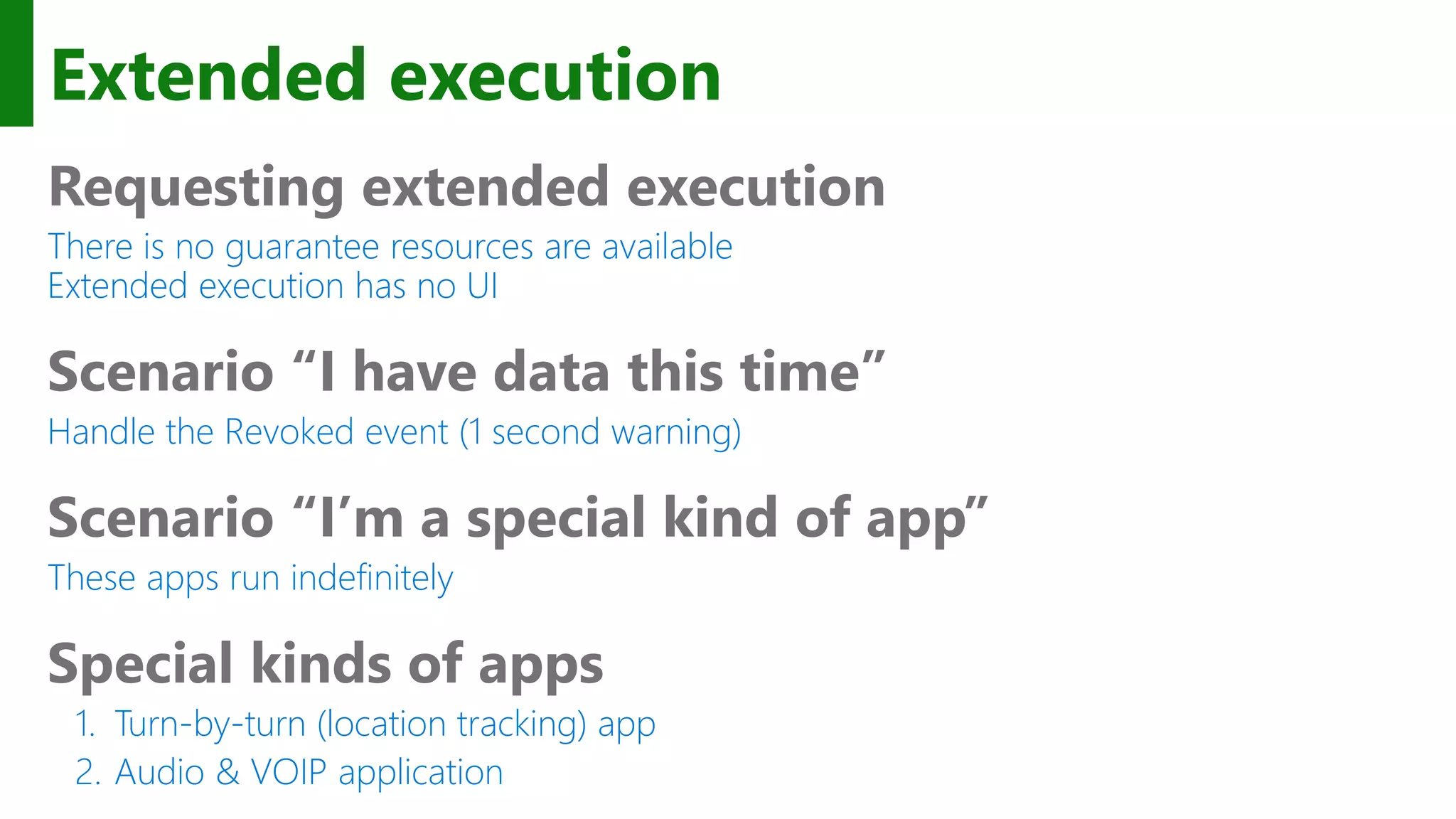
Extended execution Requesting extended execution There is no guarantee resources are available Extended execution has no UI Scenario “I have data this time” Handle the Revoked event (1 second warning) Scenario “I’m a special kind of app” These apps run indefinitely Special kinds of apps 1. Turn-by-turn (location tracking) app 2. Audio & VOIP application
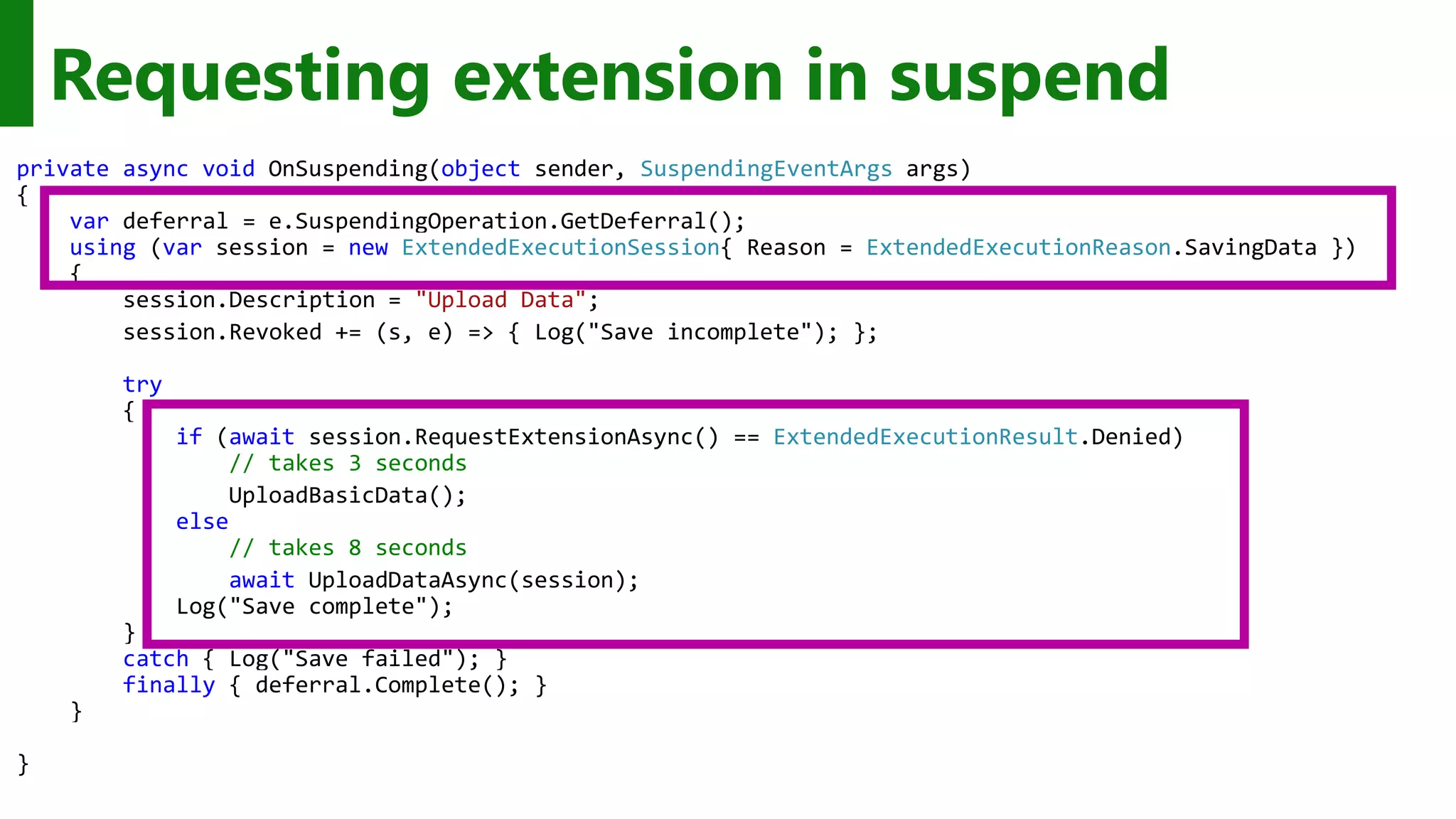
Requesting extension in suspend private async void OnSuspending(object sender, SuspendingEventArgs args) { var deferral = e.SuspendingOperation.GetDeferral(); using (var session = new ExtendedExecutionSession{ Reason = ExtendedExecutionReason.SavingData }) { session.Description = "Upload Data"; session.Revoked += (s, e) => { Log("Save incomplete"); }; try { if (await session.RequestExtensionAsync() == ExtendedExecutionResult.Denied) // takes 3 seconds UploadBasicData(); else // takes 8 seconds await UploadDataAsync(session); Log("Save complete"); } catch { Log("Save failed"); } finally { deferral.Complete(); } } }
Understanding the App Life Cycle facilitates a smoother experience
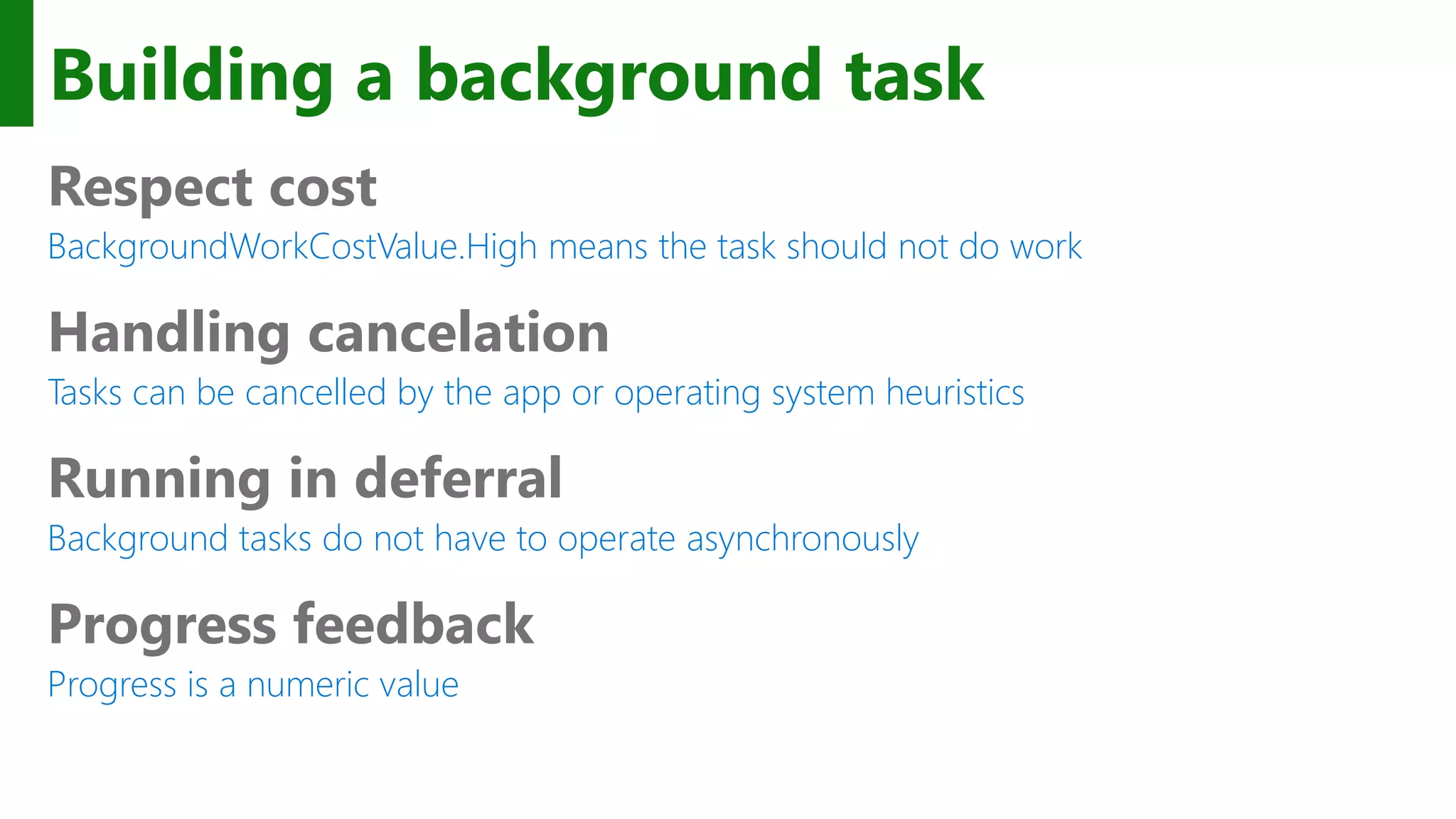
Building a background task Respect cost BackgroundWorkCostValue.High means the task should not do work Handling cancelation Tasks can be cancelled by the app or operating system heuristics Running in deferral Background tasks do not have to operate asynchronously Progress feedback Progress is a numeric value
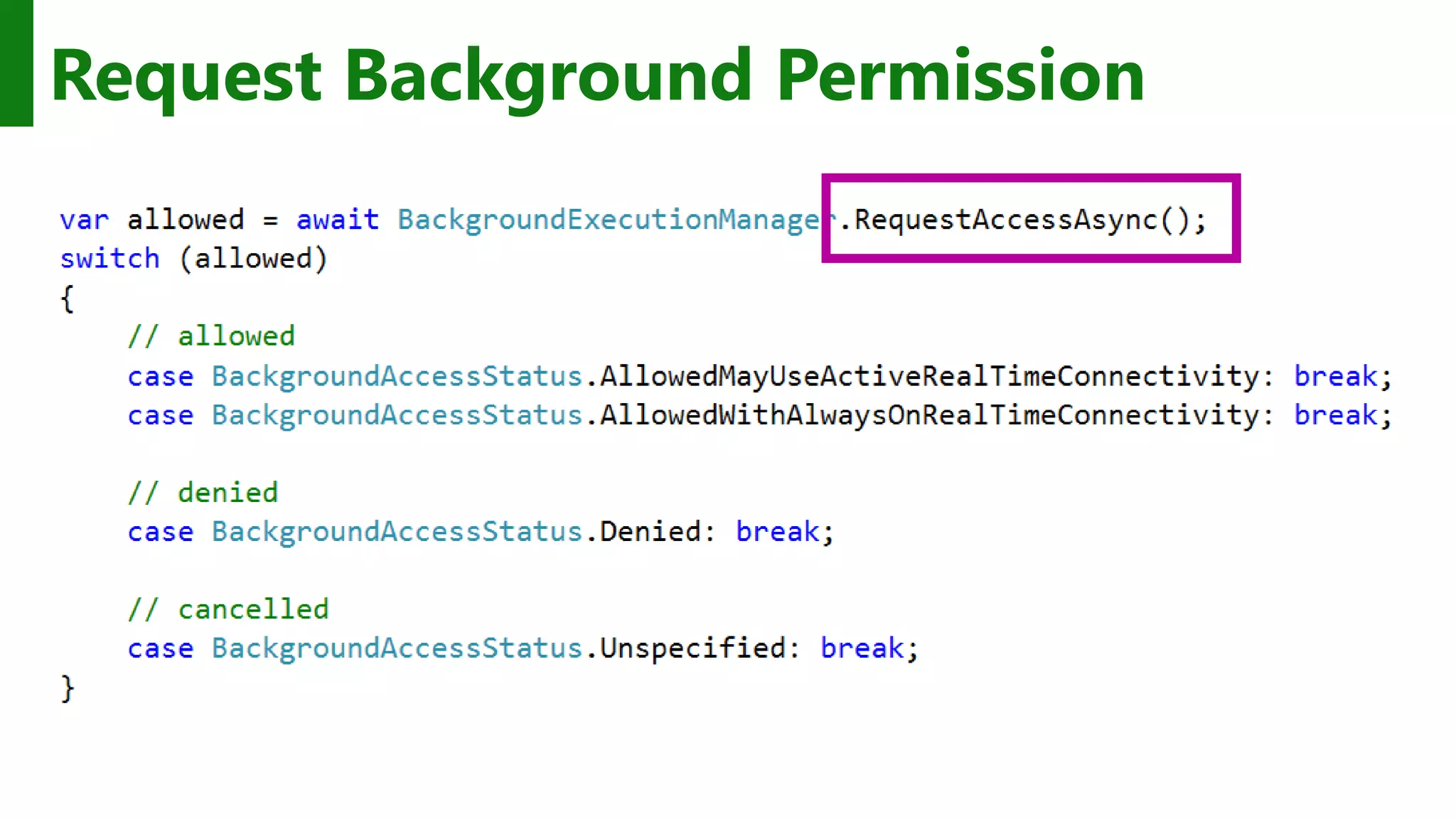
Request Background Permission
System condition(s) [ if? ] User Present If the user is present User Not Present If the user is not present Internet Available If the internet is available Internet Not Available If the internet is not available Session Connected If the user is logged in Session Disconnected If the user is not logged in Free Network Available If a non-metered network is available Work Cost Not High If background resources are plentiful
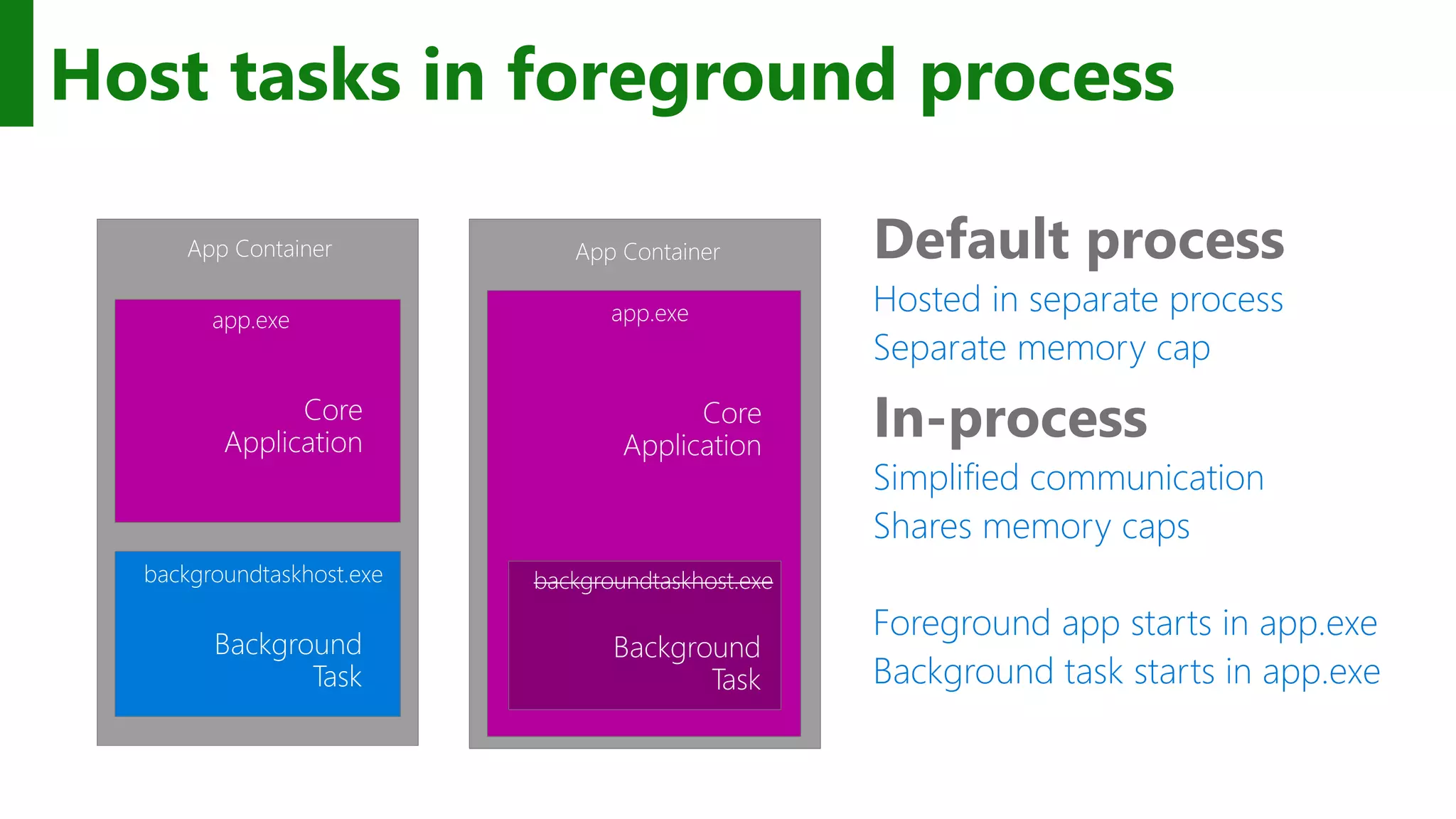
Host tasks in foreground process In-process Simplified communication Shares memory caps Foreground app starts in app.exe Background task starts in app.exe Default process Hosted in separate process Separate memory cap Default process app.exe Core Application Background Task backgroundtaskhost.exe App Container In process app.exe Core Application Background Task backgroundtaskhost.exe App Container
Background tasks can extend capabilities of your app
App Services Client App A Client App B Background Task App with App Service
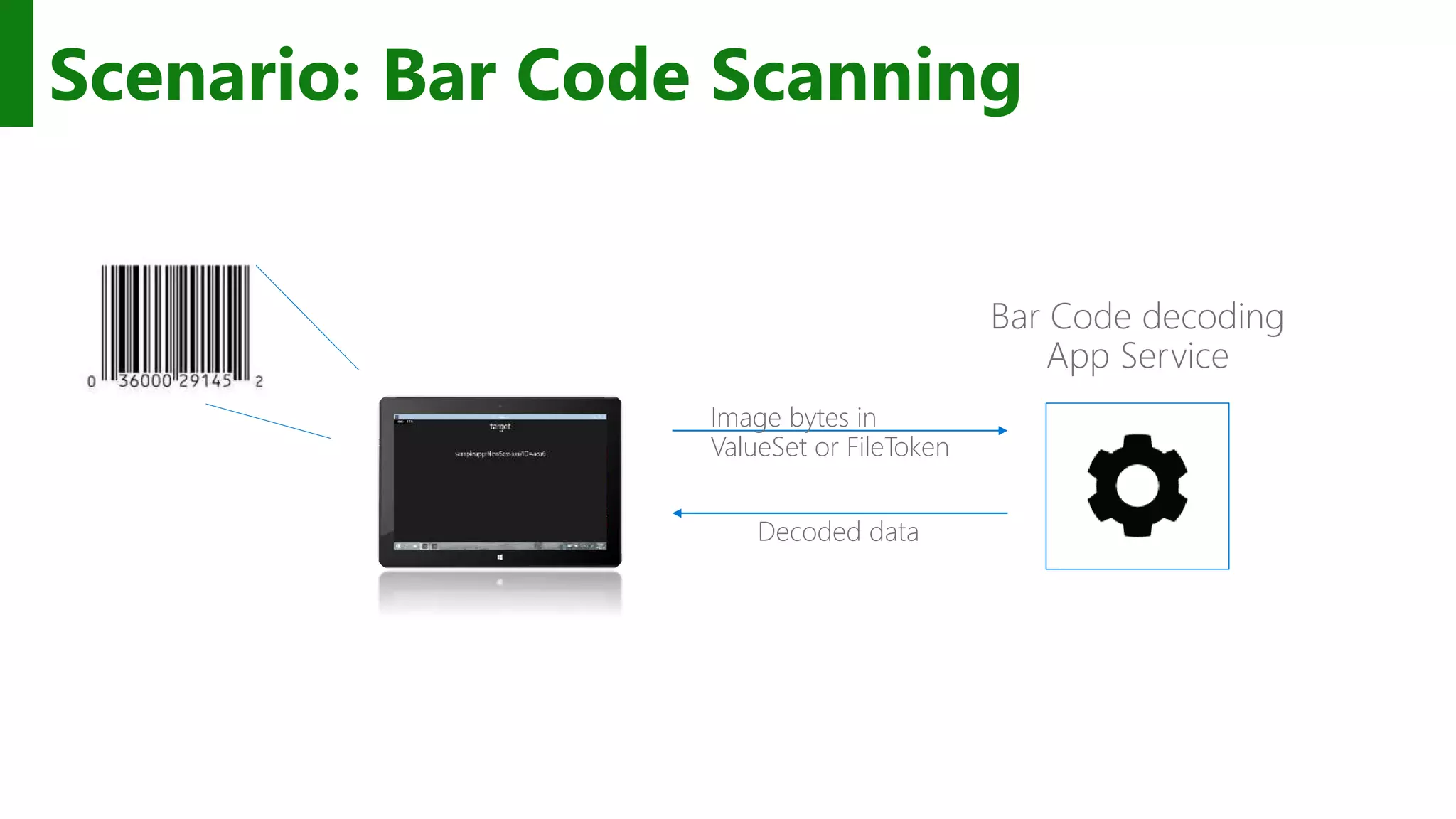
Scenario: Bar Code Scanning Bar Code decoding App Service Image bytes in ValueSet or FileToken Decoded data
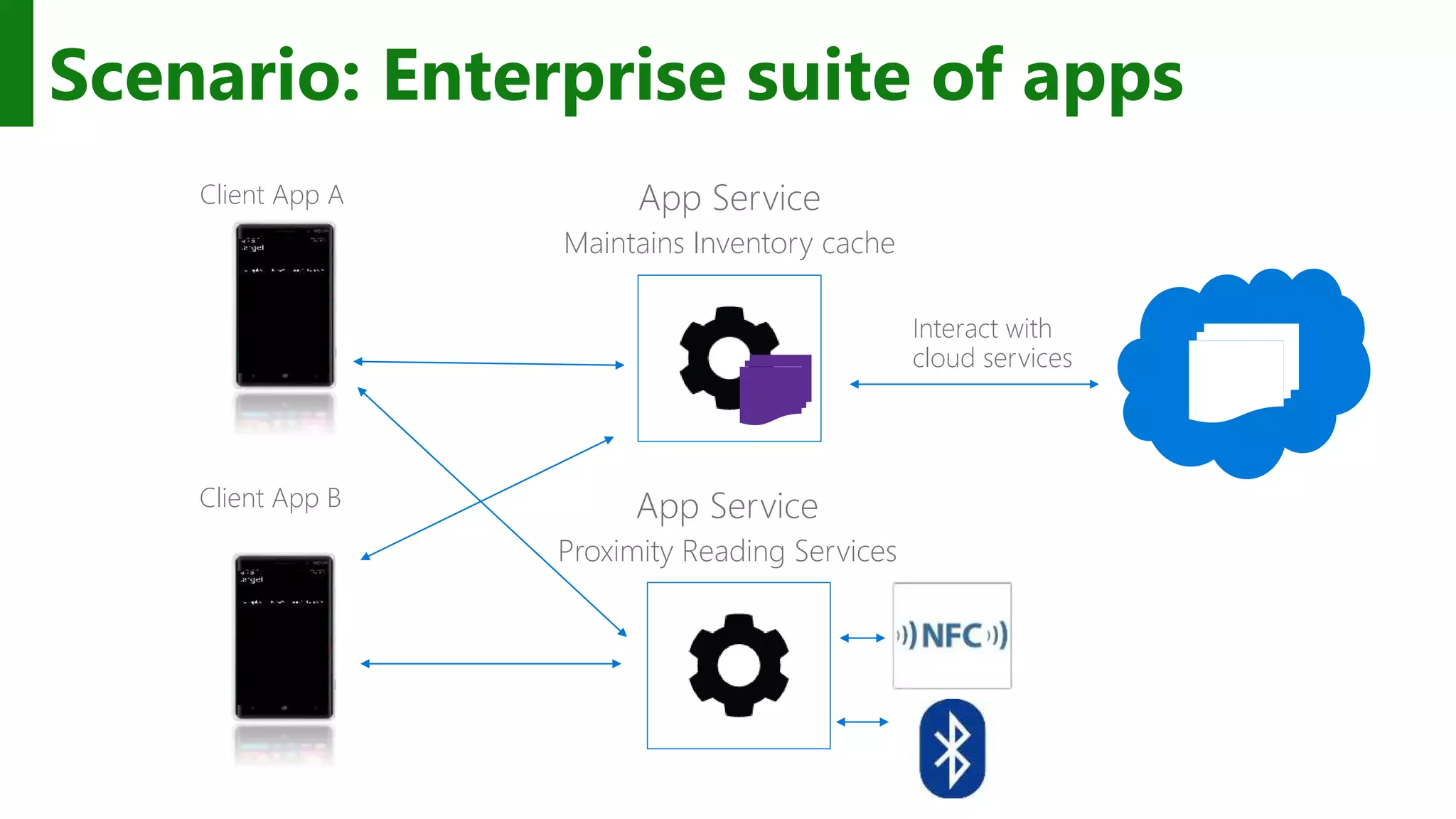
Scenario: Enterprise suite of apps App Service Maintains Inventory cache Client App A Client App B Interact with cloud services App Service Proximity Reading Services
Can I restrict access to my App Service? Build your own caller validation mechanisms on top of app services Simplest is for service provider to whitelist callers based on their PackageFamilyName PackageFamilyName of caller is passed with every request Possible to build more complicated caller validation mechanisms on top of ValueSets once a connection has been established Whitelist could be followed by explicit X.509 certificate exchange
App services provides another way for applications to communicate with each other
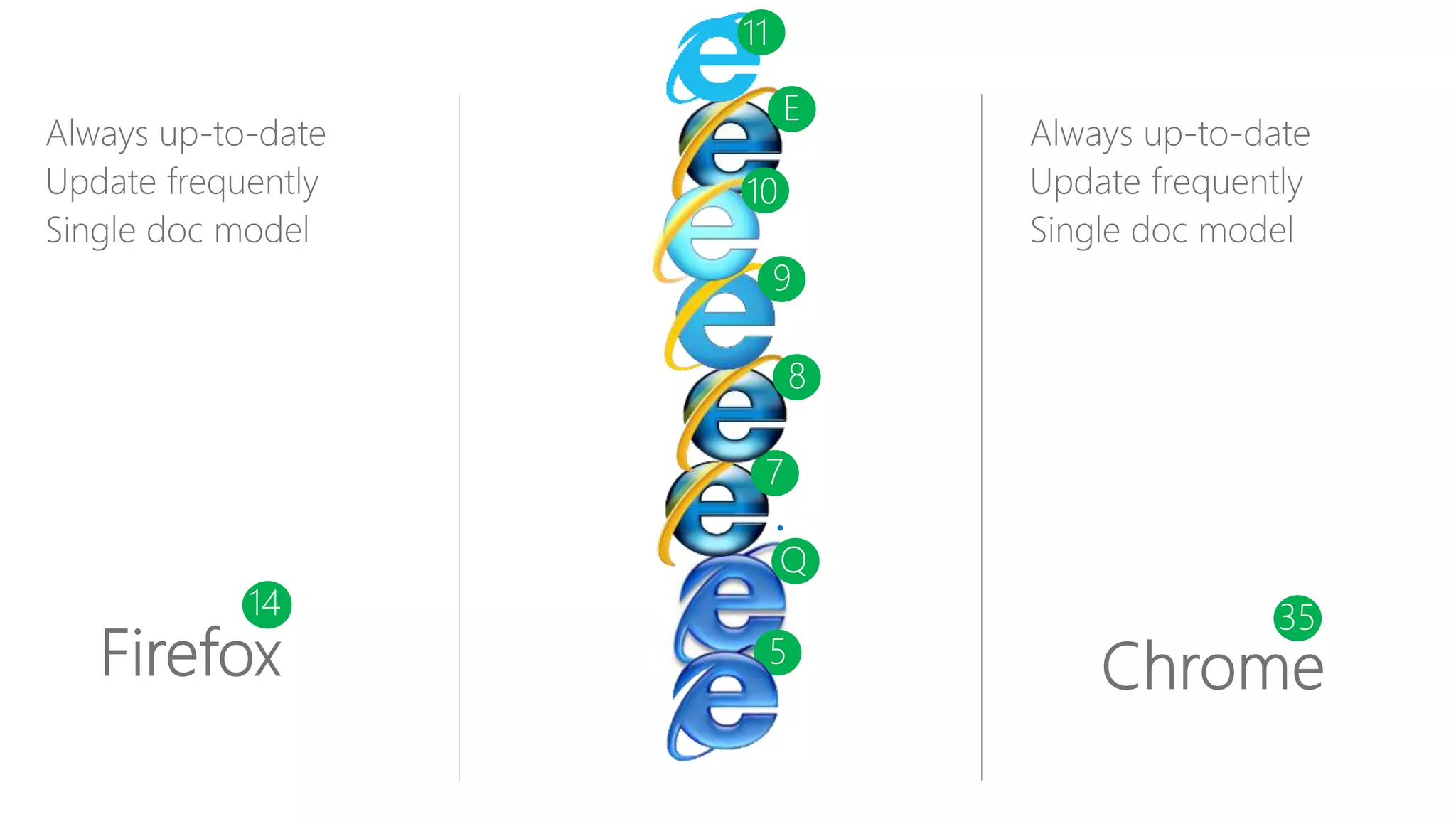
1213 3414 35 Q 5 7 8 9 E 10 11
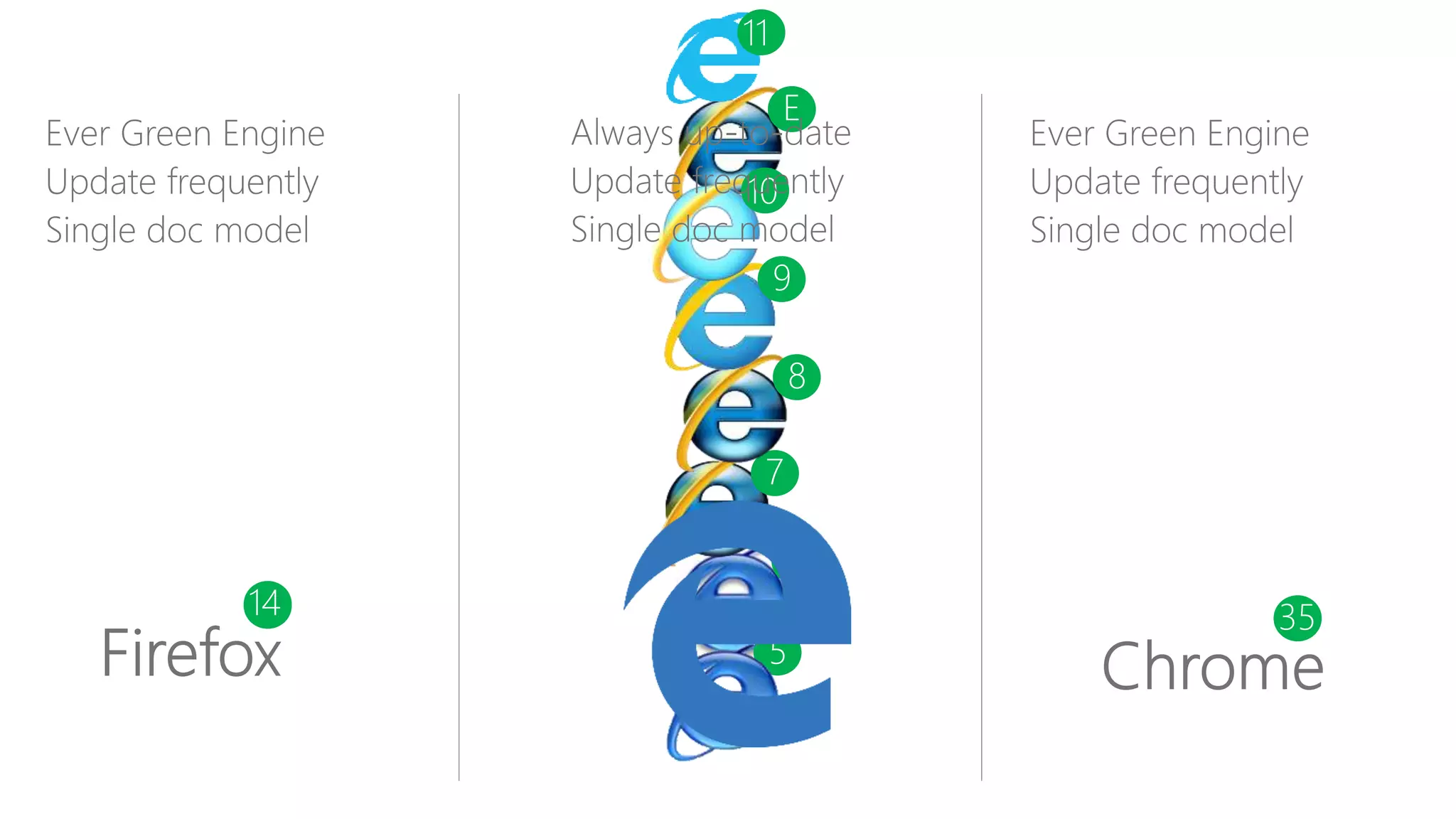
13 3414 35 Q 5 7 8 9 E 10 11
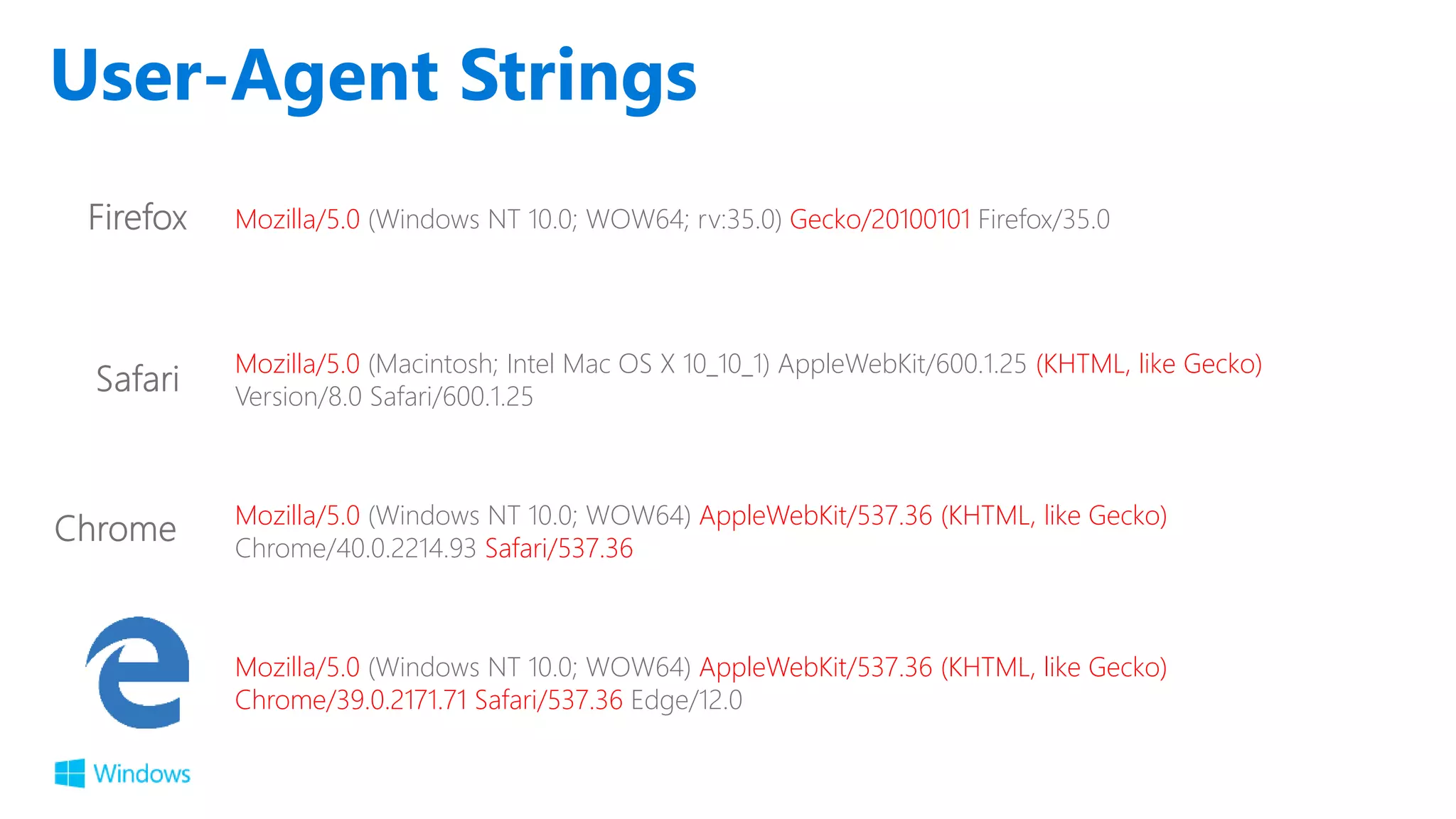
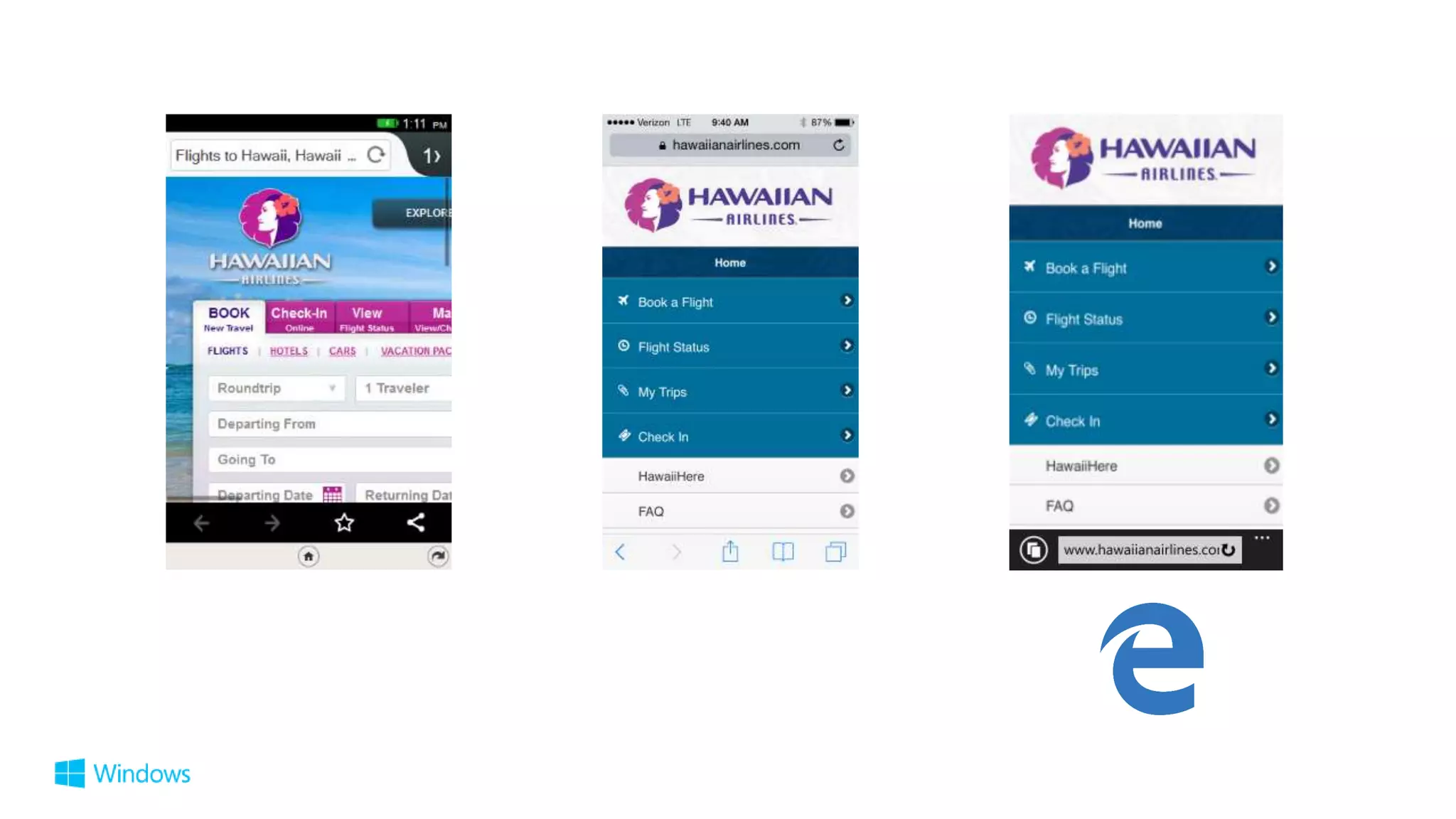
User-Agent Strings Mozilla/5.0 (Windows NT 10.0; WOW64) AppleWebKit/537.36 (KHTML, like Gecko) Chrome/39.0.2171.71 Safari/537.36 Edge/12.0 Mozilla/5.0 (Macintosh; Intel Mac OS X 10_10_1) AppleWebKit/600.1.25 (KHTML, like Gecko) Version/8.0 Safari/600.1.25 Mozilla/5.0 (Windows NT 10.0; WOW64) AppleWebKit/537.36 (KHTML, like Gecko) Chrome/40.0.2214.93 Safari/537.36 Mozilla/5.0 (Windows NT 10.0; WOW64; rv:35.0) Gecko/20100101 Firefox/35.0
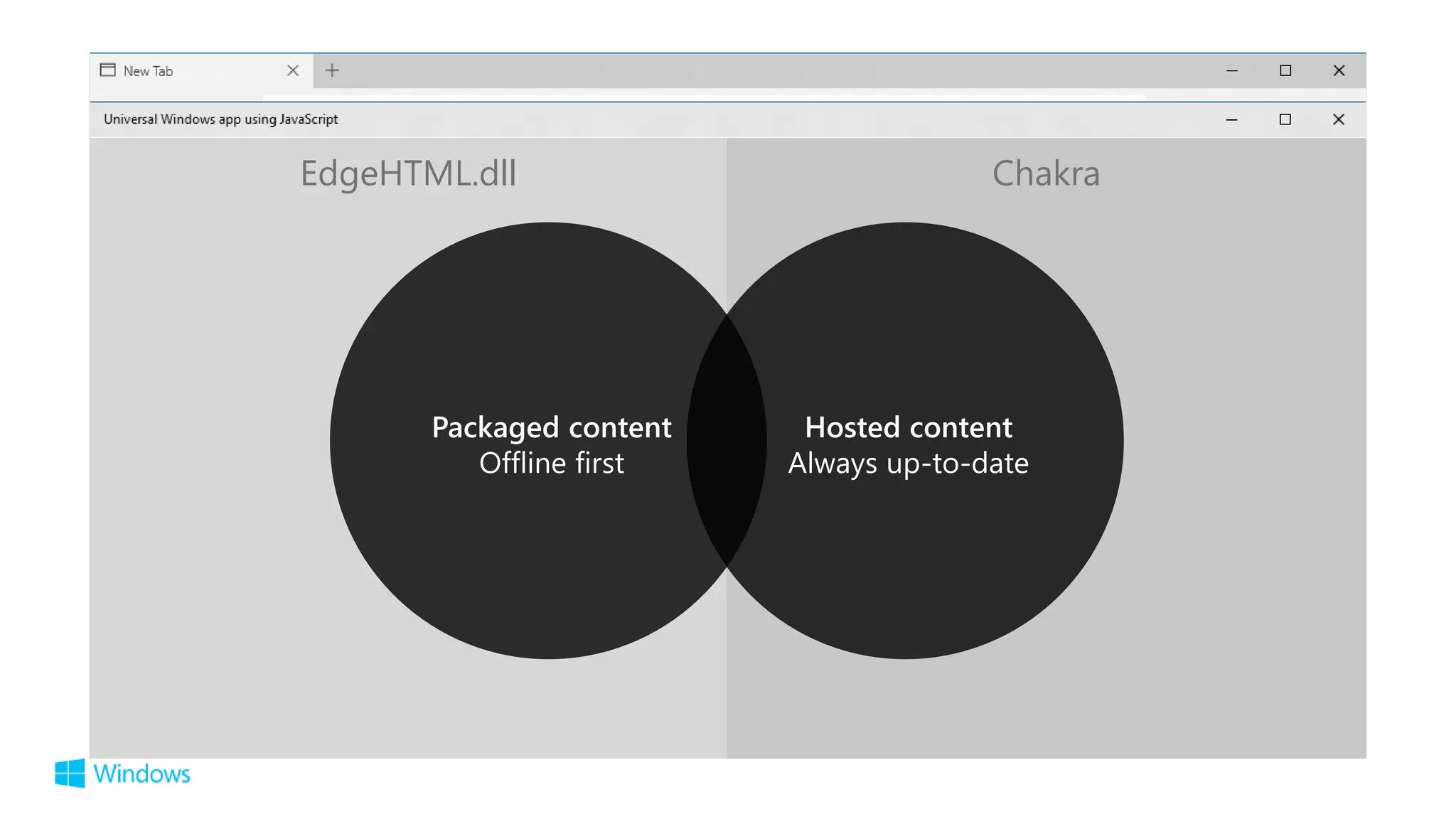
EdgeHTML.dll Chakra
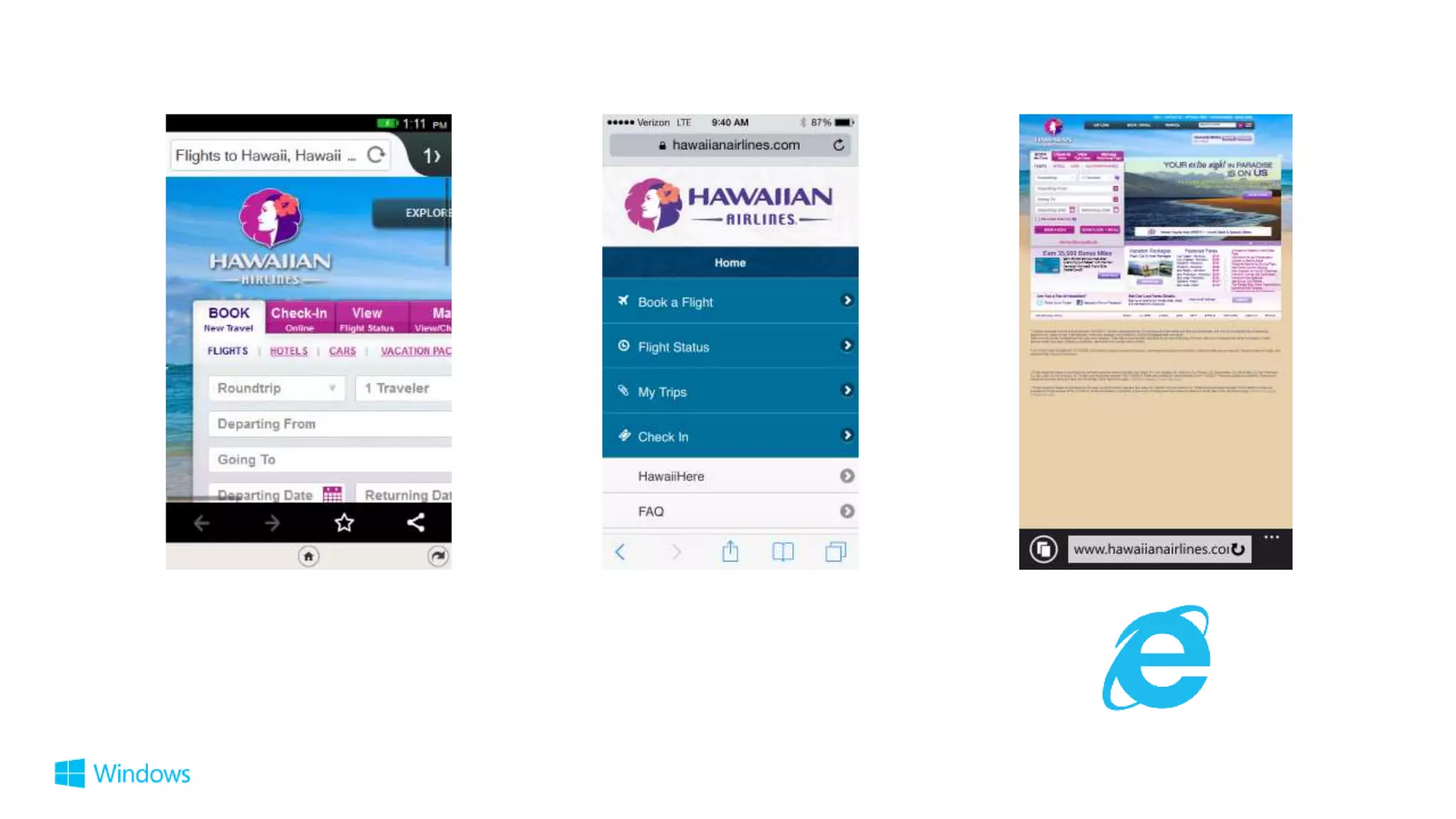
Edge enables a better web/app experience
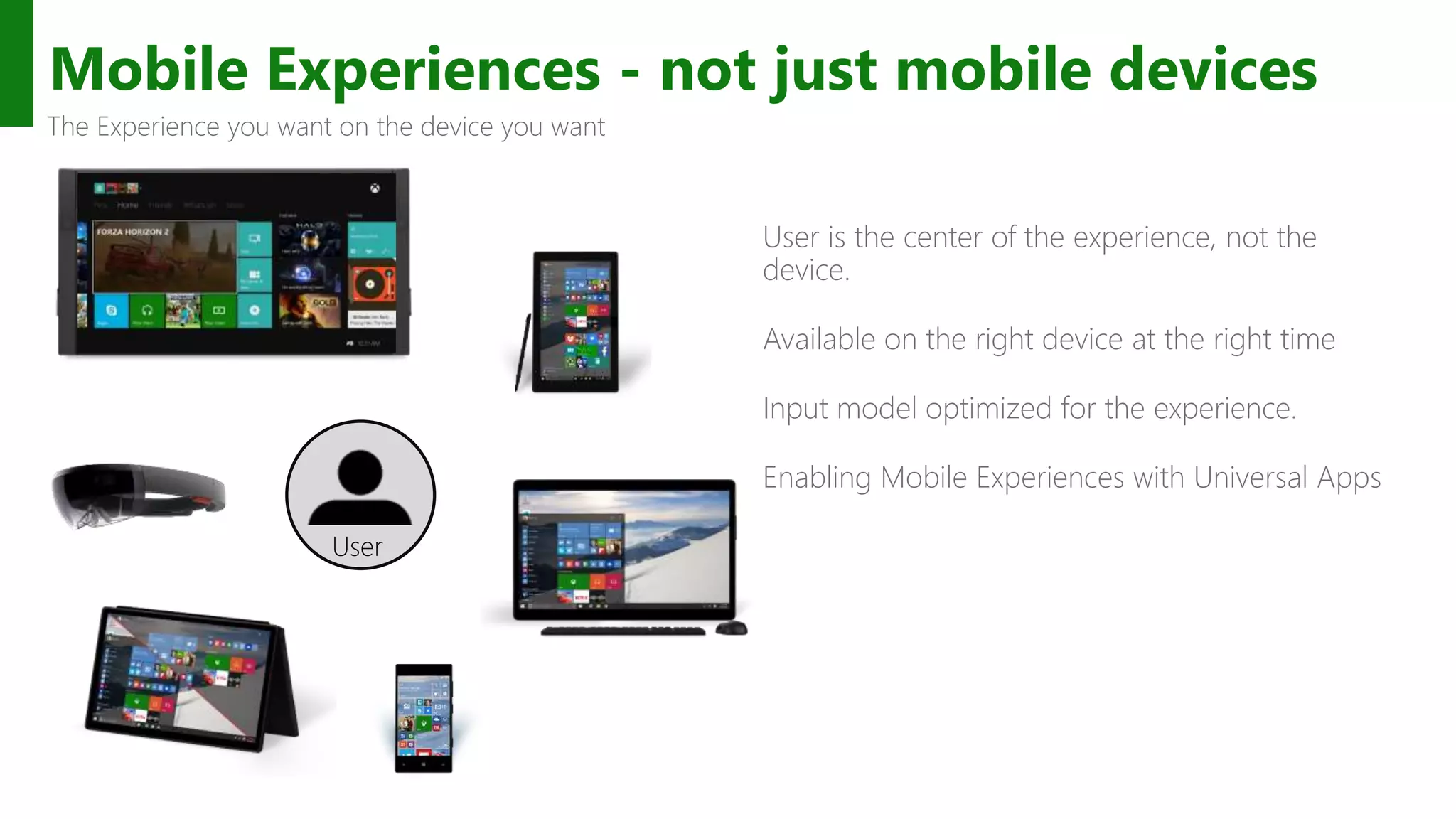
Mobile Experiences - not just mobile devices User is the center of the experience, not the device. Available on the right device at the right time Input model optimized for the experience. Enabling Mobile Experiences with Universal Apps The Experience you want on the device you want User
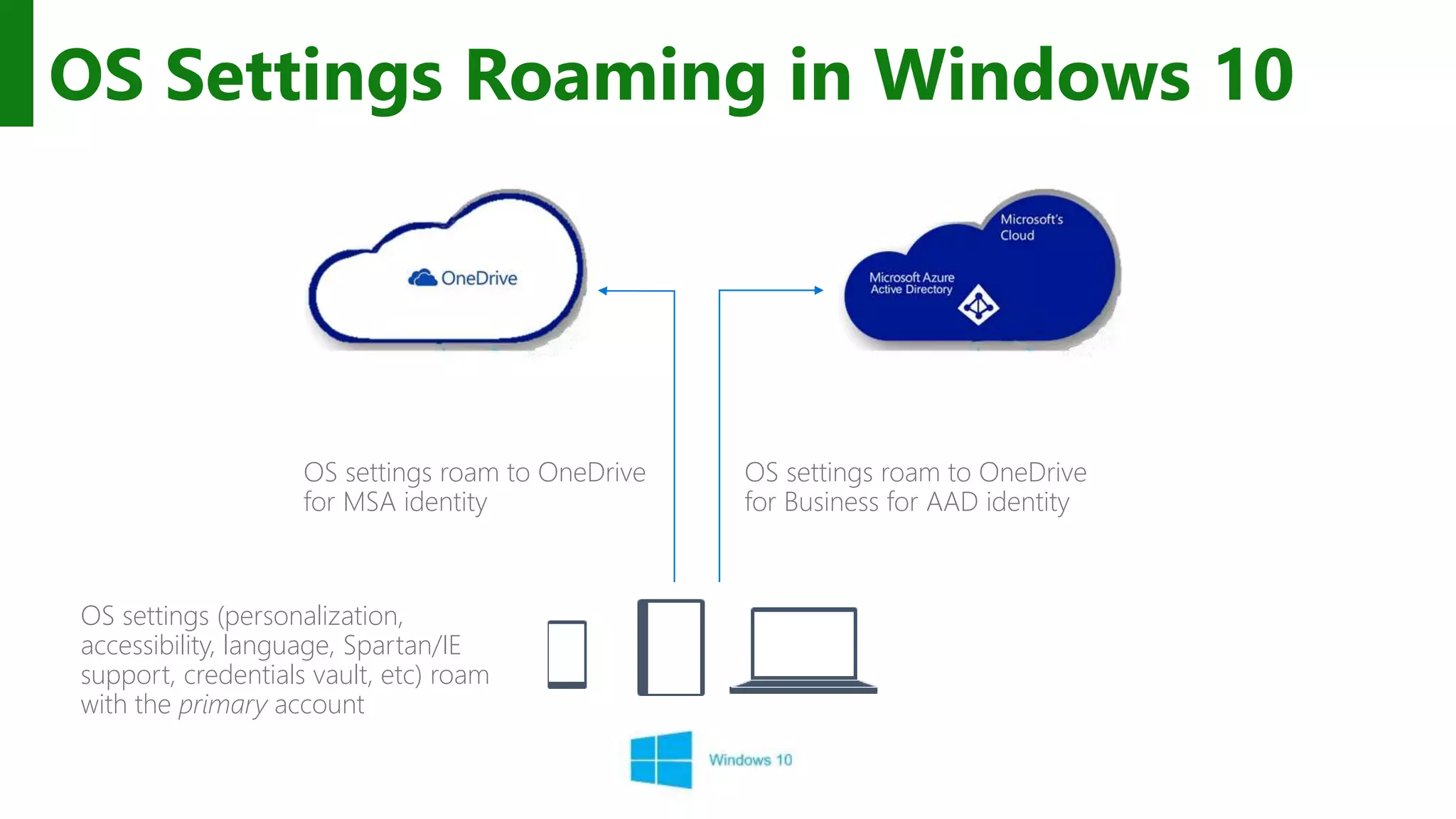
OS Settings Roaming in Windows 10 OS settings (personalization, accessibility, language, Spartan/IE support, credentials vault, etc) roam with the primary account OS settings roam to OneDrive for Business for AAD identity OS settings roam to OneDrive for MSA identity
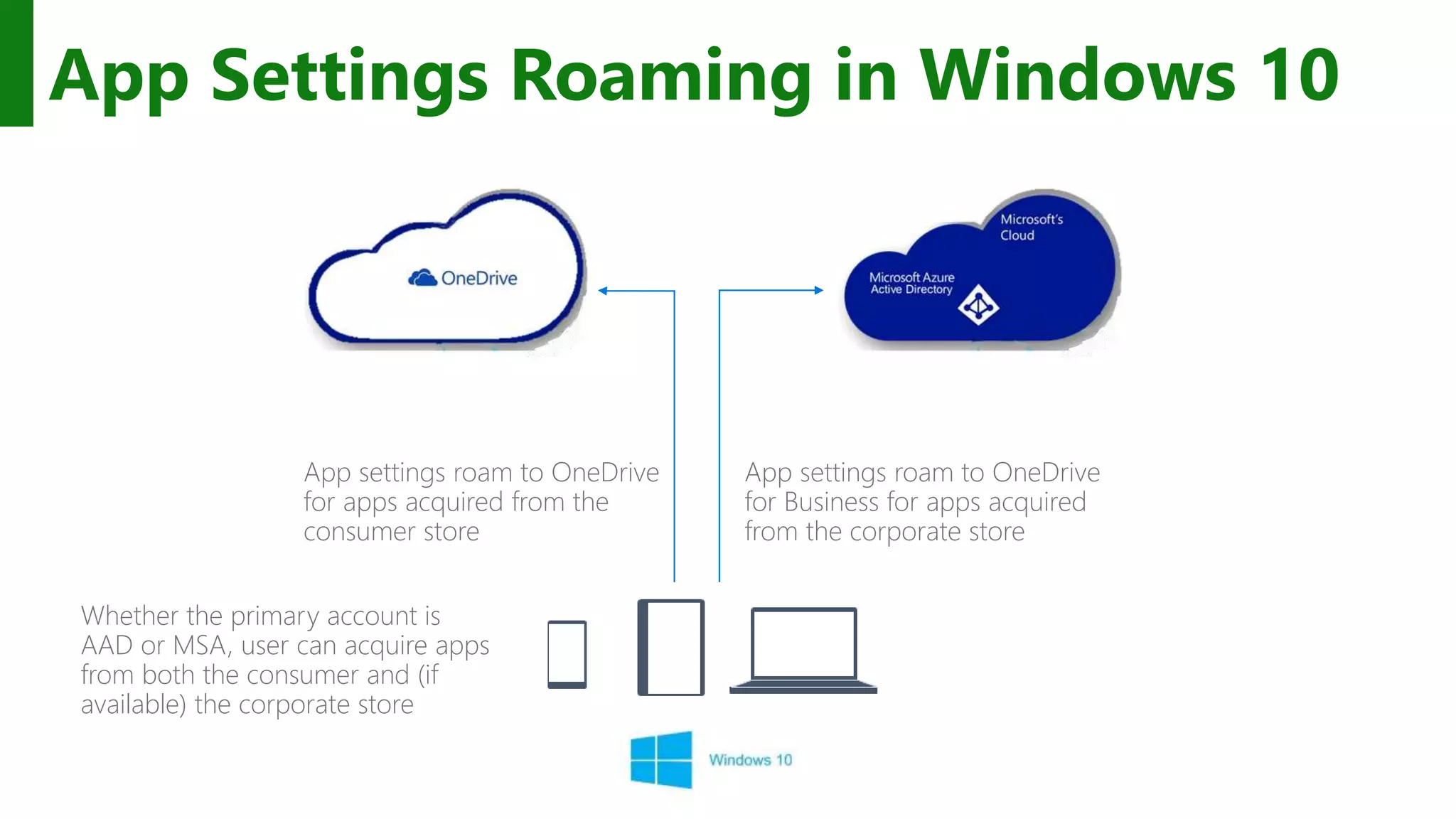
App Settings Roaming in Windows 10 Whether the primary account is AAD or MSA, user can acquire apps from both the consumer and (if available) the corporate store App settings roam to OneDrive for Business for apps acquired from the corporate store App settings roam to OneDrive for apps acquired from the consumer store
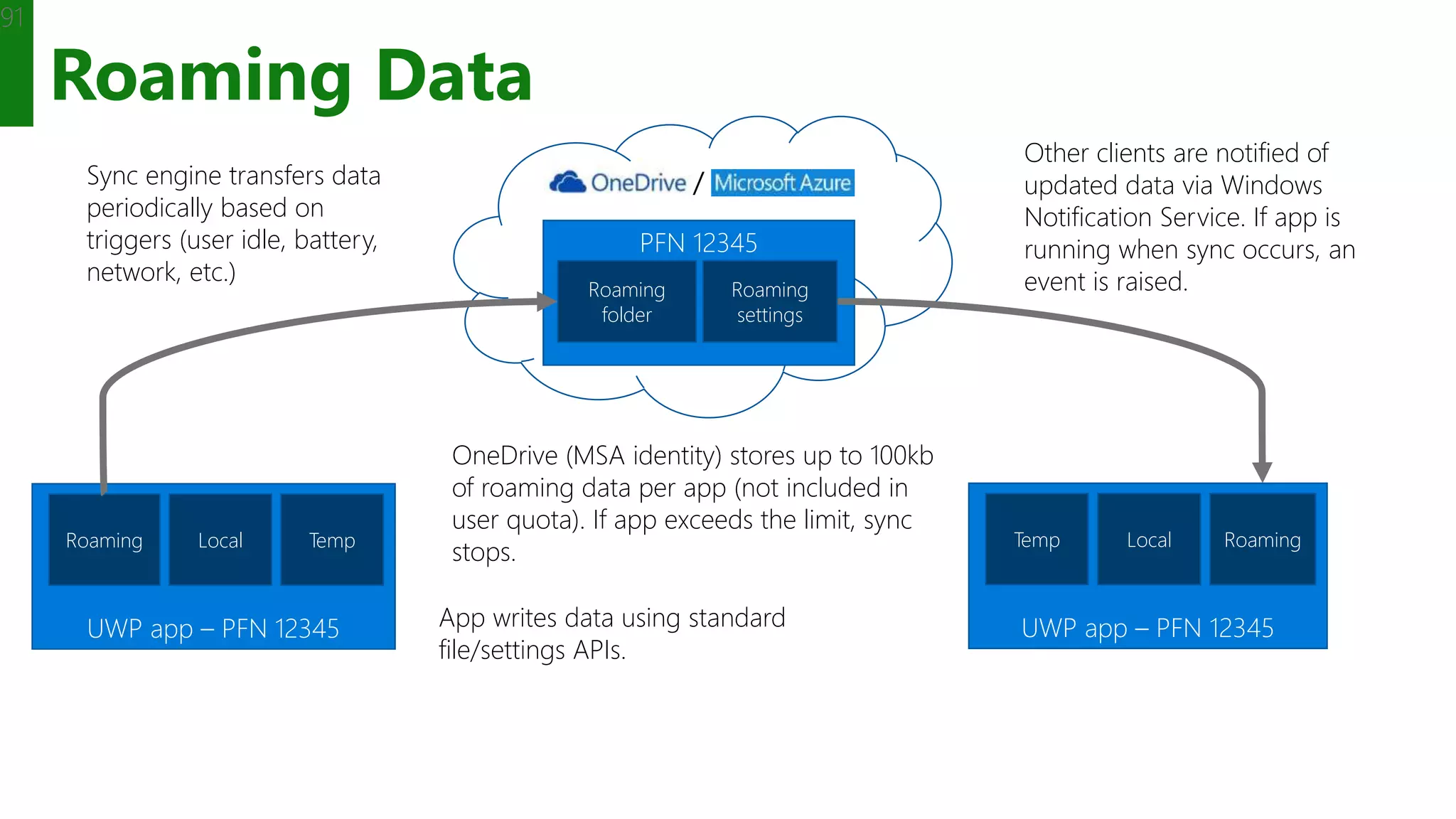
Roaming Data 91 UWP app – PFN 12345 Roaming Local Temp UWP app – PFN 12345 RoamingLocalTemp PFN 12345 Roaming folder App writes data using standard file/settings APIs. Sync engine transfers data periodically based on triggers (user idle, battery, network, etc.) OneDrive (MSA identity) stores up to 100kb of roaming data per app (not included in user quota). If app exceeds the limit, sync stops. Other clients are notified of updated data via Windows Notification Service. If app is running when sync occurs, an event is raised.Roaming settings /
Create shared mobile experiences whatever the device
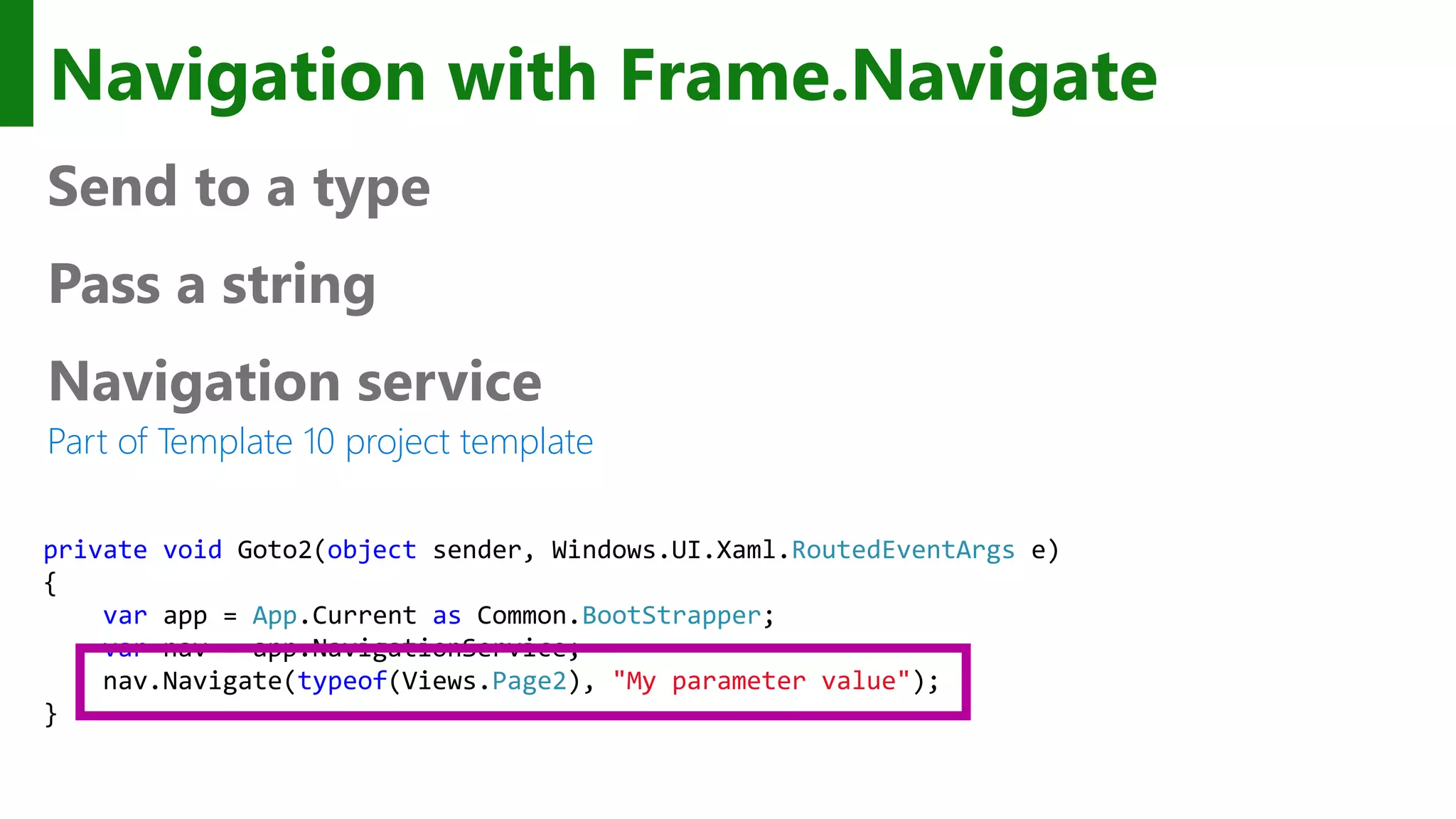
Navigation with Frame.Navigate Send to a type Pass a string Navigation service Part of Template 10 project template private void Goto2(object sender, Windows.UI.Xaml.RoutedEventArgs e) { var app = App.Current as Common.BootStrapper; var nav = app.NavigationService; nav.Navigate(typeof(Views.Page2), "My parameter value"); }
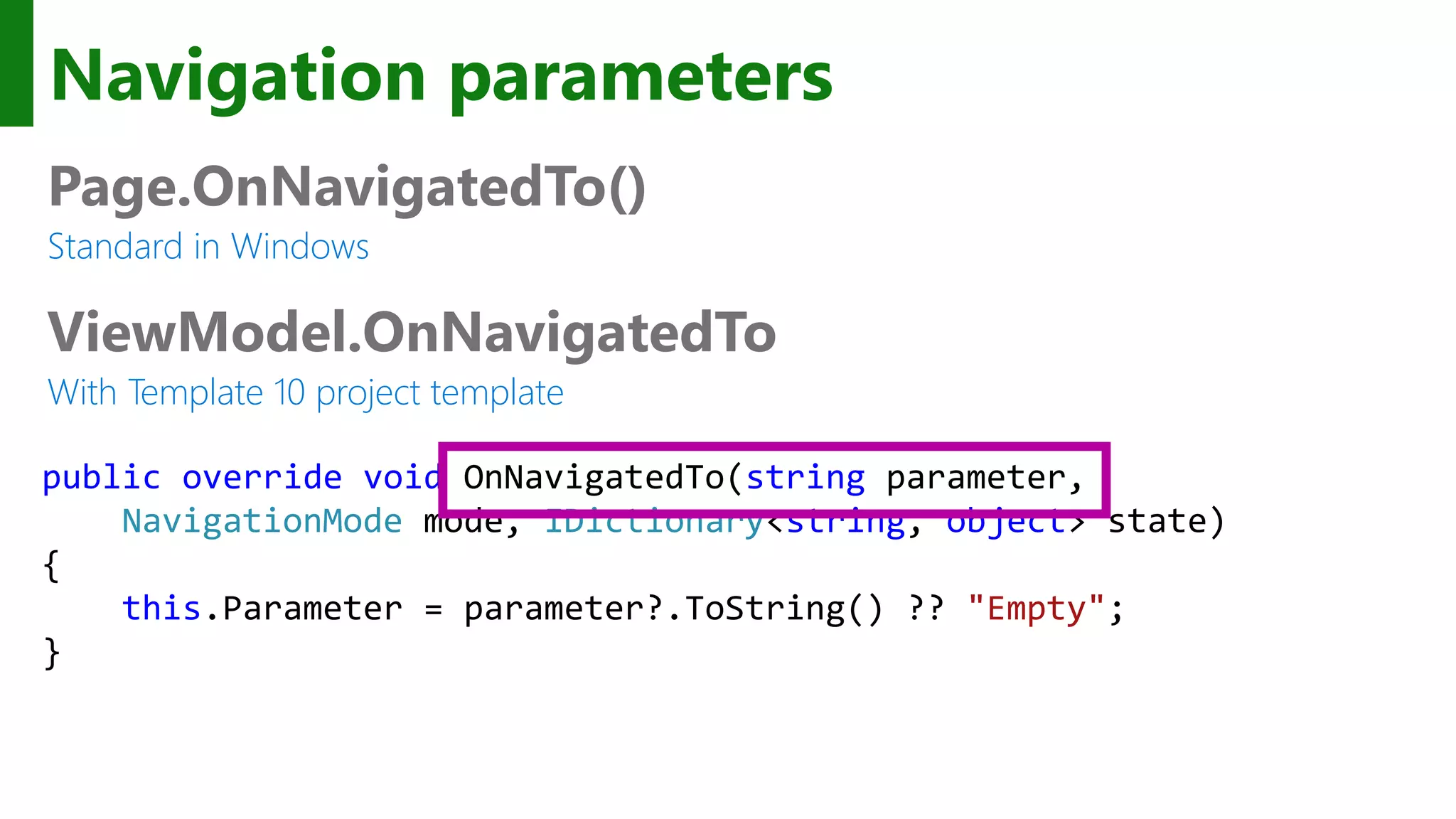
Navigation parameters Page.OnNavigatedTo() Standard in Windows ViewModel.OnNavigatedTo With Template 10 project template public override void OnNavigatedTo(string parameter, NavigationMode mode, IDictionary<string, object> state) { this.Parameter = parameter?.ToString() ?? "Empty"; }
Back button Essentially same as Phone 8.1 Back navigates back within app, then to previous app UAP apps request the optional, shell-drawn back button With one improvement Backing out does not close the app And, a new scenario for tablet In split screen, there is a [back stack] for each side of the screen Windows.UI.ViewManagement.ApplicationView.GetForCurrentView().IsShellChromeBackEnabled = true; Windows.UI.Core.SystemNavigationManager.GetForCurrentView().BackRequested += HandleBack;
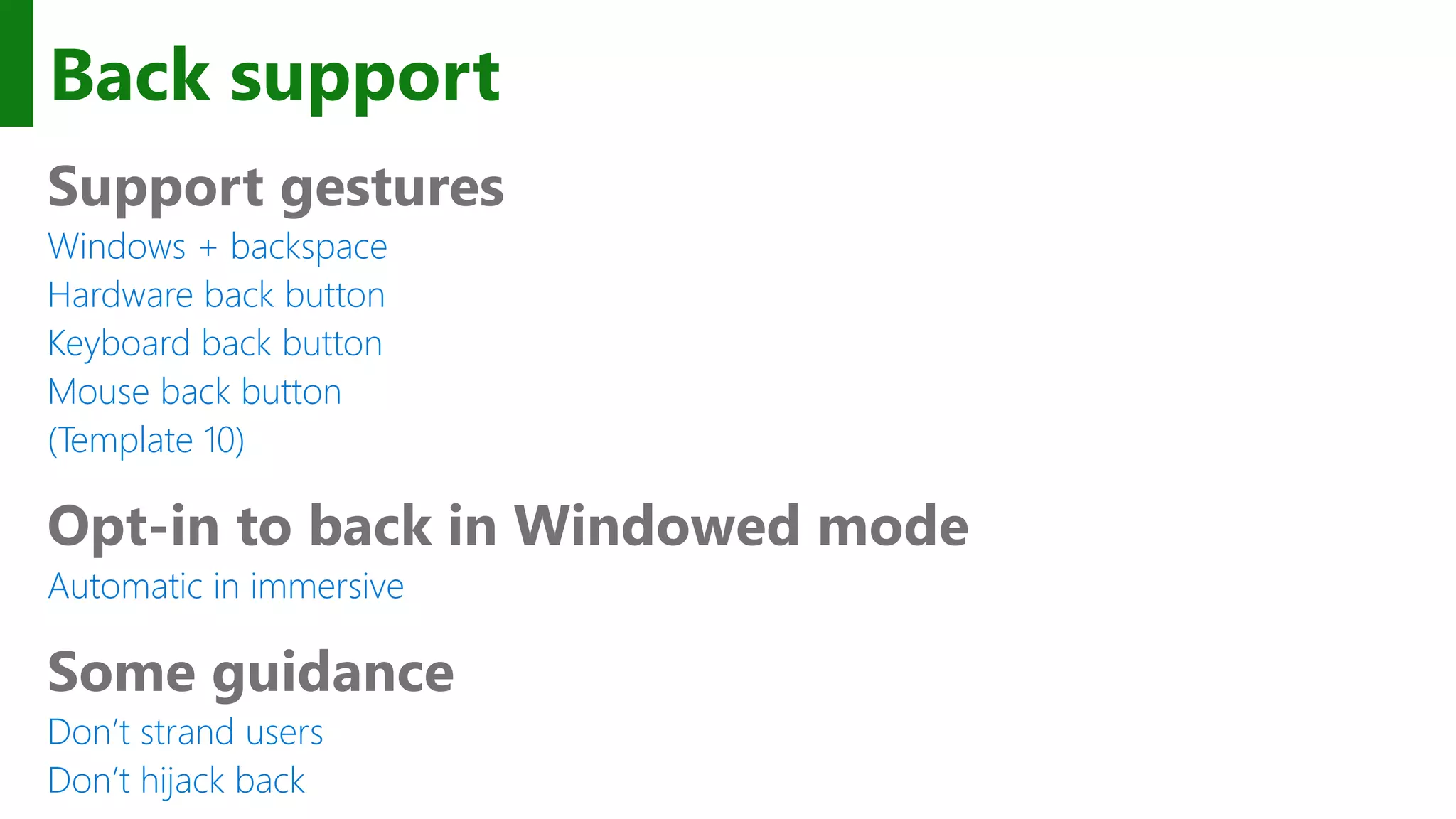
Back support Support gestures Windows + backspace Hardware back button Keyboard back button Mouse back button (Template 10) Opt-in to back in Windowed mode Automatic in immersive Some guidance Don’t strand users Don’t hijack back
Navigation is easier to develop across device families
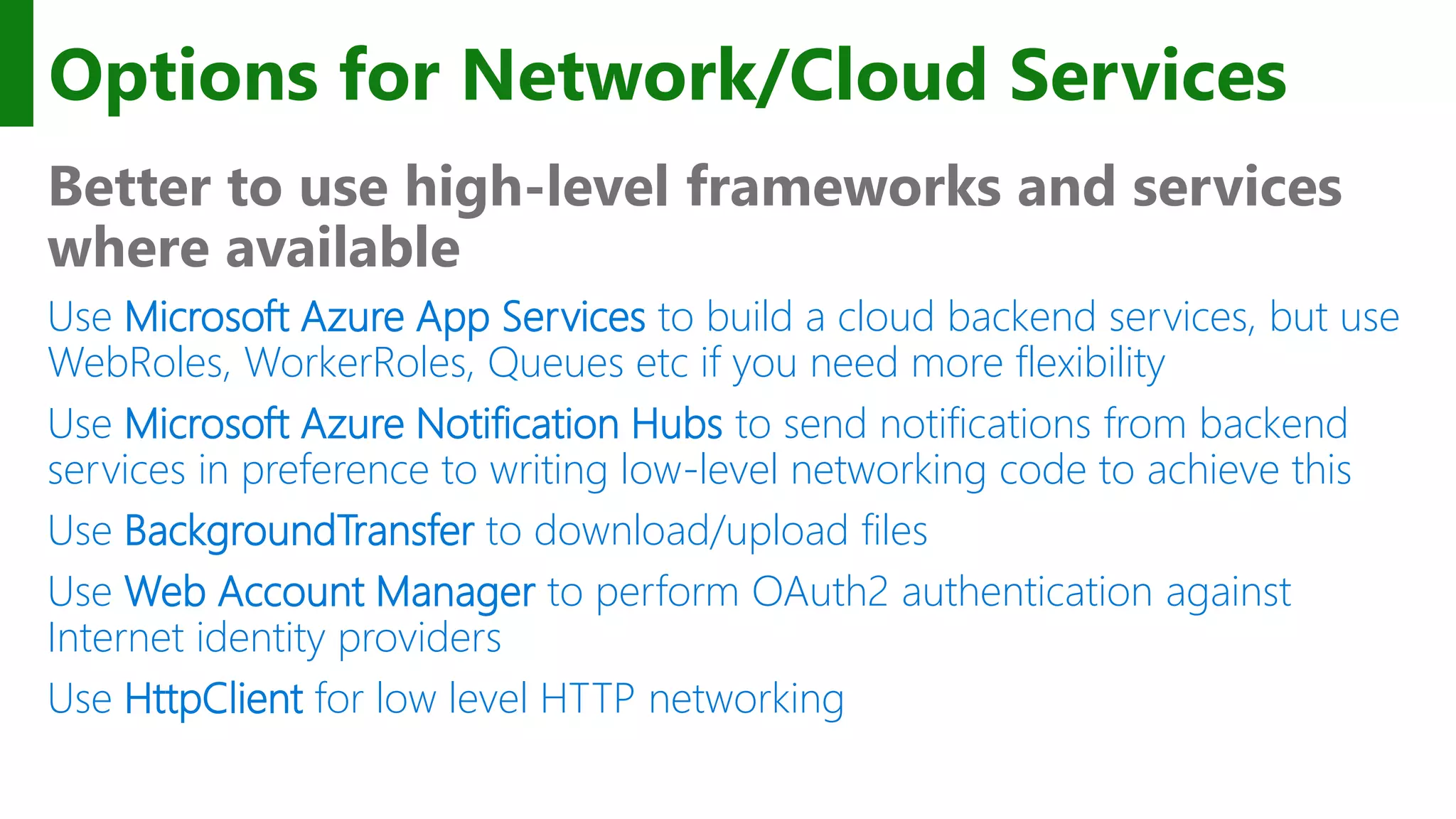
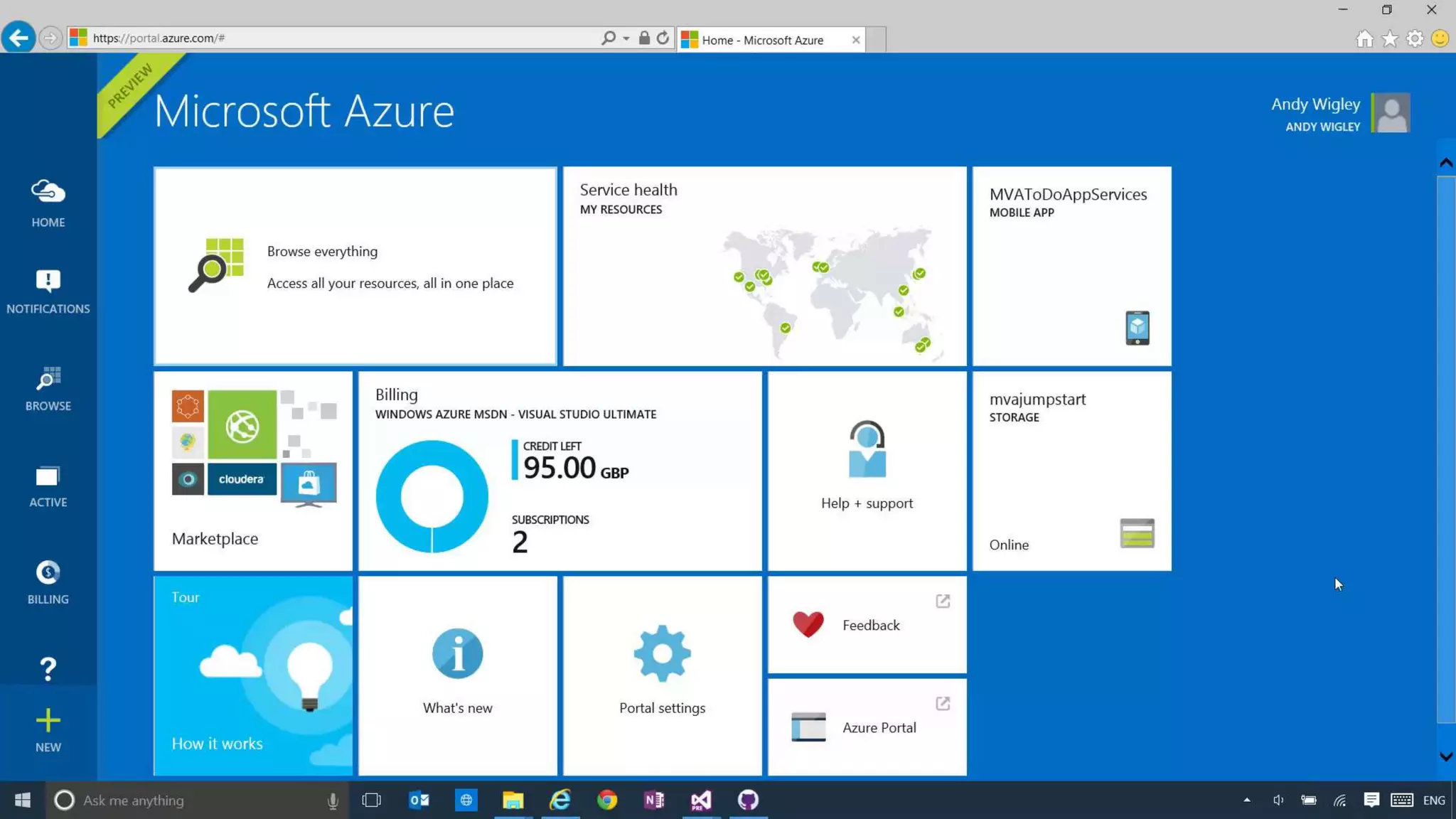
Options for Network/Cloud Services Better to use high-level frameworks and services where available Use Microsoft Azure App Services to build a cloud backend services, but use WebRoles, WorkerRoles, Queues etc if you need more flexibility Use Microsoft Azure Notification Hubs to send notifications from backend services in preference to writing low-level networking code to achieve this Use BackgroundTransfer to download/upload files Use Web Account Manager to perform OAuth2 authentication against Internet identity providers Use HttpClient for low level HTTP networking
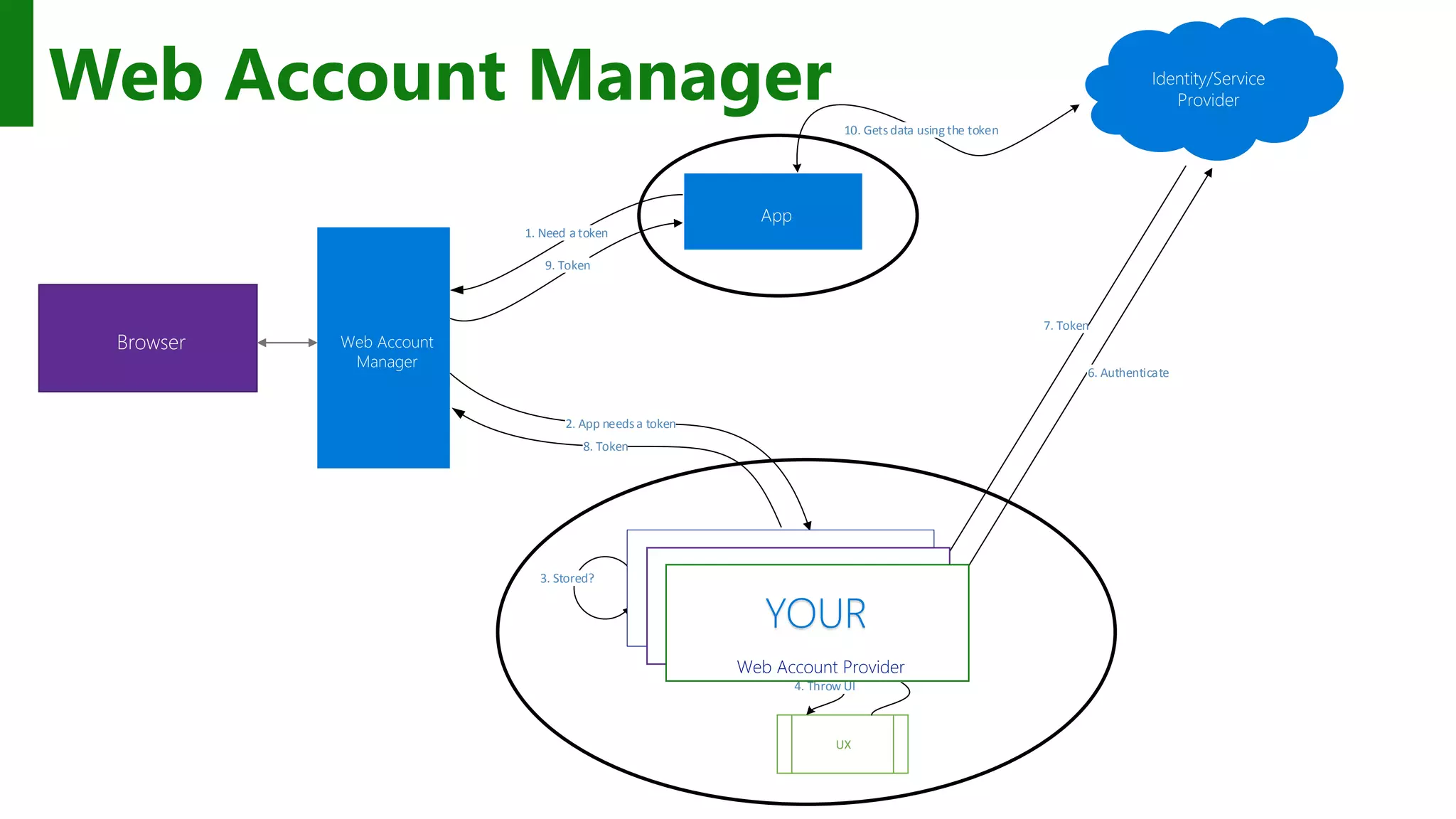
1. Need a token 2. App needsa token 3. Stored? 6. Authenticate 7. Token 8. Token 9. Token 10. Getsdata using the token UX 5. Creds 4. Throw UI Web Account Manager Microsoft Web Account Provider Contoso Web Account Provider Web Account Provider YOUR
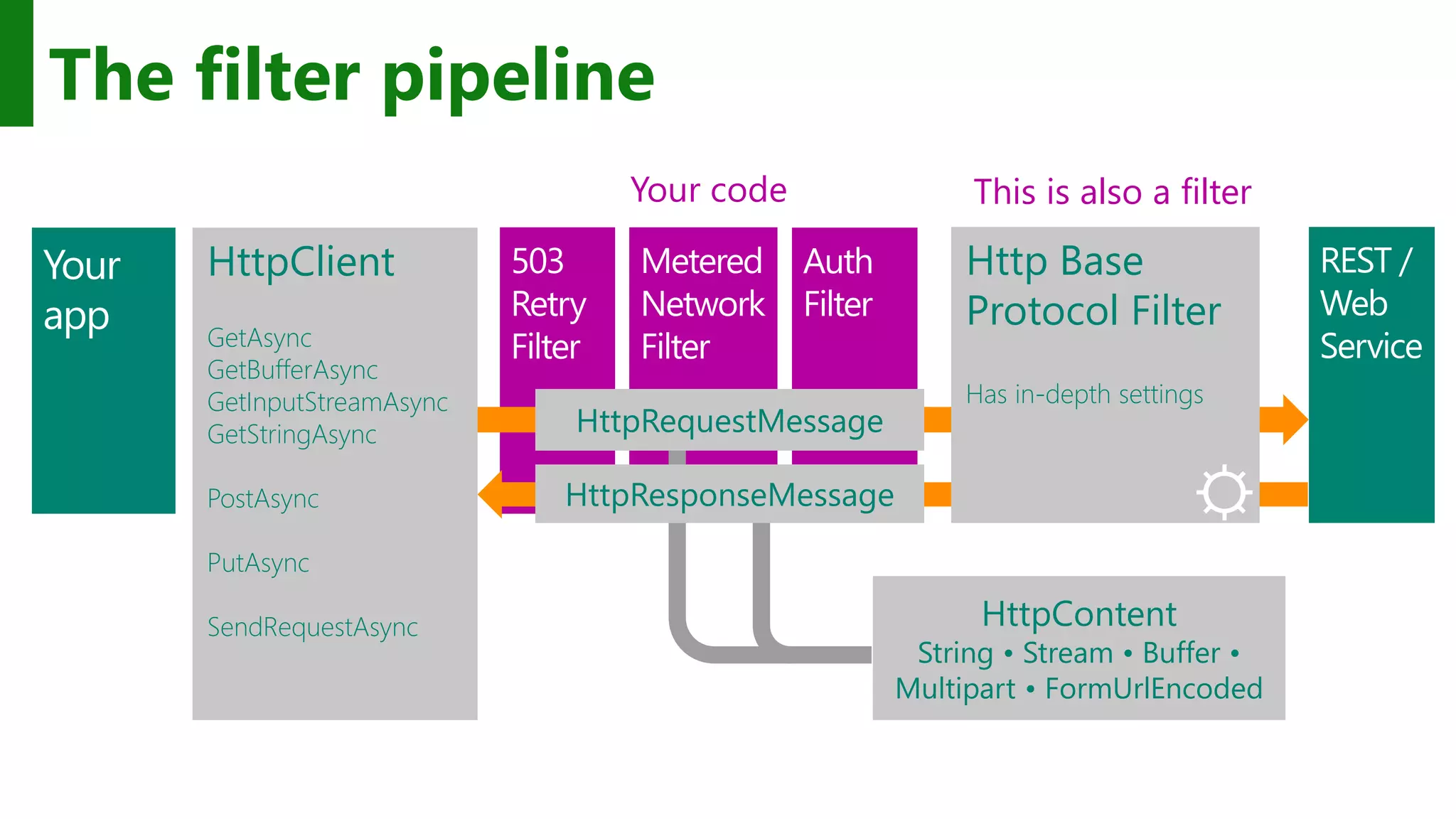
REST / Web Service HttpClient GetAsync GetBufferAsync GetInputStreamAsync GetStringAsync PostAsync PutAsync SendRequestAsync The filter pipeline HttpRequestMessage HttpResponseMessage Http Base Protocol Filter Has in-depth settings HttpContent String • Stream • Buffer • Multipart • FormUrlEncoded ⛭ Your code This is also a filter
Use existing network/cloud services to extend your application with little effort
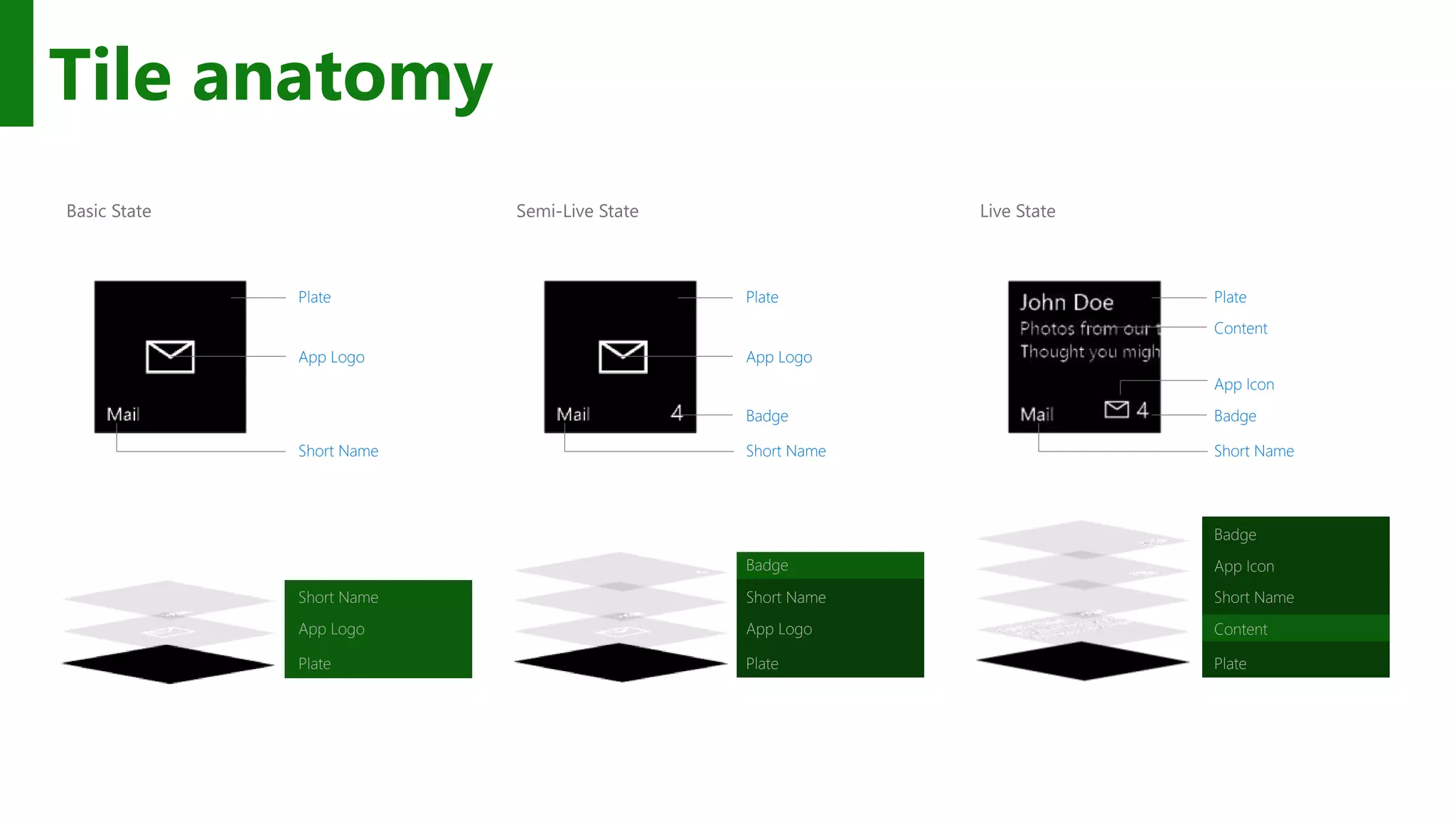
Basic State Plate App Logo Short Name Plate App Logo Short Name Semi-Live State Plate App Logo Short Name Badge Plate App Logo Short Name Badge Live State Plate App Icon Short Name Badge Content Plate Short Name Badge App Icon Content Tile anatomy
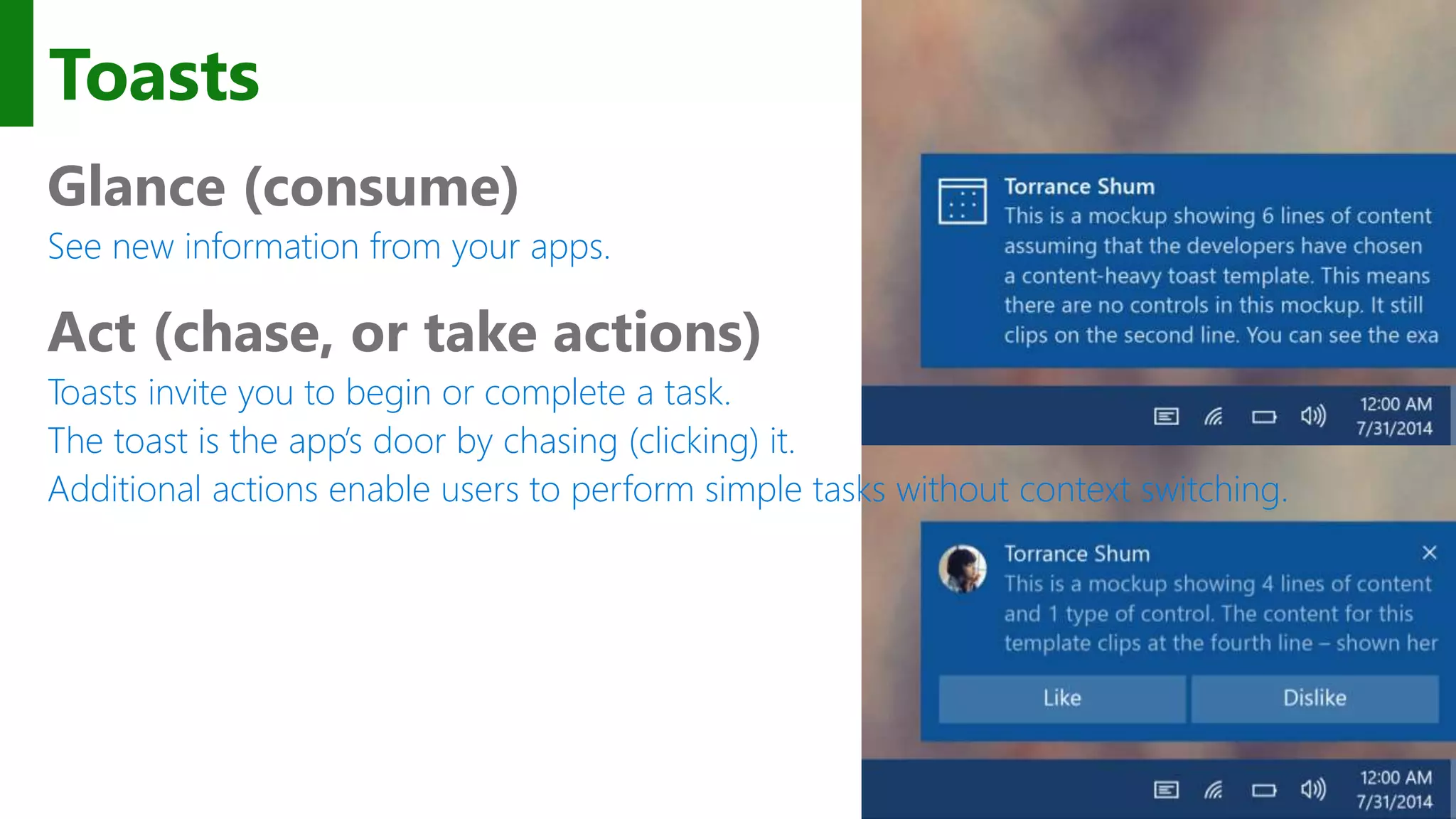
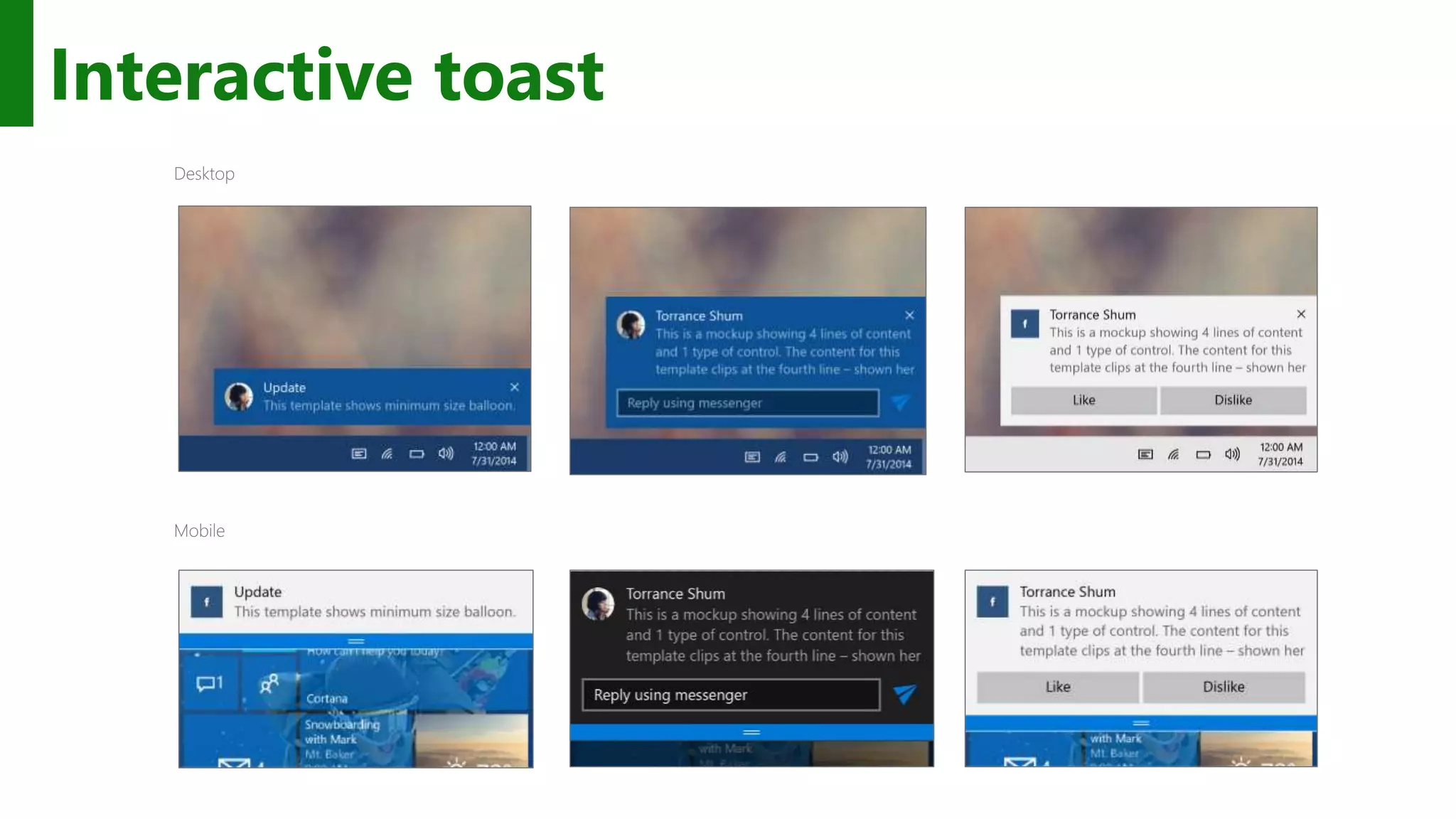
Toasts Glance (consume) See new information from your apps. Act (chase, or take actions) Toasts invite you to begin or complete a task. The toast is the app’s door by chasing (clicking) it. Additional actions enable users to perform simple tasks without context switching.
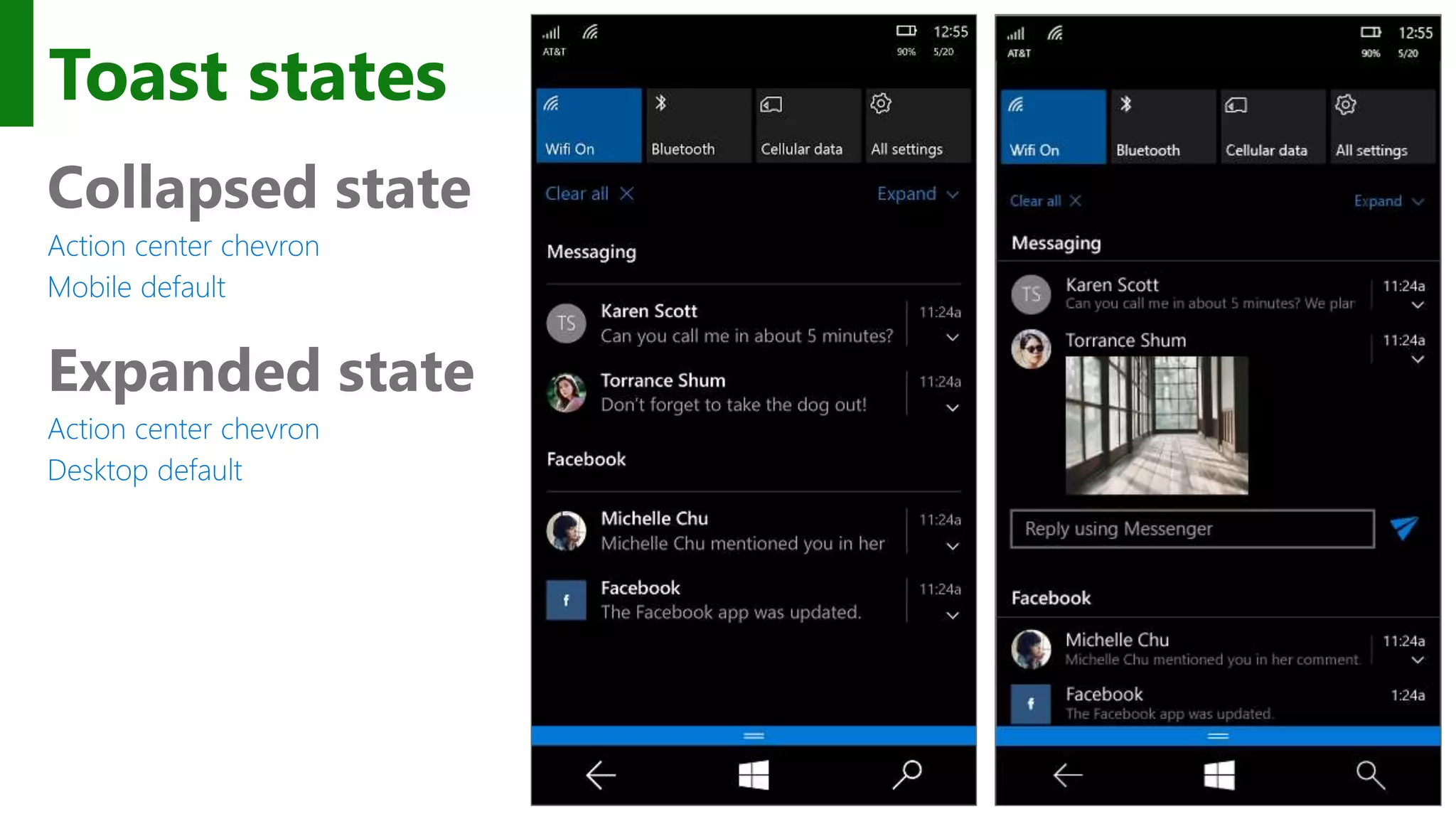
Toast states Collapsed state Action center chevron Mobile default Expanded state Action center chevron Desktop default
Interactive toast
Tiles and toast notifications keep your users engaged
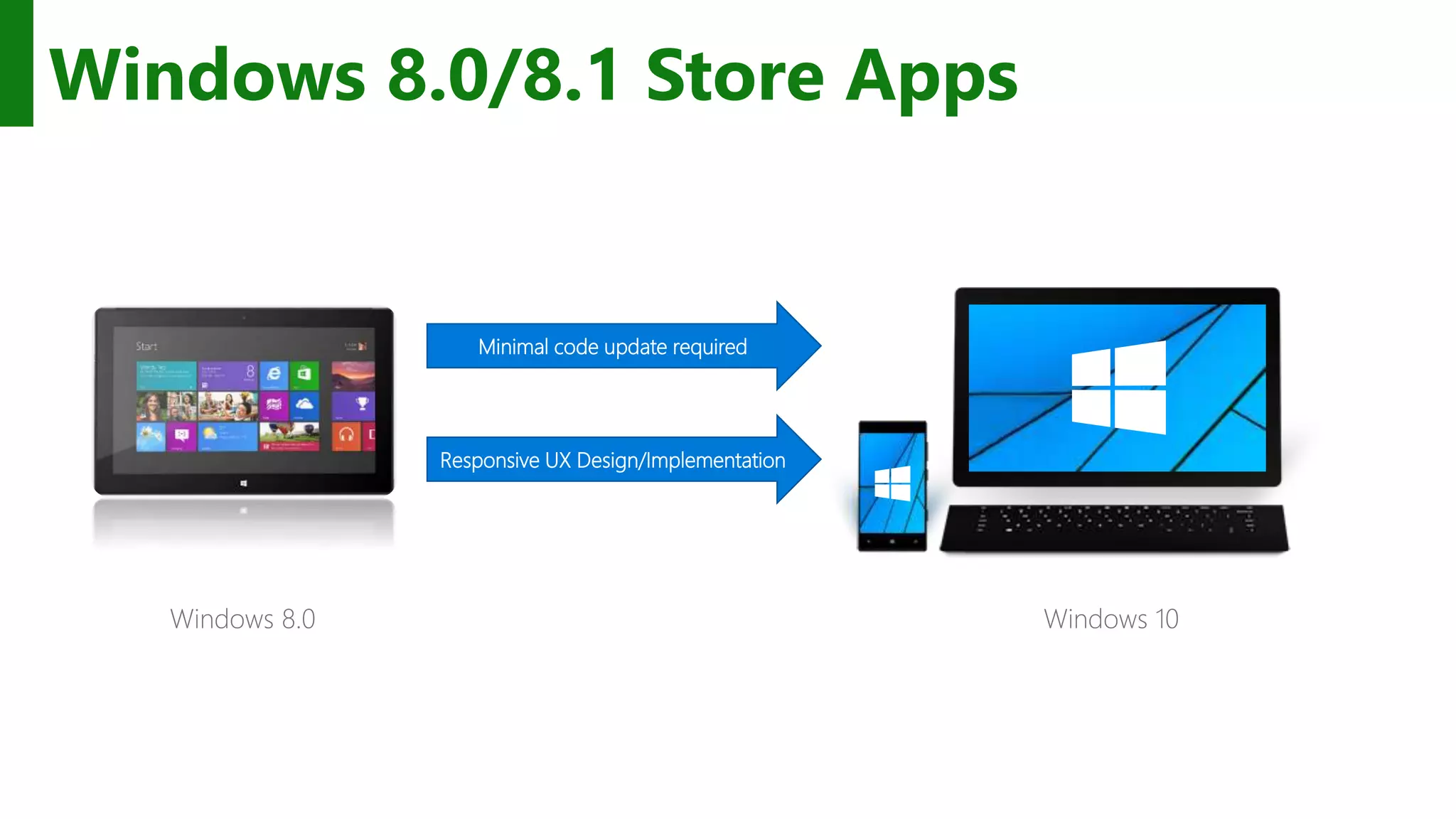
Windows 8.0/8.1 Store Apps Windows 8.0 Minimal code update required Responsive UX Design/Implementation Windows 10
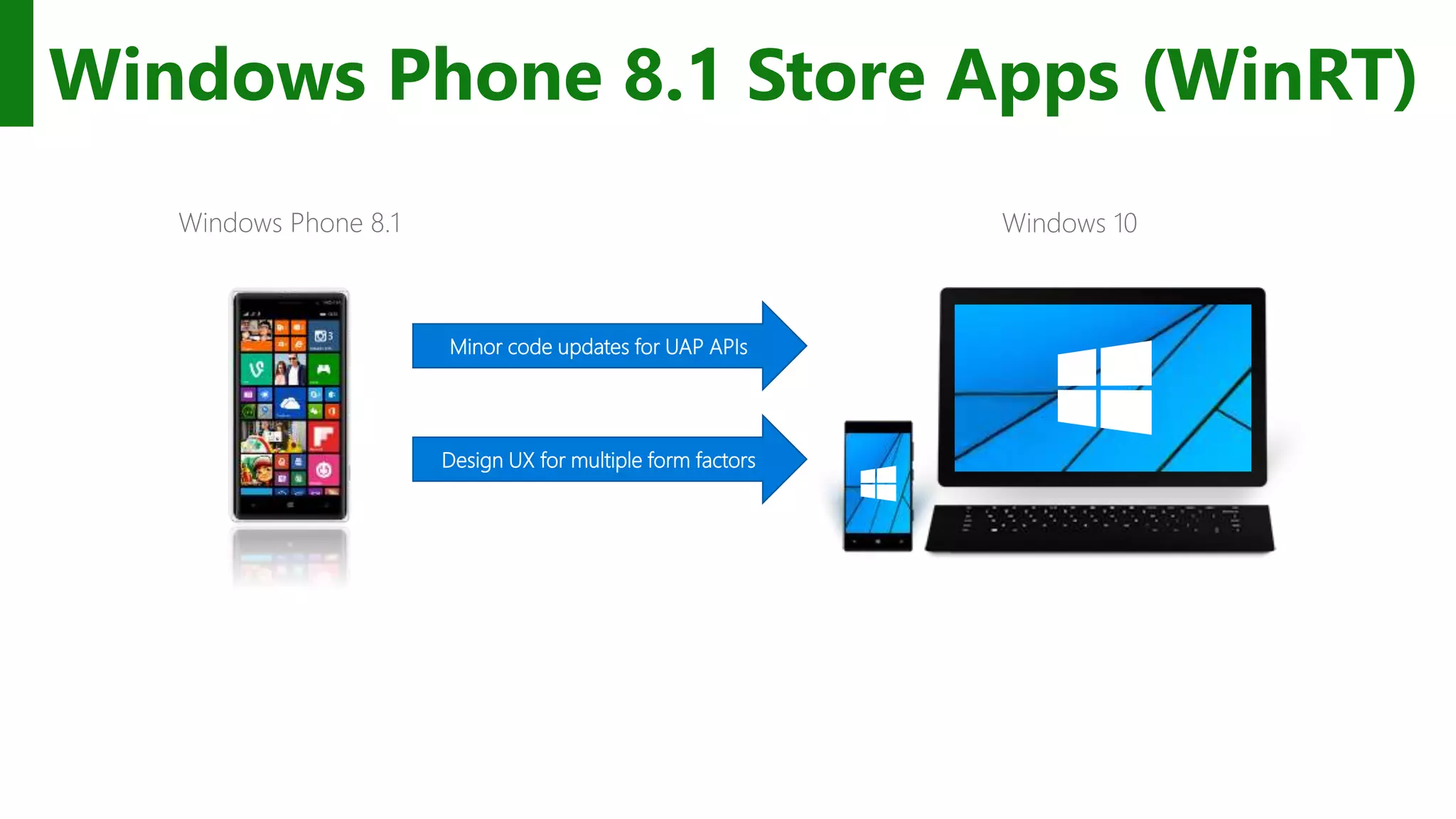
Windows Phone 8.1 Store Apps (WinRT) Windows Phone 8.1 Minor code updates for UAP APIs Design UX for multiple form factors Windows 10
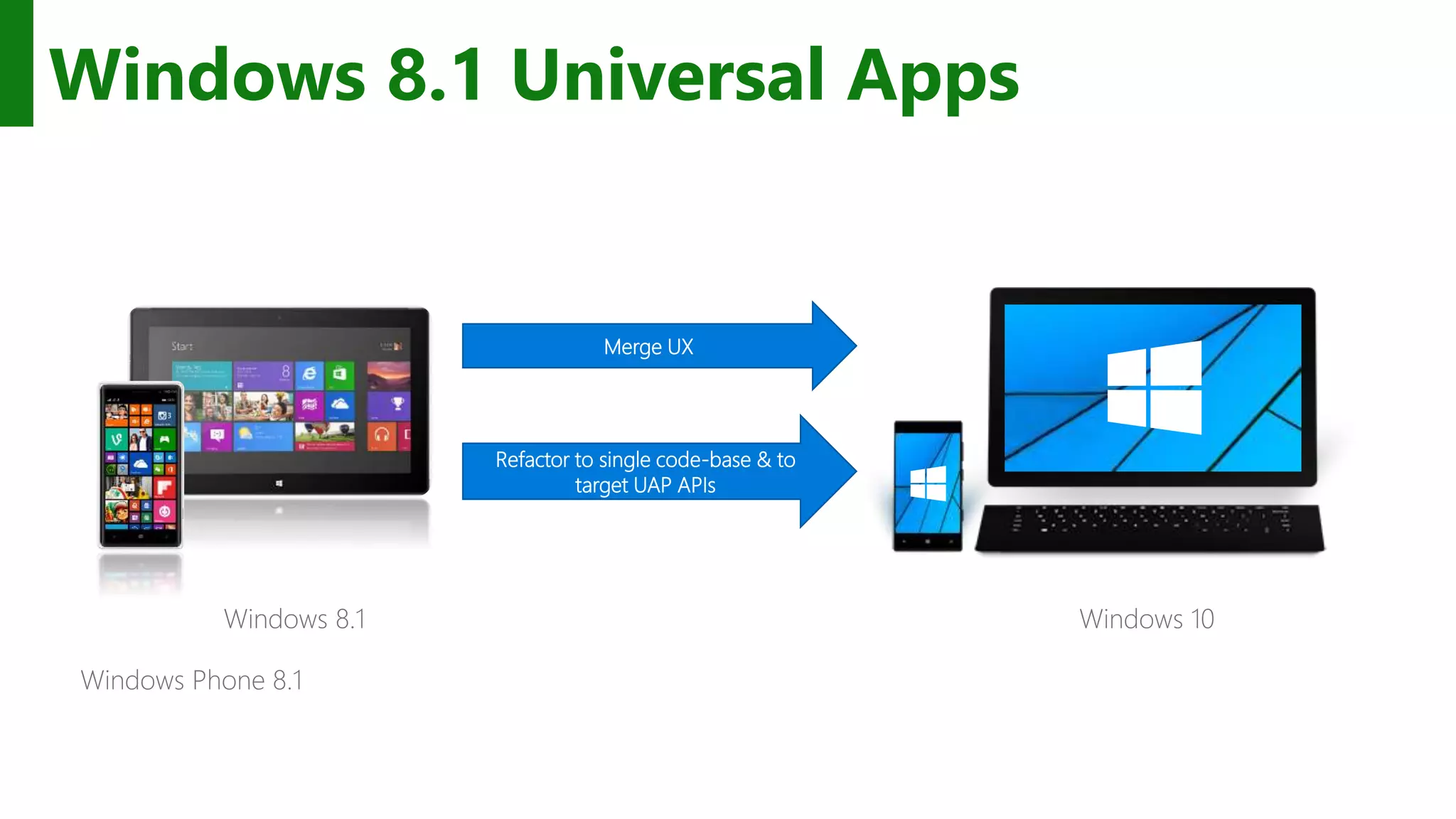
Windows 8.1 Universal Apps Windows 8.1 Merge UX Refactor to single code-base & to target UAP APIs Windows 10 Windows Phone 8.1
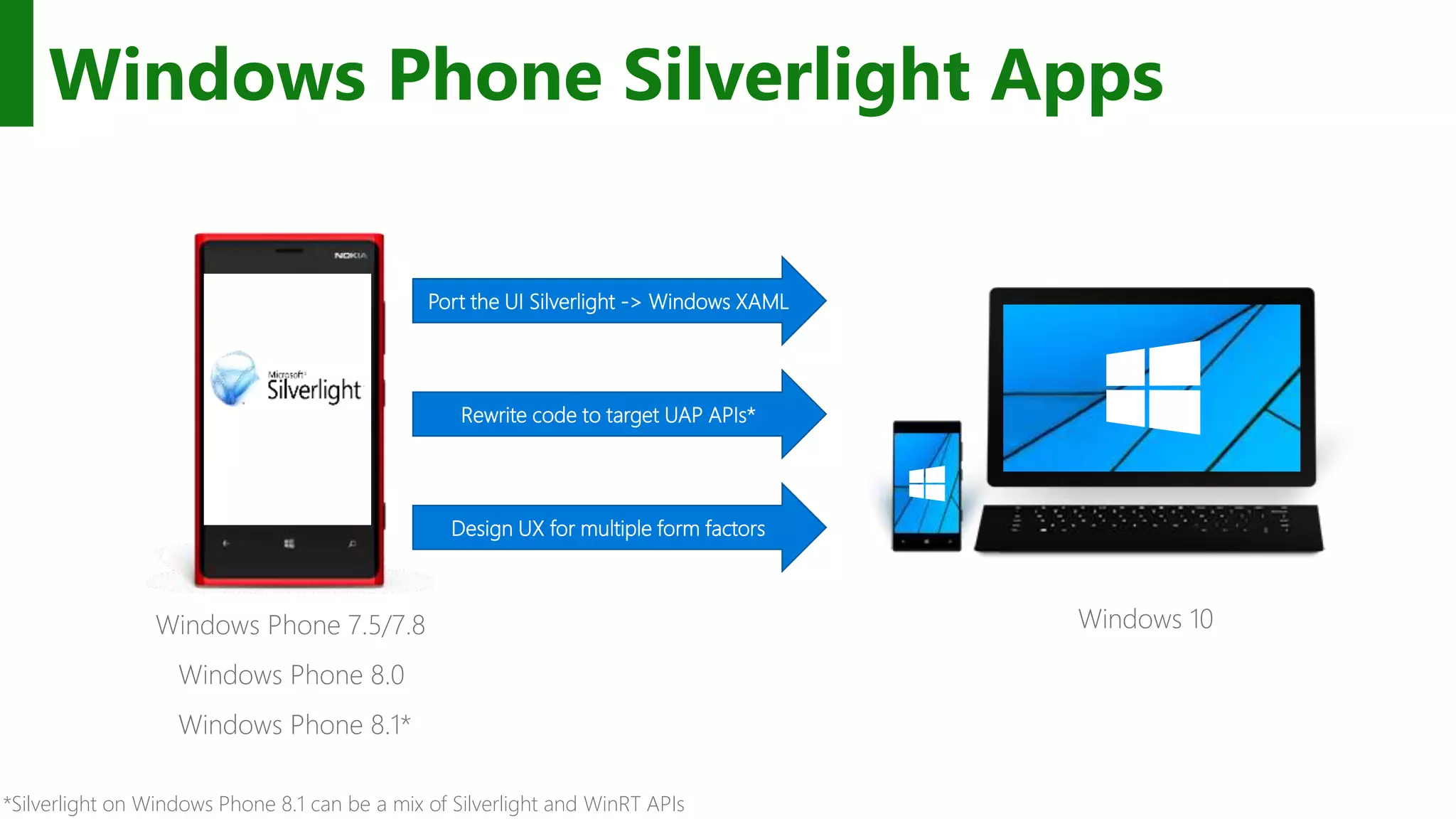
Windows Phone Silverlight Apps *Silverlight on Windows Phone 8.1 can be a mix of Silverlight and WinRT APIs Windows Phone 7.5/7.8 Windows Phone 8.0 Windows Phone 8.1* Port the UI Silverlight -> Windows XAML Rewrite code to target UAP APIs* Design UX for multiple form factors Windows 10
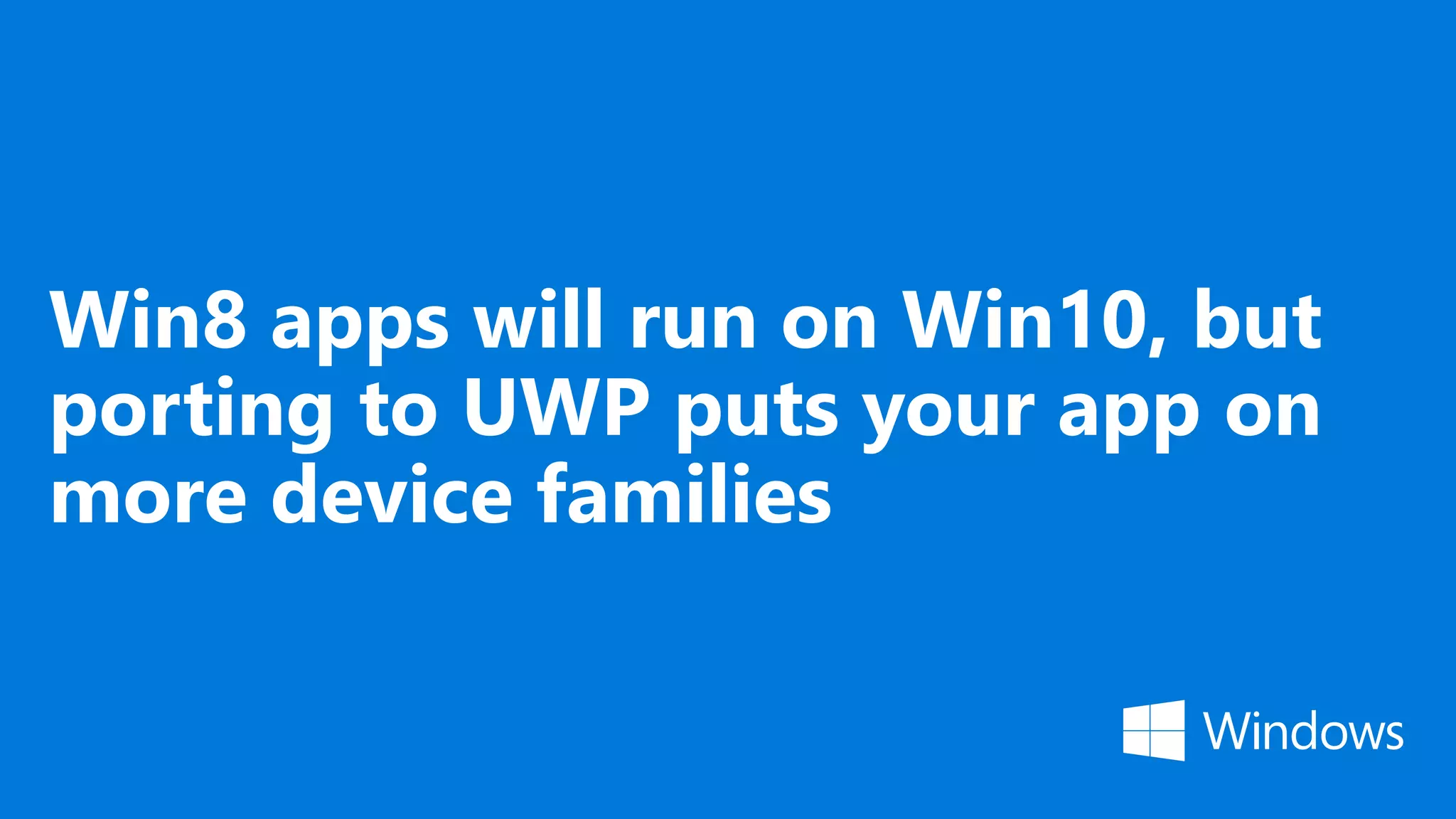
Win8 apps will run on Win10, but porting to UWP puts your app on more device families
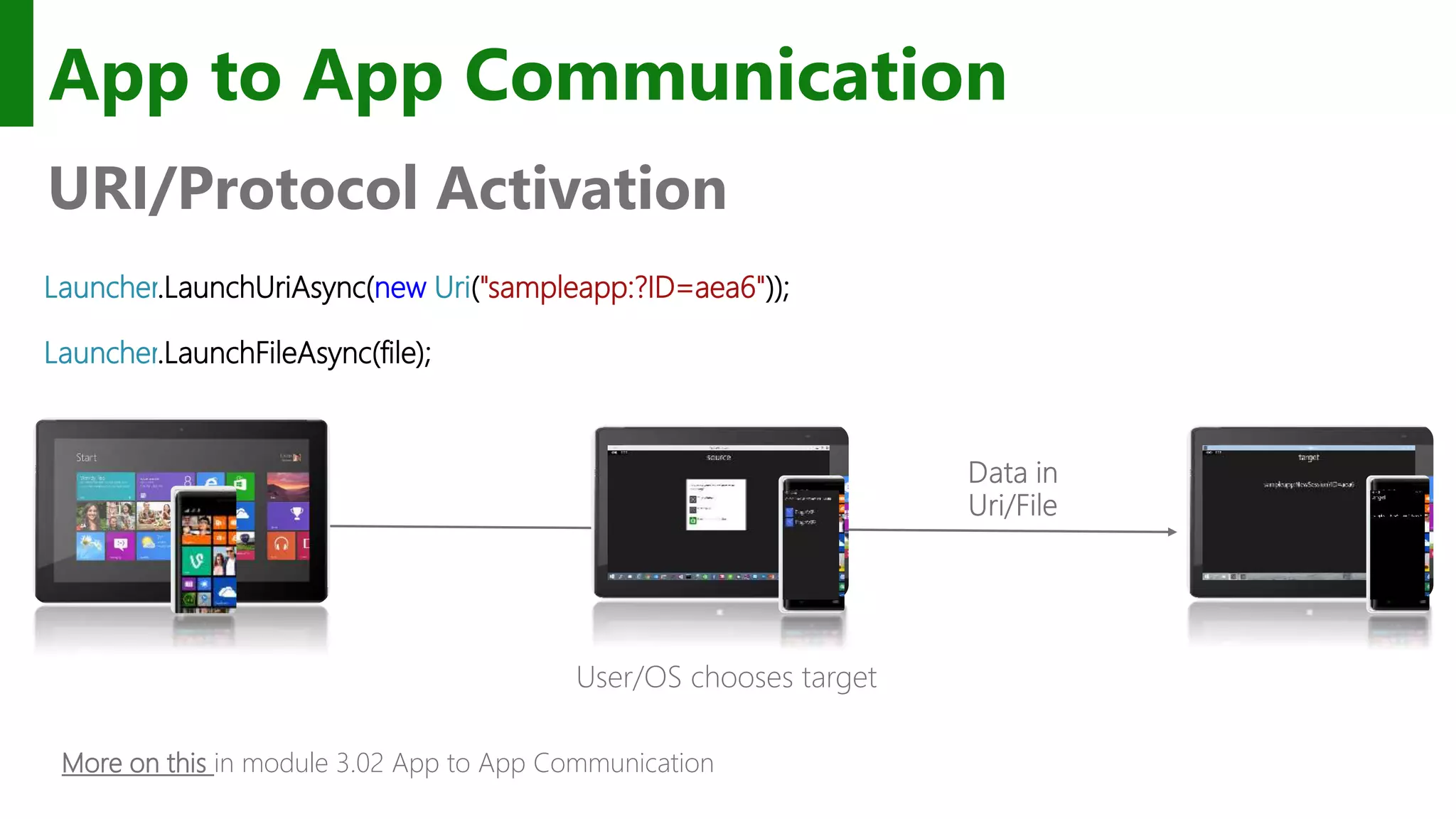
Launcher.LaunchUriAsync(new Uri("sampleapp:?ID=aea6")); Launcher.LaunchFileAsync(file); App to App Communication URI/Protocol Activation User/OS chooses target More on this in module 3.02 App to App Communication
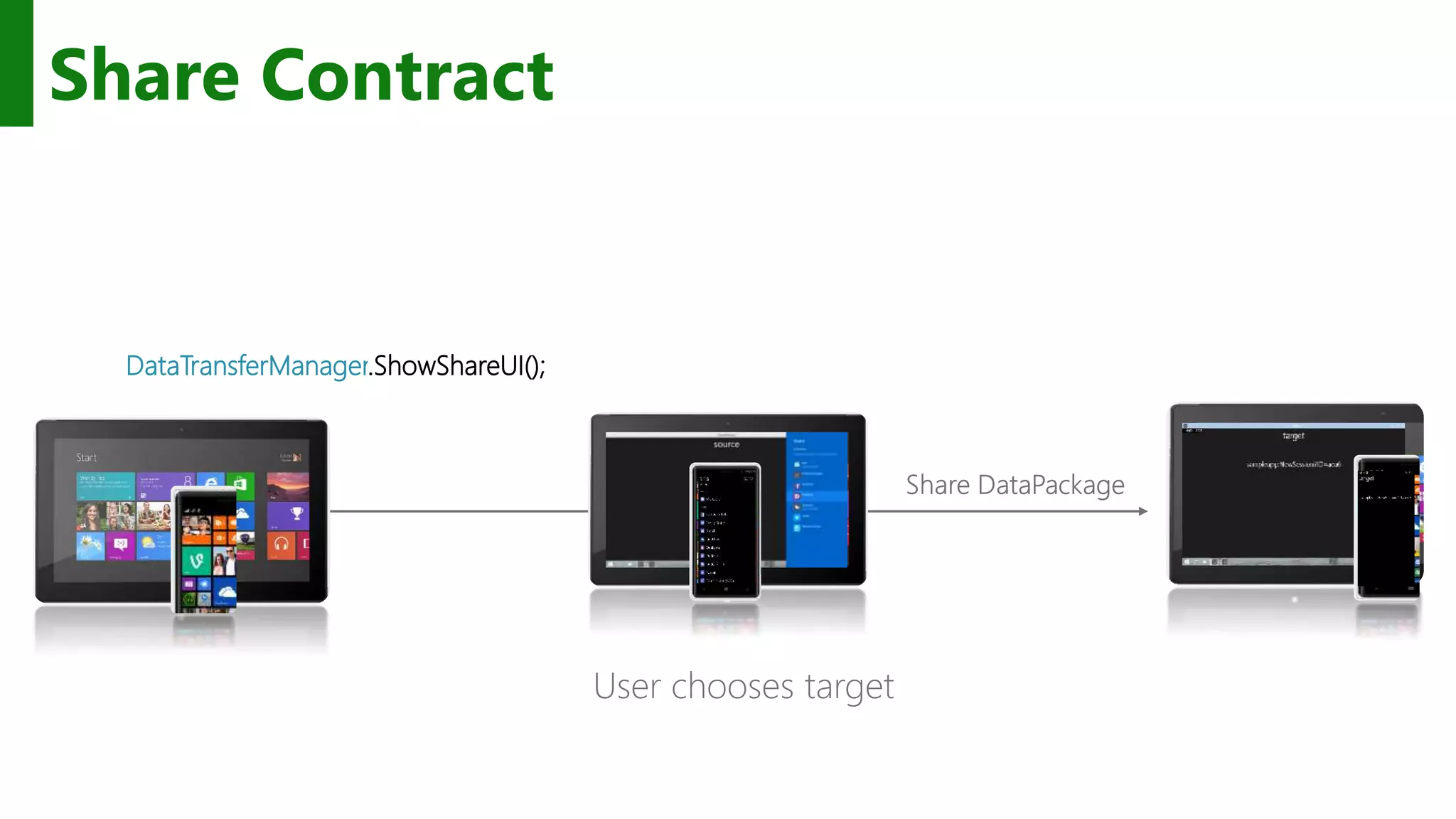
Share Contract DataTransferManager.ShowShareUI(); User chooses target
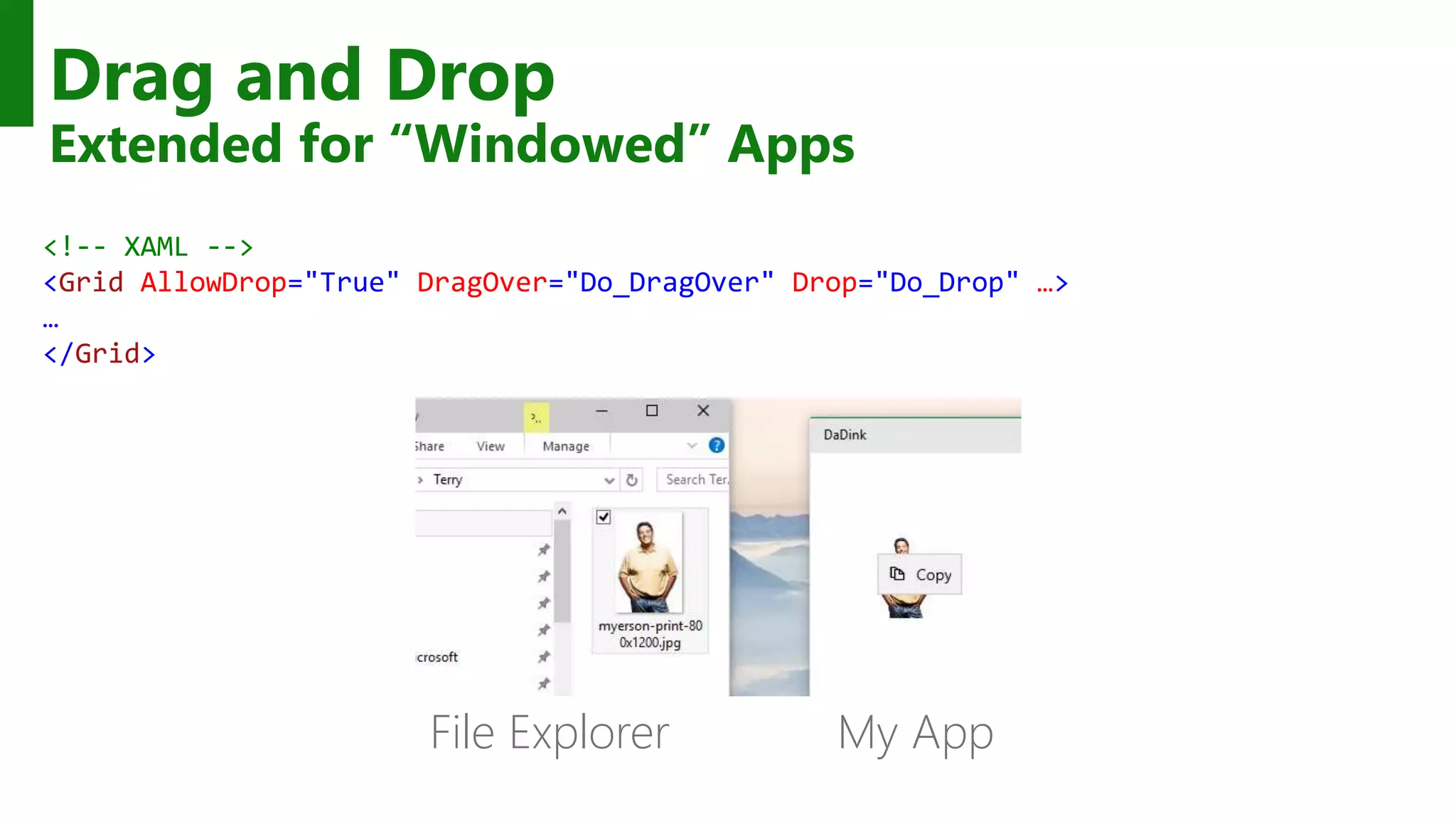
Drag and Drop Extended for “Windowed” Apps <!-- XAML --> <Grid AllowDrop="True" DragOver="Do_DragOver" Drop="Do_Drop" …> … </Grid> My AppFile Explorer
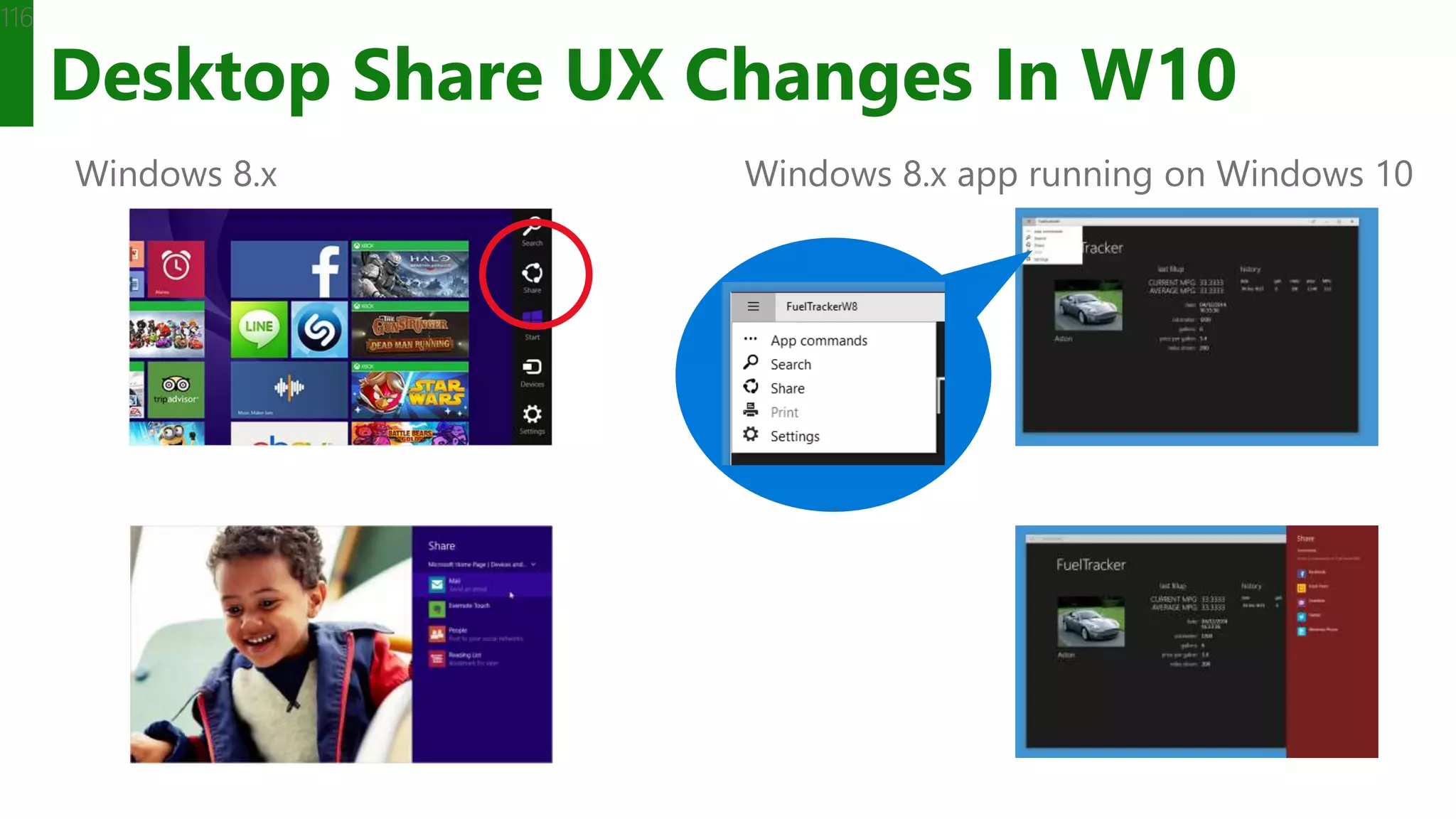
Desktop Share UX Changes In W10 116 Windows 8.x Windows 8.x app running on Windows 10
Many apps will be a share source Only a few will be a share target
Next Steps: • Start Here: • https://dev.windows.com/en-us/downloads/windows-10-developer-tools • Get Windows 10: http://microsoft.com/windows • Get Visual Studio 2015: http://aka.ms/vs2015ce • MVA video series: • http://aka.ms/mva-win10-dev
GitHub • UWP Samples: • https://github.com/Microsoft/Windows-universal-samples • Template10: • https://github.com/Windows-XAML/Template10 • MVA Samples: • https://github.com/Windows-XAML/201505-MVA • Project Upgrade Utility: • http://aka.ms/uwp-projectupgradeutility
Build 2015 • Introducing the Windows 10 App Model • https://channel9.msdn.com/Events/Build/2015/2-617 • What's New in XAML for Universal Windows Apps • https://channel9.msdn.com/Events/Build/2015/2-629 • Game Developers: Get the Most Out of Windows 10 • https://channel9.msdn.com/Events/Build/2015/2-637
Email: shchowd@microsoft.com  Twitter: @shahedC

Deeper into Windows 10 Development

  • 1.
    Deeper Into Windows 10Development Universal Windows Apps Shahed Chowdhuri Sr. Technical Evangelist @ Microsoft WakeUpAndCode.com
  • 2.
    Agenda Quick Overview One Windows Manydevices Windows 10 App Development Build 2015 MSDN Channel 9 Microsoft Virtual Academy Demos Public projects from Github
  • 3.
    Windows Core The refactoredcommon core One hardware platform Universal hardware driver Standard network and I/O Phone Device Xbox Device Desktop Device Windows Core Desktop SKU Phone SKU Xbox SKU
  • 4.
    One Windows Desktop SKU PC 2 in1 Mobile SKU Tablet Phablet Phone Xbox SKU Xbox IoT SKU Band IoT headless SKU Raspberry Pi Home Automation Surface Hub SKU Surface Hub Holographic SKU HoloLens
  • 5.
    Phone Small Tablet 2-in-1s (Tabletor Laptop) Desktops & All-in-OnesPhablet Large Tablet Classic Laptop Xbox IoTSurface Hub Holographic Windows 10
  • 6.
    One Store + OneDev Center Reuse Existing Code One SDK + Tooling Adaptive User Interface Natural User Inputs One Universal Windows Platform
  • 7.
    Windows 10 operating system Bridgingtechnologies Win32 desktop Web hosted Java Android Obj.C iOS Universal Windows Platform WWAC++ & CX .Net languages HTML DirectX XAML C++ .Net languages MFCWFWPF .Net runtime
  • 8.
    Apps don't targetWindows 10, apps target the platform
  • 9.
    Windows store packaging FeatureWP XAP 8.1 WP AppX 8.1 AppX 8.1 AppX 10.x Platform WP 8.1+ WP 8.1 Win 8.1 Win 10 Device OS Build version targeting Encryption (not yet) App Bundles Debug Package Signing Differential Download/Update File Single Instancing External Volume (SD) Installation (Win 10) Shared publisher storage
  • 10.
    Windows store distribution WindowsPhone 7.x, 8.x Windows 8.x Windows 10 Hidden apps Per market pricing Independent IAP publishing Betas / flighting Time based trials App discounts Scheduled publish
  • 11.
    Considerations Best practices Consider adsduring the design phase Show video ads during natural breaks Associate ads with real up-sides Worst practices Showing ads at app-start Interrupt the user’s workflow Back-to-back ads
  • 12.
    In-app purchases #if DEBUG varlicense = CurrentAppSimulator.LicenseInformation; if (license.ProductLicenses["AdFree"].IsActive) { // already owns this.ShowAds = false; } else { var result = await CurrentAppSimulator.RequestProductPurchaseAsync("AdFree"); switch (result.Status) { case ProductPurchaseStatus.Succeeded: case ProductPurchaseStatus.AlreadyPurchased: this.ShowAds = false; break; default: this.ShowAds = true; break; }
  • 13.
    The Windows storeprovides many ways to monetize your app
  • 14.
    The XAML UIplatform Windows is standardizing New experiences like Start and File Explorer use the XAML UI platform The operating system has tremendous performance requirements Office is standardizing The universal suite of Office apps use the XAML UI platform Office has tremendous usability and feature requirements First-party is standardizing New and existing MSN apps for Windows use the XAML UI platform First party apps push the edge of API capability and availability
  • 15.
    Blend, the XAMLdeveloper’s IDE Visual Studio Shell XAML Intellisense XAML Peek Sync Settings Quick launch Classic Blend Resources Data Storyboards States Behaviors
  • 16.
    App bars andcommands <AppBar /> <CommandBar /> <AppBarButton Label="" Icon="" /> <AppBarToggleButton IsChecked="" /> <AppBarSeparator />
  • 18.
    The XAML UIplatform is foundational to Windows
  • 19.
    x:Bind Compiled binding Bindings arecommitted at compile-time Strongly-typed binding Duck binding is not supported Default mode is OneTime OneWay and TwoWay are still available Standard binding approaches INotifyPropertyChanged, IObservableVector, INotifyCollectionChanged
  • 20.
  • 21.
    <ListView ItemsSource="{x:Bind ViewModel.Employees}"> <ListView.ItemTemplate> <DataTemplatex:DataType="model:Employee"> <Grid> <TextBlock Text="{x:Bind Name}"/> </Grid> </DataTemplate> </ListView.ItemTemplate> </ListView> Data Templates
  • 22.
    When to useclassic binding Duck Typing Text=“{Binding Age}” works for both PersonModel & WineModel Dictionary graphs Use {Binding} with JSON or other untyped objects Code-behind binding Can add/remove {x:Bind} @ runtime Use in a style {x:Bind} can’t be used in a style for setters {x:Bind} can be used in a DataTemplate that is defined in the style
  • 23.
    x:Bind can meetyour binding needs most of the time.
  • 24.
  • 25.
    x:Phase & progressiverendering <DataTemplate x:DataType="model:FileItem"> <Grid Width="200" Height="80"> <TextBlock Text="{x:Bind DisplayName}" /> <TextBlock Text="{x:Bind prettyDate}" x:Phase="1"/> </Grid> </DataTemplate> Some guidance Phase "0" is the default Only a few, manageable phases Phase numbers don't need to be contiguous
  • 26.
    Understanding deferral Reduce thenumber of elements at startup Declare the UIElement-derived items (or containers) you don't want rendered 4 ways to realize an element 1. FindName() 2. EnsureElementRealized() 3. GetTemplatedChild() (for ControlTemplate) 4. Storyboard & VisualStates (because of FindName) Nothing is free A lightweight proxy element is created Events are hooked up after realized Binding is completed after realized (including x:Bind)
  • 27.
  • 28.
    The fastest code isthe code you don't run
  • 29.
  • 30.
  • 31.
  • 32.
    As you design 1.Adapt to size change 2. Adapt to input change 3. Build with effective pixels 4. Count on the scaling algorithm
  • 33.
    Adapt to differentdevices without targeting each and every device
  • 34.
    Visual States Define XAMLviews Unique layout for distinct states Simplify animation Automatically implement state transitions Build in Blend Design and preview states and transitions
  • 35.
    How to setthe visual state VisualStateManager.Goto(element, state, transition) public MainPage() { this.InitializeComponent(); this.SizeChanged += (s, e) => { var state = "VisualState000min"; if (e.NewSize.Width > 1000) state = "VisualState1000min"; else if (e.NewSize.Width > 800) state = "VisualState800min"; else if (e.NewSize.Width > 500) state = "VisualState500min"; VisualStateManager.GoToState(this, state, true); }; }
  • 36.
    Adaptive triggers Code-free statetransition Two built-in triggers MinWindowHeight (Taller than this) MinWindowWidth (Wider than this) <VisualState x:Name="VisualState500min"> <VisualState.StateTriggers> <AdaptiveTrigger MinWindowWidth="501" /> </VisualState.StateTriggers> </VisualState>
  • 37.
    Custom adaptive triggers Buildto handle special cases. public class DeviceFamilyTrigger : StateTriggerBase { private string _deviceFamily; public string DeviceFamily { get { return _deviceFamily; } set { var qualifiers = Windows.ApplicationModel.Resources.Core .ResourceContext.GetForCurrentView().QualifierValues; if (qualifiers.ContainsKey("DeviceFamily")) SetActive(qualifiers["DeviceFamily"] == (_deviceFamily = value)); else SetActive(false); } } }
  • 38.
    Developers have manytools to build an adaptive UI
  • 39.
    What are AdaptiveApps? Windows apps adapt to different versions of the platform Windows apps adapt to different types of devices Windows apps adapt to different screen sizes Adaptive UI handles different screens Adaptive Code can "light up" your app to conditionally execute code only when running on specific device families and/or particular versions of platform/extension APIs Conditionally take advantage of unique device capabilities Use newer APIs while still supporting down-level clients
  • 40.
    Windows 8.1 Universal: Sharedcode, two binaries Windows Binary Phone Binary
  • 41.
    Declare Device FamilyDependencies Dependency on a single device family: <Dependencies> <TargetDeviceFamily Name="Windows.Universal" minVersion="10.0.10069.0" maxVersionTested="10.5.0.0" /> </Dependencies> On more than one: <Dependencies> <TargetDeviceFamily Name="Windows.Desktop" minVersion="10.0.10069.0" maxVersionTested="10.5.0.0" /> <TargetDeviceFamily Name="Windows.Universal" minVersion="10.0.10069.0" maxVersionTested="10.5.0.0" /> </Dependencies>
  • 42.
    Extension SDKs UWP Windows CoreWindows Core Windows Core Windows Core UWP UWP UWP Desktop Mobile Xbox More…
  • 43.
    The device familiesyou choose determines which APIs you can call freely
  • 44.
    Locations where appscan access data App Package Folder App data FoldersApp data FoldersApp data Folders Local Roaming Temp Removable Storage (SD Card) Credential Locker Publishers Shared Folder Picker Provider apps
  • 45.
    Package and AppData Folders Package Manager installs all app files into the App package Folder Read-only access from app Apps store data in Local Folder Settings and properties in the app settings dictionaries Data in files Structured data in database files Local or Roaming Settings File App Creates/Manages files and settings Application Files App Data Folder Creates root folder sandboxed to AppPackage Manager App Package Folder WinRT Storage APIs Install DB Database file DB Files (r/o)
  • 46.
    Directly Accessible R/WData Storage Roaming Folder Settings • Other devices can access what you put in here • Data roamed cross-device • Limited to 100KB per application • Held in OneDrive storage Local Folder Settings • Store local data here for use by your application • Can store data up to the limit of the storage on the device • Retained if the application is updated Temp Folder • Use for temporary storage • No guarantee it will still be here next time your program runs • Cleaned up in a low storage condition Windows.Security. Credentials PasswordVault Credentials • Credential Locker • Use for secure storage of PasswordCred- ential objects • Data roamed cross-device Publisher Cache Folder • Shared storage for apps from same publisher • Declare in app manifest New
  • 47.
  • 48.
    Provide multiple optionsfor the user to load/save data
  • 49.
    Why SQLite? Worlds’ mostpopular database Rich Features Reliable
  • 50.
    Choice of .NETAPIs SQLite-NET LINQ syntax Lightweight ORM SQLitePCL SQL statements Thin wrapper around the SQLite C API using (var conn = new SQLiteConnection("demo.db")) { Customer customer = null; using (var statement = conn.Prepare( "SELECT Id, Name FROM Customer WHERE Id = ?")) { statement.Bind(1, customerId); if (SQLiteResult.DONE == statement.Step()) { customer = new Customer() { Id = (long)statement[0], Name = (string)statement[1] }; } } } var db = new SQLite.SQLiteAsyncConnection(App.DBPath); var _customer = await (from c in db.Table<Customer>() where c.Id == customerId select c).FirstOrDefaultAsync(); if (customer != null) { var Id = _customer.Id; var Name = _customer.Name; } …and others!
  • 51.
    Installing the SQLiteLibrary Visual Studio Extension (.vsix) Install from Visual Studio Tools – Extensions and Updates… Or download from SQLite.org
  • 52.
  • 53.
    Frameworks that useSQLite Entity Framework 7Azure App Service Mobile Apps Easy to implement offline data sync uses SQLite for local data storage 01010 00100 10110 00100 Lightweight ORM. Supports offline data sync using SQLite for local data storage See BUILD session 2-693 Entity Framework 7 http://channel9.msdn.com/Events/Build/2015/2-693
  • 54.
    SQLite provides aconvenient option for your app
  • 55.
    Enhanced App toApp in Windows 10 Send file token, send data Launch a *specific* app App Services Launch for Results
  • 56.
    URI Activation++ Invoke aspecific app var options = new LauncherOptions(); options.TargetApplicationPackageFamilyName = "24919.InstapaperIt"; var launchUri = new Uri("instapaper:?AddUrl=http%3A%2F%2Fbing.com"); await Launcher.LaunchUriAsync(launchUri, options);
  • 57.
    URI Activation++ Send Files varoptions = new LauncherOptions(); options.TargetApplicationPackageFamilyName = "24919.InstapaperIt"; var token = SharedStorageAccessManager.AddFile (gpxFile); ValueSet inputData = new ValueSet(); inputData.Add("Token", token); var launchUri = new Uri("instapaper:?AddUrl=http%3A%2F%2Fbing.com"); await Launcher.LaunchUriAsync(launchUri, options, inputData);
  • 58.
    Query URI Support Discoverif app already installed to handle a Uri var queryUri = new Uri("instapaper:"); await Launcher.QueryUriSupportAsync(queryUri, LaunchUriType.LaunchUri); ? var queryUri = new Uri("instapaper:"); string packageFamilyName = "24919.InstapaperIt"; await Launcher.QueryUriSupportAsync(queryUri, LaunchUriType.LaunchUriForResults, packageFamilyName);
  • 59.
    App Services Covered inseparate module Client App A Client App B Background Task App with App Service
  • 60.
    Apps on Windows10 can communicate in new ways
  • 61.
    String resources { project}/Strings Off the root, this is a convention { project }/Strings/en-US Matching the local identifier { project }/Strings/en-US/Resources.resw Resource file with localized strings
  • 62.
    Resource loader Access stringsdirectly Dialogs, errors, validate async void Alert(string messageId) { var loader = Windows.ApplicationModel.Resources.ResourceLoader.GetForCurrentView(); var title = loader.GetString(string.Format("{0}.Title", messageId)); var message = loader.GetString(string.Format("{0}.Message", messageId)); var button = loader.GetString(string.Format("{0}.Button", messageId)); var dialog = new ContentDialog { Title = title, Content = message, PrimaryButtonText = button }; await dialog.ShowAsync(); }
  • 63.
    Multilingual app toolkit Supportfor XLF (version 1.2) files Typical format for custom, translation houses Inside Visual Studio Microsoft translator service (machine learning) Microsoft’s professionally translated strings (originally built for Office) Outside Visual Studio Free community tool
  • 65.
    Localizing your appwill help you succeed in more regions & locales
  • 66.
  • 67.
    Handling suspension public App() { this.InitializeComponent(); this.Suspending+= (s, e) => { // Save data }; this.Resuming += (s, e) => { // Load data }; }
  • 68.
    Extended execution Requesting extendedexecution There is no guarantee resources are available Extended execution has no UI Scenario “I have data this time” Handle the Revoked event (1 second warning) Scenario “I’m a special kind of app” These apps run indefinitely Special kinds of apps 1. Turn-by-turn (location tracking) app 2. Audio & VOIP application
  • 69.
    Requesting extension insuspend private async void OnSuspending(object sender, SuspendingEventArgs args) { var deferral = e.SuspendingOperation.GetDeferral(); using (var session = new ExtendedExecutionSession{ Reason = ExtendedExecutionReason.SavingData }) { session.Description = "Upload Data"; session.Revoked += (s, e) => { Log("Save incomplete"); }; try { if (await session.RequestExtensionAsync() == ExtendedExecutionResult.Denied) // takes 3 seconds UploadBasicData(); else // takes 8 seconds await UploadDataAsync(session); Log("Save complete"); } catch { Log("Save failed"); } finally { deferral.Complete(); } } }
  • 70.
    Understanding the AppLife Cycle facilitates a smoother experience
  • 71.
    Building a backgroundtask Respect cost BackgroundWorkCostValue.High means the task should not do work Handling cancelation Tasks can be cancelled by the app or operating system heuristics Running in deferral Background tasks do not have to operate asynchronously Progress feedback Progress is a numeric value
  • 72.
  • 73.
    System condition(s) [if? ] User Present If the user is present User Not Present If the user is not present Internet Available If the internet is available Internet Not Available If the internet is not available Session Connected If the user is logged in Session Disconnected If the user is not logged in Free Network Available If a non-metered network is available Work Cost Not High If background resources are plentiful
  • 74.
    Host tasks inforeground process In-process Simplified communication Shares memory caps Foreground app starts in app.exe Background task starts in app.exe Default process Hosted in separate process Separate memory cap Default process app.exe Core Application Background Task backgroundtaskhost.exe App Container In process app.exe Core Application Background Task backgroundtaskhost.exe App Container
  • 75.
    Background tasks canextend capabilities of your app
  • 76.
    App Services Client AppA Client App B Background Task App with App Service
  • 77.
    Scenario: Bar CodeScanning Bar Code decoding App Service Image bytes in ValueSet or FileToken Decoded data
  • 78.
    Scenario: Enterprise suiteof apps App Service Maintains Inventory cache Client App A Client App B Interact with cloud services App Service Proximity Reading Services
  • 79.
    Can I restrictaccess to my App Service? Build your own caller validation mechanisms on top of app services Simplest is for service provider to whitelist callers based on their PackageFamilyName PackageFamilyName of caller is passed with every request Possible to build more complicated caller validation mechanisms on top of ValueSets once a connection has been established Whitelist could be followed by explicit X.509 certificate exchange
  • 80.
    App services providesanother way for applications to communicate with each other
  • 81.
  • 82.
  • 83.
    User-Agent Strings Mozilla/5.0 (WindowsNT 10.0; WOW64) AppleWebKit/537.36 (KHTML, like Gecko) Chrome/39.0.2171.71 Safari/537.36 Edge/12.0 Mozilla/5.0 (Macintosh; Intel Mac OS X 10_10_1) AppleWebKit/600.1.25 (KHTML, like Gecko) Version/8.0 Safari/600.1.25 Mozilla/5.0 (Windows NT 10.0; WOW64) AppleWebKit/537.36 (KHTML, like Gecko) Chrome/40.0.2214.93 Safari/537.36 Mozilla/5.0 (Windows NT 10.0; WOW64; rv:35.0) Gecko/20100101 Firefox/35.0
  • 86.
  • 87.
    Edge enables abetter web/app experience
  • 88.
    Mobile Experiences -not just mobile devices User is the center of the experience, not the device. Available on the right device at the right time Input model optimized for the experience. Enabling Mobile Experiences with Universal Apps The Experience you want on the device you want User
  • 89.
    OS Settings Roamingin Windows 10 OS settings (personalization, accessibility, language, Spartan/IE support, credentials vault, etc) roam with the primary account OS settings roam to OneDrive for Business for AAD identity OS settings roam to OneDrive for MSA identity
  • 90.
    App Settings Roamingin Windows 10 Whether the primary account is AAD or MSA, user can acquire apps from both the consumer and (if available) the corporate store App settings roam to OneDrive for Business for apps acquired from the corporate store App settings roam to OneDrive for apps acquired from the consumer store
  • 91.
    Roaming Data 91 UWP app– PFN 12345 Roaming Local Temp UWP app – PFN 12345 RoamingLocalTemp PFN 12345 Roaming folder App writes data using standard file/settings APIs. Sync engine transfers data periodically based on triggers (user idle, battery, network, etc.) OneDrive (MSA identity) stores up to 100kb of roaming data per app (not included in user quota). If app exceeds the limit, sync stops. Other clients are notified of updated data via Windows Notification Service. If app is running when sync occurs, an event is raised.Roaming settings /
  • 92.
    Create shared mobileexperiences whatever the device
  • 93.
    Navigation with Frame.Navigate Sendto a type Pass a string Navigation service Part of Template 10 project template private void Goto2(object sender, Windows.UI.Xaml.RoutedEventArgs e) { var app = App.Current as Common.BootStrapper; var nav = app.NavigationService; nav.Navigate(typeof(Views.Page2), "My parameter value"); }
  • 94.
    Navigation parameters Page.OnNavigatedTo() Standard inWindows ViewModel.OnNavigatedTo With Template 10 project template public override void OnNavigatedTo(string parameter, NavigationMode mode, IDictionary<string, object> state) { this.Parameter = parameter?.ToString() ?? "Empty"; }
  • 95.
    Back button Essentially sameas Phone 8.1 Back navigates back within app, then to previous app UAP apps request the optional, shell-drawn back button With one improvement Backing out does not close the app And, a new scenario for tablet In split screen, there is a [back stack] for each side of the screen Windows.UI.ViewManagement.ApplicationView.GetForCurrentView().IsShellChromeBackEnabled = true; Windows.UI.Core.SystemNavigationManager.GetForCurrentView().BackRequested += HandleBack;
  • 96.
    Back support Support gestures Windows+ backspace Hardware back button Keyboard back button Mouse back button (Template 10) Opt-in to back in Windowed mode Automatic in immersive Some guidance Don’t strand users Don’t hijack back
  • 97.
    Navigation is easierto develop across device families
  • 98.
    Options for Network/CloudServices Better to use high-level frameworks and services where available Use Microsoft Azure App Services to build a cloud backend services, but use WebRoles, WorkerRoles, Queues etc if you need more flexibility Use Microsoft Azure Notification Hubs to send notifications from backend services in preference to writing low-level networking code to achieve this Use BackgroundTransfer to download/upload files Use Web Account Manager to perform OAuth2 authentication against Internet identity providers Use HttpClient for low level HTTP networking
  • 100.
    1. Need atoken 2. App needsa token 3. Stored? 6. Authenticate 7. Token 8. Token 9. Token 10. Getsdata using the token UX 5. Creds 4. Throw UI Web Account Manager Microsoft Web Account Provider Contoso Web Account Provider Web Account Provider YOUR
  • 101.
    REST / Web Service HttpClient GetAsync GetBufferAsync GetInputStreamAsync GetStringAsync PostAsync PutAsync SendRequestAsync The filterpipeline HttpRequestMessage HttpResponseMessage Http Base Protocol Filter Has in-depth settings HttpContent String • Stream • Buffer • Multipart • FormUrlEncoded ⛭ Your code This is also a filter
  • 102.
    Use existing network/cloud servicesto extend your application with little effort
  • 103.
    Basic State Plate App Logo ShortName Plate App Logo Short Name Semi-Live State Plate App Logo Short Name Badge Plate App Logo Short Name Badge Live State Plate App Icon Short Name Badge Content Plate Short Name Badge App Icon Content Tile anatomy
  • 104.
    Toasts Glance (consume) See newinformation from your apps. Act (chase, or take actions) Toasts invite you to begin or complete a task. The toast is the app’s door by chasing (clicking) it. Additional actions enable users to perform simple tasks without context switching.
  • 105.
    Toast states Collapsed state Actioncenter chevron Mobile default Expanded state Action center chevron Desktop default
  • 106.
  • 107.
    Tiles and toastnotifications keep your users engaged
  • 108.
    Windows 8.0/8.1 StoreApps Windows 8.0 Minimal code update required Responsive UX Design/Implementation Windows 10
  • 109.
    Windows Phone 8.1Store Apps (WinRT) Windows Phone 8.1 Minor code updates for UAP APIs Design UX for multiple form factors Windows 10
  • 110.
    Windows 8.1 UniversalApps Windows 8.1 Merge UX Refactor to single code-base & to target UAP APIs Windows 10 Windows Phone 8.1
  • 111.
    Windows Phone SilverlightApps *Silverlight on Windows Phone 8.1 can be a mix of Silverlight and WinRT APIs Windows Phone 7.5/7.8 Windows Phone 8.0 Windows Phone 8.1* Port the UI Silverlight -> Windows XAML Rewrite code to target UAP APIs* Design UX for multiple form factors Windows 10
  • 112.
    Win8 apps willrun on Win10, but porting to UWP puts your app on more device families
  • 113.
    Launcher.LaunchUriAsync(new Uri("sampleapp:?ID=aea6")); Launcher.LaunchFileAsync(file); App toApp Communication URI/Protocol Activation User/OS chooses target More on this in module 3.02 App to App Communication
  • 114.
  • 115.
    Drag and Drop Extendedfor “Windowed” Apps <!-- XAML --> <Grid AllowDrop="True" DragOver="Do_DragOver" Drop="Do_Drop" …> … </Grid> My AppFile Explorer
  • 116.
    Desktop Share UXChanges In W10 116 Windows 8.x Windows 8.x app running on Windows 10
  • 117.
    Many apps willbe a share source Only a few will be a share target
  • 118.
    Next Steps: • StartHere: • https://dev.windows.com/en-us/downloads/windows-10-developer-tools • Get Windows 10: http://microsoft.com/windows • Get Visual Studio 2015: http://aka.ms/vs2015ce • MVA video series: • http://aka.ms/mva-win10-dev
  • 119.
    GitHub • UWP Samples: •https://github.com/Microsoft/Windows-universal-samples • Template10: • https://github.com/Windows-XAML/Template10 • MVA Samples: • https://github.com/Windows-XAML/201505-MVA • Project Upgrade Utility: • http://aka.ms/uwp-projectupgradeutility
  • 120.
    Build 2015 • Introducingthe Windows 10 App Model • https://channel9.msdn.com/Events/Build/2015/2-617 • What's New in XAML for Universal Windows Apps • https://channel9.msdn.com/Events/Build/2015/2-629 • Game Developers: Get the Most Out of Windows 10 • https://channel9.msdn.com/Events/Build/2015/2-637
  • 121.

Editor's Notes

  • #122 Contact Microsoft email: shchowd@microsoft.com Personal Twitter: @shahedC Dev Blog: WakeUpAndCode.com