Intro to the Arduino Topics: The Arduino Digital IO Analog IO Serial Communication
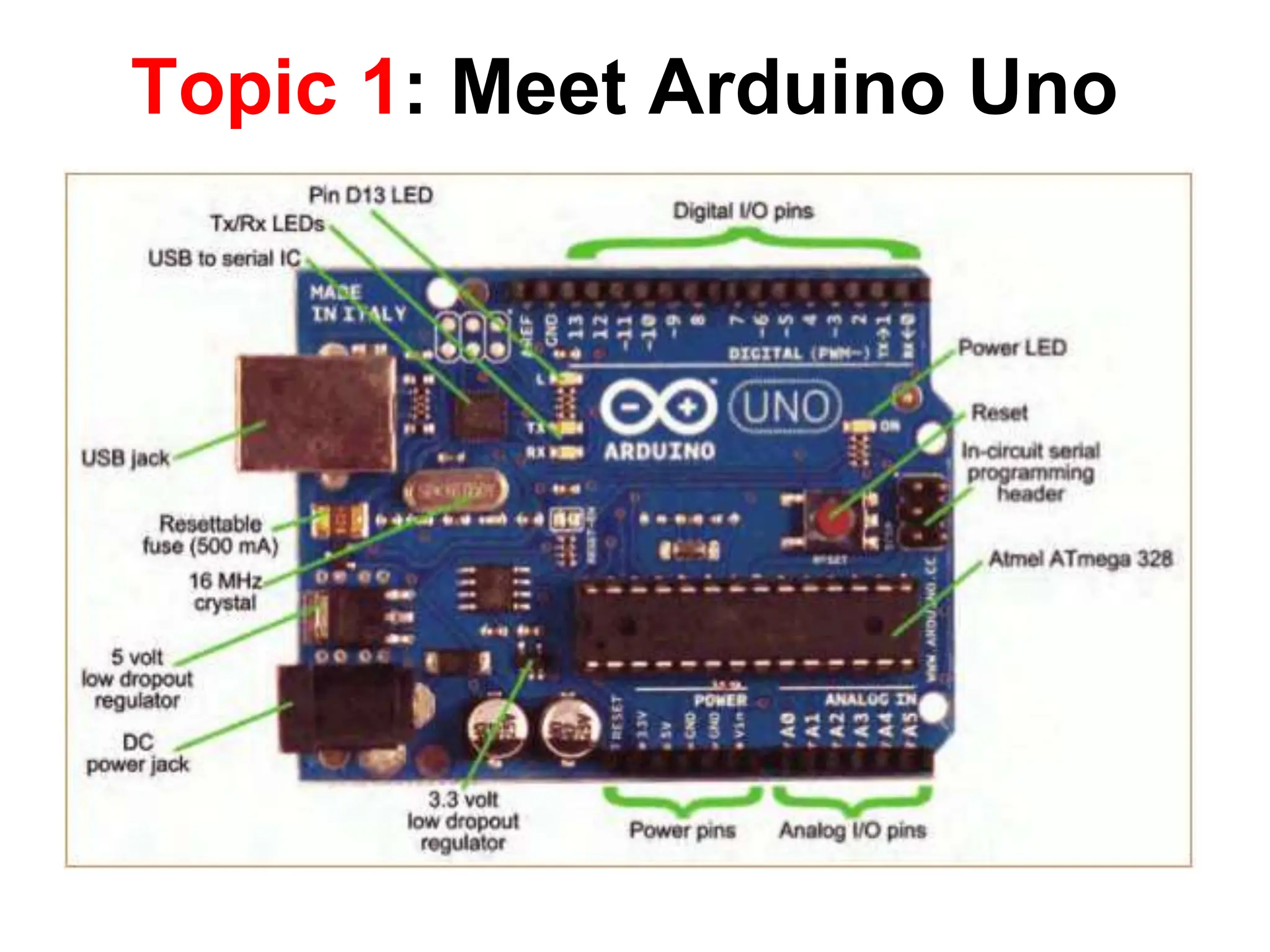
Topic 1: Meet Arduino Uno
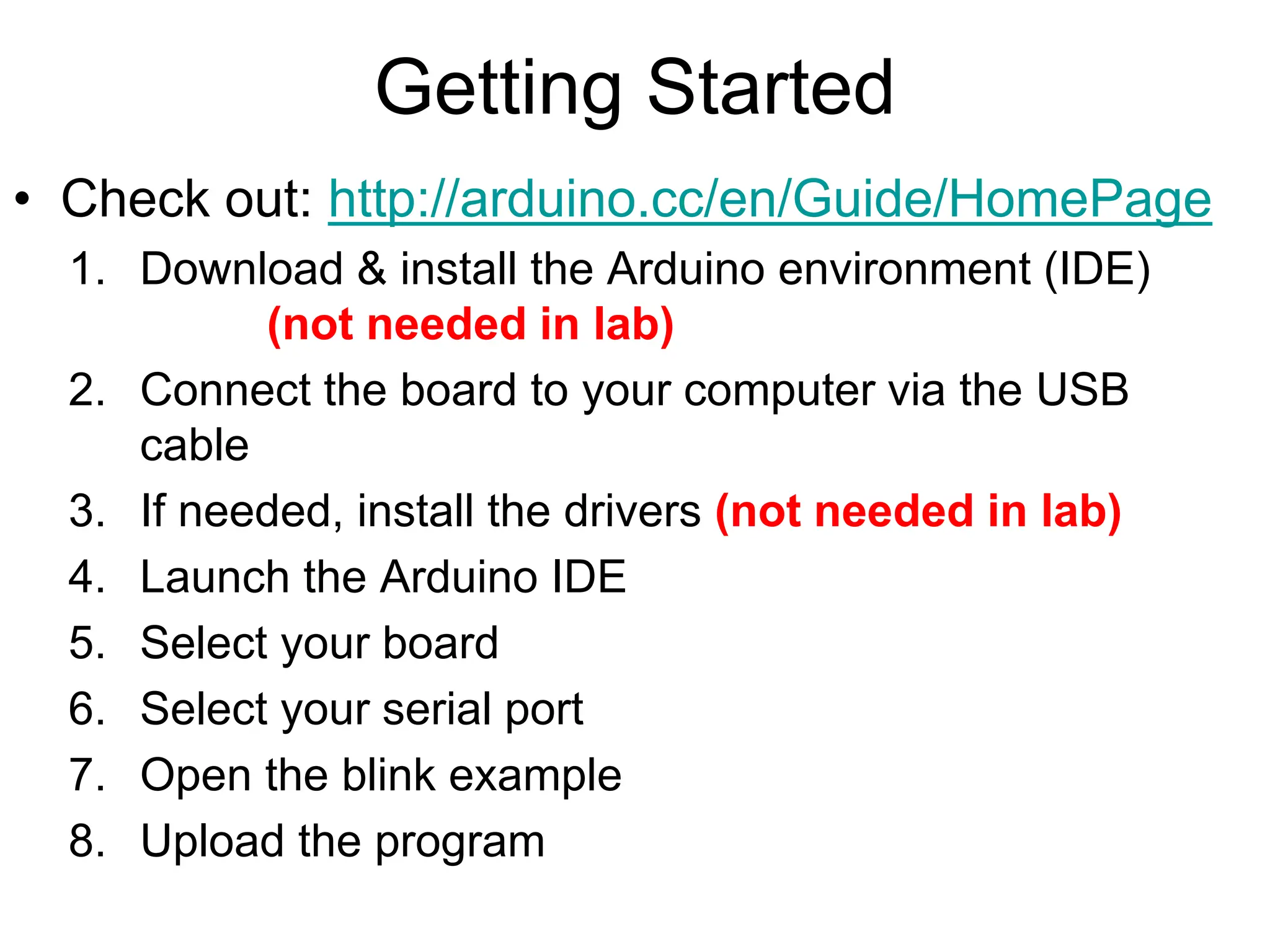
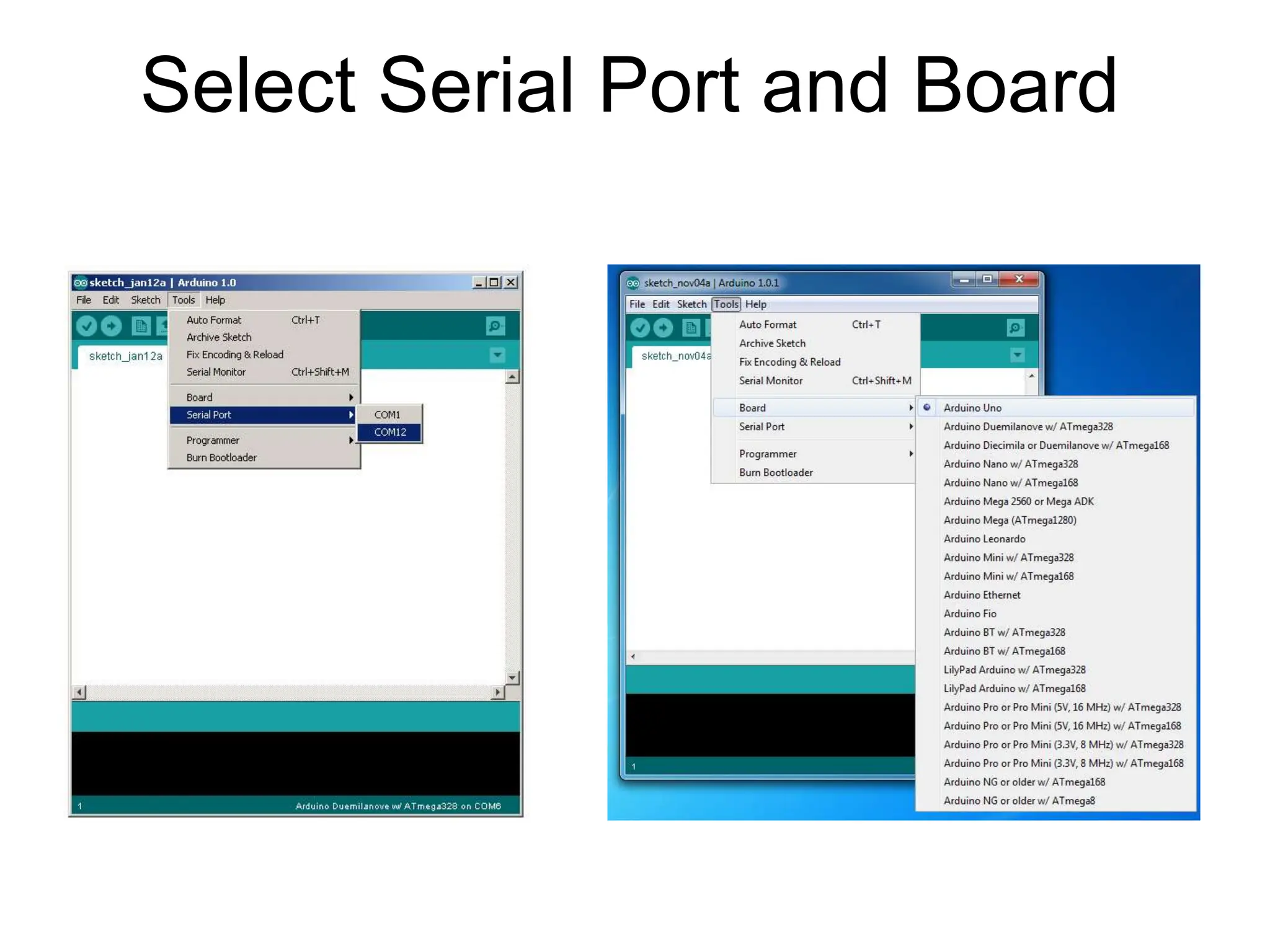
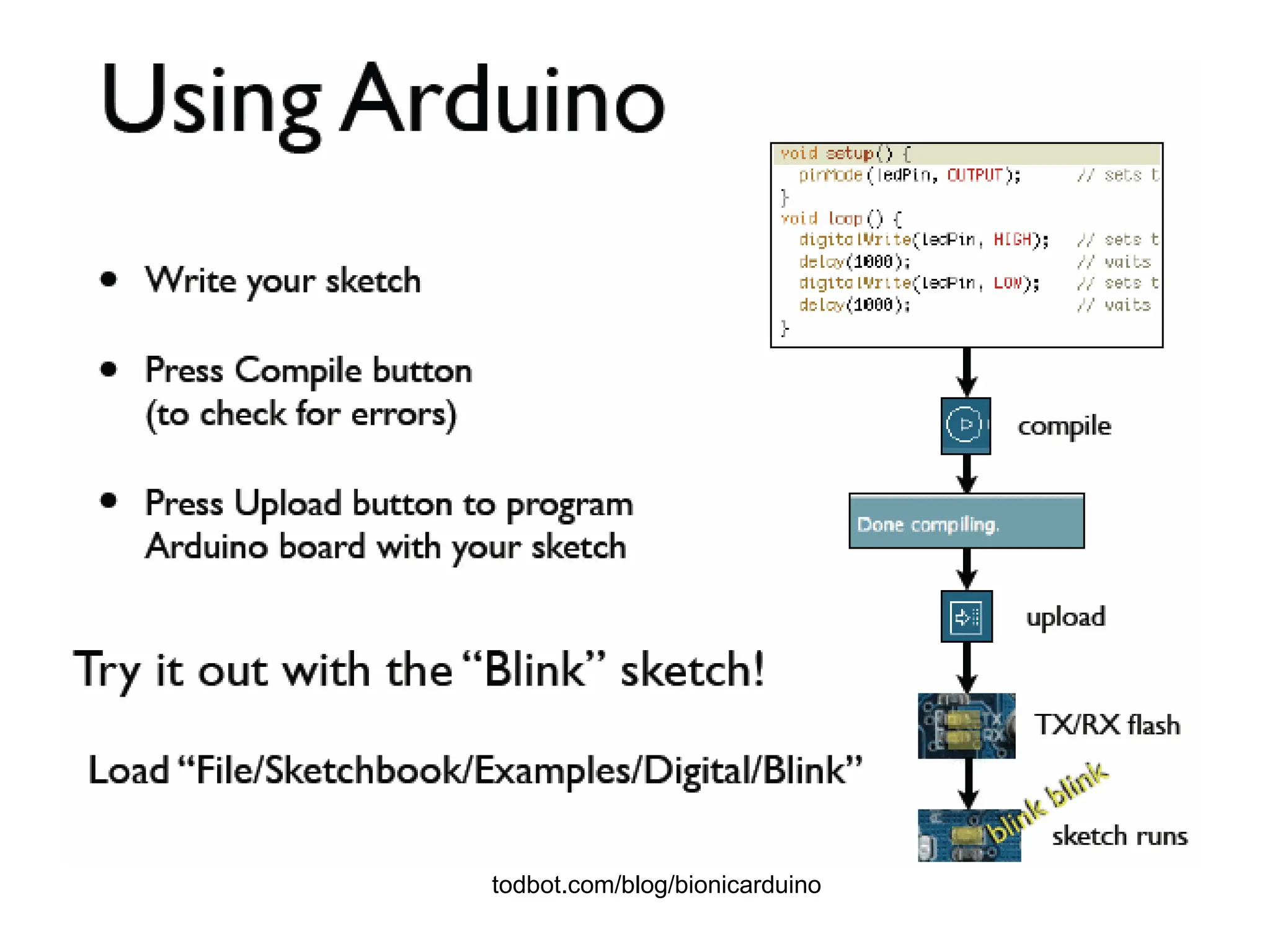
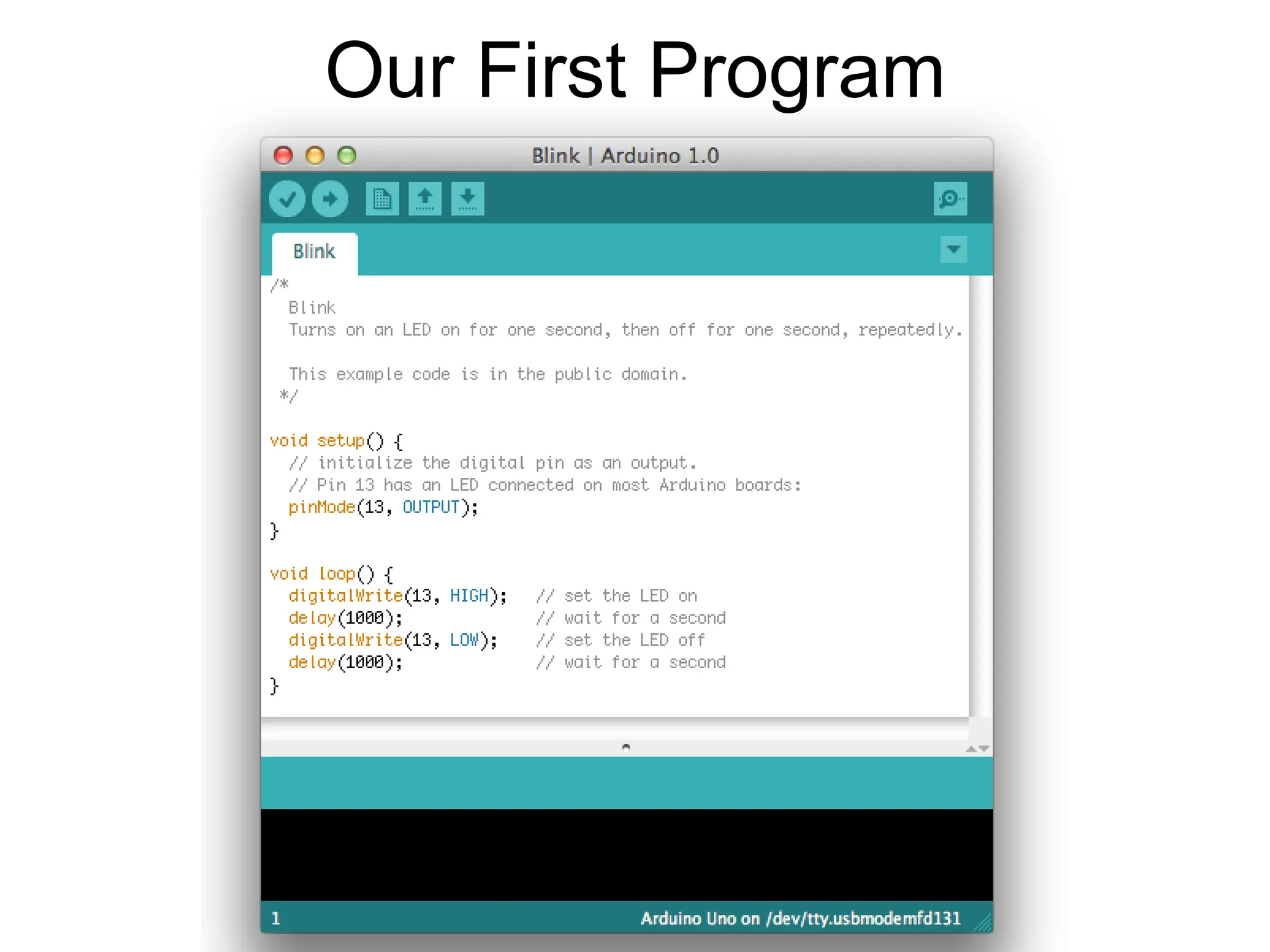
Getting Started • Check out: http://arduino.cc/en/Guide/HomePage 1. Download & install the Arduino environment (IDE) (not needed in lab) 2. Connect the board to your computer via the USB cable 3. If needed, install the drivers (not needed in lab) 4. Launch the Arduino IDE 5. Select your board 6. Select your serial port 7. Open the blink example 8. Upload the program
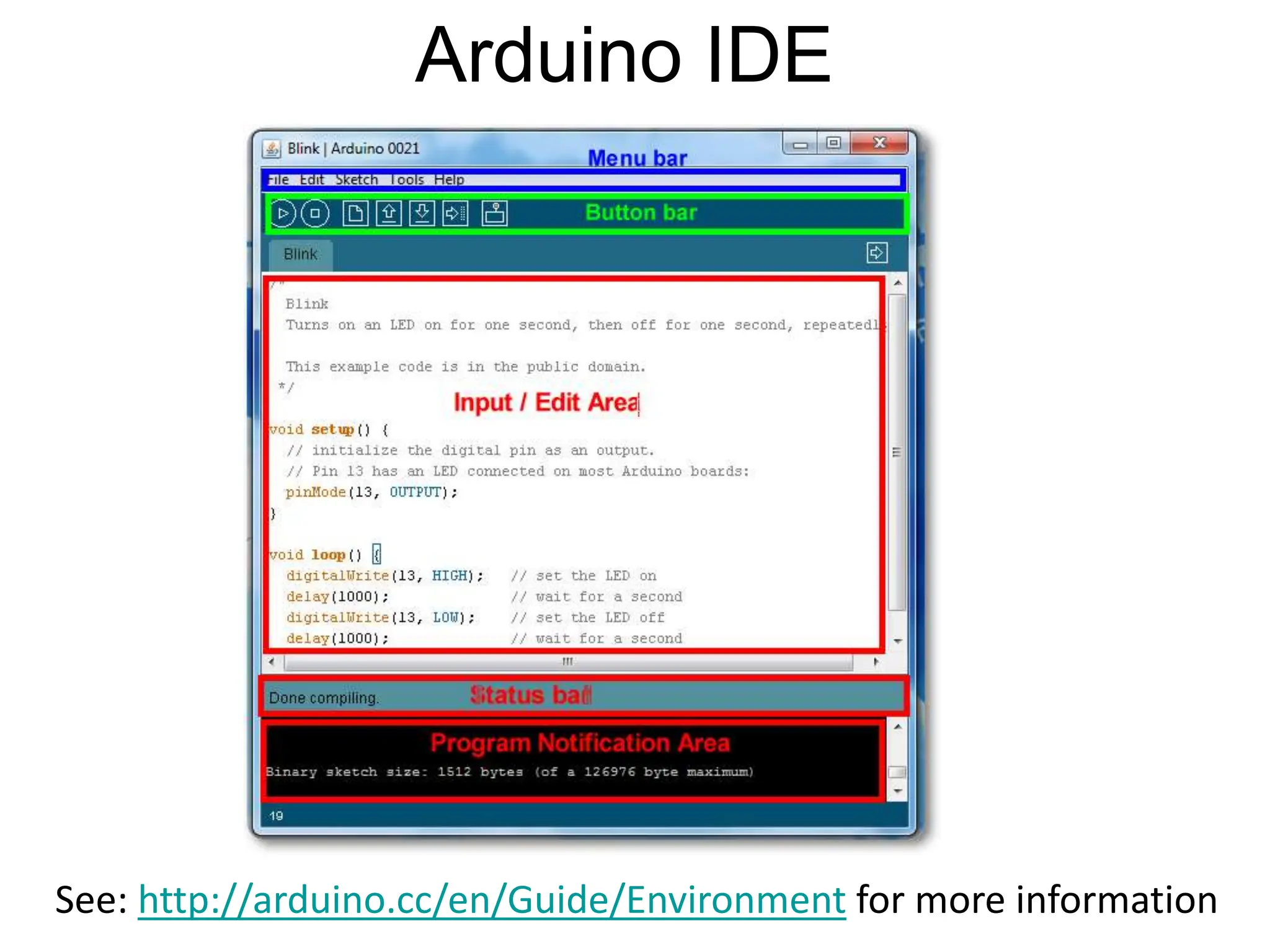
Arduino IDE See: http://arduino.cc/en/Guide/Environment for more information
Select Serial Port and Board
todbot.com/blog/bionicarduino
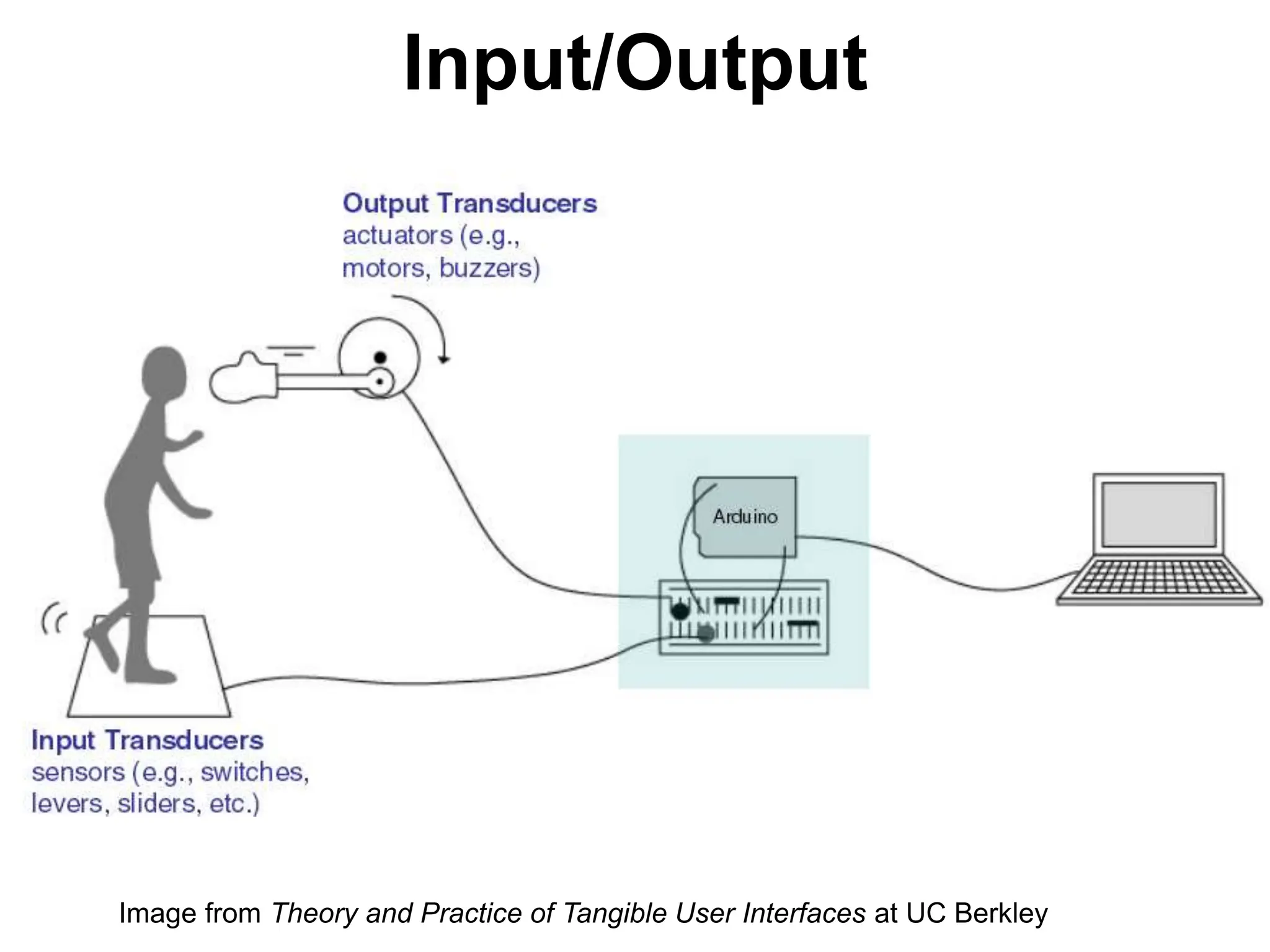
Input/Output Image from Theory and Practice of Tangible User Interfaces at UC Berkley
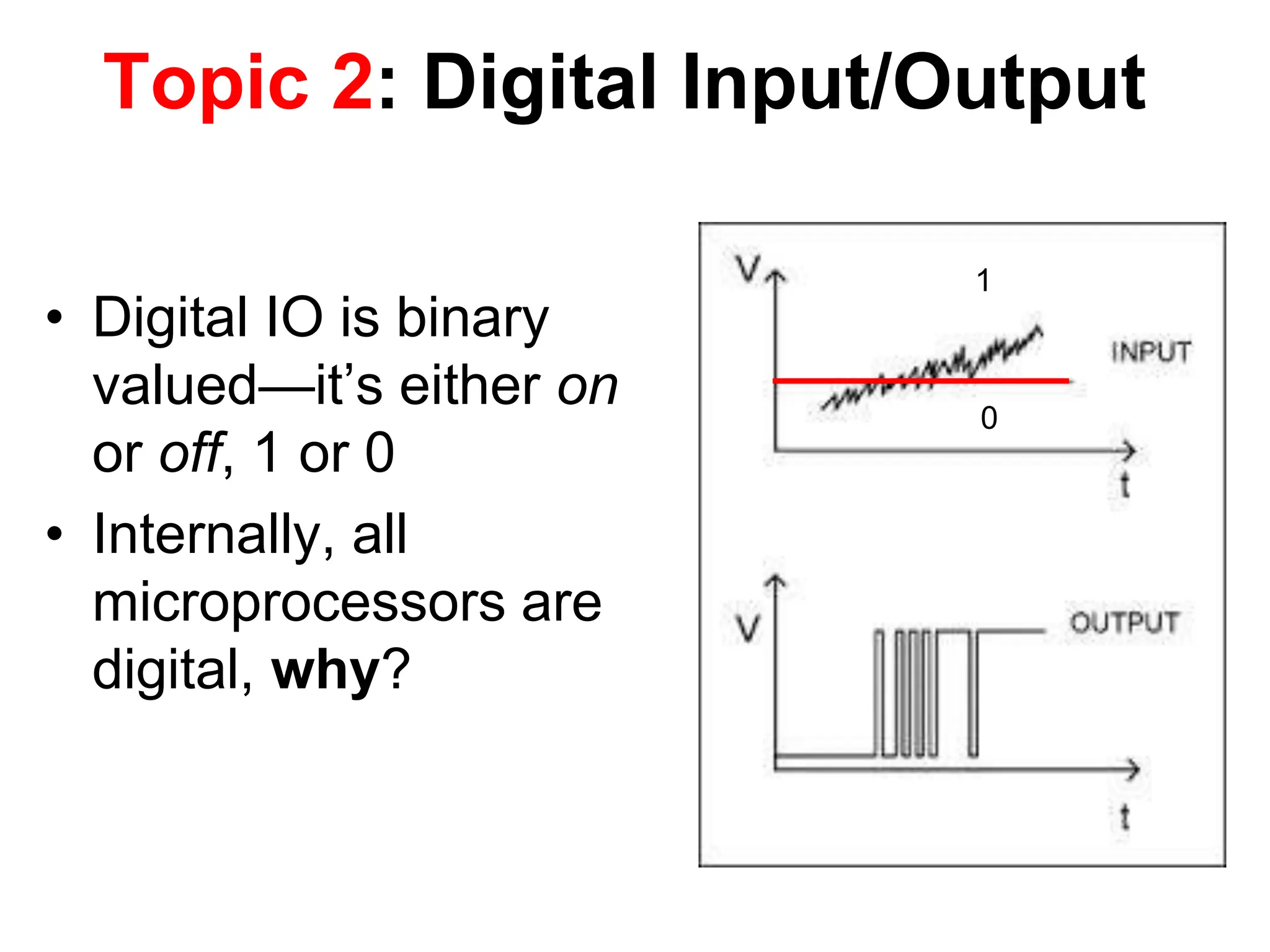
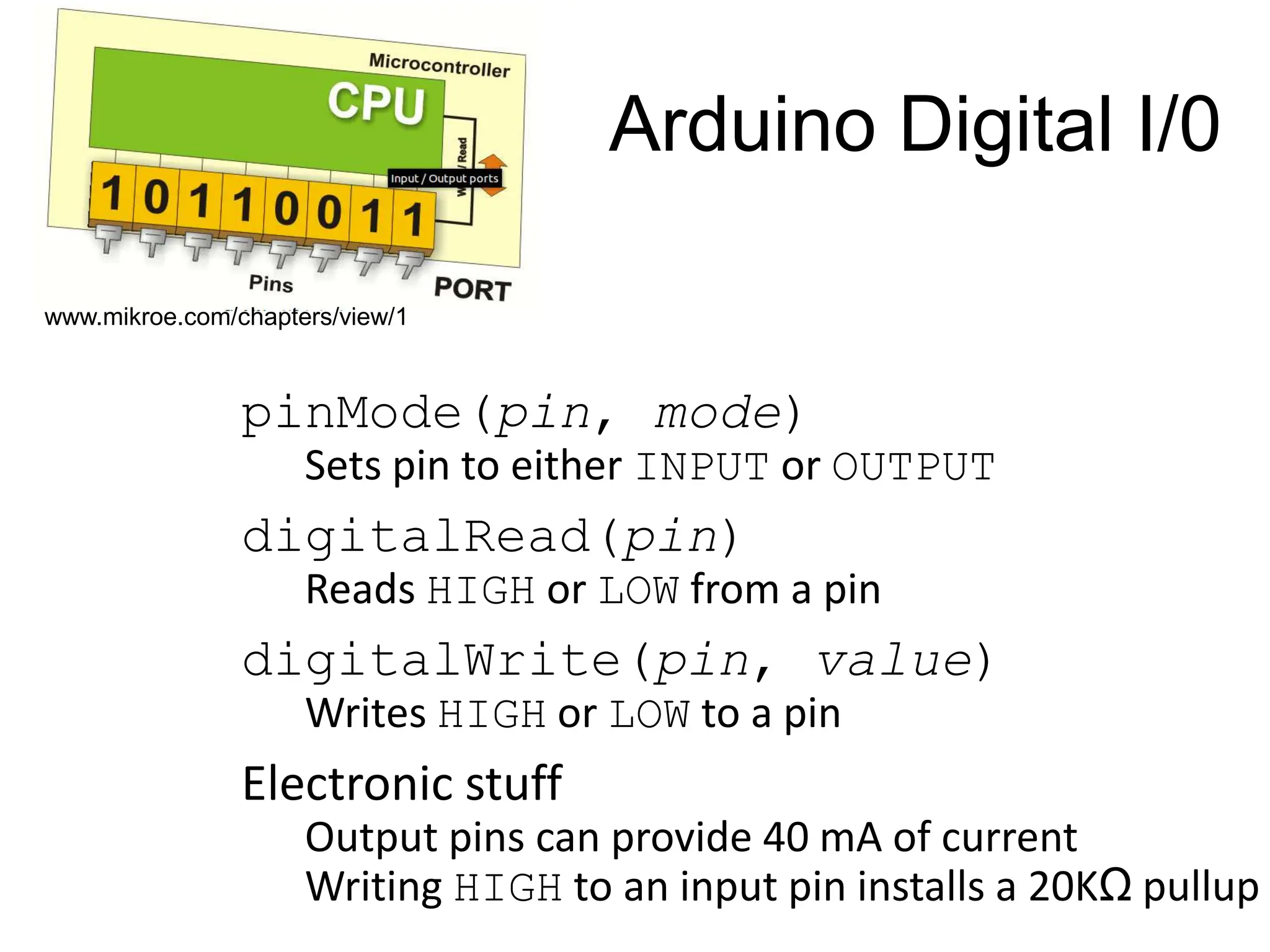
Topic 2: Digital Input/Output • Digital IO is binary valued—it’s either on or off, 1 or 0 • Internally, all microprocessors are digital, why? 1 0
Arduino Digital I/0 pinMode(pin, mode) Sets pin to either INPUT or OUTPUT digitalRead(pin) Reads HIGH or LOW from a pin digitalWrite(pin, value) Writes HIGH or LOW to a pin Electronic stuff Output pins can provide 40 mA of current Writing HIGH to an input pin installs a 20KΩ pullup www.mikroe.com/chapters/view/1
Our First Program
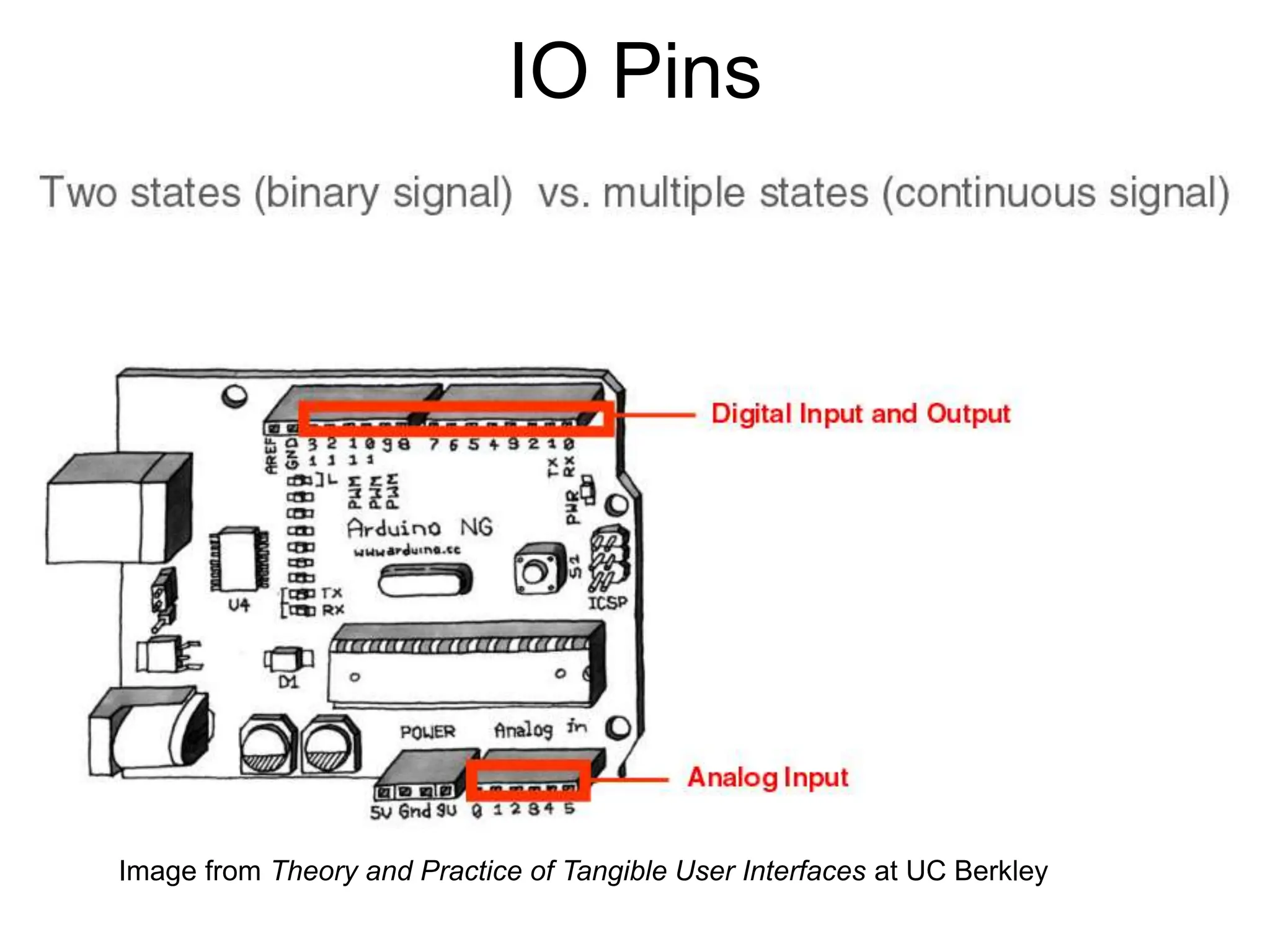
IO Pins Image from Theory and Practice of Tangible User Interfaces at UC Berkley
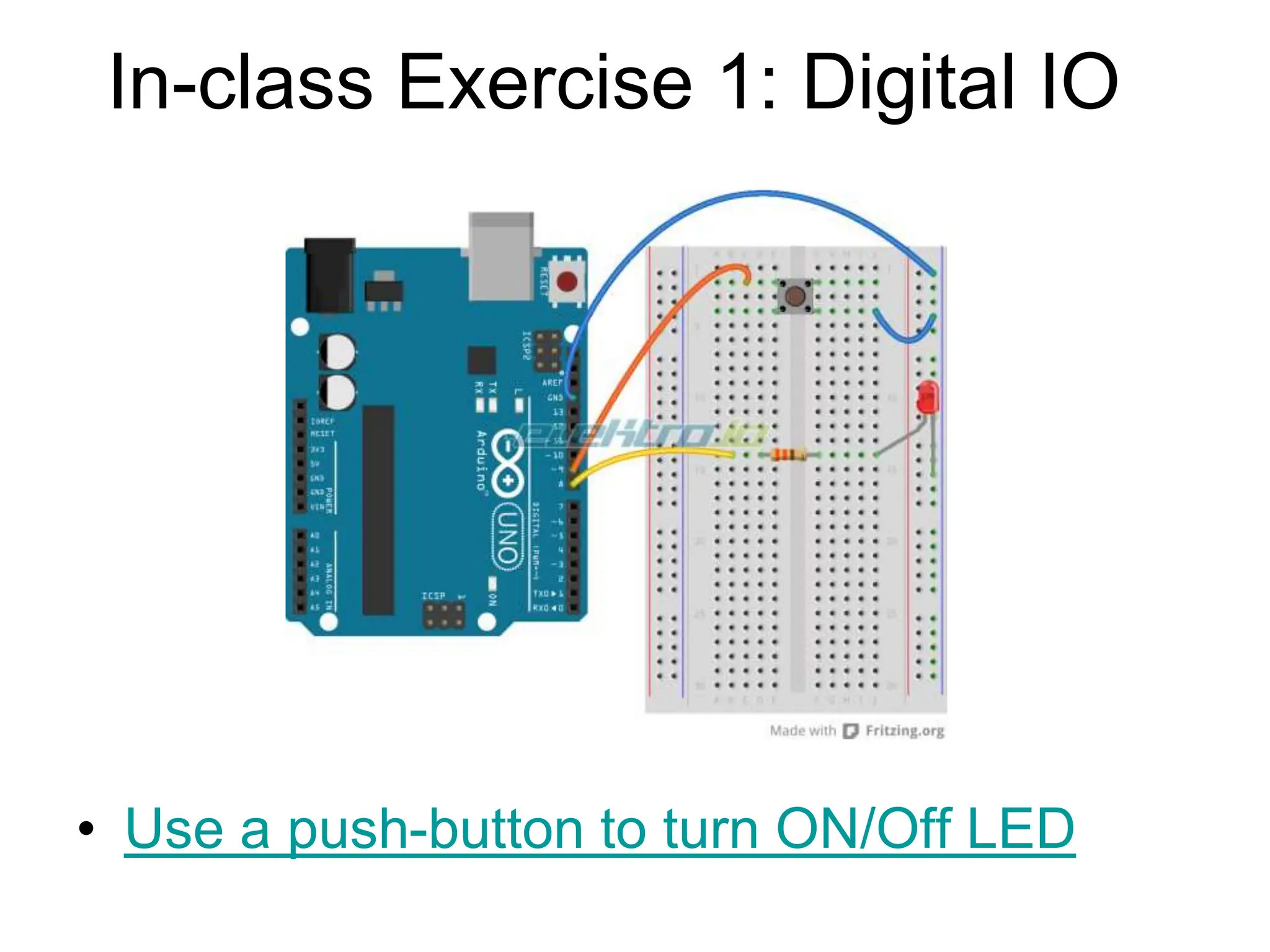
In-class Exercise 1: Digital IO • Use a push-button to turn ON/Off LED
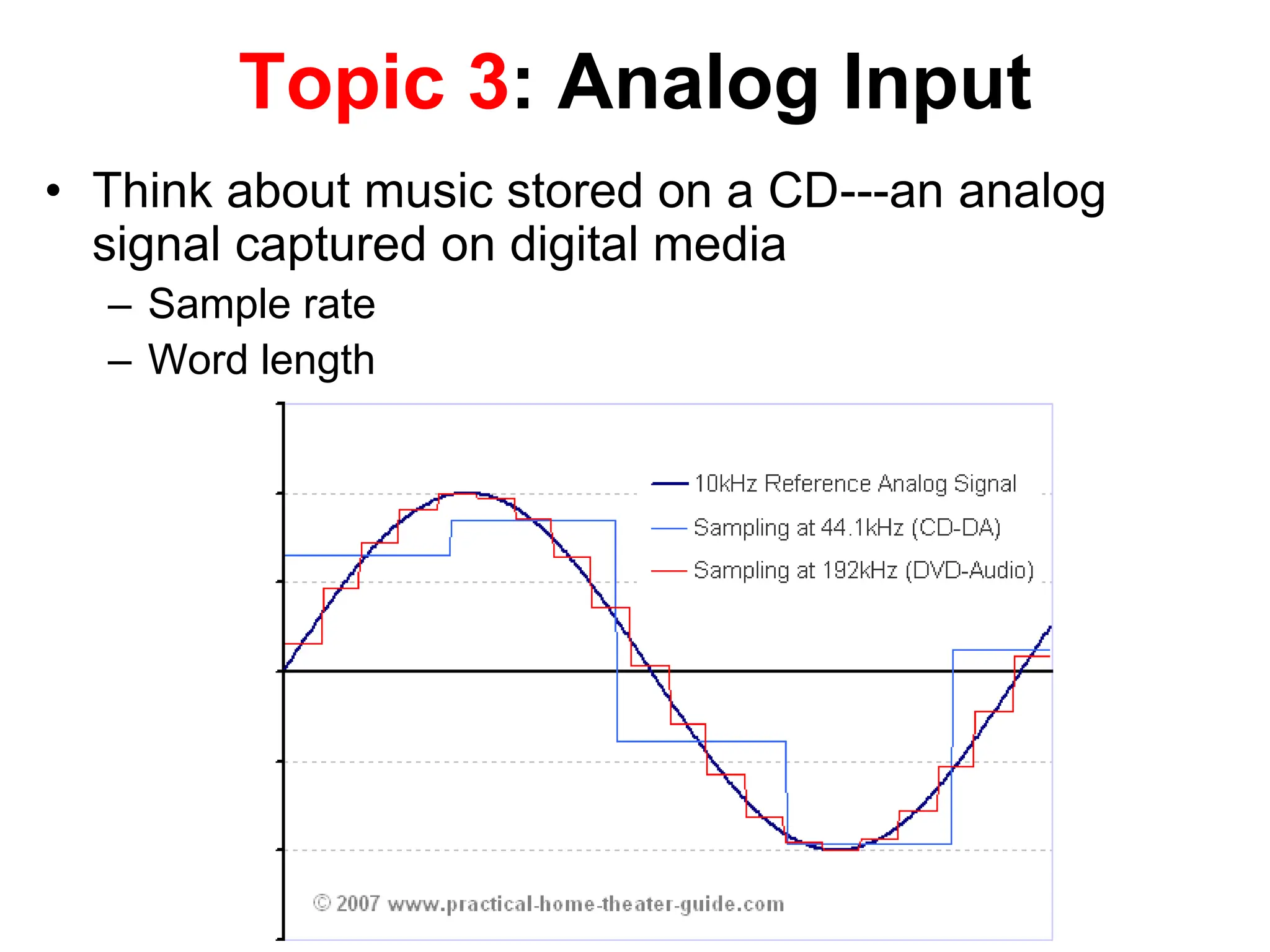
Topic 3: Analog Input • Think about music stored on a CD---an analog signal captured on digital media – Sample rate – Word length
• Resolution: the number of different voltage levels (i.e., states) used to discretize an input signal • Resolution values range from 256 states (8 bits) to 4,294,967,296 states (32 bits) • The Arduino uses 1024 states (10 bits) • Smallest measurable voltage change is 5V/1024 or 4.8 mV • Maximum sample rate is 10,000 times a second Arduino Analog Input Image credit: Tod Kurt
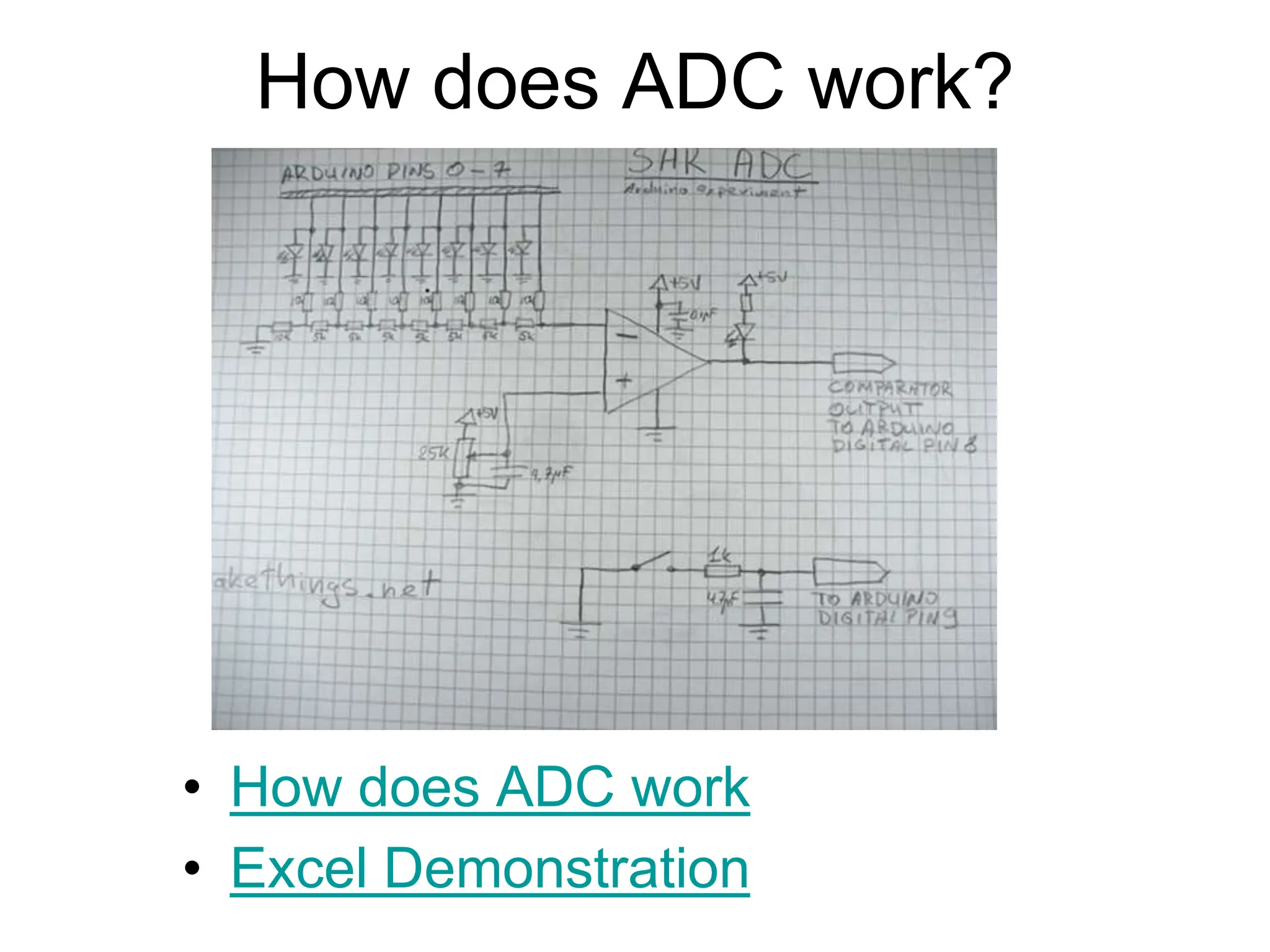
How does ADC work? • How does ADC work • Excel Demonstration
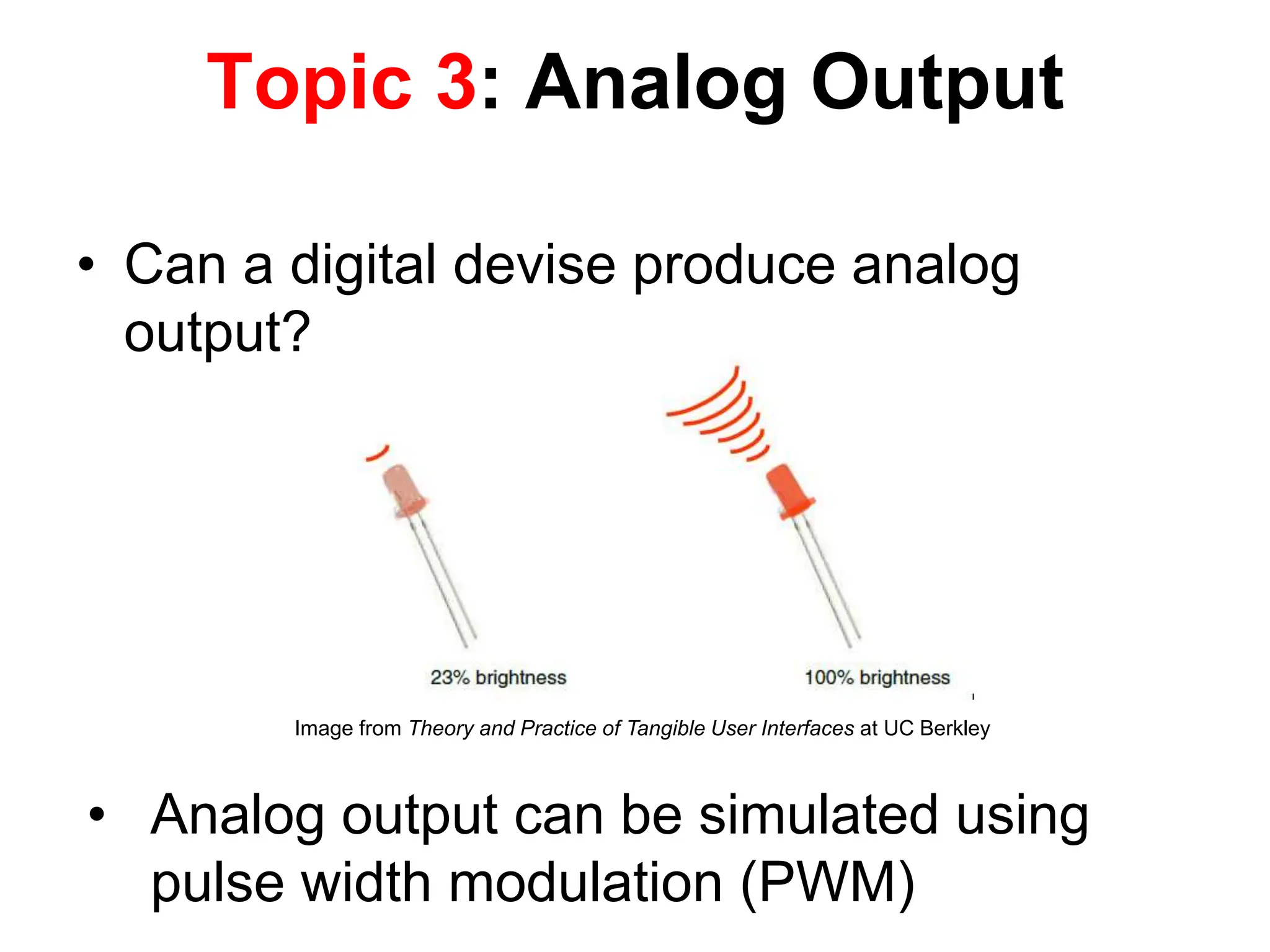
• Can a digital devise produce analog output? Topic 3: Analog Output • Analog output can be simulated using pulse width modulation (PWM) Image from Theory and Practice of Tangible User Interfaces at UC Berkley
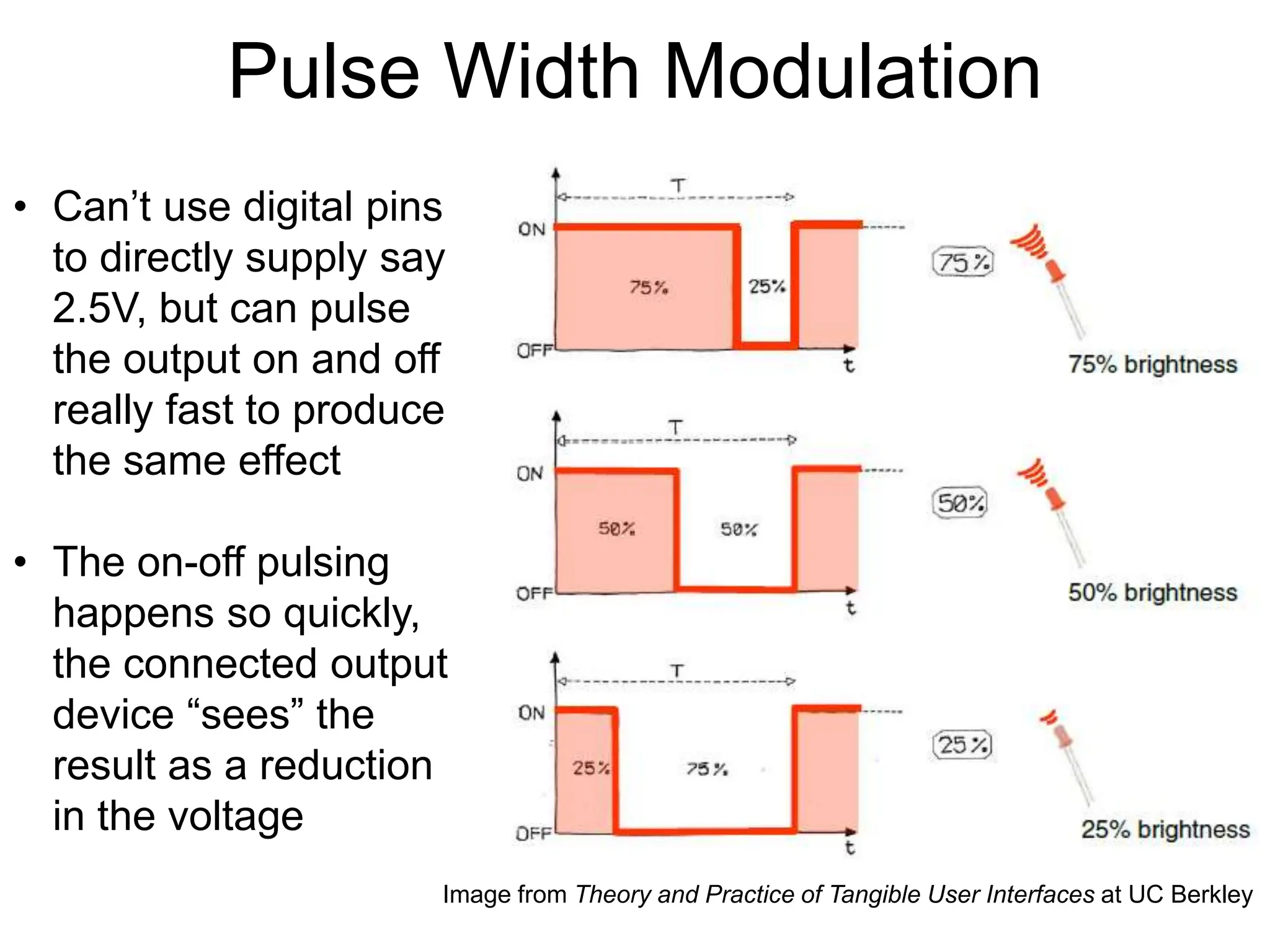
Pulse Width Modulation • Can’t use digital pins to directly supply say 2.5V, but can pulse the output on and off really fast to produce the same effect • The on-off pulsing happens so quickly, the connected output device “sees” the result as a reduction in the voltage Image from Theory and Practice of Tangible User Interfaces at UC Berkley
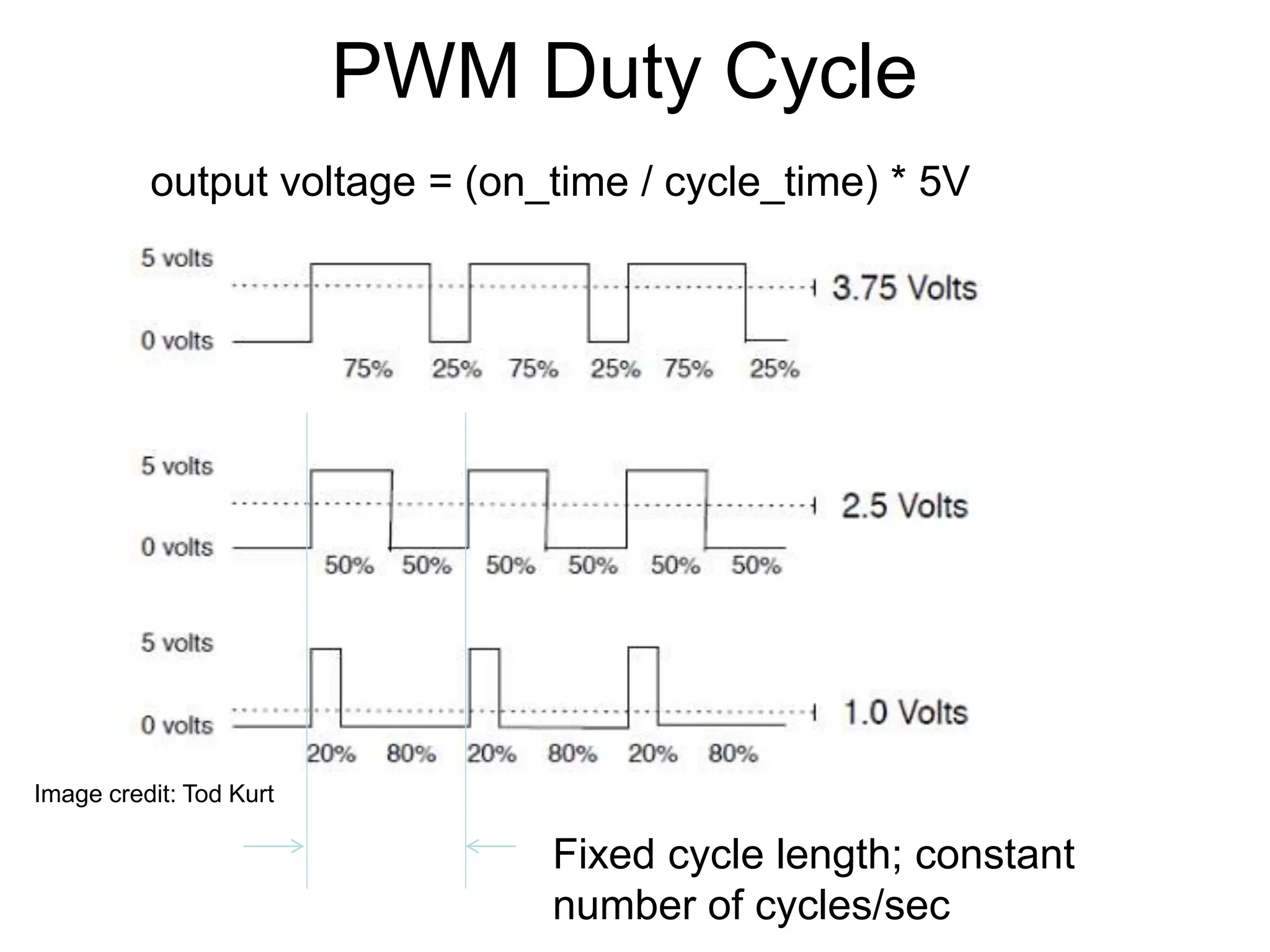
PWM Duty Cycle Fixed cycle length; constant number of cycles/sec Image credit: Tod Kurt output voltage = (on_time / cycle_time) * 5V
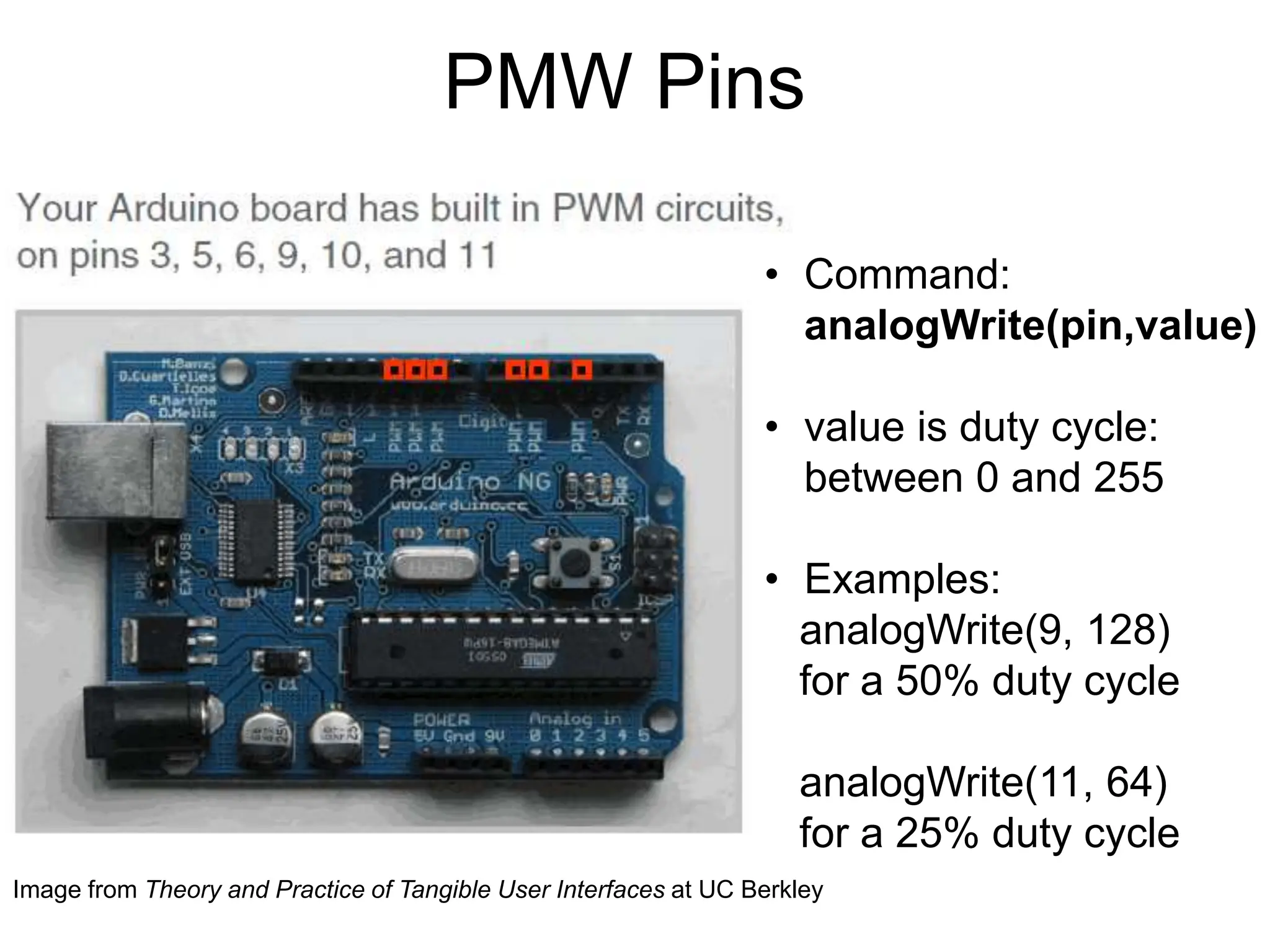
PMW Pins • Command: analogWrite(pin,value) • value is duty cycle: between 0 and 255 • Examples: analogWrite(9, 128) for a 50% duty cycle analogWrite(11, 64) for a 25% duty cycle Image from Theory and Practice of Tangible User Interfaces at UC Berkley
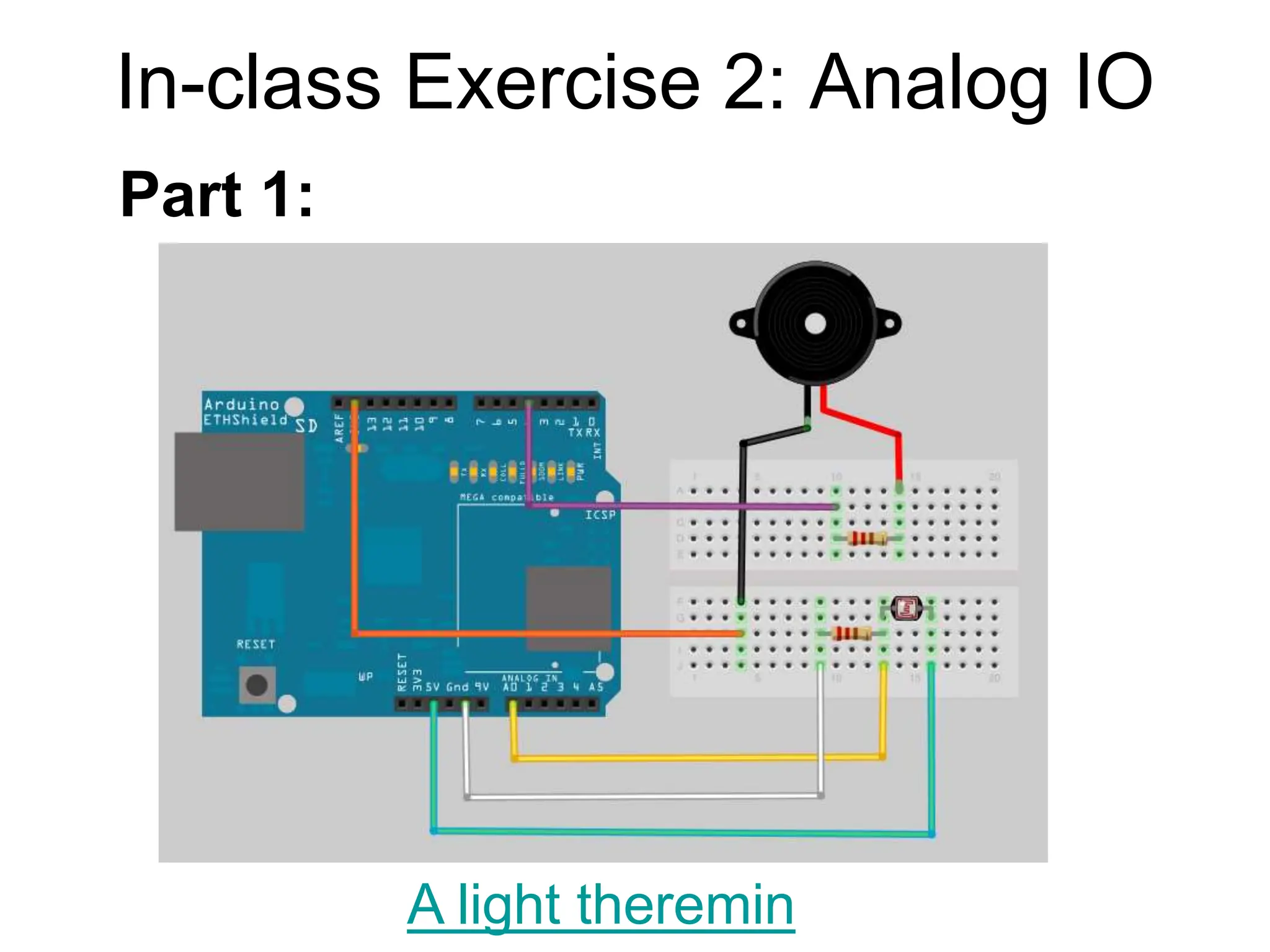
In-class Exercise 2: Analog IO A light theremin Part 1:
In-class Exercise 2: Analog IO • Add a 330 ohm resistor and an LED to pin 9 • Using the analogWrite() command, set the intensity of the LED as a function of the value of prReading Part 2: Add an LED
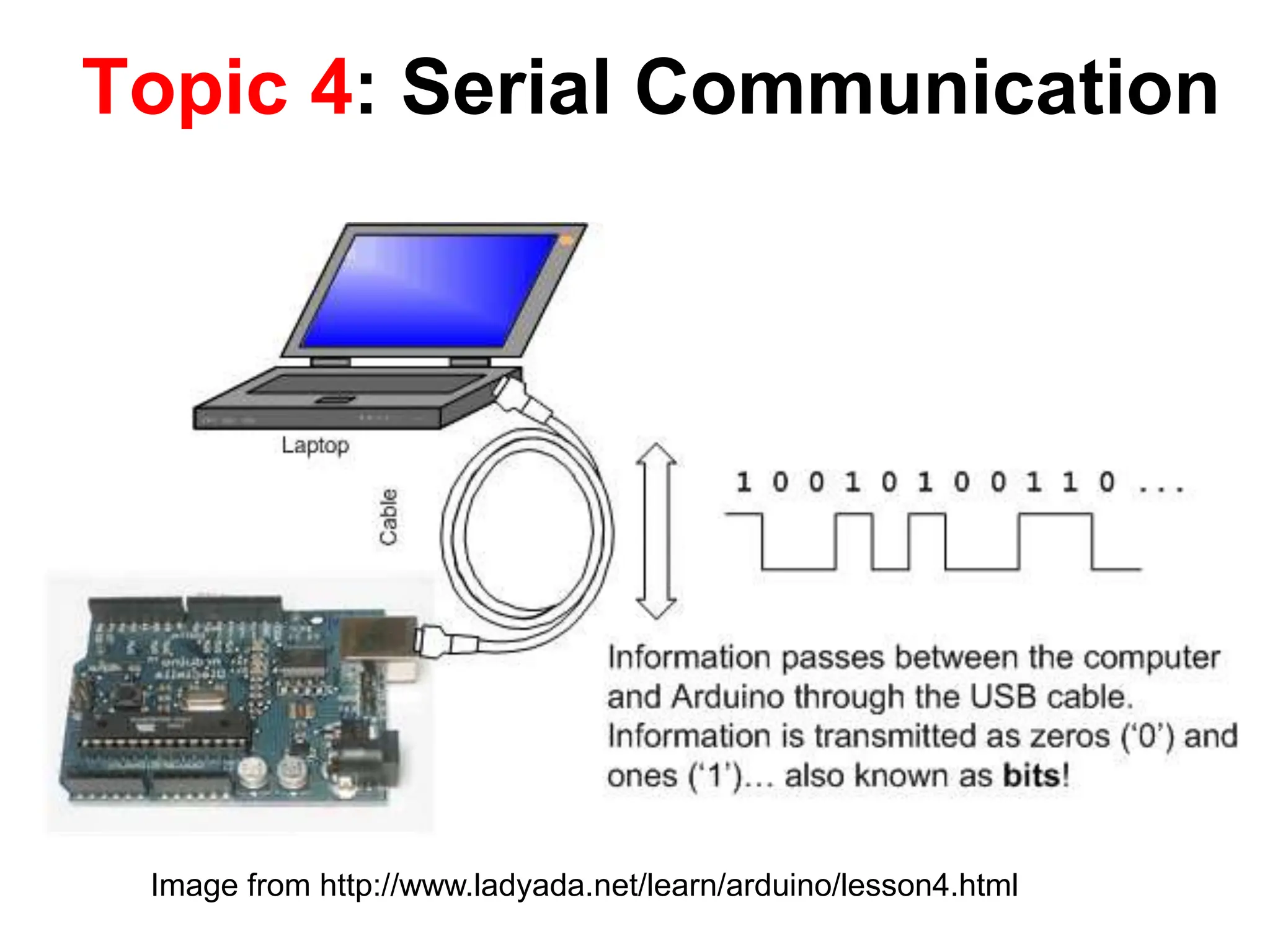
Topic 4: Serial Communication Image from http://www.ladyada.net/learn/arduino/lesson4.html
todbot.com/blog/bionicarduino
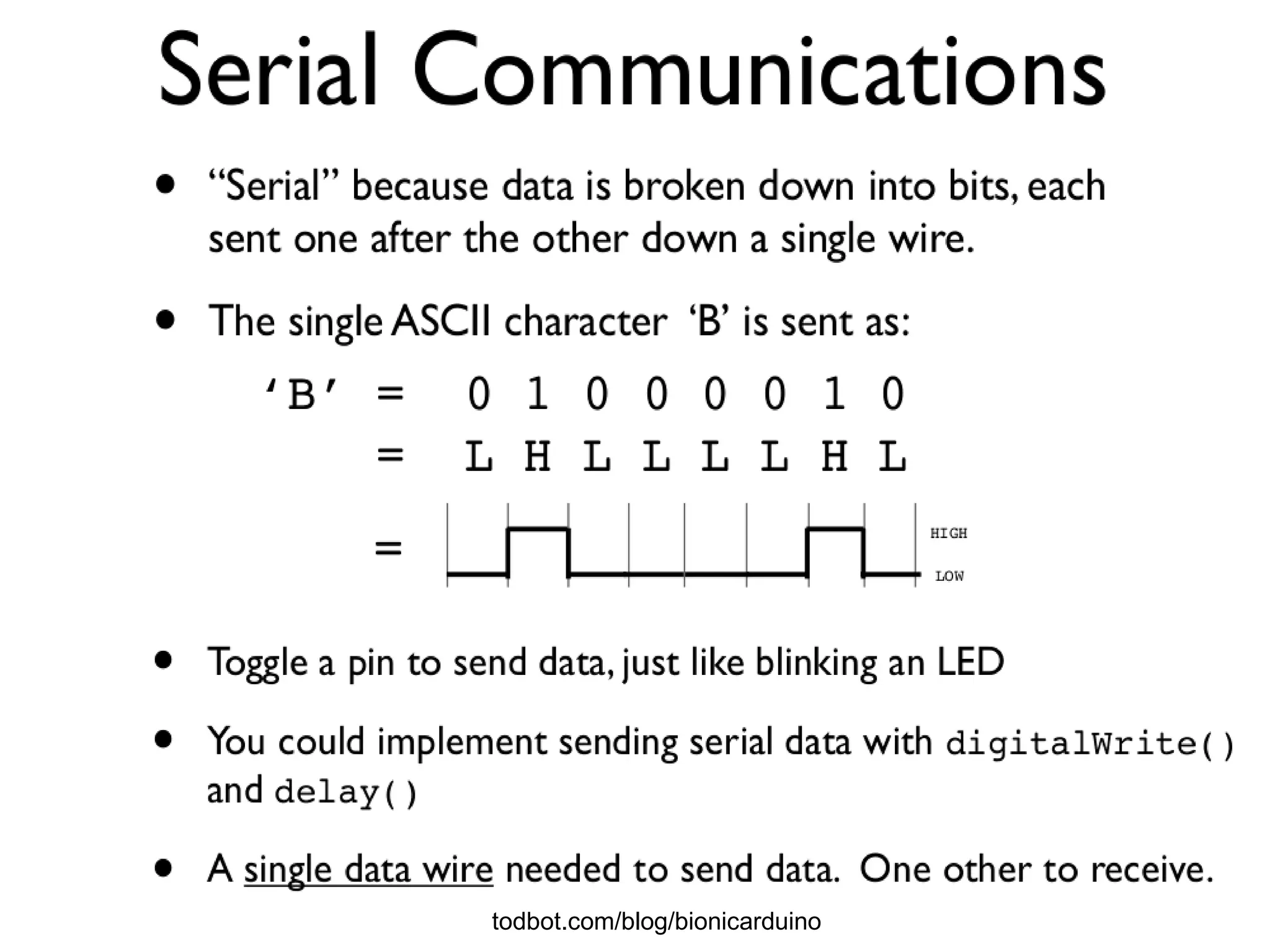
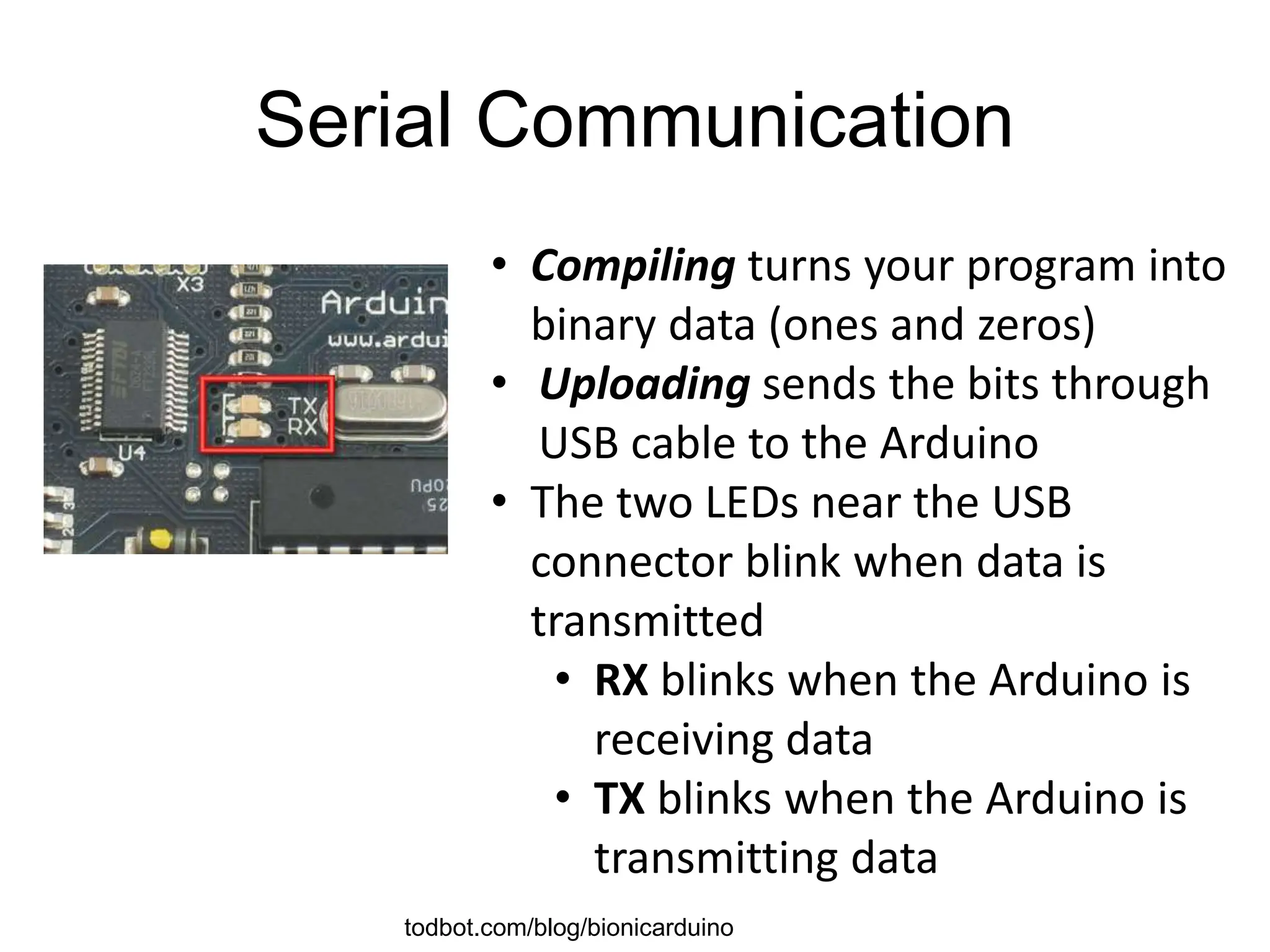
Serial Communication • Compiling turns your program into binary data (ones and zeros) • Uploading sends the bits through USB cable to the Arduino • The two LEDs near the USB connector blink when data is transmitted • RX blinks when the Arduino is receiving data • TX blinks when the Arduino is transmitting data todbot.com/blog/bionicarduino
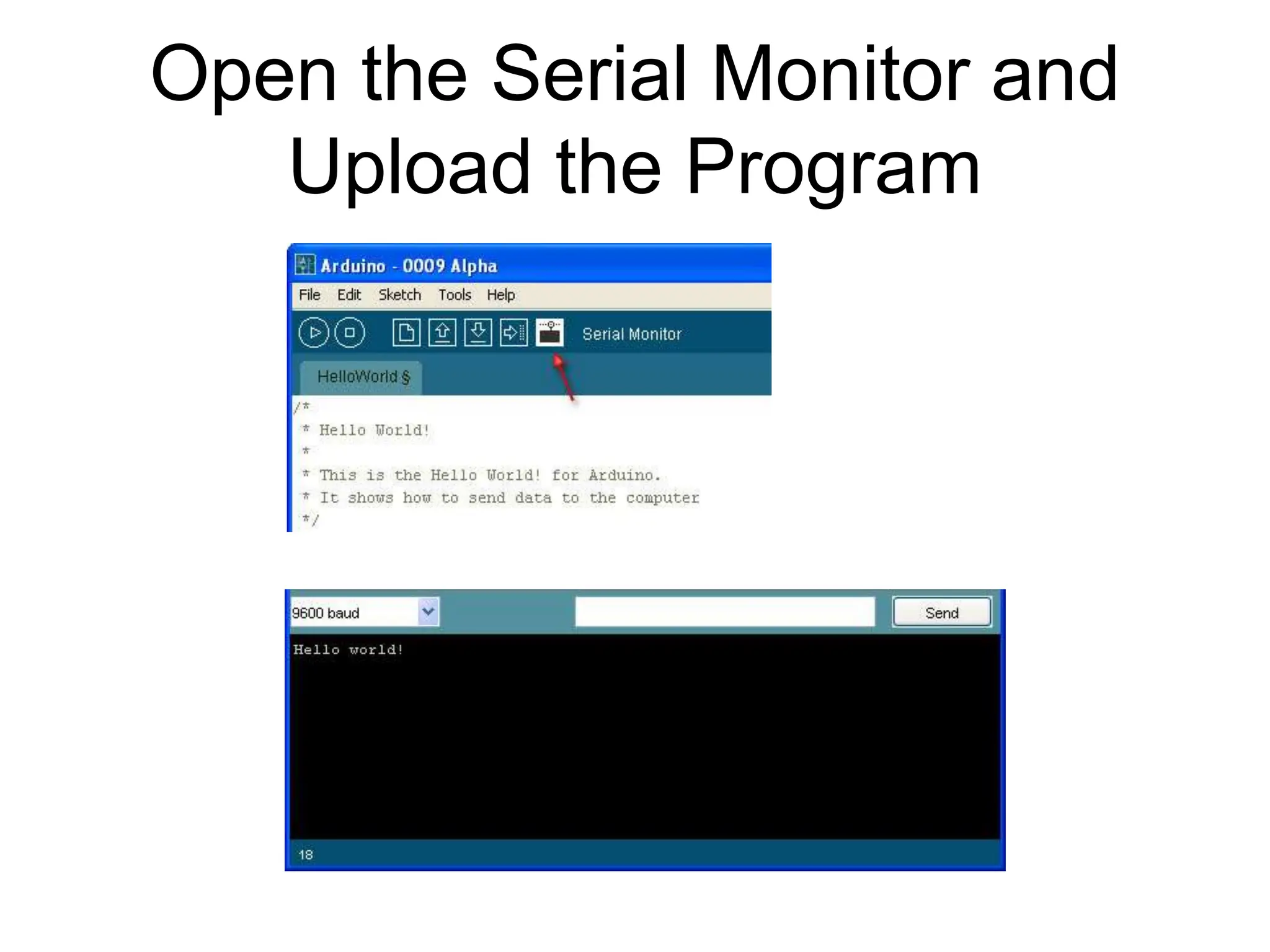
Open the Serial Monitor and Upload the Program
Some Commands • Serial.begin() - e.g., Serial.begin(9600) • Serial.print() or Serial.println() - e.g., Serial.print(value) • Serial.read() • Serial.available() • Serial.write() • Serial.parseInt() • Example Program
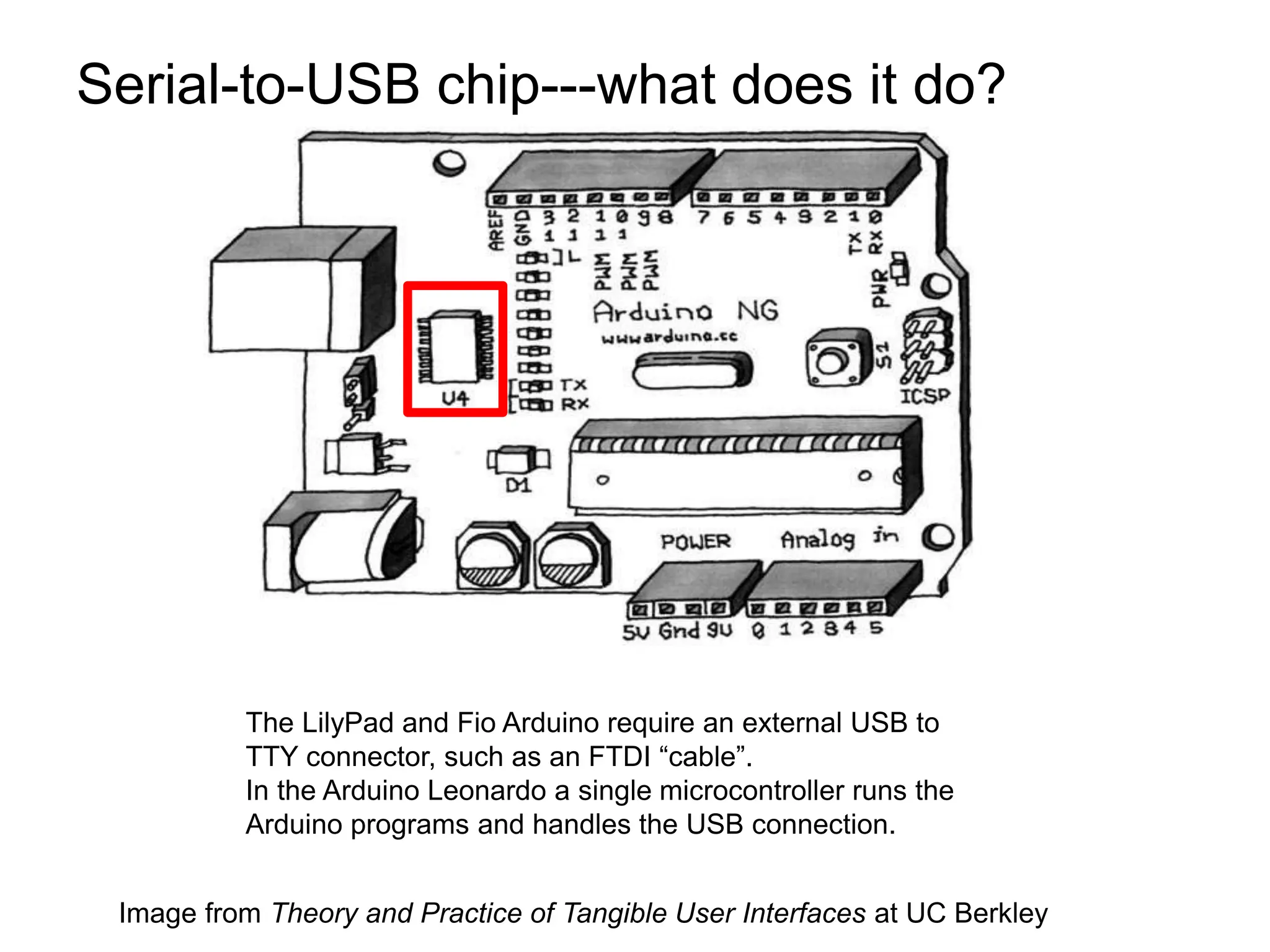
Serial-to-USB chip---what does it do? Image from Theory and Practice of Tangible User Interfaces at UC Berkley The LilyPad and Fio Arduino require an external USB to TTY connector, such as an FTDI “cable”. In the Arduino Leonardo a single microcontroller runs the Arduino programs and handles the USB connection.
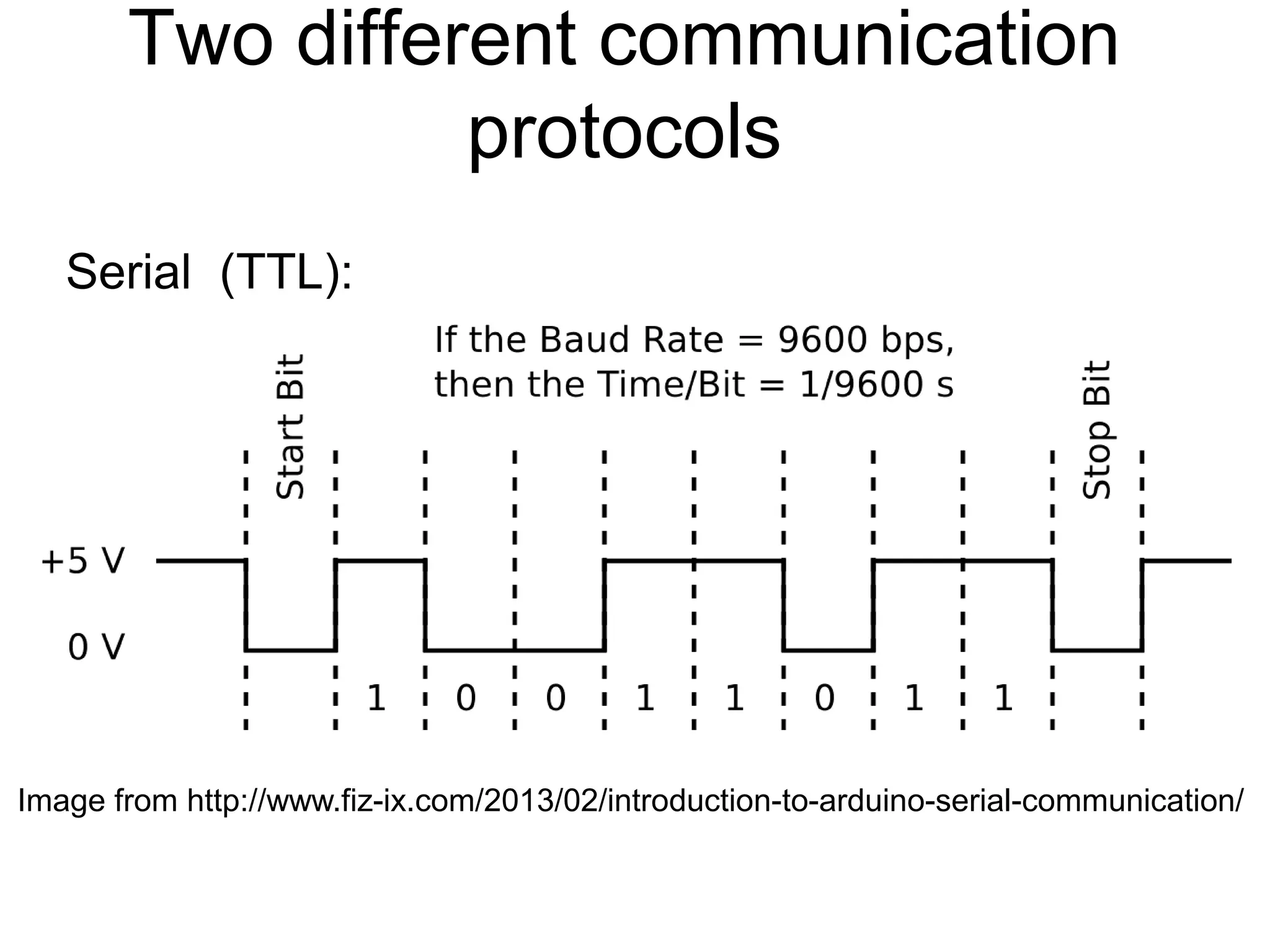
Two different communication protocols Serial (TTL): Image from http://www.fiz-ix.com/2013/02/introduction-to-arduino-serial-communication/
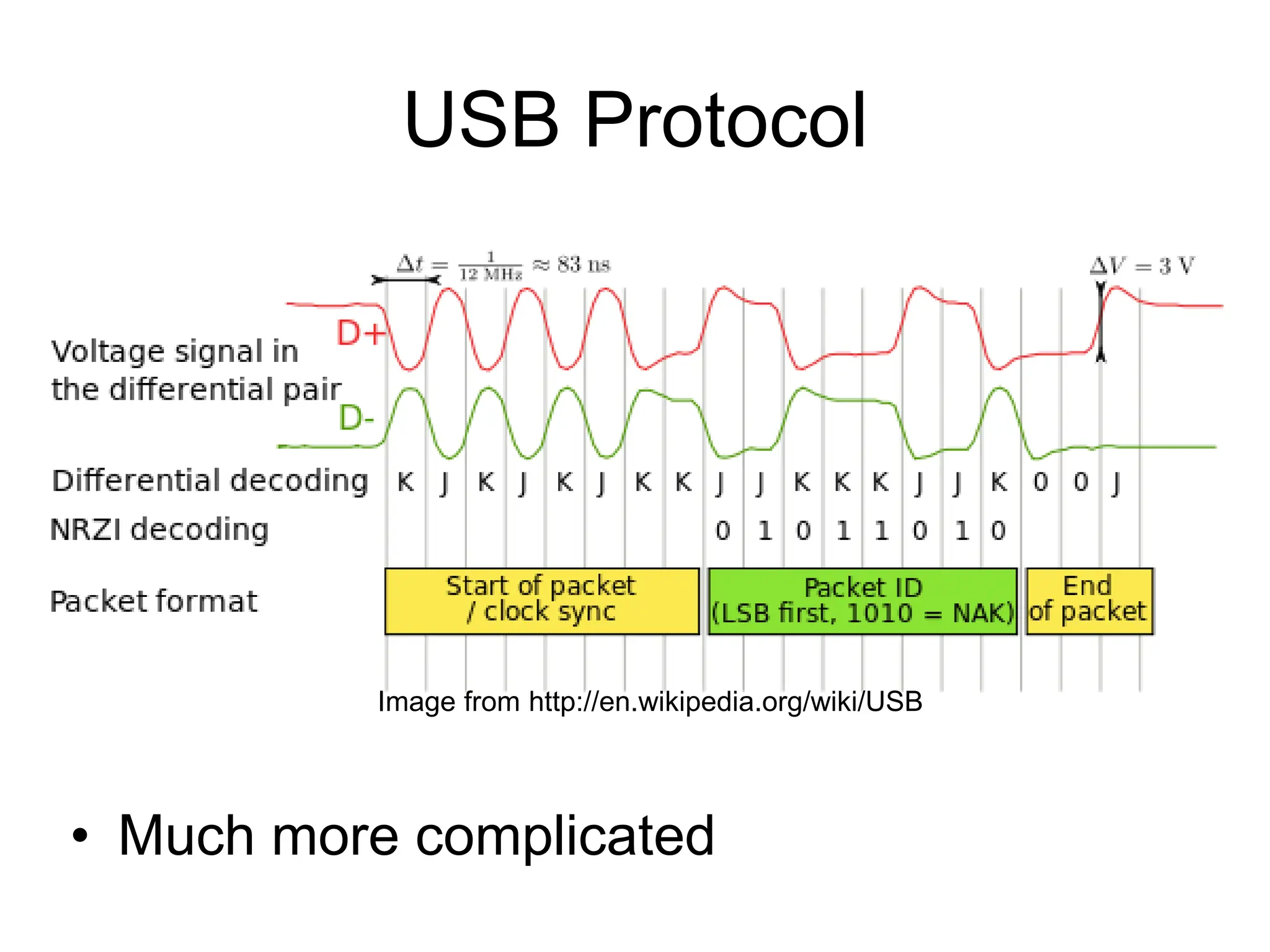
USB Protocol • Much more complicated Image from http://en.wikipedia.org/wiki/USB
In-class Exercise 3: Serial Communication Modify your program from in-class exercise 2-part 2 to control the intensity of the LED attached to pin 9 based on keyboard input. Use the Serial.parseInt() method to read numeric keyboard input as an integer. An input of 9 should produce full intensity and an input of 0 should turn the LED off.

Fundamentals of programming Arduino-Wk2.ppt

  • 1.
    Intro to theArduino Topics: The Arduino Digital IO Analog IO Serial Communication
  • 2.
    Topic 1: MeetArduino Uno
  • 3.
    Getting Started • Checkout: http://arduino.cc/en/Guide/HomePage 1. Download & install the Arduino environment (IDE) (not needed in lab) 2. Connect the board to your computer via the USB cable 3. If needed, install the drivers (not needed in lab) 4. Launch the Arduino IDE 5. Select your board 6. Select your serial port 7. Open the blink example 8. Upload the program
  • 4.
  • 5.
  • 6.
  • 7.
    Input/Output Image from Theoryand Practice of Tangible User Interfaces at UC Berkley
  • 8.
    Topic 2: DigitalInput/Output • Digital IO is binary valued—it’s either on or off, 1 or 0 • Internally, all microprocessors are digital, why? 1 0
  • 9.
    Arduino Digital I/0 pinMode(pin,mode) Sets pin to either INPUT or OUTPUT digitalRead(pin) Reads HIGH or LOW from a pin digitalWrite(pin, value) Writes HIGH or LOW to a pin Electronic stuff Output pins can provide 40 mA of current Writing HIGH to an input pin installs a 20KΩ pullup www.mikroe.com/chapters/view/1
  • 10.
  • 11.
    IO Pins Image fromTheory and Practice of Tangible User Interfaces at UC Berkley
  • 12.
    In-class Exercise 1:Digital IO • Use a push-button to turn ON/Off LED
  • 13.
    Topic 3: AnalogInput • Think about music stored on a CD---an analog signal captured on digital media – Sample rate – Word length
  • 14.
    • Resolution: thenumber of different voltage levels (i.e., states) used to discretize an input signal • Resolution values range from 256 states (8 bits) to 4,294,967,296 states (32 bits) • The Arduino uses 1024 states (10 bits) • Smallest measurable voltage change is 5V/1024 or 4.8 mV • Maximum sample rate is 10,000 times a second Arduino Analog Input Image credit: Tod Kurt
  • 15.
    How does ADCwork? • How does ADC work • Excel Demonstration
  • 16.
    • Can adigital devise produce analog output? Topic 3: Analog Output • Analog output can be simulated using pulse width modulation (PWM) Image from Theory and Practice of Tangible User Interfaces at UC Berkley
  • 17.
    Pulse Width Modulation •Can’t use digital pins to directly supply say 2.5V, but can pulse the output on and off really fast to produce the same effect • The on-off pulsing happens so quickly, the connected output device “sees” the result as a reduction in the voltage Image from Theory and Practice of Tangible User Interfaces at UC Berkley
  • 18.
    PWM Duty Cycle Fixedcycle length; constant number of cycles/sec Image credit: Tod Kurt output voltage = (on_time / cycle_time) * 5V
  • 19.
    PMW Pins • Command: analogWrite(pin,value) •value is duty cycle: between 0 and 255 • Examples: analogWrite(9, 128) for a 50% duty cycle analogWrite(11, 64) for a 25% duty cycle Image from Theory and Practice of Tangible User Interfaces at UC Berkley
  • 20.
    In-class Exercise 2:Analog IO A light theremin Part 1:
  • 21.
    In-class Exercise 2:Analog IO • Add a 330 ohm resistor and an LED to pin 9 • Using the analogWrite() command, set the intensity of the LED as a function of the value of prReading Part 2: Add an LED
  • 22.
    Topic 4: SerialCommunication Image from http://www.ladyada.net/learn/arduino/lesson4.html
  • 23.
  • 24.
    Serial Communication • Compilingturns your program into binary data (ones and zeros) • Uploading sends the bits through USB cable to the Arduino • The two LEDs near the USB connector blink when data is transmitted • RX blinks when the Arduino is receiving data • TX blinks when the Arduino is transmitting data todbot.com/blog/bionicarduino
  • 25.
    Open the SerialMonitor and Upload the Program
  • 26.
    Some Commands • Serial.begin() -e.g., Serial.begin(9600) • Serial.print() or Serial.println() - e.g., Serial.print(value) • Serial.read() • Serial.available() • Serial.write() • Serial.parseInt() • Example Program
  • 27.
    Serial-to-USB chip---what doesit do? Image from Theory and Practice of Tangible User Interfaces at UC Berkley The LilyPad and Fio Arduino require an external USB to TTY connector, such as an FTDI “cable”. In the Arduino Leonardo a single microcontroller runs the Arduino programs and handles the USB connection.
  • 28.
    Two different communication protocols Serial(TTL): Image from http://www.fiz-ix.com/2013/02/introduction-to-arduino-serial-communication/
  • 29.
    USB Protocol • Muchmore complicated Image from http://en.wikipedia.org/wiki/USB
  • 30.
    In-class Exercise 3:Serial Communication Modify your program from in-class exercise 2-part 2 to control the intensity of the LED attached to pin 9 based on keyboard input. Use the Serial.parseInt() method to read numeric keyboard input as an integer. An input of 9 should produce full intensity and an input of 0 should turn the LED off.