Copyright © 2013 Splunk Inc. Technical Workshops Getting Started User Training Getting Started User Training Workshop Matthias Maier Sales Engineer
Agenda • Getting Started with Splunk • Search • Alert • Dashboard • Deployment and Integration • Community • Help & Questions 2
Getting Started With Splunk
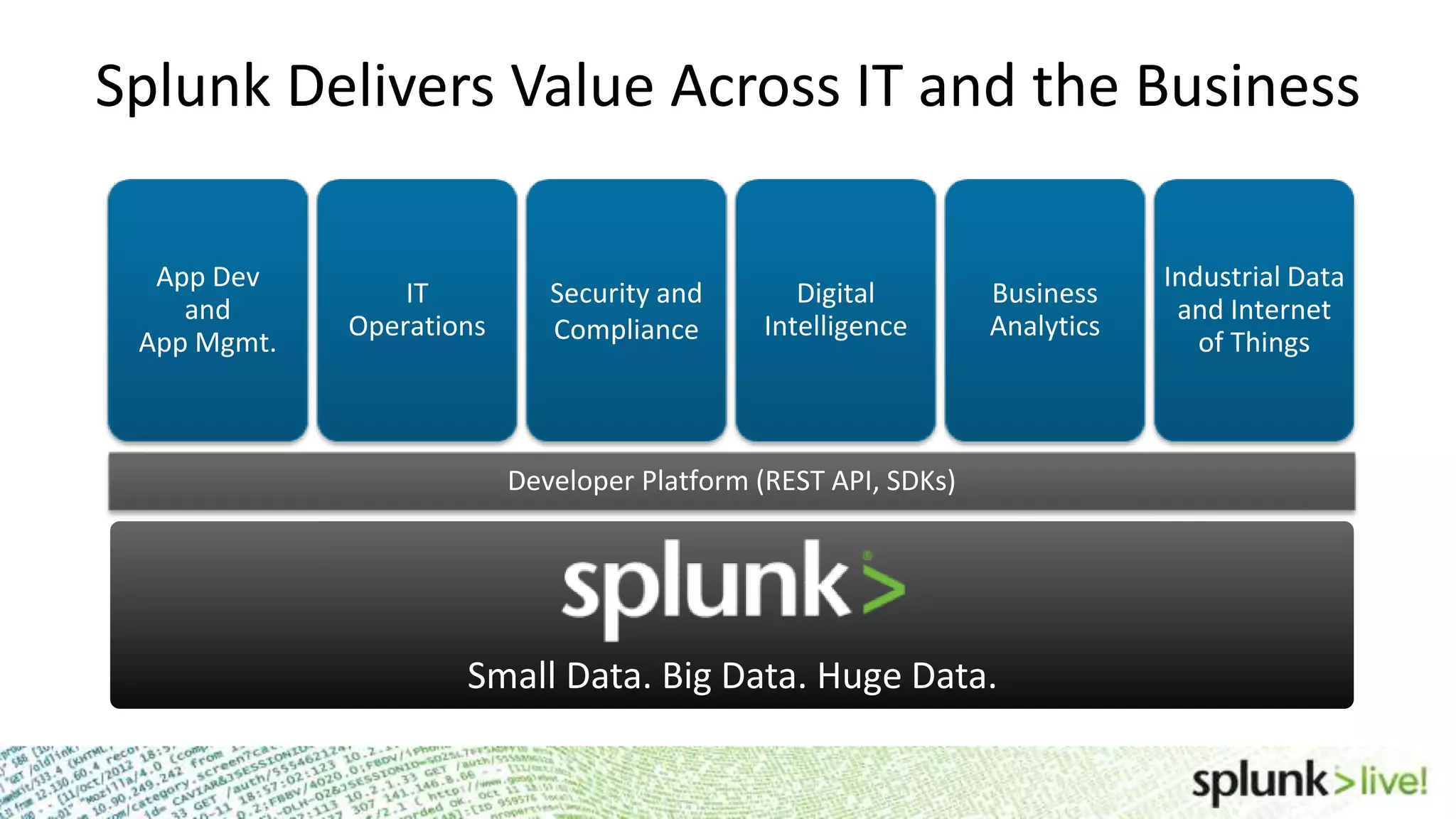
IT Operations Security and Compliance Digital Intelligence App Dev and App Mgmt. Developer Platform (REST API, SDKs) Business Analytics Industrial Data and Internet of Things Small Data. Big Data. Huge Data. Splunk Delivers Value Across IT and the Business
Install Splunk Splunk Home • WIN: Program FilesSplunk • Other: /opt/splunk (Applications/splunk) Start Splunk • WIN: Program FilesSplunkbinsplunk.exe start (services start) • *NIX: /opt/splunk/bin/splunk start www.splunk.com/download • 32 or 64 Bit? • Indexer or Universal Forwarder?
Splunk Licenses Free Download Limits Indexing to 500MB/day • Enterprise Trial License expires after 60 days • Reverts to Free License Features Disabled in Free License • Multiple user accounts and role-based access controls • Distributed search • Forwarding to non-Splunk Instances • Deployment management • Scheduled saved searches and alerting • Summary indexing Other License Types • Enterprise, Forwarder, Trial
Default installation on: http://localhost:8000 7 Splunk Web Basics Browser Support • Firefox 10.x and latest • Internet Explorer 7, 8, 9 and 10 • Safari (latest) • Chrome (latest) Index data • Add data • Getting Started App • Install an App (Splunk for Windows, *NIX)
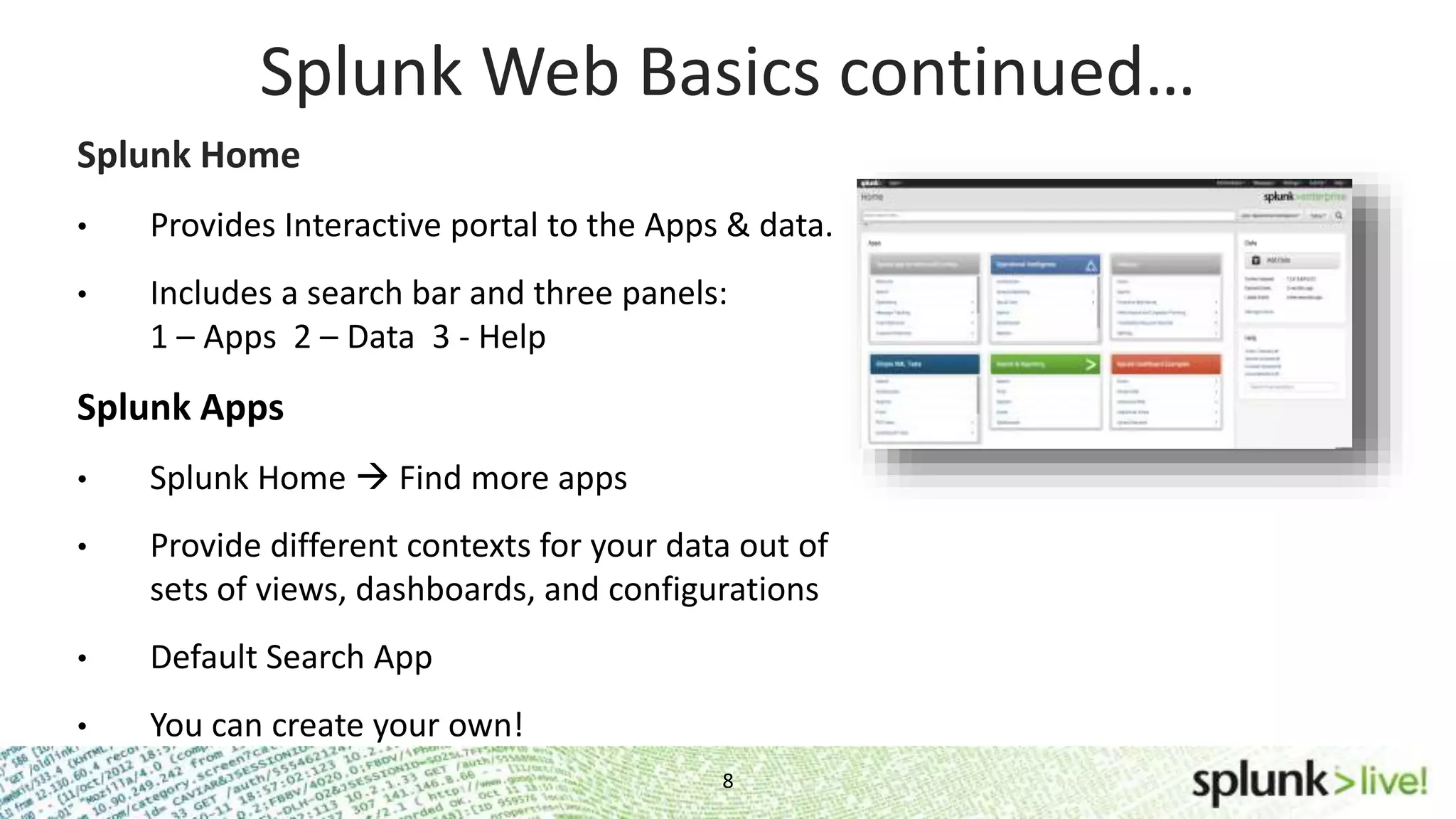
8 Splunk Web Basics continued… Splunk Home • Provides Interactive portal to the Apps & data. • Includes a search bar and three panels: 1 – Apps 2 – Data 3 - Help Splunk Apps • Splunk Home  Find more apps • Provide different contexts for your data out of sets of views, dashboards, and configurations • Default Search App • You can create your own!
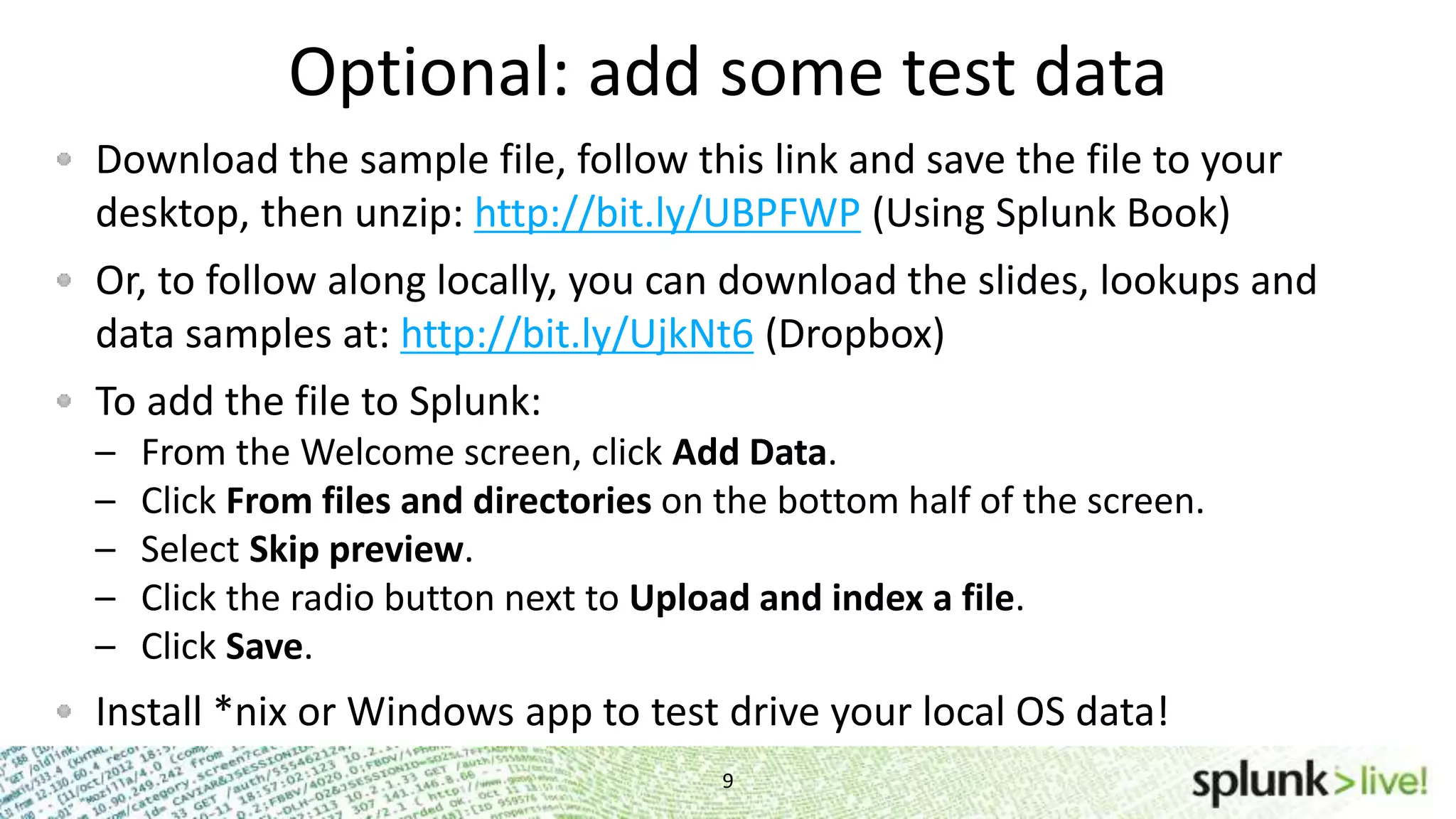
Optional: add some test data Download the sample file, follow this link and save the file to your desktop, then unzip: http://bit.ly/UBPFWP (Using Splunk Book) Or, to follow along locally, you can download the slides, lookups and data samples at: http://bit.ly/UjkNt6 (Dropbox) To add the file to Splunk: – From the Welcome screen, click Add Data. – Click From files and directories on the bottom half of the screen. – Select Skip preview. – Click the radio button next to Upload and index a file. – Click Save. Install *nix or Windows app to test drive your local OS data! 9
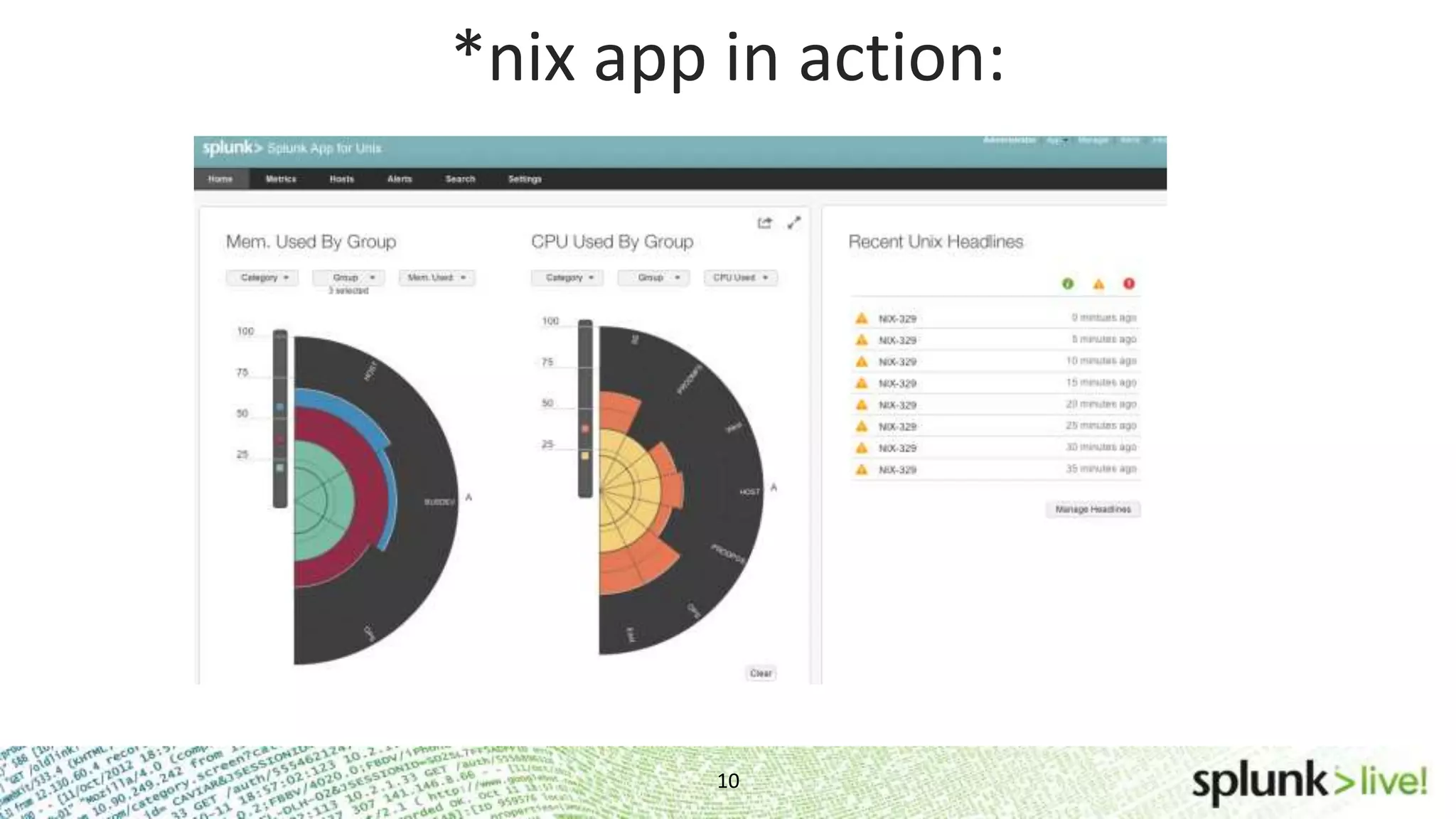
10 *nix app in action:
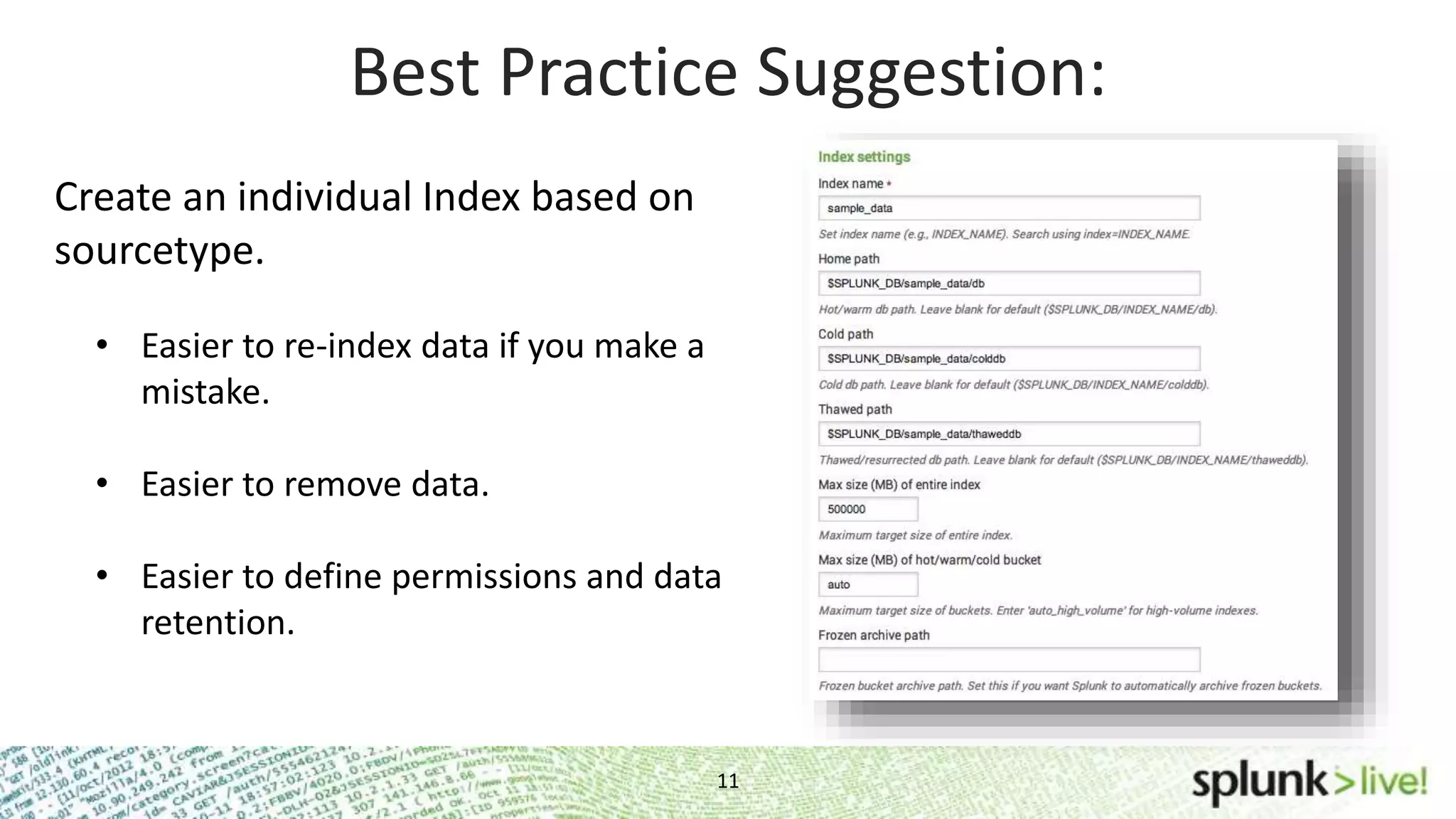
Best Practice Suggestion: Create an individual Index based on sourcetype. • Easier to re-index data if you make a mistake. • Easier to remove data. • Easier to define permissions and data retention. 11
Search Basics
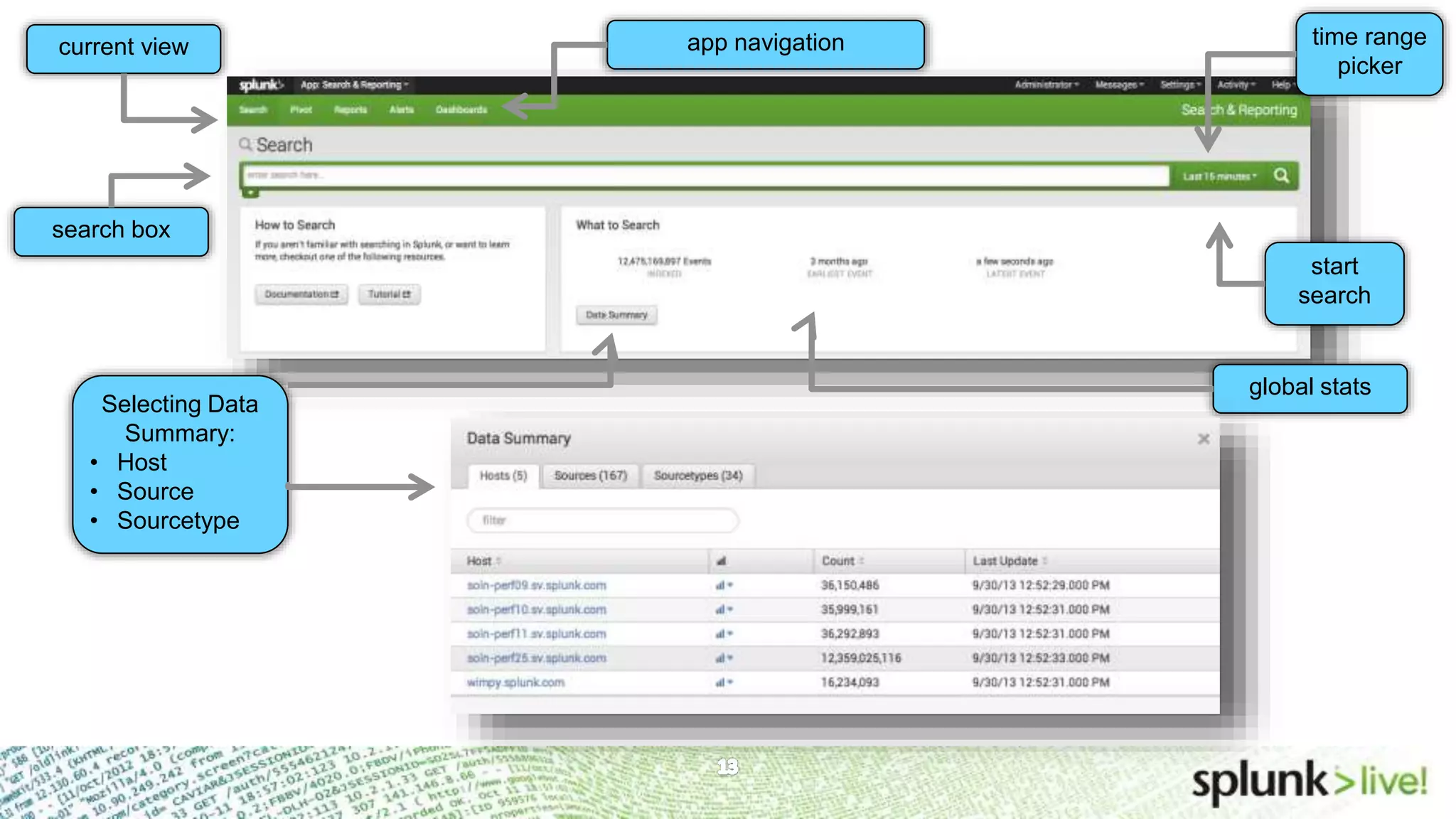
Search app – Summary viewcurrent view global stats app navigation time range picker Selecting Data Summary: • Host • Source • Sourcetype start search search box
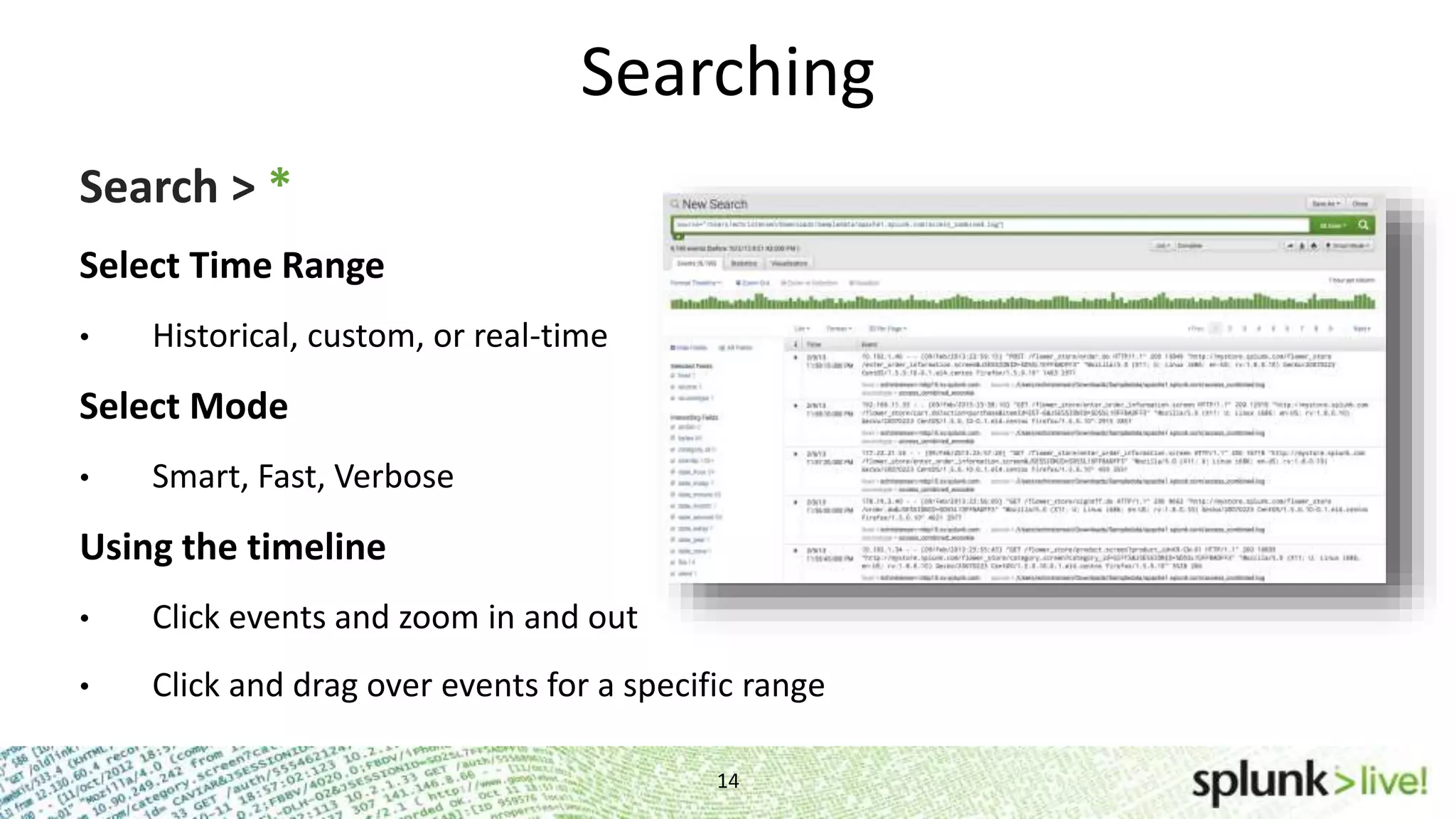
Searching 14 Search > * Select Time Range • Historical, custom, or real-time Select Mode • Smart, Fast, Verbose Using the timeline • Click events and zoom in and out • Click and drag over events for a specific range
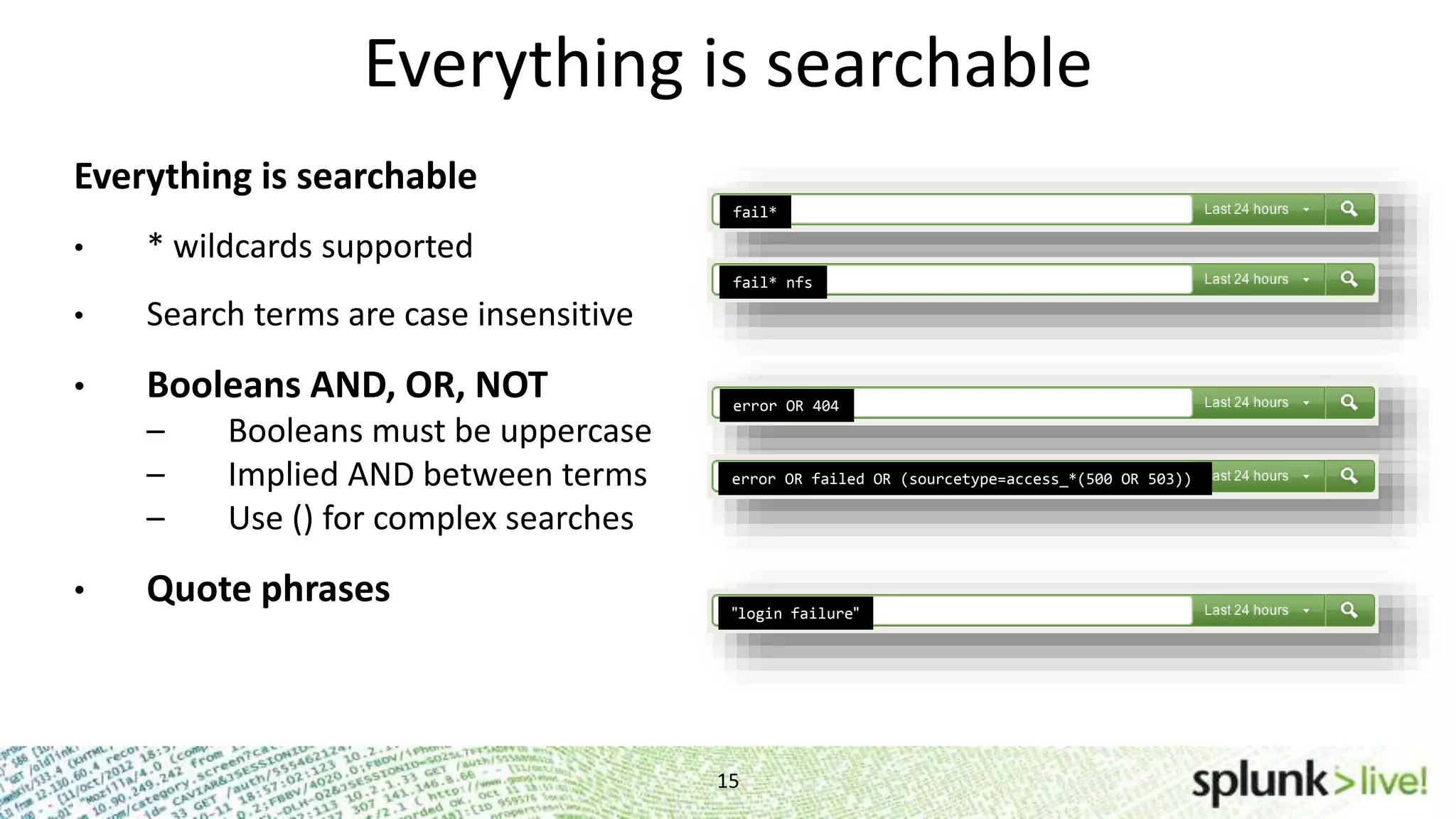
15 Everything is searchable Everything is searchable • * wildcards supported • Search terms are case insensitive • Booleans AND, OR, NOT – Booleans must be uppercase – Implied AND between terms – Use () for complex searches • Quote phrases fail* fail* nfs error OR 404 error OR failed OR (sourcetype=access_*(500 OR 503)) "login failure"
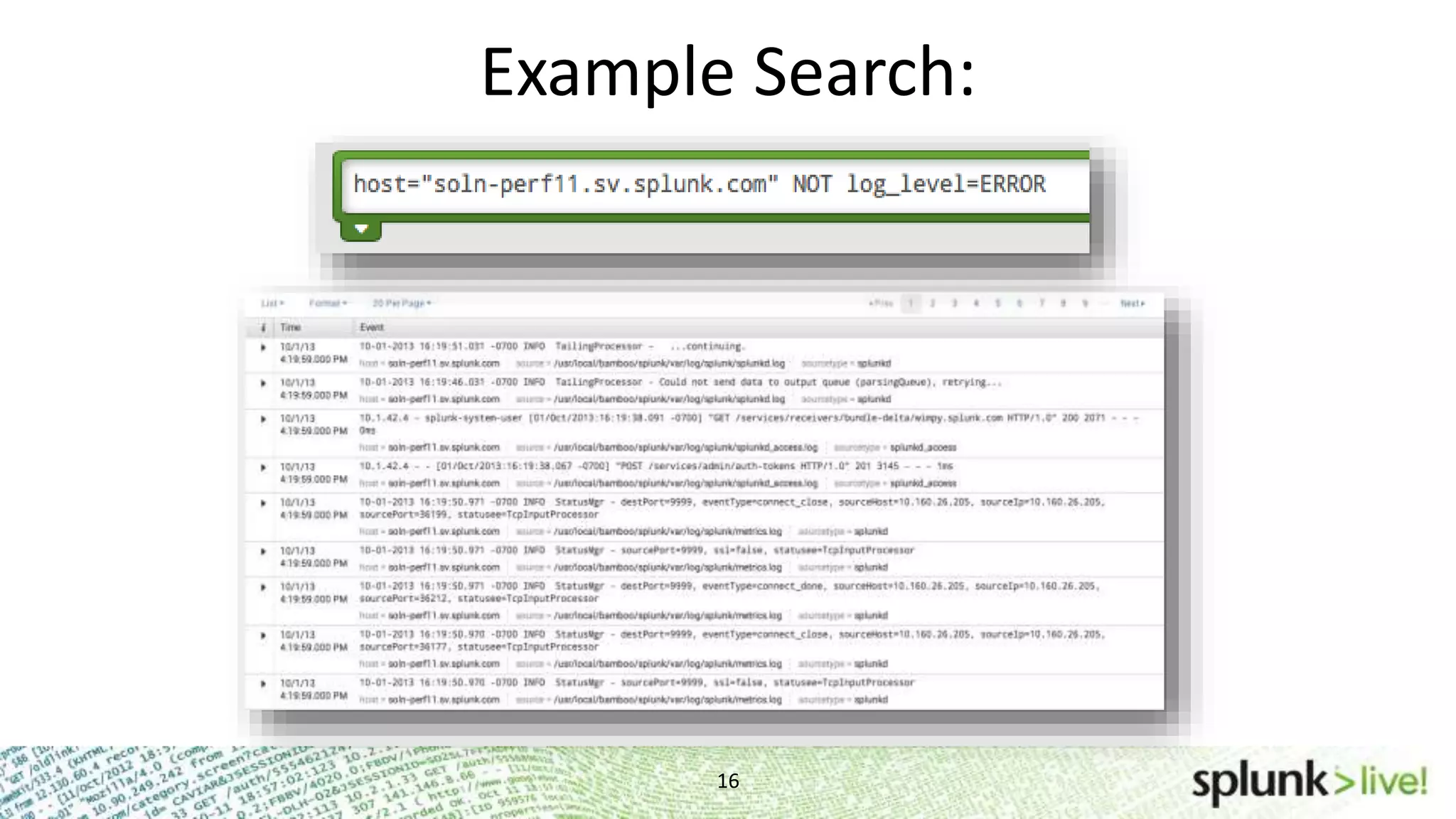
Example Search: 16
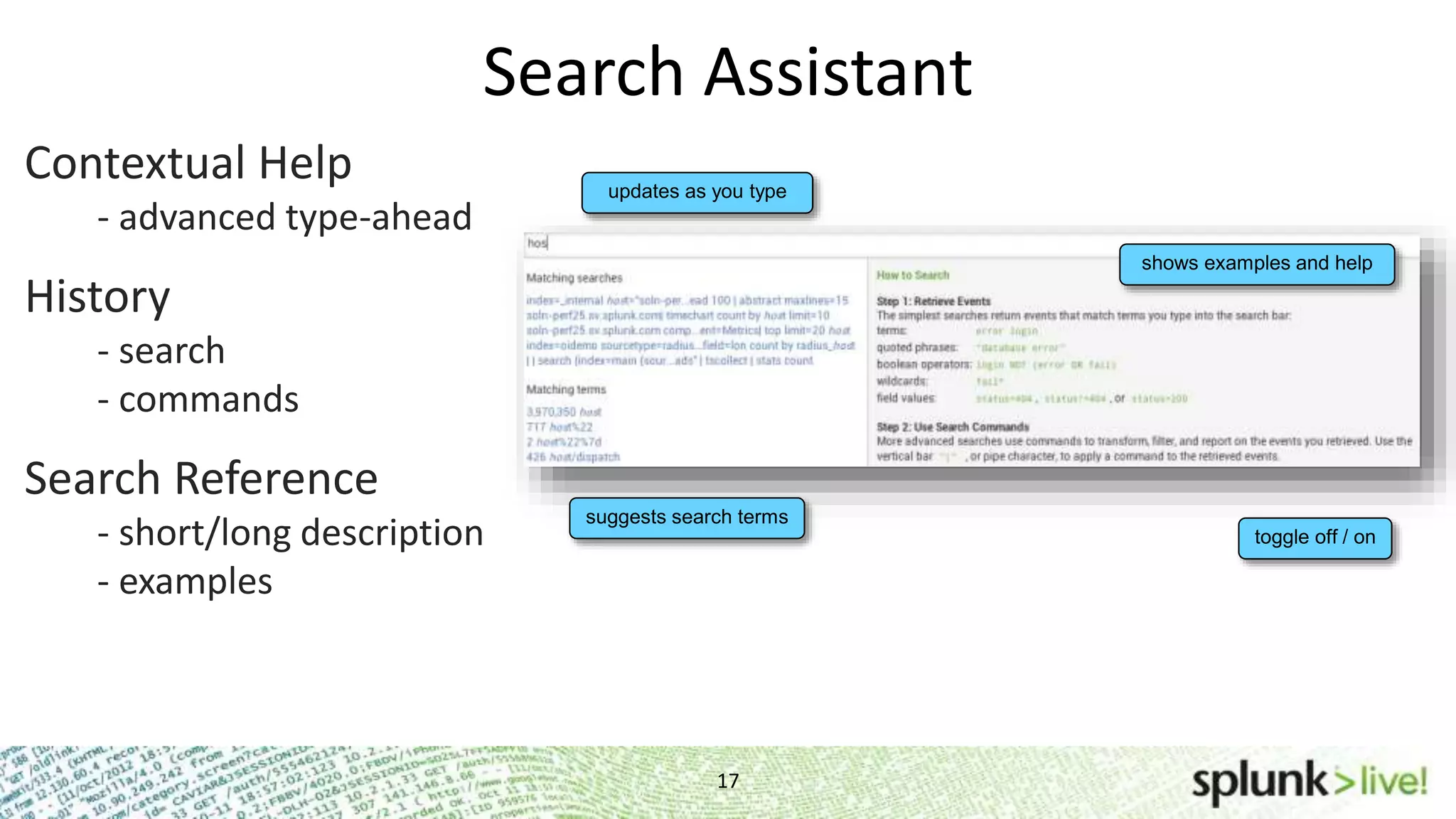
Search Assistant 17 Contextual Help - advanced type-ahead History - search - commands Search Reference - short/long description - examples suggests search terms updates as you type shows examples and help toggle off / on
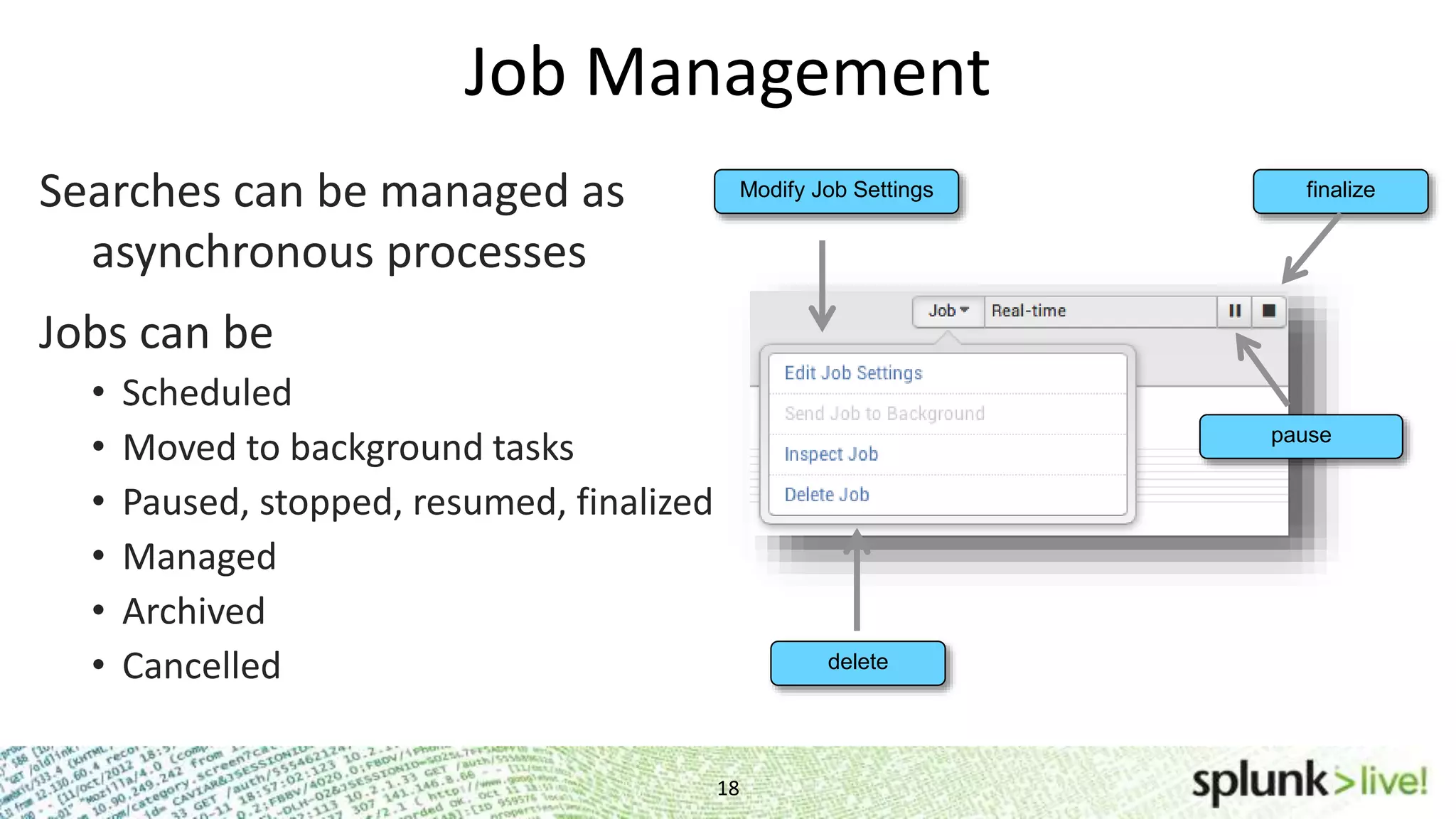
Searches can be managed as asynchronous processes Jobs can be • Scheduled • Moved to background tasks • Paused, stopped, resumed, finalized • Managed • Archived • Cancelled Job Management Modify Job Settings pause finalize delete 18
Search Commands 19 Search > error | head 1 Search results are “piped” to the command Commands for: • Manipulating fields • Formatting • Handling results • Reporting
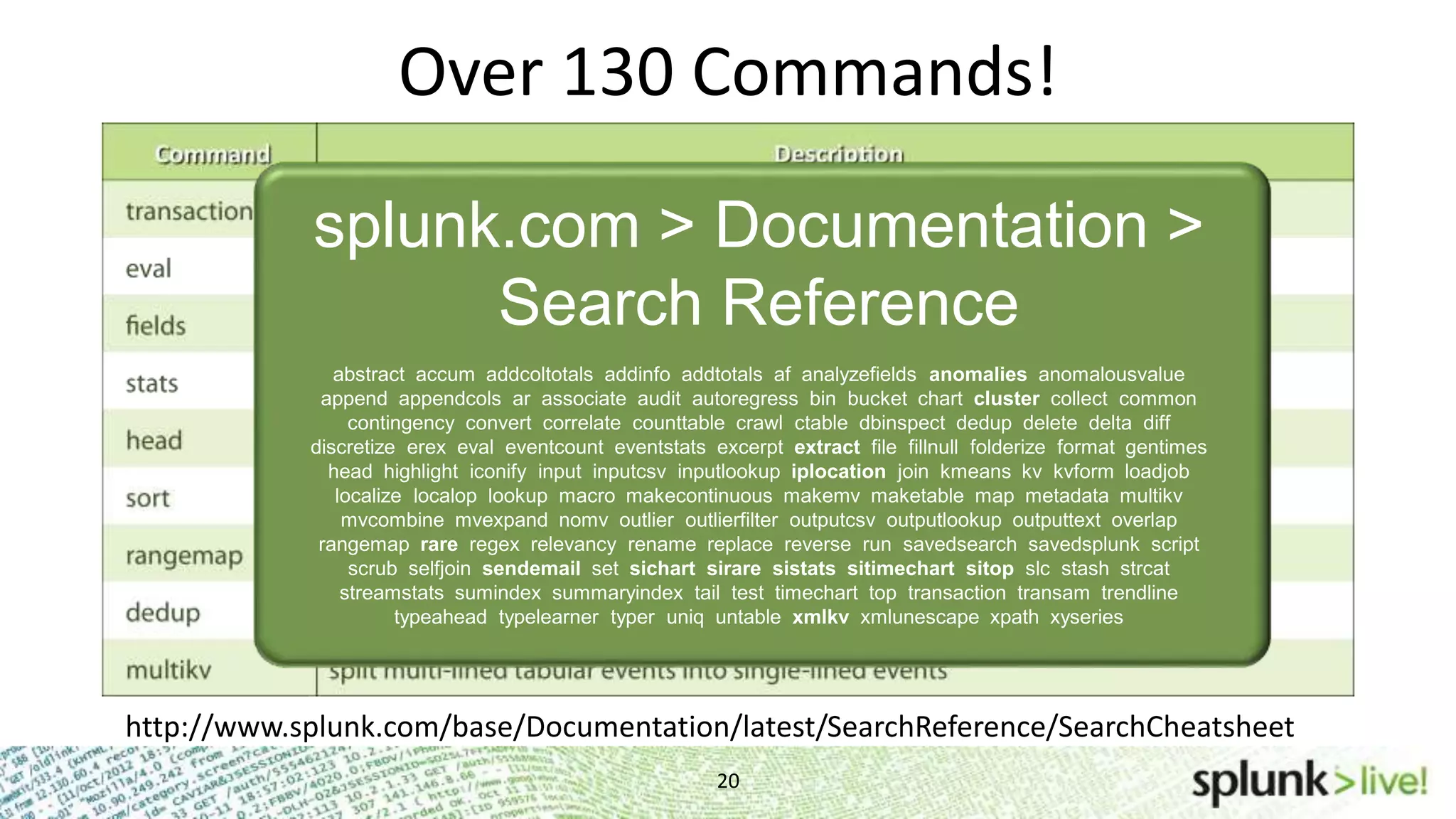
Over 130 Commands! 20 splunk.com > Documentation > Search Reference abstract accum addcoltotals addinfo addtotals af analyzefields anomalies anomalousvalue append appendcols ar associate audit autoregress bin bucket chart cluster collect common contingency convert correlate counttable crawl ctable dbinspect dedup delete delta diff discretize erex eval eventcount eventstats excerpt extract file fillnull folderize format gentimes head highlight iconify input inputcsv inputlookup iplocation join kmeans kv kvform loadjob localize localop lookup macro makecontinuous makemv maketable map metadata multikv mvcombine mvexpand nomv outlier outlierfilter outputcsv outputlookup outputtext overlap rangemap rare regex relevancy rename replace reverse run savedsearch savedsplunk script scrub selfjoin sendemail set sichart sirare sistats sitimechart sitop slc stash strcat streamstats sumindex summaryindex tail test timechart top transaction transam trendline typeahead typelearner typer uniq untable xmlkv xmlunescape xpath xyseries http://www.splunk.com/base/Documentation/latest/SearchReference/SearchCheatsheet
Field Extraction Fun
Fields 22 Default fields • host, source, sourcetype, linecount, etc. • View on left panel in search results or all in field picker Where do fields come from? • Pre-defined by sourcetypes • Automatically extracted key-value pairs • User defined
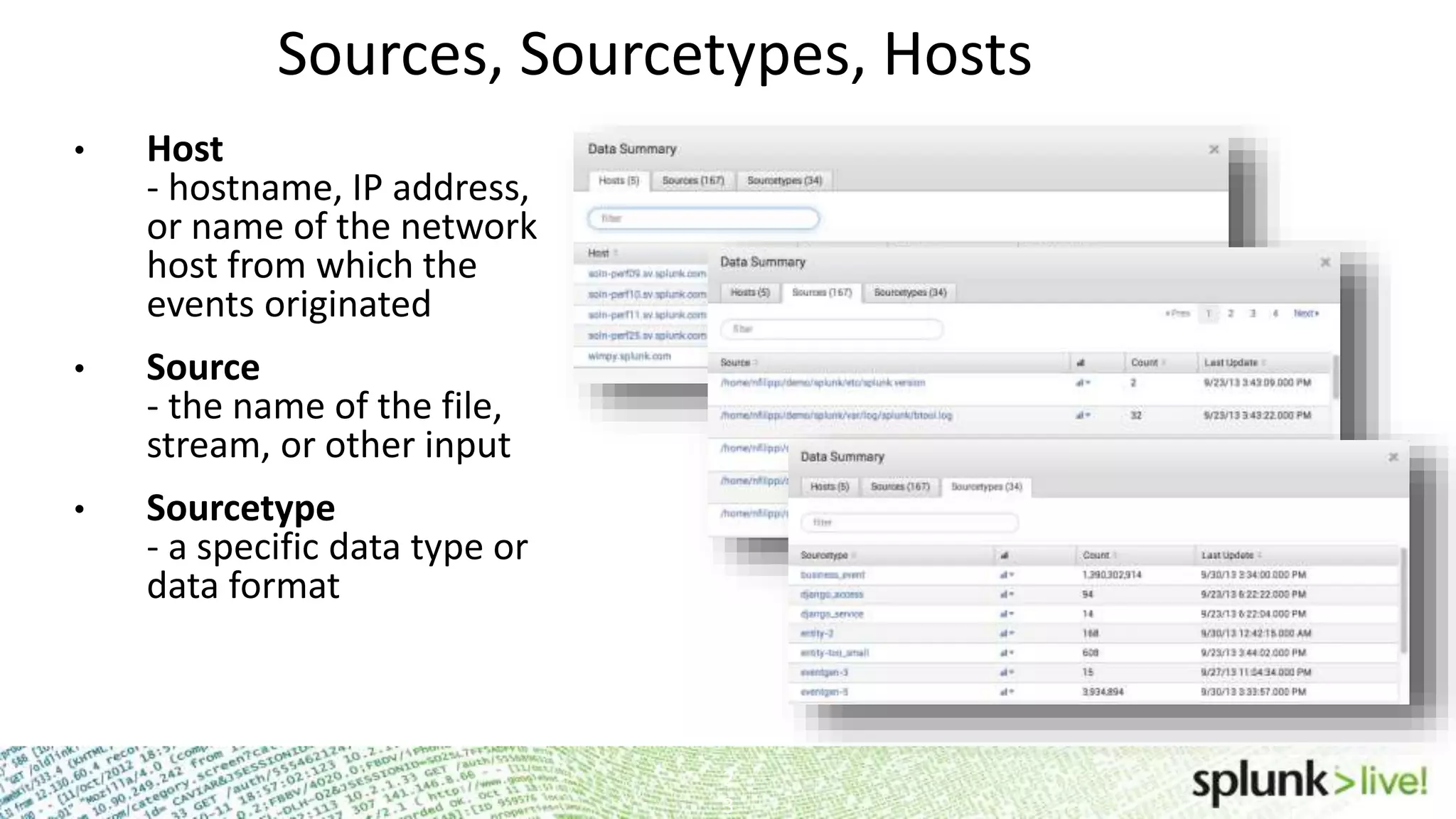
Sources, Sourcetypes, Hosts • Host - hostname, IP address, or name of the network host from which the events originated • Source - the name of the file, stream, or other input • Sourcetype - a specific data type or data format 2 3
24 Tagging and Event Typing Eventtypes for more human-readable reports • to categorize and make sense of mountains of data • punctuation helps find events with similar patterns Search > eventtype=failed_login instead of Search > “failed login” OR “FAILED LOGIN” OR “Authentication failure” OR “Failed to ………………authenticate user” Tags are labels • apply ad-hoc knowledge • create logical divisions or groups • tag hosts, sources, fields, even eventtypes Search > tag=web_servers instead of Search > host=“apache1.splunk.com” OR host=“apache2.splunk.com” OR …………….host=“apache3.splunk.com”
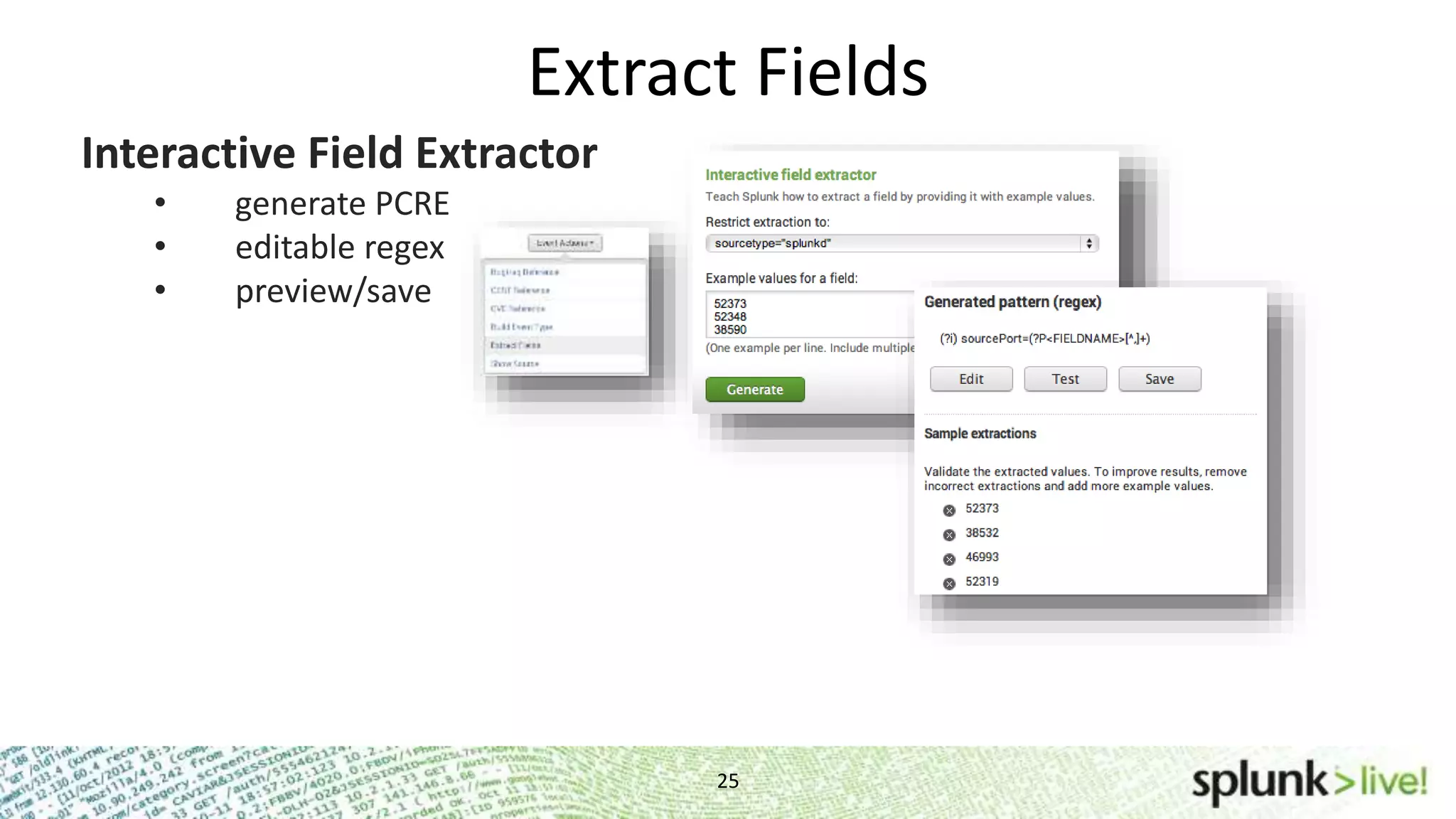
Extract Fields 25 Interactive Field Extractor • generate PCRE • editable regex • preview/save
Extract Fields 26 Interactive Field Extractor • generate PCRE • editable regex • preview/save props.conf [mysourcetype] REPORT-myclass = myFields transforms.conf [myFields] REGEX = ^(w+)s FORMAT = myFieldLabel::$1 Configuration File • manual field extraction • delim-based extractions Rex Search Command ... | rex field=_raw "From: (?<from>.*) To: (?<to>.*)"
Saved Search & Alert Basics
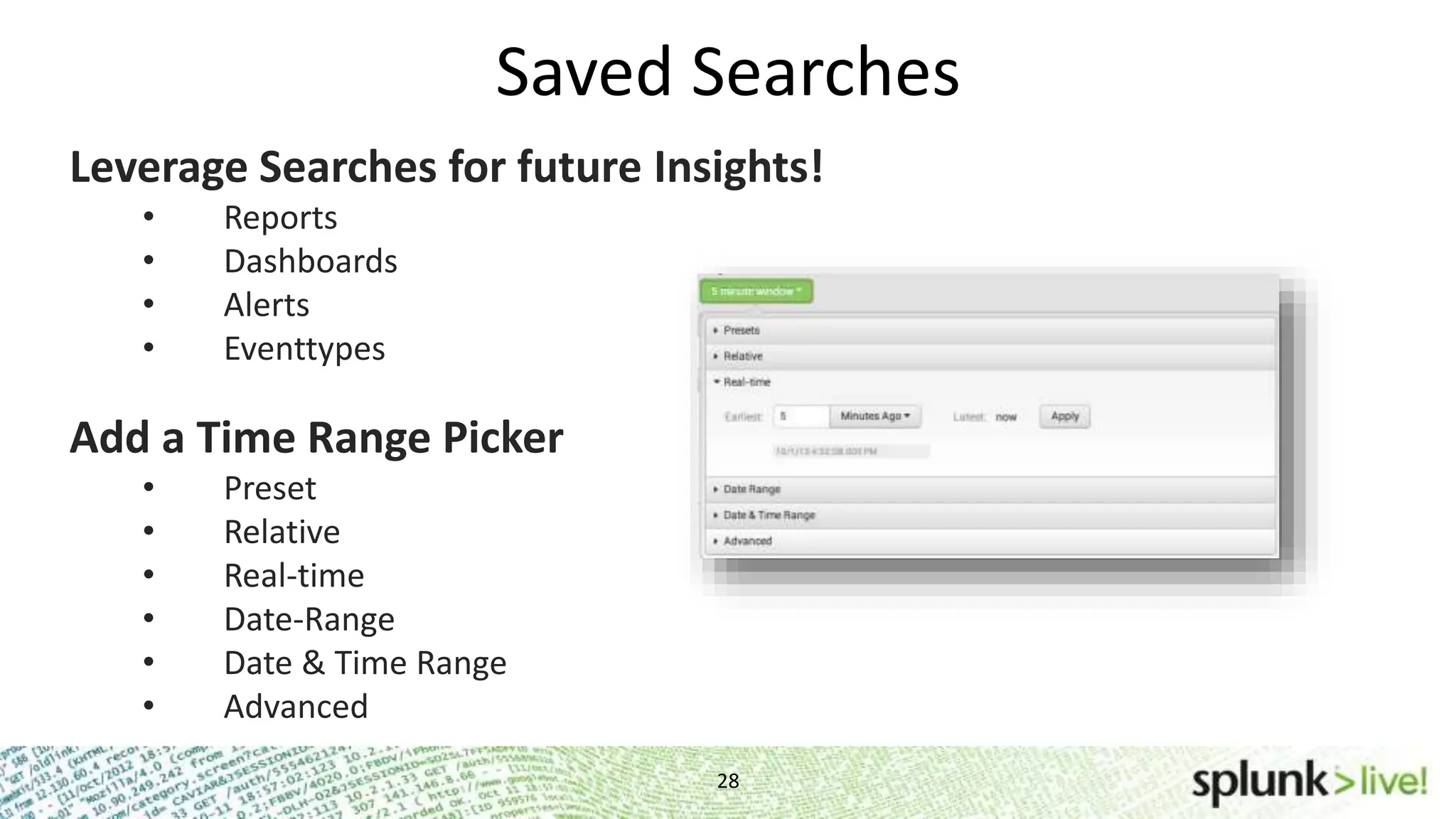
Saved Searches 28 Leverage Searches for future Insights! • Reports • Dashboards • Alerts • Eventtypes Add a Time Range Picker • Preset • Relative • Real-time • Date-Range • Date & Time Range • Advanced
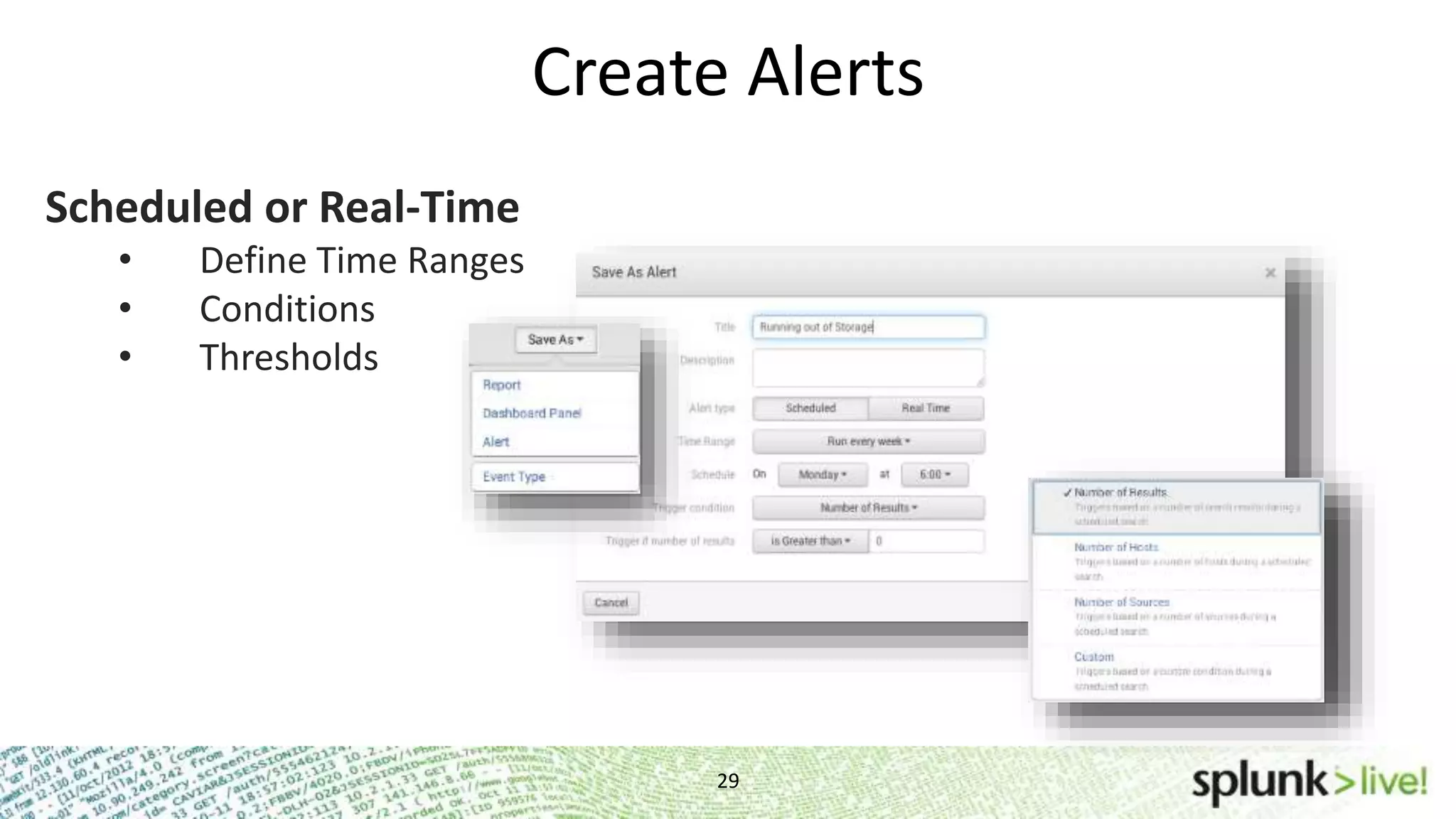
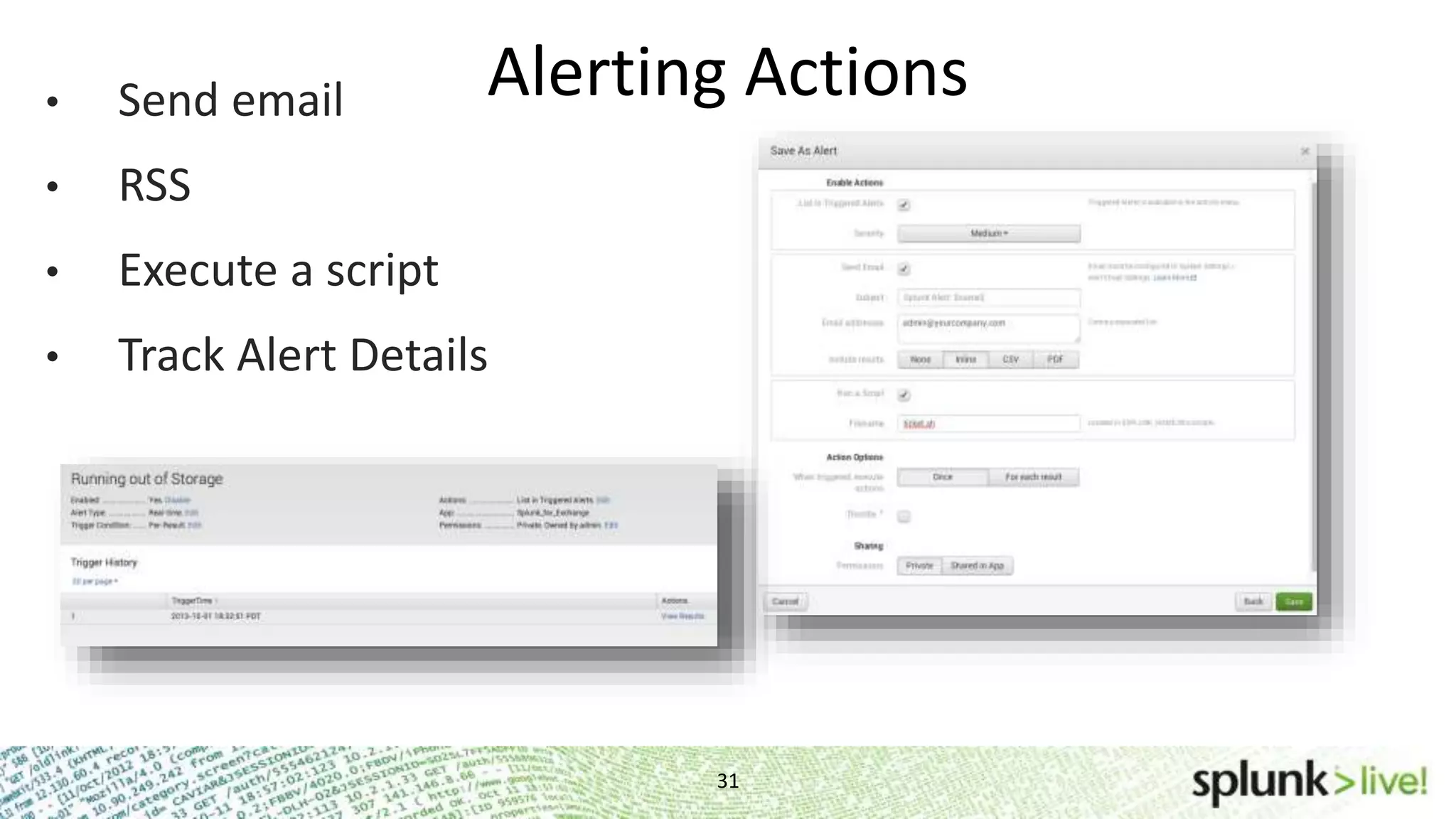
Create Alerts 29 Scheduled or Real-Time • Define Time Ranges • Conditions • Thresholds
Alerting Continued… 30 Searches run on a schedule and fire an alert • Example: Run a search for “Failed password” every 15 min over the last 15 min and alert if the number of events is greater than 10 Searches are running in real-time and fire an alert • Example: Run a search for “Failed password user=john.doe” in a 1 minute window and alert if an event is found
Alerting Actions 31 • Send email • RSS • Execute a script • Track Alert Details
Report & Dashboard Wackiness
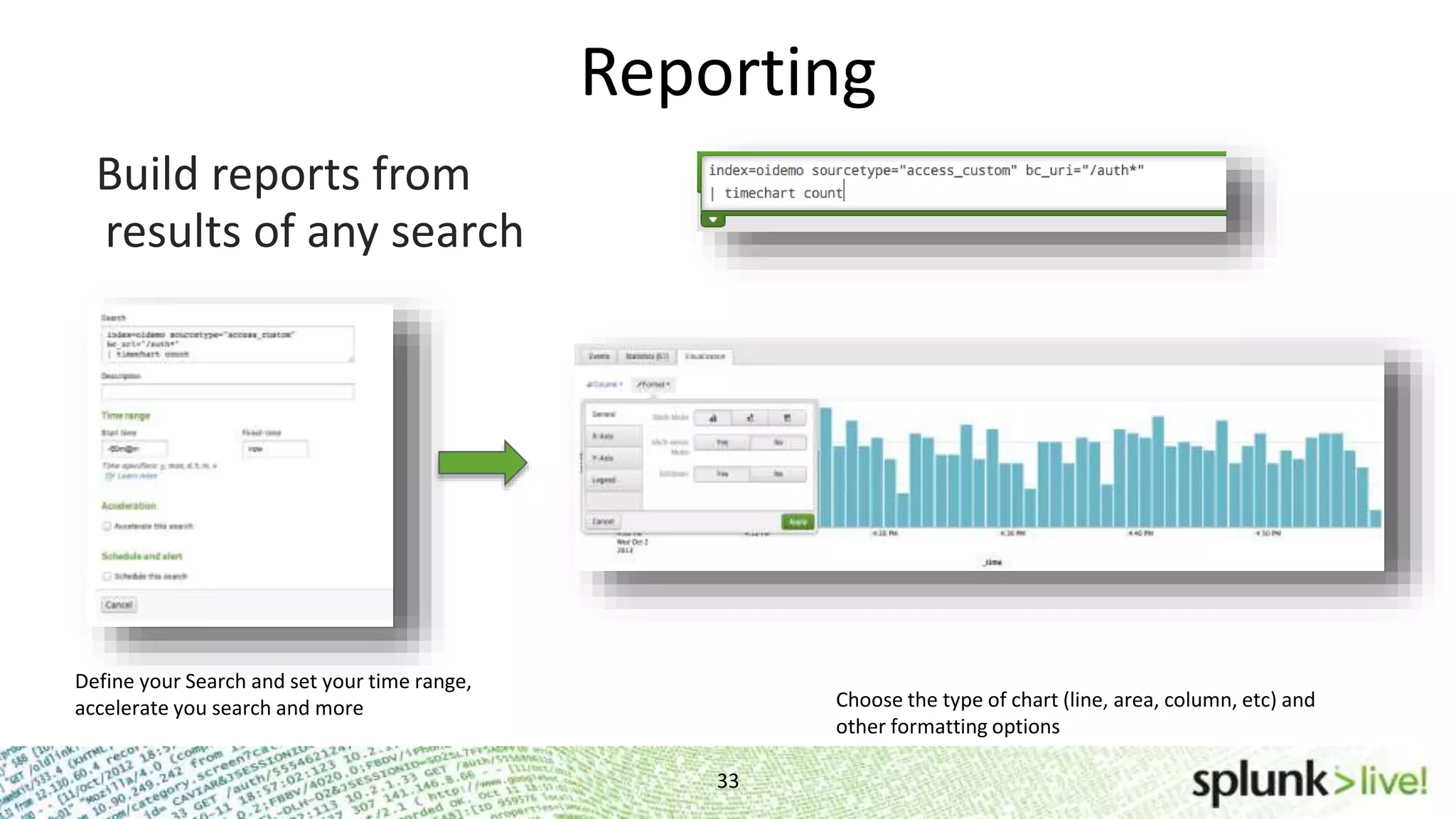
Reporting 33 results of any search Define your Search and set your time range, accelerate you search and more Choose the type of chart (line, area, column, etc) and other formatting options Build reports from
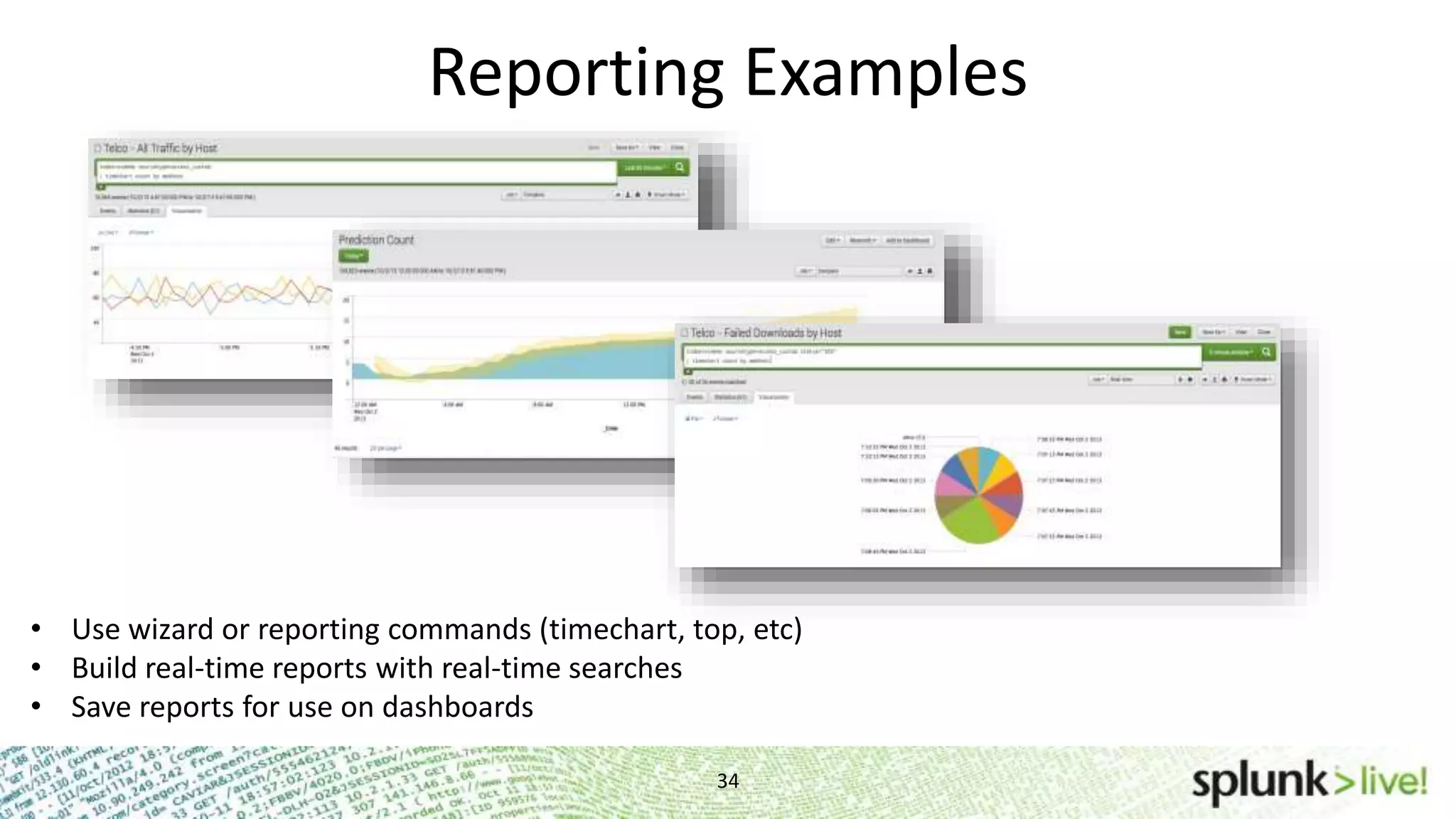
Reporting Examples 34 • Use wizard or reporting commands (timechart, top, etc) • Build real-time reports with real-time searches • Save reports for use on dashboards
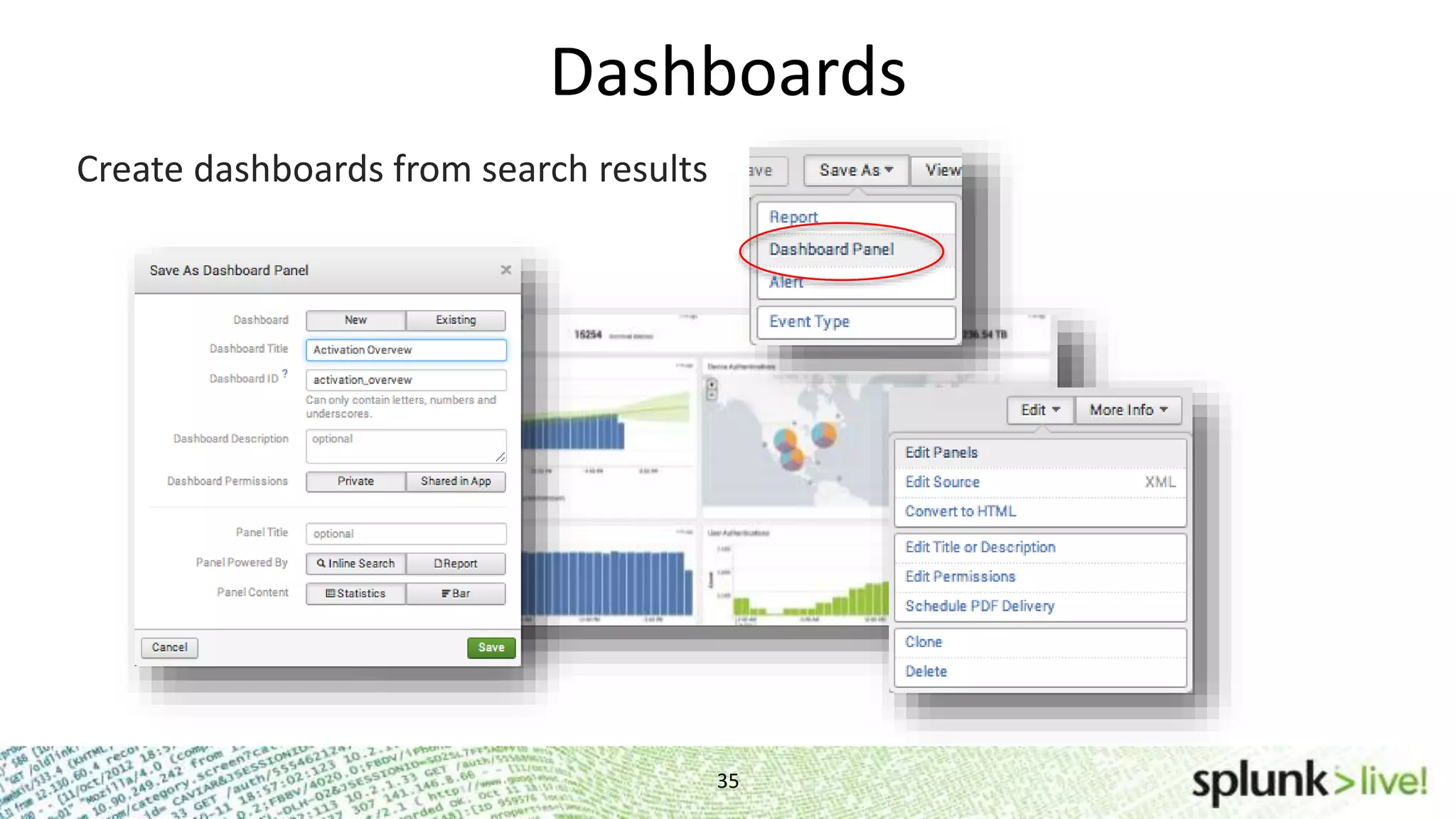
Dashboards 35 Create dashboards from search results
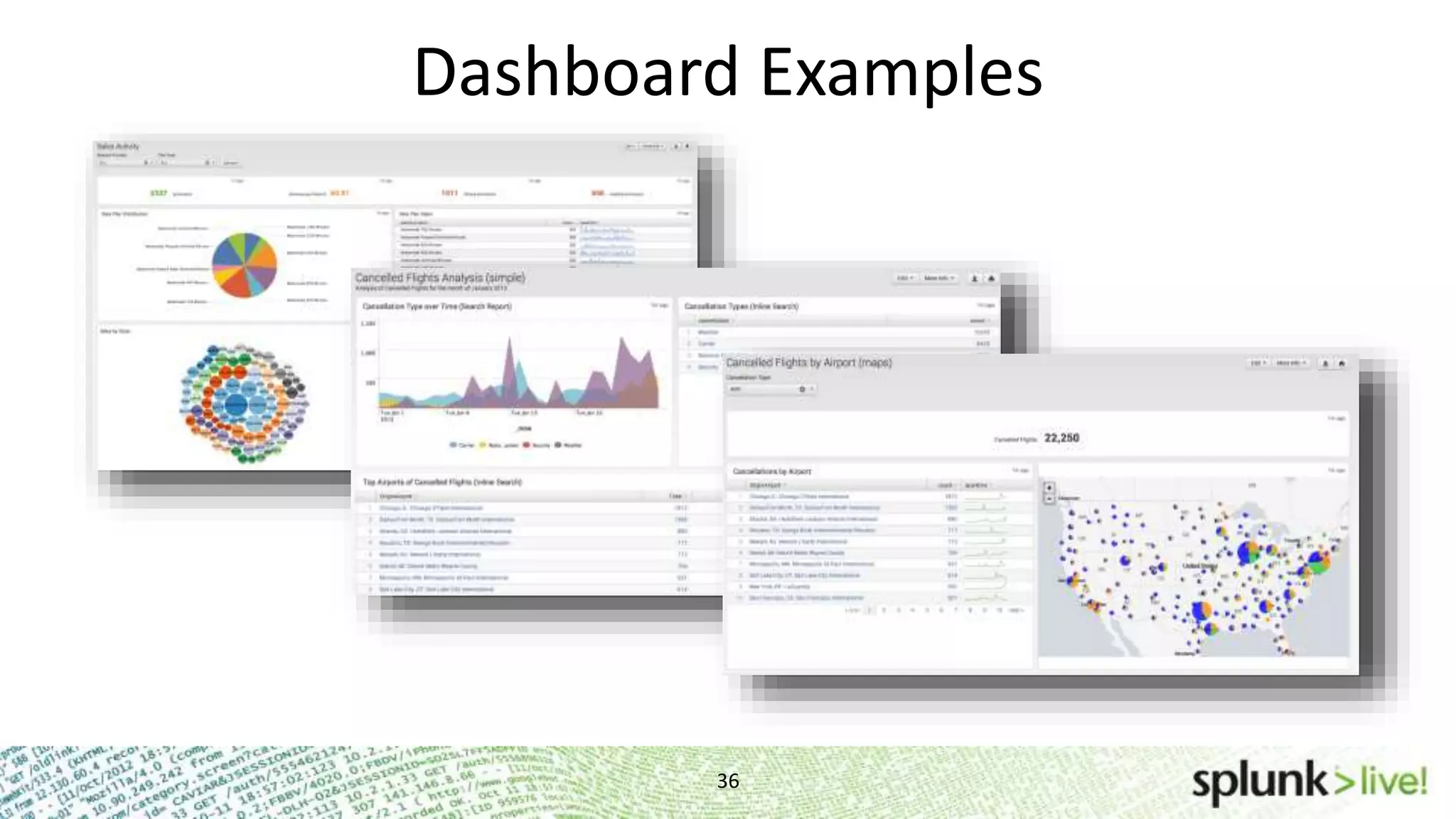
Dashboard Examples 36
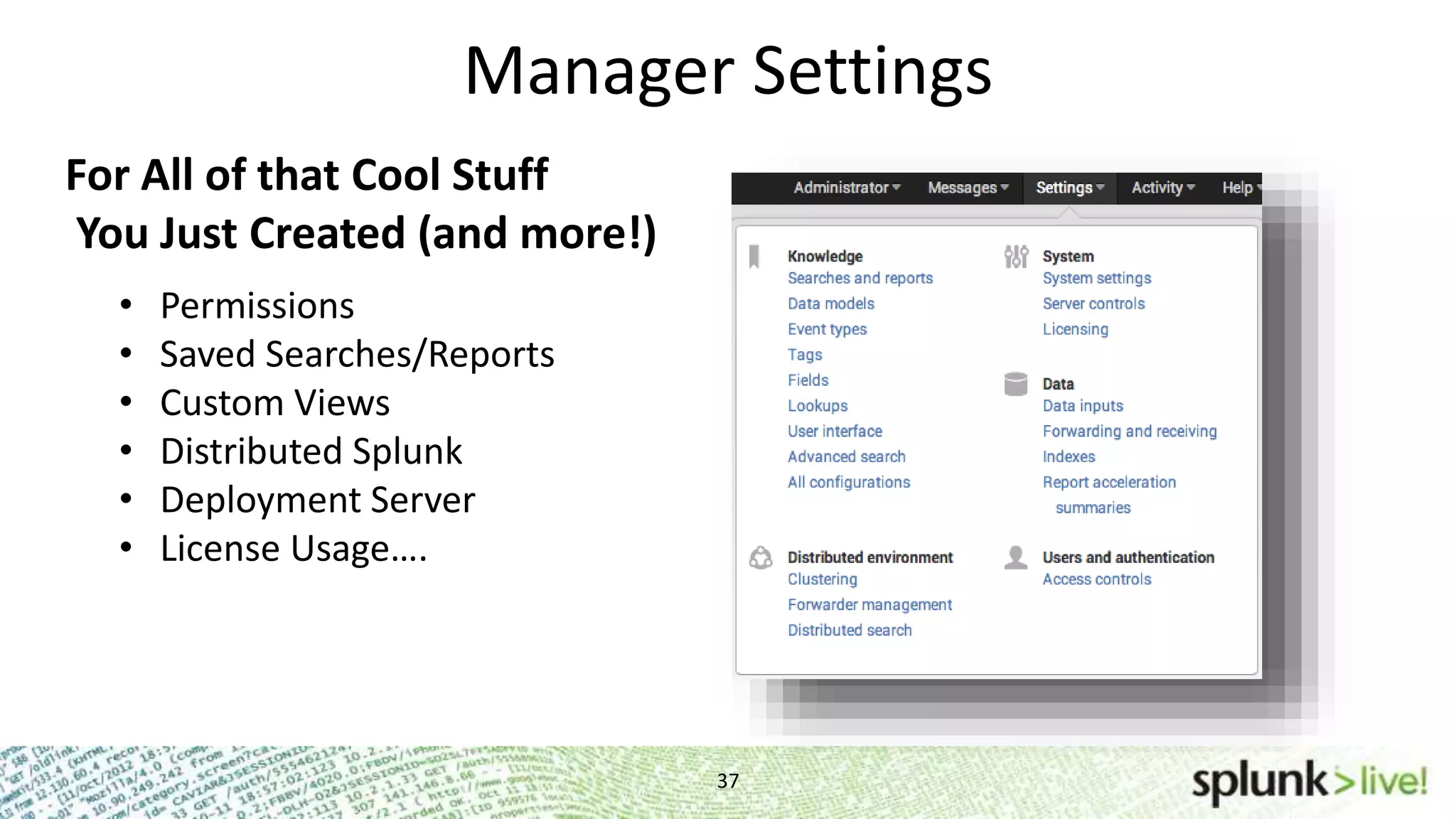
Manager Settings 37 For All of that Cool Stuff You Just Created (and more!) • Permissions • Saved Searches/Reports • Custom Views • Distributed Splunk • Deployment Server • License Usage….
Deployment and Integration
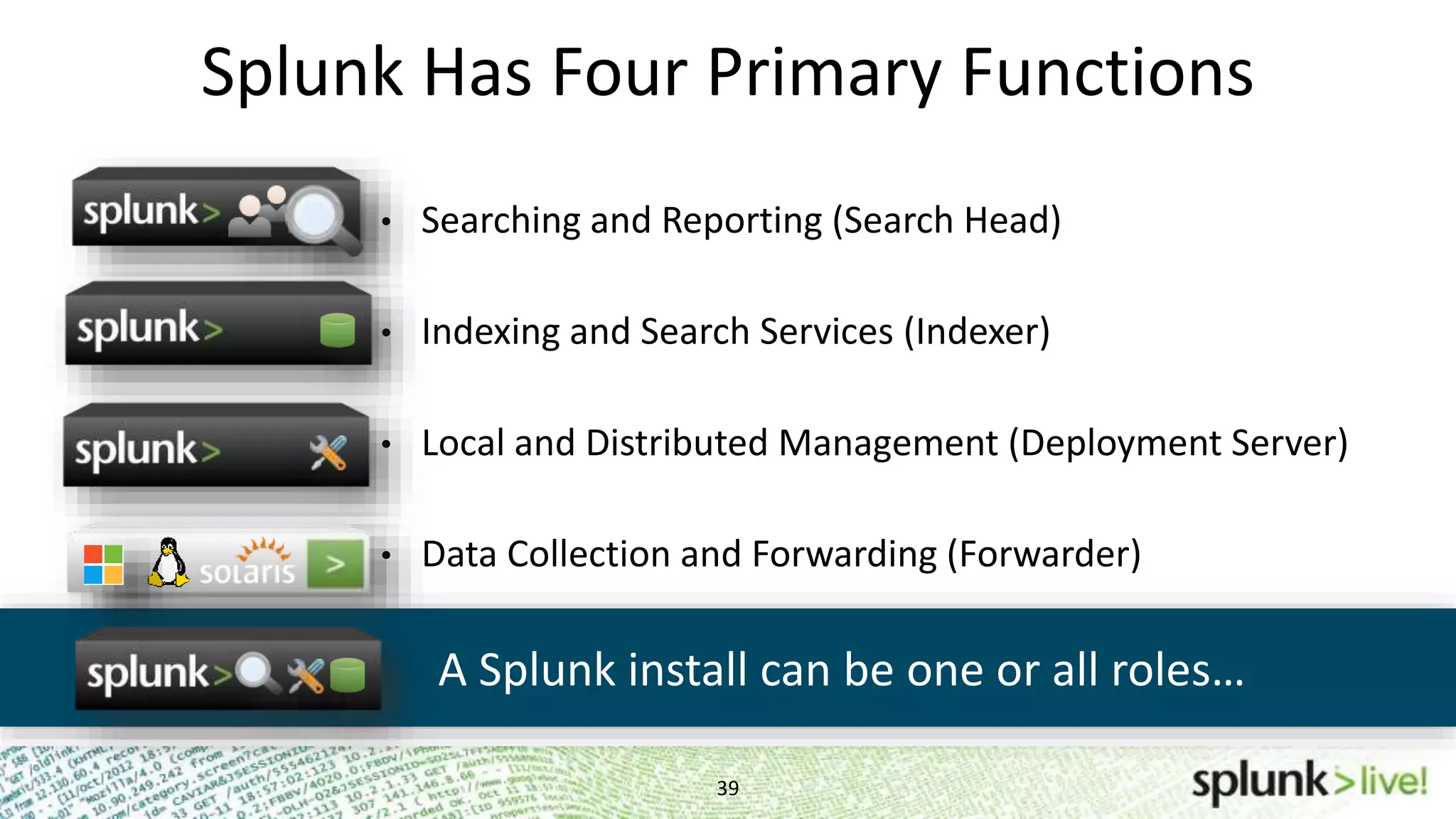
Splunk Has Four Primary Functions 39 • Searching and Reporting (Search Head) • Indexing and Search Services (Indexer) • Local and Distributed Management (Deployment Server) • Data Collection and Forwarding (Forwarder) A Splunk install can be one or all roles…
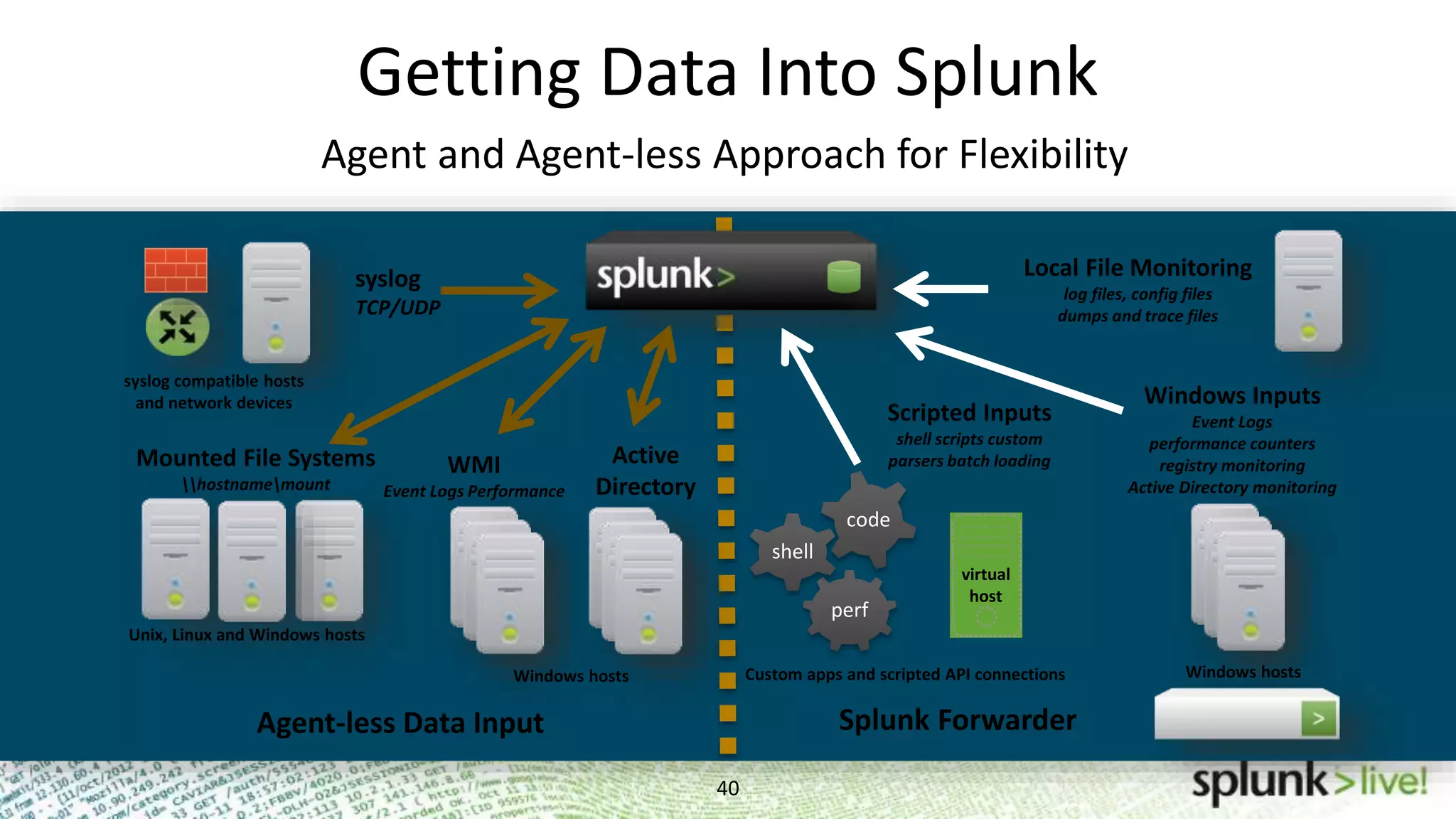
Getting Data Into Splunk 40 Agent and Agent-less Approach for Flexibility perf shell code Mounted File Systems hostnamemount syslog TCP/UDP WMI Event Logs Performance Active Directory syslog compatible hosts and network devices Unix, Linux and Windows hosts Windows hosts Custom apps and scripted API connections Local File Monitoring log files, config files dumps and trace files Windows Inputs Event Logs performance counters registry monitoring Active Directory monitoring virtual host Windows hosts Scripted Inputs shell scripts custom parsers batch loading Agent-less Data Input Splunk Forwarder
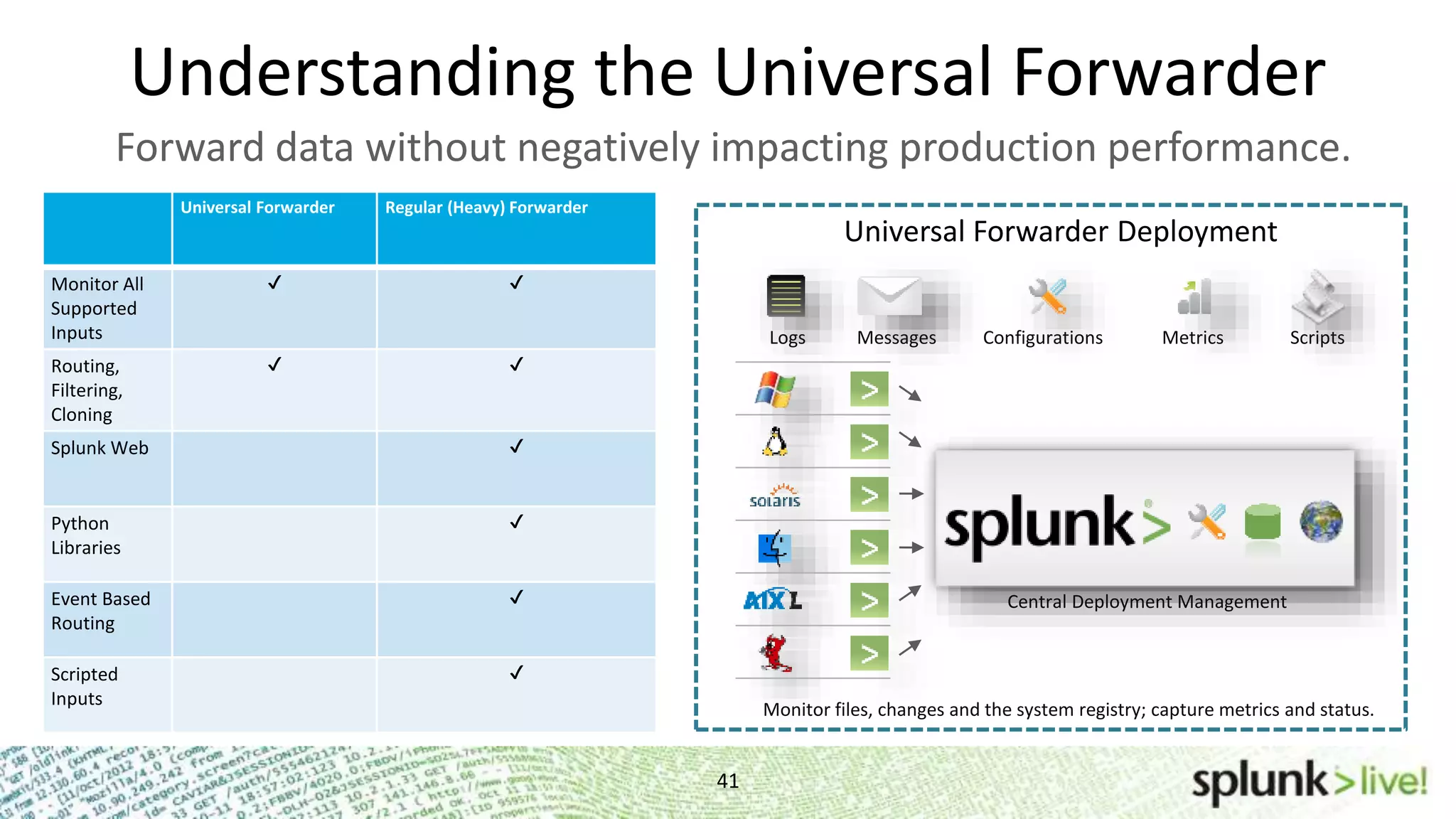
Understanding the Universal Forwarder 41 Forward data without negatively impacting production performance. Scripts Universal Forwarder Deployment Logs ConfigurationsMessages Metrics Central Deployment Management Monitor files, changes and the system registry; capture metrics and status. Universal Forwarder Regular (Heavy) Forwarder Monitor All Supported Inputs ✔ ✔ Routing, Filtering, Cloning ✔ ✔ Splunk Web ✔ Python Libraries ✔ Event Based Routing ✔ Scripted Inputs ✔
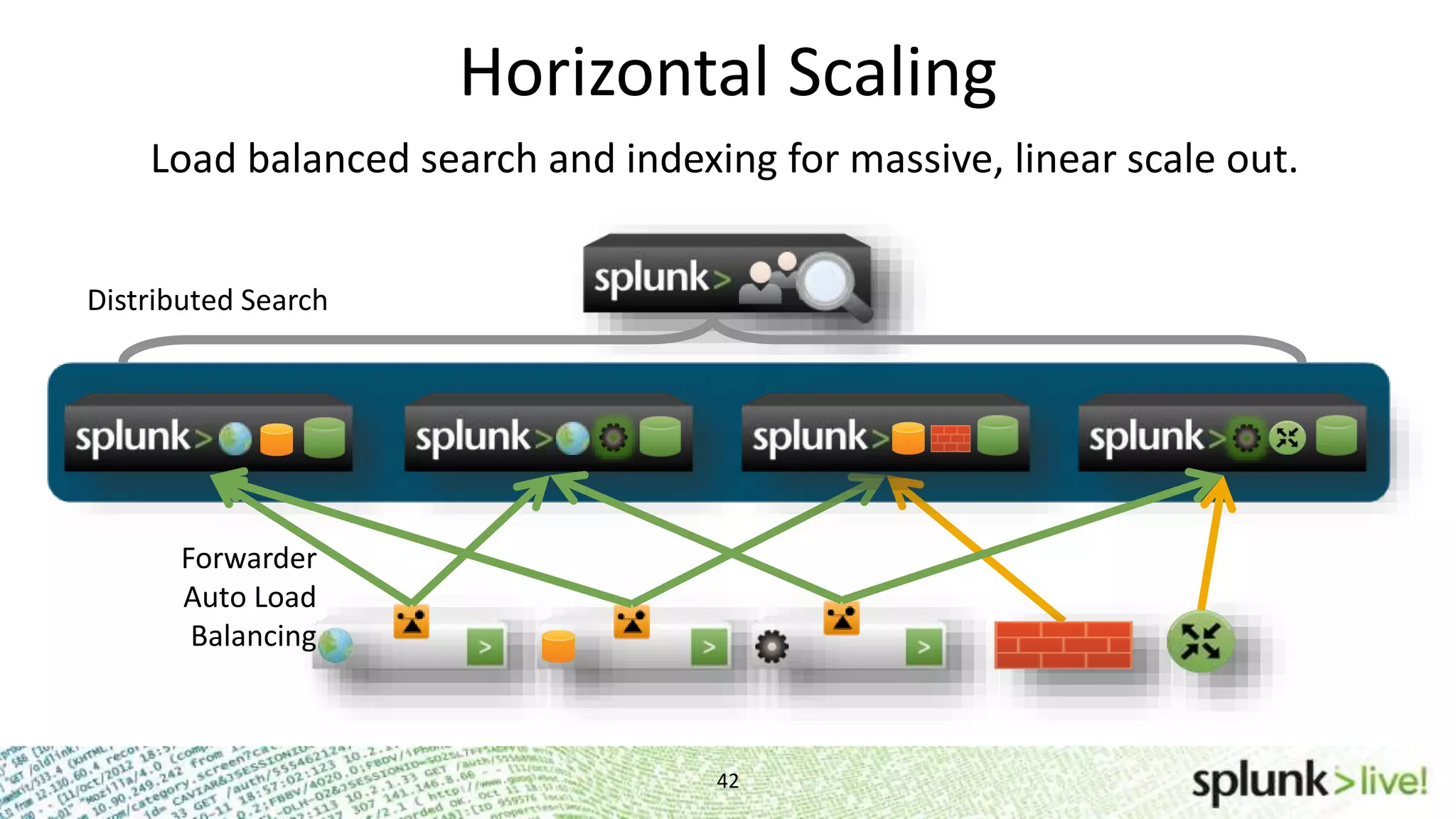
Horizontal Scaling 42 Load balanced search and indexing for massive, linear scale out. Forwarder Auto Load Balancing Distributed Search
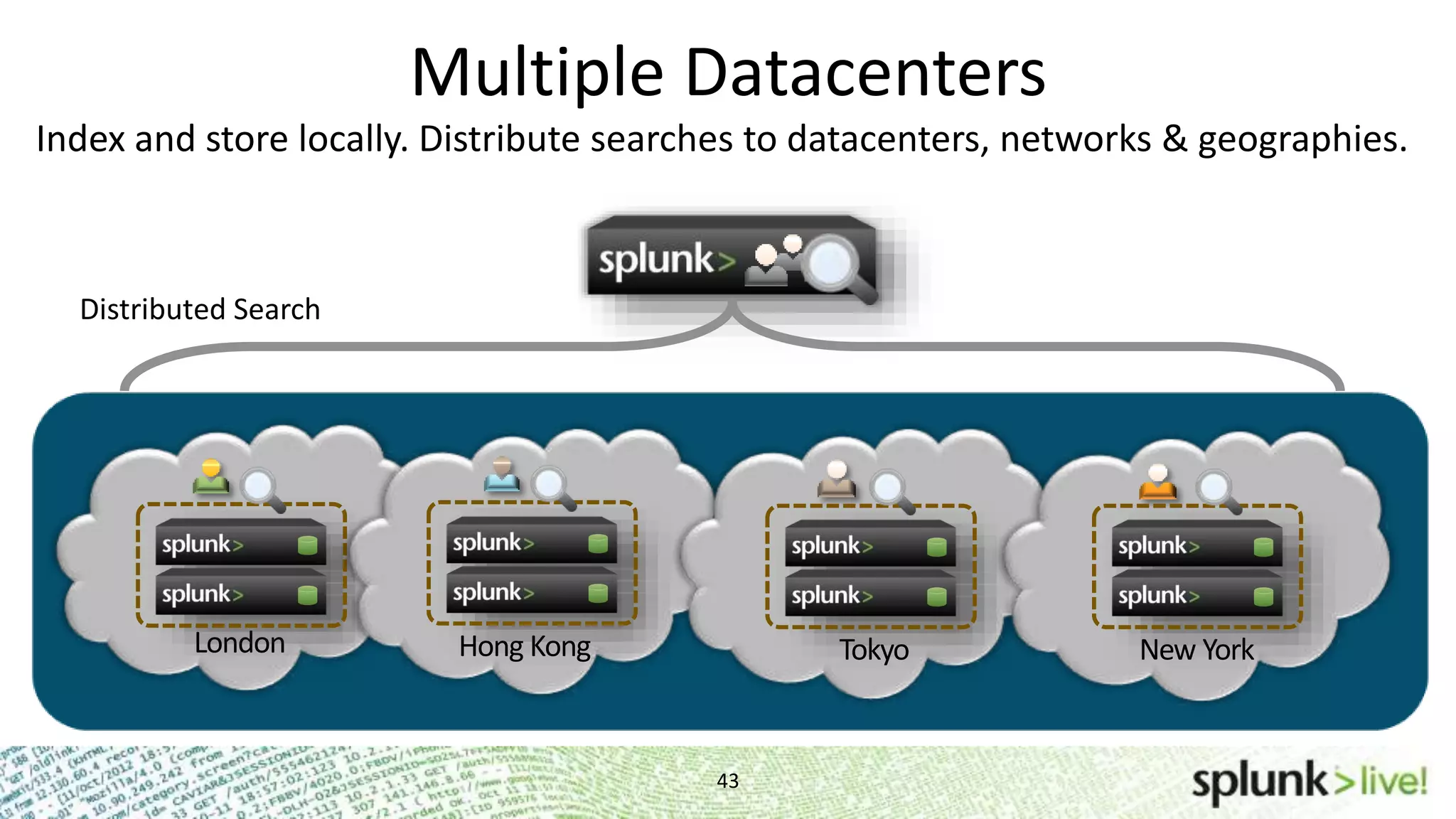
Multiple Datacenters 43 Headquarters London Hong Kong Tokyo New York Distributed Search Index and store locally. Distribute searches to datacenters, networks & geographies.
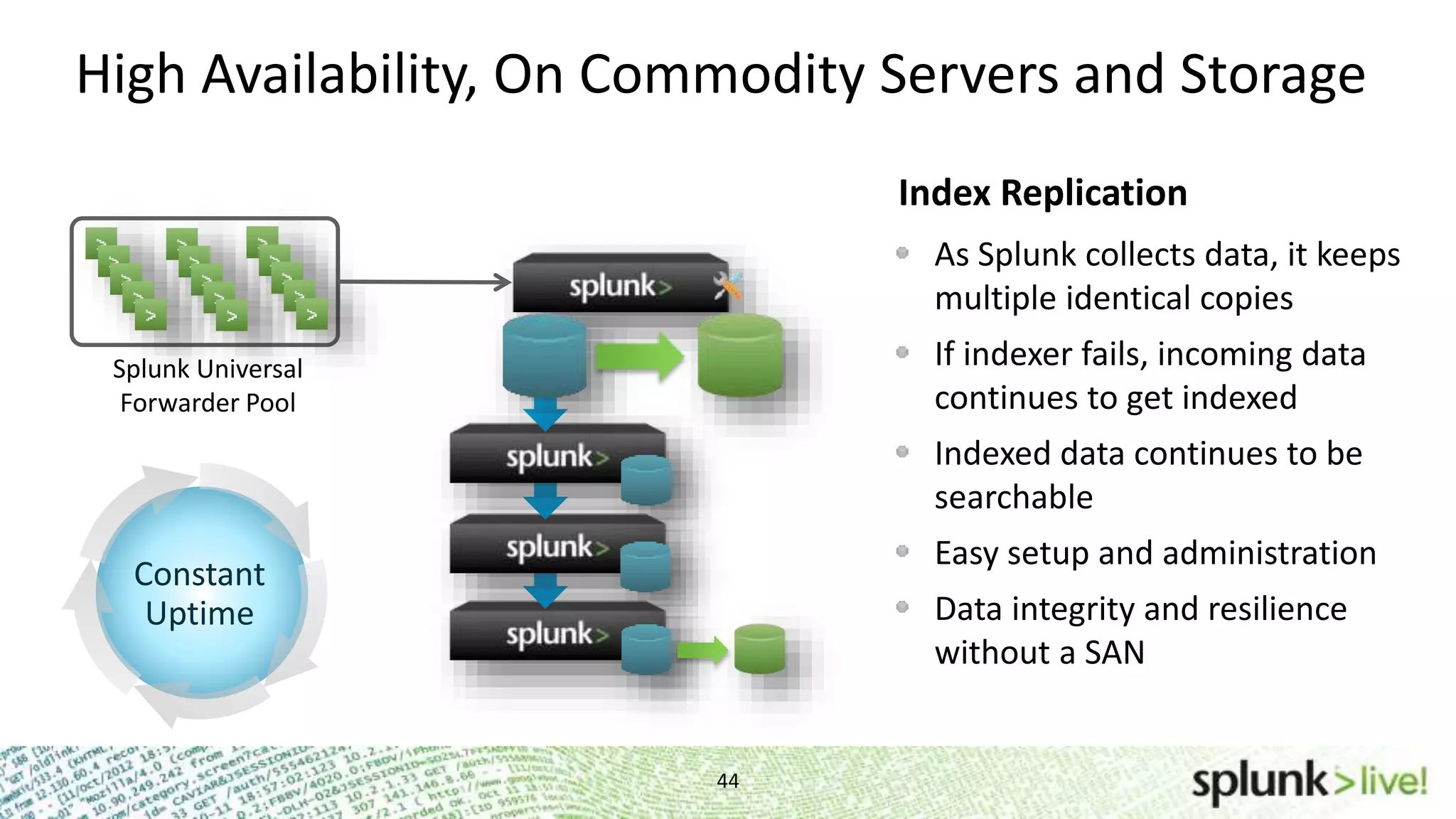
High Availability, On Commodity Servers and Storage 44 As Splunk collects data, it keeps multiple identical copies If indexer fails, incoming data continues to get indexed Indexed data continues to be searchable Easy setup and administration Data integrity and resilience without a SAN Index Replication Splunk Universal Forwarder Pool Constant Uptime
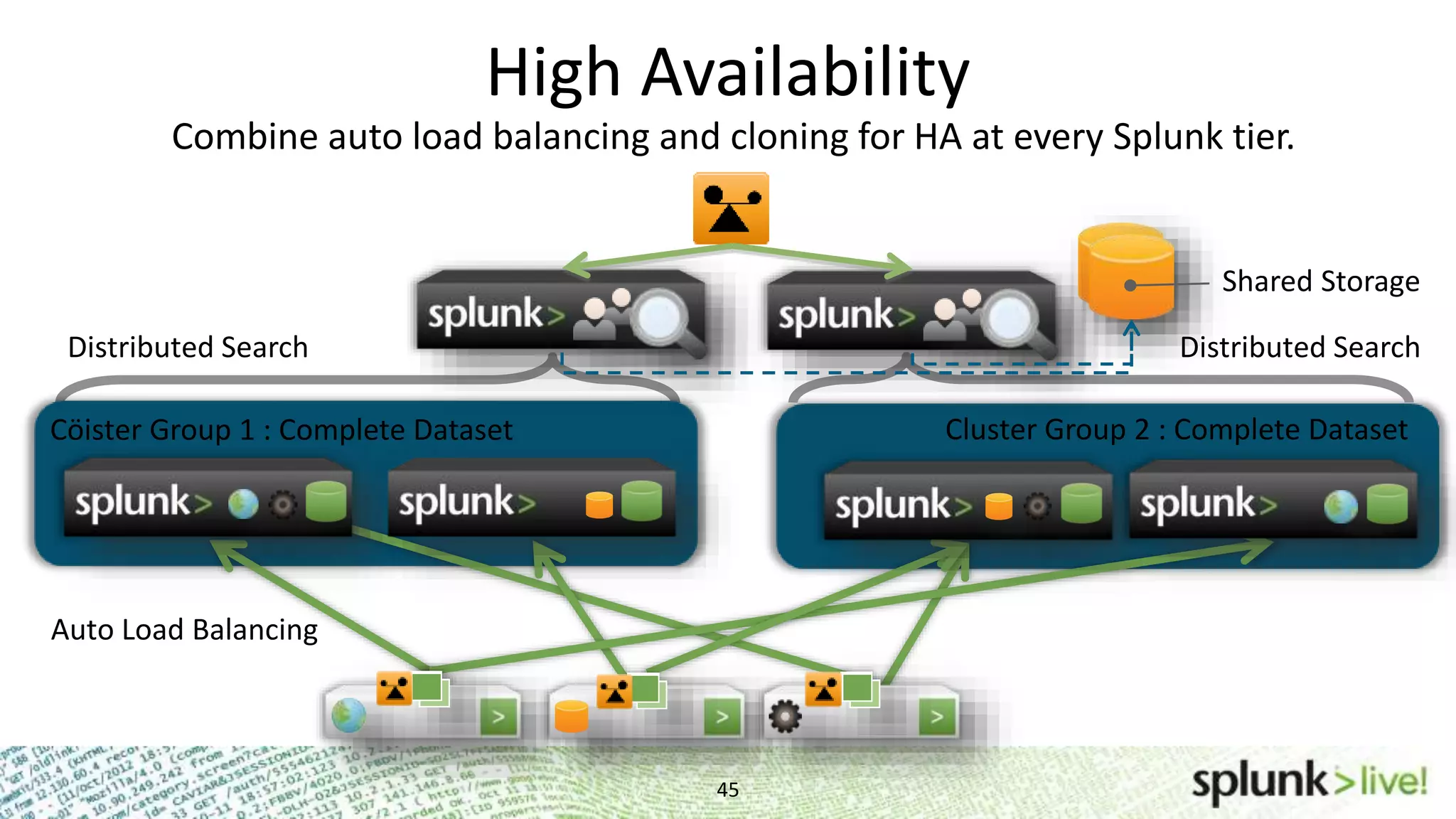
High Availability 45 Combine auto load balancing and cloning for HA at every Splunk tier. Cöister Group 1 : Complete Dataset Auto Load Balancing Distributed Search Distributed Search Cluster Group 2 : Complete Dataset Shared Storage
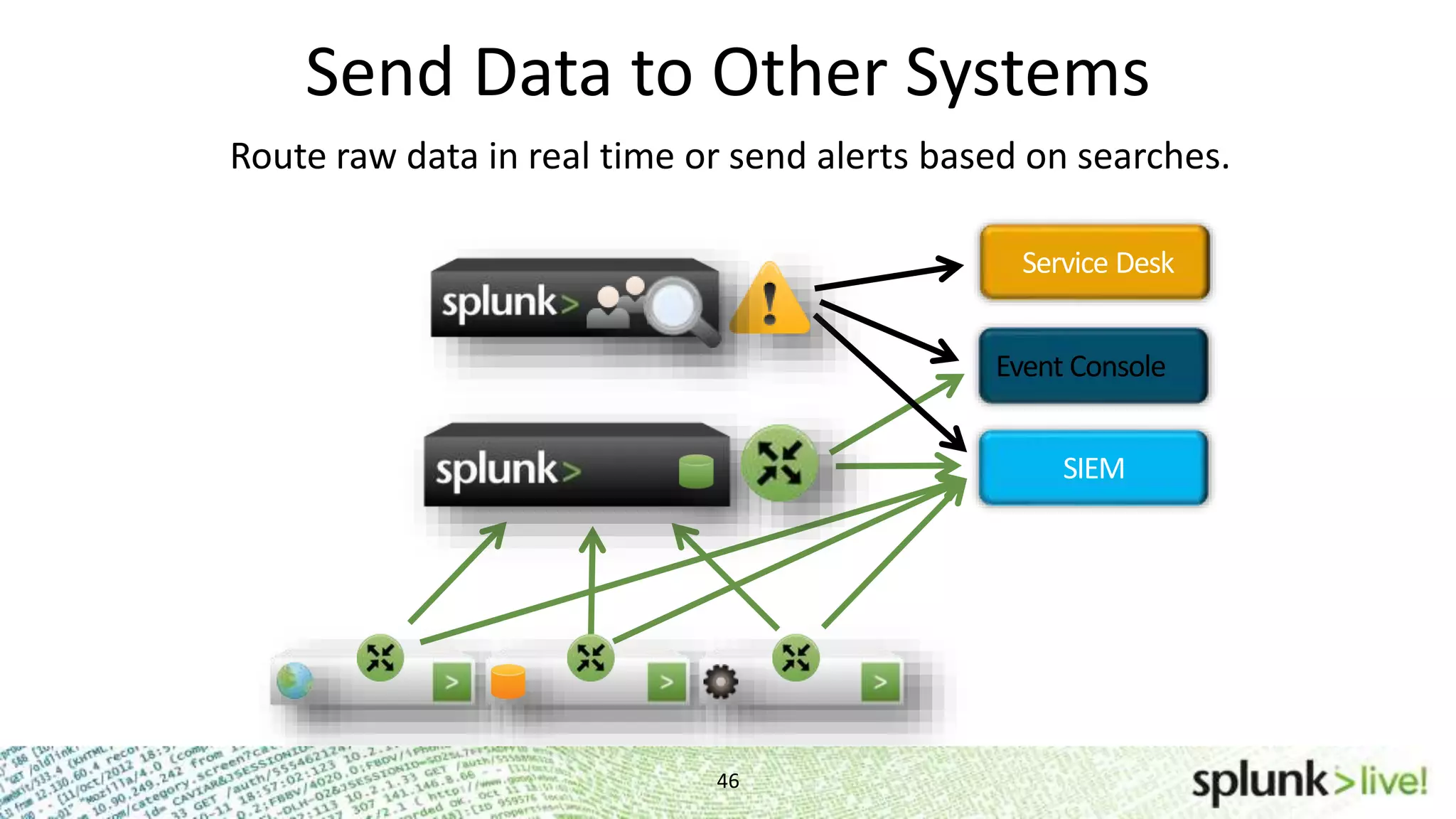
Service Desk Event Console SIEM Send Data to Other Systems 46 Route raw data in real time or send alerts based on searches.
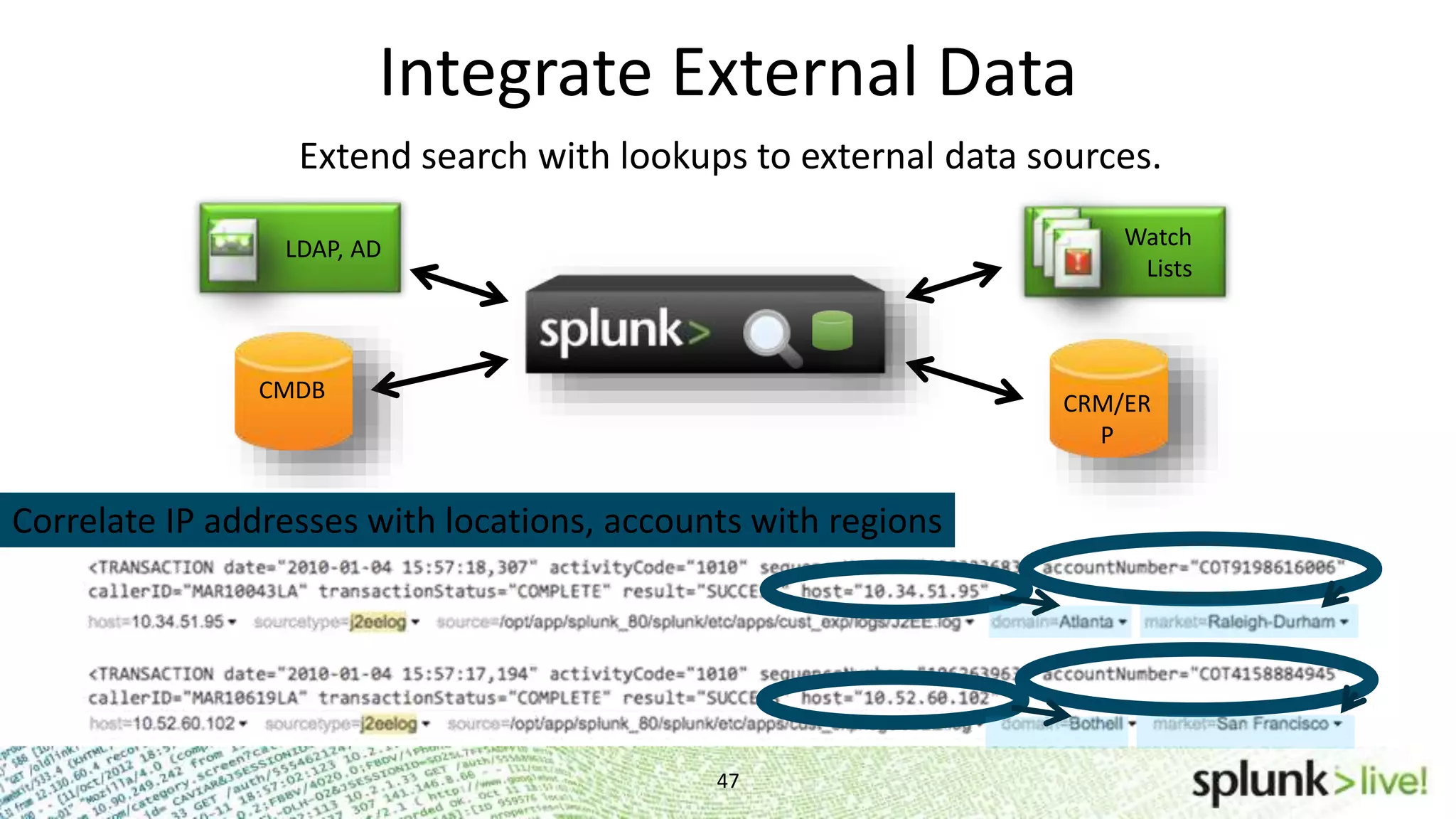
Integrate External Data 47 LDAP, AD Watch Lists CRM/ER P CMDB Correlate IP addresses with locations, accounts with regions Extend search with lookups to external data sources.
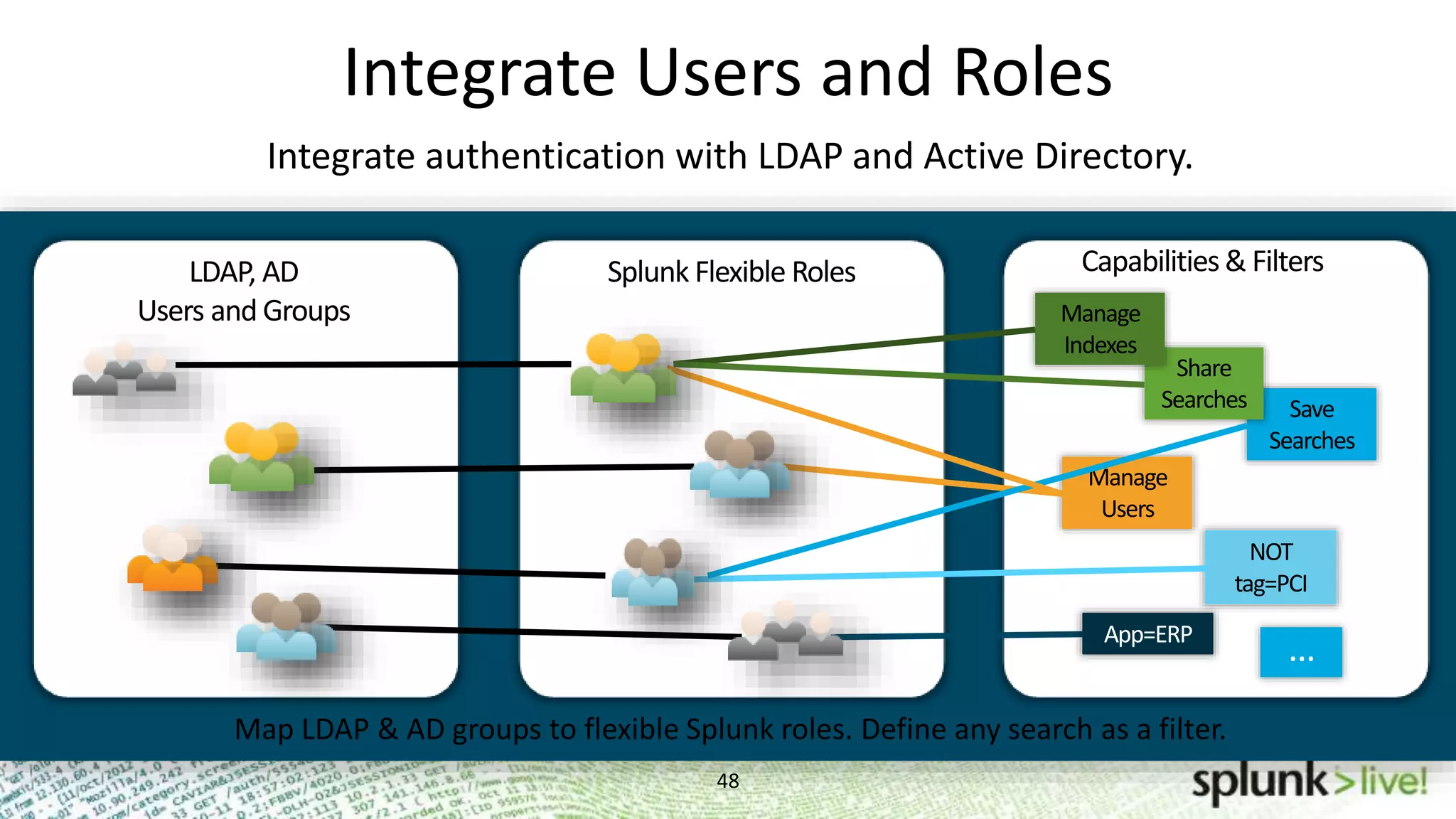
Integrate Users and Roles 48 Problem Investigation Problem Investigation Problem Investigation Save Searches Share Searches LDAP, AD Users and Groups Splunk Flexible Roles Manage Users Manage Indexes Capabilities& Filters NOT tag=PCI App=ERP … Map LDAP & AD groups to flexible Splunk roles. Define any search as a filter. Integrate authentication with LDAP and Active Directory.
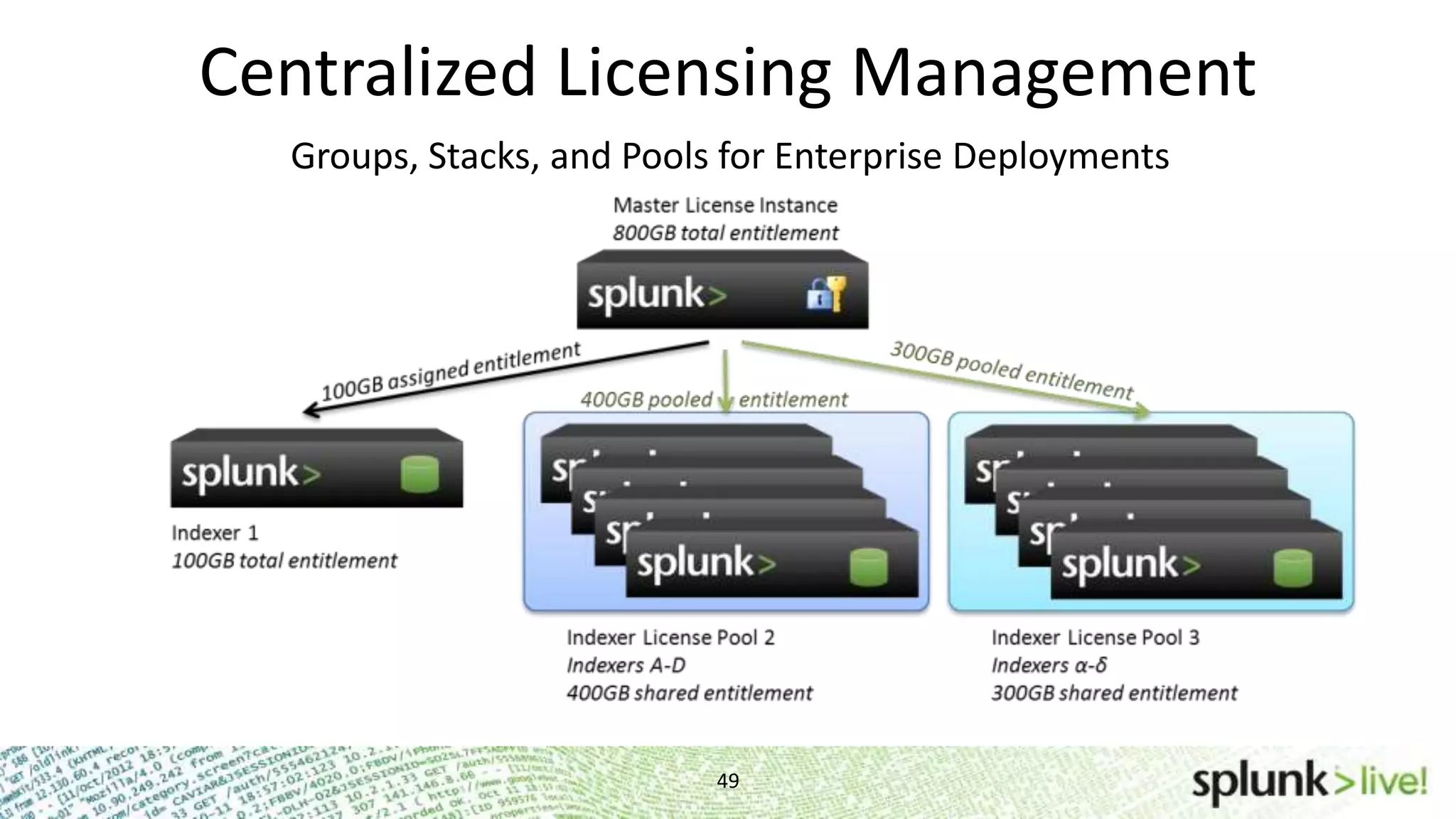
Centralized Licensing Management 49 Problem Investigation Groups, Stacks, and Pools for Enterprise Deployments
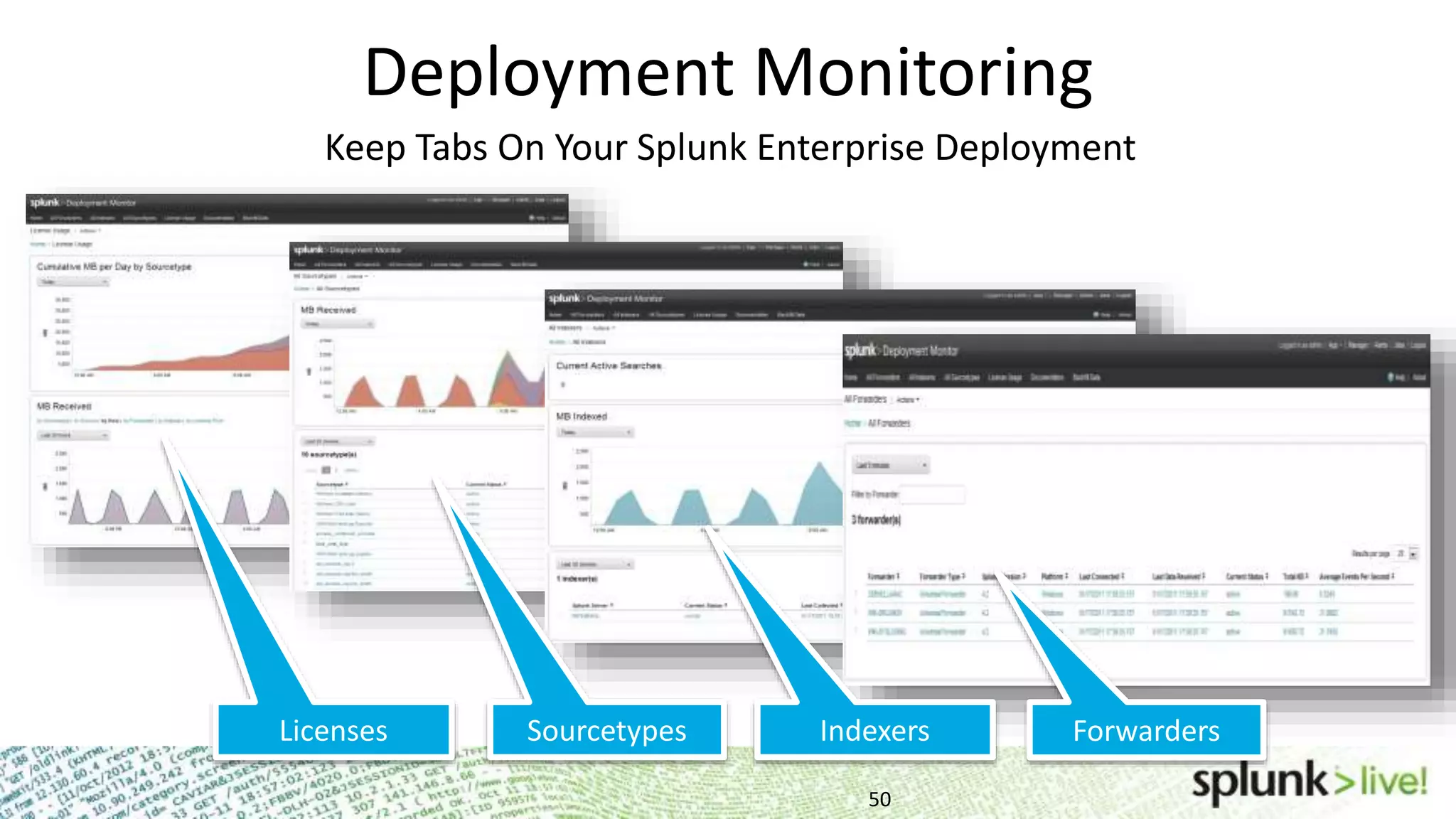
Deployment Monitoring 50 Keep Tabs On Your Splunk Enterprise Deployment ForwardersIndexersSourcetypesLicenses
Support and Community
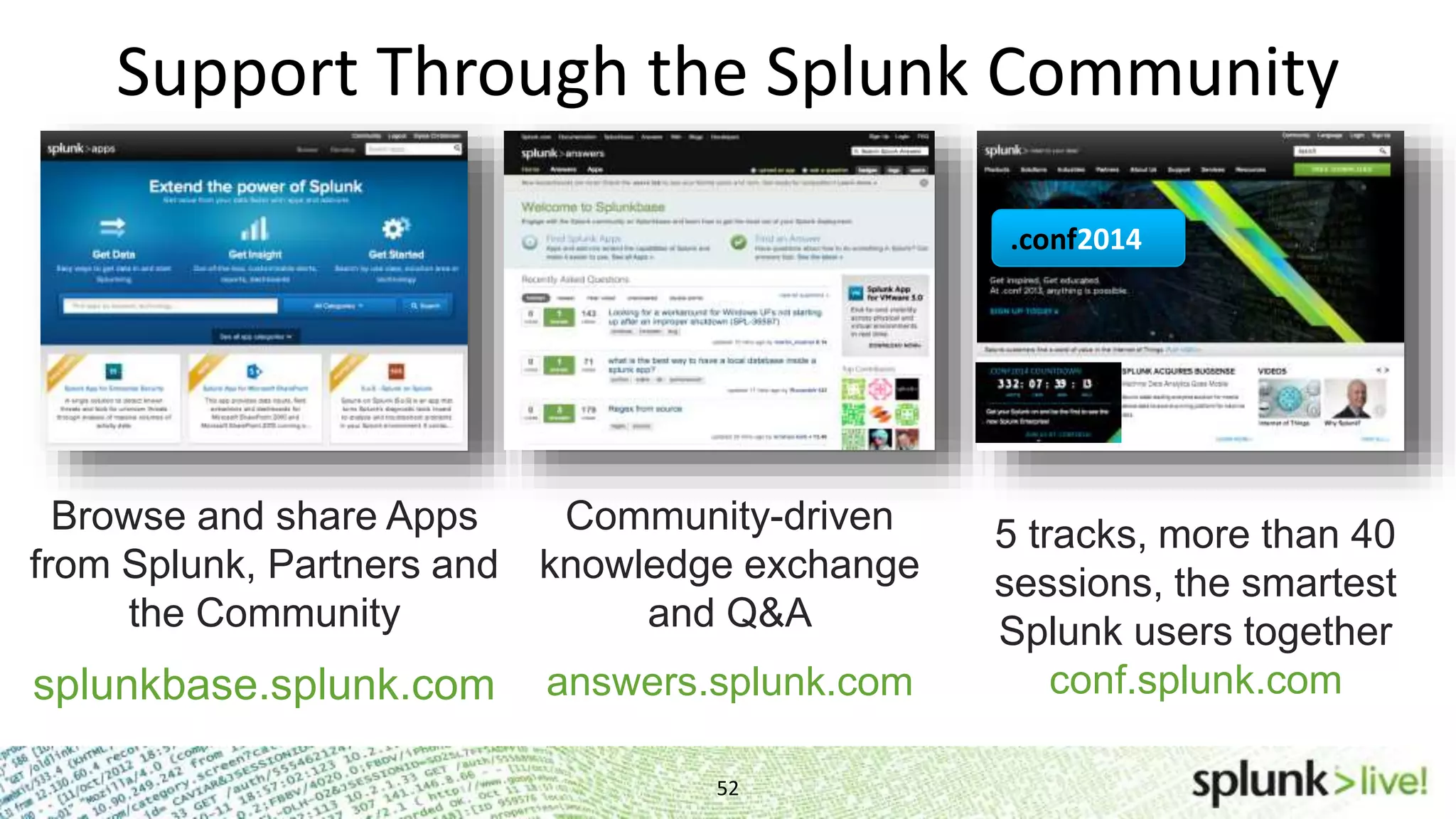
Support Through the Splunk Community 52 Browse and share Apps from Splunk, Partners and the Community splunkbase.splunk.com Splunkbase Community-driven knowledge exchange and Q&A answers.splunk.com 5 tracks, more than 40 sessions, the smartest Splunk users together conf.splunk.com .conf2014
Where to Go for Help 53 • Documentation – http://www.splunk.com/base/Documentation • Technical Support – http://www.splunk.com/support • Videos – http://www.splunk.com/videos • Education – http://www.splunk.com/goto/education • Community – http://answers.splunk.com • Splunk Book – http://splunkbook.com
Thank you November 12st, 2012 Technical Workshops Getting Started User Training

Getting Started with Splunk Break out Session

  • 1.
    Copyright © 2013Splunk Inc. Technical Workshops Getting Started User Training Getting Started User Training Workshop Matthias Maier Sales Engineer
  • 2.
    Agenda • Getting Startedwith Splunk • Search • Alert • Dashboard • Deployment and Integration • Community • Help & Questions 2
  • 3.
  • 4.
    IT Operations Security and Compliance Digital Intelligence App Dev and AppMgmt. Developer Platform (REST API, SDKs) Business Analytics Industrial Data and Internet of Things Small Data. Big Data. Huge Data. Splunk Delivers Value Across IT and the Business
  • 5.
    Install Splunk Splunk Home •WIN: Program FilesSplunk • Other: /opt/splunk (Applications/splunk) Start Splunk • WIN: Program FilesSplunkbinsplunk.exe start (services start) • *NIX: /opt/splunk/bin/splunk start www.splunk.com/download • 32 or 64 Bit? • Indexer or Universal Forwarder?
  • 6.
    Splunk Licenses Free DownloadLimits Indexing to 500MB/day • Enterprise Trial License expires after 60 days • Reverts to Free License Features Disabled in Free License • Multiple user accounts and role-based access controls • Distributed search • Forwarding to non-Splunk Instances • Deployment management • Scheduled saved searches and alerting • Summary indexing Other License Types • Enterprise, Forwarder, Trial
  • 7.
    Default installation on:http://localhost:8000 7 Splunk Web Basics Browser Support • Firefox 10.x and latest • Internet Explorer 7, 8, 9 and 10 • Safari (latest) • Chrome (latest) Index data • Add data • Getting Started App • Install an App (Splunk for Windows, *NIX)
  • 8.
    8 Splunk Web Basicscontinued… Splunk Home • Provides Interactive portal to the Apps & data. • Includes a search bar and three panels: 1 – Apps 2 – Data 3 - Help Splunk Apps • Splunk Home  Find more apps • Provide different contexts for your data out of sets of views, dashboards, and configurations • Default Search App • You can create your own!
  • 9.
    Optional: add sometest data Download the sample file, follow this link and save the file to your desktop, then unzip: http://bit.ly/UBPFWP (Using Splunk Book) Or, to follow along locally, you can download the slides, lookups and data samples at: http://bit.ly/UjkNt6 (Dropbox) To add the file to Splunk: – From the Welcome screen, click Add Data. – Click From files and directories on the bottom half of the screen. – Select Skip preview. – Click the radio button next to Upload and index a file. – Click Save. Install *nix or Windows app to test drive your local OS data! 9
  • 10.
  • 11.
    Best Practice Suggestion: Createan individual Index based on sourcetype. • Easier to re-index data if you make a mistake. • Easier to remove data. • Easier to define permissions and data retention. 11
  • 12.
  • 13.
    Search app –Summary viewcurrent view global stats app navigation time range picker Selecting Data Summary: • Host • Source • Sourcetype start search search box
  • 14.
    Searching 14 Search > * SelectTime Range • Historical, custom, or real-time Select Mode • Smart, Fast, Verbose Using the timeline • Click events and zoom in and out • Click and drag over events for a specific range
  • 15.
    15 Everything is searchable Everythingis searchable • * wildcards supported • Search terms are case insensitive • Booleans AND, OR, NOT – Booleans must be uppercase – Implied AND between terms – Use () for complex searches • Quote phrases fail* fail* nfs error OR 404 error OR failed OR (sourcetype=access_*(500 OR 503)) "login failure"
  • 16.
  • 17.
    Search Assistant 17 Contextual Help -advanced type-ahead History - search - commands Search Reference - short/long description - examples suggests search terms updates as you type shows examples and help toggle off / on
  • 18.
    Searches can bemanaged as asynchronous processes Jobs can be • Scheduled • Moved to background tasks • Paused, stopped, resumed, finalized • Managed • Archived • Cancelled Job Management Modify Job Settings pause finalize delete 18
  • 19.
    Search Commands 19 Search >error | head 1 Search results are “piped” to the command Commands for: • Manipulating fields • Formatting • Handling results • Reporting
  • 20.
    Over 130 Commands! 20 splunk.com> Documentation > Search Reference abstract accum addcoltotals addinfo addtotals af analyzefields anomalies anomalousvalue append appendcols ar associate audit autoregress bin bucket chart cluster collect common contingency convert correlate counttable crawl ctable dbinspect dedup delete delta diff discretize erex eval eventcount eventstats excerpt extract file fillnull folderize format gentimes head highlight iconify input inputcsv inputlookup iplocation join kmeans kv kvform loadjob localize localop lookup macro makecontinuous makemv maketable map metadata multikv mvcombine mvexpand nomv outlier outlierfilter outputcsv outputlookup outputtext overlap rangemap rare regex relevancy rename replace reverse run savedsearch savedsplunk script scrub selfjoin sendemail set sichart sirare sistats sitimechart sitop slc stash strcat streamstats sumindex summaryindex tail test timechart top transaction transam trendline typeahead typelearner typer uniq untable xmlkv xmlunescape xpath xyseries http://www.splunk.com/base/Documentation/latest/SearchReference/SearchCheatsheet
  • 21.
  • 22.
    Fields 22 Default fields • host,source, sourcetype, linecount, etc. • View on left panel in search results or all in field picker Where do fields come from? • Pre-defined by sourcetypes • Automatically extracted key-value pairs • User defined
  • 23.
    Sources, Sourcetypes, Hosts •Host - hostname, IP address, or name of the network host from which the events originated • Source - the name of the file, stream, or other input • Sourcetype - a specific data type or data format 2 3
  • 24.
    24 Tagging and EventTyping Eventtypes for more human-readable reports • to categorize and make sense of mountains of data • punctuation helps find events with similar patterns Search > eventtype=failed_login instead of Search > “failed login” OR “FAILED LOGIN” OR “Authentication failure” OR “Failed to ………………authenticate user” Tags are labels • apply ad-hoc knowledge • create logical divisions or groups • tag hosts, sources, fields, even eventtypes Search > tag=web_servers instead of Search > host=“apache1.splunk.com” OR host=“apache2.splunk.com” OR …………….host=“apache3.splunk.com”
  • 25.
    Extract Fields 25 Interactive FieldExtractor • generate PCRE • editable regex • preview/save
  • 26.
    Extract Fields 26 Interactive FieldExtractor • generate PCRE • editable regex • preview/save props.conf [mysourcetype] REPORT-myclass = myFields transforms.conf [myFields] REGEX = ^(w+)s FORMAT = myFieldLabel::$1 Configuration File • manual field extraction • delim-based extractions Rex Search Command ... | rex field=_raw "From: (?<from>.*) To: (?<to>.*)"
  • 27.
    Saved Search &Alert Basics
  • 28.
    Saved Searches 28 Leverage Searchesfor future Insights! • Reports • Dashboards • Alerts • Eventtypes Add a Time Range Picker • Preset • Relative • Real-time • Date-Range • Date & Time Range • Advanced
  • 29.
    Create Alerts 29 Scheduled orReal-Time • Define Time Ranges • Conditions • Thresholds
  • 30.
    Alerting Continued… 30 Searches runon a schedule and fire an alert • Example: Run a search for “Failed password” every 15 min over the last 15 min and alert if the number of events is greater than 10 Searches are running in real-time and fire an alert • Example: Run a search for “Failed password user=john.doe” in a 1 minute window and alert if an event is found
  • 31.
    Alerting Actions 31 • Sendemail • RSS • Execute a script • Track Alert Details
  • 32.
  • 33.
    Reporting 33 results of anysearch Define your Search and set your time range, accelerate you search and more Choose the type of chart (line, area, column, etc) and other formatting options Build reports from
  • 34.
    Reporting Examples 34 • Usewizard or reporting commands (timechart, top, etc) • Build real-time reports with real-time searches • Save reports for use on dashboards
  • 35.
  • 36.
  • 37.
    Manager Settings 37 For Allof that Cool Stuff You Just Created (and more!) • Permissions • Saved Searches/Reports • Custom Views • Distributed Splunk • Deployment Server • License Usage….
  • 38.
  • 39.
    Splunk Has FourPrimary Functions 39 • Searching and Reporting (Search Head) • Indexing and Search Services (Indexer) • Local and Distributed Management (Deployment Server) • Data Collection and Forwarding (Forwarder) A Splunk install can be one or all roles…
  • 40.
    Getting Data IntoSplunk 40 Agent and Agent-less Approach for Flexibility perf shell code Mounted File Systems hostnamemount syslog TCP/UDP WMI Event Logs Performance Active Directory syslog compatible hosts and network devices Unix, Linux and Windows hosts Windows hosts Custom apps and scripted API connections Local File Monitoring log files, config files dumps and trace files Windows Inputs Event Logs performance counters registry monitoring Active Directory monitoring virtual host Windows hosts Scripted Inputs shell scripts custom parsers batch loading Agent-less Data Input Splunk Forwarder
  • 41.
    Understanding the UniversalForwarder 41 Forward data without negatively impacting production performance. Scripts Universal Forwarder Deployment Logs ConfigurationsMessages Metrics Central Deployment Management Monitor files, changes and the system registry; capture metrics and status. Universal Forwarder Regular (Heavy) Forwarder Monitor All Supported Inputs ✔ ✔ Routing, Filtering, Cloning ✔ ✔ Splunk Web ✔ Python Libraries ✔ Event Based Routing ✔ Scripted Inputs ✔
  • 42.
    Horizontal Scaling 42 Load balancedsearch and indexing for massive, linear scale out. Forwarder Auto Load Balancing Distributed Search
  • 43.
    Multiple Datacenters 43 Headquarters London HongKong Tokyo New York Distributed Search Index and store locally. Distribute searches to datacenters, networks & geographies.
  • 44.
    High Availability, OnCommodity Servers and Storage 44 As Splunk collects data, it keeps multiple identical copies If indexer fails, incoming data continues to get indexed Indexed data continues to be searchable Easy setup and administration Data integrity and resilience without a SAN Index Replication Splunk Universal Forwarder Pool Constant Uptime
  • 45.
    High Availability 45 Combine autoload balancing and cloning for HA at every Splunk tier. Cöister Group 1 : Complete Dataset Auto Load Balancing Distributed Search Distributed Search Cluster Group 2 : Complete Dataset Shared Storage
  • 46.
    Service Desk Event Console SIEM SendData to Other Systems 46 Route raw data in real time or send alerts based on searches.
  • 47.
    Integrate External Data 47 LDAP,AD Watch Lists CRM/ER P CMDB Correlate IP addresses with locations, accounts with regions Extend search with lookups to external data sources.
  • 48.
    Integrate Users andRoles 48 Problem Investigation Problem Investigation Problem Investigation Save Searches Share Searches LDAP, AD Users and Groups Splunk Flexible Roles Manage Users Manage Indexes Capabilities& Filters NOT tag=PCI App=ERP … Map LDAP & AD groups to flexible Splunk roles. Define any search as a filter. Integrate authentication with LDAP and Active Directory.
  • 49.
    Centralized Licensing Management 49 ProblemInvestigation Groups, Stacks, and Pools for Enterprise Deployments
  • 50.
    Deployment Monitoring 50 Keep TabsOn Your Splunk Enterprise Deployment ForwardersIndexersSourcetypesLicenses
  • 51.
  • 52.
    Support Through theSplunk Community 52 Browse and share Apps from Splunk, Partners and the Community splunkbase.splunk.com Splunkbase Community-driven knowledge exchange and Q&A answers.splunk.com 5 tracks, more than 40 sessions, the smartest Splunk users together conf.splunk.com .conf2014
  • 53.
    Where to Gofor Help 53 • Documentation – http://www.splunk.com/base/Documentation • Technical Support – http://www.splunk.com/support • Videos – http://www.splunk.com/videos • Education – http://www.splunk.com/goto/education • Community – http://answers.splunk.com • Splunk Book – http://splunkbook.com
  • 54.