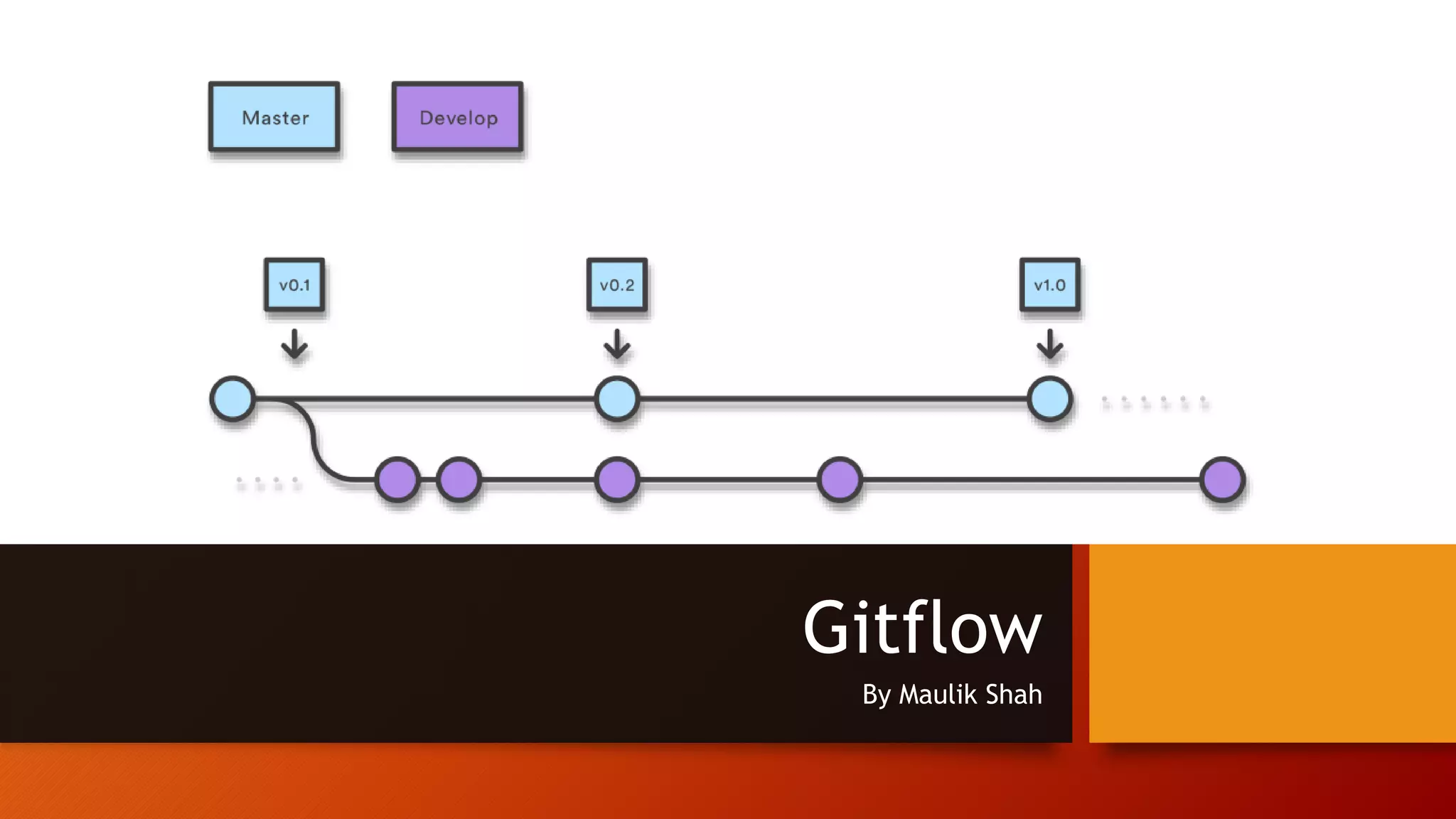
Gitflow By Maulik Shah
Types of VCS & Difference Between Them Centralized DeCentralized As a consequence of its simplicity and repetitive nature, branching and merging are no longer something to be afraid of. Version control tools are supposed to assist in branching/merging more than anything else.
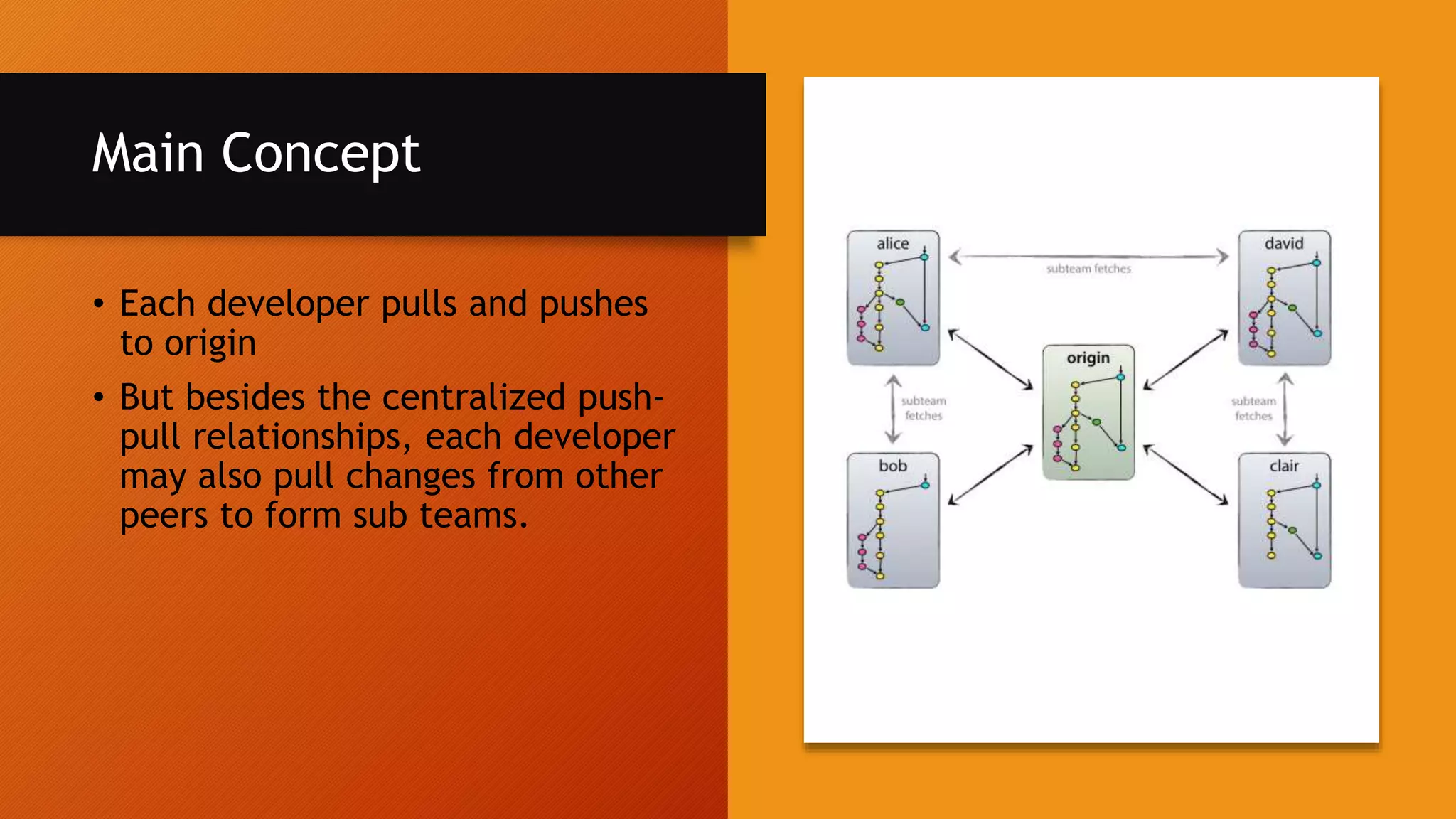
Main Concept • Each developer pulls and pushes to origin • But besides the centralized push- pull relationships, each developer may also pull changes from other peers to form sub teams.
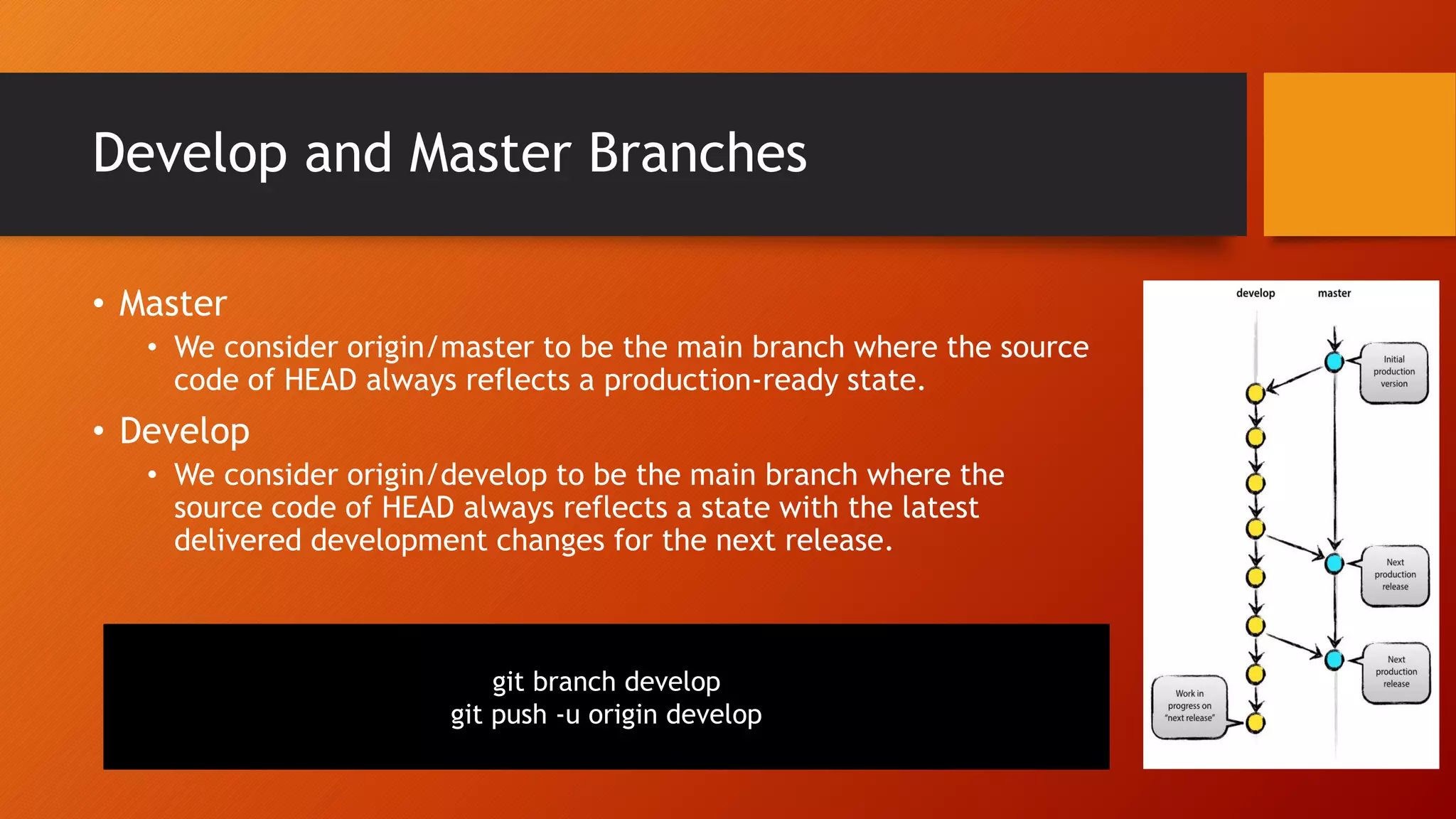
Develop and Master Branches • Master • We consider origin/master to be the main branch where the source code of HEAD always reflects a production-ready state. • Develop • We consider origin/develop to be the main branch where the source code of HEAD always reflects a state with the latest delivered development changes for the next release. git branch develop git push -u origin develop
Supporting branches • Feature branches • Release branches • Hotfix branches Our development model uses a variety of supporting branches to aid parallel development between team members, ease tracking of features, prepare for production releases and to assist in quickly fixing live production problems. Unlike the main branches, these branches always have a limited life time, since they will be removed eventually.
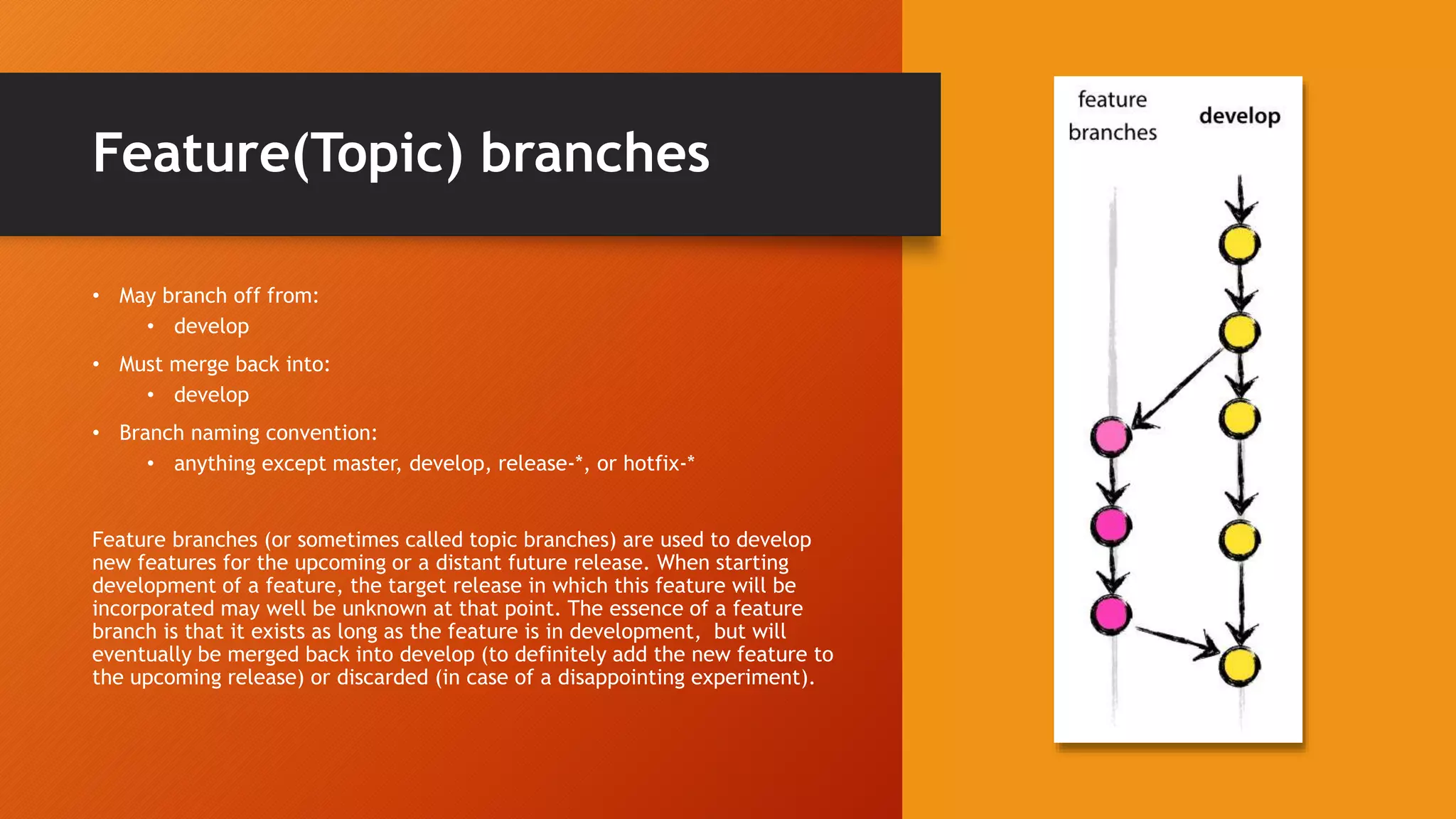
Feature(Topic) branches • May branch off from: • develop • Must merge back into: • develop • Branch naming convention: • anything except master, develop, release-*, or hotfix-* Feature branches (or sometimes called topic branches) are used to develop new features for the upcoming or a distant future release. When starting development of a feature, the target release in which this feature will be incorporated may well be unknown at that point. The essence of a feature branch is that it exists as long as the feature is in development, but will eventually be merged back into develop (to definitely add the new feature to the upcoming release) or discarded (in case of a disappointing experiment).
Creating a feature branch • When starting work on a new feature, branch off from the develop branch. git checkout -b myfeature develop
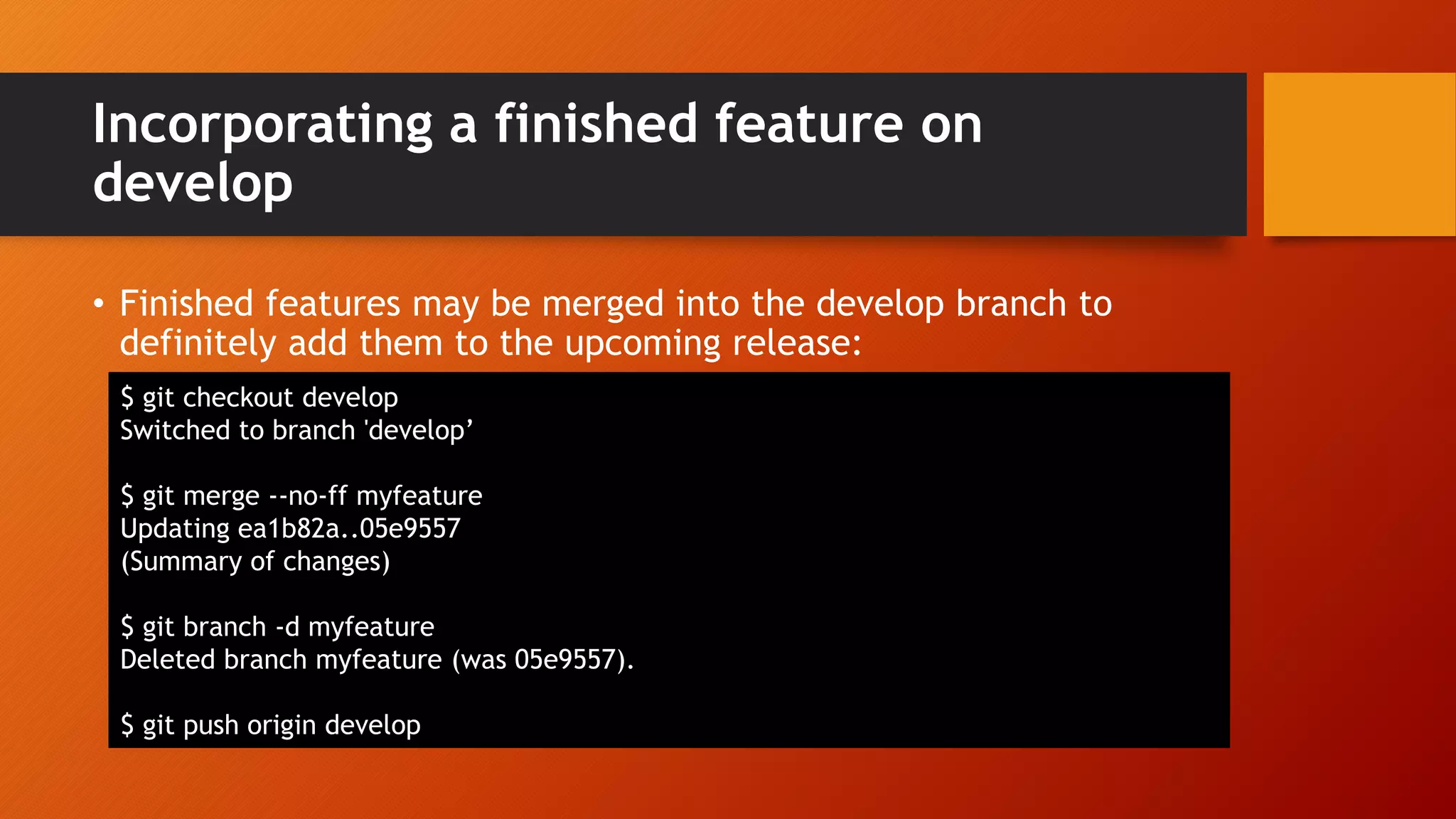
Incorporating a finished feature on develop • Finished features may be merged into the develop branch to definitely add them to the upcoming release: $ git checkout develop Switched to branch 'develop’ $ git merge --no-ff myfeature Updating ea1b82a..05e9557 (Summary of changes) $ git branch -d myfeature Deleted branch myfeature (was 05e9557). $ git push origin develop
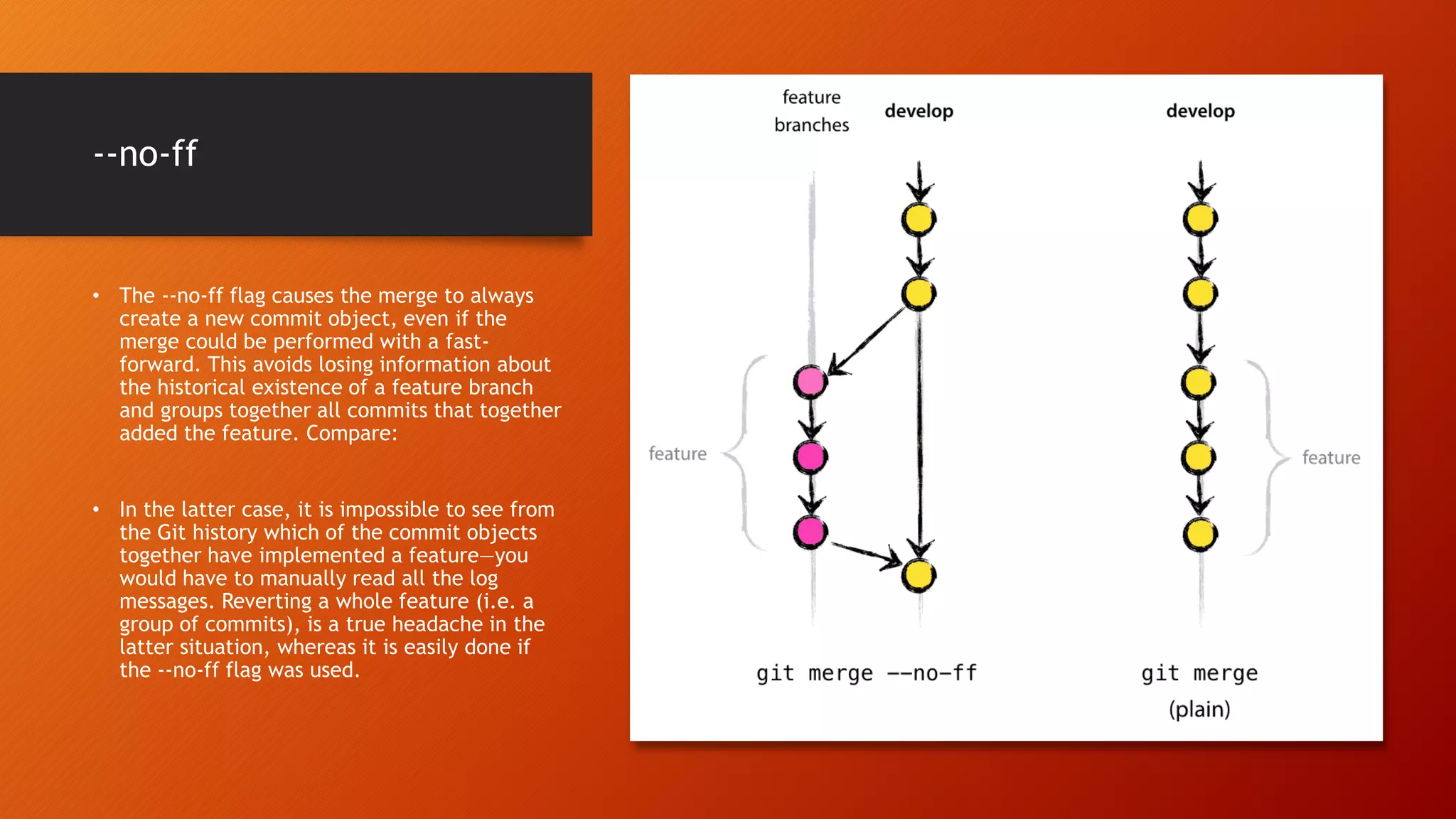
--no-ff • The --no-ff flag causes the merge to always create a new commit object, even if the merge could be performed with a fast- forward. This avoids losing information about the historical existence of a feature branch and groups together all commits that together added the feature. Compare: • In the latter case, it is impossible to see from the Git history which of the commit objects together have implemented a feature—you would have to manually read all the log messages. Reverting a whole feature (i.e. a group of commits), is a true headache in the latter situation, whereas it is easily done if the --no-ff flag was used.
Release branches • May branch off from: • develop • Must merge back into: • develop and master • Branch naming convention: • release-* • meta-data for a release
Creating a release branch $ git checkout -b release-1.2 develop Switched to a new branch "release-1.2" $ ./bump-version.sh 1.2 Files modified successfully, version bumped to 1.2. $ git commit -a -m "Bumped version number to 1.2" [release-1.2 74d9424] Bumped version number to 1.2 1 files changed, 1 insertions(+), 1 deletions(-)
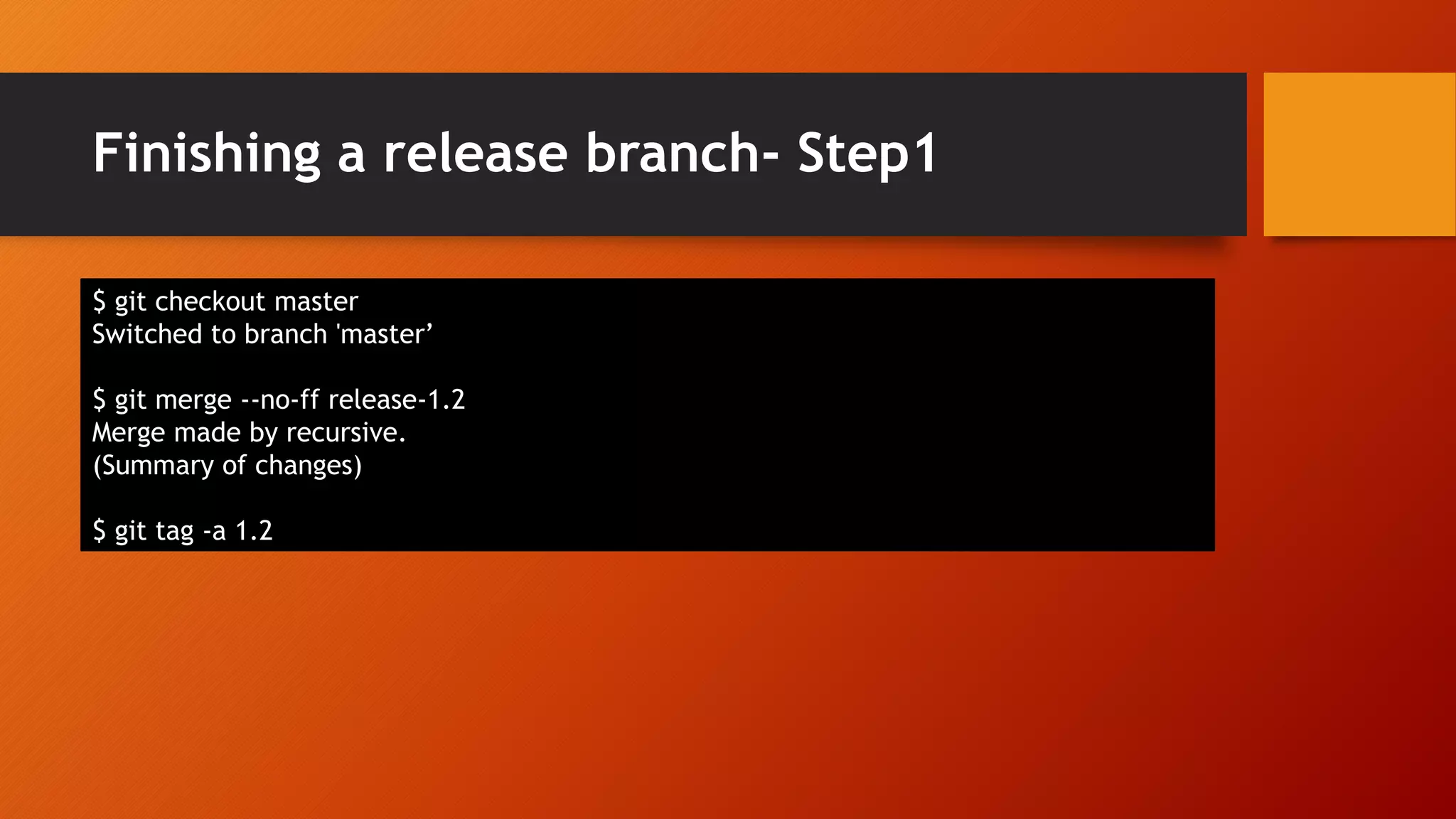
Finishing a release branch- Step1 $ git checkout master Switched to branch 'master’ $ git merge --no-ff release-1.2 Merge made by recursive. (Summary of changes) $ git tag -a 1.2
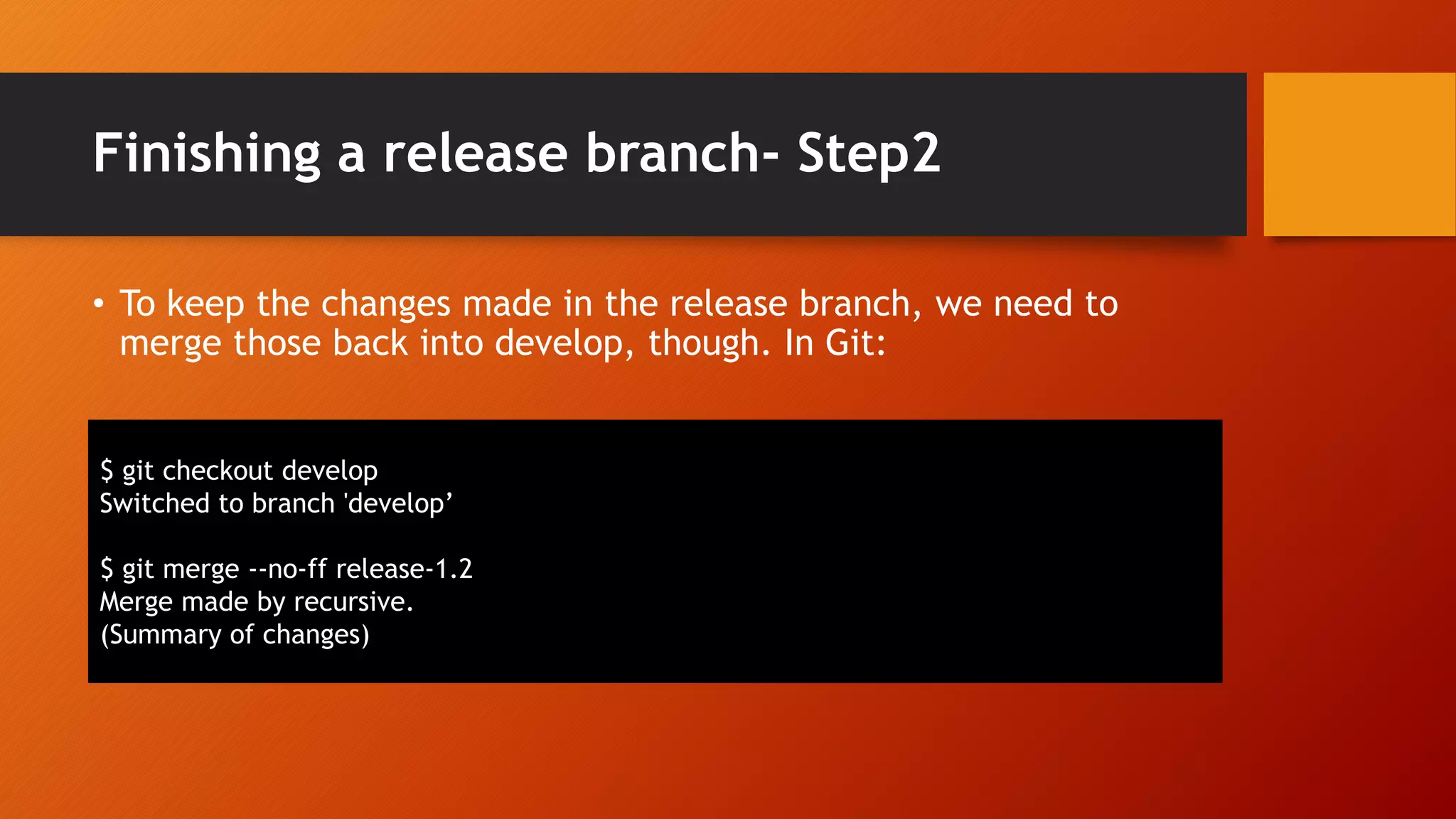
Finishing a release branch- Step2 • To keep the changes made in the release branch, we need to merge those back into develop, though. In Git: $ git checkout develop Switched to branch 'develop’ $ git merge --no-ff release-1.2 Merge made by recursive. (Summary of changes)
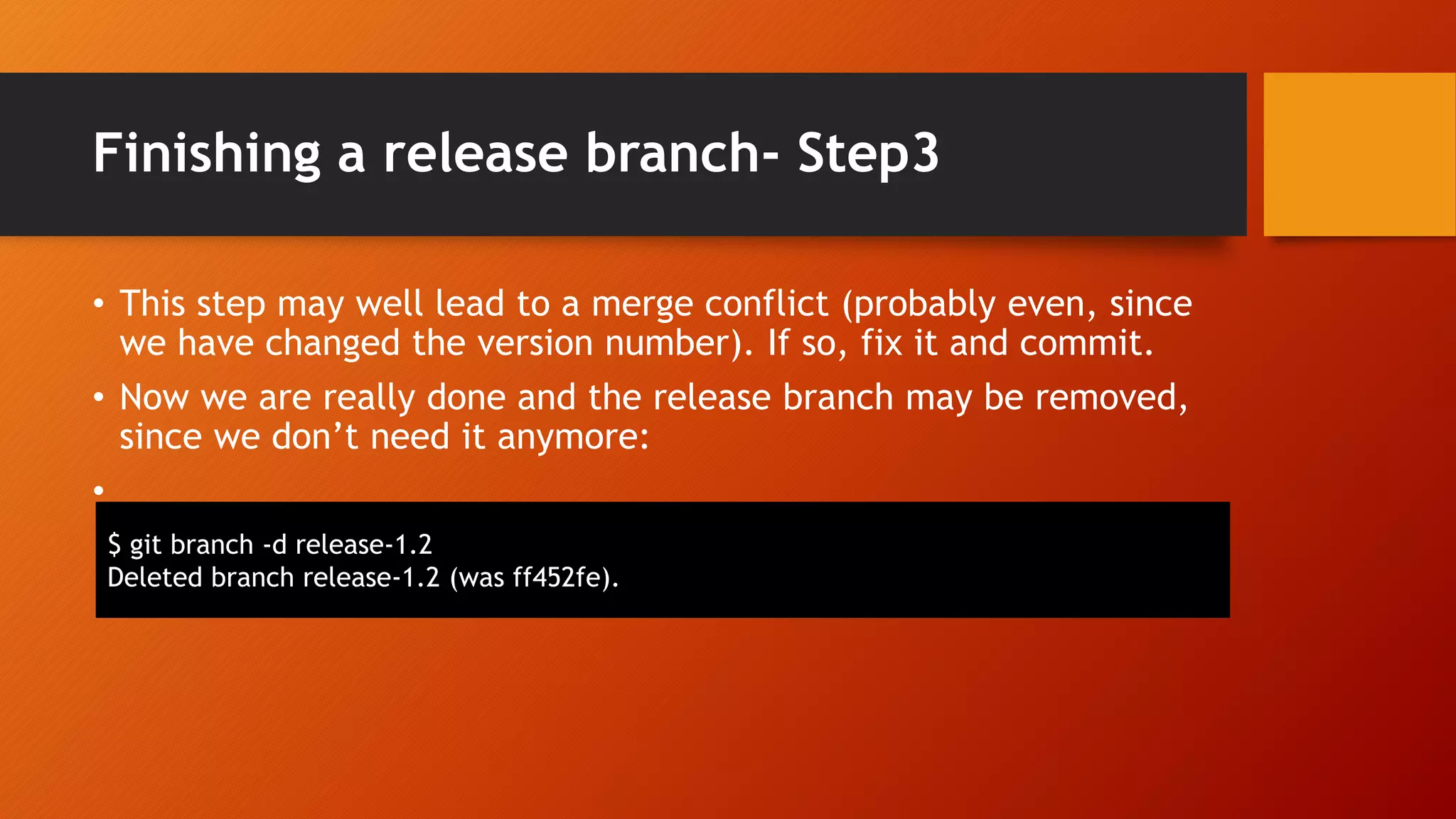
Finishing a release branch- Step3 • This step may well lead to a merge conflict (probably even, since we have changed the version number). If so, fix it and commit. • Now we are really done and the release branch may be removed, since we don’t need it anymore: • $ git branch -d release-1.2 Deleted branch release-1.2 (was ff452fe).
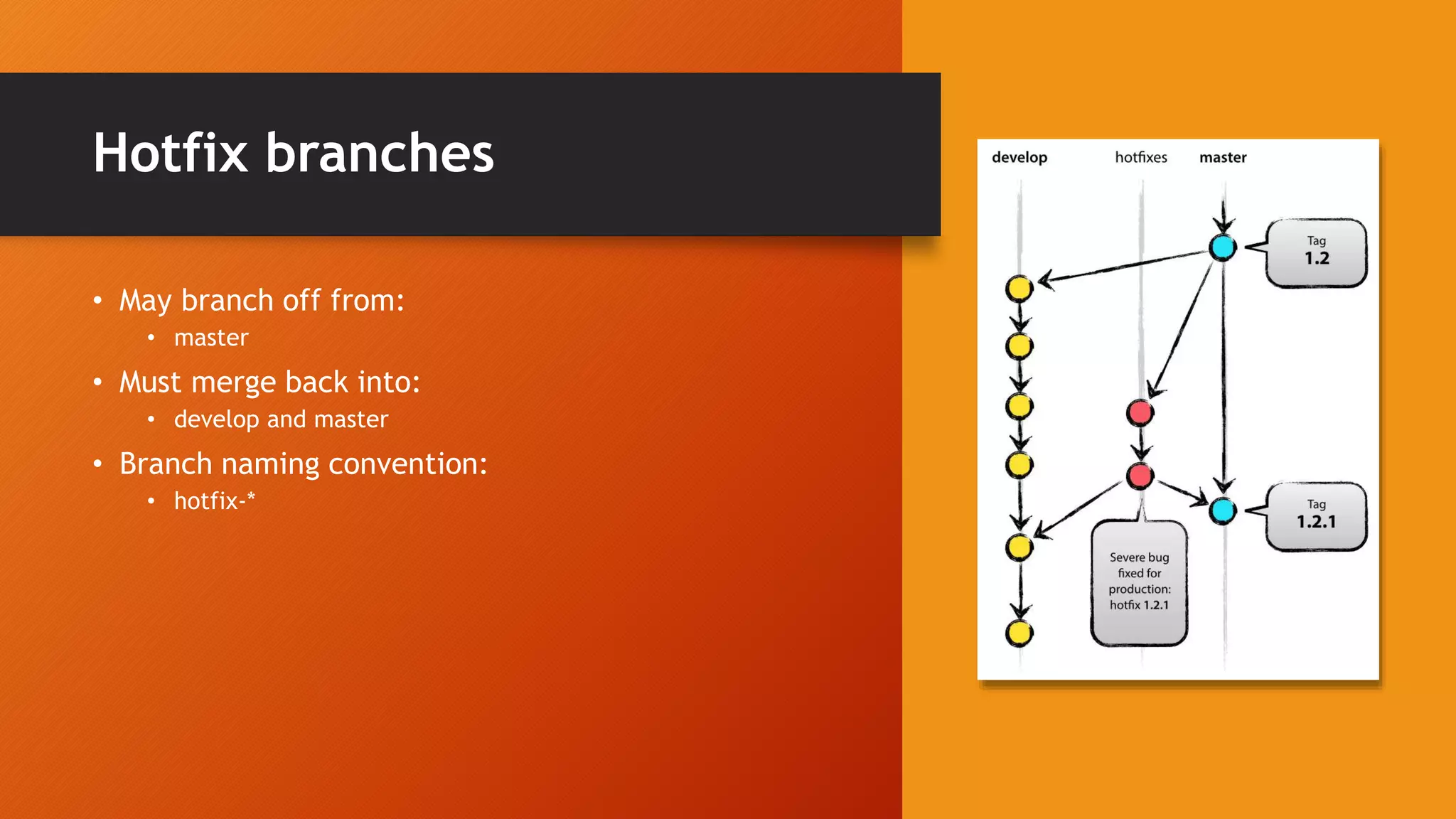
Hotfix branches • May branch off from: • master • Must merge back into: • develop and master • Branch naming convention: • hotfix-*
Creating a hotfix branch Step-1 • Hotfix branches are created from the master branch. For example, say version 1.2 is the current production release running live and causing troubles due to a severe bug. But changes on develop are yet unstable. We may then branch off a hotfix branch and start fixing the problem: $ git checkout -b hotfix-1.2.1 master Switched to a new branch "hotfix-1.2.1“ $ ./bump-version.sh 1.2.1 Files modified successfully, version bumped to 1.2.1. $ git commit -a -m "Bumped version number to 1.2.1" [hotfix-1.2.1 41e61bb] Bumped version number to 1.2.1 1 files changed, 1 insertions(+), 1 deletions(-)
Creating a hotfix branch Step-2 • Then, fix the bug and commit the fix in one or more separate commits. $ git commit -m "Fixed severe production problem" [hotfix-1.2.1 abbe5d6] Fixed severe production problem 5 files changed, 32 insertions(+), 17 deletions(-)
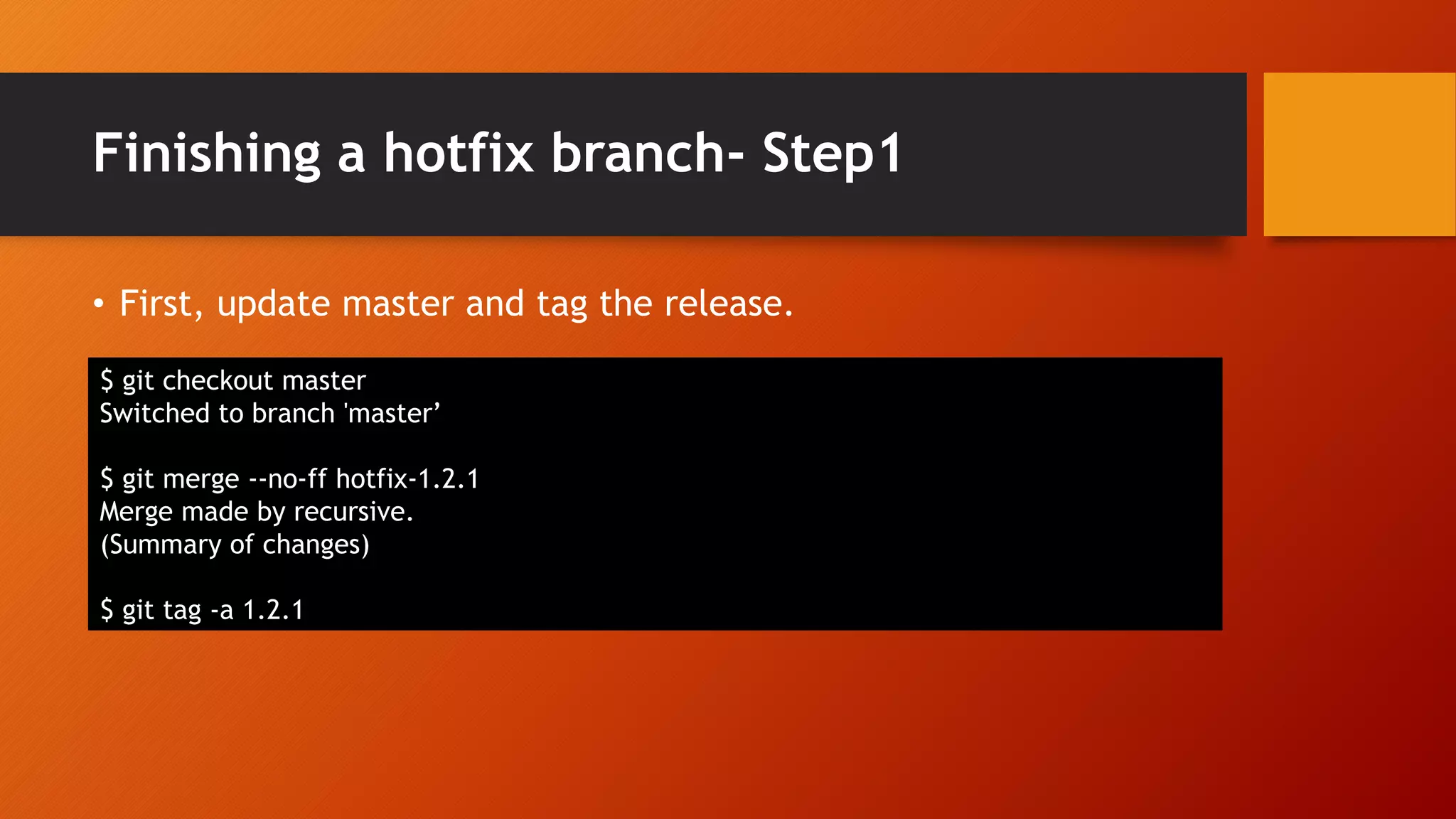
Finishing a hotfix branch- Step1 • First, update master and tag the release. $ git checkout master Switched to branch 'master’ $ git merge --no-ff hotfix-1.2.1 Merge made by recursive. (Summary of changes) $ git tag -a 1.2.1
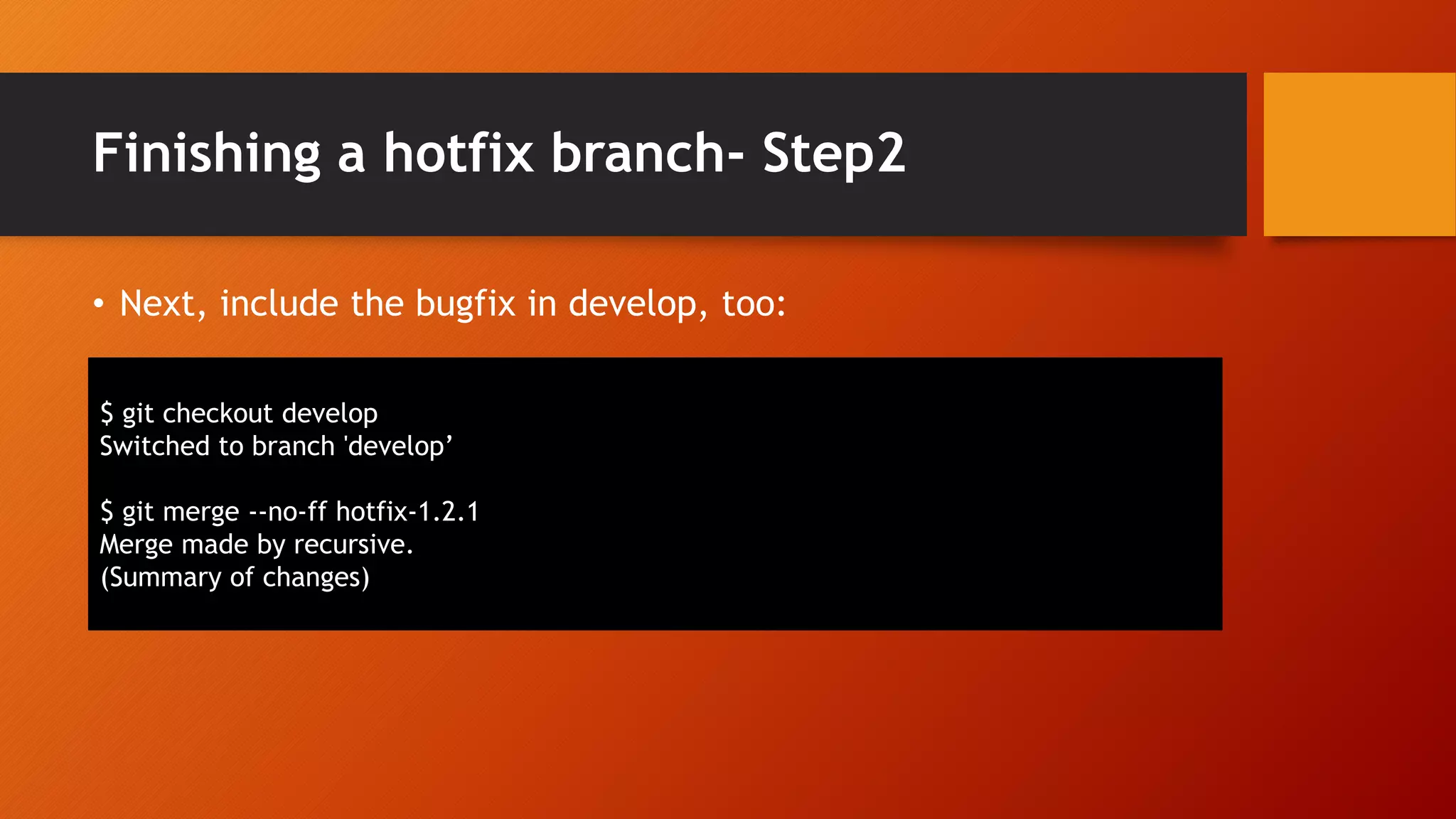
Finishing a hotfix branch- Step2 • Next, include the bugfix in develop, too: $ git checkout develop Switched to branch 'develop’ $ git merge --no-ff hotfix-1.2.1 Merge made by recursive. (Summary of changes)
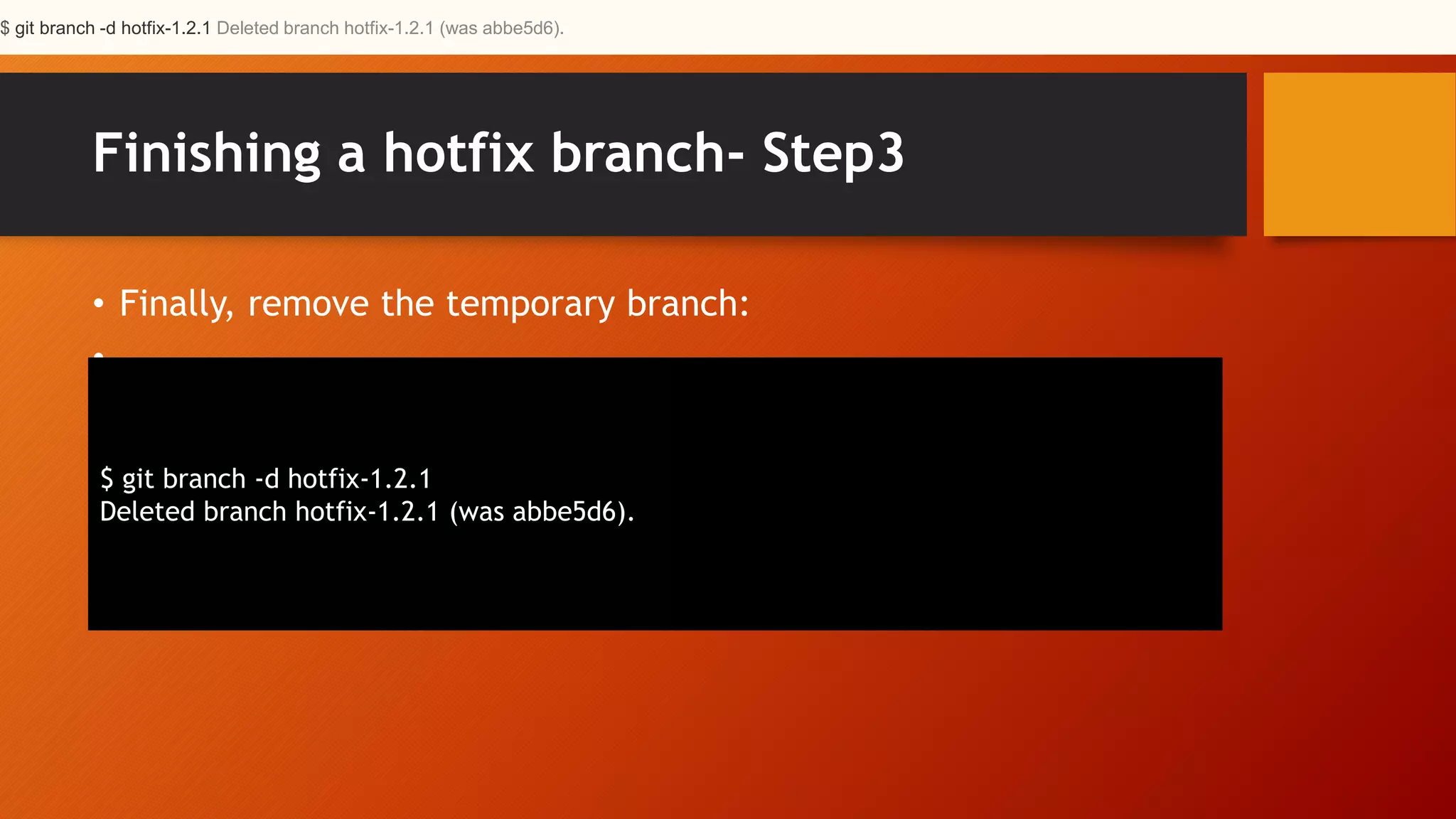
Finishing a hotfix branch- Step3 • Finally, remove the temporary branch: • $ git branch -d hotfix-1.2.1 Deleted branch hotfix-1.2.1 (was abbe5d6). $ git branch -d hotfix-1.2.1 Deleted branch hotfix-1.2.1 (was abbe5d6).
Summary • While there is nothing really shocking new to this branching model, the “big picture” figure that this post began with has turned out to be tremendously useful in our projects. It forms an elegant mental model that is easy to comprehend and allows team members to develop a shared understanding of the branching and releasing processes. • Reference - https://nvie.com/posts/a-successful-git-branching- model/ • PDF For Easy Access - https://nvie.com/files/Git-branching- model.pdf

Gitflow - Branching and Merging Flow for Git

  • 1.
  • 2.
    Types of VCS& Difference Between Them Centralized DeCentralized As a consequence of its simplicity and repetitive nature, branching and merging are no longer something to be afraid of. Version control tools are supposed to assist in branching/merging more than anything else.
  • 3.
    Main Concept • Eachdeveloper pulls and pushes to origin • But besides the centralized push- pull relationships, each developer may also pull changes from other peers to form sub teams.
  • 4.
    Develop and MasterBranches • Master • We consider origin/master to be the main branch where the source code of HEAD always reflects a production-ready state. • Develop • We consider origin/develop to be the main branch where the source code of HEAD always reflects a state with the latest delivered development changes for the next release. git branch develop git push -u origin develop
  • 5.
    Supporting branches • Featurebranches • Release branches • Hotfix branches Our development model uses a variety of supporting branches to aid parallel development between team members, ease tracking of features, prepare for production releases and to assist in quickly fixing live production problems. Unlike the main branches, these branches always have a limited life time, since they will be removed eventually.
  • 6.
    Feature(Topic) branches • Maybranch off from: • develop • Must merge back into: • develop • Branch naming convention: • anything except master, develop, release-*, or hotfix-* Feature branches (or sometimes called topic branches) are used to develop new features for the upcoming or a distant future release. When starting development of a feature, the target release in which this feature will be incorporated may well be unknown at that point. The essence of a feature branch is that it exists as long as the feature is in development, but will eventually be merged back into develop (to definitely add the new feature to the upcoming release) or discarded (in case of a disappointing experiment).
  • 7.
    Creating a featurebranch • When starting work on a new feature, branch off from the develop branch. git checkout -b myfeature develop
  • 8.
    Incorporating a finishedfeature on develop • Finished features may be merged into the develop branch to definitely add them to the upcoming release: $ git checkout develop Switched to branch 'develop’ $ git merge --no-ff myfeature Updating ea1b82a..05e9557 (Summary of changes) $ git branch -d myfeature Deleted branch myfeature (was 05e9557). $ git push origin develop
  • 9.
    --no-ff • The --no-ffflag causes the merge to always create a new commit object, even if the merge could be performed with a fast- forward. This avoids losing information about the historical existence of a feature branch and groups together all commits that together added the feature. Compare: • In the latter case, it is impossible to see from the Git history which of the commit objects together have implemented a feature—you would have to manually read all the log messages. Reverting a whole feature (i.e. a group of commits), is a true headache in the latter situation, whereas it is easily done if the --no-ff flag was used.
  • 10.
    Release branches • Maybranch off from: • develop • Must merge back into: • develop and master • Branch naming convention: • release-* • meta-data for a release
  • 11.
    Creating a releasebranch $ git checkout -b release-1.2 develop Switched to a new branch "release-1.2" $ ./bump-version.sh 1.2 Files modified successfully, version bumped to 1.2. $ git commit -a -m "Bumped version number to 1.2" [release-1.2 74d9424] Bumped version number to 1.2 1 files changed, 1 insertions(+), 1 deletions(-)
  • 12.
    Finishing a releasebranch- Step1 $ git checkout master Switched to branch 'master’ $ git merge --no-ff release-1.2 Merge made by recursive. (Summary of changes) $ git tag -a 1.2
  • 13.
    Finishing a releasebranch- Step2 • To keep the changes made in the release branch, we need to merge those back into develop, though. In Git: $ git checkout develop Switched to branch 'develop’ $ git merge --no-ff release-1.2 Merge made by recursive. (Summary of changes)
  • 14.
    Finishing a releasebranch- Step3 • This step may well lead to a merge conflict (probably even, since we have changed the version number). If so, fix it and commit. • Now we are really done and the release branch may be removed, since we don’t need it anymore: • $ git branch -d release-1.2 Deleted branch release-1.2 (was ff452fe).
  • 15.
    Hotfix branches • Maybranch off from: • master • Must merge back into: • develop and master • Branch naming convention: • hotfix-*
  • 16.
    Creating a hotfixbranch Step-1 • Hotfix branches are created from the master branch. For example, say version 1.2 is the current production release running live and causing troubles due to a severe bug. But changes on develop are yet unstable. We may then branch off a hotfix branch and start fixing the problem: $ git checkout -b hotfix-1.2.1 master Switched to a new branch "hotfix-1.2.1“ $ ./bump-version.sh 1.2.1 Files modified successfully, version bumped to 1.2.1. $ git commit -a -m "Bumped version number to 1.2.1" [hotfix-1.2.1 41e61bb] Bumped version number to 1.2.1 1 files changed, 1 insertions(+), 1 deletions(-)
  • 17.
    Creating a hotfixbranch Step-2 • Then, fix the bug and commit the fix in one or more separate commits. $ git commit -m "Fixed severe production problem" [hotfix-1.2.1 abbe5d6] Fixed severe production problem 5 files changed, 32 insertions(+), 17 deletions(-)
  • 18.
    Finishing a hotfixbranch- Step1 • First, update master and tag the release. $ git checkout master Switched to branch 'master’ $ git merge --no-ff hotfix-1.2.1 Merge made by recursive. (Summary of changes) $ git tag -a 1.2.1
  • 19.
    Finishing a hotfixbranch- Step2 • Next, include the bugfix in develop, too: $ git checkout develop Switched to branch 'develop’ $ git merge --no-ff hotfix-1.2.1 Merge made by recursive. (Summary of changes)
  • 20.
    Finishing a hotfixbranch- Step3 • Finally, remove the temporary branch: • $ git branch -d hotfix-1.2.1 Deleted branch hotfix-1.2.1 (was abbe5d6). $ git branch -d hotfix-1.2.1 Deleted branch hotfix-1.2.1 (was abbe5d6).
  • 21.
    Summary • While thereis nothing really shocking new to this branching model, the “big picture” figure that this post began with has turned out to be tremendously useful in our projects. It forms an elegant mental model that is easy to comprehend and allows team members to develop a shared understanding of the branching and releasing processes. • Reference - https://nvie.com/posts/a-successful-git-branching- model/ • PDF For Easy Access - https://nvie.com/files/Git-branching- model.pdf