How to manage Kubernetes at scale with just git Stefan Prodan @stefanprodan Cloud Native Computing Bucharest - February 2020 1
Who am I? ● Developer Experience Engineer at Weaveworks ● Open Source Contributor ● Maintainer of Flagger, Flux, Helm Operator, SMI ● Gopher
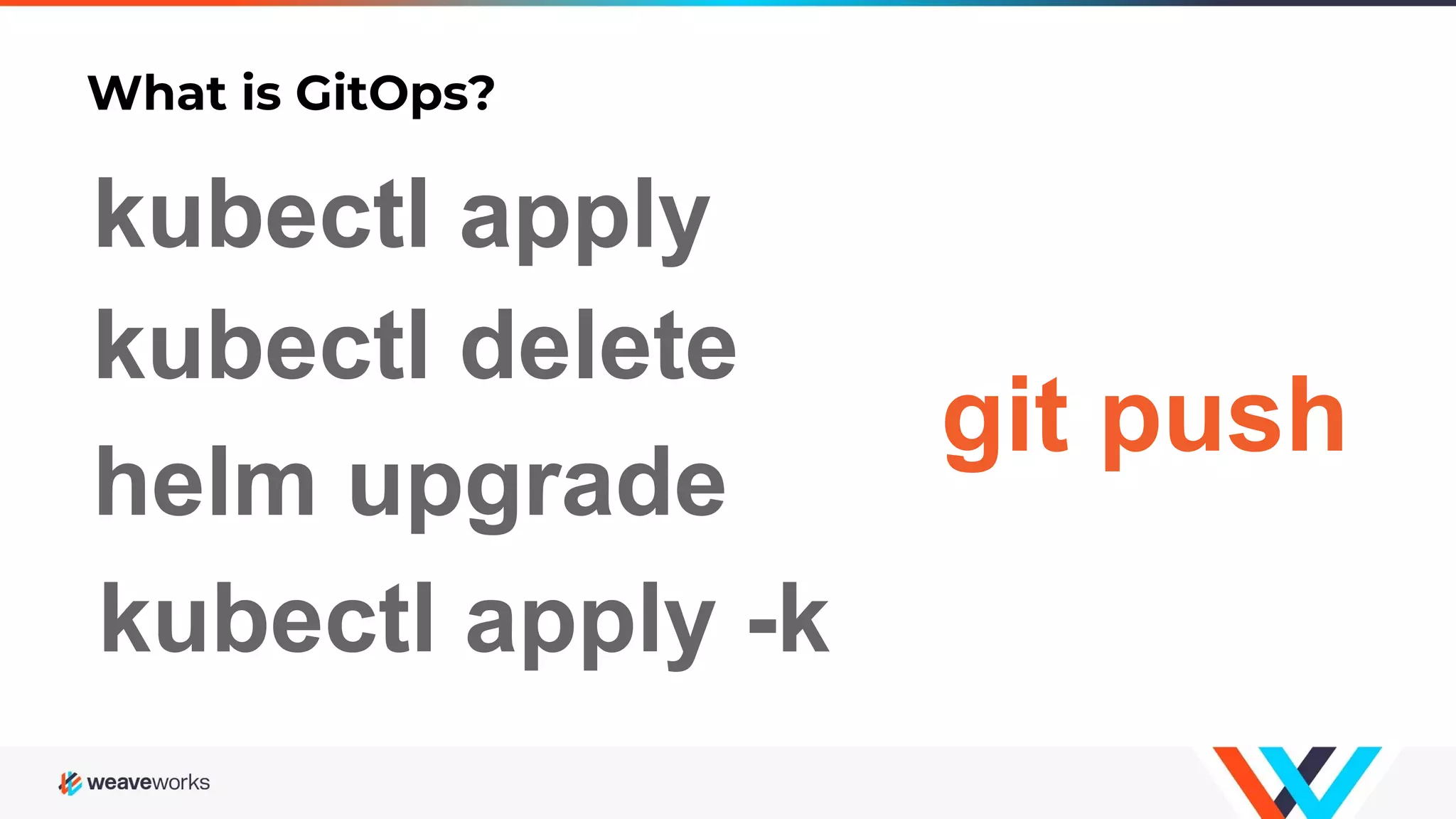
What is GitOps? kubectl delete git push helm upgrade kubectl apply kubectl apply -k
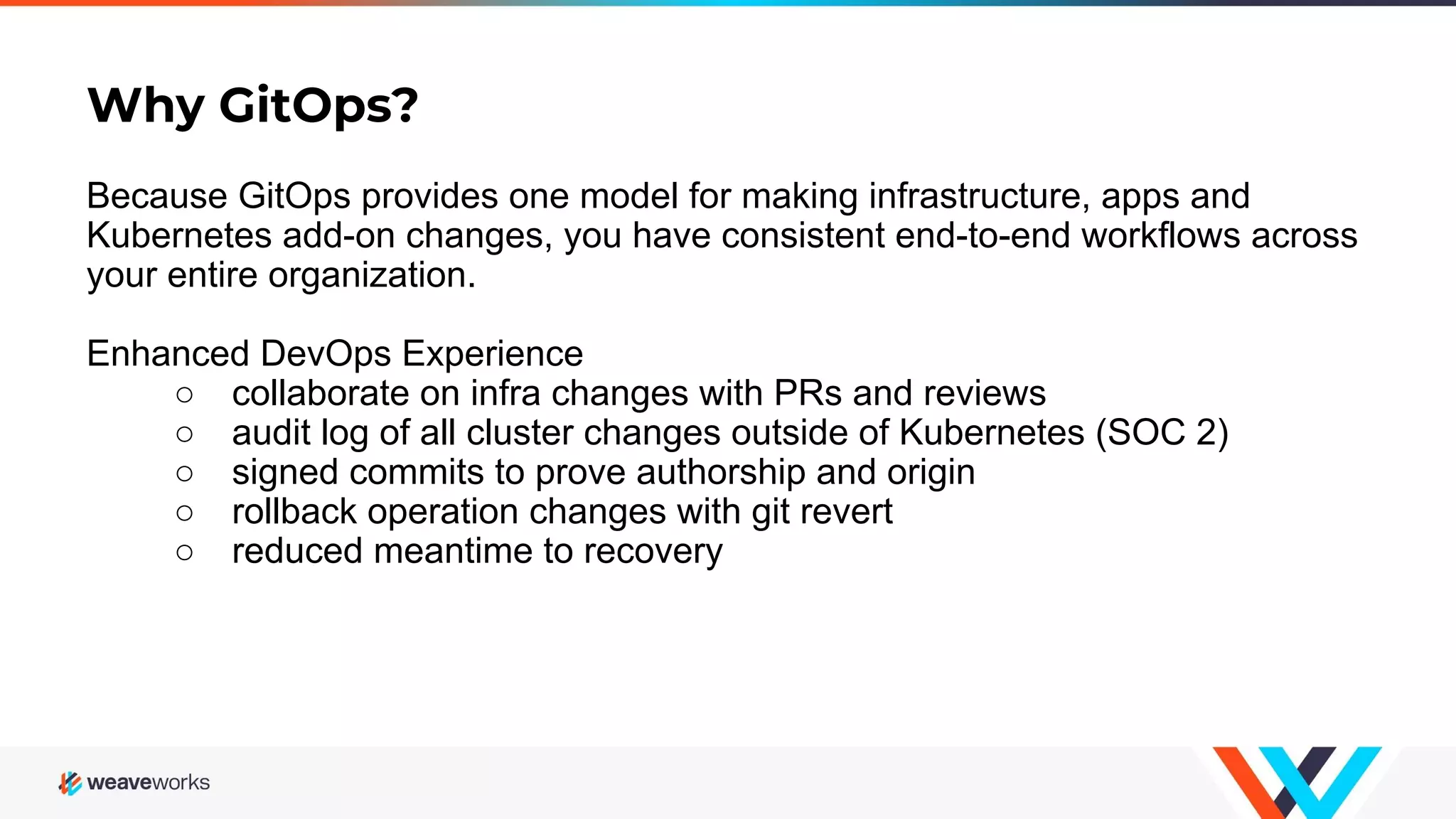
Why GitOps? Because GitOps provides one model for making infrastructure, apps and Kubernetes add-on changes, you have consistent end-to-end workflows across your entire organization. Enhanced DevOps Experience ○ collaborate on infra changes with PRs and reviews ○ audit log of all cluster changes outside of Kubernetes (SOC 2) ○ signed commits to prove authorship and origin ○ rollback operation changes with git revert ○ reduced meantime to recovery
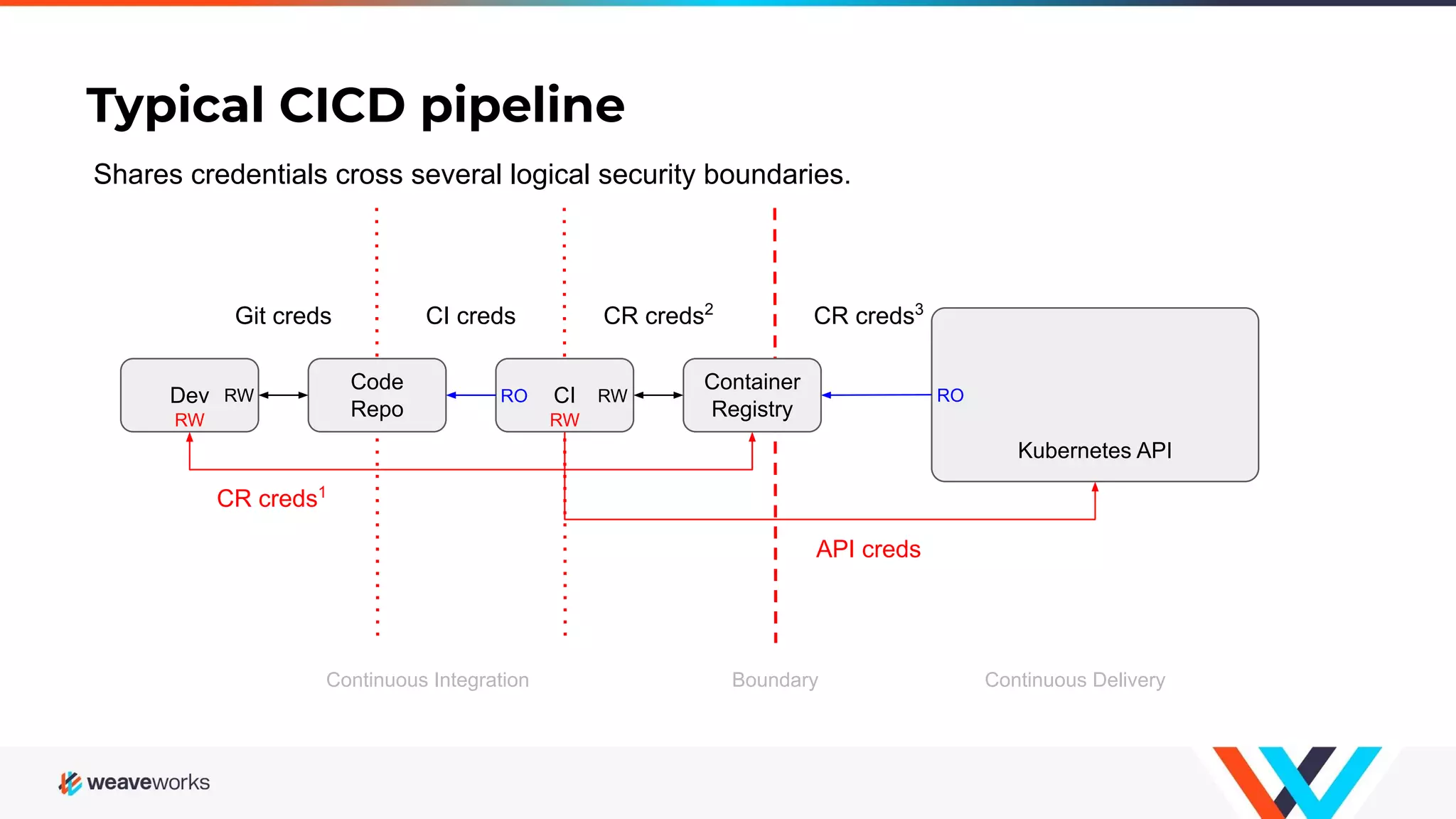
Typical CICD pipeline Continuous Integration Kubernetes API Continuous Delivery Container Registry CI Code Repo Dev RW CR creds2 CI credsGit creds RW CR creds3 RO RW API creds CR creds1 Shares credentials cross several logical security boundaries. Boundary RO RW
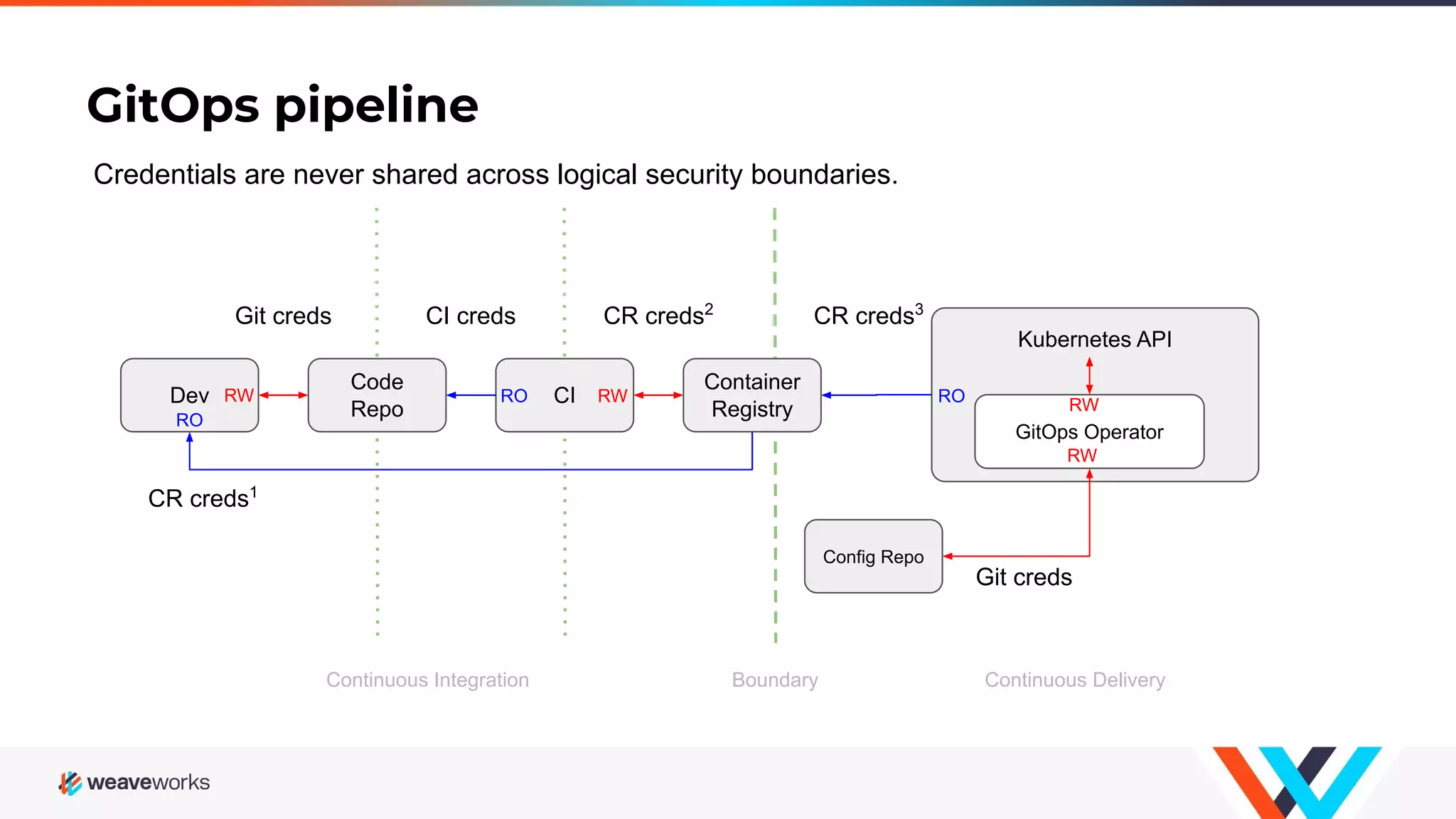
Kubernetes API Continuous Integration GitOps pipeline Continuous Delivery Container Registry CI Code Repo Dev RO CR creds2 CI credsGit creds RO GitOps Operator Config Repo CR creds3 RO RW Git creds CR creds1 Credentials are never shared across logical security boundaries. Boundary RW RW RW
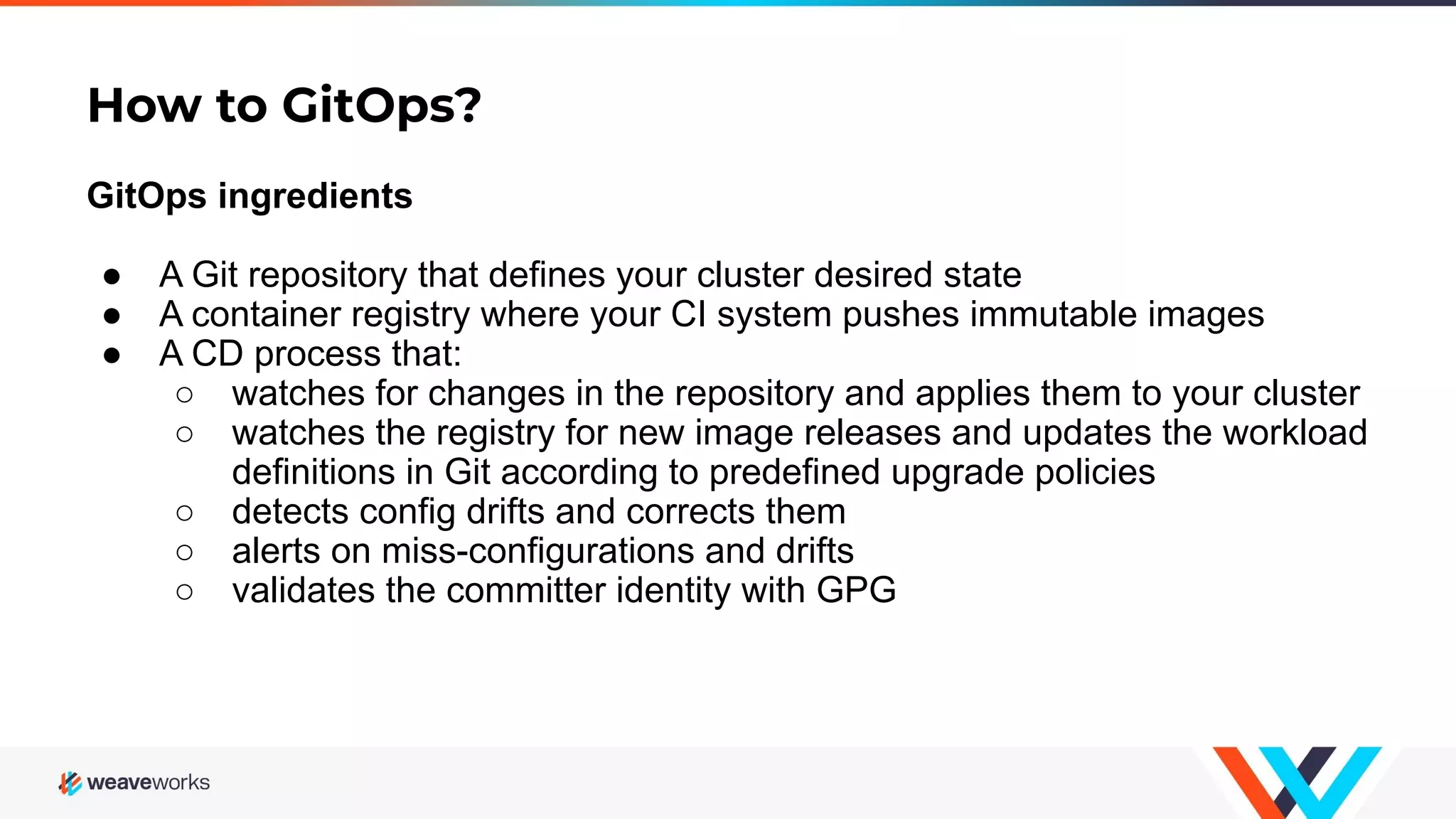
How to GitOps? GitOps ingredients ● A Git repository that defines your cluster desired state ● A container registry where your CI system pushes immutable images ● A CD process that: ○ watches for changes in the repository and applies them to your cluster ○ watches the registry for new image releases and updates the workload definitions in Git according to predefined upgrade policies ○ detects config drifts and corrects them ○ alerts on miss-configurations and drifts ○ validates the committer identity with GPG
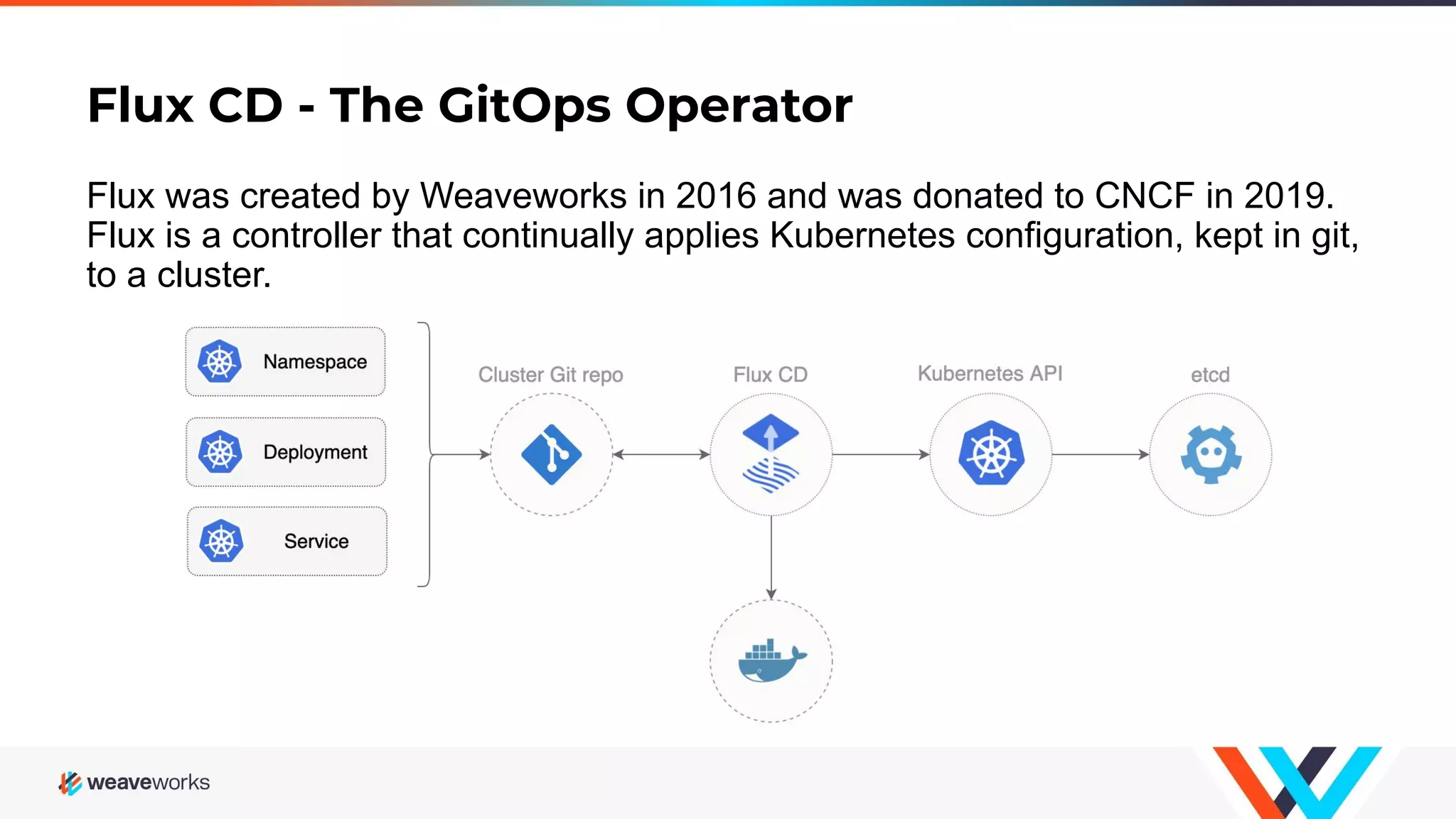
Flux CD - The GitOps Operator Flux was created by Weaveworks in 2016 and was donated to CNCF in 2019. Flux is a controller that continually applies Kubernetes configuration, kept in git, to a cluster.
Flux CD - Production Users Azure Arc
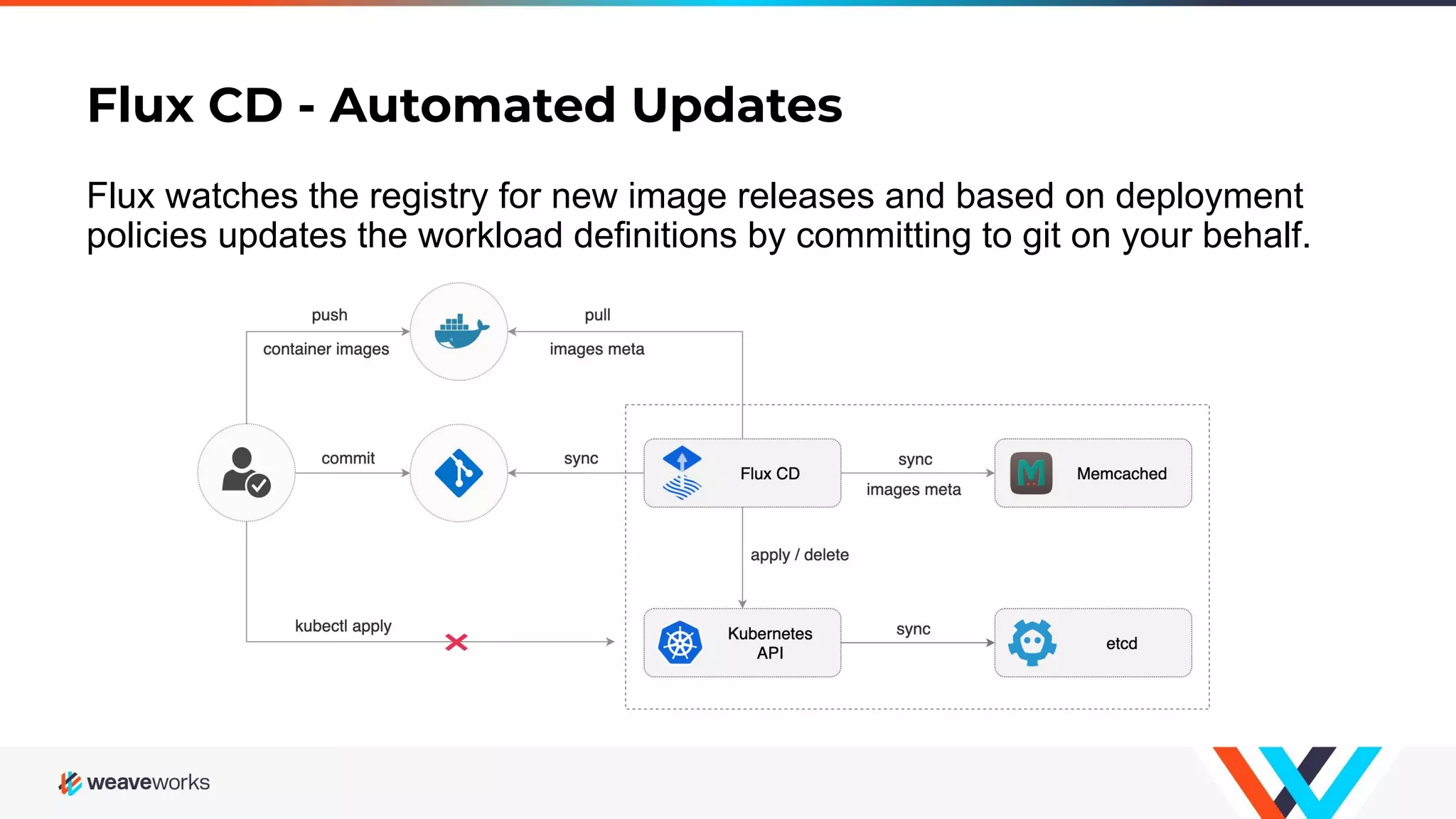
Flux CD - Automated Updates Flux watches the registry for new image releases and based on deployment policies updates the workload definitions by committing to git on your behalf.
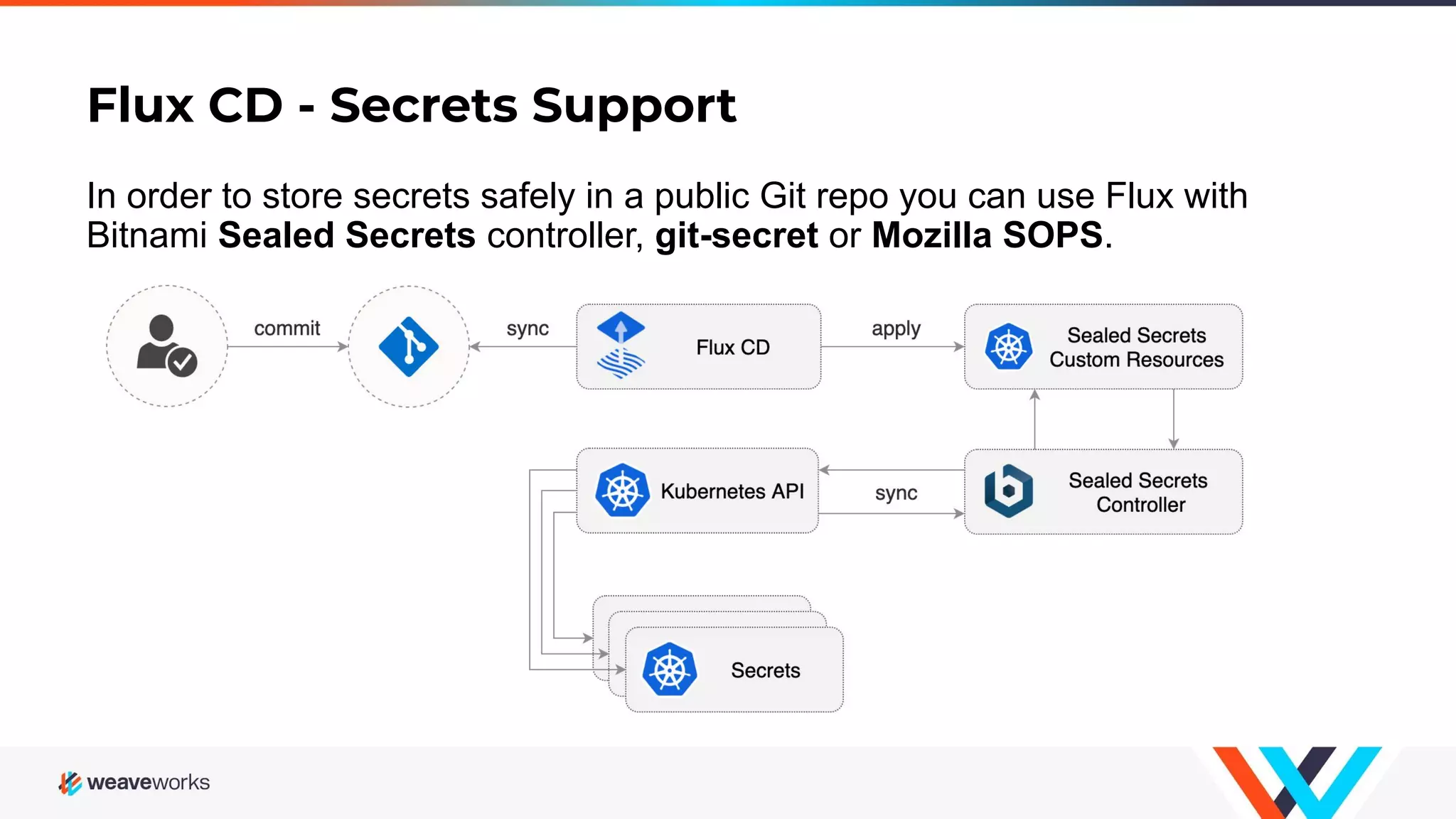
Flux CD - Secrets Support In order to store secrets safely in a public Git repo you can use Flux with Bitnami Sealed Secrets controller, git-secret or Mozilla SOPS.
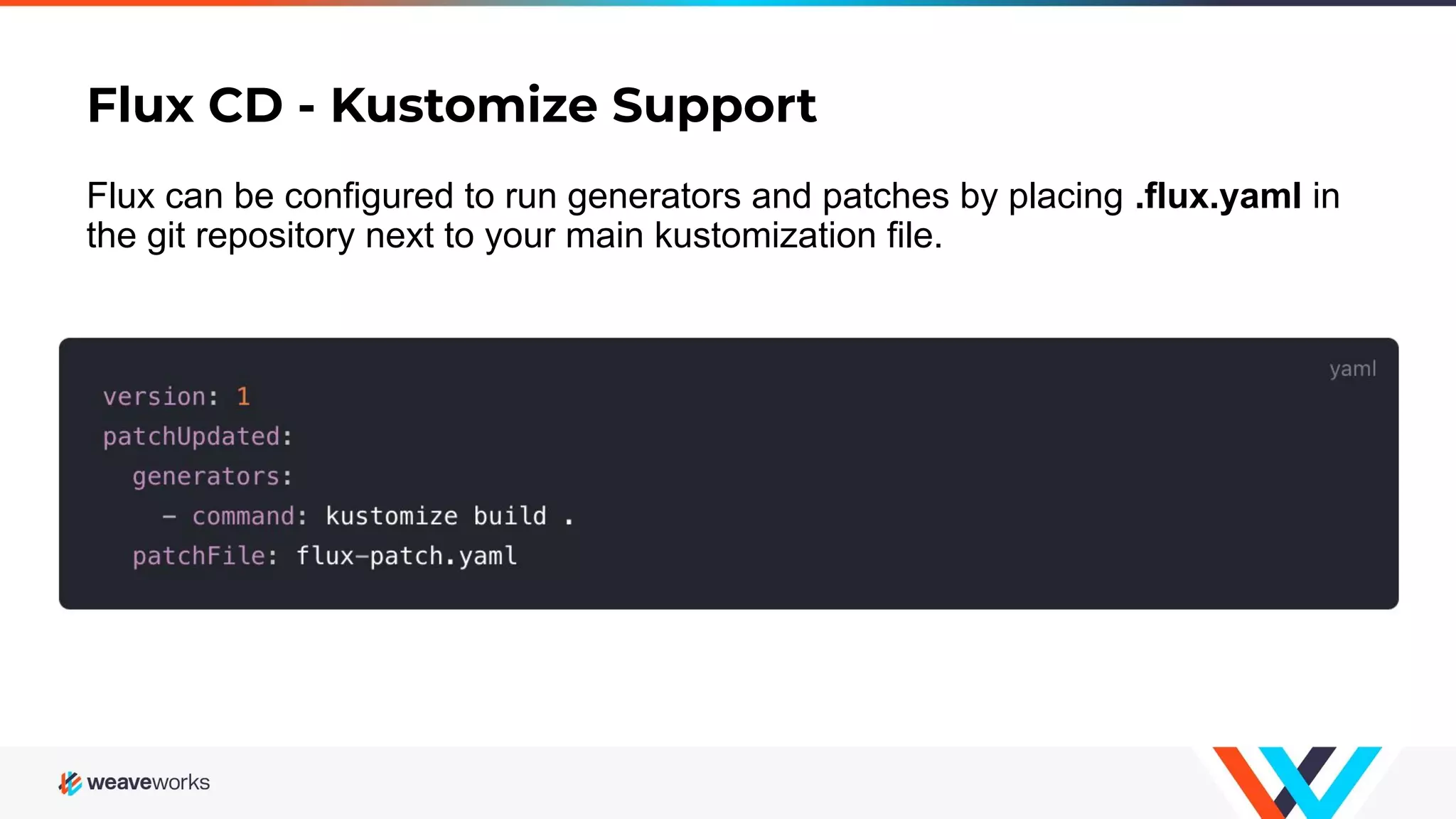
Flux CD - Kustomize Support Flux can be configured to run generators and patches by placing .flux.yaml in the git repository next to your main kustomization file.
Flux CD - Multi-tenancy A multi-tenant Kubernetes cluster is shared by multiple teams. A tenant is a group of users who share a Kubernetes namespace. Operations: ● The cluster wide operations are performed by cluster administrators ● The namespace scoped operations are performed by team members Restrictions: ● A team member can't create or modify cluster wide objects ● A team member can’t change something in another team namespace
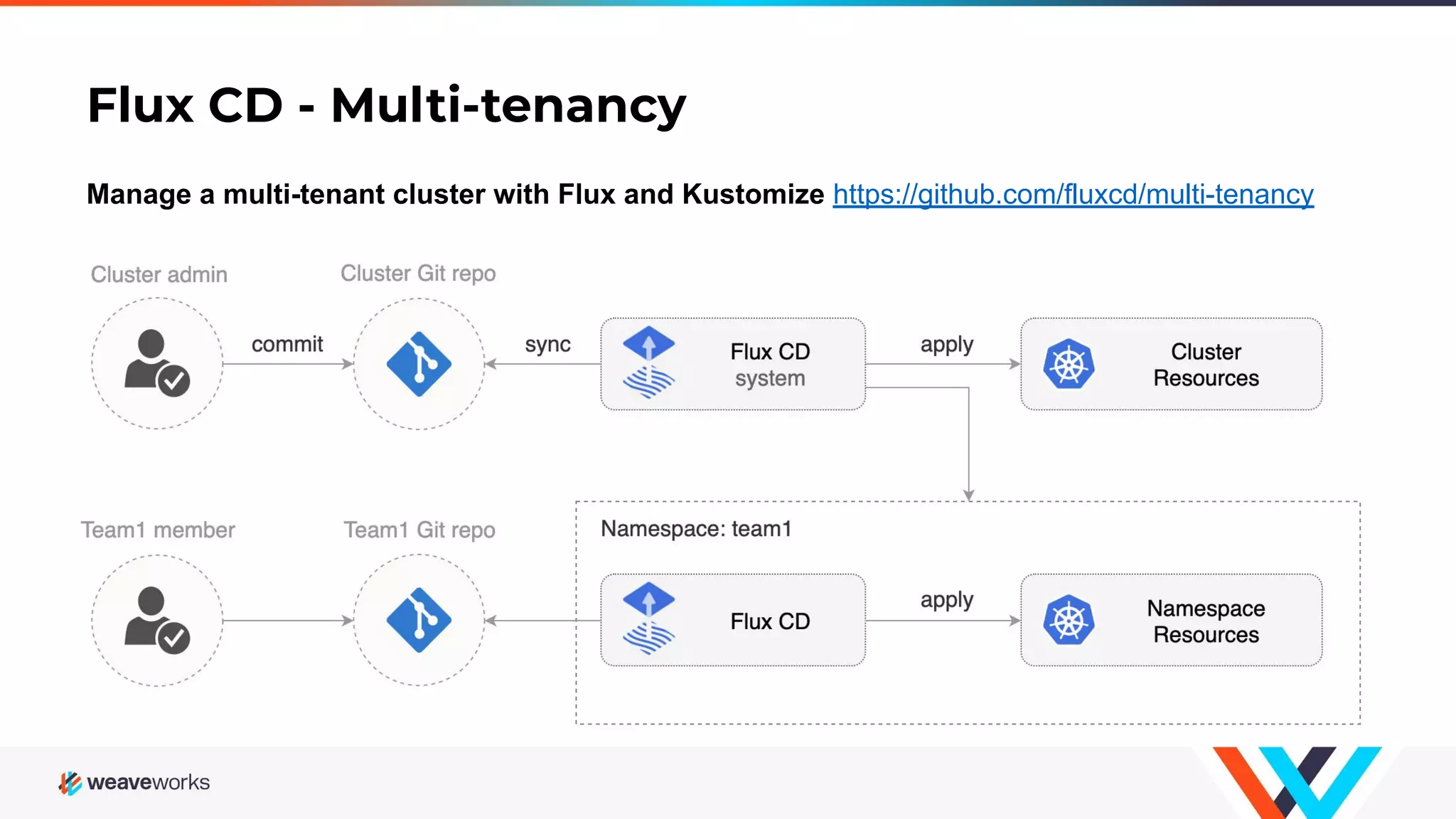
Flux CD - Multi-tenancy Manage a multi-tenant cluster with Flux and Kustomize https://github.com/fluxcd/multi-tenancy
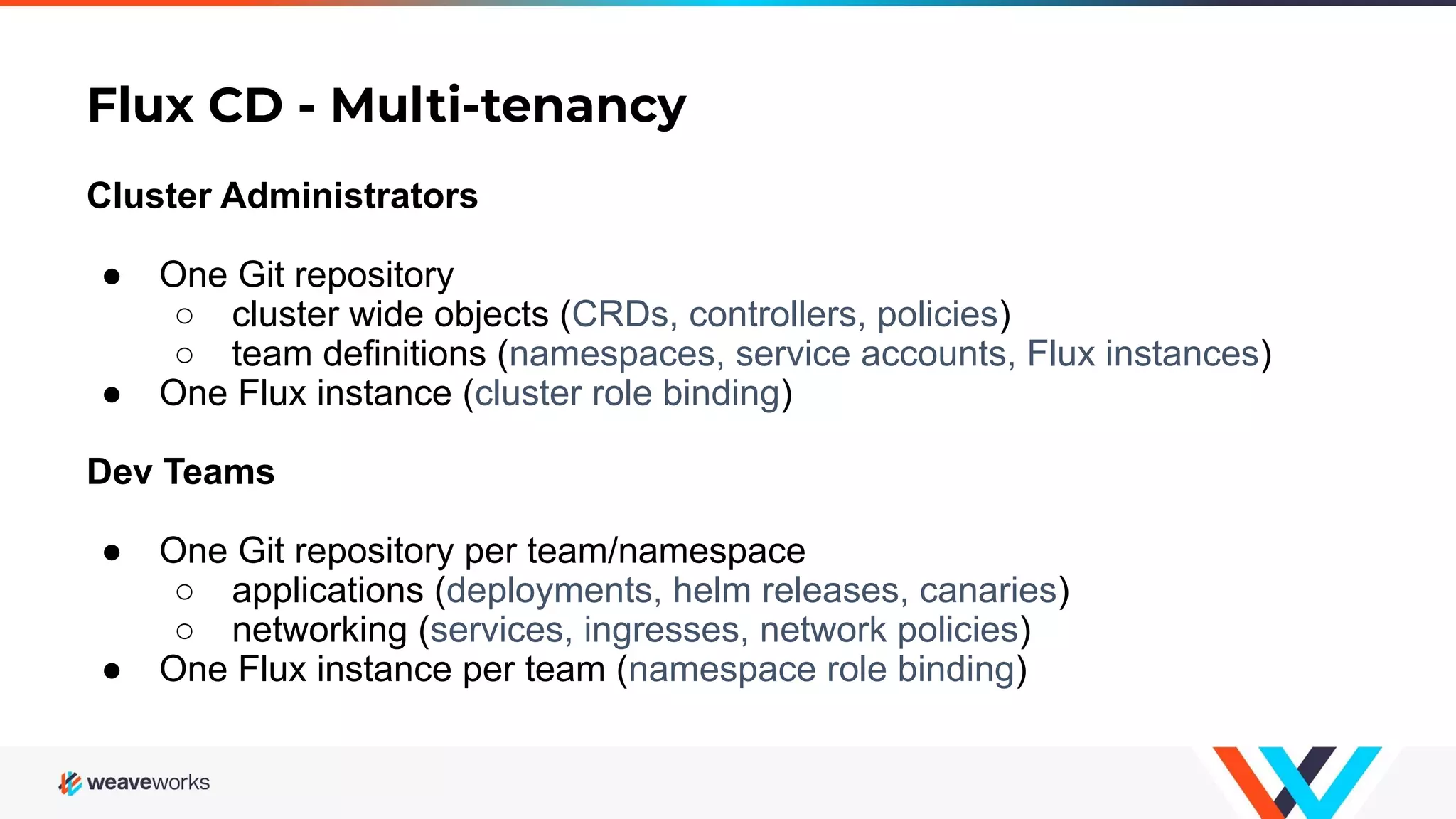
Flux CD - Multi-tenancy Cluster Administrators ● One Git repository ○ cluster wide objects (CRDs, controllers, policies) ○ team definitions (namespaces, service accounts, Flux instances) ● One Flux instance (cluster role binding) Dev Teams ● One Git repository per team/namespace ○ applications (deployments, helm releases, canaries) ○ networking (services, ingresses, network policies) ● One Flux instance per team (namespace role binding)
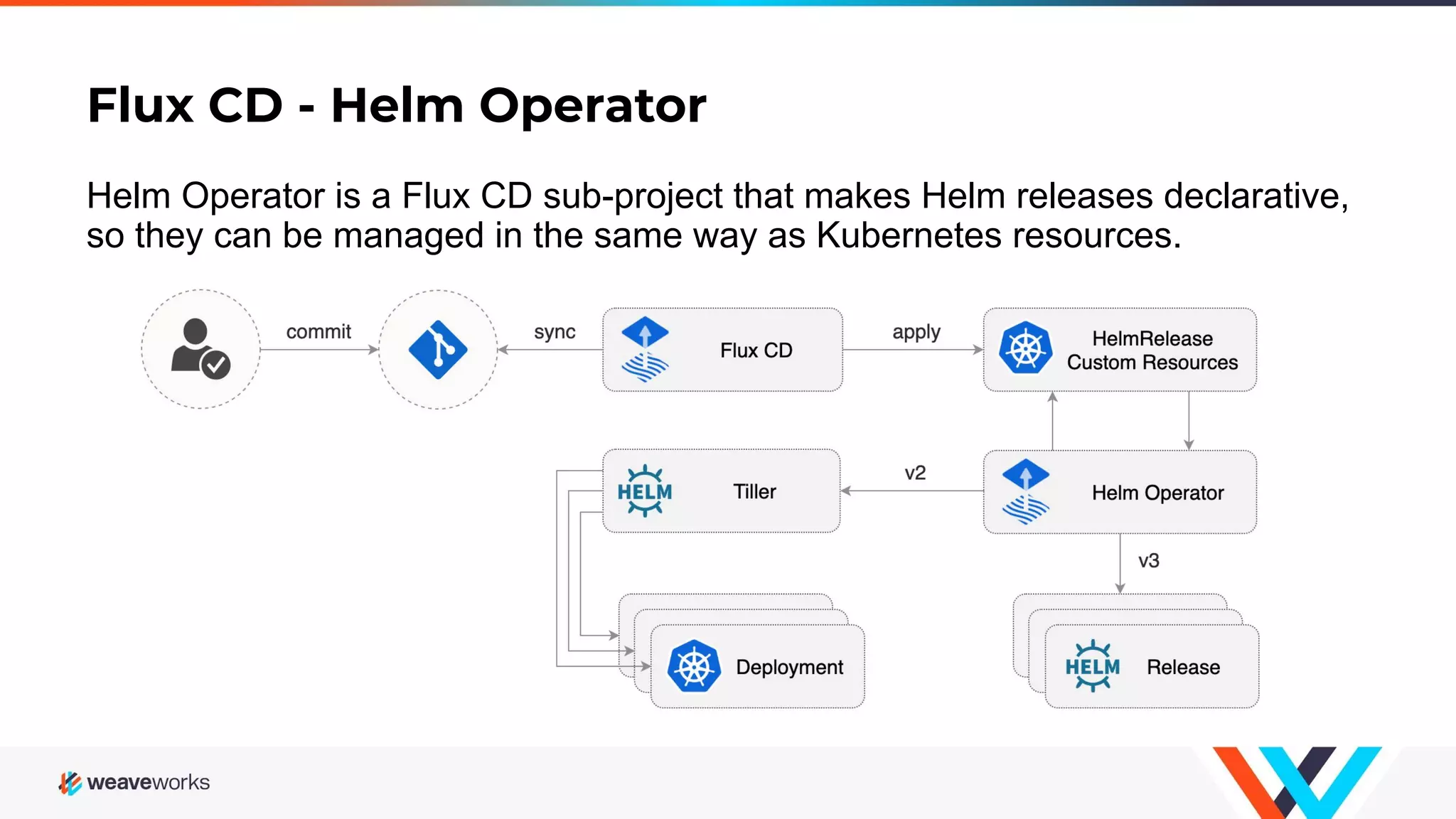
Flux CD - Helm Operator Helm Operator is a Flux CD sub-project that makes Helm releases declarative, so they can be managed in the same way as Kubernetes resources.
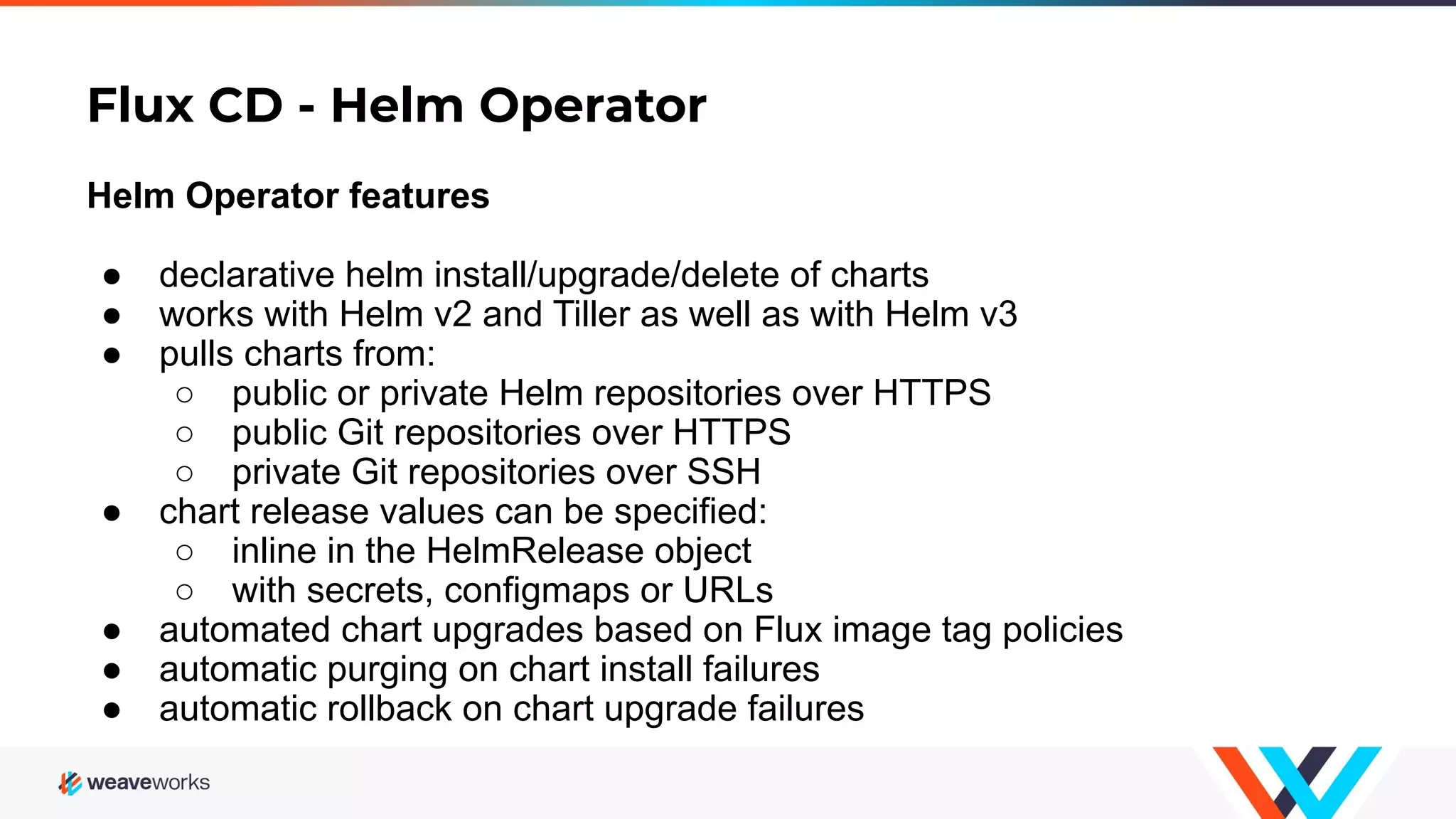
Flux CD - Helm Operator Helm Operator features ● declarative helm install/upgrade/delete of charts ● works with Helm v2 and Tiller as well as with Helm v3 ● pulls charts from: ○ public or private Helm repositories over HTTPS ○ public Git repositories over HTTPS ○ private Git repositories over SSH ● chart release values can be specified: ○ inline in the HelmRelease object ○ with secrets, configmaps or URLs ● automated chart upgrades based on Flux image tag policies ● automatic purging on chart install failures ● automatic rollback on chart upgrade failures
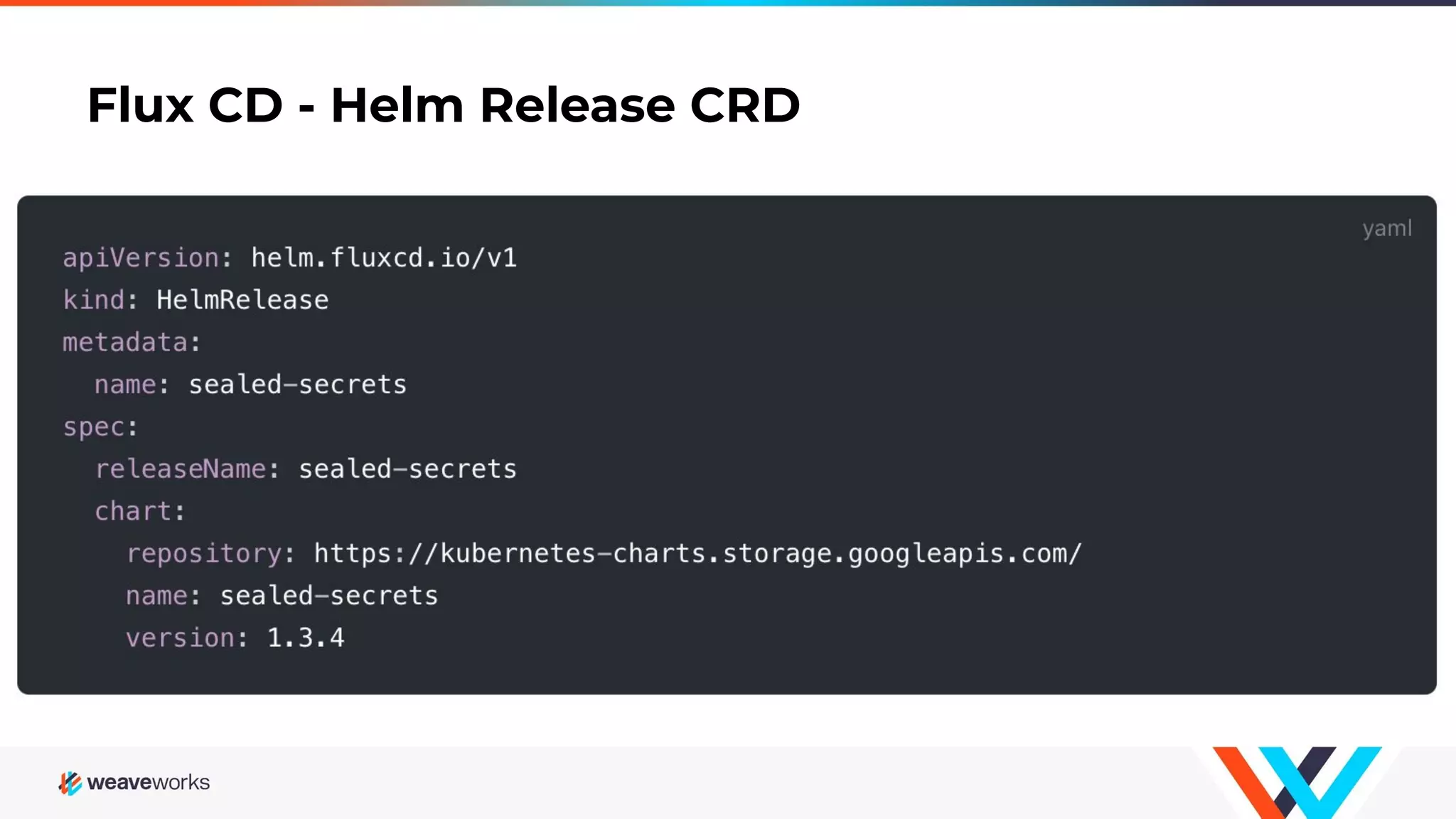
Flux CD - Helm Release CRD
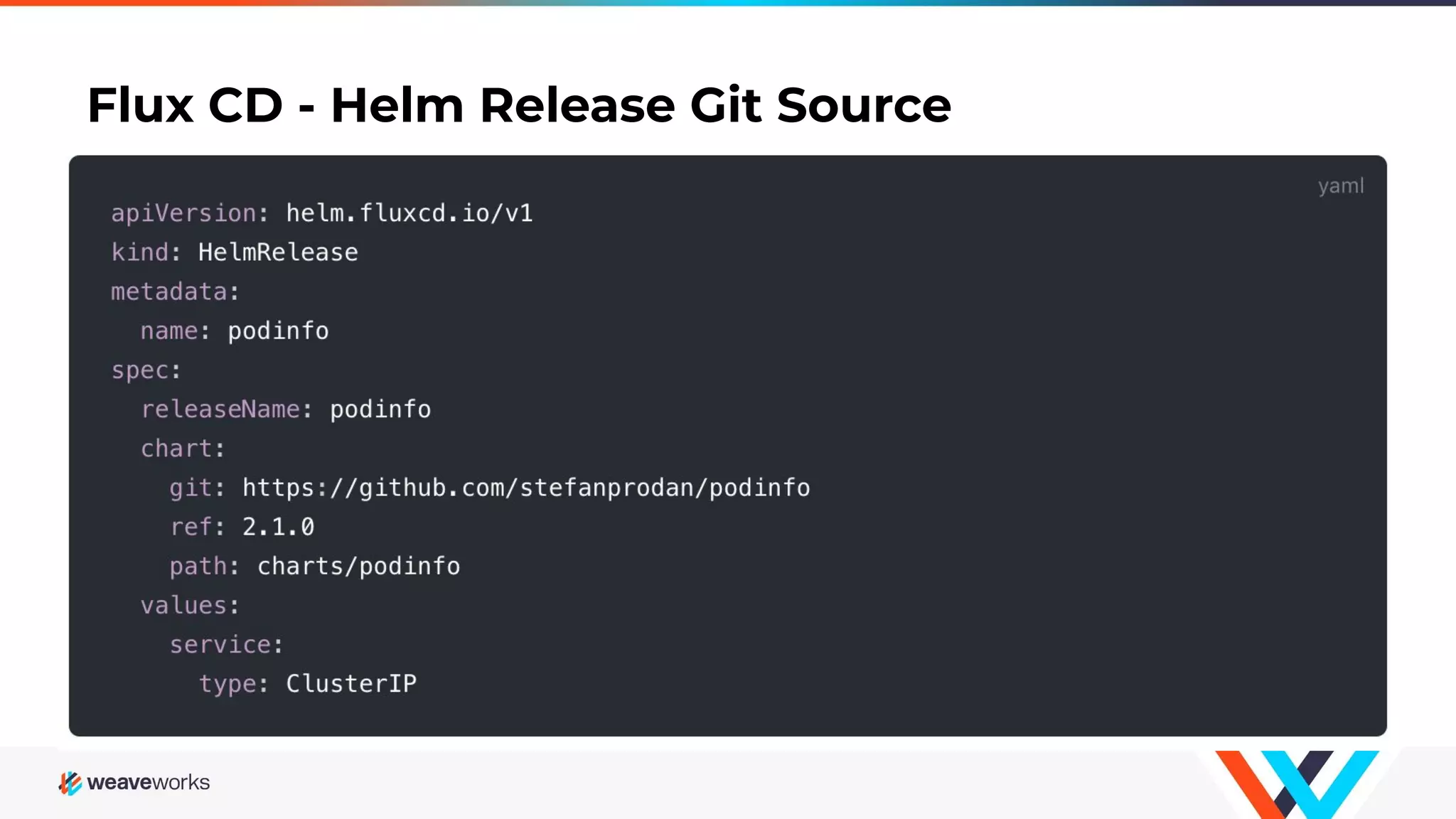
Flux CD - Helm Release Git Source
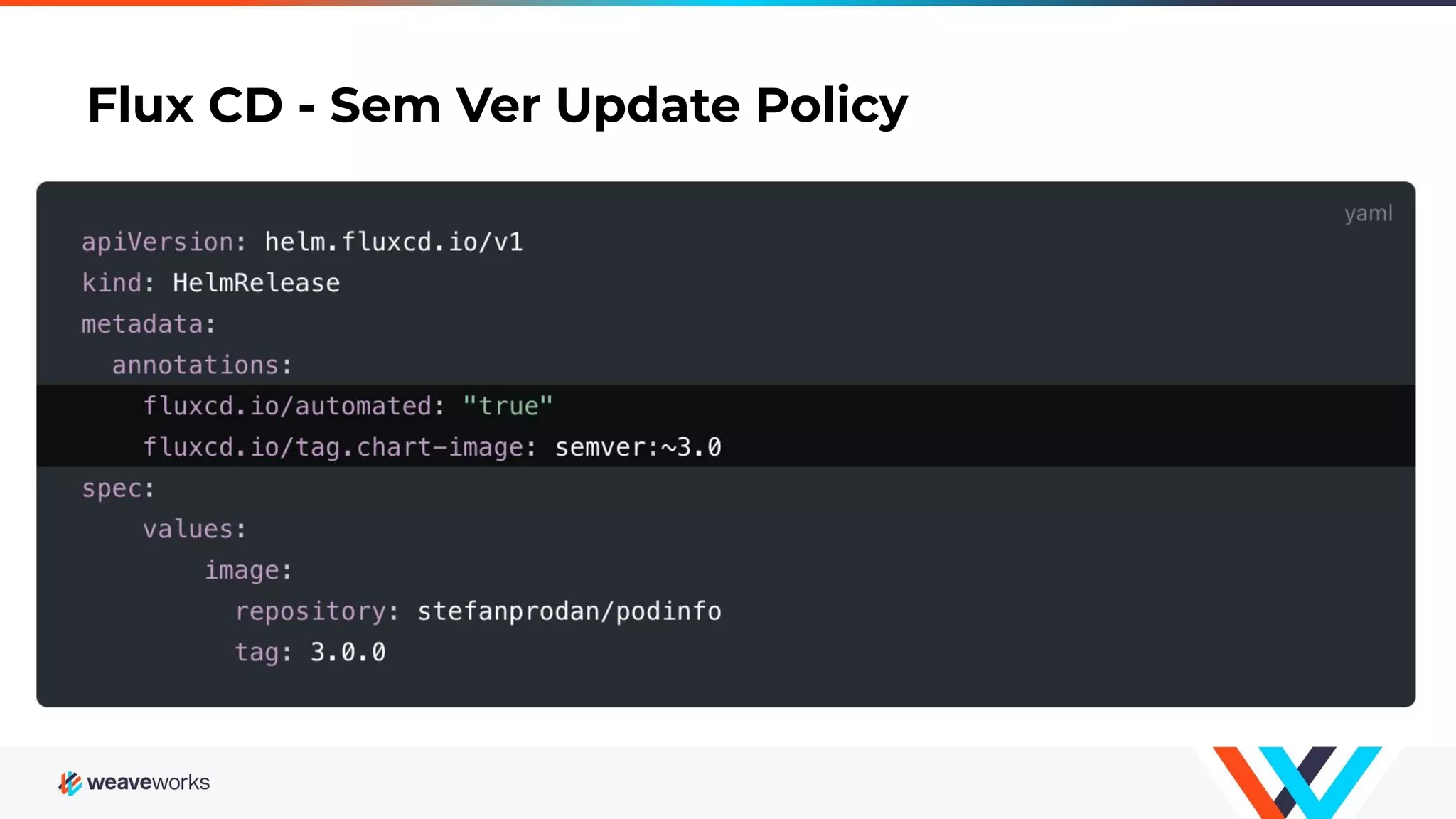
Flux CD - Sem Ver Update Policy
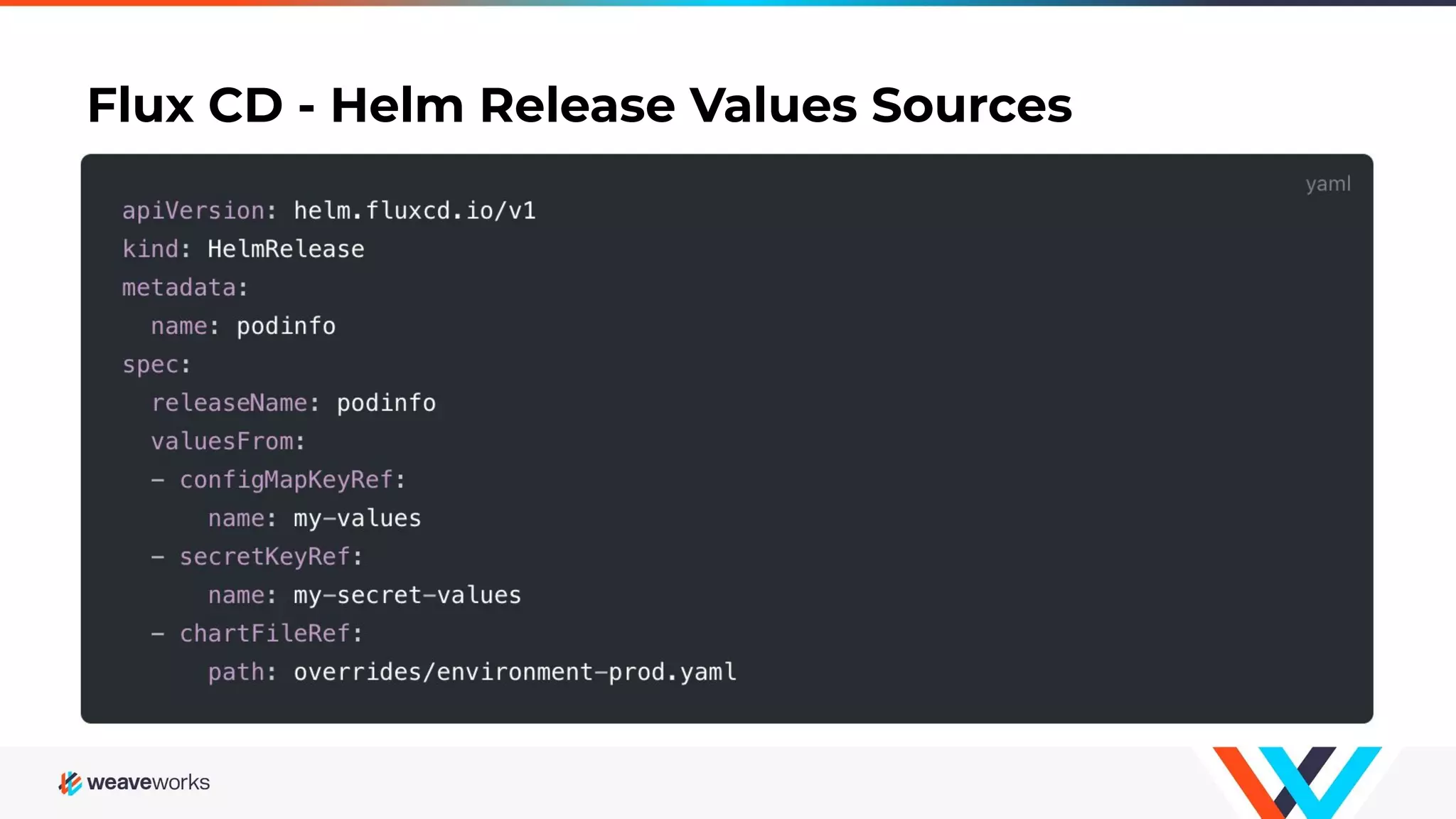
Flux CD - Helm Release Values Sources
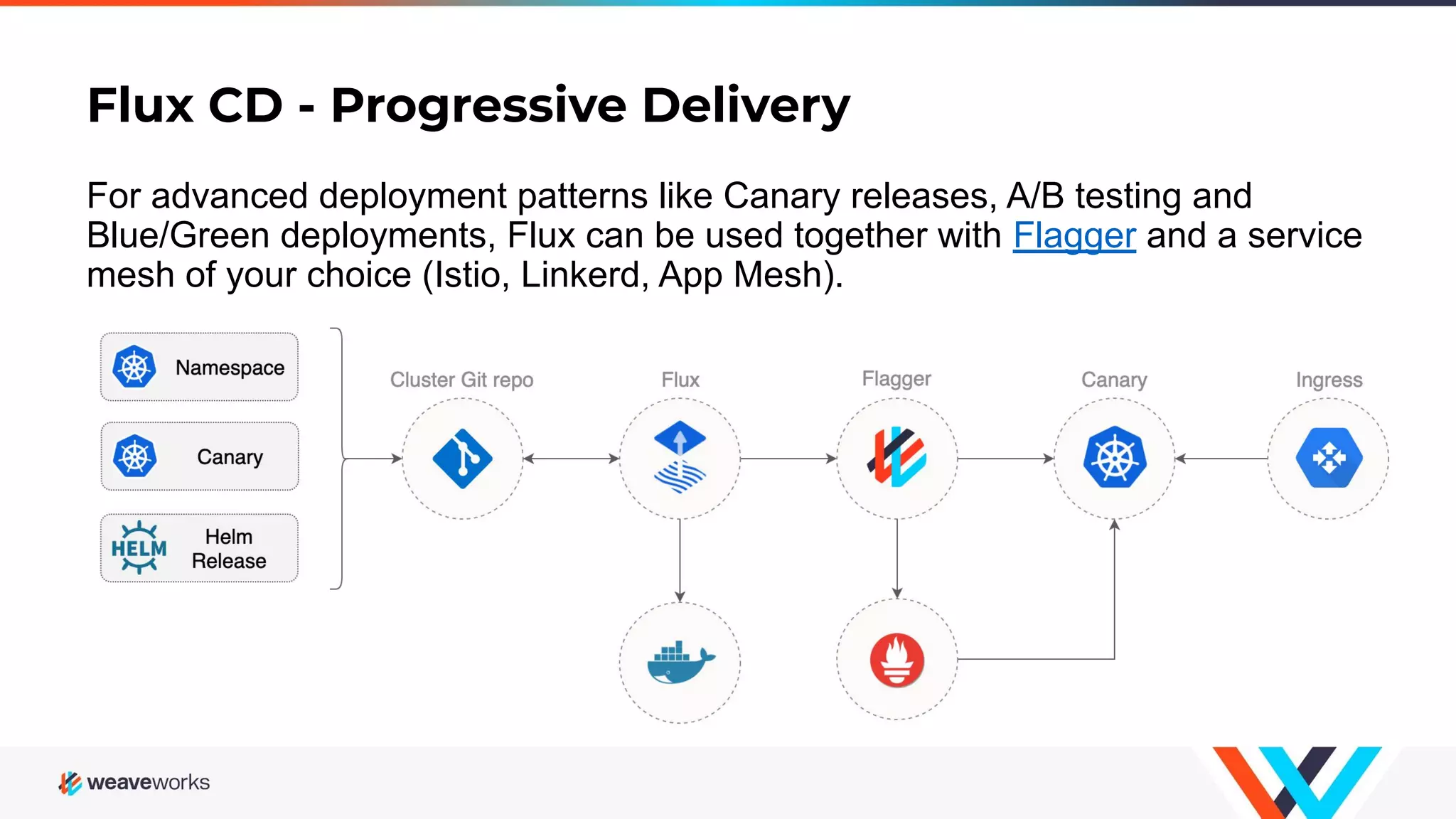
Flux CD - Progressive Delivery For advanced deployment patterns like Canary releases, A/B testing and Blue/Green deployments, Flux can be used together with Flagger and a service mesh of your choice (Istio, Linkerd, App Mesh).
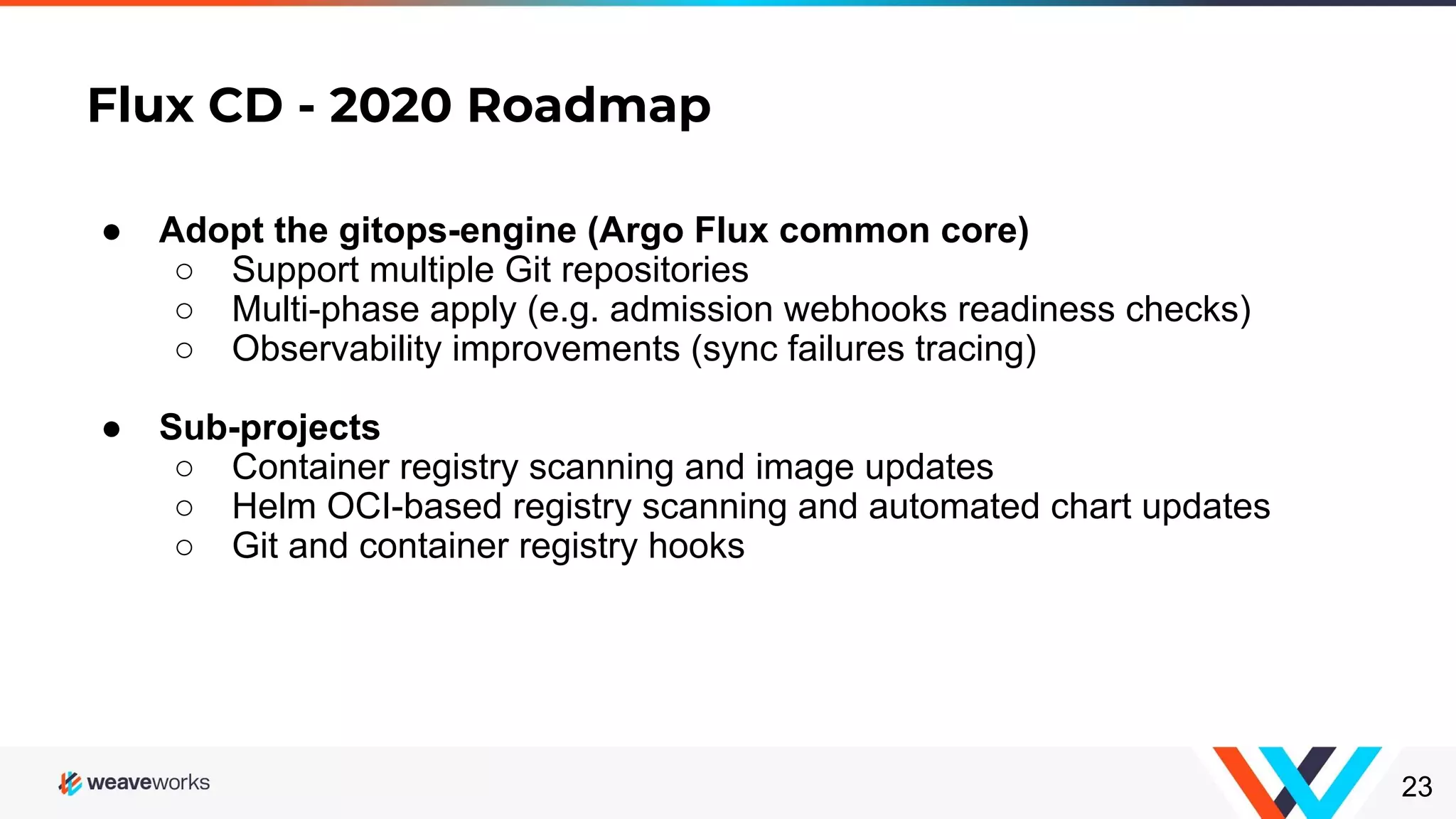
Flux CD - 2020 Roadmap 23 ● Adopt the gitops-engine (Argo Flux common core) ○ Support multiple Git repositories ○ Multi-phase apply (e.g. admission webhooks readiness checks) ○ Observability improvements (sync failures tracing) ● Sub-projects ○ Container registry scanning and image updates ○ Helm OCI-based registry scanning and automated chart updates ○ Git and container registry hooks
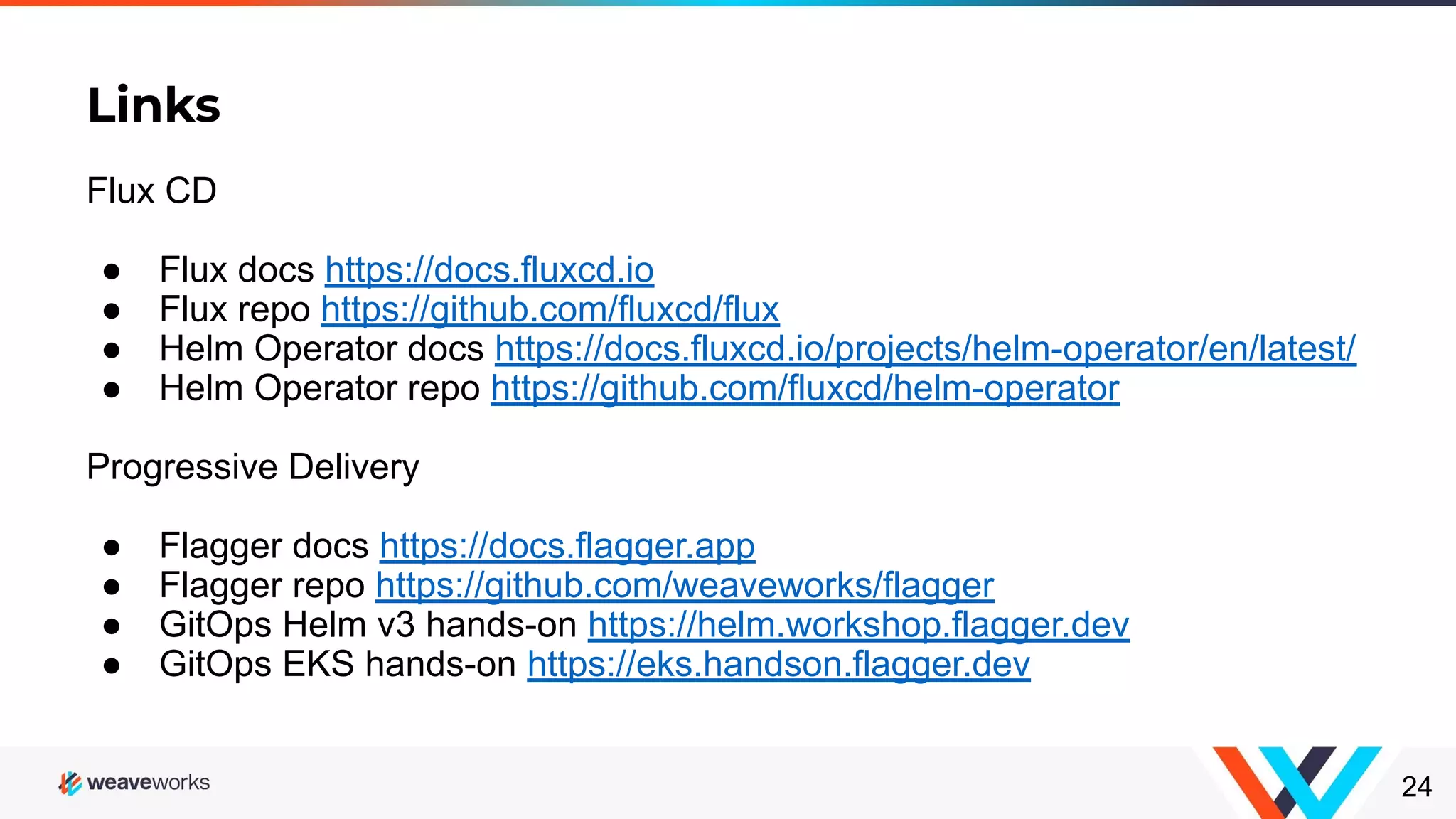
Links 24 Flux CD ● Flux docs https://docs.fluxcd.io ● Flux repo https://github.com/fluxcd/flux ● Helm Operator docs https://docs.fluxcd.io/projects/helm-operator/en/latest/ ● Helm Operator repo https://github.com/fluxcd/helm-operator Progressive Delivery ● Flagger docs https://docs.flagger.app ● Flagger repo https://github.com/weaveworks/flagger ● GitOps Helm v3 hands-on https://helm.workshop.flagger.dev ● GitOps EKS hands-on https://eks.handson.flagger.dev

How to manage Kubernetes at scale with just git

  • 1.
    How to manageKubernetes at scale with just git Stefan Prodan @stefanprodan Cloud Native Computing Bucharest - February 2020 1
  • 2.
    Who am I? ●Developer Experience Engineer at Weaveworks ● Open Source Contributor ● Maintainer of Flagger, Flux, Helm Operator, SMI ● Gopher
  • 3.
    What is GitOps? kubectldelete git push helm upgrade kubectl apply kubectl apply -k
  • 4.
    Why GitOps? Because GitOpsprovides one model for making infrastructure, apps and Kubernetes add-on changes, you have consistent end-to-end workflows across your entire organization. Enhanced DevOps Experience ○ collaborate on infra changes with PRs and reviews ○ audit log of all cluster changes outside of Kubernetes (SOC 2) ○ signed commits to prove authorship and origin ○ rollback operation changes with git revert ○ reduced meantime to recovery
  • 5.
    Typical CICD pipeline ContinuousIntegration Kubernetes API Continuous Delivery Container Registry CI Code Repo Dev RW CR creds2 CI credsGit creds RW CR creds3 RO RW API creds CR creds1 Shares credentials cross several logical security boundaries. Boundary RO RW
  • 6.
    Kubernetes API Continuous Integration GitOpspipeline Continuous Delivery Container Registry CI Code Repo Dev RO CR creds2 CI credsGit creds RO GitOps Operator Config Repo CR creds3 RO RW Git creds CR creds1 Credentials are never shared across logical security boundaries. Boundary RW RW RW
  • 7.
    How to GitOps? GitOpsingredients ● A Git repository that defines your cluster desired state ● A container registry where your CI system pushes immutable images ● A CD process that: ○ watches for changes in the repository and applies them to your cluster ○ watches the registry for new image releases and updates the workload definitions in Git according to predefined upgrade policies ○ detects config drifts and corrects them ○ alerts on miss-configurations and drifts ○ validates the committer identity with GPG
  • 8.
    Flux CD -The GitOps Operator Flux was created by Weaveworks in 2016 and was donated to CNCF in 2019. Flux is a controller that continually applies Kubernetes configuration, kept in git, to a cluster.
  • 9.
    Flux CD -Production Users Azure Arc
  • 10.
    Flux CD -Automated Updates Flux watches the registry for new image releases and based on deployment policies updates the workload definitions by committing to git on your behalf.
  • 11.
    Flux CD -Secrets Support In order to store secrets safely in a public Git repo you can use Flux with Bitnami Sealed Secrets controller, git-secret or Mozilla SOPS.
  • 12.
    Flux CD -Kustomize Support Flux can be configured to run generators and patches by placing .flux.yaml in the git repository next to your main kustomization file.
  • 13.
    Flux CD -Multi-tenancy A multi-tenant Kubernetes cluster is shared by multiple teams. A tenant is a group of users who share a Kubernetes namespace. Operations: ● The cluster wide operations are performed by cluster administrators ● The namespace scoped operations are performed by team members Restrictions: ● A team member can't create or modify cluster wide objects ● A team member can’t change something in another team namespace
  • 14.
    Flux CD -Multi-tenancy Manage a multi-tenant cluster with Flux and Kustomize https://github.com/fluxcd/multi-tenancy
  • 15.
    Flux CD -Multi-tenancy Cluster Administrators ● One Git repository ○ cluster wide objects (CRDs, controllers, policies) ○ team definitions (namespaces, service accounts, Flux instances) ● One Flux instance (cluster role binding) Dev Teams ● One Git repository per team/namespace ○ applications (deployments, helm releases, canaries) ○ networking (services, ingresses, network policies) ● One Flux instance per team (namespace role binding)
  • 16.
    Flux CD -Helm Operator Helm Operator is a Flux CD sub-project that makes Helm releases declarative, so they can be managed in the same way as Kubernetes resources.
  • 17.
    Flux CD -Helm Operator Helm Operator features ● declarative helm install/upgrade/delete of charts ● works with Helm v2 and Tiller as well as with Helm v3 ● pulls charts from: ○ public or private Helm repositories over HTTPS ○ public Git repositories over HTTPS ○ private Git repositories over SSH ● chart release values can be specified: ○ inline in the HelmRelease object ○ with secrets, configmaps or URLs ● automated chart upgrades based on Flux image tag policies ● automatic purging on chart install failures ● automatic rollback on chart upgrade failures
  • 18.
    Flux CD -Helm Release CRD
  • 19.
    Flux CD -Helm Release Git Source
  • 20.
    Flux CD -Sem Ver Update Policy
  • 21.
    Flux CD -Helm Release Values Sources
  • 22.
    Flux CD -Progressive Delivery For advanced deployment patterns like Canary releases, A/B testing and Blue/Green deployments, Flux can be used together with Flagger and a service mesh of your choice (Istio, Linkerd, App Mesh).
  • 23.
    Flux CD -2020 Roadmap 23 ● Adopt the gitops-engine (Argo Flux common core) ○ Support multiple Git repositories ○ Multi-phase apply (e.g. admission webhooks readiness checks) ○ Observability improvements (sync failures tracing) ● Sub-projects ○ Container registry scanning and image updates ○ Helm OCI-based registry scanning and automated chart updates ○ Git and container registry hooks
  • 24.
    Links 24 Flux CD ● Fluxdocs https://docs.fluxcd.io ● Flux repo https://github.com/fluxcd/flux ● Helm Operator docs https://docs.fluxcd.io/projects/helm-operator/en/latest/ ● Helm Operator repo https://github.com/fluxcd/helm-operator Progressive Delivery ● Flagger docs https://docs.flagger.app ● Flagger repo https://github.com/weaveworks/flagger ● GitOps Helm v3 hands-on https://helm.workshop.flagger.dev ● GitOps EKS hands-on https://eks.handson.flagger.dev