VINOTHINI.G
 MS ACCESS –OVERVIEW  MS ACCESS –RDBMS  MS ACCESS – OBJECTS  MS ACCESS –CREATE DATABASE  MS ACCESS- DATA TYPES  MS ACCESS –CREATE TABLES
 Microsoft access is a Database Management System(DBMS).  Microsoft access is just one part of Microsofts overall data management product strategy.  It stores data in its own format based on the access jet database engine.  It can also import are link directly to data stored in other application and data bases.  Access can also understand and use a wide variety of other data formats , including many other data base file structures.  Software developers can use Microsoft access to develop application software.
 Data base creation: create your Ms-access database and specify what kind of data you will be storing.  Data input: after your database is created, the data of ever business day can be entered into the access data base.  Query: this is a fancy term to basically describe the process of retrieving information from the data base.  Report: Information from the database is organized in a nice presentation that can be printed in an access report.
MS-Access Is a data base and,more specifically, a relational data base.  Early versions of access cannot read accdb extensions but ms access 2007 and later versions can read and change earlier versions of access.  An access desktop data base(.accdb or .mdb)is the fully functional RDBMS.  It provides all the data defination,data manipulation and data control features that you need to manage large volumes of data.  When you build and application with an access desktop database,access is the RDBMS.
 DATA DEFINATION: In document or a spread sheet , you generally have complete freedom to define the contents of the documents or each cell in the spreadsheet.  DATA MANIPULATION: in a word processing document , you can include tabular data and perform a limited set of functions on the data in the document.  DATA CONTROL: Spread sheets and word processing documents are great for solving single user problems , but they are difficult to use when more than one person needs to share the data.
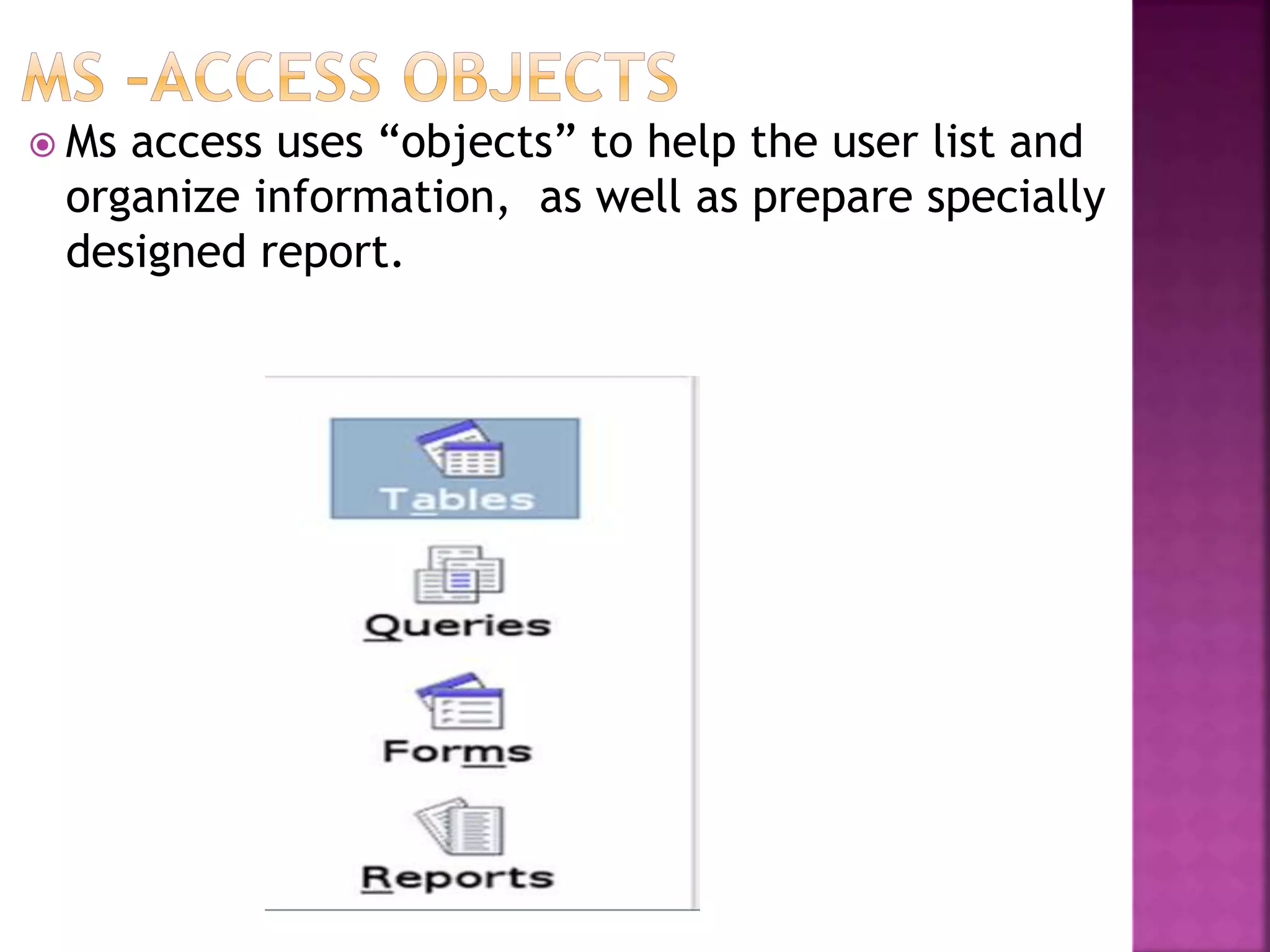
 Ms access uses “objects” to help the user list and organize information, as well as prepare specially designed report.
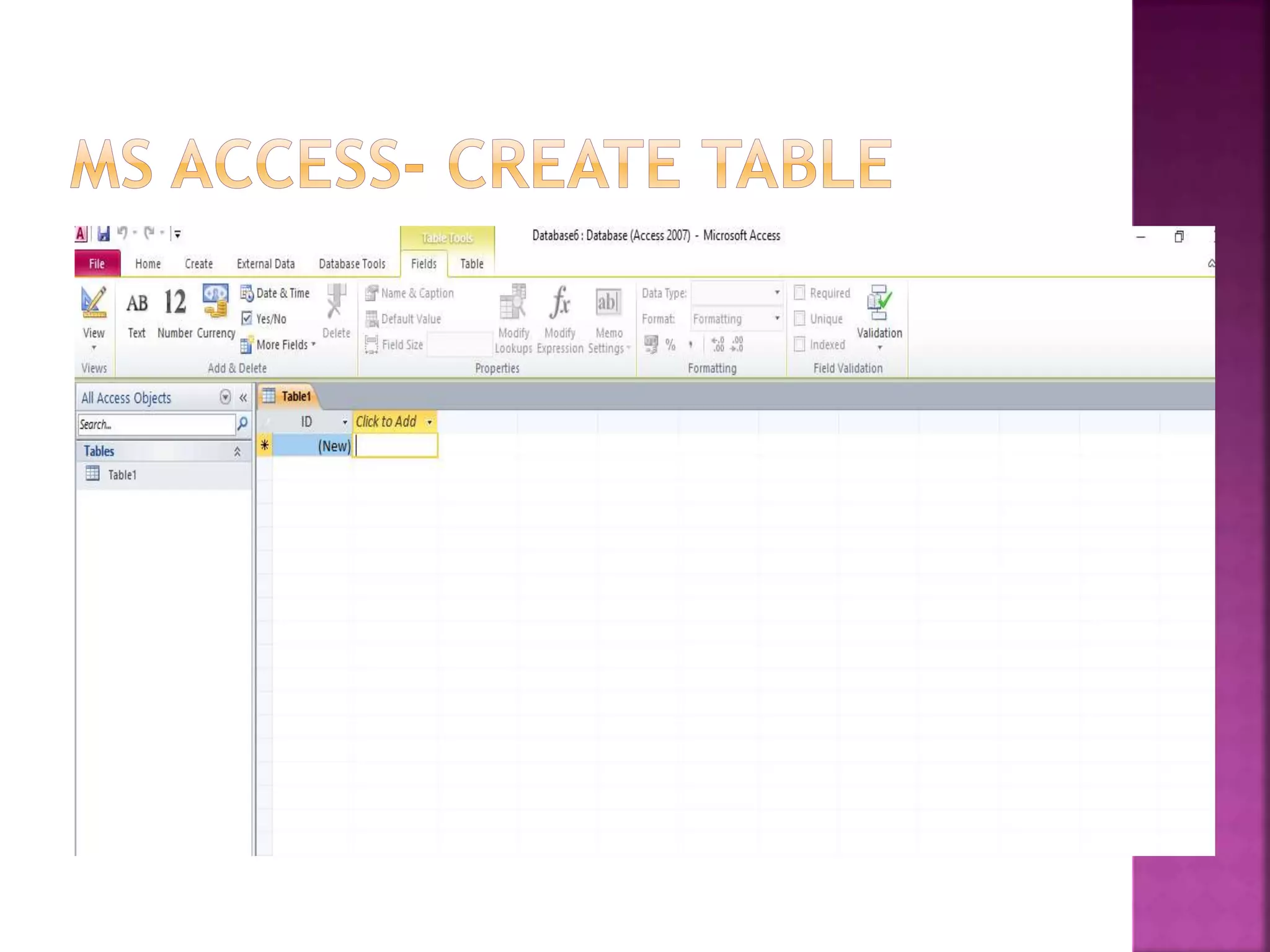
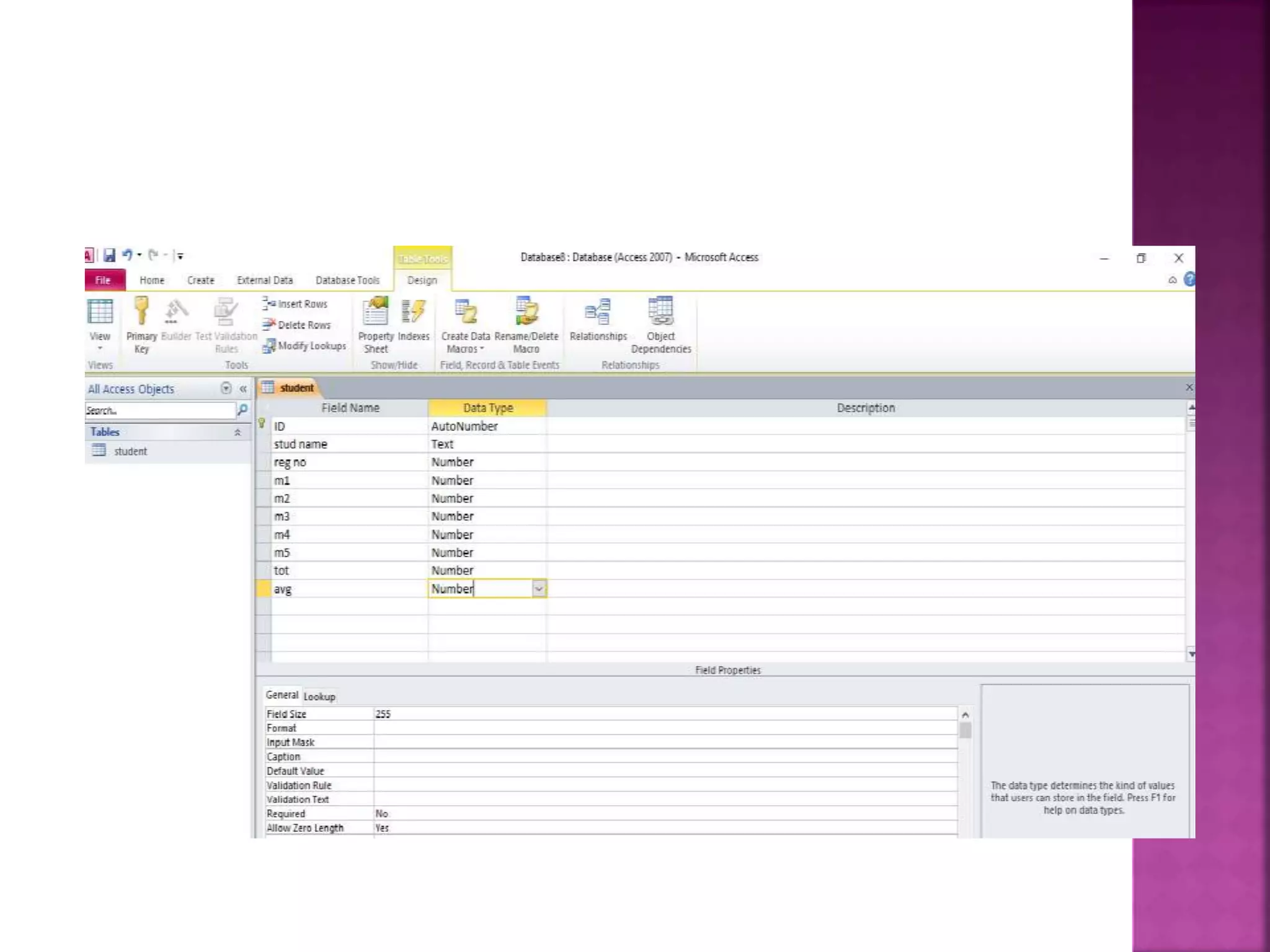
 TABLE: Table is an object that is. When you create new table , access ask you to define fields which is also known as column headings. QUERY: An object that provides a custom view of data from one or more tables . FORM: use forms to that your application extracts from queries or table. REPORT: report is an object in desktop databases designed for
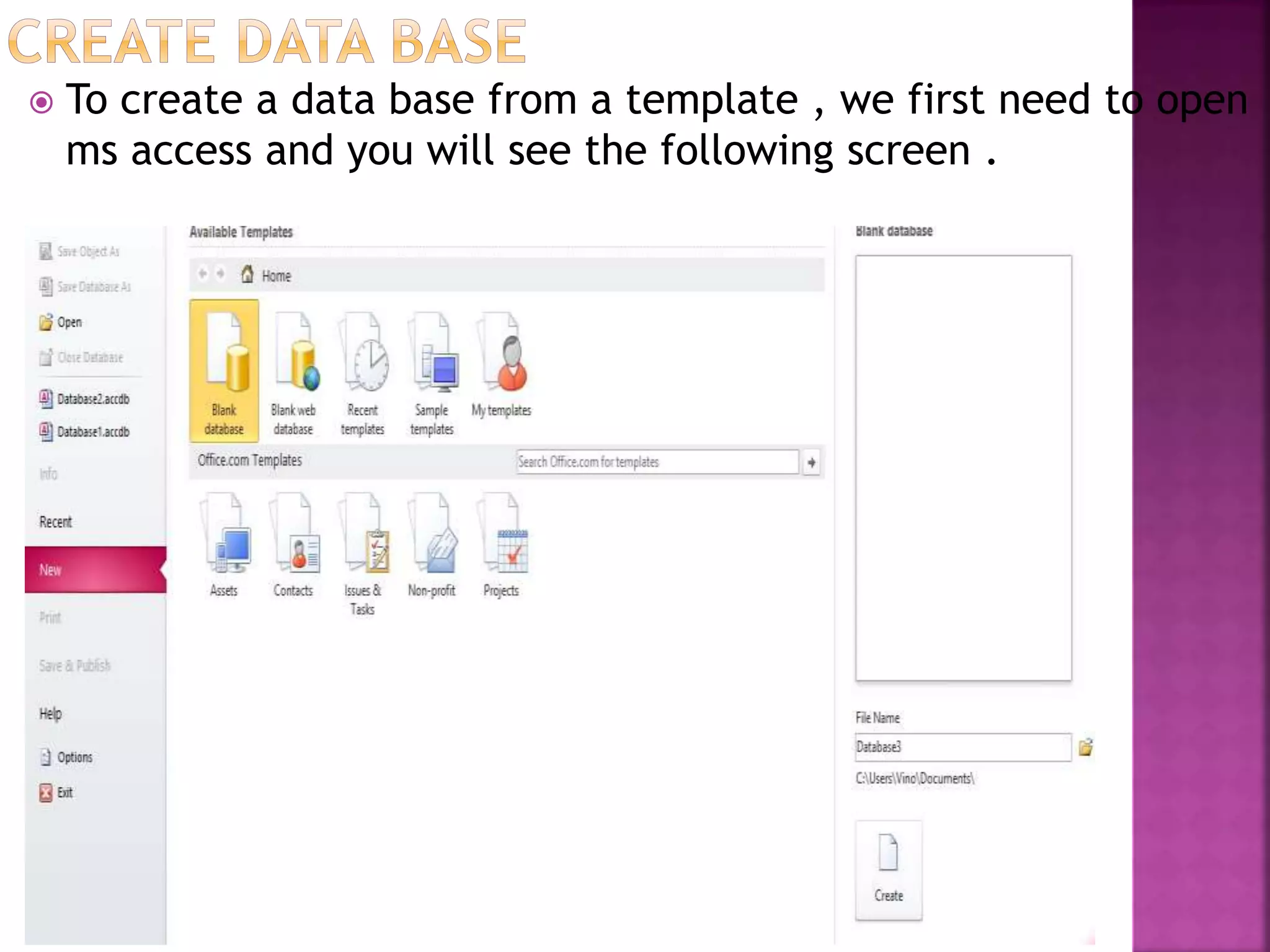
 To create a data base from a template , we first need to open ms access and you will see the following screen .
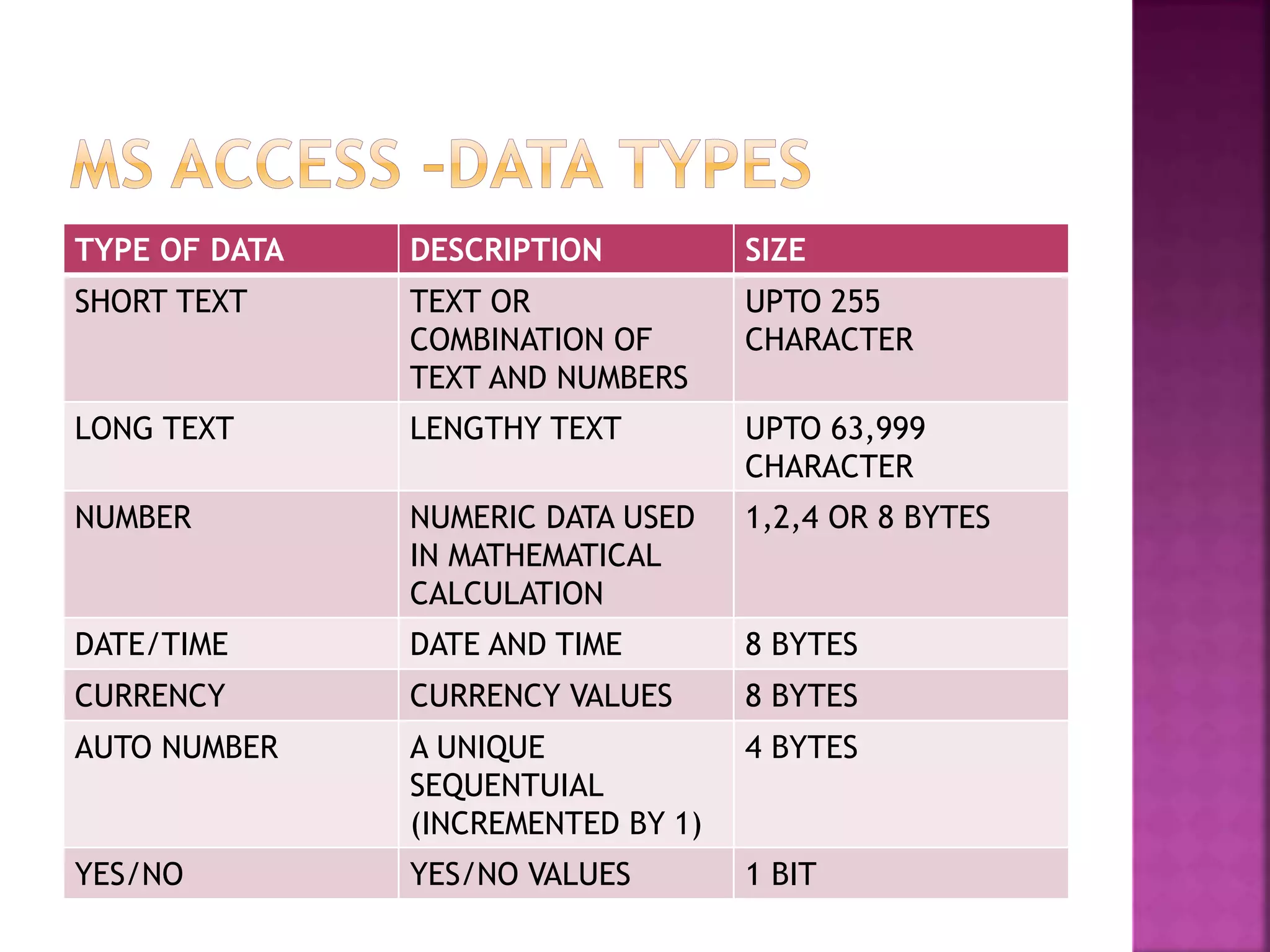
TYPE OF DATA DESCRIPTION SIZE SHORT TEXT TEXT OR COMBINATION OF TEXT AND NUMBERS UPTO 255 CHARACTER LONG TEXT LENGTHY TEXT UPTO 63,999 CHARACTER NUMBER NUMERIC DATA USED IN MATHEMATICAL CALCULATION 1,2,4 OR 8 BYTES DATE/TIME DATE AND TIME 8 BYTES CURRENCY CURRENCY VALUES 8 BYTES AUTO NUMBER A UNIQUE SEQUENTUIAL (INCREMENTED BY 1) 4 BYTES YES/NO YES/NO VALUES 1 BIT
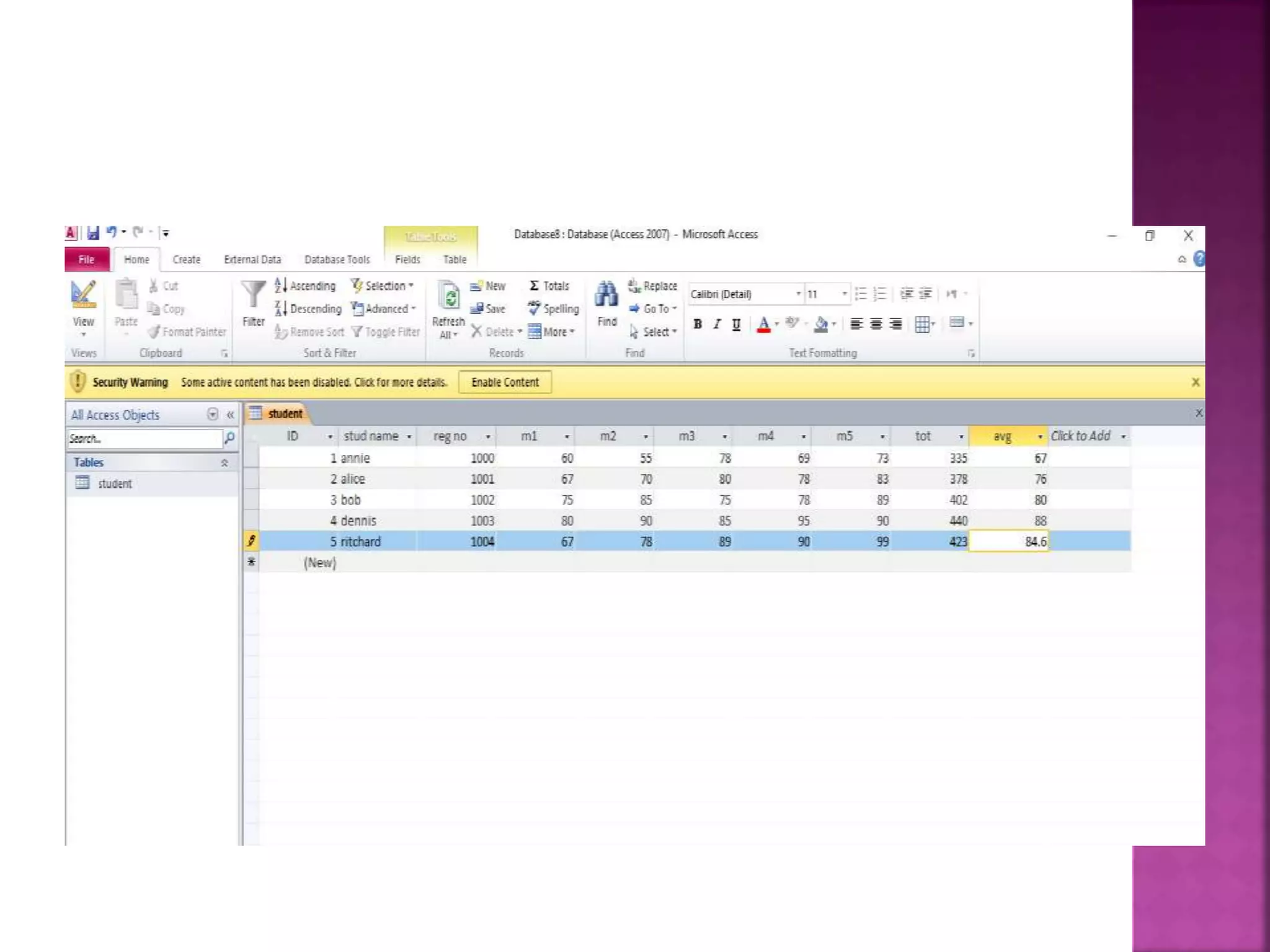
 A data sheet is a simple way to look at your data in rows and columns without any special formatting.  Whenever you create a new web table , access automatically create two views that you can start using immediately for data entry.  Let us add some data into your tables by opening the access database we have created.  Select the views> data sheet view option in the ribbon and add some data.
 Thank you

Introduction to ms access

  • 1.
  • 2.
     MS ACCESS–OVERVIEW  MS ACCESS –RDBMS  MS ACCESS – OBJECTS  MS ACCESS –CREATE DATABASE  MS ACCESS- DATA TYPES  MS ACCESS –CREATE TABLES
  • 3.
     Microsoft accessis a Database Management System(DBMS).  Microsoft access is just one part of Microsofts overall data management product strategy.  It stores data in its own format based on the access jet database engine.  It can also import are link directly to data stored in other application and data bases.  Access can also understand and use a wide variety of other data formats , including many other data base file structures.  Software developers can use Microsoft access to develop application software.
  • 4.
     Data basecreation: create your Ms-access database and specify what kind of data you will be storing.  Data input: after your database is created, the data of ever business day can be entered into the access data base.  Query: this is a fancy term to basically describe the process of retrieving information from the data base.  Report: Information from the database is organized in a nice presentation that can be printed in an access report.
  • 5.
    MS-Access Is adata base and,more specifically, a relational data base.  Early versions of access cannot read accdb extensions but ms access 2007 and later versions can read and change earlier versions of access.  An access desktop data base(.accdb or .mdb)is the fully functional RDBMS.  It provides all the data defination,data manipulation and data control features that you need to manage large volumes of data.  When you build and application with an access desktop database,access is the RDBMS.
  • 6.
     DATA DEFINATION: Indocument or a spread sheet , you generally have complete freedom to define the contents of the documents or each cell in the spreadsheet.  DATA MANIPULATION: in a word processing document , you can include tabular data and perform a limited set of functions on the data in the document.  DATA CONTROL: Spread sheets and word processing documents are great for solving single user problems , but they are difficult to use when more than one person needs to share the data.
  • 7.
     Ms accessuses “objects” to help the user list and organize information, as well as prepare specially designed report.
  • 8.
     TABLE: Table isan object that is. When you create new table , access ask you to define fields which is also known as column headings. QUERY: An object that provides a custom view of data from one or more tables . FORM: use forms to that your application extracts from queries or table. REPORT: report is an object in desktop databases designed for
  • 9.
     To createa data base from a template , we first need to open ms access and you will see the following screen .
  • 10.
    TYPE OF DATADESCRIPTION SIZE SHORT TEXT TEXT OR COMBINATION OF TEXT AND NUMBERS UPTO 255 CHARACTER LONG TEXT LENGTHY TEXT UPTO 63,999 CHARACTER NUMBER NUMERIC DATA USED IN MATHEMATICAL CALCULATION 1,2,4 OR 8 BYTES DATE/TIME DATE AND TIME 8 BYTES CURRENCY CURRENCY VALUES 8 BYTES AUTO NUMBER A UNIQUE SEQUENTUIAL (INCREMENTED BY 1) 4 BYTES YES/NO YES/NO VALUES 1 BIT
  • 14.
     A datasheet is a simple way to look at your data in rows and columns without any special formatting.  Whenever you create a new web table , access automatically create two views that you can start using immediately for data entry.  Let us add some data into your tables by opening the access database we have created.  Select the views> data sheet view option in the ribbon and add some data.
  • 15.