

IOT QUICK DEMO SALESFORCE YOU HAVE TO INSTALL HEROKU APPLICATIONAT FIRST!!!!!! The following site has the latest information so please check this out at first. http://itodemo-developer-edition.ap0.force.com
Agenda 1. Installation 2. Temperature demo • Setup • Scenario 3. Location demo • Setup • Scenario 4. Optional Features • Twilio integration • Android device
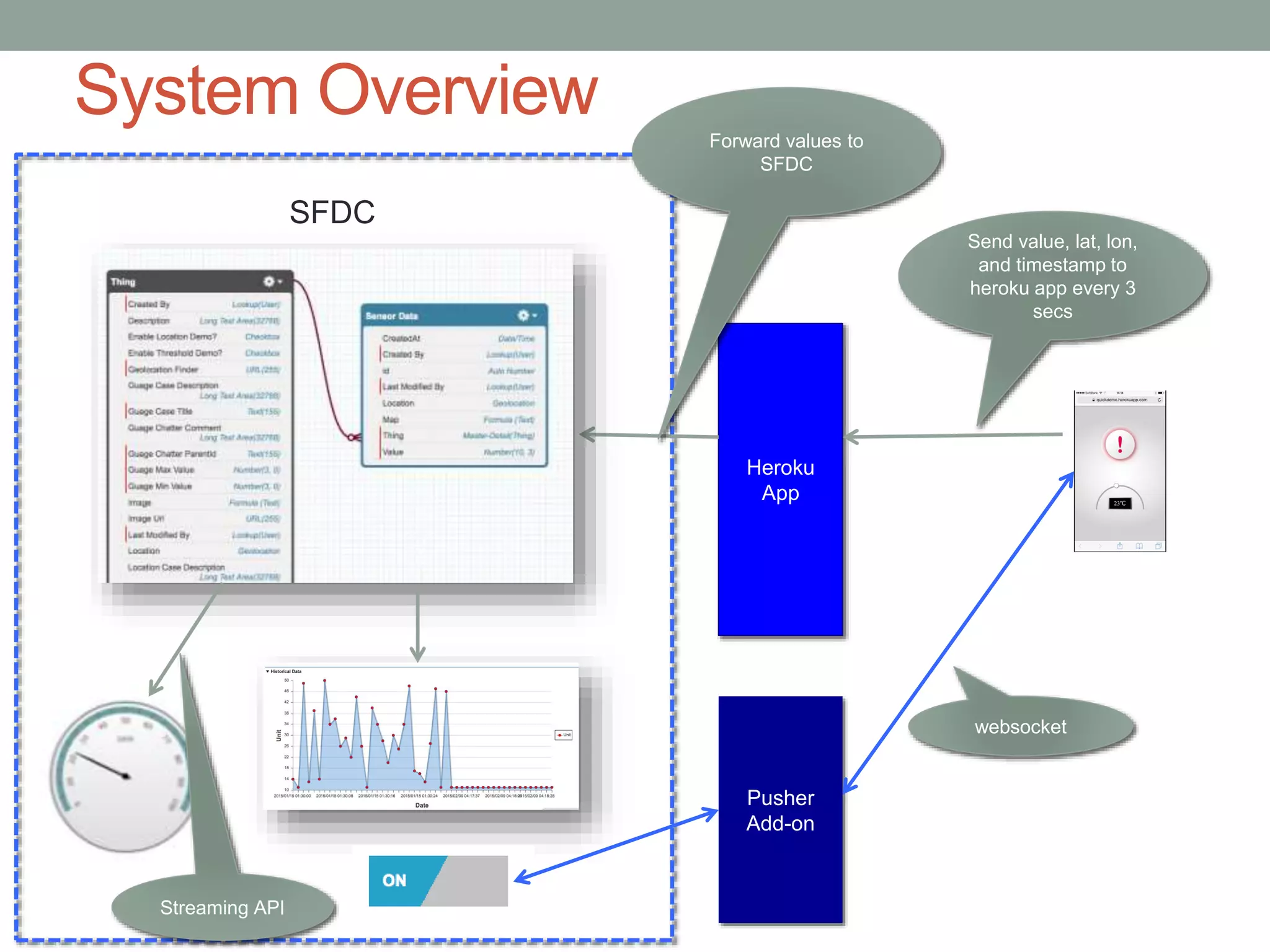
System Overview Heroku App Send value, lat, lon, and timestamp to heroku app every 3 secs Pusher Add-on Forward values to SFDC Streaming API websocket SFDC
1. INSTARALLTION
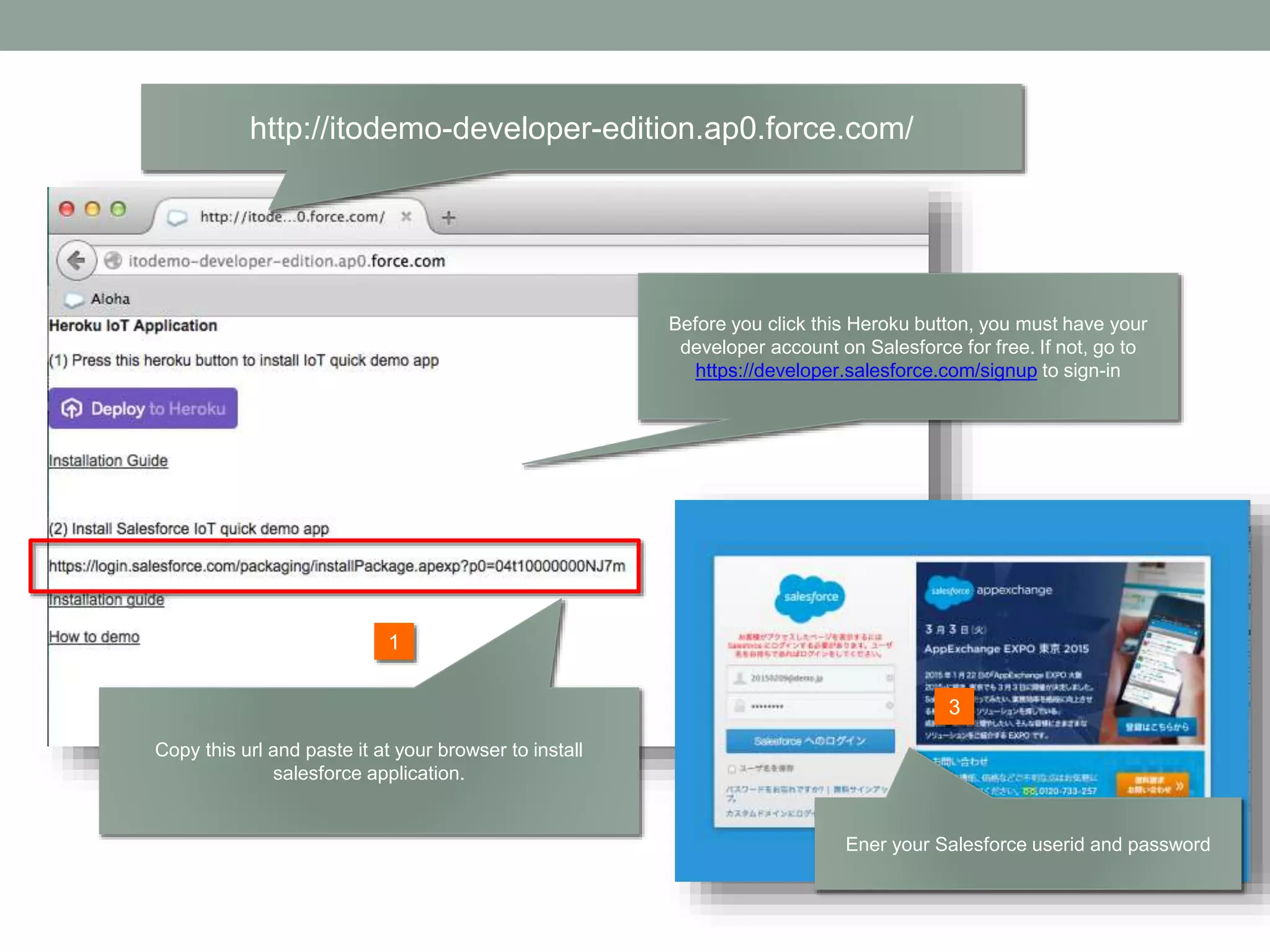
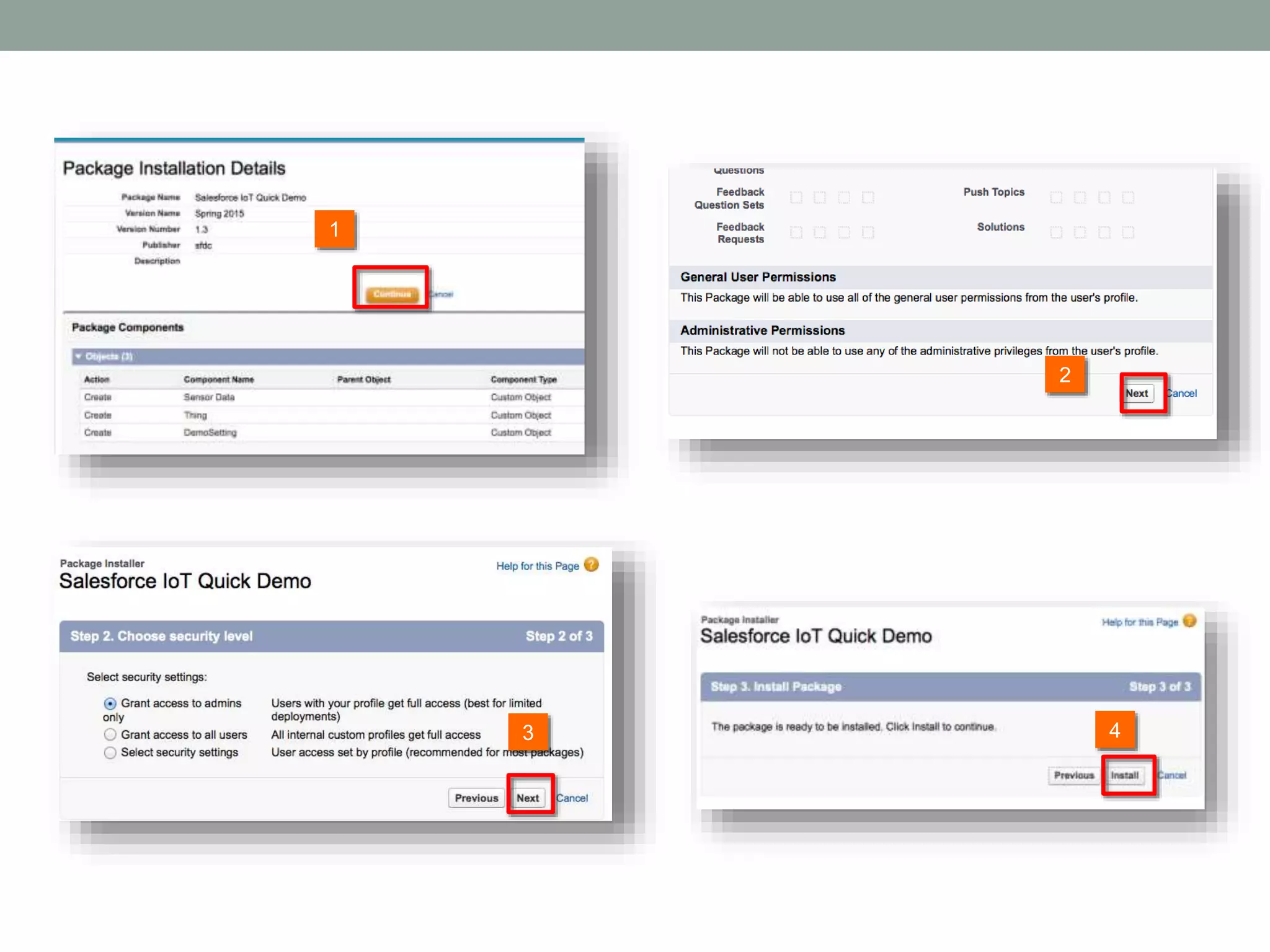
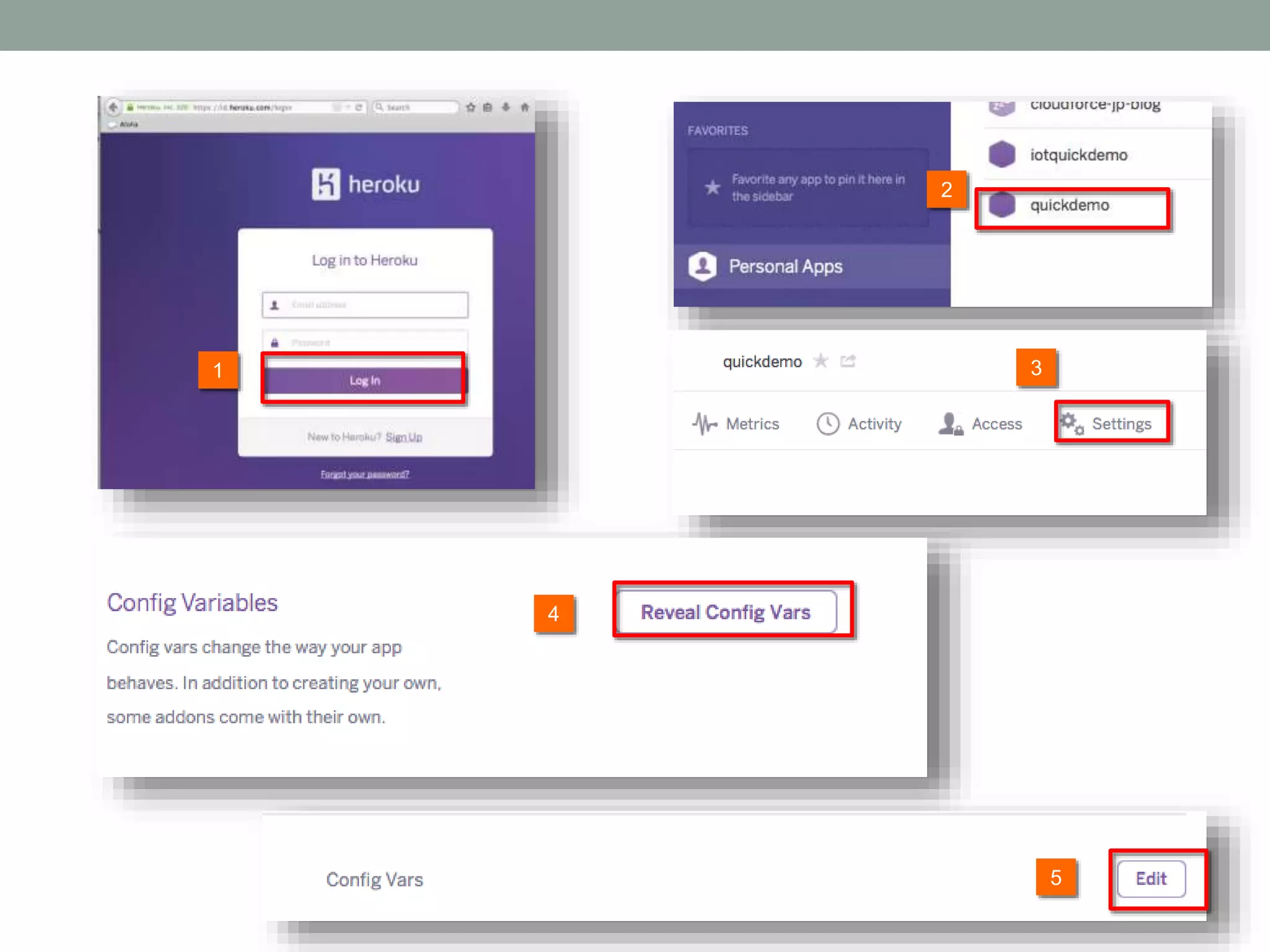
http://itodemo-developer-edition.ap0.force.com/ 2 1 Before you click this Heroku button, you must have your developer account on Salesforce for free. If not, go to https://developer.salesforce.com/signup to sign-in Copy this url and paste it at your browser to install salesforce application. Ener your Salesforce userid and password 3
2 1 3 4
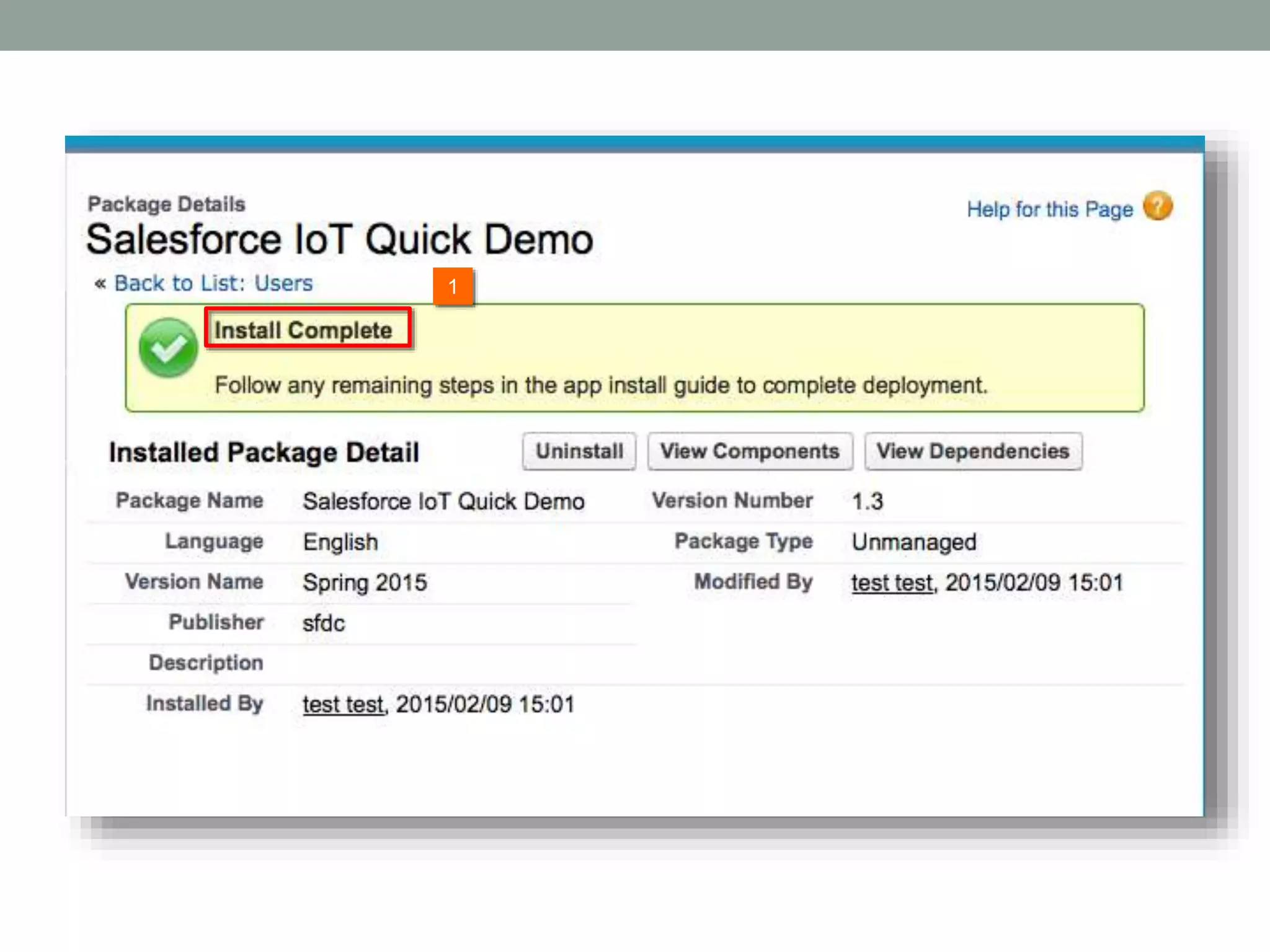
1
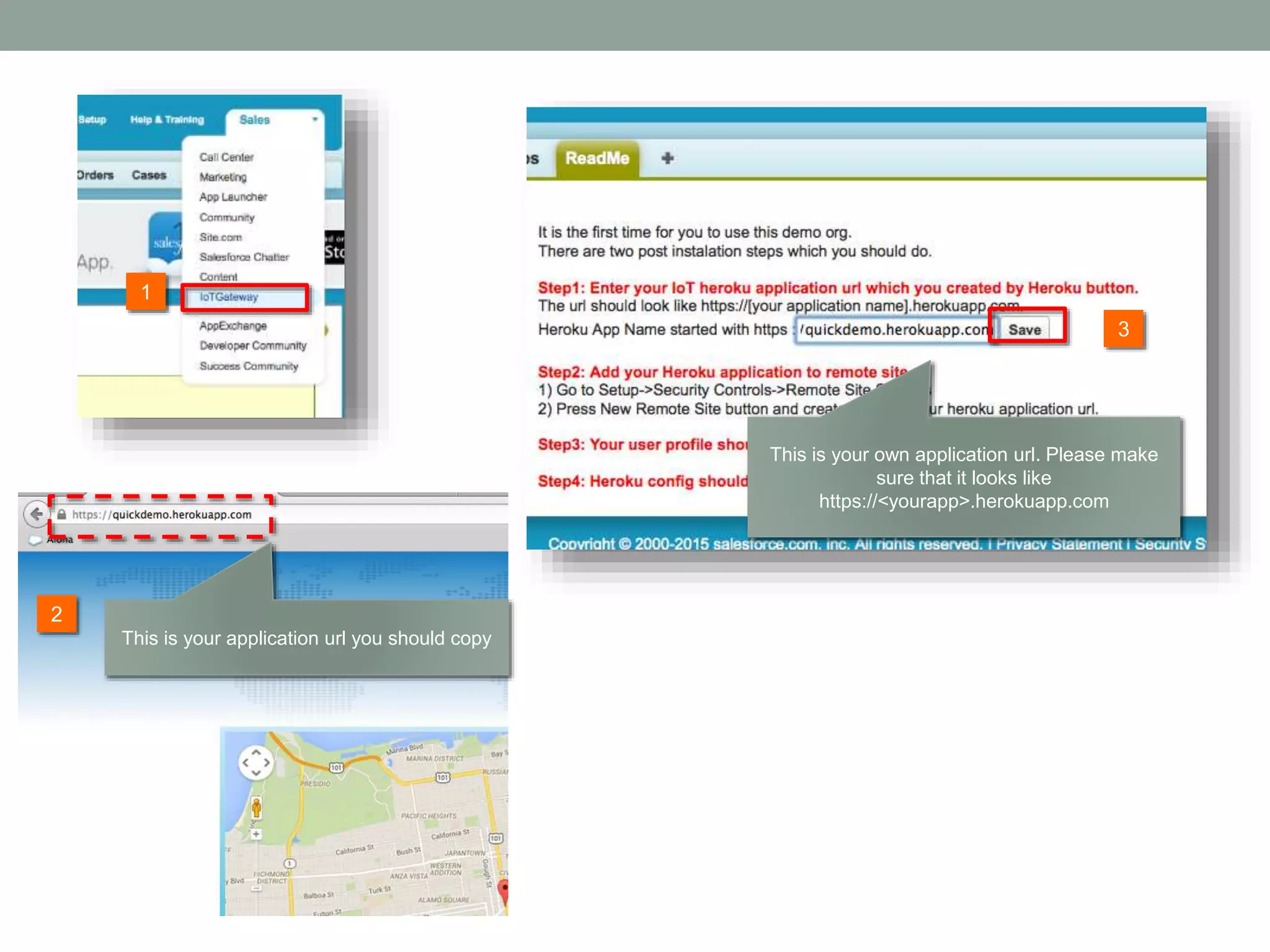
1 3 This is your own application url. Please make sure that it looks like https://<yourapp>.herokuapp.com This is your application url you should copy 2
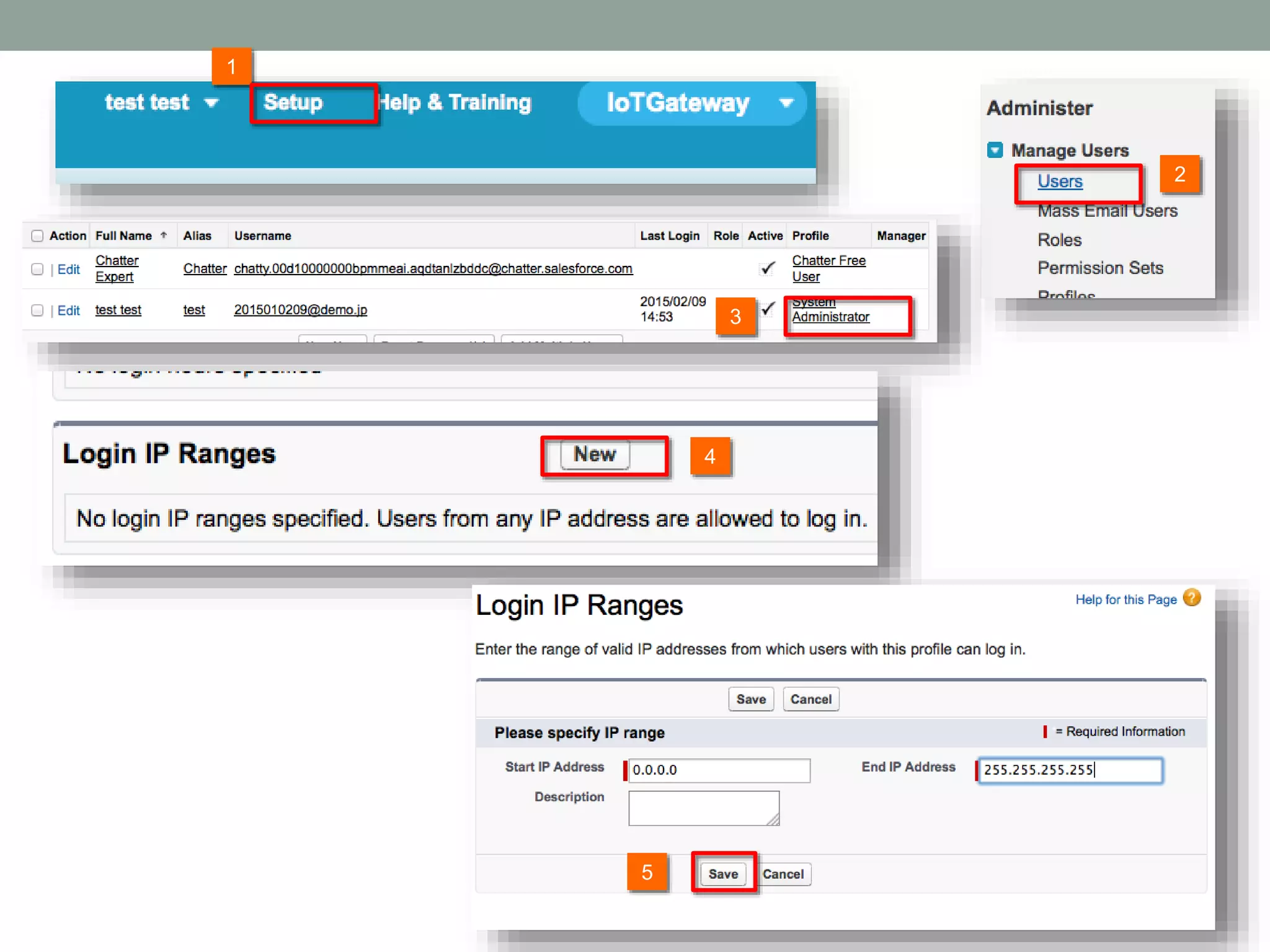
2 1 3 4 5
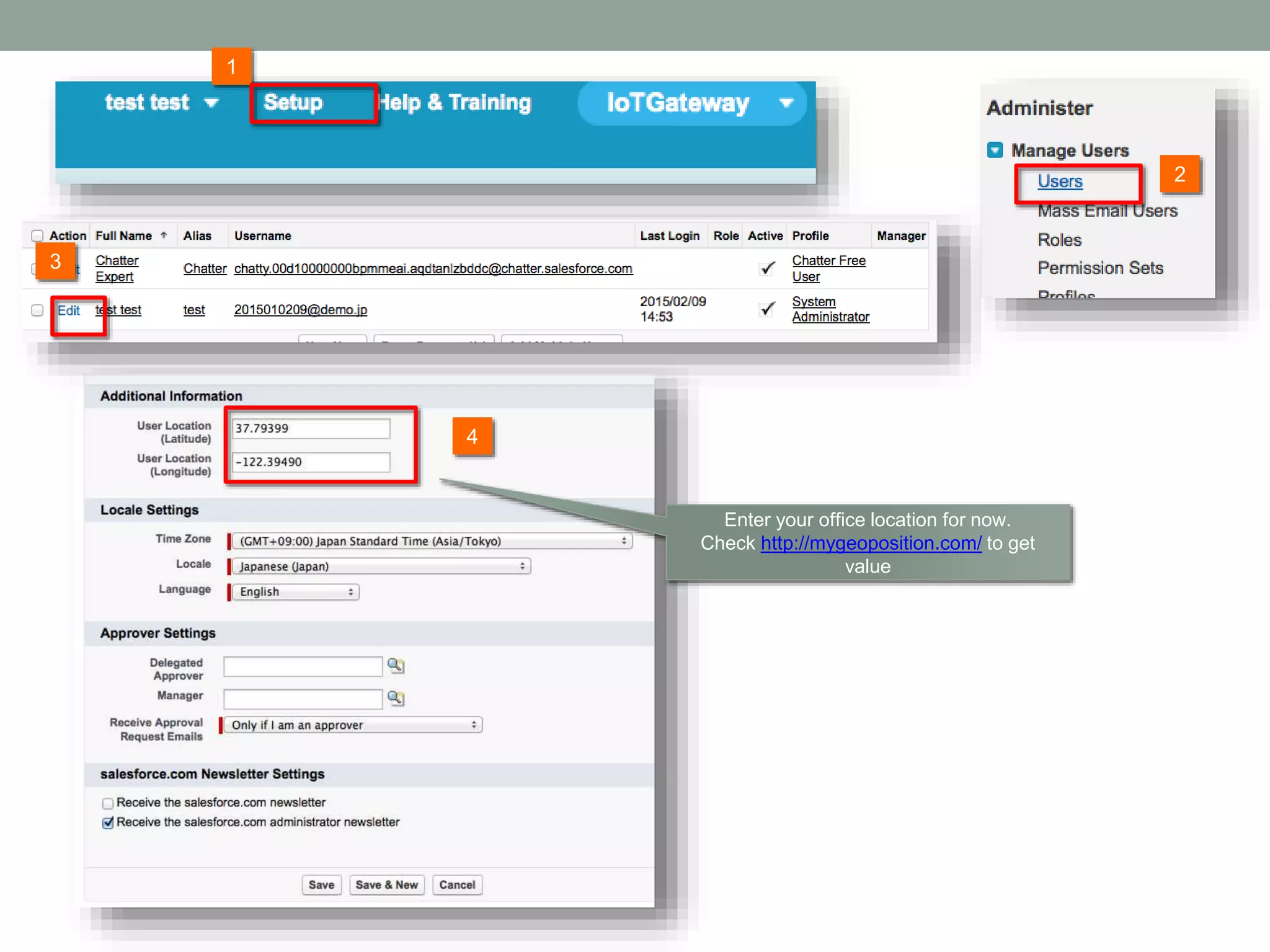
2 1 3 Enter your office location for now. Check http://mygeoposition.com/ to get value 4
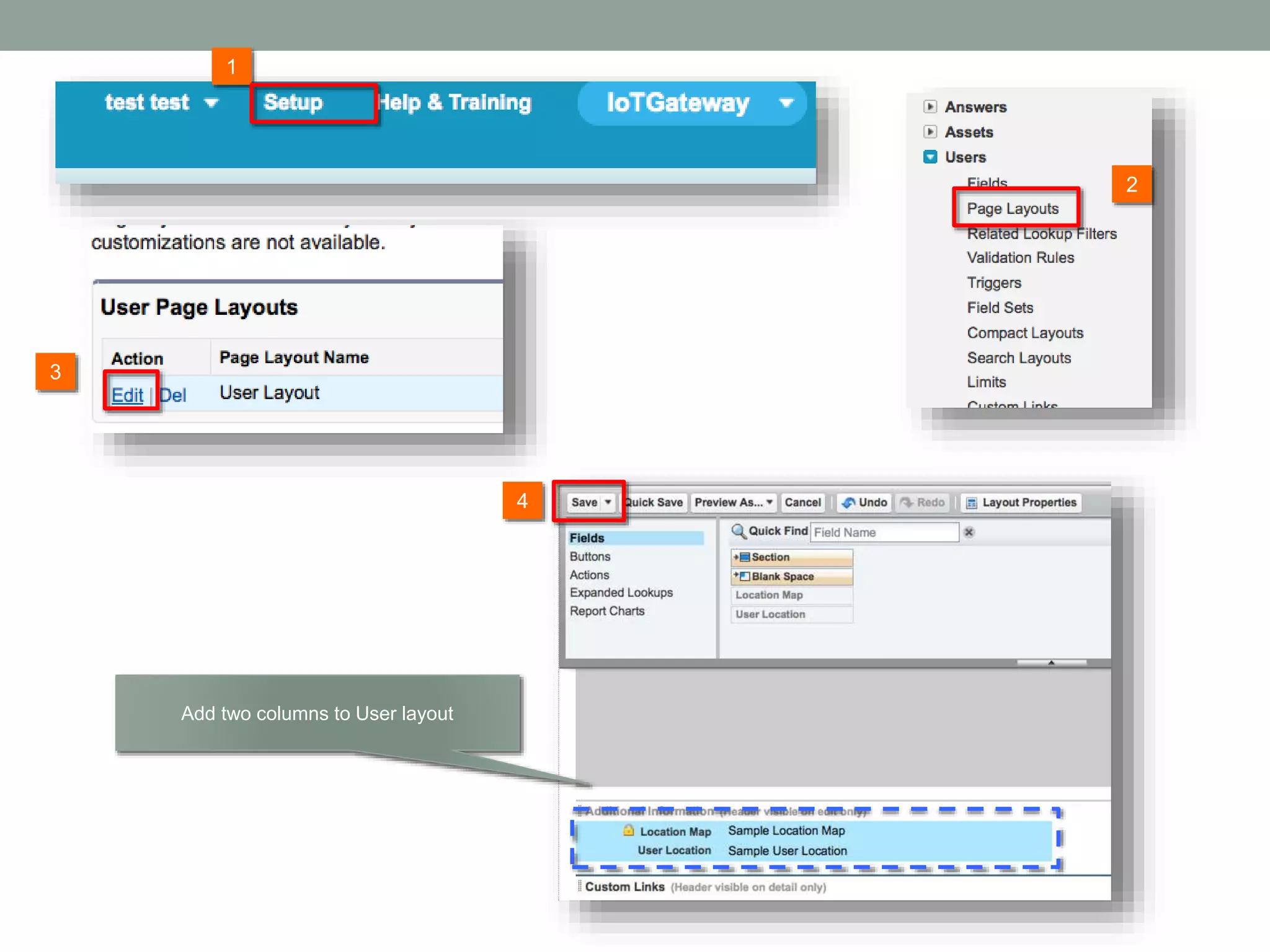
2 1 3 Add two columns to User layout 4
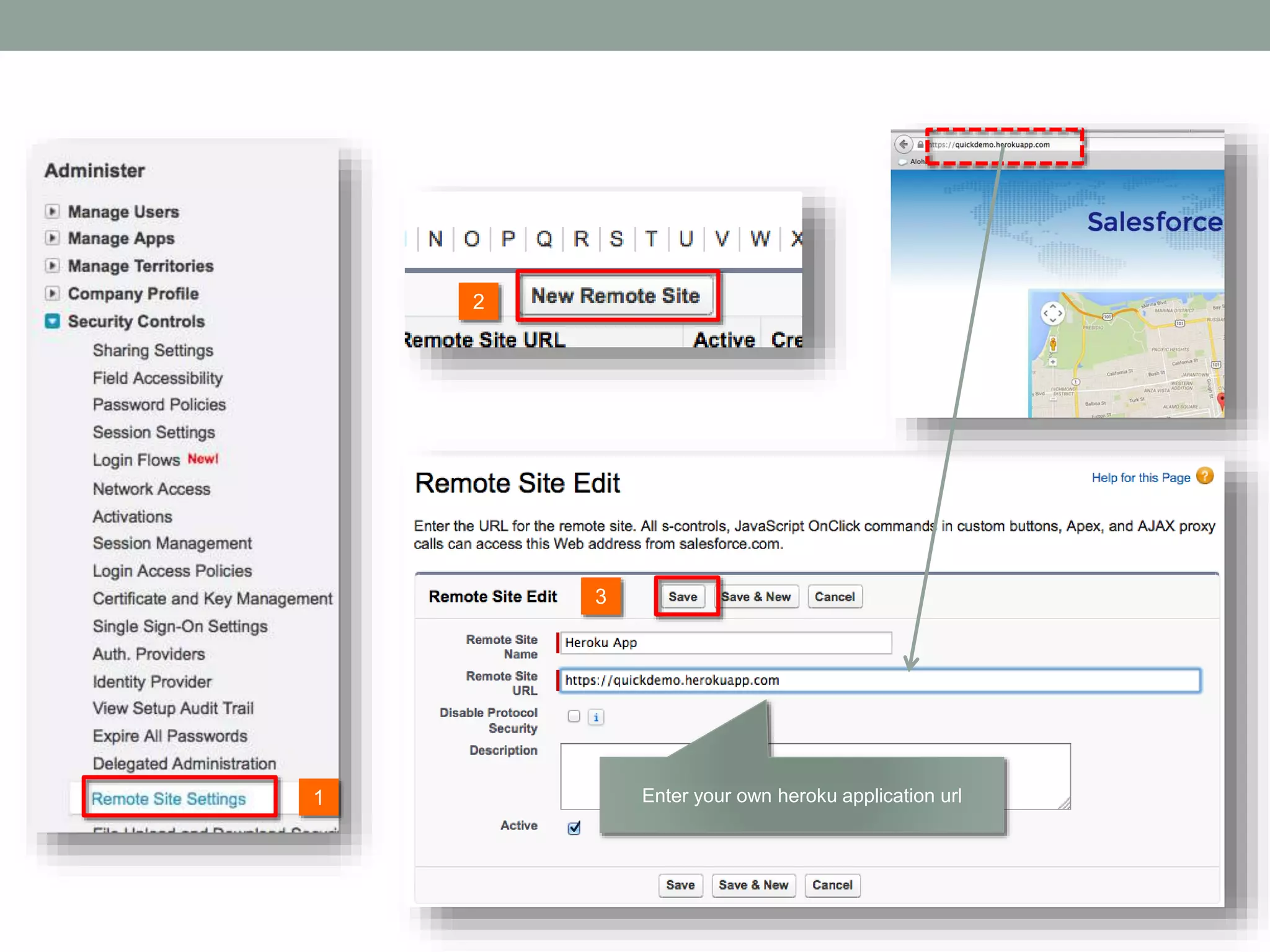
2 1 3 Enter your own heroku application url
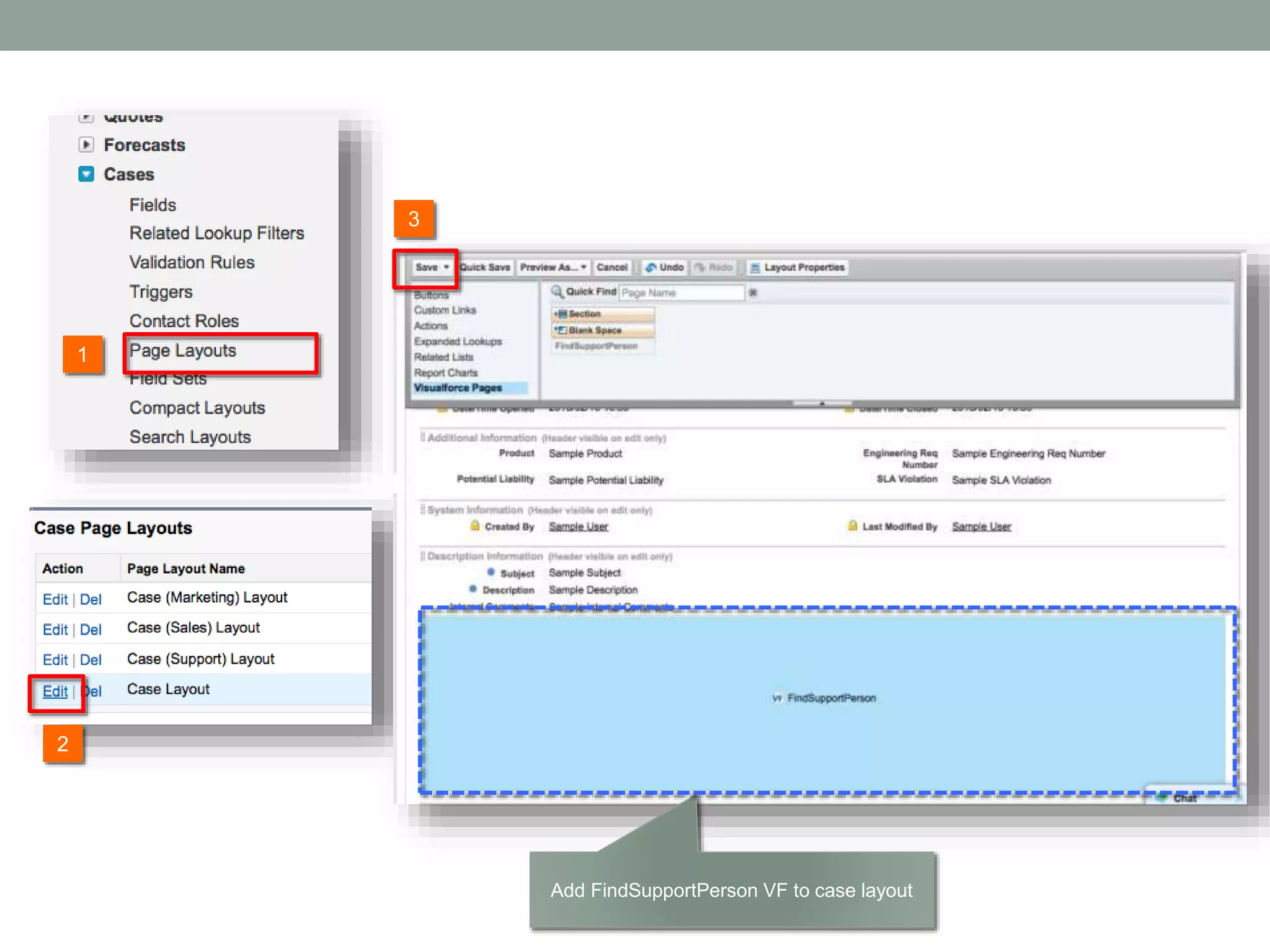
2 1 3 Add FindSupportPerson VF to case layout
2 1 3 5 4
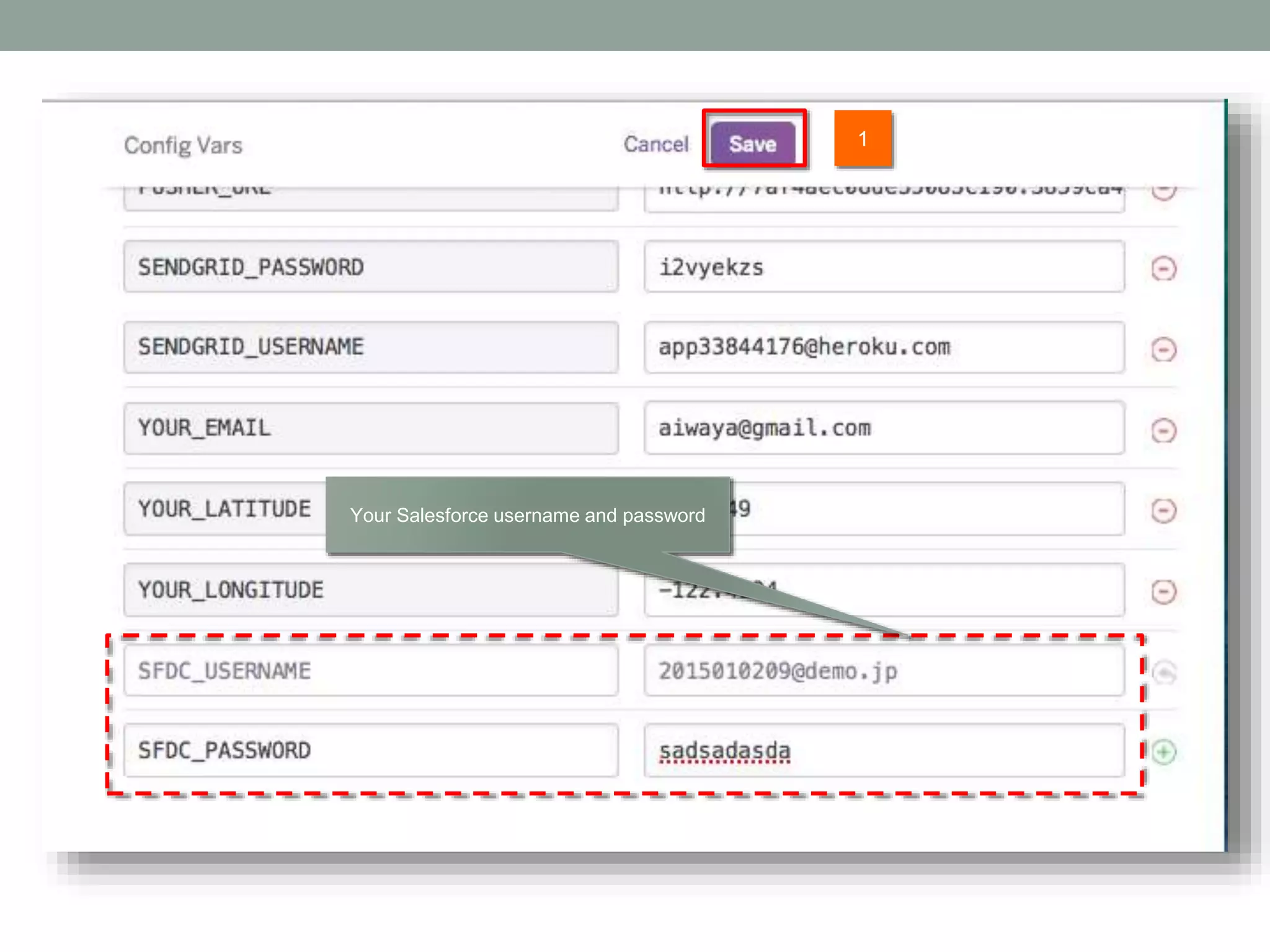
1 Your Salesforce username and password
2. TEMPERATURE DEMO
SET UP
1 2 3
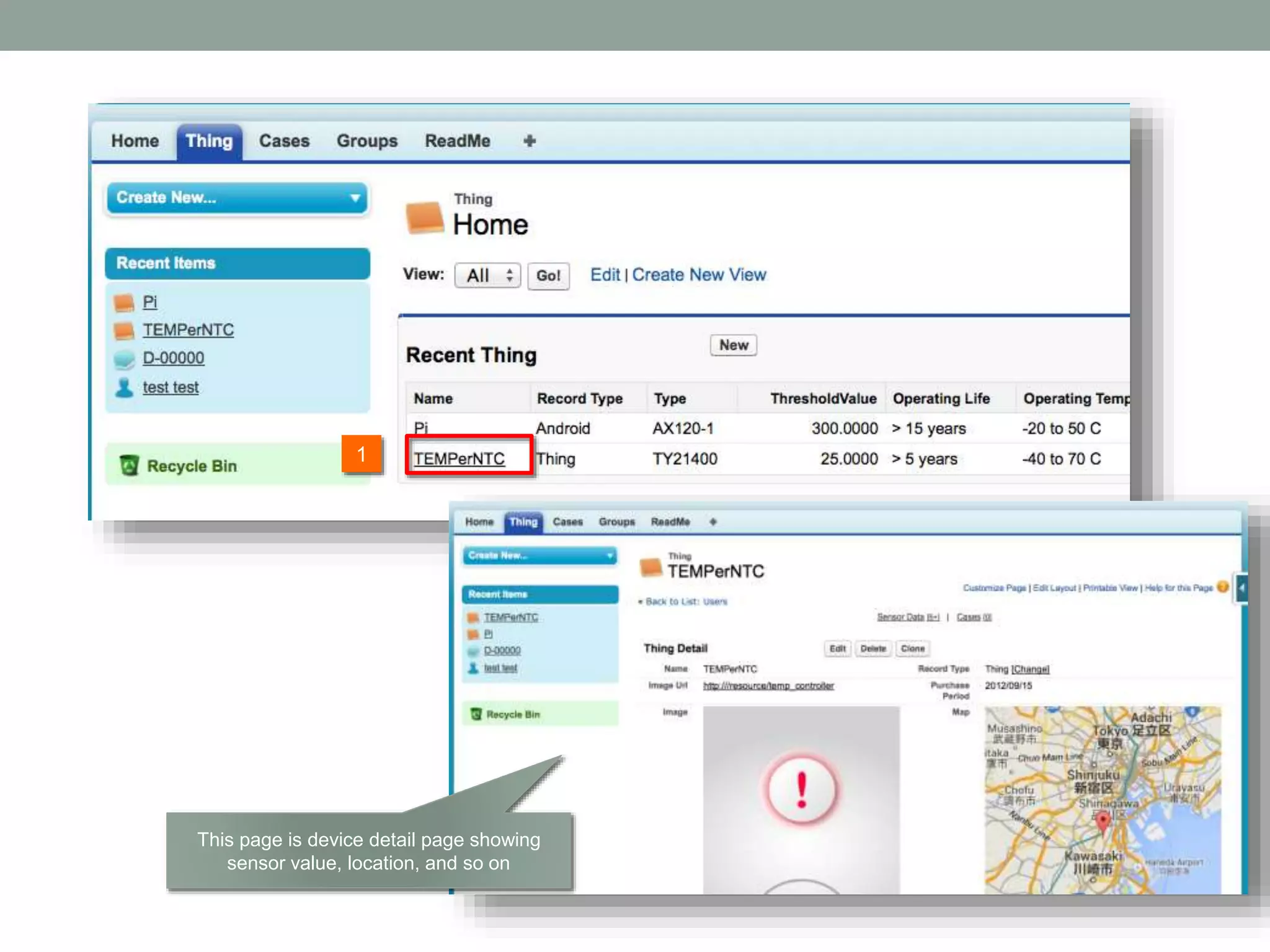
1 This page is device detail page showing sensor value, location, and so on
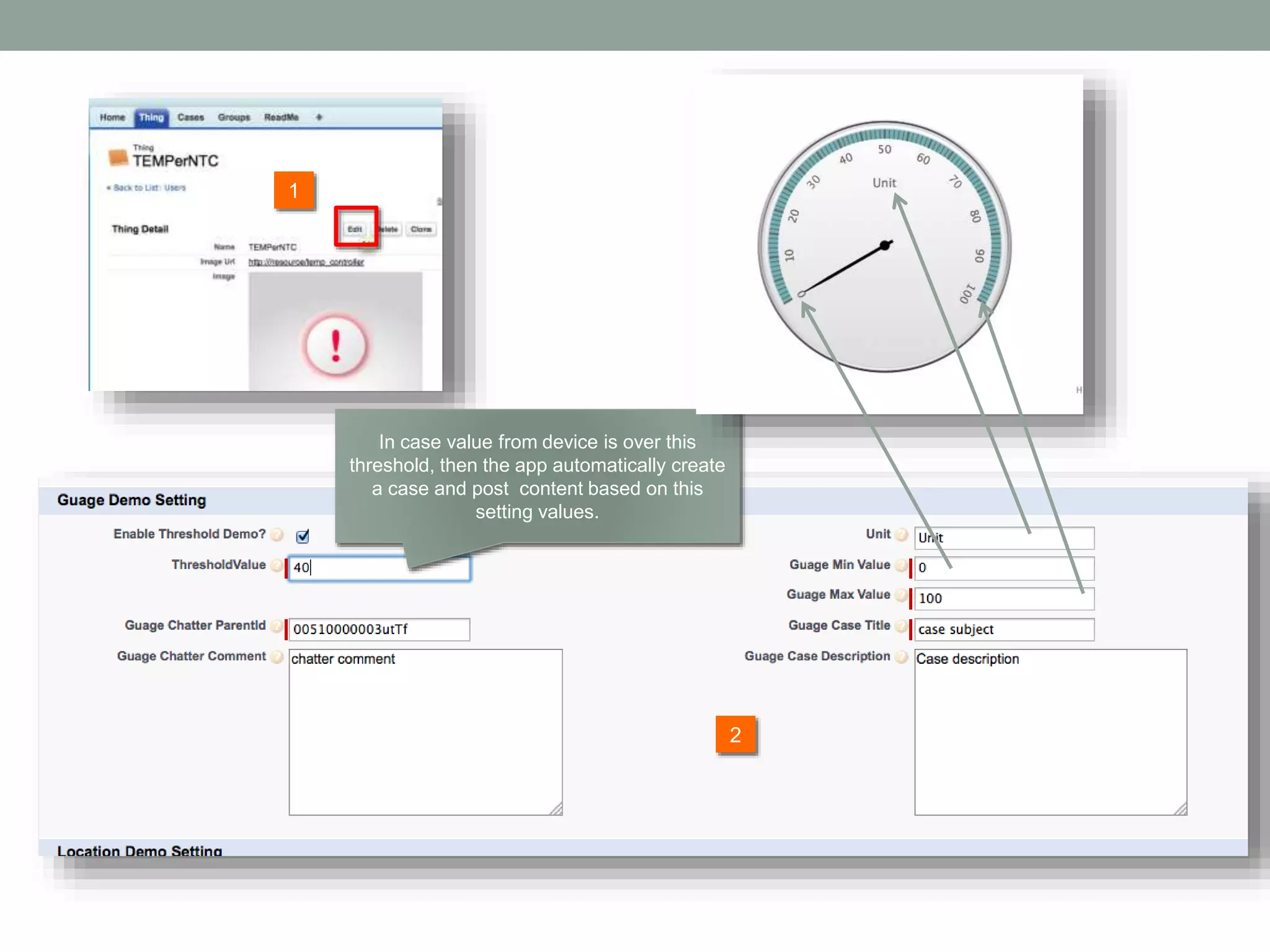
2 1 In case value from device is over this threshold, then the app automatically create a case and post content based on this setting values.
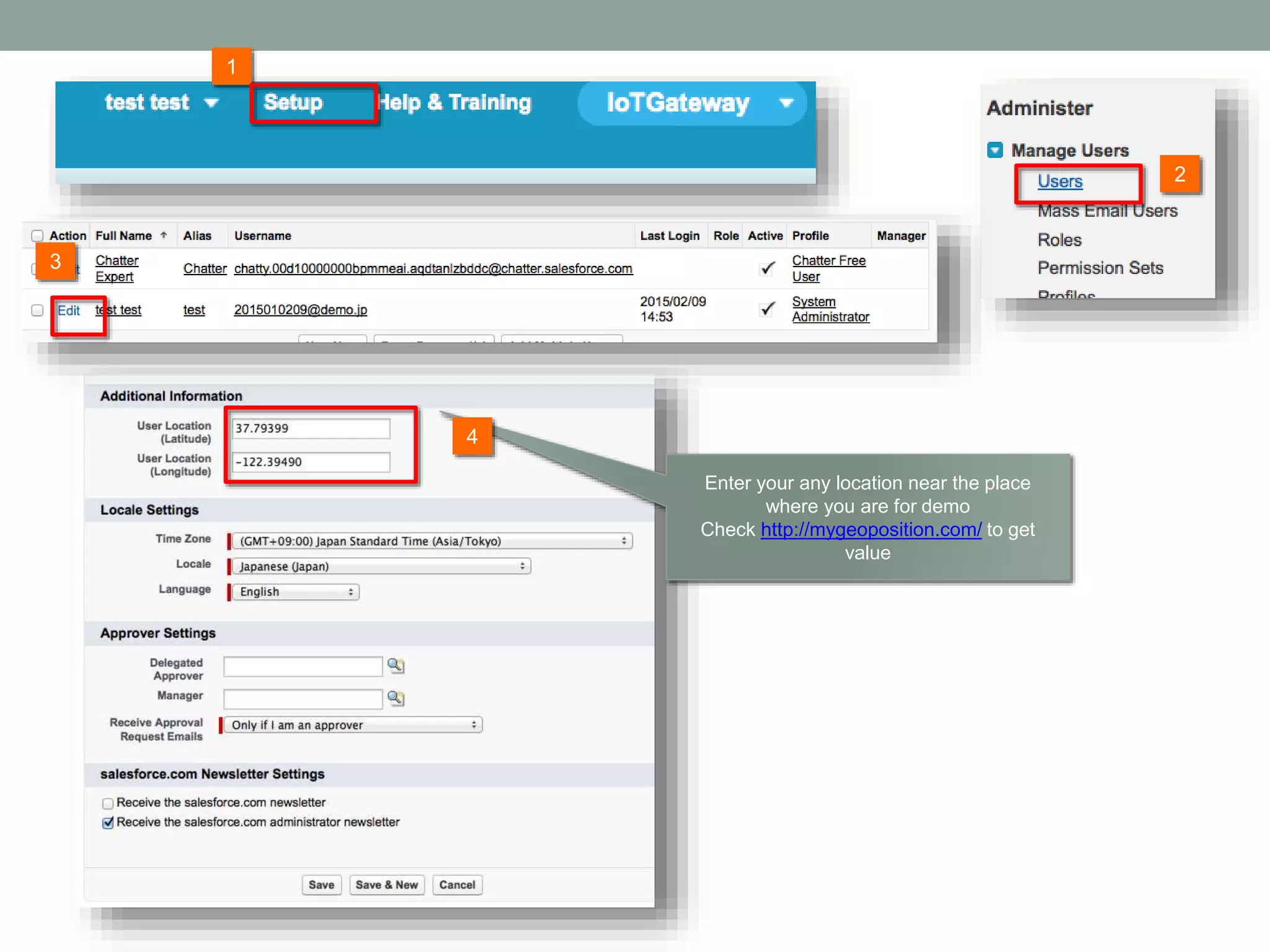
2 1 3 Enter your any location near the place where you are for demo Check http://mygeoposition.com/ to get value 4
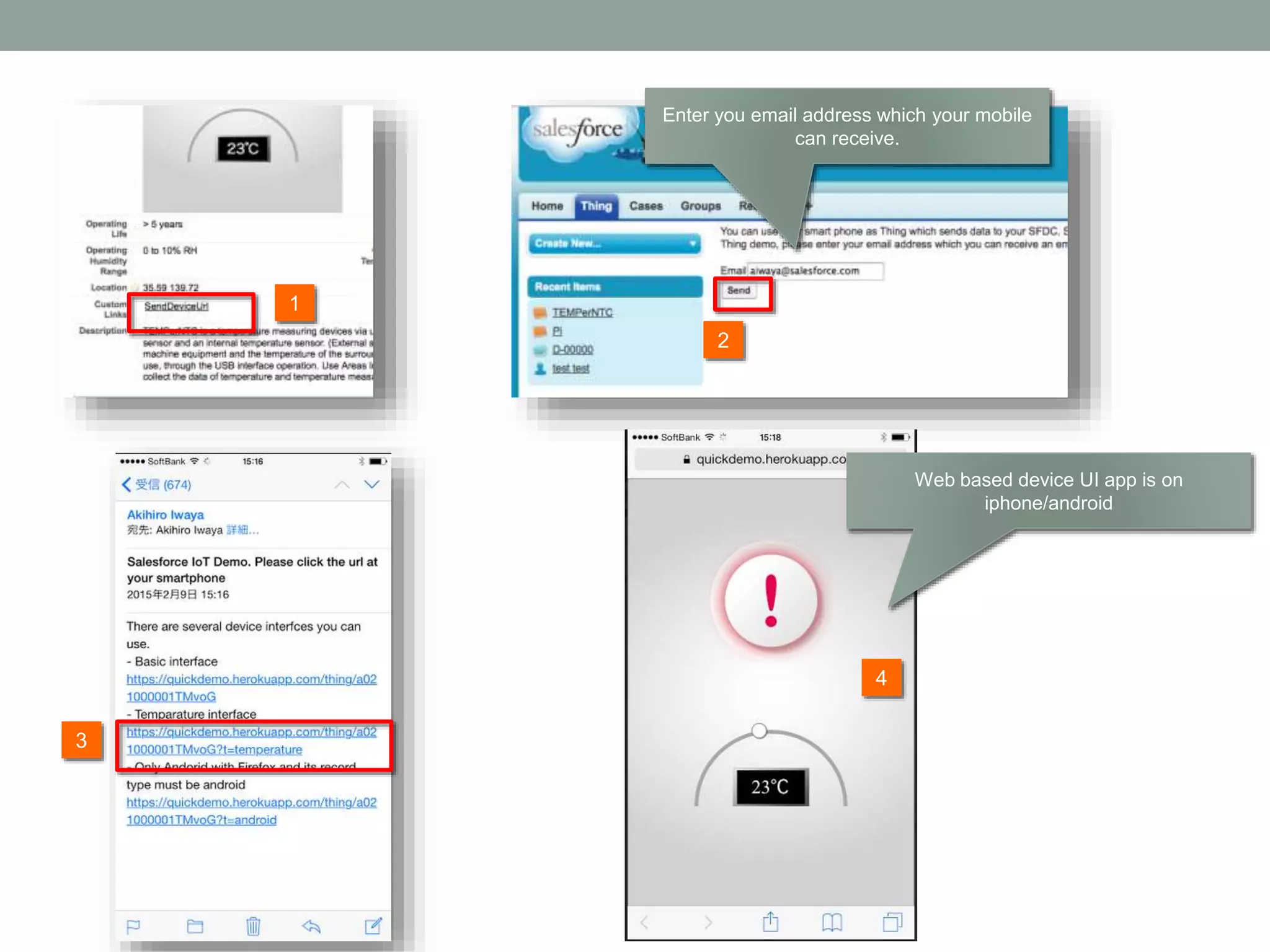
2 1 3 Enter you email address which your mobile can receive. 4 Web based device UI app is on iphone/android
SCENARIO
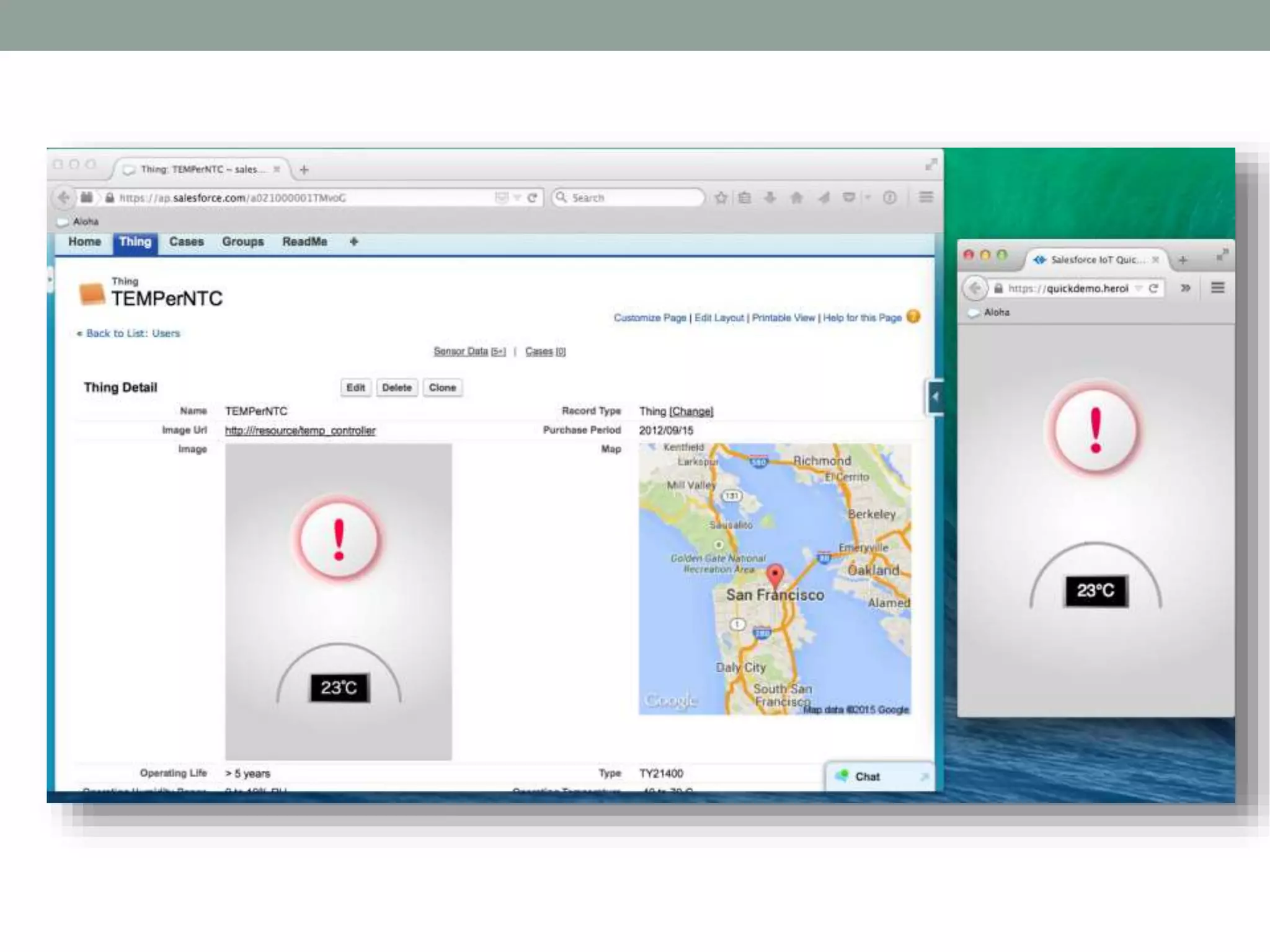
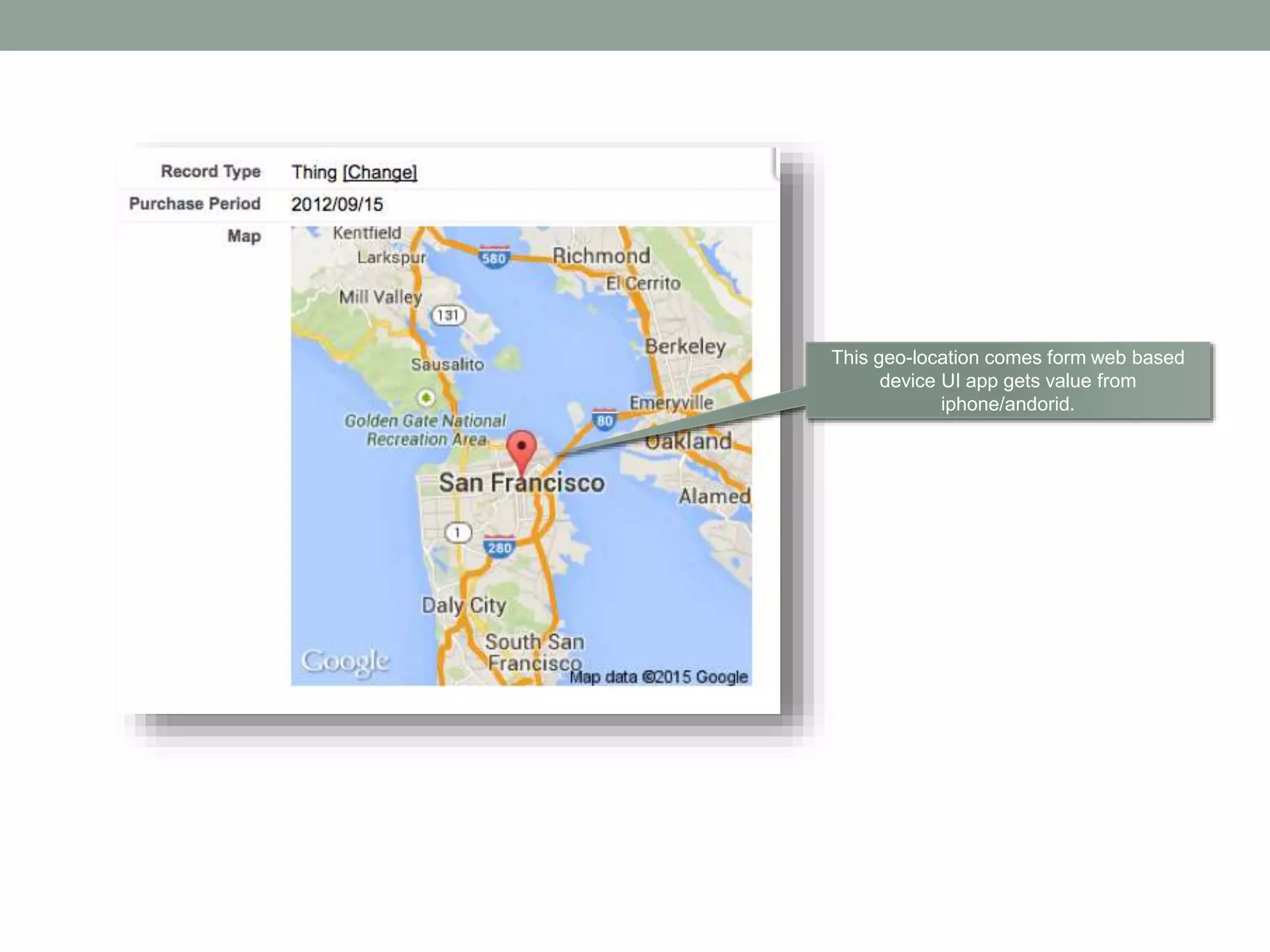
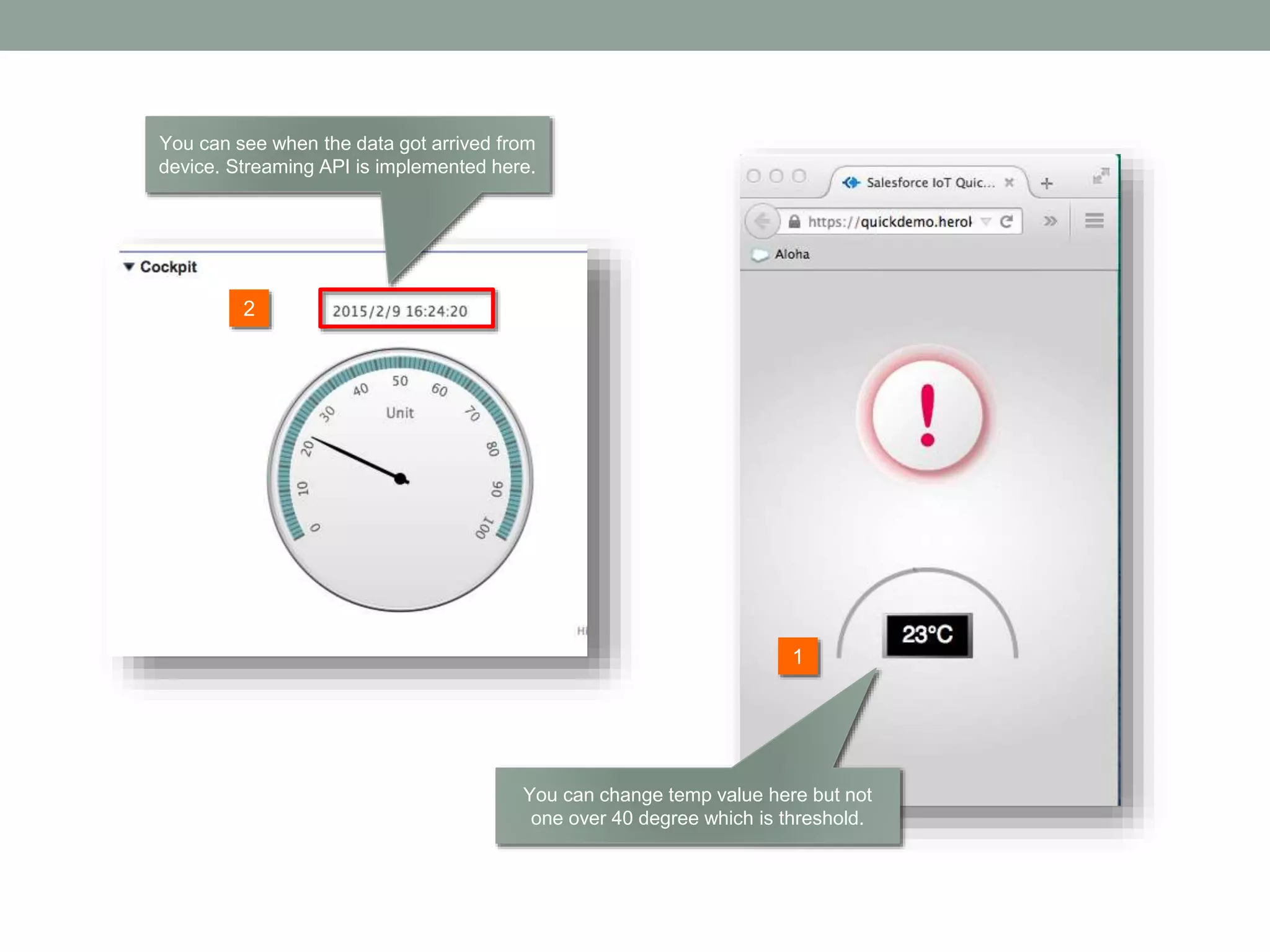
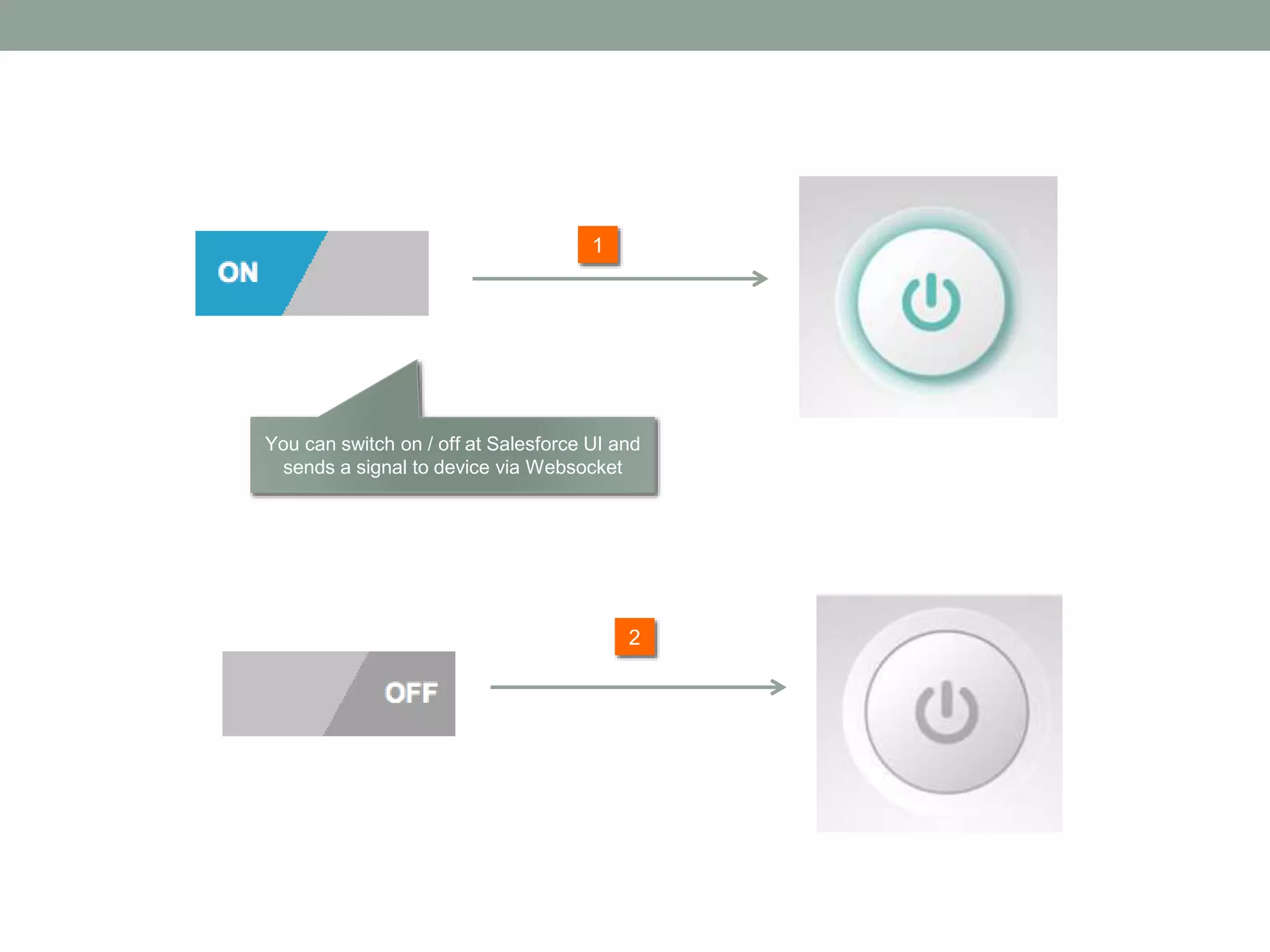
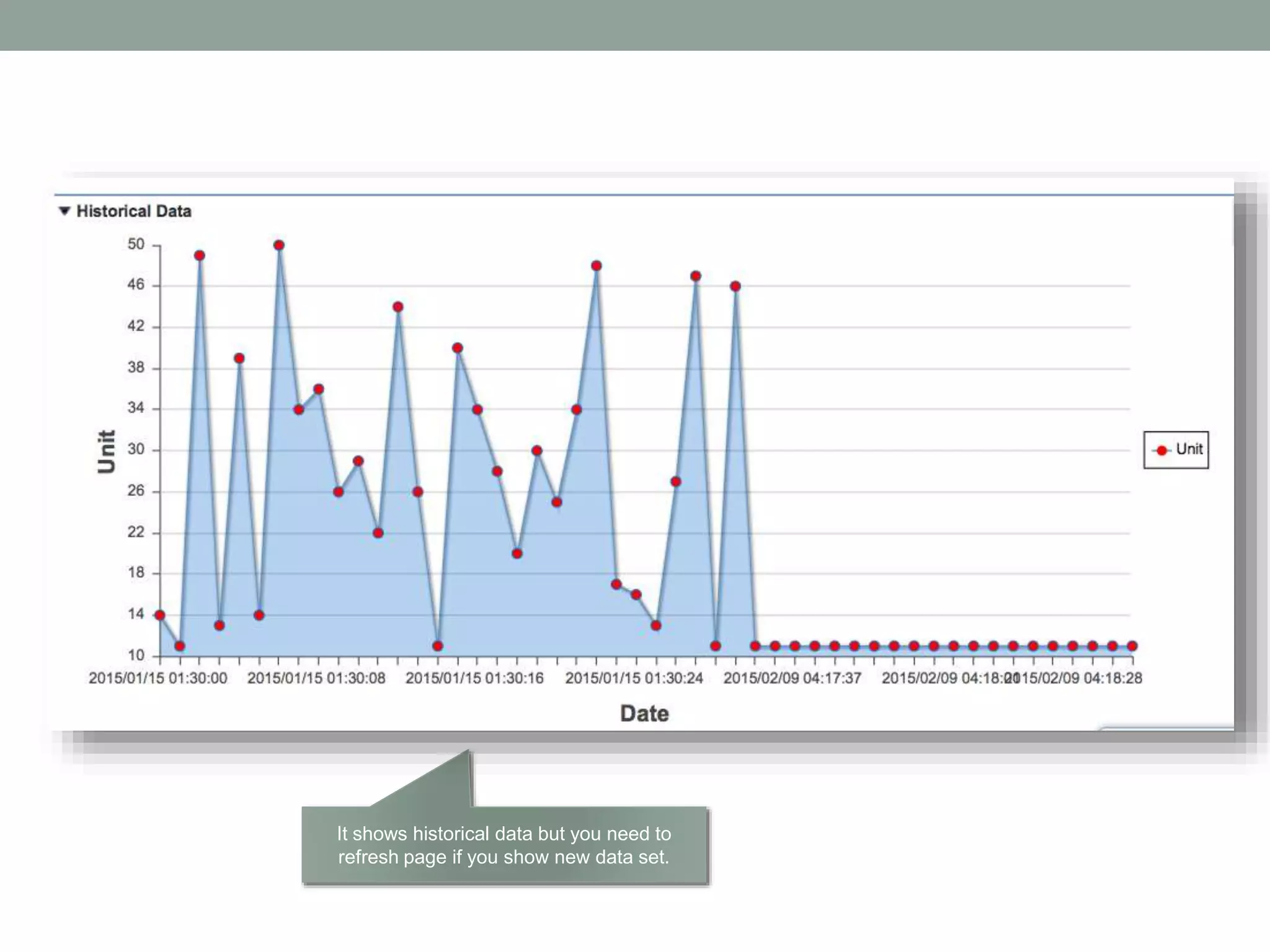
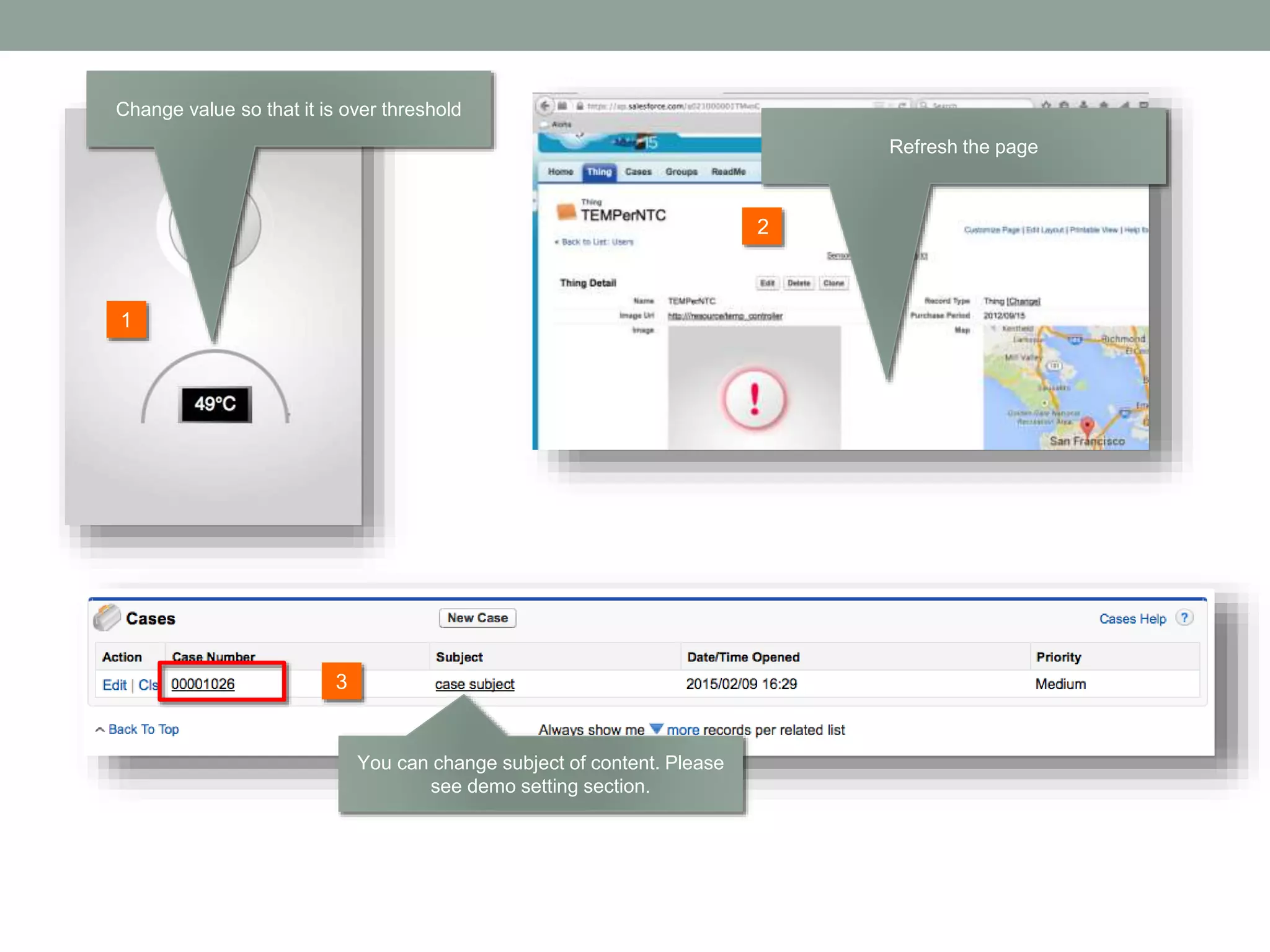
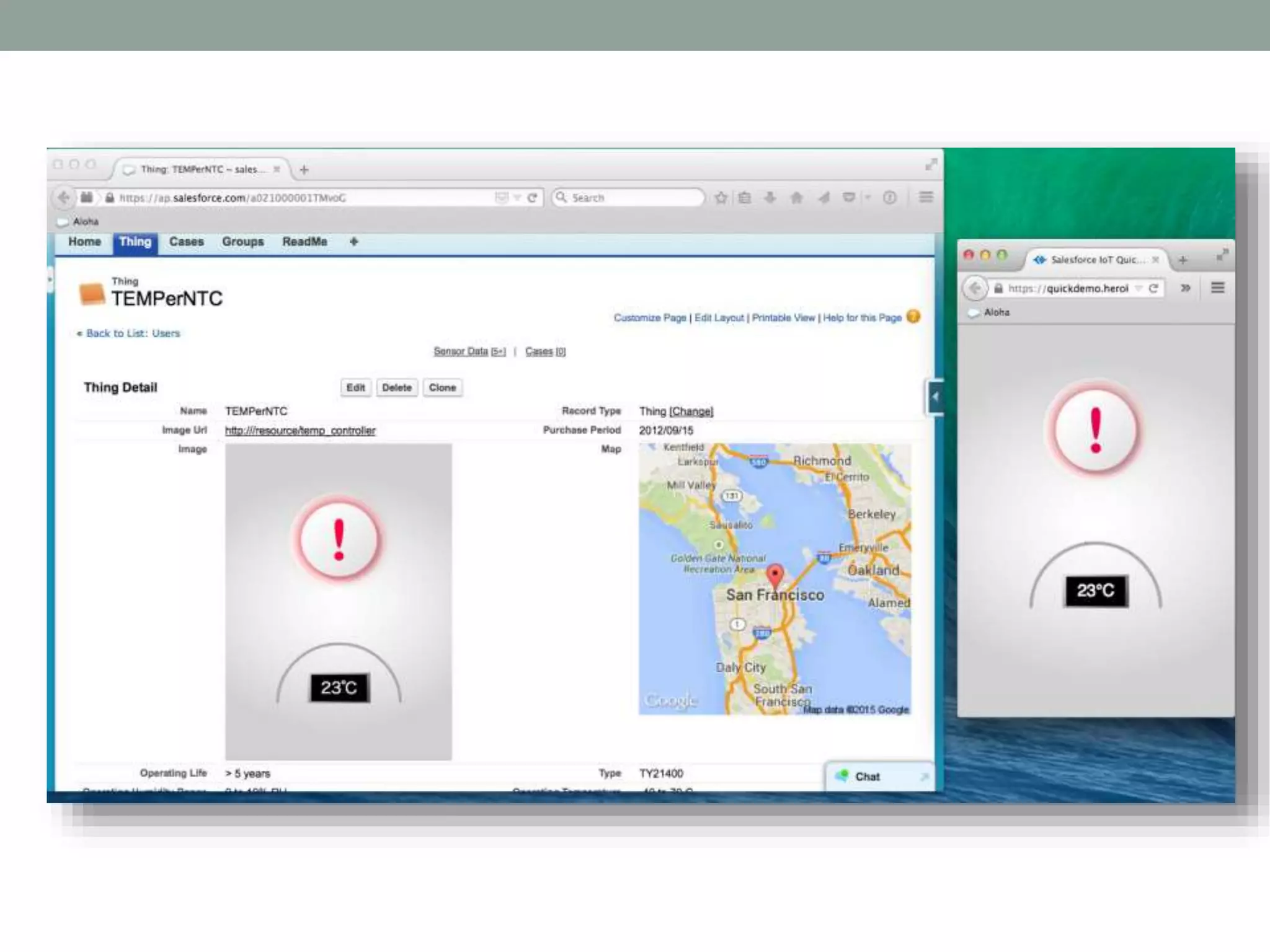
Steps 1. Map showing where you are for demo because device sends geo-location, temperature data to SFDC every 3secs 2. Gauge showing current temperature at device. It has time difference because of device -> Heroku -> SFDC - > Gauge UI. You may change temperature value on device ( not exceed threshold value you set ) 3. Send signal to device by switching button via Web- socket. 4. Show historical data 5. Change temperature value over threshold so that Chatter post and case are automatically created. 6. Show the case and the Chatter post
This geo-location comes form web based device UI app gets value from iphone/andorid.
2 1 You can see when the data got arrived from device. Streaming API is implemented here. You can change temp value here but not one over 40 degree which is threshold.
2 1 You can switch on / off at Salesforce UI and sends a signal to device via Websocket
It shows historical data but you need to refresh page if you show new data set.
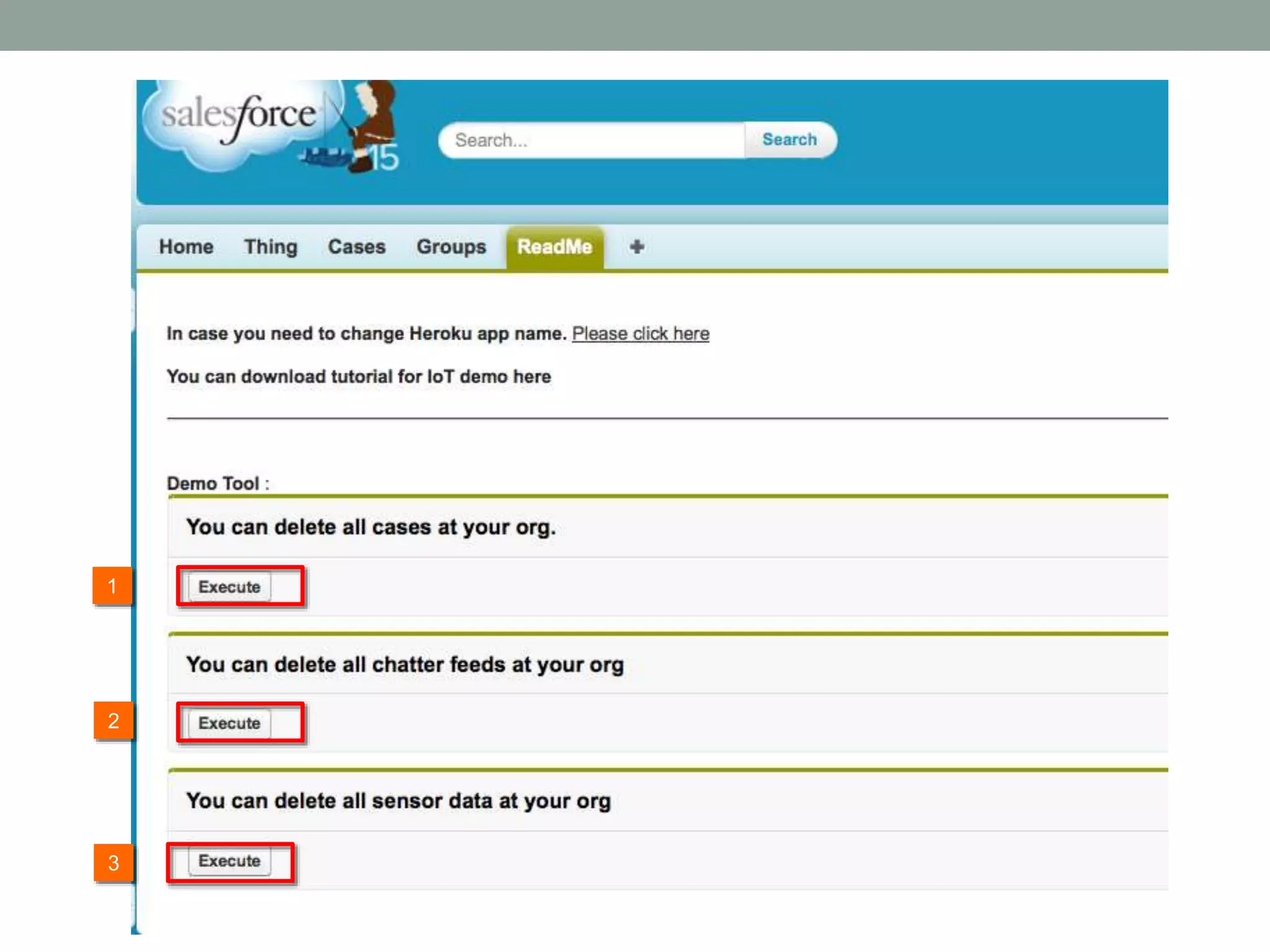
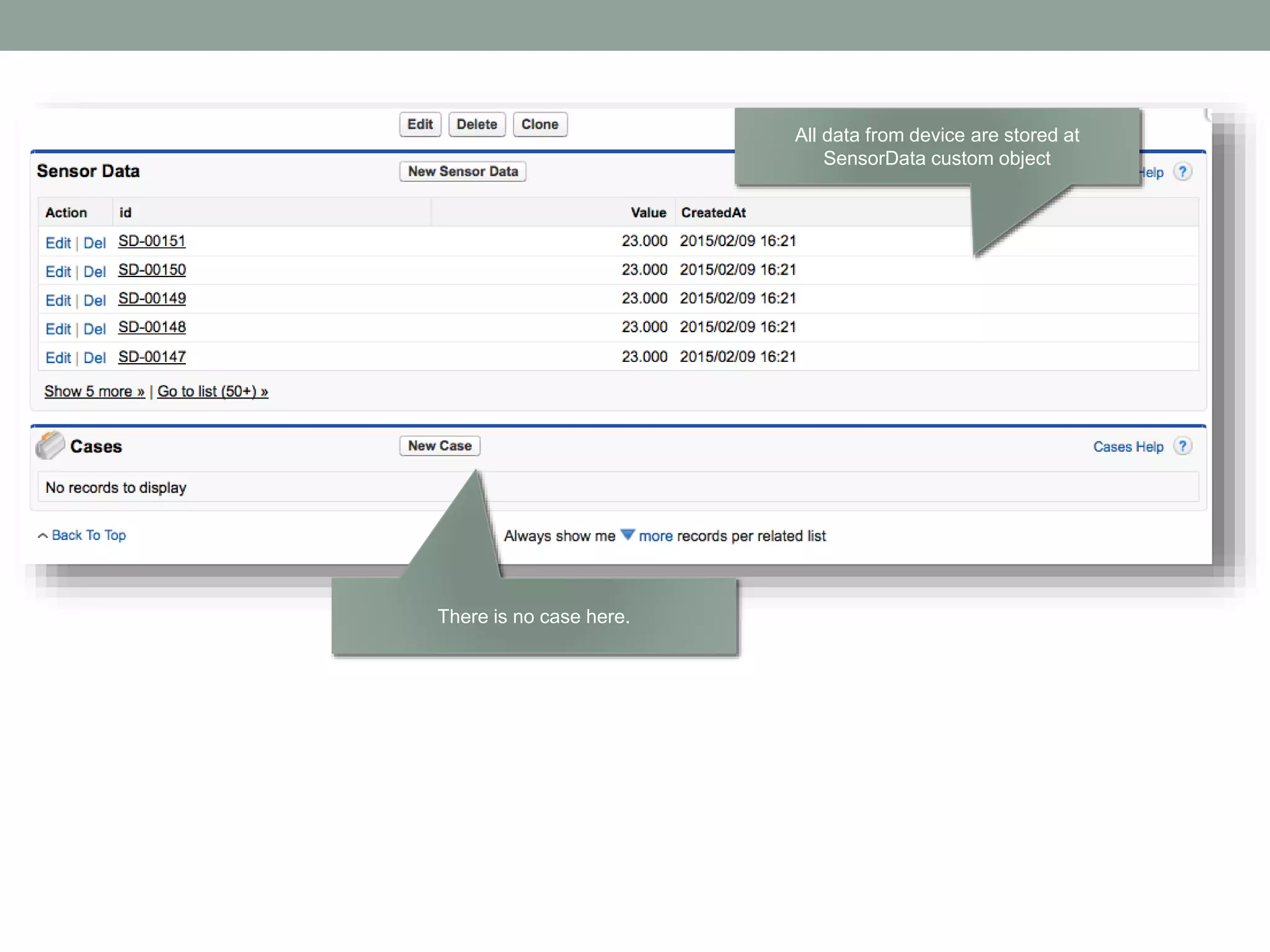
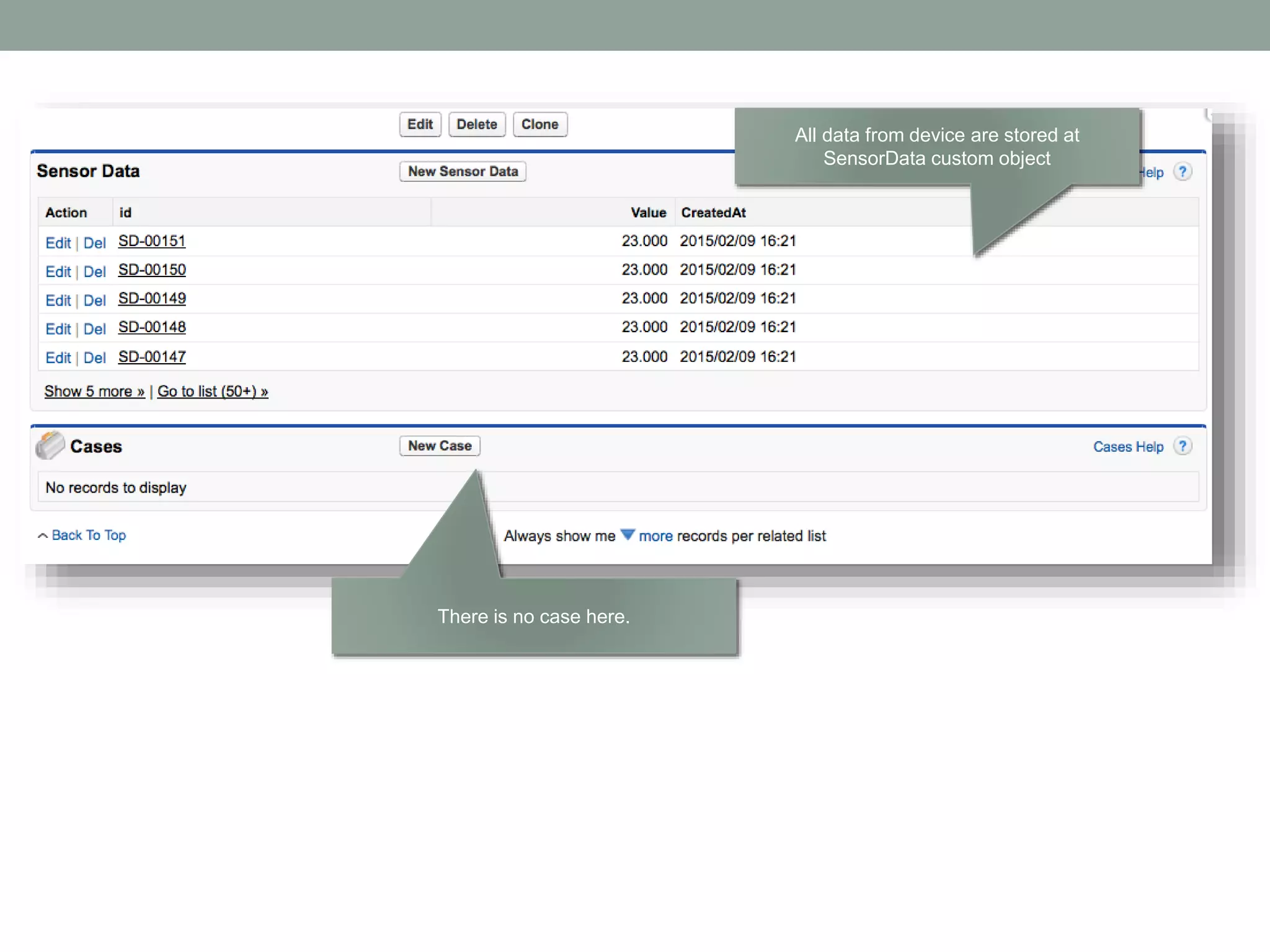
All data from device are stored at SensorData custom object There is no case here.
2 1 3 Change value so that it is over threshold Refresh the page You can change subject of content. Please see demo setting section.
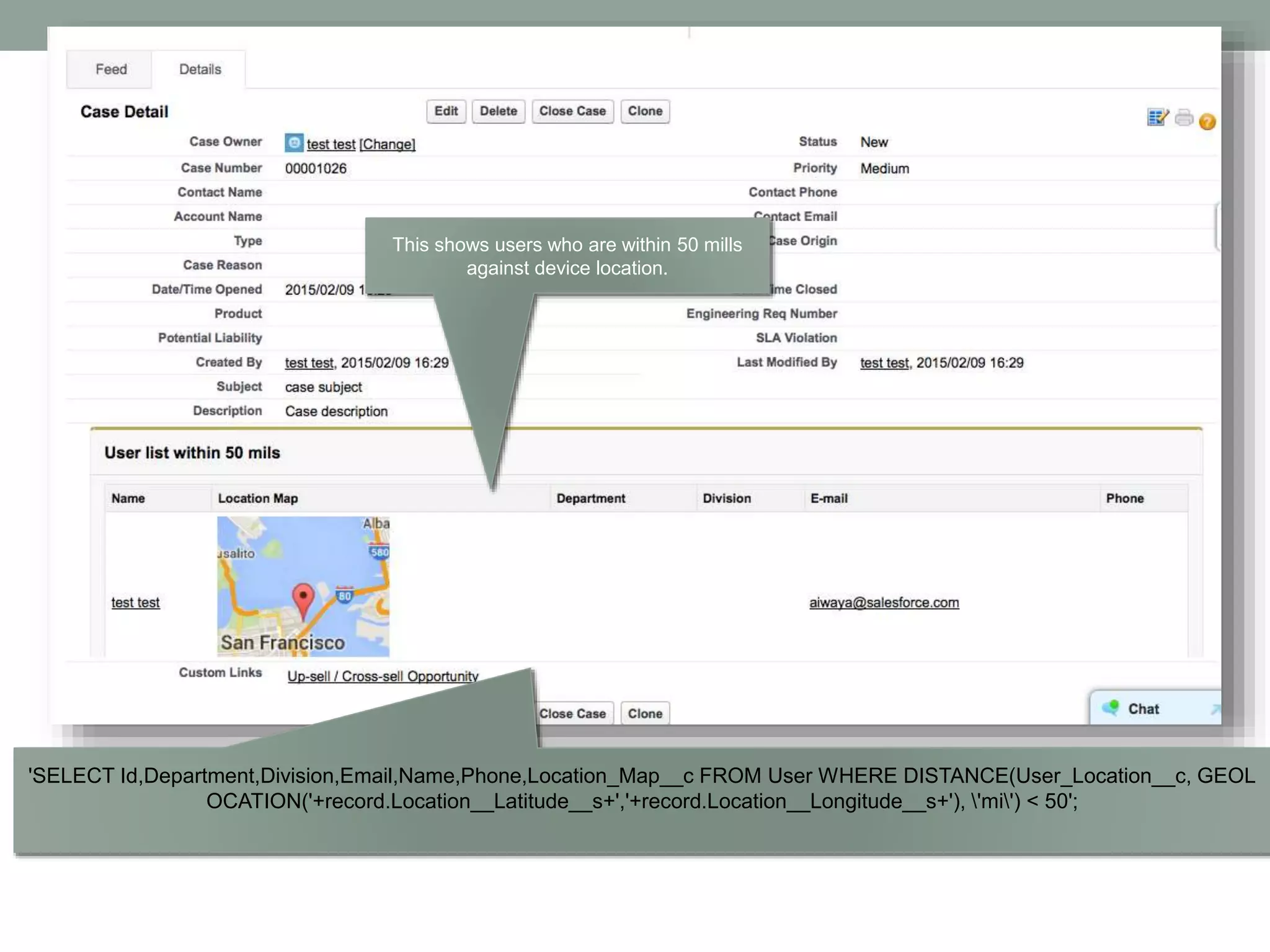
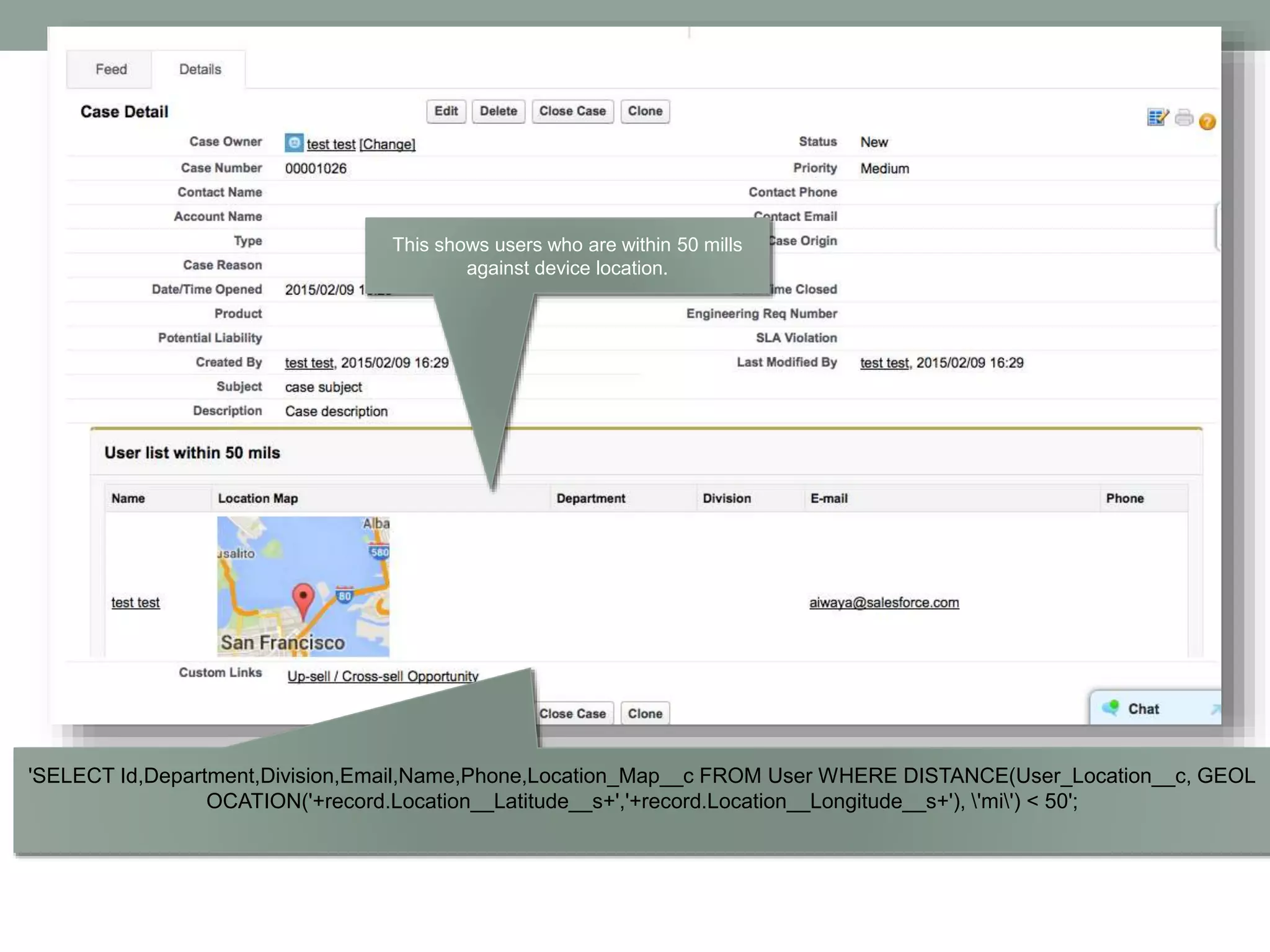
'SELECT Id,Department,Division,Email,Name,Phone,Location_Map__c FROM User WHERE DISTANCE(User_Location__c, GEOL OCATION('+record.Location__Latitude__s+','+record.Location__Longitude__s+'), 'mi') < 50'; This shows users who are within 50 mills against device location.
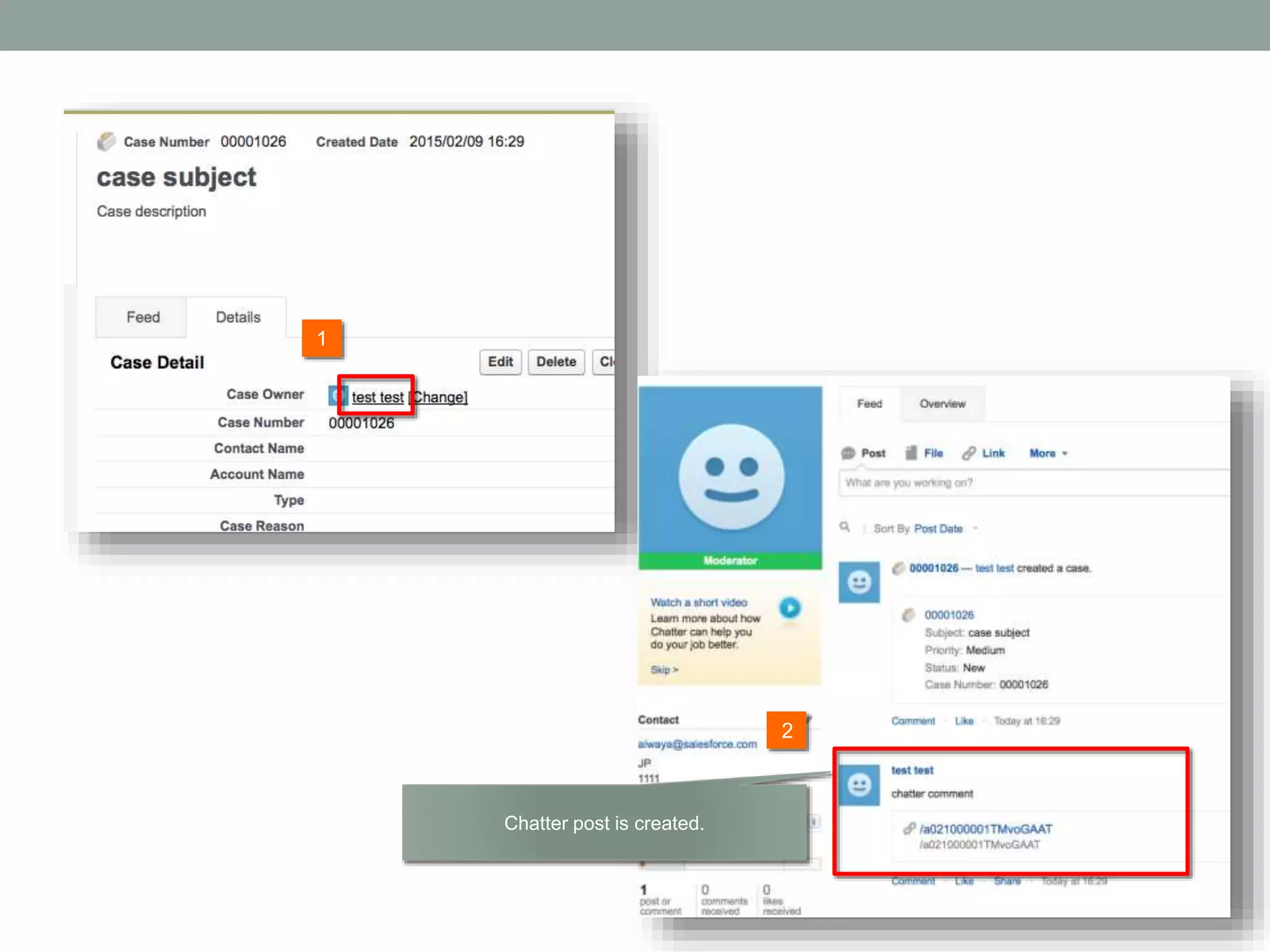
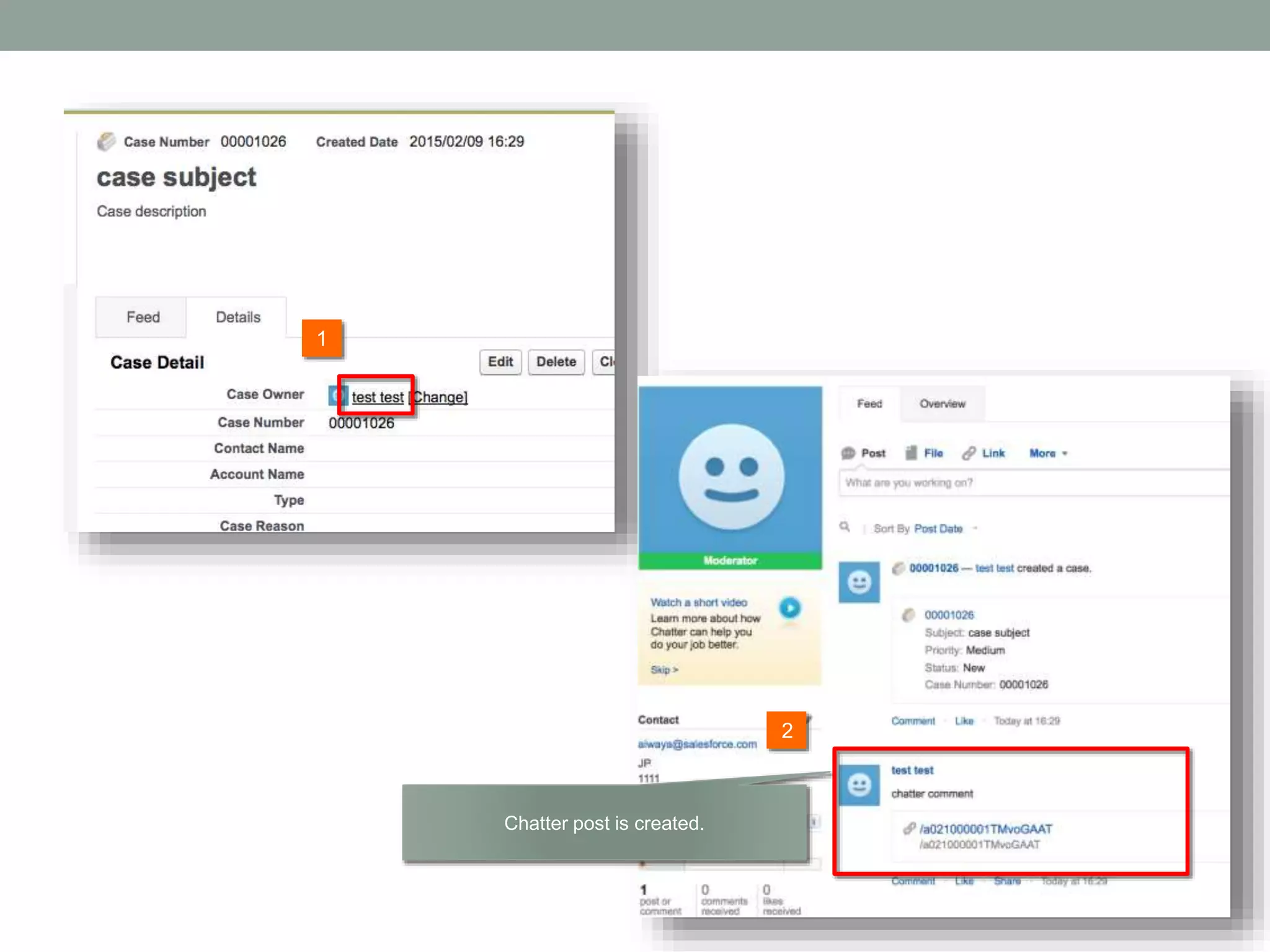
2 1 Chatter post is created.
3. LOCATION DEMO
Use case When our device (car, sensor, and so on) is stolen, then case and chatter post is created to notify employee. The demo shows you if the difference between the place where device was located at previous time and one where it is located now is over 10 mils, then case and chatter are created.
SETTING
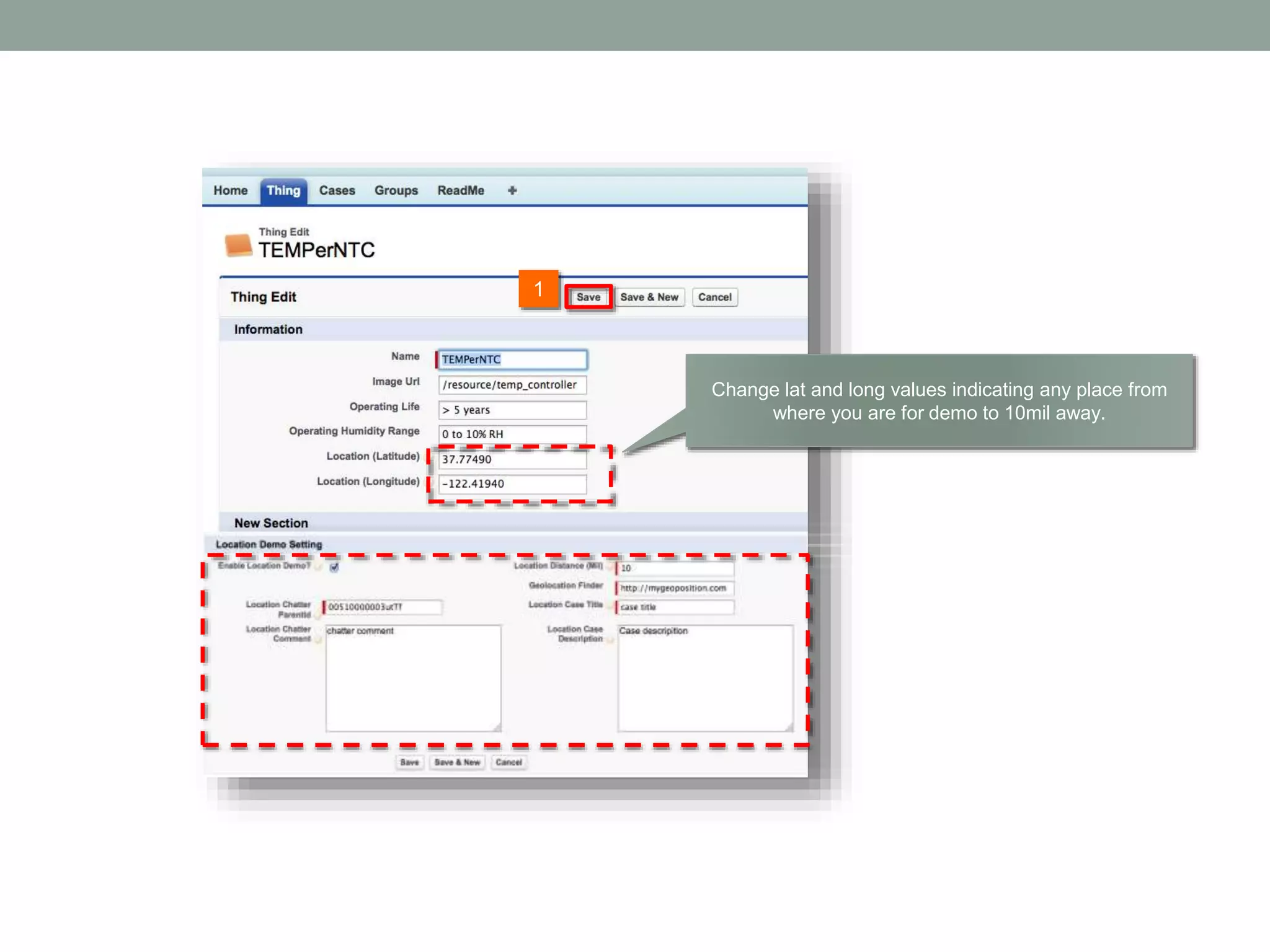
1 Change lat and long values indicating any place from where you are for demo to 10mil away.
SCENARIO
All data from device are stored at SensorData custom object There is no case here.
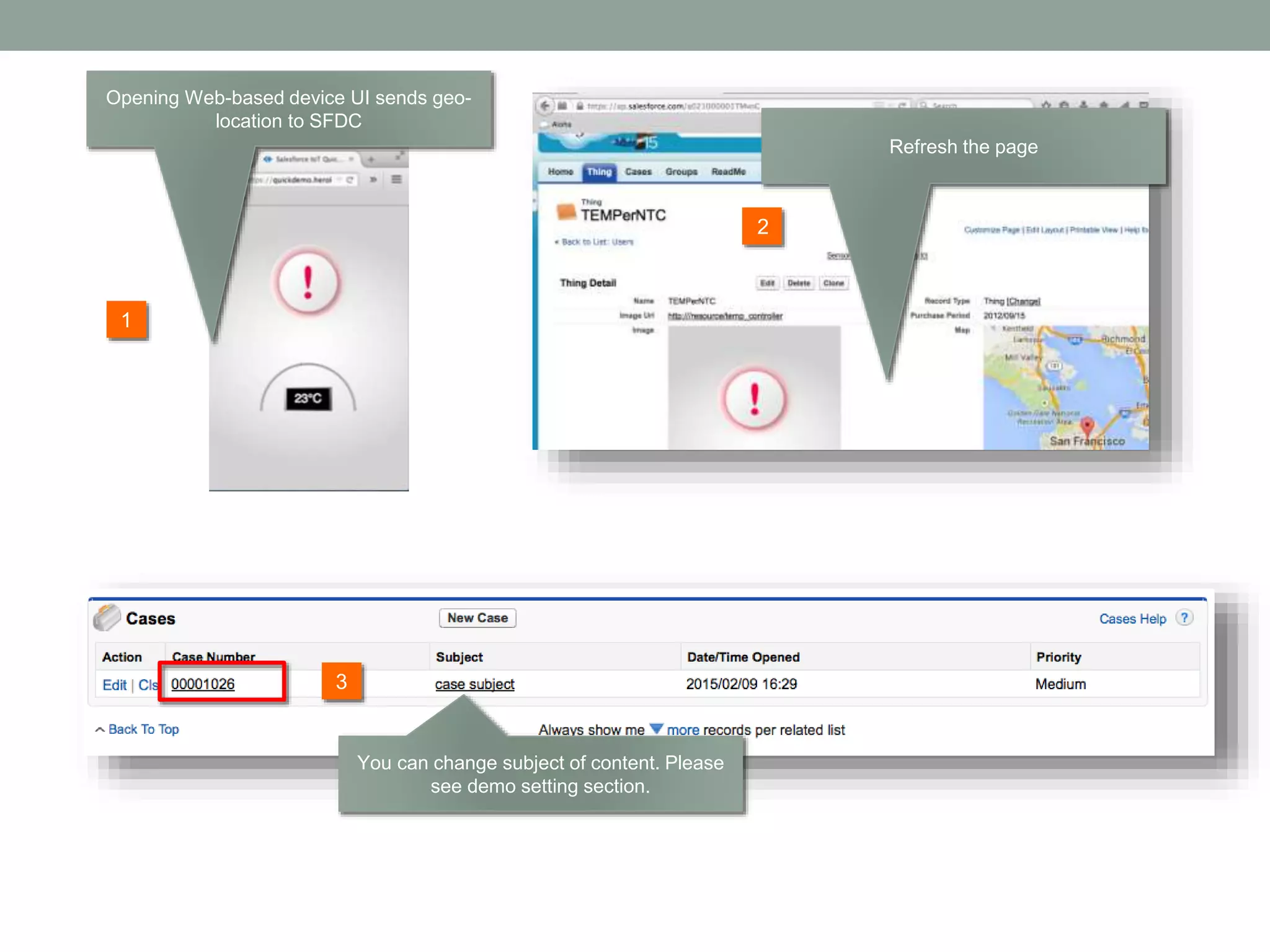
2 1 3 Opening Web-based device UI sends geo- location to SFDC Refresh the page You can change subject of content. Please see demo setting section.
'SELECT Id,Department,Division,Email,Name,Phone,Location_Map__c FROM User WHERE DISTANCE(User_Location__c, GEOL OCATION('+record.Location__Latitude__s+','+record.Location__Longitude__s+'), 'mi') < 50'; This shows users who are within 50 mills against device location.
2 1 Chatter post is created.
4. OPTIONAL FEATURES
TWILIO INTEGRATION
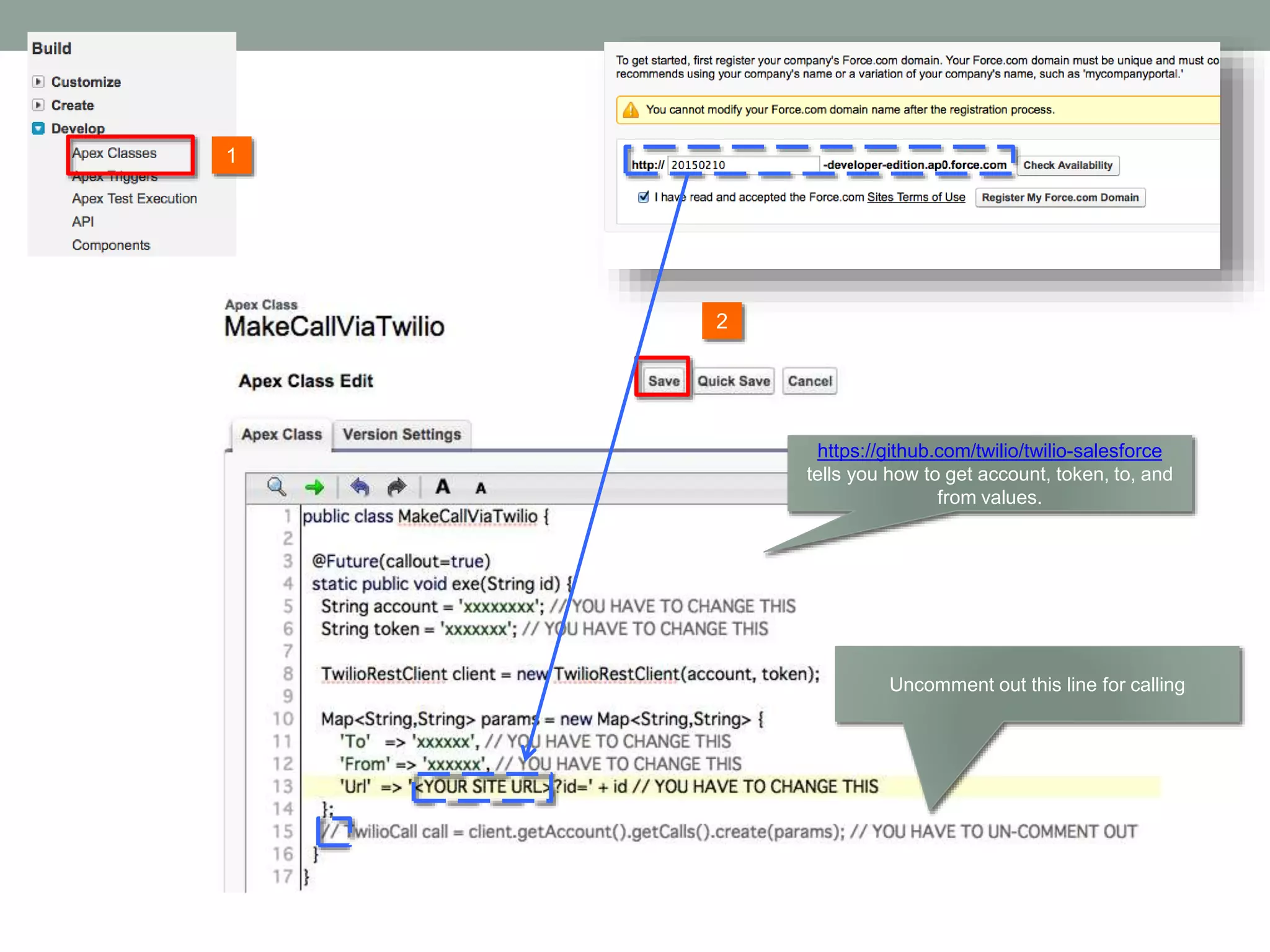
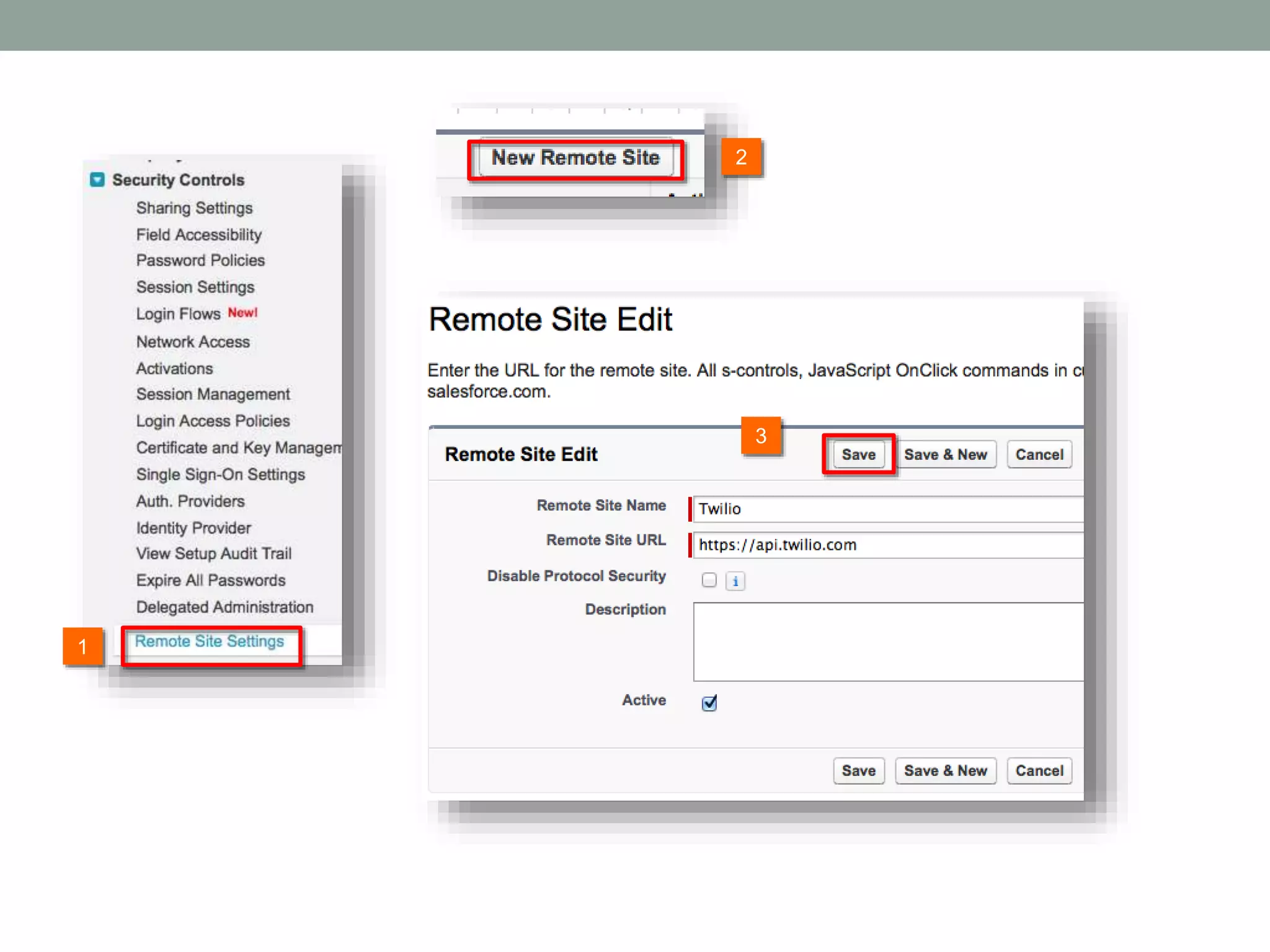
1 4 3 2
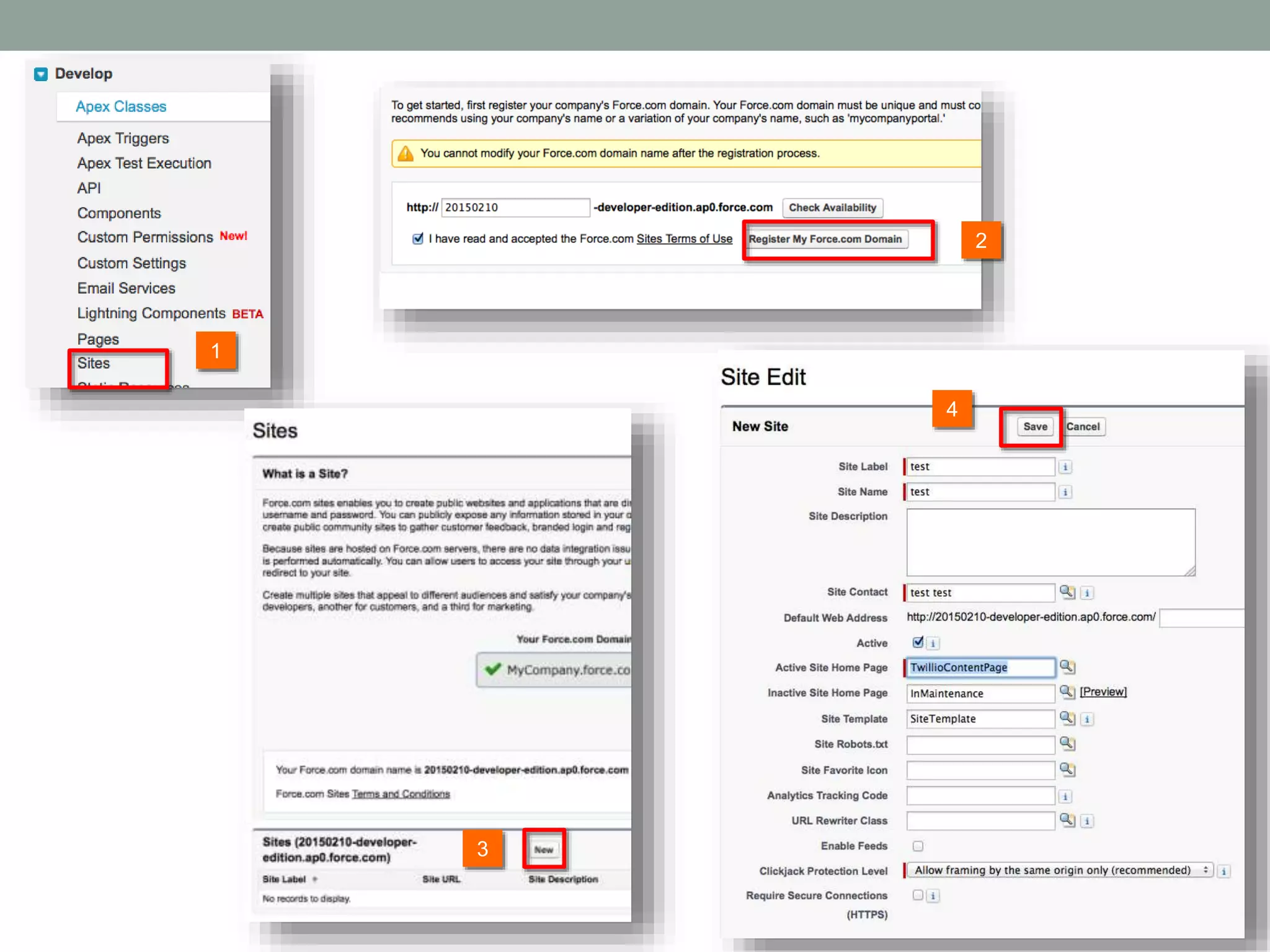
https://github.com/twilio/twilio-salesforce tells you how to get account, token, to, and from values. 1 2 Uncomment out this line for calling
3 2 1
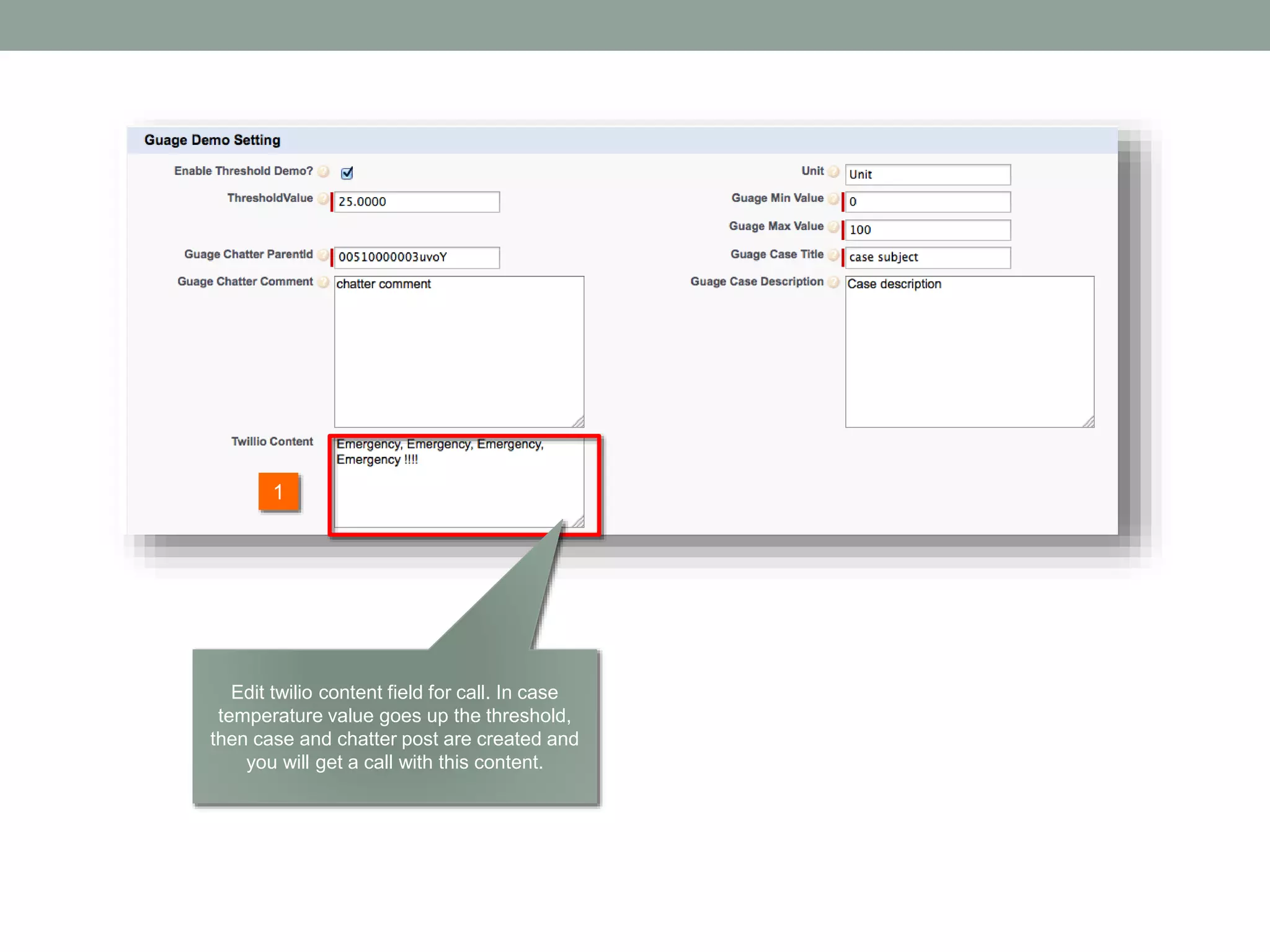
1 Edit twilio content field for call. In case temperature value goes up the threshold, then case and chatter post are created and you will get a call with this content.
ANDROID DEVICE
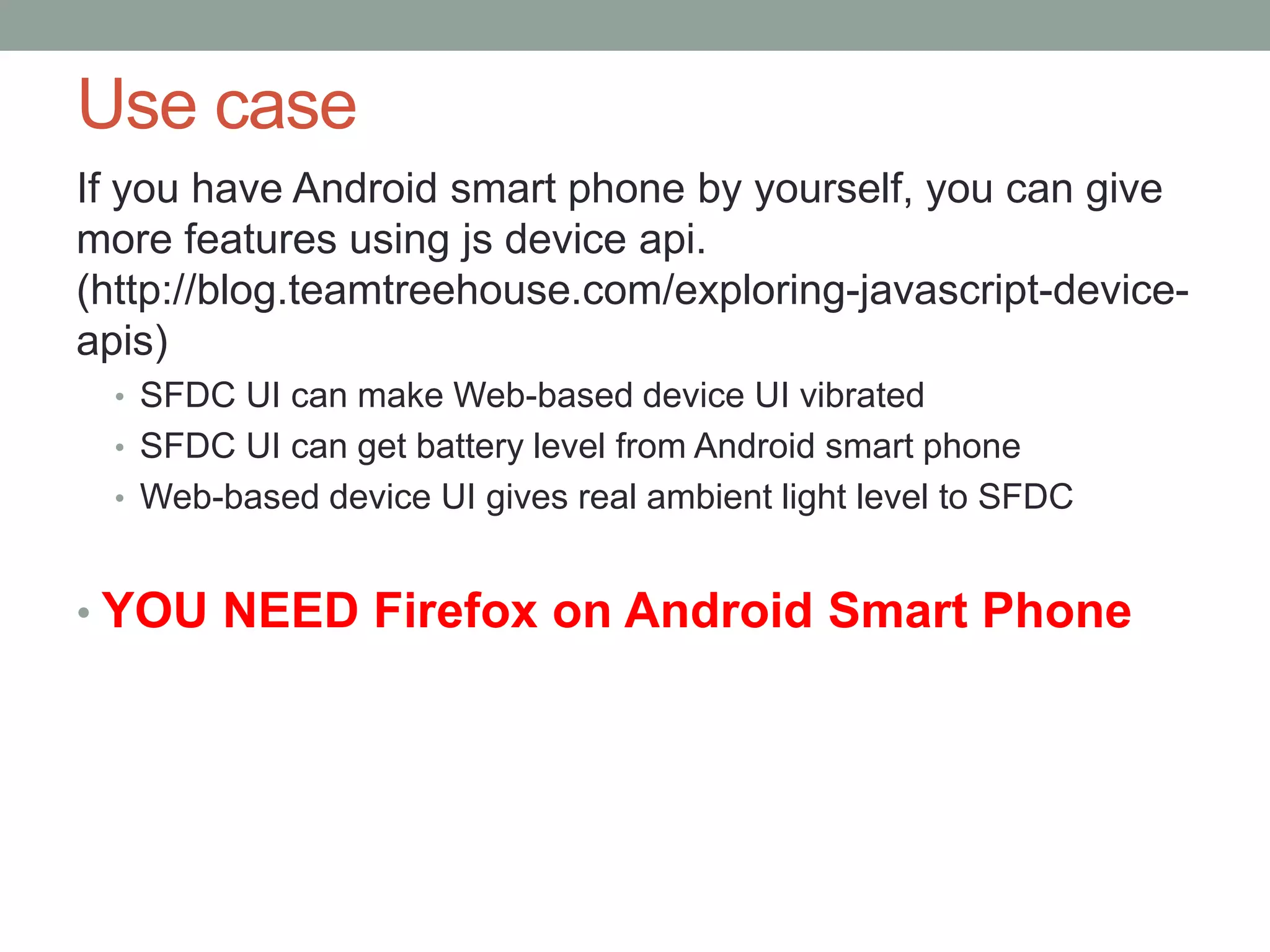
Use case If you have Android smart phone by yourself, you can give more features using js device api. (http://blog.teamtreehouse.com/exploring-javascript-device- apis) • SFDC UI can make Web-based device UI vibrated • SFDC UI can get battery level from Android smart phone • Web-based device UI gives real ambient light level to SFDC • YOU NEED Firefox on Android Smart Phone
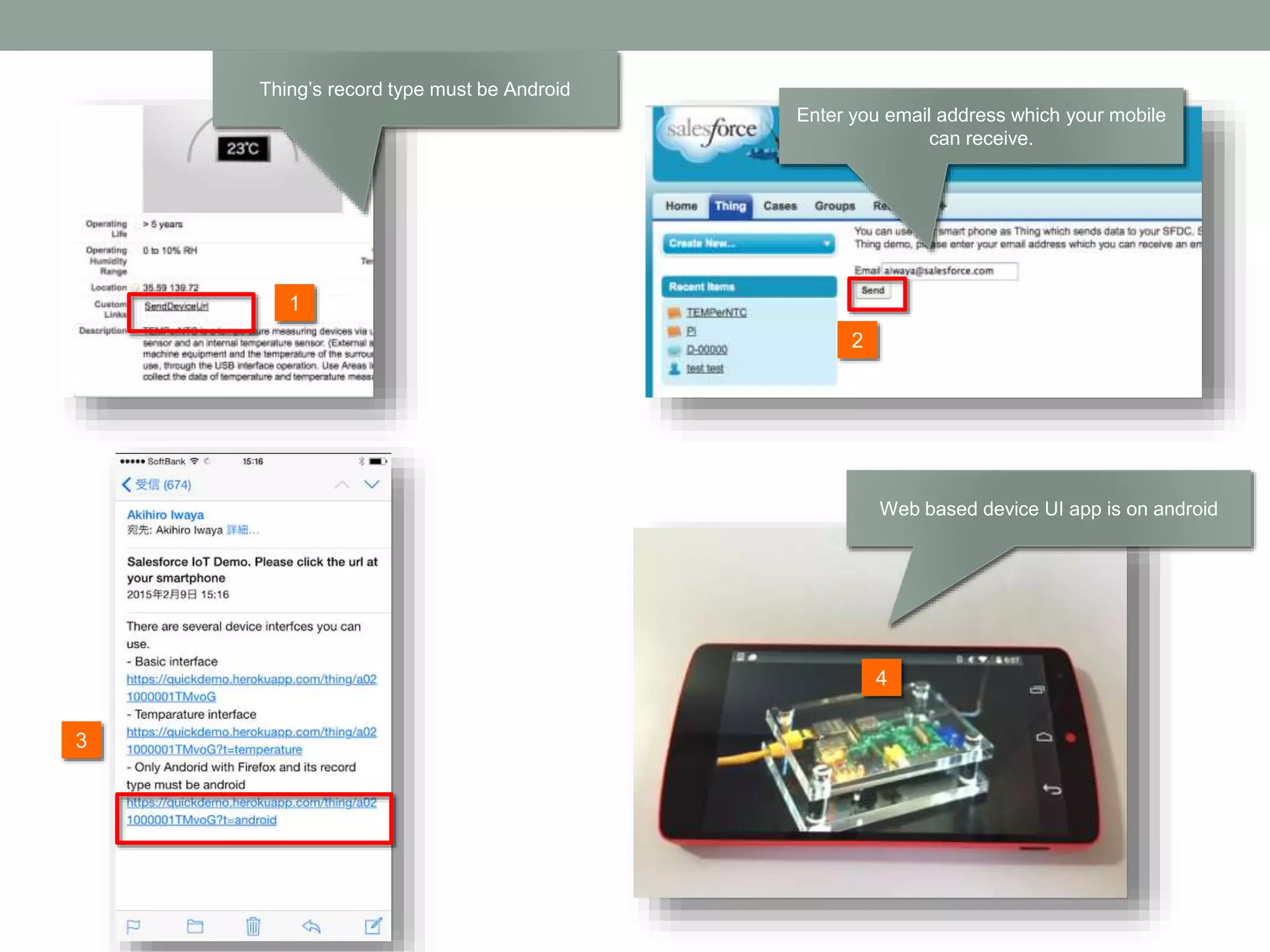
2 1 3 Enter you email address which your mobile can receive. 4 Web based device UI app is on android Thing’s record type must be Android
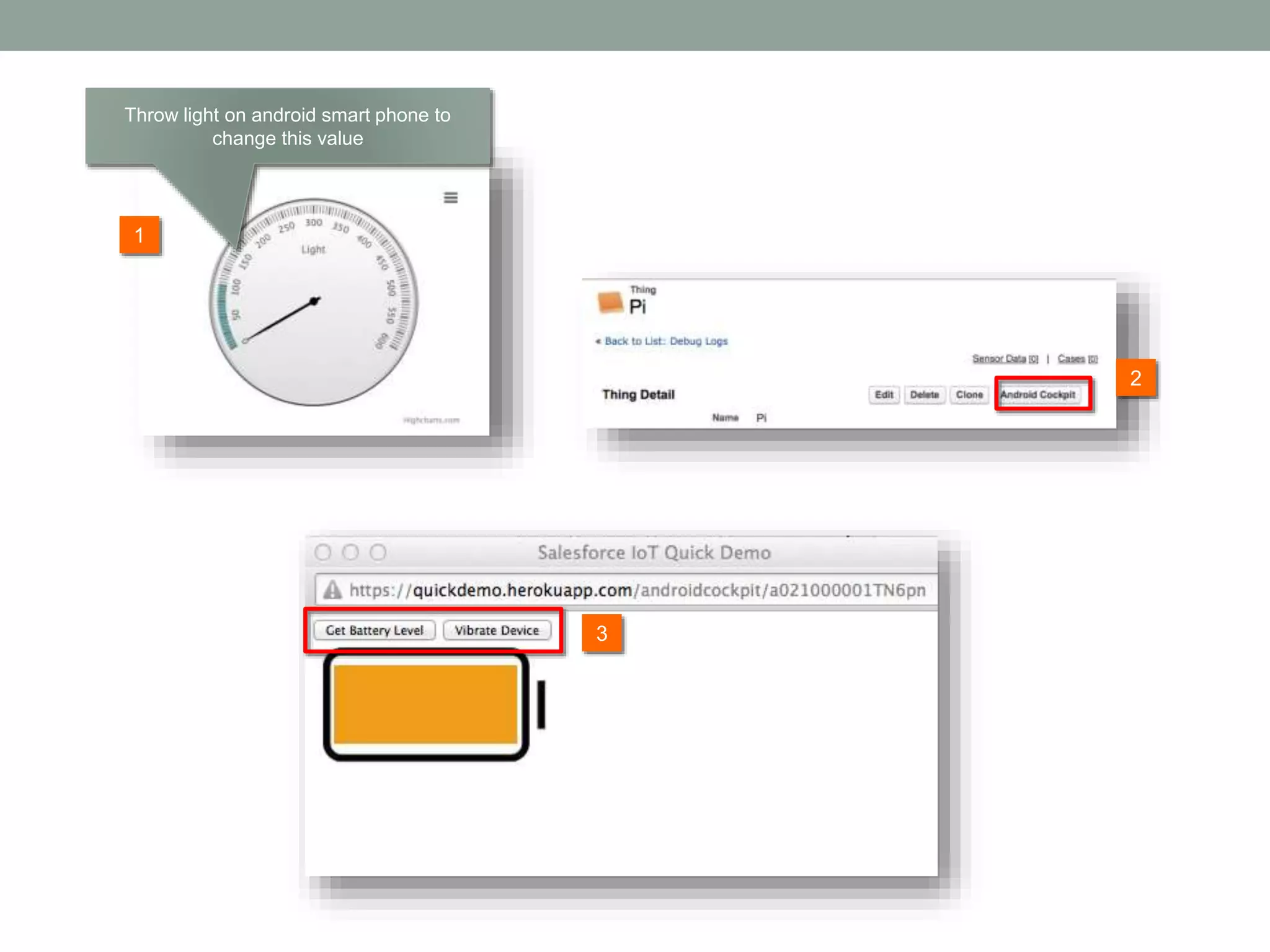
1 3 2 Throw light on android smart phone to change this value

IoT Quick Demo for Heroku & Salesforce

  • 1.
    IOT QUICK DEMOSALESFORCE YOU HAVE TO INSTALL HEROKU APPLICATIONAT FIRST!!!!!! The following site has the latest information so please check this out at first. http://itodemo-developer-edition.ap0.force.com
  • 2.
    Agenda 1. Installation 2. Temperaturedemo • Setup • Scenario 3. Location demo • Setup • Scenario 4. Optional Features • Twilio integration • Android device
  • 3.
    System Overview Heroku App Send value,lat, lon, and timestamp to heroku app every 3 secs Pusher Add-on Forward values to SFDC Streaming API websocket SFDC
  • 4.
  • 5.
    http://itodemo-developer-edition.ap0.force.com/ 2 1 Before you clickthis Heroku button, you must have your developer account on Salesforce for free. If not, go to https://developer.salesforce.com/signup to sign-in Copy this url and paste it at your browser to install salesforce application. Ener your Salesforce userid and password 3
  • 6.
  • 7.
  • 8.
    1 3 This is yourown application url. Please make sure that it looks like https://<yourapp>.herokuapp.com This is your application url you should copy 2
  • 9.
  • 10.
    2 1 3 Enter your officelocation for now. Check http://mygeoposition.com/ to get value 4
  • 11.
    2 1 3 Add two columnsto User layout 4
  • 12.
    2 1 3 Enter your ownheroku application url
  • 13.
  • 14.
  • 15.
  • 16.
  • 17.
  • 18.
  • 19.
    1 This page isdevice detail page showing sensor value, location, and so on
  • 20.
    2 1 In case valuefrom device is over this threshold, then the app automatically create a case and post content based on this setting values.
  • 21.
    2 1 3 Enter your anylocation near the place where you are for demo Check http://mygeoposition.com/ to get value 4
  • 22.
    2 1 3 Enter you emailaddress which your mobile can receive. 4 Web based device UI app is on iphone/android
  • 23.
  • 24.
    Steps 1. Map showingwhere you are for demo because device sends geo-location, temperature data to SFDC every 3secs 2. Gauge showing current temperature at device. It has time difference because of device -> Heroku -> SFDC - > Gauge UI. You may change temperature value on device ( not exceed threshold value you set ) 3. Send signal to device by switching button via Web- socket. 4. Show historical data 5. Change temperature value over threshold so that Chatter post and case are automatically created. 6. Show the case and the Chatter post
  • 26.
    This geo-location comesform web based device UI app gets value from iphone/andorid.
  • 27.
    2 1 You can seewhen the data got arrived from device. Streaming API is implemented here. You can change temp value here but not one over 40 degree which is threshold.
  • 28.
    2 1 You can switchon / off at Salesforce UI and sends a signal to device via Websocket
  • 29.
    It shows historicaldata but you need to refresh page if you show new data set.
  • 30.
    All data fromdevice are stored at SensorData custom object There is no case here.
  • 31.
    2 1 3 Change value sothat it is over threshold Refresh the page You can change subject of content. Please see demo setting section.
  • 32.
    'SELECT Id,Department,Division,Email,Name,Phone,Location_Map__c FROMUser WHERE DISTANCE(User_Location__c, GEOL OCATION('+record.Location__Latitude__s+','+record.Location__Longitude__s+'), 'mi') < 50'; This shows users who are within 50 mills against device location.
  • 33.
  • 34.
  • 35.
    Use case When ourdevice (car, sensor, and so on) is stolen, then case and chatter post is created to notify employee. The demo shows you if the difference between the place where device was located at previous time and one where it is located now is over 10 mils, then case and chatter are created.
  • 36.
  • 37.
    1 Change lat andlong values indicating any place from where you are for demo to 10mil away.
  • 38.
  • 39.
    All data fromdevice are stored at SensorData custom object There is no case here.
  • 41.
    2 1 3 Opening Web-based deviceUI sends geo- location to SFDC Refresh the page You can change subject of content. Please see demo setting section.
  • 42.
    'SELECT Id,Department,Division,Email,Name,Phone,Location_Map__c FROMUser WHERE DISTANCE(User_Location__c, GEOL OCATION('+record.Location__Latitude__s+','+record.Location__Longitude__s+'), 'mi') < 50'; This shows users who are within 50 mills against device location.
  • 43.
  • 44.
  • 45.
  • 46.
  • 47.
    https://github.com/twilio/twilio-salesforce tells you howto get account, token, to, and from values. 1 2 Uncomment out this line for calling
  • 48.
  • 49.
    1 Edit twilio contentfield for call. In case temperature value goes up the threshold, then case and chatter post are created and you will get a call with this content.
  • 50.
  • 51.
    Use case If youhave Android smart phone by yourself, you can give more features using js device api. (http://blog.teamtreehouse.com/exploring-javascript-device- apis) • SFDC UI can make Web-based device UI vibrated • SFDC UI can get battery level from Android smart phone • Web-based device UI gives real ambient light level to SFDC • YOU NEED Firefox on Android Smart Phone
  • 52.
    2 1 3 Enter you emailaddress which your mobile can receive. 4 Web based device UI app is on android Thing’s record type must be Android
  • 53.
    1 3 2 Throw light onandroid smart phone to change this value