Kubernetes Networking Bryan Boreham, Director of Engineering @bboreham
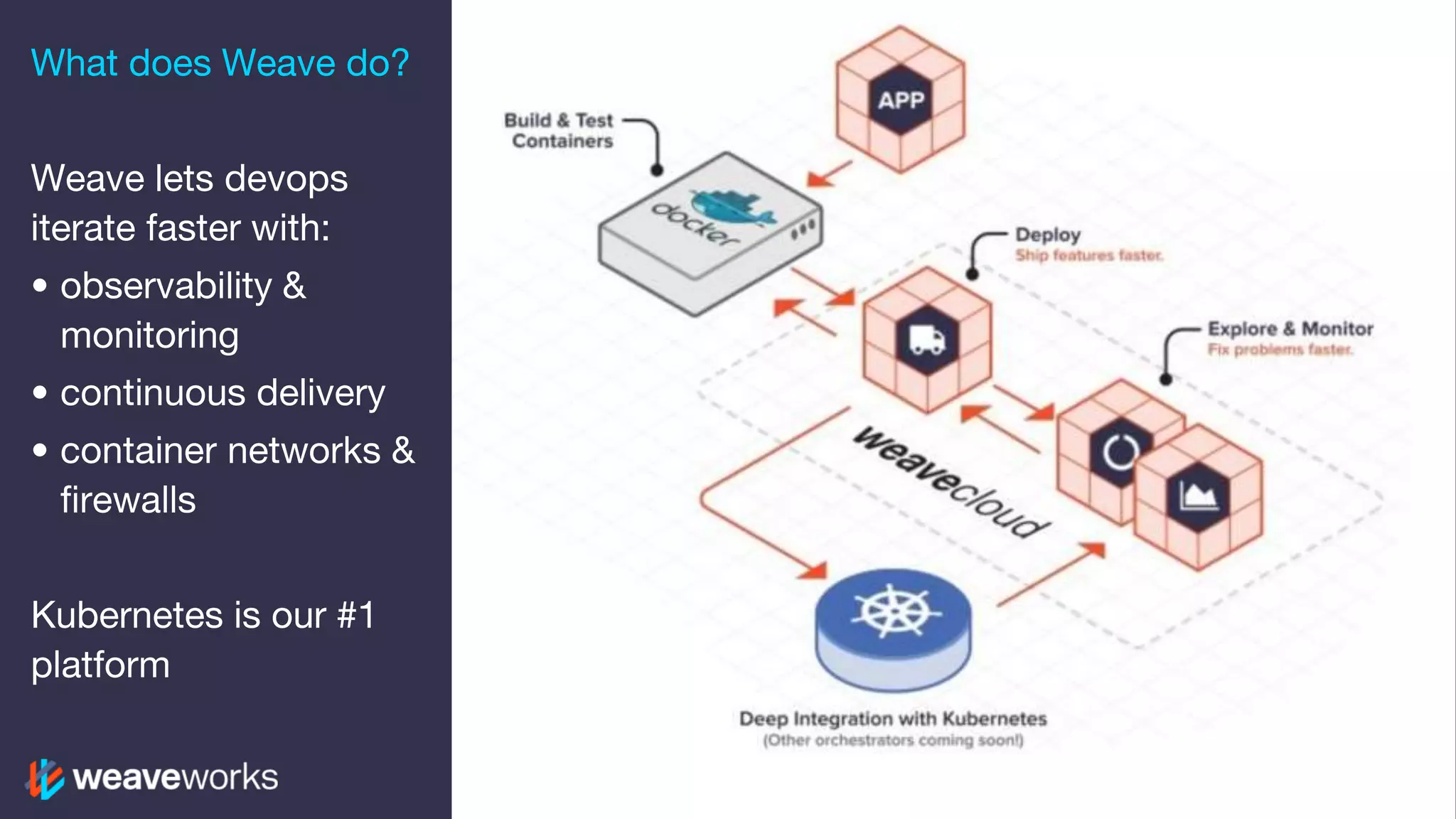
What does Weave do? Weave lets devops iterate faster with: • observability & monitoring • continuous delivery • container networks & firewalls Kubernetes is our #1 platform
What you should learn 1. How clients talk to services in Kubernetes 2. Connecting containers: overlay vs native 3. Connecting into your cluster: NodePort, HostPort, LoadBalancer, Ingress 4. Be better equipped to troubleshoot https://media.timeout.com/images/103755908/630/472/image.jpg
• Docker • Kubernetes • Weave Who is working with...
What is Kubernetes? https://image.shutterstock.com/z/stock-photo-vintage-photo-of-a-man-working-on-complex-machine-1392745.jpg
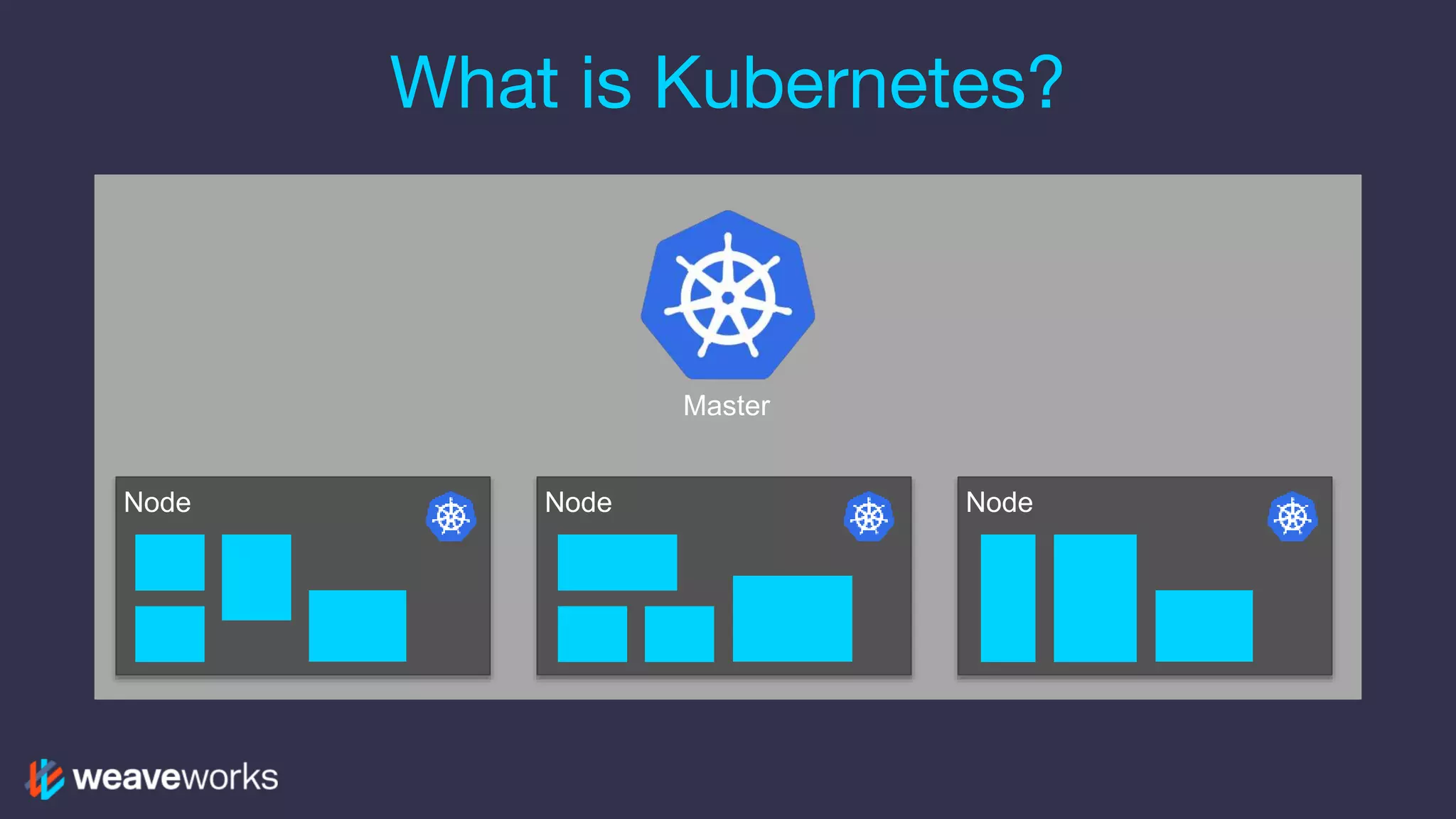
What is Kubernetes? NodeNode Node Master
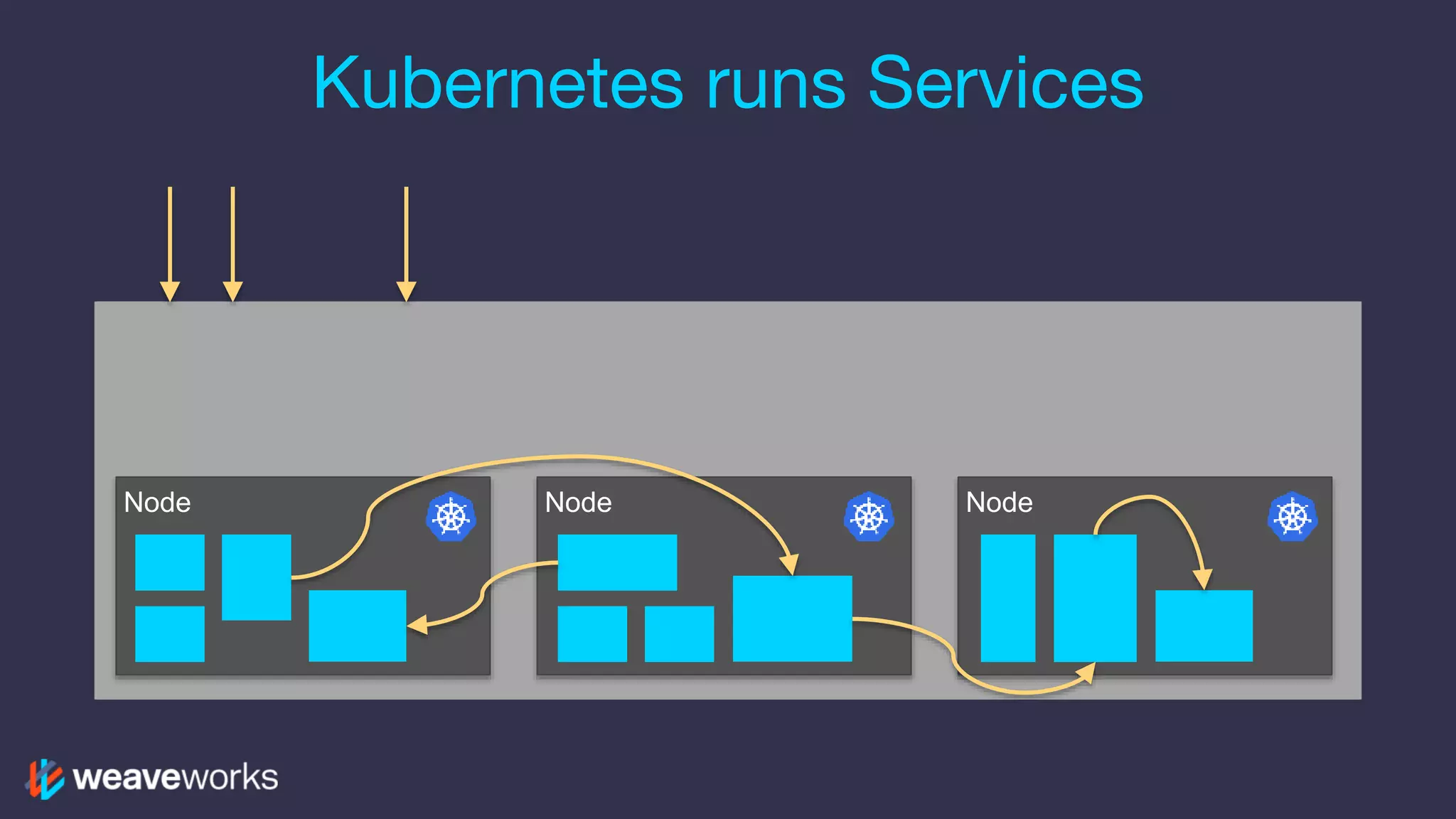
NodeNode Node Kubernetes runs Services
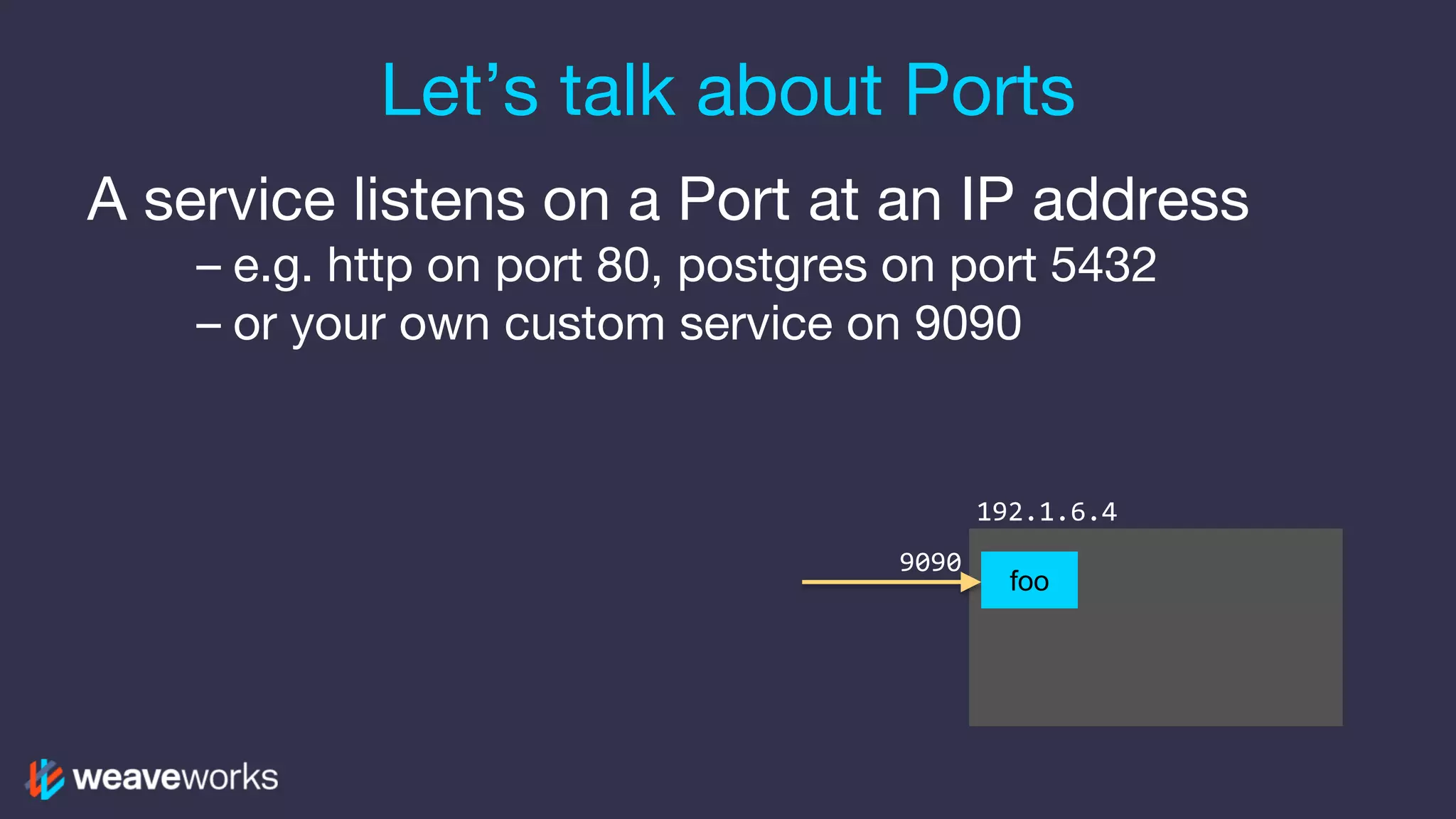
Let’s talk about Ports A service listens on a Port at an IP address – e.g. http on port 80, postgres on port 5432 – or your own custom service on 9090 192.1.6.4 9090 foo
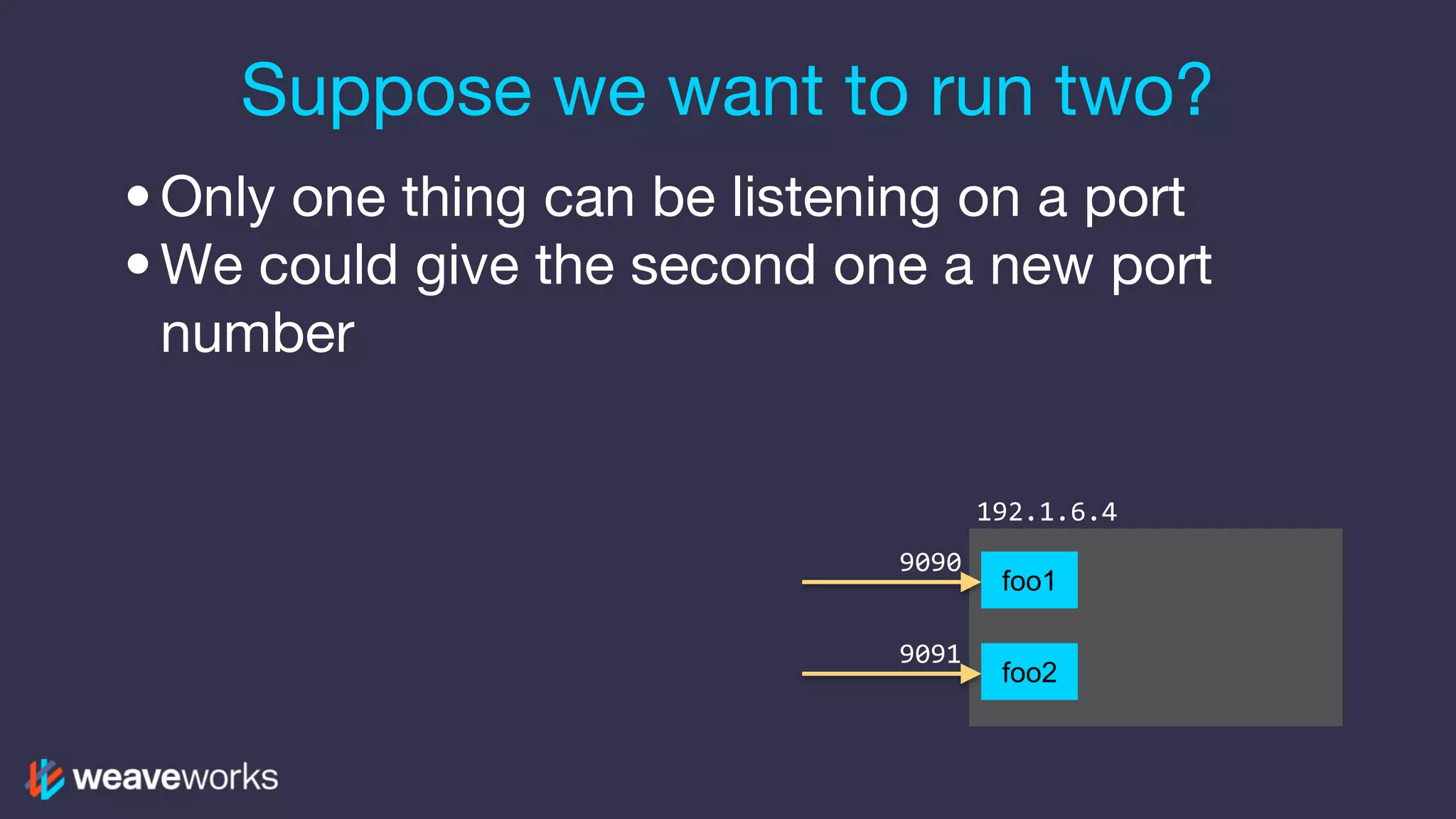
Suppose we want to run two? •Only one thing can be listening on a port •We could give the second one a new port number 192.1.6.4 9090 9091 foo1 foo2
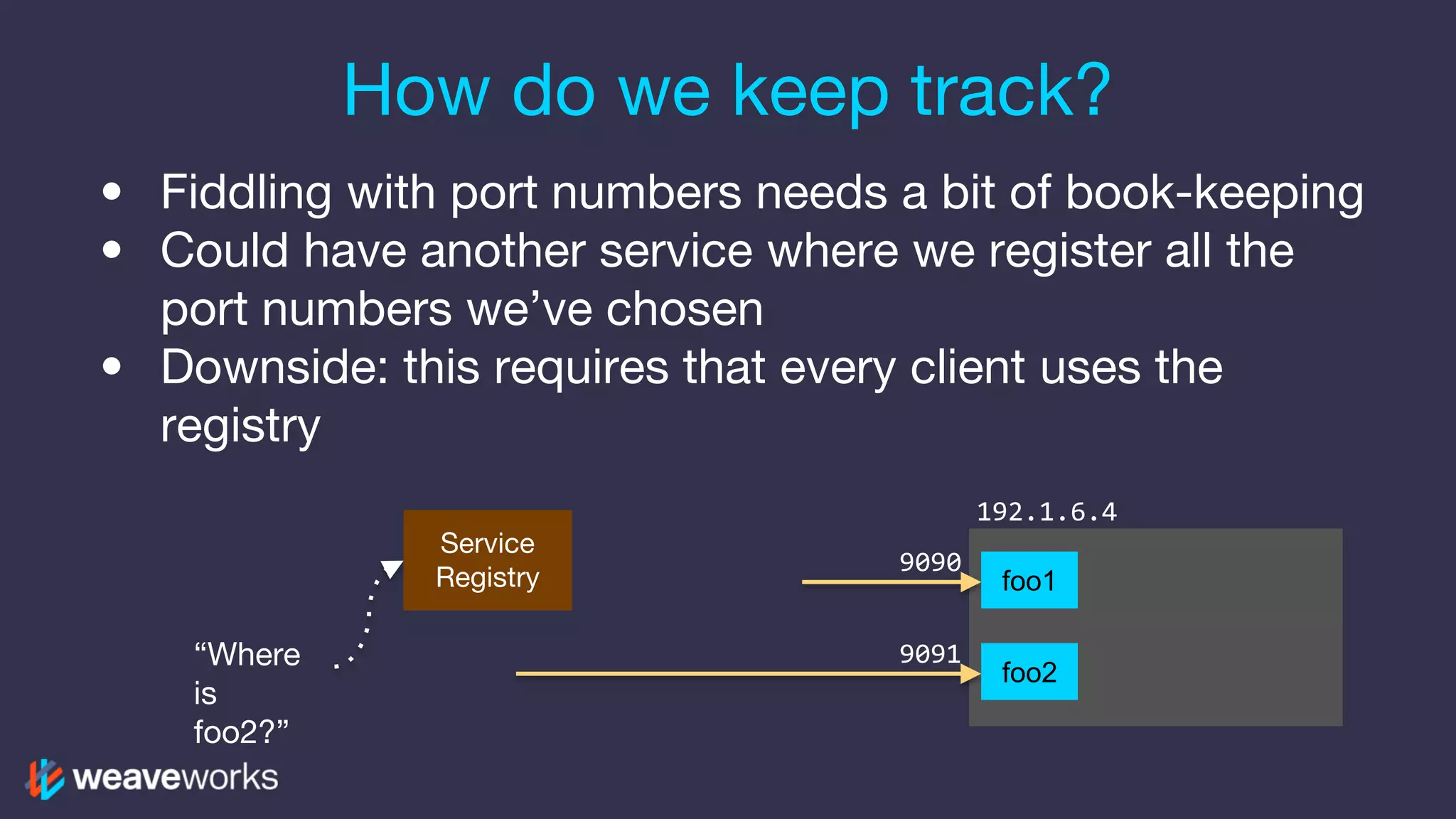
How do we keep track? • Fiddling with port numbers needs a bit of book-keeping • Could have another service where we register all the port numbers we’ve chosen • Downside: this requires that every client uses the registry 192.1.6.4 9090 9091 Service Registry “Where is foo2?” foo1 foo2
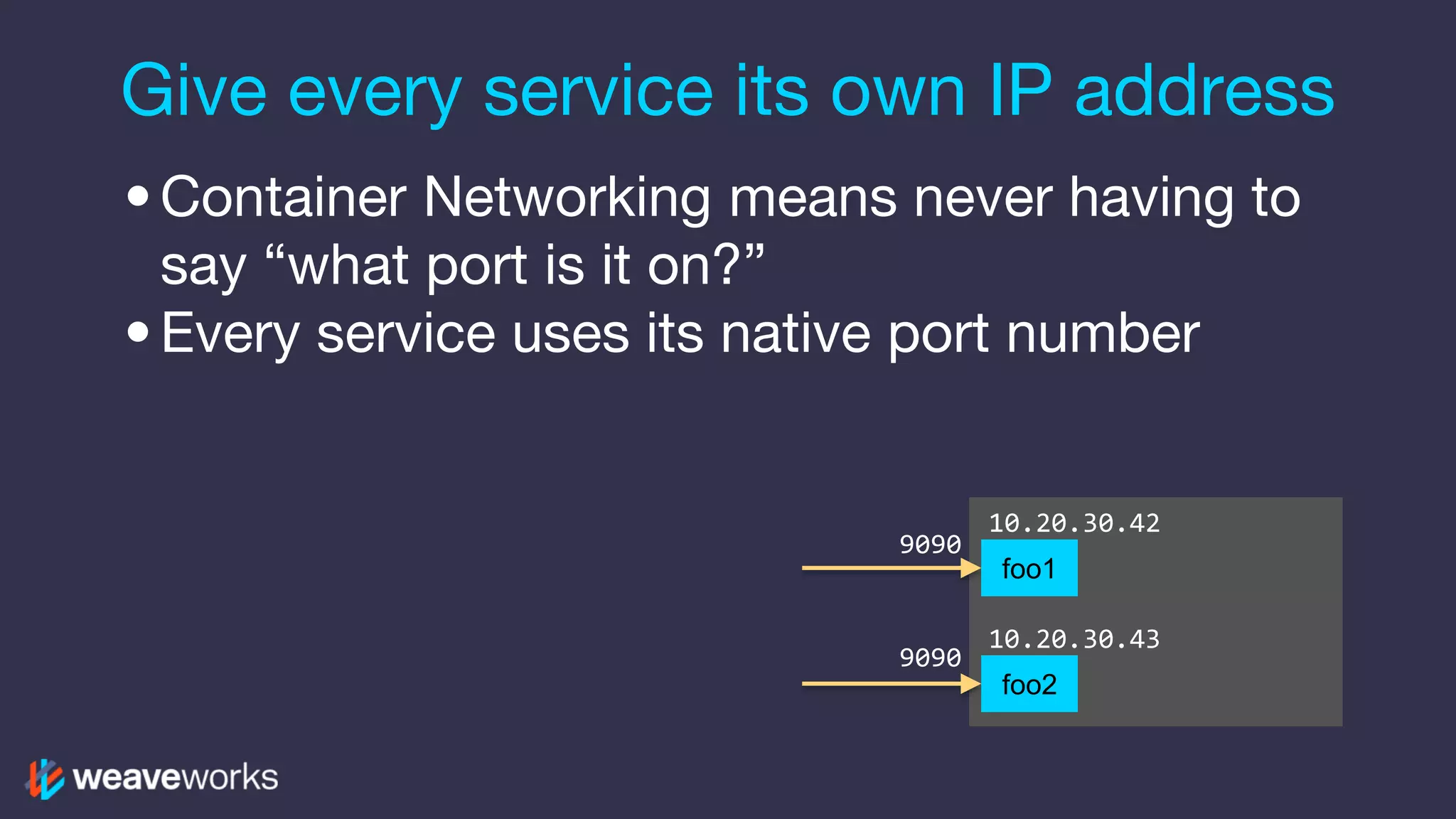
Give every service its own IP address •Container Networking means never having to say “what port is it on?” •Every service uses its native port number 10.20.30.42 9090 foo1 9090 foo2 10.20.30.43
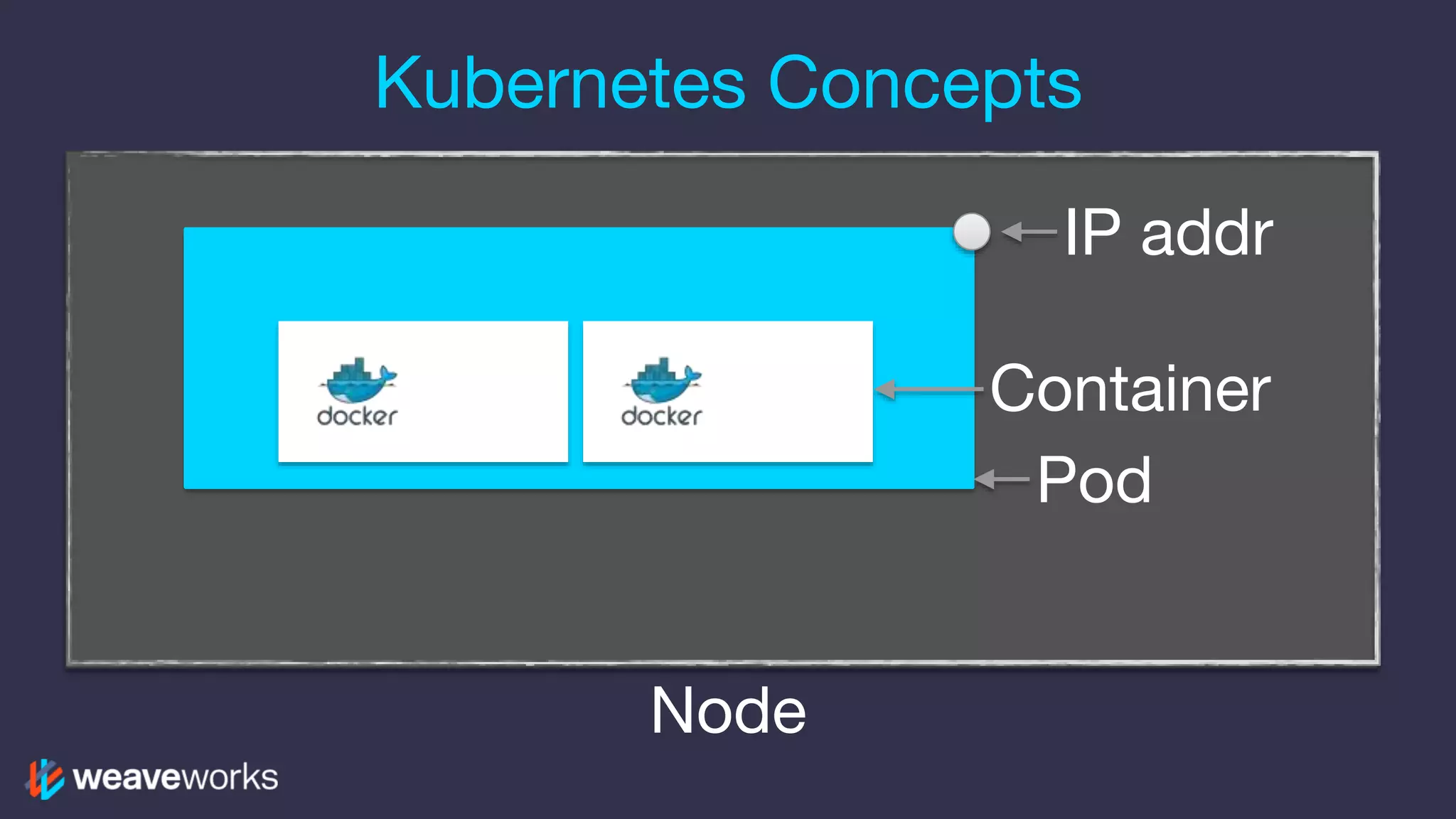
Kubernetes Concepts Pod IP addr Node Container
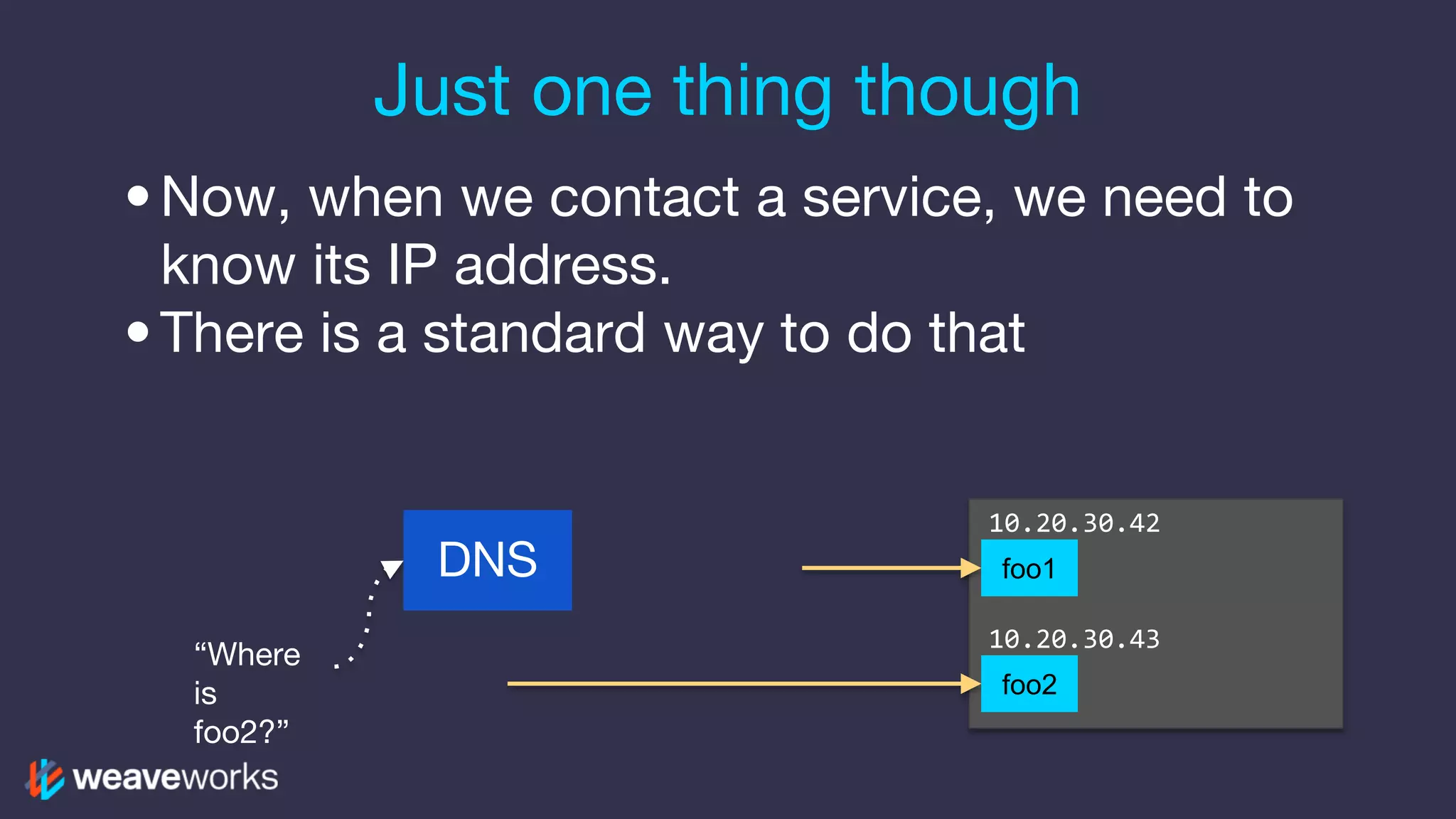
Just one thing though •Now, when we contact a service, we need to know its IP address. •There is a standard way to do that DNS “Where is foo2?” 10.20.30.42 foo1 foo2 10.20.30.43
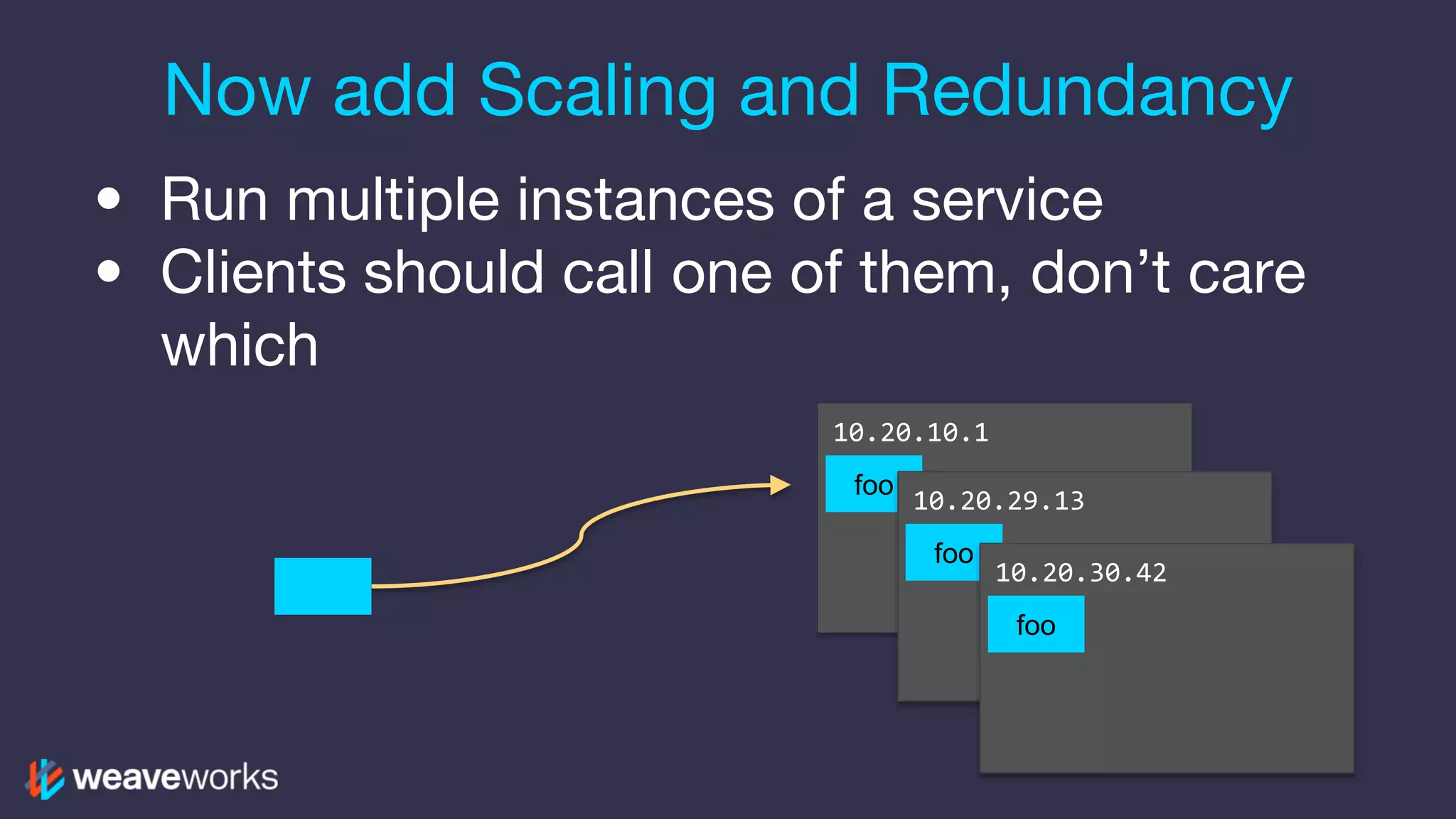
• Run multiple instances of a service • Clients should call one of them, don’t care which foo 10.20.10.1 foo 10.20.29.13 Now add Scaling and Redundancy foo 10.20.30.42
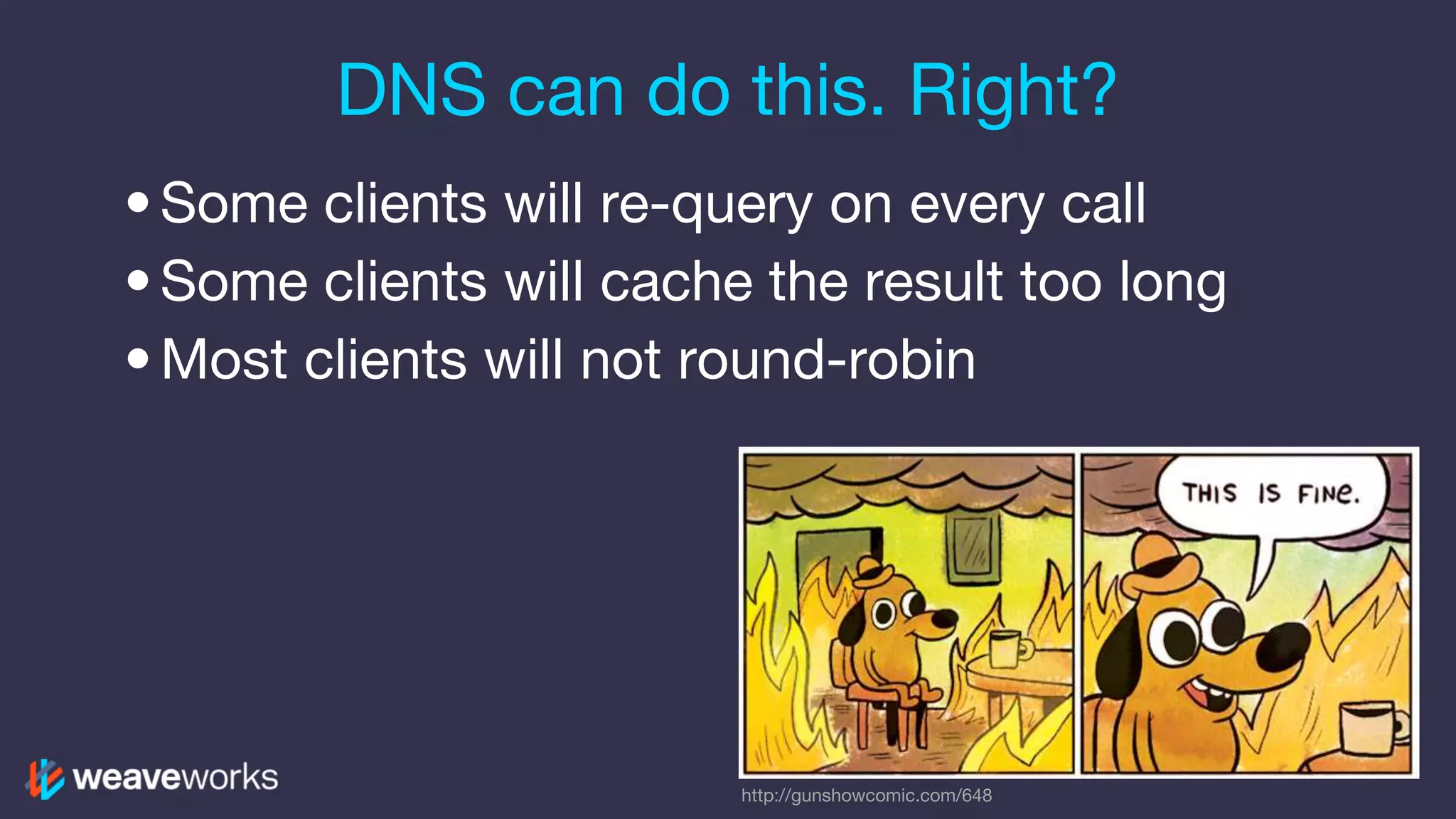
DNS can do this. Right? •Some clients will re-query on every call •Some clients will cache the result too long •Most clients will not round-robin http://gunshowcomic.com/648
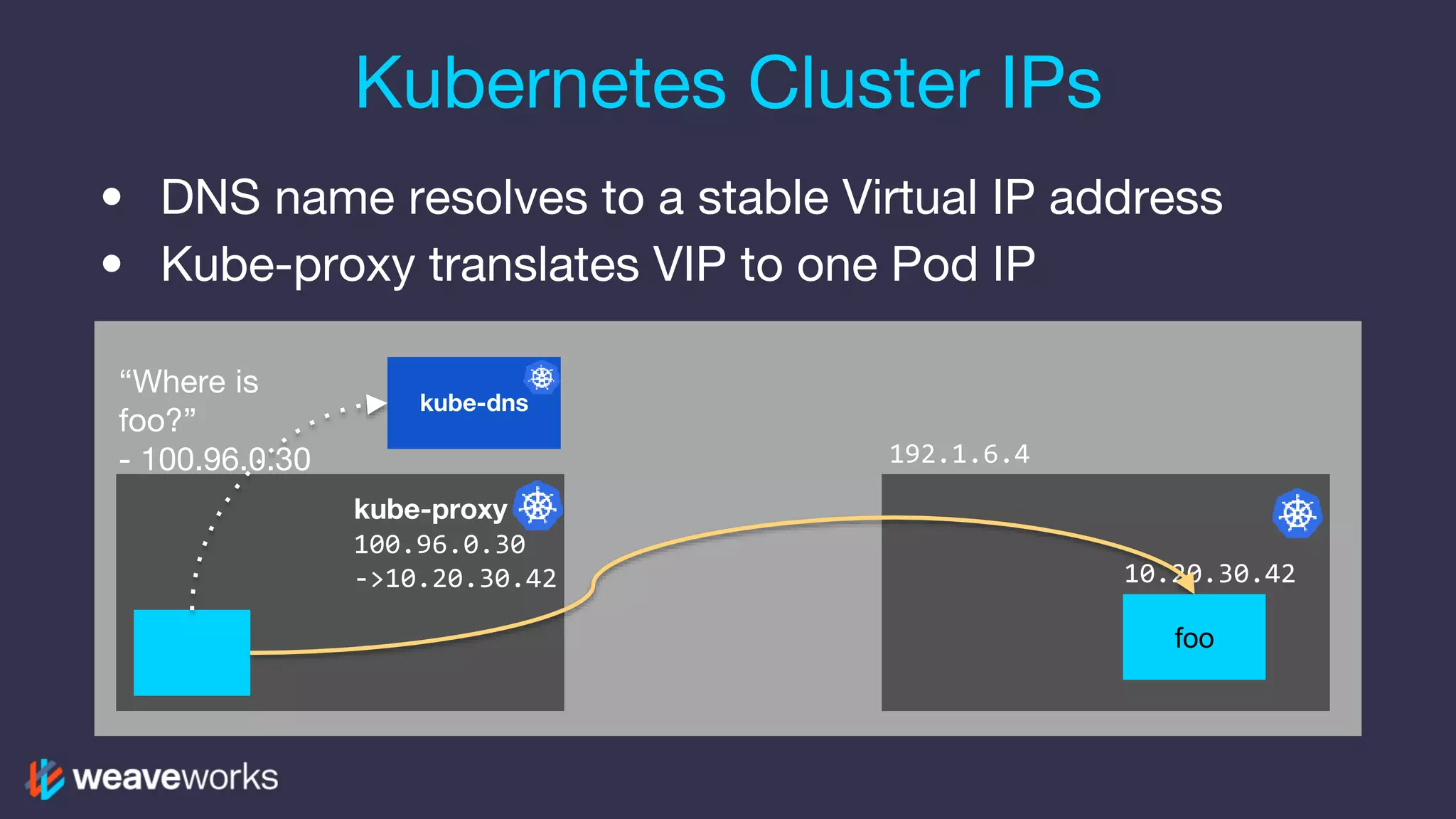
• DNS name resolves to a stable Virtual IP address • Kube-proxy translates VIP to one Pod IP Kubernetes Cluster IPs kube-dns 10.20.30.42 kube-proxy 100.96.0.30 ->10.20.30.42 foo “Where is foo?” - 100.96.0.30 192.1.6.4
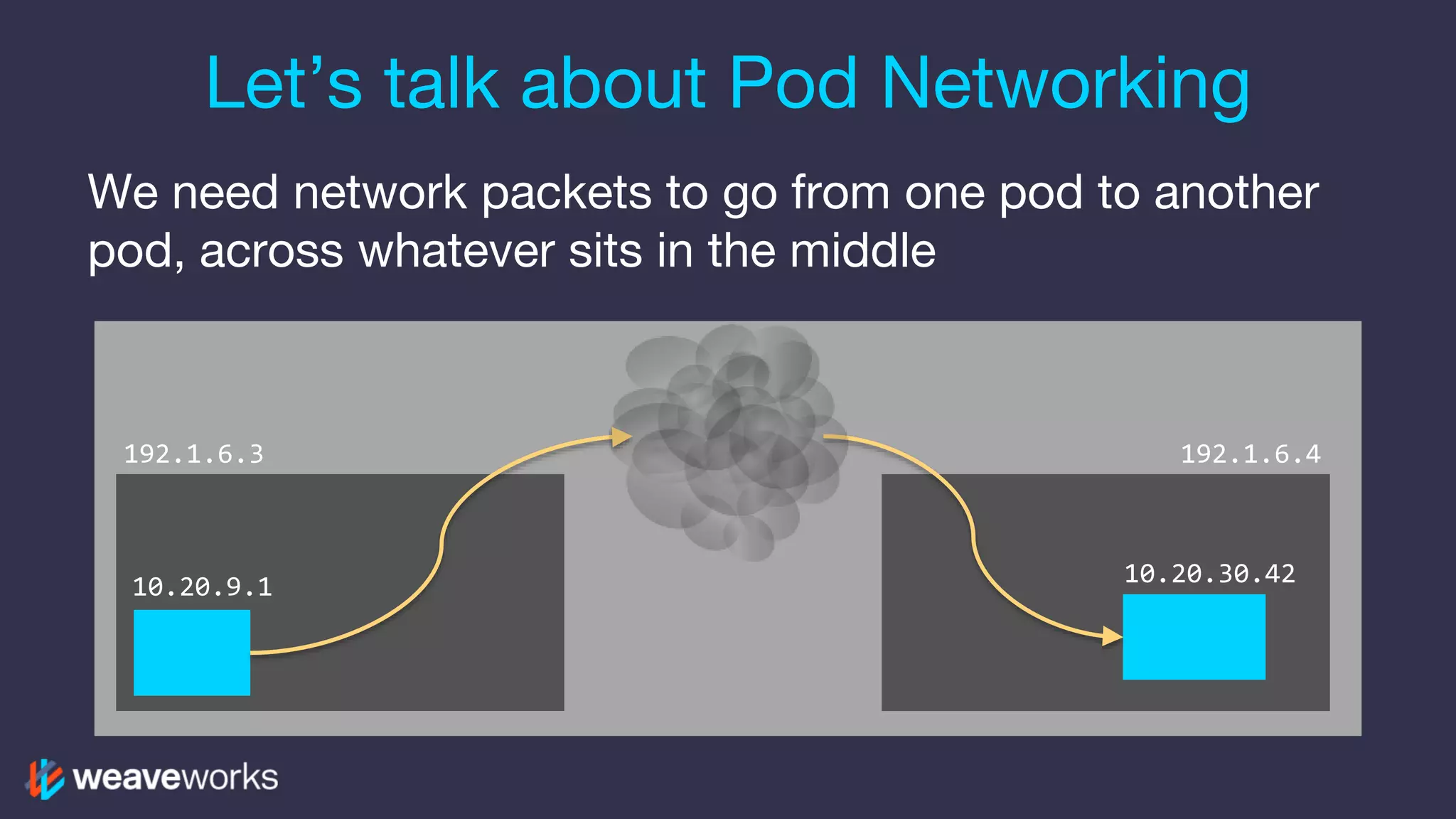
We need network packets to go from one pod to another pod, across whatever sits in the middle Let’s talk about Pod Networking 10.20.30.42 192.1.6.4192.1.6.3 10.20.9.1
Who controls your network? http://philippel.deviantart.com/art/DUNE-Sandworm-Rising- 403336019
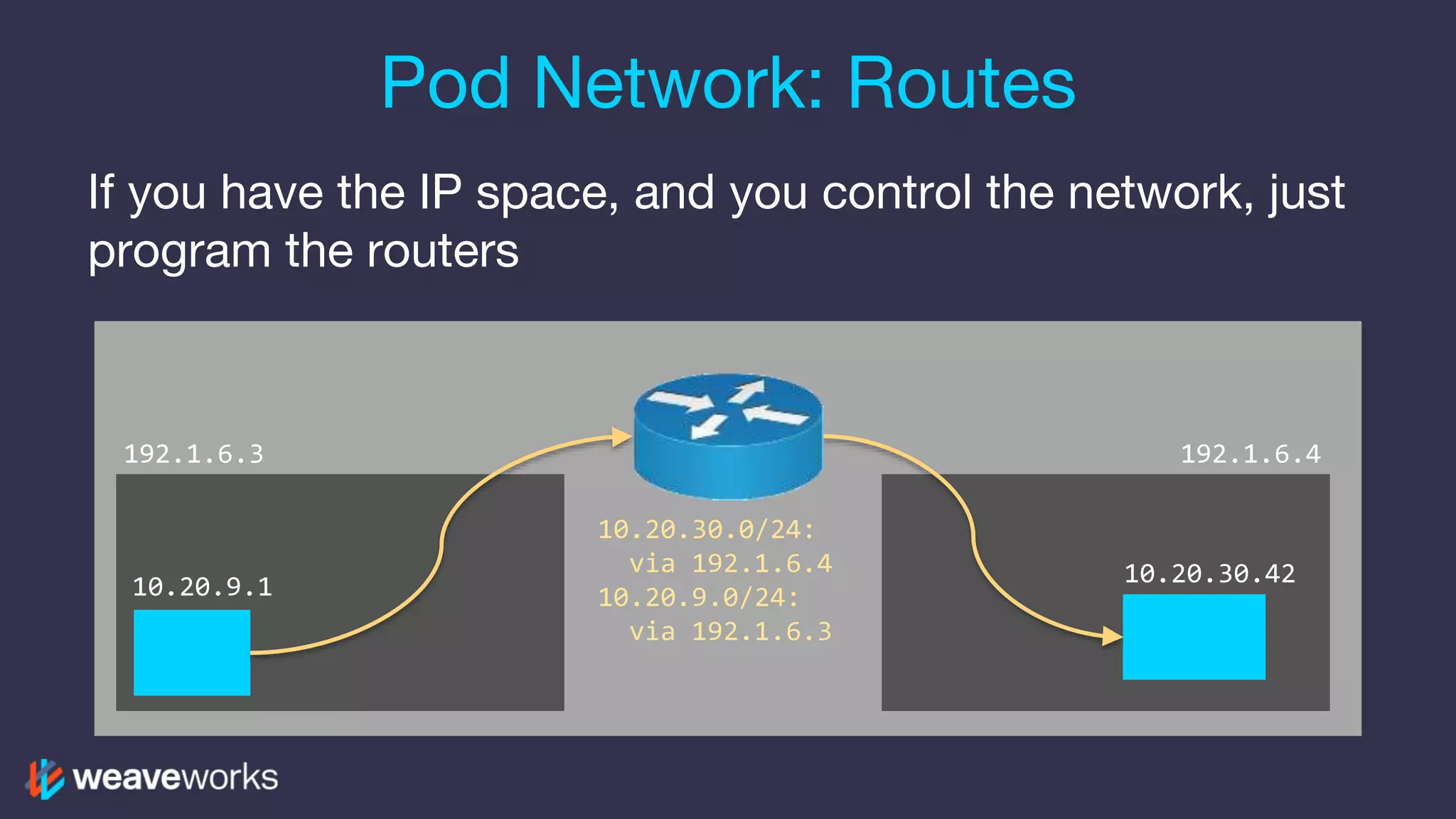
If you have the IP space, and you control the network, just program the routers Pod Network: Routes 10.20.30.42 192.1.6.4192.1.6.3 10.20.30.0/24: via 192.1.6.4 10.20.9.0/24: via 192.1.6.3 10.20.9.1
Packets are encapsulated before they leave the machine Pod Network: Overlay 10.20.30.42 192.1.6.4192.1.6.3 10.20.9.1 192.1.6.3->192.1.6.4 [10.20.9.1->10.20.30.42]
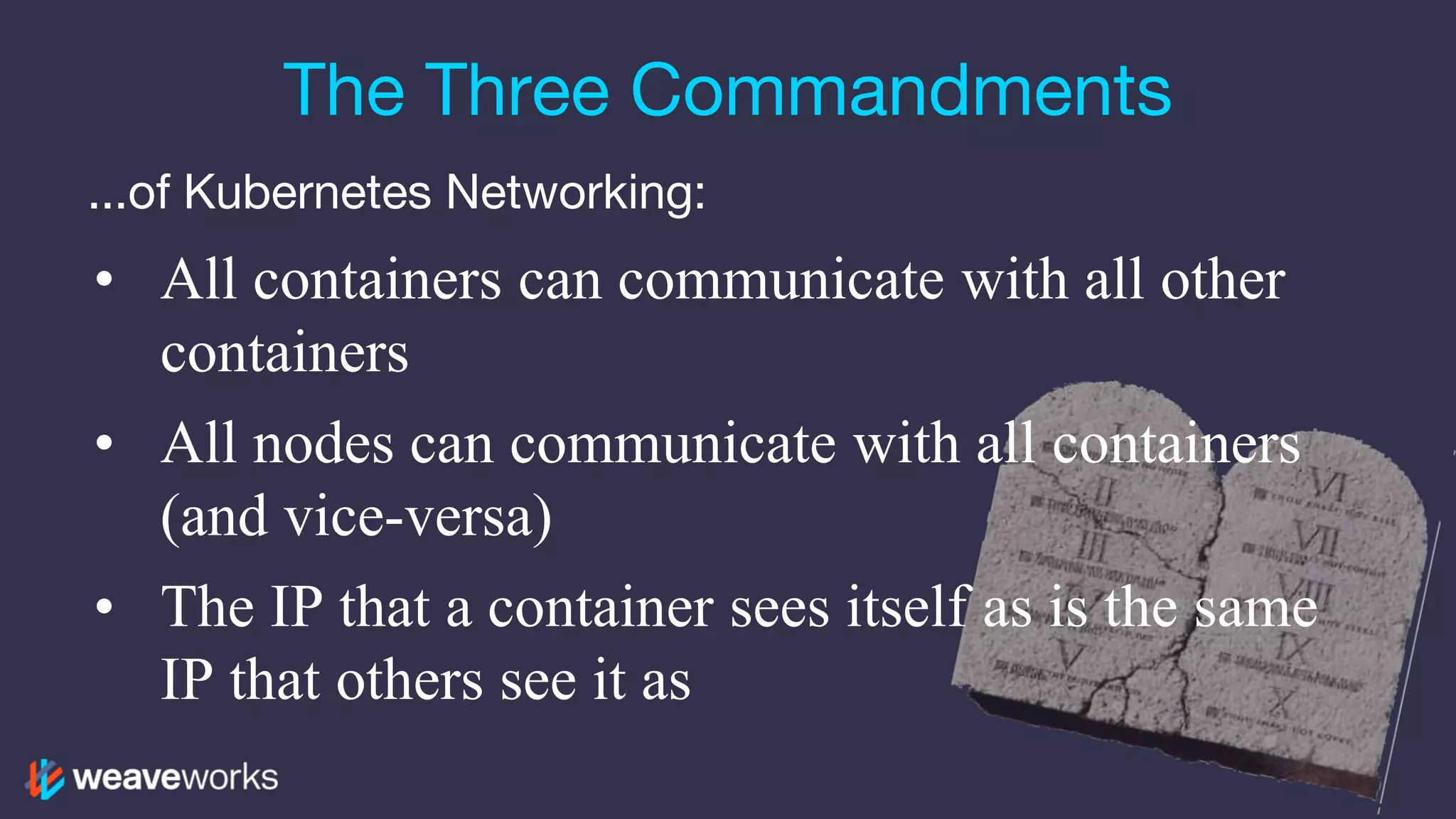
The Three Commandments ...of Kubernetes Networking: • All containers can communicate with all other containers • All nodes can communicate with all containers (and vice-versa) • The IP that a container sees itself as is the same IP that others see it as
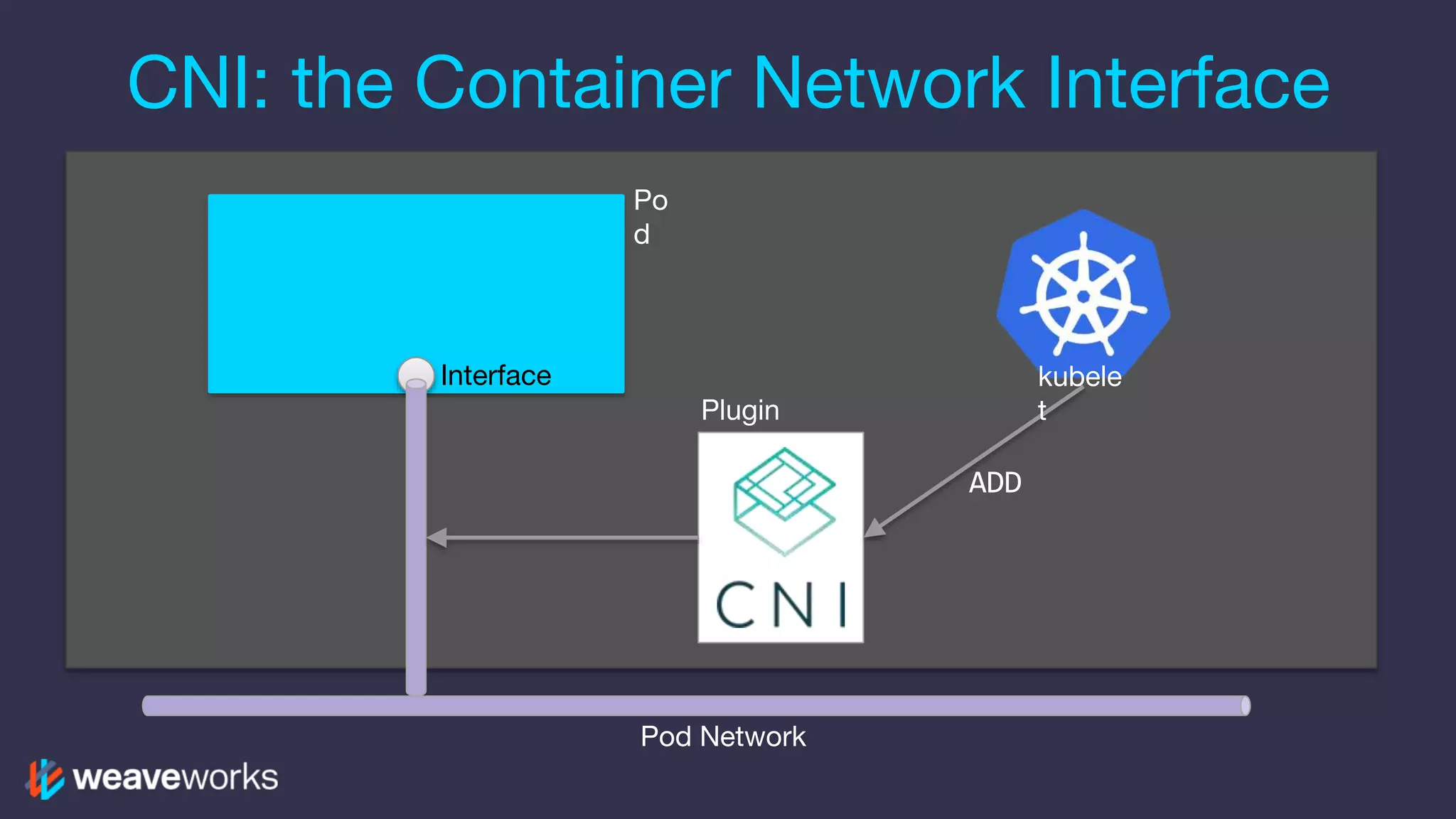
CNI: the Container Network Interface kubele t Po d Interface Plugin Pod Network ADD
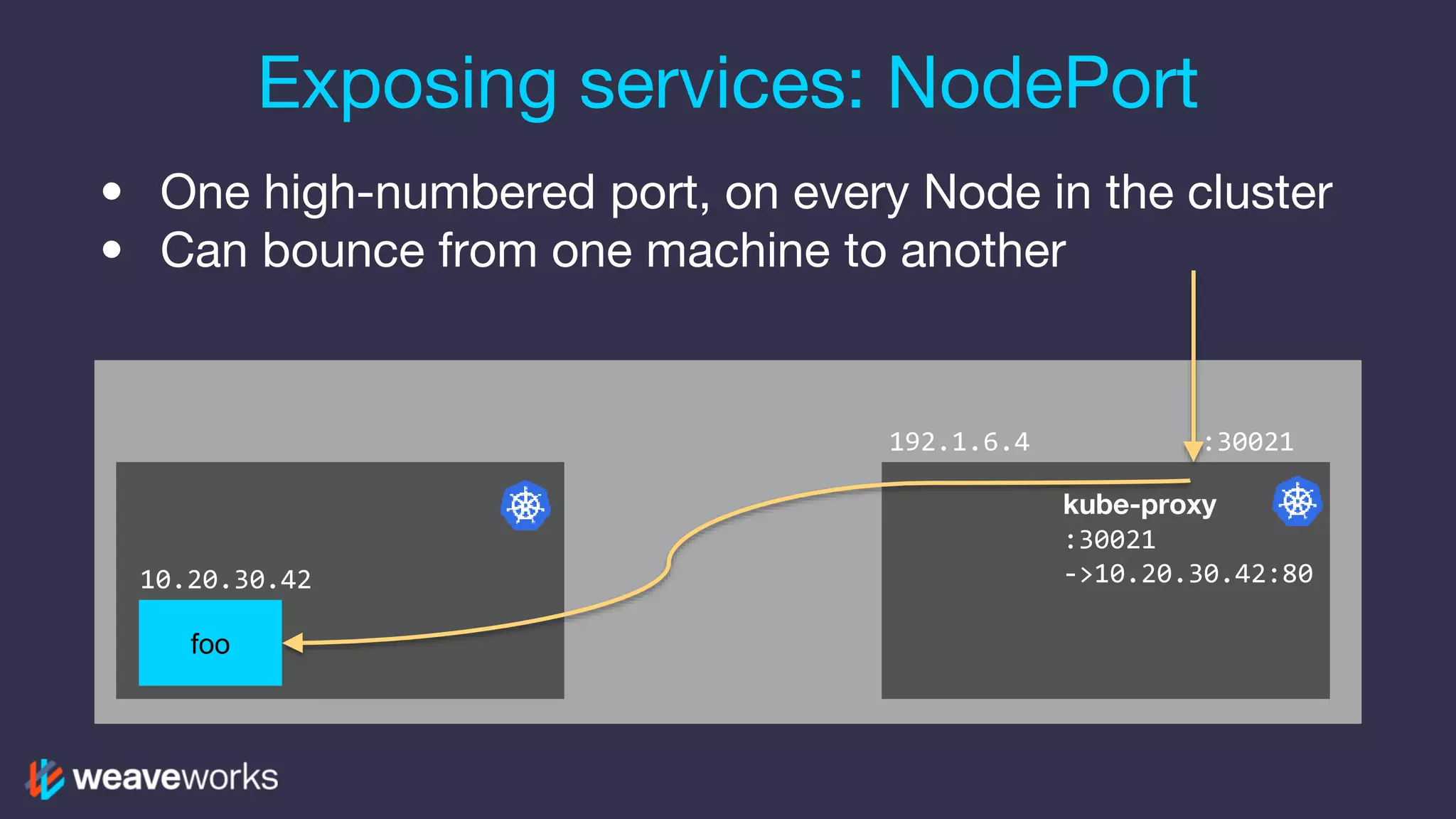
• One high-numbered port, on every Node in the cluster • Can bounce from one machine to another Exposing services: NodePort 10.20.30.42 kube-proxy :30021 ->10.20.30.42:80 foo 192.1.6.4 :30021
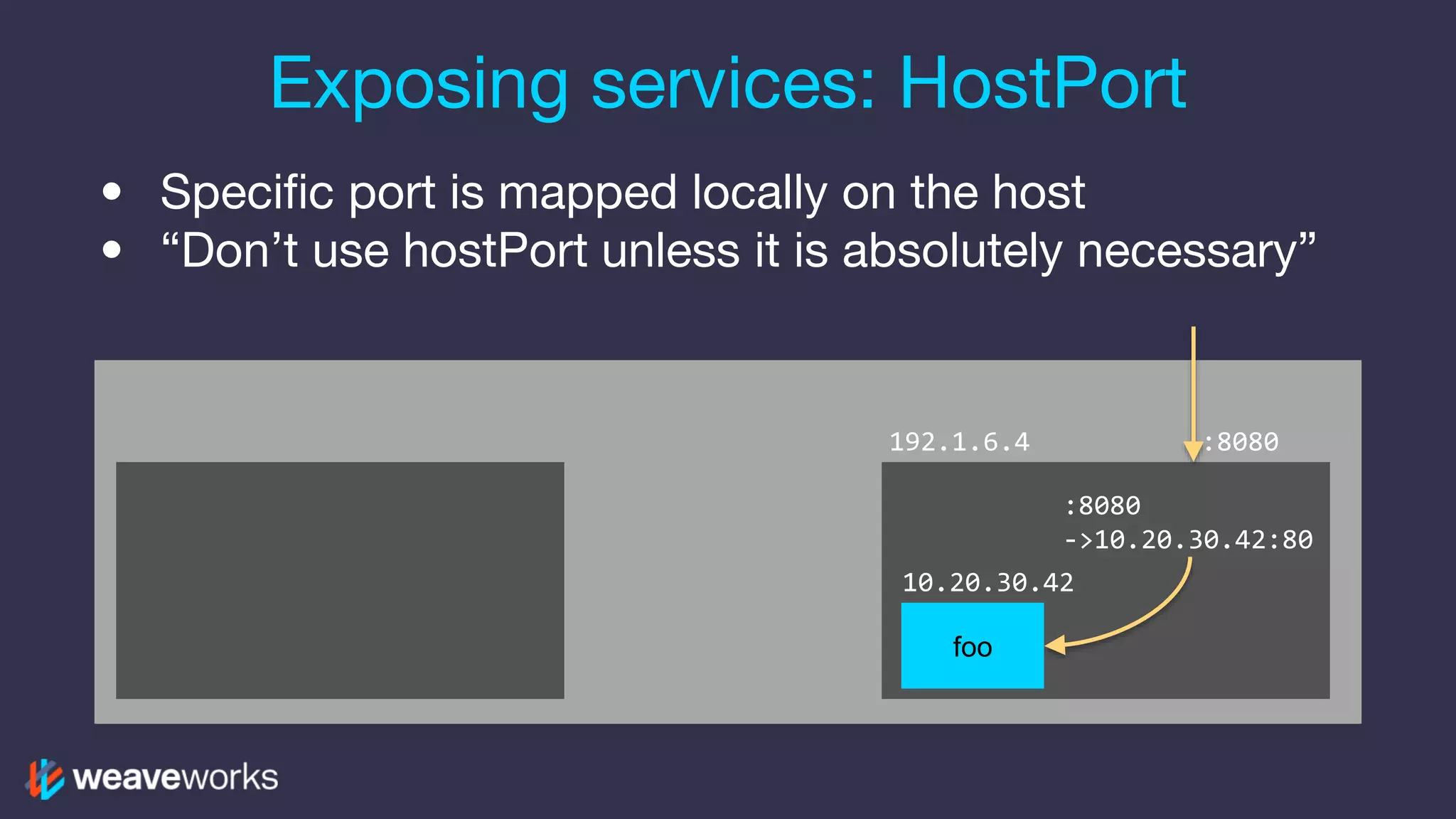
• Specific port is mapped locally on the host • “Don’t use hostPort unless it is absolutely necessary” Exposing services: HostPort 10.20.30.42 :8080 ->10.20.30.42:80 foo 192.1.6.4 :8080
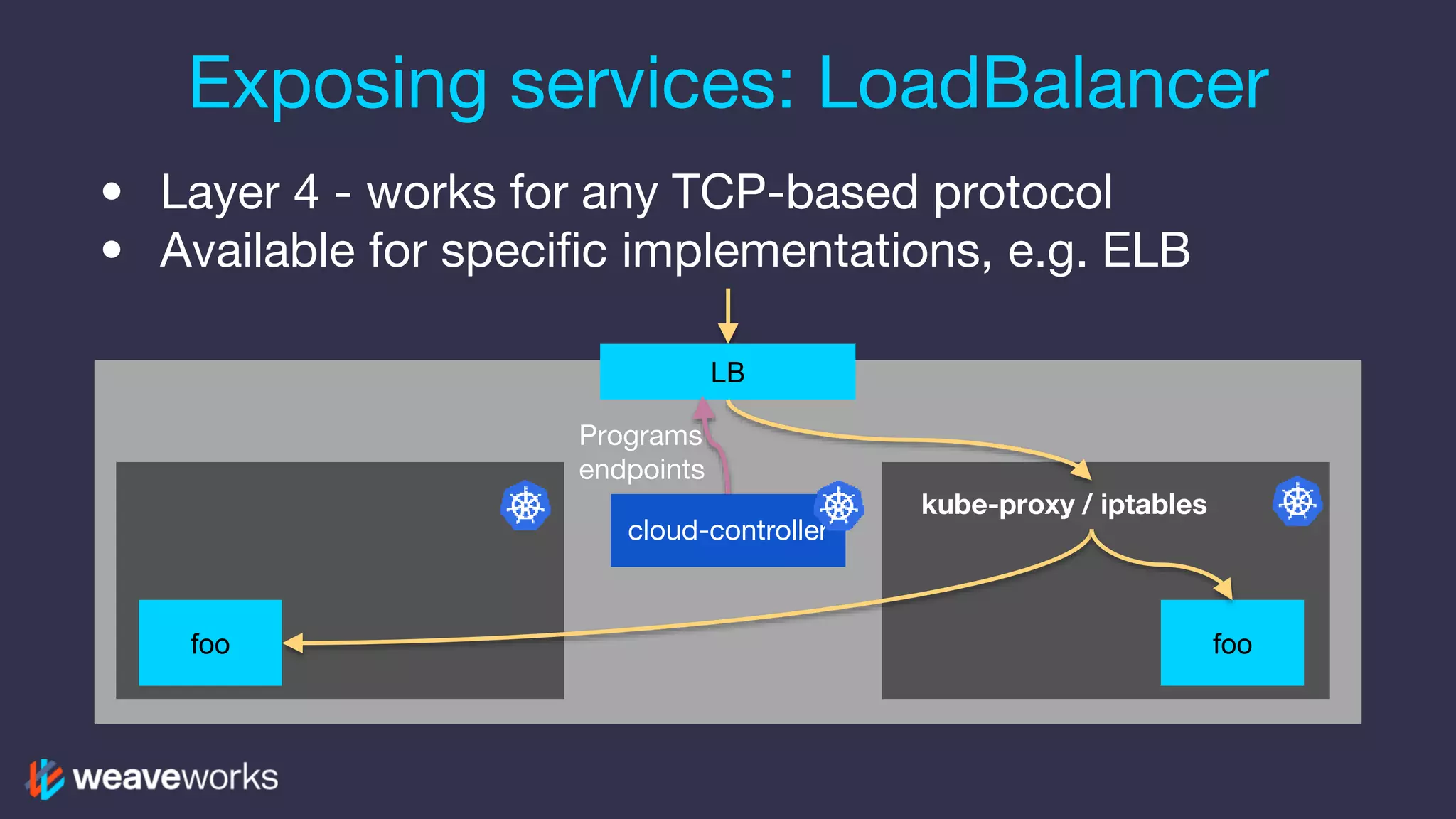
• Layer 4 - works for any TCP-based protocol • Available for specific implementations, e.g. ELB Exposing services: LoadBalancer LB foo cloud-controller Programs endpoints kube-proxy / iptables foo
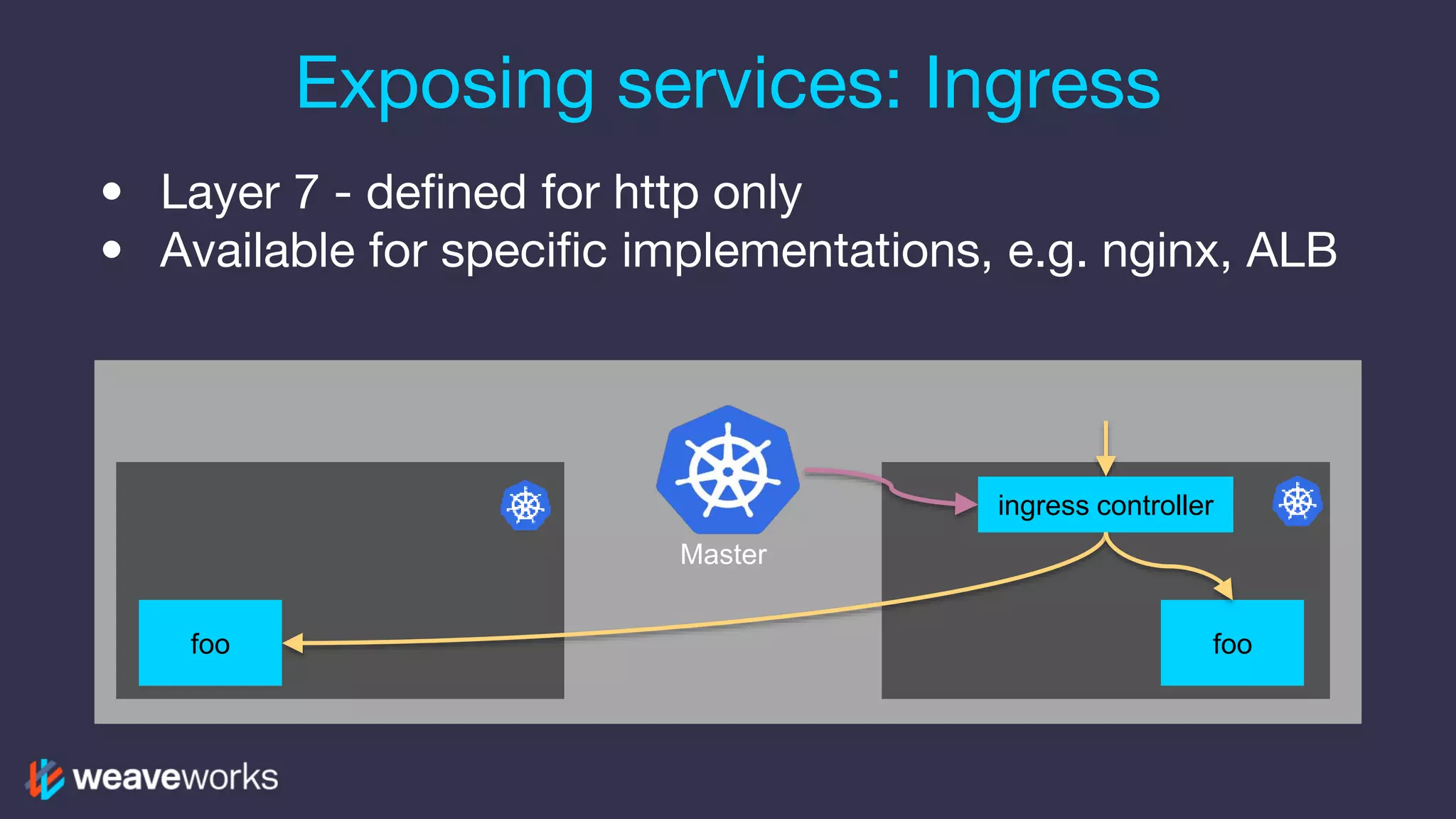
• Layer 7 - defined for http only • Available for specific implementations, e.g. nginx, ALB Exposing services: Ingress ingress controller foo foo Master
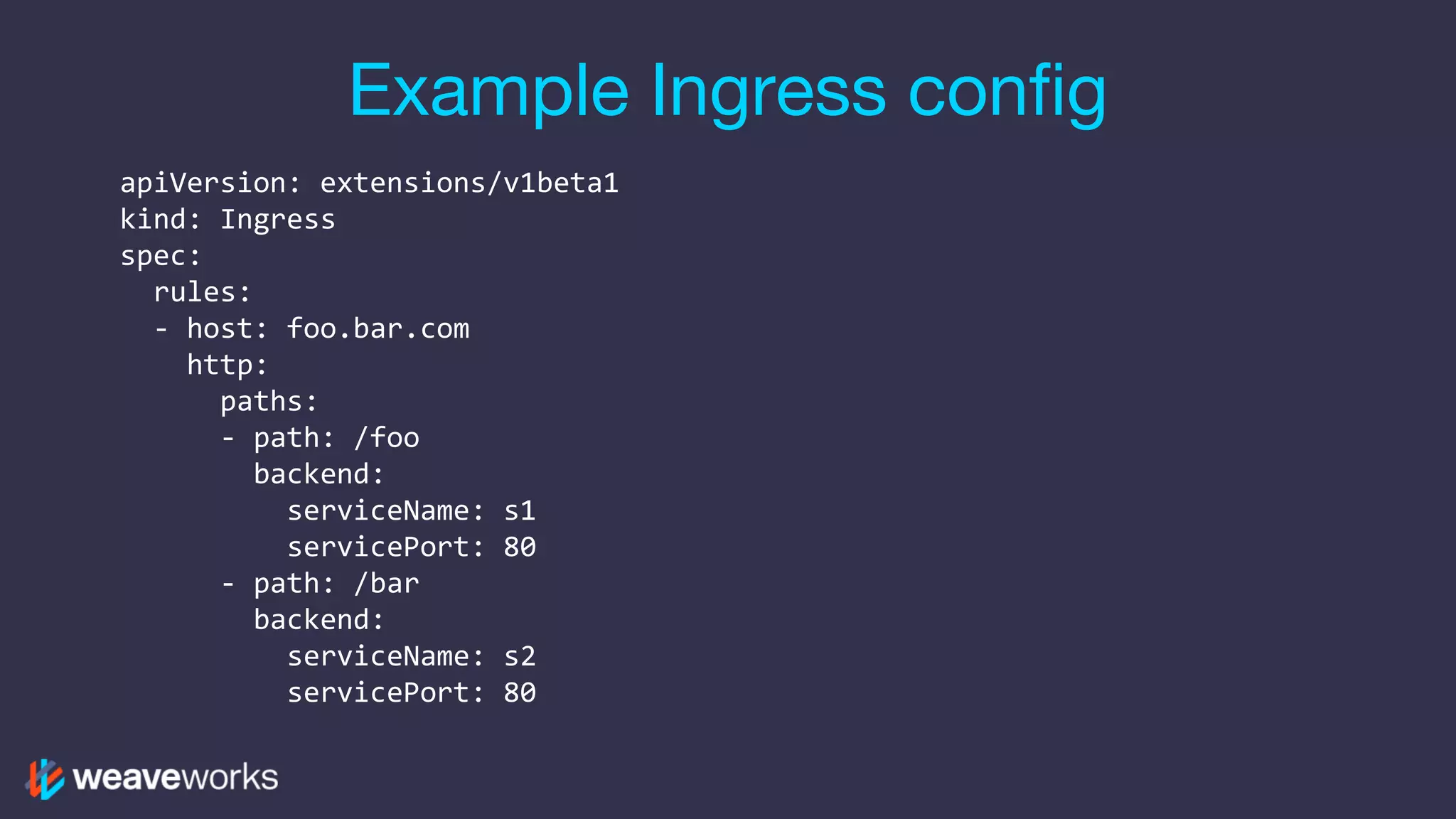
Example Ingress config apiVersion: extensions/v1beta1 kind: Ingress spec: rules: - host: foo.bar.com http: paths: - path: /foo backend: serviceName: s1 servicePort: 80 - path: /bar backend: serviceName: s2 servicePort: 80
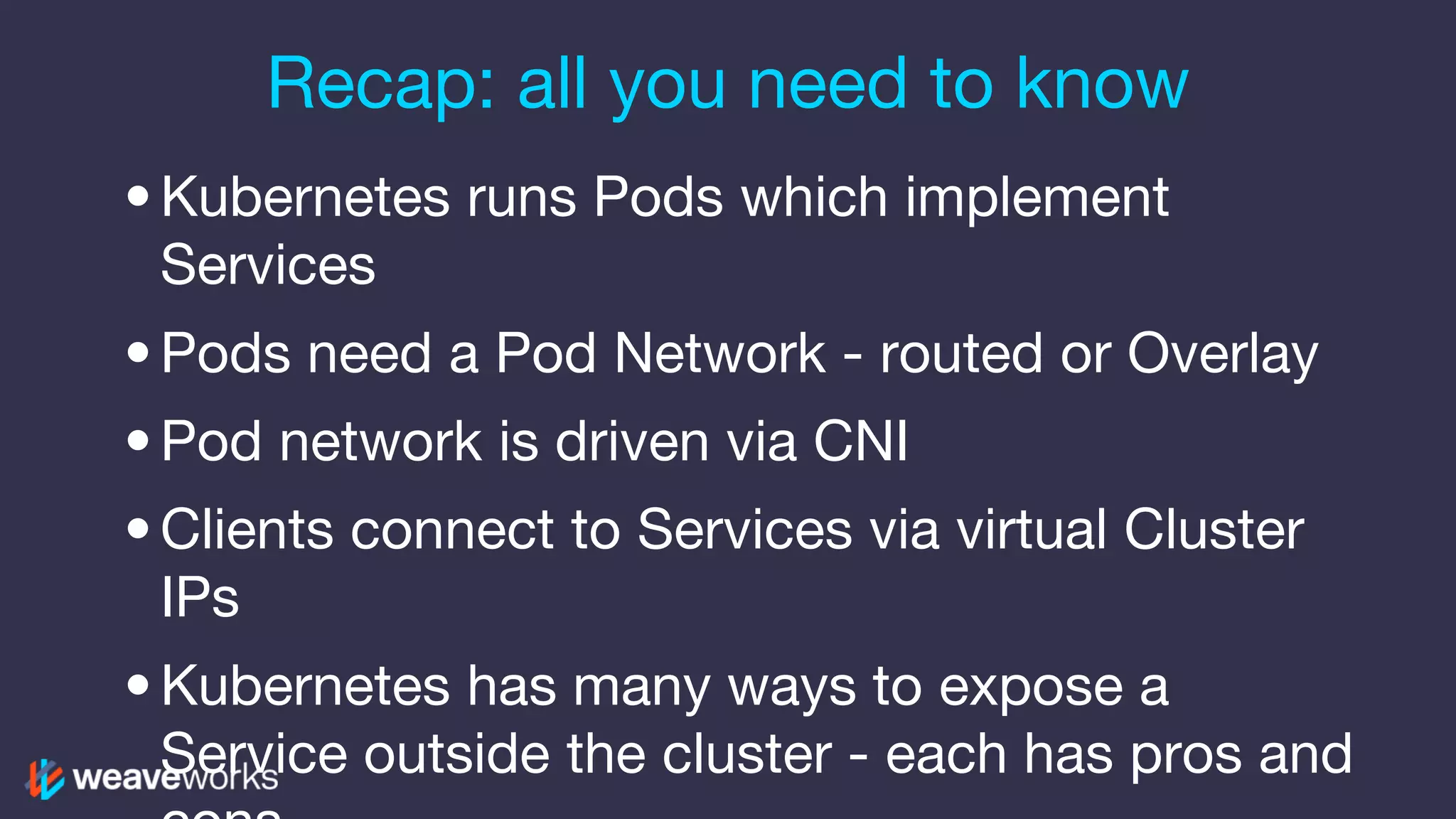
Recap: all you need to know •Kubernetes runs Pods which implement Services •Pods need a Pod Network - routed or Overlay •Pod network is driven via CNI •Clients connect to Services via virtual Cluster IPs •Kubernetes has many ways to expose a Service outside the cluster - each has pros and
Thanks! Questions? We are hiring! Engineers in SF & London weave.works/hiring
What’s Next? •Try Weave Cloud – https://cloud.weave.works •Join the Weave user group! – meetup.com/pro/Weave •Get in touch! (Slack, Email, etc.) – weave.works/help

Kubernetes Networking 101

  • 1.
    Kubernetes Networking Bryan Boreham,Director of Engineering @bboreham
  • 2.
    What does Weavedo? Weave lets devops iterate faster with: • observability & monitoring • continuous delivery • container networks & firewalls Kubernetes is our #1 platform
  • 3.
    What you shouldlearn 1. How clients talk to services in Kubernetes 2. Connecting containers: overlay vs native 3. Connecting into your cluster: NodePort, HostPort, LoadBalancer, Ingress 4. Be better equipped to troubleshoot https://media.timeout.com/images/103755908/630/472/image.jpg
  • 4.
    • Docker • Kubernetes •Weave Who is working with...
  • 5.
  • 6.
  • 7.
  • 8.
    Let’s talk aboutPorts A service listens on a Port at an IP address – e.g. http on port 80, postgres on port 5432 – or your own custom service on 9090 192.1.6.4 9090 foo
  • 9.
    Suppose we wantto run two? •Only one thing can be listening on a port •We could give the second one a new port number 192.1.6.4 9090 9091 foo1 foo2
  • 10.
    How do wekeep track? • Fiddling with port numbers needs a bit of book-keeping • Could have another service where we register all the port numbers we’ve chosen • Downside: this requires that every client uses the registry 192.1.6.4 9090 9091 Service Registry “Where is foo2?” foo1 foo2
  • 11.
    Give every serviceits own IP address •Container Networking means never having to say “what port is it on?” •Every service uses its native port number 10.20.30.42 9090 foo1 9090 foo2 10.20.30.43
  • 12.
  • 13.
    Just one thingthough •Now, when we contact a service, we need to know its IP address. •There is a standard way to do that DNS “Where is foo2?” 10.20.30.42 foo1 foo2 10.20.30.43
  • 14.
    • Run multipleinstances of a service • Clients should call one of them, don’t care which foo 10.20.10.1 foo 10.20.29.13 Now add Scaling and Redundancy foo 10.20.30.42
  • 15.
    DNS can dothis. Right? •Some clients will re-query on every call •Some clients will cache the result too long •Most clients will not round-robin http://gunshowcomic.com/648
  • 16.
    • DNS nameresolves to a stable Virtual IP address • Kube-proxy translates VIP to one Pod IP Kubernetes Cluster IPs kube-dns 10.20.30.42 kube-proxy 100.96.0.30 ->10.20.30.42 foo “Where is foo?” - 100.96.0.30 192.1.6.4
  • 17.
    We need networkpackets to go from one pod to another pod, across whatever sits in the middle Let’s talk about Pod Networking 10.20.30.42 192.1.6.4192.1.6.3 10.20.9.1
  • 18.
    Who controls yournetwork? http://philippel.deviantart.com/art/DUNE-Sandworm-Rising- 403336019
  • 19.
    If you havethe IP space, and you control the network, just program the routers Pod Network: Routes 10.20.30.42 192.1.6.4192.1.6.3 10.20.30.0/24: via 192.1.6.4 10.20.9.0/24: via 192.1.6.3 10.20.9.1
  • 20.
    Packets are encapsulatedbefore they leave the machine Pod Network: Overlay 10.20.30.42 192.1.6.4192.1.6.3 10.20.9.1 192.1.6.3->192.1.6.4 [10.20.9.1->10.20.30.42]
  • 21.
    The Three Commandments ...ofKubernetes Networking: • All containers can communicate with all other containers • All nodes can communicate with all containers (and vice-versa) • The IP that a container sees itself as is the same IP that others see it as
  • 22.
    CNI: the ContainerNetwork Interface kubele t Po d Interface Plugin Pod Network ADD
  • 23.
    • One high-numberedport, on every Node in the cluster • Can bounce from one machine to another Exposing services: NodePort 10.20.30.42 kube-proxy :30021 ->10.20.30.42:80 foo 192.1.6.4 :30021
  • 24.
    • Specific portis mapped locally on the host • “Don’t use hostPort unless it is absolutely necessary” Exposing services: HostPort 10.20.30.42 :8080 ->10.20.30.42:80 foo 192.1.6.4 :8080
  • 25.
    • Layer 4- works for any TCP-based protocol • Available for specific implementations, e.g. ELB Exposing services: LoadBalancer LB foo cloud-controller Programs endpoints kube-proxy / iptables foo
  • 26.
    • Layer 7- defined for http only • Available for specific implementations, e.g. nginx, ALB Exposing services: Ingress ingress controller foo foo Master
  • 27.
    Example Ingress config apiVersion:extensions/v1beta1 kind: Ingress spec: rules: - host: foo.bar.com http: paths: - path: /foo backend: serviceName: s1 servicePort: 80 - path: /bar backend: serviceName: s2 servicePort: 80
  • 28.
    Recap: all youneed to know •Kubernetes runs Pods which implement Services •Pods need a Pod Network - routed or Overlay •Pod network is driven via CNI •Clients connect to Services via virtual Cluster IPs •Kubernetes has many ways to expose a Service outside the cluster - each has pros and
  • 29.
    Thanks! Questions? We arehiring! Engineers in SF & London weave.works/hiring
  • 30.
    What’s Next? •Try WeaveCloud – https://cloud.weave.works •Join the Weave user group! – meetup.com/pro/Weave •Get in touch! (Slack, Email, etc.) – weave.works/help