LESSON 07 ADZ
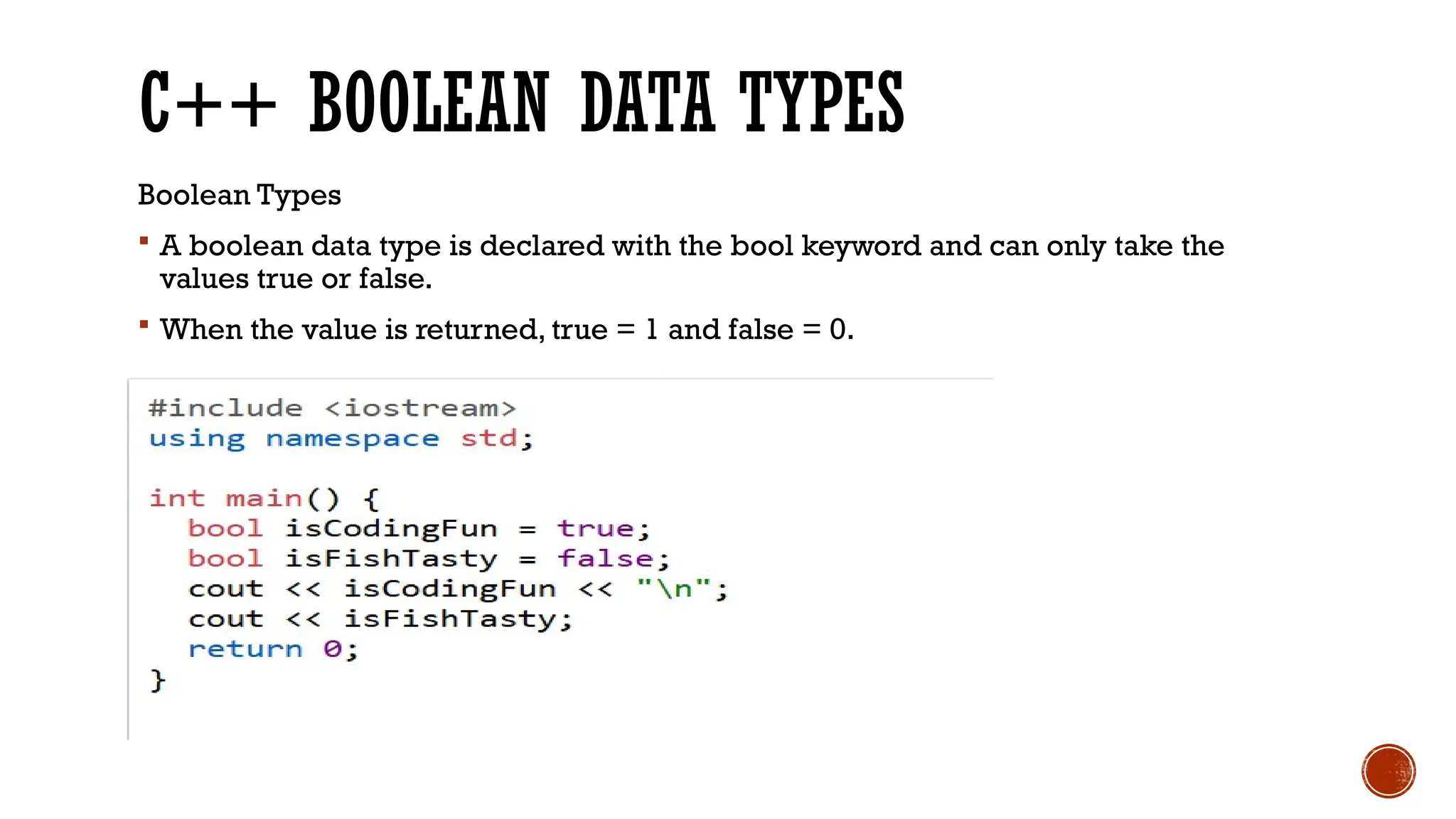
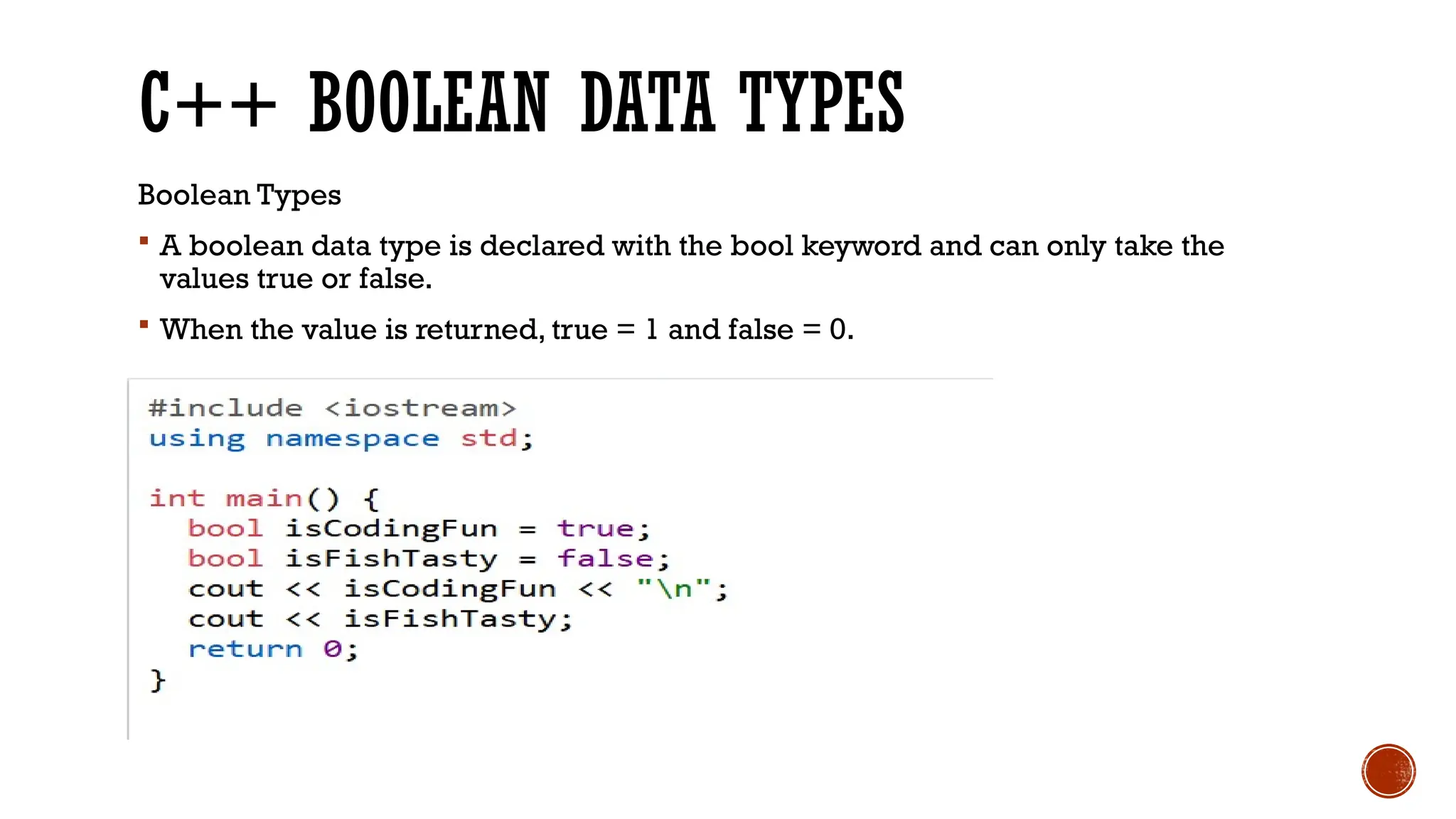
C++ BOOLEAN DATA TYPES Boolean Types  A boolean data type is declared with the bool keyword and can only take the values true or false.  When the value is returned, true = 1 and false = 0.
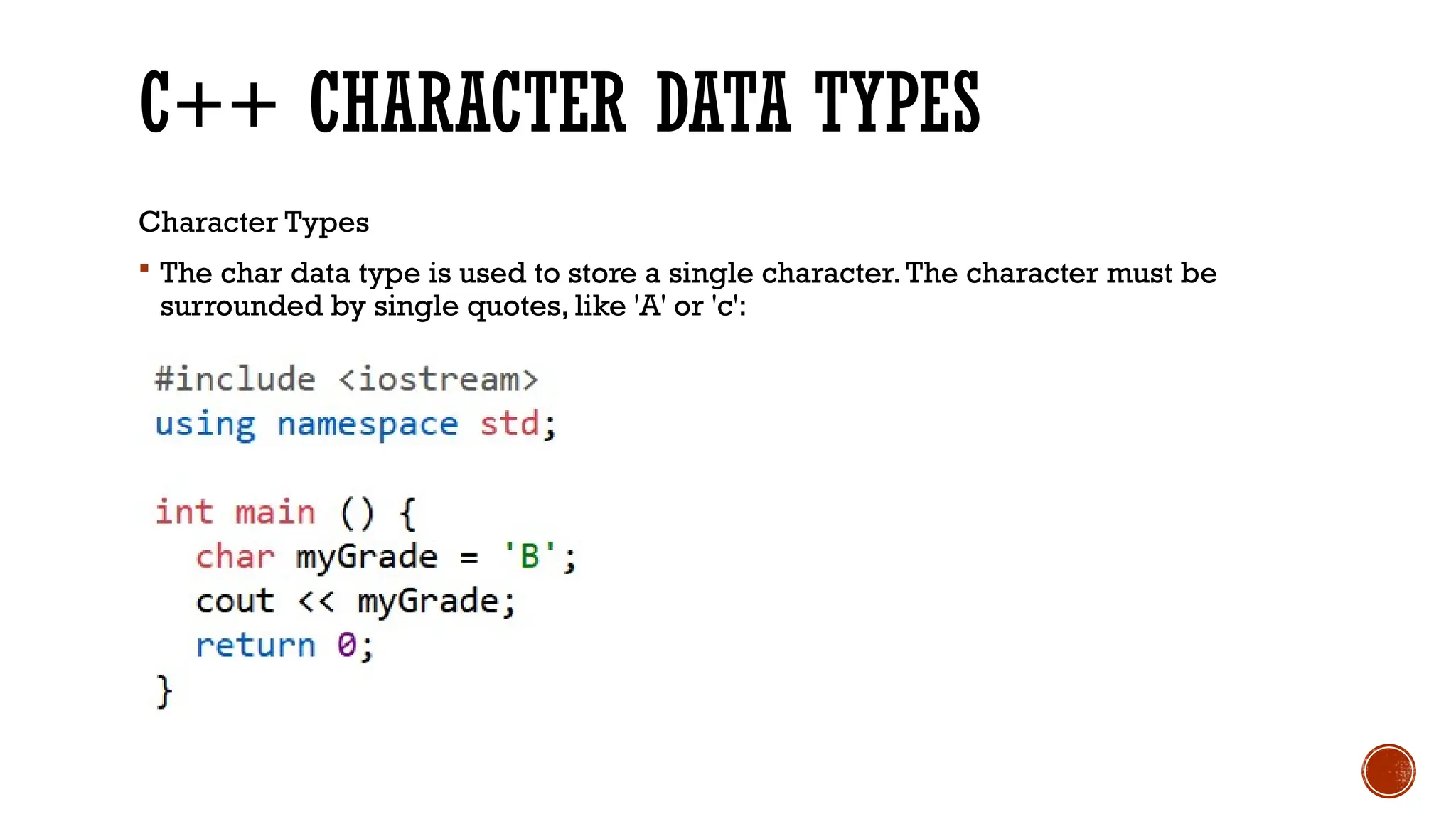
C++ CHARACTER DATA TYPES Character Types  The char data type is used to store a single character.The character must be surrounded by single quotes, like 'A' or 'c':
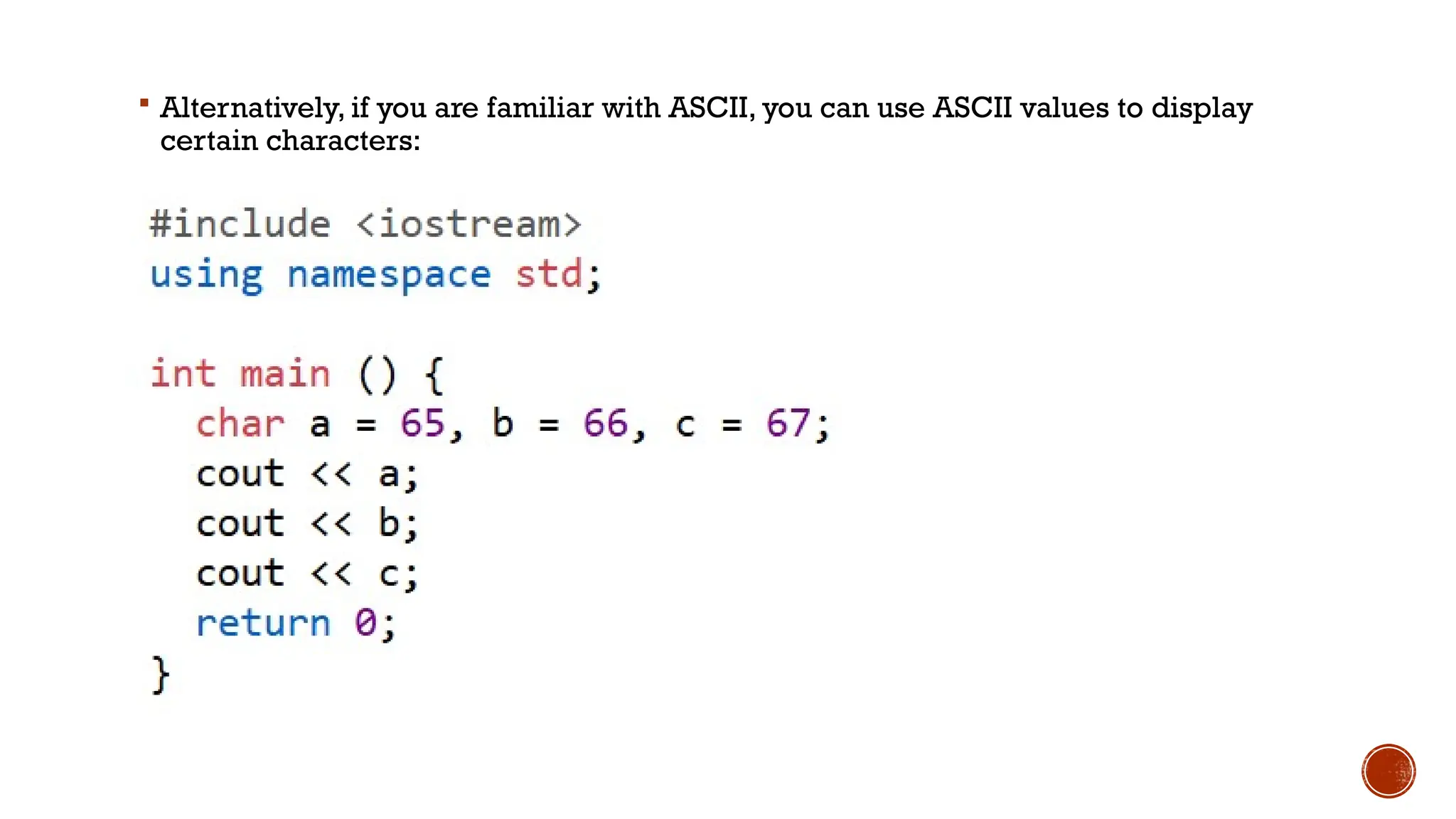
 Alternatively, if you are familiar with ASCII, you can use ASCII values to display certain characters:
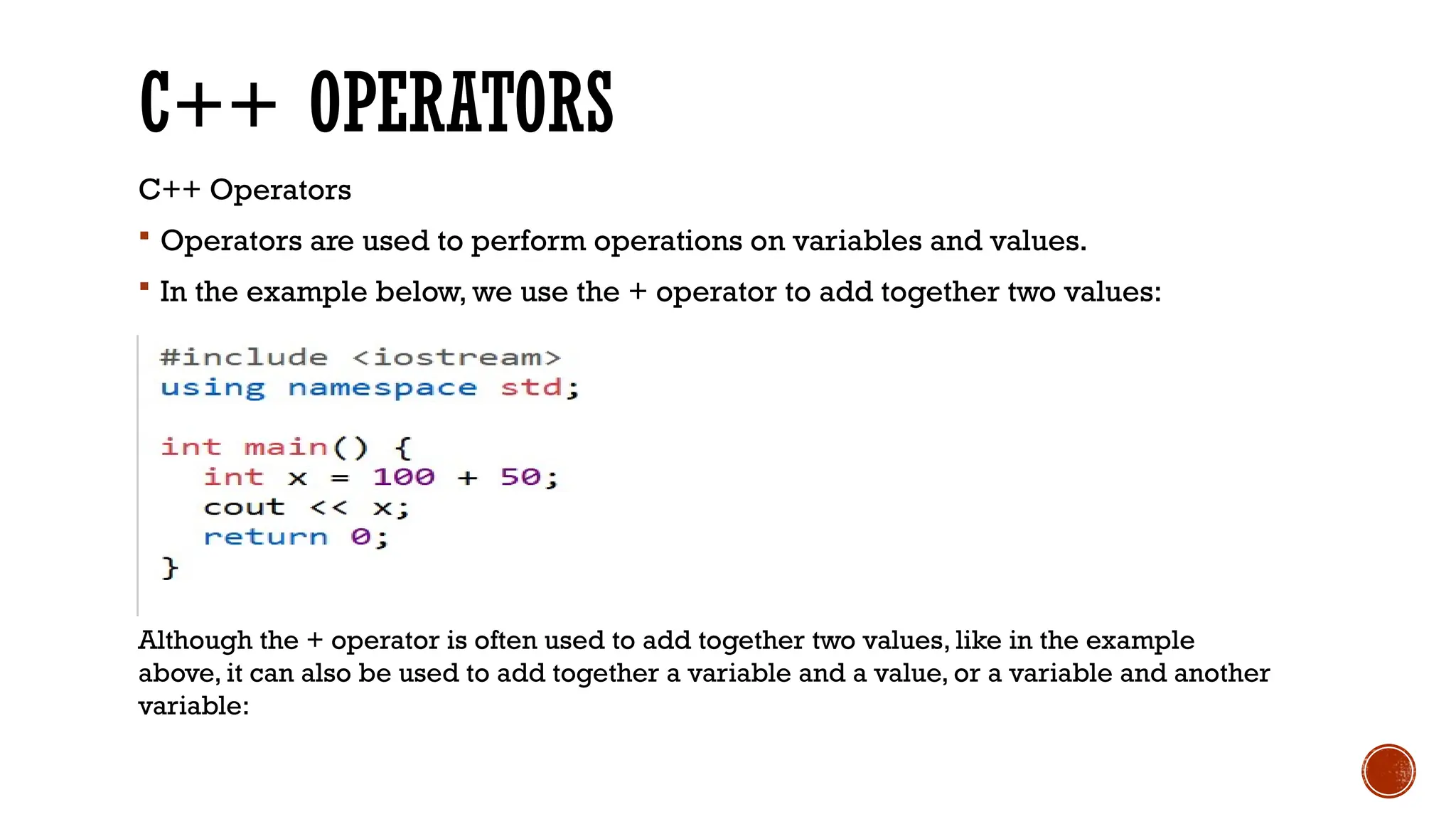
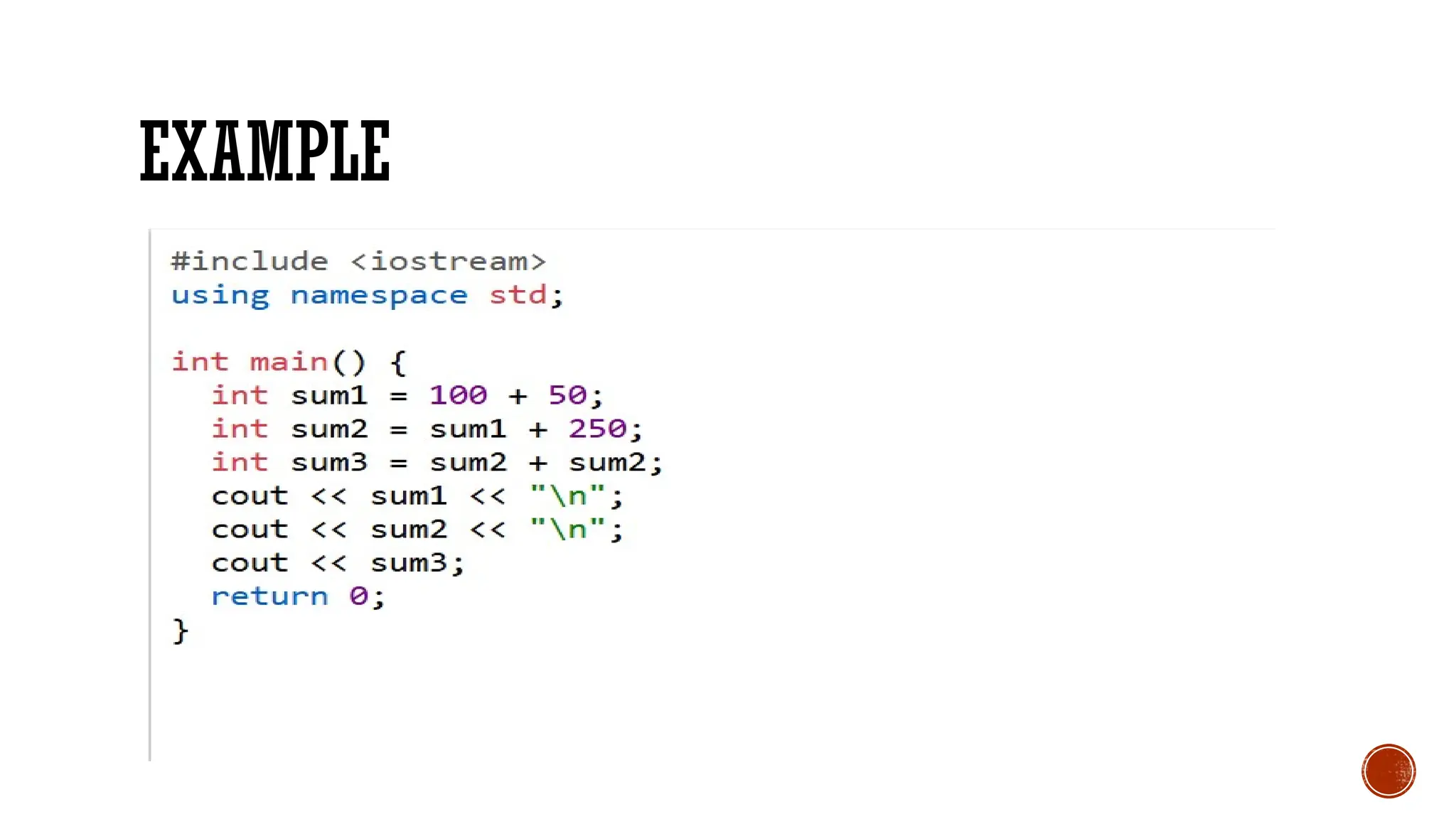
C++ OPERATORS C++ Operators  Operators are used to perform operations on variables and values.  In the example below, we use the + operator to add together two values: Although the + operator is often used to add together two values, like in the example above, it can also be used to add together a variable and a value, or a variable and another variable:
EXAMPLE
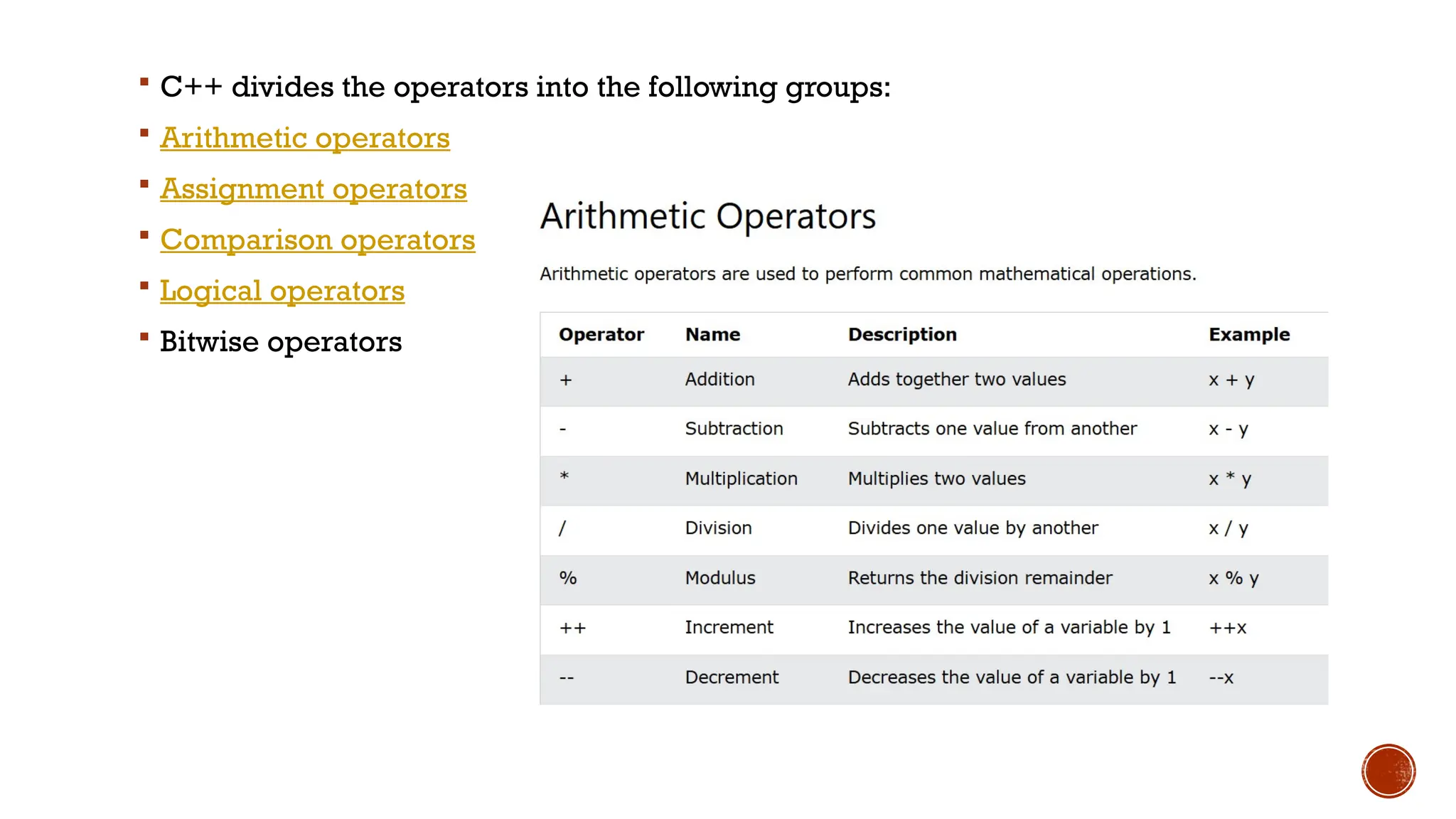
 C++ divides the operators into the following groups:  Arithmetic operators  Assignment operators  Comparison operators  Logical operators  Bitwise operators
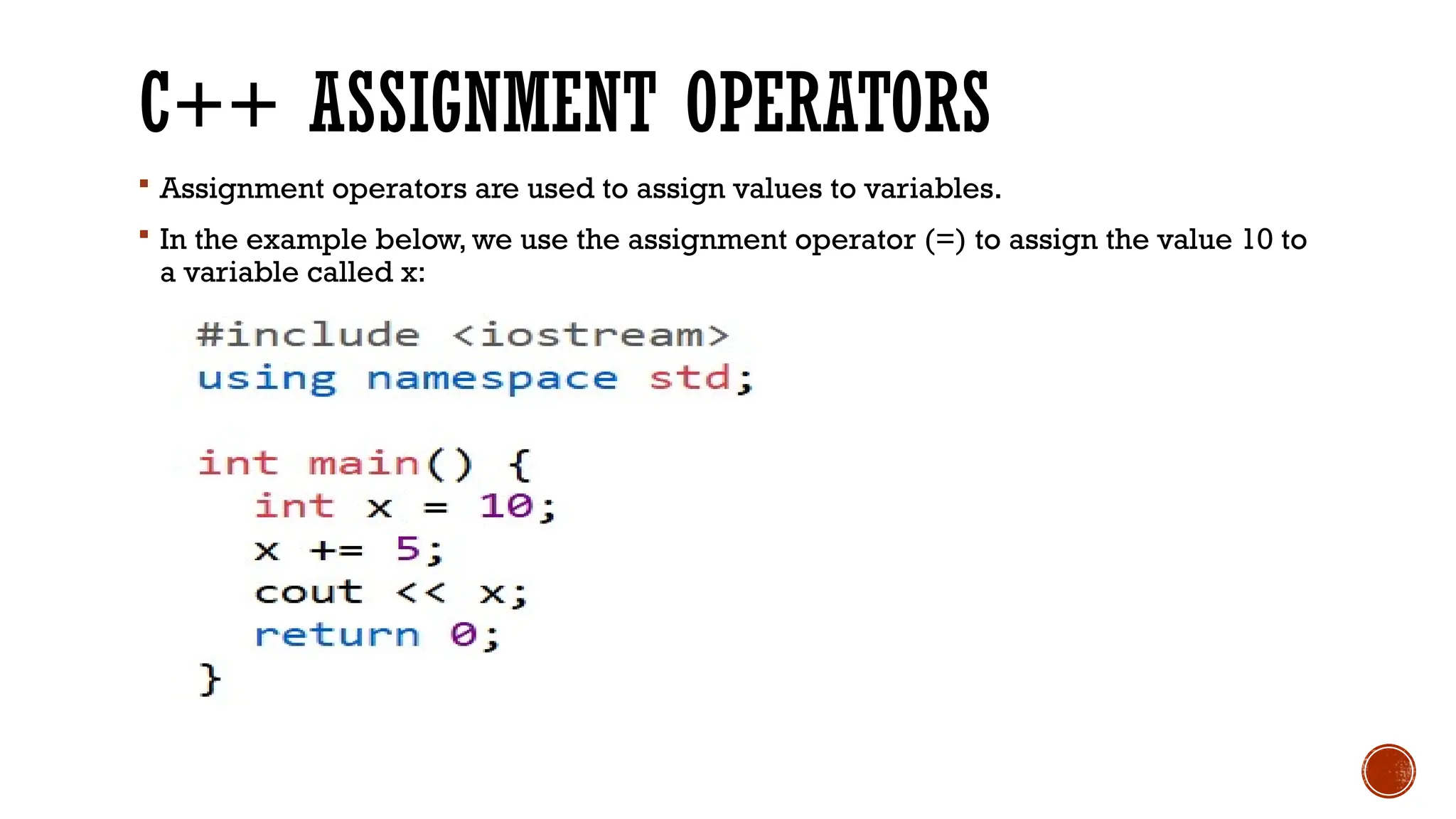
C++ ASSIGNMENT OPERATORS  Assignment operators are used to assign values to variables.  In the example below, we use the assignment operator (=) to assign the value 10 to a variable called x:
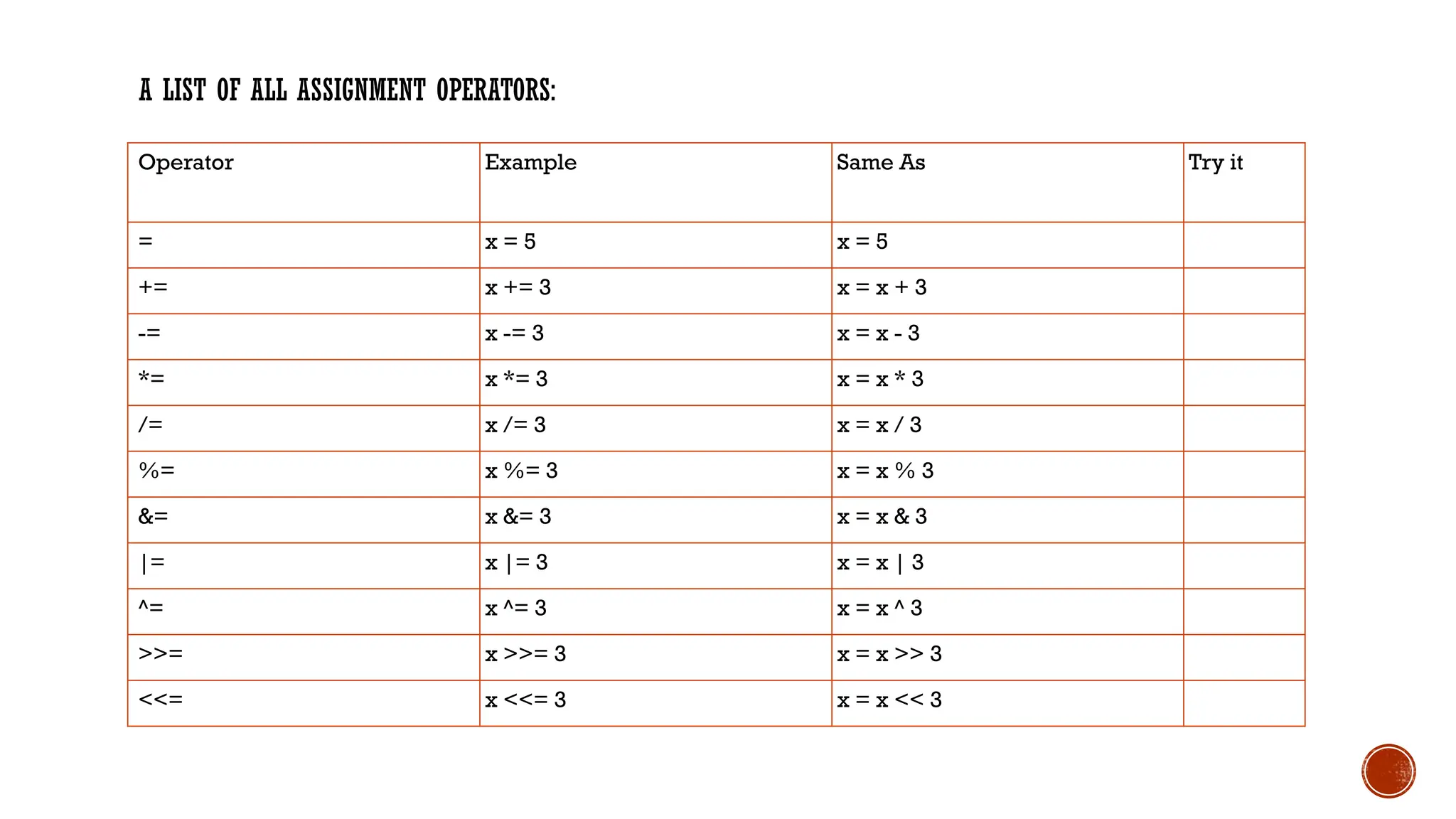
A LIST OF ALL ASSIGNMENT OPERATORS: Operator Example Same As Try it = x = 5 x = 5 += x += 3 x = x + 3 -= x -= 3 x = x - 3 *= x *= 3 x = x * 3 /= x /= 3 x = x / 3 %= x %= 3 x = x % 3 &= x &= 3 x = x & 3 |= x |= 3 x = x | 3 ^= x ^= 3 x = x ^ 3 >>= x >>= 3 x = x >> 3 <<= x <<= 3 x = x << 3
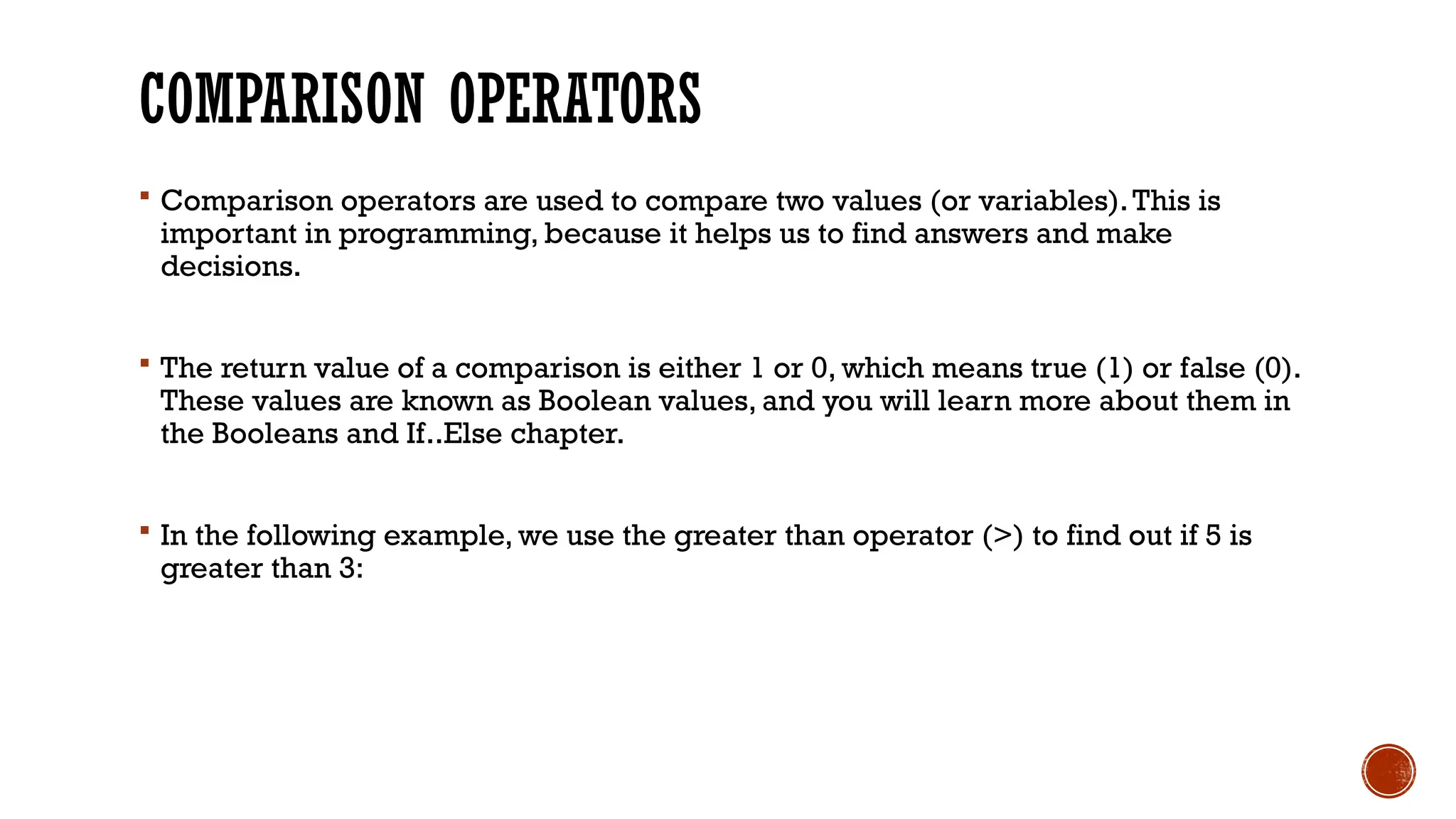
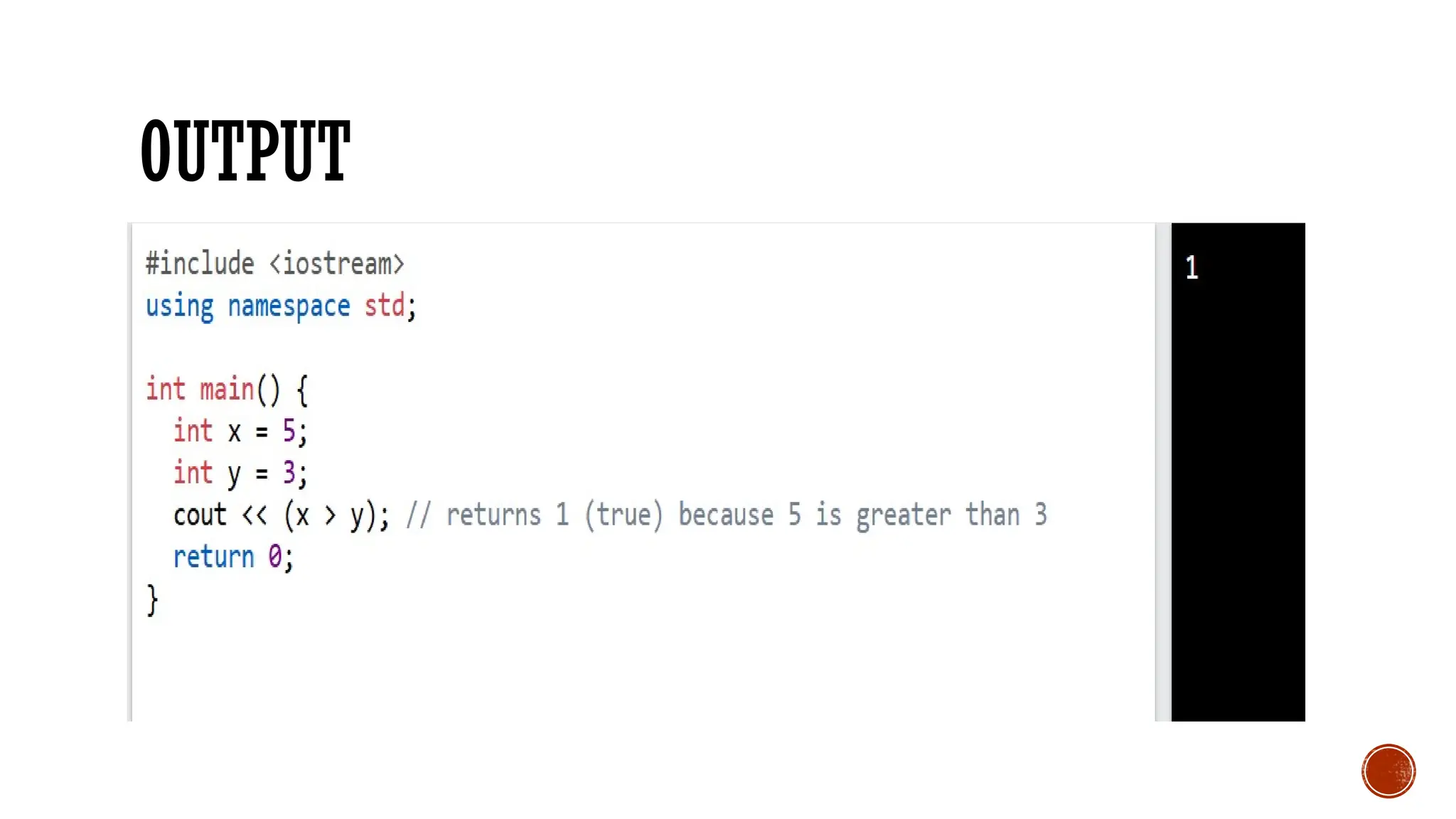
COMPARISON OPERATORS  Comparison operators are used to compare two values (or variables).This is important in programming, because it helps us to find answers and make decisions.  The return value of a comparison is either 1 or 0, which means true (1) or false (0). These values are known as Boolean values, and you will learn more about them in the Booleans and If..Else chapter.  In the following example, we use the greater than operator (>) to find out if 5 is greater than 3:
OUTPUT
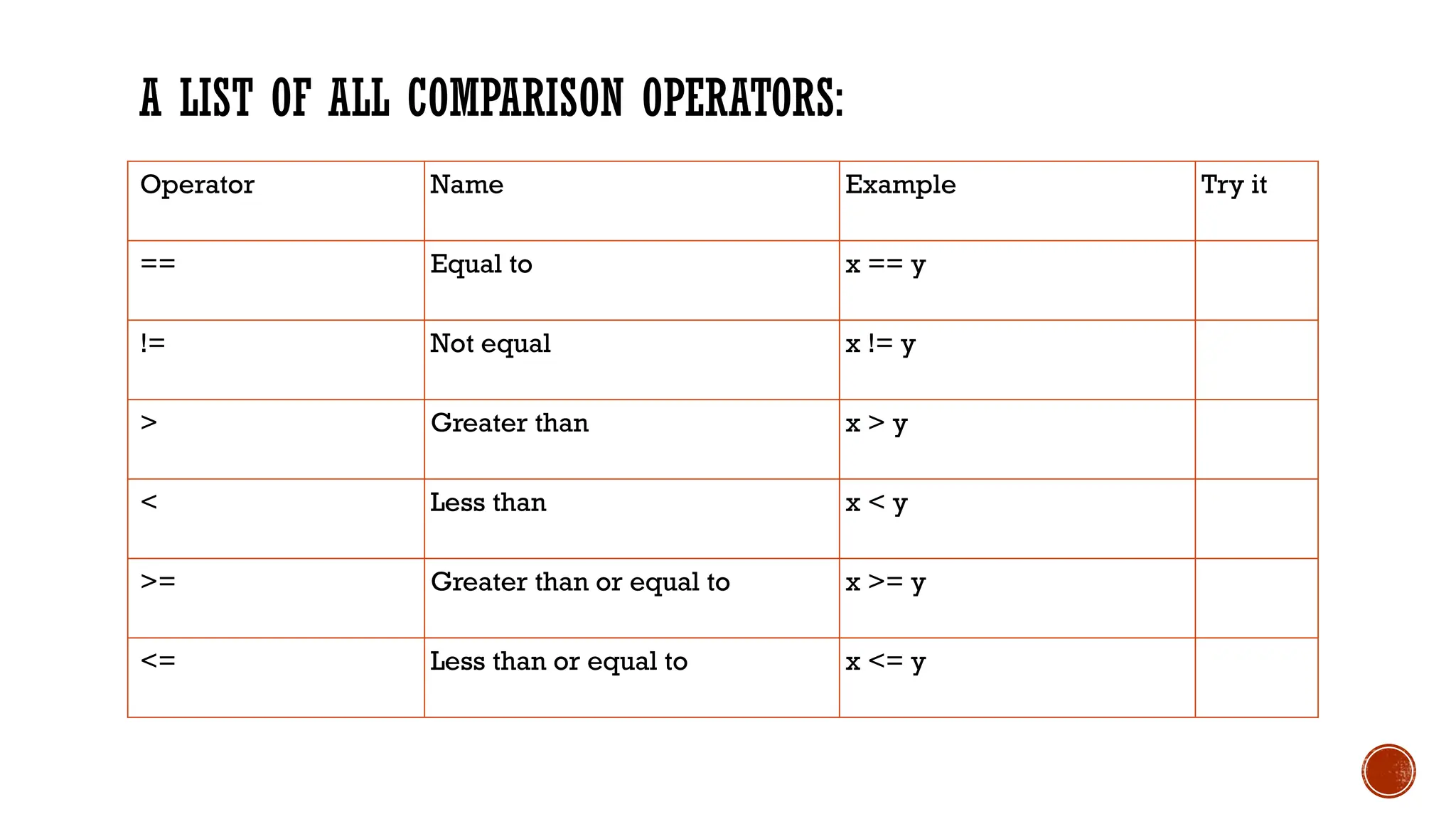
A LIST OF ALL COMPARISON OPERATORS: Operator Name Example Try it == Equal to x == y != Not equal x != y > Greater than x > y < Less than x < y >= Greater than or equal to x >= y <= Less than or equal to x <= y
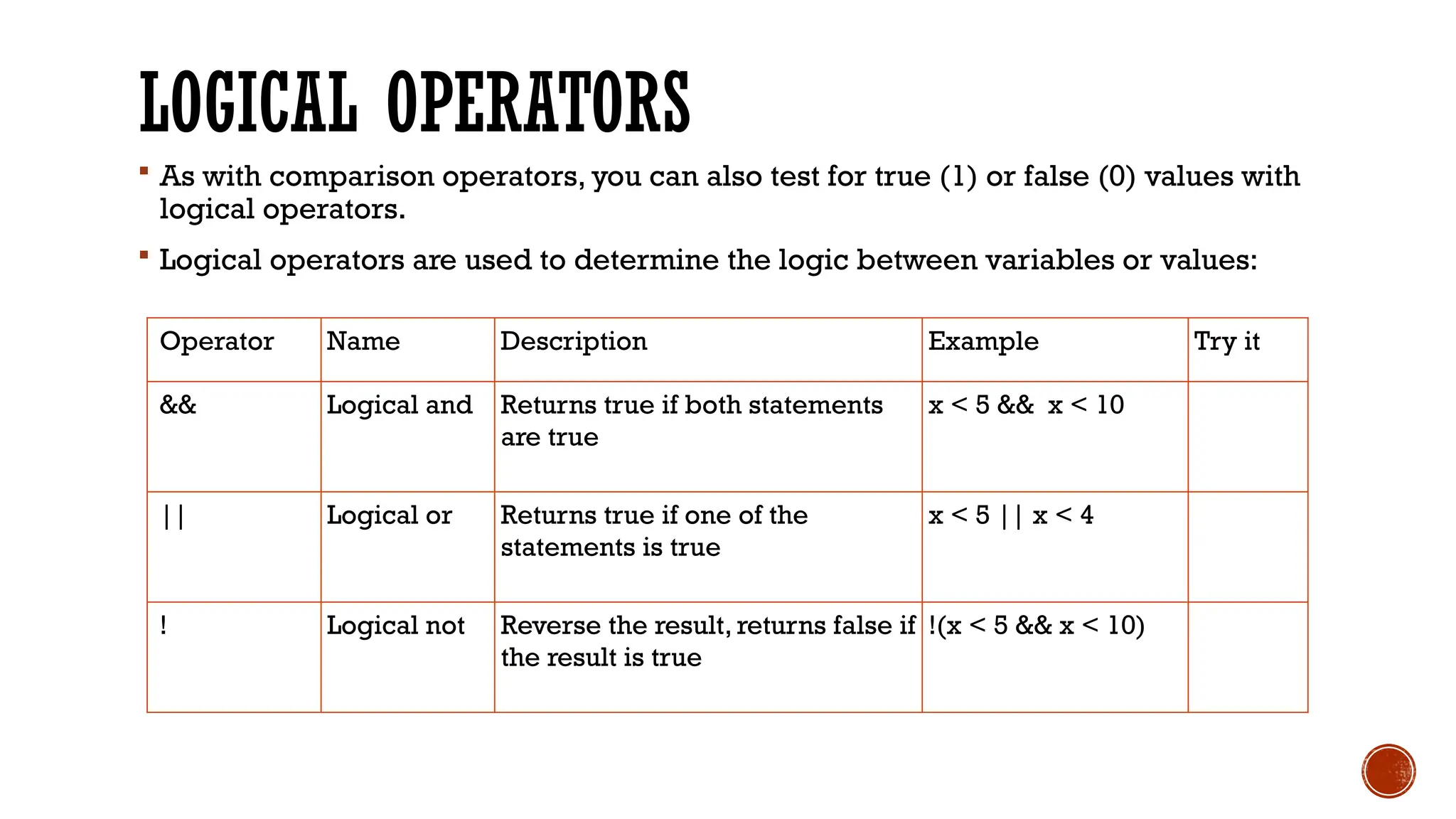
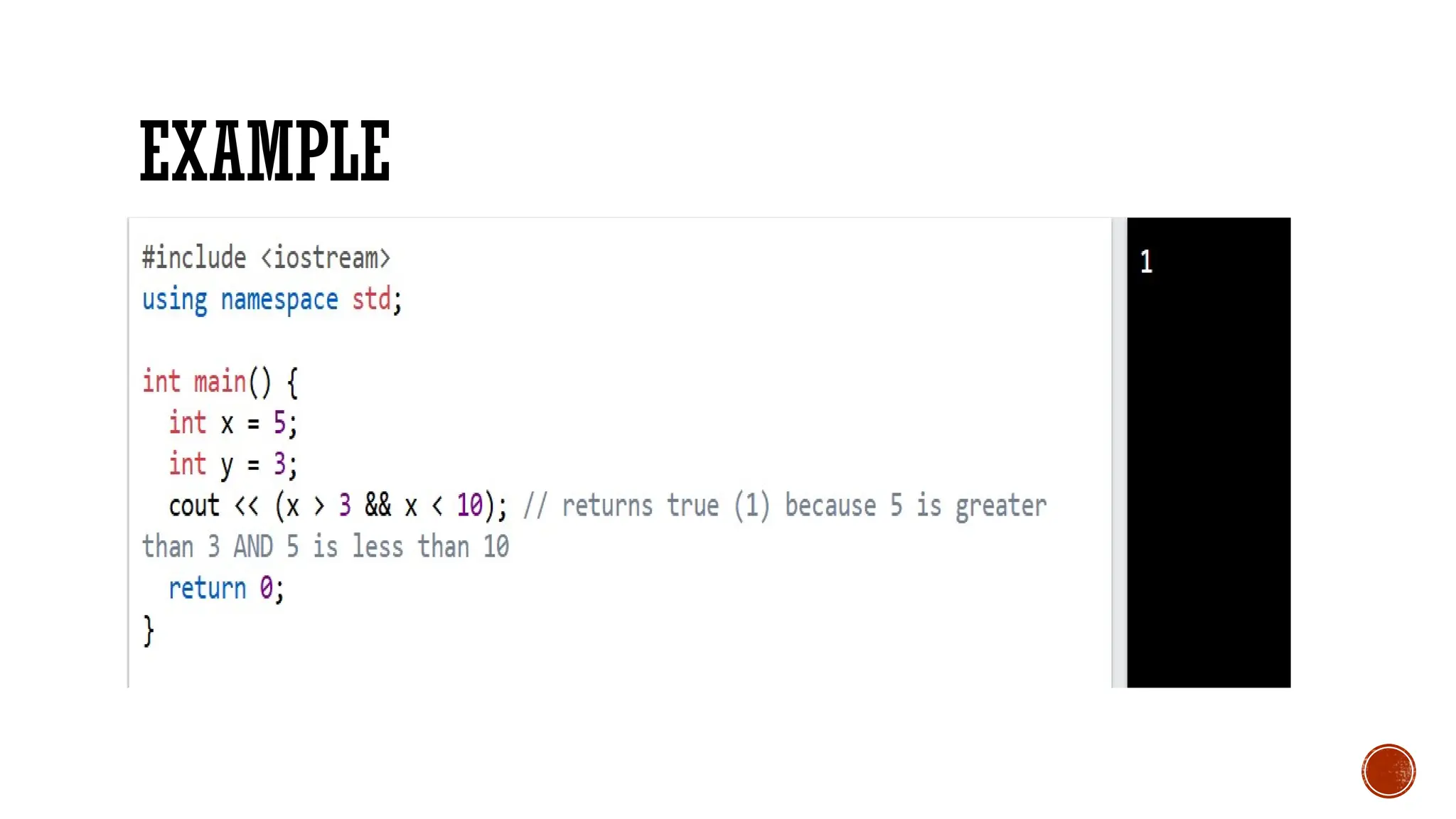
LOGICAL OPERATORS  As with comparison operators, you can also test for true (1) or false (0) values with logical operators.  Logical operators are used to determine the logic between variables or values: Operator Name Description Example Try it && Logical and Returns true if both statements are true x < 5 && x < 10 || Logical or Returns true if one of the statements is true x < 5 || x < 4 ! Logical not Reverse the result, returns false if the result is true !(x < 5 && x < 10)

EXAMPLE

LESSON 07 COMPROG.pptx COMPUTER PROGRAMMING

  • 1.
  • 2.
    C++ BOOLEAN DATATYPES Boolean Types  A boolean data type is declared with the bool keyword and can only take the values true or false.  When the value is returned, true = 1 and false = 0.
  • 3.
    C++ BOOLEAN DATATYPES Boolean Types  A boolean data type is declared with the bool keyword and can only take the values true or false.  When the value is returned, true = 1 and false = 0.
  • 4.
    C++ CHARACTER DATATYPES Character Types  The char data type is used to store a single character.The character must be surrounded by single quotes, like 'A' or 'c':
  • 5.
     Alternatively, ifyou are familiar with ASCII, you can use ASCII values to display certain characters:
  • 6.
    C++ OPERATORS C++ Operators Operators are used to perform operations on variables and values.  In the example below, we use the + operator to add together two values: Although the + operator is often used to add together two values, like in the example above, it can also be used to add together a variable and a value, or a variable and another variable:
  • 7.
  • 8.
     C++ dividesthe operators into the following groups:  Arithmetic operators  Assignment operators  Comparison operators  Logical operators  Bitwise operators
  • 9.
    C++ ASSIGNMENT OPERATORS Assignment operators are used to assign values to variables.  In the example below, we use the assignment operator (=) to assign the value 10 to a variable called x:
  • 10.
    A LIST OFALL ASSIGNMENT OPERATORS: Operator Example Same As Try it = x = 5 x = 5 += x += 3 x = x + 3 -= x -= 3 x = x - 3 *= x *= 3 x = x * 3 /= x /= 3 x = x / 3 %= x %= 3 x = x % 3 &= x &= 3 x = x & 3 |= x |= 3 x = x | 3 ^= x ^= 3 x = x ^ 3 >>= x >>= 3 x = x >> 3 <<= x <<= 3 x = x << 3
  • 11.
    COMPARISON OPERATORS  Comparisonoperators are used to compare two values (or variables).This is important in programming, because it helps us to find answers and make decisions.  The return value of a comparison is either 1 or 0, which means true (1) or false (0). These values are known as Boolean values, and you will learn more about them in the Booleans and If..Else chapter.  In the following example, we use the greater than operator (>) to find out if 5 is greater than 3:
  • 12.
  • 13.
    A LIST OFALL COMPARISON OPERATORS: Operator Name Example Try it == Equal to x == y != Not equal x != y > Greater than x > y < Less than x < y >= Greater than or equal to x >= y <= Less than or equal to x <= y
  • 14.
    LOGICAL OPERATORS  Aswith comparison operators, you can also test for true (1) or false (0) values with logical operators.  Logical operators are used to determine the logic between variables or values: Operator Name Description Example Try it && Logical and Returns true if both statements are true x < 5 && x < 10 || Logical or Returns true if one of the statements is true x < 5 || x < 4 ! Logical not Reverse the result, returns false if the result is true !(x < 5 && x < 10)
  • 15.