By Aashish Jain
 What is Java?  Why Java?  History of Java  Versions of Java  Features of Java  Eclipse IDE  First Java Program
 An Object Oriented Programming Language  According to Sun, More Than 3 billion devices run Java  Applications use Java such as: Desktop Applications like media players, web applications like govt. websites, enterprise applications like banking applications, mobiles etc.  Different Editions: J2SE, J2EE, J2ME etc.
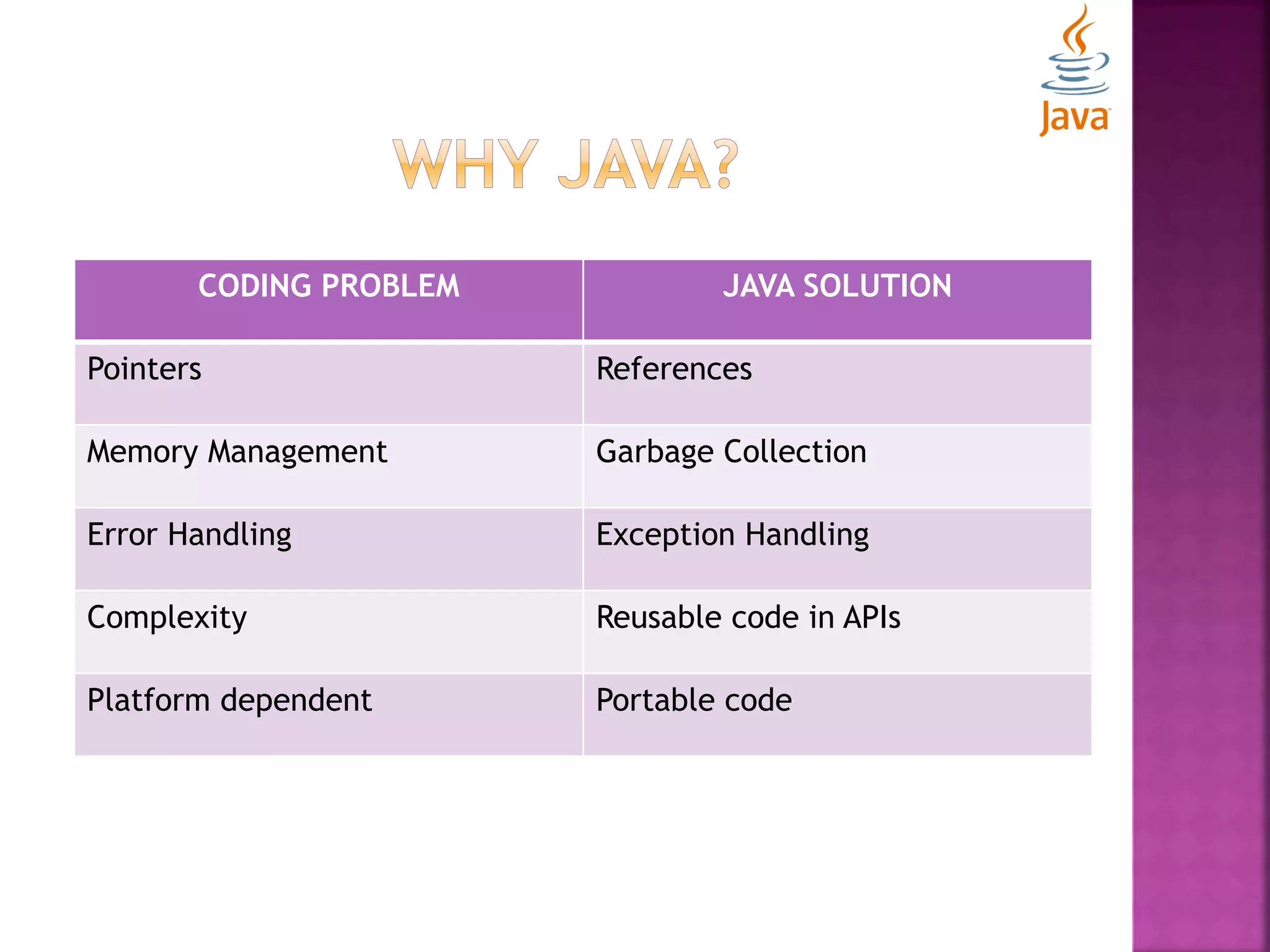
CODING PROBLEM JAVA SOLUTION Pointers References Memory Management Garbage Collection Error Handling Exception Handling Complexity Reusable code in APIs Platform dependent Portable code
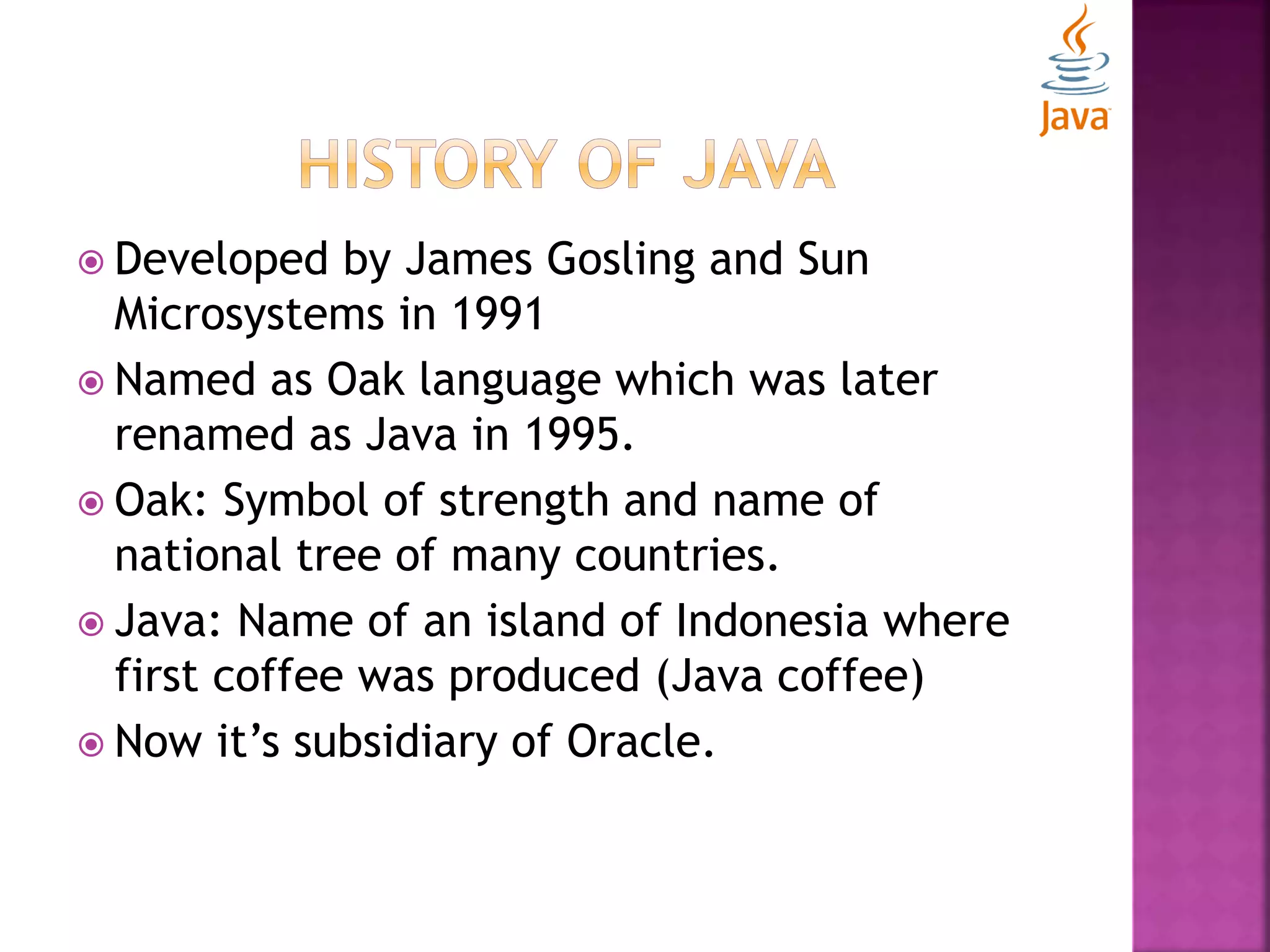
 Developed by James Gosling and Sun Microsystems in 1991  Named as Oak language which was later renamed as Java in 1995.  Oak: Symbol of strength and name of national tree of many countries.  Java: Name of an island of Indonesia where first coffee was produced (Java coffee)  Now it’s subsidiary of Oracle.
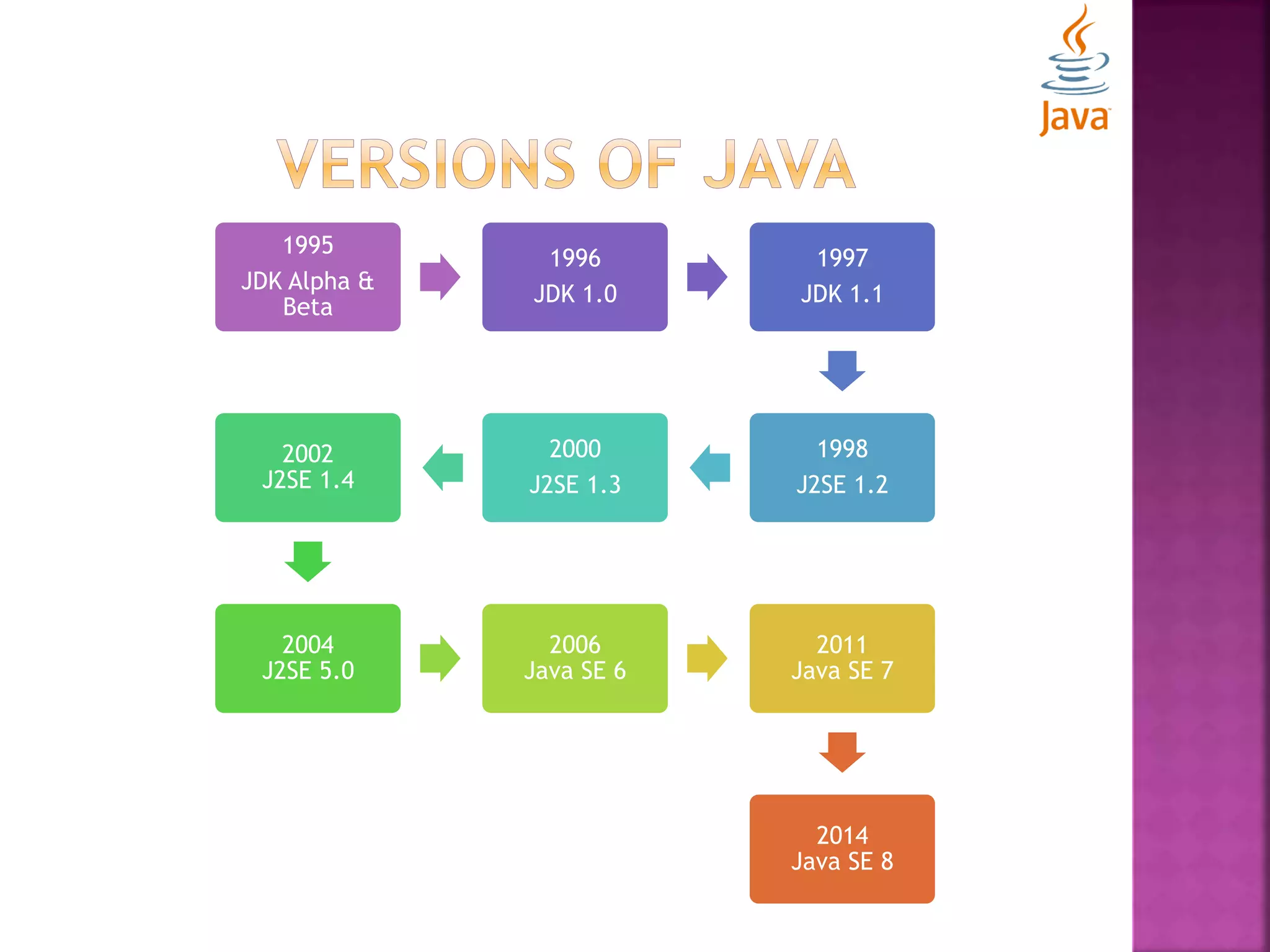
1995 JDK Alpha & Beta 1996 JDK 1.0 1997 JDK 1.1 1998 J2SE 1.2 2000 J2SE 1.3 2002 J2SE 1.4 2004 J2SE 5.0 2006 Java SE 6 2011 Java SE 7 2014 Java SE 8
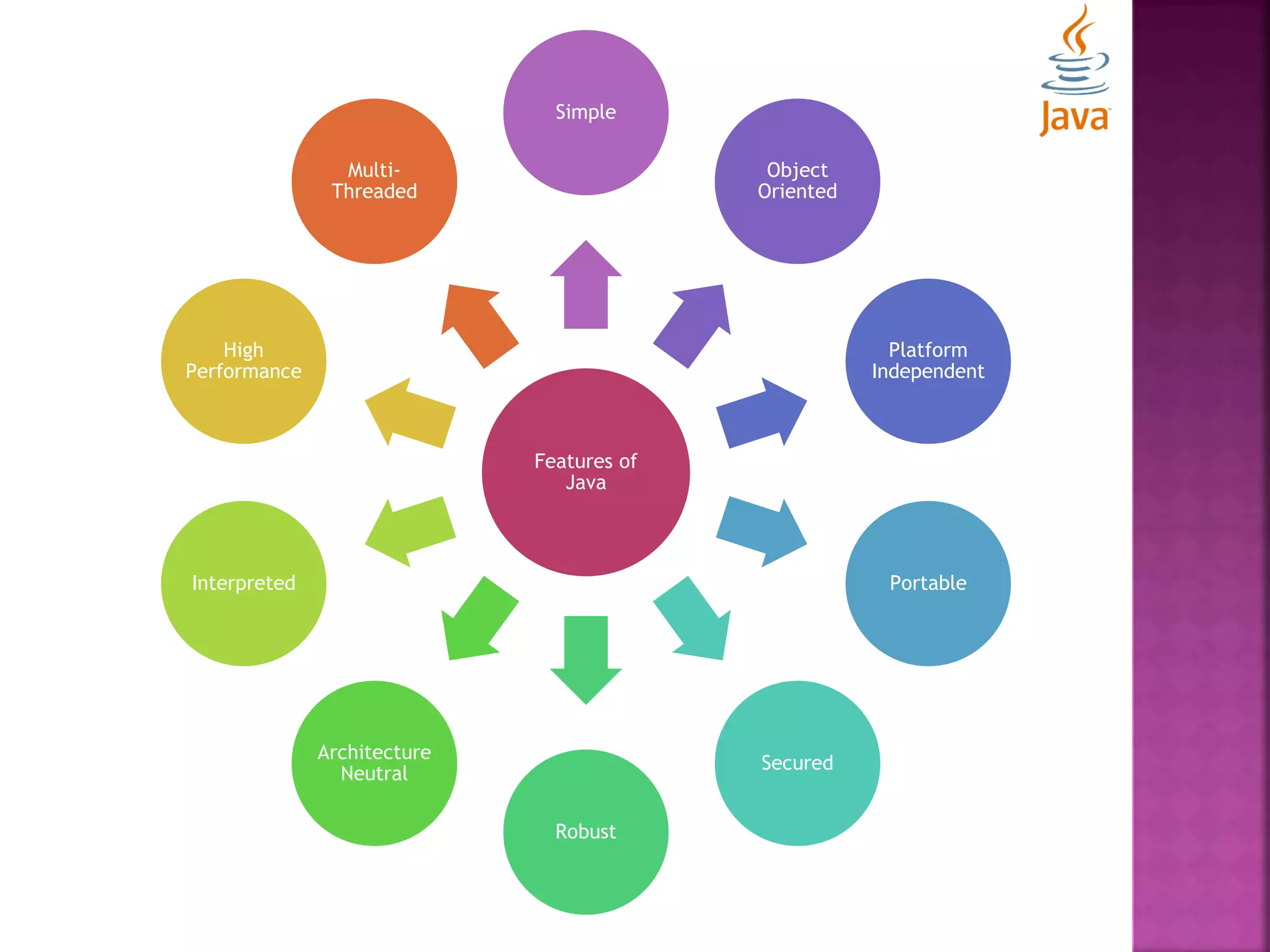
Features of Java Simple Object Oriented Platform Independent Portable Secured Robust Architecture Neutral Interpreted High Performance Multi- Threaded
 An Integrated Development Environment (IDE) for developing applications using Java, C/C++, Python etc.  Composed of plug-ins and designed to be extensible using additional plug-ins.  Developed in Java.  Java Development Tools (JDT) provides a plug-in that allows Eclipse to be used as a Java IDE.
class MyFirstProgram { public static void main (String args[]) { System.out.println(“I have just started.”); } } Compile: javac MyFirstProgram.java Run/Execute: java MyFirstProgram
class MyFirstProgram //simple java program { /** @javadoc this would be documented in java * @main this method is main method of class */ public static void main (String args[]) { /* This line won’t print on console because of multiline comment block */ System.out.println(“I have just started.”); } }
 JVM, JRE and JDK  Internal Architecture of JVM  Naming Conventions  Data Types  Variables
 JVM:  An abstract machine.  Provides runtime environment in which java byte code can be executed.  JVM, JRE and JDK are platform dependent because of the different configurations of different OS  But, Java is platform independent.  Tasks Performed by JVM: Loads code, Verifies code, Executes code
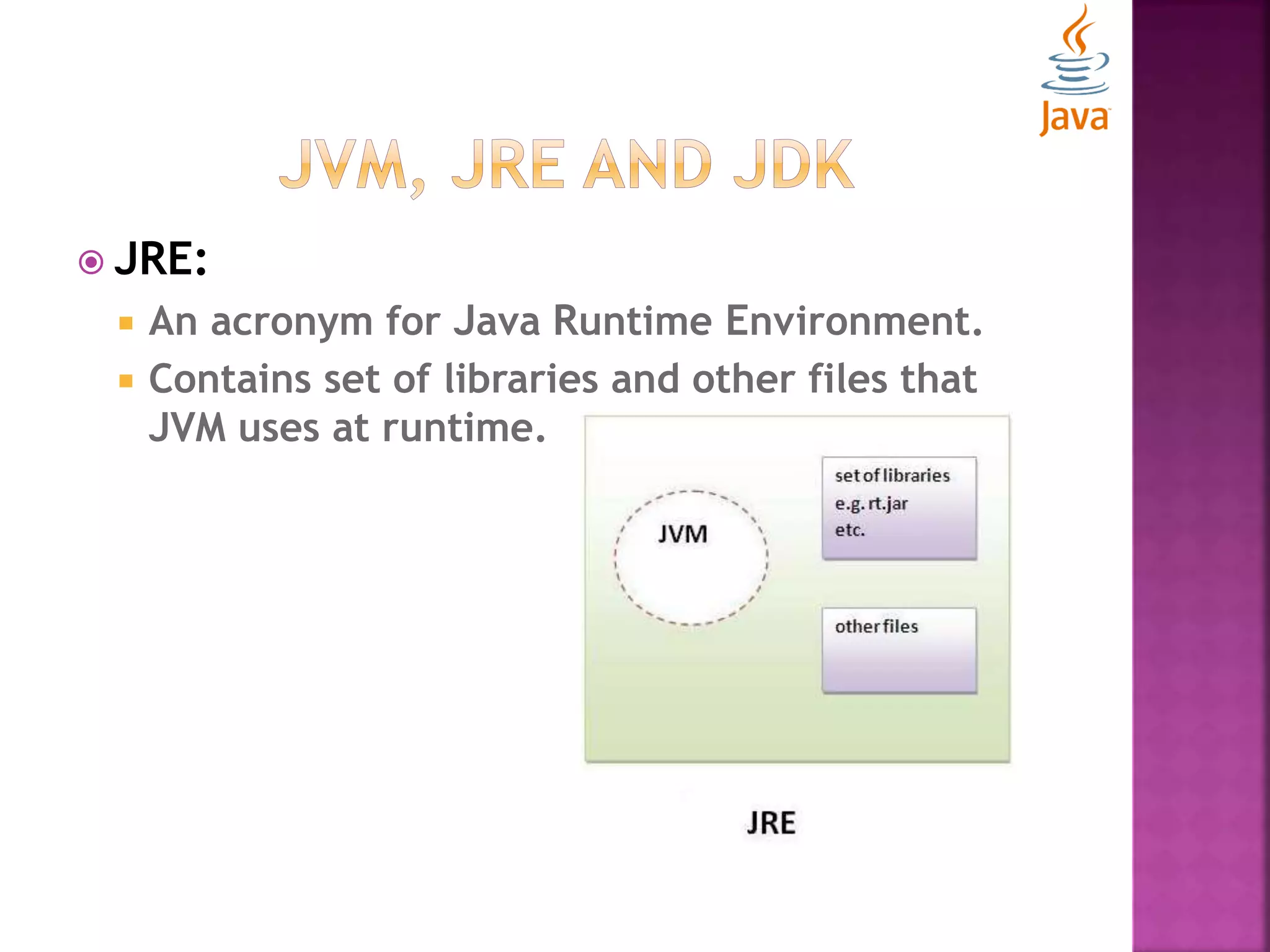
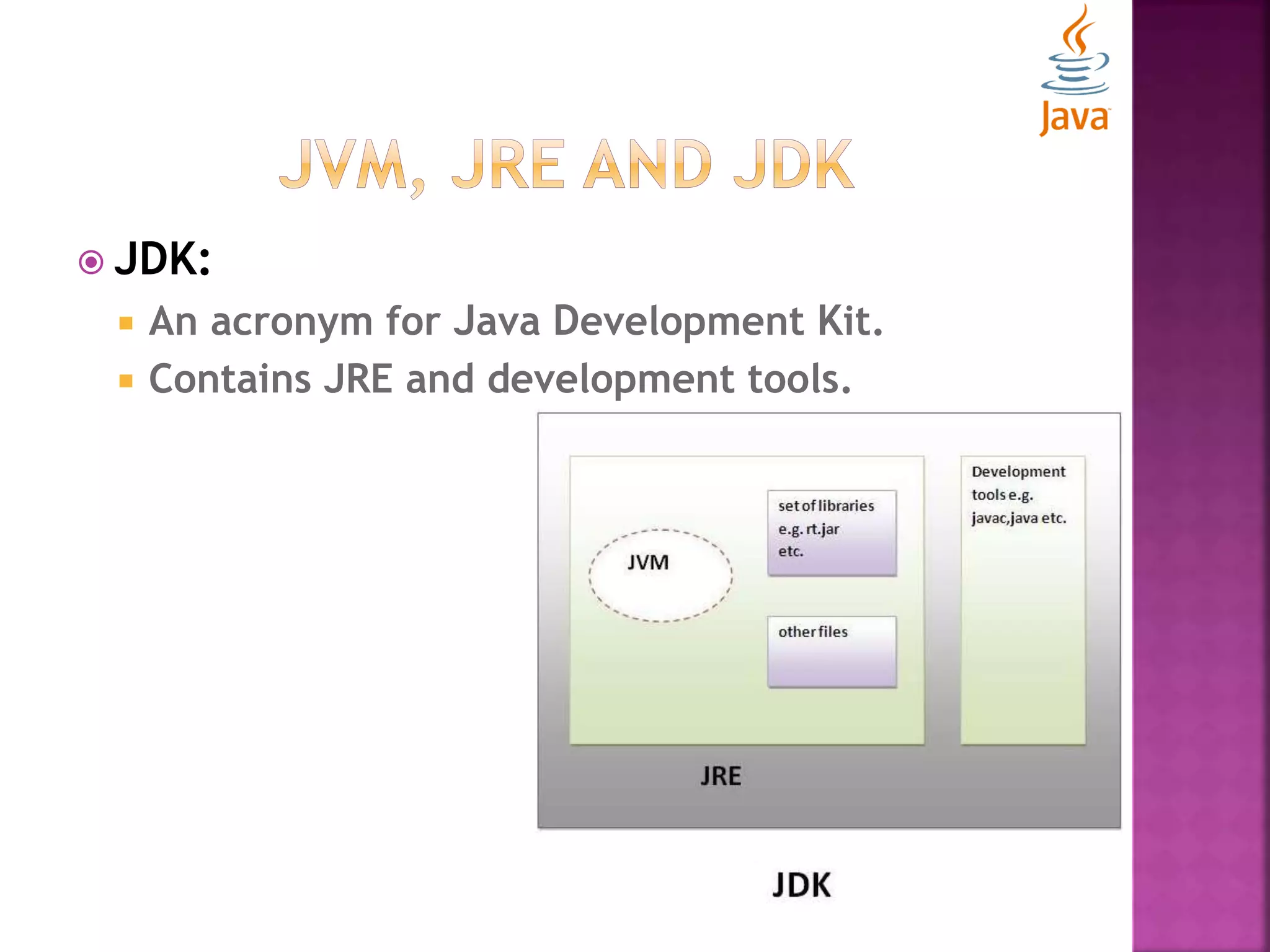
 JRE:  An acronym for Java Runtime Environment.  Contains set of libraries and other files that JVM uses at runtime.
 JDK:  An acronym for Java Development Kit.  Contains JRE and development tools.
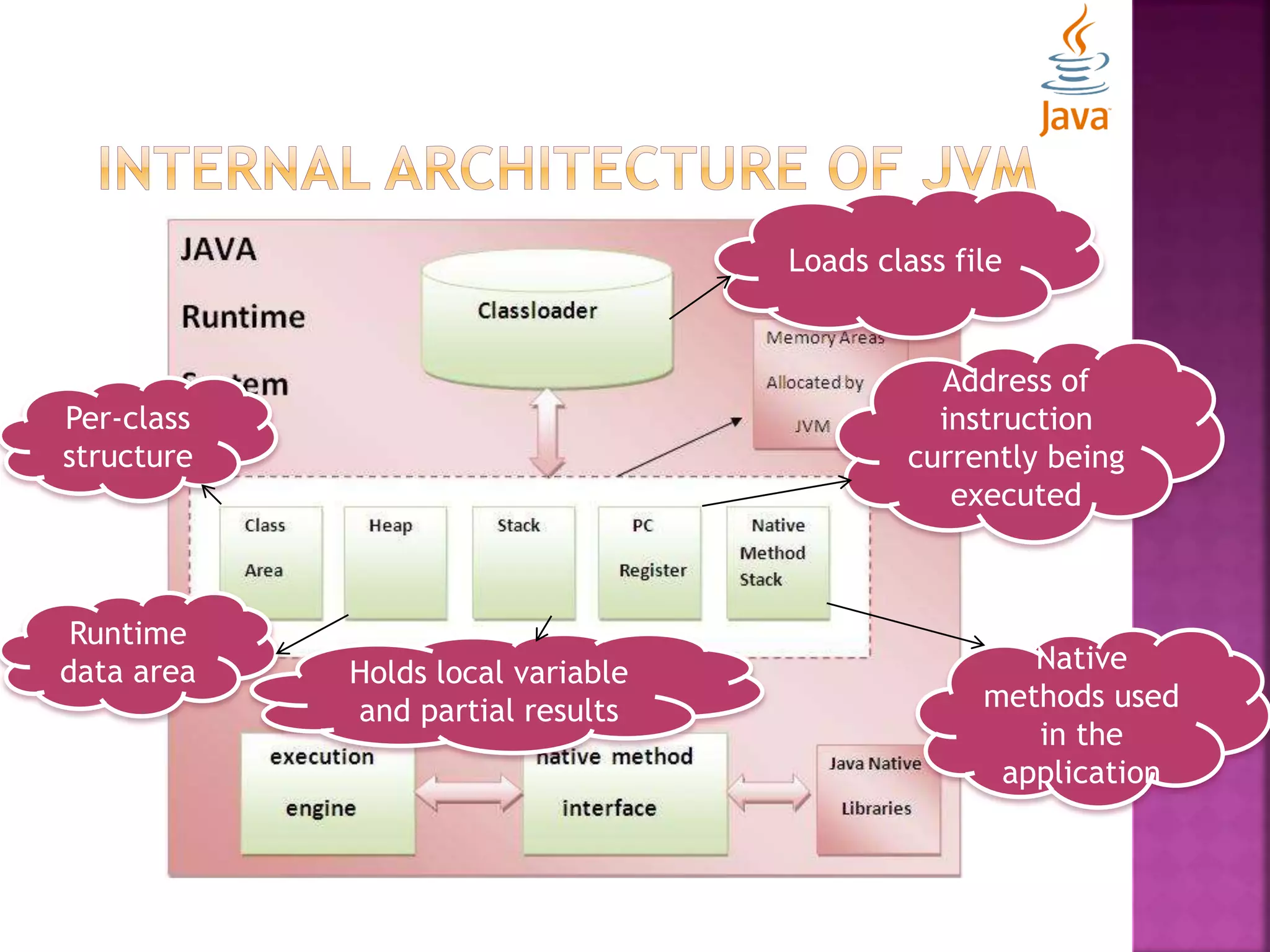
Loads class file Per-class structure Runtime data area Holds local variable and partial results Address of instruction currently being executed Native methods used in the application
 Rule to follow as you decide what to name your identifiers such as class, package, variable, constant, method etc.  Not forced to follow, that is why known as convention not rule.  Advantages:  Make your code easier to read for yourself and for other programmers.  it takes less time to figure out what the code does.
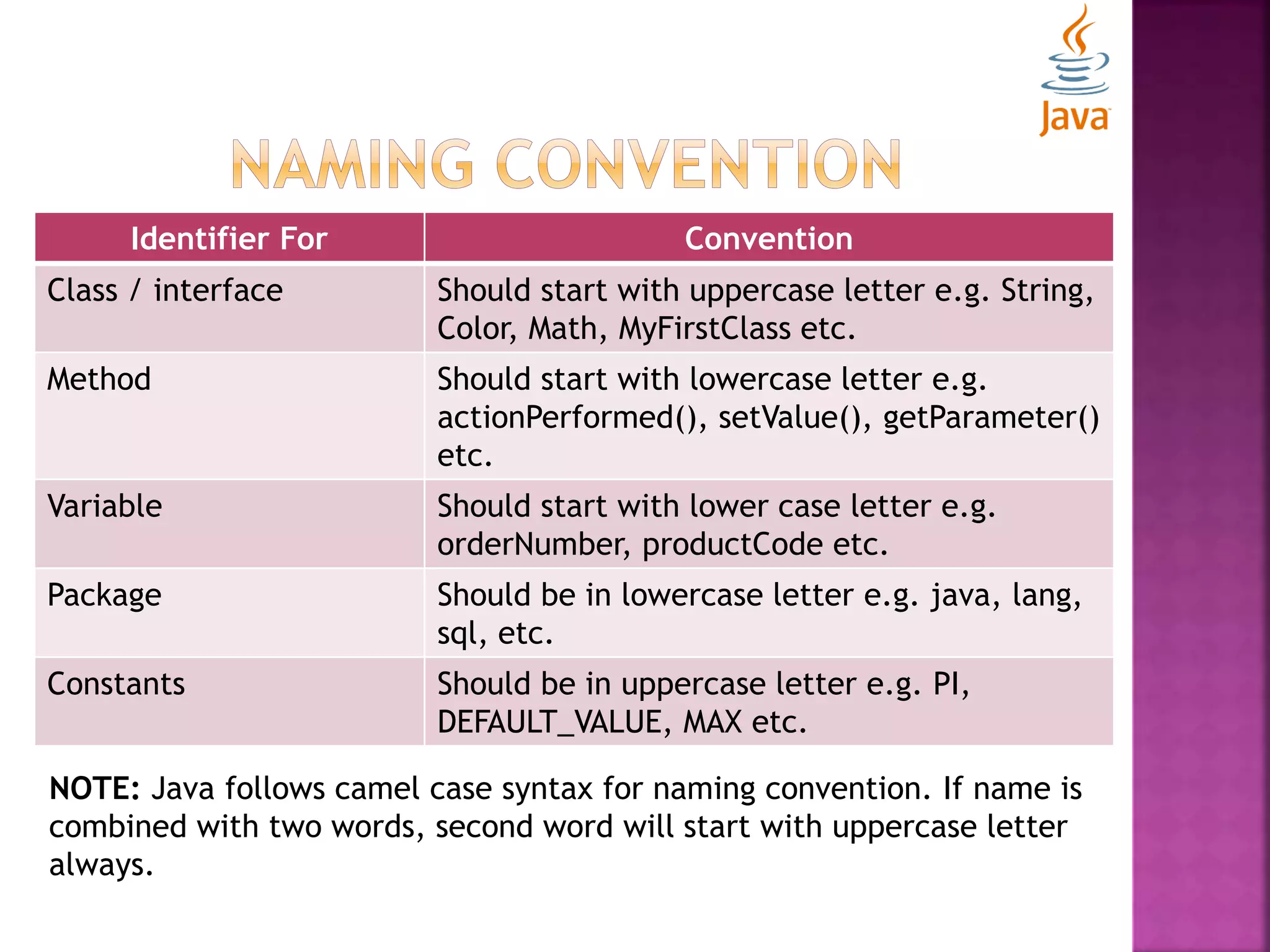
Identifier For Convention Class / interface Should start with uppercase letter e.g. String, Color, Math, MyFirstClass etc. Method Should start with lowercase letter e.g. actionPerformed(), setValue(), getParameter() etc. Variable Should start with lower case letter e.g. orderNumber, productCode etc. Package Should be in lowercase letter e.g. java, lang, sql, etc. Constants Should be in uppercase letter e.g. PI, DEFAULT_VALUE, MAX etc. NOTE: Java follows camel case syntax for naming convention. If name is combined with two words, second word will start with uppercase letter always.
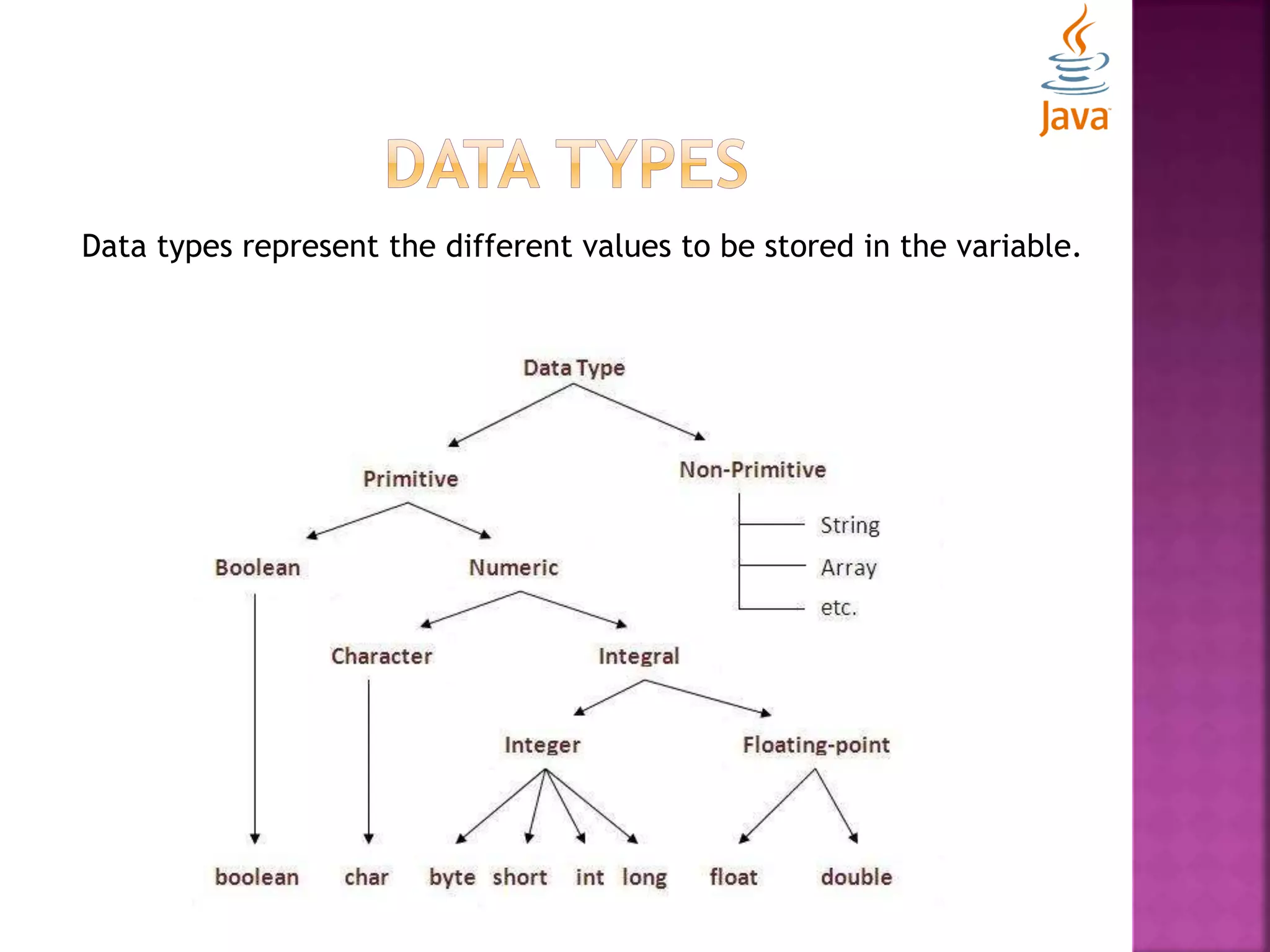
Data types represent the different values to be stored in the variable.
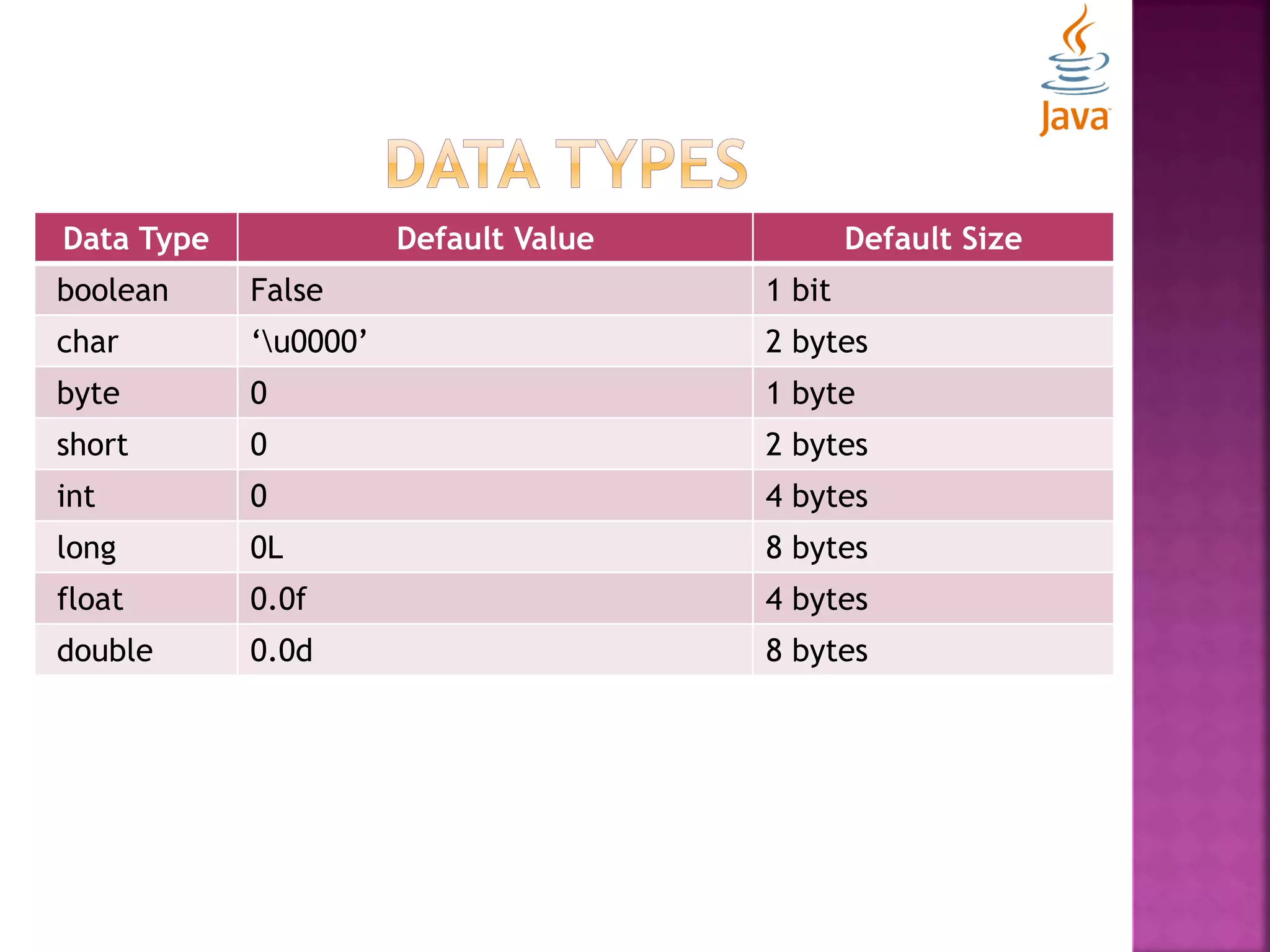
Data Type Default Value Default Size boolean False 1 bit char ‘u0000’ 2 bytes byte 0 1 byte short 0 2 bytes int 0 4 bytes long 0L 8 bytes float 0.0f 4 bytes double 0.0d 8 bytes
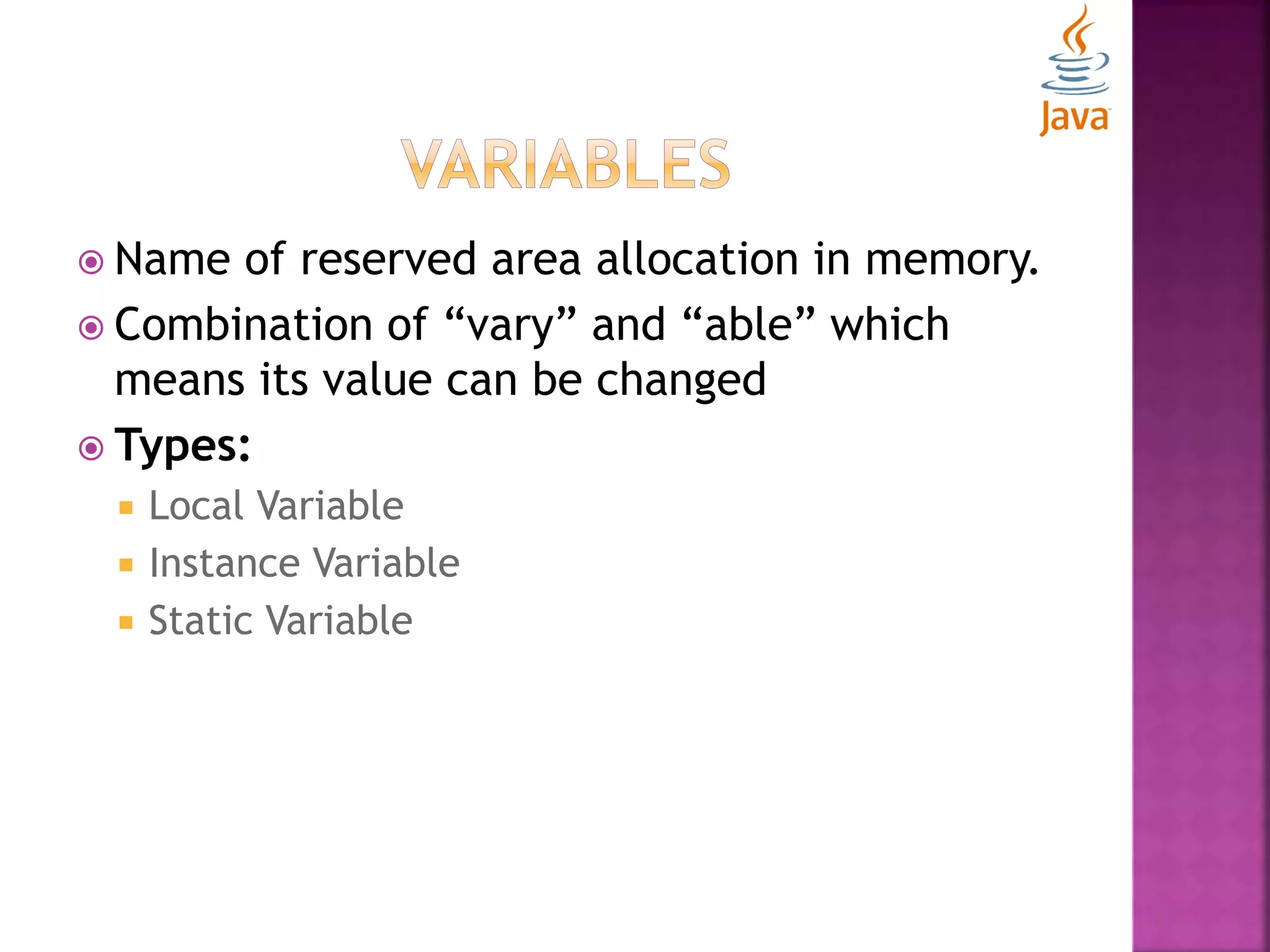
 Name of reserved area allocation in memory.  Combination of “vary” and “able” which means its value can be changed  Types:  Local Variable  Instance Variable  Static Variable
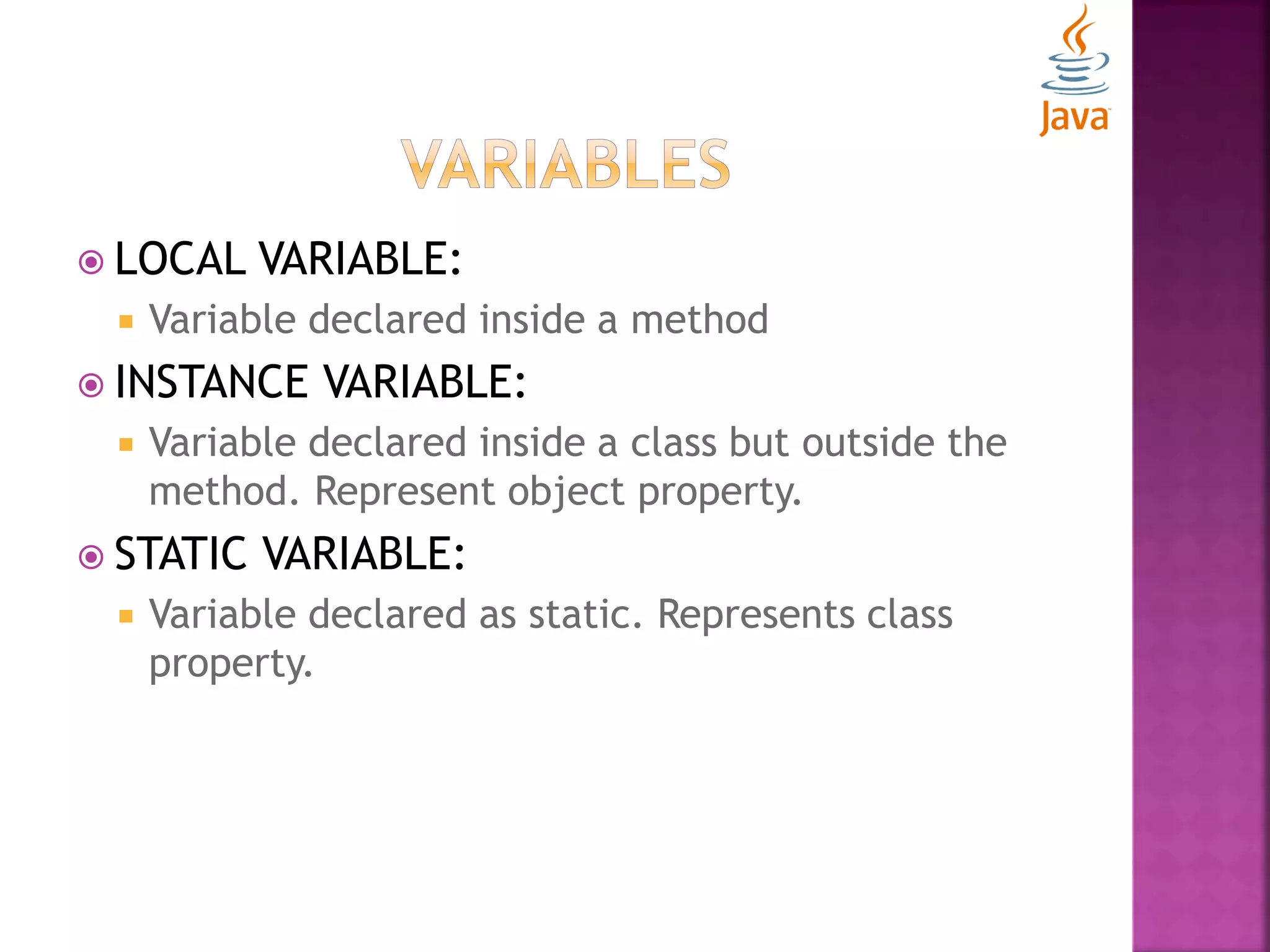
 LOCAL VARIABLE:  Variable declared inside a method  INSTANCE VARIABLE:  Variable declared inside a class but outside the method. Represent object property.  STATIC VARIABLE:  Variable declared as static. Represents class property.
 Unicode System  Operators  Command line arguments  Control statements
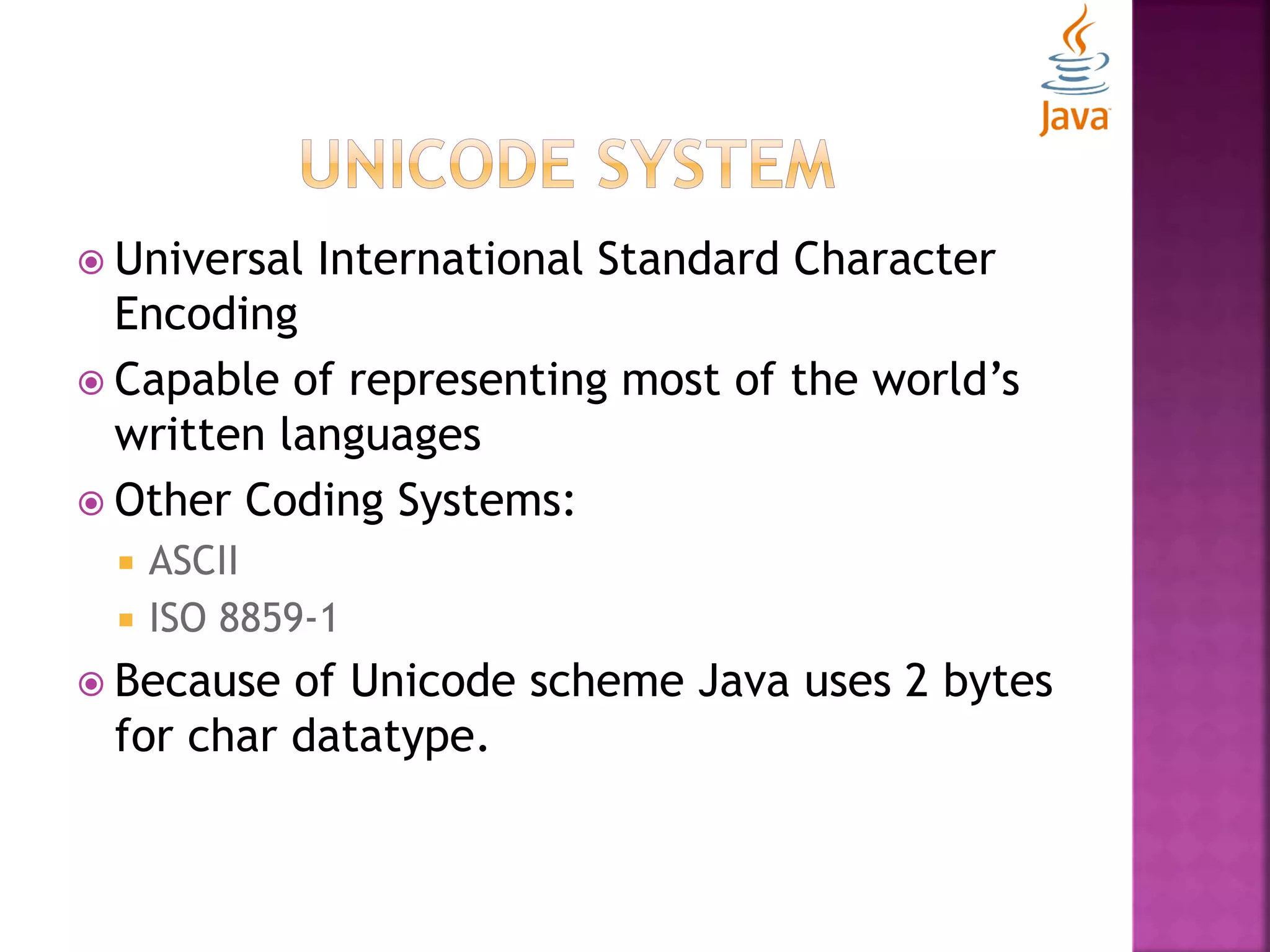
 Universal International Standard Character Encoding  Capable of representing most of the world’s written languages  Other Coding Systems:  ASCII  ISO 8859-1  Because of Unicode scheme Java uses 2 bytes for char datatype.
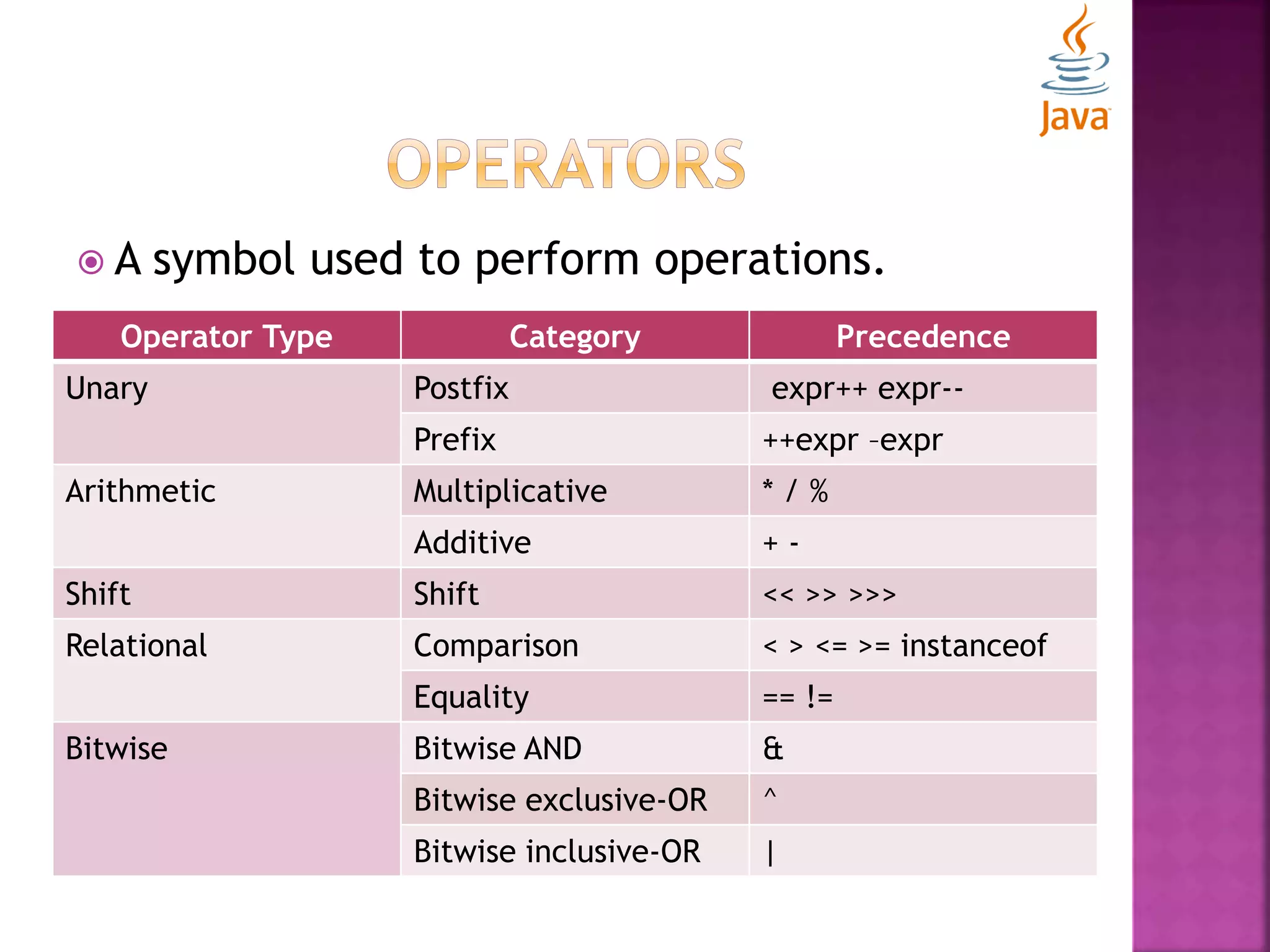
 A symbol used to perform operations. Operator Type Category Precedence Unary Postfix expr++ expr-- Prefix ++expr –expr Arithmetic Multiplicative * / % Additive + - Shift Shift << >> >>> Relational Comparison < > <= >= instanceof Equality == != Bitwise Bitwise AND & Bitwise exclusive-OR ^ Bitwise inclusive-OR |
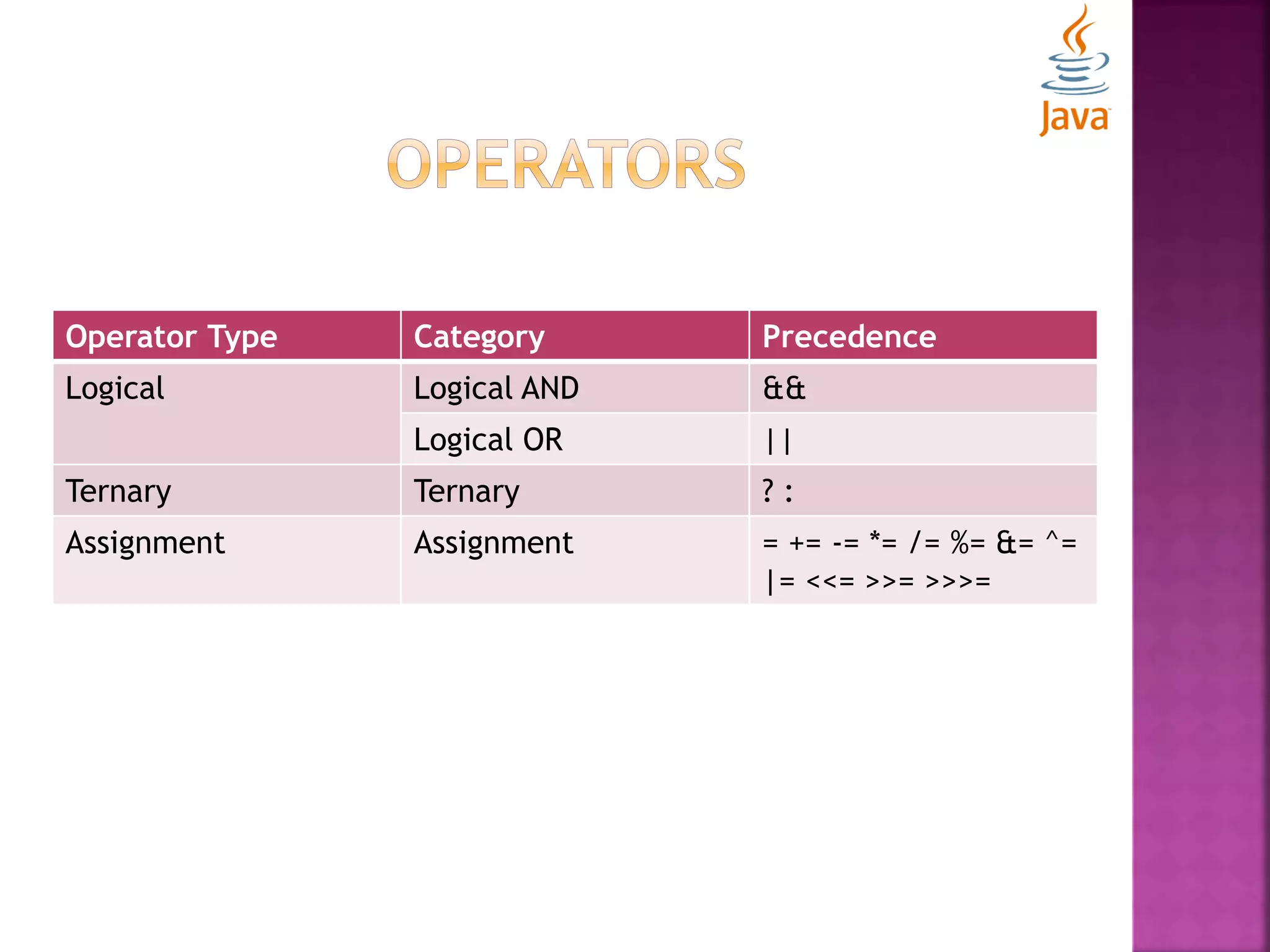
Operator Type Category Precedence Logical Logical AND && Logical OR || Ternary Ternary ? : Assignment Assignment = += -= *= /= %= &= ^= |= <<= >>= >>>=
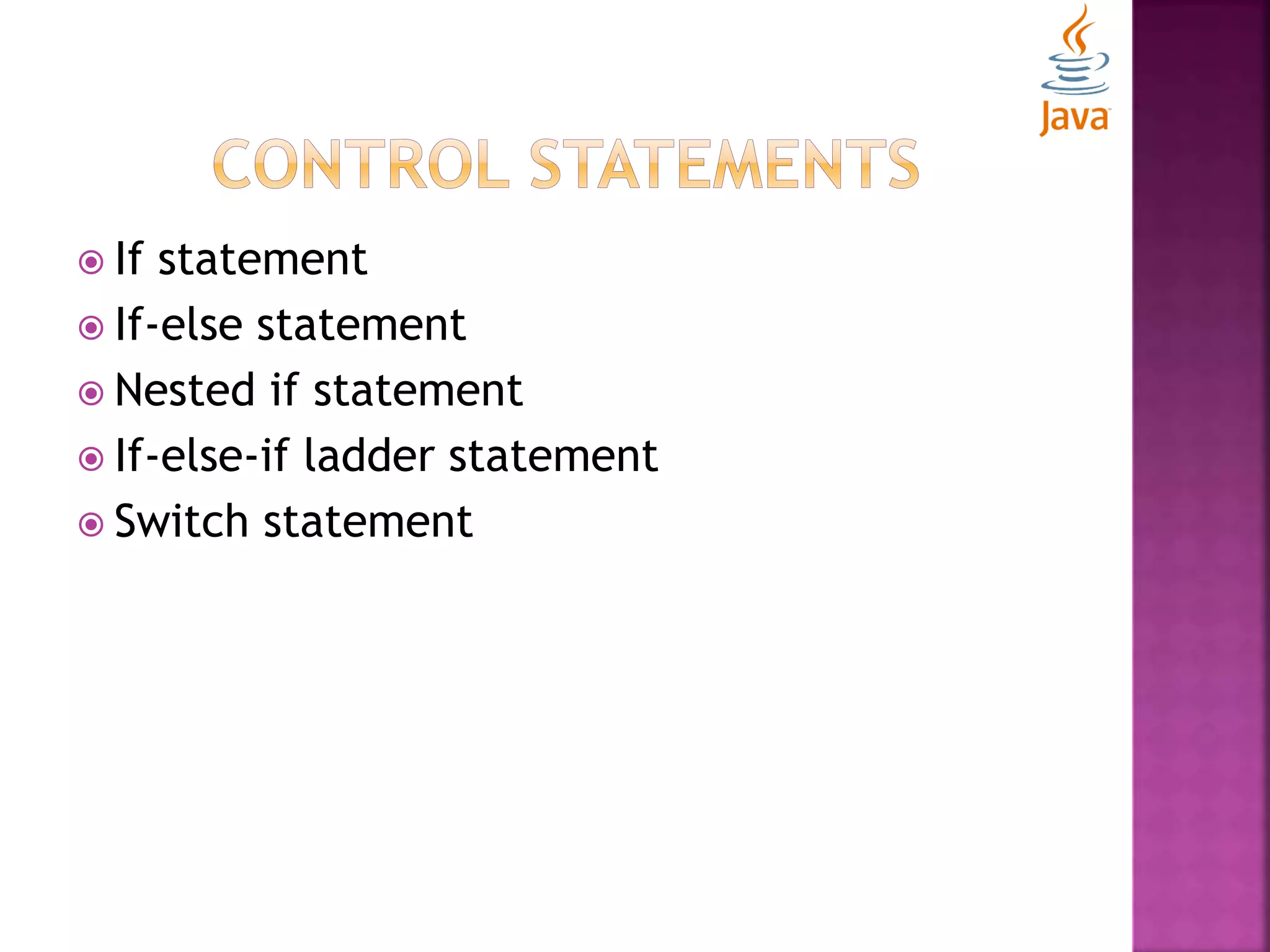
 If statement  If-else statement  Nested if statement  If-else-if ladder statement  Switch statement
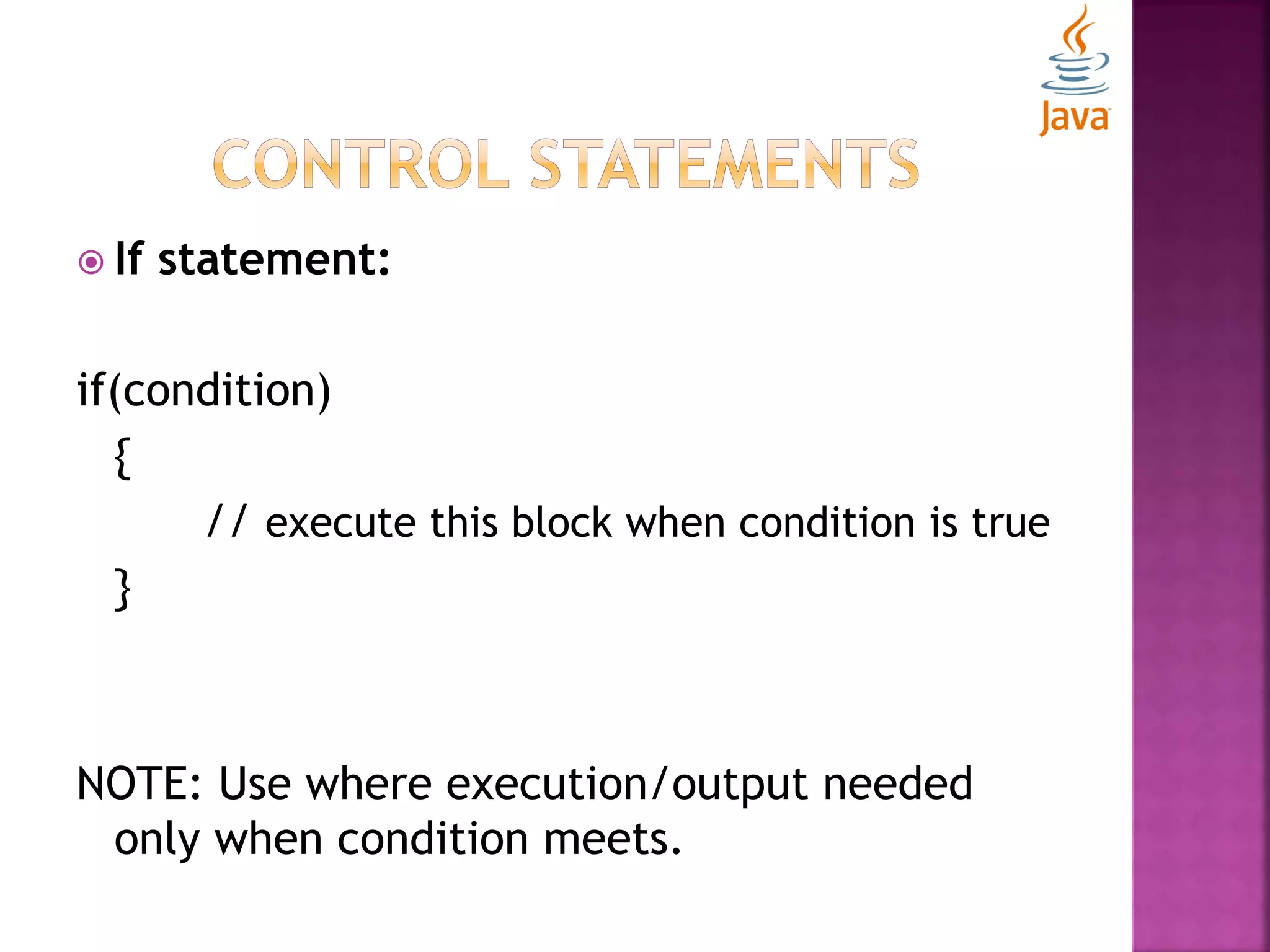
 If statement: if(condition) { // execute this block when condition is true } NOTE: Use where execution/output needed only when condition meets.
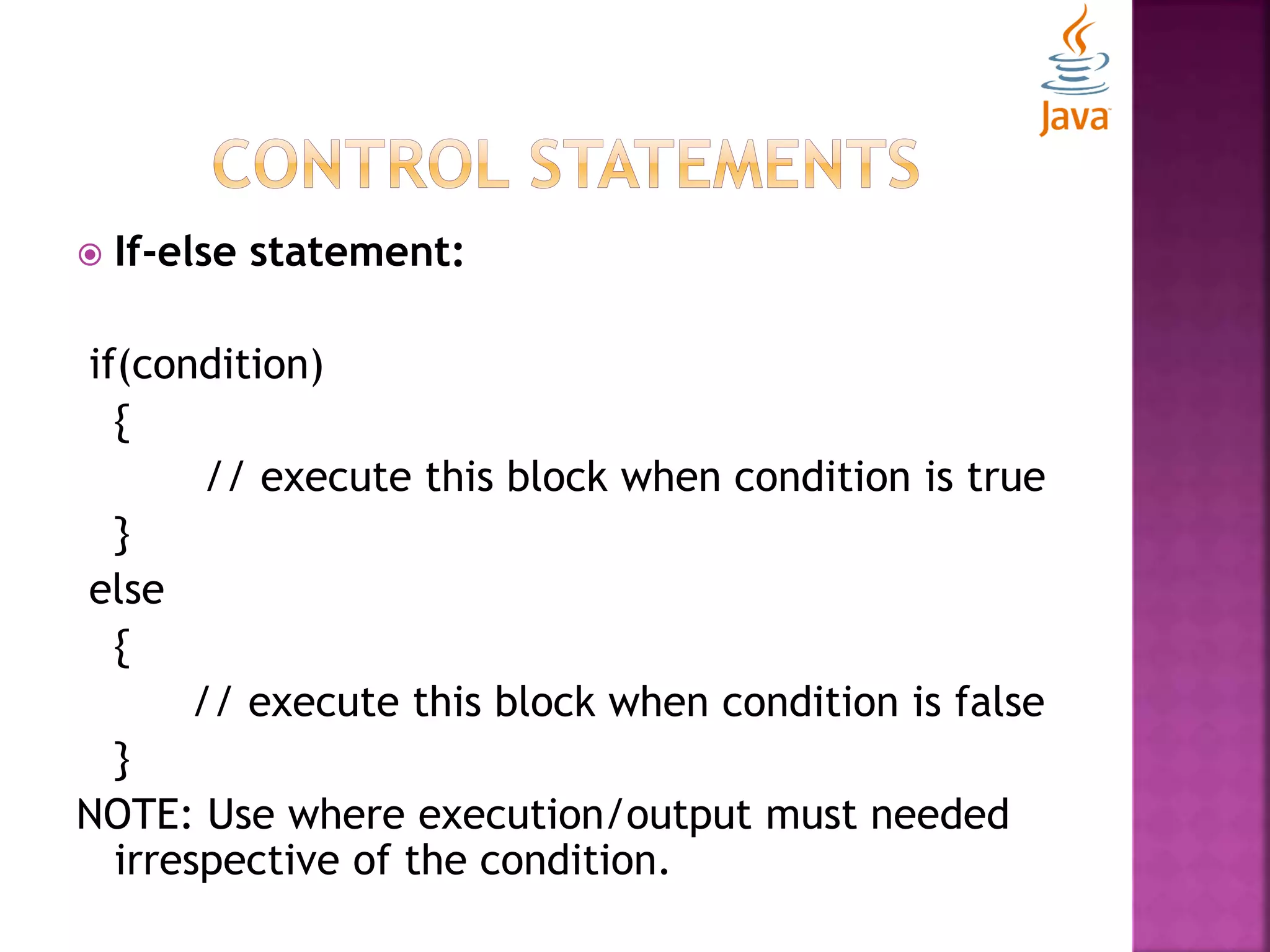
 If-else statement: if(condition) { // execute this block when condition is true } else { // execute this block when condition is false } NOTE: Use where execution/output must needed irrespective of the condition.
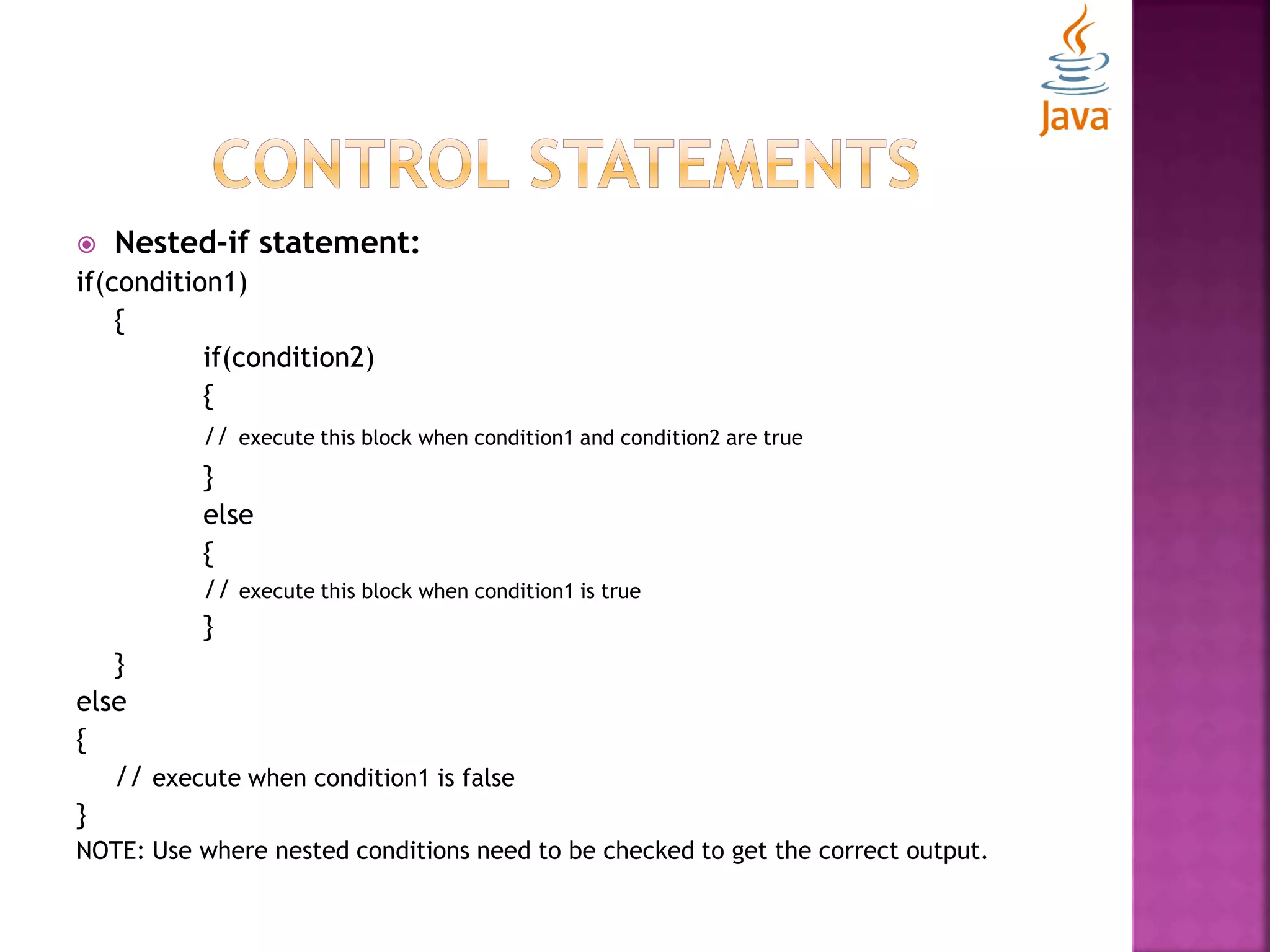
 Nested-if statement: if(condition1) { if(condition2) { // execute this block when condition1 and condition2 are true } else { // execute this block when condition1 is true } } else { // execute when condition1 is false } NOTE: Use where nested conditions need to be checked to get the correct output.
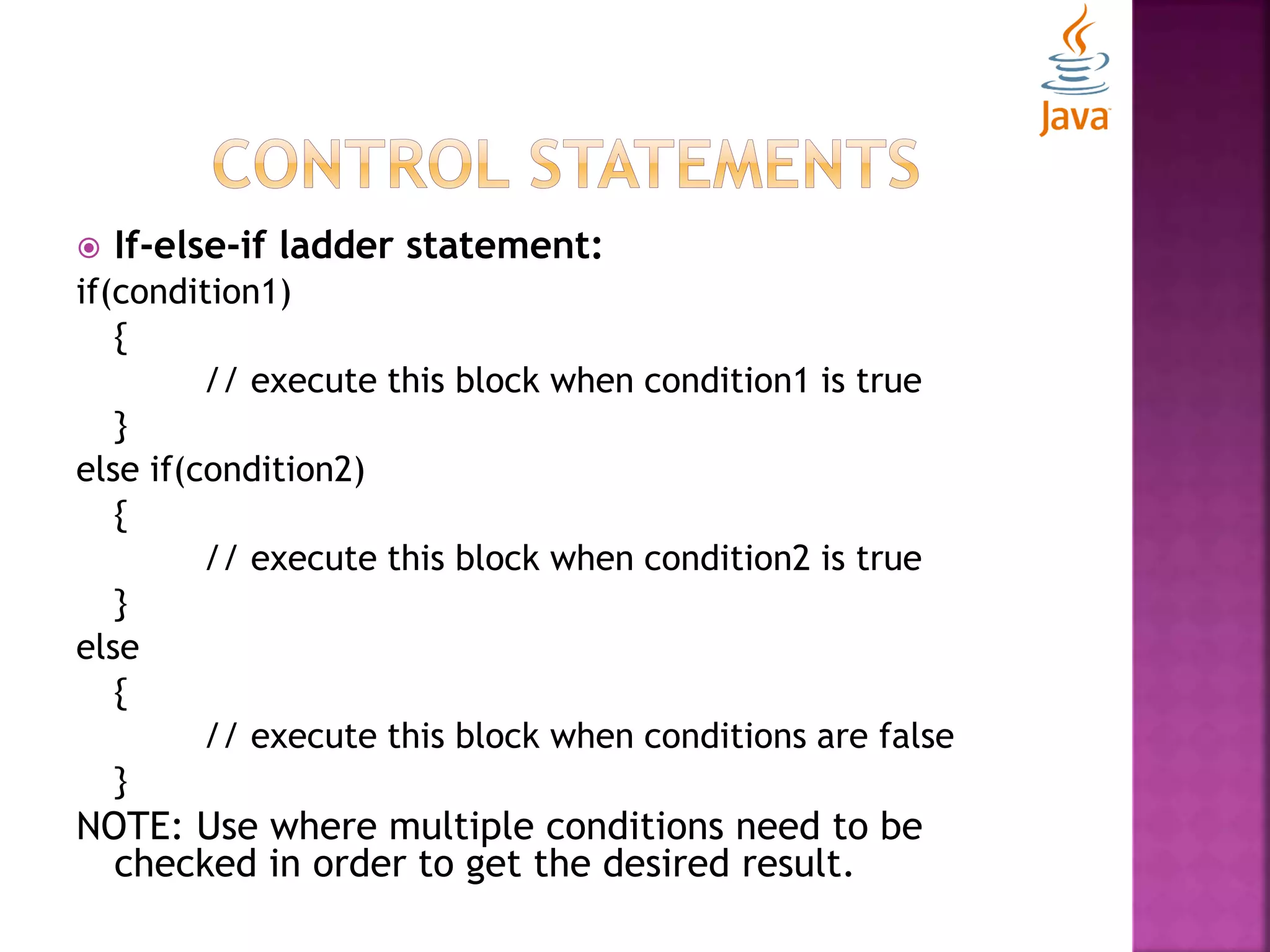
 If-else-if ladder statement: if(condition1) { // execute this block when condition1 is true } else if(condition2) { // execute this block when condition2 is true } else { // execute this block when conditions are false } NOTE: Use where multiple conditions need to be checked in order to get the desired result.
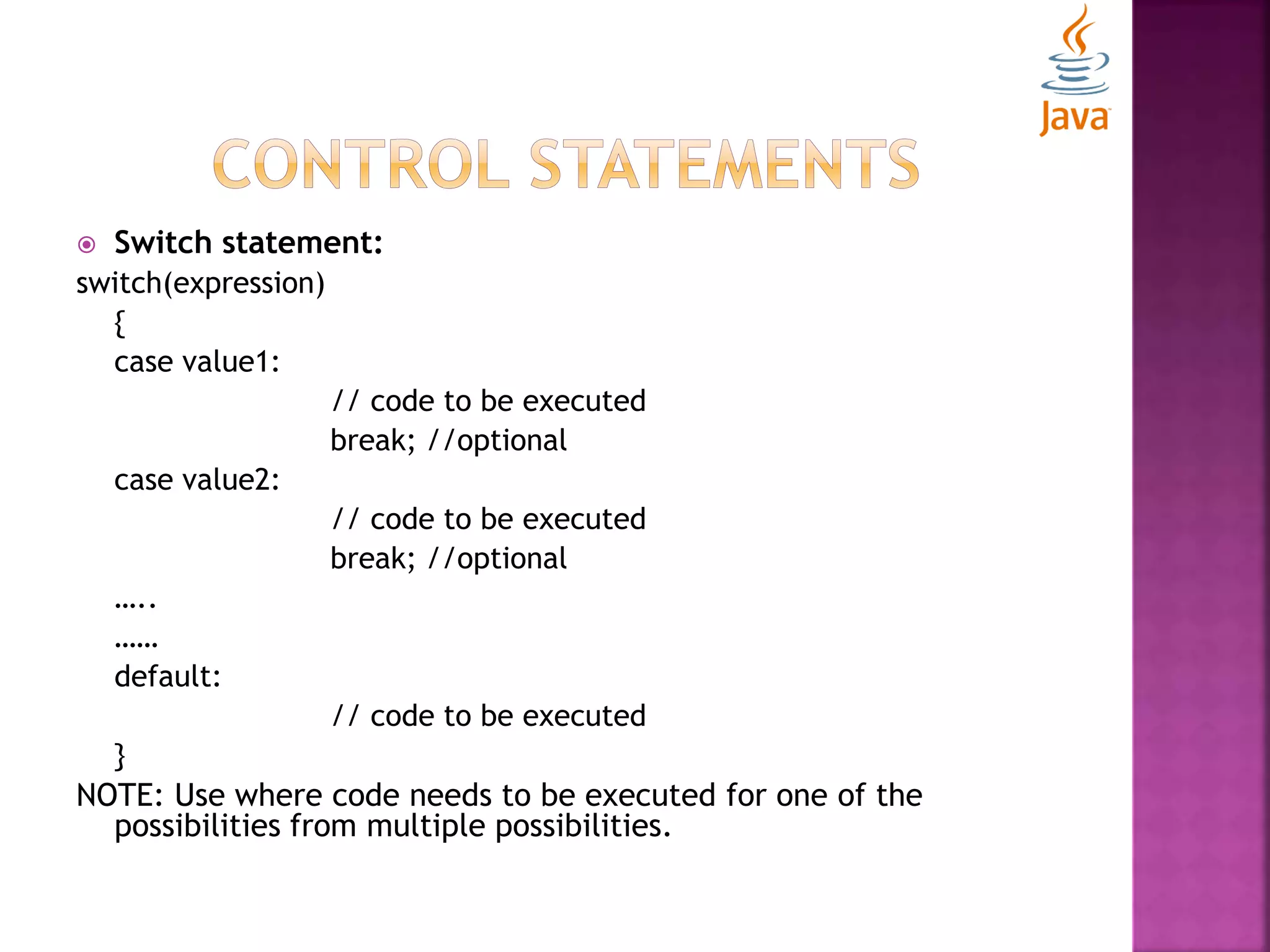
 Switch statement: switch(expression) { case value1: // code to be executed break; //optional case value2: // code to be executed break; //optional ….. …… default: // code to be executed } NOTE: Use where code needs to be executed for one of the possibilities from multiple possibilities.
 Loop statements  Arrays  OOPS Concepts
 There are three types of loop statements:  For Loop  While Loop  Do-while Loop
 For Loop: for(initialization; condition; increment/ decrement) { // code to be executed } NOTE: Use this statement where number of iterations are fixed/ known before.
 For Loop (enhanced): for(Type var: array) { // code to be executed } NOTE: Use this statement over arrays/ collections.
 For Loop (labelled): labelname: for(initialization; condition; increment/decrement) { // code to be executed } NOTE: Use this statement where you have nested loops and needs to break/continue specific loop.
 While Loop: while(condition) { // code to be executed } NOTE: Use this statement where number of iterations are not fixed/ known before.
 Do-While Loop: do { // code to be executed } while(condition); NOTE: Use this statement where number of iterations are not fixed/ known before but still you have to iterate at least once.
 Break statement in loops:  Used to break loop or switch statement  Breaks the current flow of the program at specified condition.  In case of inner loop, breaks only inner loop.  Continue Statement in loops:  Used to continue loop.  Continues the current flow of the program and skips the remaining code at specified position.  In case of inner loop, continues only inner loop.
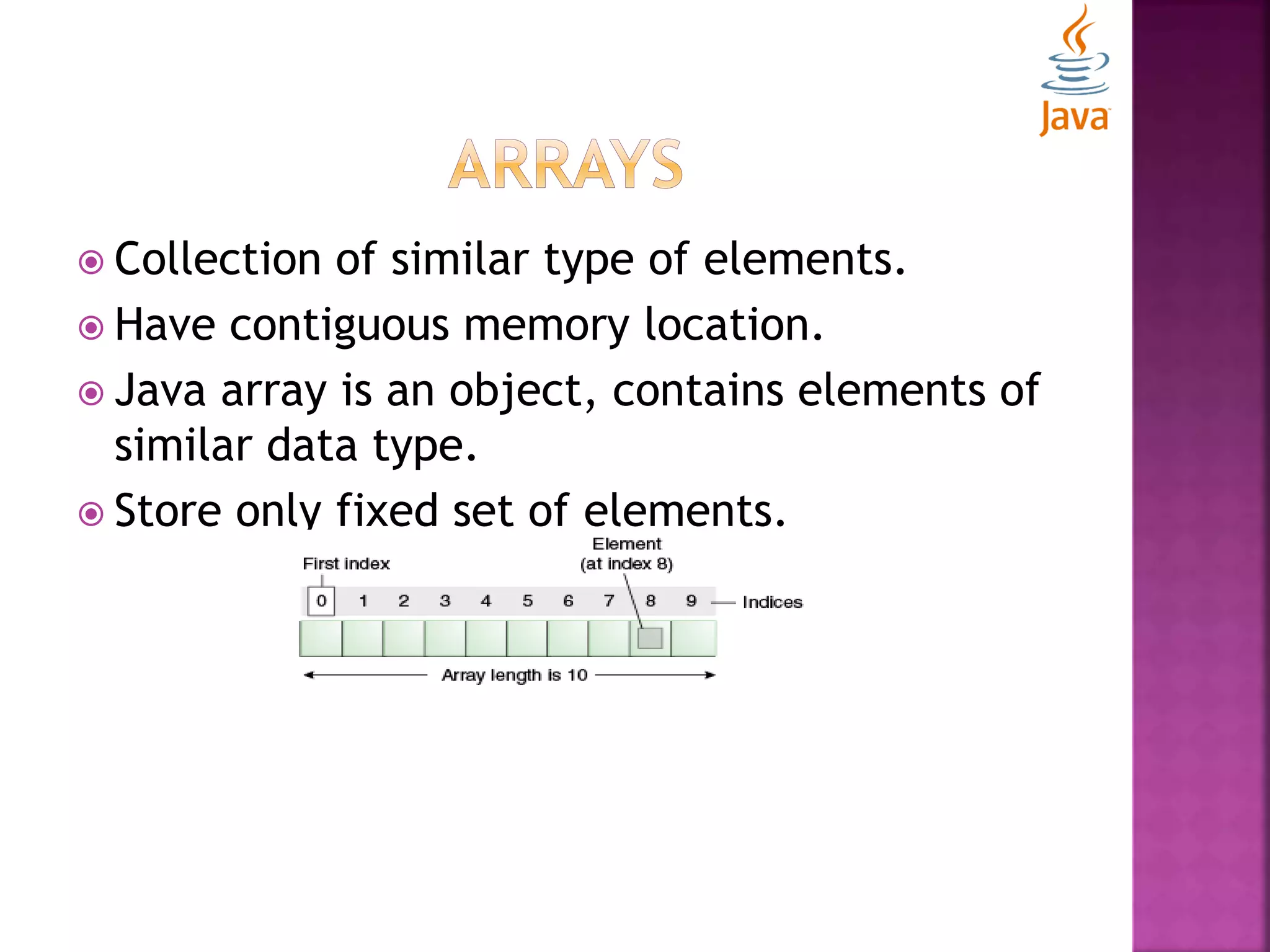
 Collection of similar type of elements.  Have contiguous memory location.  Java array is an object, contains elements of similar data type.  Store only fixed set of elements.
 Pros:  Code Optimization: retrieve or sort the data easily.  Random access: Get any data located at any index position.  Cons:  Size Limit: Store only fixed no. of elements. Doesn’t grow at runtime.
 Types of Arrays:  Single Dimensional Array  Multi-dimensional Array  Single Dimensional Array:  Declaration: dataType[] array; or //preferred way dataType []array; or dataType array[];  Instantiation: array[]=new dataType[size];
 Multi-dimensional Array:  Declaration: dataType[][] array; or //preferred way dataType [][]array; or dataType array[][]; or dataType []array[];  Instantiation: array[][]=new dataType[size][size];
 Object Oriented Programming is a paradigm that provides many concepts like polymorphism, encapsulation, inheritance etc.  Simula is considered as first Object-oriented programming language.  Smalltalk is considered as the first truly Object-oriented programming language.
 Object Oriented Programming is a paradigm to design program using objects and classes.  Uses the following concepts:  Object  Class  Inheritance  Polymorphism  Encapsulation  Abstraction
 Object:  Any entity that has state and behavior.  For e.g. chair, pen, table, etc.  Class:  Collection of objects.  Logical entity  Inheritance:  When one object acquires properties and behaviors of parent object.  Provides code reusability.  Use to achieve runtime polymorphism.
 Polymorphism:  When one task is performed by different ways.  Two types: Compile-time and Run-time.  Encapsulation:  Binding (or wrapping) code and data together into a single unit.  Abstraction:  Hiding internal details and showing functionality.
 Makes development and maintenance easier.  Provides data hiding.  Provides ability to simulate real-world event much more effectively. NOTE: There is a difference between Object- based language and Object-oriented language. Object-based doesn’t follow all the concepts of OOPS such as inheritance.
 Object & Classes  Constructors
 Object:  Physical as well as logical entity.  Has state and behavior e.g. chair, table, pen etc.  Main characteristics:  State: represents data (value) of an object.  Behavior: represents the behavior (functionality) of an object such as play() etc.  Identity: Implemented via a unique ID that is used by JVM only. (not visible to external user)  It is an instance of a class.  Class acts as template or blueprint from which objects are created.
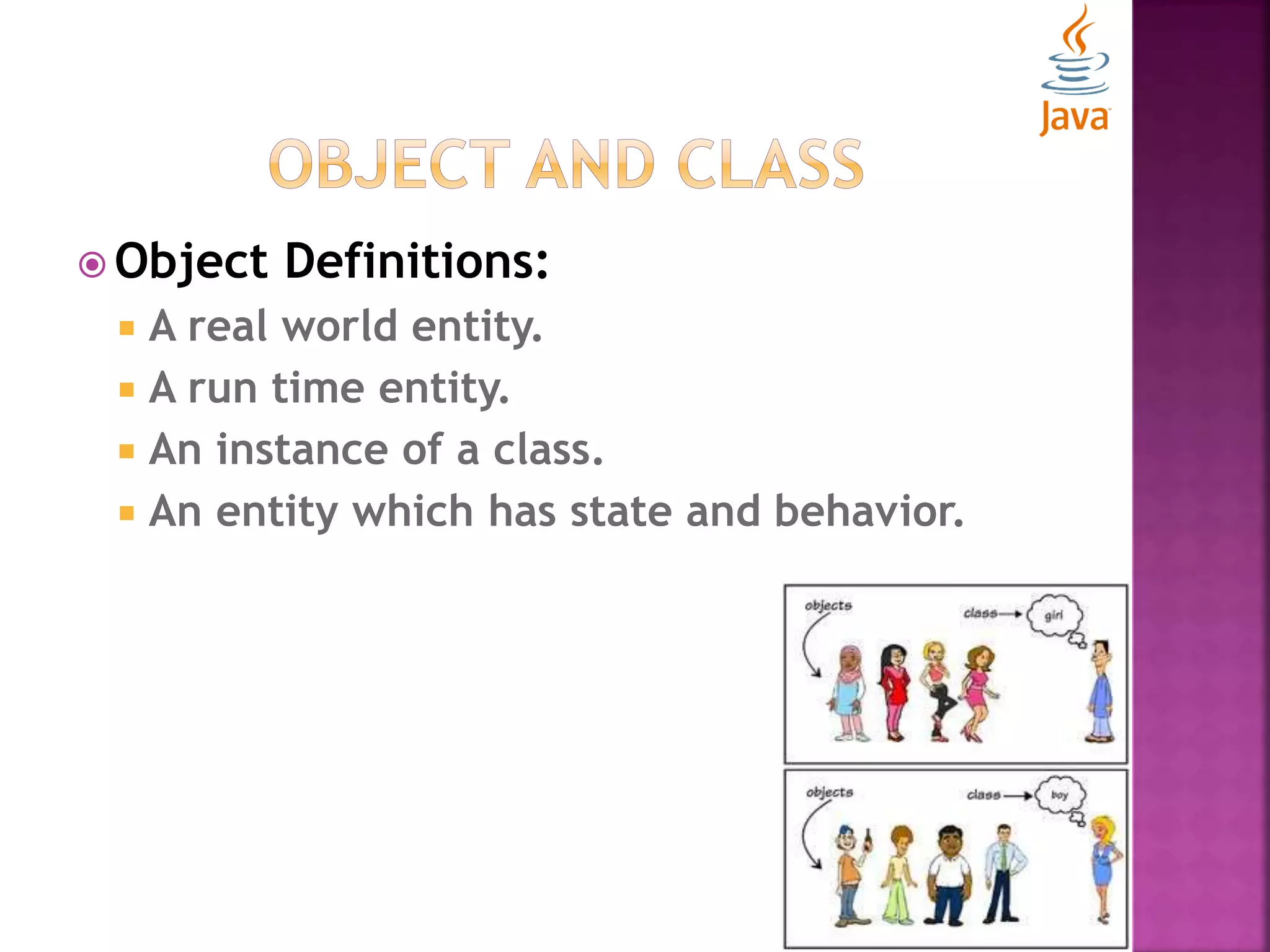
 Object Definitions:  A real world entity.  A run time entity.  An instance of a class.  An entity which has state and behavior.
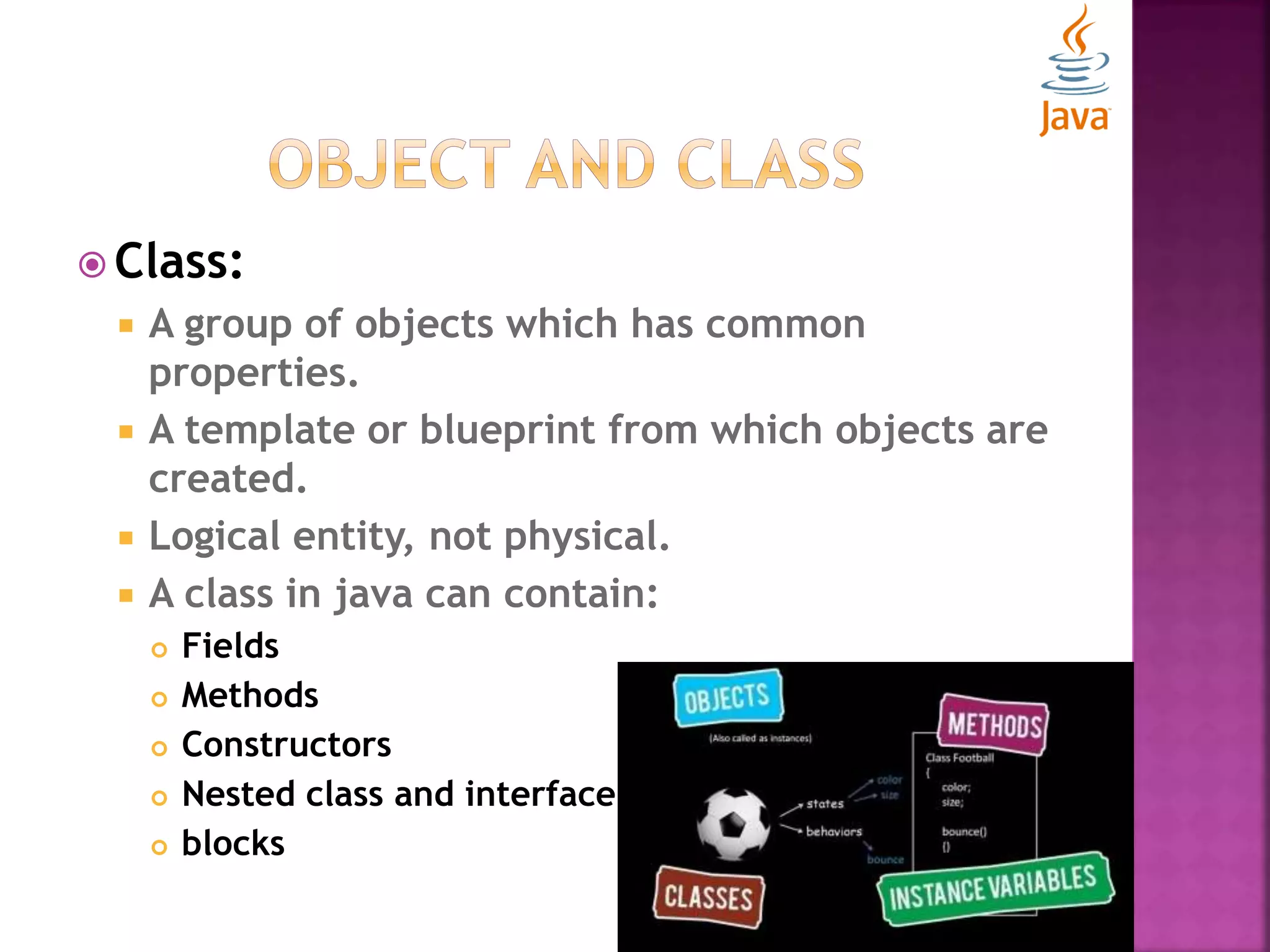
 Class:  A group of objects which has common properties.  A template or blueprint from which objects are created.  Logical entity, not physical.  A class in java can contain:  Fields  Methods  Constructors  Nested class and interface  blocks
 Instance Variables:  Variables which are created inside class but outside the method.  Don’t get the memory at compile time.  Get memory at run time when object (instance) is created.  Methods:  Methods are like functions i.e. used to expose behavior of an object.  Helps in code optimization and reusability.
 new Keyword:  Use to allocate memory at run time.  All objects get memory in Heap memory area.  Methods:  Methods are like functions i.e. used to expose behavior of an object.  Helps in code optimization and reusability.
 Examples: class Customer{ int customerId; //field or data member or instance variable String customerName; public static void main(String args[]){ Customer customer=new Customer(); //creating an object of Customer System.out.println(customer.customerId); //accessing member through reference variable System.out.println(customer.customerName); } } Customer.java
 Examples: class Customer{ int customerId; //field or data member or instance variable String customerName; } class CustomerExample{ public static void main(String args[]){ Customer customer=new Customer(); System.out.println(customer.customerId); System.out.println(customer.customerName); } } CustomerExample.java
 Initialization of object:  By reference variable  By method  By constructor
 By reference variable: class Student{ int studentId; String studentName; } class StudentExample{ public static void main(String args[]){ Student student=new Student(); student.studentId=1001; student.studentName=“Ashu"; System.out.println(student.studentId+" "+student.studentName); } }
 By Method: class Student{ int studentId; String studentName; void createRecord(int id, String name){ studentId=id; studentName=name;} void displayRecord(){ System.out.println(student.studentId+" "+student.studentName); }} class StudentExample{ public static void main(String args[]){ Student student=new Student(); student.createRecord(2001,”Aakash”); student.displayRecord(); }}
 By Constructor:  Special type of method use in java to initialize the objects.  Invoked at the time of object creation.  Rules for constructor:  Constructor name must be same as its class name  Constructor must have no explicit return type  Types of constructor:  Default Constructor  Parameterized Constructor
 Default Constructor:  Constructor that have no parameter. E.g.: class Student{ Student(){System.out.println(" Student is created");} public static void main(String args[]){ Student student=new Student(); } } NOTE: If there is no constructor explicitly defined in the class, compiler automatically creates a default constructor.
 Default Constructor: class Student{ int id; String name; void display(){System.out.println(id+" "+name);} public static void main(String args[]){ Student student1=new Student(); Student student2=new Student(); student1.display(); student2.display(); } }
 Parameterized Constructor:  A constructor that have parameters. class Student{ int studentId; String studentName; Student(int id,String name){ studentId = id; studentName = name; } void display(){System.out.println(studentId+" "+studentName);} public static void main(String args[]){ Student student1=new Student(1001,”Ashu”); Student student2=new Student(1002,”Aman”); student1.display(); student2.display(); } }
 Object and Class: Constructor  Inheritance  Aggregation  Keywords: this, static, final, super
 Constructor Overloading:  A class have number of constructors that differ in parameter lists.  Compiler differentiates them by taking into account the number of parameters in the list and their type.
 Constructor Overloading: class Student{ int studentId; String studentName; int studentAge; Student(int id, String name){ studentId = id; studentName = name; } Student(int id, String name, int age){ studentId = id; studentName = name; studentAge=age; } void display(){System.out.println(studentId+" "+(studentName+" "+(studentAge);} public static void main(String args[]){ Student student1 = new Student(111,"Ashu"); Student student2 = new Student(222,"Aman",25); student1.display(); student2.display(); } }
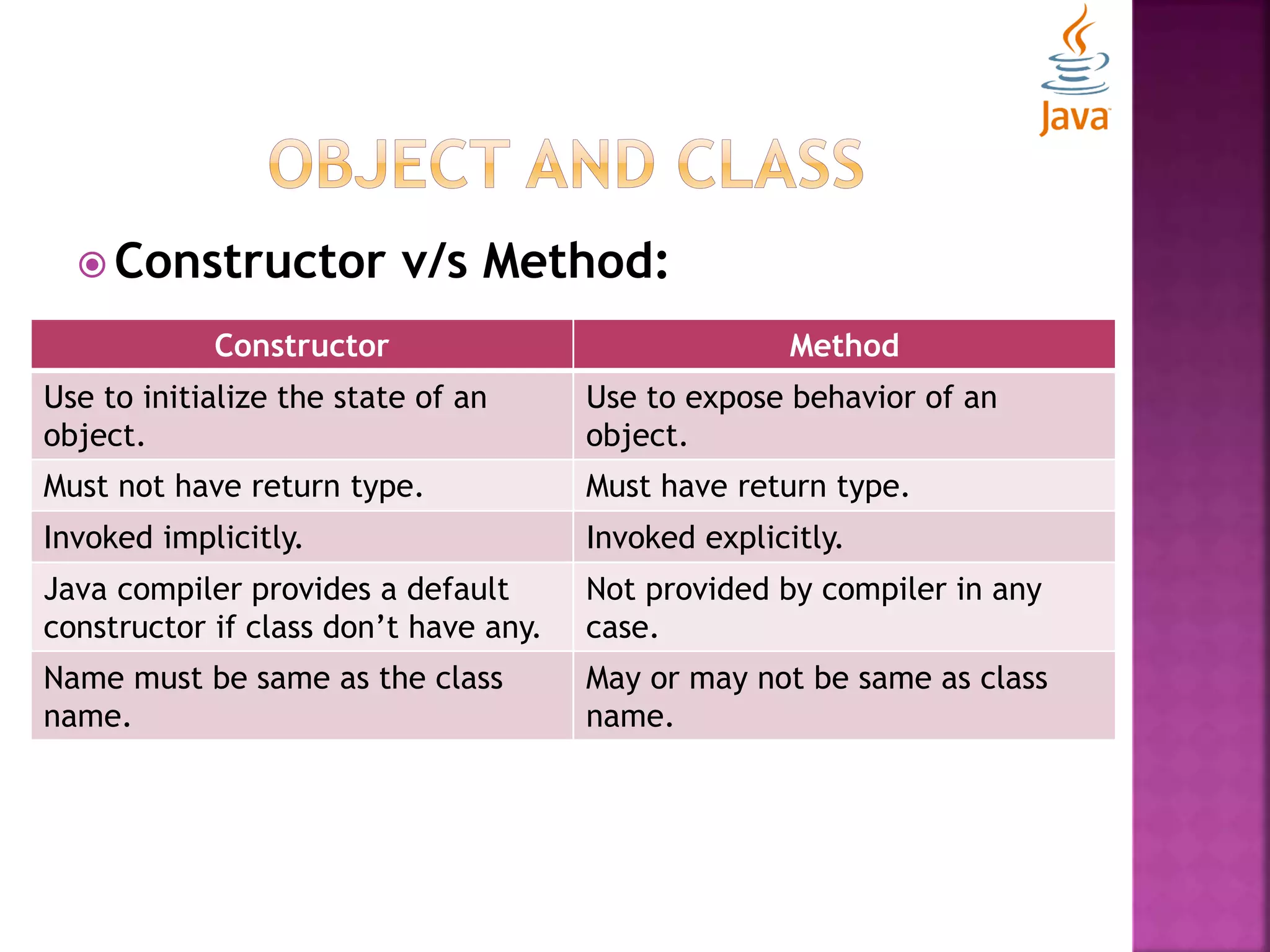
 Constructor v/s Method: Constructor Method Use to initialize the state of an object. Use to expose behavior of an object. Must not have return type. Must have return type. Invoked implicitly. Invoked explicitly. Java compiler provides a default constructor if class don’t have any. Not provided by compiler in any case. Name must be same as the class name. May or may not be same as class name.
 Copy constructor: class Student{ int studentId; String studentName; Student(int id, String name){ studentId = id; studentName = name; } Student(Student student){ studentId = student .id; studentName = student .name; } void display(){System.out.println(studentId+" "+(studentName+" "+(studentAge);} public static void main(String args[]){ Student student1 = new Student(111,"Ashu"); Student student2 = new Student(student1); student1.display(); student2.display(); } }
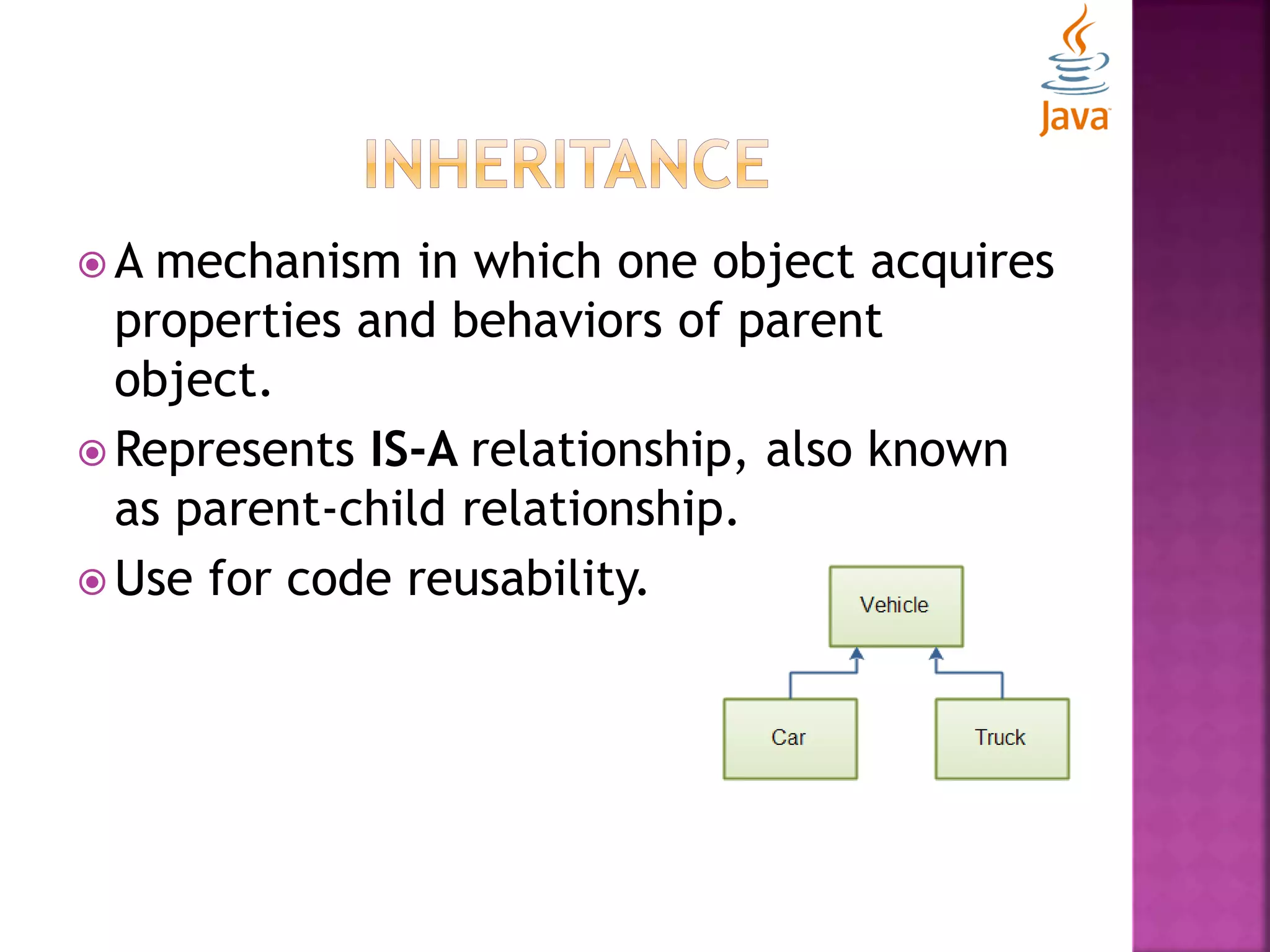
 A mechanism in which one object acquires properties and behaviors of parent object.  Represents IS-A relationship, also known as parent-child relationship.  Use for code reusability.
class subclass-name extends superclass-name { Methods and fields }  Extends keyword indicates that newly defined class has been derived from an existing class.  “Extends” means “To increase the functionality”.  Class which is inherited called as parent or super class  Class which inherits called as child or sub class.
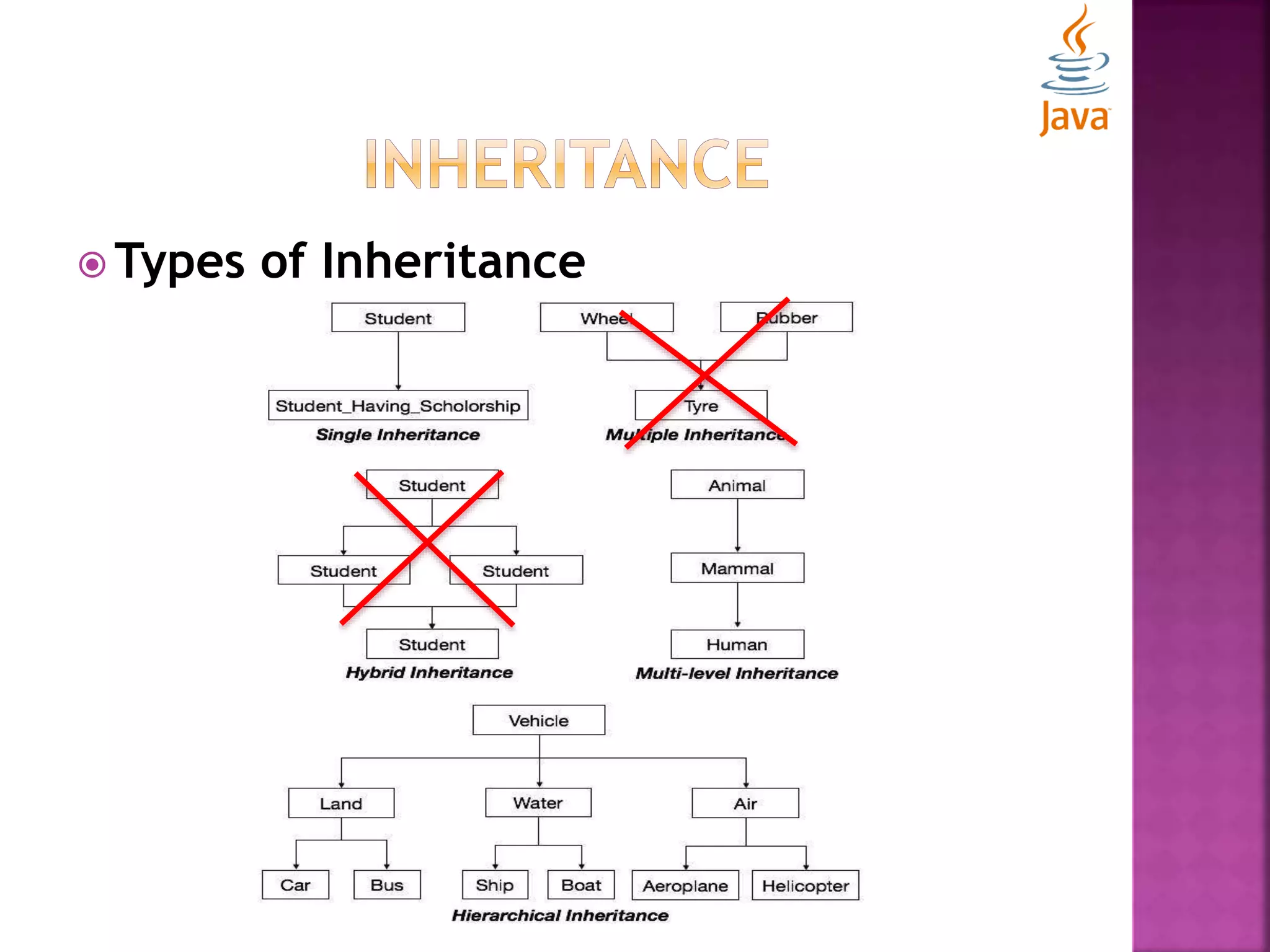
 Types of Inheritance
class subclass-name extends superclass-name { Methods and fields }  Extends keyword indicates that newly defined class has been derived from an existing class.  “Extends” means “To increase the functionality”.  Class which is inherited called as parent or super class  Class which inherits called as child or sub class.
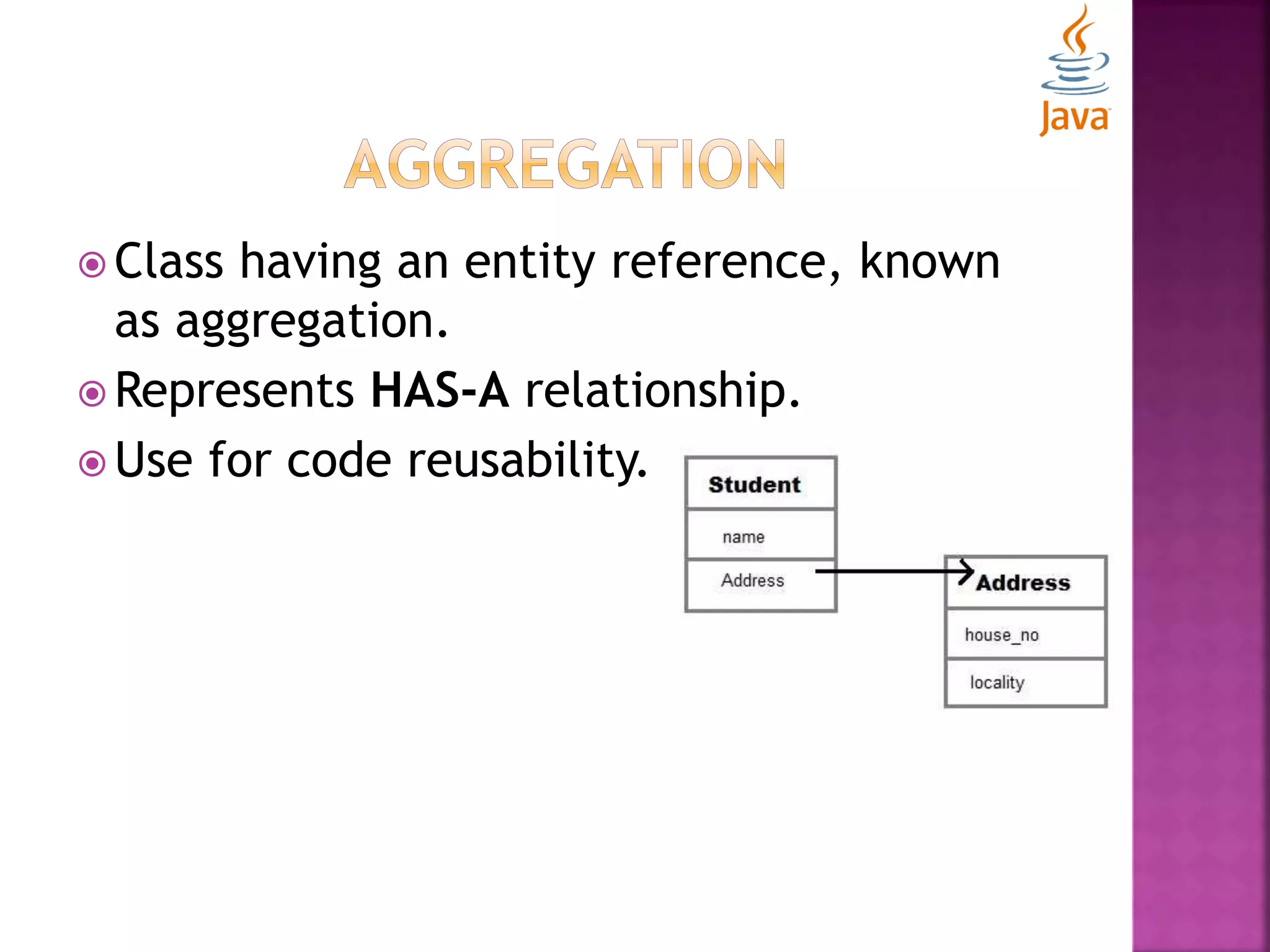
 Class having an entity reference, known as aggregation.  Represents HAS-A relationship.  Use for code reusability.
 this:  Refers to the current object. class Student{ int rollno; String name; float fee; Student(int rollno,String name,float fee){ this.rollno=rollno; this.name=name; this.fee=fee; } void display(){System.out.println(rollno+" "+name+" "+fee);} } class ThisExample{ public static void main(String args[]){ Student student1=new Student(1111,"ankit",9000f); Student student2=new Student(1112,"sumit",8000f); student1.display(); student2.display(); }}
 static:  Used for memory management only.  Can be applied on variables, methods, blocks, and nested class.  Static variable  Can be used to refer the common properties of all objects.  Gets memory only once in class area at the time of class loading.
 static:  Static variable class Student{ int rollno; String name; static float fee=5000f; Student(int rollno,String name){ this.rollno=rollno; this.name=name; } void display(){System.out.println(rollno+" "+name+" "+fee);} } class StaticExample{ public static void main(String args[]){ Student student1=new Student(1111,"ankit”); student1.display(); }}
 static:  Static method  Belongs to class rather than object of a class.  Can be invoked without the need for creating an instance of a class.  Can access static data member and can change the value of it.  Can not use non-static data members or call non- static method directly.  this and super can not be used in static context.
 static:  Static method class Student{ int rollno; String name; static float fee=5000f; Student(int rollno,String name){ this.rollno=rollno; this.name=name; } static void changeFee(){fee=9000f;} void display(){System.out.println(rollno+" "+name+" "+fee);} } class StaticExample{ public static void main(String args[]){ Student student1=new Student(1111,"ankit”); student1.display(); Student.changeFee(); Student student2=new Student(1121,“Rajat”); student2.display(); }}
 static:  Static block  Use to initialize the static data member.  Execute before main method at the time of class loading. class StaticBlockExample{ static{System.out.println("static block is invoked");} public static void main(String args[]){ System.out.println("Hello main"); } }
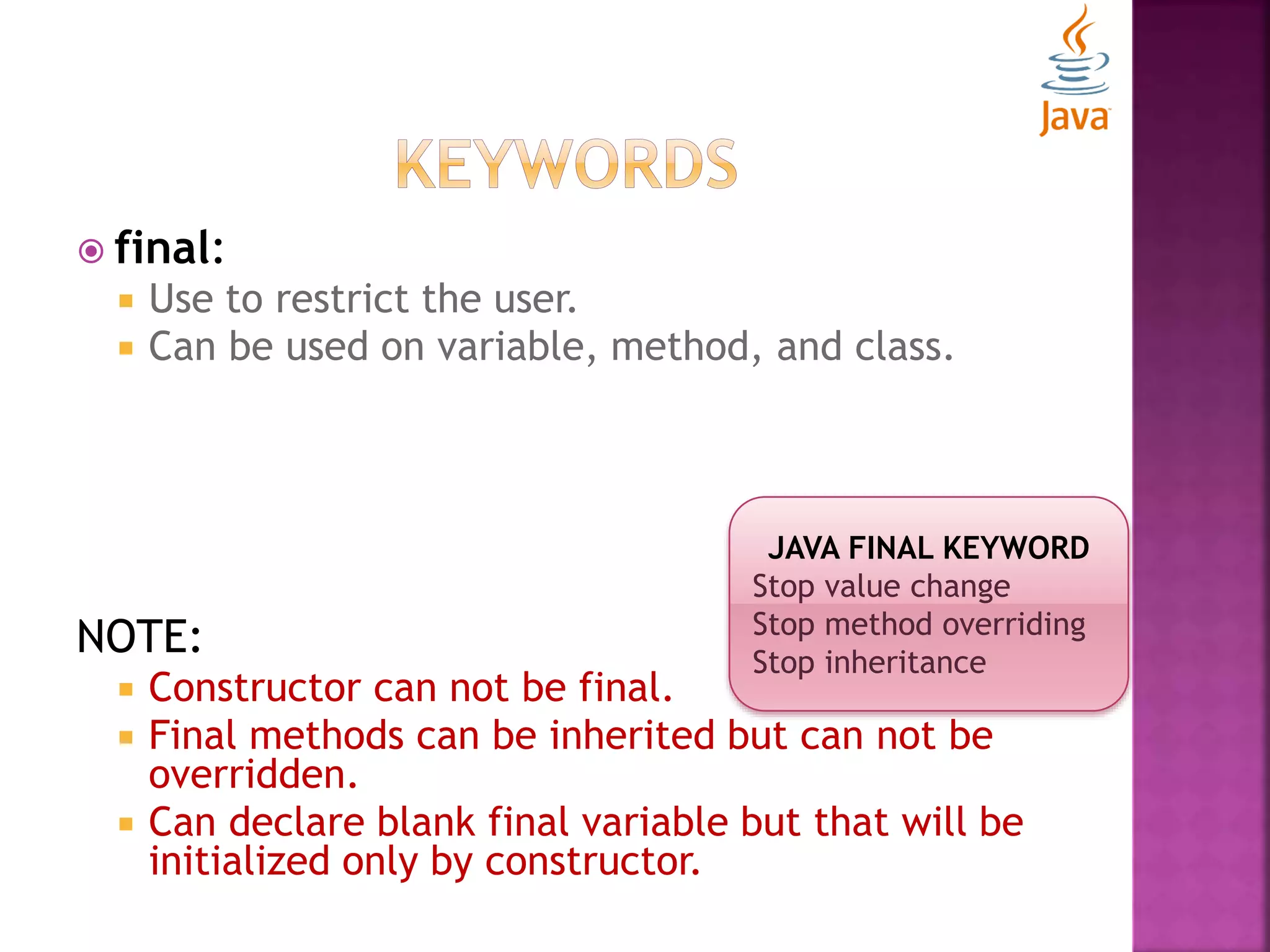
 final:  Use to restrict the user.  Can be used on variable, method, and class. NOTE:  Constructor can not be final.  Final methods can be inherited but can not be overridden.  Can declare blank final variable but that will be initialized only by constructor. JAVA FINAL KEYWORD Stop value change Stop method overriding Stop inheritance
 super:  Use to refer immediate parent class object.  Can be used to refer immediate parent class instance variables.  Can be used to invoke immediate parent class method.  Can be used to invoke immediate parent class constructor.
 super: class Animal{ String color="white"; } class Dog extends Animal{ String color="black"; void printColor(){ System.out.println(color);//prints color of Dog class System.out.println(super.color);//prints color of Animal class }} class SuperExample{ public static void main(String args[]){ Dog d=new Dog(); d.printColor(); }}
 Polymorphism  Abstraction  Interfaces  Abstract class v/s Interfaces
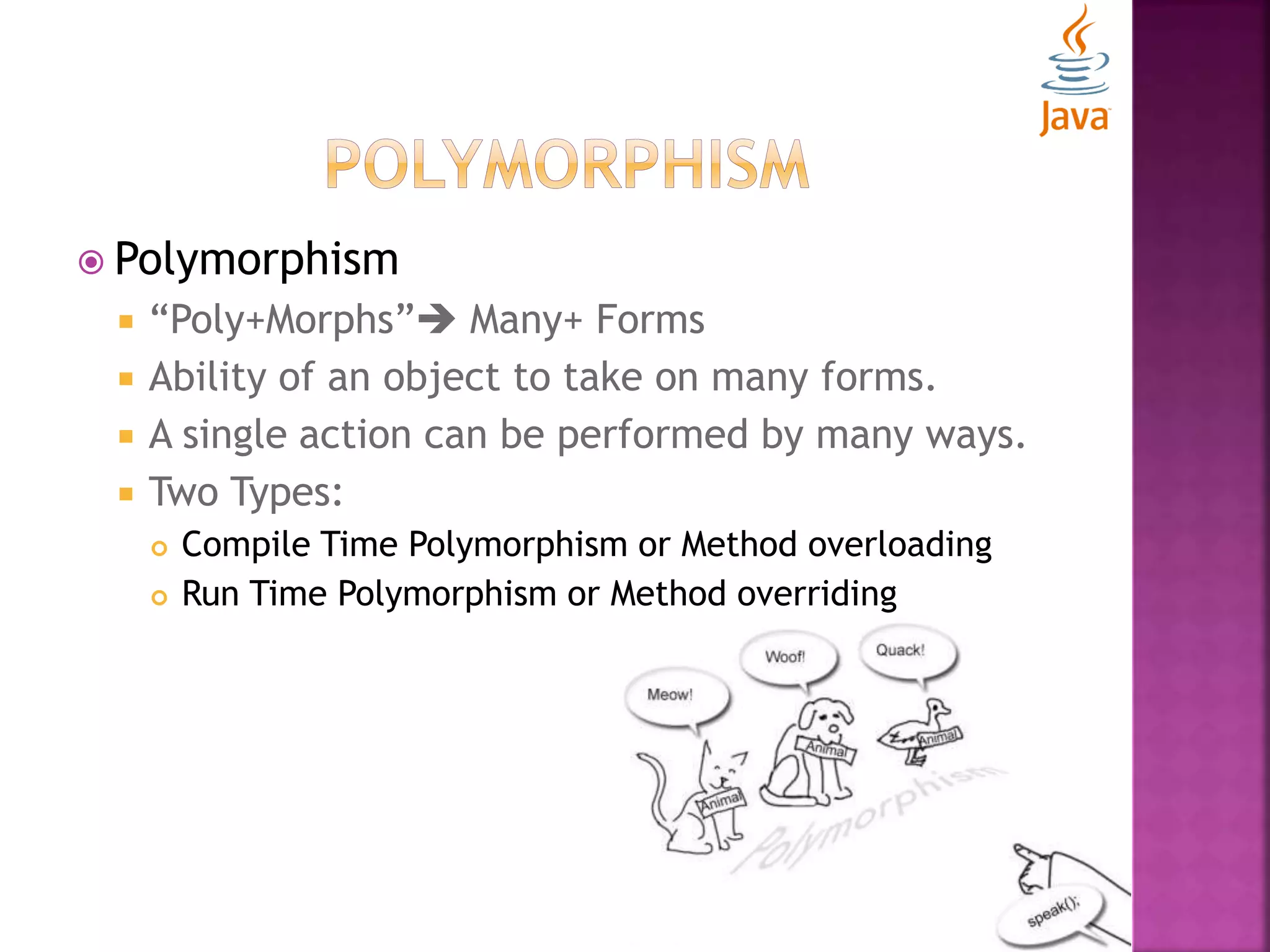
 Polymorphism  “Poly+Morphs” Many+ Forms  Ability of an object to take on many forms.  A single action can be performed by many ways.  Two Types:  Compile Time Polymorphism or Method overloading  Run Time Polymorphism or Method overriding
 Compile Time Polymorphism or Method overloading:  A class having multiple methods having same name but different in parameters.  If you have to perform only one operation, having same name of the methods increases the readability of the program. class Adder{ static int add(int a, int b){return a+b;} static int add(int a, int b, int c){return a+b+c;} } class TestOverloading{ public static void main(String[] args){ System.out.println(Adder.add(11,11)); System.out.println(Adder.add(11,11,11)); }}
 Run Time Polymorphism or Method overriding:  Subclass (child class) having the same method as declared in the super class.  In other words, subclass provides specific implementation of the method that has been provided by one of its super class. class Vehicle{ void run(){System.out.println("Vehicle is running");} } class Bike extends Vehicle{ void run(){System.out.println("Bike is running safely");} public static void main(String args[]){ Bike bike = new Bike(); bike.run(); }}
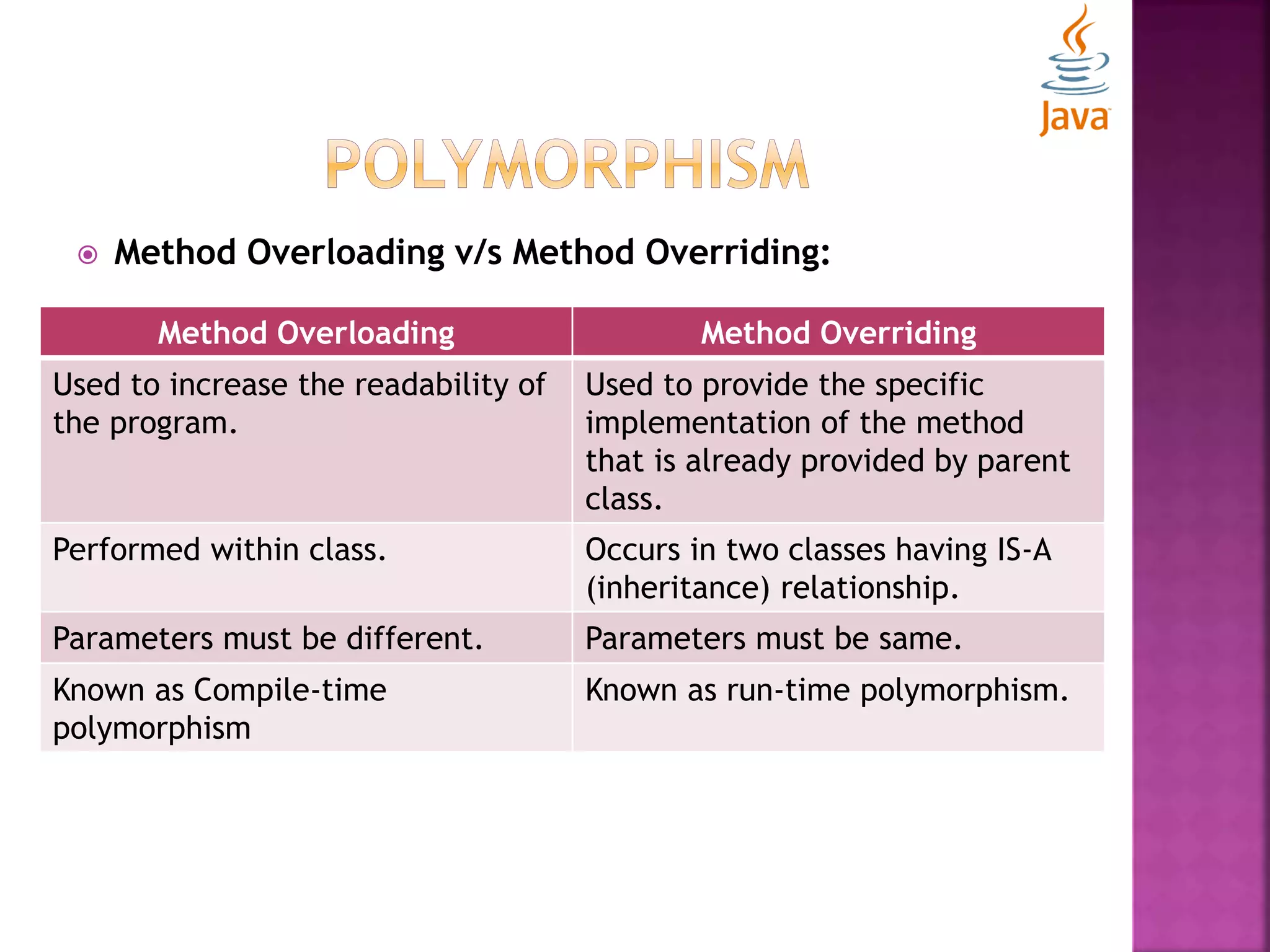
 Method Overloading v/s Method Overriding: Method Overloading Method Overriding Used to increase the readability of the program. Used to provide the specific implementation of the method that is already provided by parent class. Performed within class. Occurs in two classes having IS-A (inheritance) relationship. Parameters must be different. Parameters must be same. Known as Compile-time polymorphism Known as run-time polymorphism.
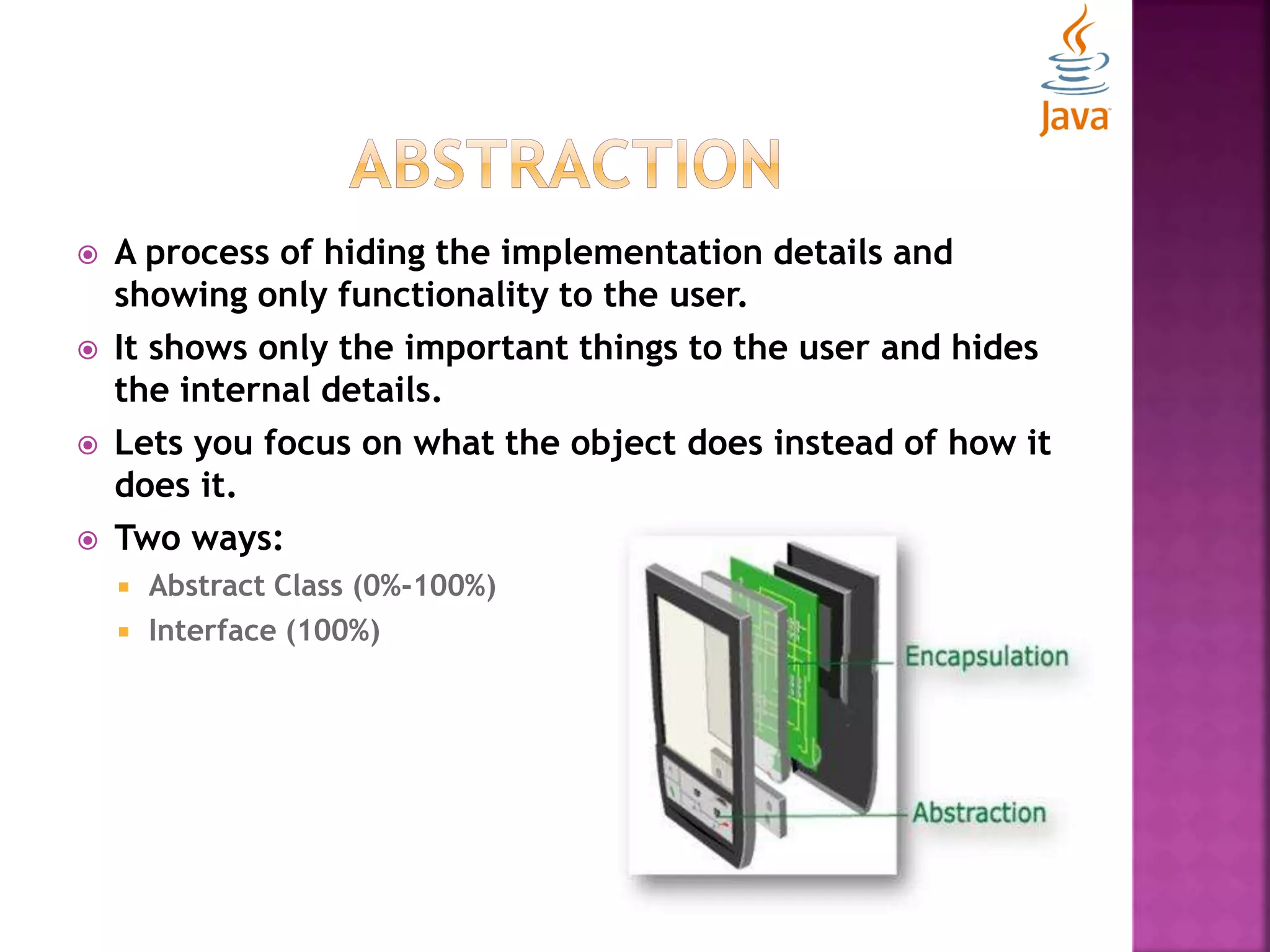
 A process of hiding the implementation details and showing only functionality to the user.  It shows only the important things to the user and hides the internal details.  Lets you focus on what the object does instead of how it does it.  Two ways:  Abstract Class (0%-100%)  Interface (100%)
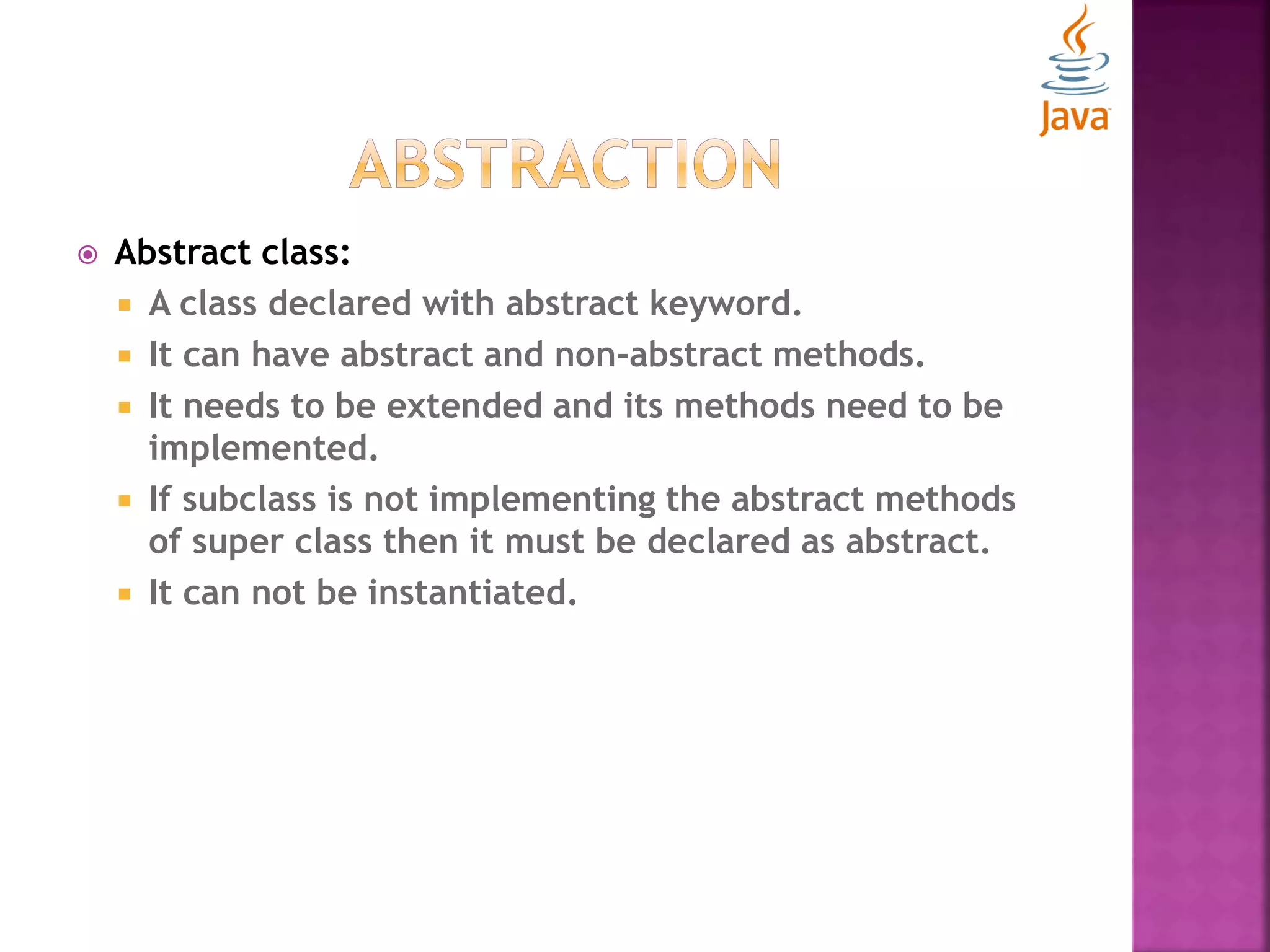
 Abstract class:  A class declared with abstract keyword.  It can have abstract and non-abstract methods.  It needs to be extended and its methods need to be implemented.  If subclass is not implementing the abstract methods of super class then it must be declared as abstract.  It can not be instantiated.
 Abstract class: abstract class Bike{ abstract void run(); } class Honda extends Bike{ void run(){System.out.println("running safely..");} public static void main(String args[]){ Bike bike = new Honda(); bike.run(); } }
 Abstract class: abstract class Shape{ abstract void draw(); } //In real scenario, implementation is provided by others i.e. unknown by end user class Rectangle extends Shape{ void draw(){System.out.println("drawing rectangle");} } class Circle extends Shape{ void draw(){System.out.println("drawing circle");} } //In real scenario, method is called by programmer or user class AbstractionExample{ public static void main(String args[]){ Shape s=new Circle(); //In real scenario, object is provided through method e.g. getShape() method s.draw(); s=new Rectangle(); s.draw();} }
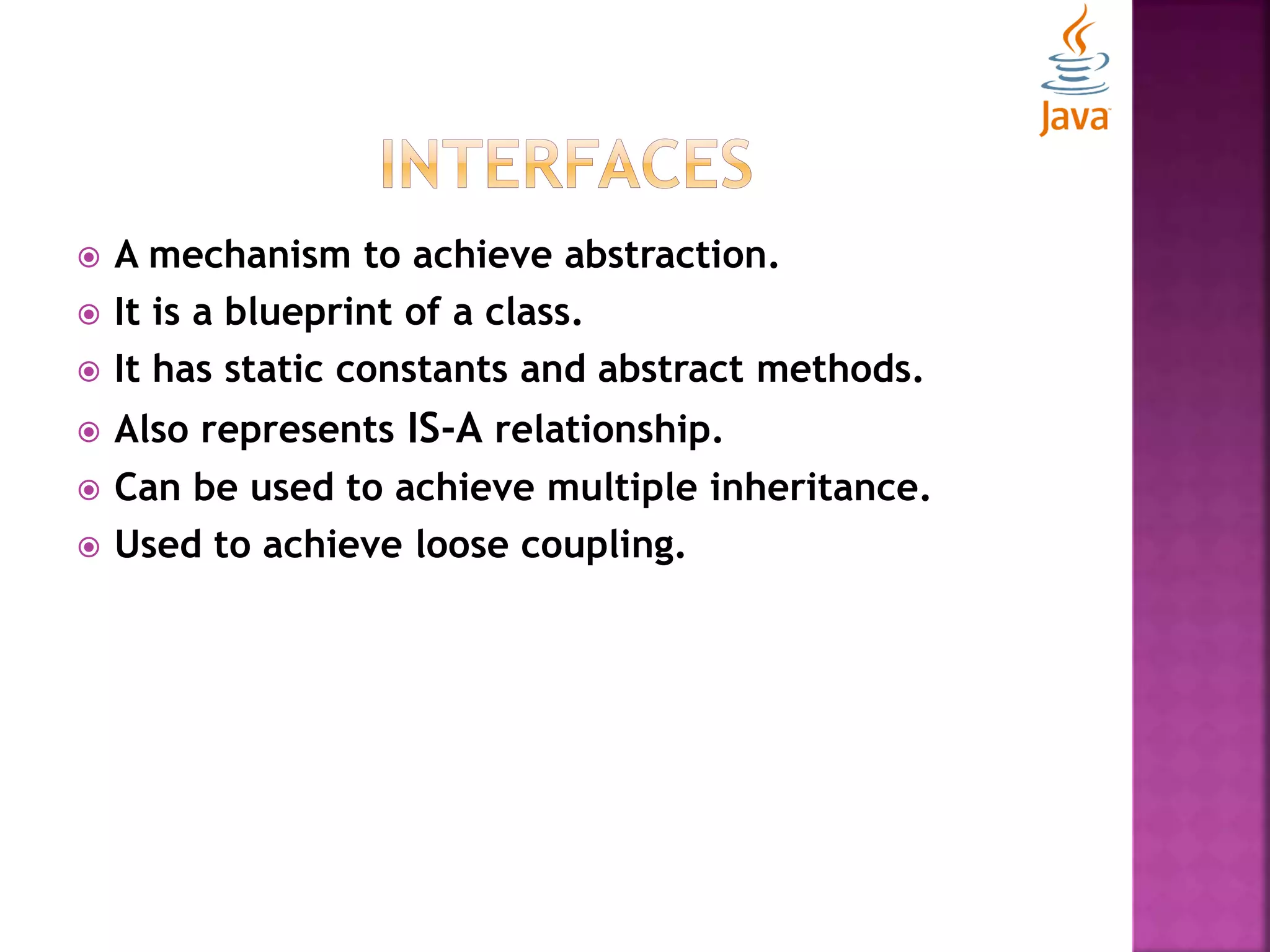
 A mechanism to achieve abstraction.  It is a blueprint of a class.  It has static constants and abstract methods.  Also represents IS-A relationship.  Can be used to achieve multiple inheritance.  Used to achieve loose coupling.
//Interface declaration: by first user interface Drawable{ void draw(); } //Implementation: by second user class Rectangle implements Drawable{ public void draw(){System.out.println("drawing rectangle");} } class Circle implements Drawable{ public void draw(){System.out.println("drawing circle");} } //Using interface: by third user class TestInterface{ public static void main(String args[]){ Drawable drawShape=new Circle(); //In real scenario, object is provided by method e.g. getDrawable() drawShape.draw(); }}
interface Drawable{ void draw(); static int cube(int x){return x*x*x;} } class Rectangle implements Drawable{ public void draw(){System.out.println("drawing rectangle");} } class TestInterface{ public static void main(String args[]){ Drawable drawShape=new Rectangle(); drawShape.draw(); System.out.println(Drawable.cube(3)); }}
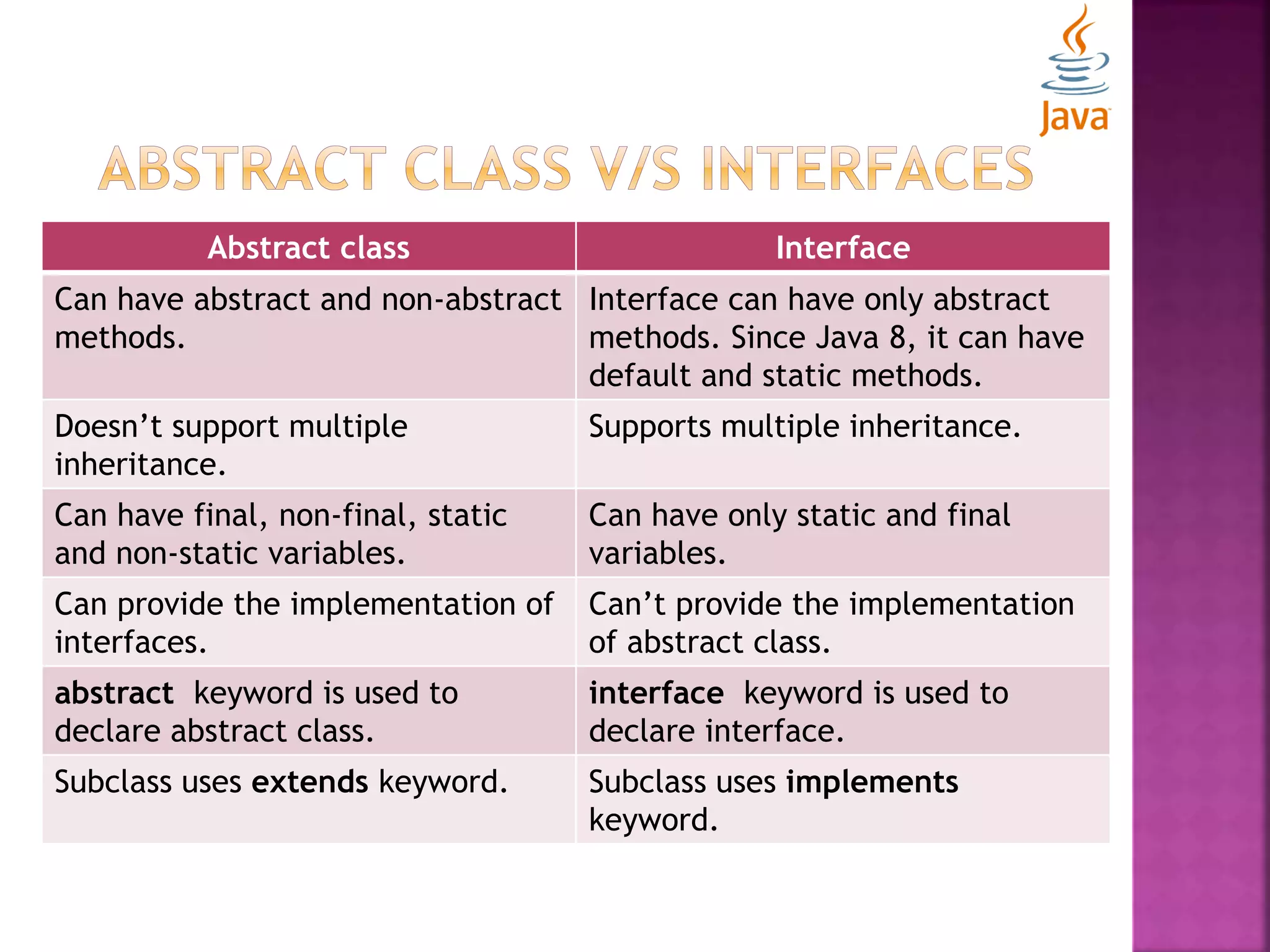
Abstract class Interface Can have abstract and non-abstract methods. Interface can have only abstract methods. Since Java 8, it can have default and static methods. Doesn’t support multiple inheritance. Supports multiple inheritance. Can have final, non-final, static and non-static variables. Can have only static and final variables. Can provide the implementation of interfaces. Can’t provide the implementation of abstract class. abstract keyword is used to declare abstract class. interface keyword is used to declare interface. Subclass uses extends keyword. Subclass uses implements keyword.
 Packages  Java modifiers
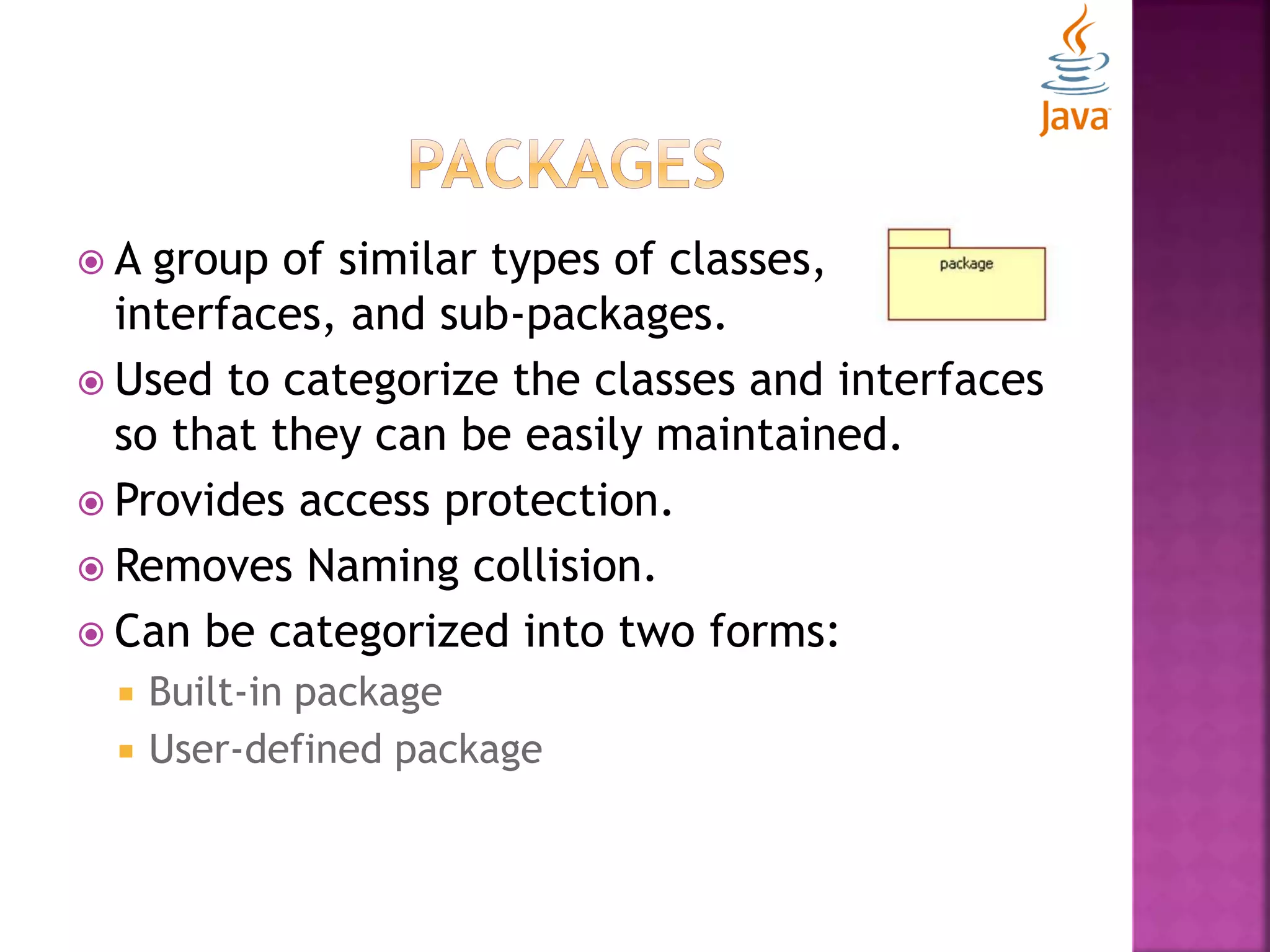
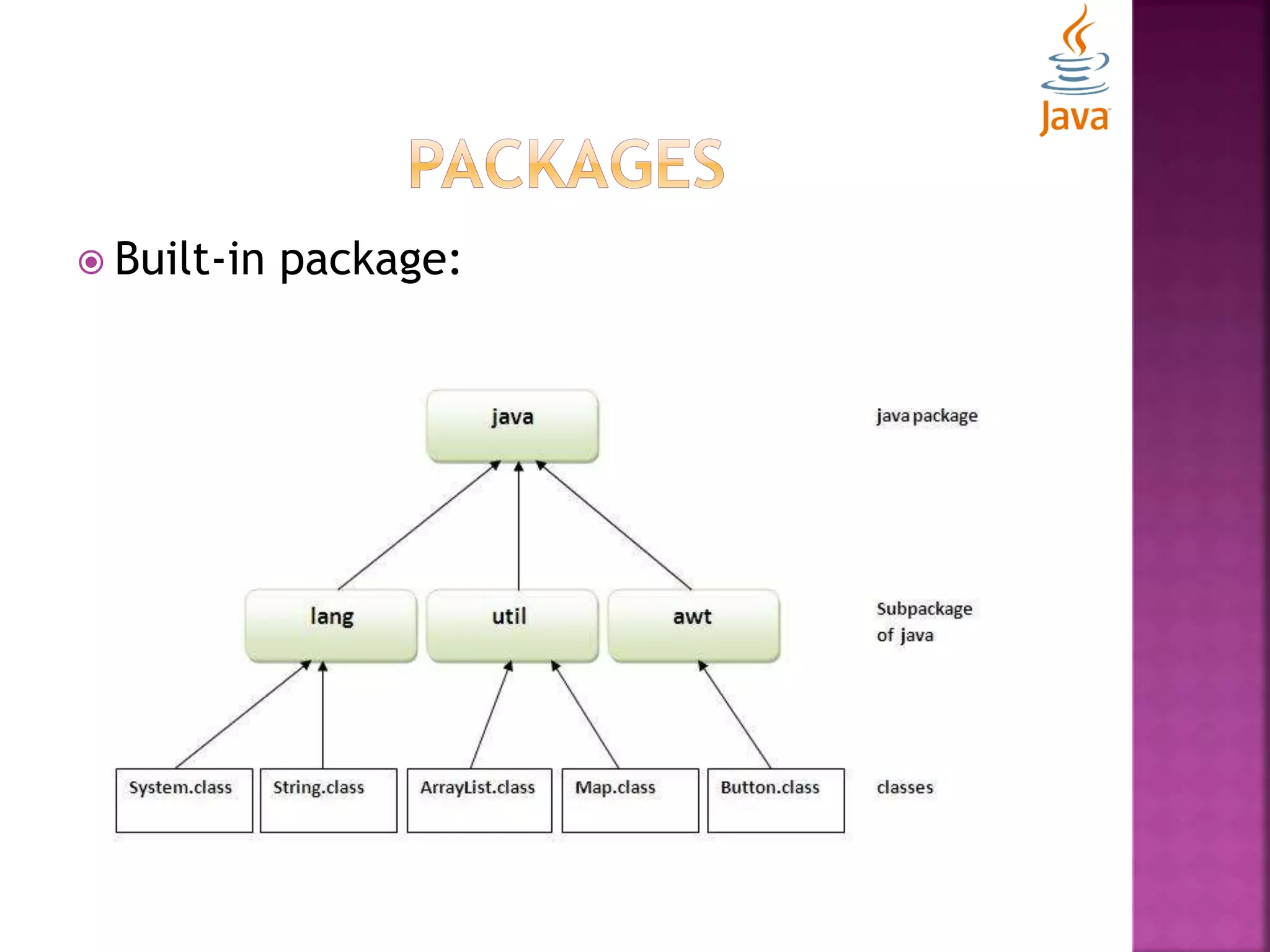
 A group of similar types of classes, interfaces, and sub-packages.  Used to categorize the classes and interfaces so that they can be easily maintained.  Provides access protection.  Removes Naming collision.  Can be categorized into two forms:  Built-in package  User-defined package
 Built-in package:
 User-defined package:  package keyword is used to create a package in java. package mypack; public class Simple{ public static void main(String args[]){ System.out.println("Welcome to package"); } }
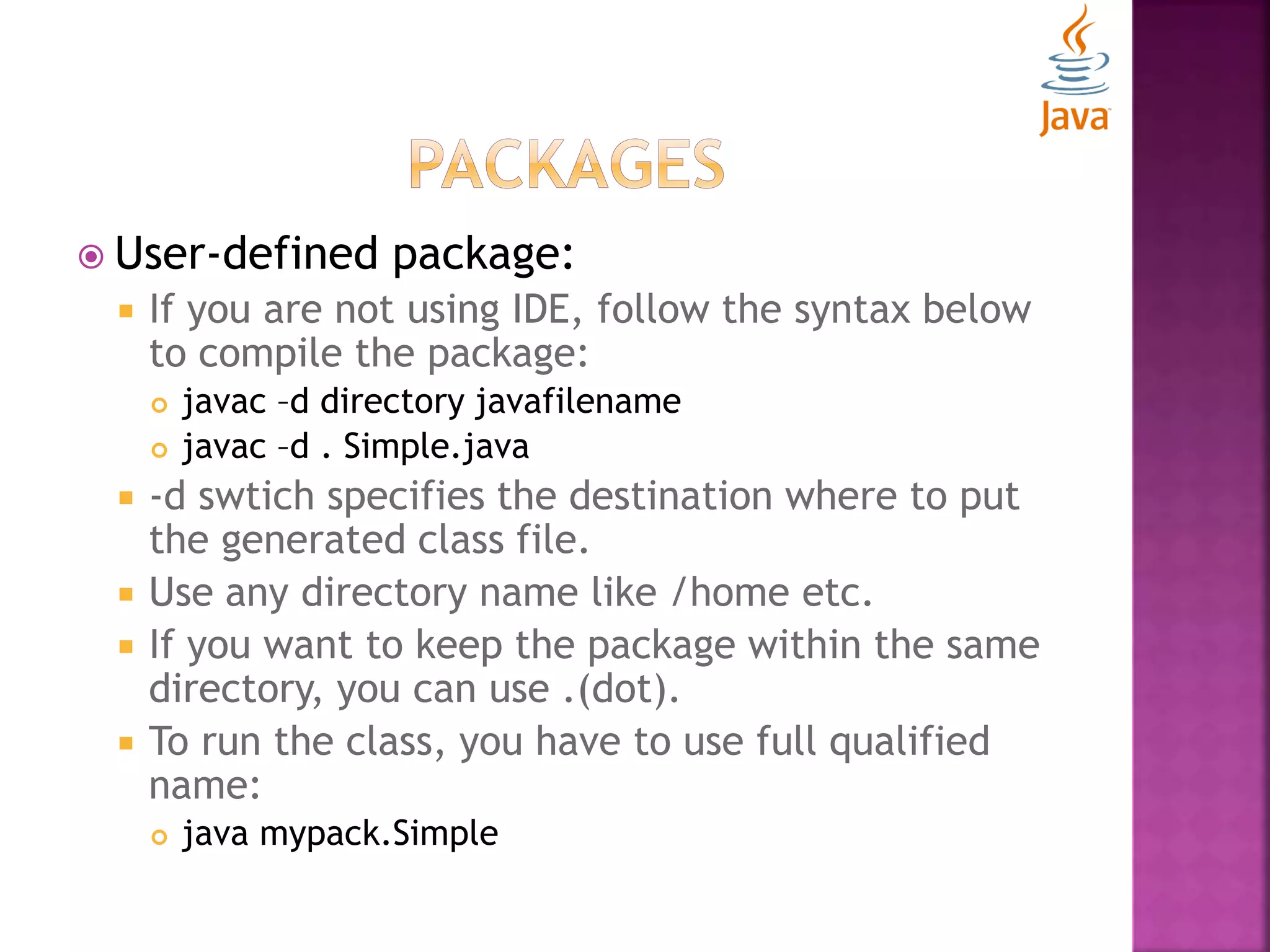
 User-defined package:  If you are not using IDE, follow the syntax below to compile the package:  javac –d directory javafilename  javac –d . Simple.java  -d swtich specifies the destination where to put the generated class file.  Use any directory name like /home etc.  If you want to keep the package within the same directory, you can use .(dot).  To run the class, you have to use full qualified name:  java mypack.Simple
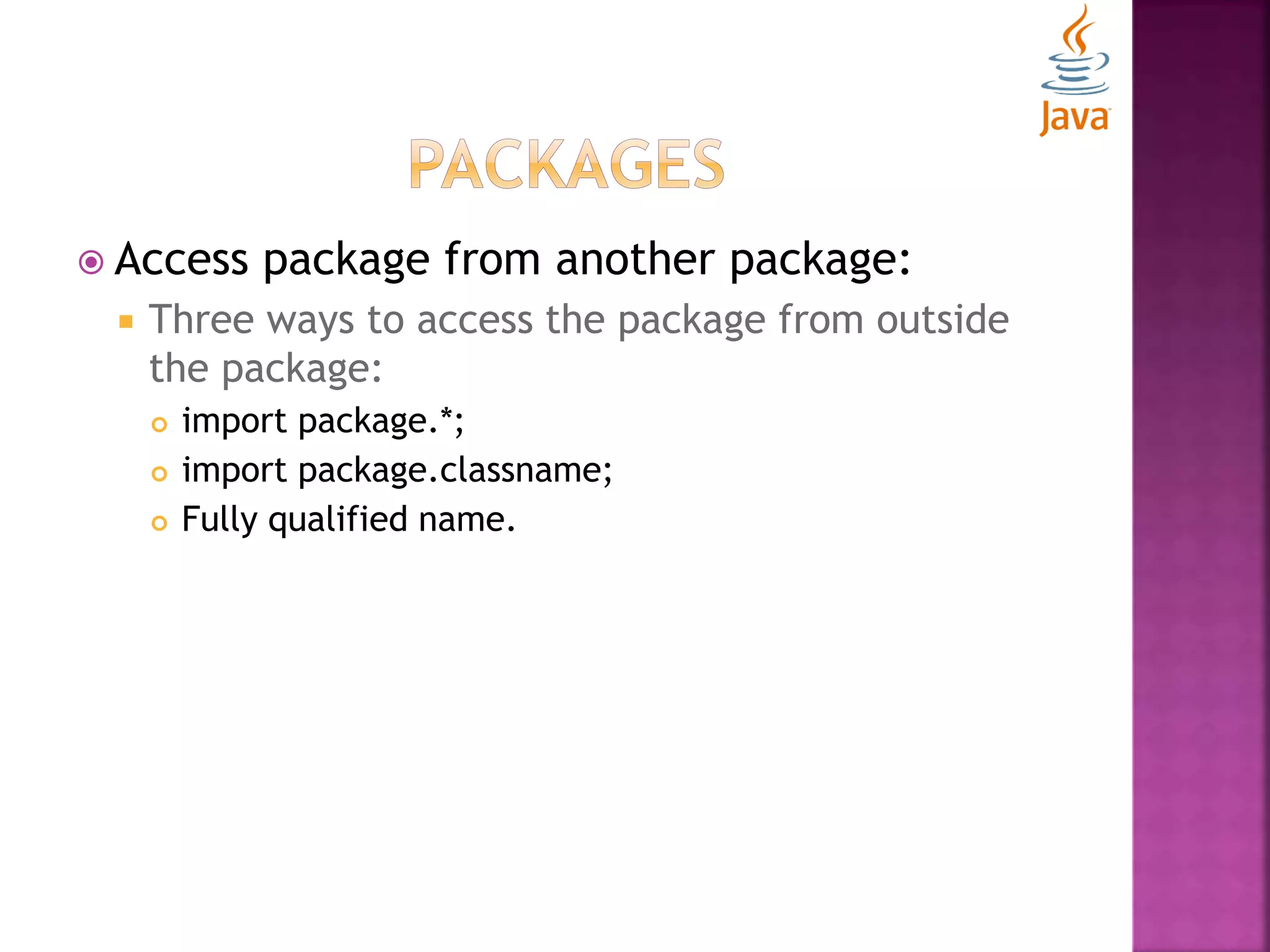
 Access package from another package:  Three ways to access the package from outside the package:  import package.*;  import package.classname;  Fully qualified name.
 Using import package.* : //save by Course.java package university; public class Course{ public void message(){System.out.println("Hello");} } //save by Student.java package college; import university.*; class Student{ public static void main(String args[]){ Course course= new Course(); course.message(); } }
 Using import package.classname : //save by Course.java package university; public class Course{ public void message(){System.out.println("Hello");} } //save by Student.java package college; import university.Course; class Student{ public static void main(String args[]){ Course course= new Course(); course.message(); } }
 Using Fully qualified name: //save by Course.java package university; public class Course{ public void message(){System.out.println("Hello");} } //save by Student.java package college; class Student{ public static void main(String args[]){ university.Course course= new university.Course(); course.message(); } }
 Subpackages:  Package inside a package is called the subpackage. package com.learning.simple; class Simple{ public static void main(String args[]){ System.out.println("Hello subpackage"); } } Compile: javac –d . Simple.java Run: java com.learning.simple.Simple
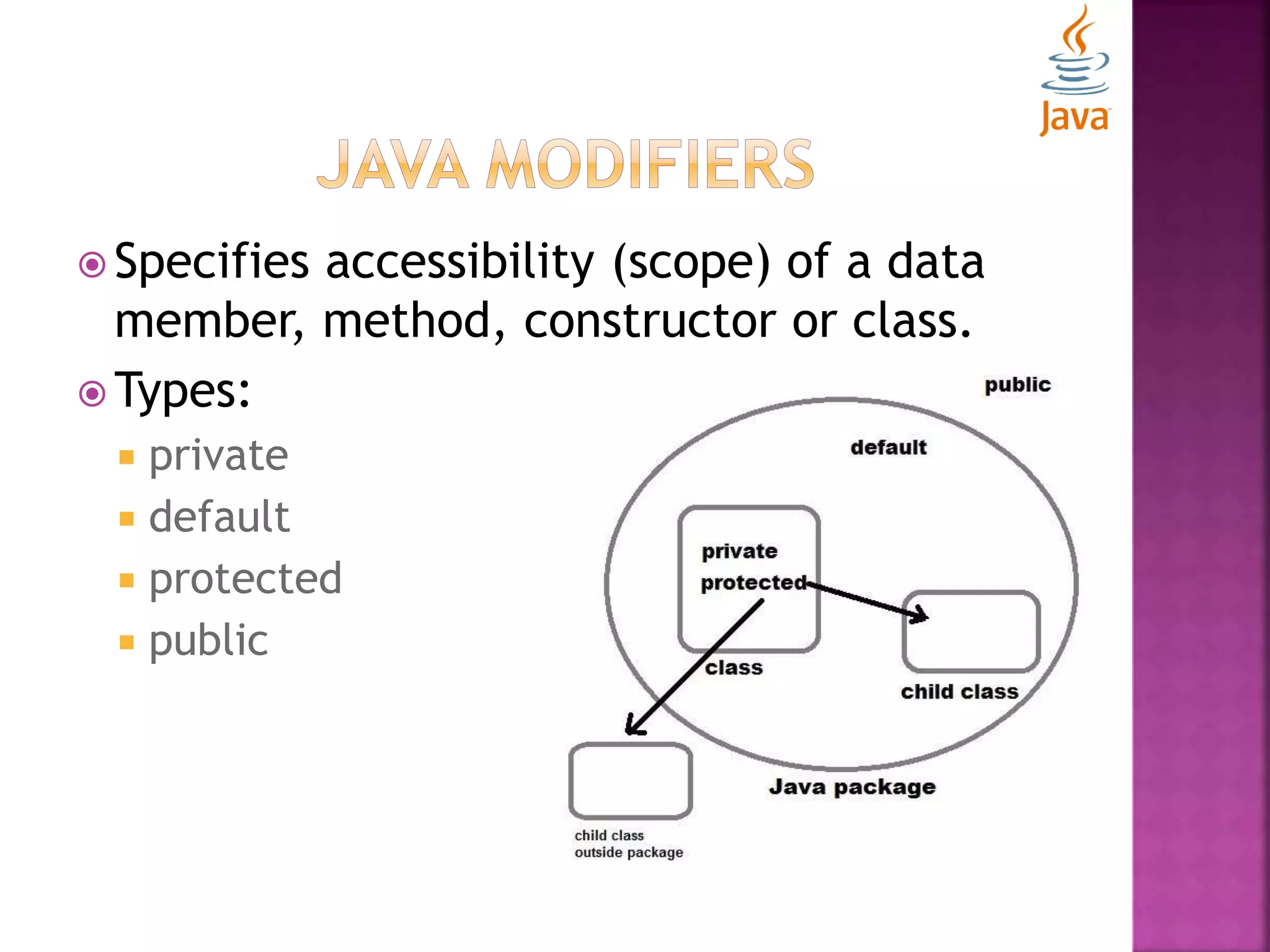
 Specifies accessibility (scope) of a data member, method, constructor or class.  Types:  private  default  protected  public
 Private Modifier:  Accessible only within the class. class Student{ private int id=40; private void printMessage (){ System.out.println("Hello java");} } public class PrivateExample{ public static void main(String args[]){ Student student=new Student(); System.out.println(student.id);//Compile Time Error student.printMessage();//Compile Time Error } } NOTE: A class can not be private or protected except nested class.
 Default Modifier:  Accessible only within the class. //save by Course.java package university; class Course{ public void message(){ System.out.println("Hello");} } //save by Student.java package college; class Student{ public static void main(String args[]){ university.Course course= new university.Course(); //error course.message(); //error } }
 Protected Modifier:  Accessible within package and outside the package through inheritance only. //save by Course.java package university; public class Course{ protected void message(){ System.out.println("Hello");} } //save by Student.java package college; import university.*; class Student extends Course{ public static void main(String args[]){ Student student= new Student(); student.message(); } }
 Public Modifier:  Accessible everywhere.  It has widest scope among all. //save by Course.java package university; public class Course{ protected void message(){ System.out.println("Hello");} } //save by Student.java package college; import university.*; class Student{ public static void main(String args[]){ Course course=new Course(); course.message(); } }
 Encapsulation  Strings
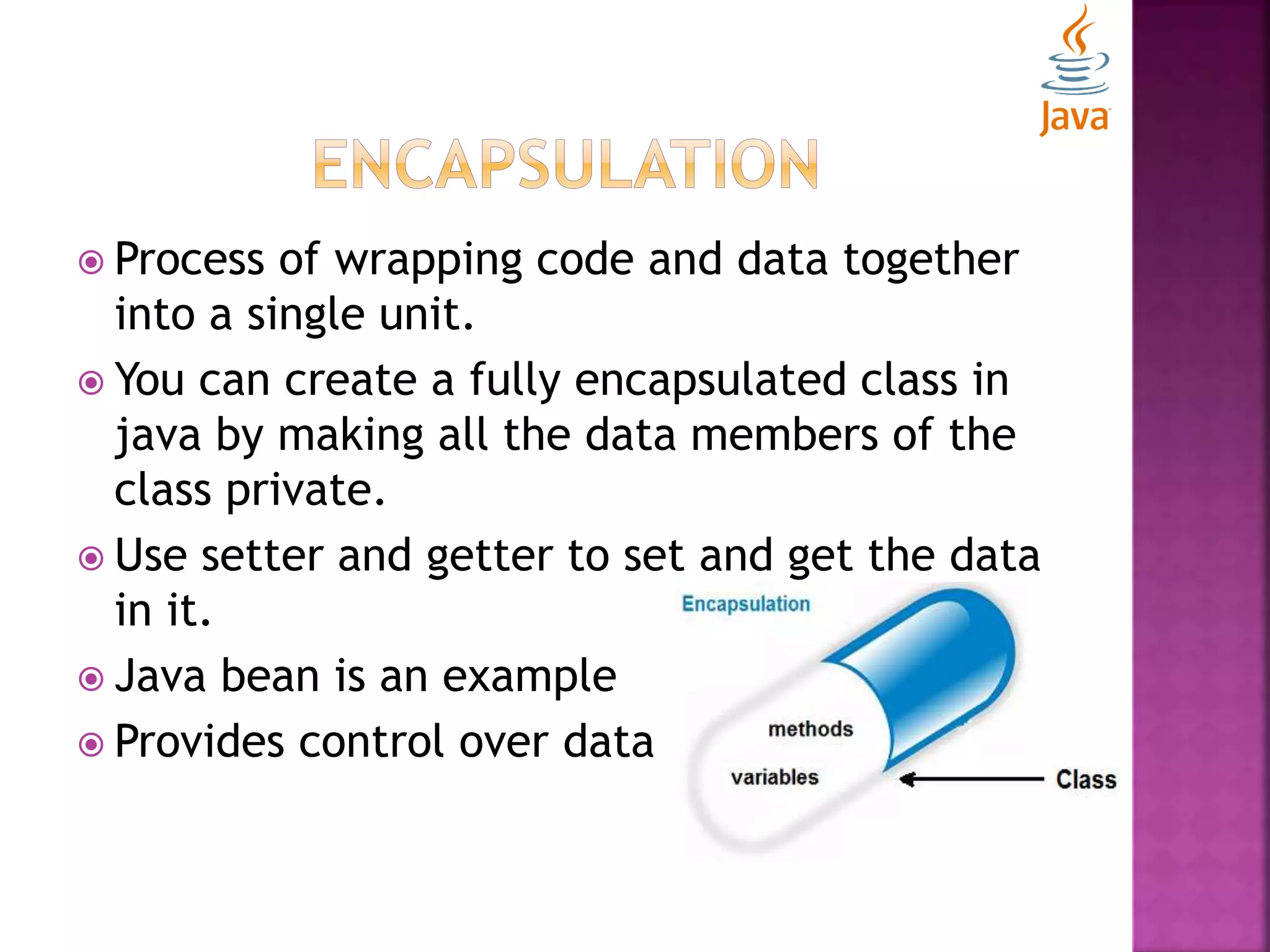
 Process of wrapping code and data together into a single unit.  You can create a fully encapsulated class in java by making all the data members of the class private.  Use setter and getter to set and get the data in it.  Java bean is an example  Provides control over data
package com.college; public class Student{ private String name; public String getName(){ return name; } public void setName(String name){ this.name=name ; } } package com.college; class EncapsulationTest{ public static void main(String[] args){ Student student=new Student(); student.setName("vijay"); System.out.println(student.getName()); } }
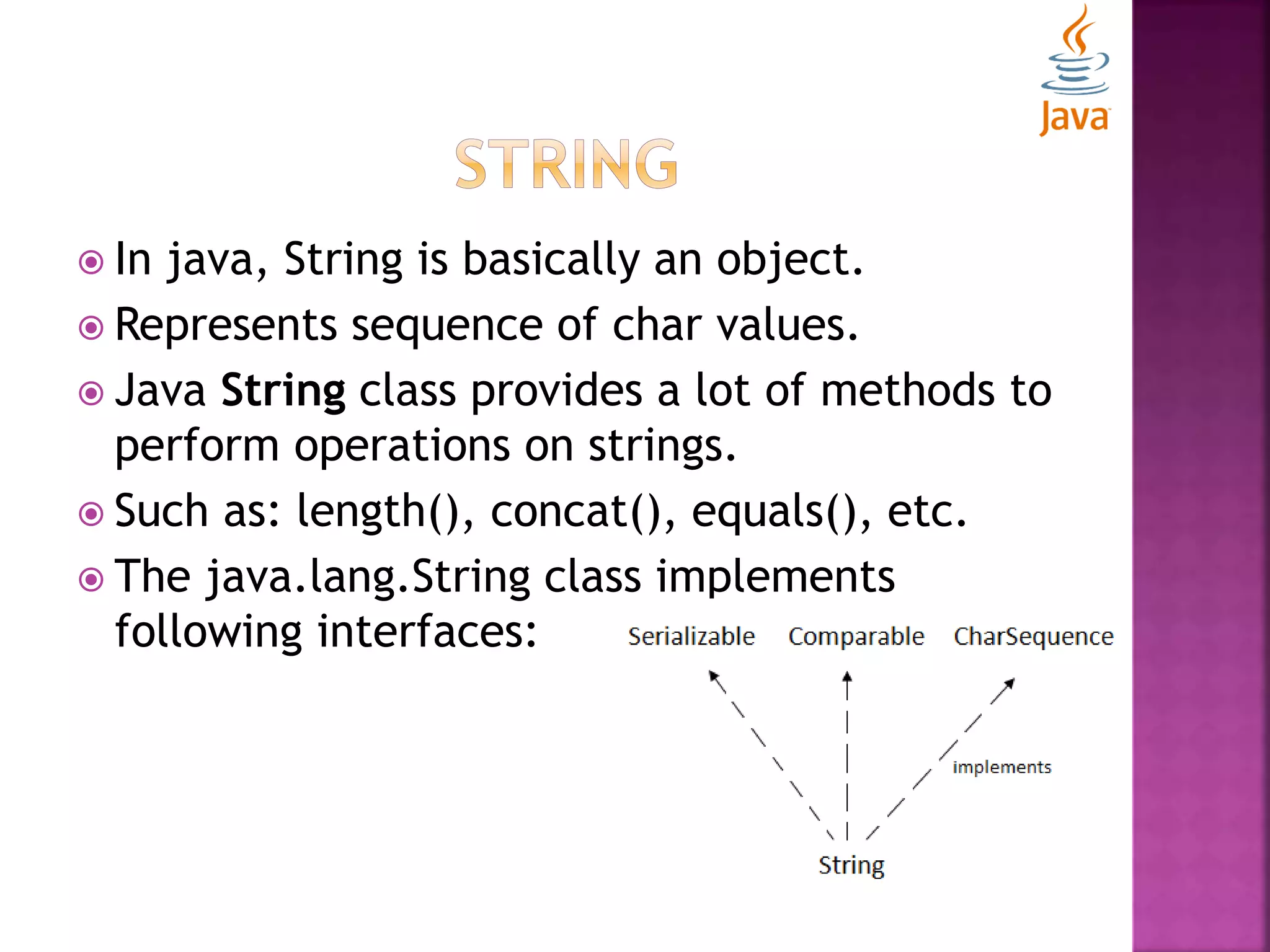
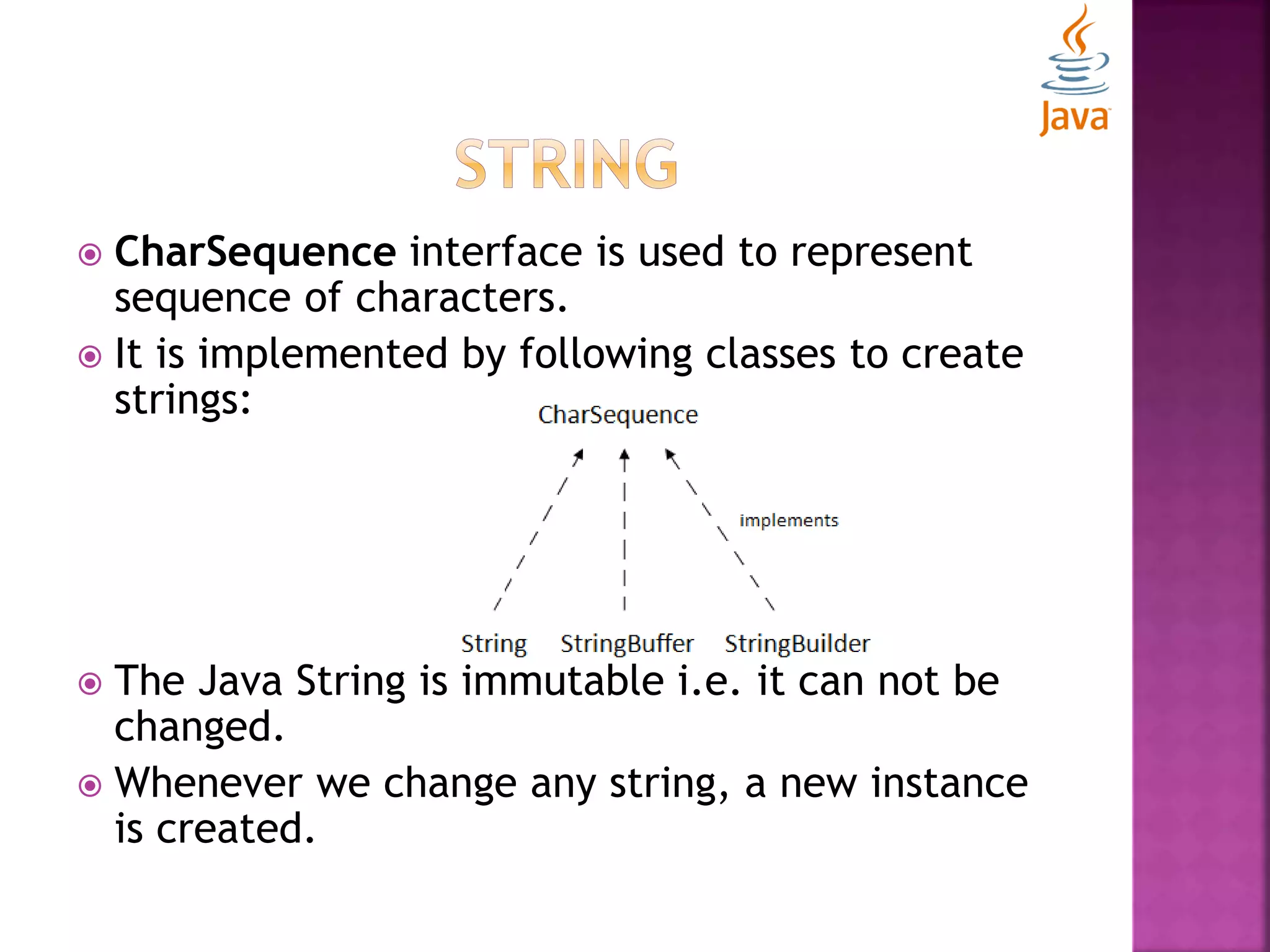
 In java, String is basically an object.  Represents sequence of char values.  Java String class provides a lot of methods to perform operations on strings.  Such as: length(), concat(), equals(), etc.  The java.lang.String class implements following interfaces:
 CharSequence interface is used to represent sequence of characters.  It is implemented by following classes to create strings:  The Java String is immutable i.e. it can not be changed.  Whenever we change any string, a new instance is created.
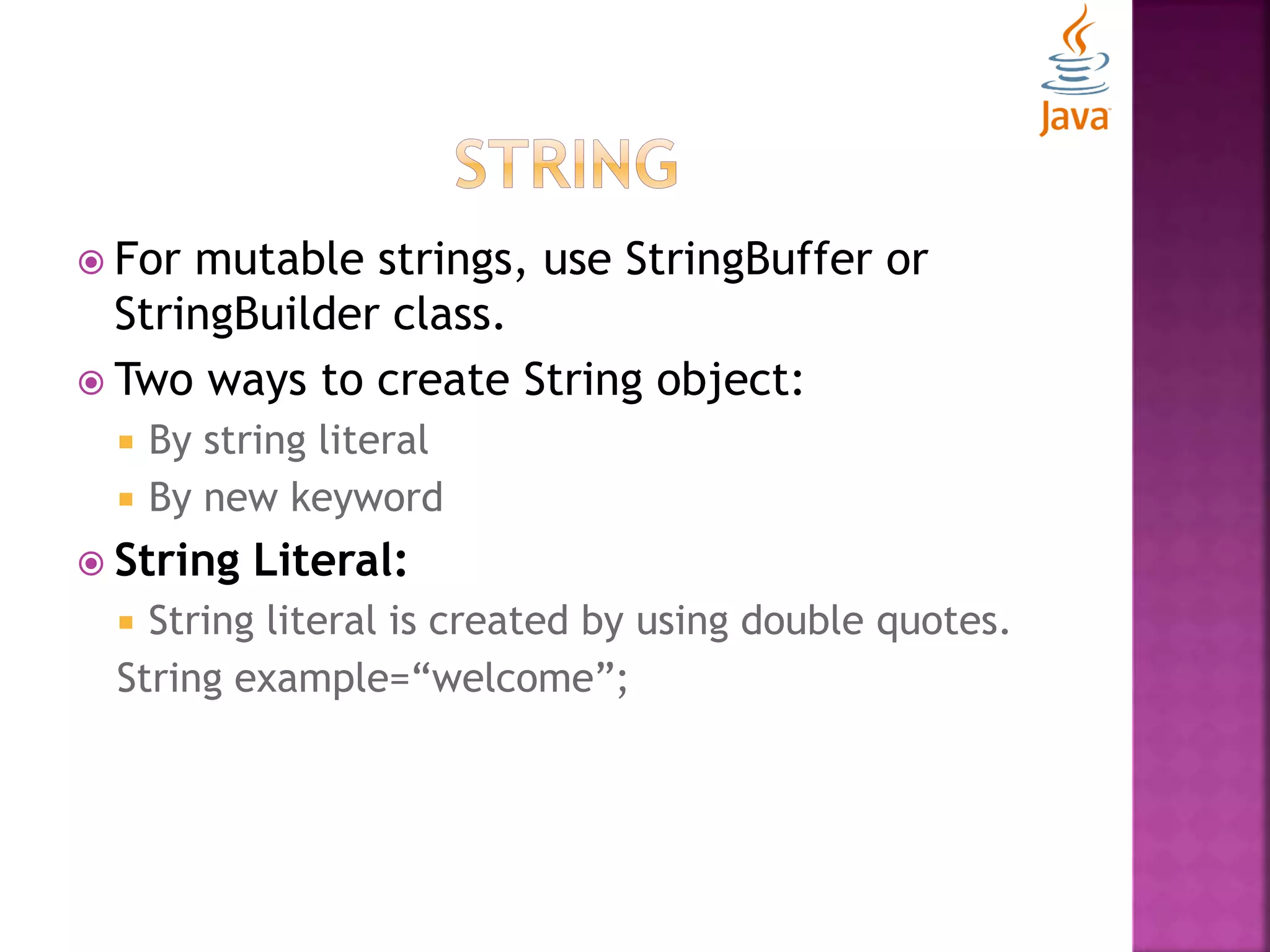
 For mutable strings, use StringBuffer or StringBuilder class.  Two ways to create String object:  By string literal  By new keyword  String Literal:  String literal is created by using double quotes. String example=“welcome”;
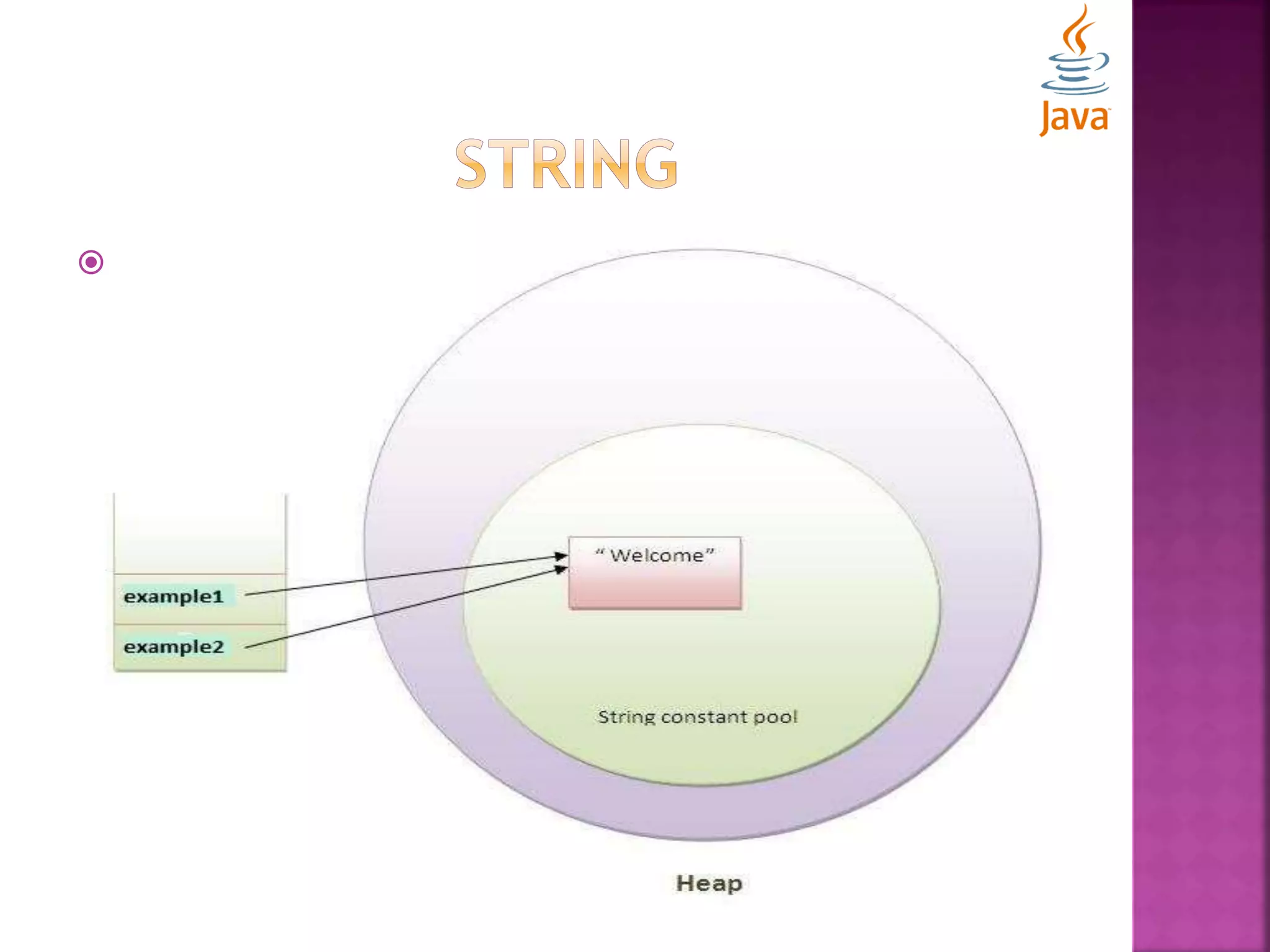
 String Literal:  Each time you create a single literal, JVM checks the string constant pool first.  If the string already exist in the pool, a reference to the pooled instance is returned.  If string doesn’t exist in the pool, a new string instance is created and placed in the pool. String example1=“welcome”; String example2=“welcome”;// will not create new instance
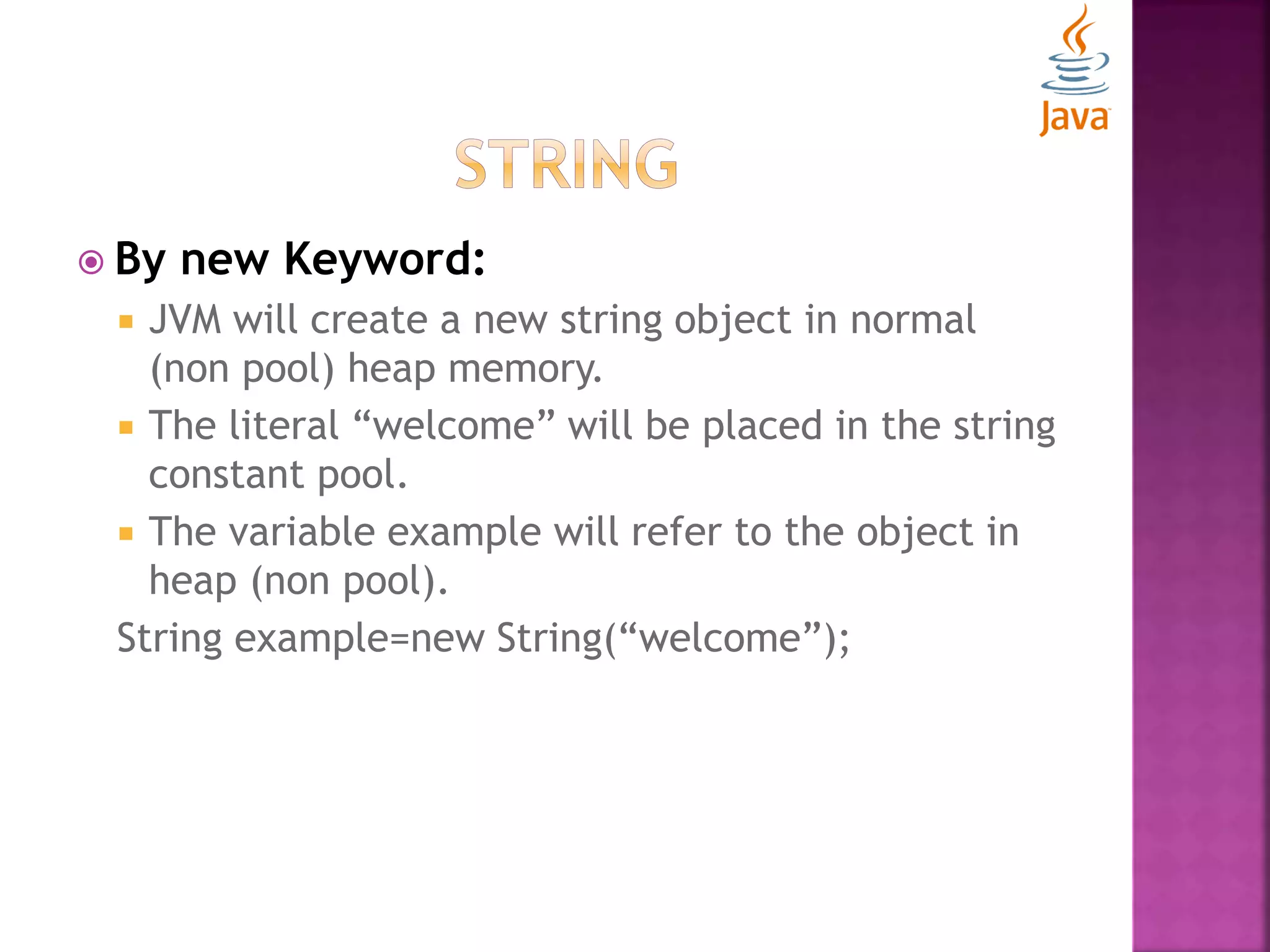
 By new Keyword:  JVM will create a new string object in normal (non pool) heap memory.  The literal “welcome” will be placed in the string constant pool.  The variable example will refer to the object in heap (non pool). String example=new String(“welcome”);
 Immutable String:  Immutable simply means unchangeable or unmodifiable.  Once string object is created, its state and data can’t be changed but a new object is created. class TestImmutableString{ public static void main(String args[]){ String str="Sachin"; str.concat(" Tendulkar"); //concat() method appends the string at the end System.out.println(str); //will print Sachin because strings are immutable objects } }
 Immutable Strings:  Why string objects are immutable?  Java uses the concept of string literals  Suppose there are 3 reference variables, all refer to one object “Sachin”  If one reference variable modifies the value of the object, it will be affected to all the reference variables.
 String Comparison:  Strings can be compared on the basis of content and reference.  Three ways to compare string:  Used for authentication (by equals() method)  Used for sorting (by compareTo() method)  Used for reference matching (by == operator)
 By equals() method:  Compares the original content of the string.  Compares values of string for equality.  String class provides two methods:  public boolean equals(Object object)  Compares this string to the specified object.  public boolean equalsIgnoreCase(String object)  Compares this String to another string, ignoring case.
 By equals() method: class StringComparison{ public static void main(String args[]){ String string1="Sachin"; String string2="SACHIN"; System.out.println(string1.equals(string2));//false System.out.println(string1.equalsIgnoreCase(string2)); //true } }
 By compareTo() method:  Compares values lexicographically and returns an integer value that describes if first string is less, equals or greater than second string.  Suppose string1 and string2 are two string variables, if:  string1==string2 : 0  string1<string2 : negative value  string1>string2 : positive value
 By compareTo() method: class StringComparison{ public static void main(String args[]){ String string1="Sachin"; String string2="Sachin"; String string3="Ratan"; System.out.println(string1.compareTo(string2));//0 System.out.println(string1.compareTo(string3)); //1(because s1>s3) System.out.println(string3.compareTo(string1)); //-1(because s3 < s1 ) } }
 By == operator:  It compares references not values. class StringComparison{ public static void main(String args[]){ String string1="Sachin"; String string2="Sachin"; String string3=new String("Sachin");; System.out.println(string1==string2);//true System.out.println(string1==string3); //false } }
 String concatenation:  Concatenation forms a new string that is the combination of multiple strings.  Two ways to concatenate a string:  By + operator  By concat() method
 By + operator: class StringConcatenation{ public static void main(String args[]){ String str="Sachin"+" Tendulkar"; System.out.println(str);//Sachin Tendulkar }}  The java compiler transforms above code to this: String str=(new StringBuilder()).append("Sachin").append(" Te ndulkar).toString();  String concatenation is implemented through the StringBuilder (or StringBuffer) class and its append method.
 By + operator: class StringConcatenation{ public static void main(String args[]){ String str=50+30+"Sachin"+40+40; System.out.println(str);//80Sachin4040 }} NOTE: After a string literal, all the + will be treated as string concatenation operator.
 By concat() method:  Concatenates the specified string to the end of current string.  public String concat(String object) class StringConcatenation{ public static void main(String args[]){ String string1="Sachin "; String string2="Tendulkar"; String string3=string1.concat(string2); System.out.println(string3);//Sachin Tendulkar } }
 Substring in Java:  A part of string is called as substring.  In other words, it is a subset of another string.  In case of substring, startIndex is inclusive and endIndex is exclusive.  Methods:  public String substring (int beginIndex)  Returns substring of the given string from specified beginIndex (inclusive)  public String substring (int beginIndex, int endIndex)  Returns substring of the given string from specified beginIndex to endIndex (exclusive)
 Substring in Java: public class TestSubstring{ public static void main(String args[]){ String string1="SachinTendulkar"; System.out.println(string1.substring(6));//Tendulkar System.out.println(string1.substring(0,6));//Sachin } }
 Commonly used string methods:  toUpperCase():  Converts the string into uppercase letters.  toLowerCase():  Converts the string into lowercase letters.  trim():  Eliminates white spaces before and after string.  startsWith():  Returns true if string starts with specified string.  endsWith():  Returns true if string ends with specified string.  chartAt(int index):  Returns a character at specified index.  length():  Returns the length of a string.
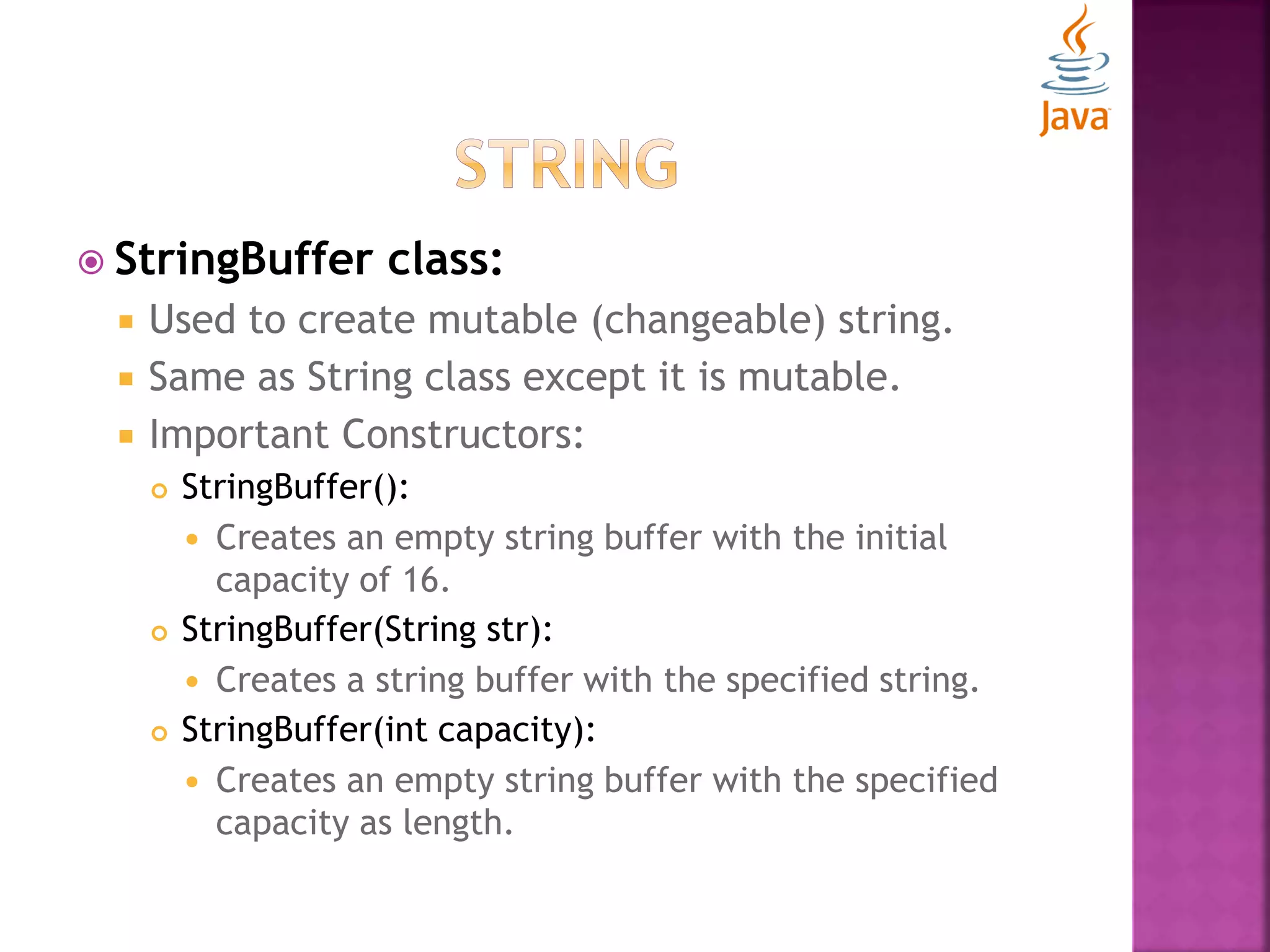
 StringBuffer class:  Used to create mutable (changeable) string.  Same as String class except it is mutable.  Important Constructors:  StringBuffer():  Creates an empty string buffer with the initial capacity of 16.  StringBuffer(String str):  Creates a string buffer with the specified string.  StringBuffer(int capacity):  Creates an empty string buffer with the specified capacity as length.
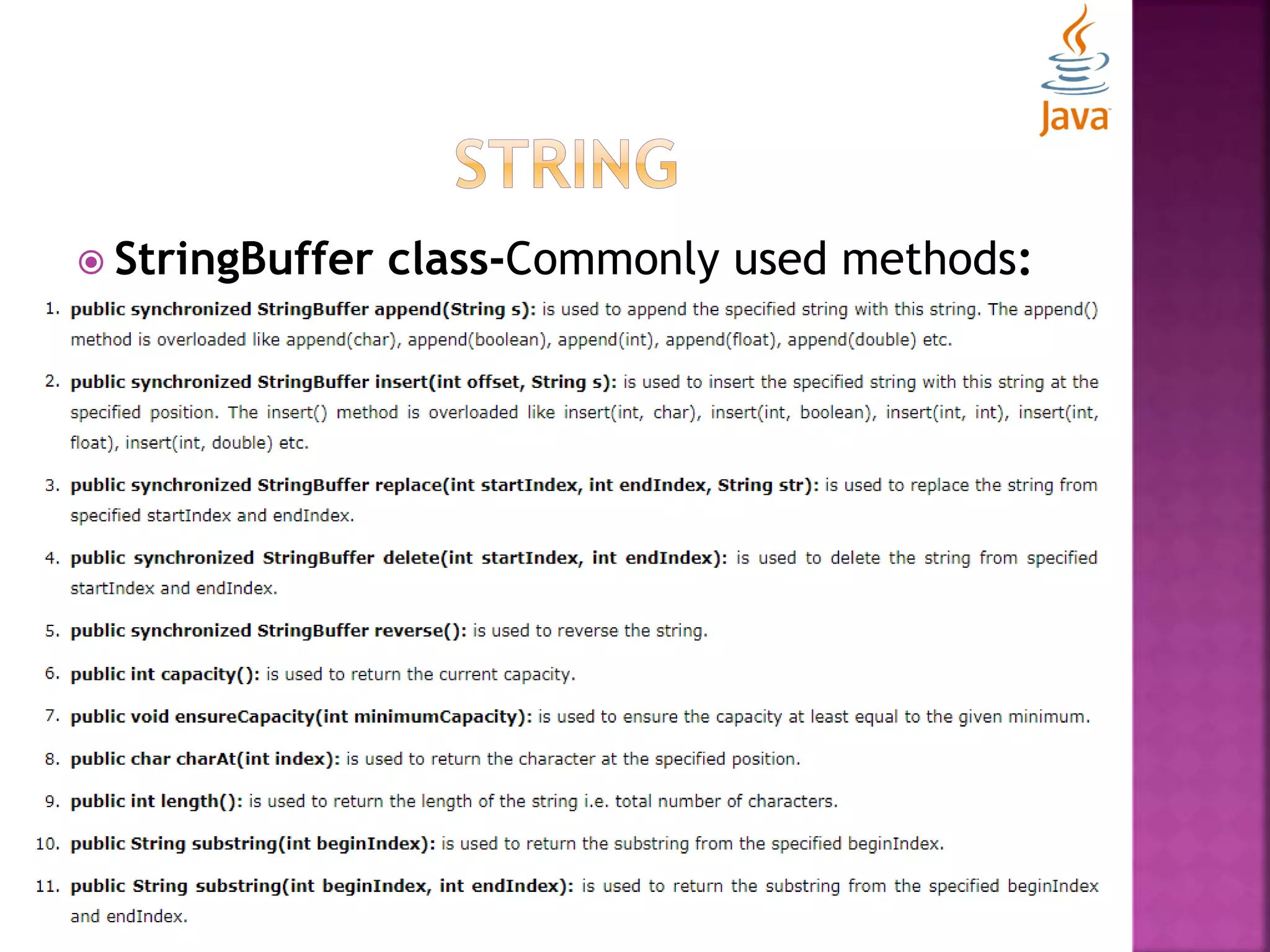
 StringBuffer class-Commonly used methods:
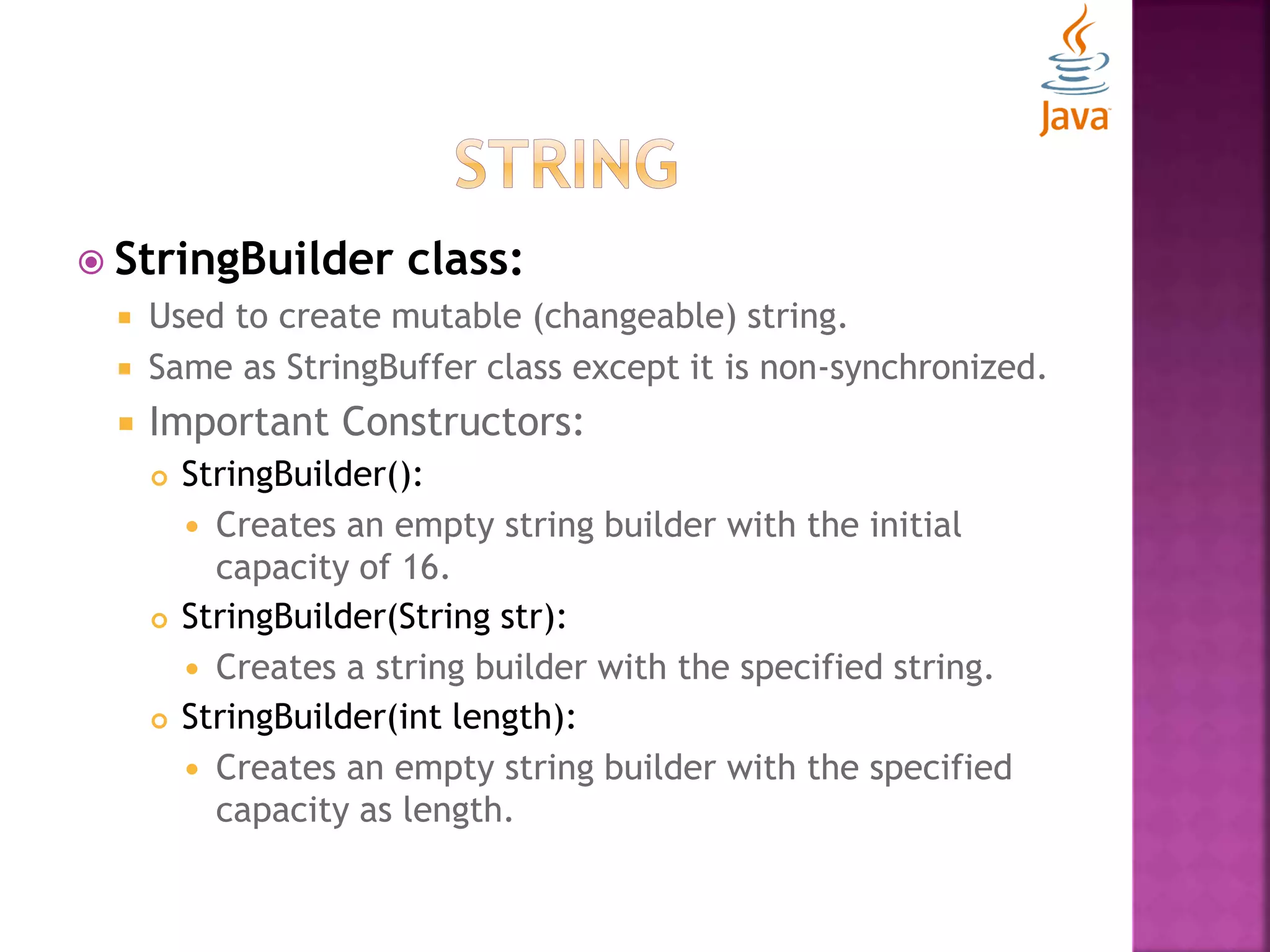
 StringBuilder class:  Used to create mutable (changeable) string.  Same as StringBuffer class except it is non-synchronized.  Important Constructors:  StringBuilder():  Creates an empty string builder with the initial capacity of 16.  StringBuilder(String str):  Creates a string builder with the specified string.  StringBuilder(int length):  Creates an empty string builder with the specified capacity as length.
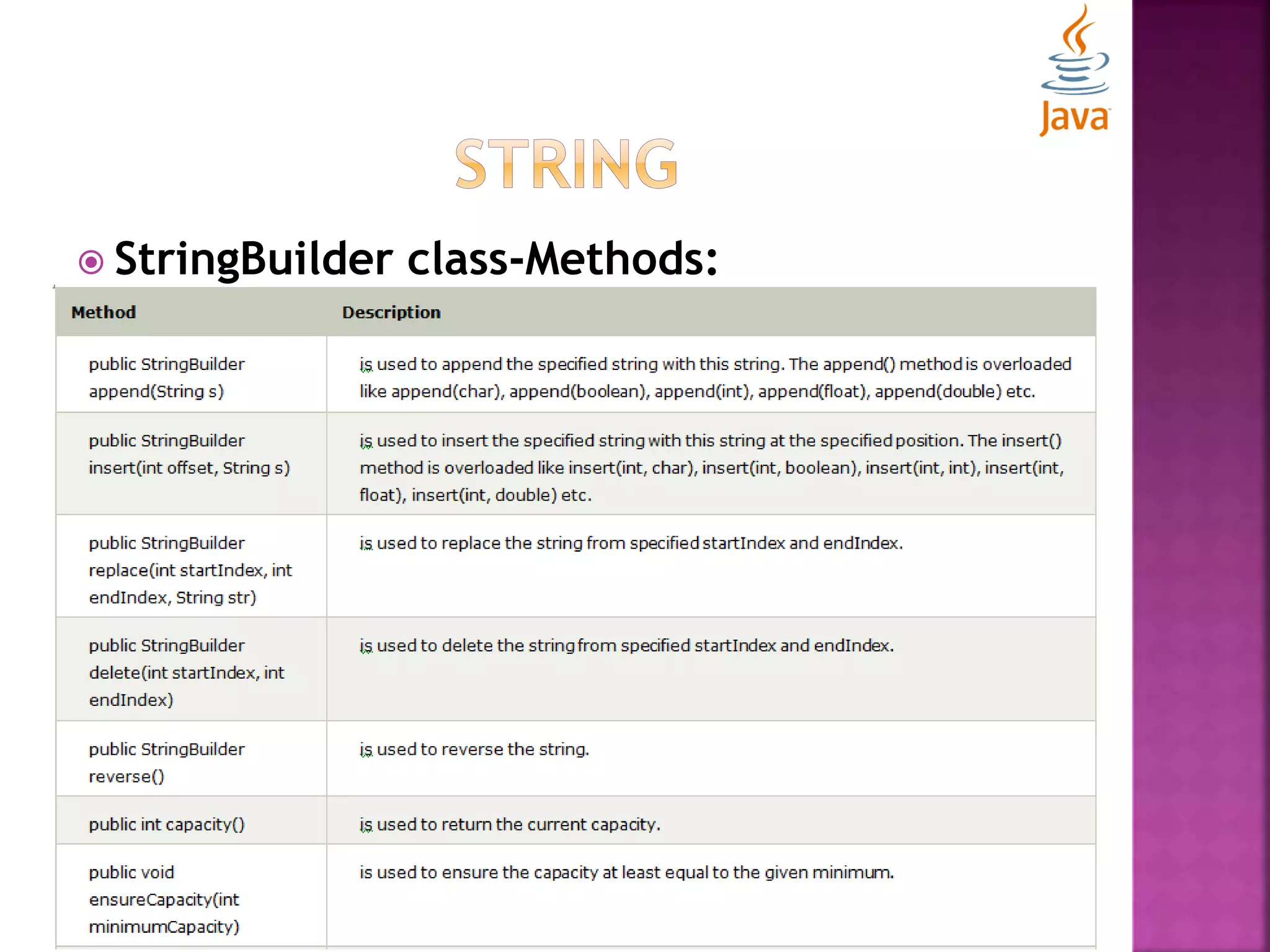
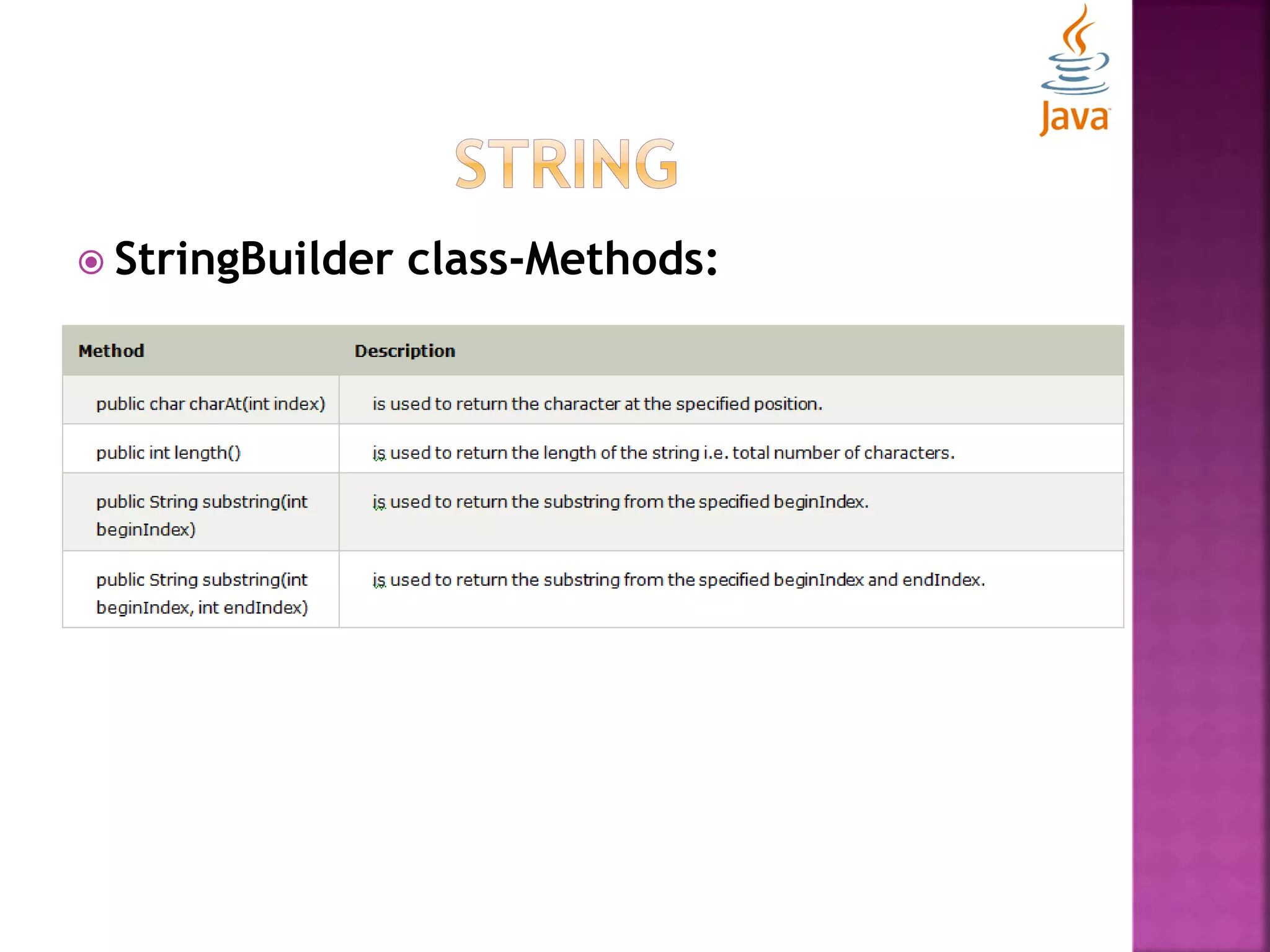
 StringBuilder class-Methods:
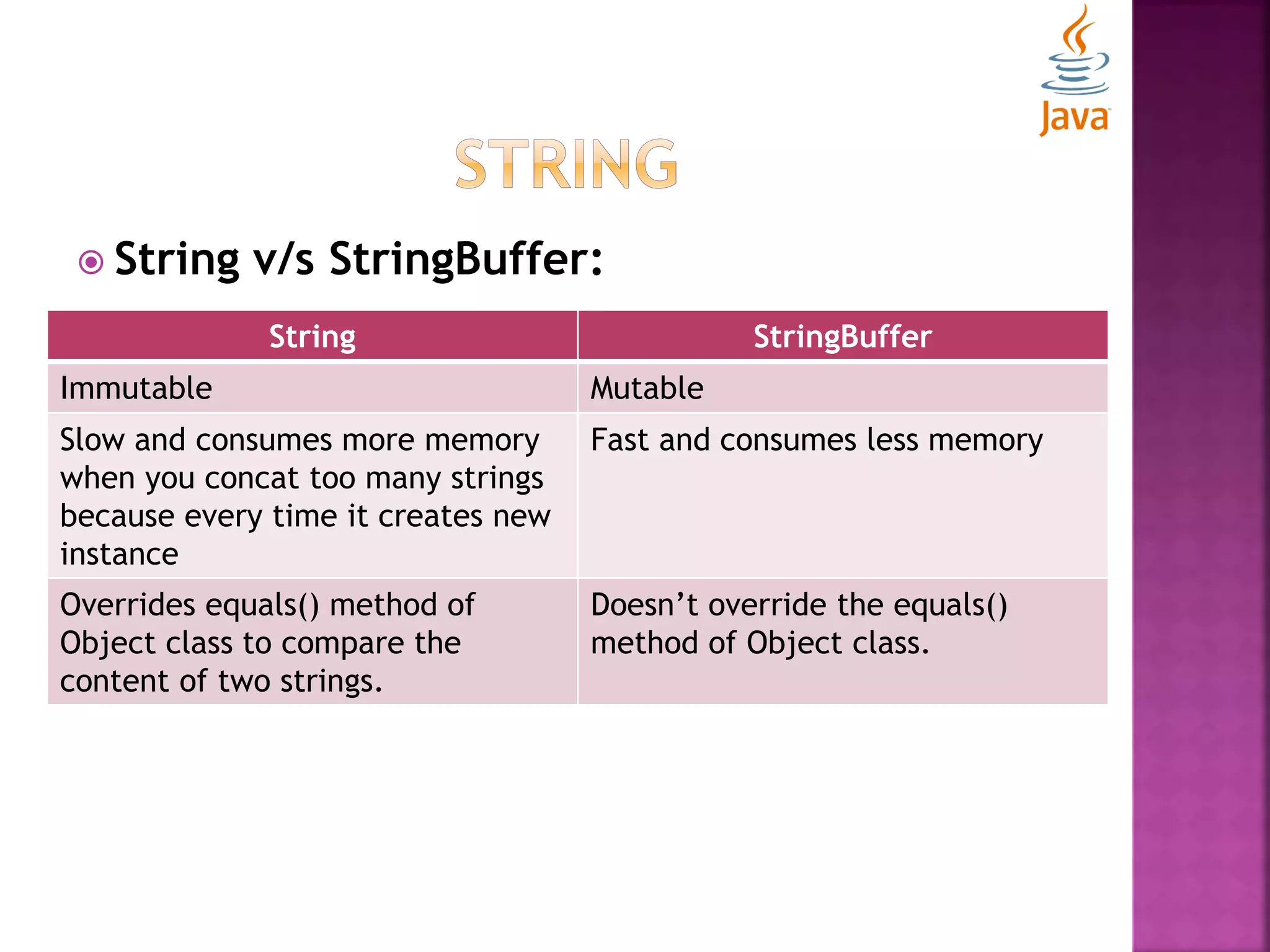
 String v/s StringBuffer: String StringBuffer Immutable Mutable Slow and consumes more memory when you concat too many strings because every time it creates new instance Fast and consumes less memory Overrides equals() method of Object class to compare the content of two strings. Doesn’t override the equals() method of Object class.
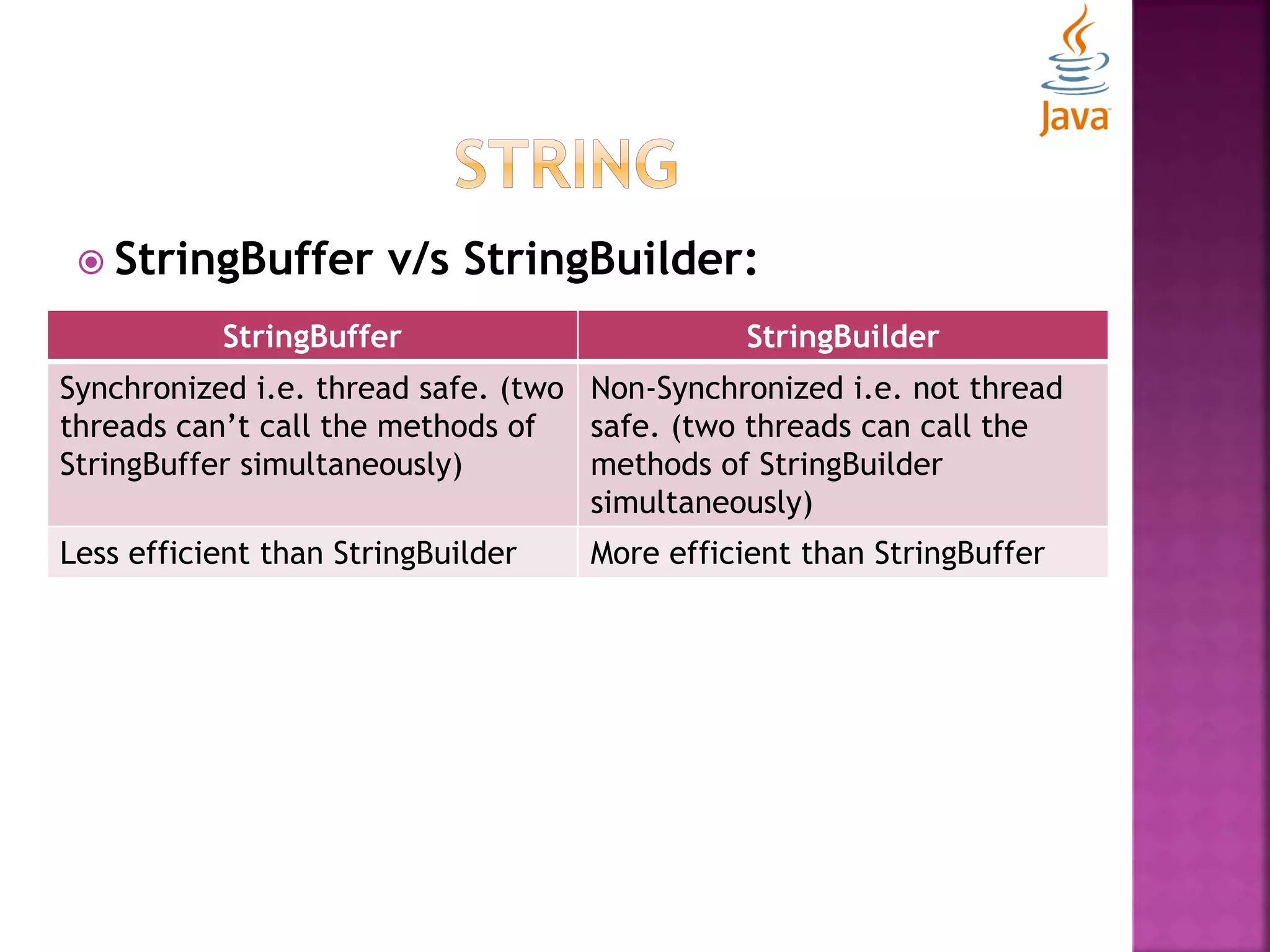
 StringBuffer v/s StringBuilder: StringBuffer StringBuilder Synchronized i.e. thread safe. (two threads can’t call the methods of StringBuffer simultaneously) Non-Synchronized i.e. not thread safe. (two threads can call the methods of StringBuilder simultaneously) Less efficient than StringBuilder More efficient than StringBuffer
 toString() method:  When you want to represent any object as a string, this method comes into existence.  Returns the string representation of the object.  If you print any object, compiler internally invokes this method on the object.  For desired output, you can override this method.  By overriding this method, you can return values of an object, so don’t need to write much code.
 toString() method: class Student{ int rollno; String name; String city; Student(int rollno, String name, String city){ this.rollno=rollno; this.name=name; this.city=city; } public static void main(String args[]){ Student student=new Student(101,"Rajat","Delhi"); System.out.println(student); //compiler writes here student.toString() } }
 toString() method: class Student{ int rollno; String name; String city; Student(int rollno, String name, String city){ this.rollno=rollno; this.name=name; this.city=city; } public String toString(){//overriding the toString() method return rollno+" "+name+" "+city; } public static void main(String args[]){ Student student=new Student(101,"Rajat","Delhi"); System.out.println(student); //compiler writes here student.toString() }}
 Strings  Exception Handling
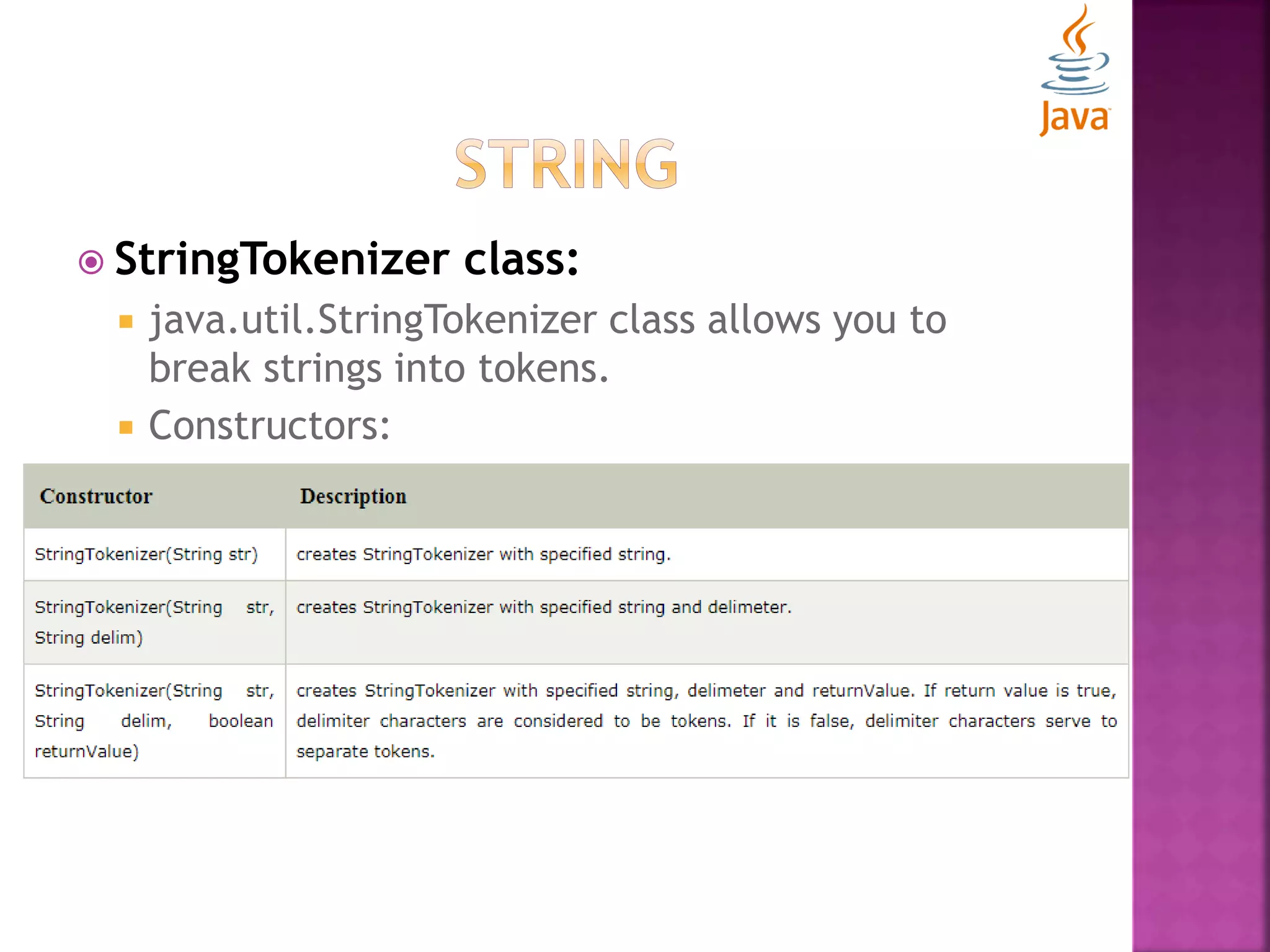
 StringTokenizer class:  java.util.StringTokenizer class allows you to break strings into tokens.  Constructors:
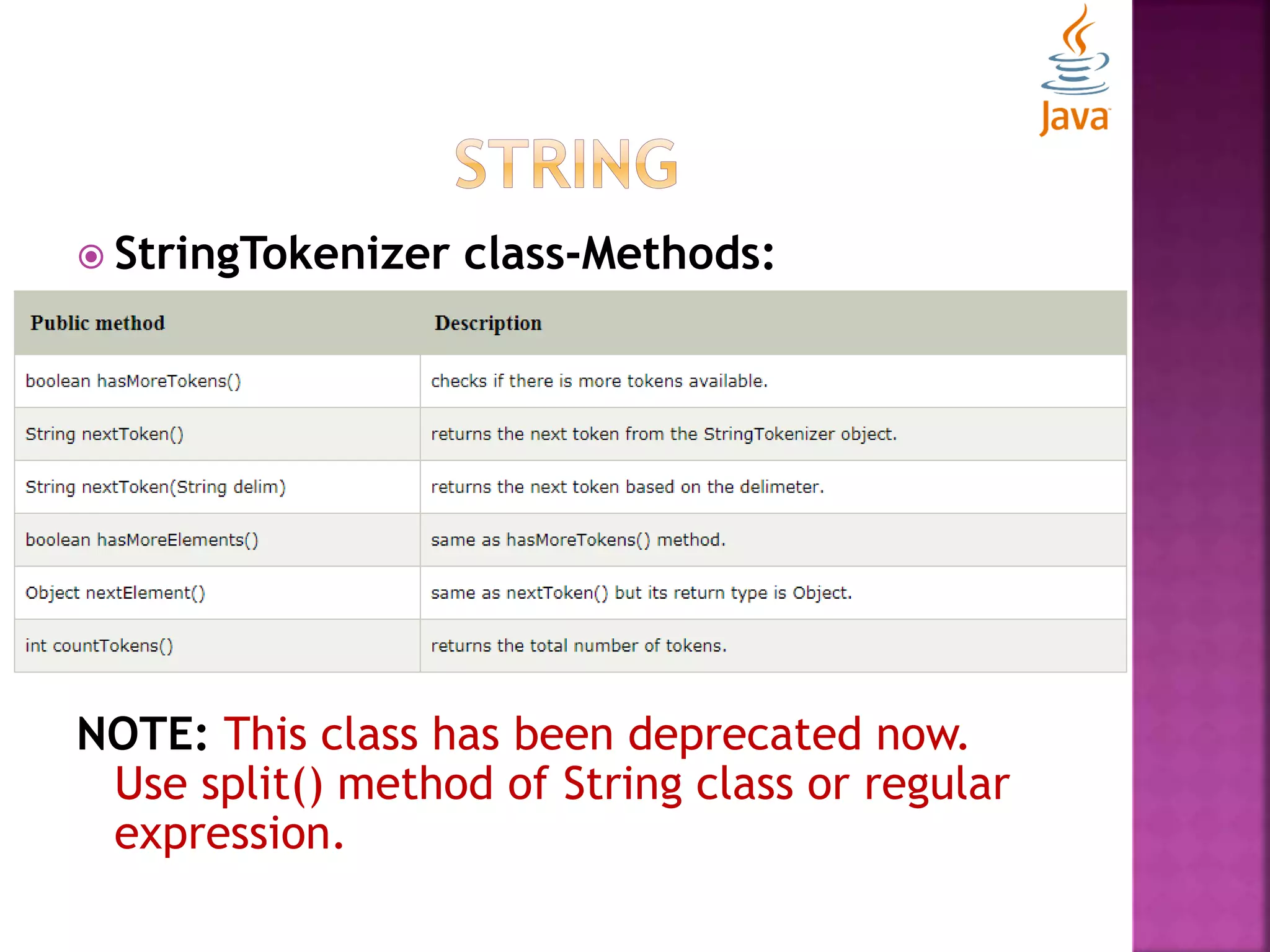
 StringTokenizer class-Methods: NOTE: This class has been deprecated now. Use split() method of String class or regular expression.
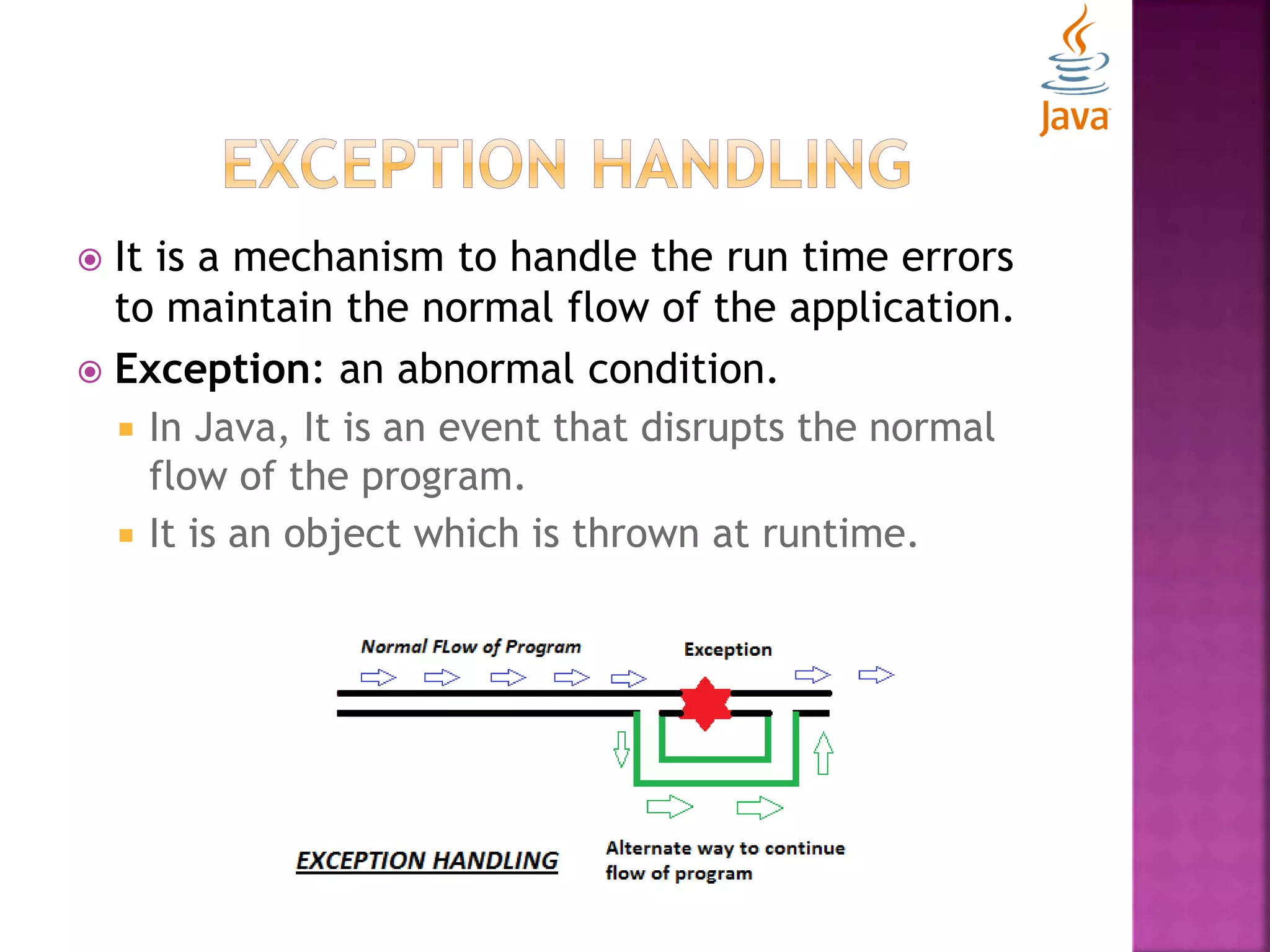
 It is a mechanism to handle the run time errors to maintain the normal flow of the application.  Exception: an abnormal condition.  In Java, It is an event that disrupts the normal flow of the program.  It is an object which is thrown at runtime.
 Possibilities of exception to occur in scenarios like:  A user has entered an invalid data.  A file that needs to be opened can’t be found.  A network connection has been lost in the middle of communications or the JVM run out of memory.  Exceptions may be caused by user error, others by programming error, and others by physical resources that have failed in some manner.
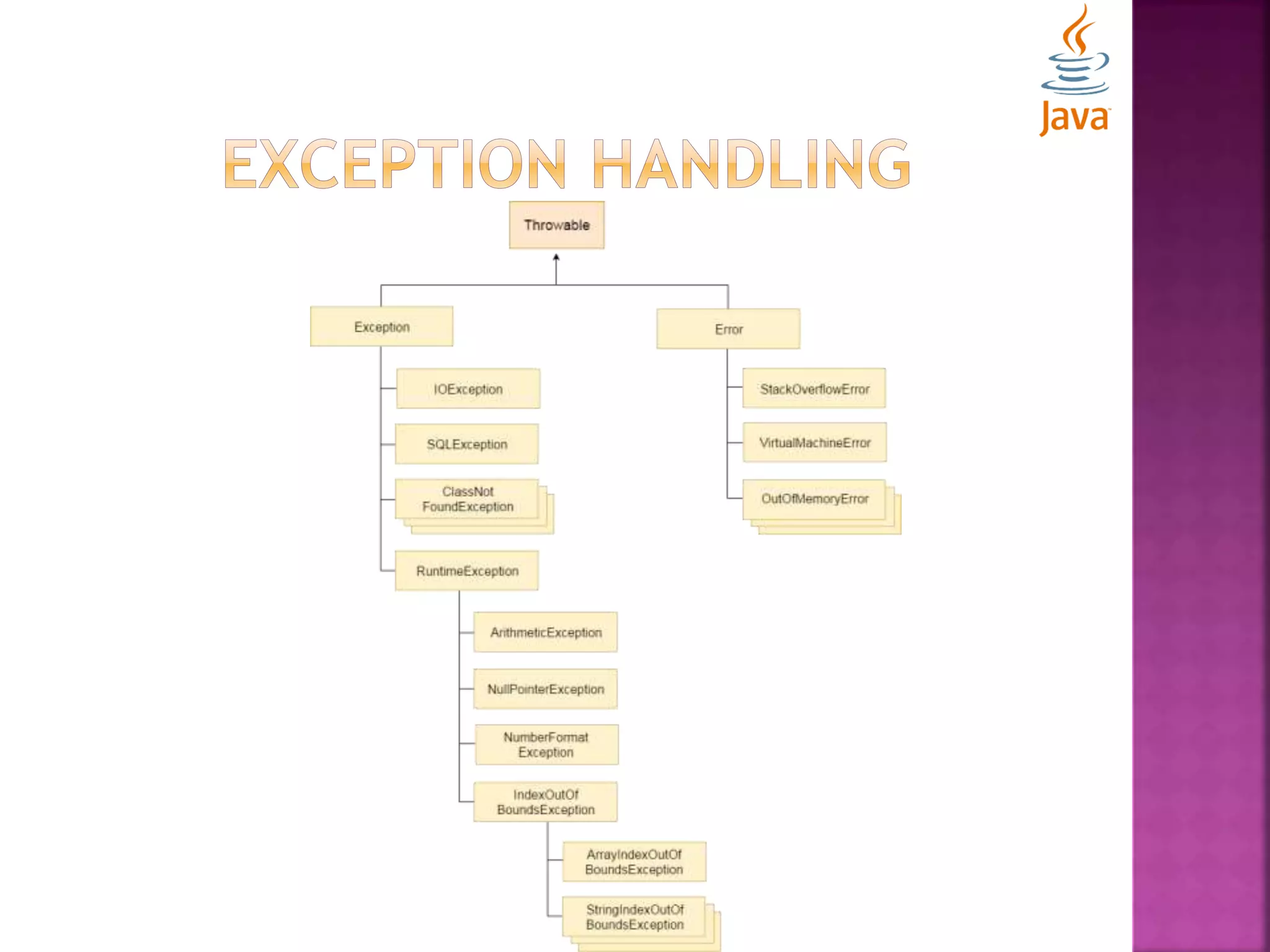
 Types of Exception:  Checked Exception  An exception that occurs at compile time.  Can’t be simply ignored at the time of compilation.  Programmer should take care of (handle) these. import java.io.File; import java.io.FileReader; public class FilenotFoundDemo { public static void main(String args[]) { File file = new File("E://file.txt"); FileReader fr = new FileReader(file); } }
 Types of Exception:  Unchecked Exception  An exception that occurs at execution time.  Known as Runtime exception.  Includes logical errors or improper use of an API. public class UncheckedDemo { public static void main(String args[]) { int num[] = {1, 2, 3, 4}; System.out.println(num[5]); } }
 Types of Exception:  Error  Not exception at all, but problems that arise beyond the control of the user or programmer.  Typically ignored in code because one can rarely do anything about an error.  For example, if a stack overflow occurs, an error will arise.
 Keywords used in Exception Handling:  try  Catch  finally  throw  throws
 Keywords used in Exception Handling:  try  try-block is used to enclose the code that might throw an exception.  Must be followed by either catch or finally block.  catch  Used to handle the exception  Must be used after try block.  Multiple catch blocks can be used with a single try block
 Problem Without exception handling: public class WithoutExceptionHandling{ public static void main(String args[]){ int data=50/0;// throw exception System.out.println("rest of the code..."); } }  Solution by exception handling: public class WithExceptionHandling{ public static void main(String args[]){ try{ int data=50/0; }catch(ArithmeticException e){System.out.println(e);} System.out.println("rest of the code..."); }}
 Using multiple try-catch block: public class WithExceptionHandling{ public static void main(String args[]){ try{ int a[]=new int[5]; a[5]=30/0; } catch(ArithmeticException e){System.out.println("task1 is completed");} catch(ArrayIndexOutOfBoundsException e){System.out.println("task 2 completed");} catch(Exception e){System.out.println("common task completed");} System.out.println("rest of the code..."); } }
 Using nested try block: public class WithExceptionHandling{ public static void main(String args[]){ try{ try{ System.out.println("going to divide"); int b =39/0; }catch(ArithmeticException e){System.out.println(e);} try{ int a[]=new int[5]; a[5]=4; }catch(ArrayIndexOutOfBoundsException e){System.out.println(e);} System.out.println("other statement); }catch(Exception e){System.out.println("handeled");} System.out.println("normal flow.."); }}
 Keyword used in Exception Handling:  finally:  finally-block is used to execute important code such as closing connection, stream etc.  Always executed despite of the exception handled or not.  Follows try-catch block. public class WithoutExceptionHandling{ public static void main(String args[]){ try{ int data=25/0; System.out.println(data); } catch(ArithmeticException e){System.out.println(e);} finally{System.out.println("finally block is always executed");} System.out.println("rest of the code..."); } }
 Keyword used in Exception Handling:  throw:  This keyword is used to explicitly throw an exception.  Can throw either checked or unchecked exceptions.  Mainly used to throw custom exception. public class ExceptionHandling{ static void validate(int age){ if(age<18) throw new ArithmeticException("not valid"); else System.out.println("welcome to vote"); } public static void main(String args[]){ validate(13); System.out.println("rest of the code..."); } }
 Keyword used in Exception Handling:  throws:  Used to declare an exception.  Gives an information to the programmer that an exception may occur.  It is better for the programmer to provide the exception handling code to maintain the normal flow. public class ExceptionHandling{ public static void main(String[] args) throws IOException{ FileWriter file = new FileWriter(“d:Data1.txt"); file.write("This is exception handling using throws keyword"); file.close(); }}
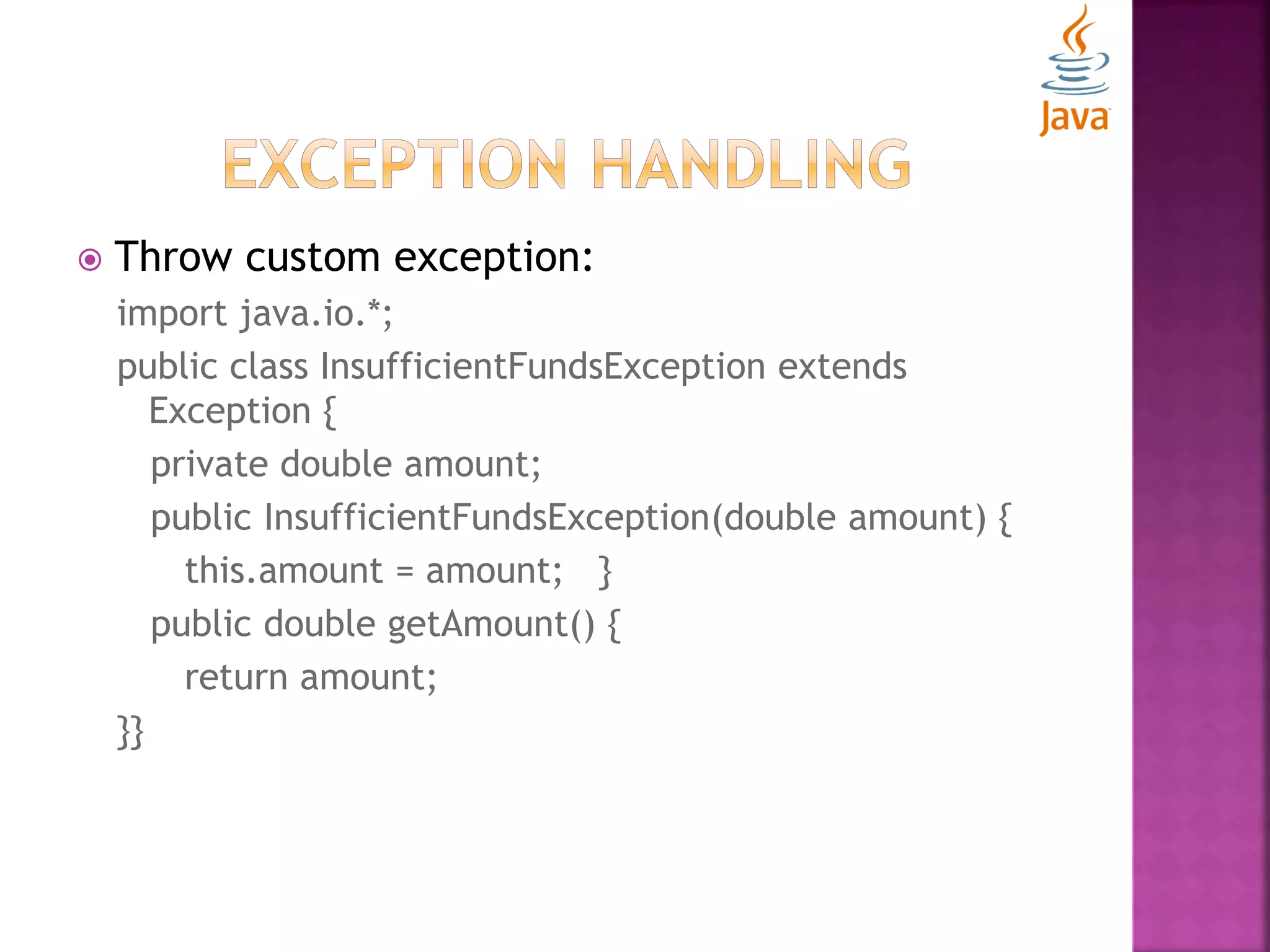
 Throw custom exception: import java.io.*; public class InsufficientFundsException extends Exception { private double amount; public InsufficientFundsException(double amount) { this.amount = amount; } public double getAmount() { return amount; }}
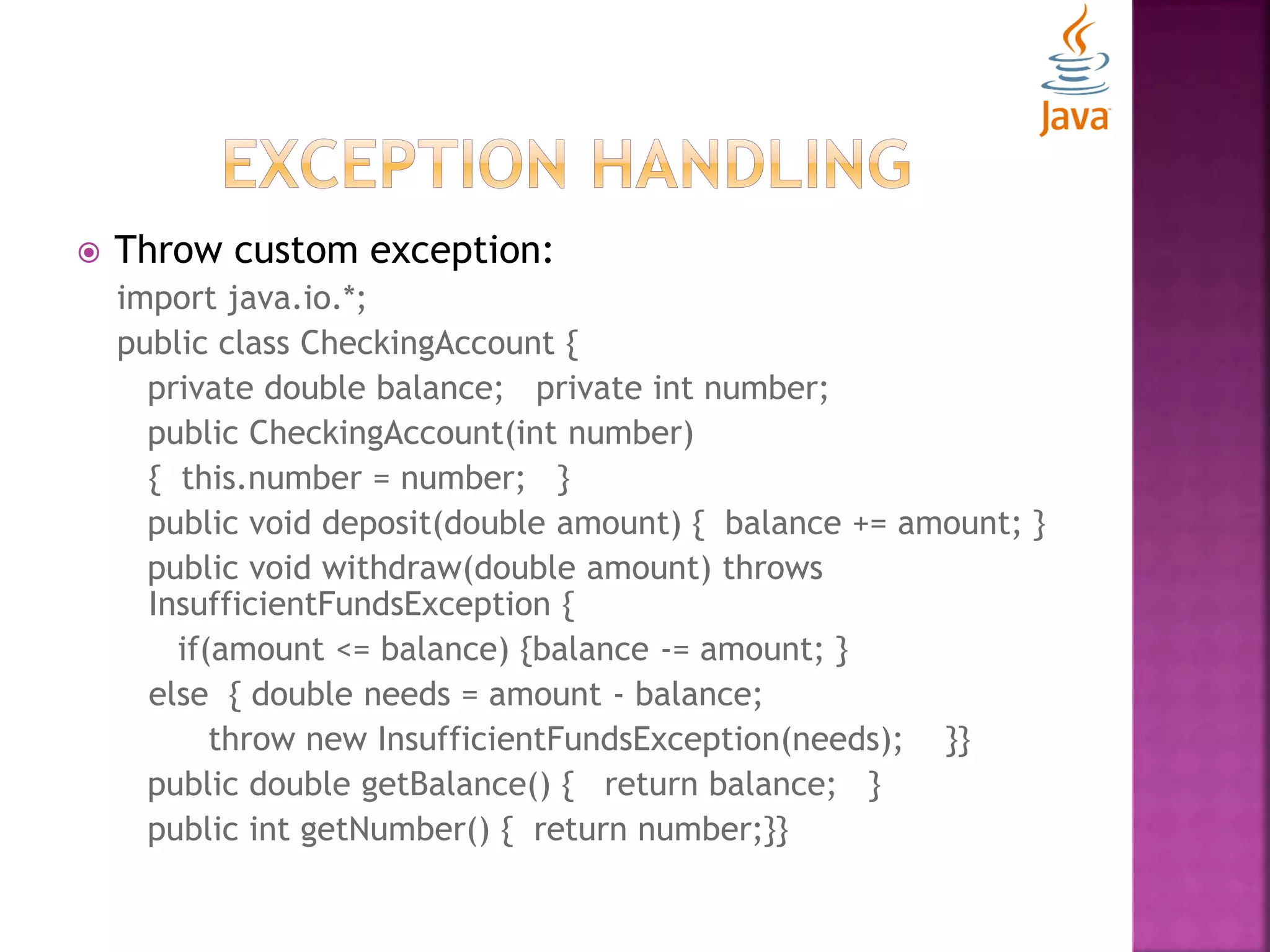
 Throw custom exception: import java.io.*; public class CheckingAccount { private double balance; private int number; public CheckingAccount(int number) { this.number = number; } public void deposit(double amount) { balance += amount; } public void withdraw(double amount) throws InsufficientFundsException { if(amount <= balance) {balance -= amount; } else { double needs = amount - balance; throw new InsufficientFundsException(needs); }} public double getBalance() { return balance; } public int getNumber() { return number;}}
 Throw custom exception: public class BankDemo { public static void main(String [] args) { CheckingAccount c = new CheckingAccount(101); System.out.println("Depositing $500..."); c.deposit(500.00); try { System.out.println("nWithdrawing $100..."); c.withdraw(100.00); System.out.println("nWithdrawing $600..."); c.withdraw(600.00); }catch(InsufficientFundsException e) { System.out.println("Sorry, but you are short $" + e.getAmount()); e.printStackTrace(); } }}
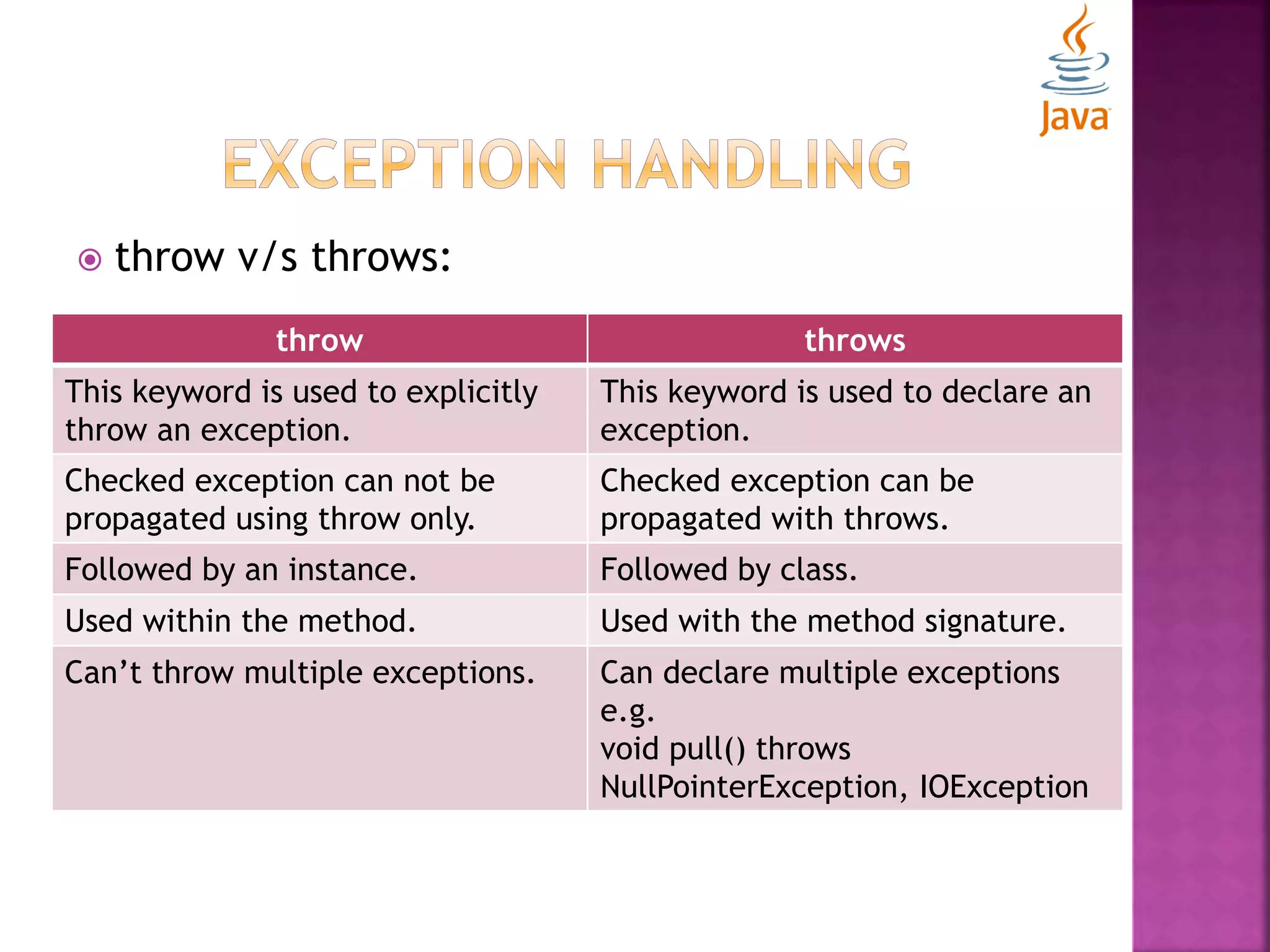
 throw v/s throws: throw throws This keyword is used to explicitly throw an exception. This keyword is used to declare an exception. Checked exception can not be propagated using throw only. Checked exception can be propagated with throws. Followed by an instance. Followed by class. Used within the method. Used with the method signature. Can’t throw multiple exceptions. Can declare multiple exceptions e.g. void pull() throws NullPointerException, IOException
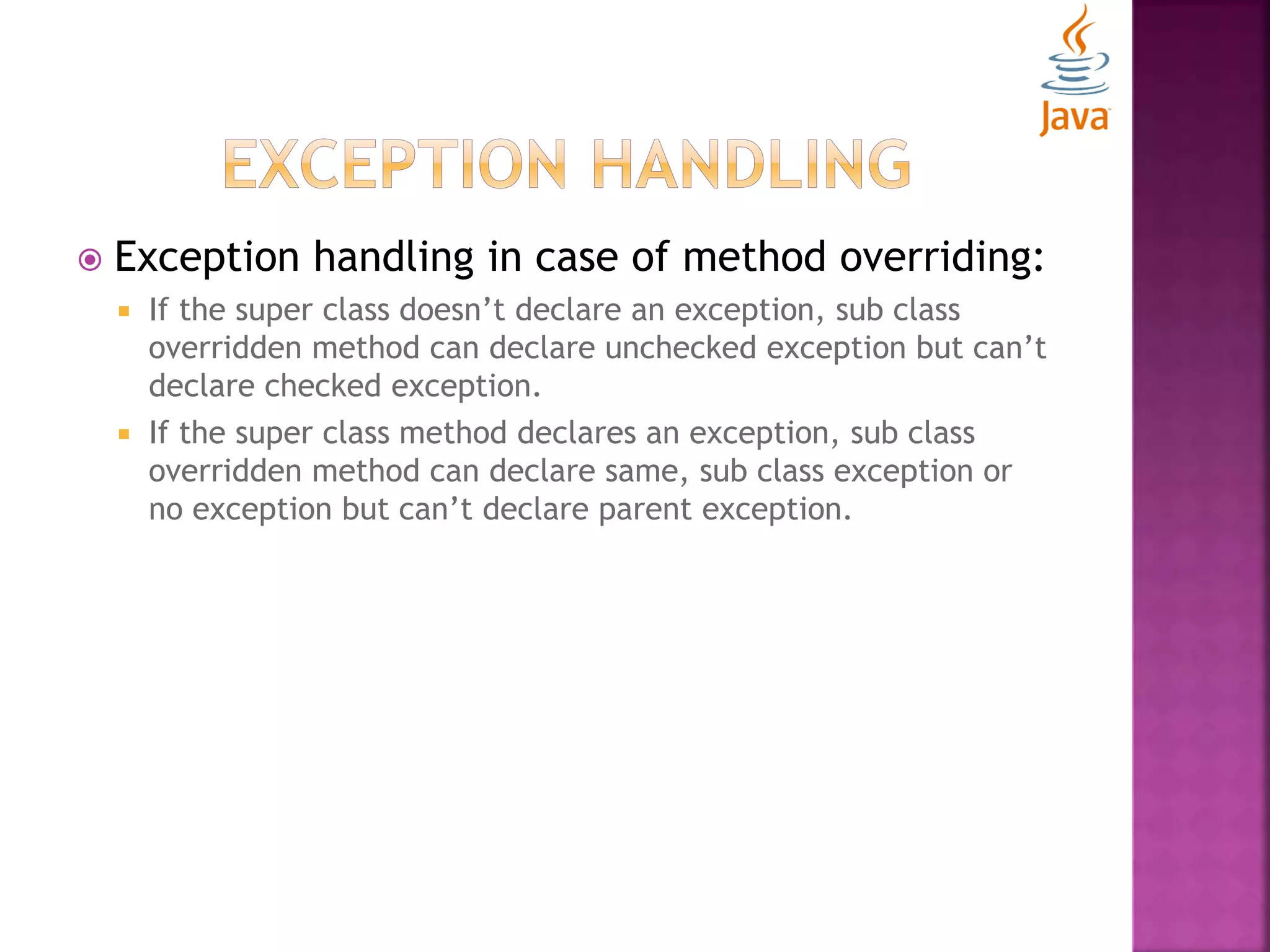
 Exception handling in case of method overriding:  If the super class doesn’t declare an exception, sub class overridden method can declare unchecked exception but can’t declare checked exception.  If the super class method declares an exception, sub class overridden method can declare same, sub class exception or no exception but can’t declare parent exception.

Let's start with Java- Basic Concepts

  • 1.
  • 3.
     What isJava?  Why Java?  History of Java  Versions of Java  Features of Java  Eclipse IDE  First Java Program
  • 4.
     An ObjectOriented Programming Language  According to Sun, More Than 3 billion devices run Java  Applications use Java such as: Desktop Applications like media players, web applications like govt. websites, enterprise applications like banking applications, mobiles etc.  Different Editions: J2SE, J2EE, J2ME etc.
  • 5.
    CODING PROBLEM JAVASOLUTION Pointers References Memory Management Garbage Collection Error Handling Exception Handling Complexity Reusable code in APIs Platform dependent Portable code
  • 6.
     Developed byJames Gosling and Sun Microsystems in 1991  Named as Oak language which was later renamed as Java in 1995.  Oak: Symbol of strength and name of national tree of many countries.  Java: Name of an island of Indonesia where first coffee was produced (Java coffee)  Now it’s subsidiary of Oracle.
  • 7.
    1995 JDK Alpha & Beta 1996 JDK1.0 1997 JDK 1.1 1998 J2SE 1.2 2000 J2SE 1.3 2002 J2SE 1.4 2004 J2SE 5.0 2006 Java SE 6 2011 Java SE 7 2014 Java SE 8
  • 8.
  • 9.
     An IntegratedDevelopment Environment (IDE) for developing applications using Java, C/C++, Python etc.  Composed of plug-ins and designed to be extensible using additional plug-ins.  Developed in Java.  Java Development Tools (JDT) provides a plug-in that allows Eclipse to be used as a Java IDE.
  • 10.
    class MyFirstProgram { public staticvoid main (String args[]) { System.out.println(“I have just started.”); } } Compile: javac MyFirstProgram.java Run/Execute: java MyFirstProgram
  • 11.
    class MyFirstProgram //simplejava program { /** @javadoc this would be documented in java * @main this method is main method of class */ public static void main (String args[]) { /* This line won’t print on console because of multiline comment block */ System.out.println(“I have just started.”); } }
  • 13.
     JVM, JREand JDK  Internal Architecture of JVM  Naming Conventions  Data Types  Variables
  • 14.
     JVM:  Anabstract machine.  Provides runtime environment in which java byte code can be executed.  JVM, JRE and JDK are platform dependent because of the different configurations of different OS  But, Java is platform independent.  Tasks Performed by JVM: Loads code, Verifies code, Executes code
  • 15.
     JRE:  Anacronym for Java Runtime Environment.  Contains set of libraries and other files that JVM uses at runtime.
  • 16.
     JDK:  Anacronym for Java Development Kit.  Contains JRE and development tools.
  • 17.
    Loads class file Per-class structure Runtime dataarea Holds local variable and partial results Address of instruction currently being executed Native methods used in the application
  • 18.
     Rule tofollow as you decide what to name your identifiers such as class, package, variable, constant, method etc.  Not forced to follow, that is why known as convention not rule.  Advantages:  Make your code easier to read for yourself and for other programmers.  it takes less time to figure out what the code does.
  • 19.
    Identifier For Convention Class/ interface Should start with uppercase letter e.g. String, Color, Math, MyFirstClass etc. Method Should start with lowercase letter e.g. actionPerformed(), setValue(), getParameter() etc. Variable Should start with lower case letter e.g. orderNumber, productCode etc. Package Should be in lowercase letter e.g. java, lang, sql, etc. Constants Should be in uppercase letter e.g. PI, DEFAULT_VALUE, MAX etc. NOTE: Java follows camel case syntax for naming convention. If name is combined with two words, second word will start with uppercase letter always.
  • 20.
    Data types representthe different values to be stored in the variable.
  • 21.
    Data Type DefaultValue Default Size boolean False 1 bit char ‘u0000’ 2 bytes byte 0 1 byte short 0 2 bytes int 0 4 bytes long 0L 8 bytes float 0.0f 4 bytes double 0.0d 8 bytes
  • 22.
     Name ofreserved area allocation in memory.  Combination of “vary” and “able” which means its value can be changed  Types:  Local Variable  Instance Variable  Static Variable
  • 23.
     LOCAL VARIABLE: Variable declared inside a method  INSTANCE VARIABLE:  Variable declared inside a class but outside the method. Represent object property.  STATIC VARIABLE:  Variable declared as static. Represents class property.
  • 25.
     Unicode System Operators  Command line arguments  Control statements
  • 26.
     Universal InternationalStandard Character Encoding  Capable of representing most of the world’s written languages  Other Coding Systems:  ASCII  ISO 8859-1  Because of Unicode scheme Java uses 2 bytes for char datatype.
  • 27.
     A symbolused to perform operations. Operator Type Category Precedence Unary Postfix expr++ expr-- Prefix ++expr –expr Arithmetic Multiplicative * / % Additive + - Shift Shift << >> >>> Relational Comparison < > <= >= instanceof Equality == != Bitwise Bitwise AND & Bitwise exclusive-OR ^ Bitwise inclusive-OR |
  • 28.
    Operator Type CategoryPrecedence Logical Logical AND && Logical OR || Ternary Ternary ? : Assignment Assignment = += -= *= /= %= &= ^= |= <<= >>= >>>=
  • 29.
     If statement If-else statement  Nested if statement  If-else-if ladder statement  Switch statement
  • 30.
     If statement: if(condition) { //execute this block when condition is true } NOTE: Use where execution/output needed only when condition meets.
  • 31.
     If-else statement: if(condition) { //execute this block when condition is true } else { // execute this block when condition is false } NOTE: Use where execution/output must needed irrespective of the condition.
  • 32.
     Nested-if statement: if(condition1) { if(condition2) { //execute this block when condition1 and condition2 are true } else { // execute this block when condition1 is true } } else { // execute when condition1 is false } NOTE: Use where nested conditions need to be checked to get the correct output.
  • 33.
     If-else-if ladderstatement: if(condition1) { // execute this block when condition1 is true } else if(condition2) { // execute this block when condition2 is true } else { // execute this block when conditions are false } NOTE: Use where multiple conditions need to be checked in order to get the desired result.
  • 34.
     Switch statement: switch(expression) { casevalue1: // code to be executed break; //optional case value2: // code to be executed break; //optional ….. …… default: // code to be executed } NOTE: Use where code needs to be executed for one of the possibilities from multiple possibilities.
  • 36.
     Loop statements Arrays  OOPS Concepts
  • 37.
     There arethree types of loop statements:  For Loop  While Loop  Do-while Loop
  • 38.
     For Loop: for(initialization;condition; increment/ decrement) { // code to be executed } NOTE: Use this statement where number of iterations are fixed/ known before.
  • 39.
     For Loop(enhanced): for(Type var: array) { // code to be executed } NOTE: Use this statement over arrays/ collections.
  • 40.
     For Loop(labelled): labelname: for(initialization; condition; increment/decrement) { // code to be executed } NOTE: Use this statement where you have nested loops and needs to break/continue specific loop.
  • 41.
     While Loop: while(condition) { //code to be executed } NOTE: Use this statement where number of iterations are not fixed/ known before.
  • 42.
     Do-While Loop: do { //code to be executed } while(condition); NOTE: Use this statement where number of iterations are not fixed/ known before but still you have to iterate at least once.
  • 43.
     Break statementin loops:  Used to break loop or switch statement  Breaks the current flow of the program at specified condition.  In case of inner loop, breaks only inner loop.  Continue Statement in loops:  Used to continue loop.  Continues the current flow of the program and skips the remaining code at specified position.  In case of inner loop, continues only inner loop.
  • 44.
     Collection ofsimilar type of elements.  Have contiguous memory location.  Java array is an object, contains elements of similar data type.  Store only fixed set of elements.
  • 45.
     Pros:  CodeOptimization: retrieve or sort the data easily.  Random access: Get any data located at any index position.  Cons:  Size Limit: Store only fixed no. of elements. Doesn’t grow at runtime.
  • 46.
     Types ofArrays:  Single Dimensional Array  Multi-dimensional Array  Single Dimensional Array:  Declaration: dataType[] array; or //preferred way dataType []array; or dataType array[];  Instantiation: array[]=new dataType[size];
  • 47.
     Multi-dimensional Array: Declaration: dataType[][] array; or //preferred way dataType [][]array; or dataType array[][]; or dataType []array[];  Instantiation: array[][]=new dataType[size][size];
  • 48.
     Object OrientedProgramming is a paradigm that provides many concepts like polymorphism, encapsulation, inheritance etc.  Simula is considered as first Object-oriented programming language.  Smalltalk is considered as the first truly Object-oriented programming language.
  • 49.
     Object OrientedProgramming is a paradigm to design program using objects and classes.  Uses the following concepts:  Object  Class  Inheritance  Polymorphism  Encapsulation  Abstraction
  • 50.
     Object:  Anyentity that has state and behavior.  For e.g. chair, pen, table, etc.  Class:  Collection of objects.  Logical entity  Inheritance:  When one object acquires properties and behaviors of parent object.  Provides code reusability.  Use to achieve runtime polymorphism.
  • 51.
     Polymorphism:  Whenone task is performed by different ways.  Two types: Compile-time and Run-time.  Encapsulation:  Binding (or wrapping) code and data together into a single unit.  Abstraction:  Hiding internal details and showing functionality.
  • 52.
     Makes developmentand maintenance easier.  Provides data hiding.  Provides ability to simulate real-world event much more effectively. NOTE: There is a difference between Object- based language and Object-oriented language. Object-based doesn’t follow all the concepts of OOPS such as inheritance.
  • 54.
     Object &Classes  Constructors
  • 55.
     Object:  Physicalas well as logical entity.  Has state and behavior e.g. chair, table, pen etc.  Main characteristics:  State: represents data (value) of an object.  Behavior: represents the behavior (functionality) of an object such as play() etc.  Identity: Implemented via a unique ID that is used by JVM only. (not visible to external user)  It is an instance of a class.  Class acts as template or blueprint from which objects are created.
  • 56.
     Object Definitions: A real world entity.  A run time entity.  An instance of a class.  An entity which has state and behavior.
  • 57.
     Class:  Agroup of objects which has common properties.  A template or blueprint from which objects are created.  Logical entity, not physical.  A class in java can contain:  Fields  Methods  Constructors  Nested class and interface  blocks
  • 58.
     Instance Variables: Variables which are created inside class but outside the method.  Don’t get the memory at compile time.  Get memory at run time when object (instance) is created.  Methods:  Methods are like functions i.e. used to expose behavior of an object.  Helps in code optimization and reusability.
  • 59.
     new Keyword: Use to allocate memory at run time.  All objects get memory in Heap memory area.  Methods:  Methods are like functions i.e. used to expose behavior of an object.  Helps in code optimization and reusability.
  • 60.
     Examples: class Customer{ intcustomerId; //field or data member or instance variable String customerName; public static void main(String args[]){ Customer customer=new Customer(); //creating an object of Customer System.out.println(customer.customerId); //accessing member through reference variable System.out.println(customer.customerName); } } Customer.java
  • 61.
     Examples: class Customer{ intcustomerId; //field or data member or instance variable String customerName; } class CustomerExample{ public static void main(String args[]){ Customer customer=new Customer(); System.out.println(customer.customerId); System.out.println(customer.customerName); } } CustomerExample.java
  • 62.
     Initialization ofobject:  By reference variable  By method  By constructor
  • 63.
     By referencevariable: class Student{ int studentId; String studentName; } class StudentExample{ public static void main(String args[]){ Student student=new Student(); student.studentId=1001; student.studentName=“Ashu"; System.out.println(student.studentId+" "+student.studentName); } }
  • 64.
     By Method: classStudent{ int studentId; String studentName; void createRecord(int id, String name){ studentId=id; studentName=name;} void displayRecord(){ System.out.println(student.studentId+" "+student.studentName); }} class StudentExample{ public static void main(String args[]){ Student student=new Student(); student.createRecord(2001,”Aakash”); student.displayRecord(); }}
  • 65.
     By Constructor: Special type of method use in java to initialize the objects.  Invoked at the time of object creation.  Rules for constructor:  Constructor name must be same as its class name  Constructor must have no explicit return type  Types of constructor:  Default Constructor  Parameterized Constructor
  • 66.
     Default Constructor: Constructor that have no parameter. E.g.: class Student{ Student(){System.out.println(" Student is created");} public static void main(String args[]){ Student student=new Student(); } } NOTE: If there is no constructor explicitly defined in the class, compiler automatically creates a default constructor.
  • 67.
     Default Constructor: classStudent{ int id; String name; void display(){System.out.println(id+" "+name);} public static void main(String args[]){ Student student1=new Student(); Student student2=new Student(); student1.display(); student2.display(); } }
  • 68.
     Parameterized Constructor: A constructor that have parameters. class Student{ int studentId; String studentName; Student(int id,String name){ studentId = id; studentName = name; } void display(){System.out.println(studentId+" "+studentName);} public static void main(String args[]){ Student student1=new Student(1001,”Ashu”); Student student2=new Student(1002,”Aman”); student1.display(); student2.display(); } }
  • 70.
     Object andClass: Constructor  Inheritance  Aggregation  Keywords: this, static, final, super
  • 71.
     Constructor Overloading: A class have number of constructors that differ in parameter lists.  Compiler differentiates them by taking into account the number of parameters in the list and their type.
  • 72.
     Constructor Overloading: classStudent{ int studentId; String studentName; int studentAge; Student(int id, String name){ studentId = id; studentName = name; } Student(int id, String name, int age){ studentId = id; studentName = name; studentAge=age; } void display(){System.out.println(studentId+" "+(studentName+" "+(studentAge);} public static void main(String args[]){ Student student1 = new Student(111,"Ashu"); Student student2 = new Student(222,"Aman",25); student1.display(); student2.display(); } }
  • 73.
     Constructor v/sMethod: Constructor Method Use to initialize the state of an object. Use to expose behavior of an object. Must not have return type. Must have return type. Invoked implicitly. Invoked explicitly. Java compiler provides a default constructor if class don’t have any. Not provided by compiler in any case. Name must be same as the class name. May or may not be same as class name.
  • 74.
     Copy constructor: classStudent{ int studentId; String studentName; Student(int id, String name){ studentId = id; studentName = name; } Student(Student student){ studentId = student .id; studentName = student .name; } void display(){System.out.println(studentId+" "+(studentName+" "+(studentAge);} public static void main(String args[]){ Student student1 = new Student(111,"Ashu"); Student student2 = new Student(student1); student1.display(); student2.display(); } }
  • 75.
     A mechanismin which one object acquires properties and behaviors of parent object.  Represents IS-A relationship, also known as parent-child relationship.  Use for code reusability.
  • 76.
    class subclass-name extendssuperclass-name { Methods and fields }  Extends keyword indicates that newly defined class has been derived from an existing class.  “Extends” means “To increase the functionality”.  Class which is inherited called as parent or super class  Class which inherits called as child or sub class.
  • 77.
     Types ofInheritance
  • 78.
    class subclass-name extendssuperclass-name { Methods and fields }  Extends keyword indicates that newly defined class has been derived from an existing class.  “Extends” means “To increase the functionality”.  Class which is inherited called as parent or super class  Class which inherits called as child or sub class.
  • 79.
     Class havingan entity reference, known as aggregation.  Represents HAS-A relationship.  Use for code reusability.
  • 80.
     this:  Refersto the current object. class Student{ int rollno; String name; float fee; Student(int rollno,String name,float fee){ this.rollno=rollno; this.name=name; this.fee=fee; } void display(){System.out.println(rollno+" "+name+" "+fee);} } class ThisExample{ public static void main(String args[]){ Student student1=new Student(1111,"ankit",9000f); Student student2=new Student(1112,"sumit",8000f); student1.display(); student2.display(); }}
  • 81.
     static:  Usedfor memory management only.  Can be applied on variables, methods, blocks, and nested class.  Static variable  Can be used to refer the common properties of all objects.  Gets memory only once in class area at the time of class loading.
  • 82.
     static:  Staticvariable class Student{ int rollno; String name; static float fee=5000f; Student(int rollno,String name){ this.rollno=rollno; this.name=name; } void display(){System.out.println(rollno+" "+name+" "+fee);} } class StaticExample{ public static void main(String args[]){ Student student1=new Student(1111,"ankit”); student1.display(); }}
  • 83.
     static:  Staticmethod  Belongs to class rather than object of a class.  Can be invoked without the need for creating an instance of a class.  Can access static data member and can change the value of it.  Can not use non-static data members or call non- static method directly.  this and super can not be used in static context.
  • 84.
     static:  Staticmethod class Student{ int rollno; String name; static float fee=5000f; Student(int rollno,String name){ this.rollno=rollno; this.name=name; } static void changeFee(){fee=9000f;} void display(){System.out.println(rollno+" "+name+" "+fee);} } class StaticExample{ public static void main(String args[]){ Student student1=new Student(1111,"ankit”); student1.display(); Student.changeFee(); Student student2=new Student(1121,“Rajat”); student2.display(); }}
  • 85.
     static:  Staticblock  Use to initialize the static data member.  Execute before main method at the time of class loading. class StaticBlockExample{ static{System.out.println("static block is invoked");} public static void main(String args[]){ System.out.println("Hello main"); } }
  • 86.
     final:  Useto restrict the user.  Can be used on variable, method, and class. NOTE:  Constructor can not be final.  Final methods can be inherited but can not be overridden.  Can declare blank final variable but that will be initialized only by constructor. JAVA FINAL KEYWORD Stop value change Stop method overriding Stop inheritance
  • 87.
     super:  Useto refer immediate parent class object.  Can be used to refer immediate parent class instance variables.  Can be used to invoke immediate parent class method.  Can be used to invoke immediate parent class constructor.
  • 88.
     super: class Animal{ Stringcolor="white"; } class Dog extends Animal{ String color="black"; void printColor(){ System.out.println(color);//prints color of Dog class System.out.println(super.color);//prints color of Animal class }} class SuperExample{ public static void main(String args[]){ Dog d=new Dog(); d.printColor(); }}
  • 90.
     Polymorphism  Abstraction Interfaces  Abstract class v/s Interfaces
  • 91.
     Polymorphism  “Poly+Morphs”Many+ Forms  Ability of an object to take on many forms.  A single action can be performed by many ways.  Two Types:  Compile Time Polymorphism or Method overloading  Run Time Polymorphism or Method overriding
  • 92.
     Compile TimePolymorphism or Method overloading:  A class having multiple methods having same name but different in parameters.  If you have to perform only one operation, having same name of the methods increases the readability of the program. class Adder{ static int add(int a, int b){return a+b;} static int add(int a, int b, int c){return a+b+c;} } class TestOverloading{ public static void main(String[] args){ System.out.println(Adder.add(11,11)); System.out.println(Adder.add(11,11,11)); }}
  • 93.
     Run TimePolymorphism or Method overriding:  Subclass (child class) having the same method as declared in the super class.  In other words, subclass provides specific implementation of the method that has been provided by one of its super class. class Vehicle{ void run(){System.out.println("Vehicle is running");} } class Bike extends Vehicle{ void run(){System.out.println("Bike is running safely");} public static void main(String args[]){ Bike bike = new Bike(); bike.run(); }}
  • 94.
     Method Overloadingv/s Method Overriding: Method Overloading Method Overriding Used to increase the readability of the program. Used to provide the specific implementation of the method that is already provided by parent class. Performed within class. Occurs in two classes having IS-A (inheritance) relationship. Parameters must be different. Parameters must be same. Known as Compile-time polymorphism Known as run-time polymorphism.
  • 95.
     A processof hiding the implementation details and showing only functionality to the user.  It shows only the important things to the user and hides the internal details.  Lets you focus on what the object does instead of how it does it.  Two ways:  Abstract Class (0%-100%)  Interface (100%)
  • 96.
     Abstract class: A class declared with abstract keyword.  It can have abstract and non-abstract methods.  It needs to be extended and its methods need to be implemented.  If subclass is not implementing the abstract methods of super class then it must be declared as abstract.  It can not be instantiated.
  • 97.
     Abstract class: abstractclass Bike{ abstract void run(); } class Honda extends Bike{ void run(){System.out.println("running safely..");} public static void main(String args[]){ Bike bike = new Honda(); bike.run(); } }
  • 98.
     Abstract class: abstractclass Shape{ abstract void draw(); } //In real scenario, implementation is provided by others i.e. unknown by end user class Rectangle extends Shape{ void draw(){System.out.println("drawing rectangle");} } class Circle extends Shape{ void draw(){System.out.println("drawing circle");} } //In real scenario, method is called by programmer or user class AbstractionExample{ public static void main(String args[]){ Shape s=new Circle(); //In real scenario, object is provided through method e.g. getShape() method s.draw(); s=new Rectangle(); s.draw();} }
  • 99.
     A mechanismto achieve abstraction.  It is a blueprint of a class.  It has static constants and abstract methods.  Also represents IS-A relationship.  Can be used to achieve multiple inheritance.  Used to achieve loose coupling.
  • 100.
    //Interface declaration: byfirst user interface Drawable{ void draw(); } //Implementation: by second user class Rectangle implements Drawable{ public void draw(){System.out.println("drawing rectangle");} } class Circle implements Drawable{ public void draw(){System.out.println("drawing circle");} } //Using interface: by third user class TestInterface{ public static void main(String args[]){ Drawable drawShape=new Circle(); //In real scenario, object is provided by method e.g. getDrawable() drawShape.draw(); }}
  • 101.
    interface Drawable{ void draw(); staticint cube(int x){return x*x*x;} } class Rectangle implements Drawable{ public void draw(){System.out.println("drawing rectangle");} } class TestInterface{ public static void main(String args[]){ Drawable drawShape=new Rectangle(); drawShape.draw(); System.out.println(Drawable.cube(3)); }}
  • 102.
    Abstract class Interface Canhave abstract and non-abstract methods. Interface can have only abstract methods. Since Java 8, it can have default and static methods. Doesn’t support multiple inheritance. Supports multiple inheritance. Can have final, non-final, static and non-static variables. Can have only static and final variables. Can provide the implementation of interfaces. Can’t provide the implementation of abstract class. abstract keyword is used to declare abstract class. interface keyword is used to declare interface. Subclass uses extends keyword. Subclass uses implements keyword.
  • 104.
  • 105.
     A groupof similar types of classes, interfaces, and sub-packages.  Used to categorize the classes and interfaces so that they can be easily maintained.  Provides access protection.  Removes Naming collision.  Can be categorized into two forms:  Built-in package  User-defined package
  • 106.
  • 107.
     User-defined package: package keyword is used to create a package in java. package mypack; public class Simple{ public static void main(String args[]){ System.out.println("Welcome to package"); } }
  • 108.
     User-defined package: If you are not using IDE, follow the syntax below to compile the package:  javac –d directory javafilename  javac –d . Simple.java  -d swtich specifies the destination where to put the generated class file.  Use any directory name like /home etc.  If you want to keep the package within the same directory, you can use .(dot).  To run the class, you have to use full qualified name:  java mypack.Simple
  • 109.
     Access packagefrom another package:  Three ways to access the package from outside the package:  import package.*;  import package.classname;  Fully qualified name.
  • 110.
     Using importpackage.* : //save by Course.java package university; public class Course{ public void message(){System.out.println("Hello");} } //save by Student.java package college; import university.*; class Student{ public static void main(String args[]){ Course course= new Course(); course.message(); } }
  • 111.
     Using importpackage.classname : //save by Course.java package university; public class Course{ public void message(){System.out.println("Hello");} } //save by Student.java package college; import university.Course; class Student{ public static void main(String args[]){ Course course= new Course(); course.message(); } }
  • 112.
     Using Fullyqualified name: //save by Course.java package university; public class Course{ public void message(){System.out.println("Hello");} } //save by Student.java package college; class Student{ public static void main(String args[]){ university.Course course= new university.Course(); course.message(); } }
  • 113.
     Subpackages:  Packageinside a package is called the subpackage. package com.learning.simple; class Simple{ public static void main(String args[]){ System.out.println("Hello subpackage"); } } Compile: javac –d . Simple.java Run: java com.learning.simple.Simple
  • 114.
     Specifies accessibility(scope) of a data member, method, constructor or class.  Types:  private  default  protected  public
  • 115.
     Private Modifier: Accessible only within the class. class Student{ private int id=40; private void printMessage (){ System.out.println("Hello java");} } public class PrivateExample{ public static void main(String args[]){ Student student=new Student(); System.out.println(student.id);//Compile Time Error student.printMessage();//Compile Time Error } } NOTE: A class can not be private or protected except nested class.
  • 116.
     Default Modifier: Accessible only within the class. //save by Course.java package university; class Course{ public void message(){ System.out.println("Hello");} } //save by Student.java package college; class Student{ public static void main(String args[]){ university.Course course= new university.Course(); //error course.message(); //error } }
  • 117.
     Protected Modifier: Accessible within package and outside the package through inheritance only. //save by Course.java package university; public class Course{ protected void message(){ System.out.println("Hello");} } //save by Student.java package college; import university.*; class Student extends Course{ public static void main(String args[]){ Student student= new Student(); student.message(); } }
  • 118.
     Public Modifier: Accessible everywhere.  It has widest scope among all. //save by Course.java package university; public class Course{ protected void message(){ System.out.println("Hello");} } //save by Student.java package college; import university.*; class Student{ public static void main(String args[]){ Course course=new Course(); course.message(); } }
  • 120.
  • 121.
     Process ofwrapping code and data together into a single unit.  You can create a fully encapsulated class in java by making all the data members of the class private.  Use setter and getter to set and get the data in it.  Java bean is an example  Provides control over data
  • 122.
    package com.college; public classStudent{ private String name; public String getName(){ return name; } public void setName(String name){ this.name=name ; } } package com.college; class EncapsulationTest{ public static void main(String[] args){ Student student=new Student(); student.setName("vijay"); System.out.println(student.getName()); } }
  • 123.
     In java,String is basically an object.  Represents sequence of char values.  Java String class provides a lot of methods to perform operations on strings.  Such as: length(), concat(), equals(), etc.  The java.lang.String class implements following interfaces:
  • 124.
     CharSequence interfaceis used to represent sequence of characters.  It is implemented by following classes to create strings:  The Java String is immutable i.e. it can not be changed.  Whenever we change any string, a new instance is created.
  • 125.
     For mutablestrings, use StringBuffer or StringBuilder class.  Two ways to create String object:  By string literal  By new keyword  String Literal:  String literal is created by using double quotes. String example=“welcome”;
  • 126.
     String Literal: Each time you create a single literal, JVM checks the string constant pool first.  If the string already exist in the pool, a reference to the pooled instance is returned.  If string doesn’t exist in the pool, a new string instance is created and placed in the pool. String example1=“welcome”; String example2=“welcome”;// will not create new instance
  • 127.
     By newKeyword:  JVM will create a new string object in normal (non pool) heap memory.  The literal “welcome” will be placed in the string constant pool.  The variable example will refer to the object in heap (non pool). String example=new String(“welcome”);
  • 128.
     By newKeyword:  JVM will create a new string object in normal (non pool) heap memory.  The literal “welcome” will be placed in the string constant pool.  The variable example will refer to the object in heap (non pool). String example=new String(“welcome”);
  • 129.
     Immutable String: Immutable simply means unchangeable or unmodifiable.  Once string object is created, its state and data can’t be changed but a new object is created. class TestImmutableString{ public static void main(String args[]){ String str="Sachin"; str.concat(" Tendulkar"); //concat() method appends the string at the end System.out.println(str); //will print Sachin because strings are immutable objects } }
  • 130.
     Immutable Strings: Why string objects are immutable?  Java uses the concept of string literals  Suppose there are 3 reference variables, all refer to one object “Sachin”  If one reference variable modifies the value of the object, it will be affected to all the reference variables.
  • 131.
     String Comparison: Strings can be compared on the basis of content and reference.  Three ways to compare string:  Used for authentication (by equals() method)  Used for sorting (by compareTo() method)  Used for reference matching (by == operator)
  • 132.
     By equals()method:  Compares the original content of the string.  Compares values of string for equality.  String class provides two methods:  public boolean equals(Object object)  Compares this string to the specified object.  public boolean equalsIgnoreCase(String object)  Compares this String to another string, ignoring case.
  • 133.
     By equals()method: class StringComparison{ public static void main(String args[]){ String string1="Sachin"; String string2="SACHIN"; System.out.println(string1.equals(string2));//false System.out.println(string1.equalsIgnoreCase(string2)); //true } }
  • 134.
     By compareTo()method:  Compares values lexicographically and returns an integer value that describes if first string is less, equals or greater than second string.  Suppose string1 and string2 are two string variables, if:  string1==string2 : 0  string1<string2 : negative value  string1>string2 : positive value
  • 135.
     By compareTo()method: class StringComparison{ public static void main(String args[]){ String string1="Sachin"; String string2="Sachin"; String string3="Ratan"; System.out.println(string1.compareTo(string2));//0 System.out.println(string1.compareTo(string3)); //1(because s1>s3) System.out.println(string3.compareTo(string1)); //-1(because s3 < s1 ) } }
  • 136.
     By ==operator:  It compares references not values. class StringComparison{ public static void main(String args[]){ String string1="Sachin"; String string2="Sachin"; String string3=new String("Sachin");; System.out.println(string1==string2);//true System.out.println(string1==string3); //false } }
  • 137.
     String concatenation: Concatenation forms a new string that is the combination of multiple strings.  Two ways to concatenate a string:  By + operator  By concat() method
  • 138.
     By +operator: class StringConcatenation{ public static void main(String args[]){ String str="Sachin"+" Tendulkar"; System.out.println(str);//Sachin Tendulkar }}  The java compiler transforms above code to this: String str=(new StringBuilder()).append("Sachin").append(" Te ndulkar).toString();  String concatenation is implemented through the StringBuilder (or StringBuffer) class and its append method.
  • 139.
     By +operator: class StringConcatenation{ public static void main(String args[]){ String str=50+30+"Sachin"+40+40; System.out.println(str);//80Sachin4040 }} NOTE: After a string literal, all the + will be treated as string concatenation operator.
  • 140.
     By concat()method:  Concatenates the specified string to the end of current string.  public String concat(String object) class StringConcatenation{ public static void main(String args[]){ String string1="Sachin "; String string2="Tendulkar"; String string3=string1.concat(string2); System.out.println(string3);//Sachin Tendulkar } }
  • 141.
     Substring inJava:  A part of string is called as substring.  In other words, it is a subset of another string.  In case of substring, startIndex is inclusive and endIndex is exclusive.  Methods:  public String substring (int beginIndex)  Returns substring of the given string from specified beginIndex (inclusive)  public String substring (int beginIndex, int endIndex)  Returns substring of the given string from specified beginIndex to endIndex (exclusive)
  • 142.
     Substring inJava: public class TestSubstring{ public static void main(String args[]){ String string1="SachinTendulkar"; System.out.println(string1.substring(6));//Tendulkar System.out.println(string1.substring(0,6));//Sachin } }
  • 143.
     Commonly usedstring methods:  toUpperCase():  Converts the string into uppercase letters.  toLowerCase():  Converts the string into lowercase letters.  trim():  Eliminates white spaces before and after string.  startsWith():  Returns true if string starts with specified string.  endsWith():  Returns true if string ends with specified string.  chartAt(int index):  Returns a character at specified index.  length():  Returns the length of a string.
  • 144.
     StringBuffer class: Used to create mutable (changeable) string.  Same as String class except it is mutable.  Important Constructors:  StringBuffer():  Creates an empty string buffer with the initial capacity of 16.  StringBuffer(String str):  Creates a string buffer with the specified string.  StringBuffer(int capacity):  Creates an empty string buffer with the specified capacity as length.
  • 145.
  • 146.
     StringBuilder class: Used to create mutable (changeable) string.  Same as StringBuffer class except it is non-synchronized.  Important Constructors:  StringBuilder():  Creates an empty string builder with the initial capacity of 16.  StringBuilder(String str):  Creates a string builder with the specified string.  StringBuilder(int length):  Creates an empty string builder with the specified capacity as length.
  • 147.
  • 148.
  • 149.
     String v/sStringBuffer: String StringBuffer Immutable Mutable Slow and consumes more memory when you concat too many strings because every time it creates new instance Fast and consumes less memory Overrides equals() method of Object class to compare the content of two strings. Doesn’t override the equals() method of Object class.
  • 150.
     StringBuffer v/sStringBuilder: StringBuffer StringBuilder Synchronized i.e. thread safe. (two threads can’t call the methods of StringBuffer simultaneously) Non-Synchronized i.e. not thread safe. (two threads can call the methods of StringBuilder simultaneously) Less efficient than StringBuilder More efficient than StringBuffer
  • 151.
     toString() method: When you want to represent any object as a string, this method comes into existence.  Returns the string representation of the object.  If you print any object, compiler internally invokes this method on the object.  For desired output, you can override this method.  By overriding this method, you can return values of an object, so don’t need to write much code.
  • 152.
     toString() method: classStudent{ int rollno; String name; String city; Student(int rollno, String name, String city){ this.rollno=rollno; this.name=name; this.city=city; } public static void main(String args[]){ Student student=new Student(101,"Rajat","Delhi"); System.out.println(student); //compiler writes here student.toString() } }
  • 153.
     toString() method: classStudent{ int rollno; String name; String city; Student(int rollno, String name, String city){ this.rollno=rollno; this.name=name; this.city=city; } public String toString(){//overriding the toString() method return rollno+" "+name+" "+city; } public static void main(String args[]){ Student student=new Student(101,"Rajat","Delhi"); System.out.println(student); //compiler writes here student.toString() }}
  • 155.
  • 156.
     StringTokenizer class: java.util.StringTokenizer class allows you to break strings into tokens.  Constructors:
  • 157.
     StringTokenizer class-Methods: NOTE:This class has been deprecated now. Use split() method of String class or regular expression.
  • 158.
     It isa mechanism to handle the run time errors to maintain the normal flow of the application.  Exception: an abnormal condition.  In Java, It is an event that disrupts the normal flow of the program.  It is an object which is thrown at runtime.
  • 159.
     Possibilities ofexception to occur in scenarios like:  A user has entered an invalid data.  A file that needs to be opened can’t be found.  A network connection has been lost in the middle of communications or the JVM run out of memory.  Exceptions may be caused by user error, others by programming error, and others by physical resources that have failed in some manner.
  • 160.
     Types ofException:  Checked Exception  An exception that occurs at compile time.  Can’t be simply ignored at the time of compilation.  Programmer should take care of (handle) these. import java.io.File; import java.io.FileReader; public class FilenotFoundDemo { public static void main(String args[]) { File file = new File("E://file.txt"); FileReader fr = new FileReader(file); } }
  • 161.
     Types ofException:  Unchecked Exception  An exception that occurs at execution time.  Known as Runtime exception.  Includes logical errors or improper use of an API. public class UncheckedDemo { public static void main(String args[]) { int num[] = {1, 2, 3, 4}; System.out.println(num[5]); } }
  • 162.
     Types ofException:  Error  Not exception at all, but problems that arise beyond the control of the user or programmer.  Typically ignored in code because one can rarely do anything about an error.  For example, if a stack overflow occurs, an error will arise.
  • 164.
     Keywords usedin Exception Handling:  try  Catch  finally  throw  throws
  • 165.
     Keywords usedin Exception Handling:  try  try-block is used to enclose the code that might throw an exception.  Must be followed by either catch or finally block.  catch  Used to handle the exception  Must be used after try block.  Multiple catch blocks can be used with a single try block
  • 166.
     Problem Withoutexception handling: public class WithoutExceptionHandling{ public static void main(String args[]){ int data=50/0;// throw exception System.out.println("rest of the code..."); } }  Solution by exception handling: public class WithExceptionHandling{ public static void main(String args[]){ try{ int data=50/0; }catch(ArithmeticException e){System.out.println(e);} System.out.println("rest of the code..."); }}
  • 167.
     Using multipletry-catch block: public class WithExceptionHandling{ public static void main(String args[]){ try{ int a[]=new int[5]; a[5]=30/0; } catch(ArithmeticException e){System.out.println("task1 is completed");} catch(ArrayIndexOutOfBoundsException e){System.out.println("task 2 completed");} catch(Exception e){System.out.println("common task completed");} System.out.println("rest of the code..."); } }
  • 168.
     Using nestedtry block: public class WithExceptionHandling{ public static void main(String args[]){ try{ try{ System.out.println("going to divide"); int b =39/0; }catch(ArithmeticException e){System.out.println(e);} try{ int a[]=new int[5]; a[5]=4; }catch(ArrayIndexOutOfBoundsException e){System.out.println(e);} System.out.println("other statement); }catch(Exception e){System.out.println("handeled");} System.out.println("normal flow.."); }}
  • 169.
     Keyword usedin Exception Handling:  finally:  finally-block is used to execute important code such as closing connection, stream etc.  Always executed despite of the exception handled or not.  Follows try-catch block. public class WithoutExceptionHandling{ public static void main(String args[]){ try{ int data=25/0; System.out.println(data); } catch(ArithmeticException e){System.out.println(e);} finally{System.out.println("finally block is always executed");} System.out.println("rest of the code..."); } }
  • 170.
     Keyword usedin Exception Handling:  throw:  This keyword is used to explicitly throw an exception.  Can throw either checked or unchecked exceptions.  Mainly used to throw custom exception. public class ExceptionHandling{ static void validate(int age){ if(age<18) throw new ArithmeticException("not valid"); else System.out.println("welcome to vote"); } public static void main(String args[]){ validate(13); System.out.println("rest of the code..."); } }
  • 171.
     Keyword usedin Exception Handling:  throws:  Used to declare an exception.  Gives an information to the programmer that an exception may occur.  It is better for the programmer to provide the exception handling code to maintain the normal flow. public class ExceptionHandling{ public static void main(String[] args) throws IOException{ FileWriter file = new FileWriter(“d:Data1.txt"); file.write("This is exception handling using throws keyword"); file.close(); }}
  • 172.
     Throw customexception: import java.io.*; public class InsufficientFundsException extends Exception { private double amount; public InsufficientFundsException(double amount) { this.amount = amount; } public double getAmount() { return amount; }}
  • 173.
     Throw customexception: import java.io.*; public class CheckingAccount { private double balance; private int number; public CheckingAccount(int number) { this.number = number; } public void deposit(double amount) { balance += amount; } public void withdraw(double amount) throws InsufficientFundsException { if(amount <= balance) {balance -= amount; } else { double needs = amount - balance; throw new InsufficientFundsException(needs); }} public double getBalance() { return balance; } public int getNumber() { return number;}}
  • 174.
     Throw customexception: public class BankDemo { public static void main(String [] args) { CheckingAccount c = new CheckingAccount(101); System.out.println("Depositing $500..."); c.deposit(500.00); try { System.out.println("nWithdrawing $100..."); c.withdraw(100.00); System.out.println("nWithdrawing $600..."); c.withdraw(600.00); }catch(InsufficientFundsException e) { System.out.println("Sorry, but you are short $" + e.getAmount()); e.printStackTrace(); } }}
  • 175.
     throw v/sthrows: throw throws This keyword is used to explicitly throw an exception. This keyword is used to declare an exception. Checked exception can not be propagated using throw only. Checked exception can be propagated with throws. Followed by an instance. Followed by class. Used within the method. Used with the method signature. Can’t throw multiple exceptions. Can declare multiple exceptions e.g. void pull() throws NullPointerException, IOException
  • 176.
     Exception handlingin case of method overriding:  If the super class doesn’t declare an exception, sub class overridden method can declare unchecked exception but can’t declare checked exception.  If the super class method declares an exception, sub class overridden method can declare same, sub class exception or no exception but can’t declare parent exception.