Migrating from RDBMS to MongoDB Buzz Moschetti buzz.moschetti@mongodb.com Enterprise Architect, MongoDB
Before We Begin •  This webinar is being recorded •  Use The Chat Window for •  Technical assistance •  Q&A •  MongoDB Team will answer quick questions in realtime •  “Common” questions will be reviewed at the end of the webinar
Who Am I? •  Yes, I use “Buzz” on my business cards •  Former Investment Bank Chief Architect at JPMorganChase and Bear Stearns before that •  Over 27 years of designing and building systems •  Big and small •  Super-specialized to broadly useful in any vertical •  “Traditional” to completely disruptive •  Advocate of language leverage and strong factoring •  Inventor of perl DBI/DBD •  Still programming – using emacs, of course
Today’s Goal Explore issues in moving an existing RDBMS system to MongoDB •  What is MongoDB? •  Determining Migration Value •  Roles and Responsibilities •  Bulk Migration Techniques •  System Cutover
MongoDB: The Leading NoSQL Database Document Data Model Open- Source Fully Featured High Performance Scalable { ! name: “John Smith”,! pfxs: [“Dr.”,”Mr.”],! address: “10 3rd St.”,! phone: {! !home: 1234567890,! !mobile: 1234568138 }! }!
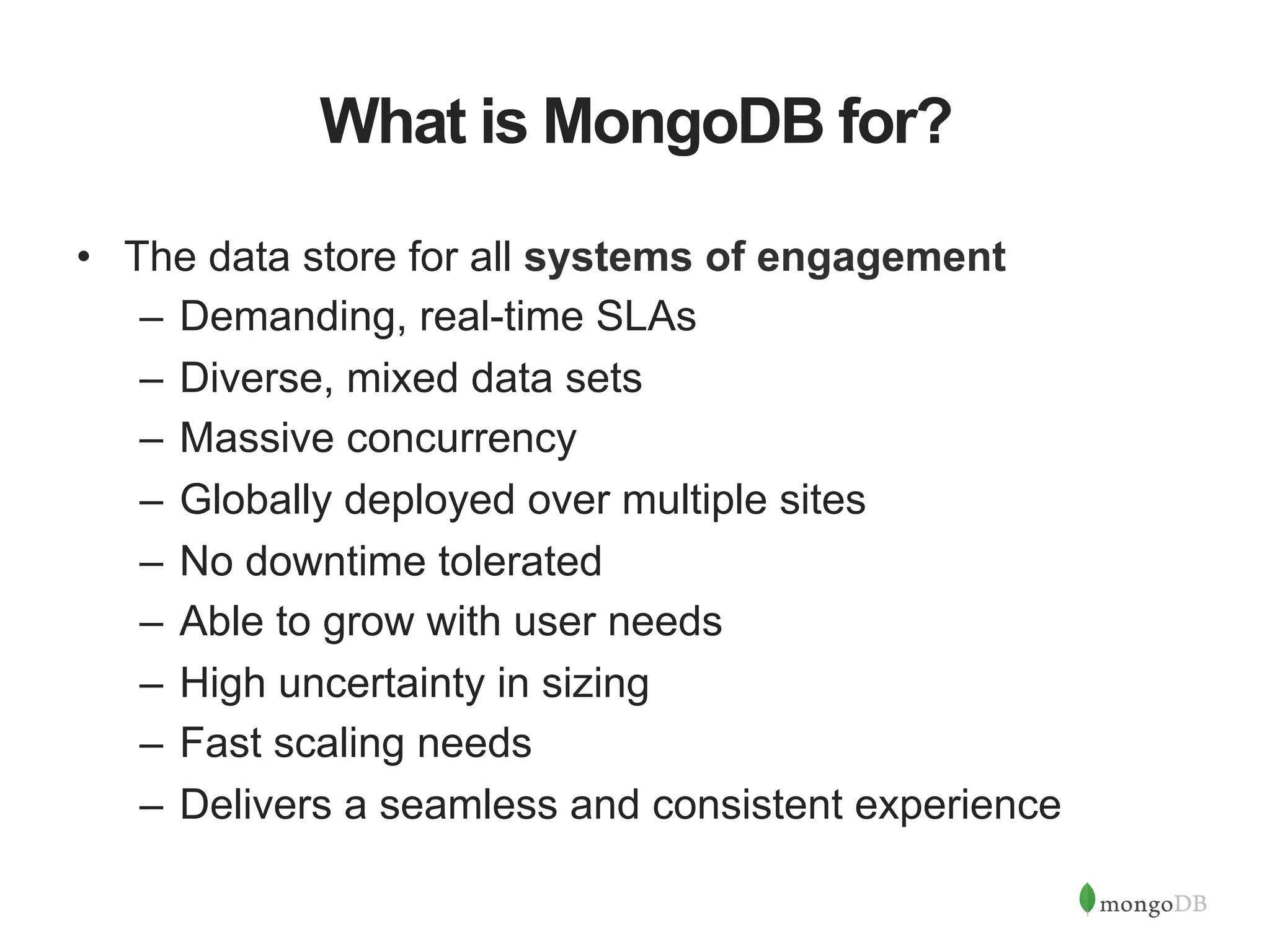
What is MongoDB for? •  The data store for all systems of engagement –  Demanding, real-time SLAs –  Diverse, mixed data sets –  Massive concurrency –  Globally deployed over multiple sites –  No downtime tolerated –  Able to grow with user needs –  High uncertainty in sizing –  Fast scaling needs –  Delivers a seamless and consistent experience
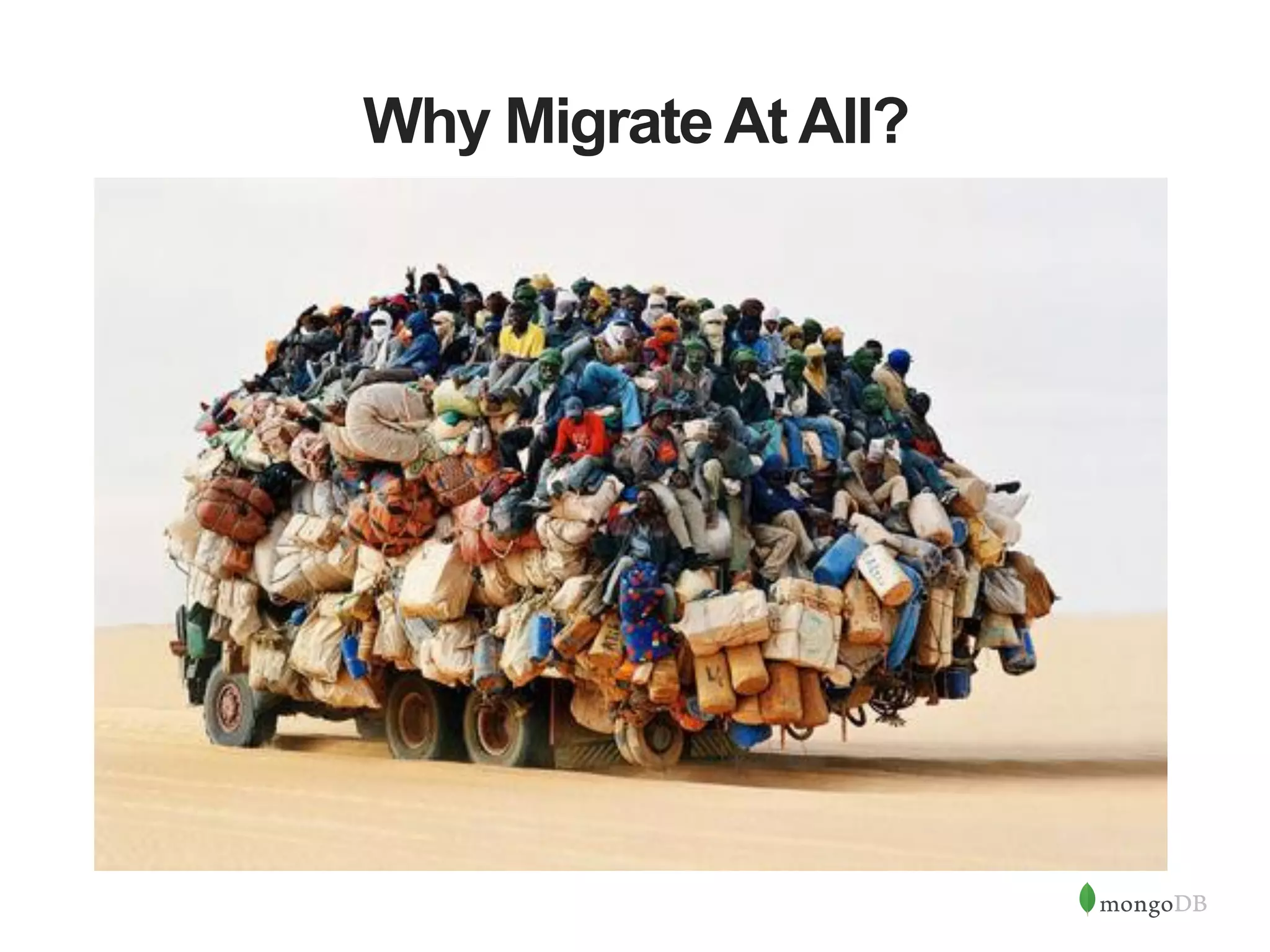
Why Migrate At All?
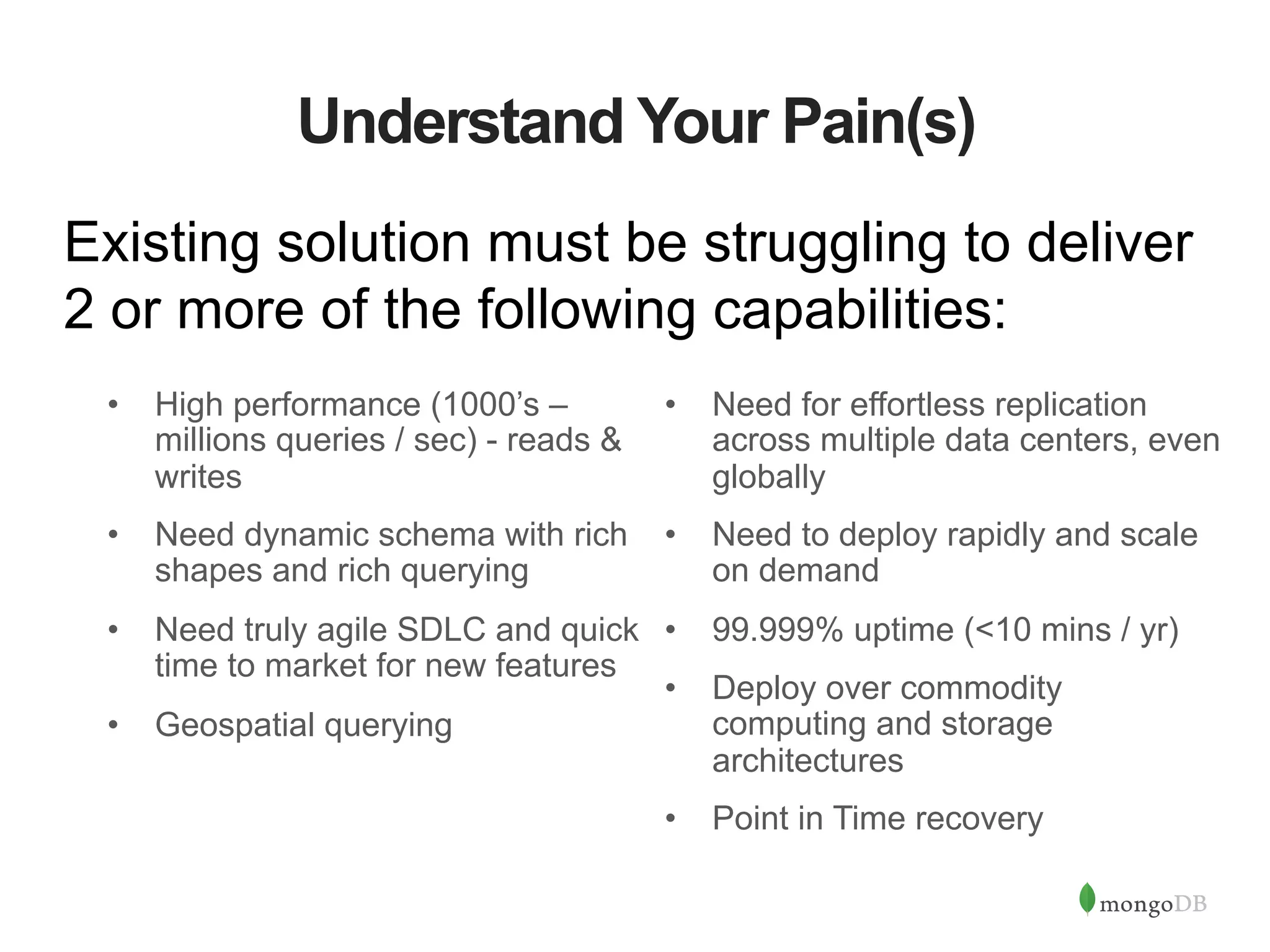
Understand Your Pain(s) Existing solution must be struggling to deliver 2 or more of the following capabilities: •  High performance (1000’s – millions queries / sec) - reads & writes •  Need dynamic schema with rich shapes and rich querying •  Need truly agile SDLC and quick time to market for new features •  Geospatial querying •  Need for effortless replication across multiple data centers, even globally •  Need to deploy rapidly and scale on demand •  99.999% uptime (<10 mins / yr) •  Deploy over commodity computing and storage architectures •  Point in Time recovery
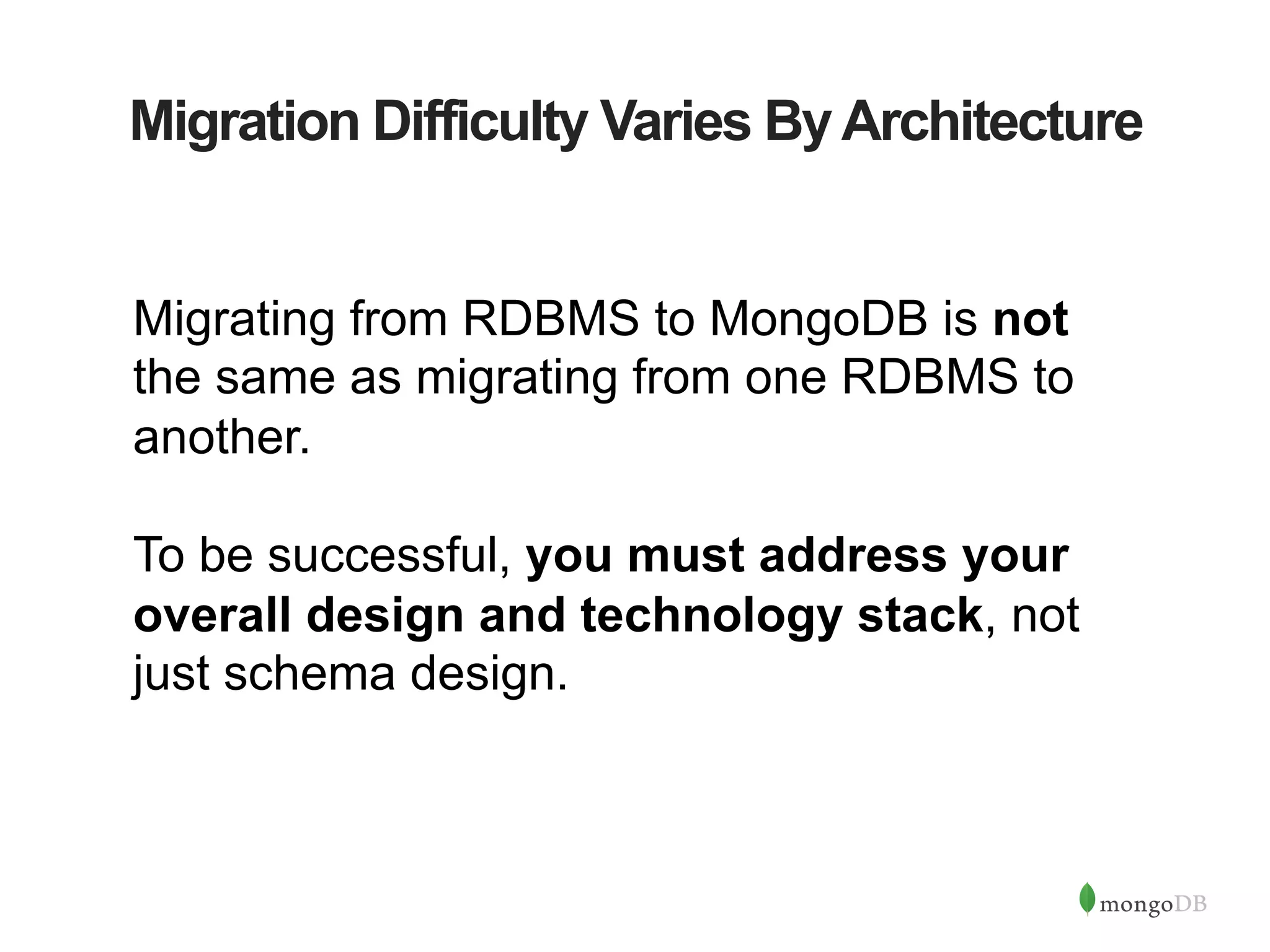
Migration Difficulty Varies ByArchitecture Migrating from RDBMS to MongoDB is not the same as migrating from one RDBMS to another. To be successful, you must address your overall design and technology stack, not just schema design.
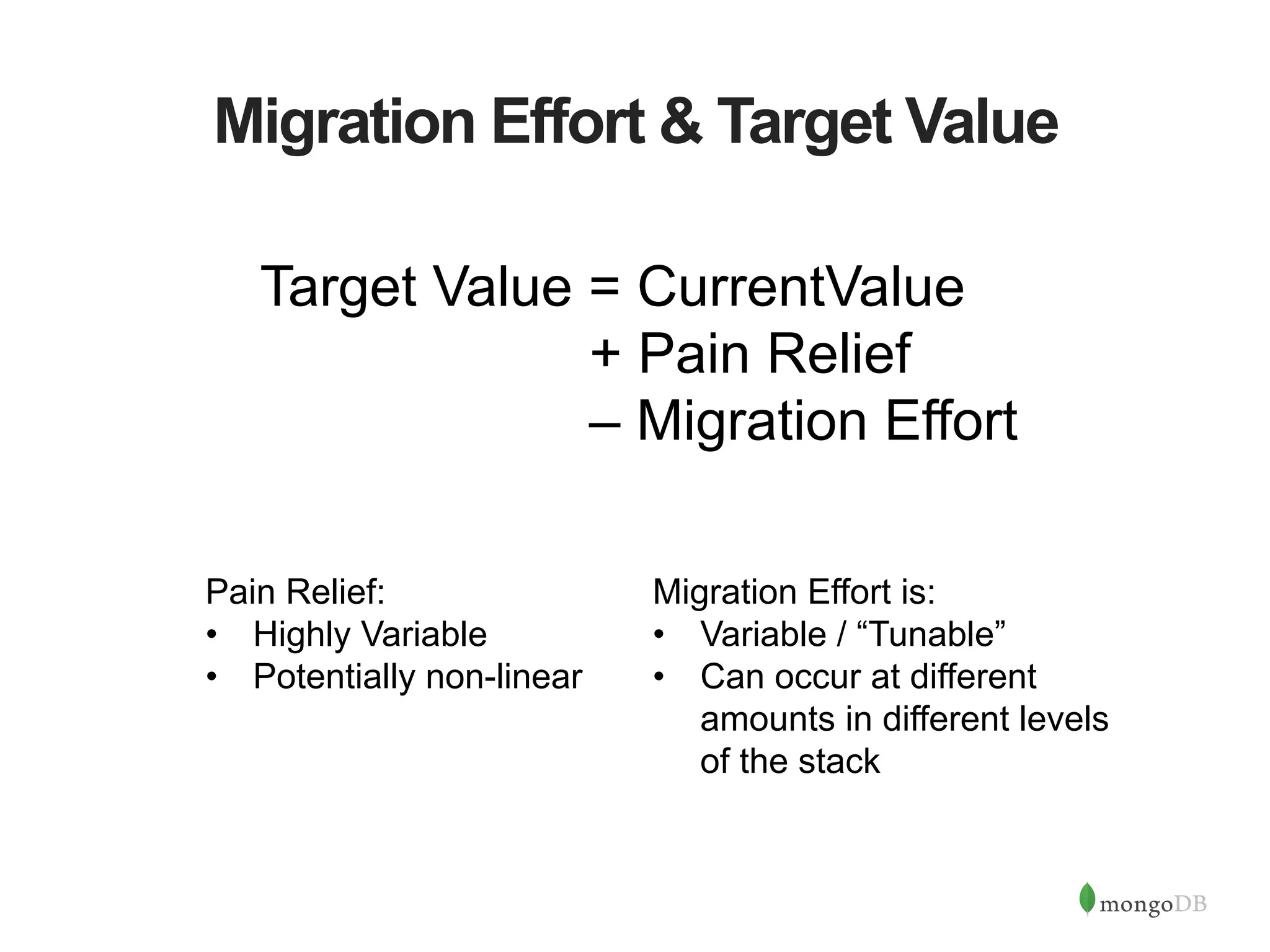
Migration Effort & Target Value Target Value = CurrentValue + Pain Relief – Migration Effort Migration Effort is: •  Variable / “Tunable” •  Can occur at different amounts in different levels of the stack Pain Relief: •  Highly Variable •  Potentially non-linear
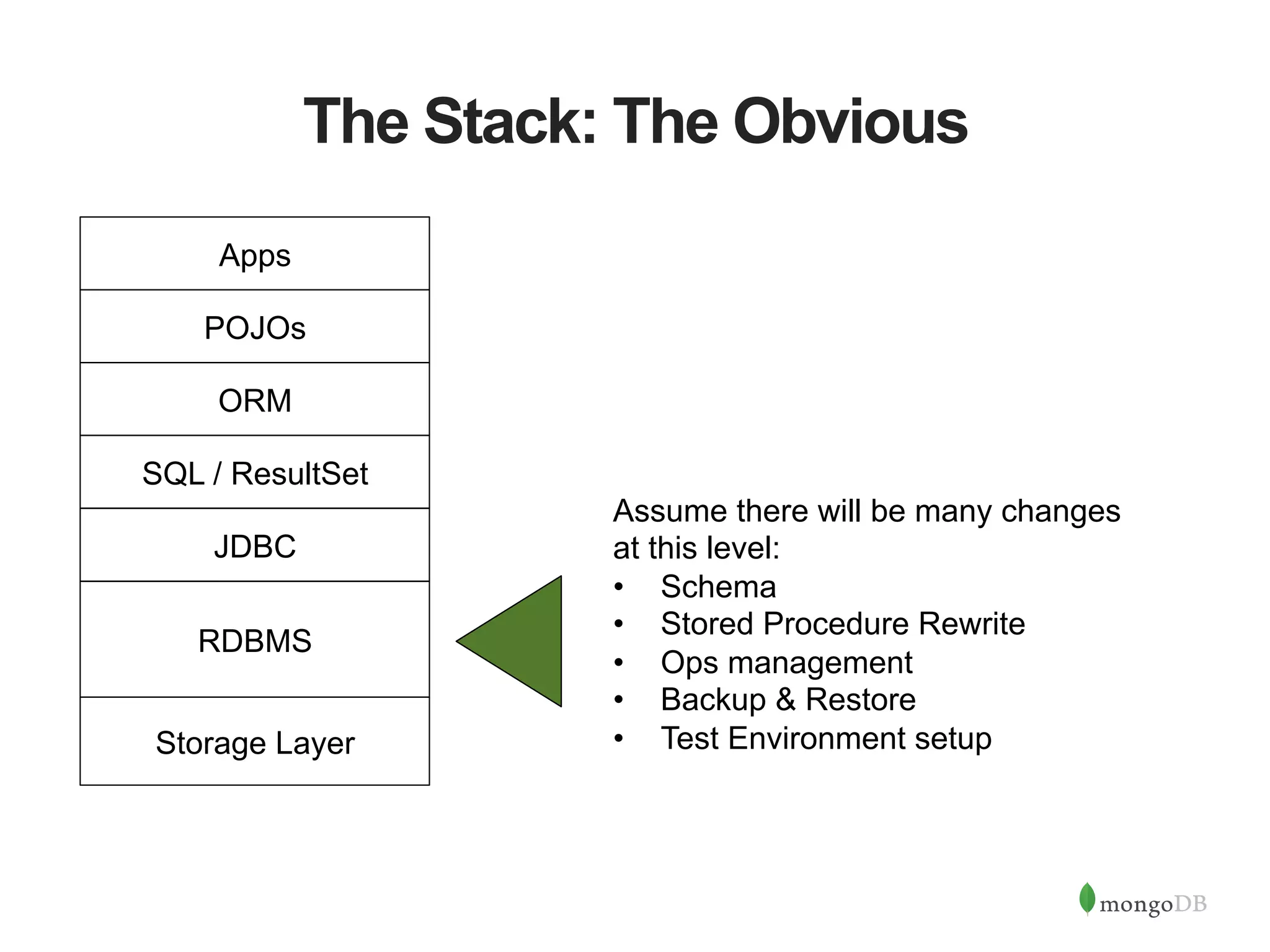
The Stack: The Obvious RDBMS JDBC SQL / ResultSet ORM POJOs Assume there will be many changes at this level: •  Schema •  Stored Procedure Rewrite •  Ops management •  Backup & Restore •  Test Environment setup Apps Storage Layer
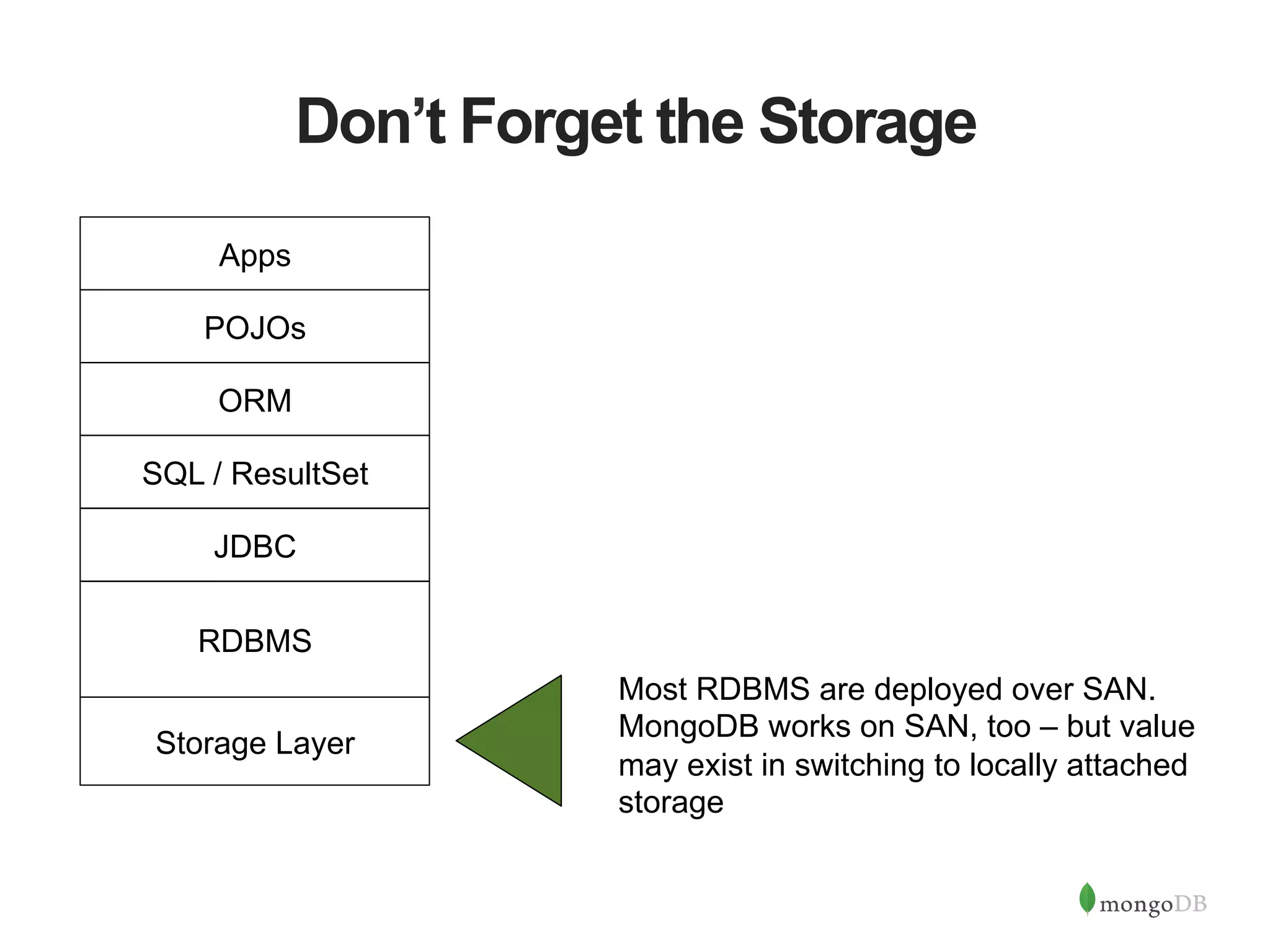
Don’t Forget the Storage Most RDBMS are deployed over SAN. MongoDB works on SAN, too – but value may exist in switching to locally attached storage RDBMS JDBC SQL / ResultSet ORM POJOs Apps Storage Layer
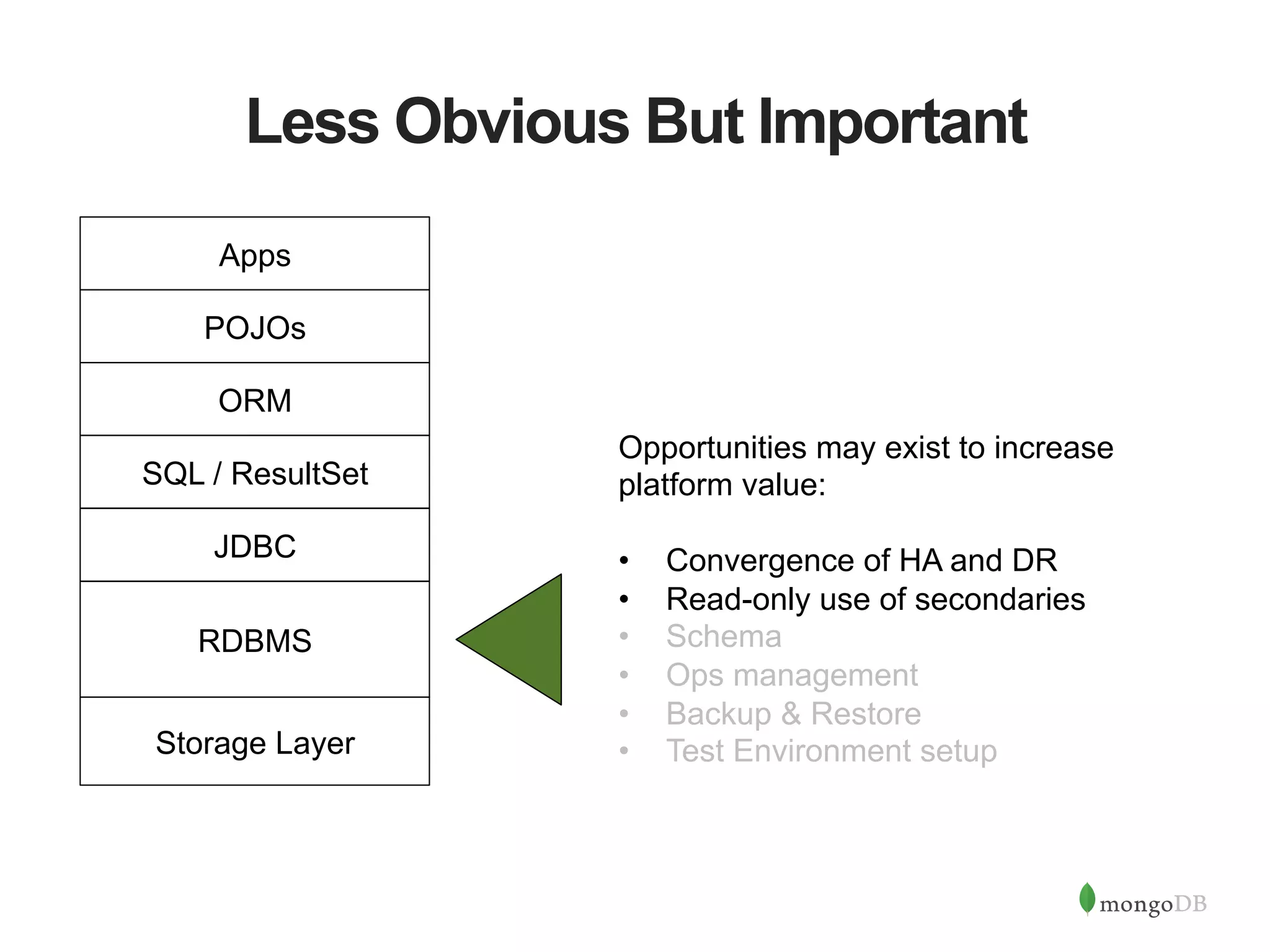
Less Obvious But Important Opportunities may exist to increase platform value: •  Convergence of HA and DR •  Read-only use of secondaries •  Schema •  Ops management •  Backup & Restore •  Test Environment setup RDBMS JDBC SQL / ResultSet ORM POJOs Apps Storage Layer
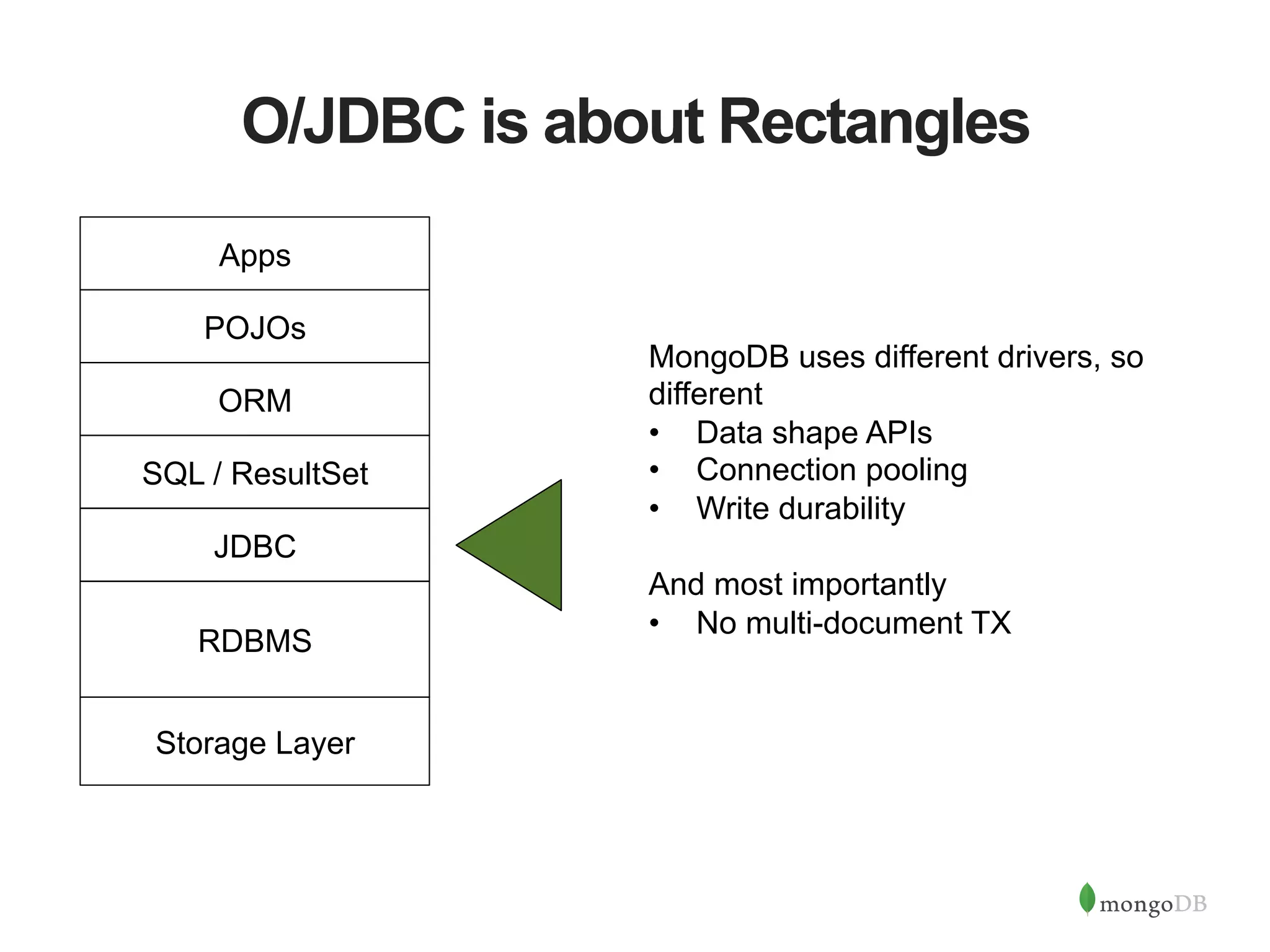
O/JDBC is about Rectangles MongoDB uses different drivers, so different •  Data shape APIs •  Connection pooling •  Write durability And most importantly •  No multi-document TX RDBMS JDBC SQL / ResultSet ORM POJOs Apps Storage Layer
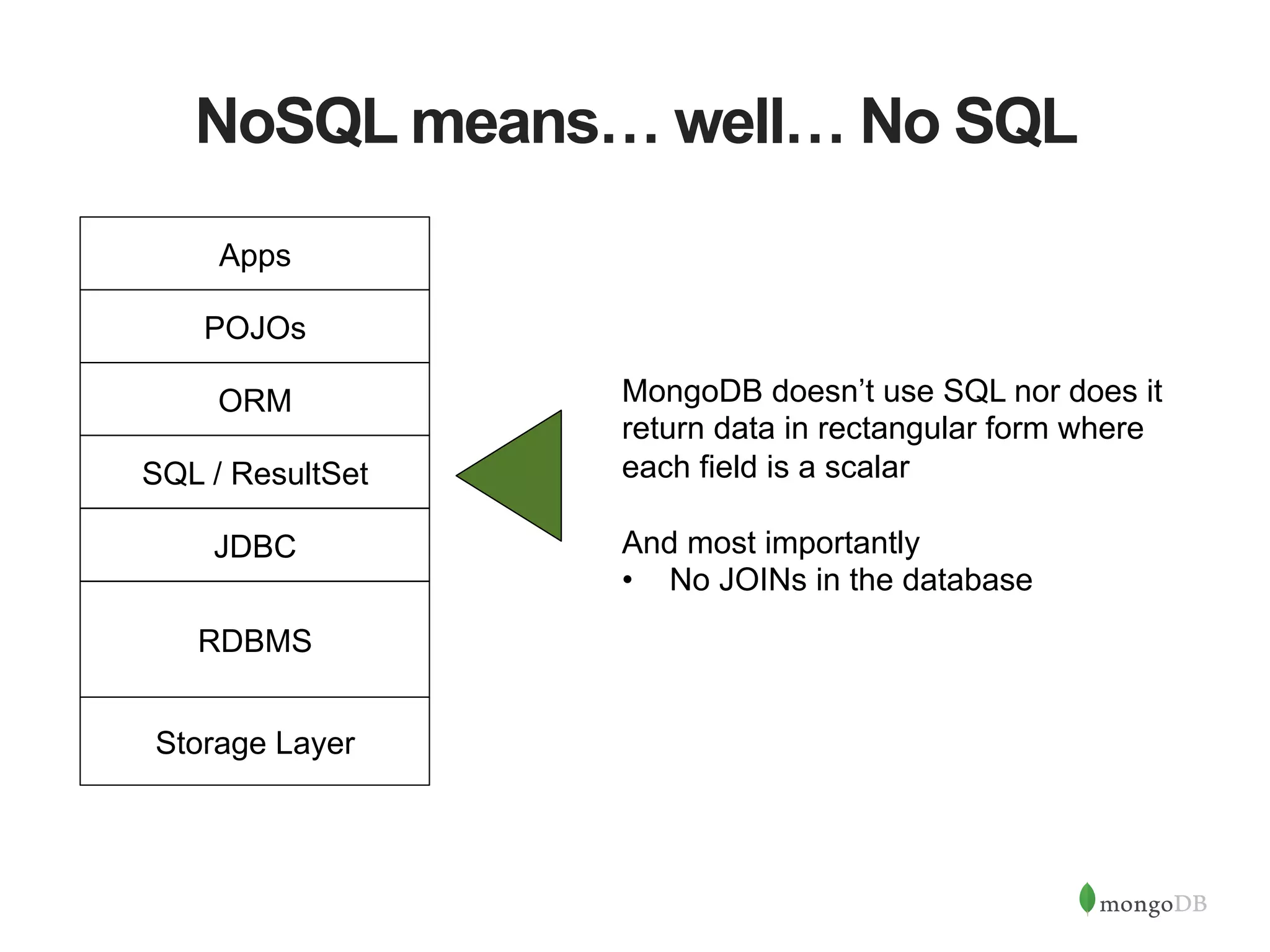
NoSQL means… well… No SQL MongoDB doesn’t use SQL nor does it return data in rectangular form where each field is a scalar And most importantly •  No JOINs in the database RDBMS JDBC SQL / ResultSet ORM POJOs Apps Storage Layer
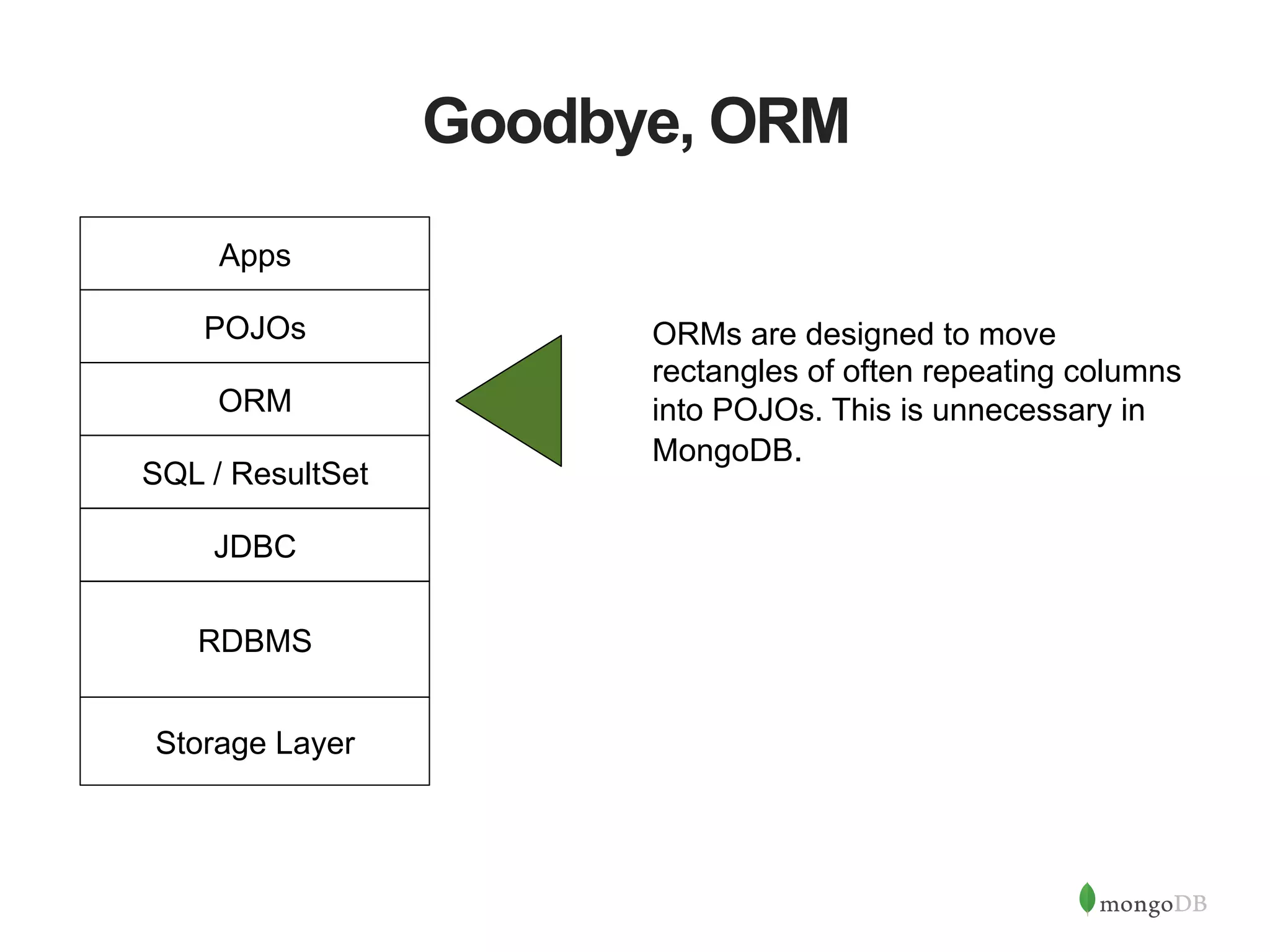
Goodbye, ORM ORMs are designed to move rectangles of often repeating columns into POJOs. This is unnecessary in MongoDB. RDBMS JDBC SQL / ResultSet ORM POJOs Apps Storage Layer
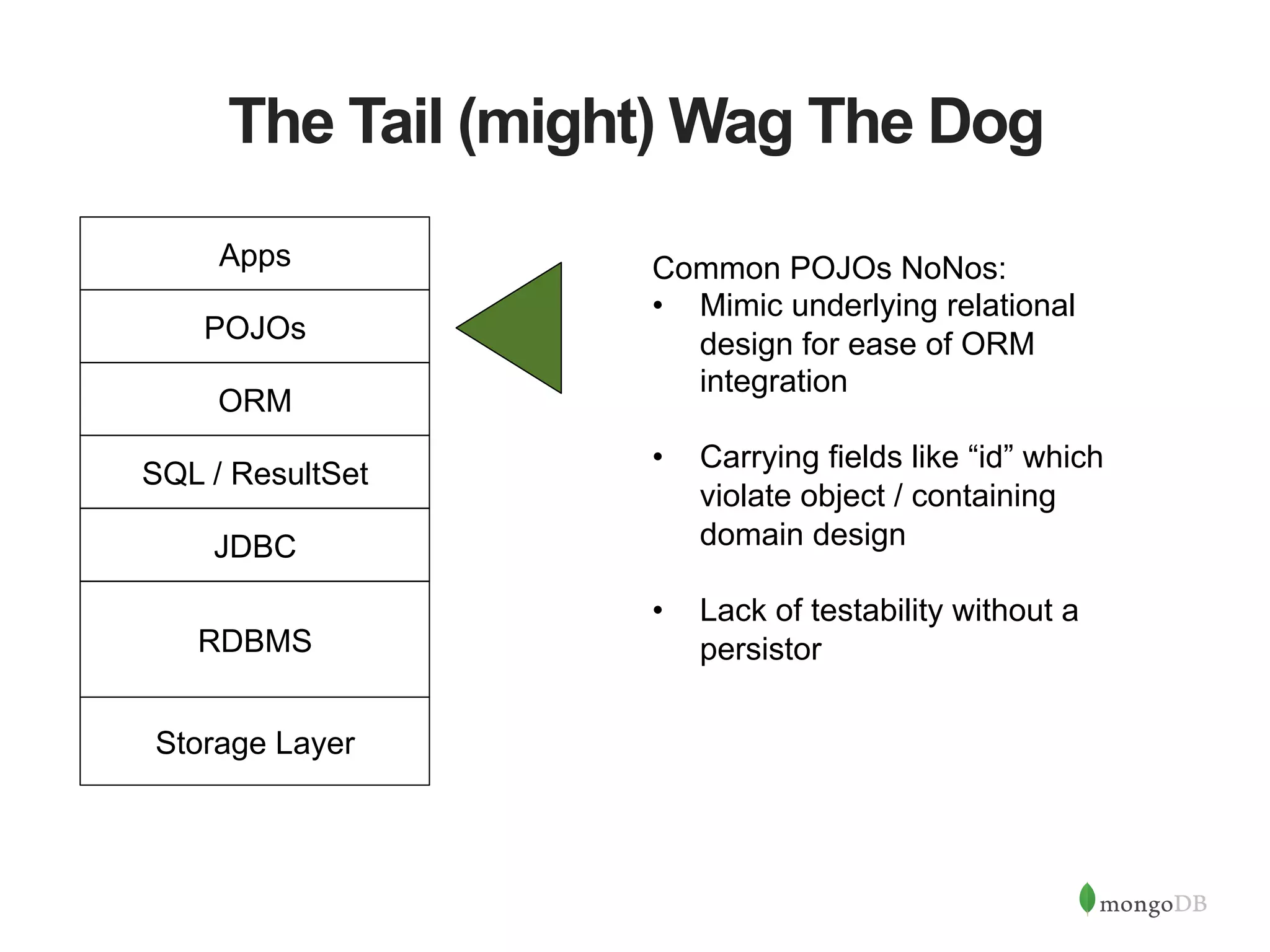
The Tail (might) Wag The Dog Common POJOs NoNos: •  Mimic underlying relational design for ease of ORM integration •  Carrying fields like “id” which violate object / containing domain design •  Lack of testability without a persistorRDBMS JDBC SQL / ResultSet ORM POJOs Apps Storage Layer
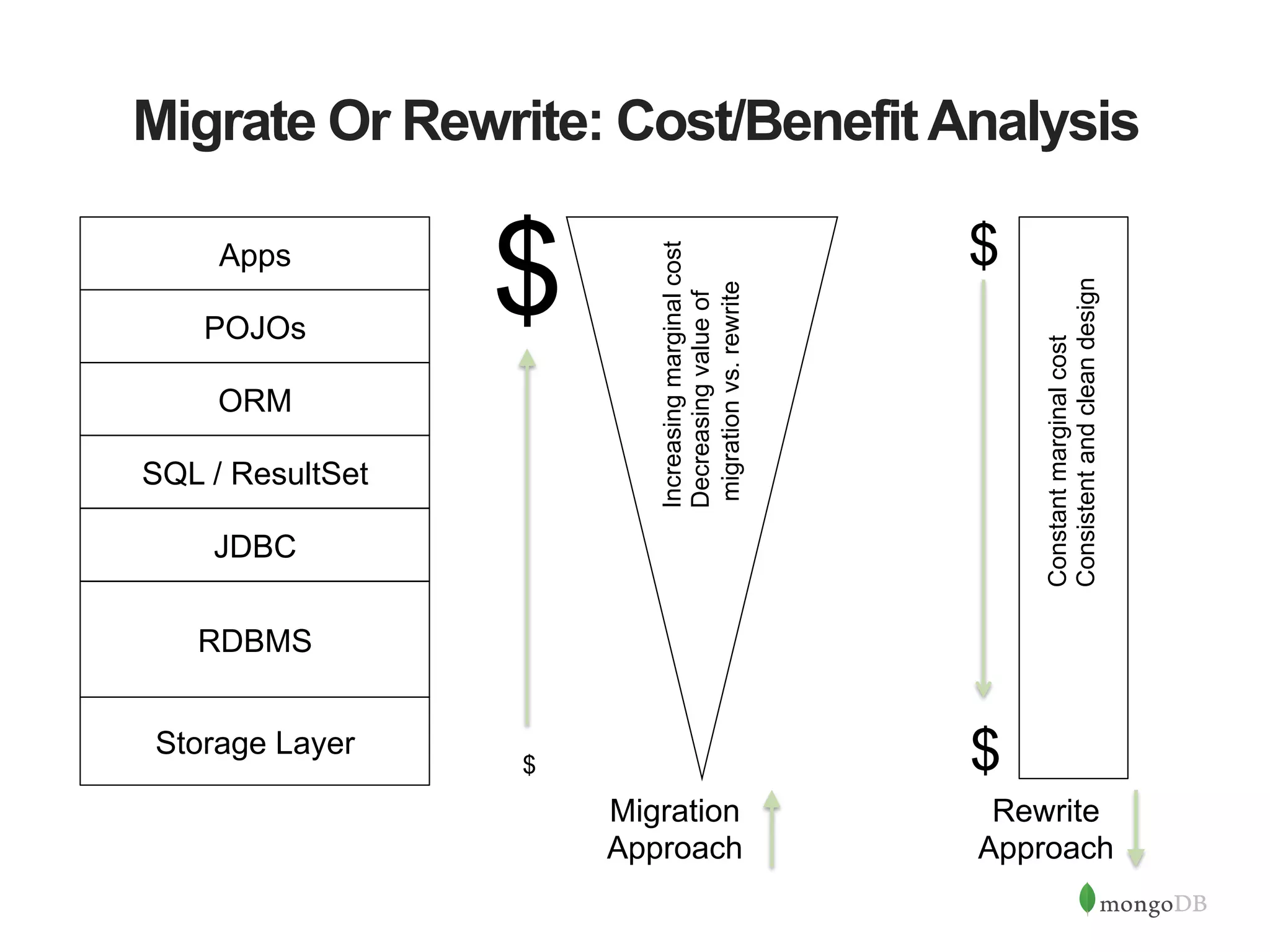
Migrate Or Rewrite: Cost/BenefitAnalysis Migration Approach RDBMS JDBC SQL / ResultSet ORM POJOs Apps Rewrite Approach Constantmarginalcost Consistentandcleandesign Increasingmarginalcost Decreasingvalueof migrationvs.rewrite $ $ $ $ Storage Layer
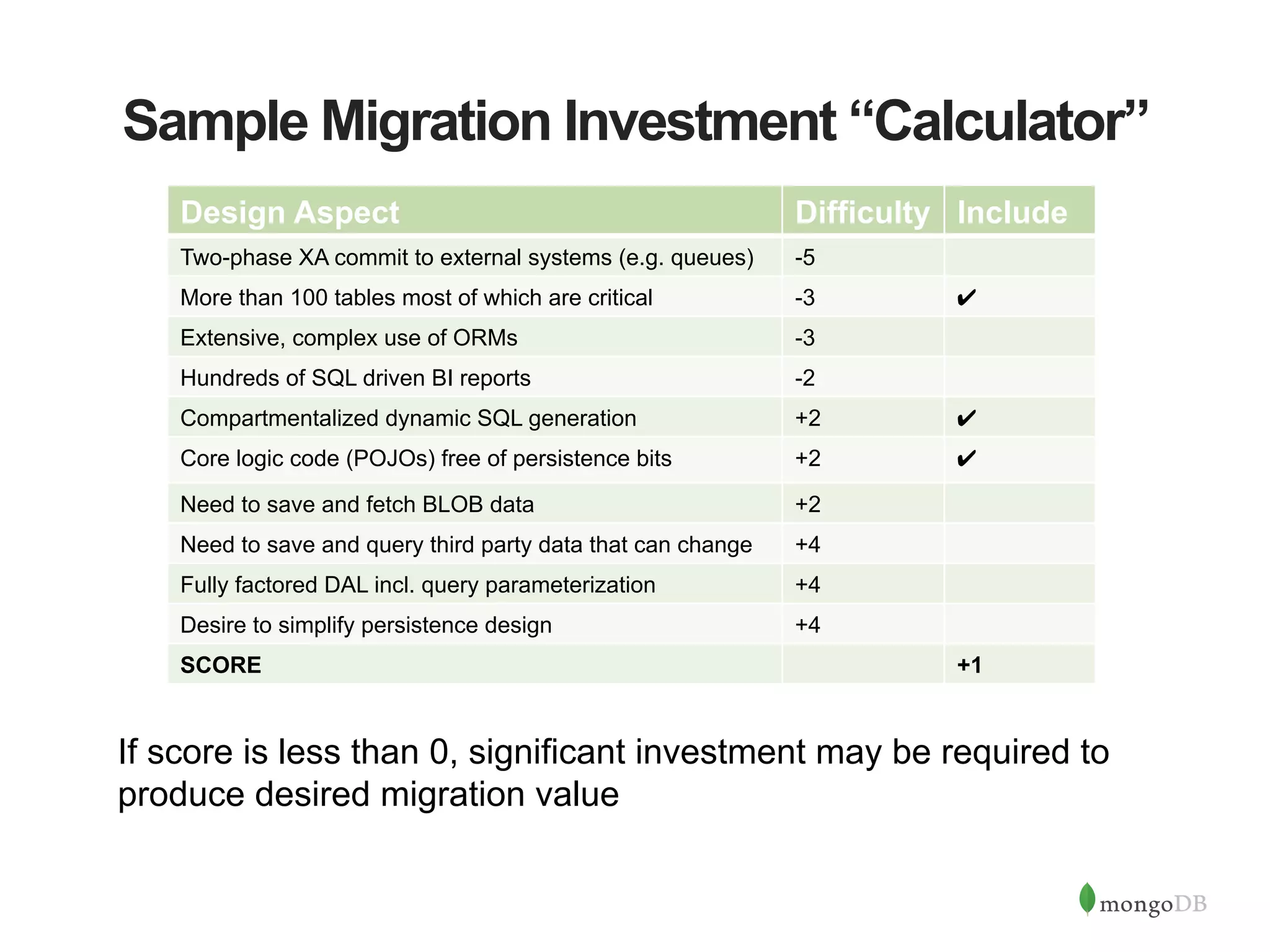
Sample Migration Investment “Calculator” Design Aspect Difficulty Include Two-phase XA commit to external systems (e.g. queues) -5 More than 100 tables most of which are critical -3 ✔ Extensive, complex use of ORMs -3 Hundreds of SQL driven BI reports -2 Compartmentalized dynamic SQL generation +2 ✔ Core logic code (POJOs) free of persistence bits +2 ✔ Need to save and fetch BLOB data +2 Need to save and query third party data that can change +4 Fully factored DAL incl. query parameterization +4 Desire to simplify persistence design +4 SCORE +1 If score is less than 0, significant investment may be required to produce desired migration value
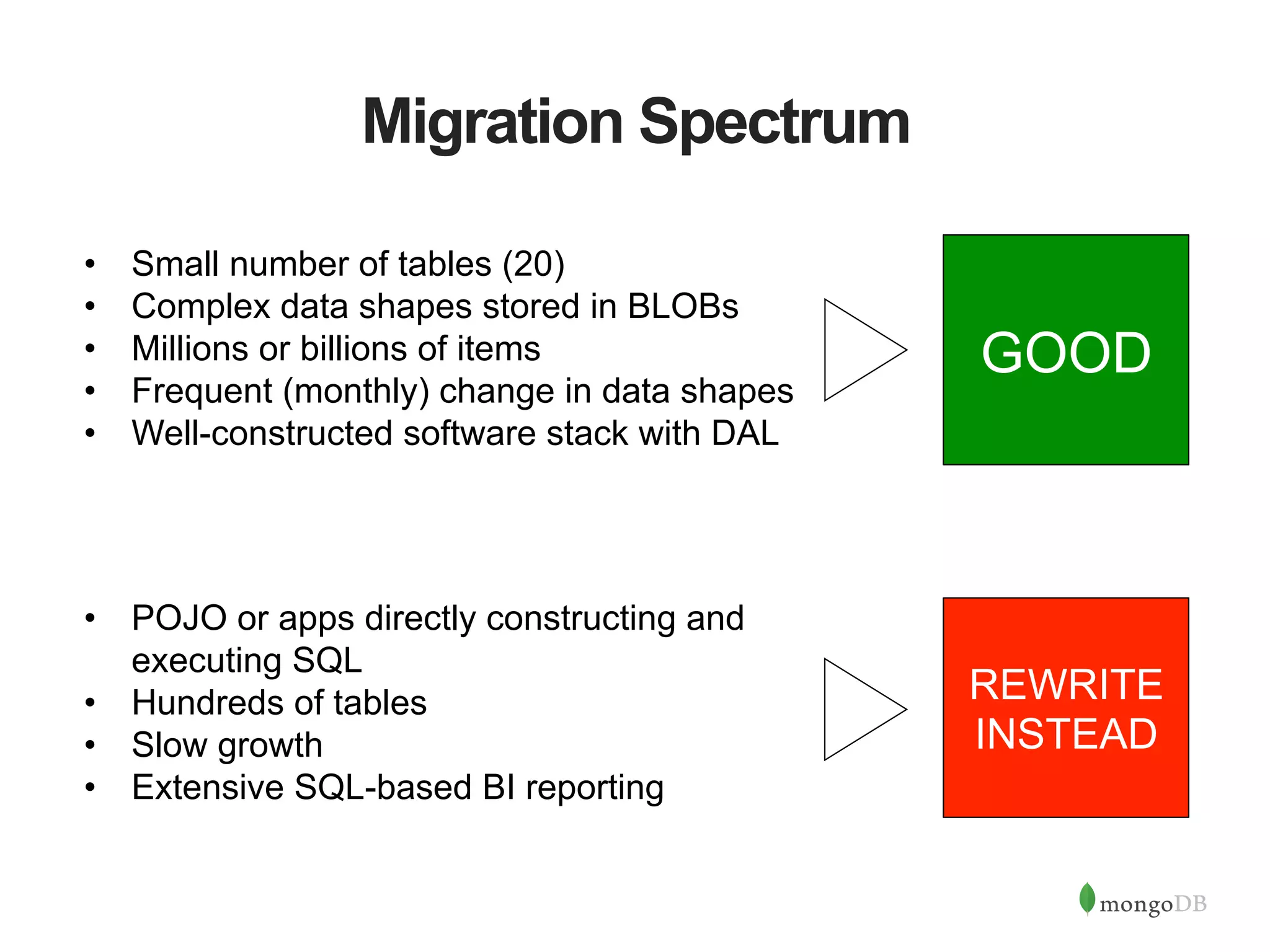
Migration Spectrum •  Small number of tables (20) •  Complex data shapes stored in BLOBs •  Millions or billions of items •  Frequent (monthly) change in data shapes •  Well-constructed software stack with DAL •  POJO or apps directly constructing and executing SQL •  Hundreds of tables •  Slow growth •  Extensive SQL-based BI reporting GOOD REWRITE INSTEAD
WhatAre People Going To Do Differently?
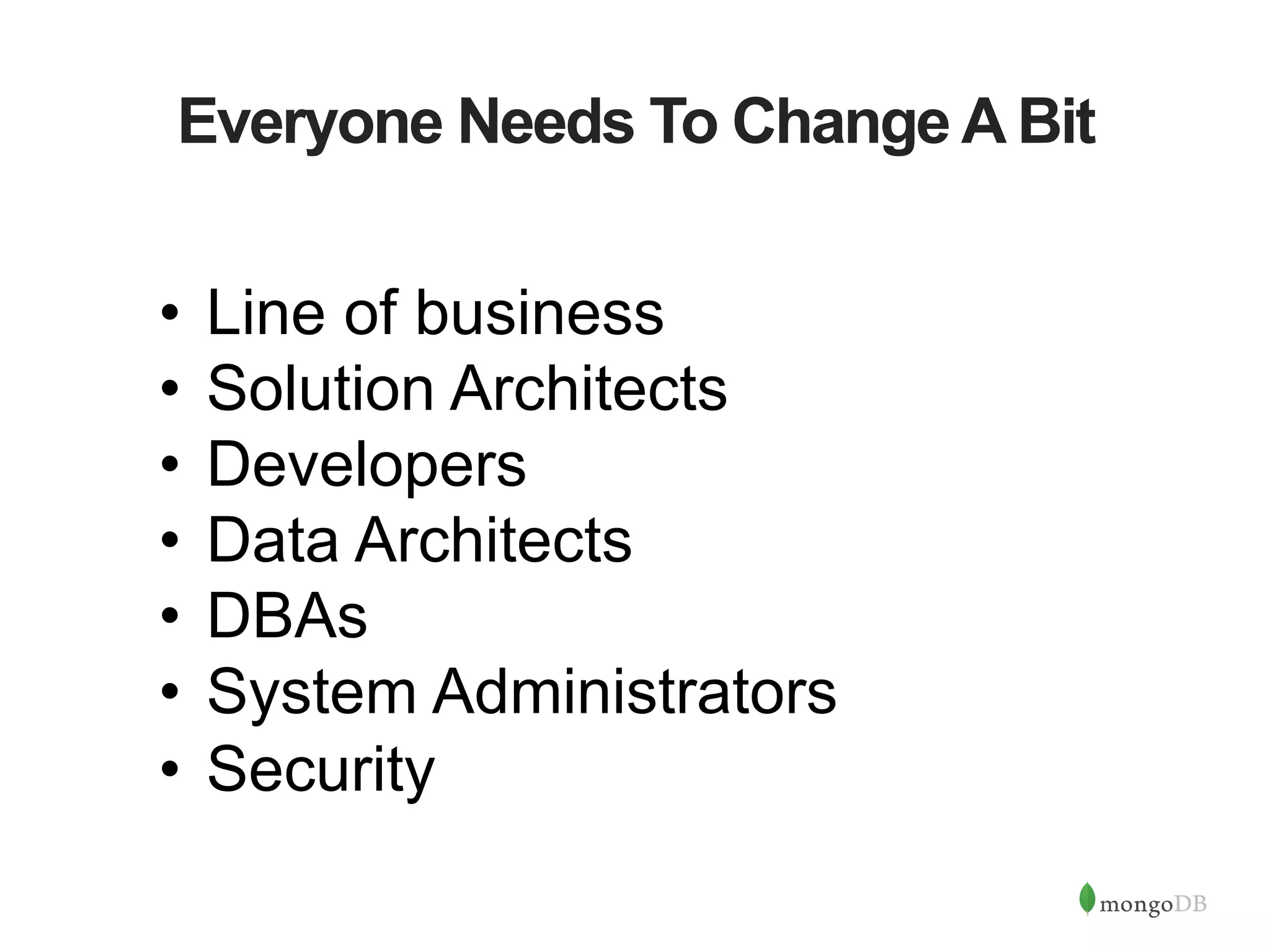
Everyone Needs To Change A Bit •  Line of business •  Solution Architects •  Developers •  Data Architects •  DBAs •  System Administrators •  Security
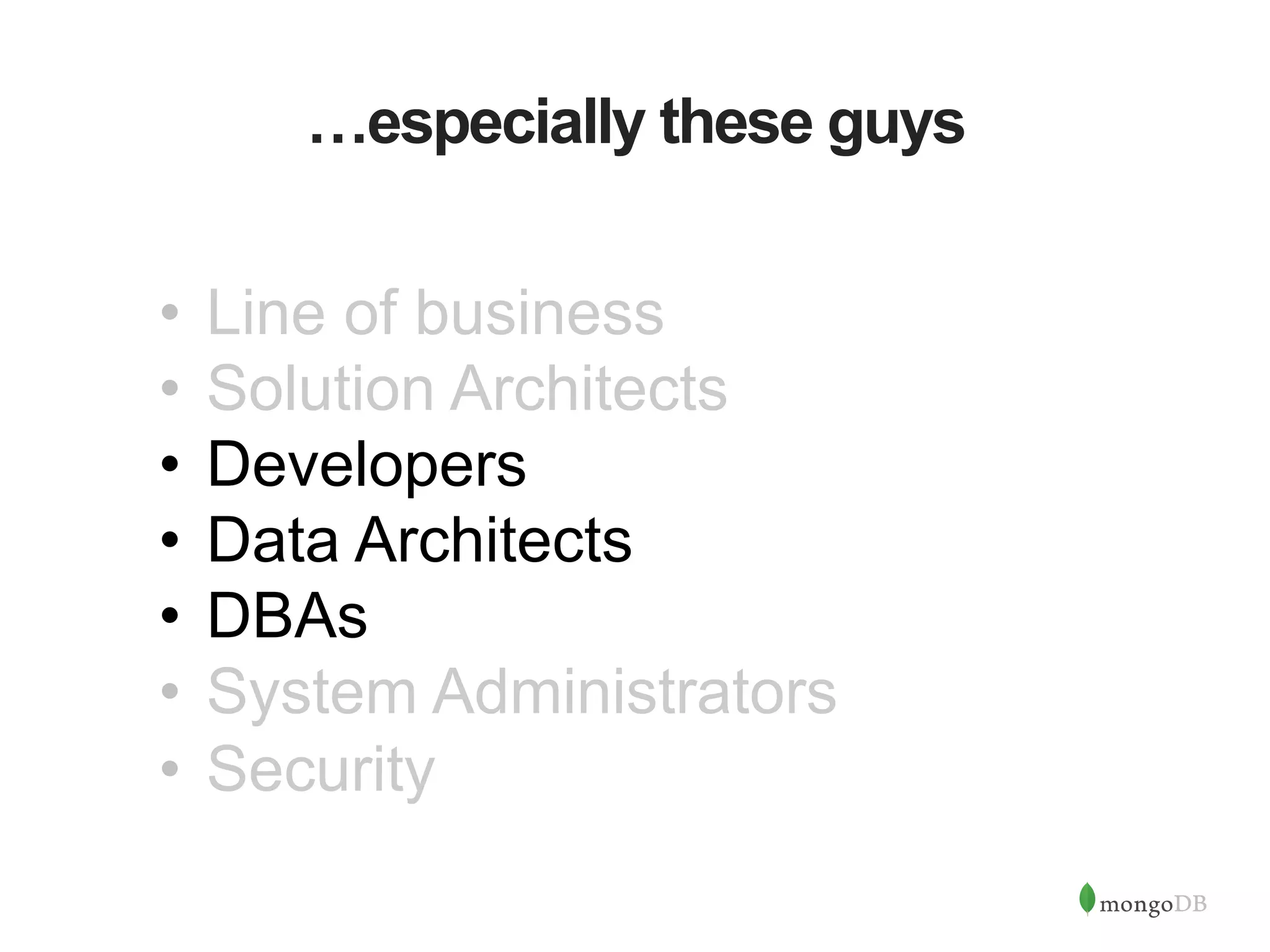
…especially these guys •  Line of business •  Solution Architects •  Developers •  Data Architects •  DBAs •  System Administrators •  Security
Data Architect’s View: Data Modeling RDBMS MongoDB { name: { last: "Dunham”, first: “Justin” }, department : "Marketing", pets: [ “dog”, “cat” ], title : “Manager", locationCode: “NYC23”, benefits : [ { type : "Health", plan : “Plus" }, { type : "Dental", plan : "Standard”, optin: true } ] }
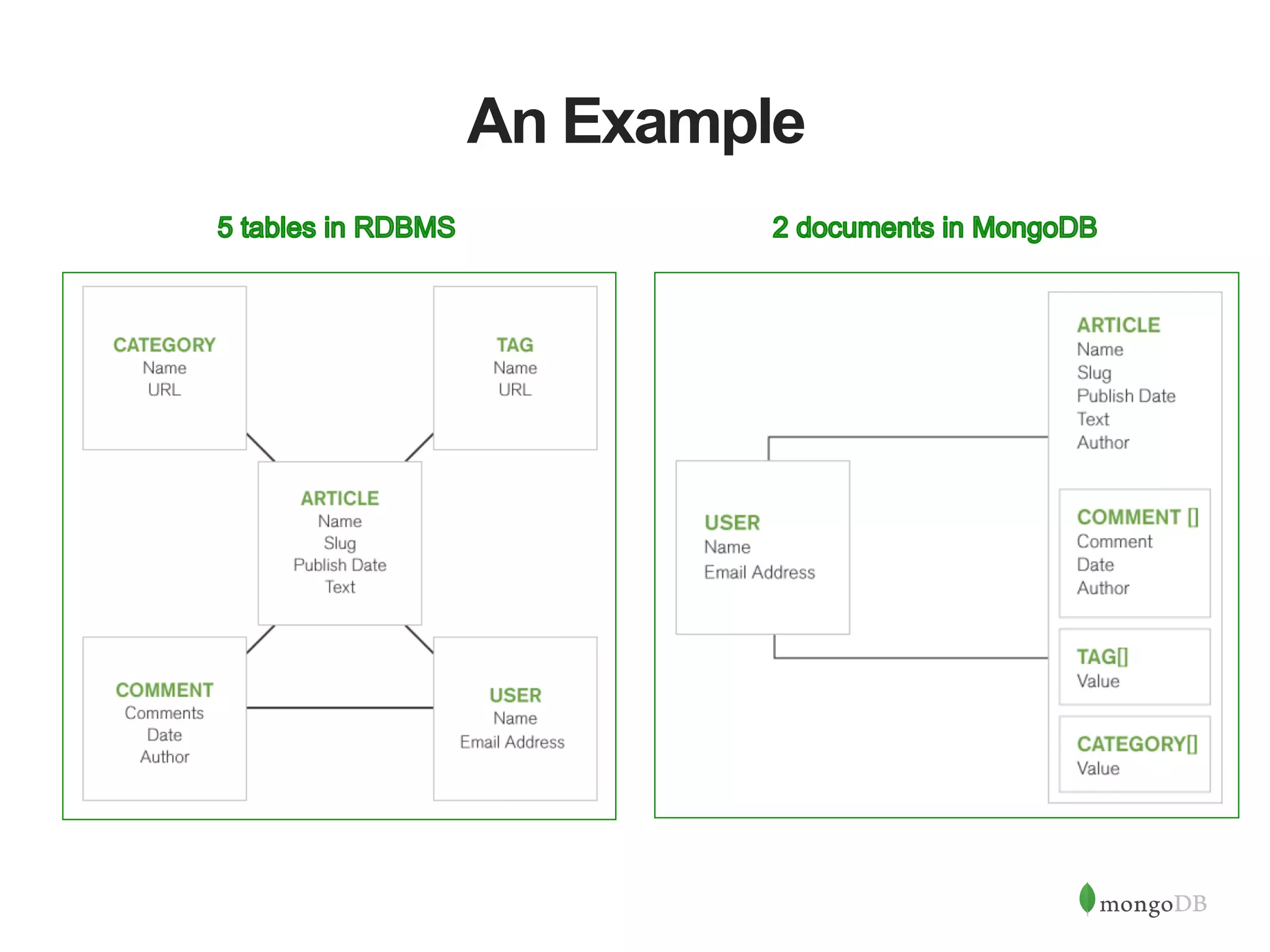
An Example
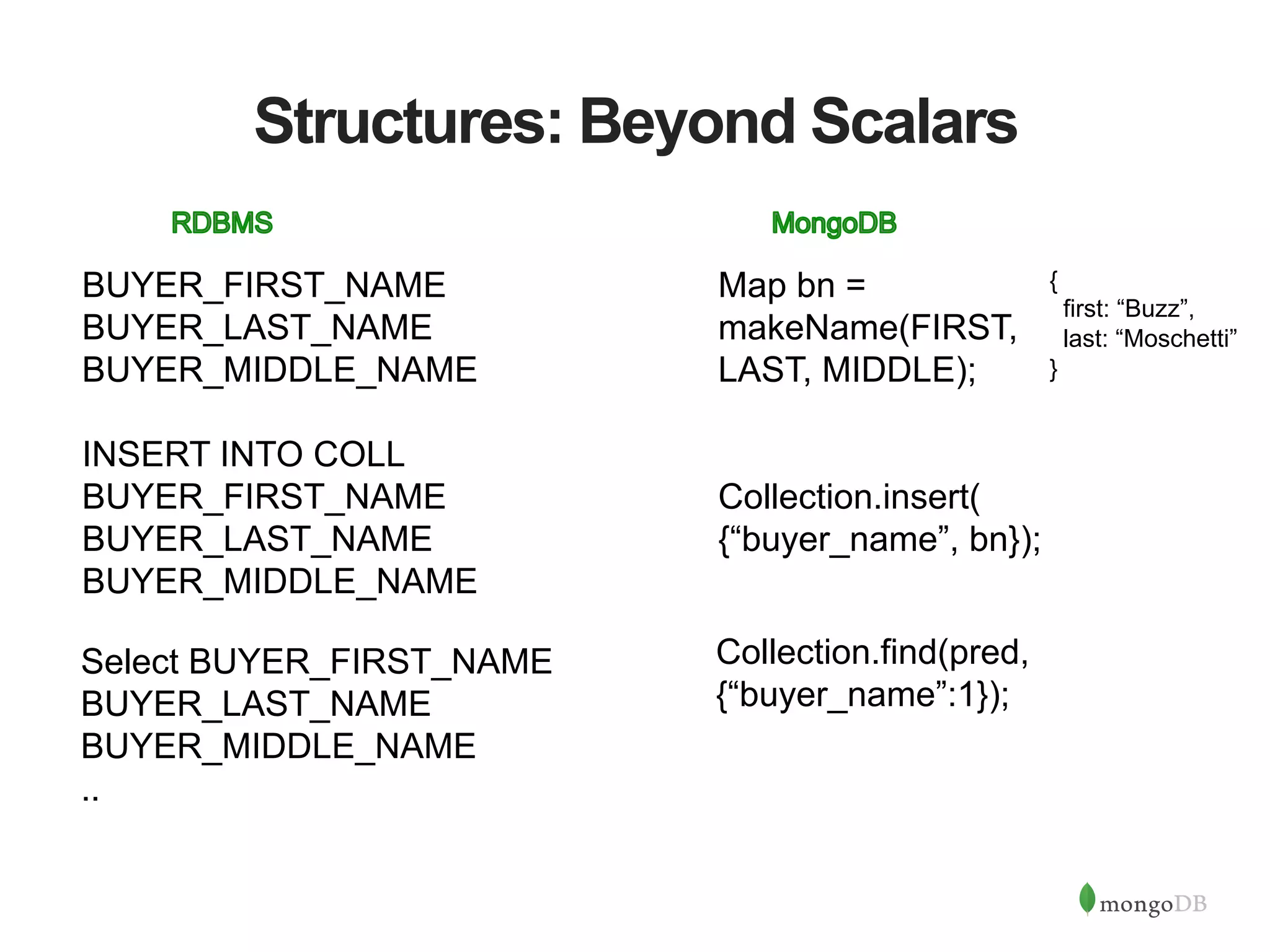
Structures: Beyond Scalars BUYER_FIRST_NAME BUYER_LAST_NAME BUYER_MIDDLE_NAME INSERT INTO COLL BUYER_FIRST_NAME BUYER_LAST_NAME BUYER_MIDDLE_NAME Map bn = makeName(FIRST, LAST, MIDDLE); Collection.insert( {“buyer_name”, bn}); Select BUYER_FIRST_NAME BUYER_LAST_NAME BUYER_MIDDLE_NAME .. Collection.find(pred, {“buyer_name”:1}); { first: “Buzz”, last: “Moschetti” }
Graceful Pick-Up of New Fields BUYER_FIRST_NAME BUYER_LAST_NAME BUYER_MIDDLE_NAME BUYER_NICKNAME INSERT INTO COLL [prev + NICKNAME] Map bn = makeName(FIRST, LAST, MIDDLE,NICKNAME); Select BUYER_FIRST_NAME BUYER_LAST_NAME BUYER_MIDDLE_NAME BUYER_NICKNAME …. Collection.insert( {“buyer_name”, bn}); Collection.find(pred, {“buyer_name”:1}); NO change
New Instances Really Benefit BUYER_FIRST_NAME BUYER_LAST_NAME BUYER_MIDDLE_NAME BUYER_NICKNAME SELLER_FIRST_NAME SELLER_LAST_NAME SELLER_MIDDLE_NAME SELLER_NICKNAME INSERT INTO COLL [prev + SELLER_FIRST_NAME, SELLER_LAST_NAME, SELLER….] Map bn = makeName(FIRST, LAST, MIDDLE,NICKNAME); Map sn = makeName(FIRST, LAST, MIDDLE,NICKNAME); Collection.insert( {“buyer_name”, bn, “seller_name”: sn});Select BUYER_FIRST_NAME BUYER_LAST_NAME BUYER_MIDDLE_NAME BUYER_NICKNAME SELLER_FIRST_NAME SELLER_LAST_NAME SELLER_MIDDLE_NAME SELLER_NICKNAME Collection.find(pred, {“buyer_name”:1, “seller_name”:1}); Easy change
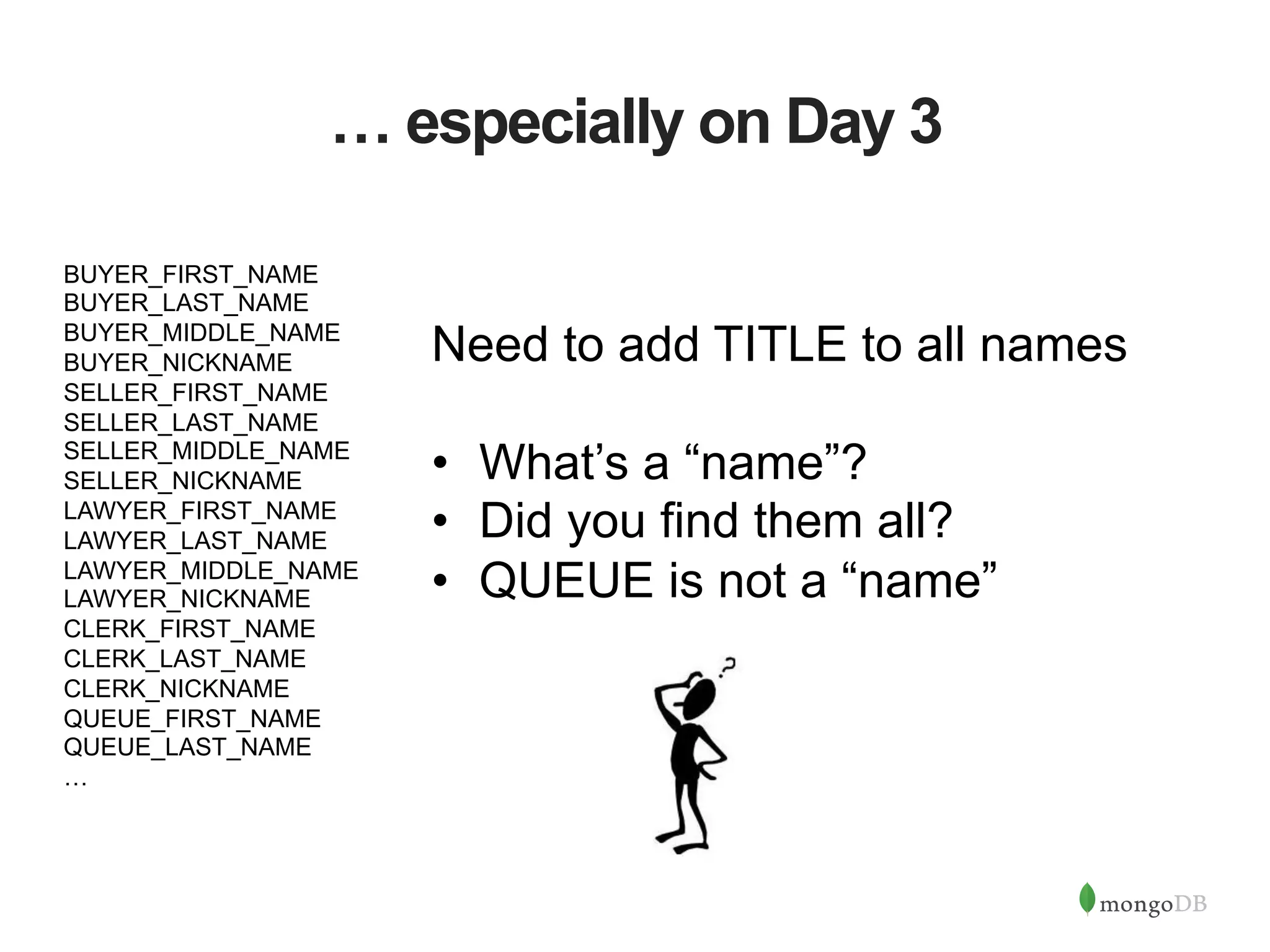
… especially on Day 3 BUYER_FIRST_NAME BUYER_LAST_NAME BUYER_MIDDLE_NAME BUYER_NICKNAME SELLER_FIRST_NAME SELLER_LAST_NAME SELLER_MIDDLE_NAME SELLER_NICKNAME LAWYER_FIRST_NAME LAWYER_LAST_NAME LAWYER_MIDDLE_NAME LAWYER_NICKNAME CLERK_FIRST_NAME CLERK_LAST_NAME CLERK_NICKNAME QUEUE_FIRST_NAME QUEUE_LAST_NAME … Need to add TITLE to all names •  What’s a “name”? •  Did you find them all? •  QUEUE is not a “name”
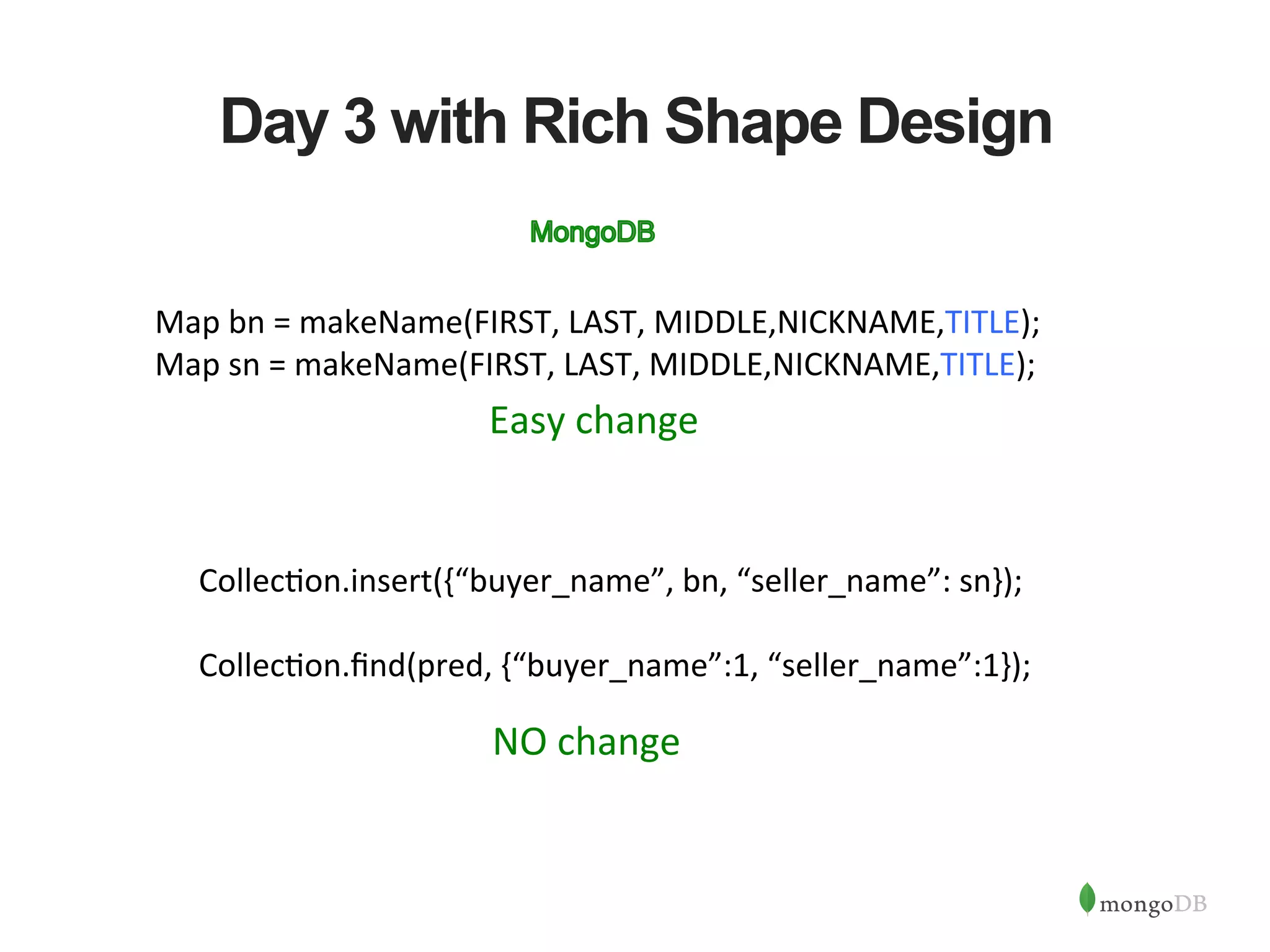
Day 3 with Rich Shape Design Map  bn  =  makeName(FIRST,  LAST,  MIDDLE,NICKNAME,TITLE);   Map  sn  =  makeName(FIRST,  LAST,  MIDDLE,NICKNAME,TITLE);   Collec?on.insert({“buyer_name”,  bn,  “seller_name”:  sn});     Collec?on.find(pred,  {“buyer_name”:1,  “seller_name”:1});     NO  change   Easy  change  
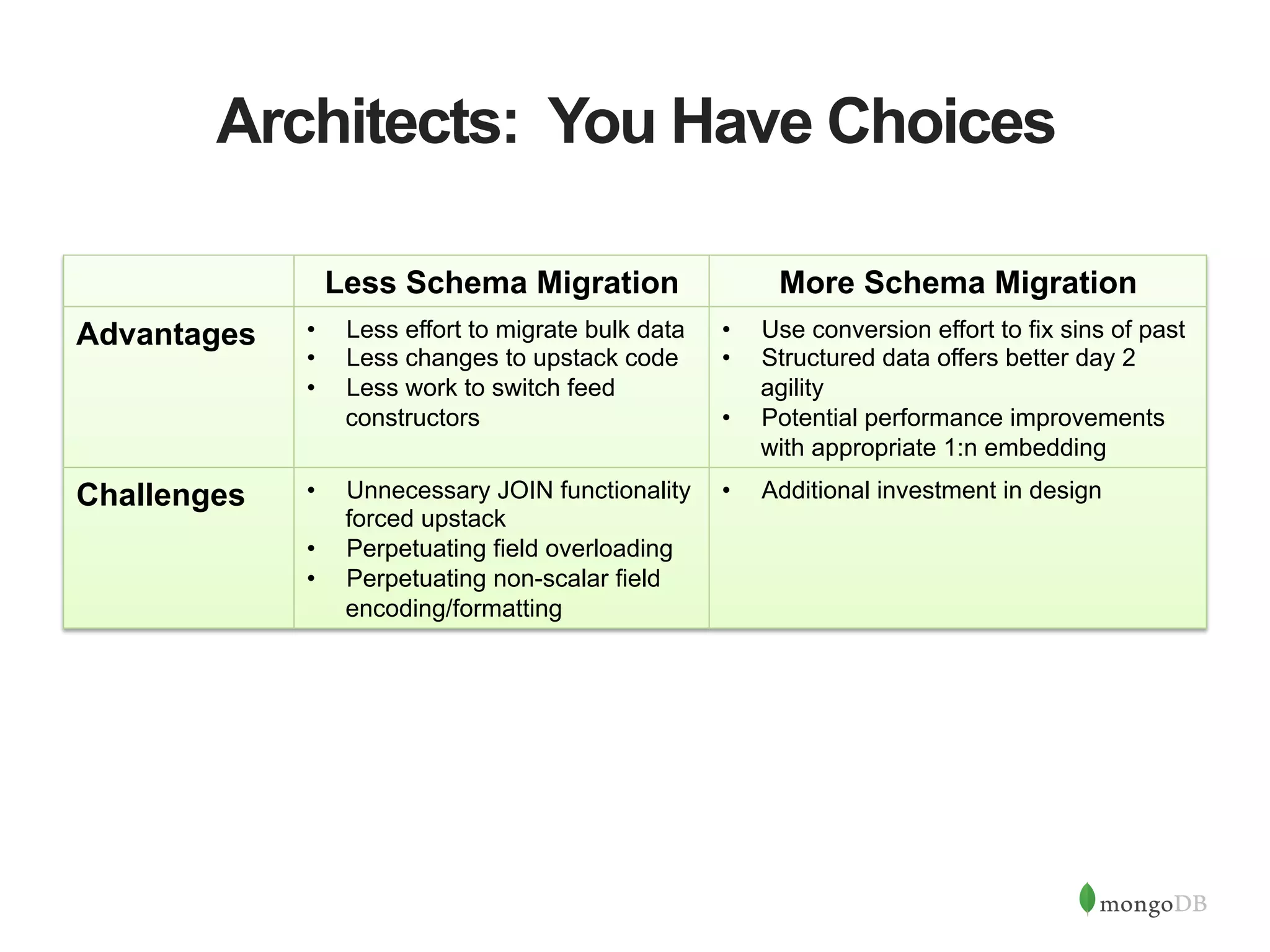
Architects: You Have Choices Less Schema Migration More Schema Migration Advantages •  Less effort to migrate bulk data •  Less changes to upstack code •  Less work to switch feed constructors •  Use conversion effort to fix sins of past •  Structured data offers better day 2 agility •  Potential performance improvements with appropriate 1:n embedding Challenges •  Unnecessary JOIN functionality forced upstack •  Perpetuating field overloading •  Perpetuating non-scalar field encoding/formatting •  Additional investment in design
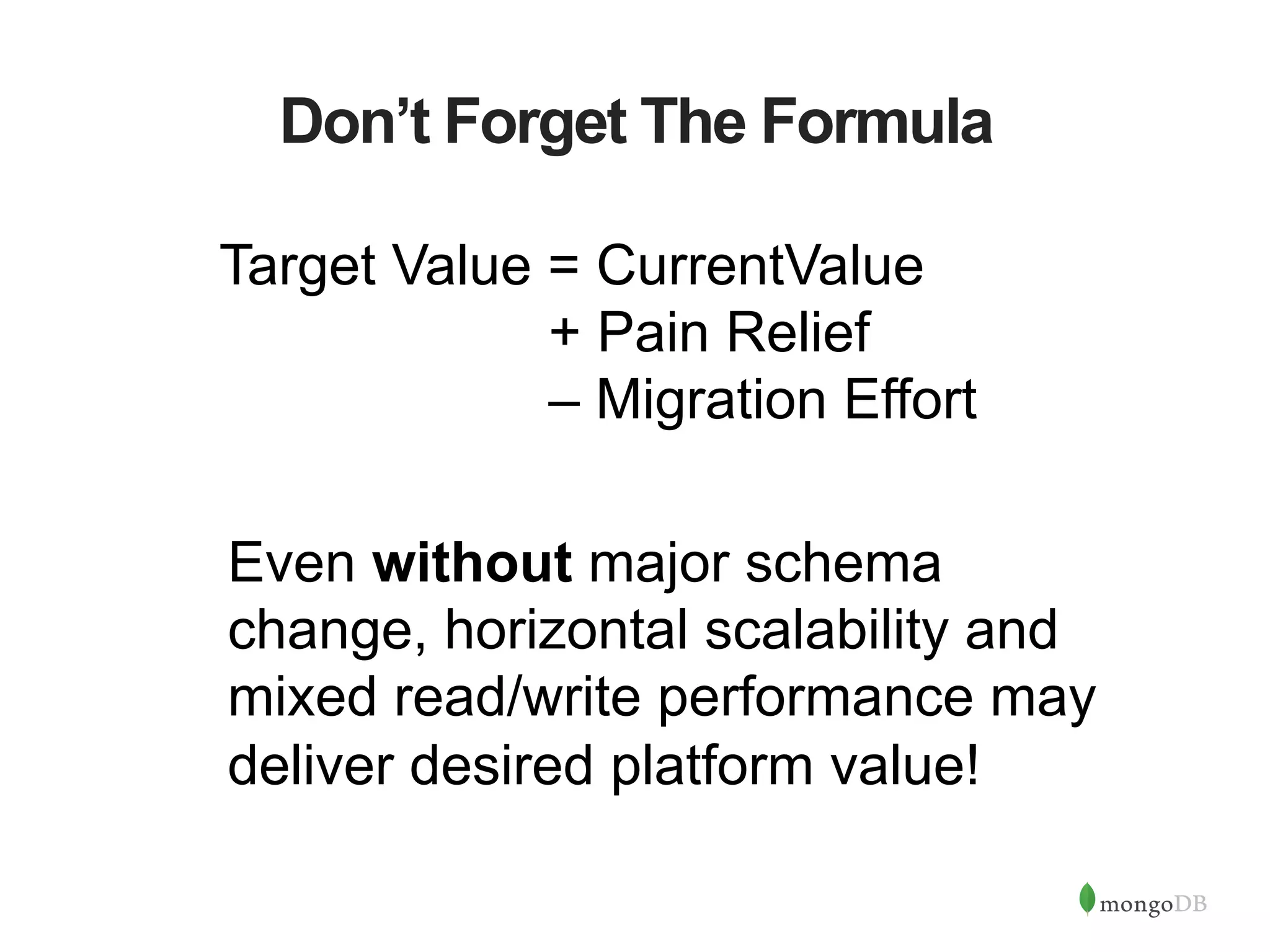
Don’t Forget The Formula Even without major schema change, horizontal scalability and mixed read/write performance may deliver desired platform value! Target Value = CurrentValue + Pain Relief – Migration Effort
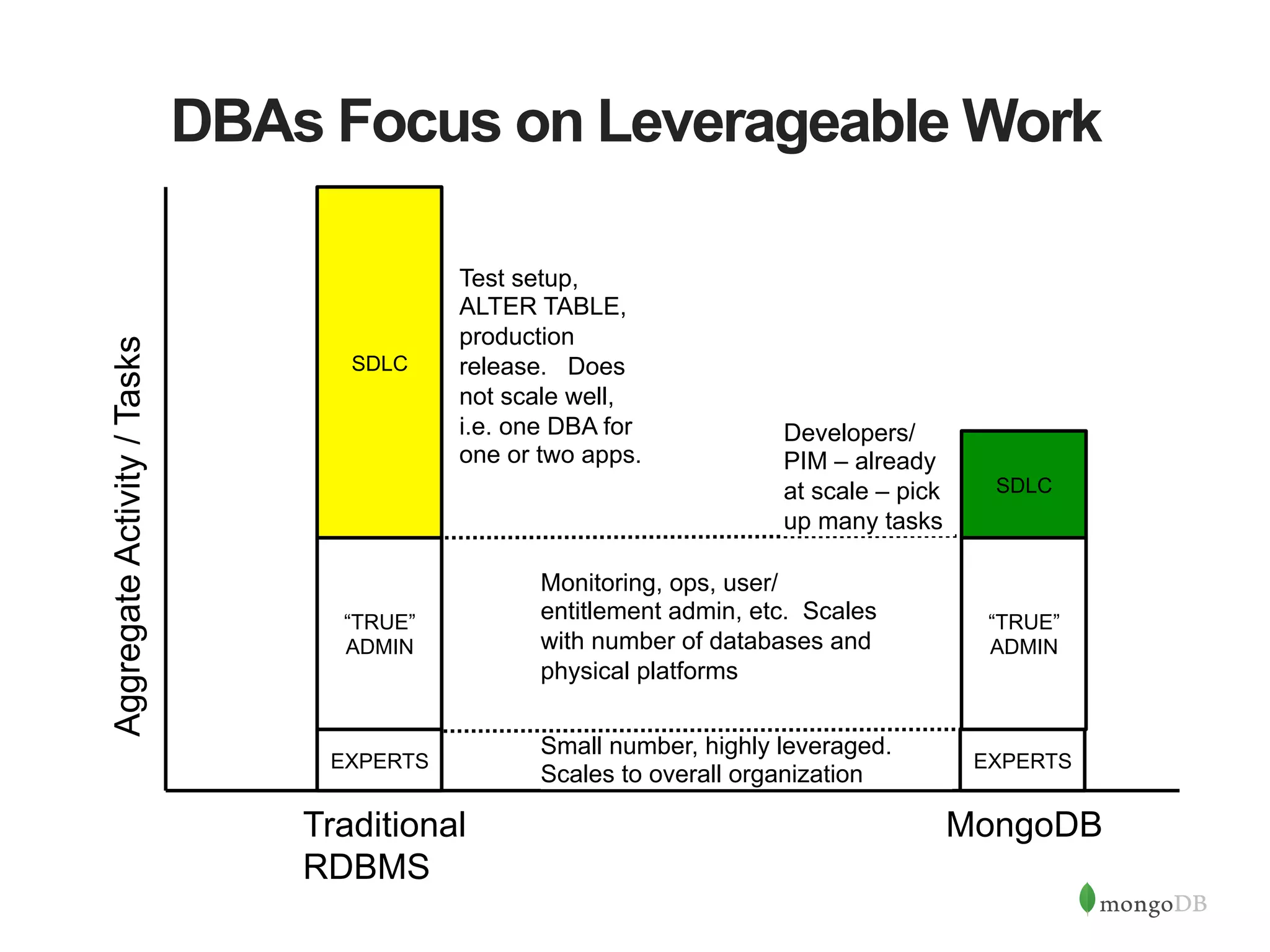
DBAs Focus on Leverageable Work Traditional RDBMS MongoDB EXPERTS “TRUE” ADMIN SDLC EXPERTS “TRUE” ADMIN SDLC Small number, highly leveraged. Scales to overall organization Monitoring, ops, user/ entitlement admin, etc. Scales with number of databases and physical platforms Test setup, ALTER TABLE, production release. Does not scale well, i.e. one DBA for one or two apps. AggregateActivity/Tasks Developers/ PIM – already at scale – pick up many tasks
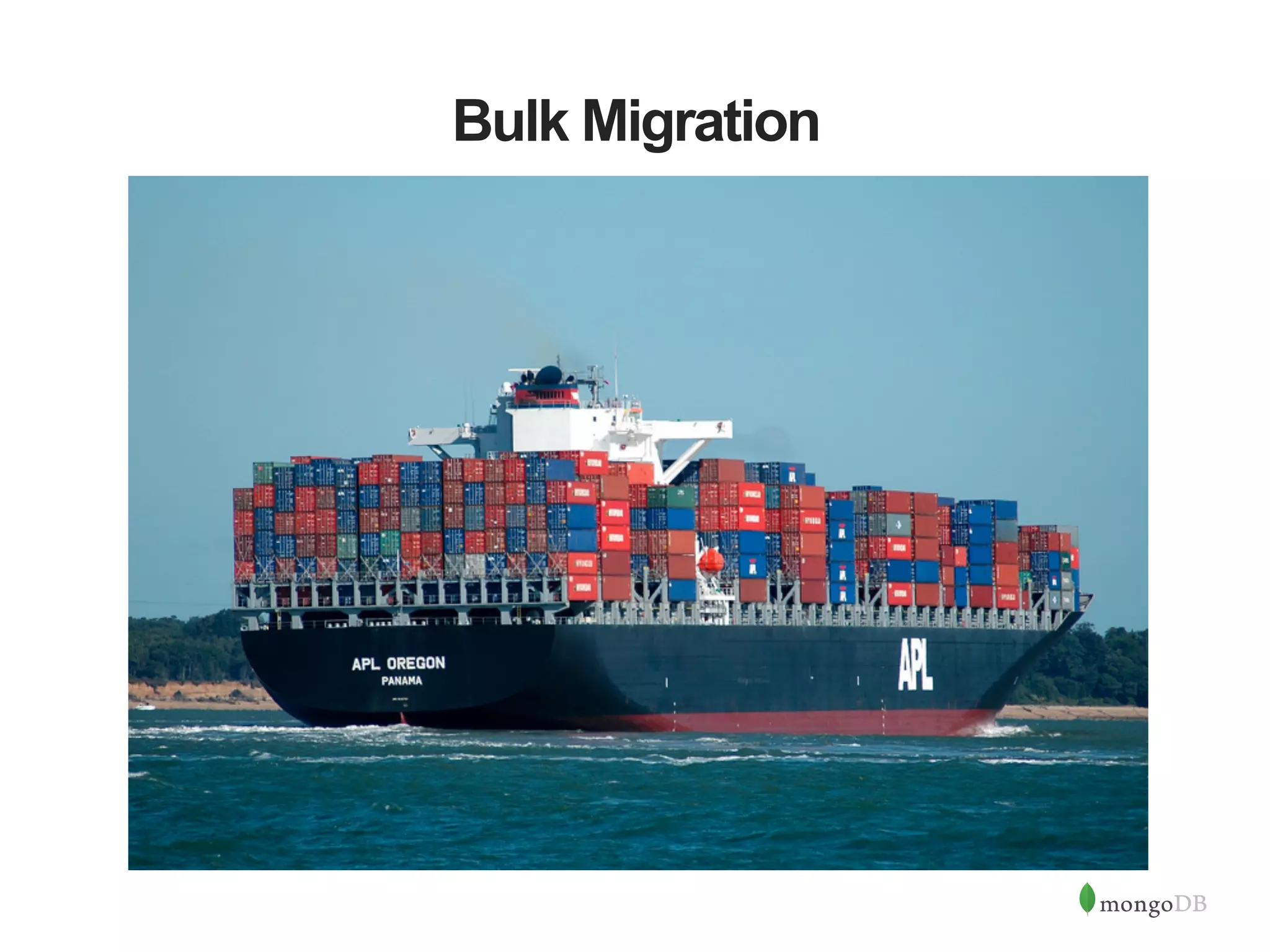
Bulk Migration
From The Factory: mongoimport $  head  -­‐1  customers.json   {  "name":  {  "last":  "Dunham",  "first":  "Jus?n"  },  "department"  :  "Marke?ng",  "pets":  [  "dog",  "cat"  ]  ,  "hire":   {"$date":  "2012-­‐12-­‐14T00:00:00Z"}  ,"?tle"  :  "Manager",  "loca?onCode":  "NYC23"    ,  "benefits"  :   [  {  "type":"Health",  "plan":"Plus"  },  {  "type"  :  "Dental",  "plan"  :  "Standard",  "op?n":  true  }]}   $  mongoimport  -­‐-­‐db  test  -­‐-­‐collec8on  customers  –drop  <  customers.json     connected  to:  127.0.0.1   2014-­‐11-­‐26T08:36:47.509-­‐0800  imported  1000  objects   $  mongo   MongoDB  shell  version:  2.6.5   connec?ng  to:  test   Ø  db.customers.findOne()   {    "_id"  :  ObjectId("548f5c2da40d2829f0ed8be9"),    "name"  :  {  "last"  :  "Dunham”,  “first"  :  "Jus?n”  },    "department"  :  "Marke?ng",    "pets"  :  [  "dog”"cat”],    "hire"  :  ISODate("2012-­‐12-­‐14T00:00:00Z"),    "?tle"  :  "Manager",    "loca?onCode"  :  "NYC23",    "benefits"  :  [      {        "type"  :  "Health",        "plan"  :  "Plus"      },{        "type"  :  "Dental",        "plan"  :  "Standard",        "op?n"  :  true      }    ]   }    
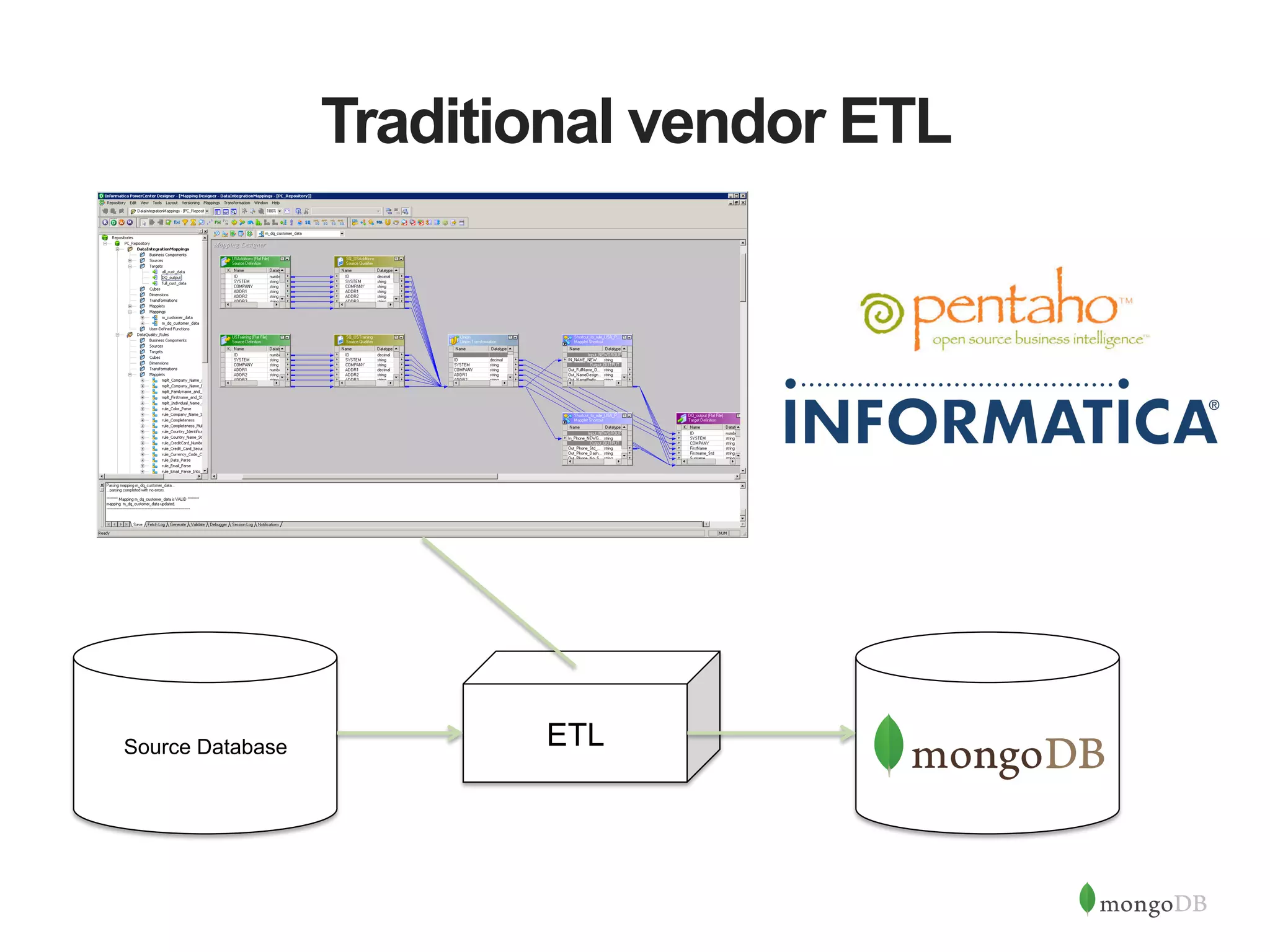
Traditional vendor ETL Source Database ETL
Community Efforts github.com/bryanreinero/Firehose! •  Componentized CLI, DB-writer, and instrumentation modules •  Multithreaded •  Application framework •  Good starting point for your own custom loaders
Community Efforts github.com/buzzm/mongomtimport! •  High performance Java multithreaded loader •  User-defined parsers and handlers for special transformations •  Field encrypt / decrypt •  Hashing •  Reference Data lookup and incorporation •  Advanced features for delimited and fixed-width files •  Type assignment including arrays of scalars
Shameless Plug for r2m ! # r2m script fragment! collections => {! peeps => {! tblsrc => "contact",! flds => {! name => [ "fld", {! colsrc => ["FNAME”,"LNAME"], f => sub {! my($ctx,$vals) = @_;! my $fn = $vals->{"FNAME”};! $fn = ucfirst(lc($fn));! my $ln = $vals->{"LNAME"};! $ln = ucfirst(lc($ln));! return { first => $fn,! last => $ln };! }! }]! github.com/buzzm/r2m! •  Perl DBD/DBI based framework •  Highly customizable but still “framework-convenient” CONTACT   FNAME   LNAME   JONES   BOB   KALAN   MATT   Collection “peeps”! {! name: {! first: “Bob”,! last: “Jones”! }! . . . ! }! {! name: {! first: “Matt”,! last: “Kalan”! }! . . . ! }! !
r2m works well for 1:n embedding #r2m script fragment! …! collections => {! peeps => {! tblsrc => ”contact",! flds => {! lname => “LNAME",! phones => [ "join", {! link => [“uid", “xid"]! },! { tblsrc => "phones",! flds => {! number => "NUM”,! type => "TYPE”! } ! }]! !}! }! ! ! Collection “peeps”! {! lname: “JONES”,! phones: [! { "number”:”272-1234",! "type" : ”HOME” },! { "number”:”272-4432",! "type" : ”HOME” },! { "number”:”523-7774",! "type" : ”HOME” }! ]! . . . ! }! {! lname: “KALAN”,! phones: [! { "number”:”423-8884",! "type" : ”WORK” }! ]! }! PHONES   NUM   TYPE   XID   272-­‐1234   HOME   1   272-­‐4432   HOME   1   523-­‐7774   HOME   1   423-­‐8884   WORK   2   CONTACT   FNAME   LNAME   UID   JONES   BOB   1   KALAN   MATT   2  
System Cutover
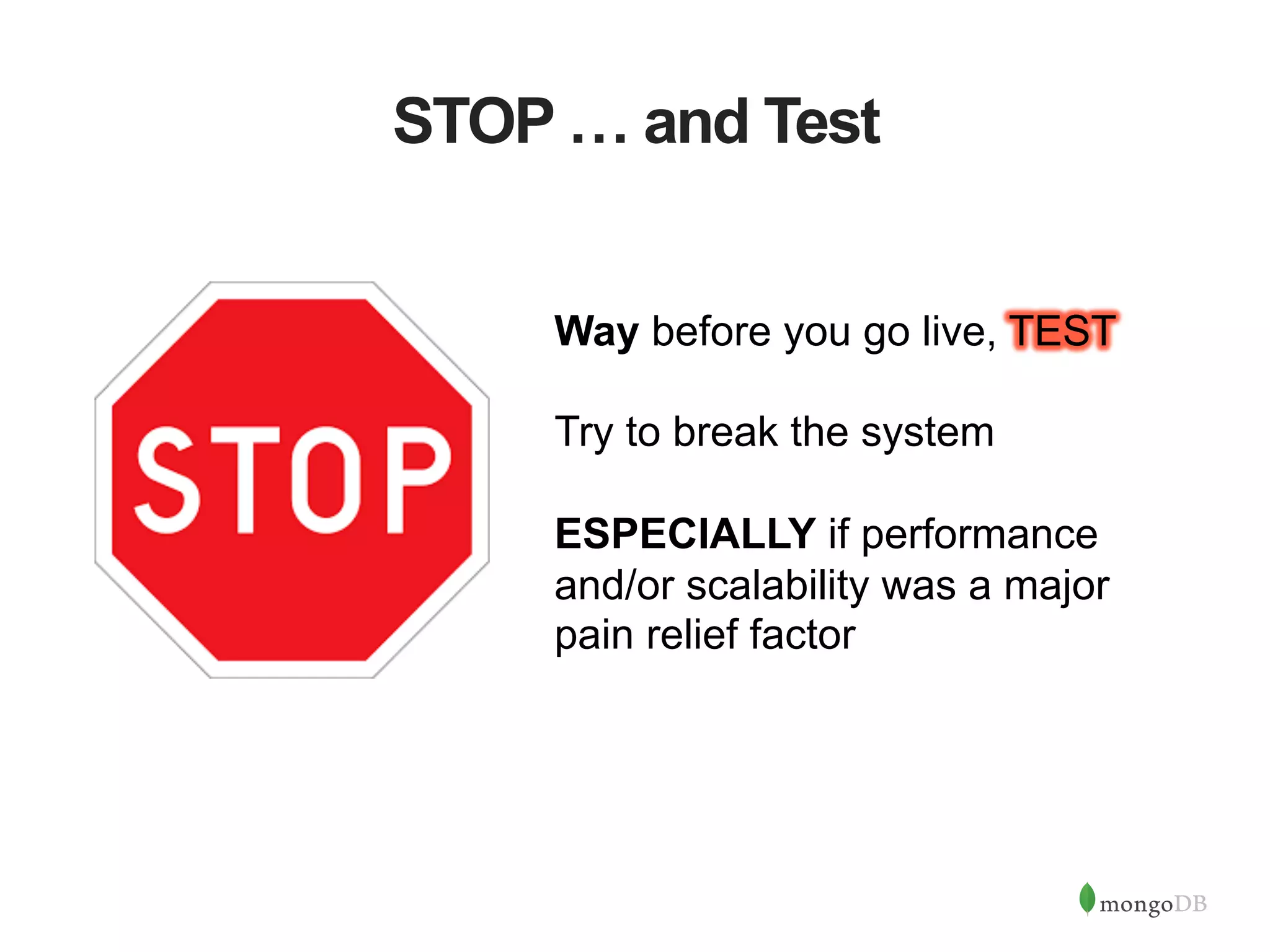
STOP … and Test Way before you go live, TEST Try to break the system ESPECIALLY if performance and/or scalability was a major pain relief factor
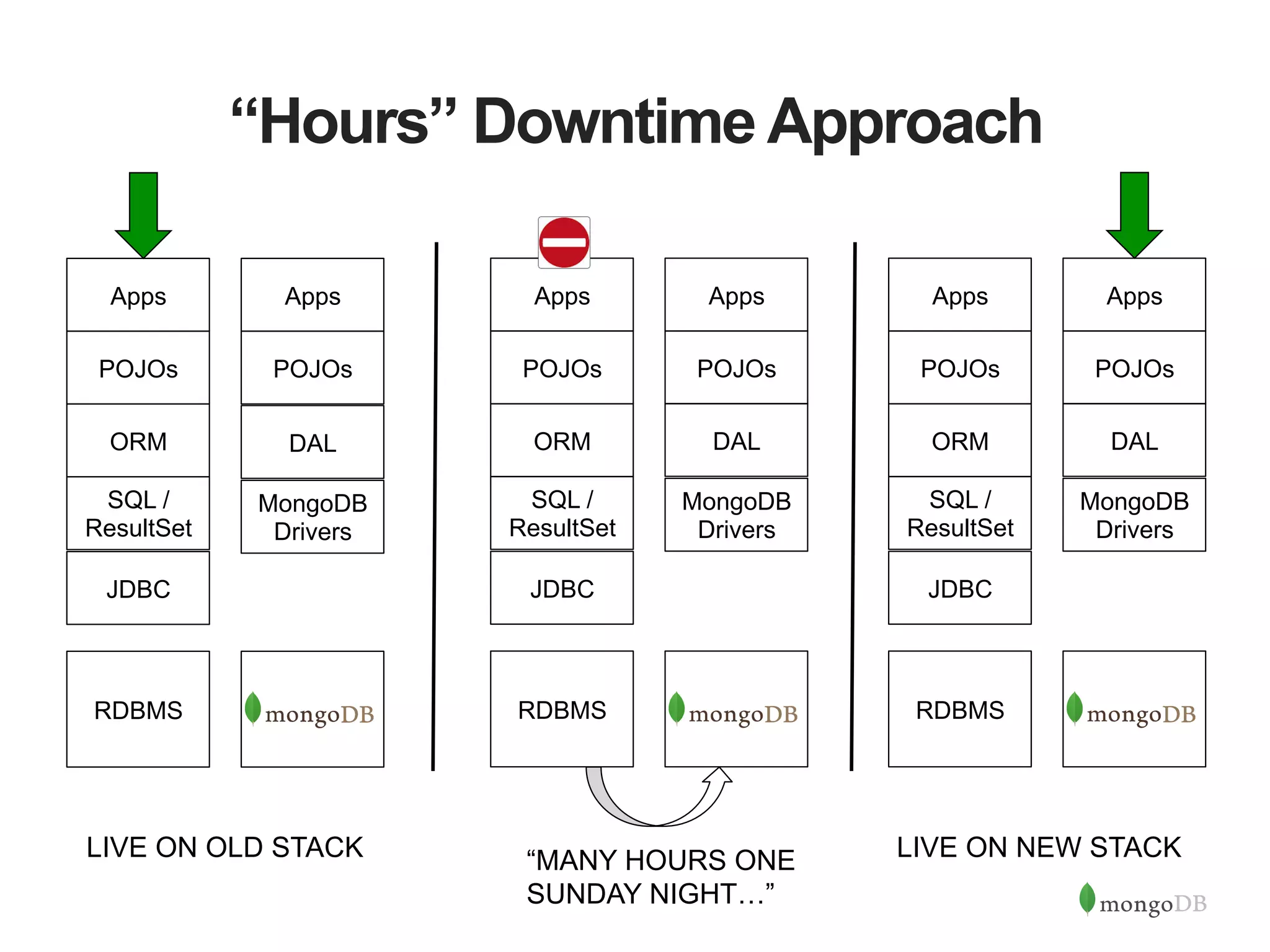
“Hours” Downtime Approach RDBMS JDBC SQL / ResultSet ORM POJOs Apps MongoDB Drivers DAL POJOs Apps RDBMS JDBC SQL / ResultSet ORM POJOs Apps MongoDB Drivers DAL POJOs Apps RDBMS JDBC SQL / ResultSet ORM POJOs Apps MongoDB Drivers DAL POJOs Apps LIVE ON OLD STACK “MANY HOURS ONE SUNDAY NIGHT…” LIVE ON NEW STACK
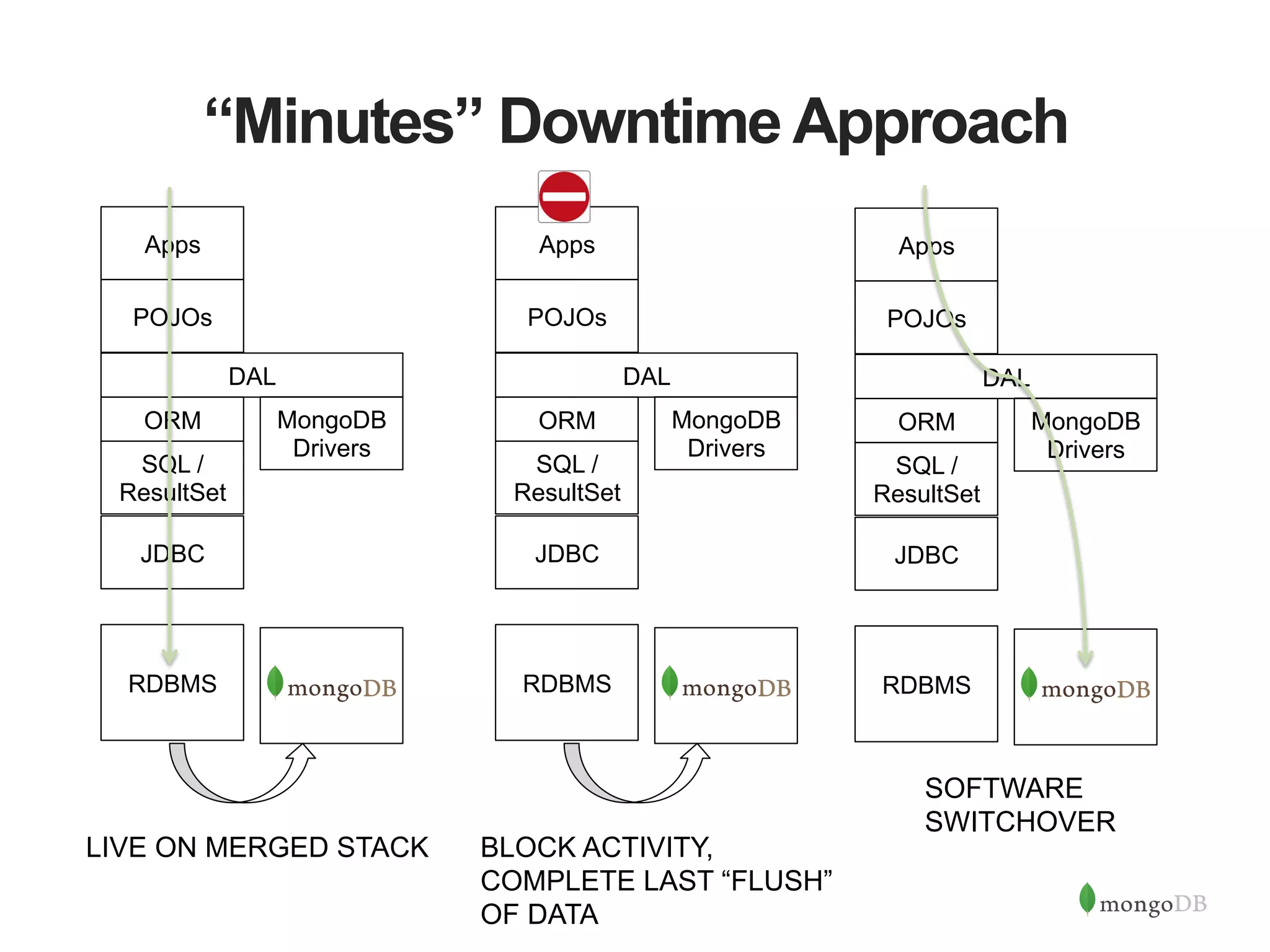
“Minutes” Downtime Approach RDBMS JDBC SQL / ResultSet ORM POJOs Apps DAL MongoDB Drivers RDBMS JDBC SQL / ResultSet ORM POJOs Apps DAL MongoDB Drivers LIVE ON MERGED STACK SOFTWARE SWITCHOVER RDBMS JDBC SQL / ResultSet ORM POJOs Apps DAL MongoDB Drivers BLOCK ACTIVITY, COMPLETE LAST “FLUSH” OF DATA
Zero Downtime Approach RDBMS JDBC SQL / ResultSet ORM POJOs Apps DAL MongoDB Drivers POJOs Apps DAL MongoDB Drivers 2 1.  DAL submits operation to MongoDB “side” first 2.  If operation fails, DAL calls a shunt [T] to the RDBMS side and copies/sync state to MongoDB. Operation (1) is called again and succeeds 3.  “Disposable” Shepherd utils can generate additional conversion activity 4.  When shunt records no activity, migration is complete; shunt can be removed later 4 Shepherd 3 Low-level Shepherd T 1
MongoDB Is Here To Help MongoDB Enterprise Advanced The best way to run MongoDB in your data center MongoDB Management Service (MMS) The easiest way to run MongoDB in the cloud Production Support In production and under control Development Support Let’s get you running Consulting We solve problems Training Get your teams up to speed.
Migration Success stories
Questions & Answers
Thank you

Migrating from RDBMS to MongoDB

  • 1.
    Migrating from RDBMSto MongoDB Buzz Moschetti buzz.moschetti@mongodb.com Enterprise Architect, MongoDB
  • 2.
    Before We Begin • This webinar is being recorded •  Use The Chat Window for •  Technical assistance •  Q&A •  MongoDB Team will answer quick questions in realtime •  “Common” questions will be reviewed at the end of the webinar
  • 3.
    Who Am I? • Yes, I use “Buzz” on my business cards •  Former Investment Bank Chief Architect at JPMorganChase and Bear Stearns before that •  Over 27 years of designing and building systems •  Big and small •  Super-specialized to broadly useful in any vertical •  “Traditional” to completely disruptive •  Advocate of language leverage and strong factoring •  Inventor of perl DBI/DBD •  Still programming – using emacs, of course
  • 4.
    Today’s Goal Explore issuesin moving an existing RDBMS system to MongoDB •  What is MongoDB? •  Determining Migration Value •  Roles and Responsibilities •  Bulk Migration Techniques •  System Cutover
  • 5.
    MongoDB: The LeadingNoSQL Database Document Data Model Open- Source Fully Featured High Performance Scalable { ! name: “John Smith”,! pfxs: [“Dr.”,”Mr.”],! address: “10 3rd St.”,! phone: {! !home: 1234567890,! !mobile: 1234568138 }! }!
  • 6.
    What is MongoDBfor? •  The data store for all systems of engagement –  Demanding, real-time SLAs –  Diverse, mixed data sets –  Massive concurrency –  Globally deployed over multiple sites –  No downtime tolerated –  Able to grow with user needs –  High uncertainty in sizing –  Fast scaling needs –  Delivers a seamless and consistent experience
  • 7.
  • 8.
    Understand Your Pain(s) Existingsolution must be struggling to deliver 2 or more of the following capabilities: •  High performance (1000’s – millions queries / sec) - reads & writes •  Need dynamic schema with rich shapes and rich querying •  Need truly agile SDLC and quick time to market for new features •  Geospatial querying •  Need for effortless replication across multiple data centers, even globally •  Need to deploy rapidly and scale on demand •  99.999% uptime (<10 mins / yr) •  Deploy over commodity computing and storage architectures •  Point in Time recovery
  • 9.
    Migration Difficulty VariesByArchitecture Migrating from RDBMS to MongoDB is not the same as migrating from one RDBMS to another. To be successful, you must address your overall design and technology stack, not just schema design.
  • 10.
    Migration Effort &Target Value Target Value = CurrentValue + Pain Relief – Migration Effort Migration Effort is: •  Variable / “Tunable” •  Can occur at different amounts in different levels of the stack Pain Relief: •  Highly Variable •  Potentially non-linear
  • 11.
    The Stack: TheObvious RDBMS JDBC SQL / ResultSet ORM POJOs Assume there will be many changes at this level: •  Schema •  Stored Procedure Rewrite •  Ops management •  Backup & Restore •  Test Environment setup Apps Storage Layer
  • 12.
    Don’t Forget theStorage Most RDBMS are deployed over SAN. MongoDB works on SAN, too – but value may exist in switching to locally attached storage RDBMS JDBC SQL / ResultSet ORM POJOs Apps Storage Layer
  • 13.
    Less Obvious ButImportant Opportunities may exist to increase platform value: •  Convergence of HA and DR •  Read-only use of secondaries •  Schema •  Ops management •  Backup & Restore •  Test Environment setup RDBMS JDBC SQL / ResultSet ORM POJOs Apps Storage Layer
  • 14.
    O/JDBC is aboutRectangles MongoDB uses different drivers, so different •  Data shape APIs •  Connection pooling •  Write durability And most importantly •  No multi-document TX RDBMS JDBC SQL / ResultSet ORM POJOs Apps Storage Layer
  • 15.
    NoSQL means… well…No SQL MongoDB doesn’t use SQL nor does it return data in rectangular form where each field is a scalar And most importantly •  No JOINs in the database RDBMS JDBC SQL / ResultSet ORM POJOs Apps Storage Layer
  • 16.
    Goodbye, ORM ORMs aredesigned to move rectangles of often repeating columns into POJOs. This is unnecessary in MongoDB. RDBMS JDBC SQL / ResultSet ORM POJOs Apps Storage Layer
  • 17.
    The Tail (might)Wag The Dog Common POJOs NoNos: •  Mimic underlying relational design for ease of ORM integration •  Carrying fields like “id” which violate object / containing domain design •  Lack of testability without a persistorRDBMS JDBC SQL / ResultSet ORM POJOs Apps Storage Layer
  • 18.
    Migrate Or Rewrite:Cost/BenefitAnalysis Migration Approach RDBMS JDBC SQL / ResultSet ORM POJOs Apps Rewrite Approach Constantmarginalcost Consistentandcleandesign Increasingmarginalcost Decreasingvalueof migrationvs.rewrite $ $ $ $ Storage Layer
  • 19.
    Sample Migration Investment“Calculator” Design Aspect Difficulty Include Two-phase XA commit to external systems (e.g. queues) -5 More than 100 tables most of which are critical -3 ✔ Extensive, complex use of ORMs -3 Hundreds of SQL driven BI reports -2 Compartmentalized dynamic SQL generation +2 ✔ Core logic code (POJOs) free of persistence bits +2 ✔ Need to save and fetch BLOB data +2 Need to save and query third party data that can change +4 Fully factored DAL incl. query parameterization +4 Desire to simplify persistence design +4 SCORE +1 If score is less than 0, significant investment may be required to produce desired migration value
  • 20.
    Migration Spectrum •  Smallnumber of tables (20) •  Complex data shapes stored in BLOBs •  Millions or billions of items •  Frequent (monthly) change in data shapes •  Well-constructed software stack with DAL •  POJO or apps directly constructing and executing SQL •  Hundreds of tables •  Slow growth •  Extensive SQL-based BI reporting GOOD REWRITE INSTEAD
  • 21.
    WhatAre People GoingTo Do Differently?
  • 22.
    Everyone Needs ToChange A Bit •  Line of business •  Solution Architects •  Developers •  Data Architects •  DBAs •  System Administrators •  Security
  • 23.
    …especially these guys • Line of business •  Solution Architects •  Developers •  Data Architects •  DBAs •  System Administrators •  Security
  • 24.
    Data Architect’s View:Data Modeling RDBMS MongoDB { name: { last: "Dunham”, first: “Justin” }, department : "Marketing", pets: [ “dog”, “cat” ], title : “Manager", locationCode: “NYC23”, benefits : [ { type : "Health", plan : “Plus" }, { type : "Dental", plan : "Standard”, optin: true } ] }
  • 25.
  • 26.
    Structures: Beyond Scalars BUYER_FIRST_NAME BUYER_LAST_NAME BUYER_MIDDLE_NAME INSERTINTO COLL BUYER_FIRST_NAME BUYER_LAST_NAME BUYER_MIDDLE_NAME Map bn = makeName(FIRST, LAST, MIDDLE); Collection.insert( {“buyer_name”, bn}); Select BUYER_FIRST_NAME BUYER_LAST_NAME BUYER_MIDDLE_NAME .. Collection.find(pred, {“buyer_name”:1}); { first: “Buzz”, last: “Moschetti” }
  • 27.
    Graceful Pick-Up ofNew Fields BUYER_FIRST_NAME BUYER_LAST_NAME BUYER_MIDDLE_NAME BUYER_NICKNAME INSERT INTO COLL [prev + NICKNAME] Map bn = makeName(FIRST, LAST, MIDDLE,NICKNAME); Select BUYER_FIRST_NAME BUYER_LAST_NAME BUYER_MIDDLE_NAME BUYER_NICKNAME …. Collection.insert( {“buyer_name”, bn}); Collection.find(pred, {“buyer_name”:1}); NO change
  • 28.
    New Instances ReallyBenefit BUYER_FIRST_NAME BUYER_LAST_NAME BUYER_MIDDLE_NAME BUYER_NICKNAME SELLER_FIRST_NAME SELLER_LAST_NAME SELLER_MIDDLE_NAME SELLER_NICKNAME INSERT INTO COLL [prev + SELLER_FIRST_NAME, SELLER_LAST_NAME, SELLER….] Map bn = makeName(FIRST, LAST, MIDDLE,NICKNAME); Map sn = makeName(FIRST, LAST, MIDDLE,NICKNAME); Collection.insert( {“buyer_name”, bn, “seller_name”: sn});Select BUYER_FIRST_NAME BUYER_LAST_NAME BUYER_MIDDLE_NAME BUYER_NICKNAME SELLER_FIRST_NAME SELLER_LAST_NAME SELLER_MIDDLE_NAME SELLER_NICKNAME Collection.find(pred, {“buyer_name”:1, “seller_name”:1}); Easy change
  • 29.
    … especially onDay 3 BUYER_FIRST_NAME BUYER_LAST_NAME BUYER_MIDDLE_NAME BUYER_NICKNAME SELLER_FIRST_NAME SELLER_LAST_NAME SELLER_MIDDLE_NAME SELLER_NICKNAME LAWYER_FIRST_NAME LAWYER_LAST_NAME LAWYER_MIDDLE_NAME LAWYER_NICKNAME CLERK_FIRST_NAME CLERK_LAST_NAME CLERK_NICKNAME QUEUE_FIRST_NAME QUEUE_LAST_NAME … Need to add TITLE to all names •  What’s a “name”? •  Did you find them all? •  QUEUE is not a “name”
  • 30.
    Day 3 withRich Shape Design Map  bn  =  makeName(FIRST,  LAST,  MIDDLE,NICKNAME,TITLE);   Map  sn  =  makeName(FIRST,  LAST,  MIDDLE,NICKNAME,TITLE);   Collec?on.insert({“buyer_name”,  bn,  “seller_name”:  sn});     Collec?on.find(pred,  {“buyer_name”:1,  “seller_name”:1});     NO  change   Easy  change  
  • 31.
    Architects: You HaveChoices Less Schema Migration More Schema Migration Advantages •  Less effort to migrate bulk data •  Less changes to upstack code •  Less work to switch feed constructors •  Use conversion effort to fix sins of past •  Structured data offers better day 2 agility •  Potential performance improvements with appropriate 1:n embedding Challenges •  Unnecessary JOIN functionality forced upstack •  Perpetuating field overloading •  Perpetuating non-scalar field encoding/formatting •  Additional investment in design
  • 32.
    Don’t Forget TheFormula Even without major schema change, horizontal scalability and mixed read/write performance may deliver desired platform value! Target Value = CurrentValue + Pain Relief – Migration Effort
  • 33.
    DBAs Focus onLeverageable Work Traditional RDBMS MongoDB EXPERTS “TRUE” ADMIN SDLC EXPERTS “TRUE” ADMIN SDLC Small number, highly leveraged. Scales to overall organization Monitoring, ops, user/ entitlement admin, etc. Scales with number of databases and physical platforms Test setup, ALTER TABLE, production release. Does not scale well, i.e. one DBA for one or two apps. AggregateActivity/Tasks Developers/ PIM – already at scale – pick up many tasks
  • 34.
  • 35.
    From The Factory:mongoimport $  head  -­‐1  customers.json   {  "name":  {  "last":  "Dunham",  "first":  "Jus?n"  },  "department"  :  "Marke?ng",  "pets":  [  "dog",  "cat"  ]  ,  "hire":   {"$date":  "2012-­‐12-­‐14T00:00:00Z"}  ,"?tle"  :  "Manager",  "loca?onCode":  "NYC23"    ,  "benefits"  :   [  {  "type":"Health",  "plan":"Plus"  },  {  "type"  :  "Dental",  "plan"  :  "Standard",  "op?n":  true  }]}   $  mongoimport  -­‐-­‐db  test  -­‐-­‐collec8on  customers  –drop  <  customers.json     connected  to:  127.0.0.1   2014-­‐11-­‐26T08:36:47.509-­‐0800  imported  1000  objects   $  mongo   MongoDB  shell  version:  2.6.5   connec?ng  to:  test   Ø  db.customers.findOne()   {    "_id"  :  ObjectId("548f5c2da40d2829f0ed8be9"),    "name"  :  {  "last"  :  "Dunham”,  “first"  :  "Jus?n”  },    "department"  :  "Marke?ng",    "pets"  :  [  "dog”"cat”],    "hire"  :  ISODate("2012-­‐12-­‐14T00:00:00Z"),    "?tle"  :  "Manager",    "loca?onCode"  :  "NYC23",    "benefits"  :  [      {        "type"  :  "Health",        "plan"  :  "Plus"      },{        "type"  :  "Dental",        "plan"  :  "Standard",        "op?n"  :  true      }    ]   }    
  • 36.
  • 37.
    Community Efforts github.com/bryanreinero/Firehose! •  ComponentizedCLI, DB-writer, and instrumentation modules •  Multithreaded •  Application framework •  Good starting point for your own custom loaders
  • 38.
    Community Efforts github.com/buzzm/mongomtimport! •  Highperformance Java multithreaded loader •  User-defined parsers and handlers for special transformations •  Field encrypt / decrypt •  Hashing •  Reference Data lookup and incorporation •  Advanced features for delimited and fixed-width files •  Type assignment including arrays of scalars
  • 39.
    Shameless Plug forr2m ! # r2m script fragment! collections => {! peeps => {! tblsrc => "contact",! flds => {! name => [ "fld", {! colsrc => ["FNAME”,"LNAME"], f => sub {! my($ctx,$vals) = @_;! my $fn = $vals->{"FNAME”};! $fn = ucfirst(lc($fn));! my $ln = $vals->{"LNAME"};! $ln = ucfirst(lc($ln));! return { first => $fn,! last => $ln };! }! }]! github.com/buzzm/r2m! •  Perl DBD/DBI based framework •  Highly customizable but still “framework-convenient” CONTACT   FNAME   LNAME   JONES   BOB   KALAN   MATT   Collection “peeps”! {! name: {! first: “Bob”,! last: “Jones”! }! . . . ! }! {! name: {! first: “Matt”,! last: “Kalan”! }! . . . ! }! !
  • 40.
    r2m works wellfor 1:n embedding #r2m script fragment! …! collections => {! peeps => {! tblsrc => ”contact",! flds => {! lname => “LNAME",! phones => [ "join", {! link => [“uid", “xid"]! },! { tblsrc => "phones",! flds => {! number => "NUM”,! type => "TYPE”! } ! }]! !}! }! ! ! Collection “peeps”! {! lname: “JONES”,! phones: [! { "number”:”272-1234",! "type" : ”HOME” },! { "number”:”272-4432",! "type" : ”HOME” },! { "number”:”523-7774",! "type" : ”HOME” }! ]! . . . ! }! {! lname: “KALAN”,! phones: [! { "number”:”423-8884",! "type" : ”WORK” }! ]! }! PHONES   NUM   TYPE   XID   272-­‐1234   HOME   1   272-­‐4432   HOME   1   523-­‐7774   HOME   1   423-­‐8884   WORK   2   CONTACT   FNAME   LNAME   UID   JONES   BOB   1   KALAN   MATT   2  
  • 41.
  • 42.
    STOP … andTest Way before you go live, TEST Try to break the system ESPECIALLY if performance and/or scalability was a major pain relief factor
  • 43.
    “Hours” Downtime Approach RDBMS JDBC SQL/ ResultSet ORM POJOs Apps MongoDB Drivers DAL POJOs Apps RDBMS JDBC SQL / ResultSet ORM POJOs Apps MongoDB Drivers DAL POJOs Apps RDBMS JDBC SQL / ResultSet ORM POJOs Apps MongoDB Drivers DAL POJOs Apps LIVE ON OLD STACK “MANY HOURS ONE SUNDAY NIGHT…” LIVE ON NEW STACK
  • 44.
    “Minutes” Downtime Approach RDBMS JDBC SQL/ ResultSet ORM POJOs Apps DAL MongoDB Drivers RDBMS JDBC SQL / ResultSet ORM POJOs Apps DAL MongoDB Drivers LIVE ON MERGED STACK SOFTWARE SWITCHOVER RDBMS JDBC SQL / ResultSet ORM POJOs Apps DAL MongoDB Drivers BLOCK ACTIVITY, COMPLETE LAST “FLUSH” OF DATA
  • 45.
    Zero Downtime Approach RDBMS JDBC SQL/ ResultSet ORM POJOs Apps DAL MongoDB Drivers POJOs Apps DAL MongoDB Drivers 2 1.  DAL submits operation to MongoDB “side” first 2.  If operation fails, DAL calls a shunt [T] to the RDBMS side and copies/sync state to MongoDB. Operation (1) is called again and succeeds 3.  “Disposable” Shepherd utils can generate additional conversion activity 4.  When shunt records no activity, migration is complete; shunt can be removed later 4 Shepherd 3 Low-level Shepherd T 1
  • 46.
    MongoDB Is HereTo Help MongoDB Enterprise Advanced The best way to run MongoDB in your data center MongoDB Management Service (MMS) The easiest way to run MongoDB in the cloud Production Support In production and under control Development Support Let’s get you running Consulting We solve problems Training Get your teams up to speed.
  • 47.
  • 48.
  • 49.