DBA Architecture Intro
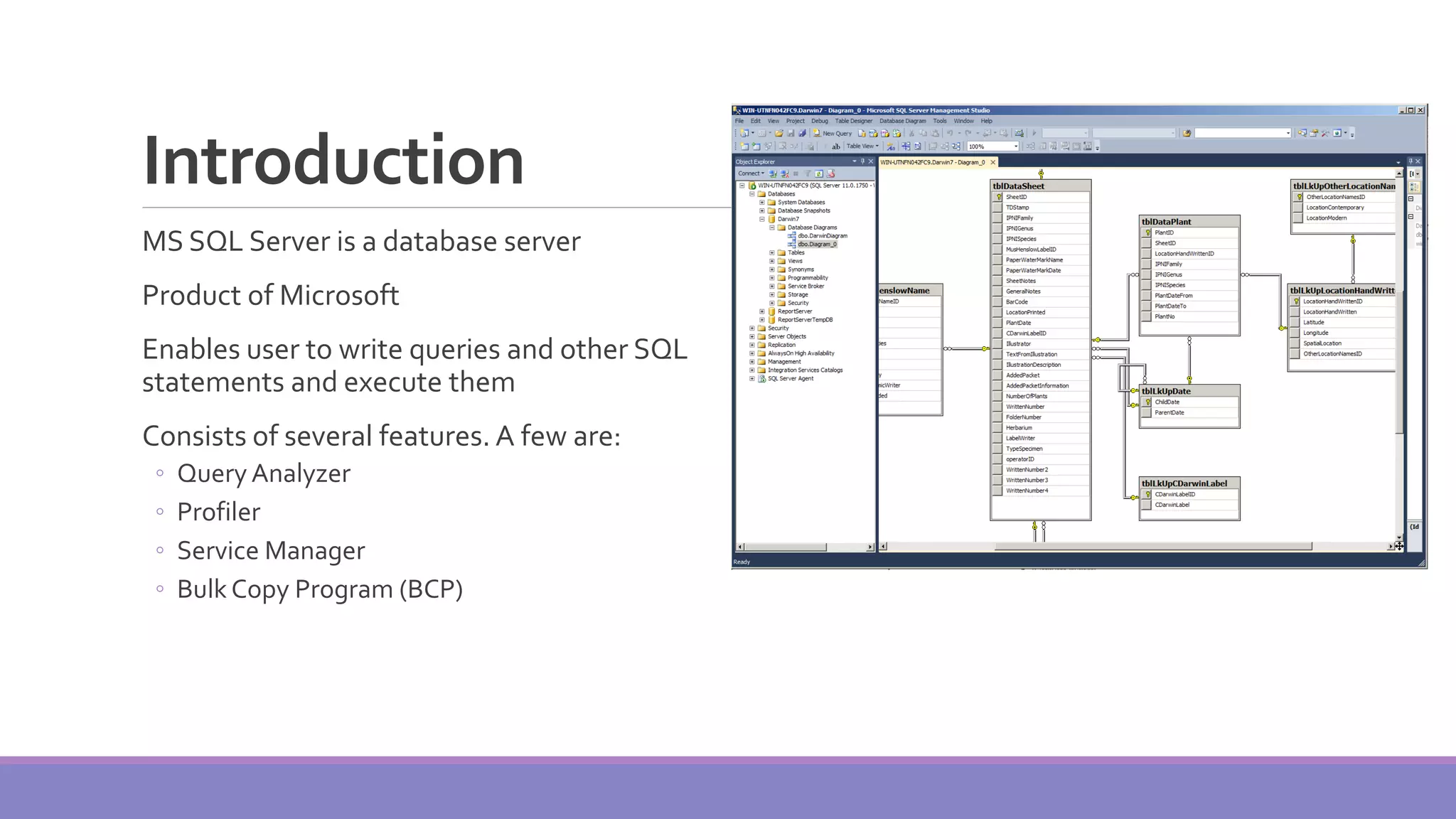
Introduction MS SQL Server is a database server Product of Microsoft Enables user to write queries and other SQL statements and execute them Consists of several features. A few are: ◦ Query Analyzer ◦ Profiler ◦ Service Manager ◦ Bulk Copy Program (BCP)
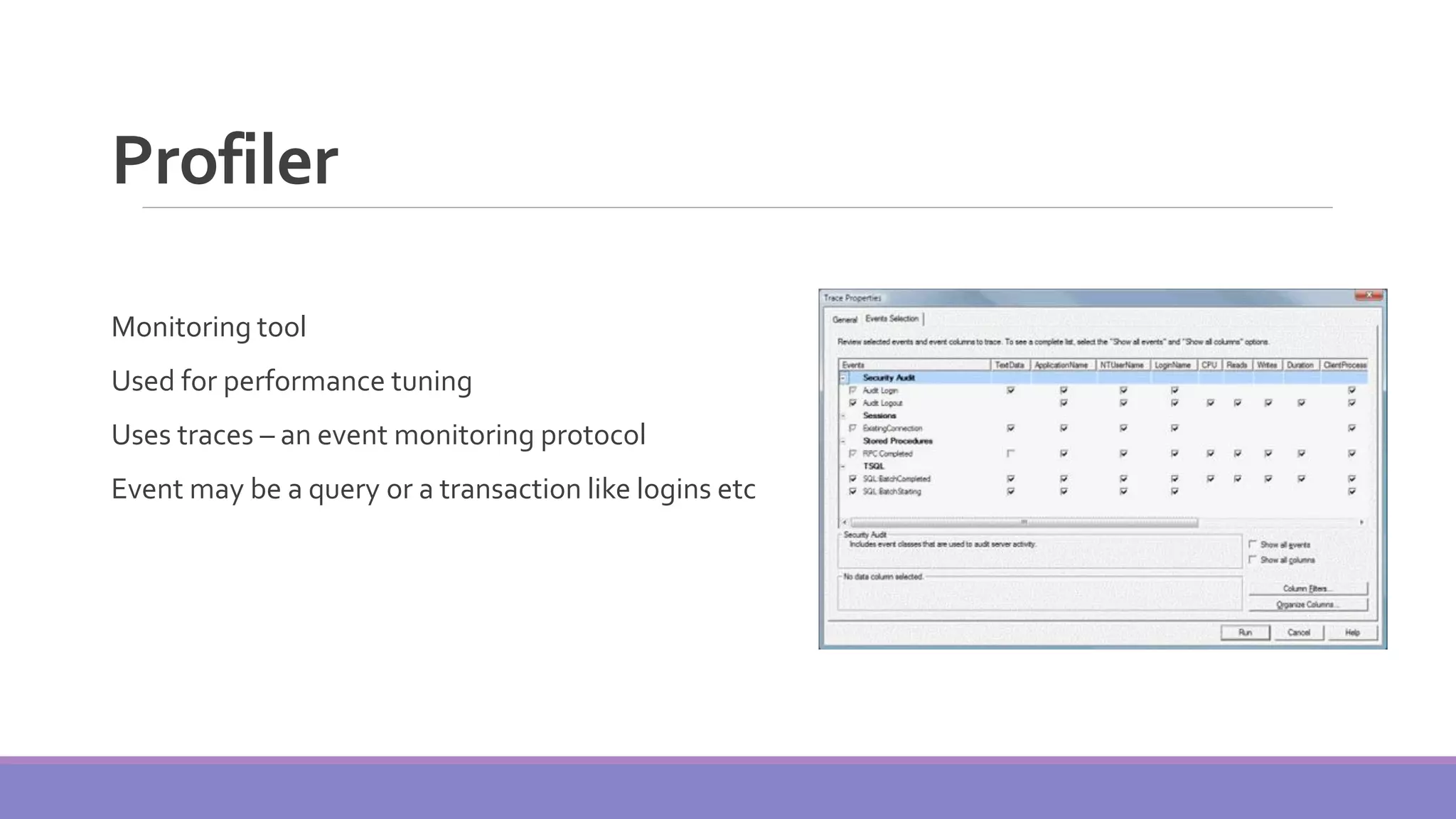
Profiler Monitoring tool Used for performance tuning Uses traces – an event monitoring protocol Event may be a query or a transaction like logins etc
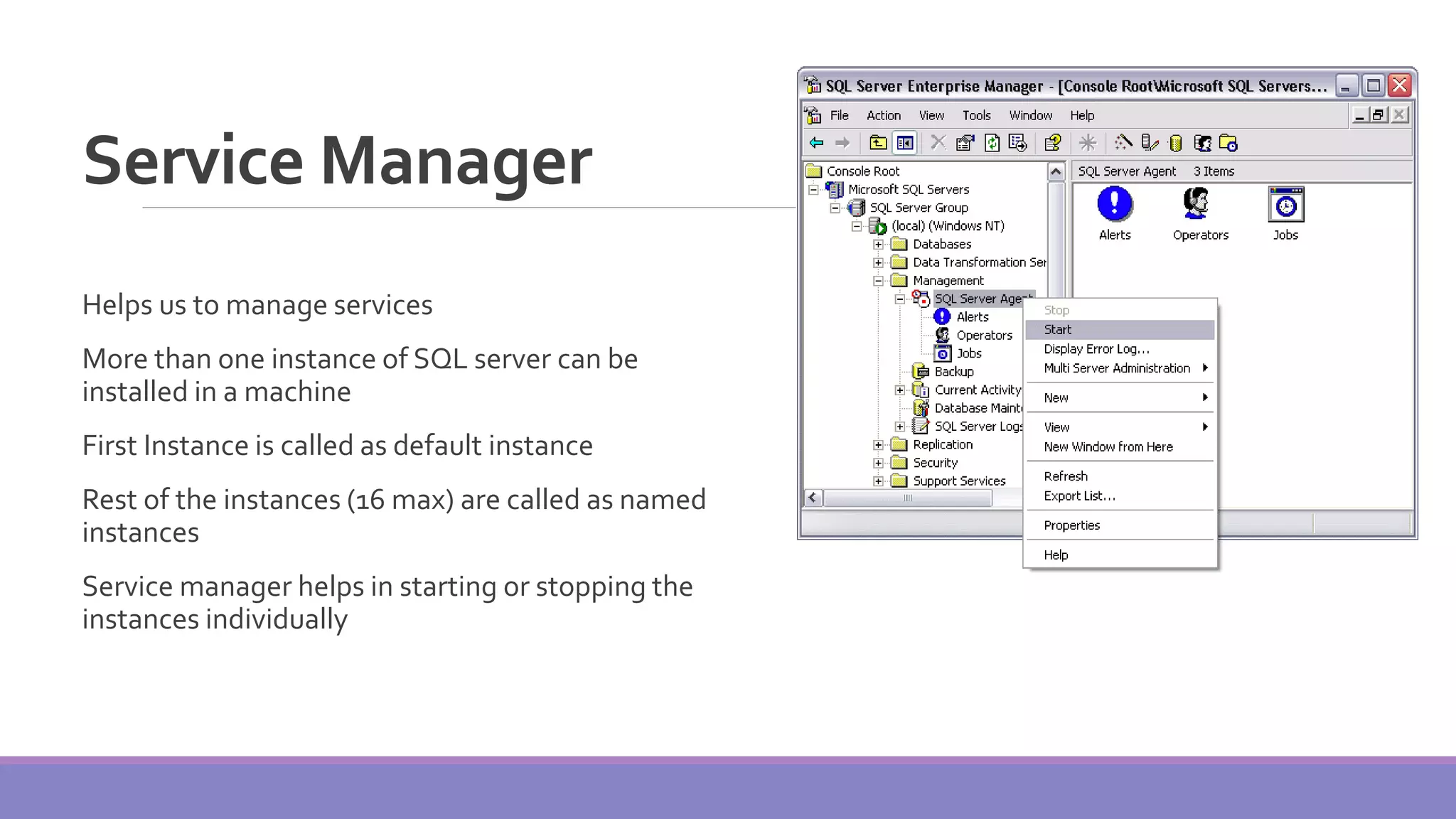
Service Manager Helps us to manage services More than one instance of SQL server can be installed in a machine First Instance is called as default instance Rest of the instances (16 max) are called as named instances Service manager helps in starting or stopping the instances individually
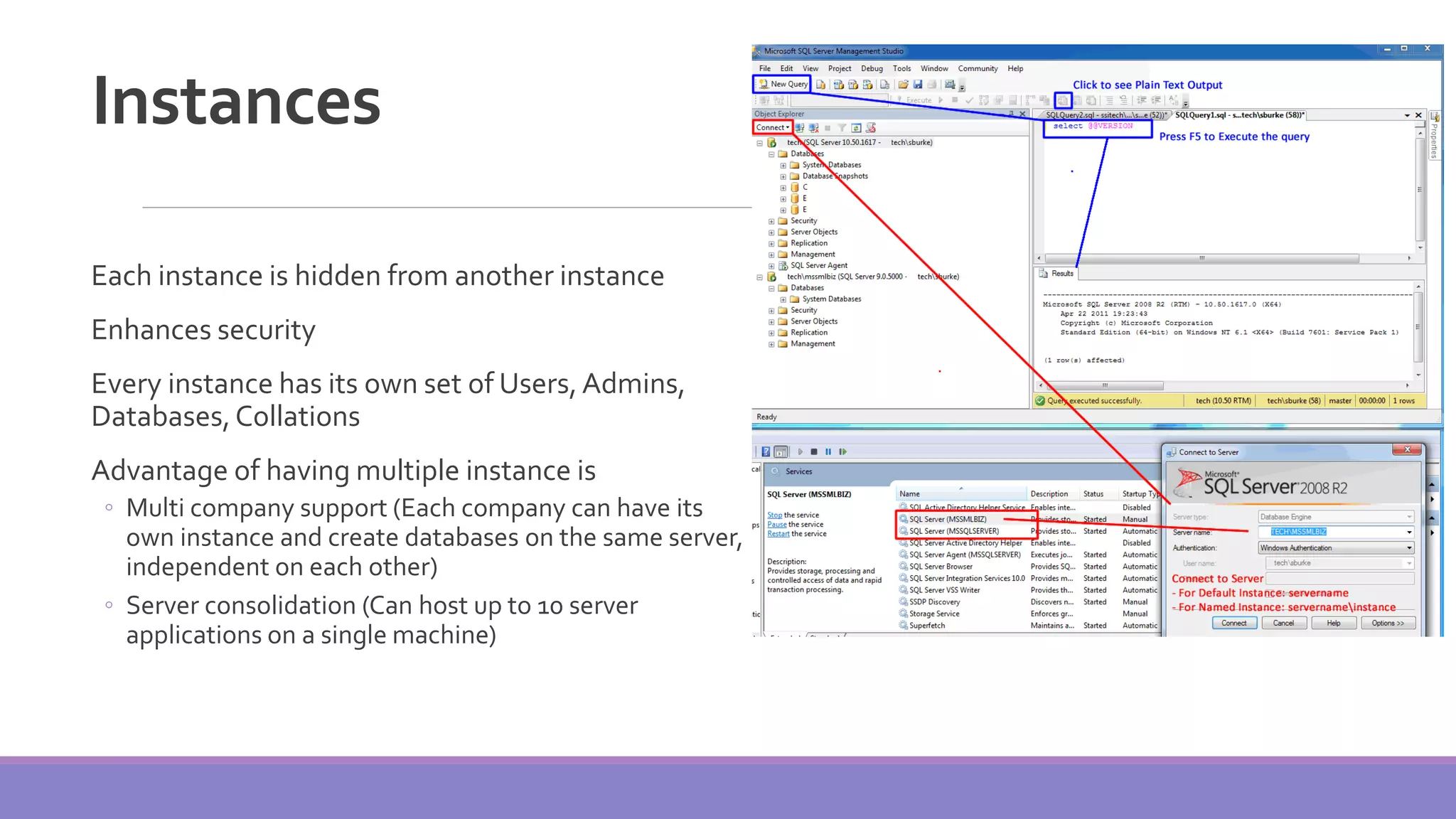
Instances Each instance is hidden from another instance Enhances security Every instance has its own set of Users,Admins, Databases,Collations Advantage of having multiple instance is ◦ Multi company support (Each company can have its own instance and create databases on the same server, independent on each other) ◦ Server consolidation (Can host up to 10 server applications on a single machine)
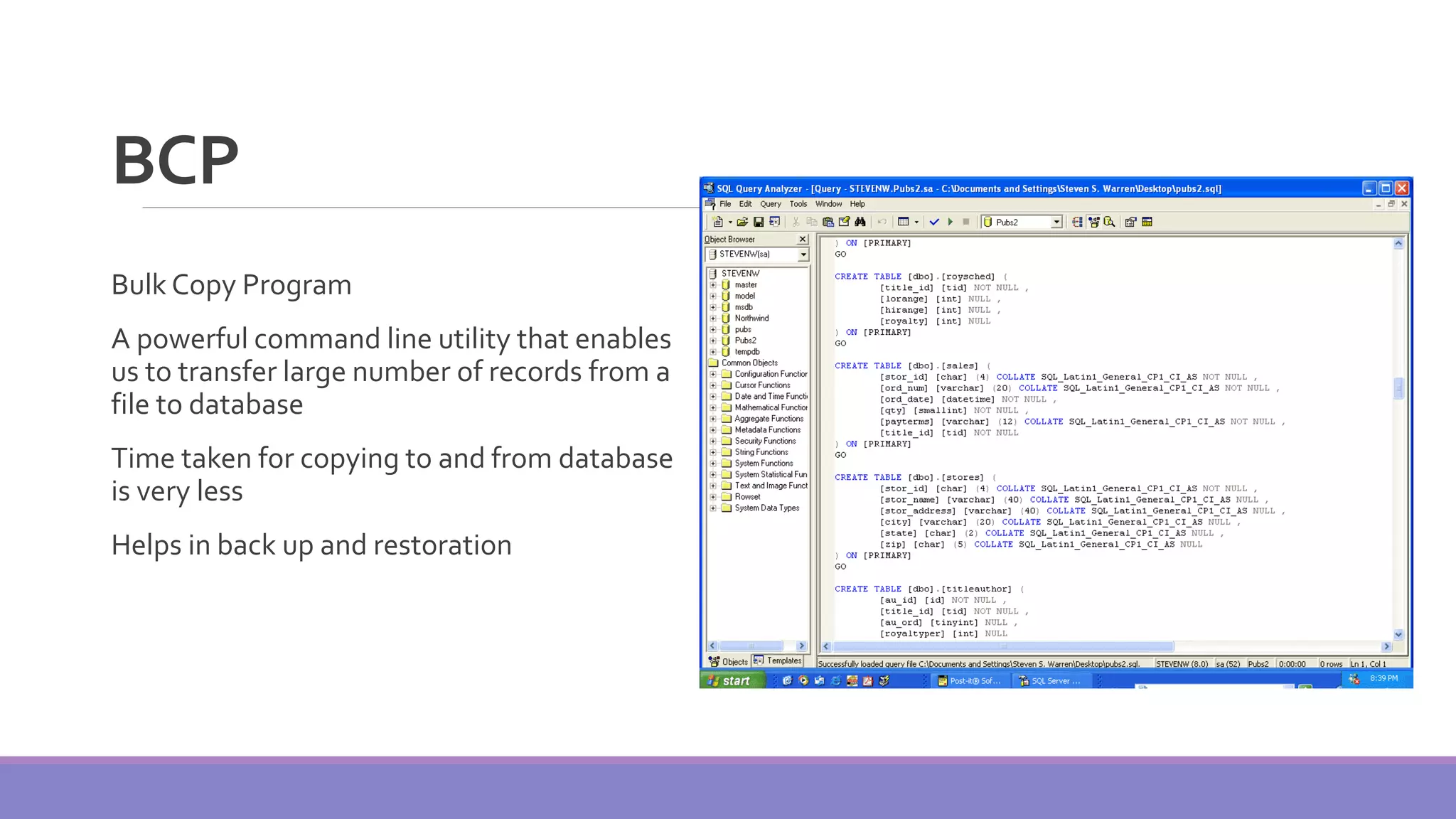
BCP Bulk Copy Program A powerful command line utility that enables us to transfer large number of records from a file to database Time taken for copying to and from database is very less Helps in back up and restoration
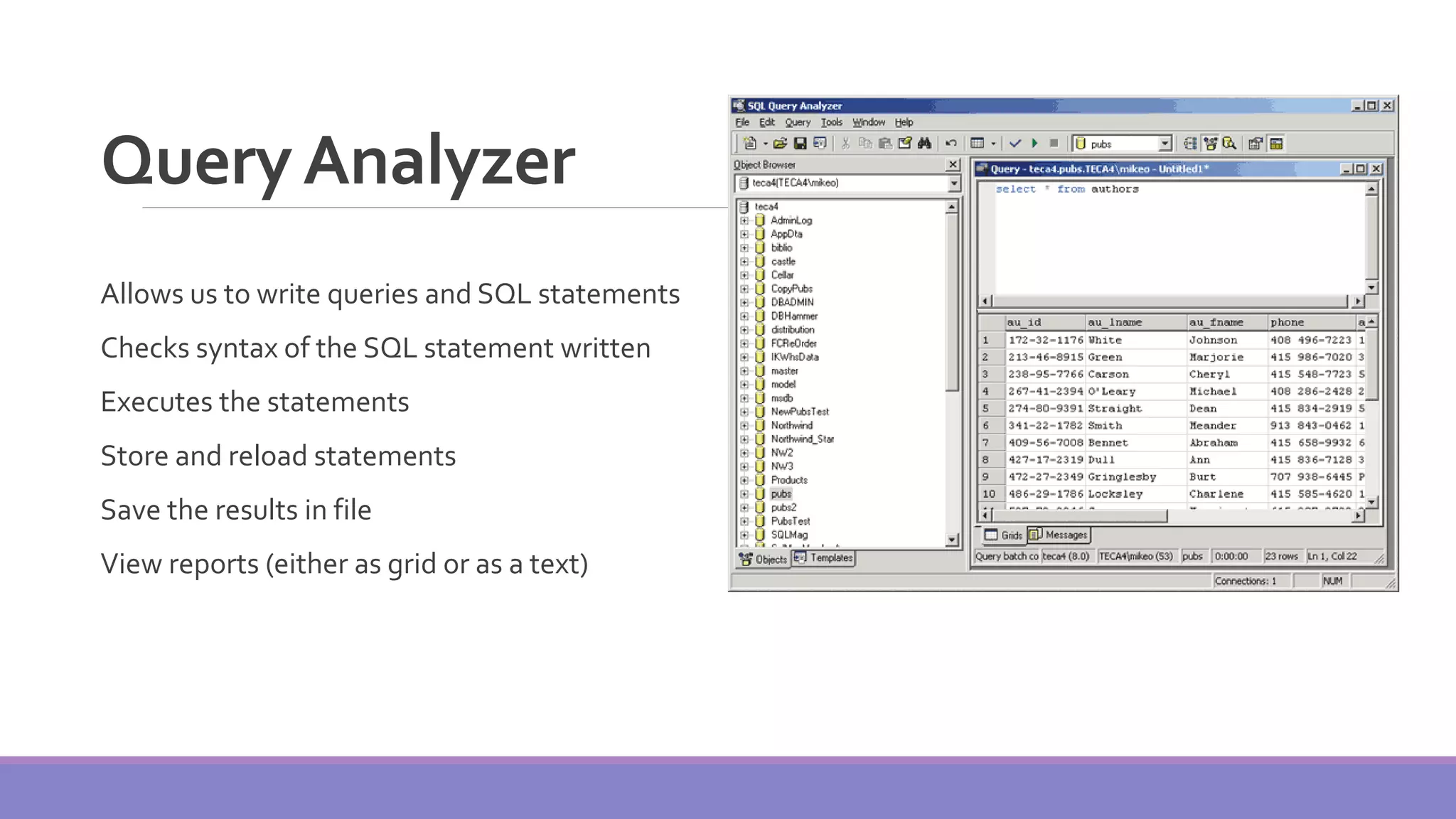
QueryAnalyzer Allows us to write queries and SQL statements Checks syntax of the SQL statement written Executes the statements Store and reload statements Save the results in file View reports (either as grid or as a text)
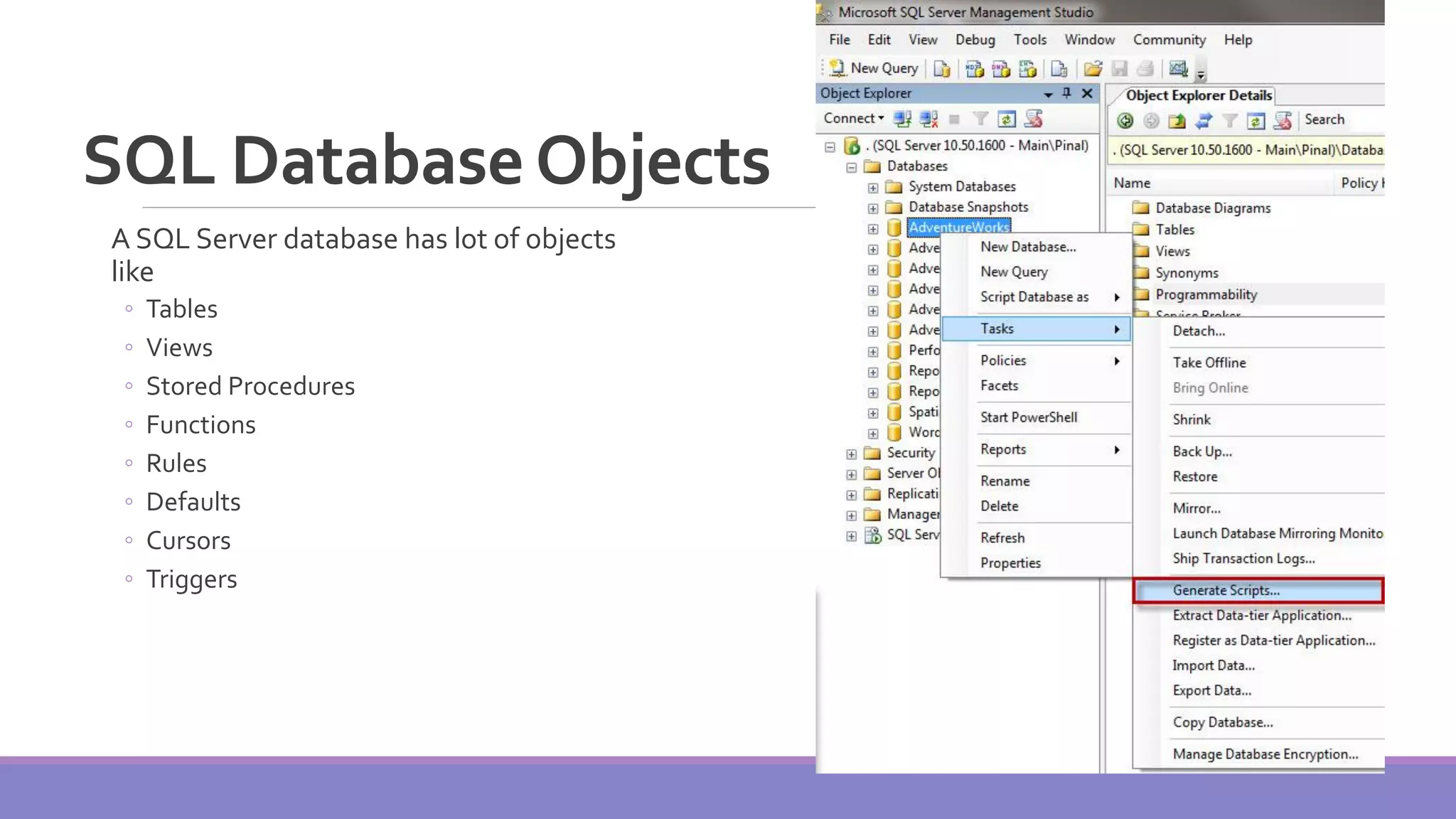
SQL DatabaseObjects A SQL Server database has lot of objects like ◦ Tables ◦ Views ◦ Stored Procedures ◦ Functions ◦ Rules ◦ Defaults ◦ Cursors ◦ Triggers
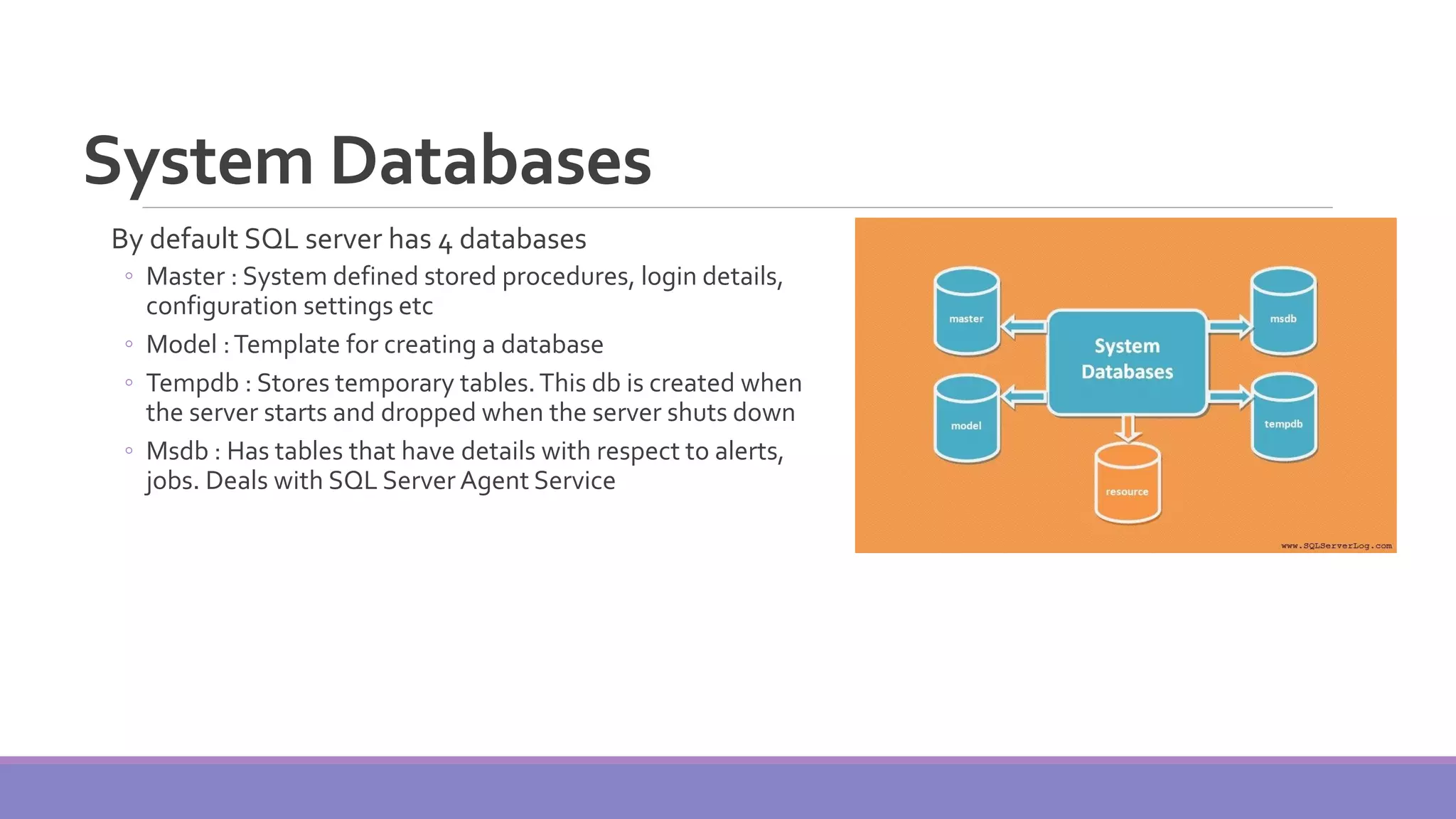
System Databases By default SQL server has 4 databases ◦ Master : System defined stored procedures, login details, configuration settings etc ◦ Model :Template for creating a database ◦ Tempdb : Stores temporary tables.This db is created when the server starts and dropped when the server shuts down ◦ Msdb : Has tables that have details with respect to alerts, jobs. Deals with SQL Server Agent Service
ArchitectureOverview Schema and Data Structure (Objects) Storage Architecture ◦ Data Blocks, Extents, and Segments ◦ Storage Allocation ◦ Managing Extents and Pages ◦ Tablespaces and Datafiles ◦ SQL Server Data Files ◦ Mapping ofTablespaces and Filegroups Logging Model Data Dictionary
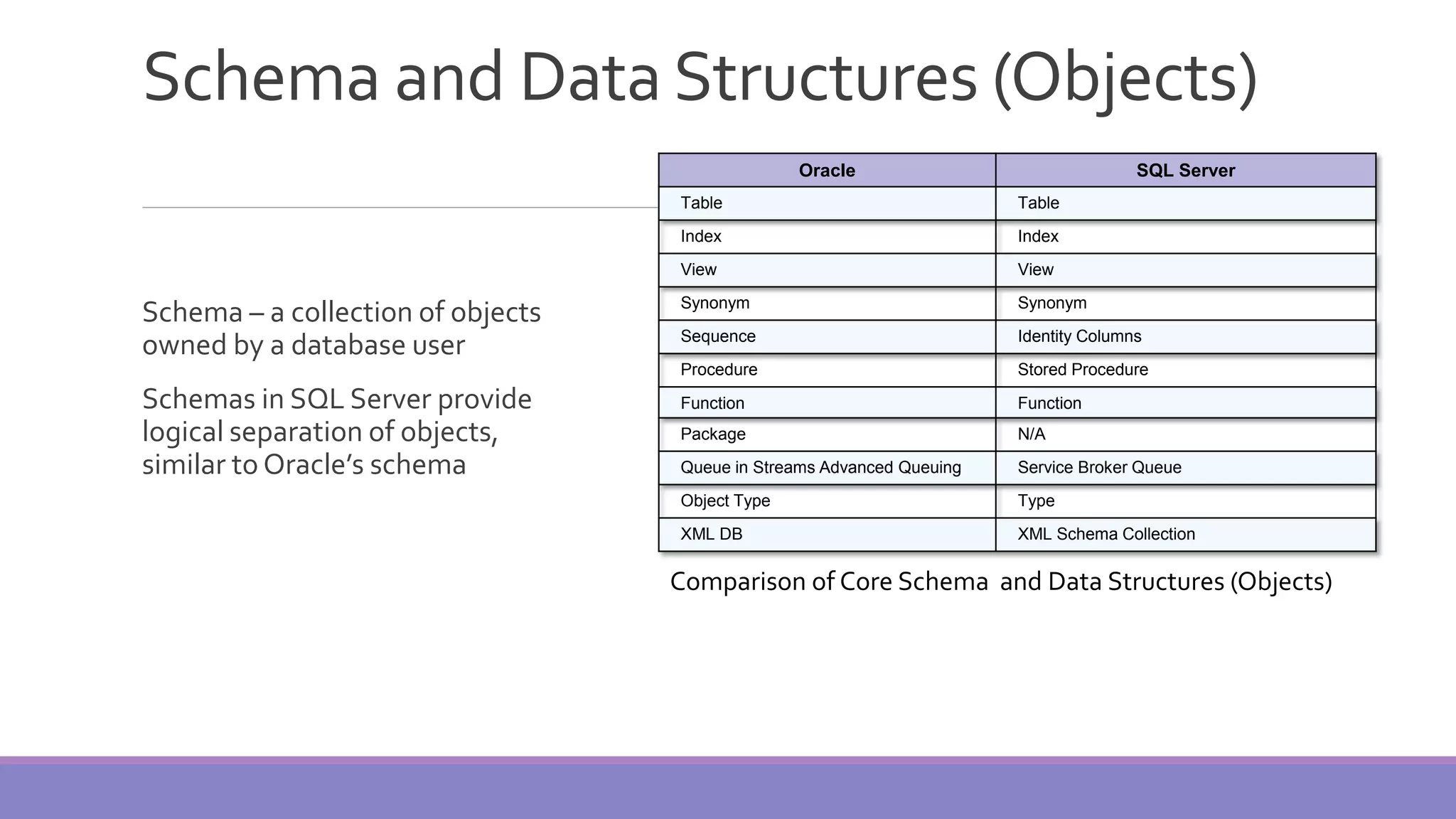
Schema and Data Structures (Objects) Schema – a collection of objects owned by a database user Schemas in SQL Server provide logical separation of objects, similar to Oracle’s schema Oracle SQL Server Table Table Index Index View View Synonym Synonym Sequence Identity Columns Procedure Stored Procedure Function Function Package N/A Queue in Streams Advanced Queuing Service Broker Queue Object Type Type XML DB XML Schema Collection Comparison of Core Schema and Data Structures (Objects)
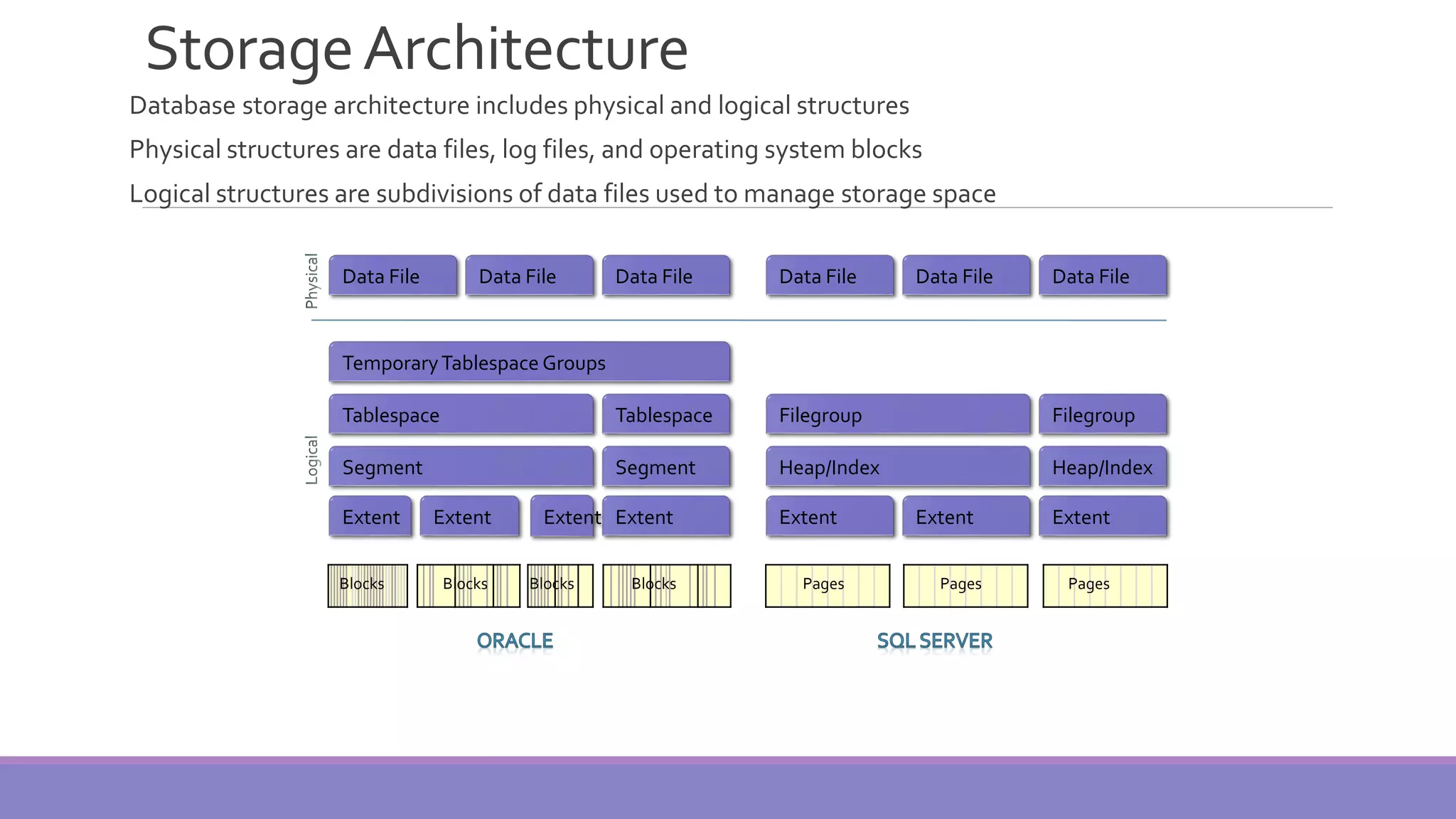
StorageArchitecture Database storage architecture includes physical and logical structures Physical structures are data files, log files, and operating system blocks Logical structures are subdivisions of data files used to manage storage space Data File Data File Data File Data File Data File Data File TemporaryTablespace Groups Tablespace ExtentExtent FilegroupTablespace Segment Segment ExtentExtent Filegroup Heap/Index Heap/Index ExtentExtent Extent BlocksBlocksBlocks Blocks Pages Pages Pages
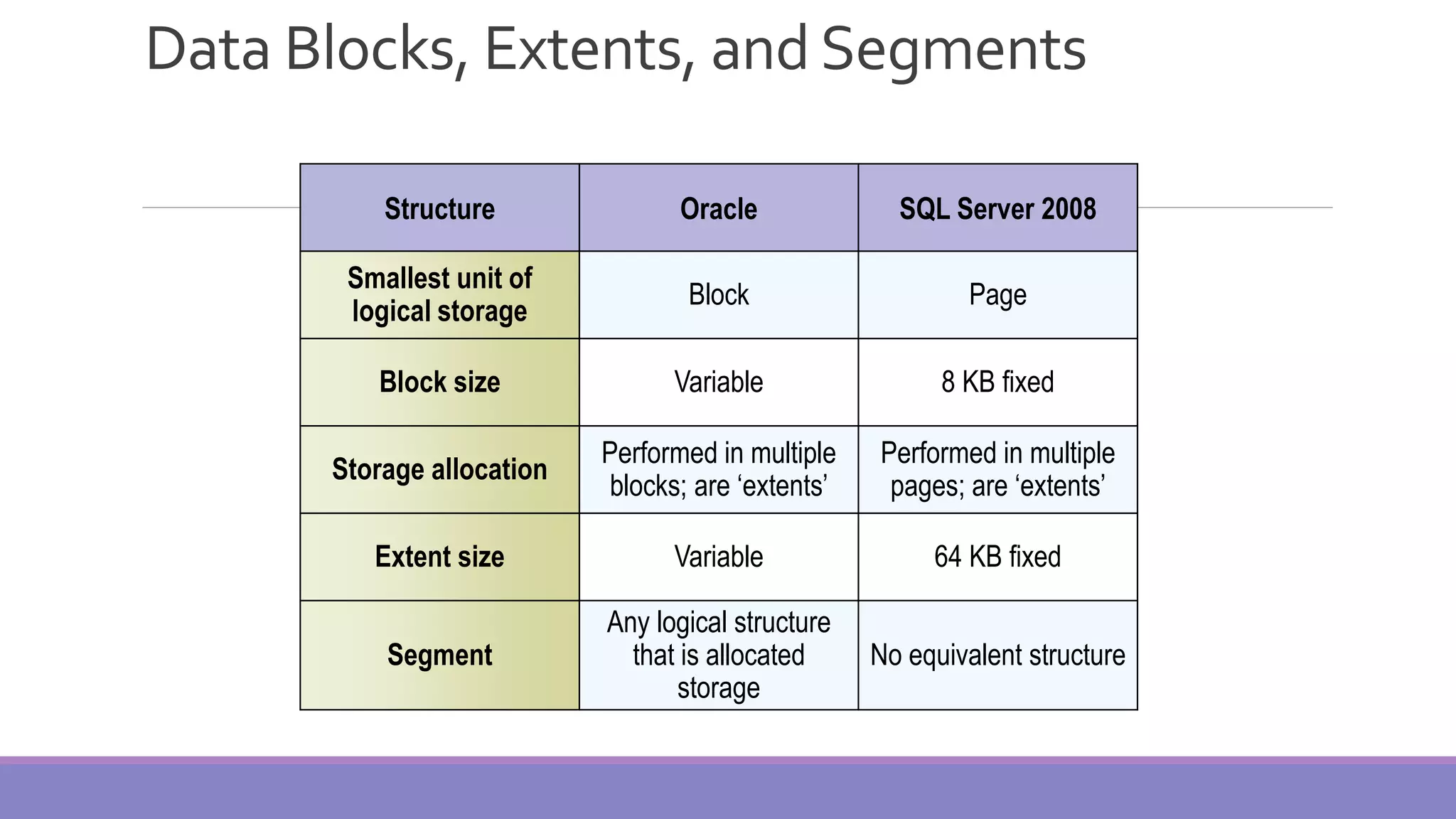
Data Blocks, Extents, and Segments Structure Oracle SQL Server 2008 Smallest unit of logical storage Block Page Block size Variable 8 KB fixed Storage allocation Performed in multiple blocks; are ‘extents’ Performed in multiple pages; are ‘extents’ Extent size Variable 64 KB fixed Segment Any logical structure that is allocated storage No equivalent structure
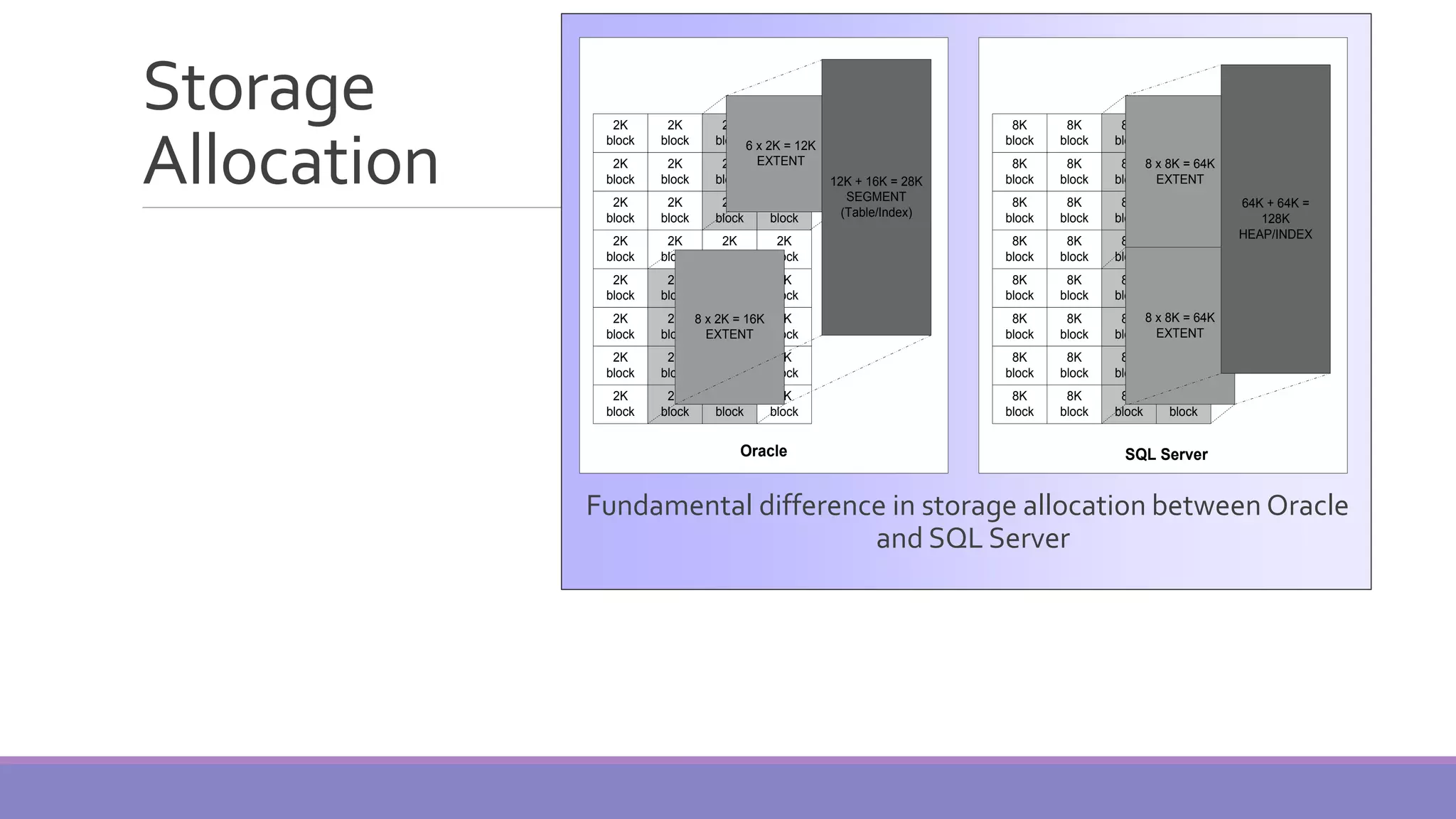
Storage Allocation Fundamental difference in storage allocation between Oracle and SQL Server 2K block 2K block 2K block 2K block 2K block 2K block 2K block 2K block 2K block 2K block 2K block 2K block 2K block 2K block 2K block 2K block 2K block 2K block 2K block 2K block 2K block 2K block 2K block 2K block 2K block 2K block 2K block 2K block 2K block 2K block 2K block 2K block 6 x 2K = 12K EXTENT 8 x 2K = 16K EXTENT 12K + 16K = 28K SEGMENT (Table/Index) 8K block 8K block 8K block 2K block 8K block 8K block 8K block 2K block 8K block 8K block 8K block 2K block 8K block 8K block 8K block 2K block 8K block 8K block 8K block 2K block 8K block 8K block 8K block 2K block 8K block 8K block 8K block 2K block 8K block 8K block 8K block 2K block 8 x 8K = 64K EXTENT 8 x 8K = 64K EXTENT 64K + 64K = 128K HEAP/INDEX Oracle SQL Server
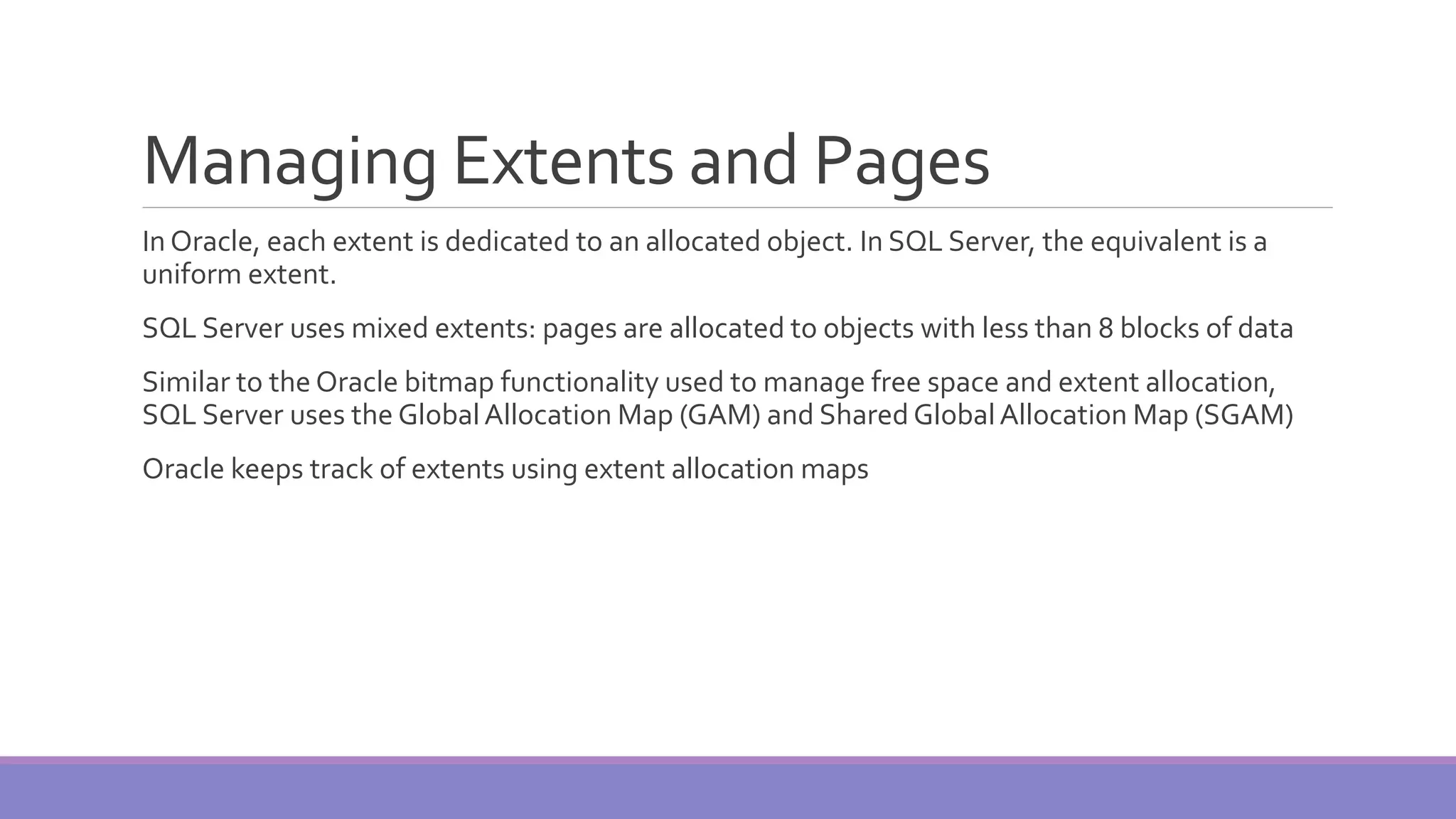
Managing Extents and Pages In Oracle, each extent is dedicated to an allocated object. In SQL Server, the equivalent is a uniform extent. SQL Server uses mixed extents: pages are allocated to objects with less than 8 blocks of data Similar to the Oracle bitmap functionality used to manage free space and extent allocation, SQL Server uses the GlobalAllocation Map (GAM) and Shared GlobalAllocation Map (SGAM) Oracle keeps track of extents using extent allocation maps
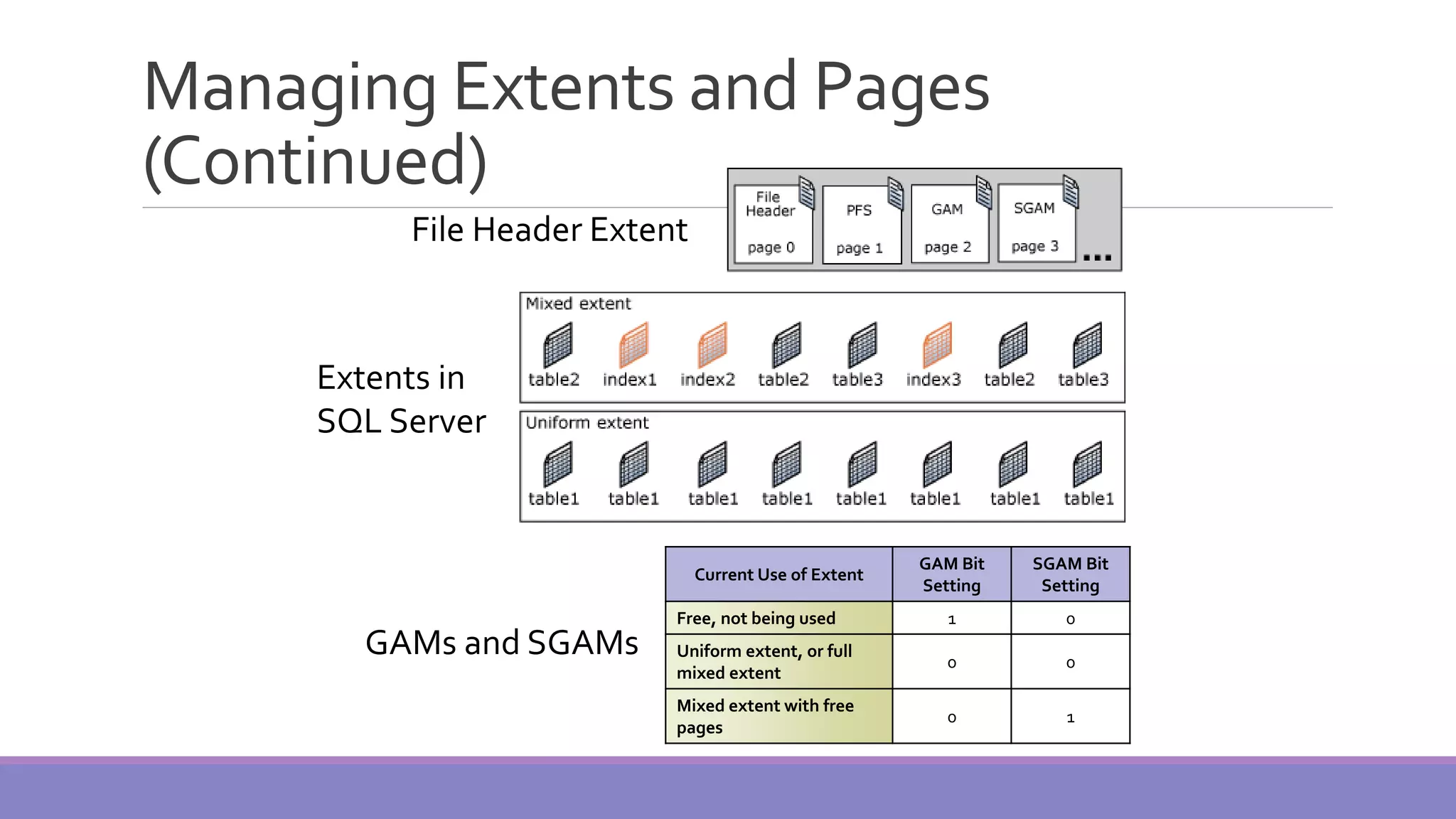
Managing Extents and Pages (Continued) Current Use of Extent GAM Bit Setting SGAM Bit Setting Free, not being used 1 0 Uniform extent, or full mixed extent 0 0 Mixed extent with free pages 0 1 File Header Extent Extents in SQL Server GAMs and SGAMs
Tablespaces and Data files Oracle and SQL Server store data in data files The largest logical storage structure in Oracle is a tablespace The largest logical storage structure in SQL Server is a filegroup Tablespaces/filegroups are used to group application objects Tablespaces/filegroups optimize administration of data files
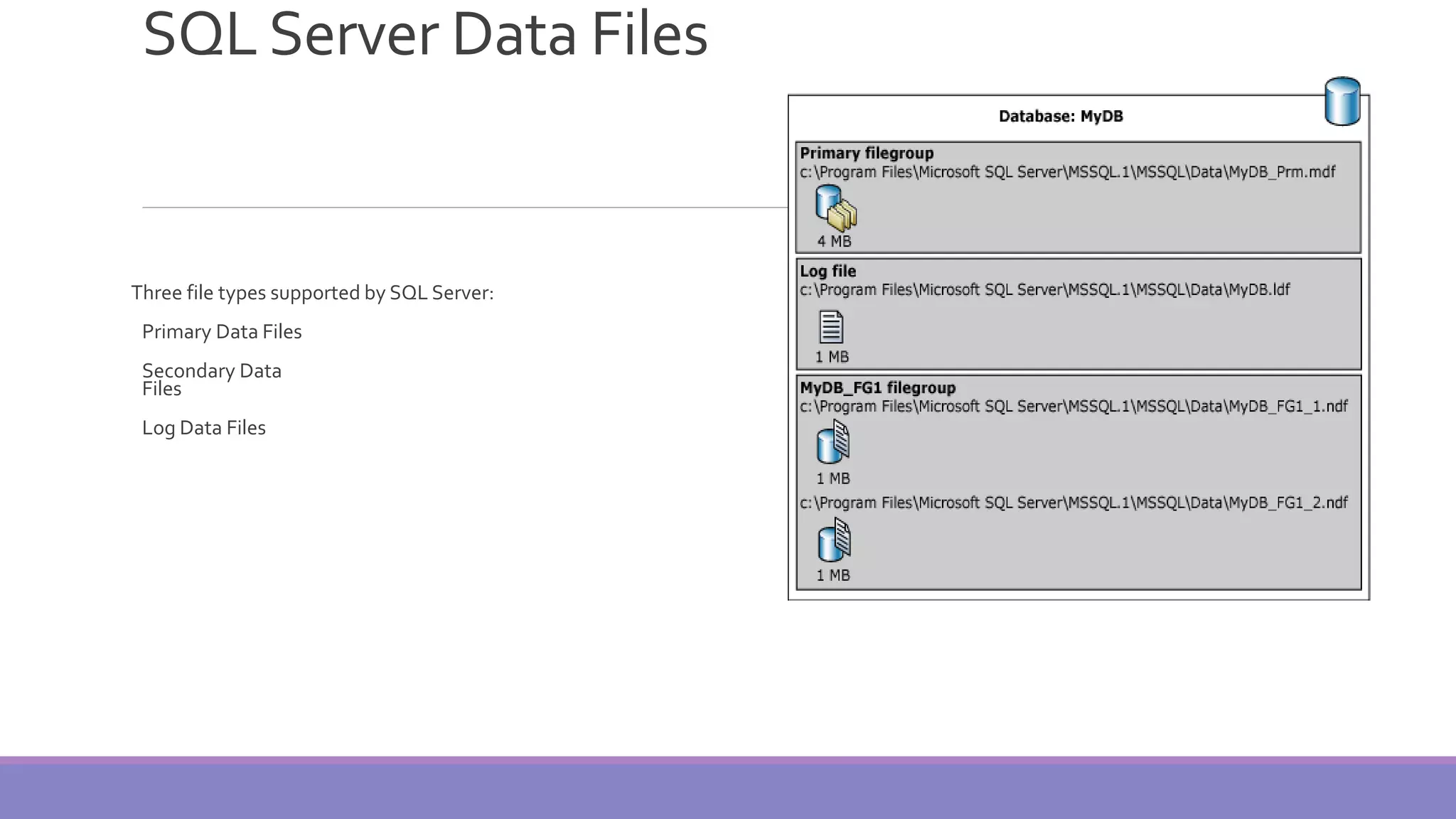
SQLServer Data Files Three file types supported by SQL Server: Primary Data Files Secondary Data Files Log Data Files
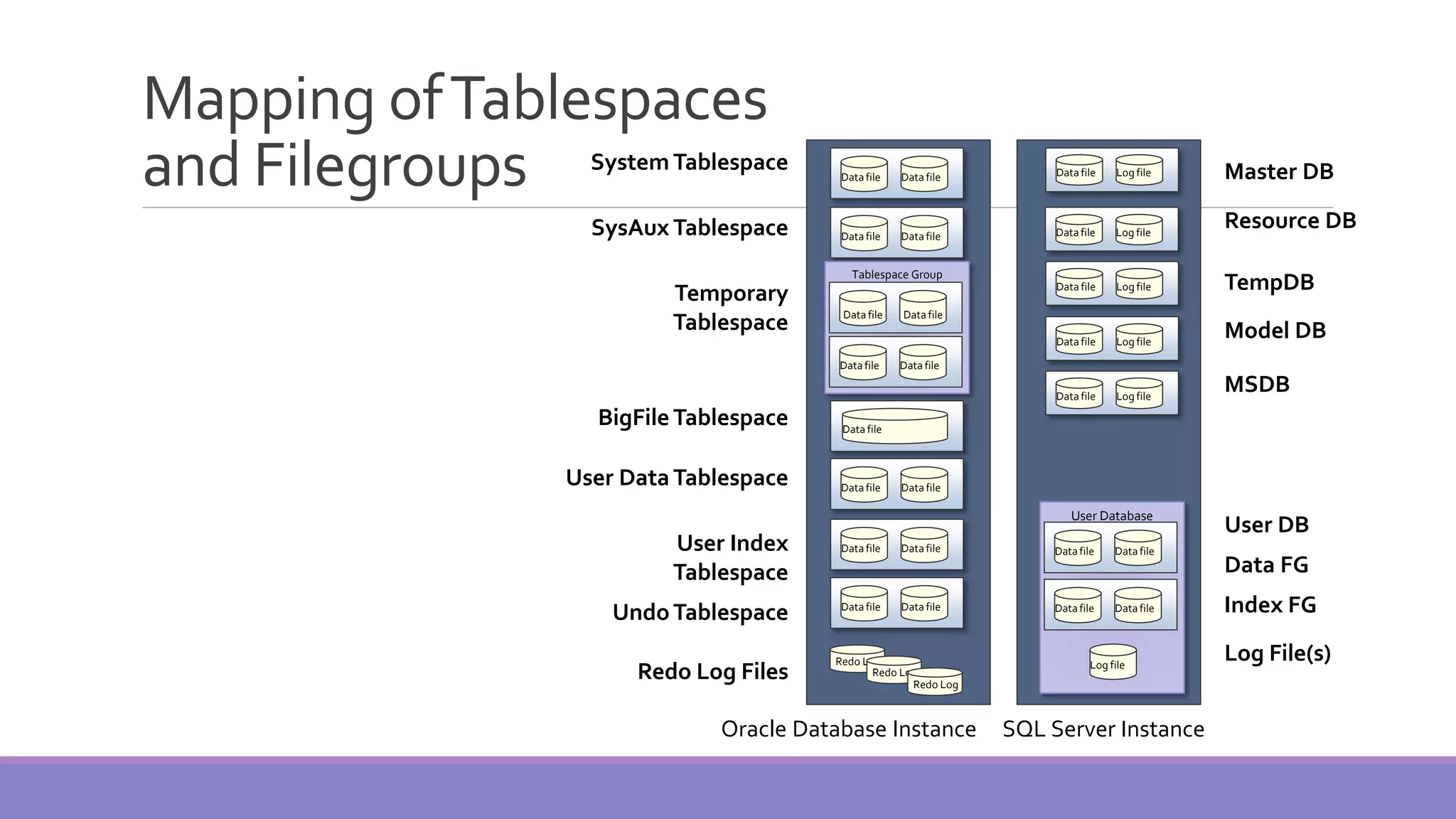
Mapping ofTablespaces and Filegroups System Tablespace SysAux Tablespace Temporary Tablespace BigFile Tablespace User DataTablespace User Index Tablespace UndoTablespace Redo Log Files Master DB Resource DB TempDB Model DB MSDB User DB Data FG Index FG Log File(s) Oracle Database Instance SQL Server Instance Data file Data fileData file Data fileData file Tablespace Group Data fileData file Data fileData file Data fileData file Data fileData file Data fileData file Redo Log Redo Log Redo Log Log fileData file Log fileData file Log fileData file Log fileData file User Database Data fileData file Data fileData file Log file Log fileData file
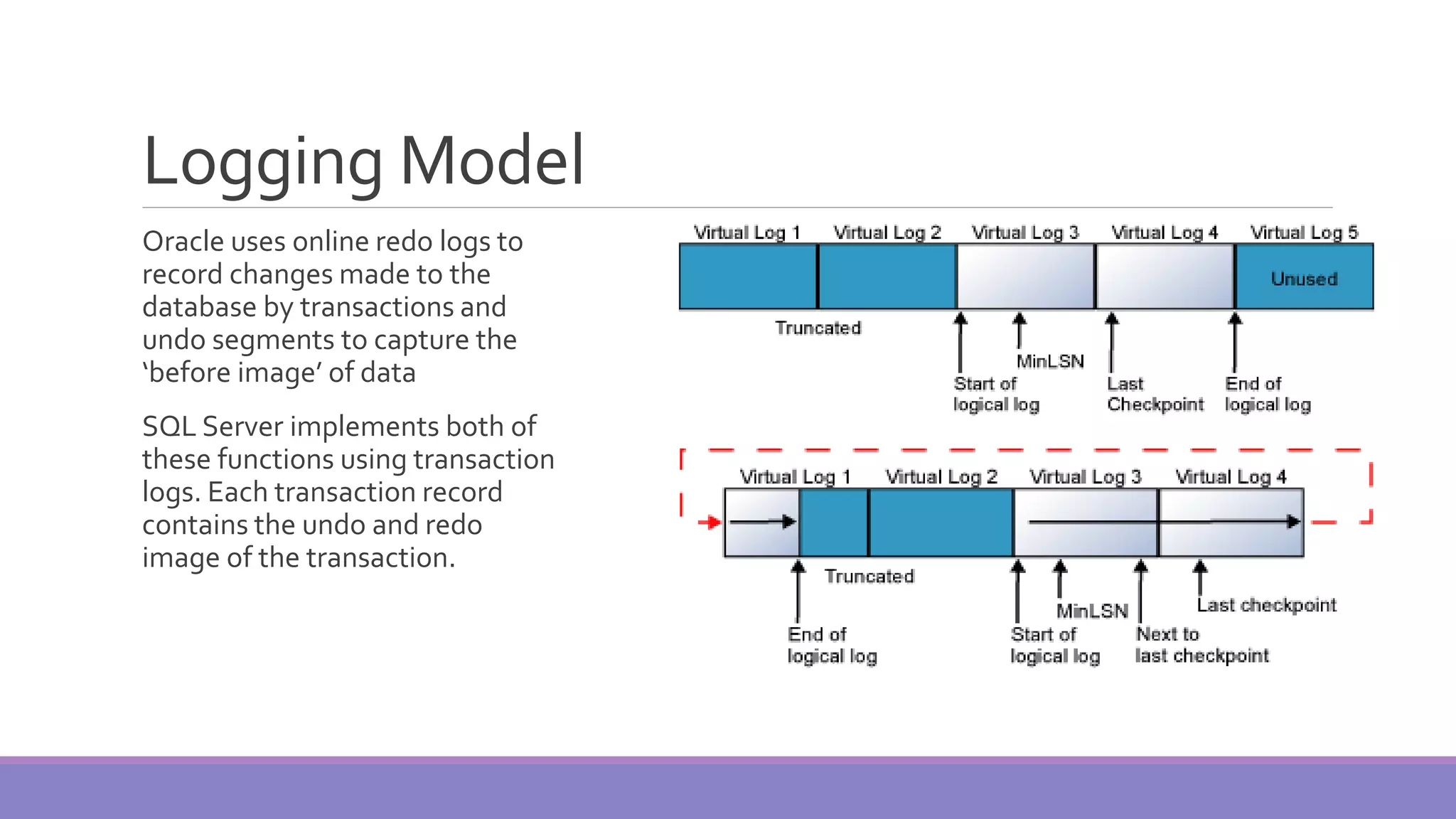
Logging Model Oracle uses online redo logs to record changes made to the database by transactions and undo segments to capture the ‘before image’ of data SQL Server implements both of these functions using transaction logs. Each transaction record contains the undo and redo image of the transaction.
Data Dictionary In Oracle the data dictionary is stored under the SYS schema in the SYSTEM tablespace In SQL Server the data dictionary consists of: ◦ CatalogView—the best way to access system metadata ◦ Backward CompatibilityViews—All system tables from previous releases are provided as backward compatibility views ◦ Dynamic ManagementViews—to view the current state of the SQL Server system. Provide real-time snapshots of internal memory structures indicating the server state. ◦ INFORMATION_SCHEMA views—SQL-99 method to view system metadata SQL Server’s Resource database contains the metadata for system stored procedures

MS-SQL SERVER ARCHITECTURE

  • 1.
  • 2.
    Introduction MS SQL Serveris a database server Product of Microsoft Enables user to write queries and other SQL statements and execute them Consists of several features. A few are: ◦ Query Analyzer ◦ Profiler ◦ Service Manager ◦ Bulk Copy Program (BCP)
  • 3.
    Profiler Monitoring tool Used forperformance tuning Uses traces – an event monitoring protocol Event may be a query or a transaction like logins etc
  • 4.
    Service Manager Helps usto manage services More than one instance of SQL server can be installed in a machine First Instance is called as default instance Rest of the instances (16 max) are called as named instances Service manager helps in starting or stopping the instances individually
  • 5.
    Instances Each instance ishidden from another instance Enhances security Every instance has its own set of Users,Admins, Databases,Collations Advantage of having multiple instance is ◦ Multi company support (Each company can have its own instance and create databases on the same server, independent on each other) ◦ Server consolidation (Can host up to 10 server applications on a single machine)
  • 6.
    BCP Bulk Copy Program Apowerful command line utility that enables us to transfer large number of records from a file to database Time taken for copying to and from database is very less Helps in back up and restoration
  • 7.
    QueryAnalyzer Allows us towrite queries and SQL statements Checks syntax of the SQL statement written Executes the statements Store and reload statements Save the results in file View reports (either as grid or as a text)
  • 8.
    SQL DatabaseObjects A SQLServer database has lot of objects like ◦ Tables ◦ Views ◦ Stored Procedures ◦ Functions ◦ Rules ◦ Defaults ◦ Cursors ◦ Triggers
  • 9.
    System Databases By defaultSQL server has 4 databases ◦ Master : System defined stored procedures, login details, configuration settings etc ◦ Model :Template for creating a database ◦ Tempdb : Stores temporary tables.This db is created when the server starts and dropped when the server shuts down ◦ Msdb : Has tables that have details with respect to alerts, jobs. Deals with SQL Server Agent Service
  • 10.
    ArchitectureOverview Schema and DataStructure (Objects) Storage Architecture ◦ Data Blocks, Extents, and Segments ◦ Storage Allocation ◦ Managing Extents and Pages ◦ Tablespaces and Datafiles ◦ SQL Server Data Files ◦ Mapping ofTablespaces and Filegroups Logging Model Data Dictionary
  • 11.
    Schema and DataStructures (Objects) Schema – a collection of objects owned by a database user Schemas in SQL Server provide logical separation of objects, similar to Oracle’s schema Oracle SQL Server Table Table Index Index View View Synonym Synonym Sequence Identity Columns Procedure Stored Procedure Function Function Package N/A Queue in Streams Advanced Queuing Service Broker Queue Object Type Type XML DB XML Schema Collection Comparison of Core Schema and Data Structures (Objects)
  • 12.
    StorageArchitecture Database storage architectureincludes physical and logical structures Physical structures are data files, log files, and operating system blocks Logical structures are subdivisions of data files used to manage storage space Data File Data File Data File Data File Data File Data File TemporaryTablespace Groups Tablespace ExtentExtent FilegroupTablespace Segment Segment ExtentExtent Filegroup Heap/Index Heap/Index ExtentExtent Extent BlocksBlocksBlocks Blocks Pages Pages Pages
  • 13.
    Data Blocks, Extents,and Segments Structure Oracle SQL Server 2008 Smallest unit of logical storage Block Page Block size Variable 8 KB fixed Storage allocation Performed in multiple blocks; are ‘extents’ Performed in multiple pages; are ‘extents’ Extent size Variable 64 KB fixed Segment Any logical structure that is allocated storage No equivalent structure
  • 14.
    Storage Allocation Fundamental difference instorage allocation between Oracle and SQL Server 2K block 2K block 2K block 2K block 2K block 2K block 2K block 2K block 2K block 2K block 2K block 2K block 2K block 2K block 2K block 2K block 2K block 2K block 2K block 2K block 2K block 2K block 2K block 2K block 2K block 2K block 2K block 2K block 2K block 2K block 2K block 2K block 6 x 2K = 12K EXTENT 8 x 2K = 16K EXTENT 12K + 16K = 28K SEGMENT (Table/Index) 8K block 8K block 8K block 2K block 8K block 8K block 8K block 2K block 8K block 8K block 8K block 2K block 8K block 8K block 8K block 2K block 8K block 8K block 8K block 2K block 8K block 8K block 8K block 2K block 8K block 8K block 8K block 2K block 8K block 8K block 8K block 2K block 8 x 8K = 64K EXTENT 8 x 8K = 64K EXTENT 64K + 64K = 128K HEAP/INDEX Oracle SQL Server
  • 15.
    Managing Extents andPages In Oracle, each extent is dedicated to an allocated object. In SQL Server, the equivalent is a uniform extent. SQL Server uses mixed extents: pages are allocated to objects with less than 8 blocks of data Similar to the Oracle bitmap functionality used to manage free space and extent allocation, SQL Server uses the GlobalAllocation Map (GAM) and Shared GlobalAllocation Map (SGAM) Oracle keeps track of extents using extent allocation maps
  • 16.
    Managing Extents andPages (Continued) Current Use of Extent GAM Bit Setting SGAM Bit Setting Free, not being used 1 0 Uniform extent, or full mixed extent 0 0 Mixed extent with free pages 0 1 File Header Extent Extents in SQL Server GAMs and SGAMs
  • 17.
    Tablespaces and Datafiles Oracle and SQL Server store data in data files The largest logical storage structure in Oracle is a tablespace The largest logical storage structure in SQL Server is a filegroup Tablespaces/filegroups are used to group application objects Tablespaces/filegroups optimize administration of data files
  • 18.
    SQLServer Data Files Threefile types supported by SQL Server: Primary Data Files Secondary Data Files Log Data Files
  • 19.
    Mapping ofTablespaces and FilegroupsSystem Tablespace SysAux Tablespace Temporary Tablespace BigFile Tablespace User DataTablespace User Index Tablespace UndoTablespace Redo Log Files Master DB Resource DB TempDB Model DB MSDB User DB Data FG Index FG Log File(s) Oracle Database Instance SQL Server Instance Data file Data fileData file Data fileData file Tablespace Group Data fileData file Data fileData file Data fileData file Data fileData file Data fileData file Redo Log Redo Log Redo Log Log fileData file Log fileData file Log fileData file Log fileData file User Database Data fileData file Data fileData file Log file Log fileData file
  • 20.
    Logging Model Oracle usesonline redo logs to record changes made to the database by transactions and undo segments to capture the ‘before image’ of data SQL Server implements both of these functions using transaction logs. Each transaction record contains the undo and redo image of the transaction.
  • 21.
    Data Dictionary In Oraclethe data dictionary is stored under the SYS schema in the SYSTEM tablespace In SQL Server the data dictionary consists of: ◦ CatalogView—the best way to access system metadata ◦ Backward CompatibilityViews—All system tables from previous releases are provided as backward compatibility views ◦ Dynamic ManagementViews—to view the current state of the SQL Server system. Provide real-time snapshots of internal memory structures indicating the server state. ◦ INFORMATION_SCHEMA views—SQL-99 method to view system metadata SQL Server’s Resource database contains the metadata for system stored procedures