The document is a course material for an R programming class focusing on matrices, including creation, operations, and manipulation methods. Key topics covered include matrix creation syntax, operations such as addition and multiplication, and methods to index and subset matrices. It also introduces concepts like lists and data coercion, providing a comprehensive guide for handling matrices in R.
R2 AcademyCourse Material Slide 2 Allthe material related to this course are available on our website Scripts can be downloaded from GitHub Videos can be viewed on our Youtube Channel
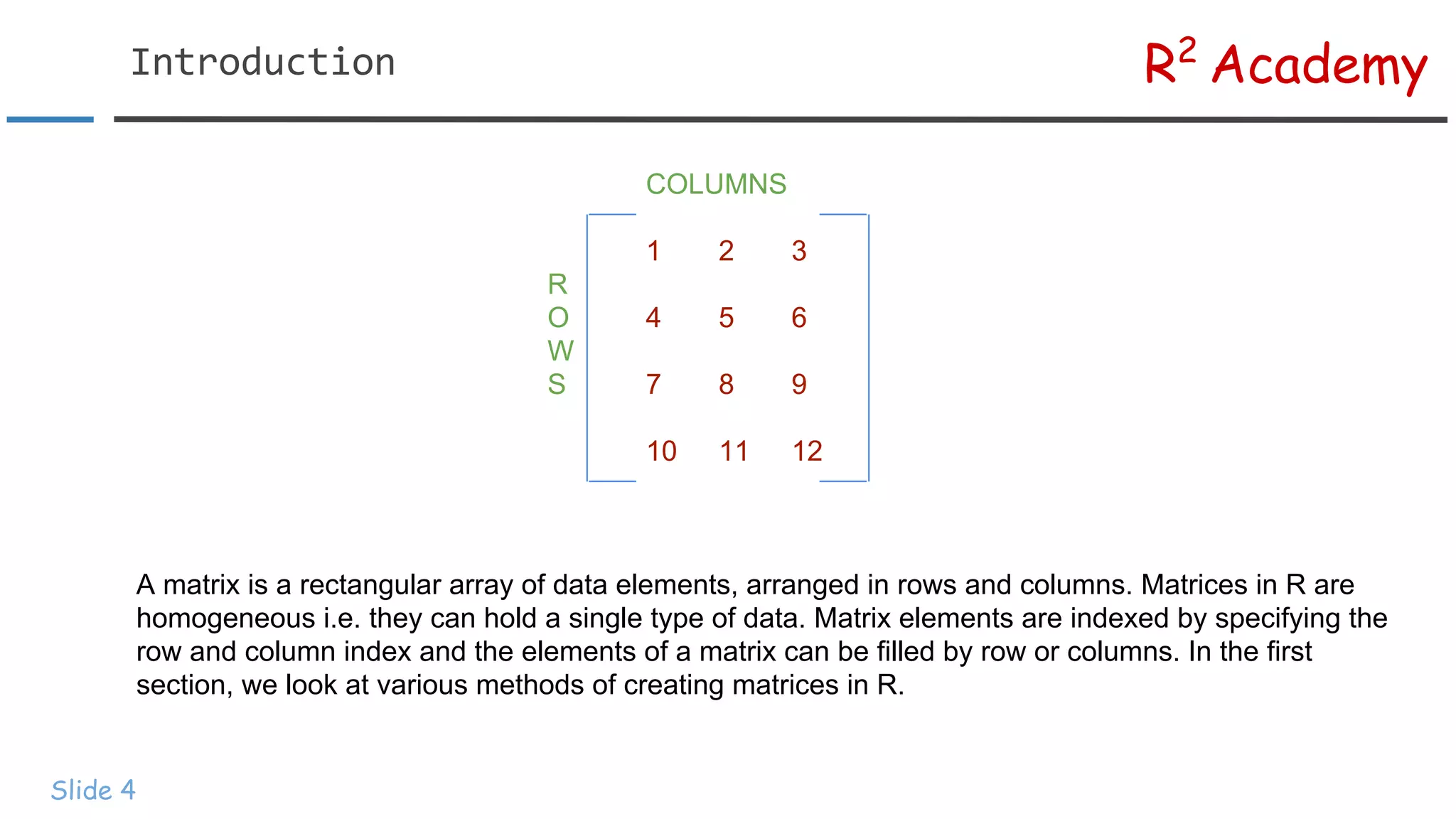
R2 Academy Slide 4 COLUMNS 1 23 R O 4 5 6 W S 7 8 9 10 11 12 A matrix is a rectangular array of data elements, arranged in rows and columns. Matrices in R are homogeneous i.e. they can hold a single type of data. Matrix elements are indexed by specifying the row and column index and the elements of a matrix can be filled by row or columns. In the first section, we look at various methods of creating matrices in R.
5.
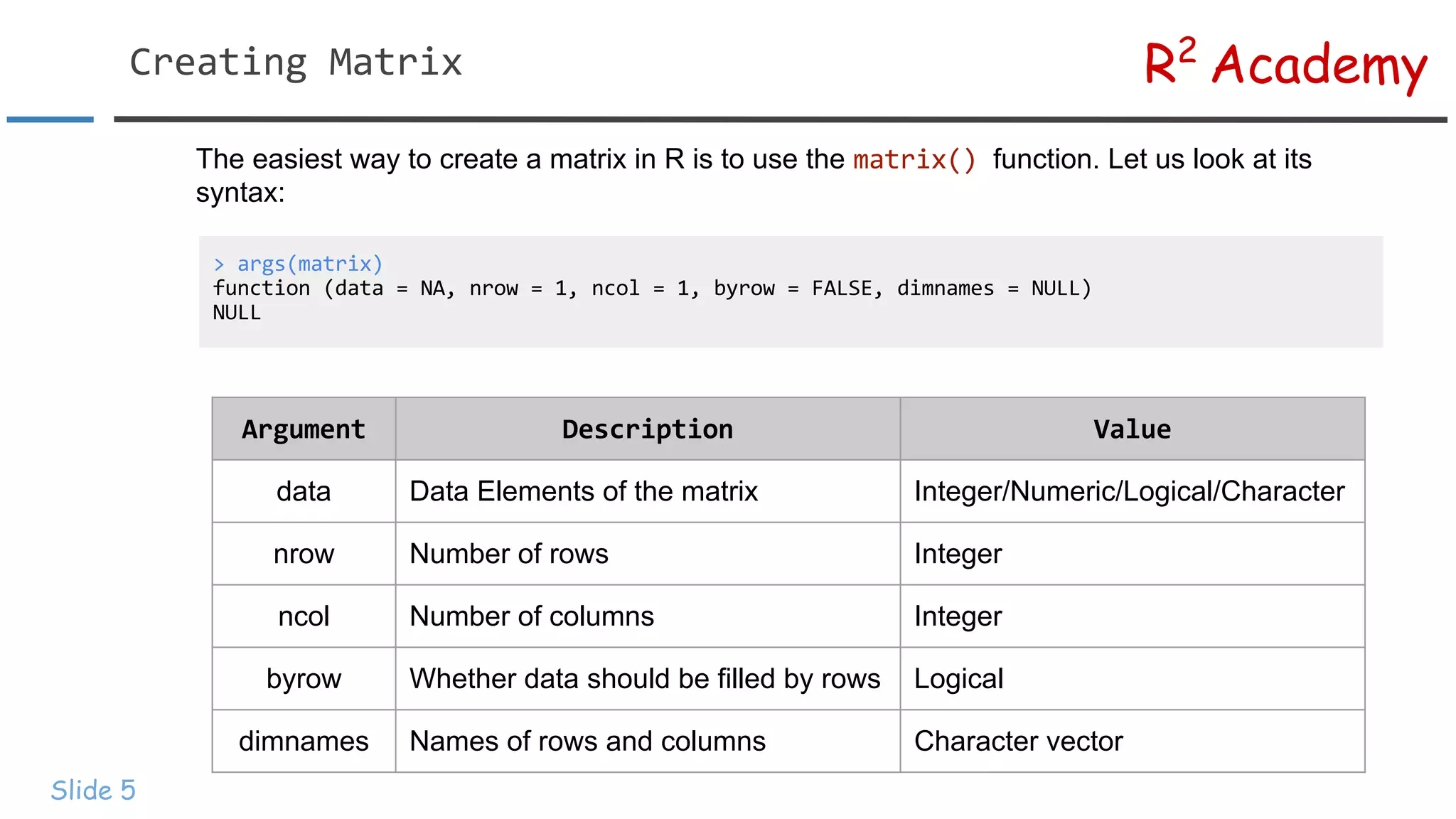
R2 Academy Slide 5 The easiestway to create a matrix in R is to use the function. Let us look at its syntax: data Data Elements of the matrix Integer/Numeric/Logical/Character nrow Number of rows Integer ncol Number of columns Integer byrow Whether data should be filled by rows Logical dimnames Names of rows and columns Character vector
6.
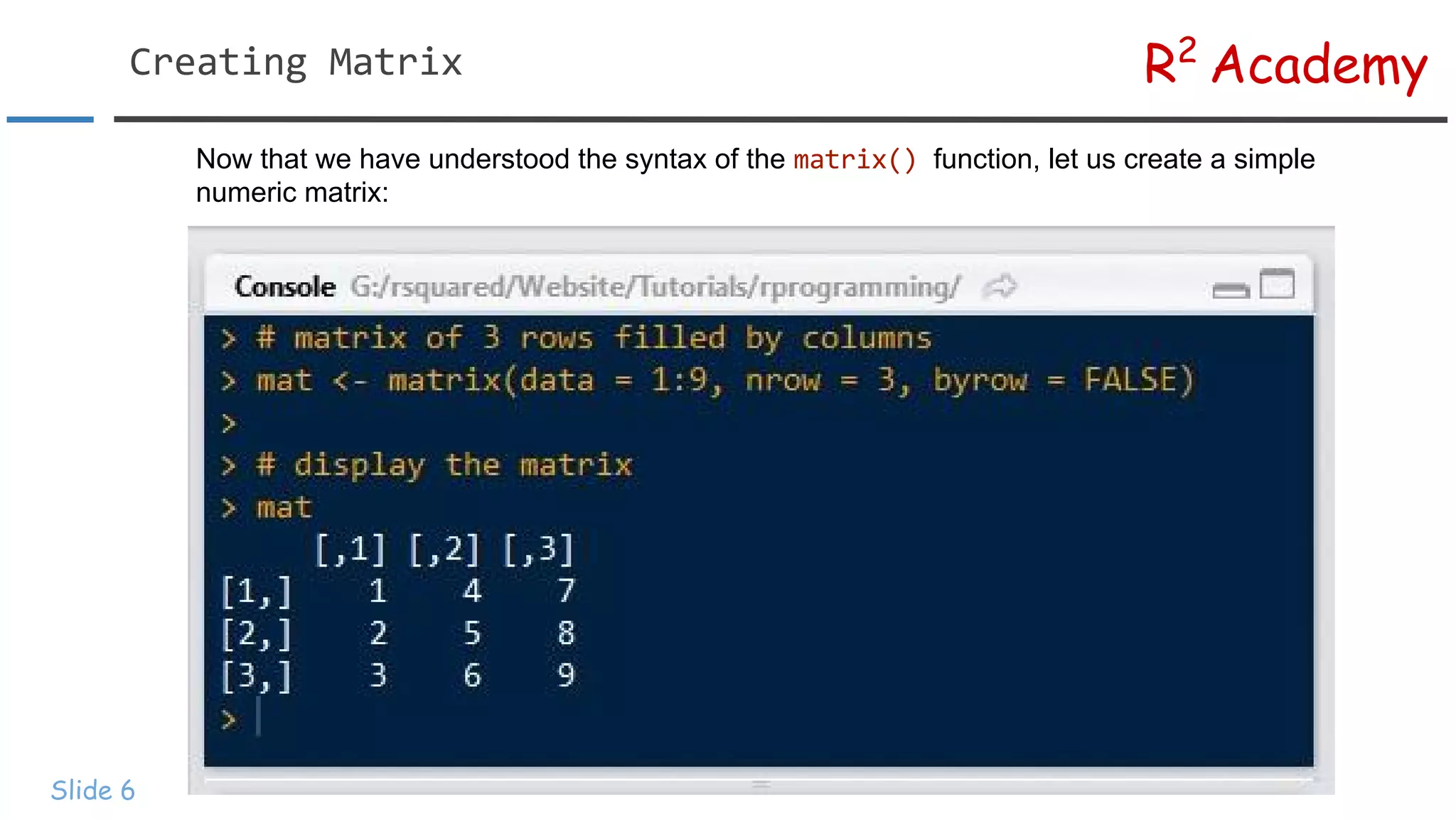
R2 Academy Slide 6 Now thatwe have understood the syntax of the function, let us create a simple numeric matrix:
7.
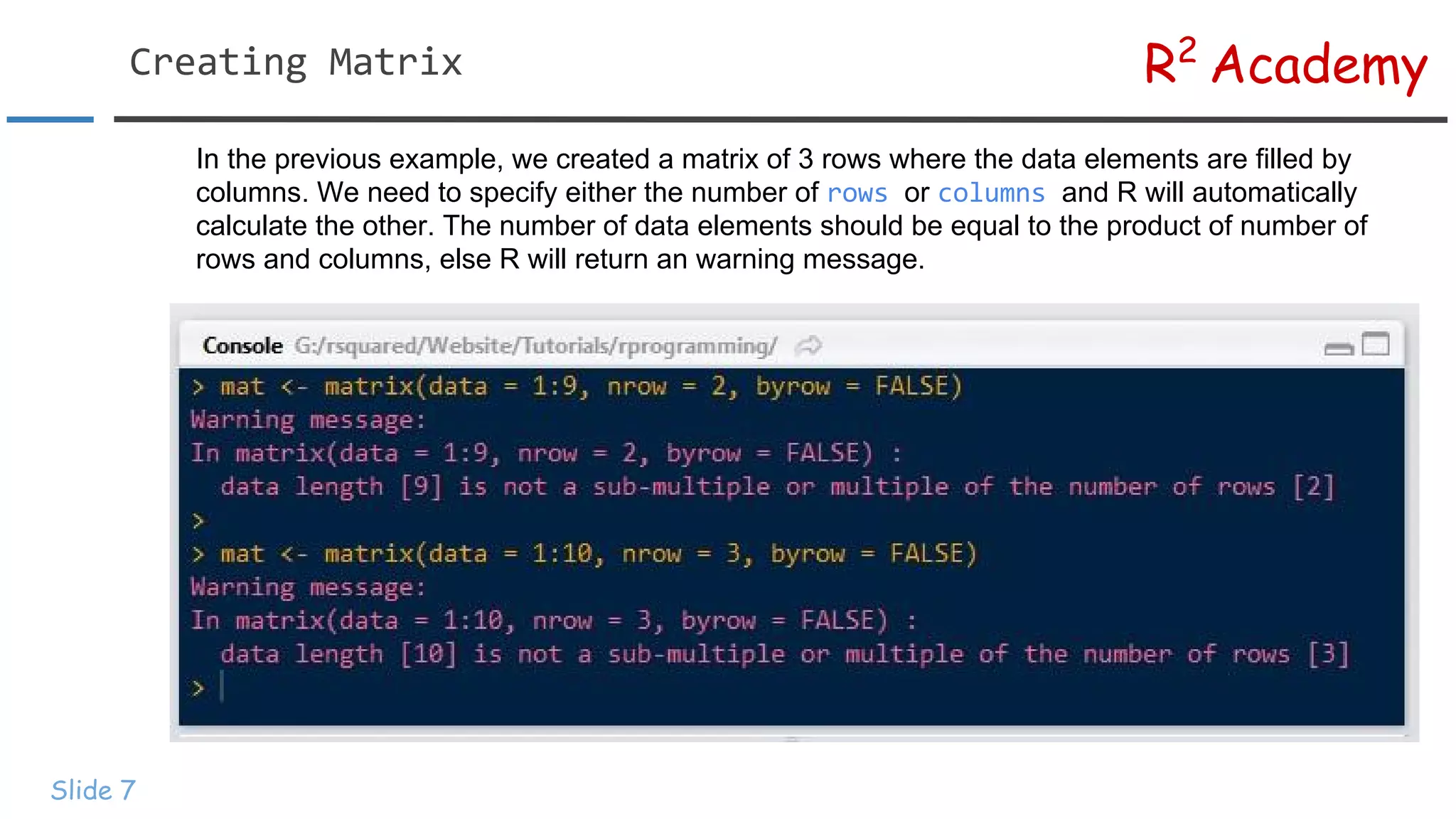
R2 Academy Slide 7 In theprevious example, we created a matrix of 3 rows where the data elements are filled by columns. We need to specify either the number of or and R will automatically calculate the other. The number of data elements should be equal to the product of number of rows and columns, else R will return an warning message.
8.
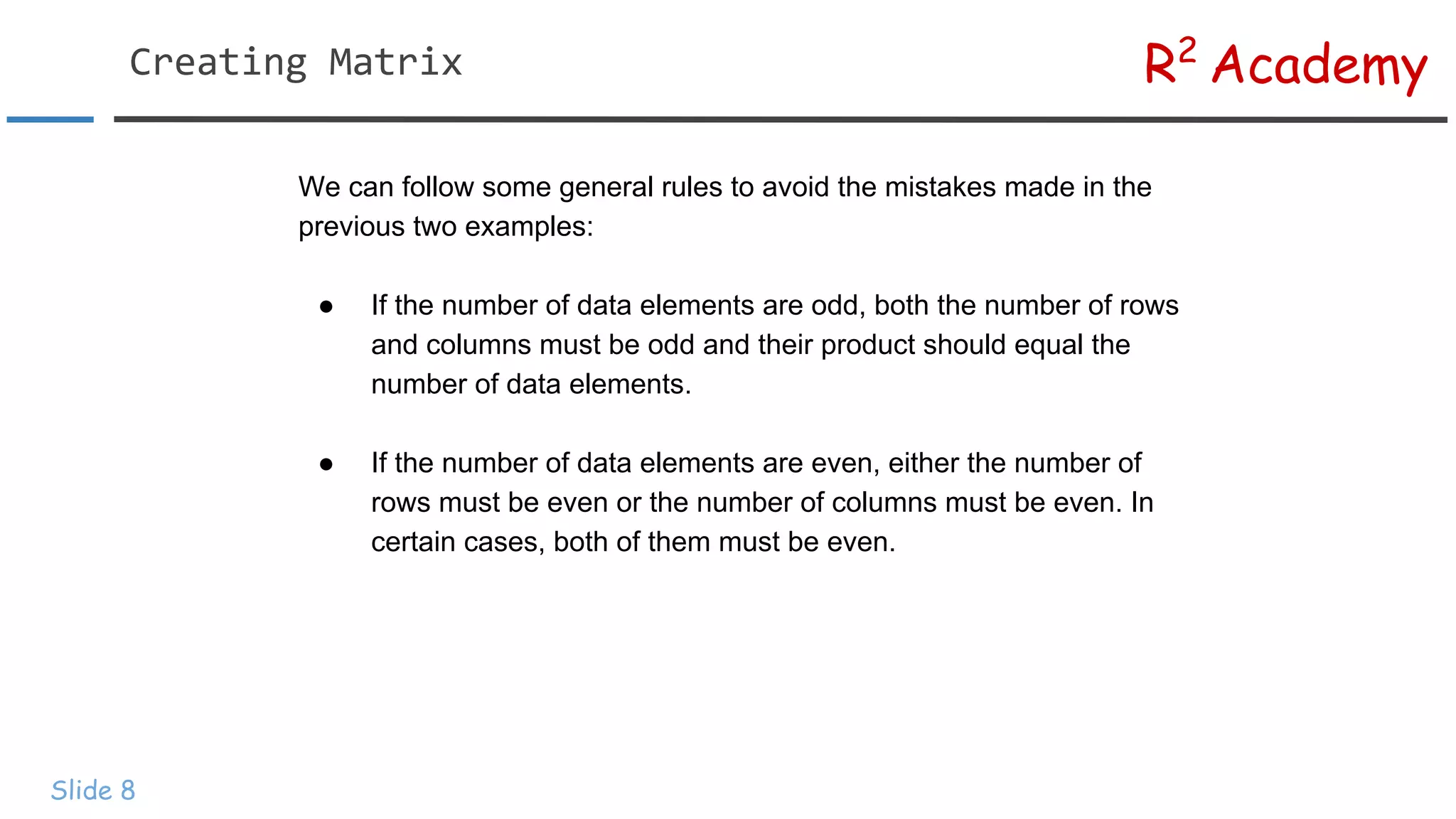
R2 Academy Slide 8 We canfollow some general rules to avoid the mistakes made in the previous two examples: ● If the number of data elements are odd, both the number of rows and columns must be odd and their product should equal the number of data elements. ● If the number of data elements are even, either the number of rows must be even or the number of columns must be even. In certain cases, both of them must be even.
9.
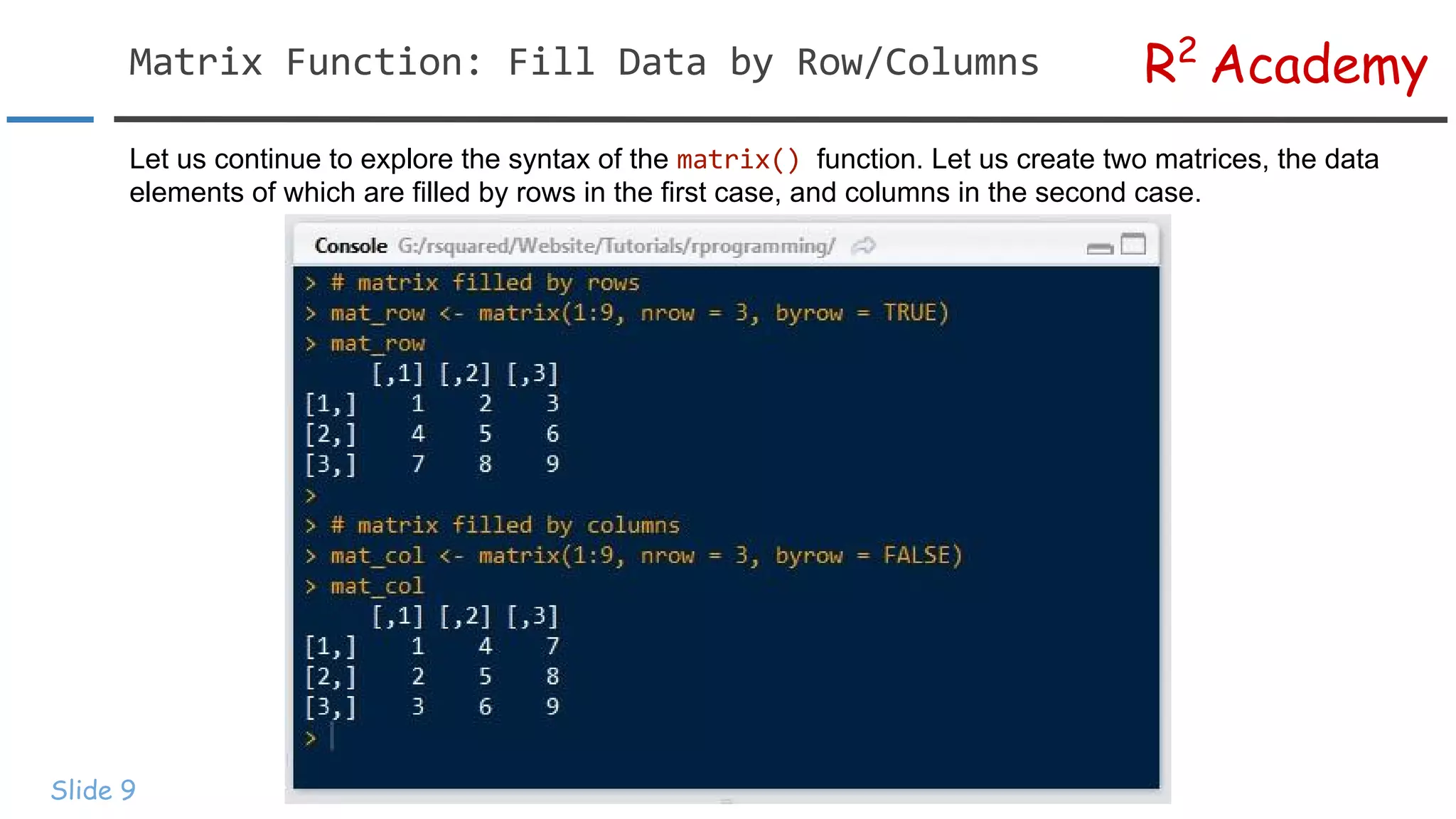
R2 Academy Slide 9 Let uscontinue to explore the syntax of the function. Let us create two matrices, the data elements of which are filled by rows in the first case, and columns in the second case.
10.
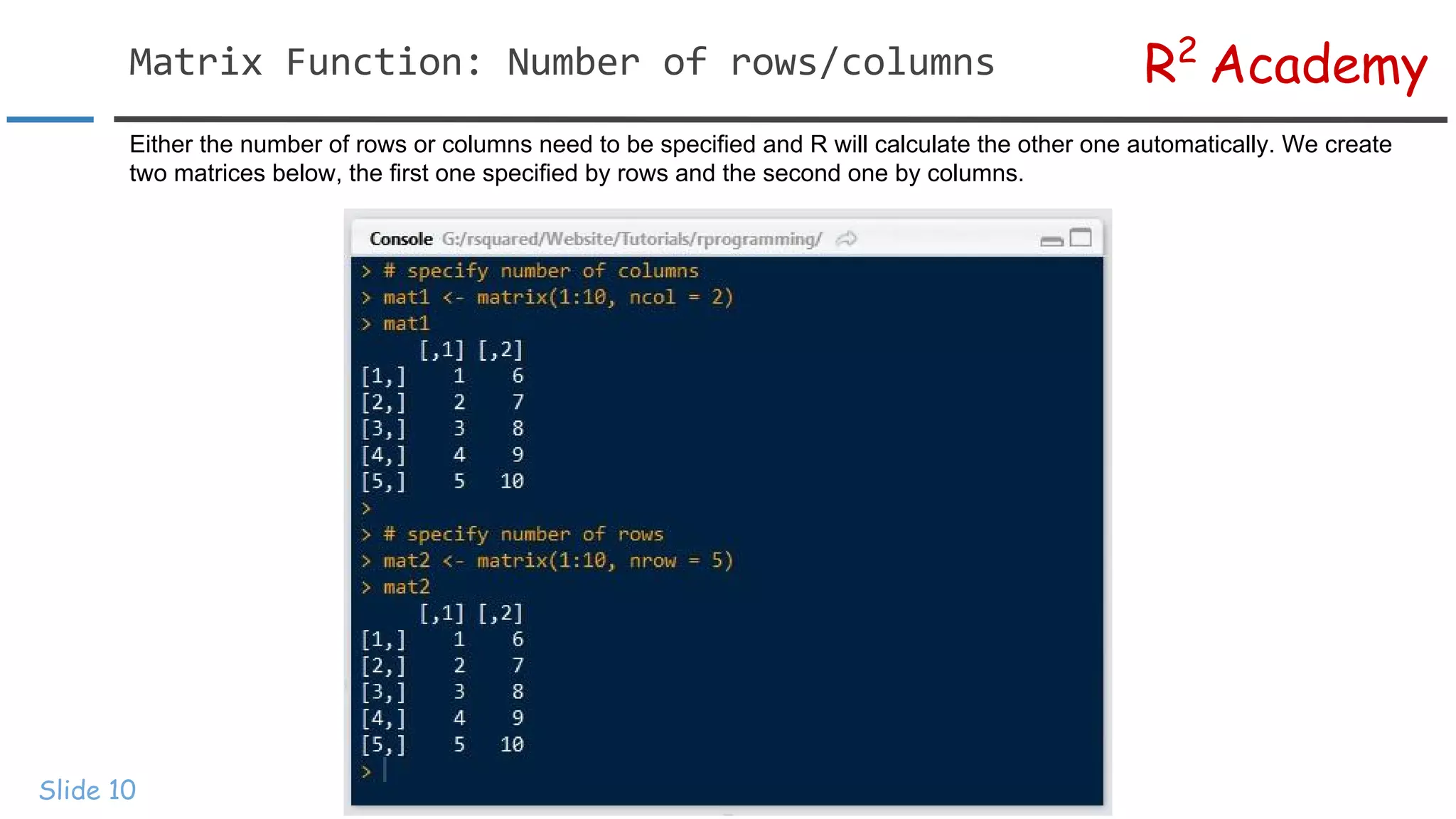
R2 Academy Slide 10 Either thenumber of rows or columns need to be specified and R will calculate the other one automatically. We create two matrices below, the first one specified by rows and the second one by columns.
11.
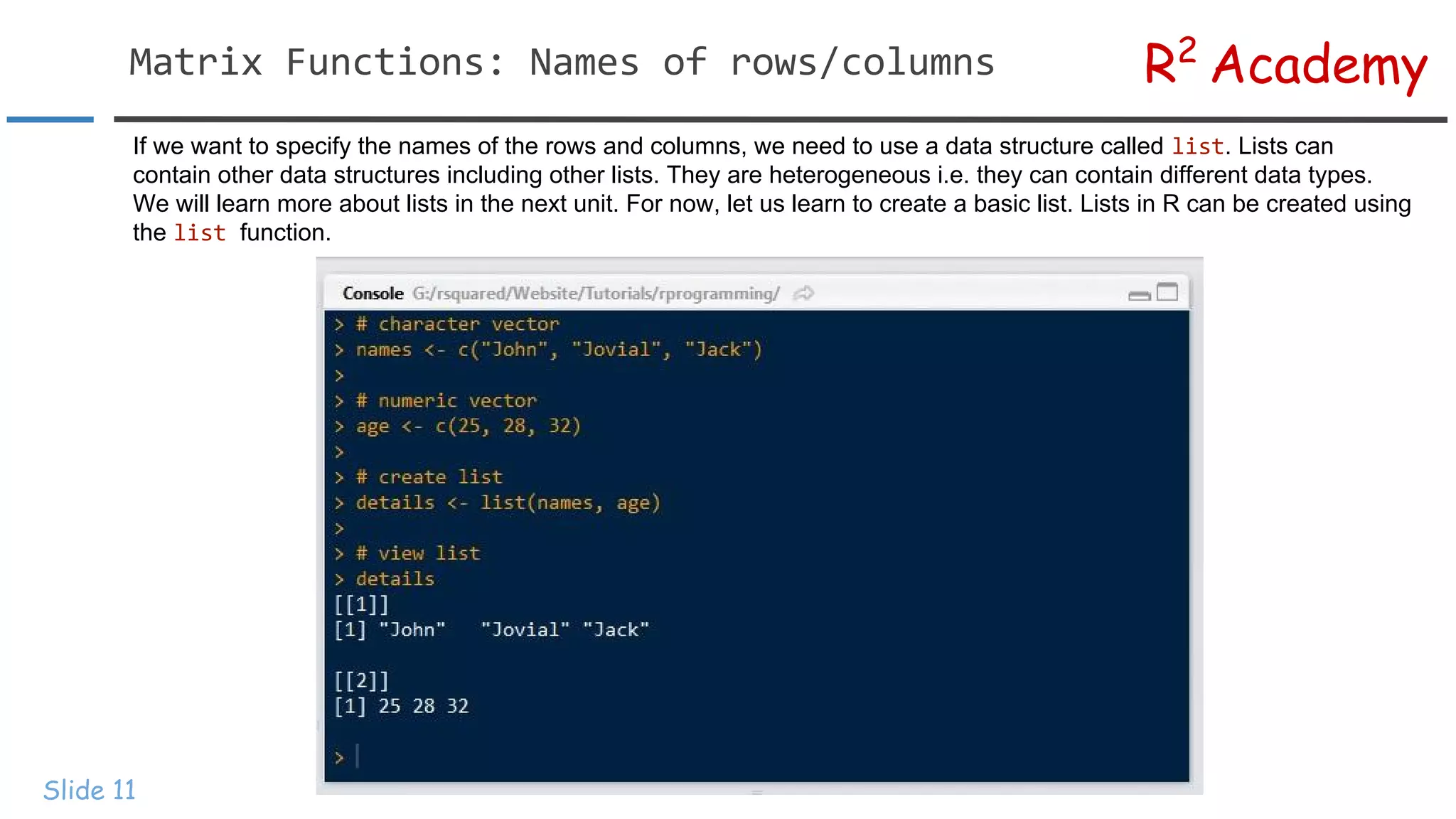
R2 Academy Slide 11 If wewant to specify the names of the rows and columns, we need to use a data structure called . Lists can contain other data structures including other lists. They are heterogeneous i.e. they can contain different data types. We will learn more about lists in the next unit. For now, let us learn to create a basic list. Lists in R can be created using the function.
12.
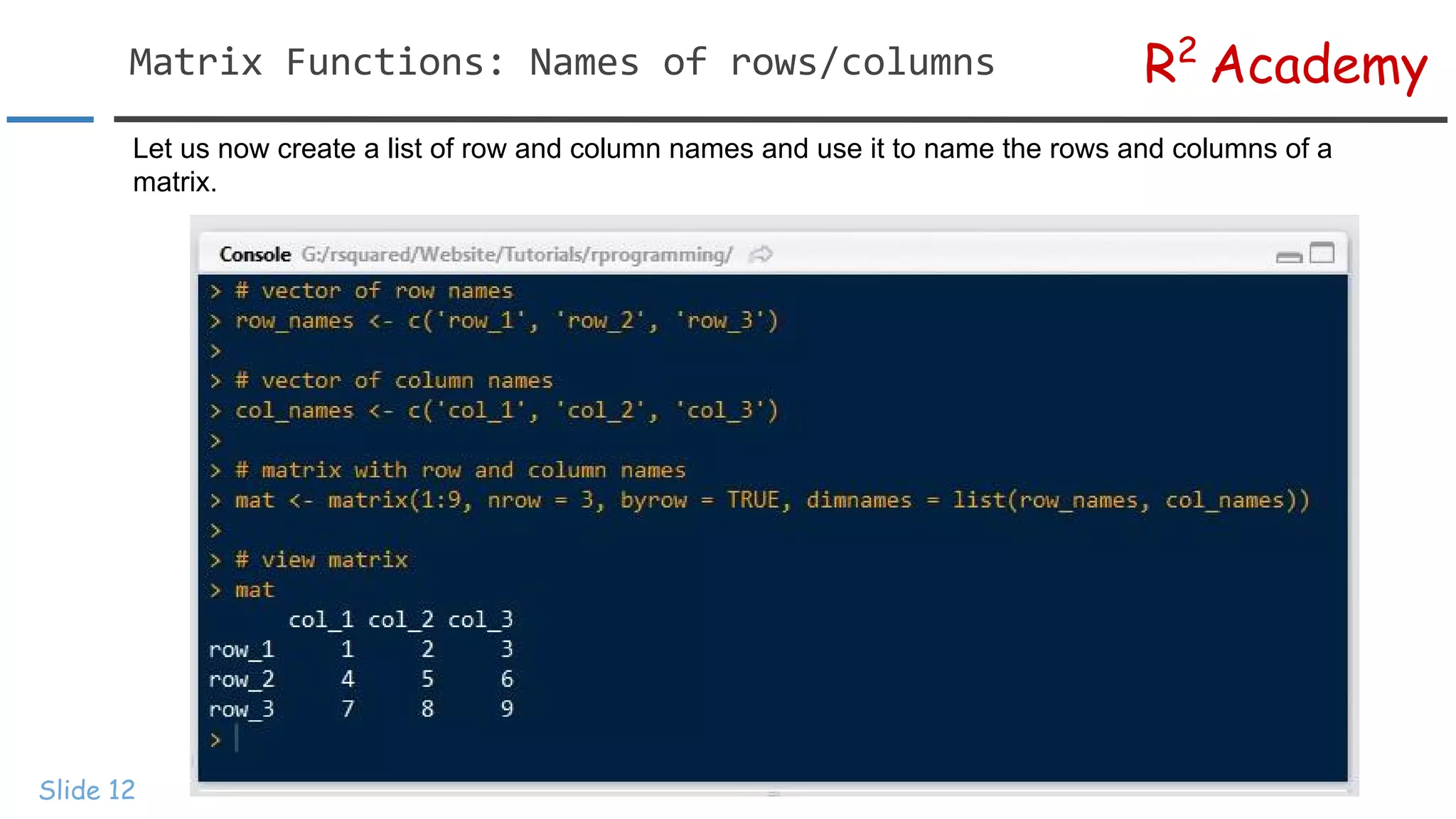
R2 Academy Slide 12 Let usnow create a list of row and column names and use it to name the rows and columns of a matrix.
13.
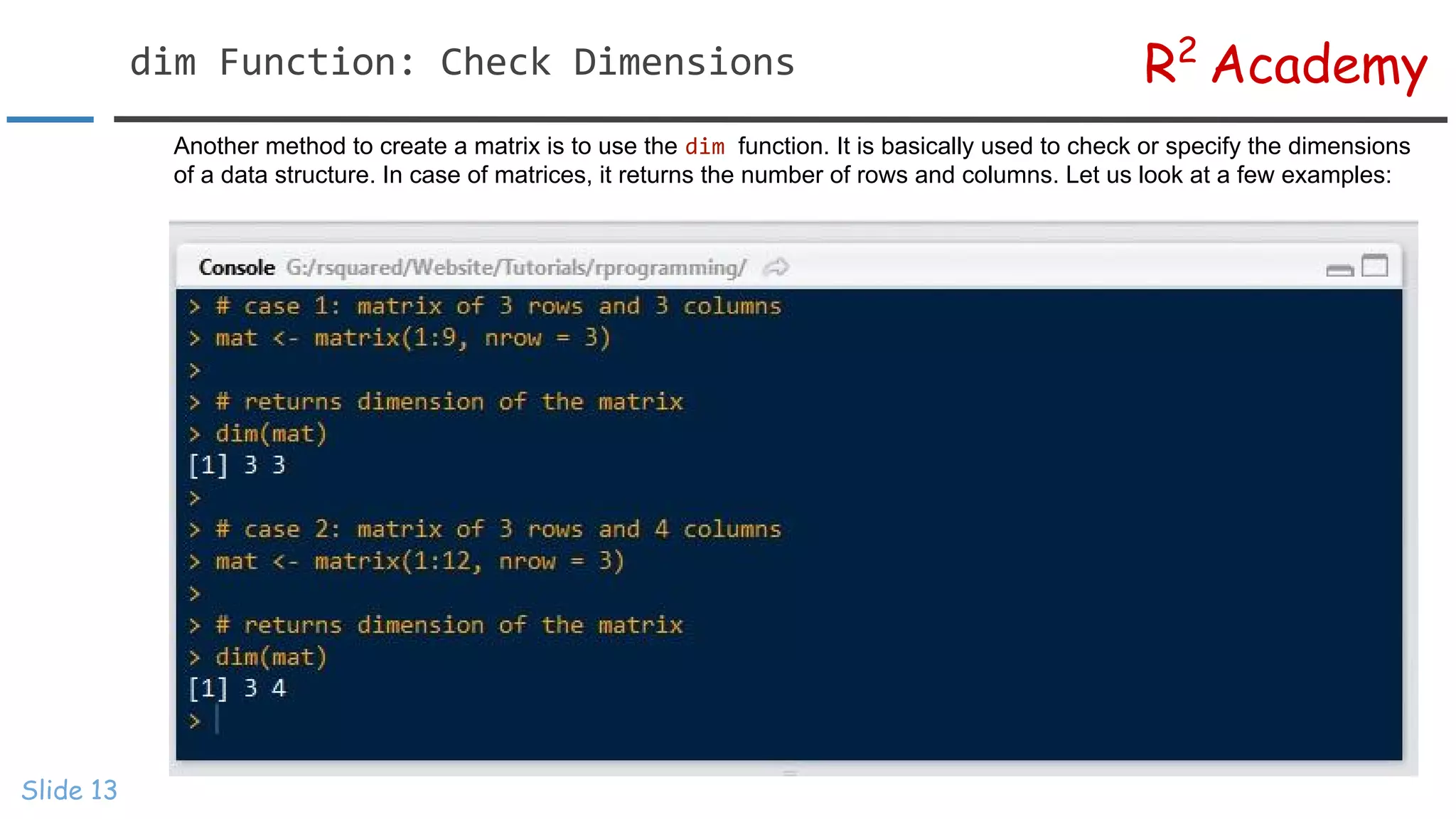
R2 Academy Slide 13 Another methodto create a matrix is to use the function. It is basically used to check or specify the dimensions of a data structure. In case of matrices, it returns the number of rows and columns. Let us look at a few examples:
14.
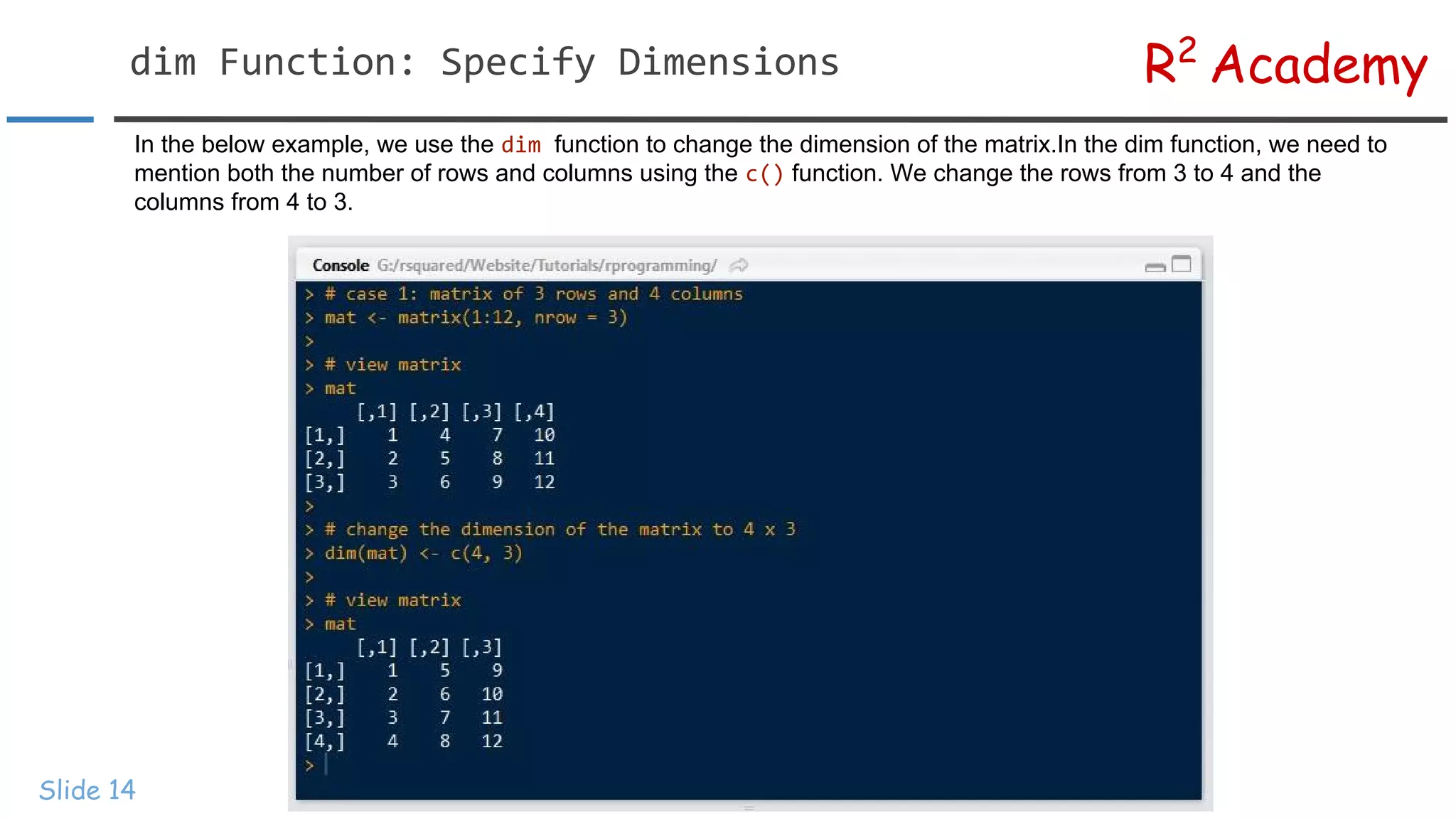
R2 Academy Slide 14 In thebelow example, we use the function to change the dimension of the matrix.In the dim function, we need to mention both the number of rows and columns using the function. We change the rows from 3 to 4 and the columns from 4 to 3.
15.
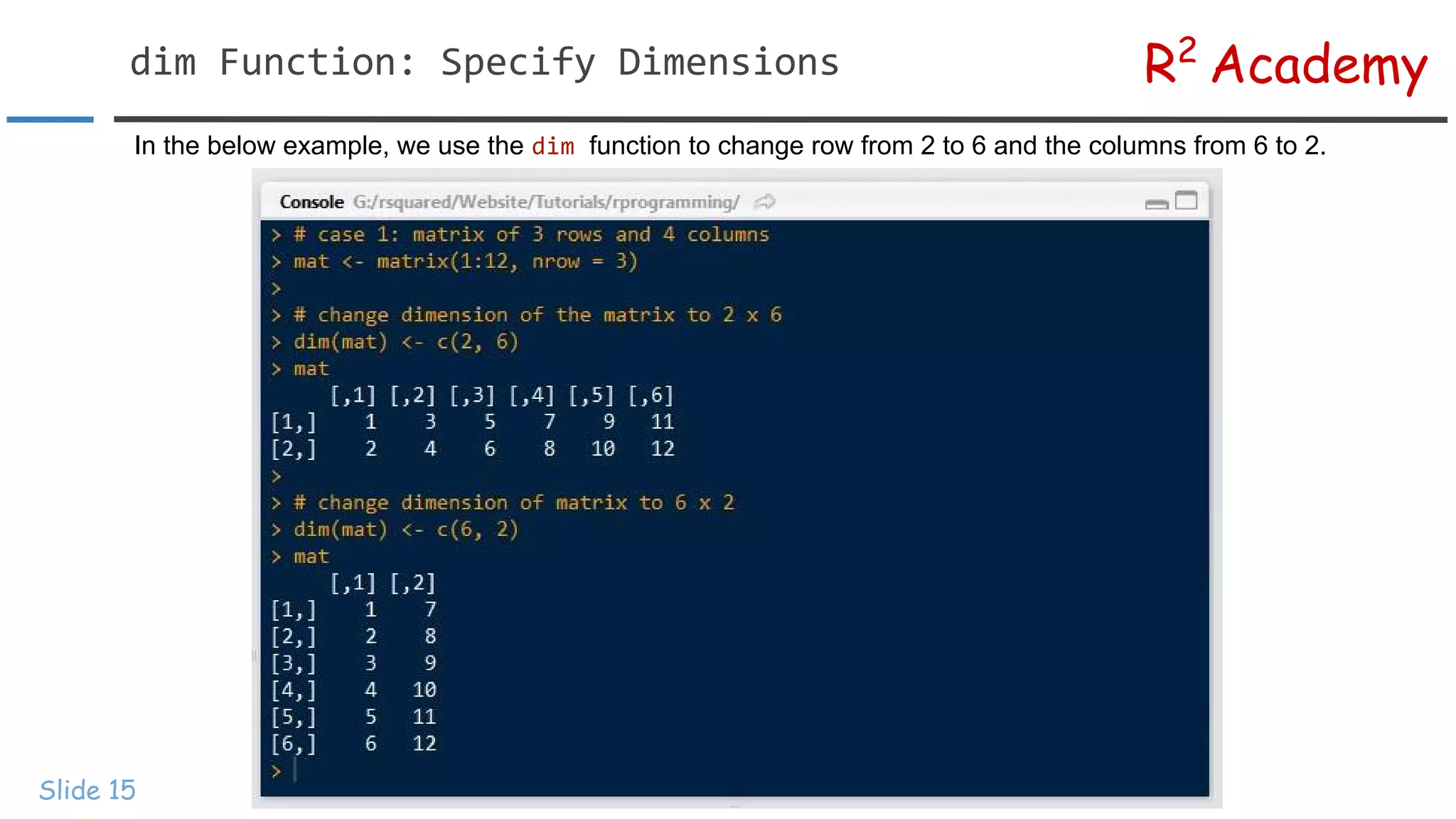
R2 Academy Slide 15 In thebelow example, we use the function to change row from 2 to 6 and the columns from 6 to 2.
16.
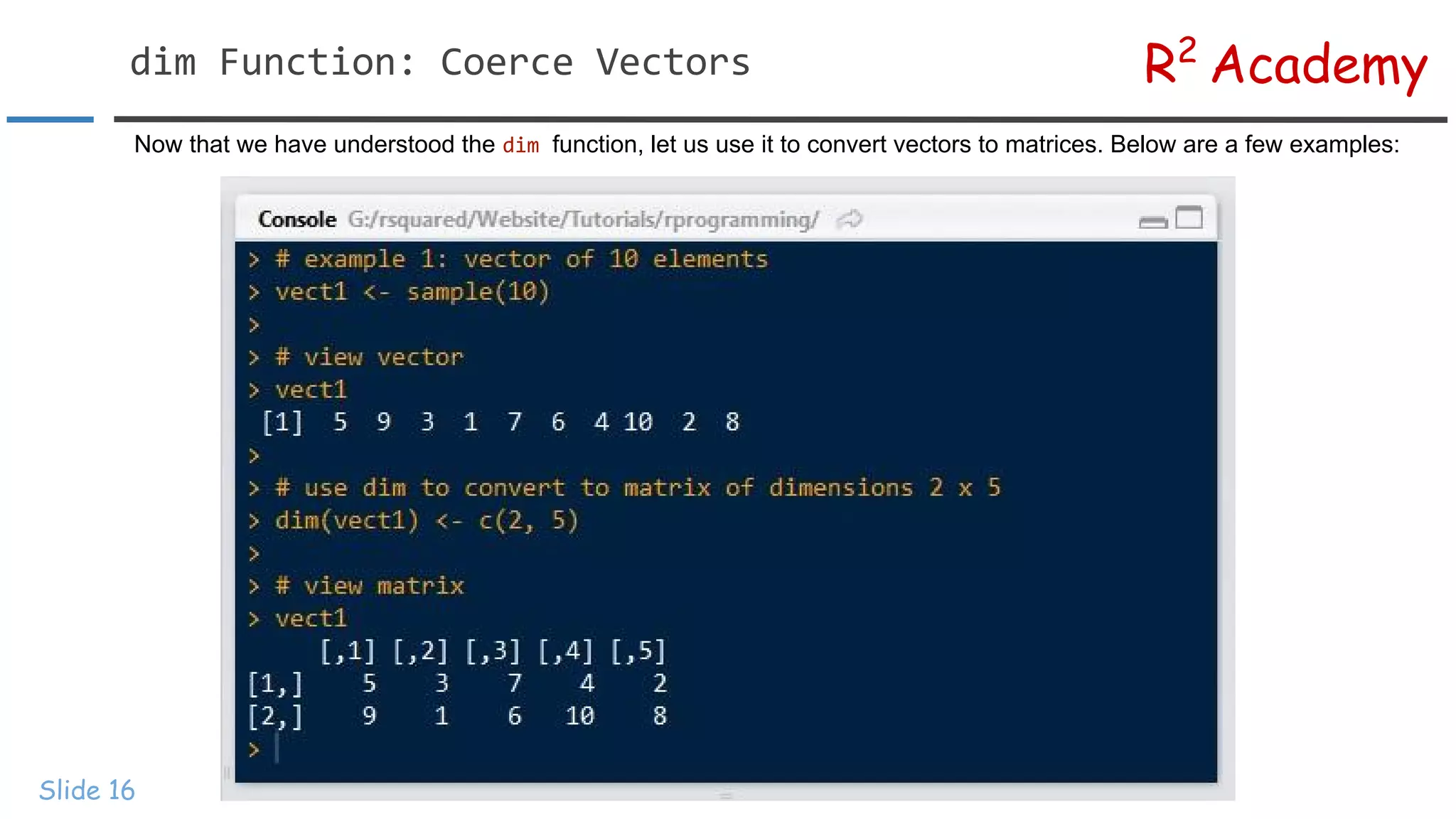
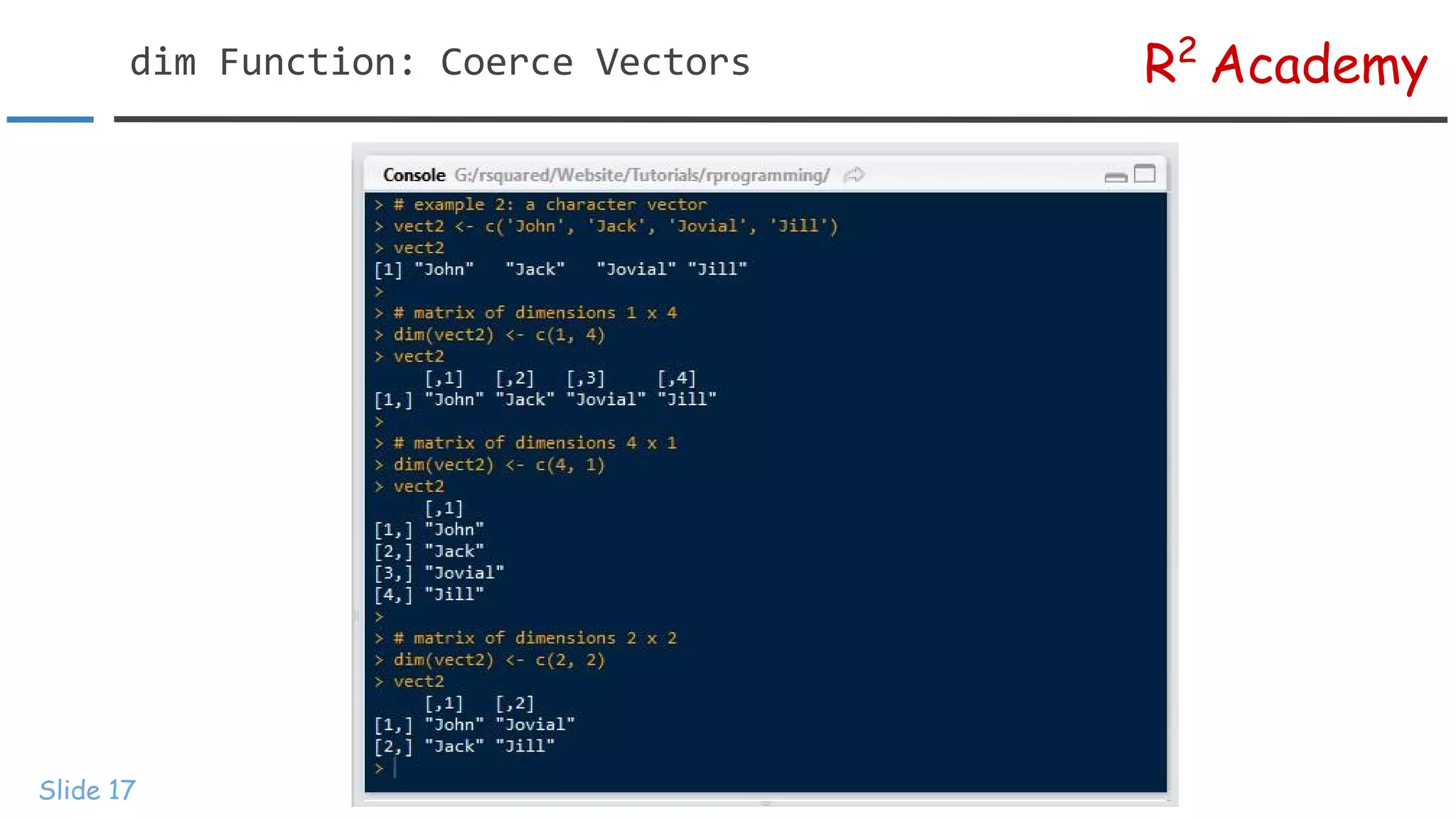
R2 Academy Slide 16 Now thatwe have understood the function, let us use it to convert vectors to matrices. Below are a few examples:
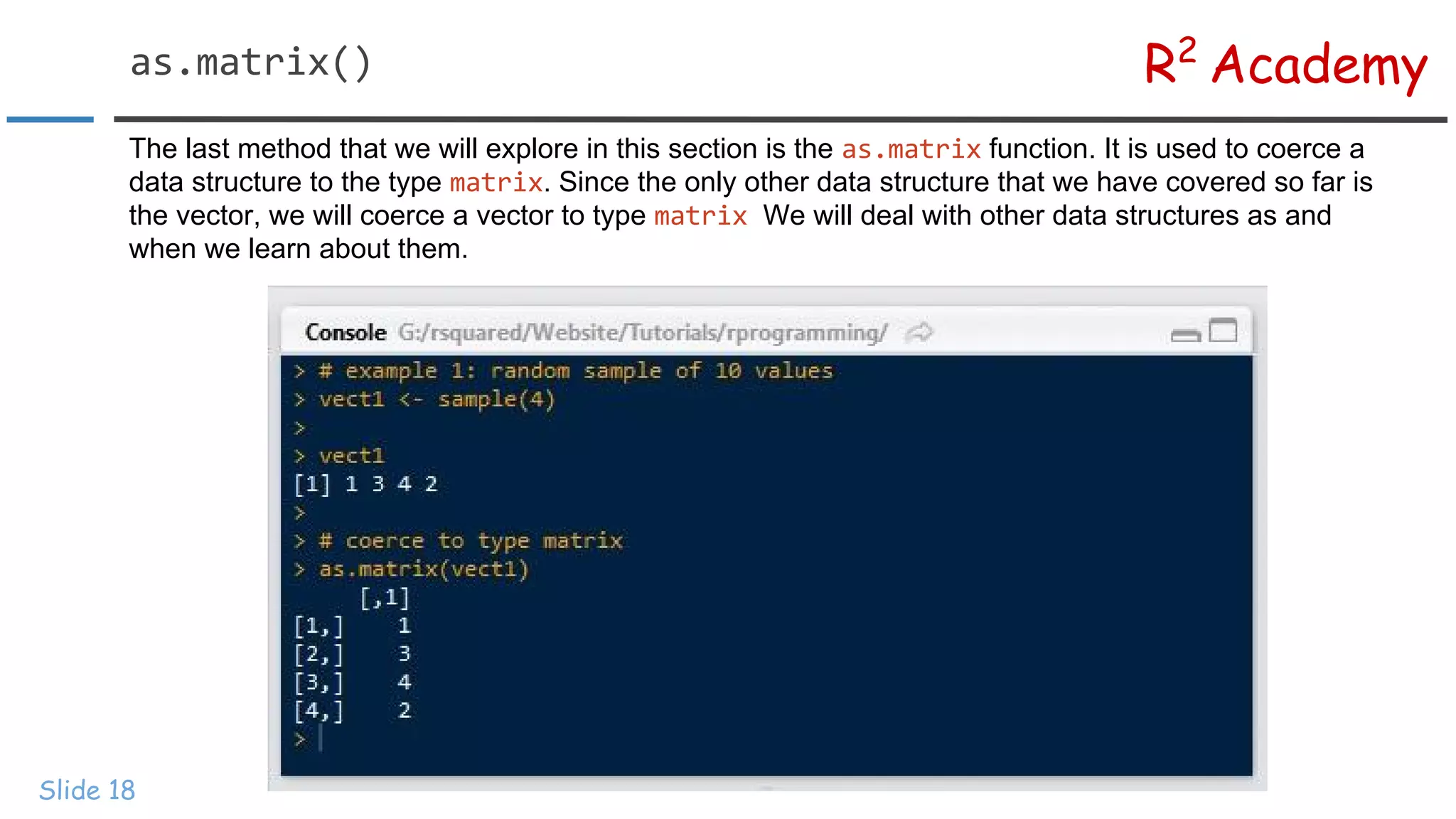
R2 Academy Slide 18 The lastmethod that we will explore in this section is the function. It is used to coerce a data structure to the type . Since the only other data structure that we have covered so far is the vector, we will coerce a vector to type We will deal with other data structures as and when we learn about them.
19.
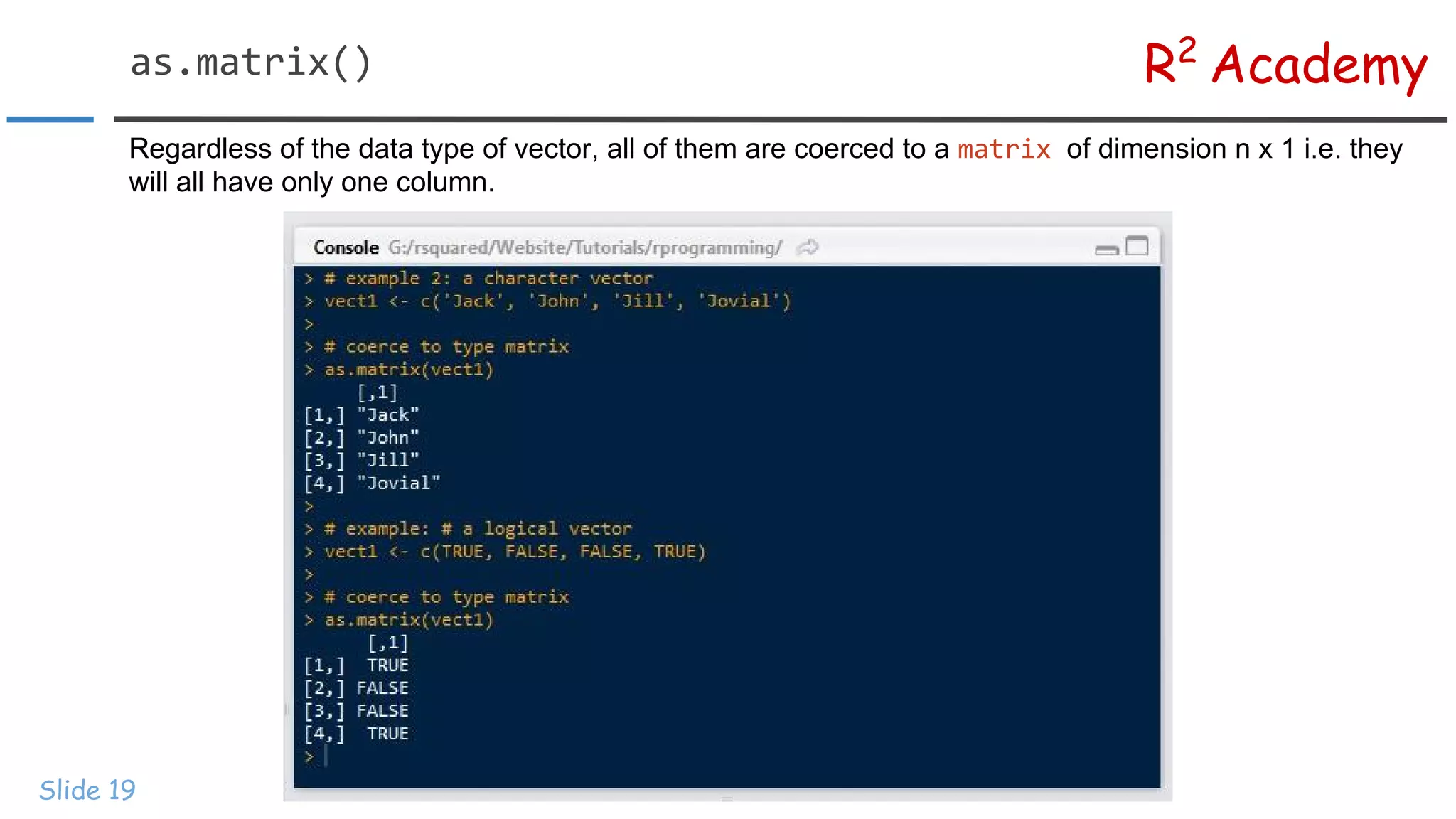
R2 Academy Slide 19 Regardless ofthe data type of vector, all of them are coerced to a of dimension n x 1 i.e. they will all have only one column.
20.
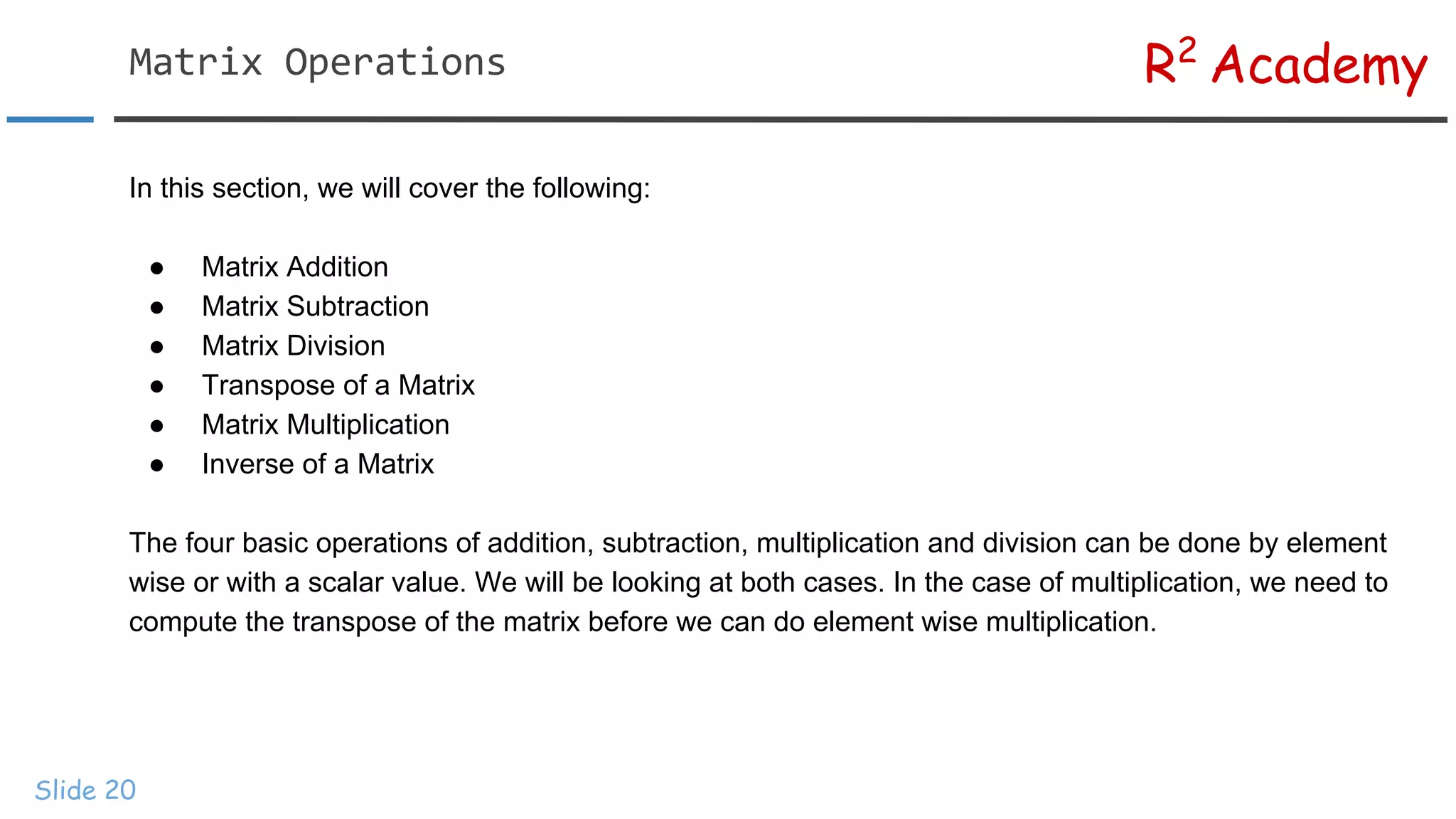
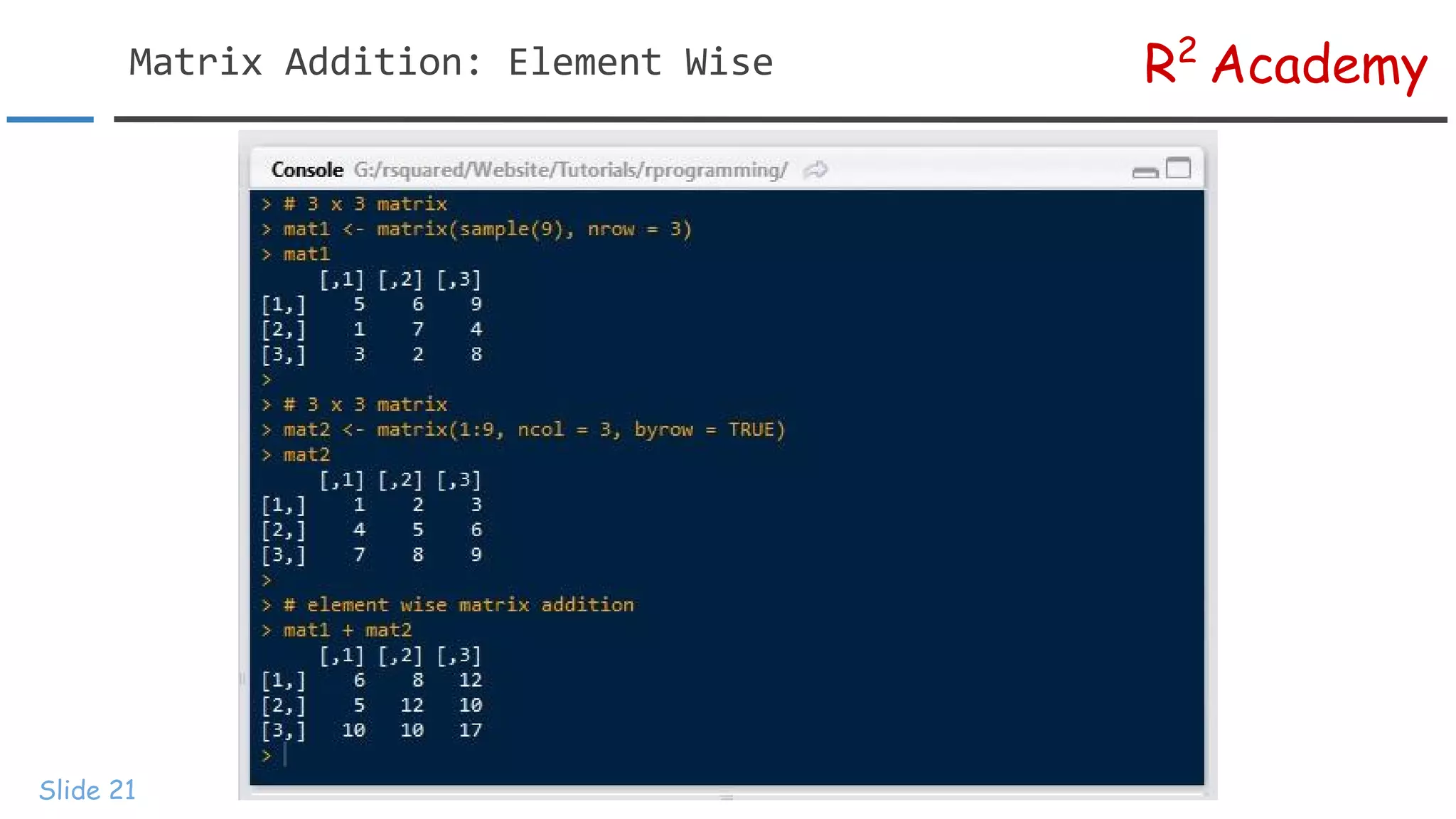
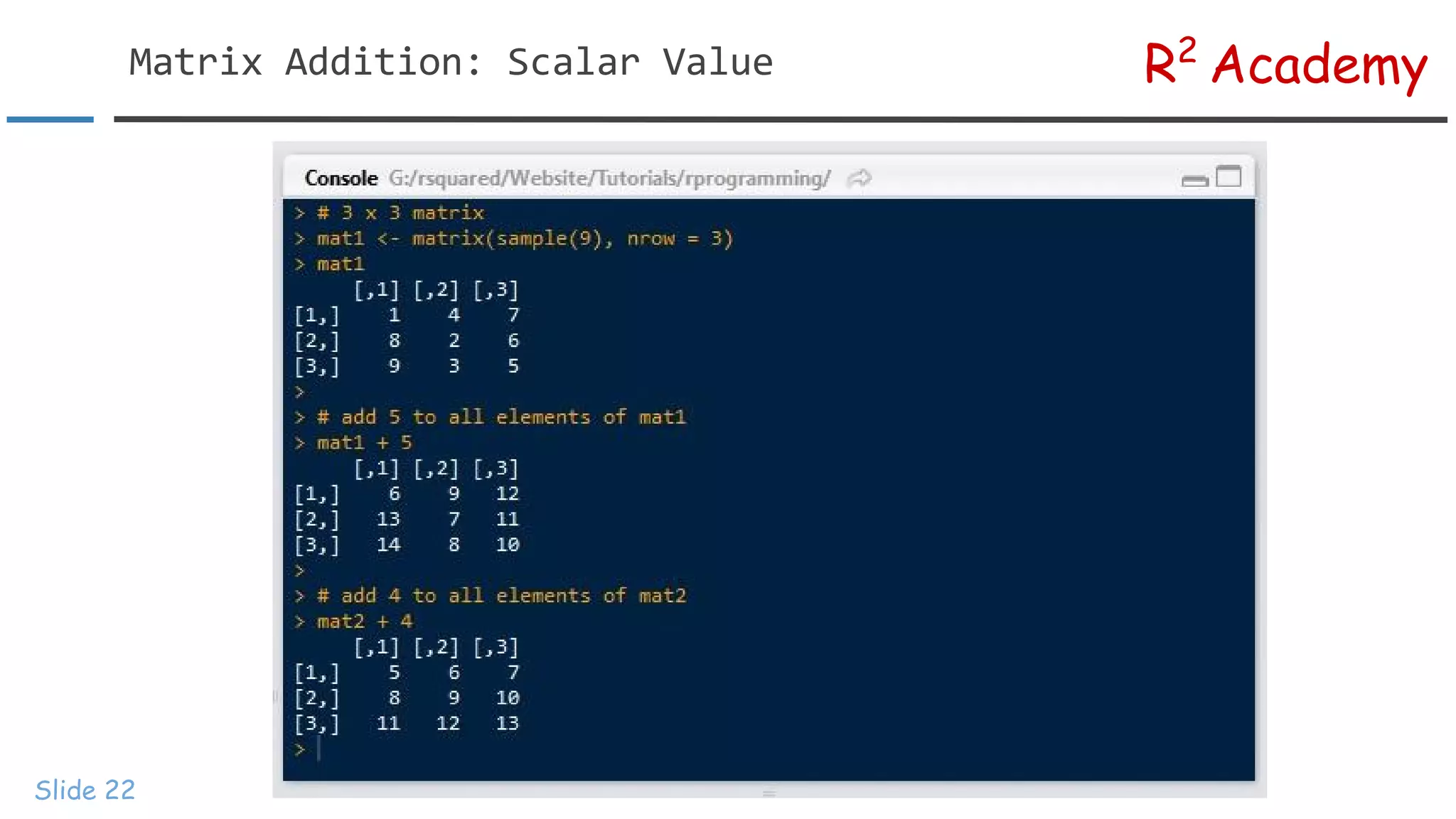
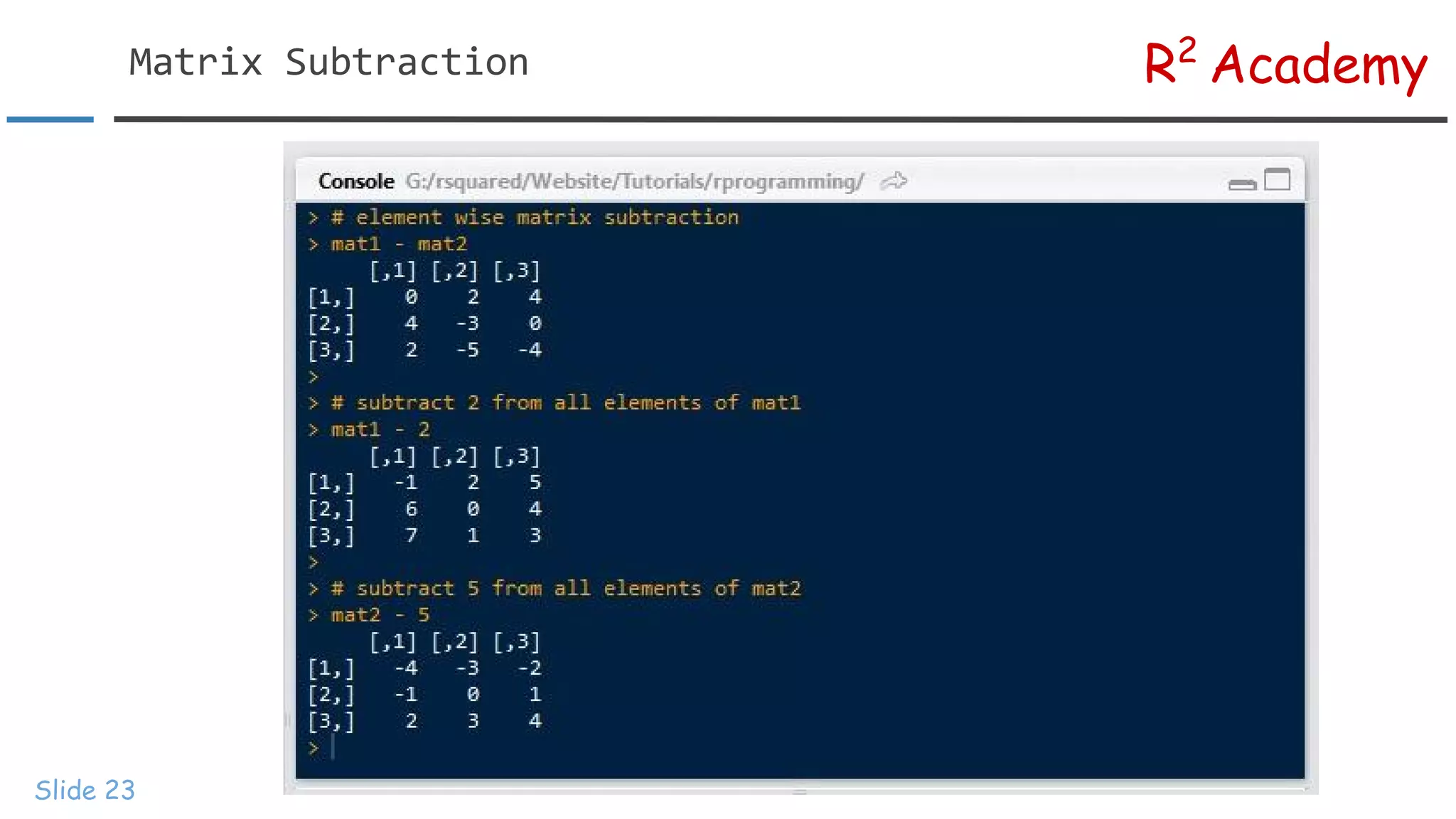
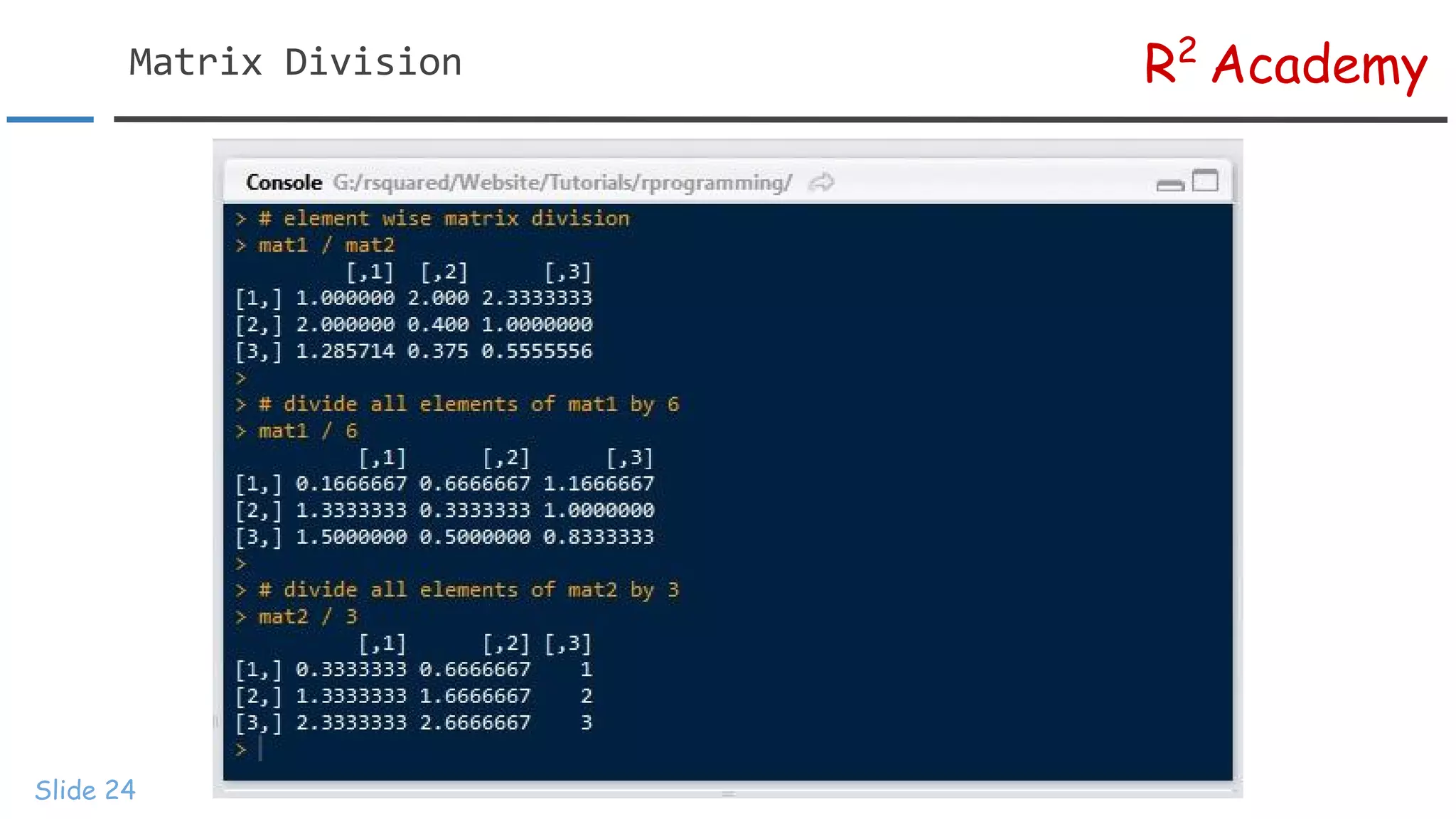
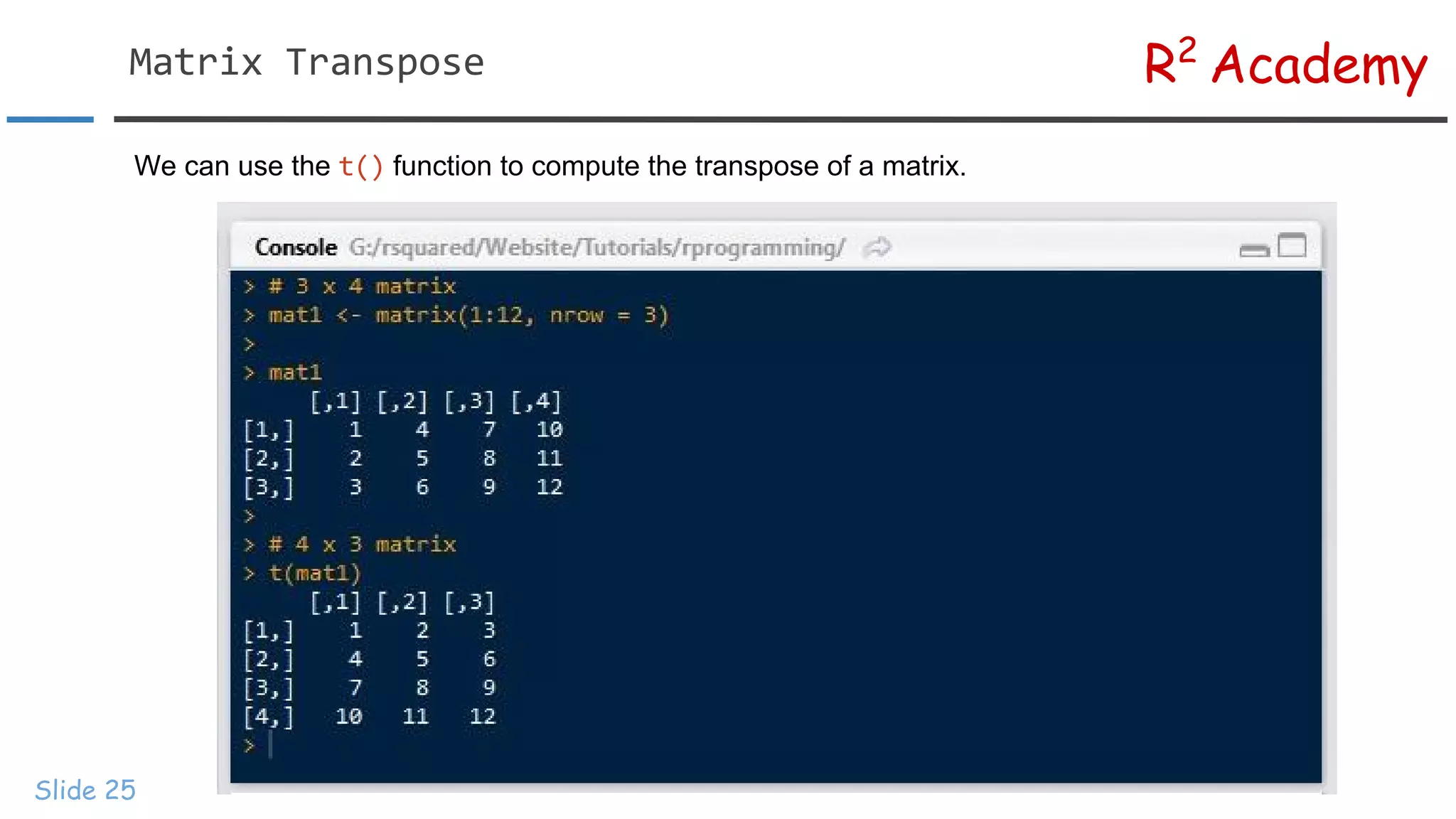
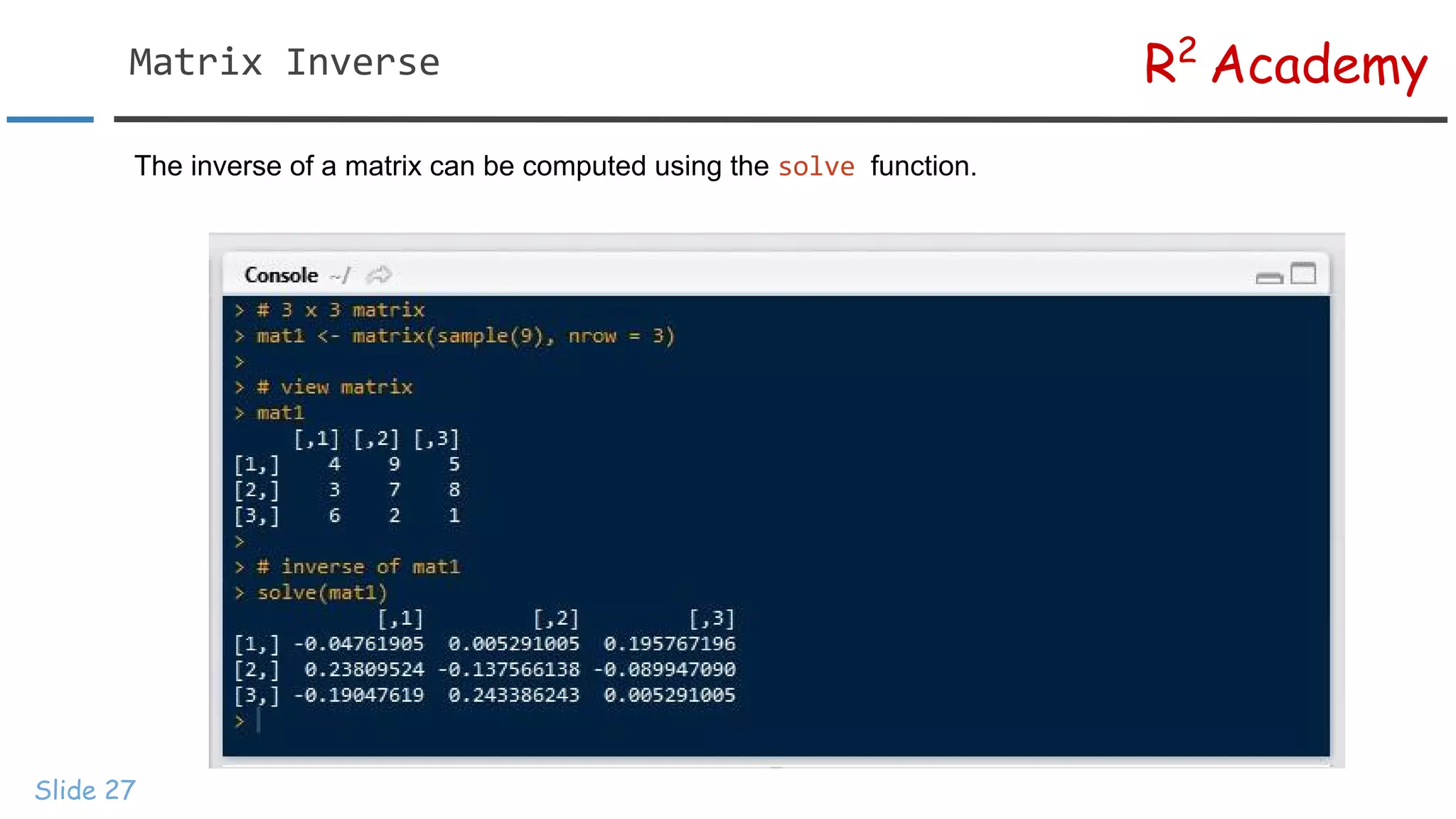
R2 Academy Slide 20 In thissection, we will cover the following: ● Matrix Addition ● Matrix Subtraction ● Matrix Division ● Transpose of a Matrix ● Matrix Multiplication ● Inverse of a Matrix The four basic operations of addition, subtraction, multiplication and division can be done by element wise or with a scalar value. We will be looking at both cases. In the case of multiplication, we need to compute the transpose of the matrix before we can do element wise multiplication.
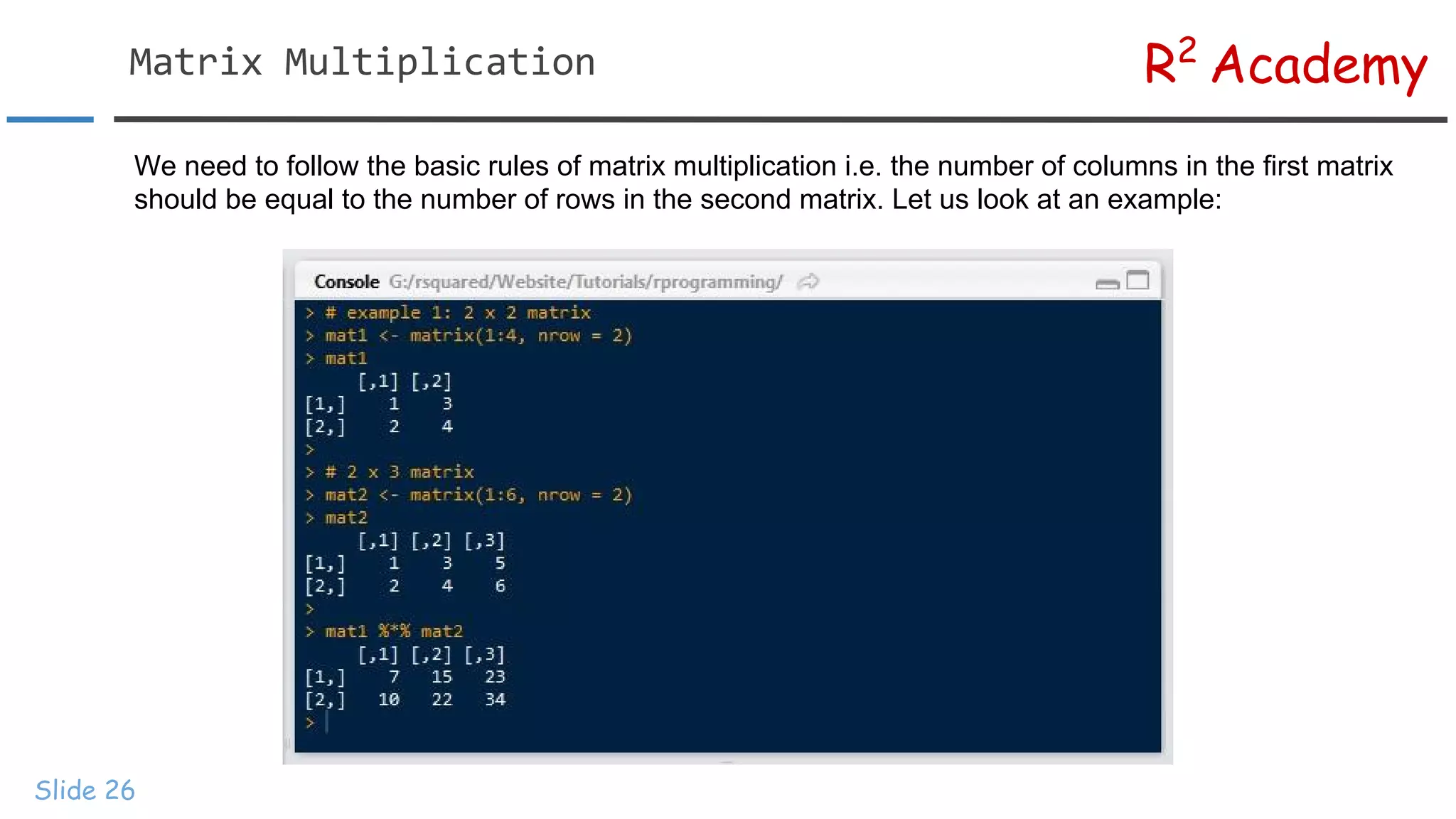
R2 Academy Slide 26 We needto follow the basic rules of matrix multiplication i.e. the number of columns in the first matrix should be equal to the number of rows in the second matrix. Let us look at an example:
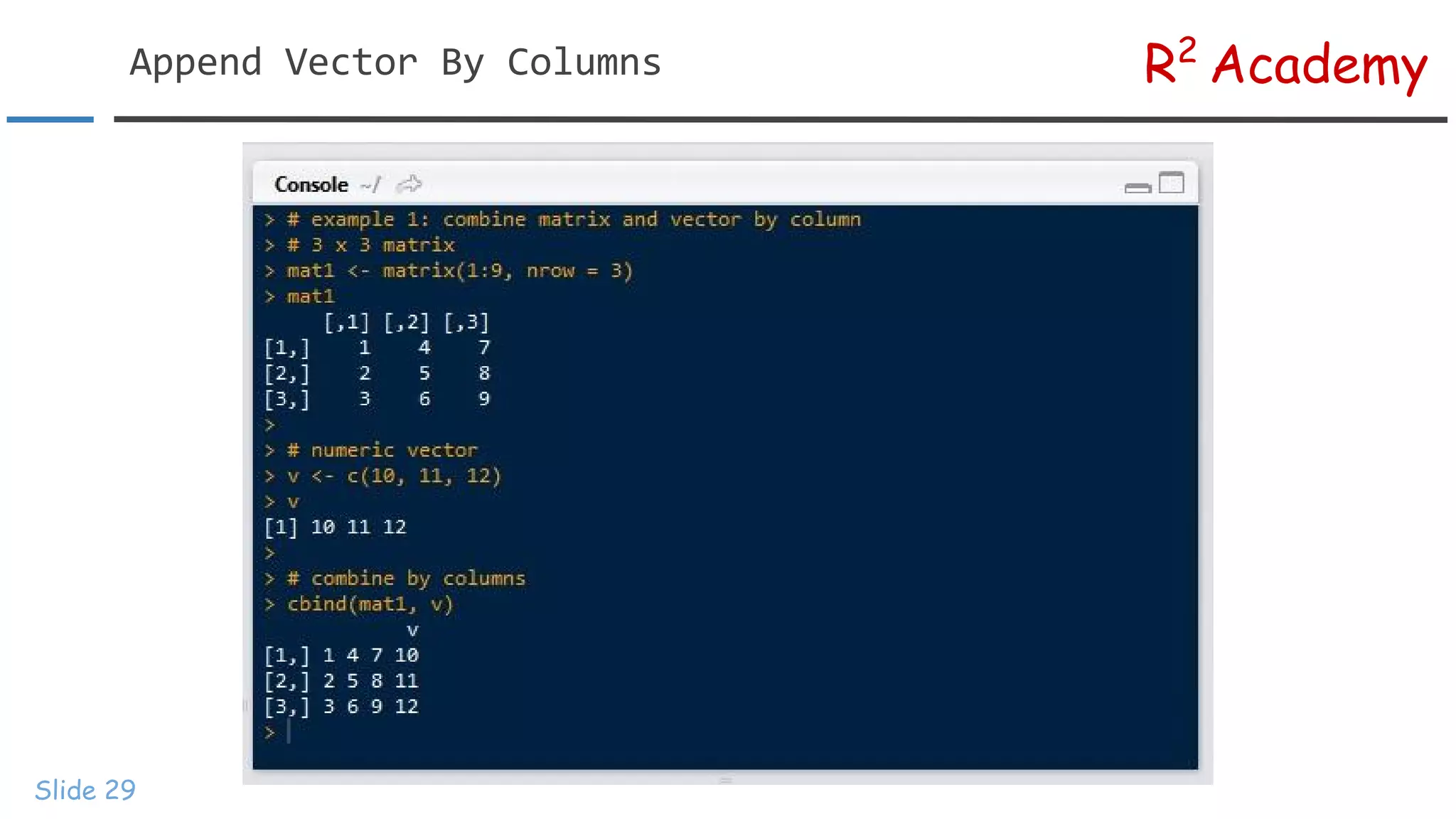
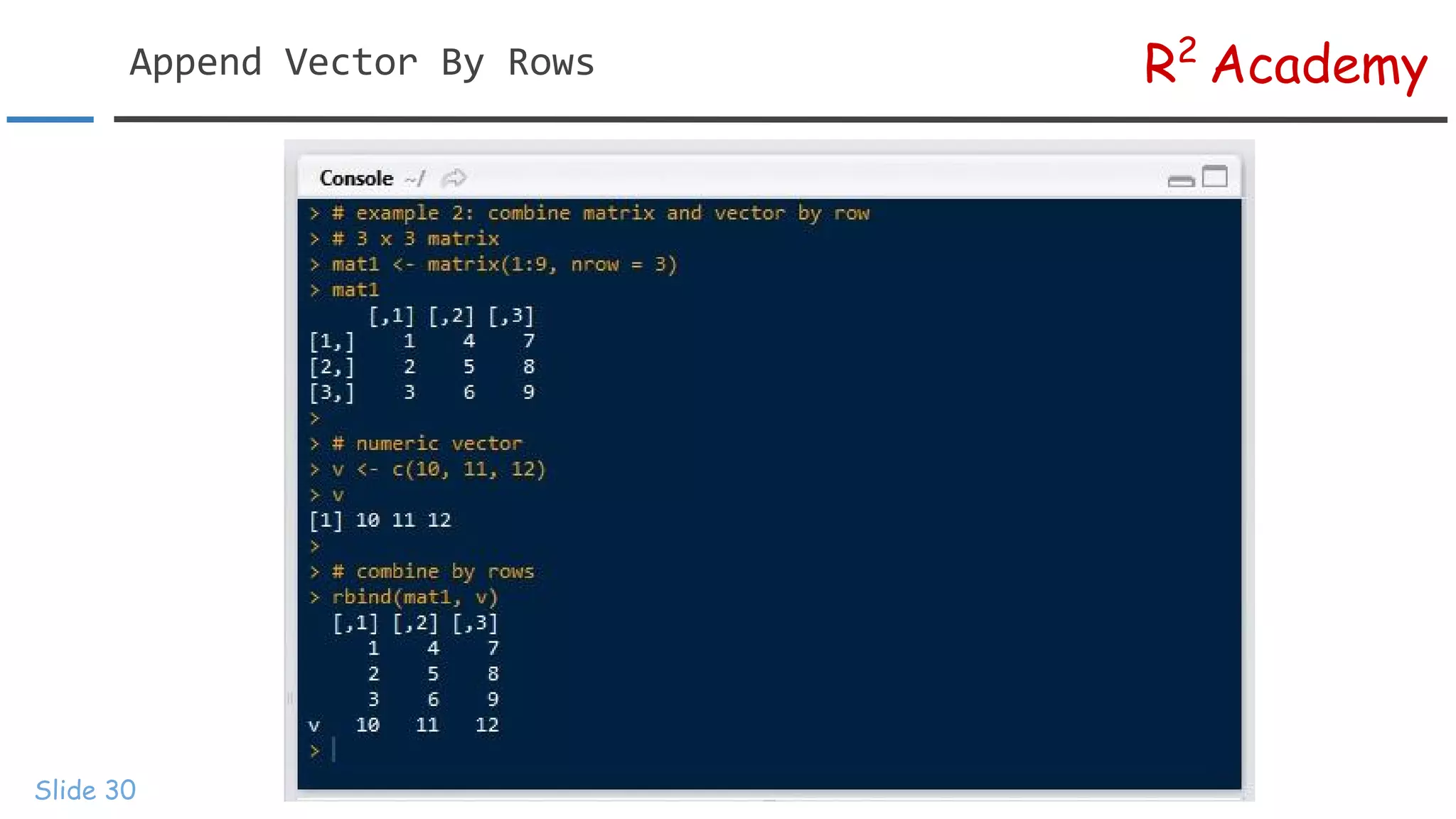
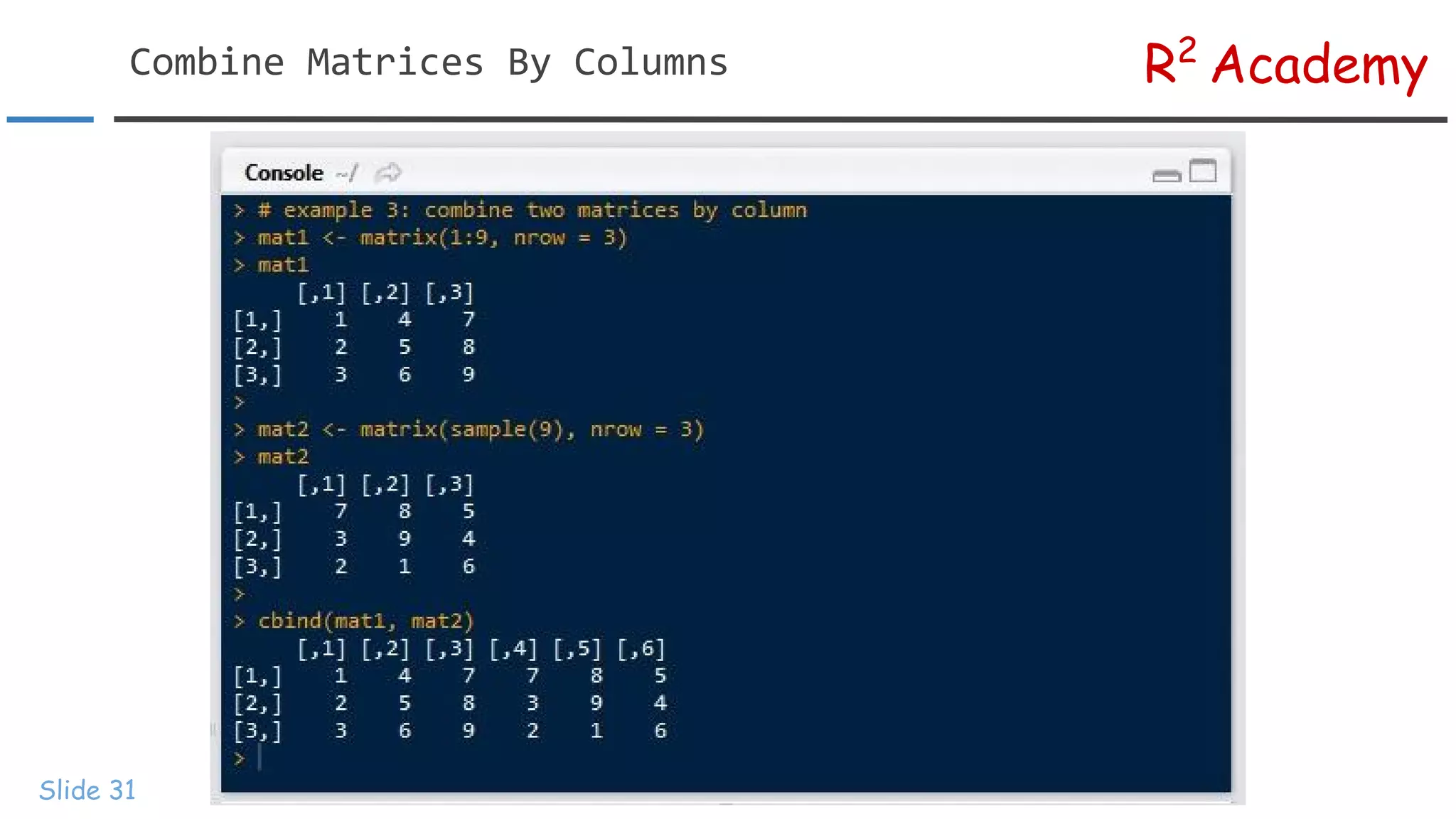
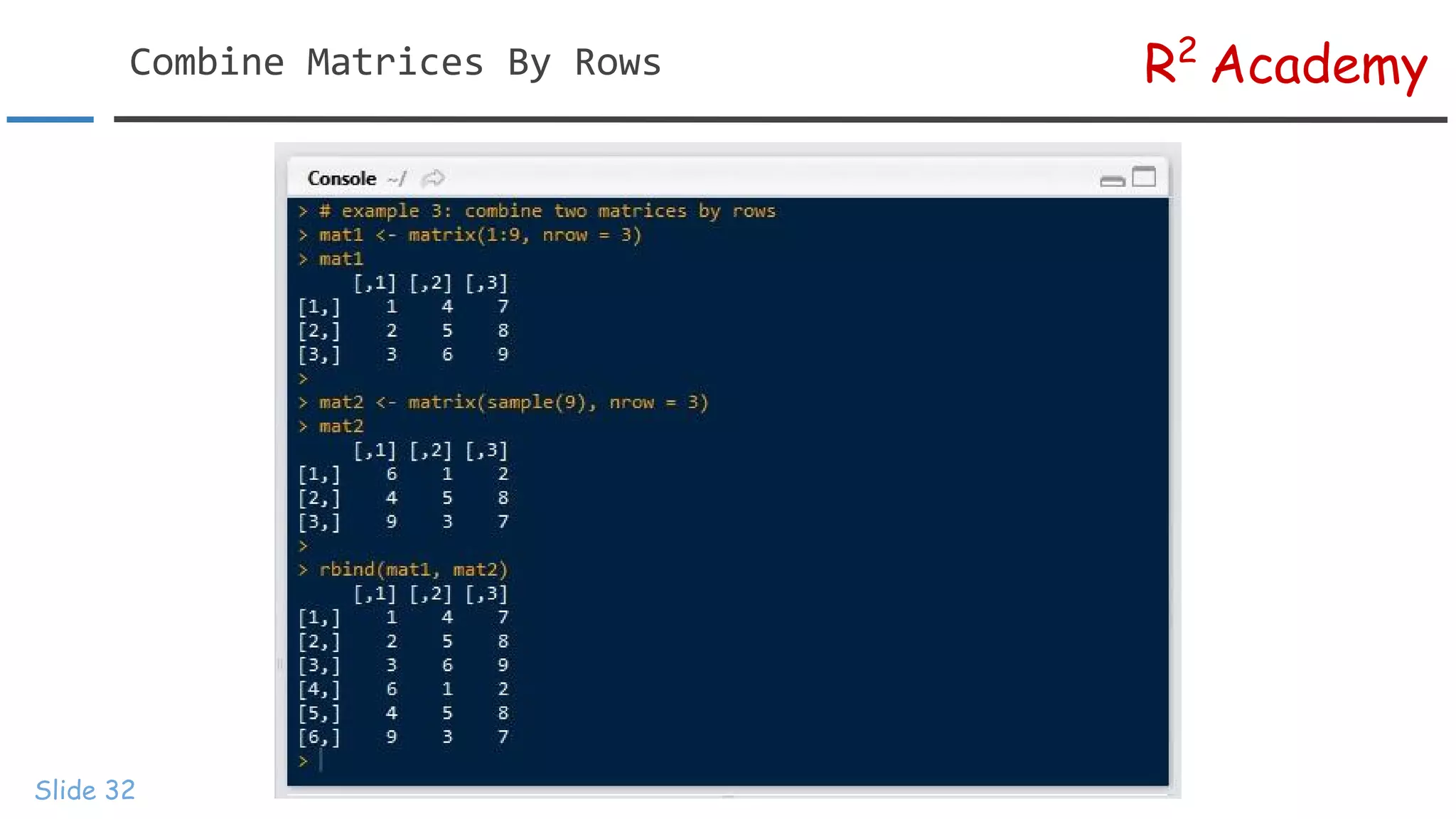
R2 Academy Slide 28 In thissection, we will focus on appending vector to matrices and combining matrices. There are two functions that can be used for this purpose: ● ● will combine/append the data by columns while will do the same by rows. When you use to combine two matrices, the number of columns must match and in case of , the number of rows must match.
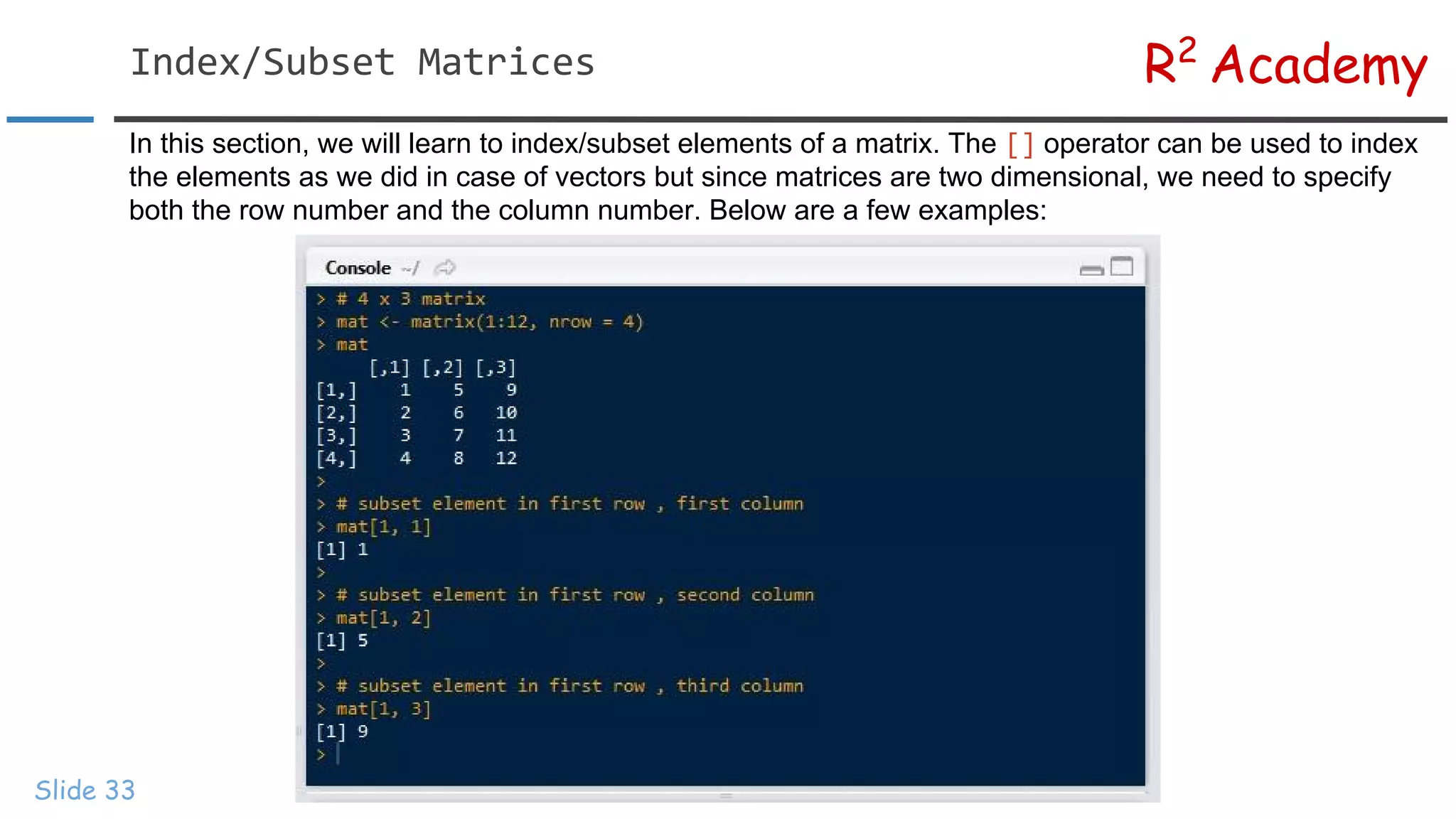
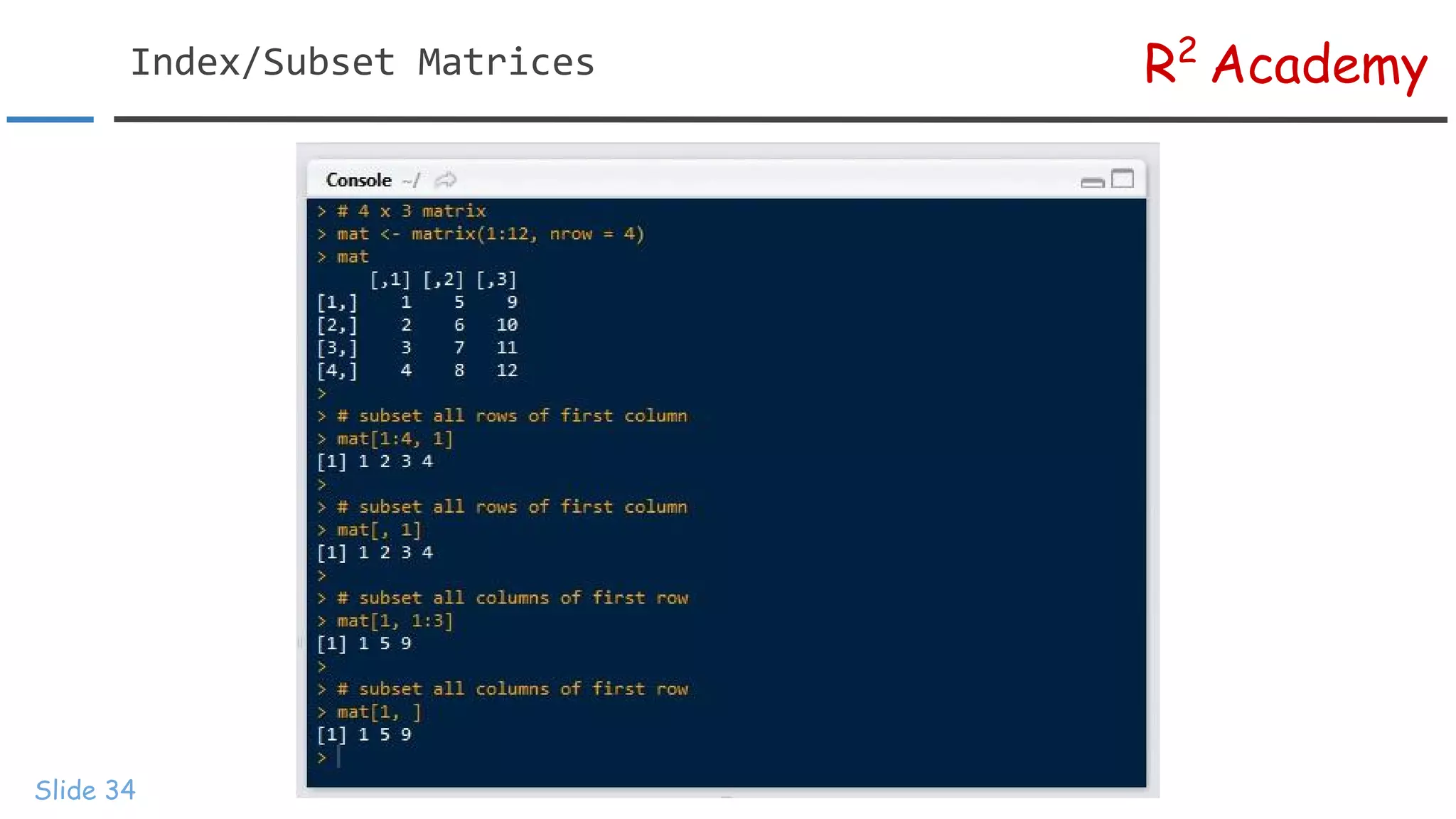
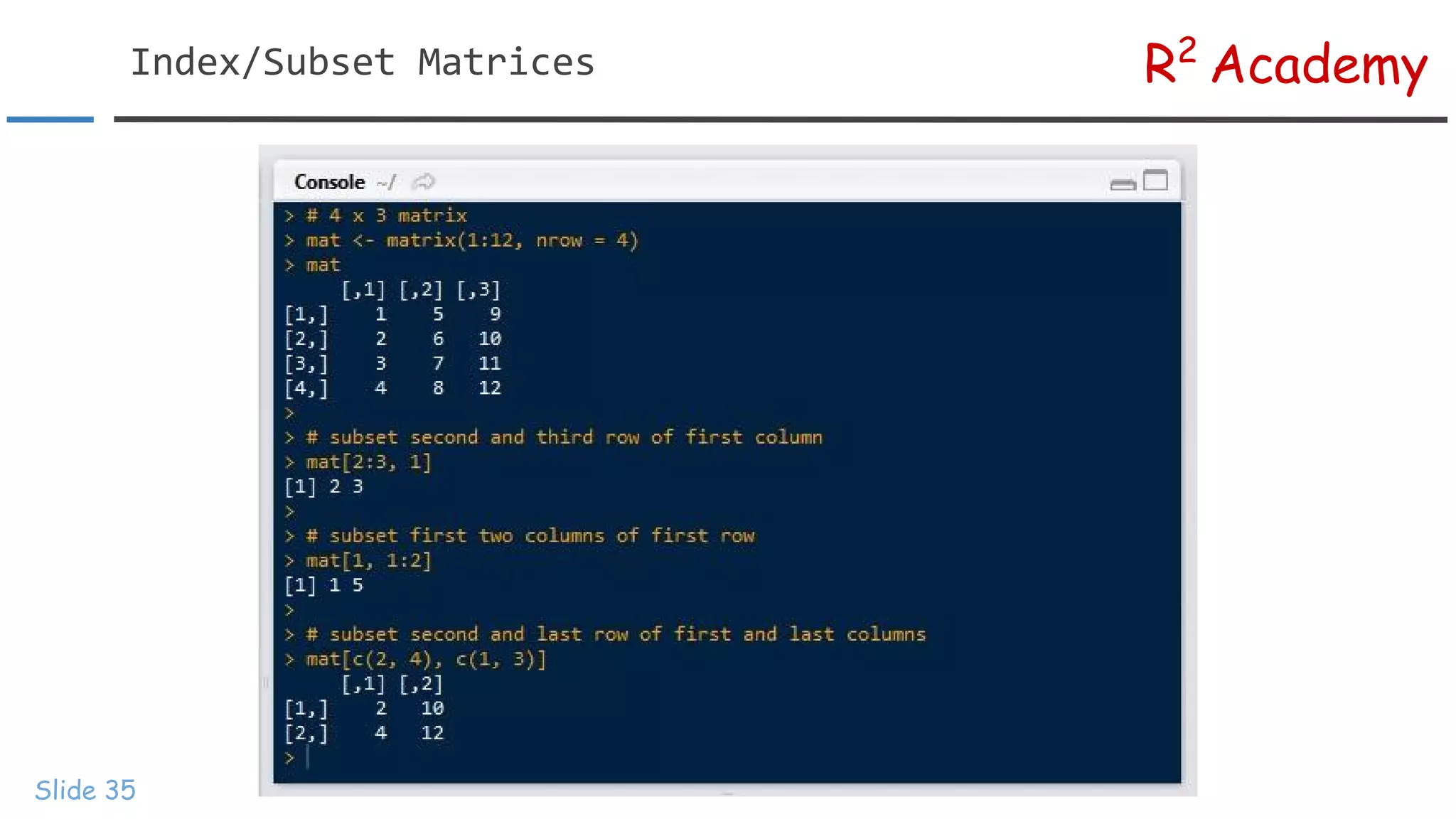
R2 Academy Slide 33 In thissection, we will learn to index/subset elements of a matrix. The operator can be used to index the elements as we did in case of vectors but since matrices are two dimensional, we need to specify both the row number and the column number. Below are a few examples:
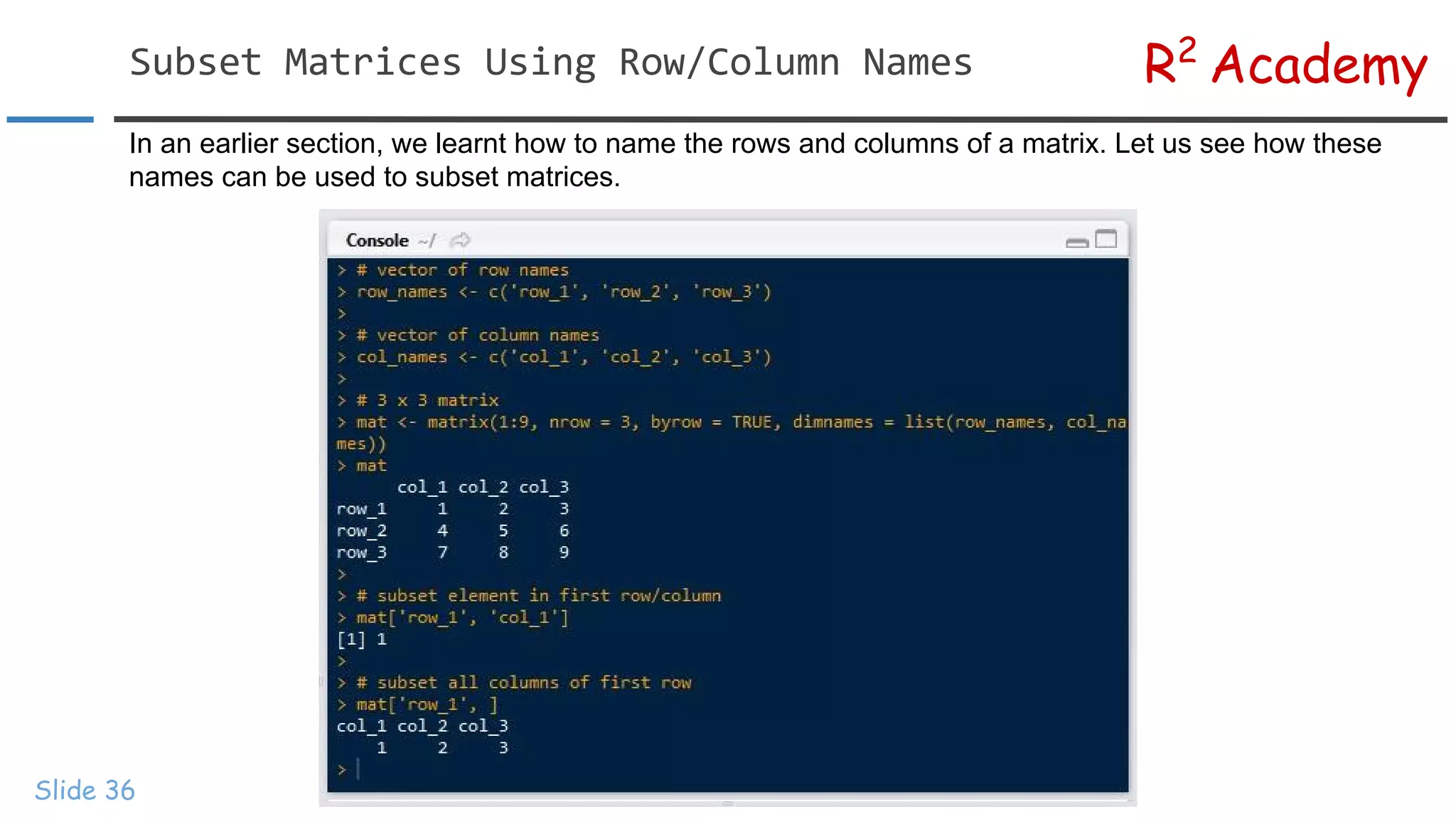
R2 Academy Slide 36 In anearlier section, we learnt how to name the rows and columns of a matrix. Let us see how these names can be used to subset matrices.
37.
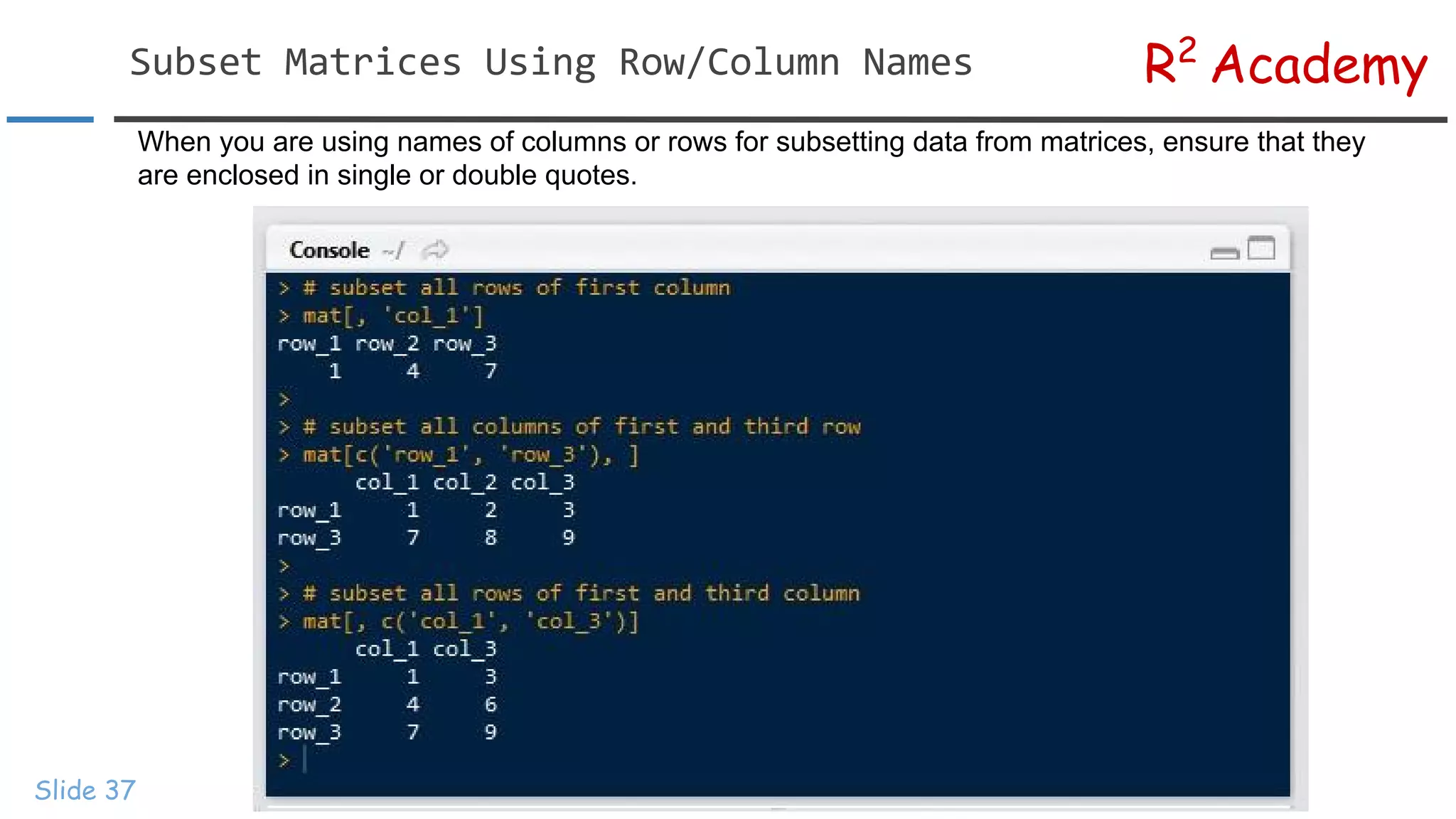
R2 Academy Slide 37 When youare using names of columns or rows for subsetting data from matrices, ensure that they are enclosed in single or double quotes.
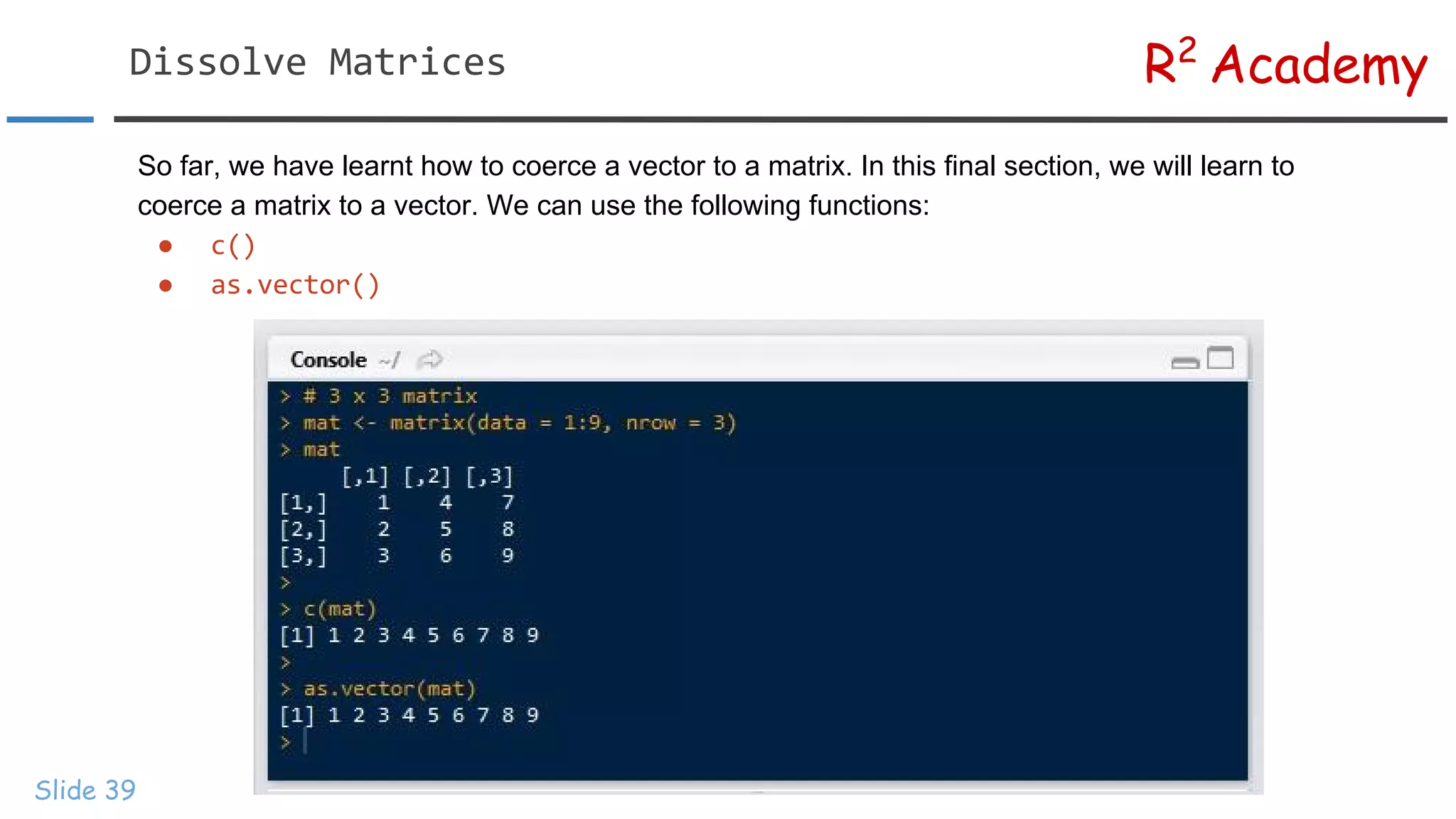
R2 Academy Slide 39 So far,we have learnt how to coerce a vector to a matrix. In this final section, we will learn to coerce a matrix to a vector. We can use the following functions: ● ●
40.
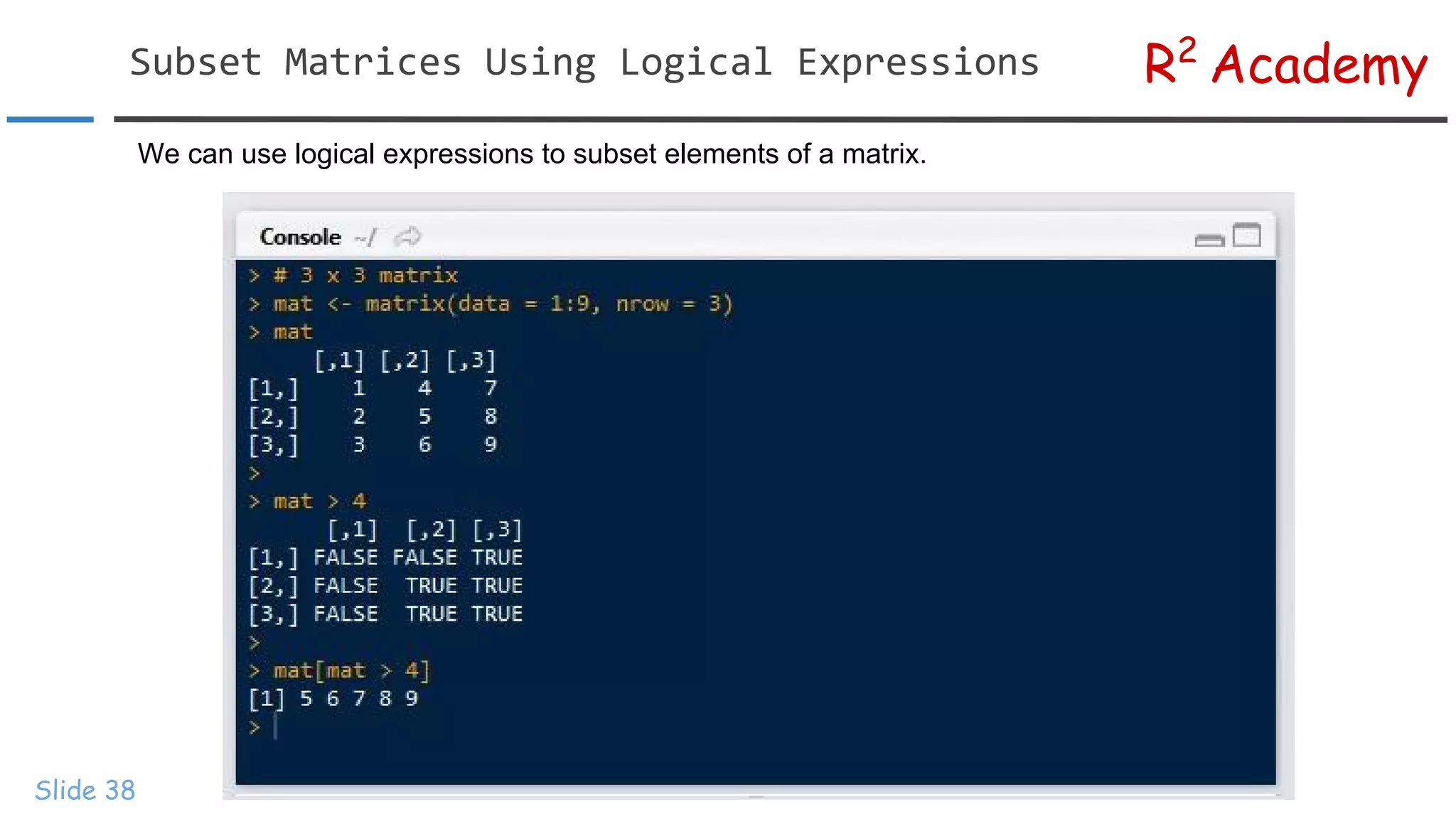
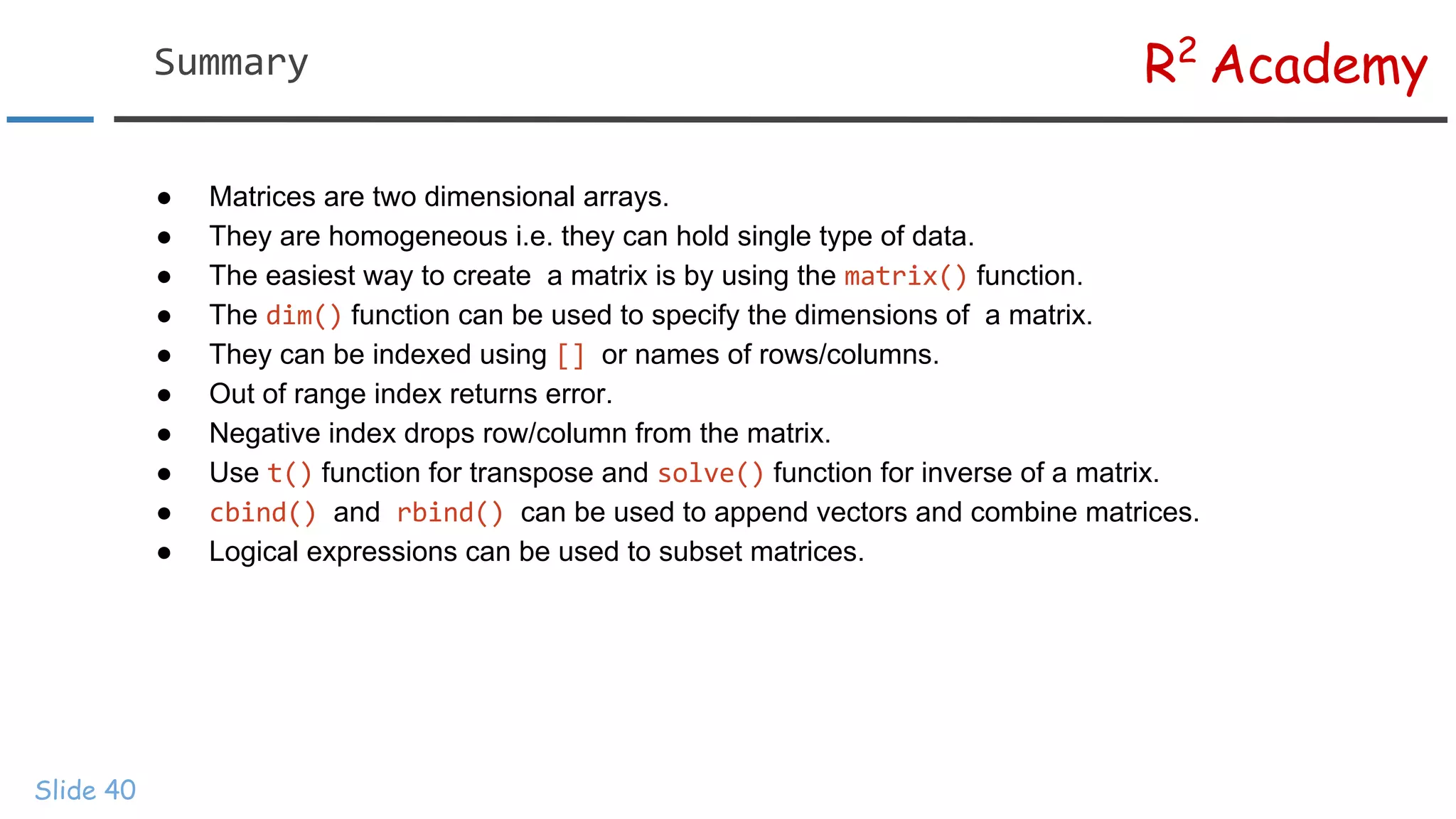
R2 Academy Slide 40 ● Matricesare two dimensional arrays. ● They are homogeneous i.e. they can hold single type of data. ● The easiest way to create a matrix is by using the function. ● The function can be used to specify the dimensions of a matrix. ● They can be indexed using or names of rows/columns. ● Out of range index returns error. ● Negative index drops row/column from the matrix. ● Use function for transpose and function for inverse of a matrix. ● and can be used to append vectors and combine matrices. ● Logical expressions can be used to subset matrices.
R2 Academy Slide 42 Visit RsquaredAcademy for tutorials on: → R Programming → Business Analytics → Data Visualization → Web Applications → Package Development → Git & GitHub