Running Kafka On Kubernetes With Strimzi For Real-Time Streaming Applications
The document outlines Sean Glover's expertise and role as a principal engineer at Lightbend, focusing on automating operations for Kafka upgrades and management. It details the technical processes involved in upgrading Kafka through rolling updates, the use of Kubernetes for managing stateful services like Kafka, and the Strimzi project for deploying Kafka on Kubernetes. Additionally, it highlights the importance of automation in operational workflows and discusses the risks and advantages of running Kafka in a Kubernetes environment.
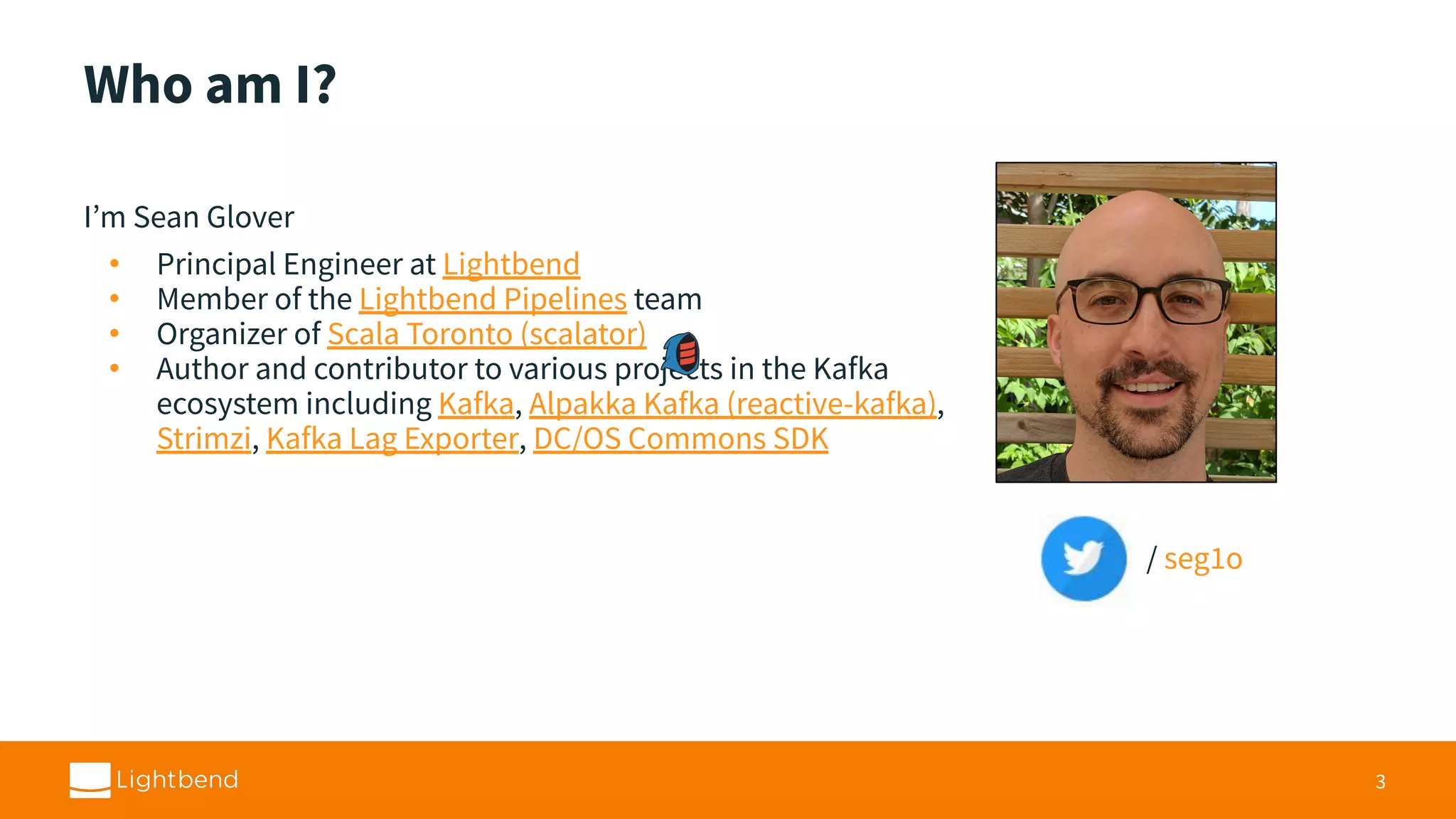
Sean Glover, Principal Engineer at Lightbend, Scala Toronto organizer, Kafka projects author.
Operations are hard; Kafka upgrades demand complex automation to mitigate error-prone manual tasks.
Exploring container orchestration in managing resources via tools like Kubernetes for operational efficiency.
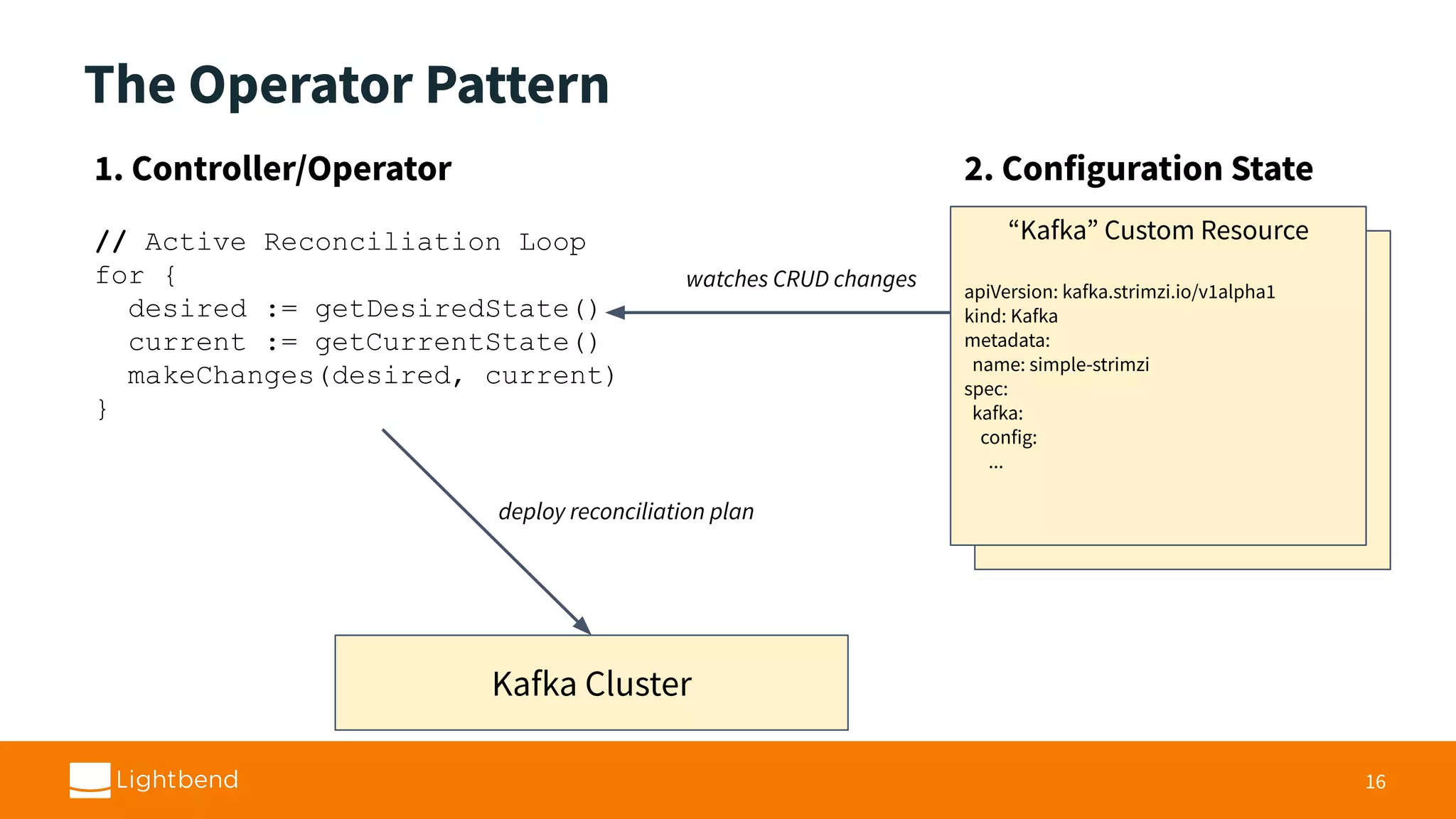
Utilizing Operators in Kubernetes for active state reconciliation of Kafka clusters, enhancing updates.
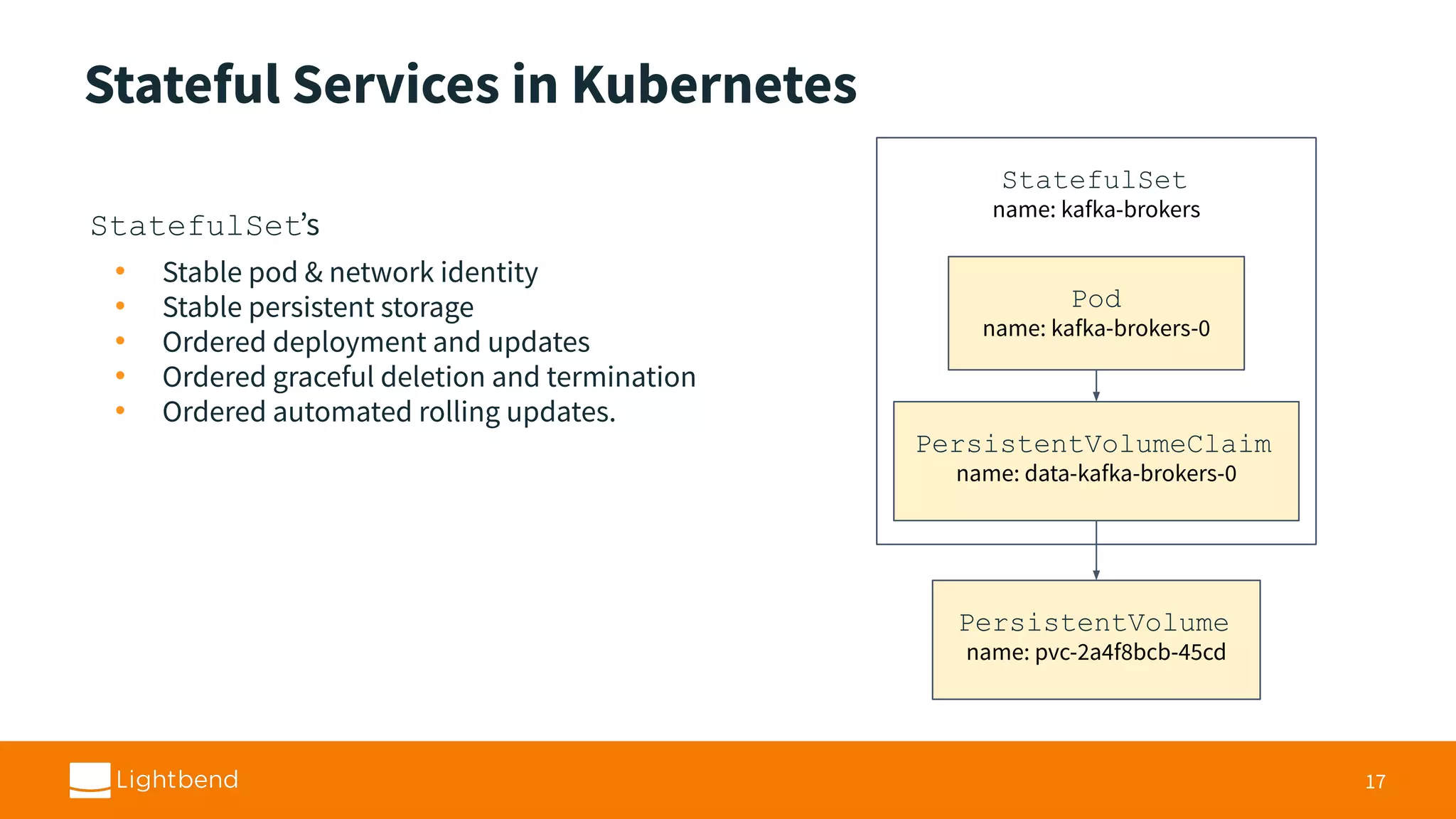
Managing stateful services like Kafka using StatefulSets to ensure stability and ordered updates. Strimzi, an operator-based Kafka solution for Kubernetes, facilitates automated deployment and management.
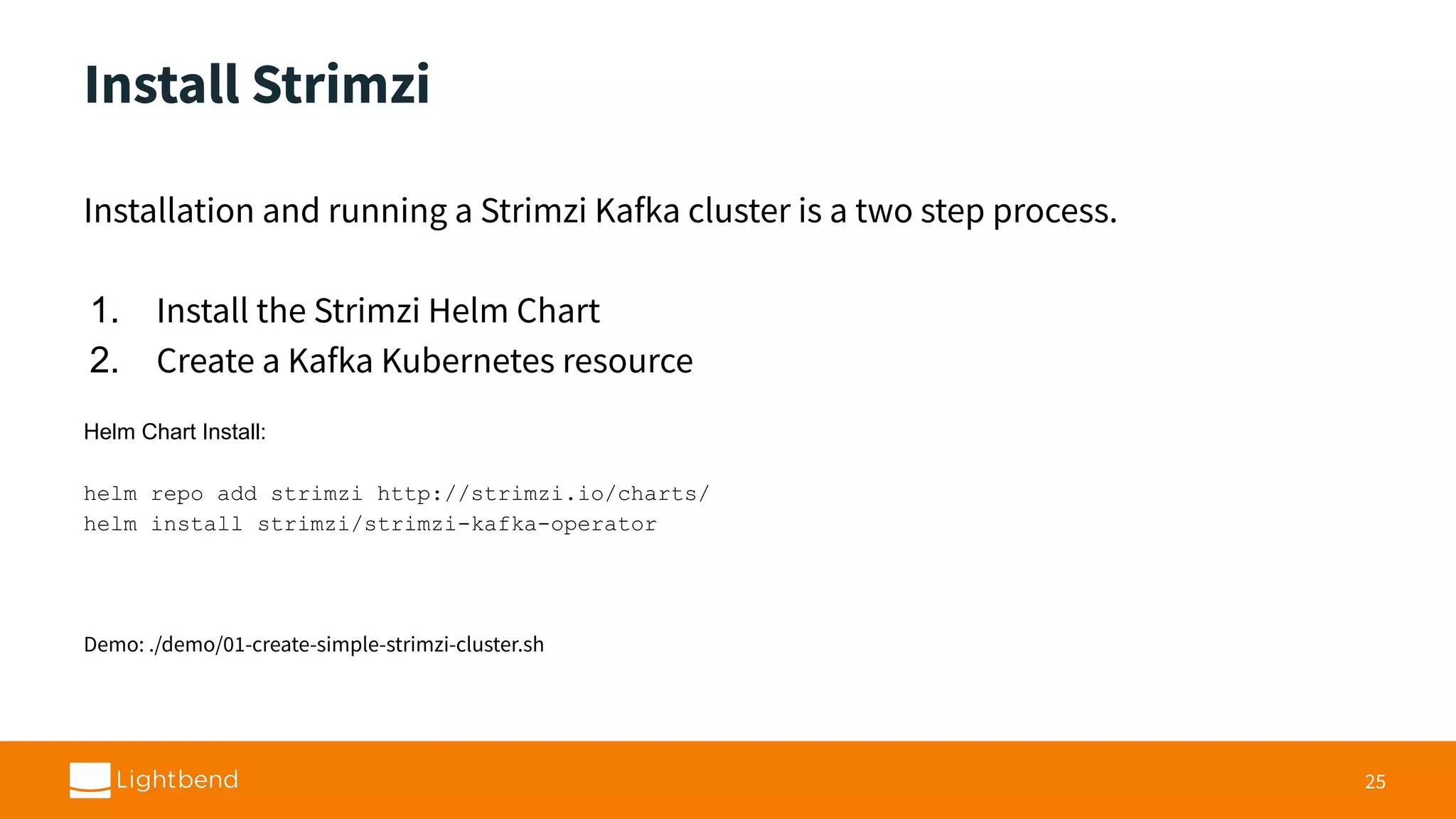
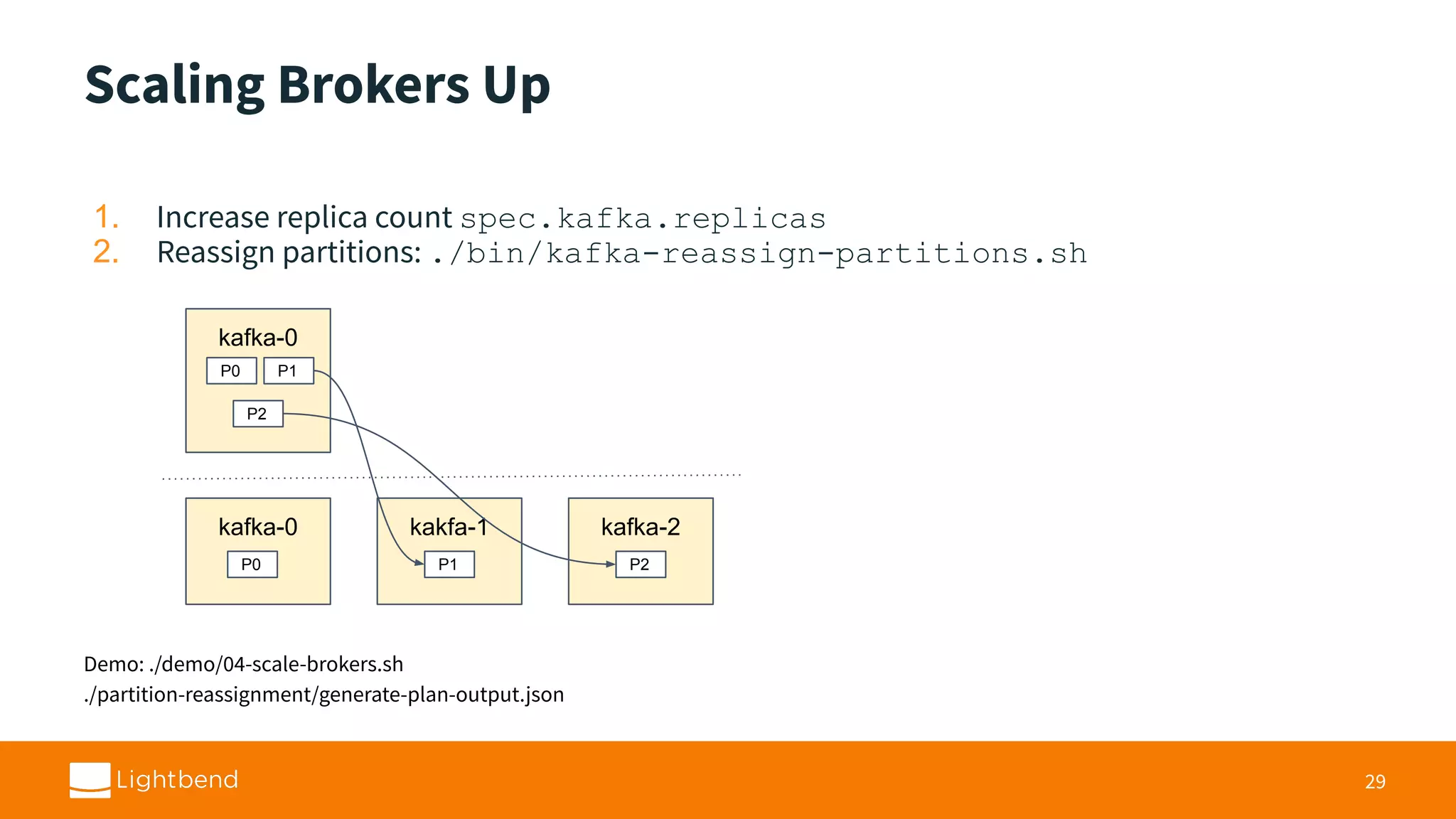
Outlining the installation, scaling, and configuration updates in Strimzi, with attention to broker management.
Discusses broker replacement processes, partition reassignment, and using MirrorMaker for data synchronization.
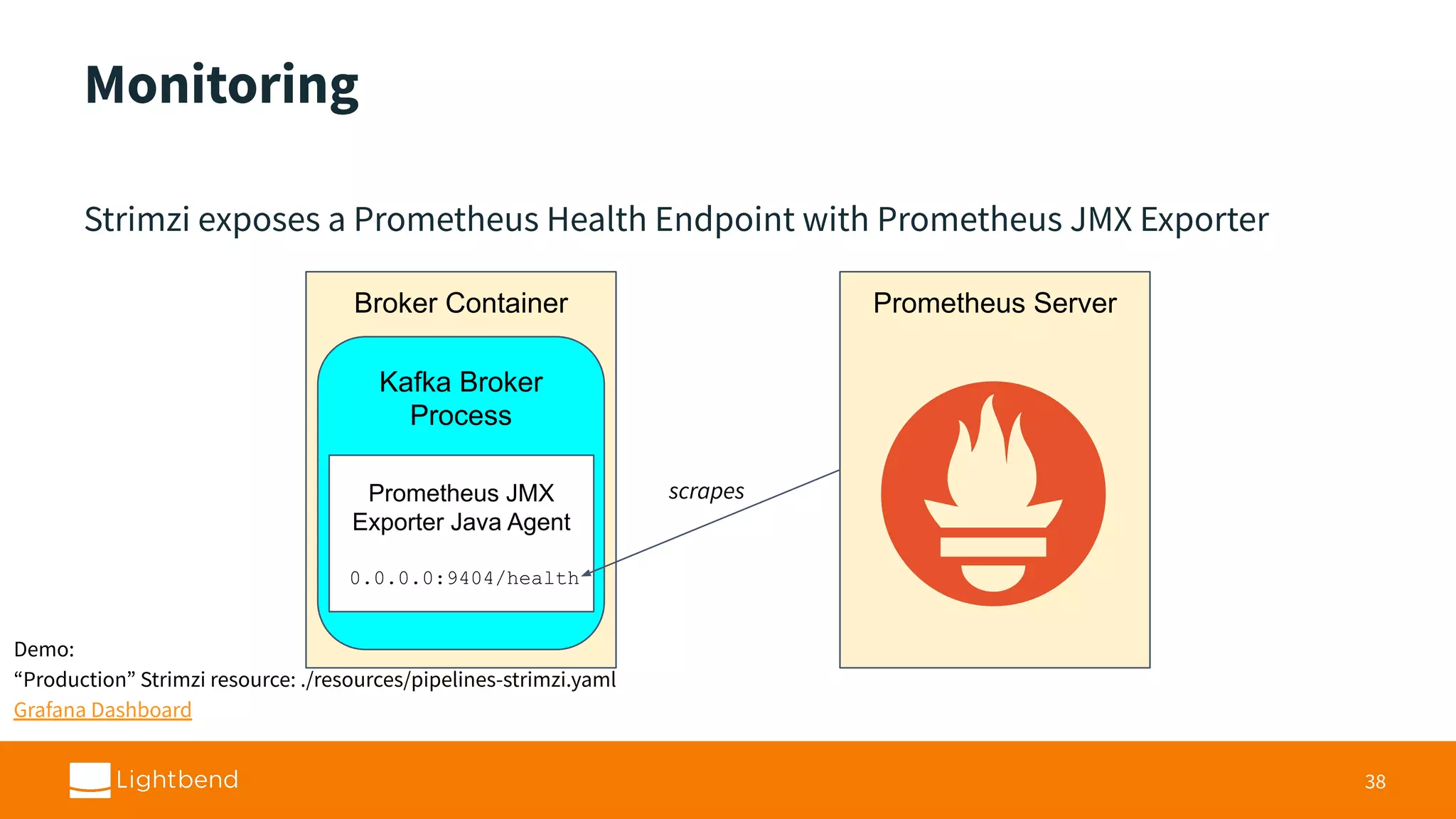
Monitoring Kafka clusters through Prometheus and Grafana integration for health checks and performance metrics.
Evaluating the safety of Kafka on Kubernetes, weighing risks like PersistentVolumes against operational benefits.
Information about the Strimzi project, including licensing, stability status, and support channels.
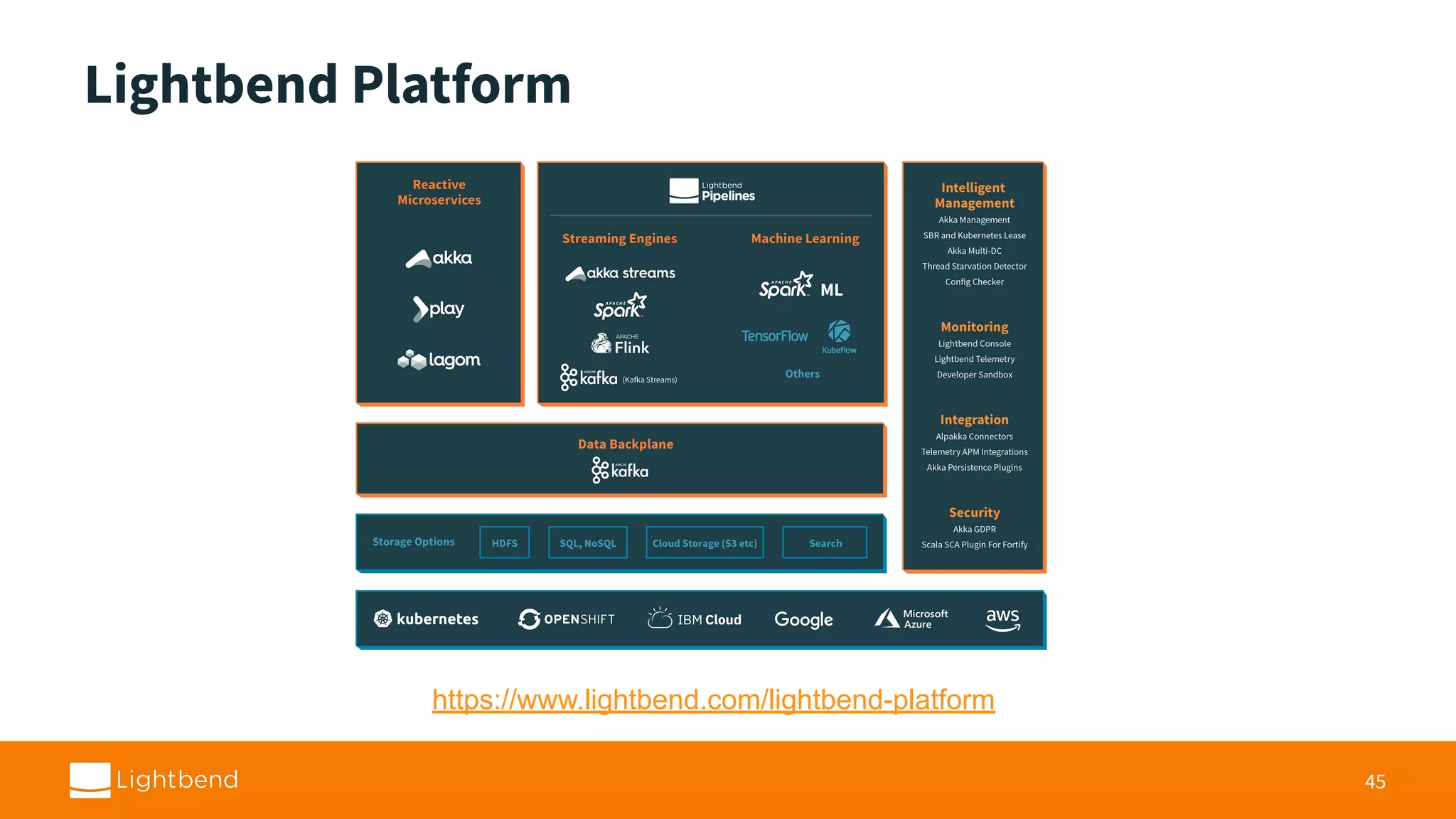
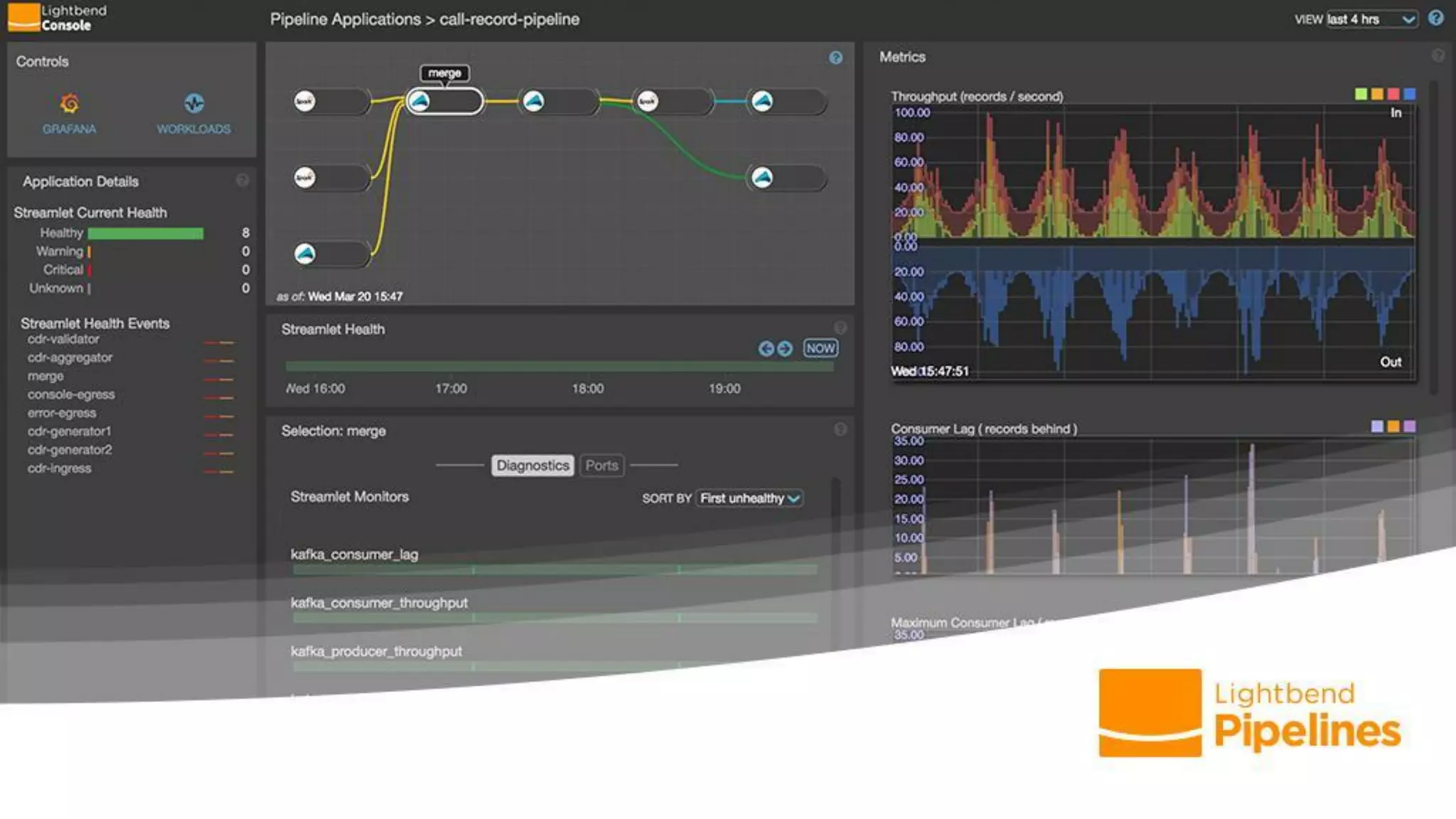
Details on the Kafka Lag Exporter and Lightbend Platform, along with contact information and thanks.
Running Kafka On Kubernetes With Strimzi For Real-Time Streaming Applications
2.
Who am I? I’mSean Glover • Principal Engineer at Lightbend • Member of the Lightbend Pipelines team • Organizer of Scala Toronto (scalator) • Author and contributor to various projects in the Kafka ecosystem including Kafka, Alpakka Kafka (reactive-kafka), Strimzi, Kafka Lag Exporter, DC/OS Commons SDK 3 / seg1o
3.
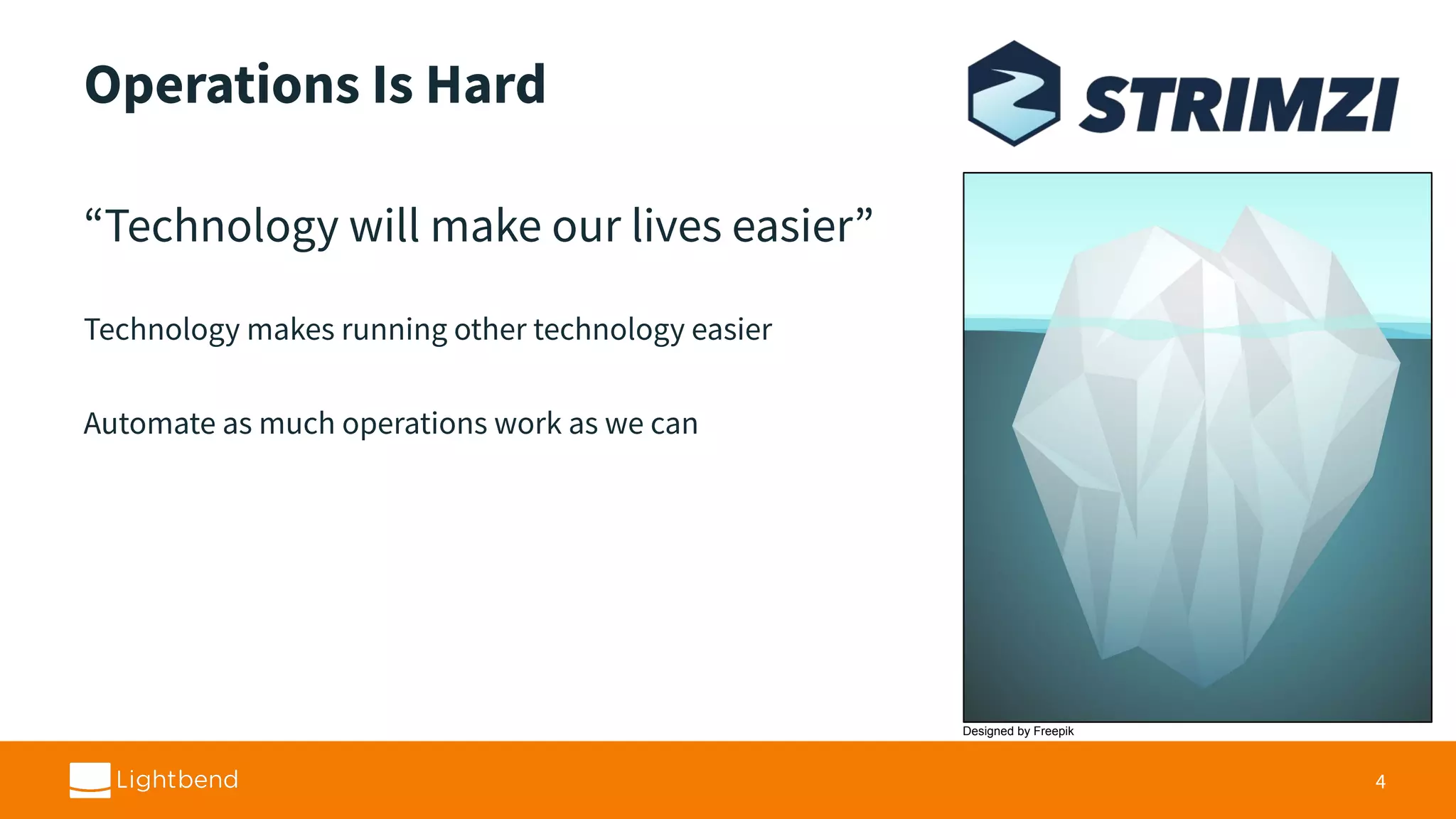
Operations Is Hard “Technologywill make our lives easier” Technology makes running other technology easier Automate as much operations work as we can 4 Designed by Freepik
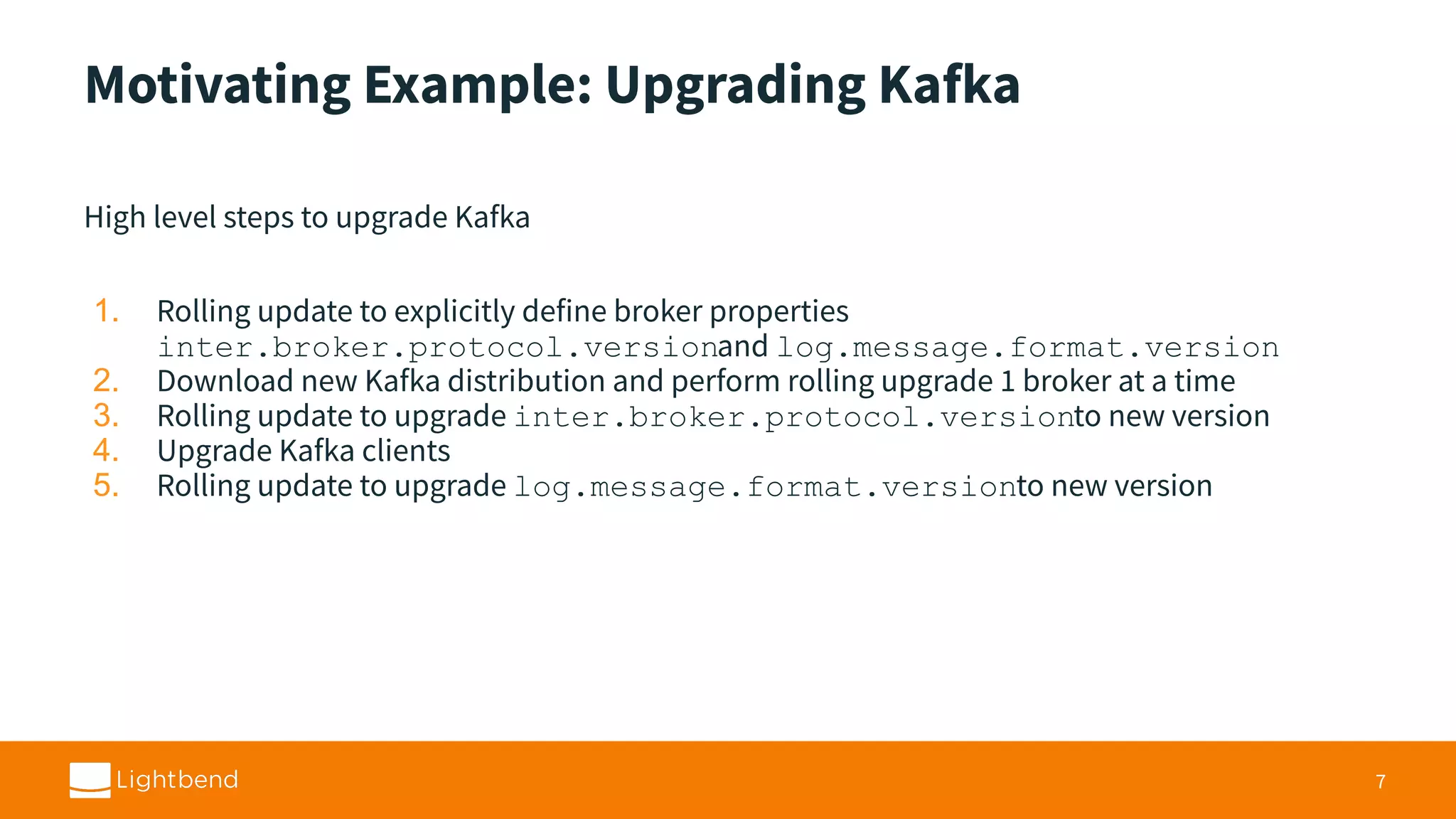
Motivating Example: UpgradingKafka High level steps to upgrade Kafka 1. Rolling update to explicitly define broker properties inter.broker.protocol.versionand log.message.format.version 2. Download new Kafka distribution and perform rolling upgrade 1 broker at a time 3. Rolling update to upgrade inter.broker.protocol.versionto new version 4. Upgrade Kafka clients 5. Rolling update to upgrade log.message.format.versionto new version 7
6.
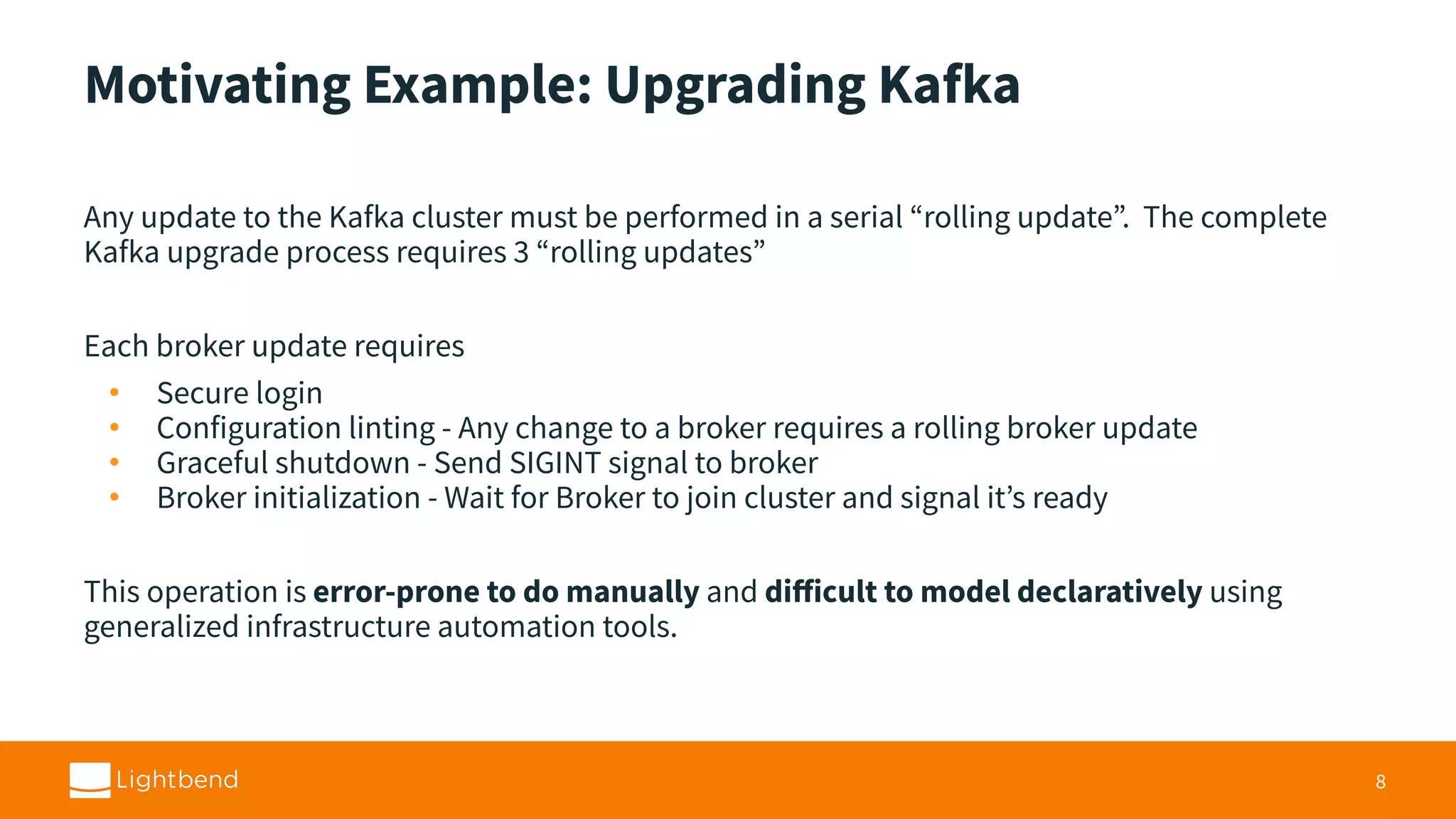
Motivating Example: UpgradingKafka Any update to the Kafka cluster must be performed in a serial “rolling update”. The complete Kafka upgrade process requires 3 “rolling updates” Each broker update requires • Secure login • Configuration linting - Any change to a broker requires a rolling broker update • Graceful shutdown - Send SIGINT signal to broker • Broker initialization - Wait for Broker to join cluster and signal it’s ready This operation is error-prone to do manually and difficult to model declaratively using generalized infrastructure automation tools. 8
7.
Automation “If it hurts,do it more frequently, and bring the pain forward.” - Jez Humble, Continuous Delivery 9
8.
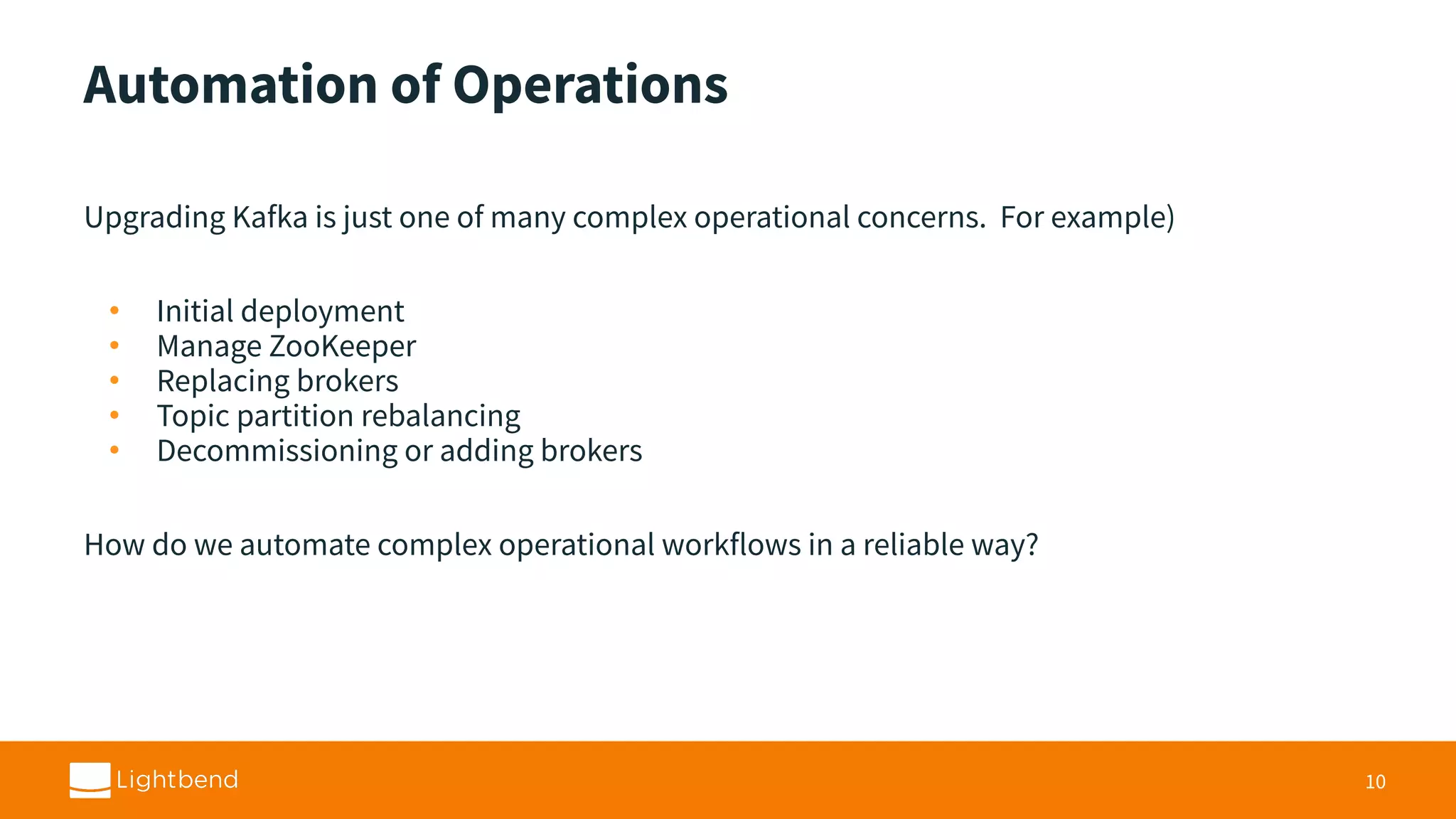
Automation of Operations UpgradingKafka is just one of many complex operational concerns. For example) • Initial deployment • Manage ZooKeeper • Replacing brokers • Topic partition rebalancing • Decommissioning or adding brokers How do we automate complex operational workflows in a reliable way? 10
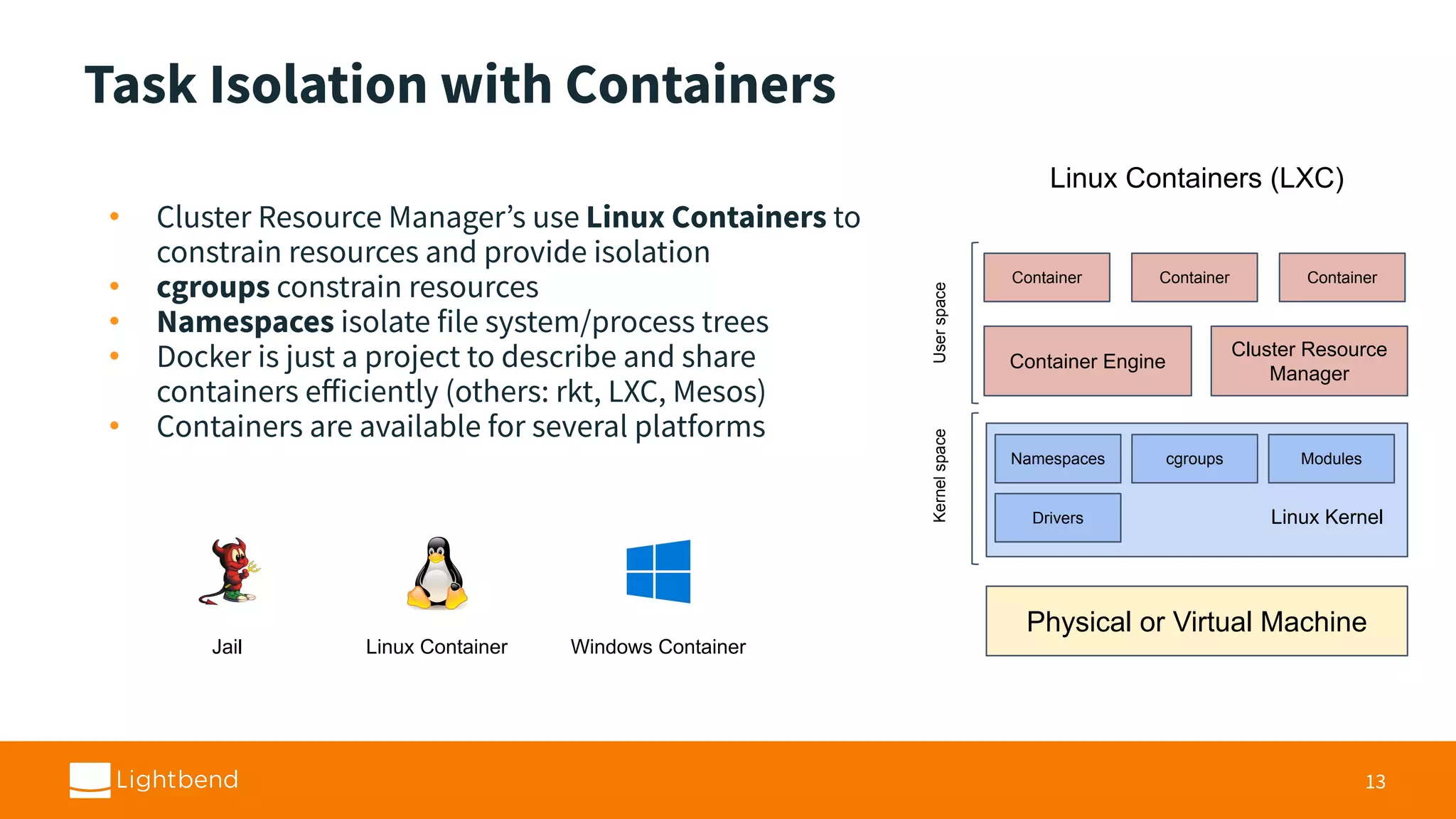
Task Isolation withContainers • Cluster Resource Manager’s use Linux Containers to constrain resources and provide isolation • cgroups constrain resources • Namespaces isolate file system/process trees • Docker is just a project to describe and share containers efficiently (others: rkt, LXC, Mesos) • Containers are available for several platforms 13 Physical or Virtual Machine Linux Kernel Namespaces cgroups Modules Cluster Resource Manager Container Engine Container ContainerContainer UserspaceKernelspace Drivers Linux Containers (LXC) Jail Linux Container Windows Container
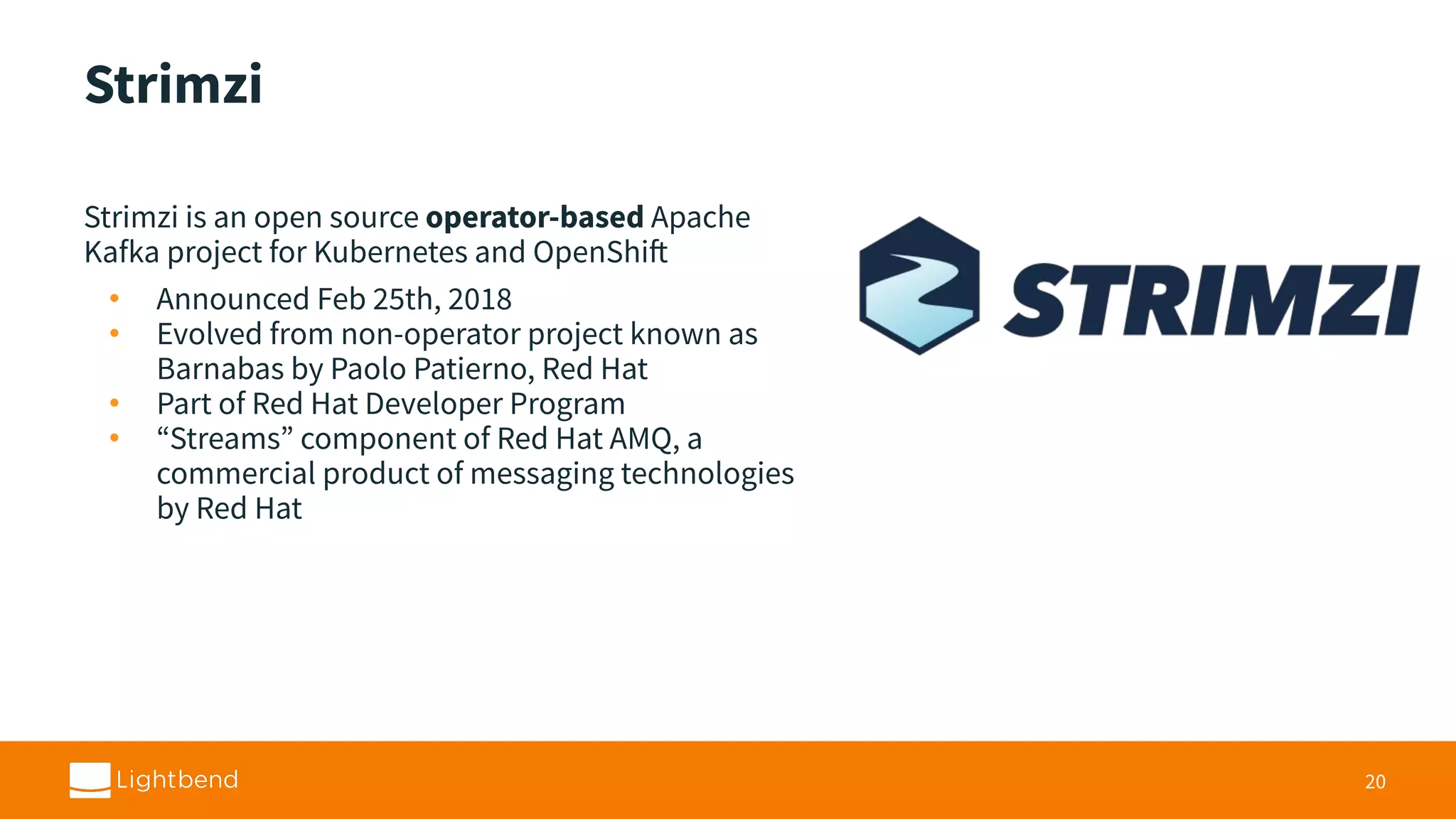
Strimzi Strimzi is anopen source operator-based Apache Kafka project for Kubernetes and OpenShift • Announced Feb 25th, 2018 • Evolved from non-operator project known as Barnabas by Paolo Patierno, Red Hat • Part of Red Hat Developer Program • “Streams” component of Red Hat AMQ, a commercial product of messaging technologies by Red Hat 20
19.
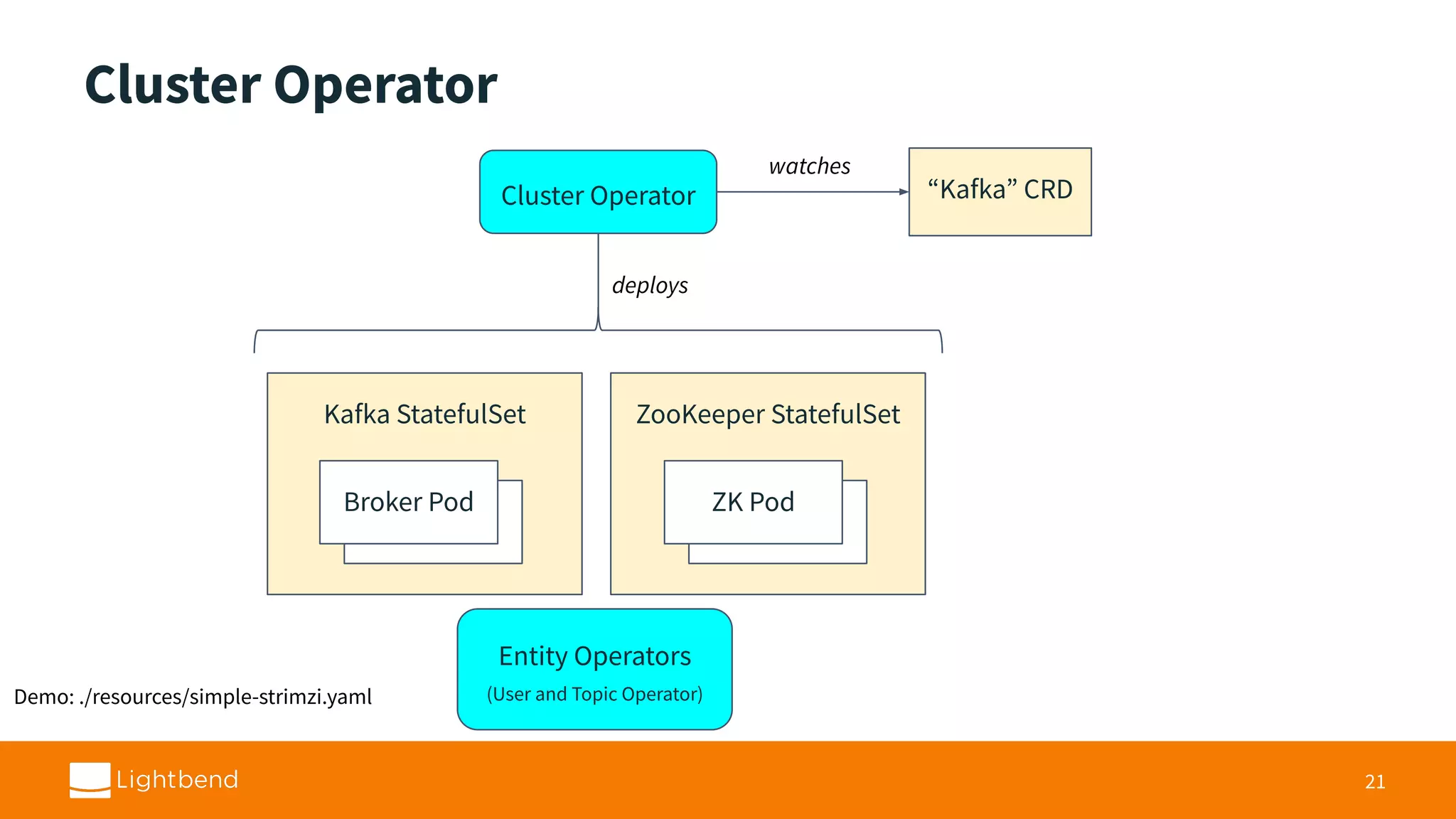
Cluster Operator 21 “Kafka” CRD watches deploys KafkaStatefulSet ZooKeeper StatefulSet Broker Pod Broker Pod Broker Pod ZK Pod Cluster Operator Entity Operators (User and Topic Operator)Demo: ./resources/simple-strimzi.yaml
20.
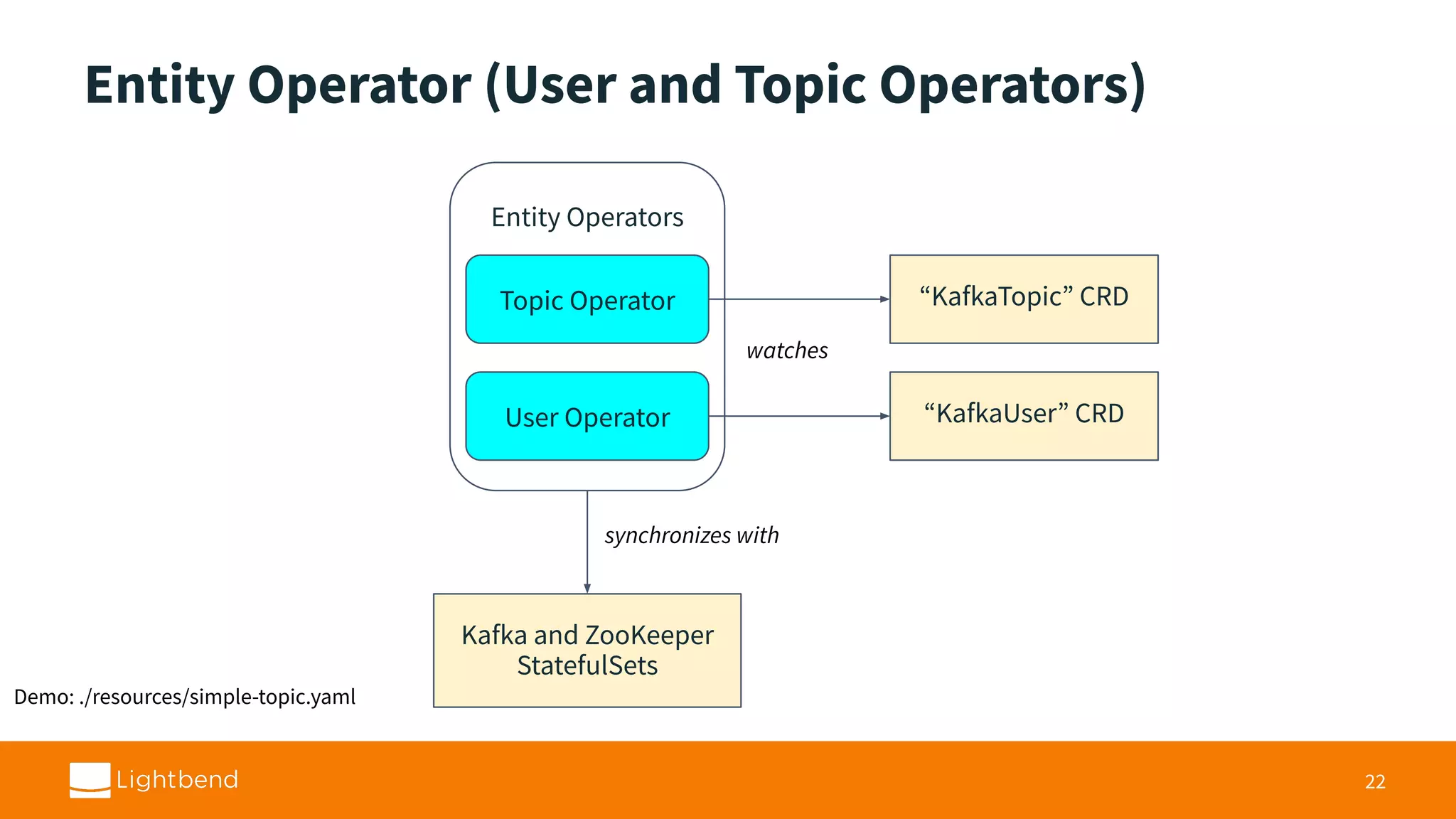
Entity Operator (Userand Topic Operators) 22 “KafkaTopic” CRD Kafka and ZooKeeper StatefulSets Entity Operators Topic Operator User Operator “KafkaUser” CRD synchronizes with watches Demo: ./resources/simple-topic.yaml
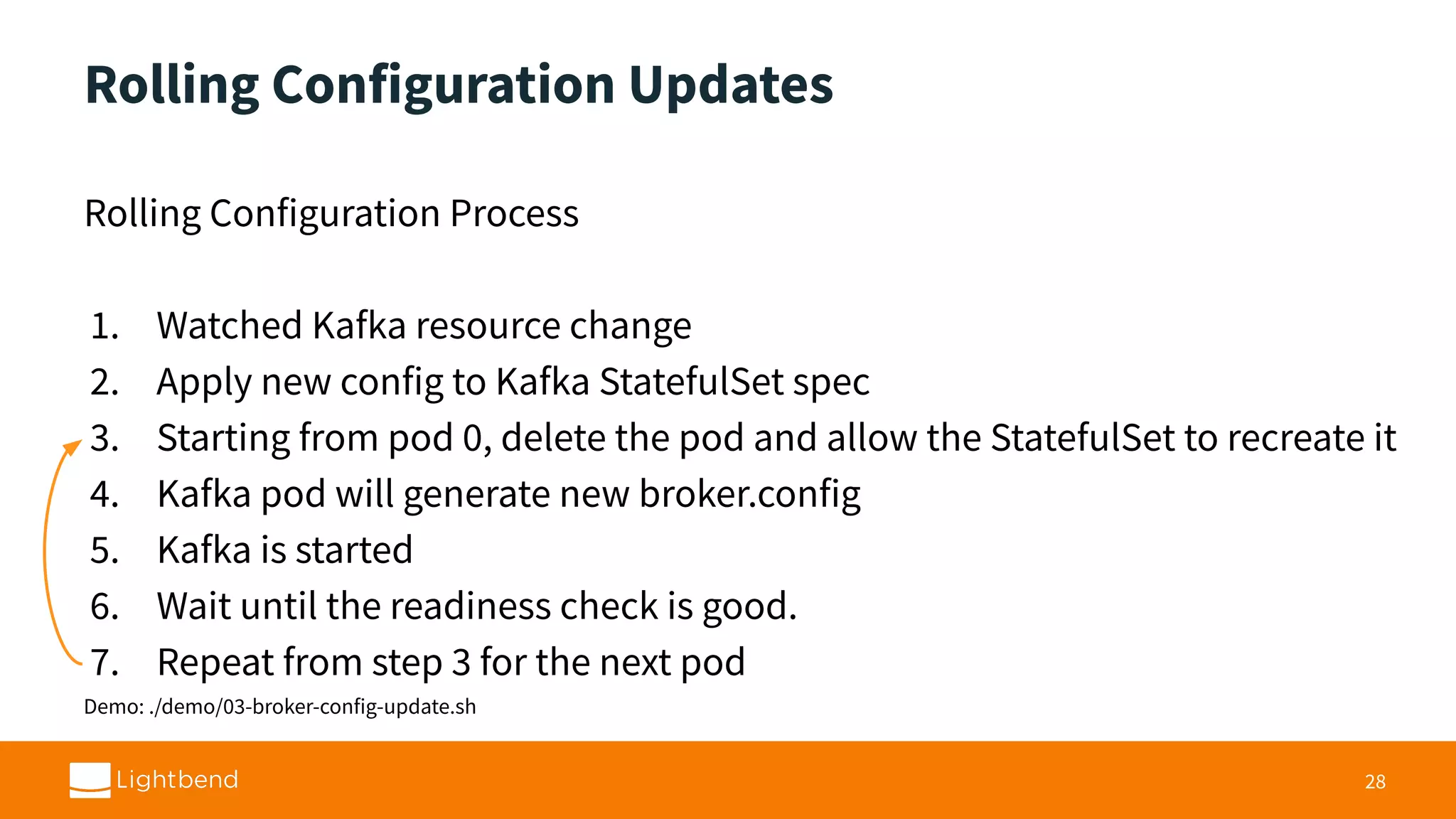
Rolling Configuration Updates RollingConfiguration Process 1. Watched Kafka resource change 2. Apply new config to Kafka StatefulSet spec 3. Starting from pod 0, delete the pod and allow the StatefulSet to recreate it 4. Kafka pod will generate new broker.config 5. Kafka is started 6. Wait until the readiness check is good. 7. Repeat from step 3 for the next pod Demo: ./demo/03-broker-config-update.sh 28
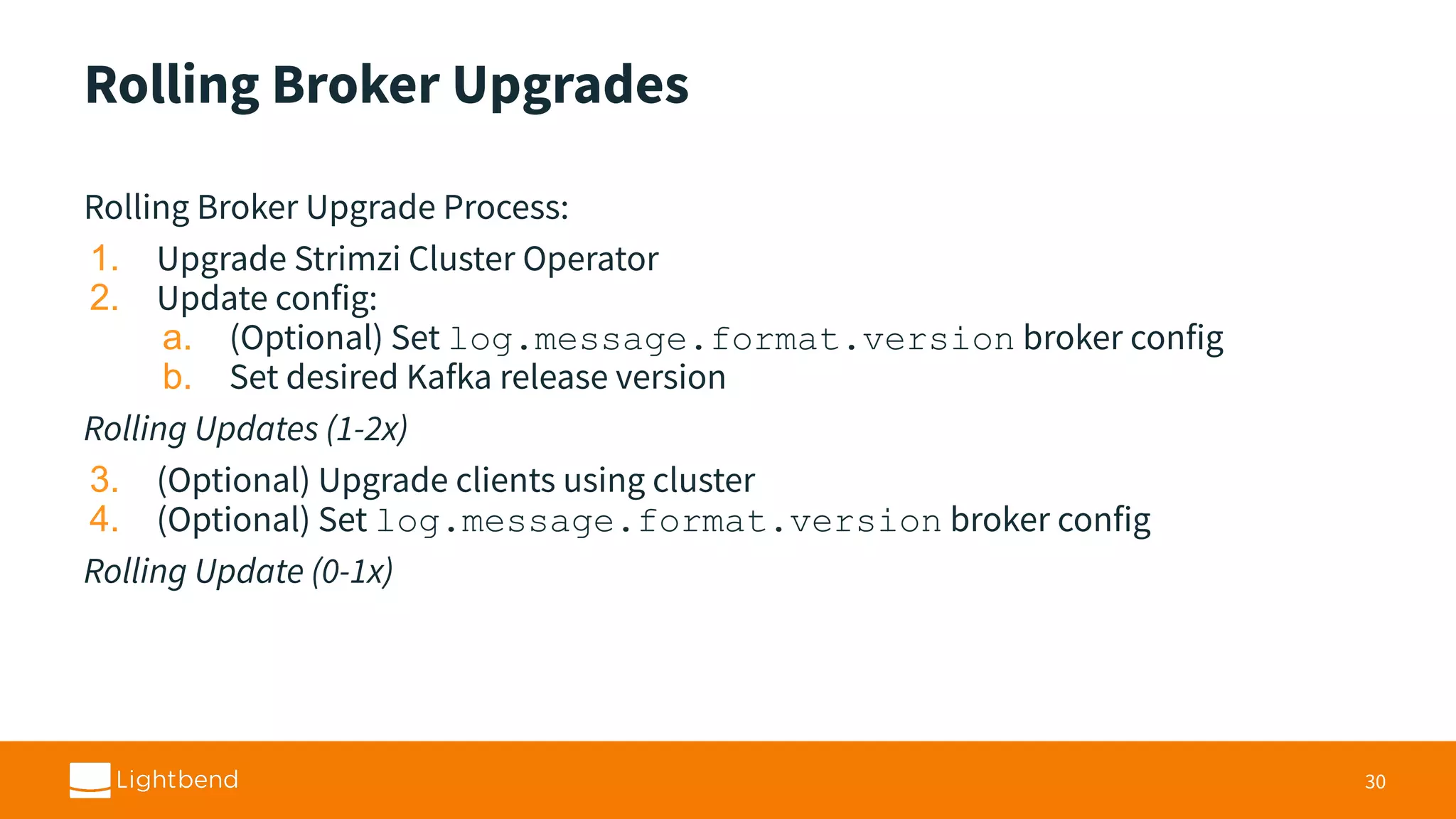
Rolling Broker Upgrades RollingBroker Upgrade Process: 1. Upgrade Strimzi Cluster Operator 2. Update config: a. (Optional) Set log.message.format.version broker config b. Set desired Kafka release version Rolling Updates (1-2x) 3. (Optional) Upgrade clients using cluster 4. (Optional) Set log.message.format.version broker config Rolling Update (0-1x) 30
28.
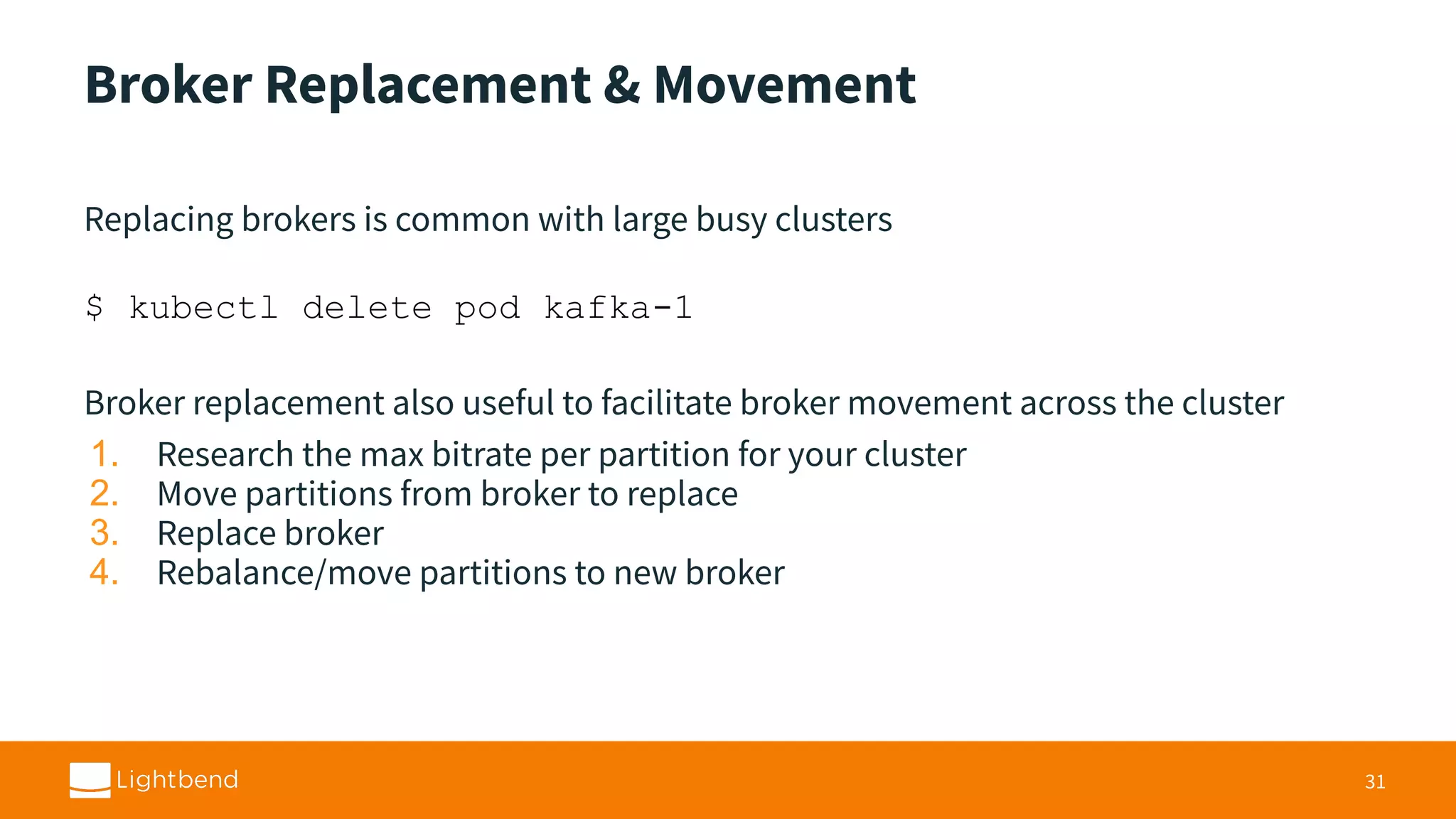
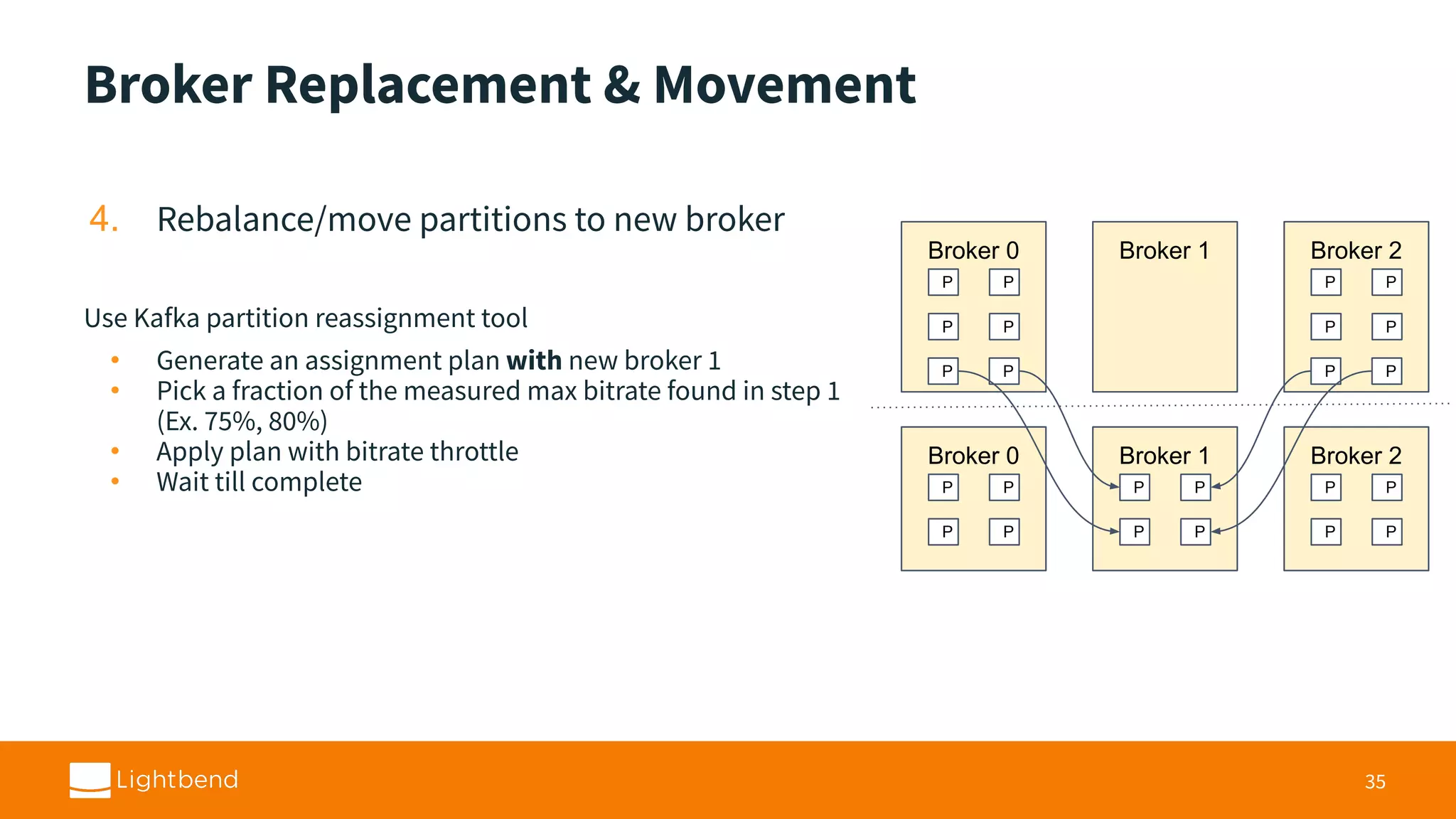
Broker Replacement &Movement Replacing brokers is common with large busy clusters $ kubectl delete pod kafka-1 Broker replacement also useful to facilitate broker movement across the cluster 1. Research the max bitrate per partition for your cluster 2. Move partitions from broker to replace 3. Replace broker 4. Rebalance/move partitions to new broker 31
29.
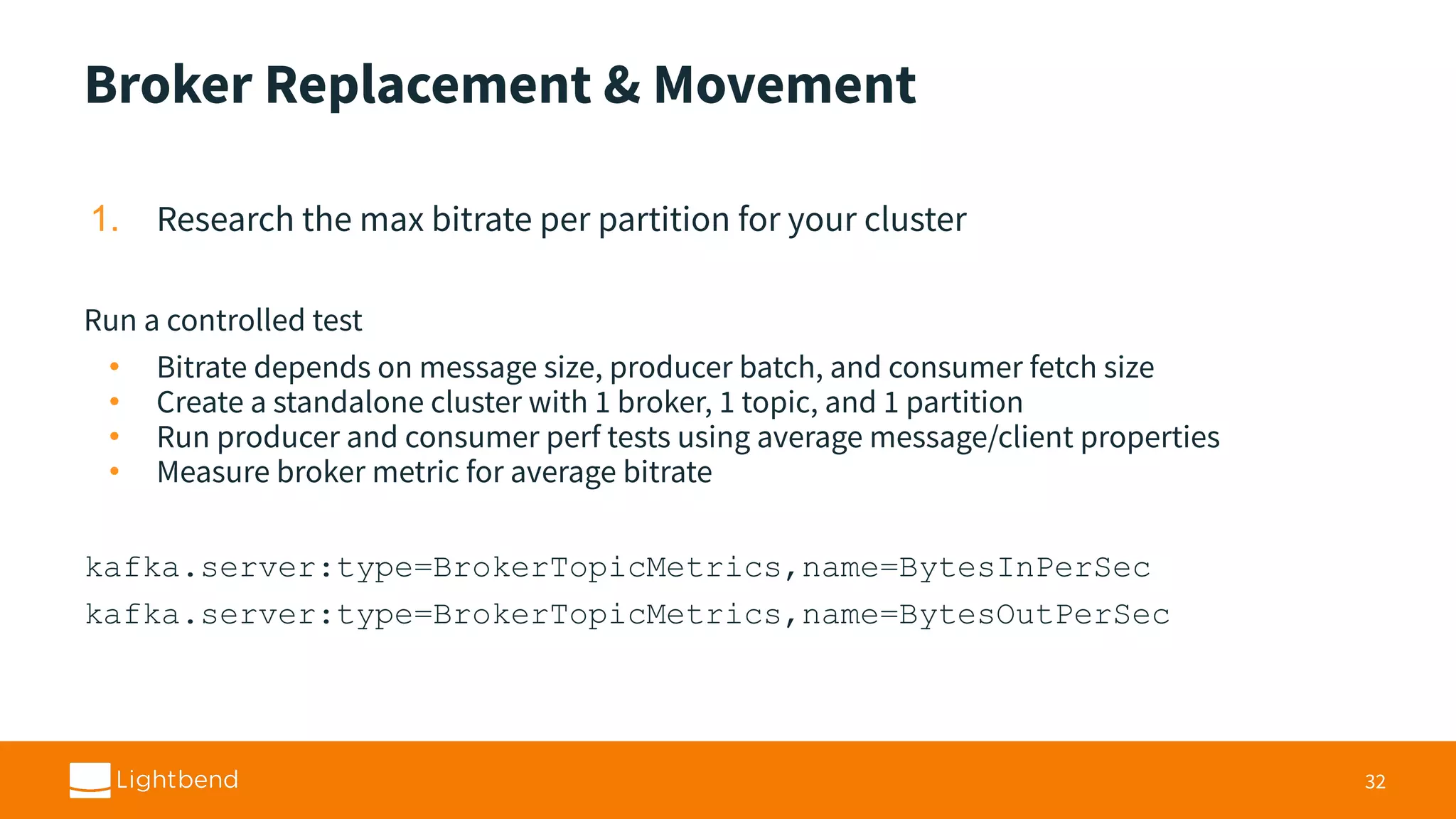
Broker Replacement &Movement 1. Research the max bitrate per partition for your cluster Run a controlled test • Bitrate depends on message size, producer batch, and consumer fetch size • Create a standalone cluster with 1 broker, 1 topic, and 1 partition • Run producer and consumer perf tests using average message/client properties • Measure broker metric for average bitrate kafka.server:type=BrokerTopicMetrics,name=BytesInPerSec kafka.server:type=BrokerTopicMetrics,name=BytesOutPerSec 32
30.
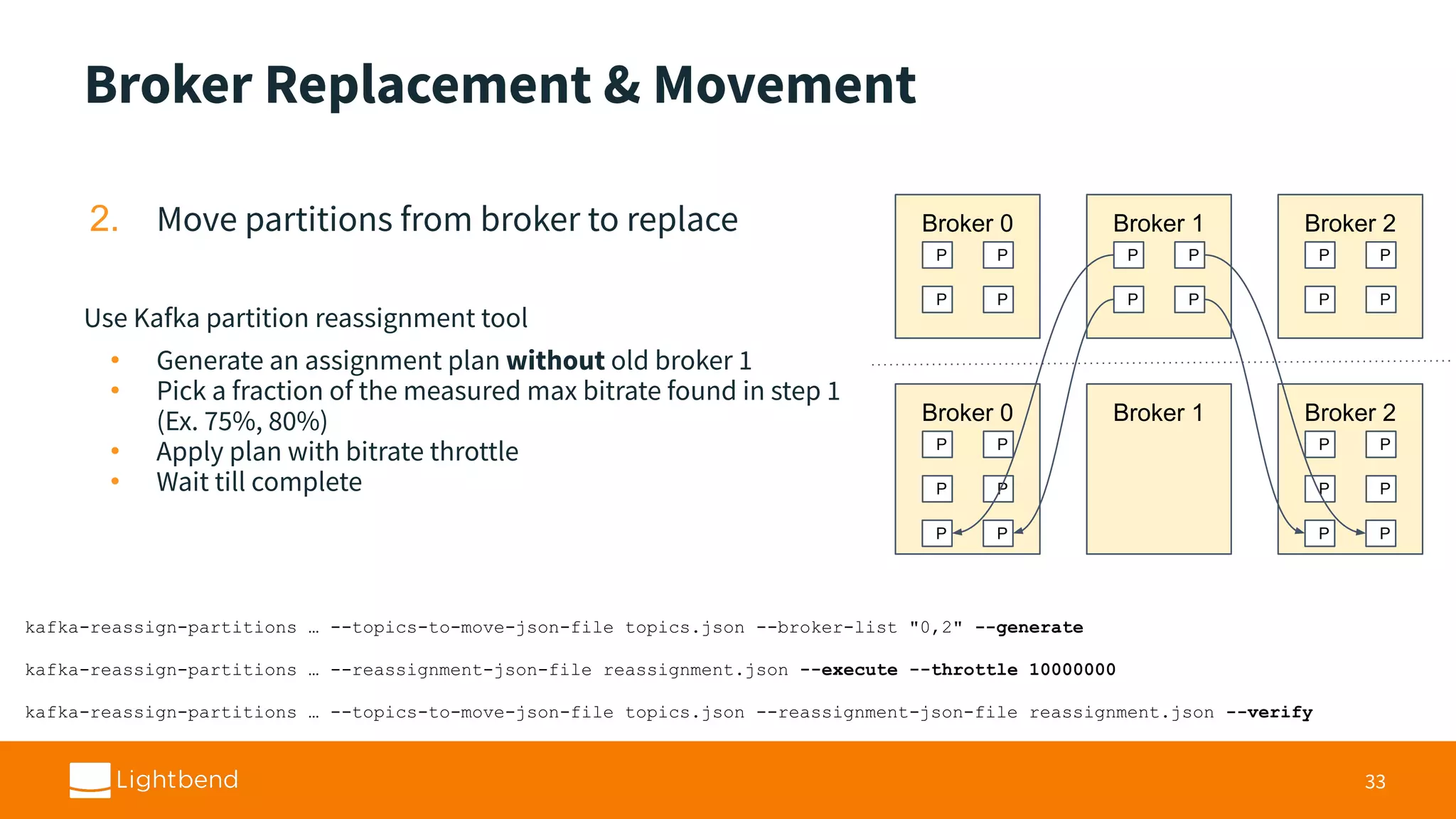
Broker Replacement &Movement 2. Move partitions from broker to replace Use Kafka partition reassignment tool • Generate an assignment plan without old broker 1 • Pick a fraction of the measured max bitrate found in step 1 (Ex. 75%, 80%) • Apply plan with bitrate throttle • Wait till complete 33 Broker 0 P P P P Broker 1 P P P P Broker 2 P P P P Broker 0 P P P P Broker 1 P P Broker 2 P P P P P P kafka-reassign-partitions … --topics-to-move-json-file topics.json --broker-list "0,2" --generate kafka-reassign-partitions … --reassignment-json-file reassignment.json --execute --throttle 10000000 kafka-reassign-partitions … --topics-to-move-json-file topics.json --reassignment-json-file reassignment.json --verify
31.
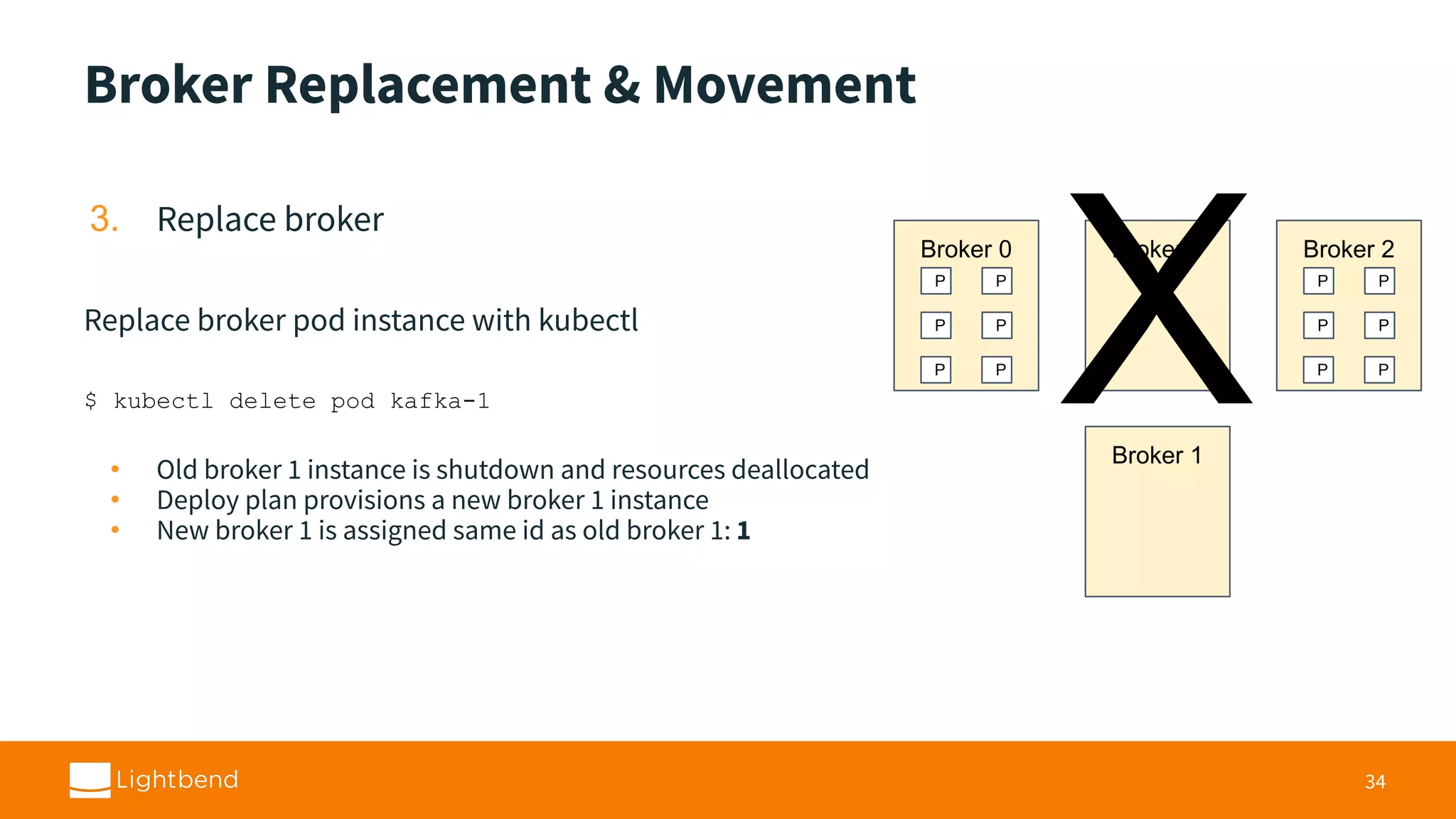
Broker Replacement &Movement 3. Replace broker Replace broker pod instance with kubectl $ kubectl delete pod kafka-1 • Old broker 1 instance is shutdown and resources deallocated • Deploy plan provisions a new broker 1 instance • New broker 1 is assigned same id as old broker 1: 1 34 Broker 0 P P P P Broker 1 P P Broker 2 P P P P P P Broker 1 X
32.
Broker Replacement &Movement 4. Rebalance/move partitions to new broker Use Kafka partition reassignment tool • Generate an assignment plan with new broker 1 • Pick a fraction of the measured max bitrate found in step 1 (Ex. 75%, 80%) • Apply plan with bitrate throttle • Wait till complete 35 Broker 0 P P P P Broker 1 P P P P Broker 2 P P P P Broker 0 P P P P Broker 1 P P Broker 2 P P P P P P
33.
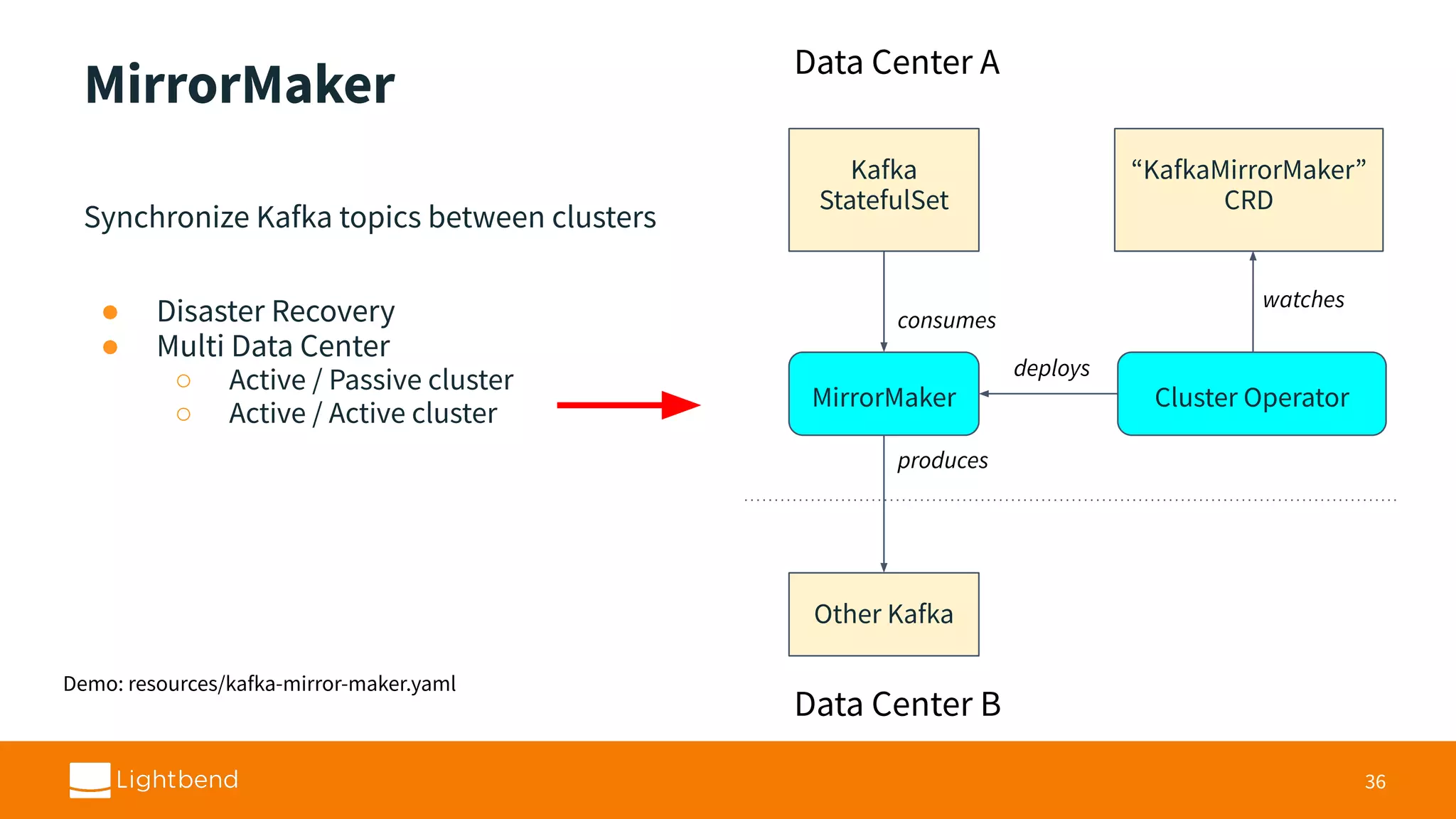
MirrorMaker Synchronize Kafka topicsbetween clusters ● Disaster Recovery ● Multi Data Center ○ Active / Passive cluster ○ Active / Active cluster 36 Kafka StatefulSet Cluster Operator “KafkaMirrorMaker” CRD watches MirrorMaker deploys Other Kafka consumes produces Data Center A Data Center B Demo: resources/kafka-mirror-maker.yaml
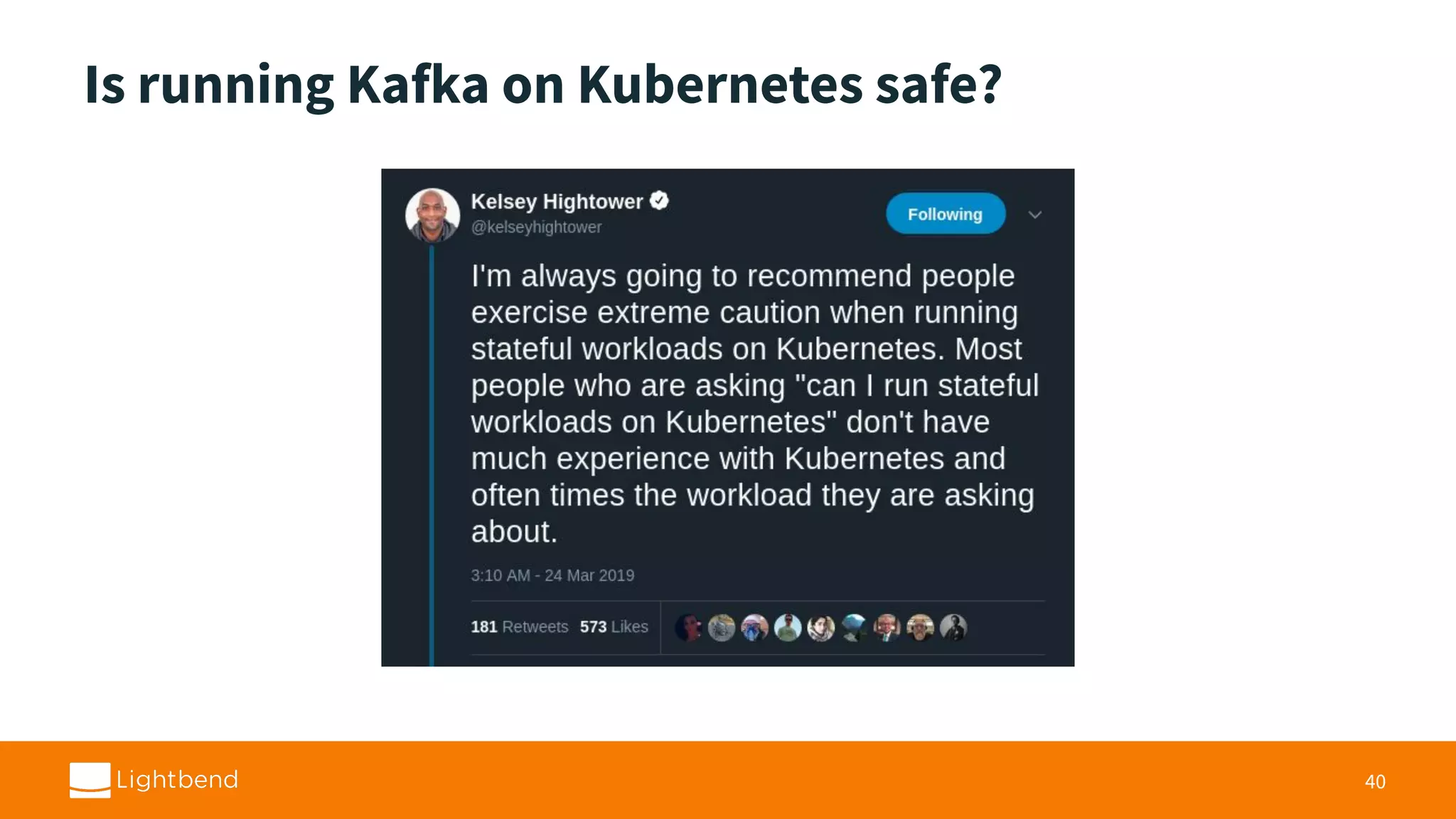
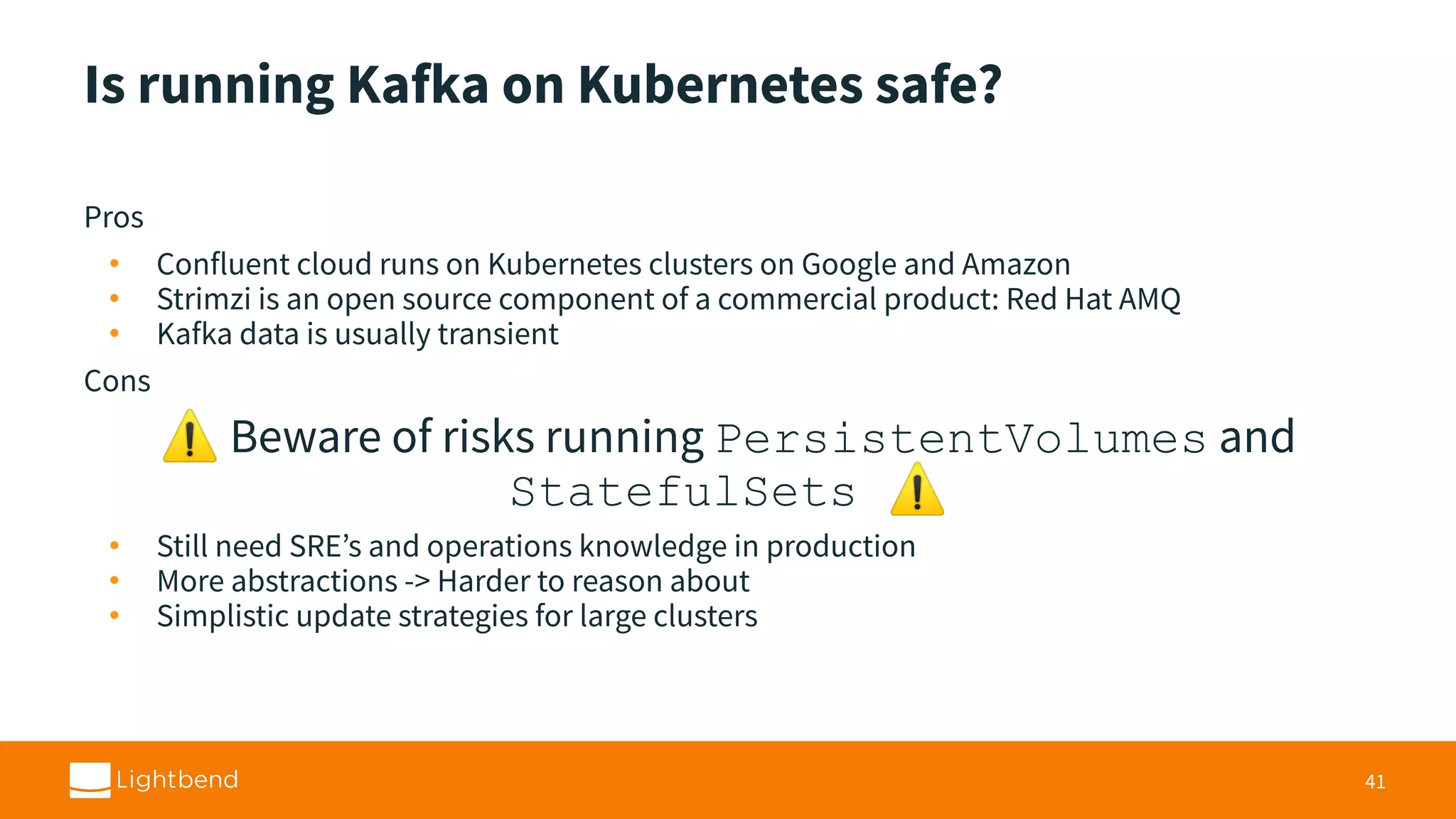
Is running Kafkaon Kubernetes safe? Pros • Confluent cloud runs on Kubernetes clusters on Google and Amazon • Strimzi is an open source component of a commercial product: Red Hat AMQ • Kafka data is usually transient Cons ⚠ Beware of risks running PersistentVolumes and StatefulSets ⚠ • Still need SRE’s and operations knowledge in production • More abstractions -> Harder to reason about • Simplistic update strategies for large clusters 41
39.
Strimzi Project • ApacheKafka project for Kubernetes and OpenShift • Licensed under Apache License 2.0 • Considered stable as of 0.8.2 release (0.11.4 current) • Web site: http://strimzi.io/ • GitHub: https://github.com/strimzi/strimzi-kafka-operator • Slack: strimzi.slack.com • Mailing list: strimzi@redhat.com • Twitter: @strimziio 42
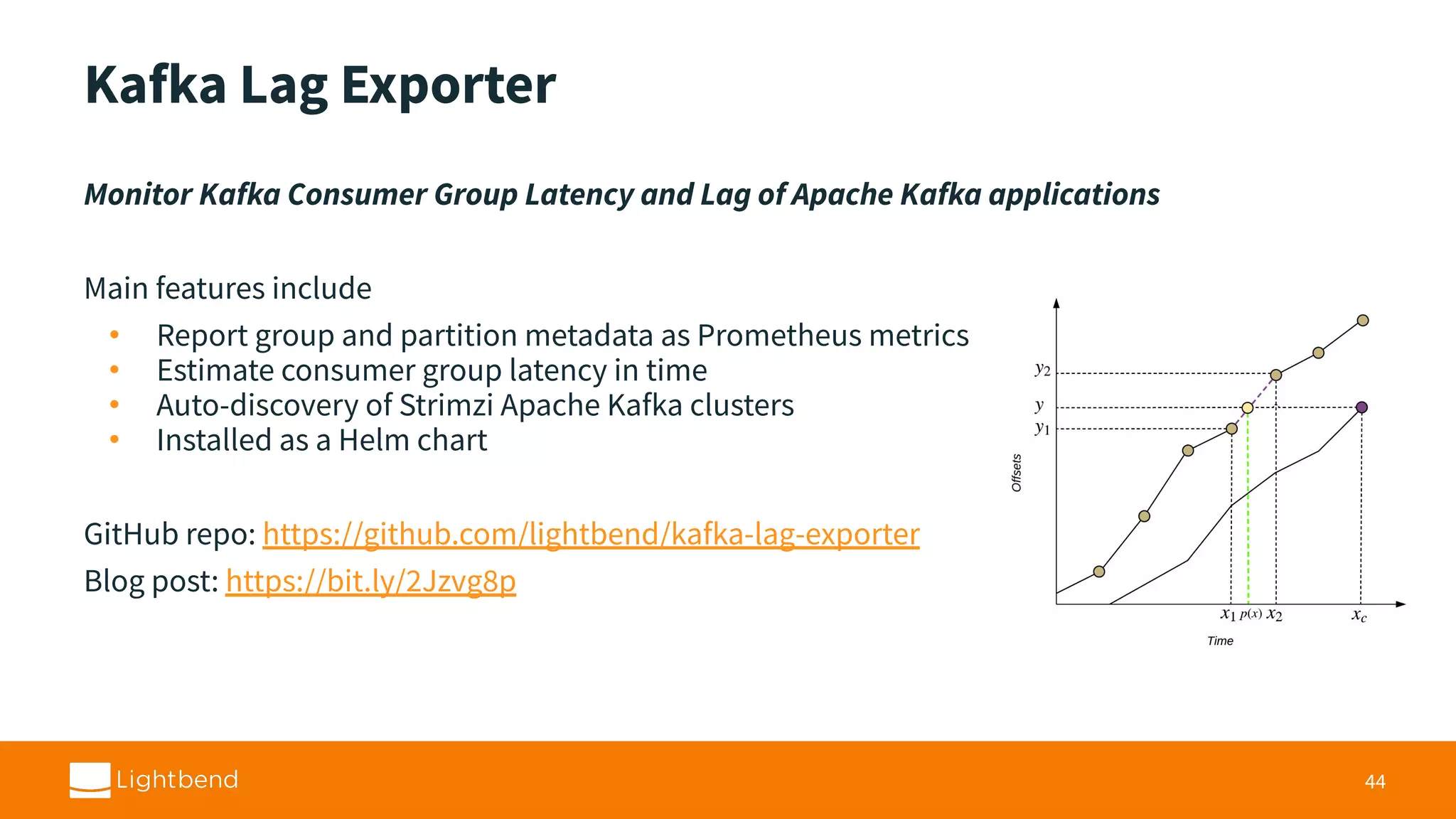
Kafka Lag Exporter MonitorKafka Consumer Group Latency and Lag of Apache Kafka applications Main features include • Report group and partition metadata as Prometheus metrics • Estimate consumer group latency in time • Auto-discovery of Strimzi Apache Kafka clusters • Installed as a Helm chart GitHub repo: https://github.com/lightbend/kafka-lag-exporter Blog post: https://bit.ly/2Jzvg8p 44