7- The Unified Modeling Language (UML)
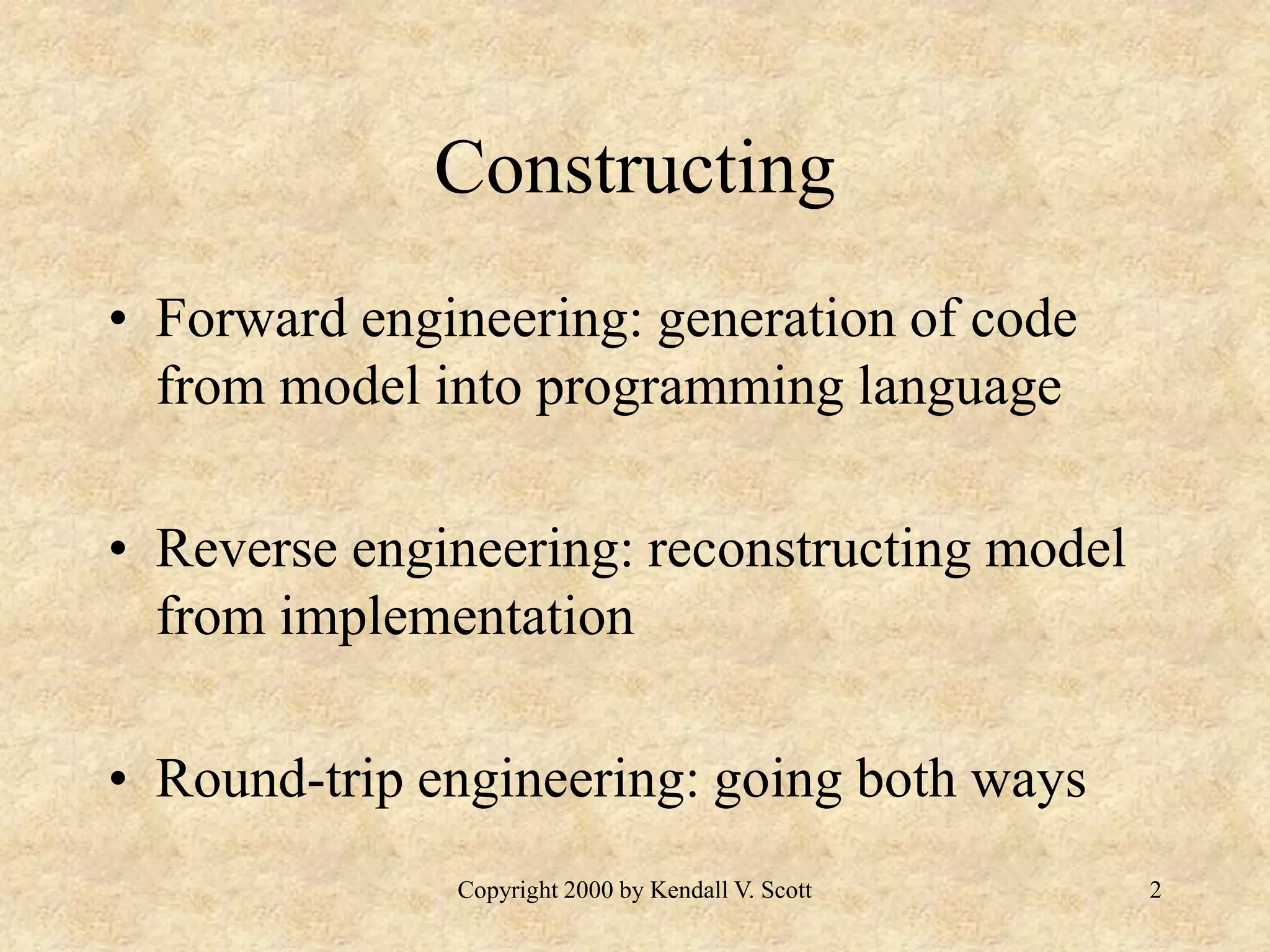
Copyright 2000 by Kendall V. Scott 2 Constructing • Forward engineering: generation of code from model into programming language • Reverse engineering: reconstructing model from implementation • Round-trip engineering: going both ways
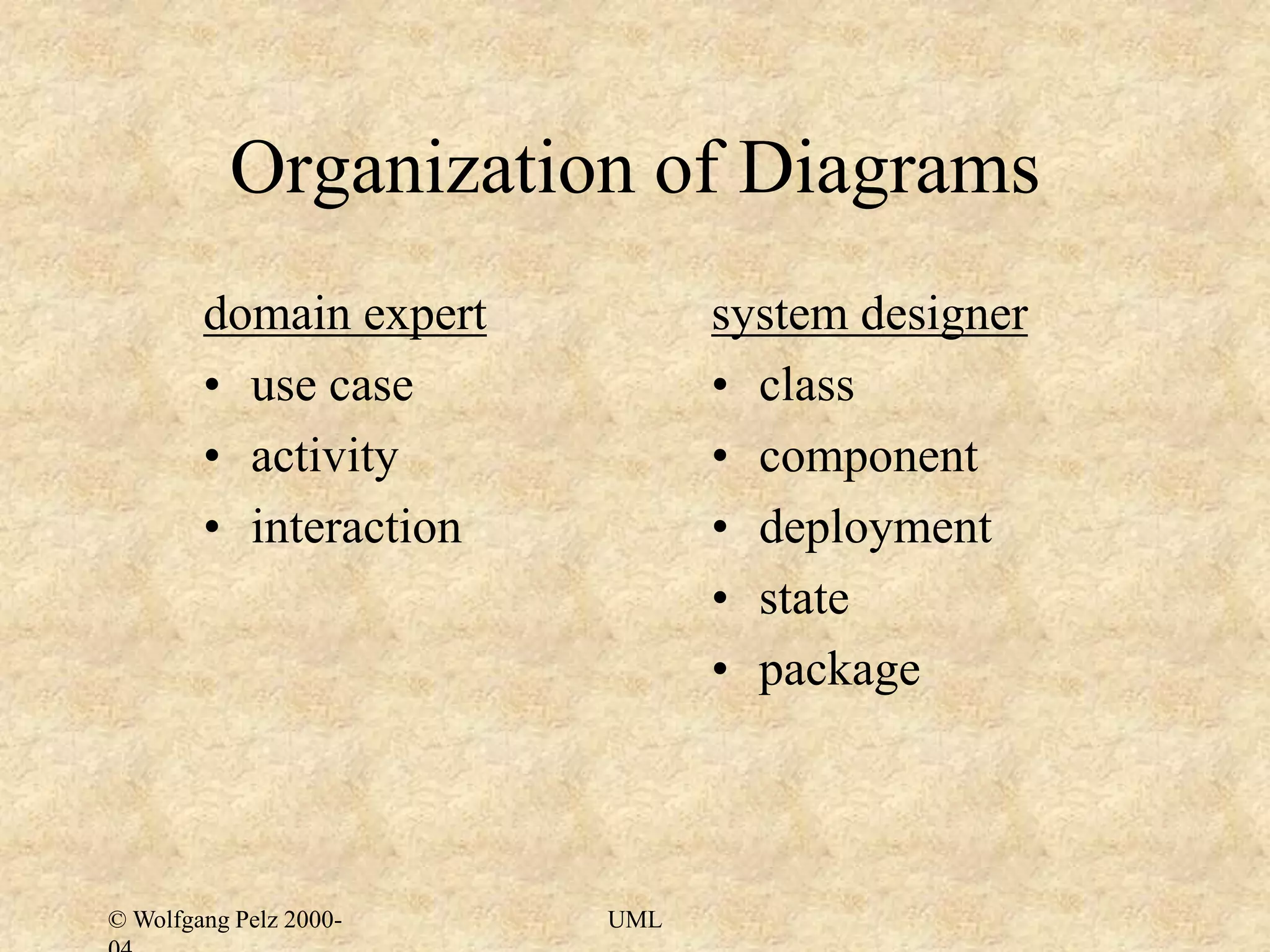
© Wolfgang Pelz 2000- UML Organization of Diagrams domain expert • use case • activity • interaction system designer • class • component • deployment • state • package
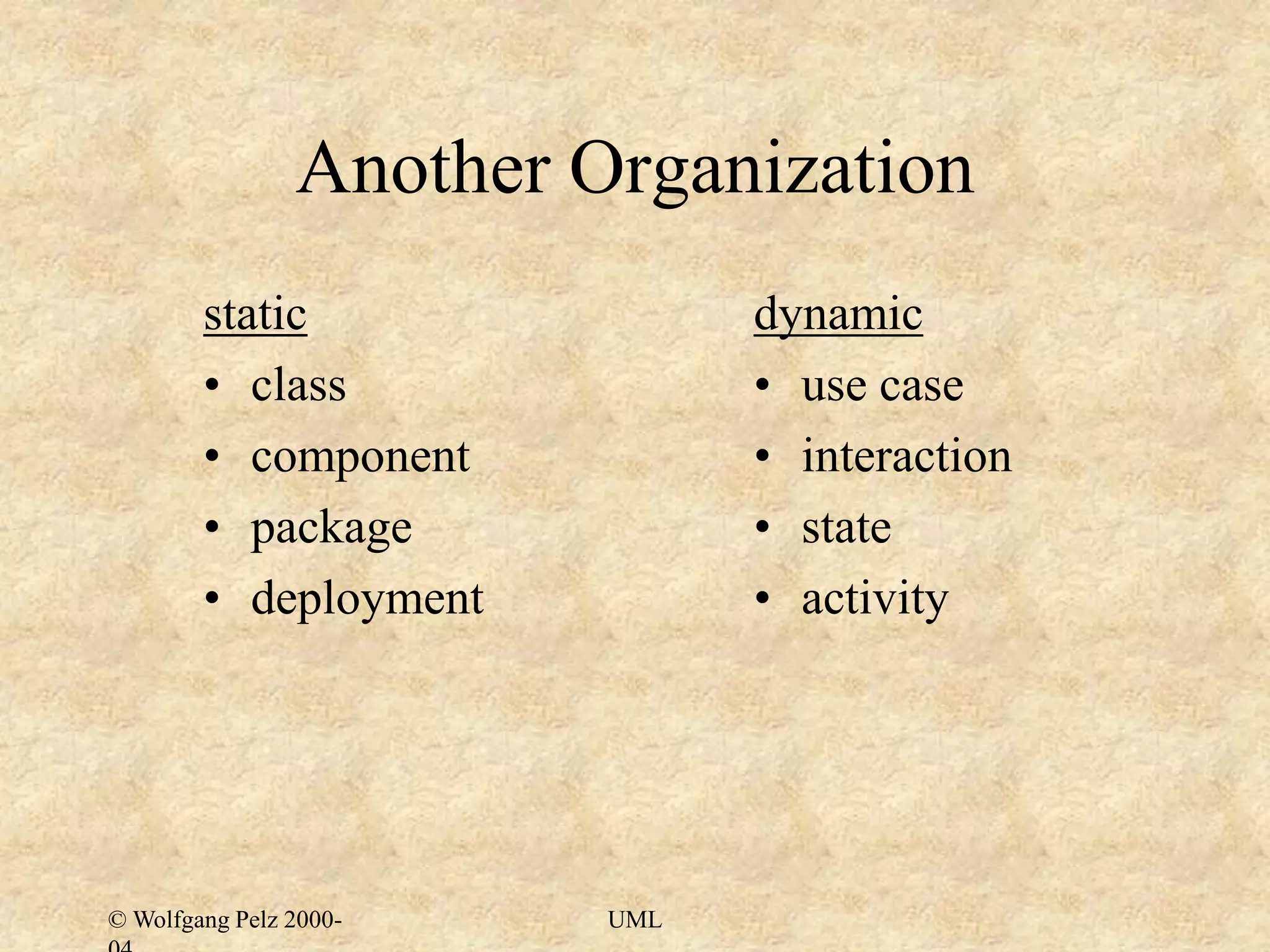
© Wolfgang Pelz 2000- UML Another Organization static • class • component • package • deployment dynamic • use case • interaction • state • activity
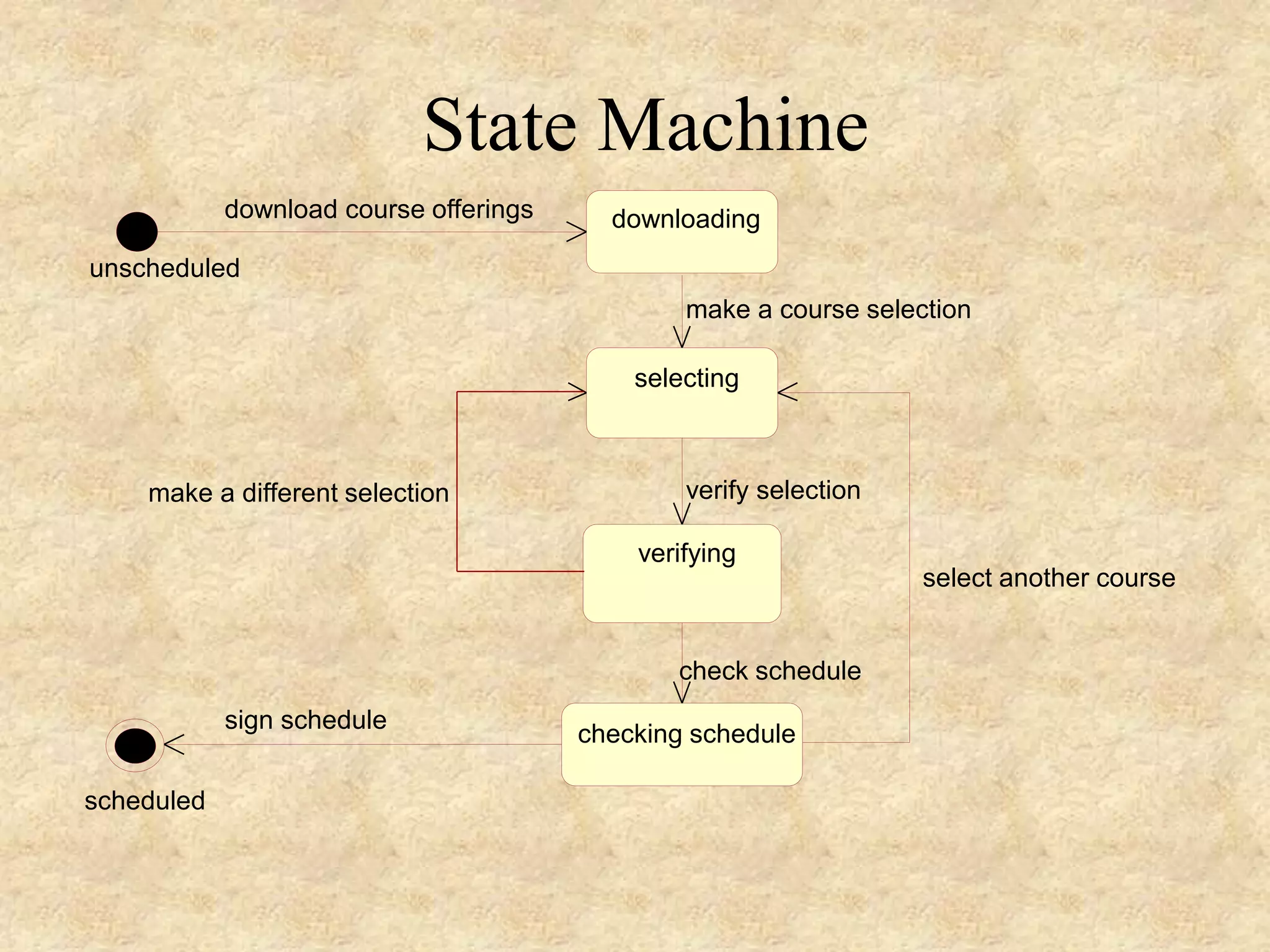
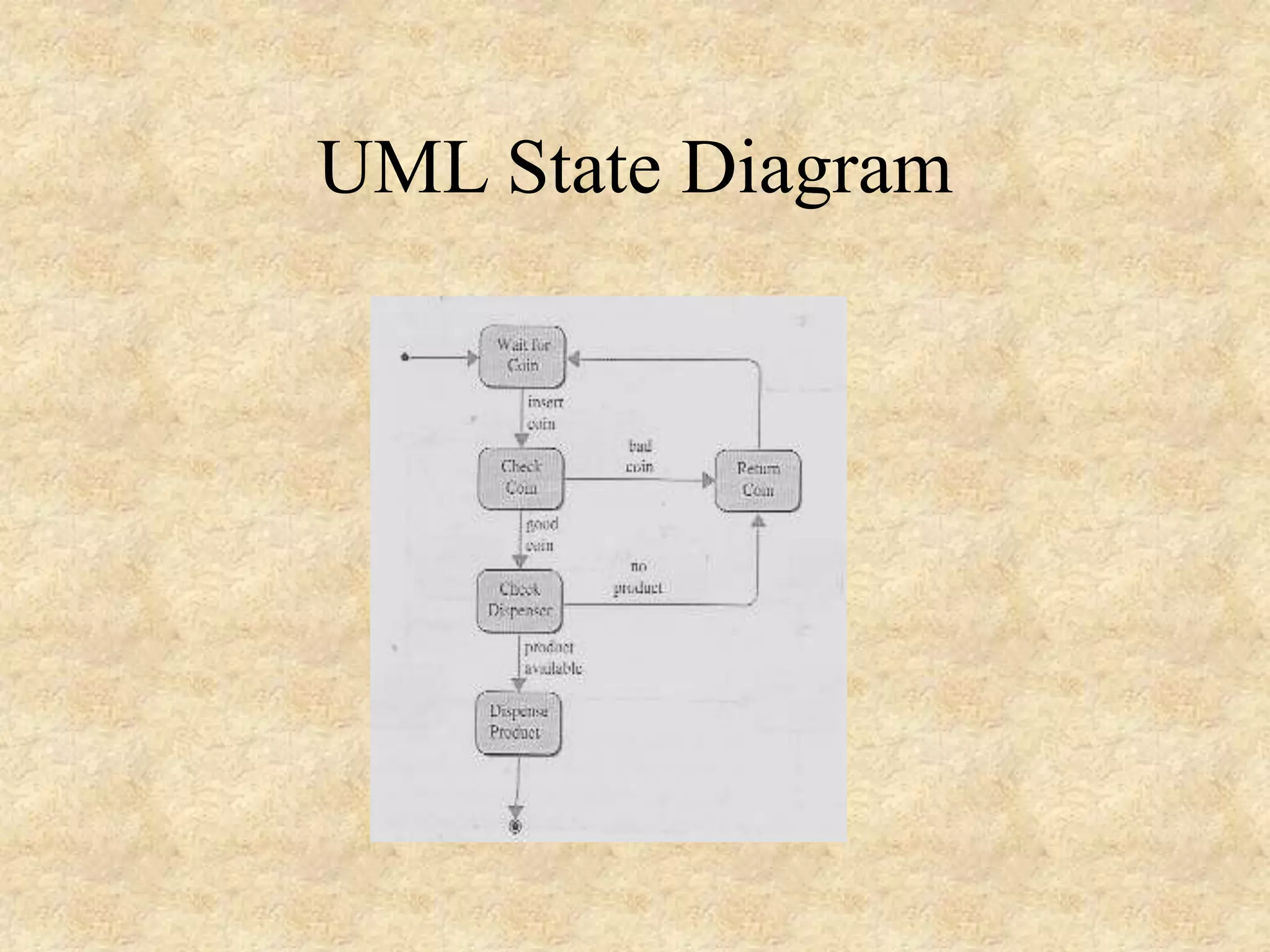
4- UML State Diagram • A state diagram is a directed graph whose nodes are labeled with state names. • • The nodes in a state diagram are drawn as rectangles with rounded corners. • The links between the nodes are called transitions and are labeled with the name of the triggering event.
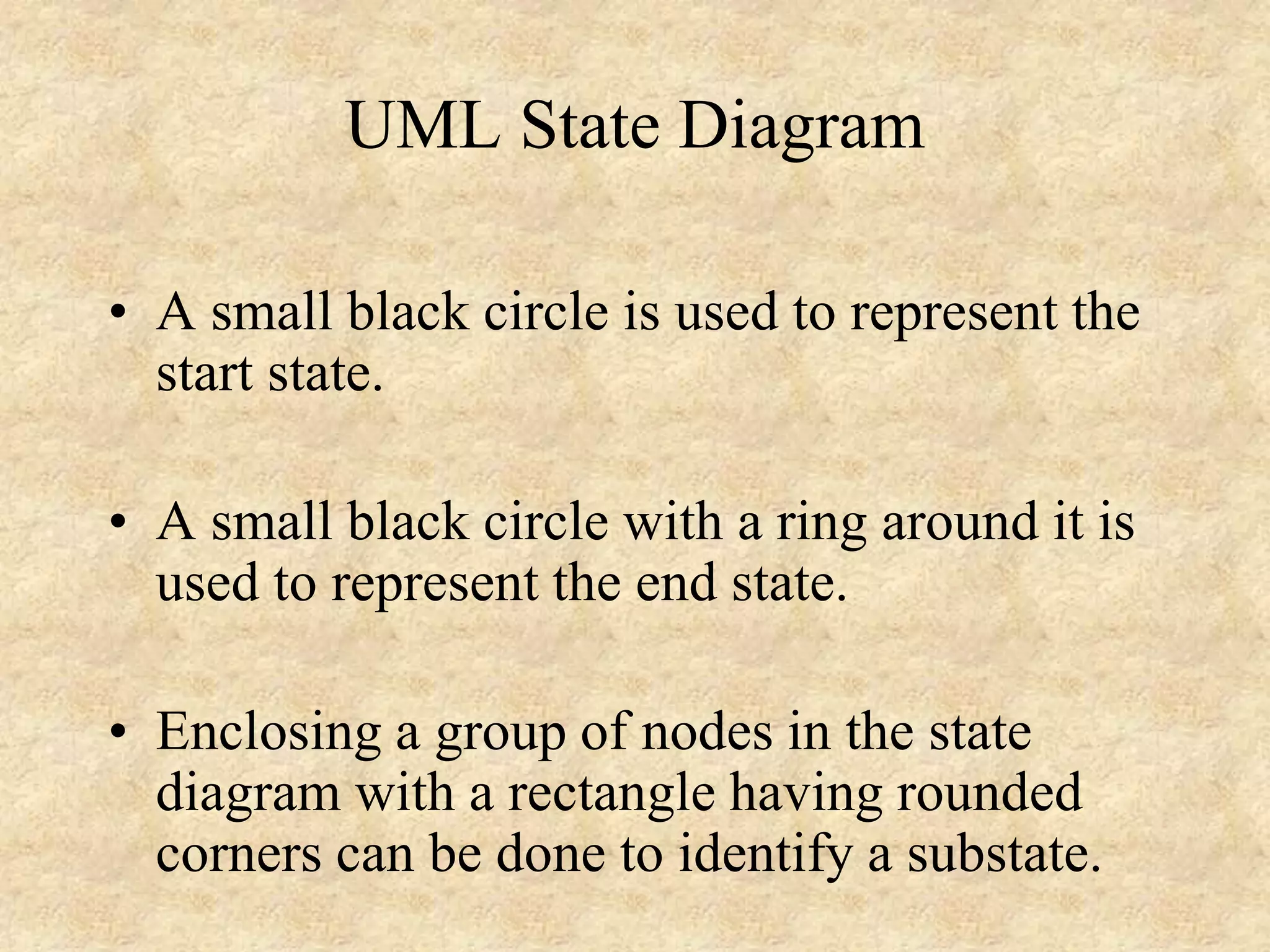
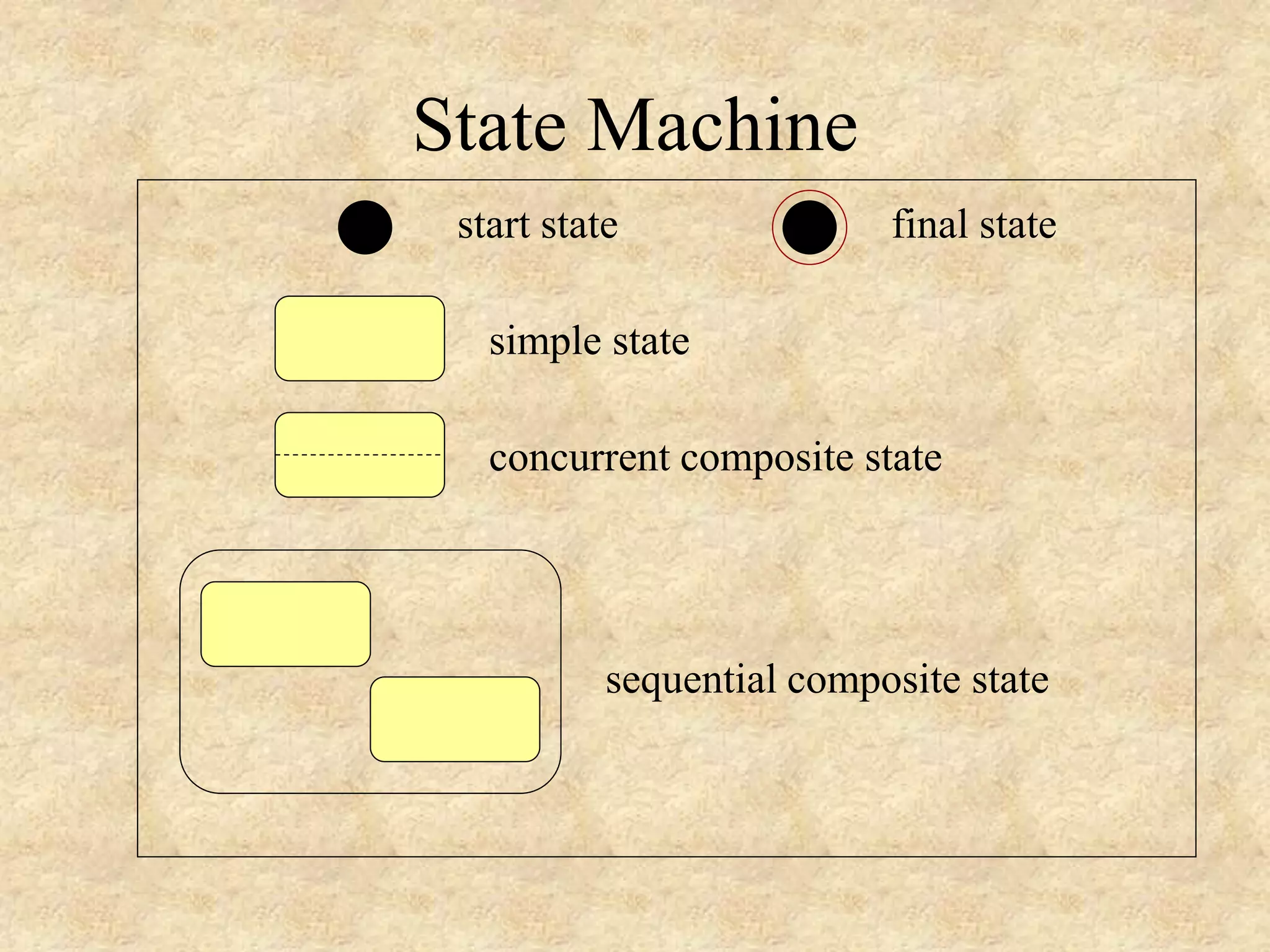
UML State Diagram • A small black circle is used to represent the start state. • A small black circle with a ring around it is used to represent the end state. • Enclosing a group of nodes in the state diagram with a rectangle having rounded corners can be done to identify a substate.
State Machine start state final state simple state concurrent composite state sequential composite state
State Machine selecting verifying downloading checking schedule download course offerings make a course selection verify selection check schedule select another course make a different selection unscheduled scheduled sign schedule
UML State Diagram
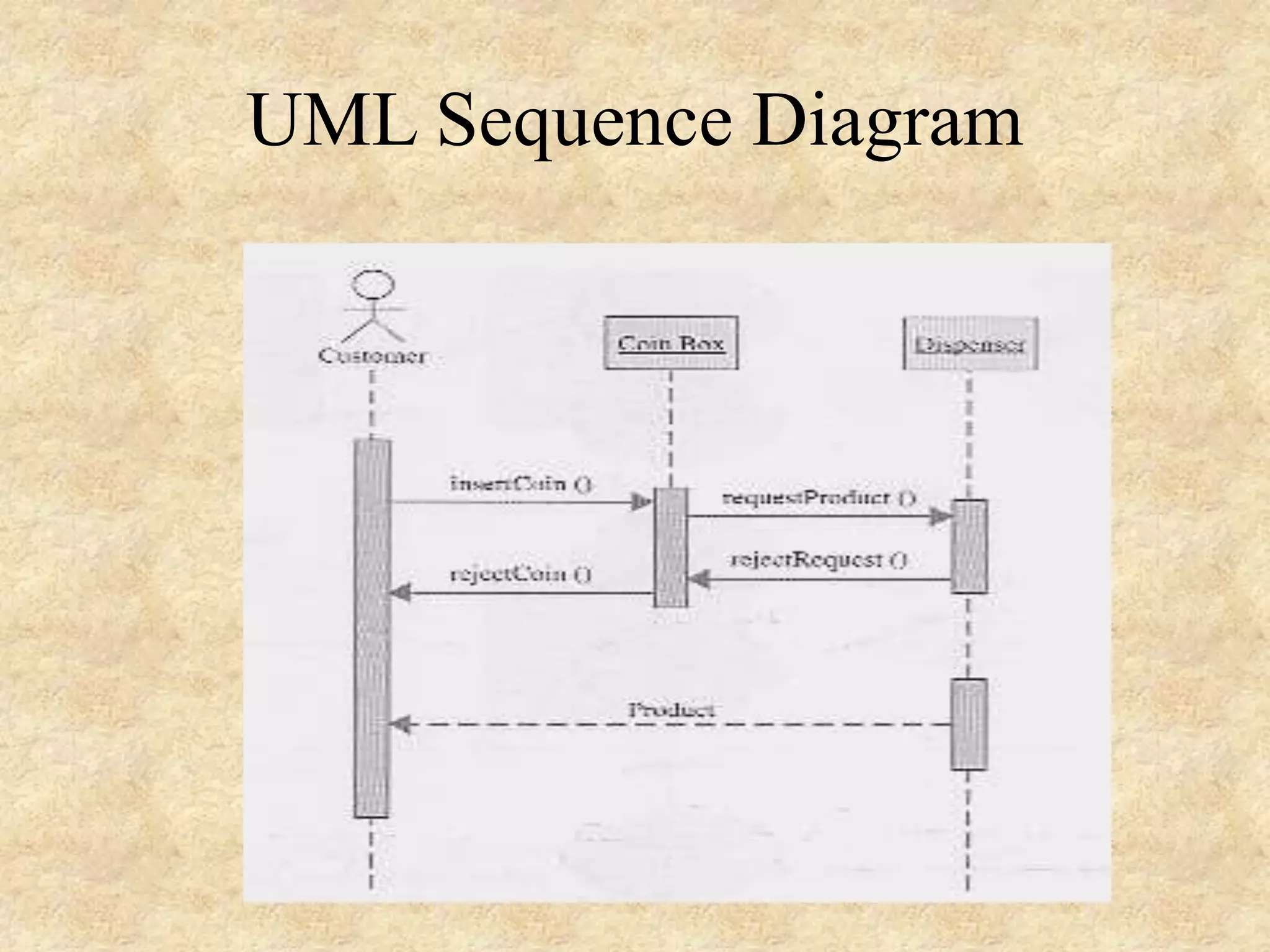
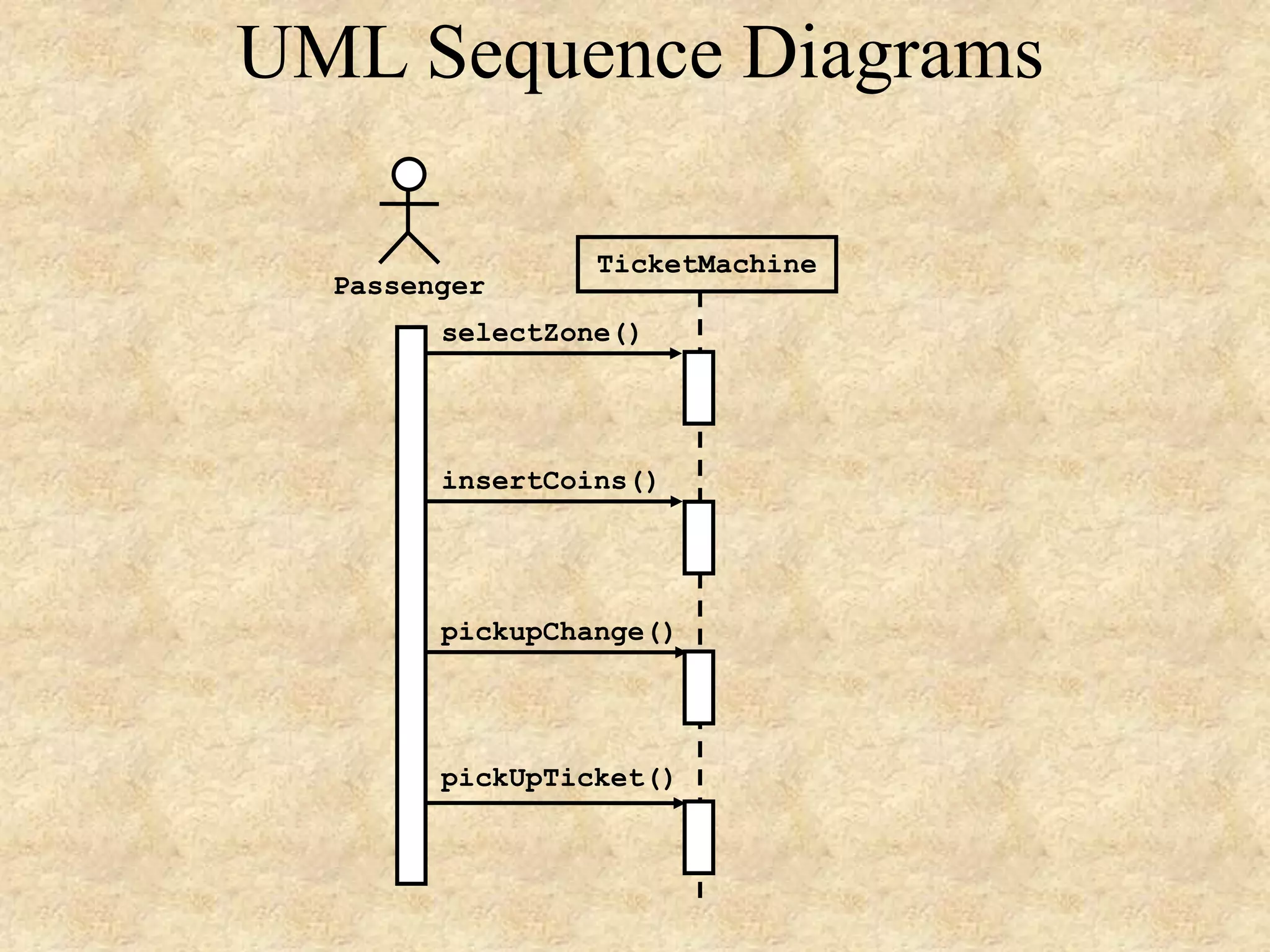
5- UML Sequence Diagram • Sequence diagrams depict the workflow from a use case graphically. • They show how an actor interacts with a system to get work done, such as what messages are sent and when are they sent. • They show the temporal sequence of message exchanges among objects as they communicate to achieve a specific task. • The events modeled in sequence diagrams are external events initiated by an actor.
Sequence Diagram A sequence diagram is an interaction diagram that emphasizes the time ordering of messages. It shows a set of objects and the messages sent and received by those objects. Graphically, a sequence diagram is a table that shows objects arranged along the X axis and messages, ordered in increasing time, along the Y axis. - The UML User Guide, [Booch,99]
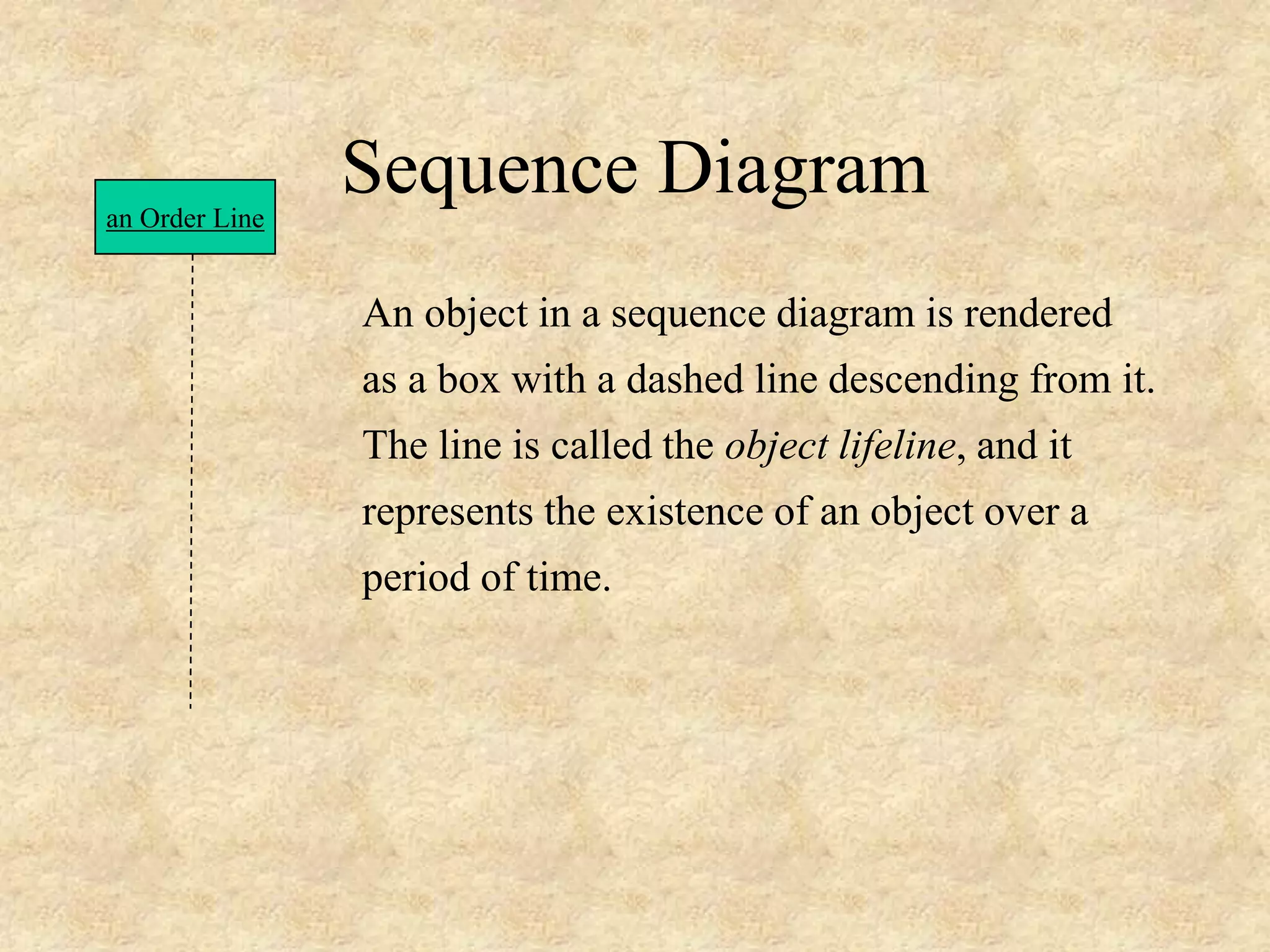
Sequence Diagram An object in a sequence diagram is rendered as a box with a dashed line descending from it. The line is called the object lifeline, and it represents the existence of an object over a period of time. an Order Line
Sequence Diagram an Order Line a Stock Item [check = “true”] remove() check() Messages are rendered as horizontal arrows being passed from object to object as time advances down the object lifelines. Conditions ( such as [check = “true”] ) indicate when a message gets passed.
Sequence Diagram an Order Line a Stock Item [check = “true”] remove() check() Notice that the bottom arrow is different. The arrow head is not solid, and there is no accompanying message. This arrow indicates a return from a previous message, not a new message.
Sequence Diagram an Order a Order Line * prepare() An iteration marker, such as * (as shown), or *[i = 1..n] , indicates that a message will be repeated as indicated.Iteration marker
an Order Entry window an Order an Order Line a Stock Item A Reorder Item A Delivery Item new [check = “true”] new [needsToReorder = “true”] needsToReorder() [check = “true”] remove() check() * prepare() prepare() Object Message Iteration Return Creation Condition Self-Delegation
UML Sequence Diagram
UML Sequence Diagrams selectZone() pickupChange() pickUpTicket() insertCoins() Passenger TicketMachine
6- UML Collaboration Diagram A collaboration diagram emphasizes the relationship of the objects that participate in an interaction. Unlike a sequence diagram, you don’t have to show the lifeline of an object explicitly in a collaboration diagram. The sequence of events are indicated by sequence numbers preceding messages. Object identifiers are of the form objectName : className, and either the objectName or the className can be omitted, and the placement of the colon indicates either an objectName: , or a :className.
Collaboration Diagram : Order Entry Window : Order : Order Line :Delivery Item : Stock Item :Reorder Item 1: prepare() 2*: prepare() 3: check() 4: [check == true] remove() 6: new7: [check == true] new 5: needToReorder() Self-Delegation Object Message Sequence Number
Collaboration Diagram Sequence Diagram Both a collaboration diagram and a sequence diagram derive from the same information in the UML’s metamodel, so you can take a diagram in one form and convert it into the other. They are semantically equivalent.
End

Software Engineering Lec 7-uml-

  • 1.
    7- The UnifiedModeling Language (UML)
  • 2.
    Copyright 2000 byKendall V. Scott 2 Constructing • Forward engineering: generation of code from model into programming language • Reverse engineering: reconstructing model from implementation • Round-trip engineering: going both ways
  • 3.
    © Wolfgang Pelz2000- UML Organization of Diagrams domain expert • use case • activity • interaction system designer • class • component • deployment • state • package
  • 4.
    © Wolfgang Pelz2000- UML Another Organization static • class • component • package • deployment dynamic • use case • interaction • state • activity
  • 5.
    4- UML StateDiagram • A state diagram is a directed graph whose nodes are labeled with state names. • • The nodes in a state diagram are drawn as rectangles with rounded corners. • The links between the nodes are called transitions and are labeled with the name of the triggering event.
  • 6.
    UML State Diagram •A small black circle is used to represent the start state. • A small black circle with a ring around it is used to represent the end state. • Enclosing a group of nodes in the state diagram with a rectangle having rounded corners can be done to identify a substate.
  • 7.
    State Machine start statefinal state simple state concurrent composite state sequential composite state
  • 8.
    State Machine selecting verifying downloading checking schedule downloadcourse offerings make a course selection verify selection check schedule select another course make a different selection unscheduled scheduled sign schedule
  • 9.
  • 10.
    5- UML SequenceDiagram • Sequence diagrams depict the workflow from a use case graphically. • They show how an actor interacts with a system to get work done, such as what messages are sent and when are they sent. • They show the temporal sequence of message exchanges among objects as they communicate to achieve a specific task. • The events modeled in sequence diagrams are external events initiated by an actor.
  • 11.
    Sequence Diagram A sequencediagram is an interaction diagram that emphasizes the time ordering of messages. It shows a set of objects and the messages sent and received by those objects. Graphically, a sequence diagram is a table that shows objects arranged along the X axis and messages, ordered in increasing time, along the Y axis. - The UML User Guide, [Booch,99]
  • 12.
    Sequence Diagram An objectin a sequence diagram is rendered as a box with a dashed line descending from it. The line is called the object lifeline, and it represents the existence of an object over a period of time. an Order Line
  • 13.
    Sequence Diagram an OrderLine a Stock Item [check = “true”] remove() check() Messages are rendered as horizontal arrows being passed from object to object as time advances down the object lifelines. Conditions ( such as [check = “true”] ) indicate when a message gets passed.
  • 14.
    Sequence Diagram an OrderLine a Stock Item [check = “true”] remove() check() Notice that the bottom arrow is different. The arrow head is not solid, and there is no accompanying message. This arrow indicates a return from a previous message, not a new message.
  • 15.
    Sequence Diagram an Ordera Order Line * prepare() An iteration marker, such as * (as shown), or *[i = 1..n] , indicates that a message will be repeated as indicated.Iteration marker
  • 16.
    an Order Entry window anOrder an Order Line a Stock Item A Reorder Item A Delivery Item new [check = “true”] new [needsToReorder = “true”] needsToReorder() [check = “true”] remove() check() * prepare() prepare() Object Message Iteration Return Creation Condition Self-Delegation
  • 17.
  • 18.
  • 19.
    6- UML CollaborationDiagram A collaboration diagram emphasizes the relationship of the objects that participate in an interaction. Unlike a sequence diagram, you don’t have to show the lifeline of an object explicitly in a collaboration diagram. The sequence of events are indicated by sequence numbers preceding messages. Object identifiers are of the form objectName : className, and either the objectName or the className can be omitted, and the placement of the colon indicates either an objectName: , or a :className.
  • 20.
    Collaboration Diagram : OrderEntry Window : Order : Order Line :Delivery Item : Stock Item :Reorder Item 1: prepare() 2*: prepare() 3: check() 4: [check == true] remove() 6: new7: [check == true] new 5: needToReorder() Self-Delegation Object Message Sequence Number
  • 21.
    Collaboration Diagram Sequence Diagram Botha collaboration diagram and a sequence diagram derive from the same information in the UML’s metamodel, so you can take a diagram in one form and convert it into the other. They are semantically equivalent.
  • 22.