Vue.js Renderless Components It’s like advanced internet Legos! ToThePoint STS / Lars van Herk / 3 june, 2019
1. Build a standard, feature-rich base component 2. Separate the view from the logic 3. Slap it into a publishable library WHAT’CHA GONNA DO? INTRODUCTION We’re gonna do some Vue.
WHY SO COMPLICATED? INTRODUCTION Every app works differently - “Our date pickers don’t look like that!” - Tweaking a prebuilt component’s layout is hard or impossible - Either accept it, or rebuild it
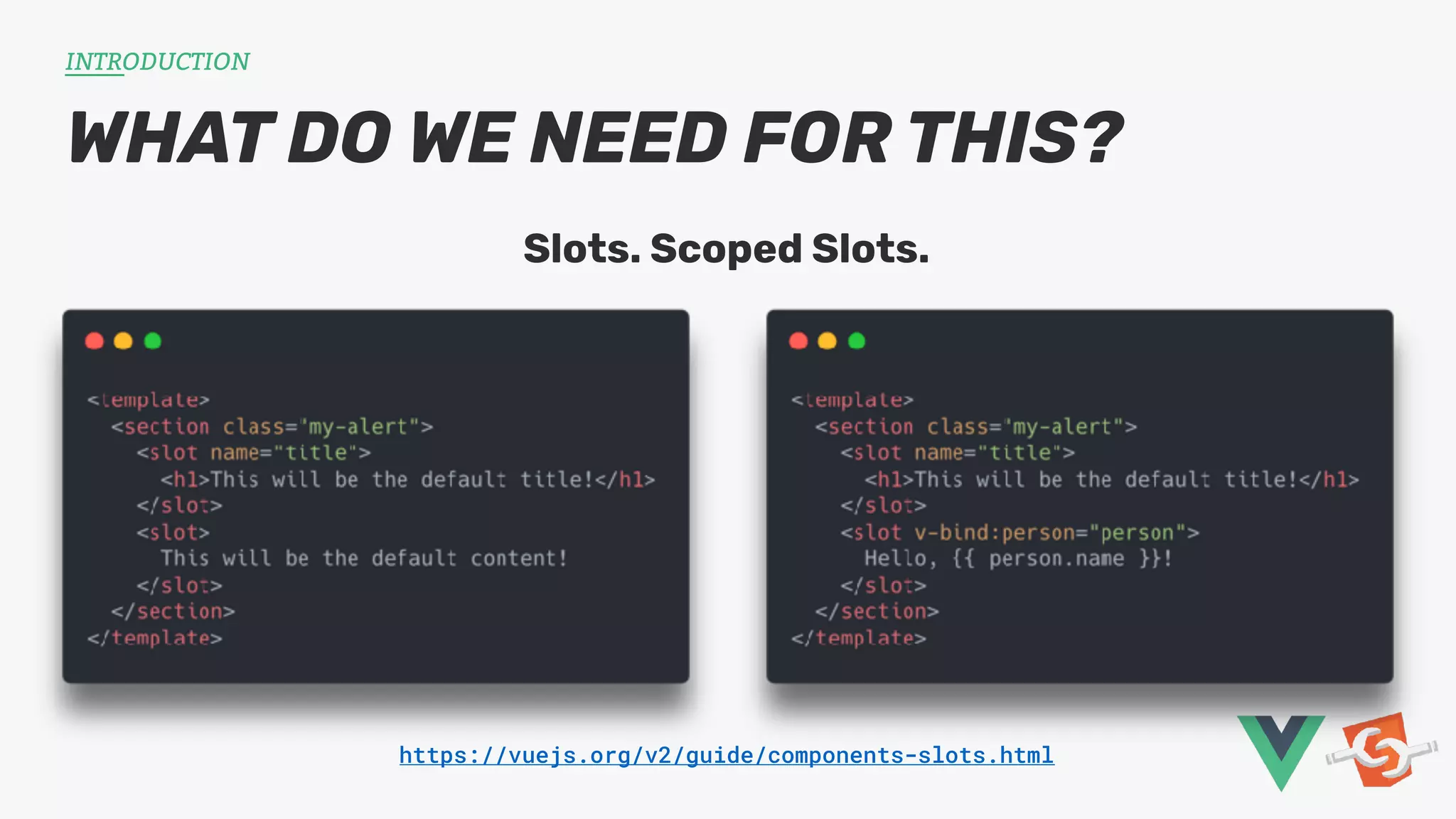
WHAT DO WE NEED FOR THIS? INTRODUCTION Slots. Scoped Slots. https://vuejs.org/v2/guide/components-slots.html
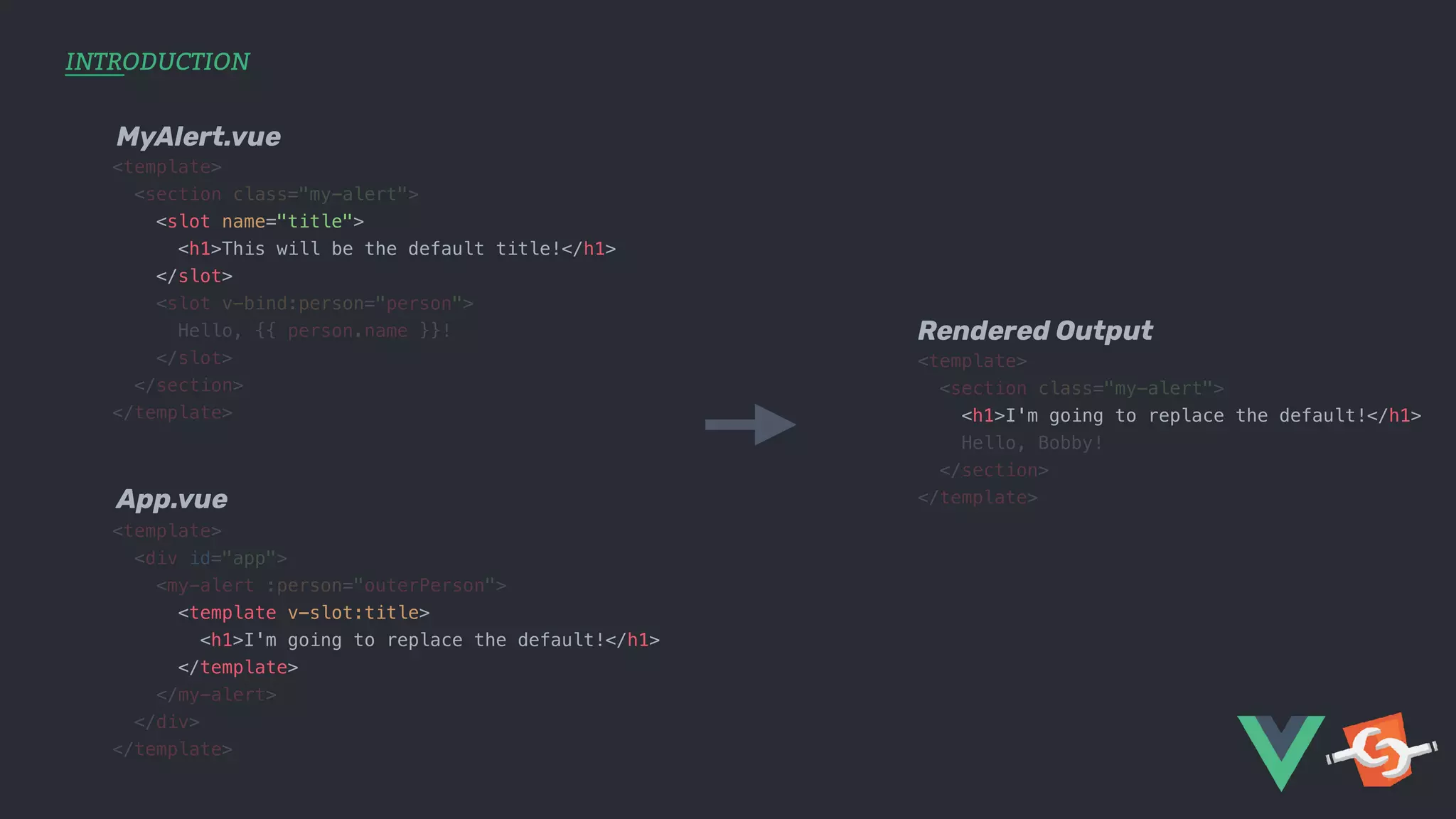
<template> <section class="my-alert"> <slot name="title"> <h1>This will be the default title!</h1> </slot> <slot v-bind:person="person"> Hello, {{ person.name }}! </slot> </section> </template> <template> <div id="app"> <my-alert :person="outerPerson"> <template v-slot:title> <h1>I'm going to replace the default!</h1> </template> </my-alert> </div> </template> <template> <section class="my-alert"> <h1>I'm going to replace the default!</h1> Hello, Bobby! </section> </template> MyAlert.vue App.vue Rendered Output INTRODUCTION
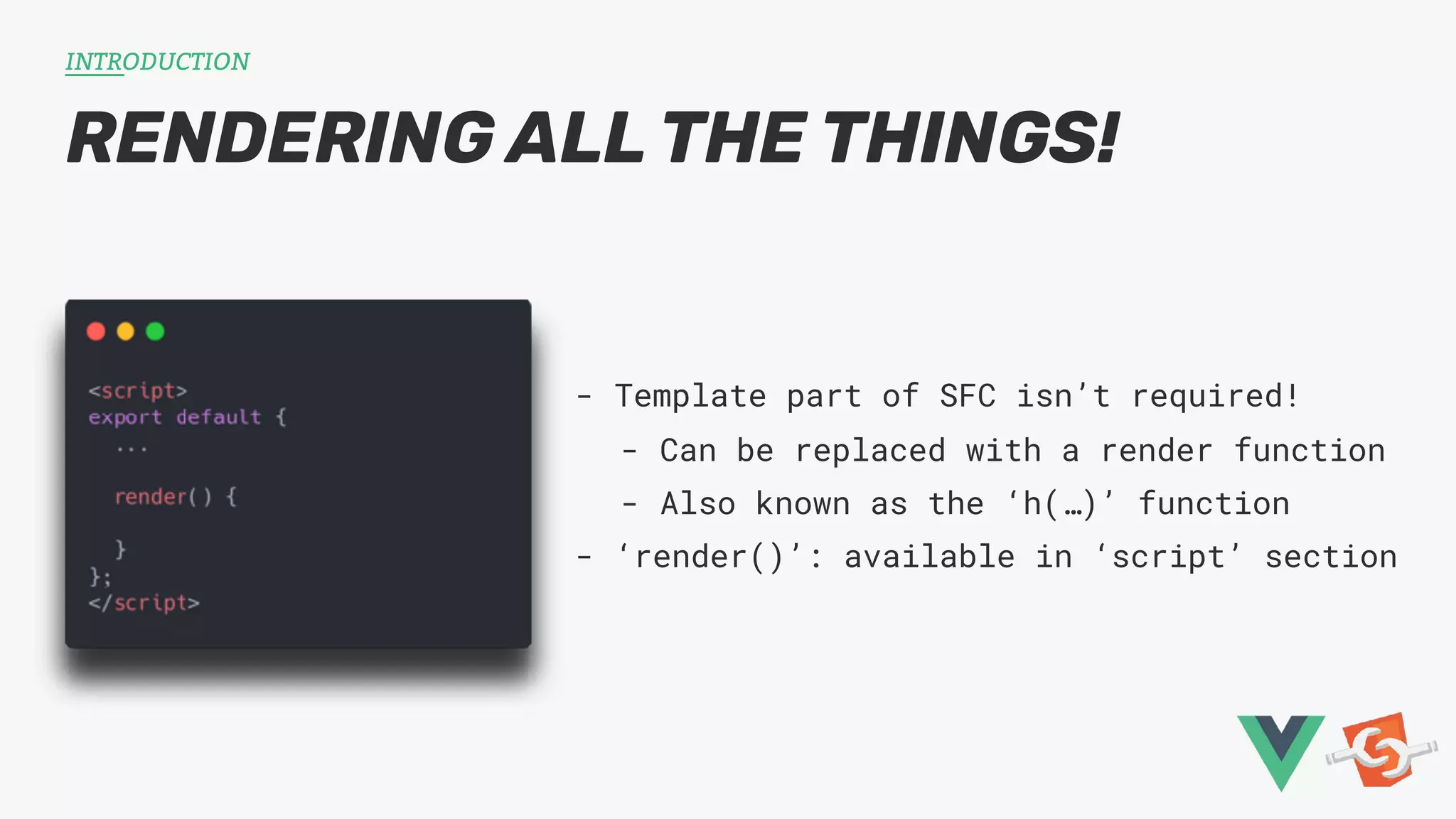
RENDERING ALL THE THINGS! INTRODUCTION - Template part of SFC isn’t required! - Can be replaced with a render function - Also known as the ‘h(…)’ function - ‘render()’: available in ‘script’ section
THE STARTING BLOCKS BUILDING THE COMPONENT 1. Build the basic component 2. Split logic from rendering 3. Use our old view as a default BRACE YOURSELVES, CODE AHOY!
BUILDING THE COMPONENT <script> export default { data: () => ({ user: { firstName: '', lastName: '' } }), watch: { user: { handler (val) { this.$emit('input:user', val); }, deep: true } }, methods: { insertBob () { this.user = { firstName: 'Bob', lastName: 'Marley' }; } } }; </script> <template> <section class="my-user"> <h1>My User</h1> <div class="my-user__input"> <label for="firstname">First Name</label> <input type="text" id="firstname" v-model="user.firstName"> </div> <div class="my-user__input"> <label for="lastname">Last Name</label> <input type="text" id="lastname" v-model="user.lastName"> </div> <button @click="insertBob()">Insert Bob</button> </section> </template>
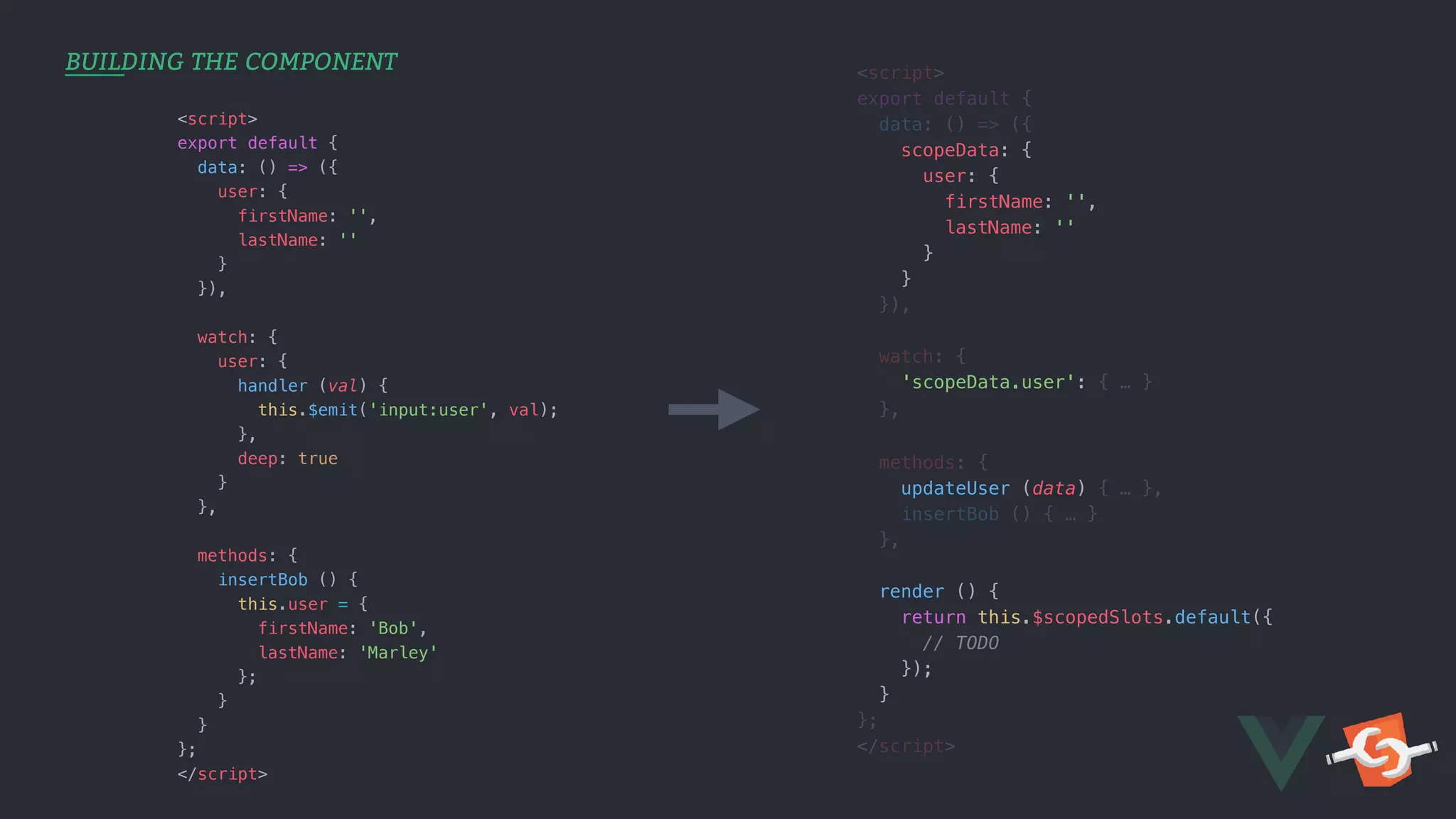
BUILDING THE COMPONENT <script> export default { data: () => ({ scopeData: { user: { firstName: '', lastName: '' } } }), watch: { 'scopeData.user': { … } }, methods: { updateUser (data) { … }, insertBob () { … } }, render () { return this.$scopedSlots.default({ // TODO }); } }; </script> <script> export default { data: () => ({ user: { firstName: '', lastName: '' } }), watch: { user: { handler (val) { this.$emit('input:user', val); }, deep: true } }, methods: { insertBob () { this.user = { firstName: 'Bob', lastName: 'Marley' }; } } }; </script>
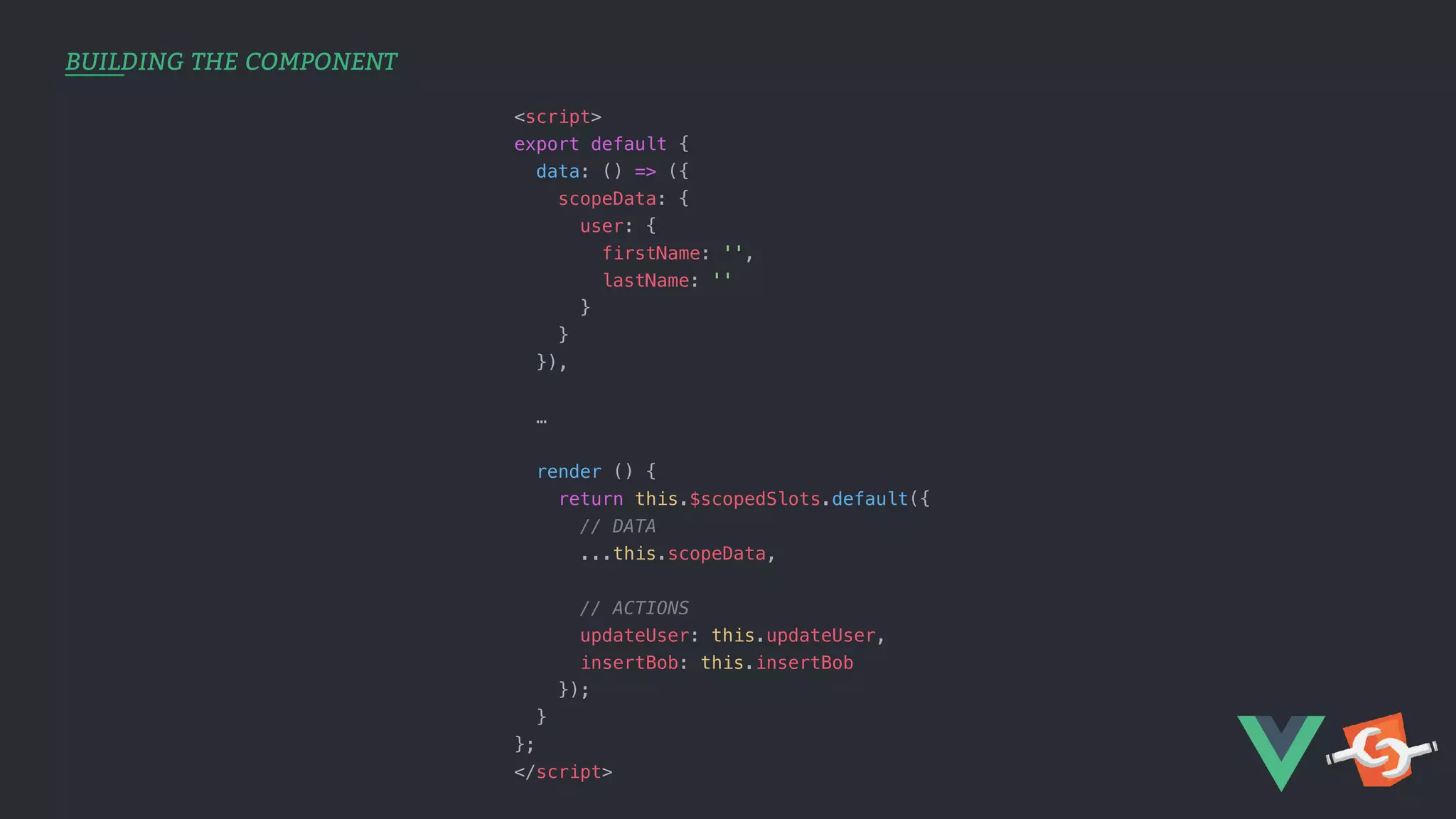
BUILDING THE COMPONENT <script> export default { data: () => ({ scopeData: { user: { firstName: '', lastName: '' } } }), … render () { return this.$scopedSlots.default({ // DATA ...this.scopeData, // ACTIONS updateUser: this.updateUser, insertBob: this.insertBob }); } }; </script>
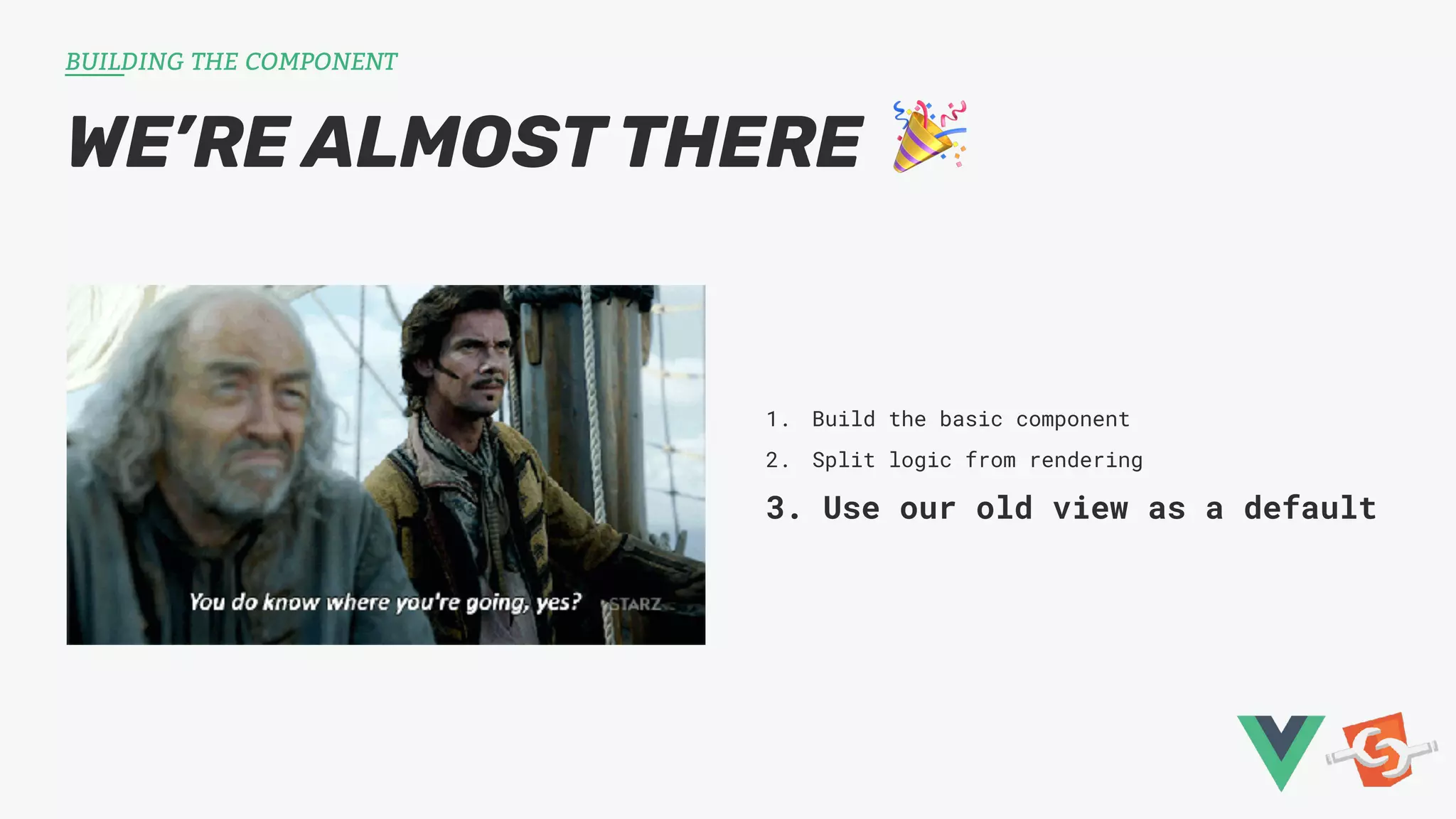
WE’RE ALMOST THERE 🎉 BUILDING THE COMPONENT 1. Build the basic component 2. Split logic from rendering 3. Use our old view as a default
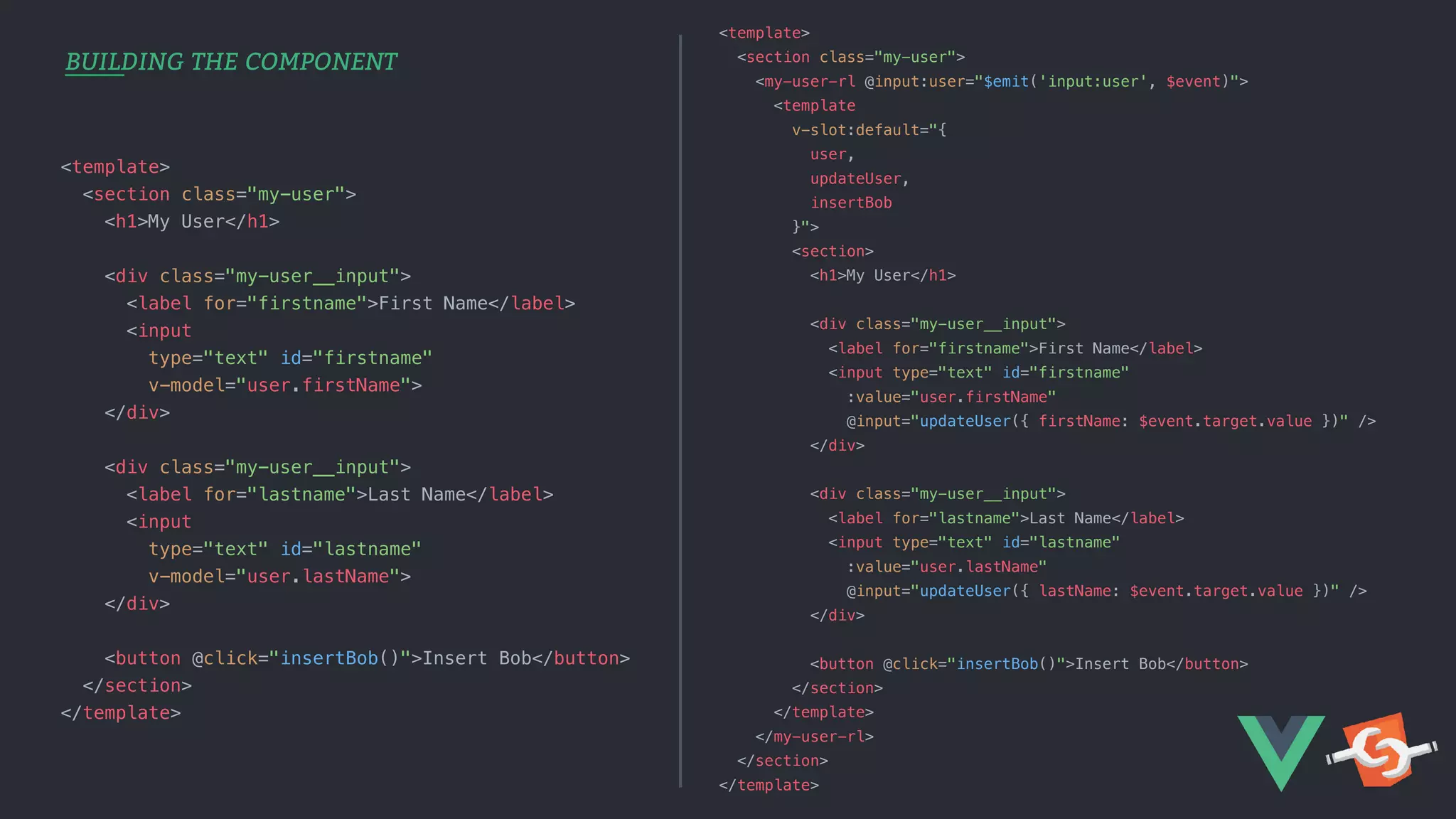
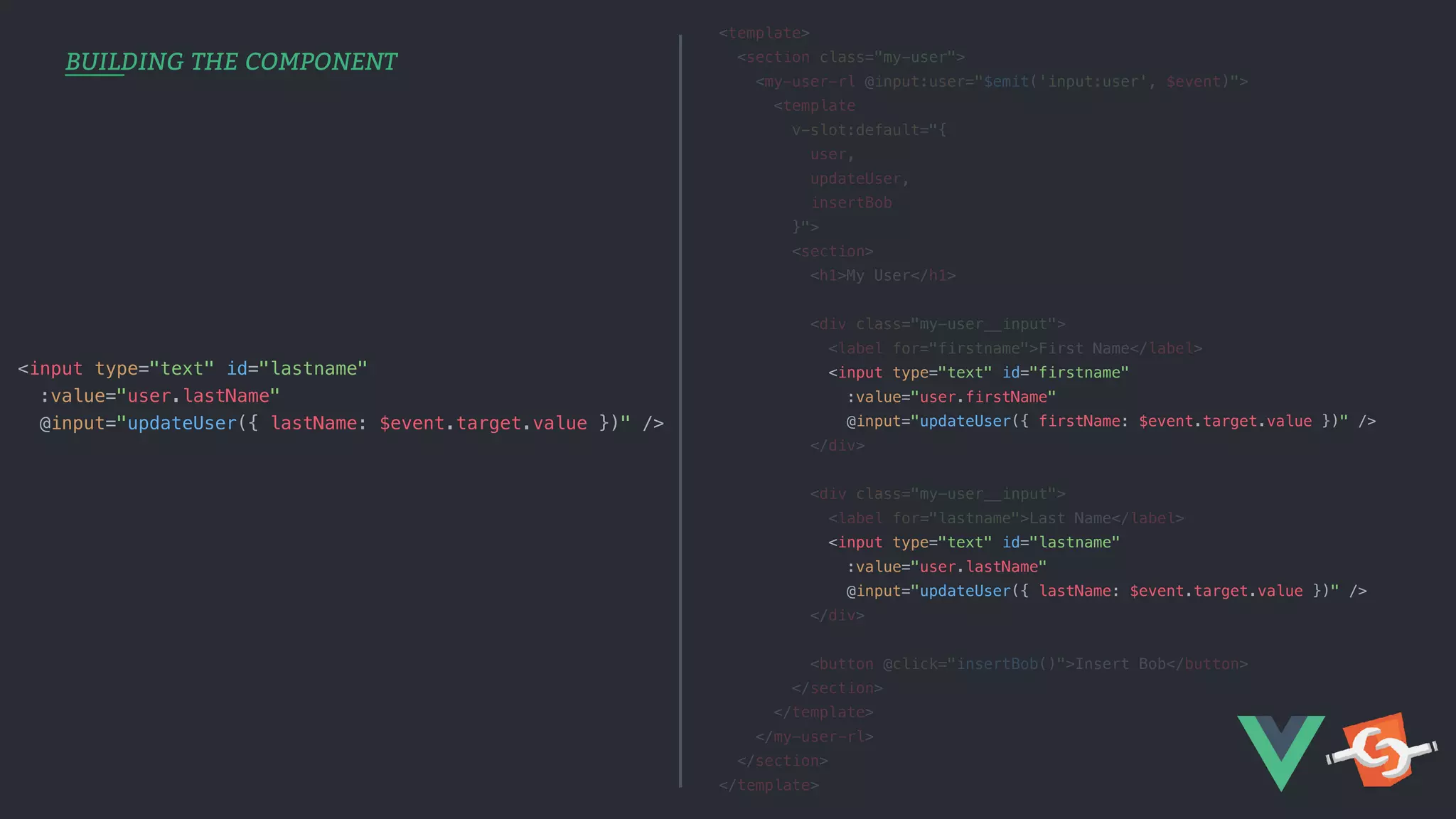
BUILDING THE COMPONENT <template> <section class="my-user"> <h1>My User</h1> <div class="my-user__input"> <label for="firstname">First Name</label> <input type="text" id="firstname" v-model="user.firstName"> </div> <div class="my-user__input"> <label for="lastname">Last Name</label> <input type="text" id="lastname" v-model="user.lastName"> </div> <button @click="insertBob()">Insert Bob</button> </section> </template> <template> <section class="my-user"> <my-user-rl @input:user="$emit('input:user', $event)"> <template v-slot:default="{ user, updateUser, insertBob }"> <section> <h1>My User</h1> <div class="my-user__input"> <label for="firstname">First Name</label> <input type="text" id="firstname" :value="user.firstName" @input="updateUser({ firstName: $event.target.value })" /> </div> <div class="my-user__input"> <label for="lastname">Last Name</label> <input type="text" id="lastname" :value="user.lastName" @input="updateUser({ lastName: $event.target.value })" /> </div> <button @click="insertBob()">Insert Bob</button> </section> </template> </my-user-rl> </section> </template>
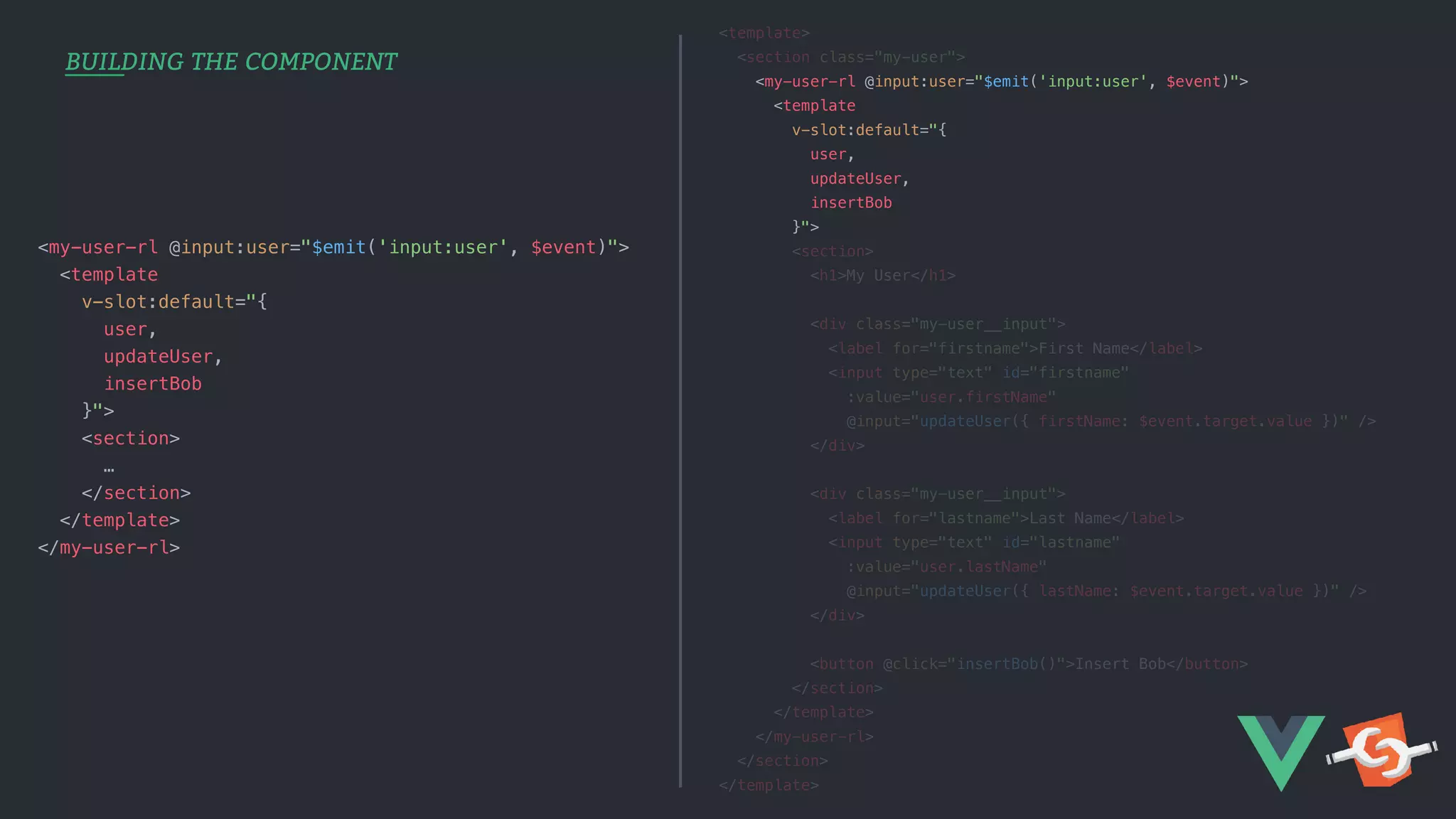
BUILDING THE COMPONENT <template> <section class="my-user"> <my-user-rl @input:user="$emit('input:user', $event)"> <template v-slot:default="{ user, updateUser, insertBob }"> <section> <h1>My User</h1> <div class="my-user__input"> <label for="firstname">First Name</label> <input type="text" id="firstname" :value="user.firstName" @input="updateUser({ firstName: $event.target.value })" /> </div> <div class="my-user__input"> <label for="lastname">Last Name</label> <input type="text" id="lastname" :value="user.lastName" @input="updateUser({ lastName: $event.target.value })" /> </div> <button @click="insertBob()">Insert Bob</button> </section> </template> </my-user-rl> </section> </template> <my-user-rl @input:user="$emit('input:user', $event)"> <template v-slot:default="{ user, updateUser, insertBob }"> <section> … </section> </template> </my-user-rl>
BUILDING THE COMPONENT <template> <section class="my-user"> <my-user-rl @input:user="$emit('input:user', $event)"> <template v-slot:default="{ user, updateUser, insertBob }"> <section> <h1>My User</h1> <div class="my-user__input"> <label for="firstname">First Name</label> <input type="text" id="firstname" :value="user.firstName" @input="updateUser({ firstName: $event.target.value })" /> </div> <div class="my-user__input"> <label for="lastname">Last Name</label> <input type="text" id="lastname" :value="user.lastName" @input="updateUser({ lastName: $event.target.value })" /> </div> <button @click="insertBob()">Insert Bob</button> </section> </template> </my-user-rl> </section> </template> <input type="text" id="lastname" :value="user.lastName" @input="updateUser({ lastName: $event.target.value })" />
RENDERLESS RECAP BUILDING THE COMPONENT - We’ve got a logic-only component - Reusable for other ‘views’ - Added a default sample layout - Based on the same logic layer 📦 Wrap it up and ship it! 📦
WEBPACK TIME, YAY (?) SHIPPING COMPONENTS
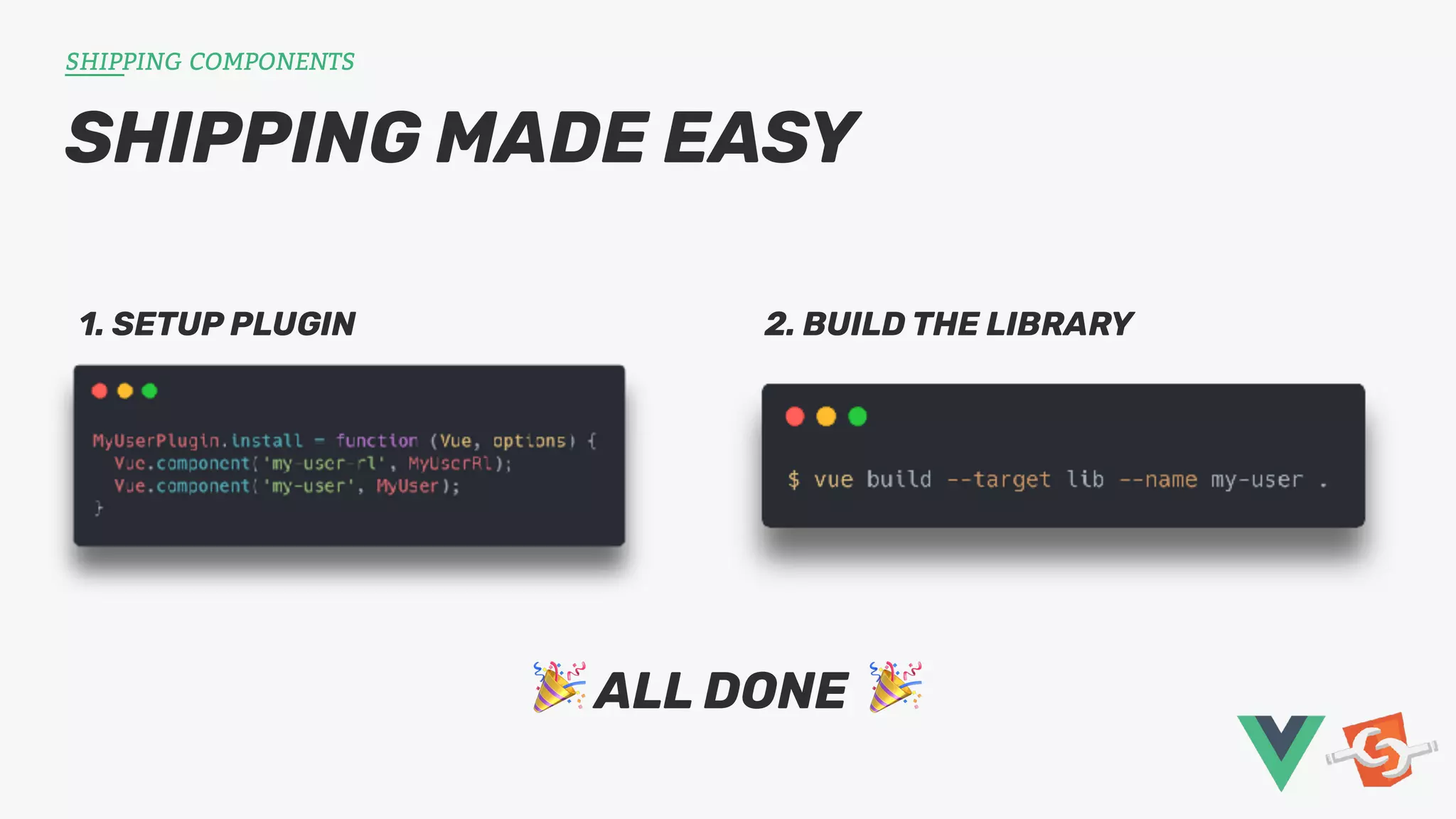
SHIPPING MADE EASY SHIPPING COMPONENTS 1. SETUP PLUGIN 2. BUILD THE LIBRARY 🎉 ALL DONE 🎉
HEY, WHERE’S THE LINKS?! ROUNDING UP GitHub Project: github.com/larsvanherk/vue-renderless-demo Adam Wathan’s original post: adamwathan.me/renderless-components-in-vuejs/ Get in touch: - @LarsVHerk & @ToThePointIT
🎉 Thank you! 🎉 ToThePoint STS / Lars van Herk / 3 june, 2019

Using Renderless Components in Vue.js during your software development.

  • 1.
    Vue.js Renderless Components It’slike advanced internet Legos! ToThePoint STS / Lars van Herk / 3 june, 2019
  • 2.
    1. Build astandard, feature-rich base component 2. Separate the view from the logic 3. Slap it into a publishable library WHAT’CHA GONNA DO? INTRODUCTION We’re gonna do some Vue.
  • 3.
    WHY SO COMPLICATED? INTRODUCTION Everyapp works differently - “Our date pickers don’t look like that!” - Tweaking a prebuilt component’s layout is hard or impossible - Either accept it, or rebuild it
  • 4.
    WHAT DO WENEED FOR THIS? INTRODUCTION Slots. Scoped Slots. https://vuejs.org/v2/guide/components-slots.html
  • 5.
    <template> <section class="my-alert"> <slot name="title"> <h1>Thiswill be the default title!</h1> </slot> <slot v-bind:person="person"> Hello, {{ person.name }}! </slot> </section> </template> <template> <div id="app"> <my-alert :person="outerPerson"> <template v-slot:title> <h1>I'm going to replace the default!</h1> </template> </my-alert> </div> </template> <template> <section class="my-alert"> <h1>I'm going to replace the default!</h1> Hello, Bobby! </section> </template> MyAlert.vue App.vue Rendered Output INTRODUCTION
  • 6.
    RENDERING ALL THETHINGS! INTRODUCTION - Template part of SFC isn’t required! - Can be replaced with a render function - Also known as the ‘h(…)’ function - ‘render()’: available in ‘script’ section
  • 7.
    THE STARTING BLOCKS BUILDINGTHE COMPONENT 1. Build the basic component 2. Split logic from rendering 3. Use our old view as a default BRACE YOURSELVES, CODE AHOY!
  • 8.
    BUILDING THE COMPONENT <script> exportdefault { data: () => ({ user: { firstName: '', lastName: '' } }), watch: { user: { handler (val) { this.$emit('input:user', val); }, deep: true } }, methods: { insertBob () { this.user = { firstName: 'Bob', lastName: 'Marley' }; } } }; </script> <template> <section class="my-user"> <h1>My User</h1> <div class="my-user__input"> <label for="firstname">First Name</label> <input type="text" id="firstname" v-model="user.firstName"> </div> <div class="my-user__input"> <label for="lastname">Last Name</label> <input type="text" id="lastname" v-model="user.lastName"> </div> <button @click="insertBob()">Insert Bob</button> </section> </template>
  • 9.
    BUILDING THE COMPONENT<script> export default { data: () => ({ scopeData: { user: { firstName: '', lastName: '' } } }), watch: { 'scopeData.user': { … } }, methods: { updateUser (data) { … }, insertBob () { … } }, render () { return this.$scopedSlots.default({ // TODO }); } }; </script> <script> export default { data: () => ({ user: { firstName: '', lastName: '' } }), watch: { user: { handler (val) { this.$emit('input:user', val); }, deep: true } }, methods: { insertBob () { this.user = { firstName: 'Bob', lastName: 'Marley' }; } } }; </script>
  • 10.
    BUILDING THE COMPONENT <script> exportdefault { data: () => ({ scopeData: { user: { firstName: '', lastName: '' } } }), … render () { return this.$scopedSlots.default({ // DATA ...this.scopeData, // ACTIONS updateUser: this.updateUser, insertBob: this.insertBob }); } }; </script>
  • 11.
    WE’RE ALMOST THERE🎉 BUILDING THE COMPONENT 1. Build the basic component 2. Split logic from rendering 3. Use our old view as a default
  • 12.
    BUILDING THE COMPONENT <template> <sectionclass="my-user"> <h1>My User</h1> <div class="my-user__input"> <label for="firstname">First Name</label> <input type="text" id="firstname" v-model="user.firstName"> </div> <div class="my-user__input"> <label for="lastname">Last Name</label> <input type="text" id="lastname" v-model="user.lastName"> </div> <button @click="insertBob()">Insert Bob</button> </section> </template> <template> <section class="my-user"> <my-user-rl @input:user="$emit('input:user', $event)"> <template v-slot:default="{ user, updateUser, insertBob }"> <section> <h1>My User</h1> <div class="my-user__input"> <label for="firstname">First Name</label> <input type="text" id="firstname" :value="user.firstName" @input="updateUser({ firstName: $event.target.value })" /> </div> <div class="my-user__input"> <label for="lastname">Last Name</label> <input type="text" id="lastname" :value="user.lastName" @input="updateUser({ lastName: $event.target.value })" /> </div> <button @click="insertBob()">Insert Bob</button> </section> </template> </my-user-rl> </section> </template>
  • 13.
    BUILDING THE COMPONENT <template> <sectionclass="my-user"> <my-user-rl @input:user="$emit('input:user', $event)"> <template v-slot:default="{ user, updateUser, insertBob }"> <section> <h1>My User</h1> <div class="my-user__input"> <label for="firstname">First Name</label> <input type="text" id="firstname" :value="user.firstName" @input="updateUser({ firstName: $event.target.value })" /> </div> <div class="my-user__input"> <label for="lastname">Last Name</label> <input type="text" id="lastname" :value="user.lastName" @input="updateUser({ lastName: $event.target.value })" /> </div> <button @click="insertBob()">Insert Bob</button> </section> </template> </my-user-rl> </section> </template> <my-user-rl @input:user="$emit('input:user', $event)"> <template v-slot:default="{ user, updateUser, insertBob }"> <section> … </section> </template> </my-user-rl>
  • 14.
    BUILDING THE COMPONENT <template> <sectionclass="my-user"> <my-user-rl @input:user="$emit('input:user', $event)"> <template v-slot:default="{ user, updateUser, insertBob }"> <section> <h1>My User</h1> <div class="my-user__input"> <label for="firstname">First Name</label> <input type="text" id="firstname" :value="user.firstName" @input="updateUser({ firstName: $event.target.value })" /> </div> <div class="my-user__input"> <label for="lastname">Last Name</label> <input type="text" id="lastname" :value="user.lastName" @input="updateUser({ lastName: $event.target.value })" /> </div> <button @click="insertBob()">Insert Bob</button> </section> </template> </my-user-rl> </section> </template> <input type="text" id="lastname" :value="user.lastName" @input="updateUser({ lastName: $event.target.value })" />
  • 15.
    RENDERLESS RECAP BUILDING THECOMPONENT - We’ve got a logic-only component - Reusable for other ‘views’ - Added a default sample layout - Based on the same logic layer 📦 Wrap it up and ship it! 📦
  • 16.
    WEBPACK TIME, YAY(?) SHIPPING COMPONENTS
  • 17.
    SHIPPING MADE EASY SHIPPINGCOMPONENTS 1. SETUP PLUGIN 2. BUILD THE LIBRARY 🎉 ALL DONE 🎉
  • 18.
    HEY, WHERE’S THELINKS?! ROUNDING UP GitHub Project: github.com/larsvanherk/vue-renderless-demo Adam Wathan’s original post: adamwathan.me/renderless-components-in-vuejs/ Get in touch: - @LarsVHerk & @ToThePointIT
  • 19.
    🎉 Thank you!🎉 ToThePoint STS / Lars van Herk / 3 june, 2019