WebSocket Push Fallback Before I start this section I’ll start with a small disclaimer. This section was developed after the application was almost finished and so the code you see attached to it includes many additional features that if you will look thru aren’t covered in previous modules. However, it does fit in this location so I took the liberty of sticking it in. As I mentioned before push is fragile and can be blocked by the user. In order for the app to work properly we need to properly handle the situation where push isn’t available and we can do that with a fallback implementation. I already demonstrated the http polling implementation. Now I’d like to move to the better solution which is websockets… But first, if it’s a better solution why didn’t I start with that?
 Websockets are newer and some server developers might not be as comfortable with them. They are worth your time and effort though as they make event based communication trivial and efficient.
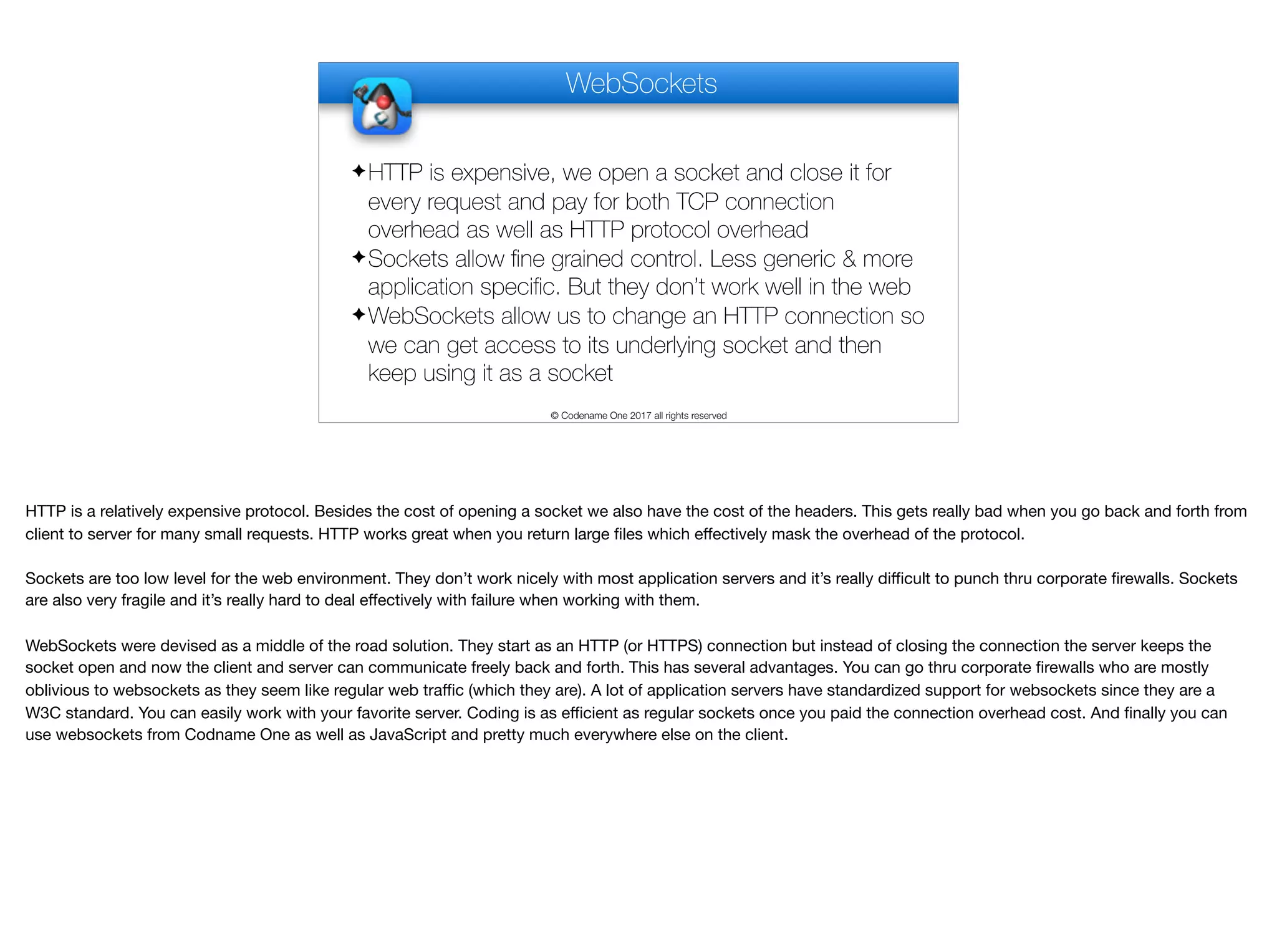
WebSockets © Codename One 2017 all rights reserved ✦HTTP is expensive, we open a socket and close it for every request and pay for both TCP connection overhead as well as HTTP protocol overhead ✦Sockets allow fine grained control. Less generic & more application specific. But they don’t work well in the web ✦WebSockets allow us to change an HTTP connection so we can get access to its underlying socket and then keep using it as a socket HTTP is a relatively expensive protocol. Besides the cost of opening a socket we also have the cost of the headers. This gets really bad when you go back and forth from client to server for many small requests. HTTP works great when you return large files which effectively mask the overhead of the protocol. Sockets are too low level for the web environment. They don’t work nicely with most application servers and it’s really difficult to punch thru corporate firewalls. Sockets are also very fragile and it’s really hard to deal effectively with failure when working with them. WebSockets were devised as a middle of the road solution. They start as an HTTP (or HTTPS) connection but instead of closing the connection the server keeps the socket open and now the client and server can communicate freely back and forth. This has several advantages. You can go thru corporate firewalls who are mostly oblivious to websockets as they seem like regular web traffic (which they are). A lot of application servers have standardized support for websockets since they are a W3C standard. You can easily work with your favorite server. Coding is as efficient as regular sockets once you paid the connection overhead cost. And finally you can use websockets from Codname One as well as JavaScript and pretty much everywhere else on the client.
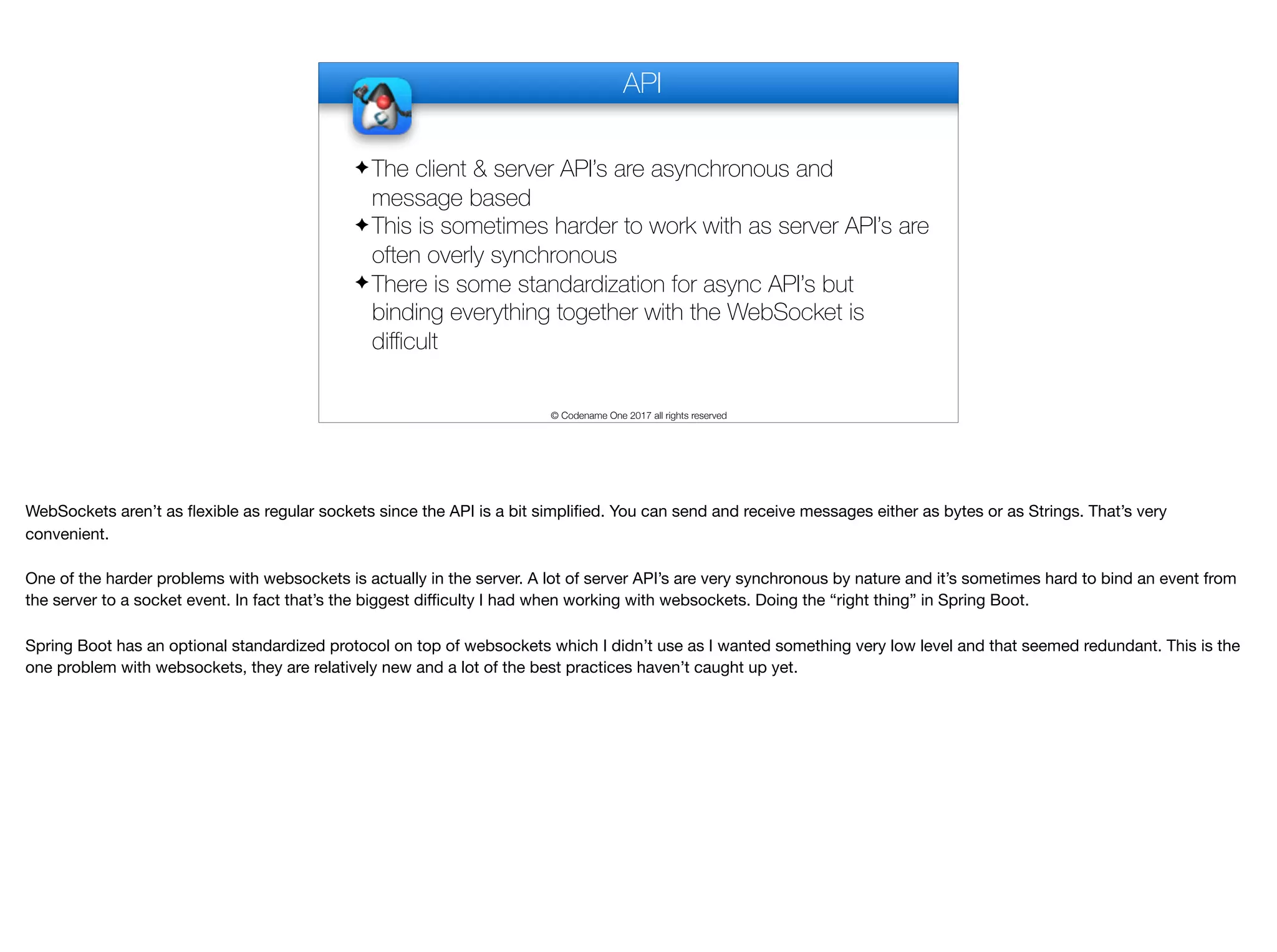
API © Codename One 2017 all rights reserved ✦ The client & server API’s are asynchronous and message based ✦ This is sometimes harder to work with as server API’s are often overly synchronous ✦ There is some standardization for async API’s but binding everything together with the WebSocket is difficult WebSockets aren’t as flexible as regular sockets since the API is a bit simplified. You can send and receive messages either as bytes or as Strings. That’s very convenient. One of the harder problems with websockets is actually in the server. A lot of server API’s are very synchronous by nature and it’s sometimes hard to bind an event from the server to a socket event. In fact that’s the biggest difficulty I had when working with websockets. Doing the “right thing” in Spring Boot. Spring Boot has an optional standardized protocol on top of websockets which I didn’t use as I wanted something very low level and that seemed redundant. This is the one problem with websockets, they are relatively new and a lot of the best practices haven’t caught up yet.
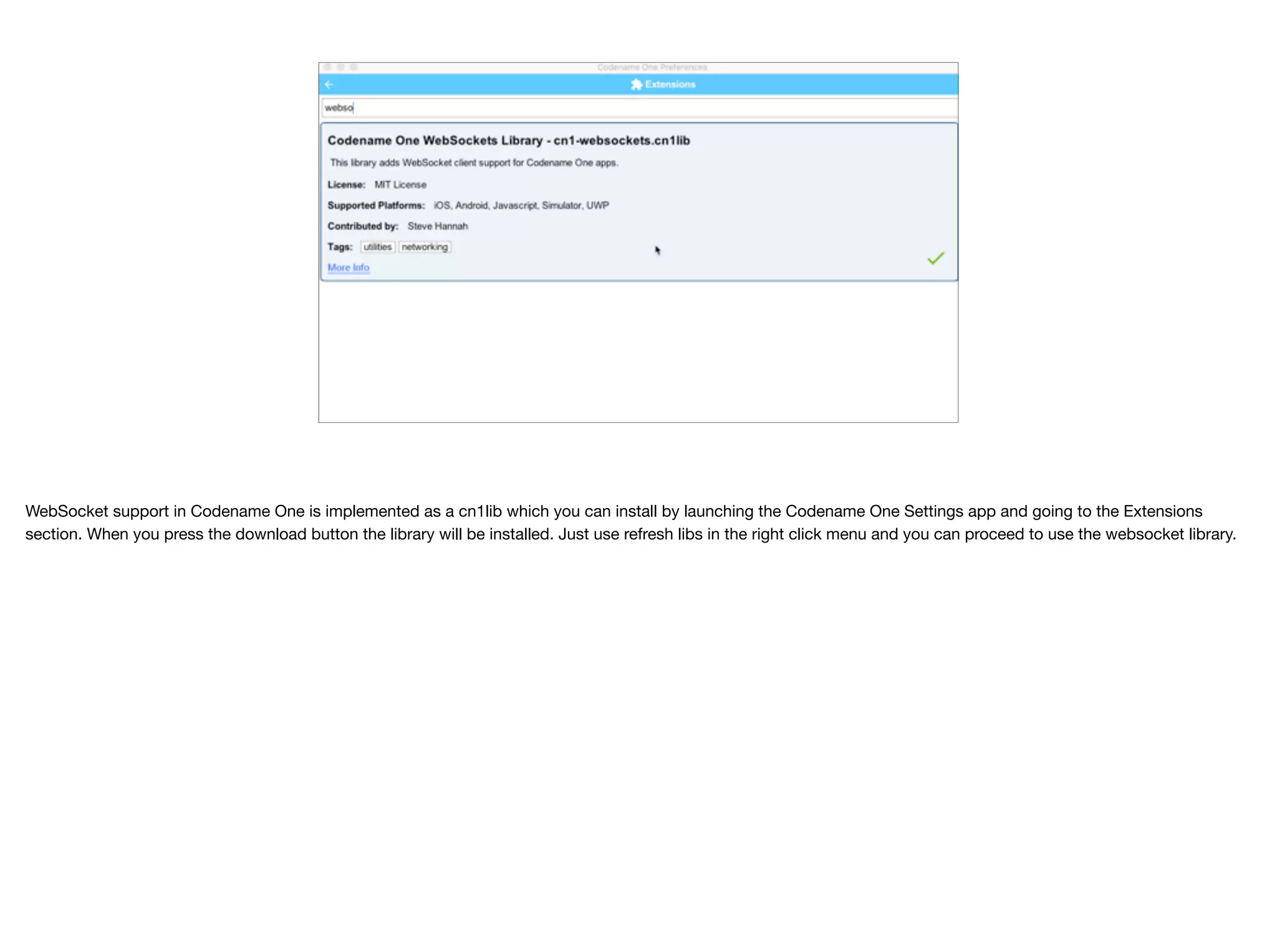
WebSocket support in Codename One is implemented as a cn1lib which you can install by launching the Codename One Settings app and going to the Extensions section. When you press the download button the library will be installed. Just use refresh libs in the right click menu and you can proceed to use the websocket library.
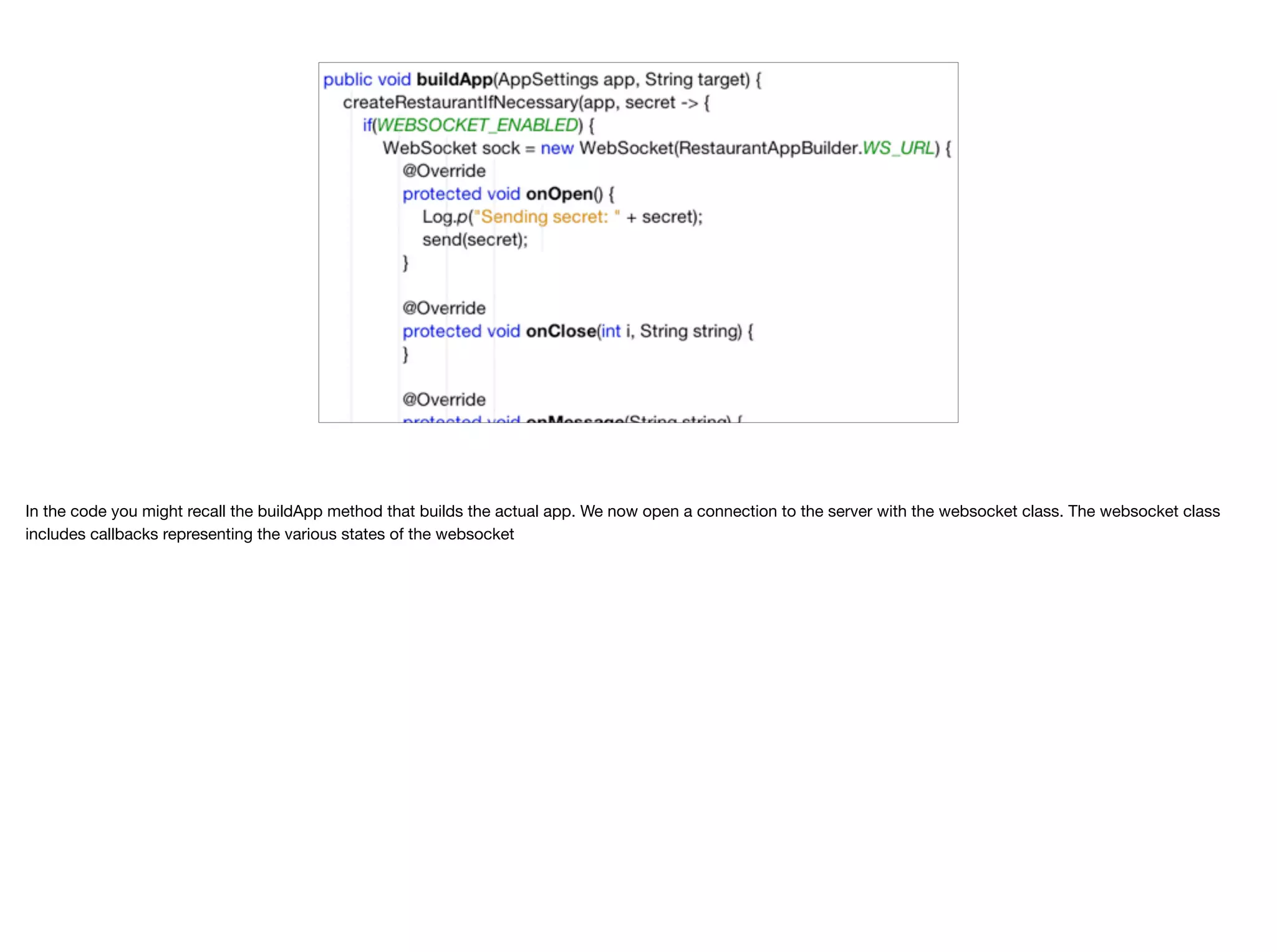
In the code you might recall the buildApp method that builds the actual app. We now open a connection to the server with the websocket class. The websocket class includes callbacks representing the various states of the websocket
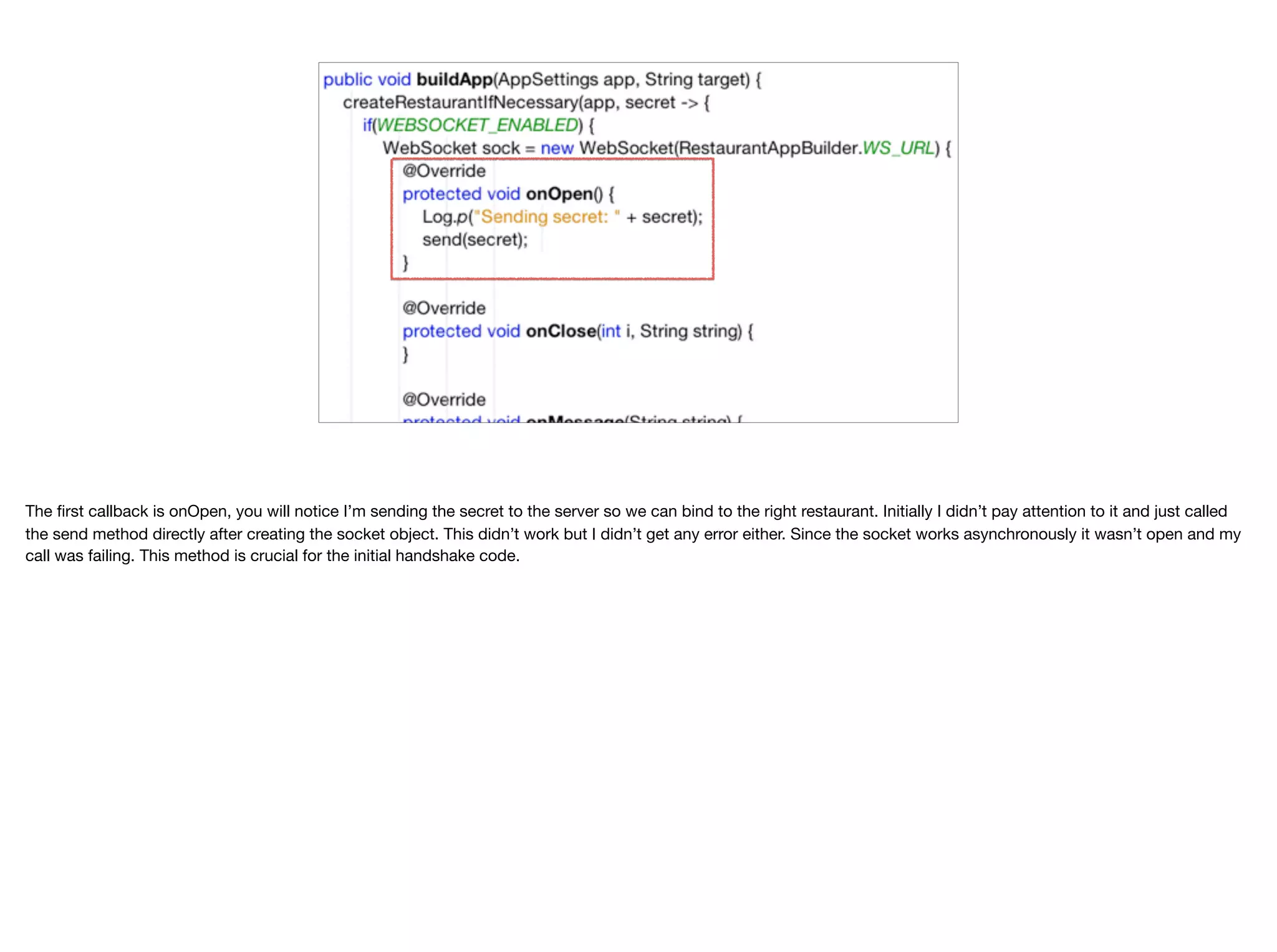
The first callback is onOpen, you will notice I’m sending the secret to the server so we can bind to the right restaurant. Initially I didn’t pay attention to it and just called the send method directly after creating the socket object. This didn’t work but I didn’t get any error either. Since the socket works asynchronously it wasn’t open and my call was failing. This method is crucial for the initial handshake code.
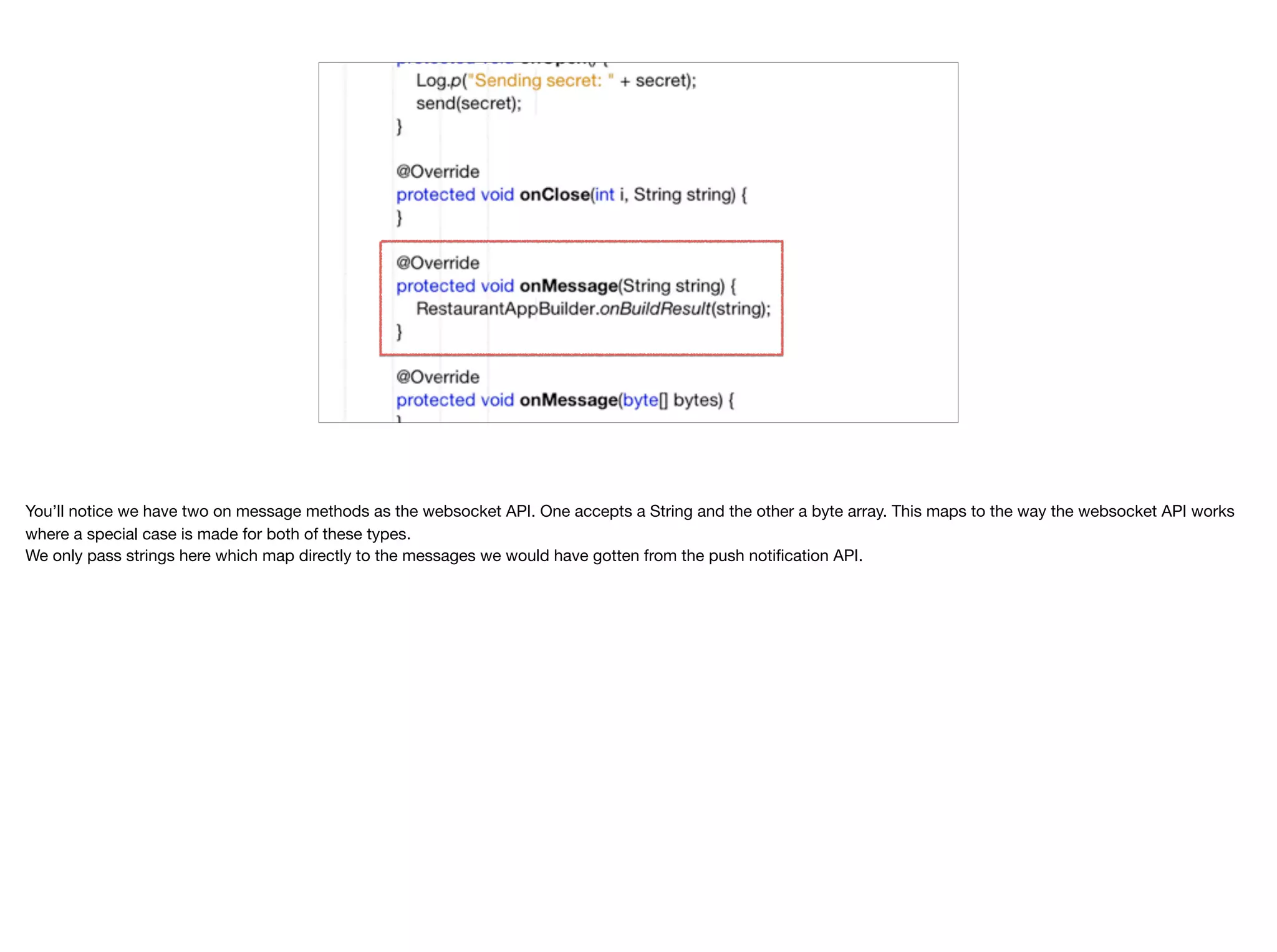
You’ll notice we have two on message methods as the websocket API. One accepts a String and the other a byte array. This maps to the way the websocket API works where a special case is made for both of these types.
 We only pass strings here which map directly to the messages we would have gotten from the push notification API.
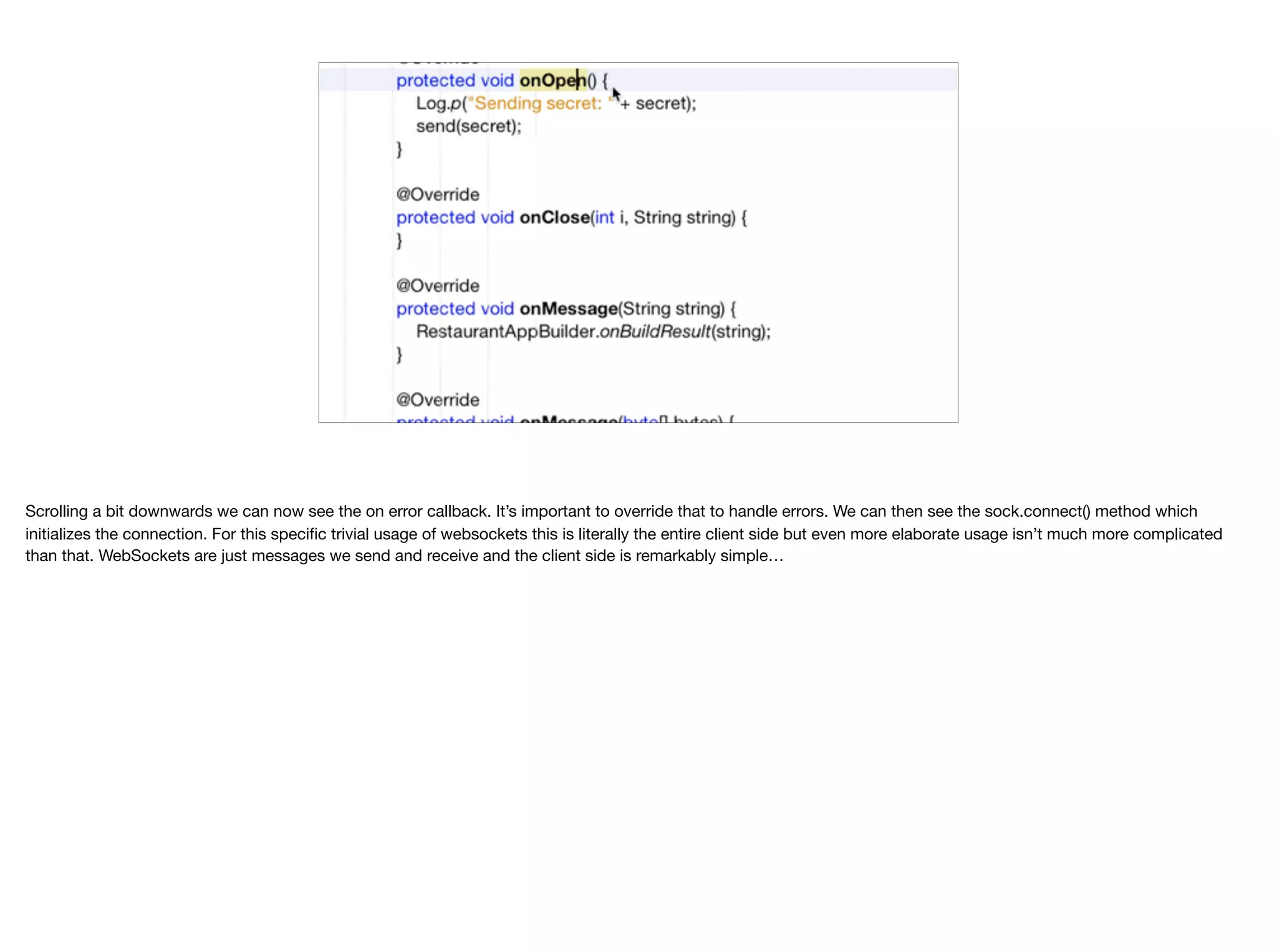
Scrolling a bit downwards we can now see the on error callback. It’s important to override that to handle errors. We can then see the sock.connect() method which initializes the connection. For this specific trivial usage of websockets this is literally the entire client side but even more elaborate usage isn’t much more complicated than that. WebSockets are just messages we send and receive and the client side is remarkably simple…
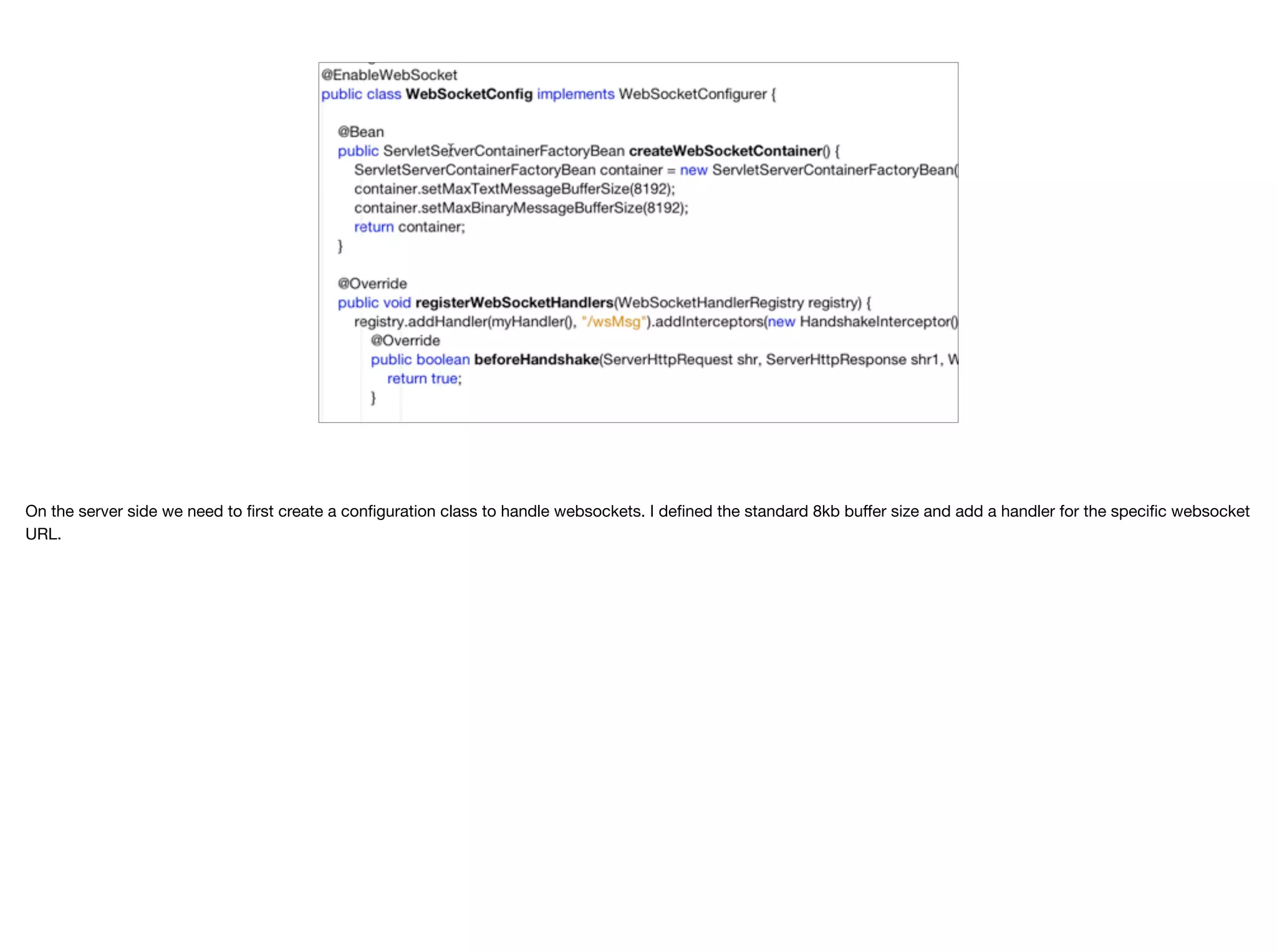
On the server side we need to first create a configuration class to handle websockets. I defined the standard 8kb buffer size and add a handler for the specific websocket URL.
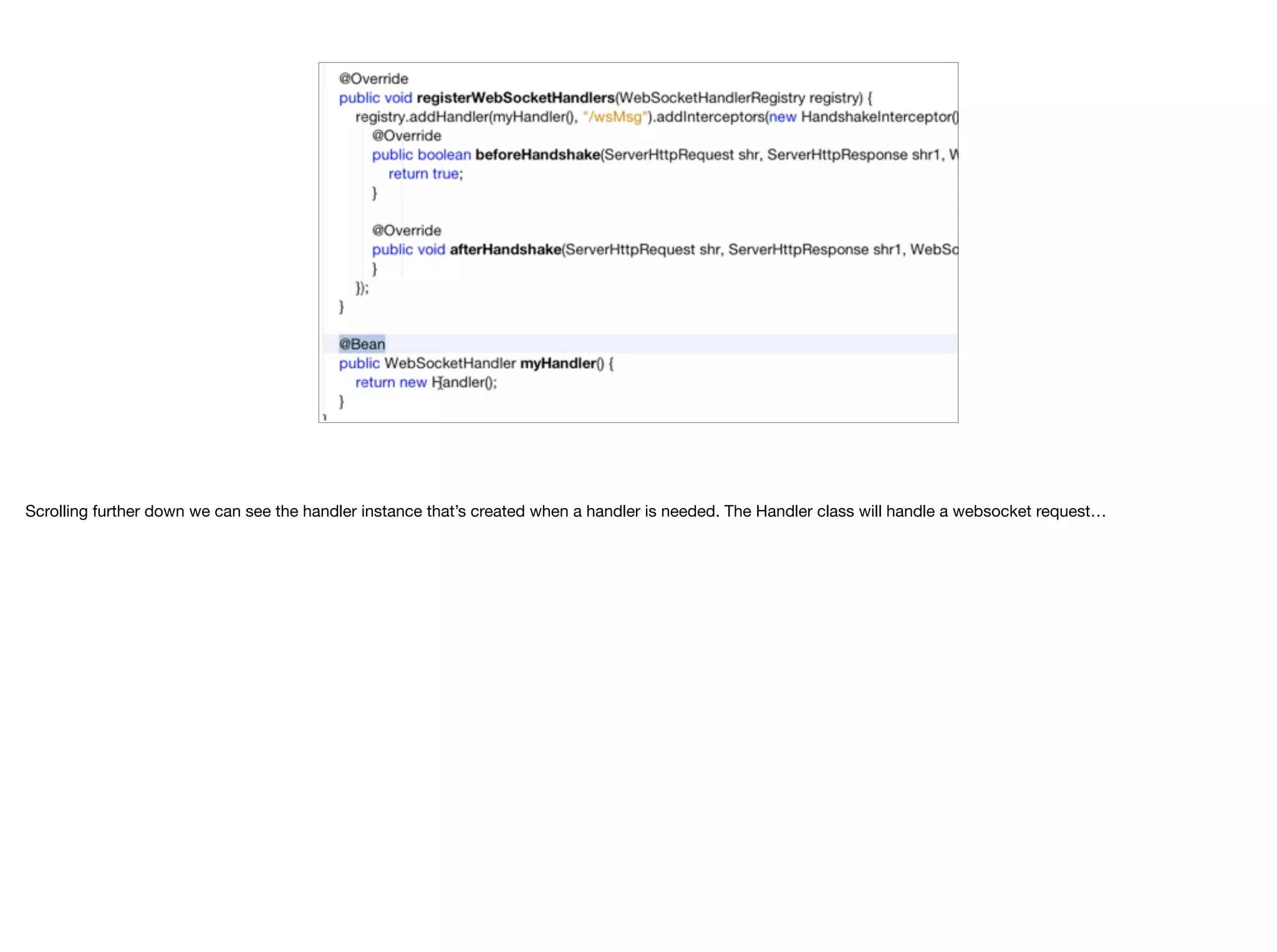
Scrolling further down we can see the handler instance that’s created when a handler is needed. The Handler class will handle a websocket request…
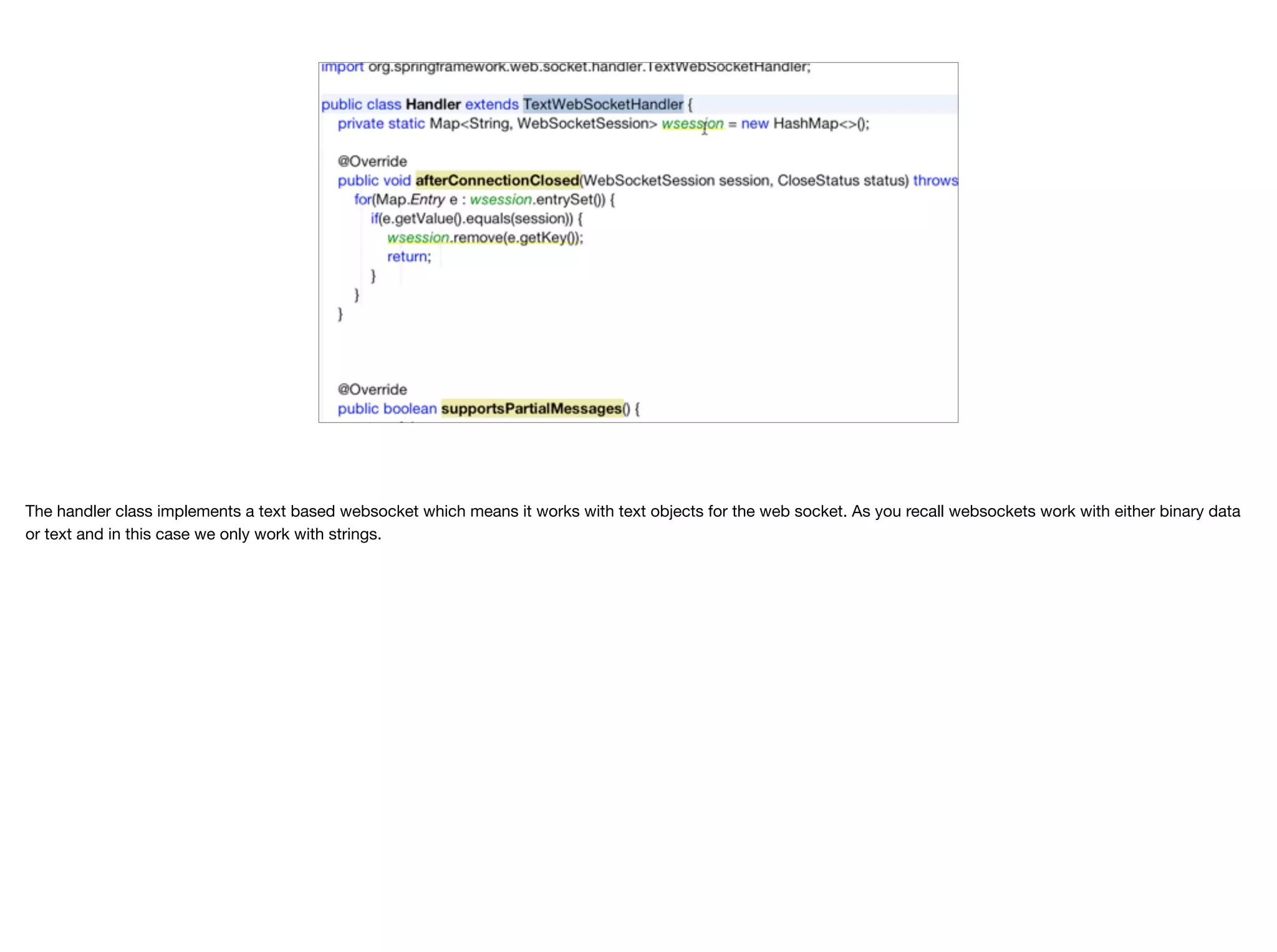
The handler class implements a text based websocket which means it works with text objects for the web socket. As you recall websockets work with either binary data or text and in this case we only work with strings.
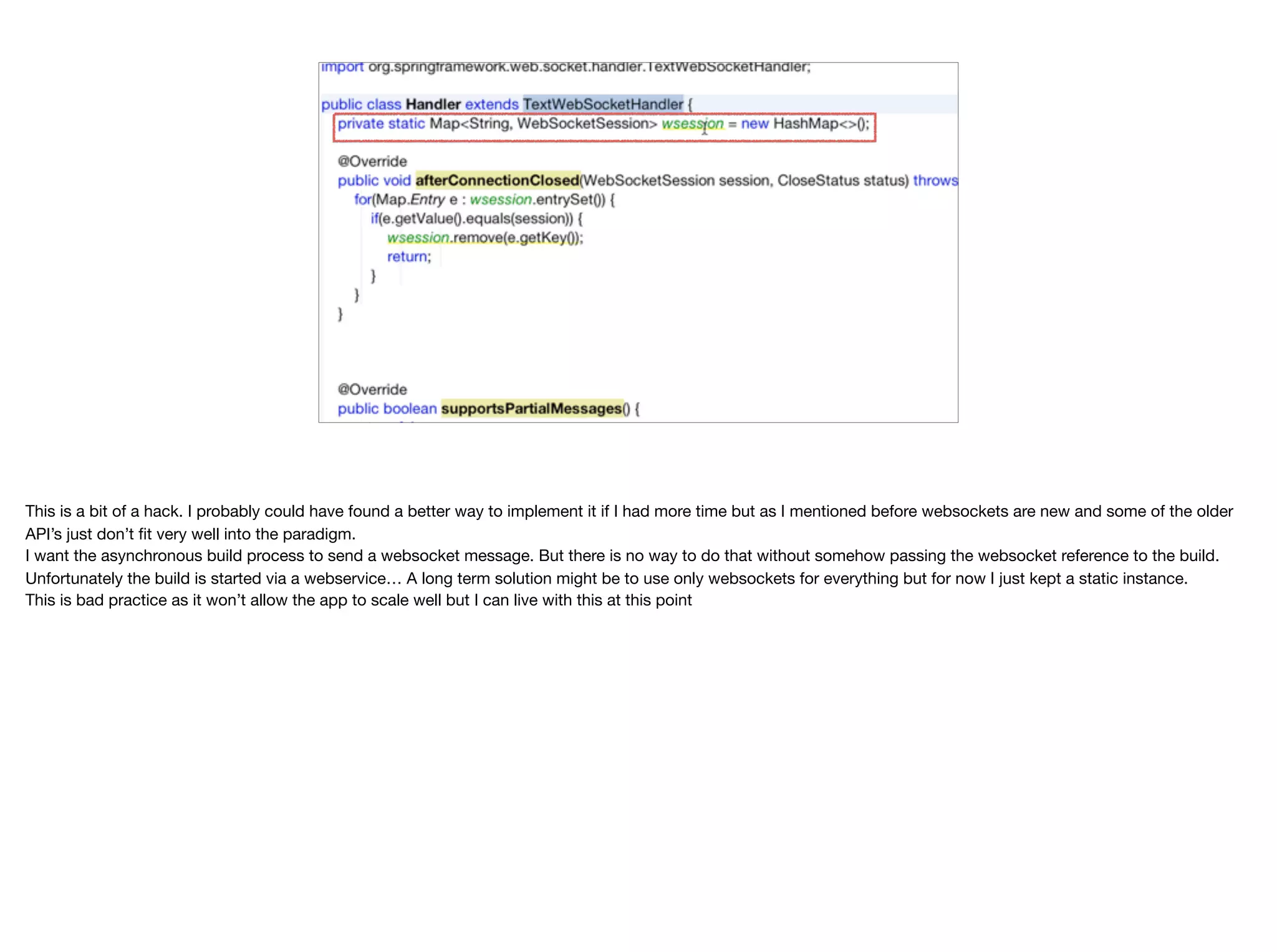
This is a bit of a hack. I probably could have found a better way to implement it if I had more time but as I mentioned before websockets are new and some of the older API’s just don’t fit very well into the paradigm. I want the asynchronous build process to send a websocket message. But there is no way to do that without somehow passing the websocket reference to the build. Unfortunately the build is started via a webservice… A long term solution might be to use only websockets for everything but for now I just kept a static instance. This is bad practice as it won’t allow the app to scale well but I can live with this at this point
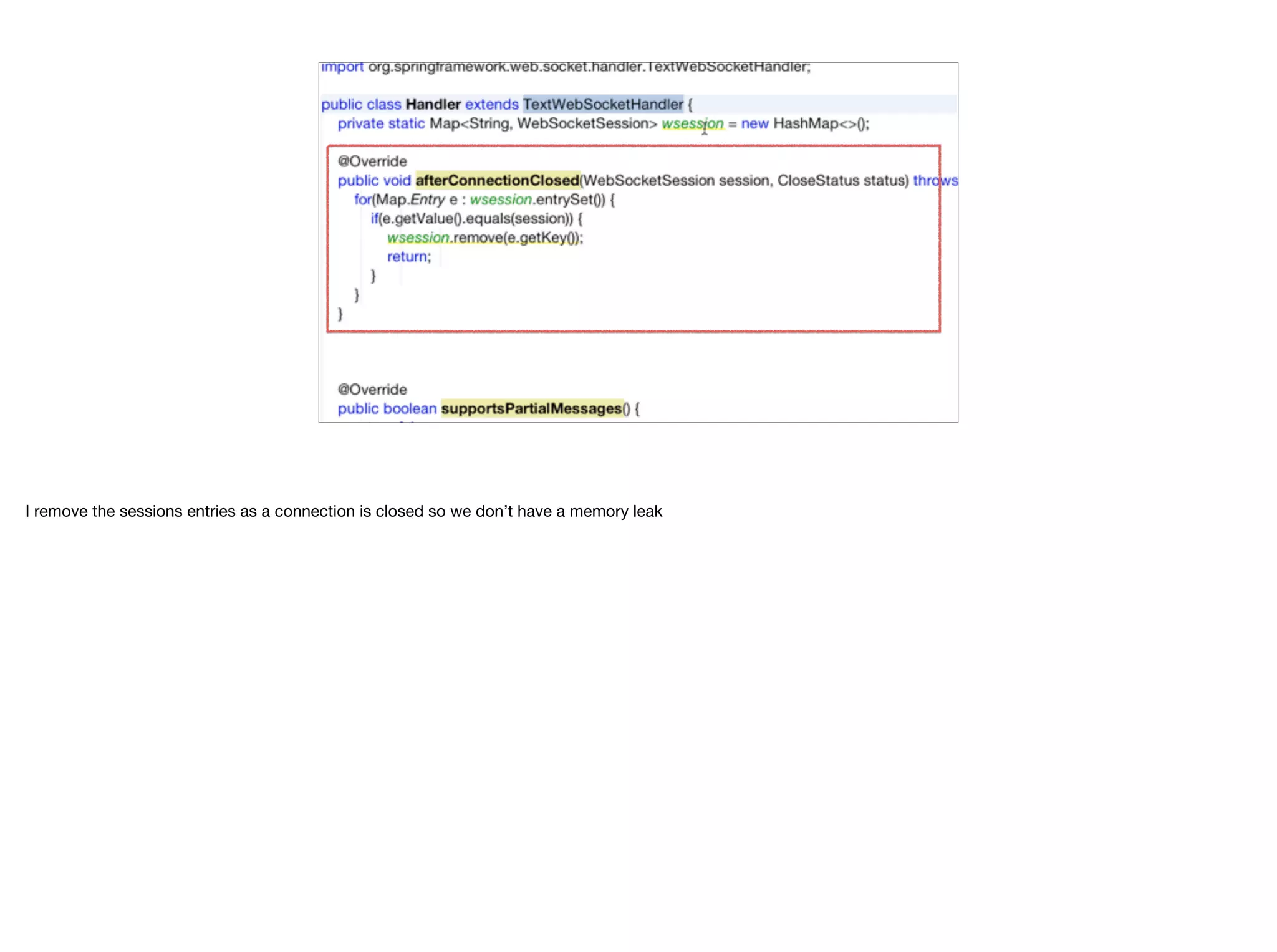
I remove the sessions entries as a connection is closed so we don’t have a memory leak
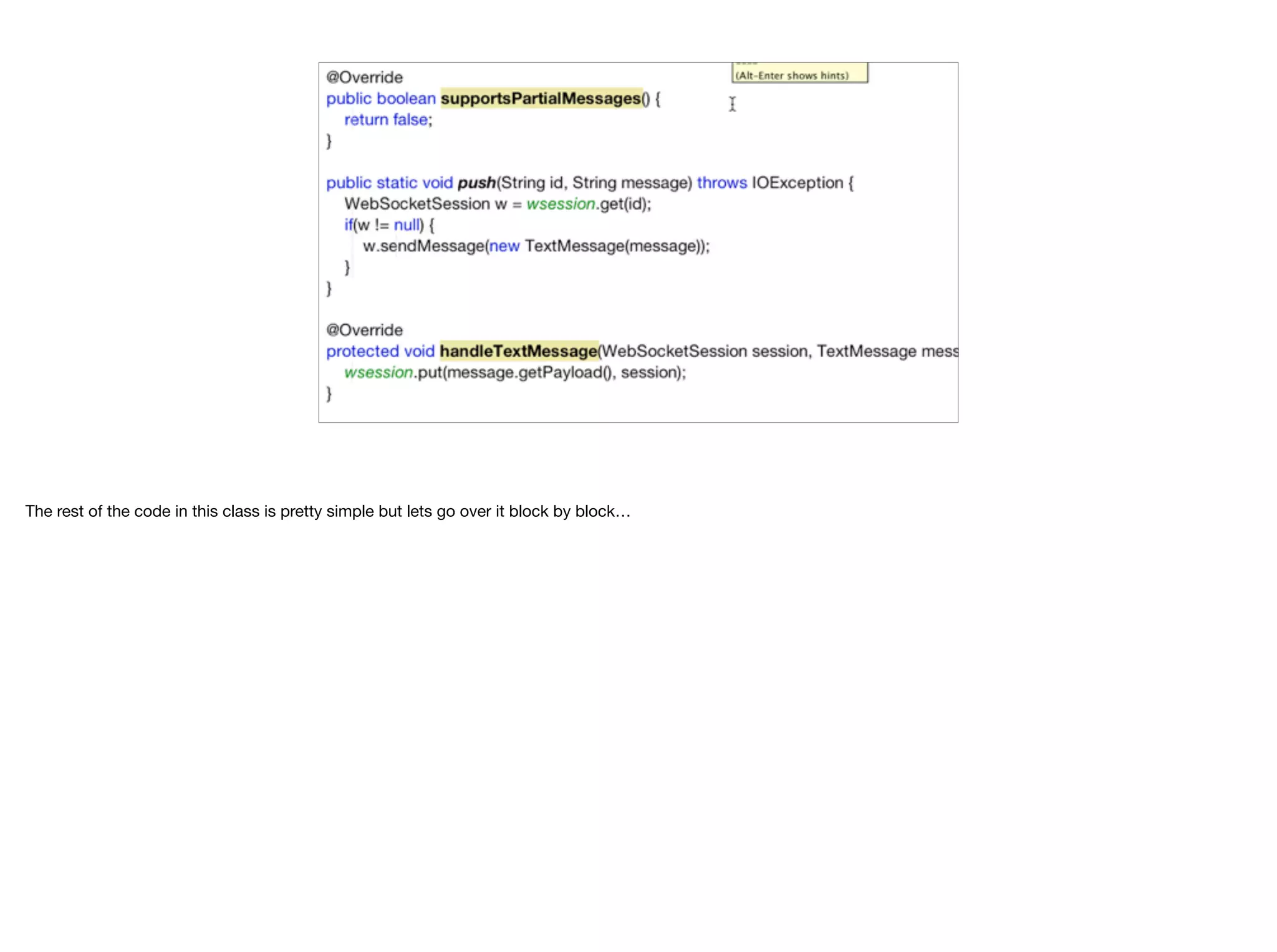
The rest of the code in this class is pretty simple but lets go over it block by block…
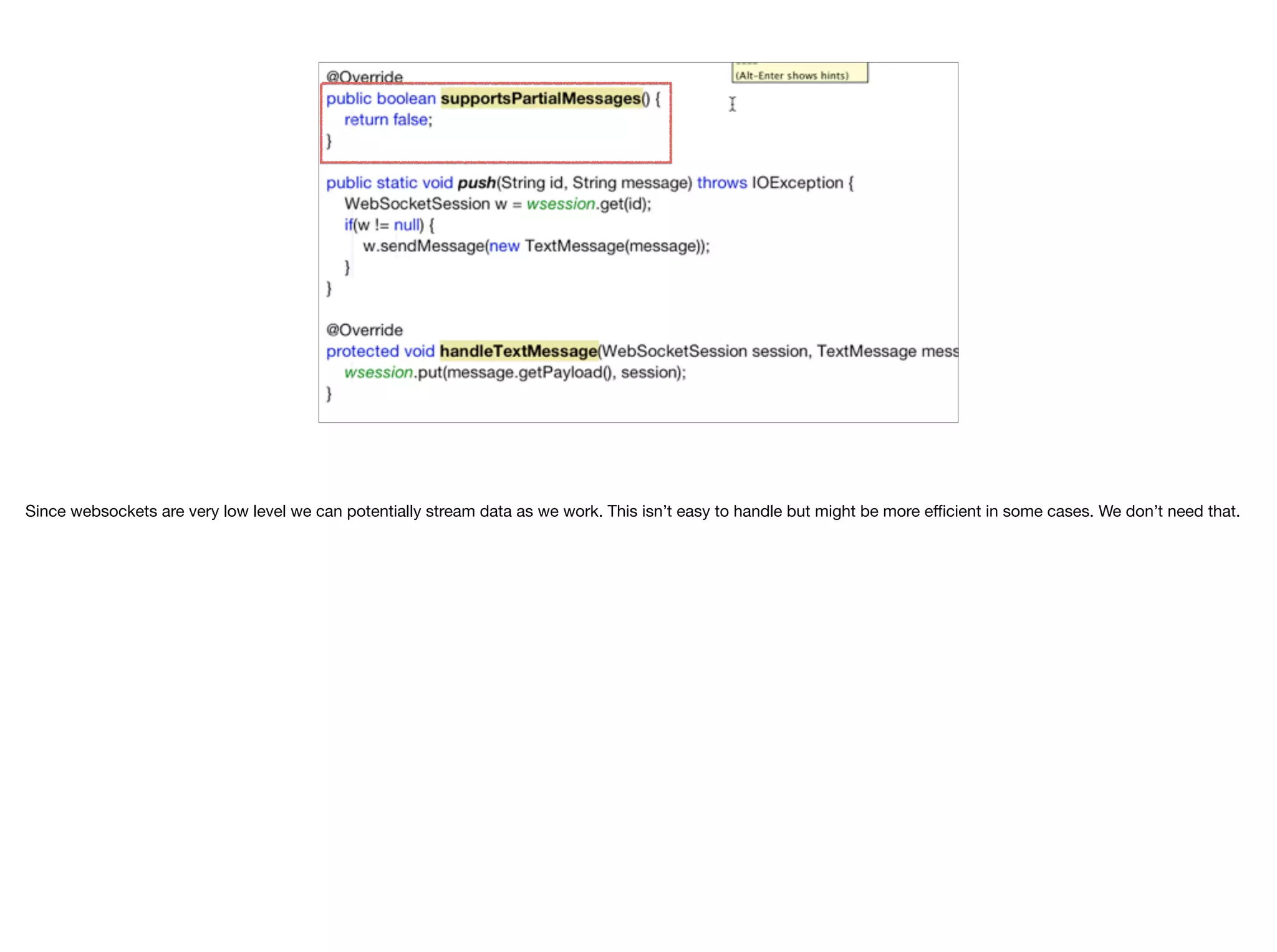
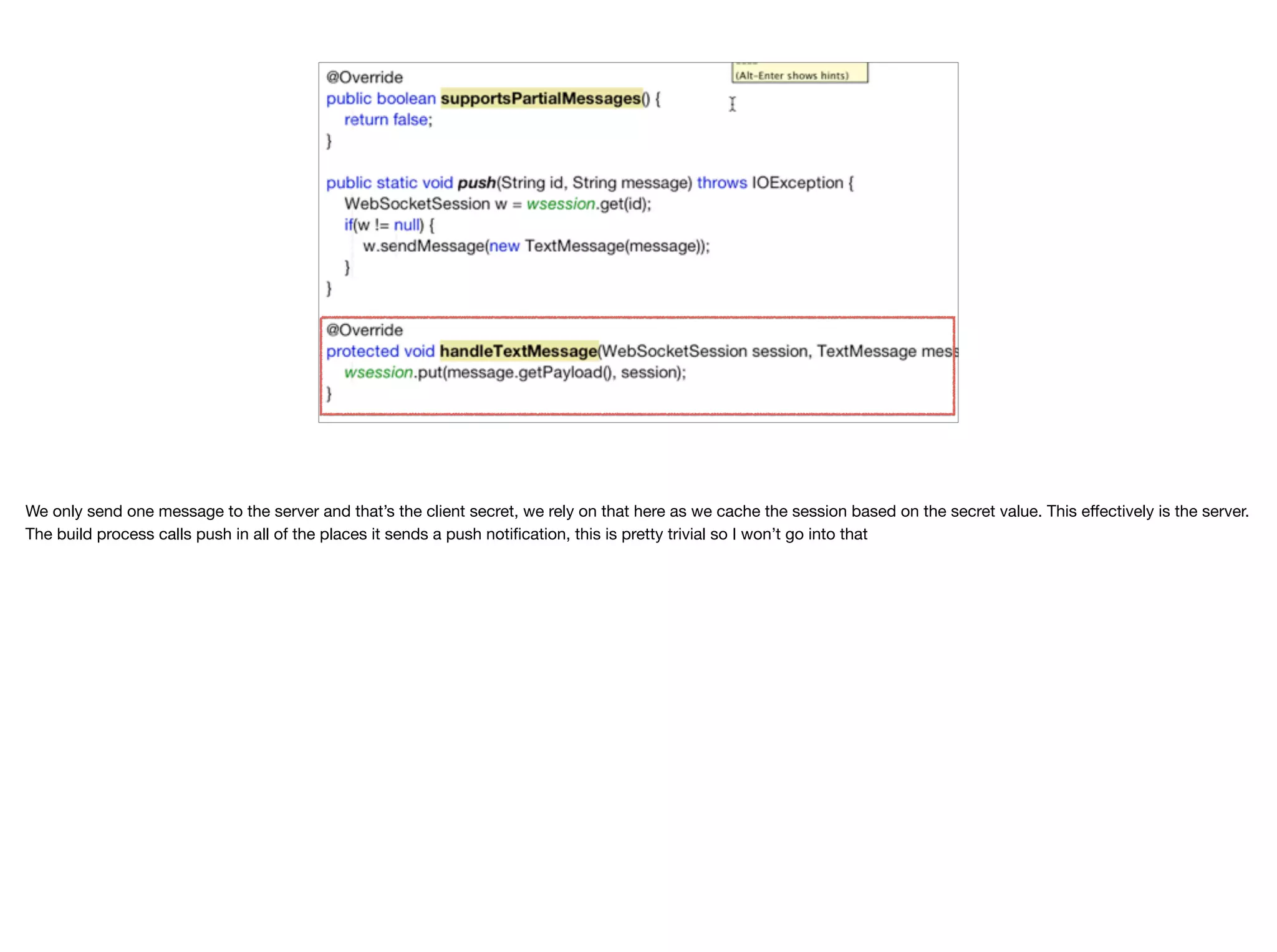
Since websockets are very low level we can potentially stream data as we work. This isn’t easy to handle but might be more efficient in some cases. We don’t need that.
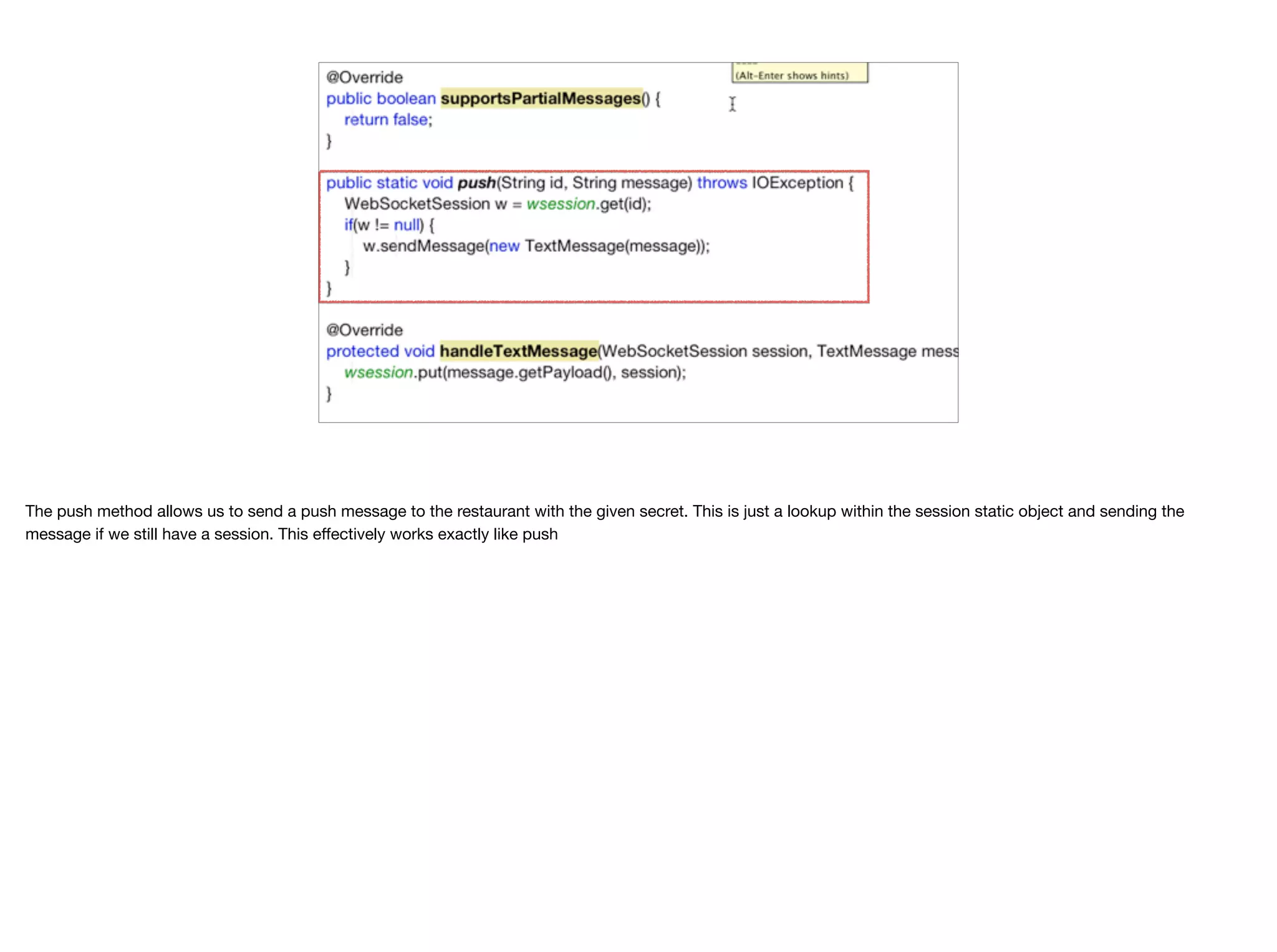
The push method allows us to send a push message to the restaurant with the given secret. This is just a lookup within the session static object and sending the message if we still have a session. This effectively works exactly like push
We only send one message to the server and that’s the client secret, we rely on that here as we cache the session based on the secret value. This effectively is the server. The build process calls push in all of the places it sends a push notification, this is pretty trivial so I won’t go into that
Thank You Thanks for watching. I hope you found this informative

WebSocket Push Fallback - Transcript.pdf

  • 1.
    WebSocket Push Fallback BeforeI start this section I’ll start with a small disclaimer. This section was developed after the application was almost finished and so the code you see attached to it includes many additional features that if you will look thru aren’t covered in previous modules. However, it does fit in this location so I took the liberty of sticking it in. As I mentioned before push is fragile and can be blocked by the user. In order for the app to work properly we need to properly handle the situation where push isn’t available and we can do that with a fallback implementation. I already demonstrated the http polling implementation. Now I’d like to move to the better solution which is websockets… But first, if it’s a better solution why didn’t I start with that?
 Websockets are newer and some server developers might not be as comfortable with them. They are worth your time and effort though as they make event based communication trivial and efficient.
  • 2.
    WebSockets © Codename One2017 all rights reserved ✦HTTP is expensive, we open a socket and close it for every request and pay for both TCP connection overhead as well as HTTP protocol overhead ✦Sockets allow fine grained control. Less generic & more application specific. But they don’t work well in the web ✦WebSockets allow us to change an HTTP connection so we can get access to its underlying socket and then keep using it as a socket HTTP is a relatively expensive protocol. Besides the cost of opening a socket we also have the cost of the headers. This gets really bad when you go back and forth from client to server for many small requests. HTTP works great when you return large files which effectively mask the overhead of the protocol. Sockets are too low level for the web environment. They don’t work nicely with most application servers and it’s really difficult to punch thru corporate firewalls. Sockets are also very fragile and it’s really hard to deal effectively with failure when working with them. WebSockets were devised as a middle of the road solution. They start as an HTTP (or HTTPS) connection but instead of closing the connection the server keeps the socket open and now the client and server can communicate freely back and forth. This has several advantages. You can go thru corporate firewalls who are mostly oblivious to websockets as they seem like regular web traffic (which they are). A lot of application servers have standardized support for websockets since they are a W3C standard. You can easily work with your favorite server. Coding is as efficient as regular sockets once you paid the connection overhead cost. And finally you can use websockets from Codname One as well as JavaScript and pretty much everywhere else on the client.
  • 3.
    API © Codename One2017 all rights reserved ✦ The client & server API’s are asynchronous and message based ✦ This is sometimes harder to work with as server API’s are often overly synchronous ✦ There is some standardization for async API’s but binding everything together with the WebSocket is difficult WebSockets aren’t as flexible as regular sockets since the API is a bit simplified. You can send and receive messages either as bytes or as Strings. That’s very convenient. One of the harder problems with websockets is actually in the server. A lot of server API’s are very synchronous by nature and it’s sometimes hard to bind an event from the server to a socket event. In fact that’s the biggest difficulty I had when working with websockets. Doing the “right thing” in Spring Boot. Spring Boot has an optional standardized protocol on top of websockets which I didn’t use as I wanted something very low level and that seemed redundant. This is the one problem with websockets, they are relatively new and a lot of the best practices haven’t caught up yet.
  • 4.
    WebSocket support inCodename One is implemented as a cn1lib which you can install by launching the Codename One Settings app and going to the Extensions section. When you press the download button the library will be installed. Just use refresh libs in the right click menu and you can proceed to use the websocket library.
  • 5.
    In the codeyou might recall the buildApp method that builds the actual app. We now open a connection to the server with the websocket class. The websocket class includes callbacks representing the various states of the websocket
  • 6.
    The first callbackis onOpen, you will notice I’m sending the secret to the server so we can bind to the right restaurant. Initially I didn’t pay attention to it and just called the send method directly after creating the socket object. This didn’t work but I didn’t get any error either. Since the socket works asynchronously it wasn’t open and my call was failing. This method is crucial for the initial handshake code.
  • 7.
    You’ll notice wehave two on message methods as the websocket API. One accepts a String and the other a byte array. This maps to the way the websocket API works where a special case is made for both of these types.
 We only pass strings here which map directly to the messages we would have gotten from the push notification API.
  • 8.
    Scrolling a bitdownwards we can now see the on error callback. It’s important to override that to handle errors. We can then see the sock.connect() method which initializes the connection. For this specific trivial usage of websockets this is literally the entire client side but even more elaborate usage isn’t much more complicated than that. WebSockets are just messages we send and receive and the client side is remarkably simple…
  • 9.
    On the serverside we need to first create a configuration class to handle websockets. I defined the standard 8kb buffer size and add a handler for the specific websocket URL.
  • 10.
    Scrolling further downwe can see the handler instance that’s created when a handler is needed. The Handler class will handle a websocket request…
  • 11.
    The handler classimplements a text based websocket which means it works with text objects for the web socket. As you recall websockets work with either binary data or text and in this case we only work with strings.
  • 12.
    This is abit of a hack. I probably could have found a better way to implement it if I had more time but as I mentioned before websockets are new and some of the older API’s just don’t fit very well into the paradigm. I want the asynchronous build process to send a websocket message. But there is no way to do that without somehow passing the websocket reference to the build. Unfortunately the build is started via a webservice… A long term solution might be to use only websockets for everything but for now I just kept a static instance. This is bad practice as it won’t allow the app to scale well but I can live with this at this point
  • 13.
    I remove thesessions entries as a connection is closed so we don’t have a memory leak
  • 14.
    The rest ofthe code in this class is pretty simple but lets go over it block by block…
  • 15.
    Since websockets arevery low level we can potentially stream data as we work. This isn’t easy to handle but might be more efficient in some cases. We don’t need that.
  • 16.
    The push methodallows us to send a push message to the restaurant with the given secret. This is just a lookup within the session static object and sending the message if we still have a session. This effectively works exactly like push
  • 17.
    We only sendone message to the server and that’s the client secret, we rely on that here as we cache the session based on the secret value. This effectively is the server. The build process calls push in all of the places it sends a push notification, this is pretty trivial so I won’t go into that
  • 18.
    Thank You Thanks forwatching. I hope you found this informative