


Xamarin.Forms Scheduler - Schedule Appointments with Ease
- Manage appointments easily for different applications with recurrence and time zone support.
- Display appointments using four configurable view modes.
- Utilize other vital features such as appointment rescheduling, date restriction beyond the specified range, and localization.
Trusted by the world’s leading companies

Overview
Xamarin Scheduler control is an event calendar that is used to schedule and manage appointments through an intuitive user interface, similar to the native device calendar. Four different view modes are supported: day, week, workweek, month, and timeline views.
Its rich feature set supports:
- Custom appointments.
- Recurrence exceptions and time zones.
- Appearance customization.
- Appointment rescheduling through drag-and-drop.
- Restricting navigation within minimum and maximum dates.
- Localization to meet the needs of different regions.

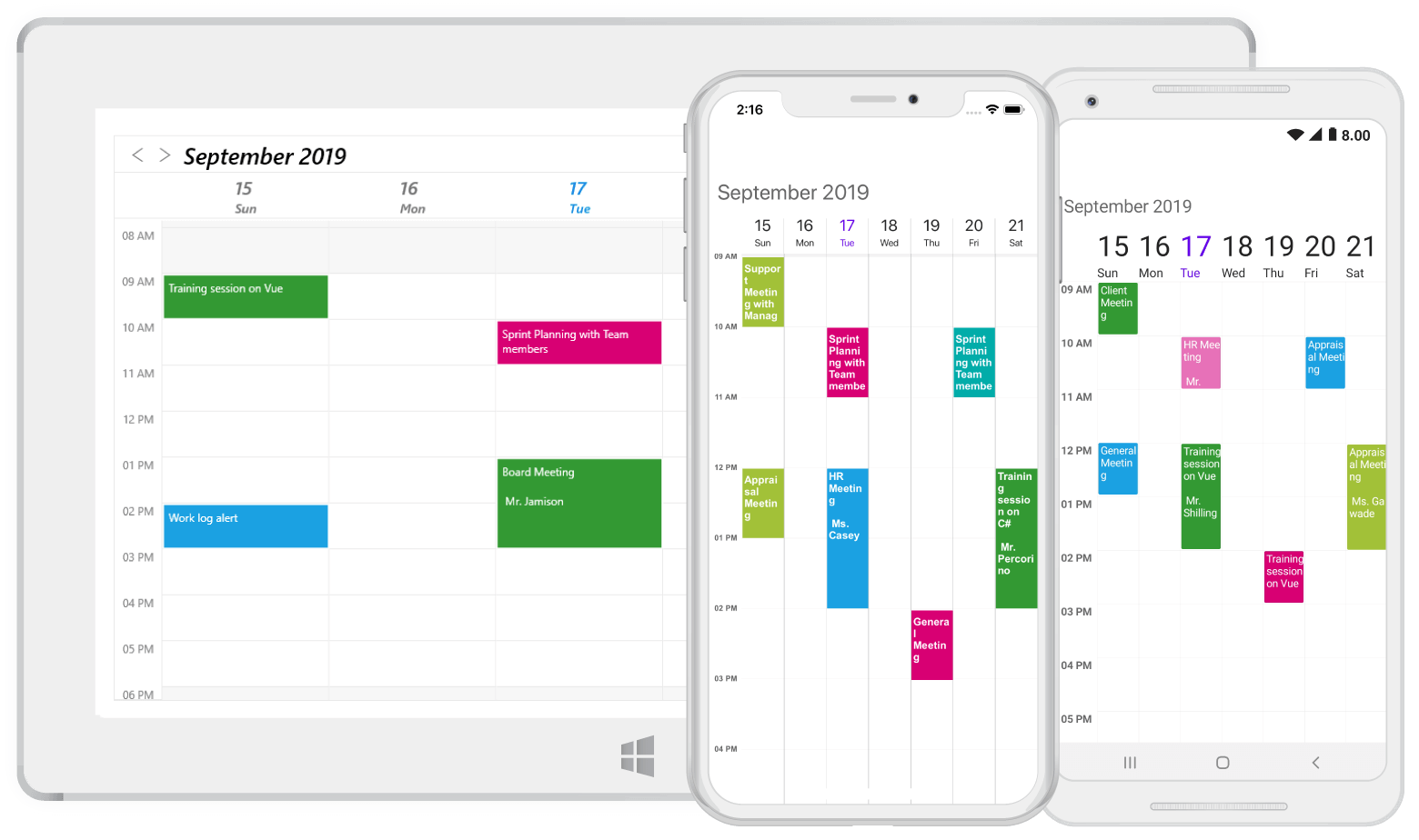
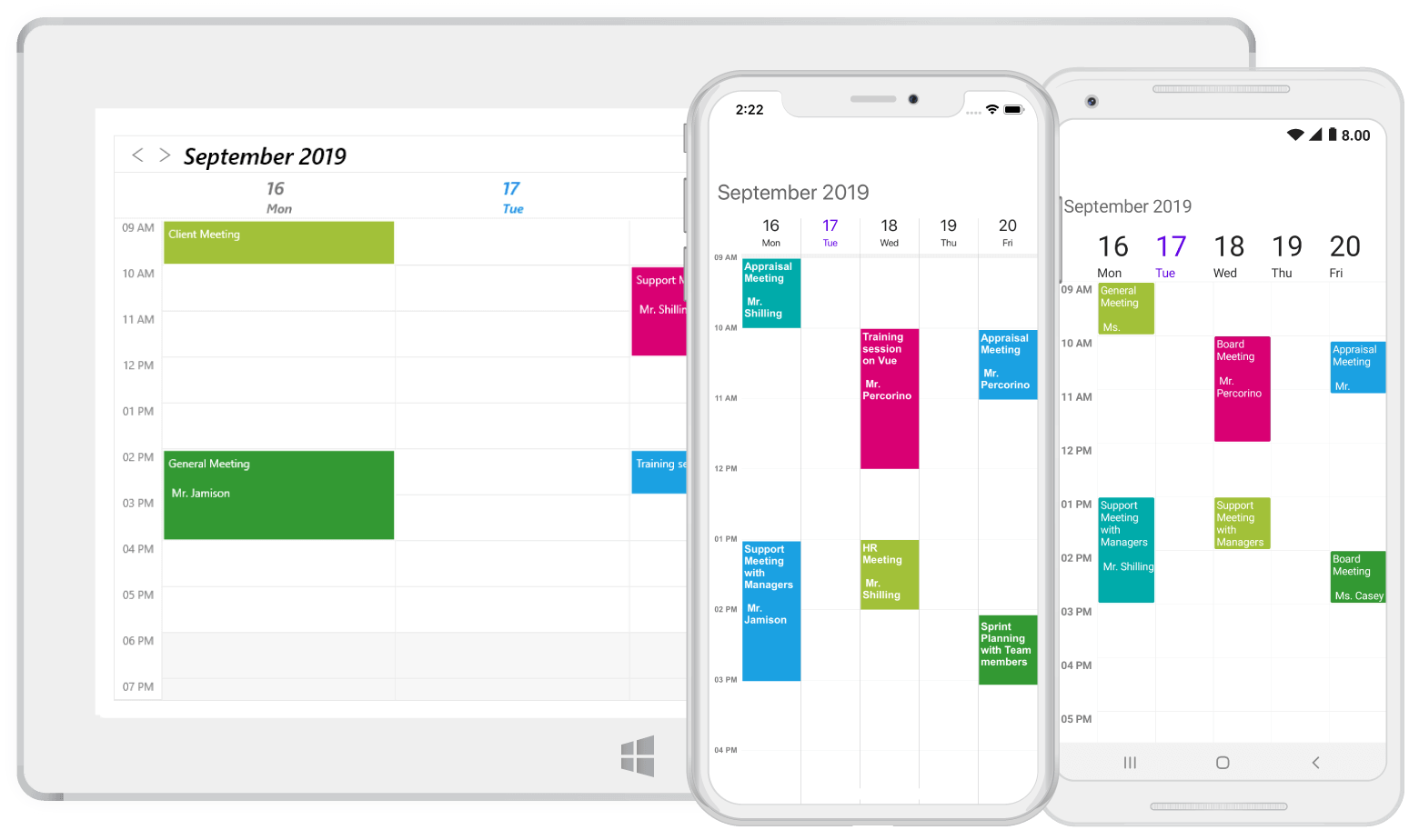


View modes
Display appointments using four types of built-in configurable views:
- Day view
- Week view
- Workweek view
- Month view
- Timeline view
Appointments
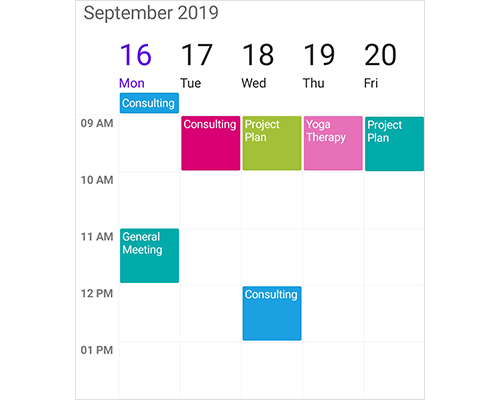
Appointments provide information about the event scheduled to occur at the specified time.
Selection and navigation

Selection
Supports selecting time slots and appointments with customization options. Schedule supports programmatic selection as well.
Navigation
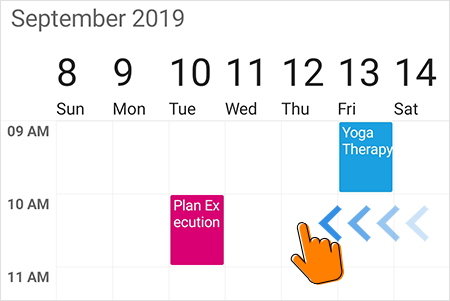
- Navigate to adjacent schedule views using touch swipe gestures as well as programmatically.
- Bring the required time slot into view in day, week, workweek views.
- Move to specific date programmatically.

Date restriction
Prevent navigation beyond specified minimum and maximum dates. This restricts users from selecting certain dates or creating appointments outside of a range of time.
Appointment rescheduling
- Quickly reschedule an appointment by dragging it from one time slot and dropping it into a different time slot. This is applicable in day, week, and workweek views.
- Restrict the rescheduling of certain appointments and prevent the dropping of an appointment at a certain time.

Resource view

View appointments of selected resources
Displays the resources as a discrete view integrated with the Scheduler to show appointments in all types of schedule views. It allows users to select single or multiple resources and display the events associated with the selected resources with an efficient and effective utilization of screen space.

View all available appointments of resources
Display the appointments of each resource in a discrete timeline view to enhance viewability.
Time zones
Display appointments created in various time zones in a specified time zone regardless of the time zone set on the system or device. Appointment times are also automatically adjusted and displayed based on daylight savings time.
Xamarin.Forms Scheduler Code Example
Easily get started with the Xamarin.Forms scheduler using a few simple lines of C# code example as demonstrated below. Also explore our Xamarin.Forms Scheduler Example that shows you how to render and configure the Scheduler in Xamarin.Forms.
<?xml version="1.0" encoding="utf-8" ?> <ContentPage x:Class="GettingStarted.Sample" xmlns="http://xamarin.com/schemas/2014/forms" xmlns:x="http://schemas.microsoft.com/winfx/2009/xaml" xmlns:local="clr-namespace:GettingStarted;assembly=GettingStarted" xmlns:syncfusion="clr-namespace:Syncfusion.SfSchedule.XForms;assembly=Syncfusion.SfSchedule.XForms"> <ContentPage.Content> <syncfusion:SfSchedule x:Name="schedule" /> </ContentPage.Content> </ContentPage>using Syncfusion.SfSchedule.XForms; using Xamarin.Forms; namespace GettingStarted { public class App : Application { SfSchedule schedule; public App() { InitializeComponent(); //Creating new instance for SfSchedule schedule = new SfSchedule(); MainPage = new ContentPage { Content = schedule }; } } }Globalization and localization

Globalization
- Display date-time formats and schedule headers in different cultures to meet the various needs of different regions.
- Xamarin Scheduler also supports changing the first day of the week.


Right to left(RTL)
Provides right to left flow direction support in Xamarin Scheduler control.
150+ XAMARIN UI CONTROLS
ALL CONTROLS
- Xamarin.Forms
- Xamarin.Android
- Xamarin.iOS
- GRIDSDATA VISUALIZATIONNAVIGATIONEDITORSLAYOUTPROJECT MANAGEMENTNOTIFICATIONDOCUMENT PROCESSING LIBRARIESVIEWER/EDITORMISCELLANEOUSCHAT
- GRIDSDATA VISUALIZATIONNAVIGATIONEDITORSLAYOUTPROJECT MANAGEMENTNOTIFICATIONVIEWER/EDITORDOCUMENT PROCESSING LIBRARIESMISCELLANEOUS
- GRIDSDATA VISUALIZATIONNAVIGATIONEDITORSLAYOUTPROJECT MANAGEMENTNOTIFICATIONVIEWER/EDITORDOCUMENT PROCESSING LIBRARIESMISCELLANEOUS
The most downloaded control (based on the nuget.org download count).
Frequently Asked Questions
Why should you choose Syncfusion Xamarin Scheduler?
The Syncfusion Xamarin Scheduler supports the following features:
Manage appointments easily for different applications with recurrence and time zone support.
Display appointments using four configurable view modes.
Utilize other vital features such as appointment rescheduling, date restriction beyond the specified range, and localization.
- One of the best Xamarin Scheduler in the market that offers feature-rich UI to interact with the software.
- Work with a simple configuration and API.
- Use a lightweight and truly native control.
Expansive learning resources such as demos, documentation, and videos to learn quickly and get started with Xamarin Scheduler.
Where can I find the Syncfusion Xamarin Scheduler demo?
You can find our Xamarin Scheduler demo, which demonstrates how to render and configure Scheduler.
Can I download and utilize the Syncfusion Xamarin Scheduler for free?
No, this is a commercial product and requires a paid license. However, a free community license is also available for companies and individuals whose organizations have less than $1 million USD in annual gross revenue, 5 or fewer developers, and 10 or fewer total employees.
How do I get started with Syncfusion Xamarin Scheduler?
A good place to start would be our comprehensive getting started documentation.
Our Customers Love Us
Having an excellent set of tools and a great support team, Syncfusion® reduces customers’ development time.Here are some of their experiences.

Amazing tool, great designs
Using Xamarin templates from Syncfusion I can focus on the code and do not have to worry about design. Very easy to implement.

Dirk F, 
Software Development Engineer, Small-Business
Essential for any Xamarin developer!
A large number of components that complement or improve almost everything that does not yet exist in Xamarin. The support is the best I've ever seen! They fix bugs quickly and are always willing to listen to suggestions.

Cezar W,
Co-Founder, Small-Business
Rated by users across the globe



Syncfusion Xamarin.Forms Resources
Learning  Documentation
Documentation 


Awards
Greatness—it’s one thing to say you have it, but it means more when others recognize it. Syncfusion® is proud to hold the following industry awards.






