


- Web templates
- E-commerce Templates
- CMS & Blog Templates
- Facebook Templates
- Website Builders
FAQs
General Tutorials
Featured templates
MonsterONE Subscrioption









This tutorial will show you how to manage Parallax blocks in Magento template.
Magento. How to manage Parallax blocks
In order to add parallax-effect for certain content block, you need:
To add any class for parallax-effect block (e.g: parallax) and add attribute:
data-source-url="{{skin url='images/your_image.jpg'}}" E.g:
<div class="parallax" data-source-url="{{skin url='images/your_image.jpg'}}"> </div> 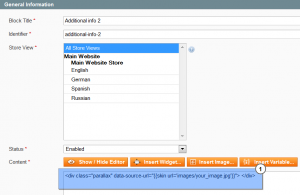
To add image into images folder skin/frontend/default/themeXXX/images/.
To add styles into the skin/frontend/default/themeXXX/css/style.css file:
.parallax { background-image: url(../images/your_image.jpg); background-position: 50% 0%; background-repeat: no-repeat; background-size: cover; left: 50%; margin-left: -225px; height: 250px; } Add the following code into skin/frontend/default/themeXXX/js/scripts.js file :
jQuery(window).load(function(){ var isMobile = /Android|webOS|iPhone|iPad|iPod|BlackBerry|IEmobile|Windows Phone|WPDesktop/i.test(navigator.userAgent); if(!isMobile) { if(jQuery(".parallax").length){ jQuery(".parallax").cherryFixedParallax({ invert: true, offset: 300 }); }; }; }); Variable invert: true chooses the direction of the parallax effect, and offset: 300 its density:
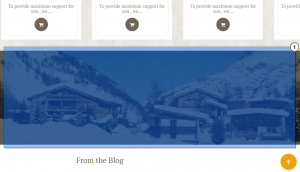
This is the end of the tutorial. Now you know how to manage Parallax blocks in Magento template.
.jpg)
Feel free to check the detailed video tutorial below:
